Smashing Magazine - we smash you with the information that will make your life easier. really.
The Co-Founder of Smashing Magazine. Former writer, web designer, freelancer and webworker. Author of several books. Runs the business.
- 43 Comments
- 1
- 2
October 20th, 2006 8:06 pmVery nice! These tools are very handy!
- 3
October 20th, 2006 8:12 pmWow…. brilliant list!
- 4
October 20th, 2006 8:35 pmExcellent compilation of CSS tools. I’ve never an expert in CSS, but these will definitely help a great deal.
- 5
October 21st, 2006 5:29 amNice collection, thx!!!
- 6
October 21st, 2006 11:14 amA good link to add, very helpful:
free standards-friendly layouts: http://andreasviklund.com/templates/
go check, it should be on your list. :)
- 7
October 21st, 2006 3:40 pmoh, sweet. now, if i could just get them to help me fix my site
- 8
October 22nd, 2006 5:22 pmVery very helpful for me, thank you very much
- 9
October 24th, 2006 11:07 pmWoW is all I can say. Thanks for these resources!
- 10
January 5th, 2007 5:25 pmplzz add my link, its a nice php webbased css-editor.
- 11
January 24th, 2007 12:03 amThis list is god-given. Really sweet and can really help a lot of developers out there.
- 12
February 9th, 2007 8:41 pmHelp!! These tools are great, but I need to know how to adapt the CSS on my site so that it is printer friendly. I particularly need to how how I handle pages with different content heights and get them to break at the right place. The main issue is to adapt the CSS so as not cut of words in the left hand margin. Can anyone point me in the right direction? Alison
- 13
April 23rd, 2007 10:33 amThanks for the list!
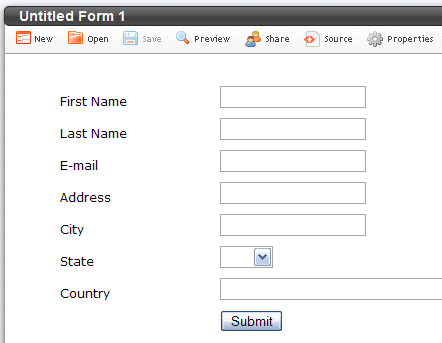
What about wufoo.com?
- 14
June 16th, 2007 3:21 amJust a kid in a candy store aren’t you Barry
- 15
July 31st, 2007 5:40 pmthank you for all of your article in this site. its very helpfull for me as a newbee.
- 16
August 9th, 2007 5:57 pmThank you for the useful list.
-Nish - 17
August 23rd, 2007 1:46 pmThanks for this handy tools……
very helpful…….
- 18
October 2nd, 2007 11:03 amI like to post my CSS tool as well, if anyone is interested:
You can copy and paste CSS code, and it will visually display to you the results of the colors.
- 19
October 18th, 2007 5:53 pmThanks for these useful links to the CSS tools! I’ve used several of them now and I have to say that the Layout-o-matic is without a doubt a fave.
Thanks again.
- 20
December 7th, 2007 2:49 amMaybe you should include this in your list: http://www.cssbuttons.net
CSS Buttons will allow designers to quickly implement consistently looking, cross-browser, buttons regardless of the element used. CSS Buttons is a plug n’ play solution for Multilingual, CMS, Blogs, and similar web sites faced with dynamic content challenges.
- 21
December 28th, 2007 11:13 amthis is a great list, thankyou very much for the article
- 22
January 2nd, 2008 1:09 pmawesome article, tools are massivley handy thanks very much Smashing Magazine!!!
- 23
January 17th, 2008 4:54 pmCSS Buttons will allow designers to quickly implement consistently looking, cross-browser, buttons regardless of the element used. CSS Buttons is a plug n’ play solution for Multilingual…
- 24
March 10th, 2008 11:41 amSweet list thanks. I’ve used a few of these sites. I posted your list on listdid.com
- 25
March 31st, 2008 8:12 amThis list is amazing and so useful! Thanks so much! Does anyone know of a similar list of tools/tips for developers (especially PHP)?
- 26
April 15th, 2008 10:28 pmand so is why this site is second to none. best regards
- 27
April 19th, 2008 8:54 pmThanks GR8 list, I want to ask a question about color options in a website I want to put 3 color options for my website i.e. 1 will be default color, and 2 colors of choices I want to put 3 buttons ( with 3 different colors – Red, Green, Grey ) in my website , when on clicked 1st button it will show the website in Red color and when I click 2nd button It will change the color of the whole website from Red to Green and same process for third button.
Thanks - 28
August 10th, 2008 3:49 amCSS “Cascading Style Sheets” Lessons
css list style Properties and examples — http://css-lessons.ucoz.com/list-css-examples.htm - 29
August 19th, 2008 3:35 amOh, I hope I may point out that UITest.com features yet additional tools, not just related to CSS.
- 30
September 29th, 2008 2:00 pmC marrant. Je suis tombé sur le site par hasard et j’ai me rendre compte de se qui m’attends en Inde. J’y vais dans 4 mois. Je suis vraiment impatient. Belles Photos, beaux “reportages”. Cool
- 31
November 26th, 2008 9:37 amVery useful stuff, I appreciate ur hard work. I am basically looking for navigation with submenus in it. Can you list an example of that sort. thanks
- 32
December 21st, 2008 12:14 pmI am now a regular reader of this site…Thanks!
- 33
December 29th, 2008 2:32 pmvery very thanx…
- 34
January 31st, 2009 4:40 amThanks for putting together this list, its great. Keep up the good work.
- 35
March 14th, 2009 4:32 amIt’s the first time I comment here and I must say you share genuine, and quality information for bloggers! Good job.
p.s. You have an awesome template . Where have you got it from? - 36
March 18th, 2009 1:17 amThis is a very comprehensive list, thank you!
- 37
April 6th, 2009 2:20 amVery nice. Thanks!
- 38
April 22nd, 2009 8:34 amYASC (Yet Another Sprite Creator), an easy tool to generate your css rules for your sprite images : http://www.lecentre.net/fratoblog/yasc/
- 39
June 9th, 2009 3:32 amSome great advice there, excellent post
- 40
July 11th, 2009 3:18 amVery helpful.
Thanks a lot! - 41
October 6th, 2009 3:41 amHow to create variable for “backgroud-image:url()”
- 42
November 2nd, 2009 7:48 pmcan i translate it into Chinese and published to my own website?I will retain your copyright
- 43
November 26th, 2009 5:48 amHi, after a couple of redesigns (and some old pages are still in use) I have the problem to clean up my CSS. Is there a tool, where can parse a couple of urls and get an analysis, which css classes are not in use?
- 00
There are no trackbacks at this time. If you are interested in leaving a trackback, please use this URL.
Leave a Comment
Make sure you enter the * required information where indicated. Please also rate the article as it will help us decide future content and posts. Comments are moderated – and rel="nofollow" is in use. Please no link dropping, no keywords or domains as names; do not spam, and do not advertise!
Interact
Popular
- 100 Wordpress Themes
- Photoshop Tutorials
- Fantastic Wallpapers
- 40+ Excellent Freefonts
- Dual-Screen Wallpapers
- Wordpress Themes for 2009
- Illustrator Tutorials
- Incredible Free Icon Sets
- High-Quality Free Fonts
- 30 Scripts For Galleries
- Photoshop Text Effects
- Useful Icon Sets
- Web Design Trends
- iPhone Wallpapers
- Before Launching a Website
- CSS Layouts And Templates
- Photoshop Actions
- Stunning Pictures and Photos
- Fantastic HDR Pictures
- Logo Design Tutorials
- Free Design Templates
- 10 Mistakes In Logo Design
- Photoshop Custom Shapes
- 40 Creative Design Layouts
- 8 Layout Solutions
- 53 CSS Techniques
- Photography Techniques
- Black & White Photography
- Styling Design Elements
- CSS-Based Forms
- 50 jQuery Techniques
- 50 Portfolio Websites
- 50 CSS Techniques
- Creative Logo Designs
- Desktop Wallpapers
- 25 Open Source Mac Apps
- 50 Free Icon Sets
- 33 New High Quality Adobe Illustrator Tutorials - http://bit.ly/bTgFbu
- How to Drastically Improve Your Designs - http://bit.ly/a9L1sb
- A Quick Look at Mobile Web Designs - http://bit.ly/9TCWCG
- How to Test your JavaScript Code with QUnit - http://bit.ly/da853c
- jQuery 1.4 API Cheat Sheet - http://bit.ly/5zYYnE
- Beautiful, Elegant and Free 48px Icon Set - http://bit.ly/cSWcBR
- Gridmaker For Photoshop CS4 - http://bit.ly/98F9kv (via @designernews)


This opitimiser collects all your inline styles and creates classes for them then compresses them.
Peace,
Sam