
15 Useful Project Management Tools

Email Newsletter
Weekly tips on front-end & UX.
Trusted by 182,000+ folks.
 Celebrating 10 million developers



There is a huge variety of project management applications out there. Most are general purpose apps, not aimed at any one industry. But there is a growing number of project management apps aimed specifically at one industry or another. Applications geared to creative types are becoming more readily available, and some of the offerings are really quite good.
Many of these project management apps have built-in code repositories and subversion browsers (or are built around them). A few have built-in bug and issue tracking. Others include more than just basic project management. All of them can help you keep track of activities and team members. There are both free and paid options. Some have very slick interfaces, and some are modeled more after desktop applications. All are relatively easy to use and easy to set up.
You may want to take a look at the following related posts:
- Why Companies Need Full-Time Product Managers
- Effective Strategy To Estimate Time For Your Design Projects
- Guidelines for Successful Communication With Clients
Below are 13 useful project management applications, almost all of which are targeted directly at Web developers, designers (both Web and print) and other creative types. The last one is not geared specifically to creative types but is the most unique project management application I’ve found and is included on that basis as well as because of its potential usefulness for designers and developers.
1. Basic Project Management Apps
These applications are marketed specifically for project management. Most include things like task-, team-, and goal-management features. Some include additional features such as time tracking and invoicing.
Lighthouse
Lighthouse is a bug- and issue-tracking app that tracks timelines and milestones, integrates with your email client and more. You can update tickets through your inbox, manage your beta testing (by making tickets and milestones public), integrate it with subversion and manage and prioritize your tickets.
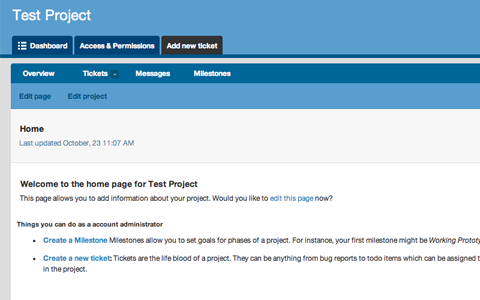
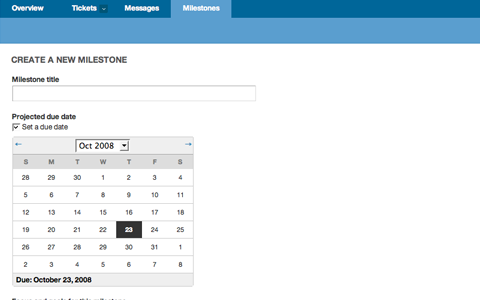
Project creation is simple; only a project title and description is required. Once a project is created, tickets, messages and milestones can be entered. Ticket creation can be done by email (the email address to send tickets to is displayed on the “Tickets” page). You can show tickets based on a variety of criteria, including date, state (open or closed) and who is responsible for them. Message creation is easier than email, and you can attach files up to 50 MB in size. When you create a milestone you simply enter the title, the date it’s due and the goals or focus for that particular milestone. It doesn’t get much simpler than that.
Permissions are easy to set, and you can invite users by email. One of the best features of Lighthouse is its Beacon and API integration. With the API, you can customize tickets, projects, changesets, milestones, messages and more. Integrate it with other services (such as Google Calendar), or make desktop applications that use Lighthouse. The APIs make Lighthouse infinitely more useful, because you can really customize it to fit your current workflow.
Lighthouse is great for Web development teams (or individuals) and has a very easy-to-use interface. They have paid and free plans, all of which include unlimited open-source projects. The free plan lets you manage one private project with up to two people on the account. The paid plans range from $10 per month for the Personal plan (with up to 3 projects, 10 users and 100 MB of file upload storage space) to $120 per month for the Platinum plan (with unlimited projects, up to 50 public projects, unlimited users and 30 GB of file upload space).
When combined with a subversion app, Lighthouse provides a pretty complete project management app for developers. Subversion integration is pretty straightforward, and the help file provided gives complete step-by-step instructions for setup.
Springloops
Springloops is another subversion browser that integrates project management. It counts a unique AJAX code browser and Basecamp integration as among its features.
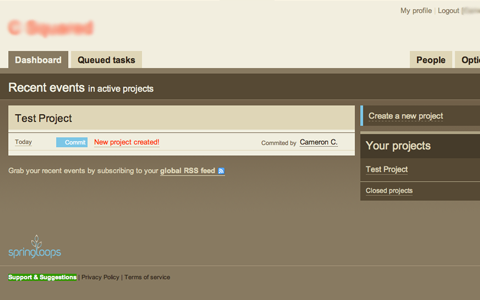
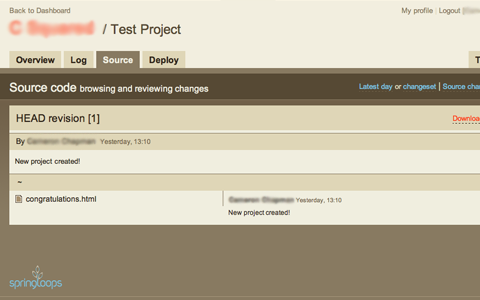
The Springloops interface is very intuitive and easy to use. Tabbed navigation provides access to the log, source and deployment information. Adding users is done via email, along with the ability to create usernames and passwords (making it easier and faster for them to get on board with a project). Creating new projects is simple, with a few different templates available (including a starter template). You can migrate an existing repository into Springloops as well (including plain text dumps). For added project management ability, Springloops can be integrated with Basecamp.
Springloops has a number of plans available, both paid and free. The free plan includes 25 MB of space, 3 projects, 3 deployments per day (using FTP or SFTP connections), roll-back capabilities, Basecamp integration, subversion and an unlimited number of users. The paid plans range from the “Flowerpot” plan at $9 per month (including 1 GB of space and 10 projects) to the “Forest” plan at $96 per month (including 18 GB of storage, unlimited projects, automatic deployment and secure SSL encryption). All of the paid plans include a free 30-day trial.
Jumpchart
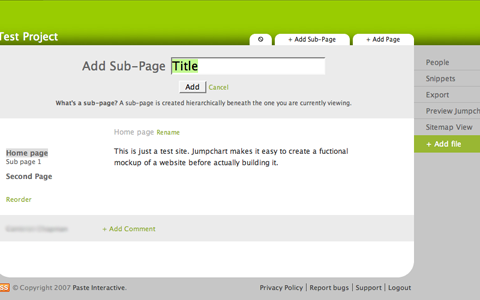
Jumpchart is a website planning application that allows you to plan the navigation of your website by creating, dragging and dropping pages into the plan. You can also add text and formatting to pages and then export your CSS files and site map when you’re finished.
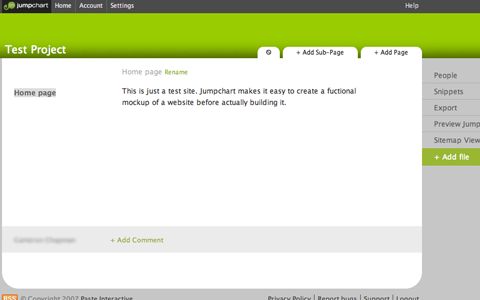
This is a great planning app for Web designers, though it’s not strictly a project management application. You can add comments to each page, which could serve to keep track of tasks related to specific pages. More traditional project management functions could be kept track of in the text of each mockup page or through the comments. The mockup and planning capabilities of Jumpchart make it worth using, even if hacks are needed to make it more conducive to full project management.
The free Jumpchart plan offers 1 project with 1 MB of storage and a maximum of 10 pages and 2 users. The paid plans range from the Simple plan at $5 per month (including up to 5 projects, with 25 pages and 5 users per project, and 100 MB of storage) to the Deluxe plan at $50 per month (including up to 30 projects with unlimited pages and users and 5000 MB of storage).
Basecamp
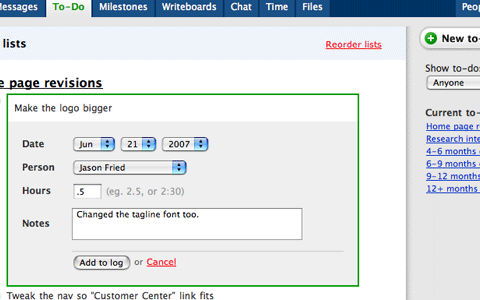
Basecamp is often considered to be the best project management and collaboration platform out there. Its features are impressive: to-do lists, file sharing, message boards, milestones, time tracking, project overviews and commenting.
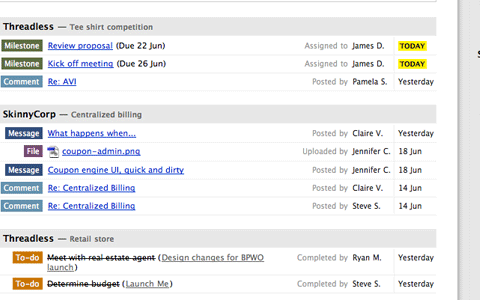
The user interface is definitely one of the best out there, and because of its popularity, tons of other companies are making products that integrate with Basecamp, extending its capabilities.
Pricing is reasonable, though it’s definitely not the cheapest solution out there. The Basic plan is only $24 per month and includes up to 15 active projects, 3 GB of file storage and unlimited clients and users. The Max plan is a hefty $149 per month, but includes unlimited projects, 50 GB of file storage, time tracking, SSL security and a free Campfire Premium account.
2. Wiki-Based Project Management
Wikis are another option for project management, whether you use one instead of a basic project management application or in addition to one. One of the solutions below is geared to complete project management and includes additional features, while the other is just a wiki and is suitable for project management and other uses.
Trac Project
Trac Project is a project management app that is based on wiki functionality. It also includes a subversion browser, a timeline, ticket tracking, a road map (showing milestones and the number of current open and closed tickets) and builds status tracking.
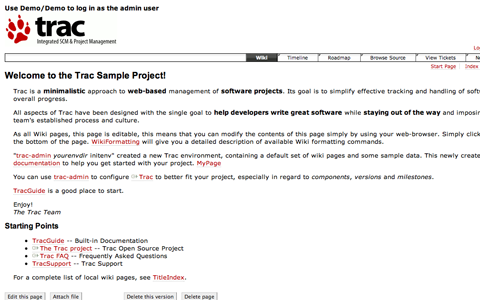
One of Trac’s best features is the range of plug-ins available for it. There are plug-ins for Web administration, authentication, code documentation, file management, ticketing, testing, user management and version control.
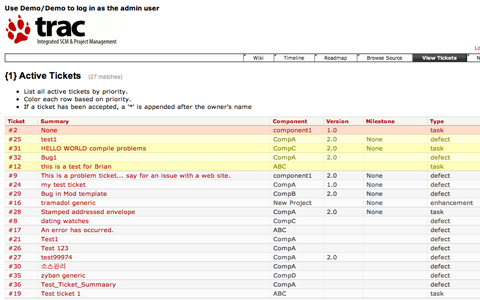
Another big advantage: Trac is free and licensed under a modified BSD license.
PBwiki
PBwiki is one of the easiest free wikis out there to use. You can share files with other users, set access controls for individual pages and folders, add other users to your wiki, monitor and track version changes and more.
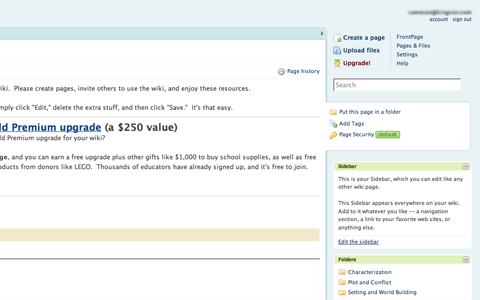
Setup is quick and easy and can be done in less than a minute. The PBwiki interface is very intuitive, and there is virtually no learning curve. Creating folders and pages is straightforward, as is editing existing pages. You can also comment on each page, and get a printable version with a single click.
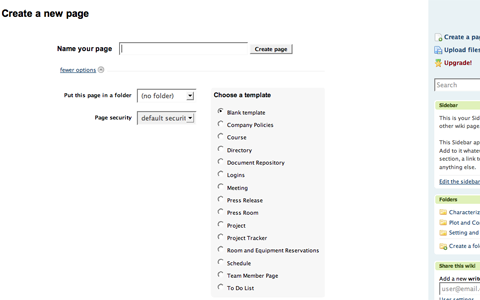
There are multiple themes you can choose from for the design, as well as templates for individual page content (or you can start from scratch). There are a few different plans available, both paid and free. The free plan allows from 1 to 3 users. Paid plans range from $4 per month per user (if you have more than 10,000 users) to $8 per month per user (for 4 to 999 users).
3. Bug and Ticket Tracking
Any time you work on a Web application or website, there are going to be bugs and issues that crop up. While some basic project management applications have built-in ticket tracking, others don’t, and sometimes the built-in solution doesn’t quite meet your needs (either because it’s too robust or is missing key features).
16bugs
16bugs is a very simple bug-tracking system. Its main advantage is the color-coding system used for different types of information (like updates, comments and closed tickets).
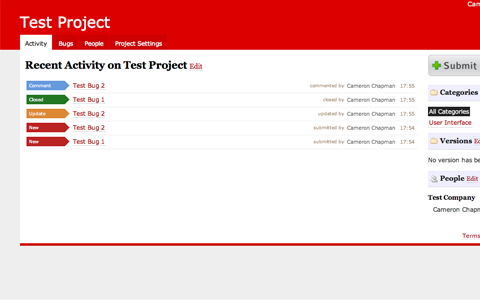
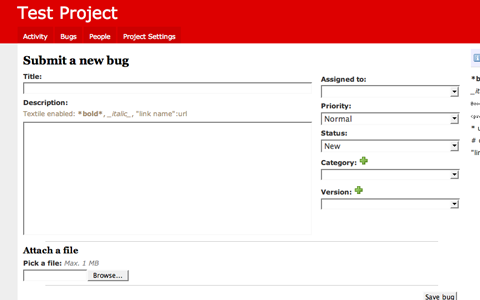
Setup is quick and easy. The user interface is easy to figure out. Creating bugs is easy, and the color-coded labels on the activity tab make it easy to see what’s going on at a glance.
There are a variety of account types available. The free account allows 1 project, 1 MB of storage and Basecamp imports. Starting at $8 per month, paid plans include more projects (3 with the Basic plan), 150 MB to 10 GB of storage, RSS and email notifications, Campfire notifications and SSL (starting with the $15-per-month Big plan).
JIRA
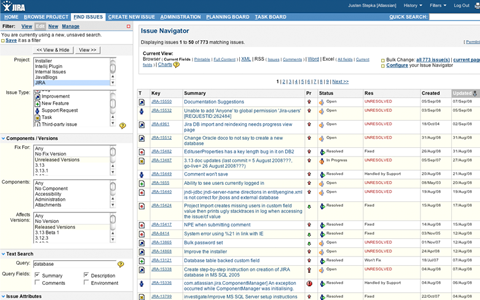
JIRA is issue- and bug-tracking software that includes a lot of great features. It has advanced reporting features, workflow mapping as well as issue and project organizing; it is also customizable.
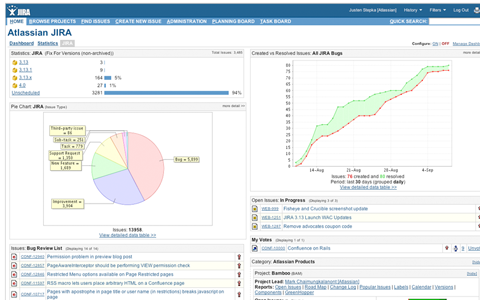
JIRA also offers a number of plug-ins to extend its functionality, including Bamboo integration, charting, time tracking, project management, a calendar and more. By using plug-ins, you can customize JIRA to meet your exact project management and issue-tracking needs.
JIRA’s biggest drawback is its pricing; it’s not cheap. A hosted account starts at $299 per month for up to 25 users and goes up from there (250 users costs $599 per month). If you want to download JIRA and host it on your own server, it starts at $1200 for a single project team, and goes as high as $4800 for an entire organization. If you need an academic license, solutions start at only $600.
4. Collaboration and Conferencing
If you’re working with a remote team on your project, you’re probably going to need some online space to collaborate and meet, whether it’s to work on general concepts or to work out specific bugs. Here are three solutions to help you collaborate with those on your team or with your clients.
activeCollab
activeCollab is a project management and collaboration tool that lets you set up a collaboration area right on your website. You can have unlimited projects, organized into groups for easy management.
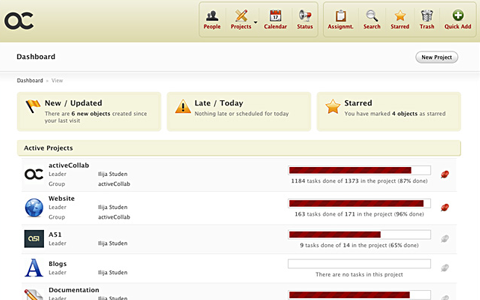
Collaboration features include file sharing, discussions (set up like an online forum), assignments, collaborative writing and reminders. Project management features include printing and exporting, time tracking, calendar and schedule functionality, ticket management and milestones. Plug-ins (modules) mean that activeCollab can be extended to suit your specific needs.
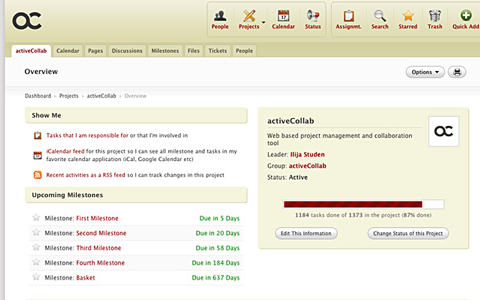
There are two pricing options available: Corporate and Small Business. The Small Business edition includes source-code browsing, plug-in support, themes, discussions, milestones, checklists, files, project templates, a mobile interface and localization support. It’s priced at $199, with support and upgrades being an additional $99 per year after the first year. The Corporate edition has all of the above features, plus the calendar, tickets, time tracking, pages (with collaborative writing and more), a project explorer, and status updates. Both packages include unlimited projects and users. You can also purchase a Copyright Removal license, which removes the “activeCollab Powered” graphic from the footer of each page, for an additional $199.
DimDim
DimDim is a Web-conferencing platform that provides collaboration tools for meeting online. It’s scalable, reliable and flexible, with both hosted and on-site versions available.
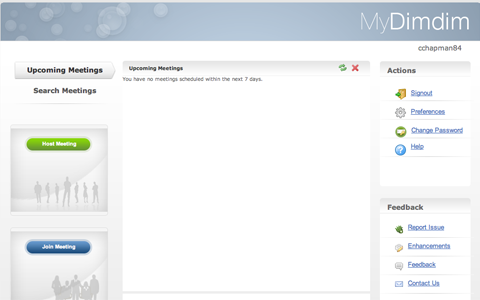
DimDim allows you to share your desktop with those you’re meeting with, as well as share and present documents (both PowerPoint and PDFs). You can also share Whiteboards, and it has built-in voice-over-IP and teleconferencing capabilities. There are public and private chat capabilities as well as annotation and markup tools.
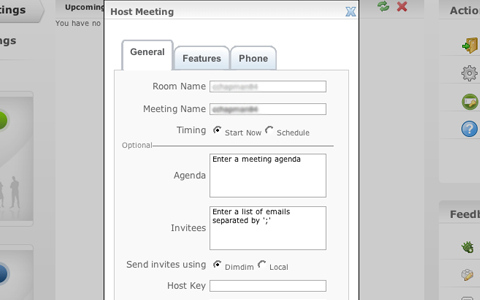
There are free and paid plans available. The free plan offers the complete feature set, with support for meetings of up to 20 people. DimDim Pro offers the complete feature set, plus custom branding and up to 100 people in a meeting for only $99 per year. There is also an Enterprise-level package that includes all of the above but also allows simultaneous meetings with up to 1000 attendees for $1998 per year.
5. Invoicing
Unless you’re working on an internal project, chances are you’ll need to send out invoices. Having an invoice program that also does proposals is helpful, as is having one that integrates directly with your project management app.
Less Accounting
Less Accounting is a simple online accounting and invoicing program that is incredibly easy to use. Less Accounting has a variety of features, including proposal creation and tracking, mileage tracking, sales-lead management and expense tracking. You can import your existing Wesabe.com account, and you can even invite your CPA to look at your books. Less Accounting also sends a weekly email with an update on the status of your accounts.
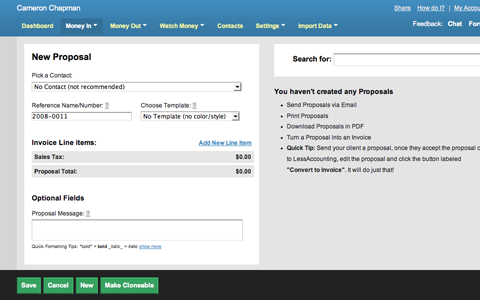
There are a variety of account plans available, including a free plan. The free plan includes up to 5 invoices, expenses, sales notes, deposits, proposals, mileage logs each month, SSL encryption, reports and bank-account integration. The paid plans range from the Even Less plan at $12 per month (including invoicing, expenses, contacts, SSL encryption, technical support, deposits and reports) to the More plan at $24 per month (including everything in the Even Less plan, plus sales notes, bank accounts, proposals, mileage logs, bank reconciliation, support for multiple types of sales tax and more). A 30-day free trial is available for all plans.
6. Time Tracking
Whether you need to keep track of your time for billing purposes, for your boss, or just to measure your own productivity, chances are you’ll need a time-tracking application.
LiveTimer
LiveTimer is an easy-to-use time-tracking program that works on both your computer and iPhone. It can be used for billing purposes or simply to improve your productivity and accountability.
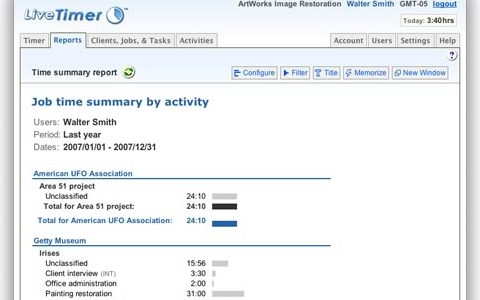
Features include a daily ledger, bulk time entry (by day or week), customizable classifications, multiple currencies, custom billing rates, intelligent report filters and a developer API. The iPhone integration makes it easy to track your time even if you’re not at your desk, making it more useful than many other Web-based time-tracking applications.
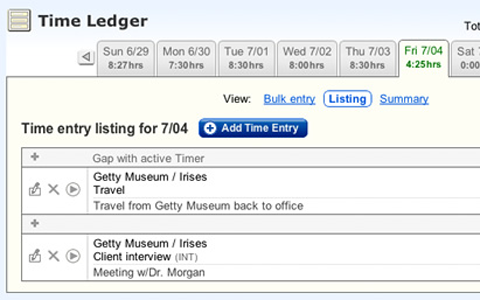
Pricing is cheap, at only $5 per active user per month. Qualifying non-profits get a 50% discount. There is a 30-day free trial available.
fourteenDayz
fourteenDayz is a time-tracking program specifically for teams. It features day-by-day time sheets, exportable reports (in both PDF and Excel formats), drag-and-drop categories and no user limit.
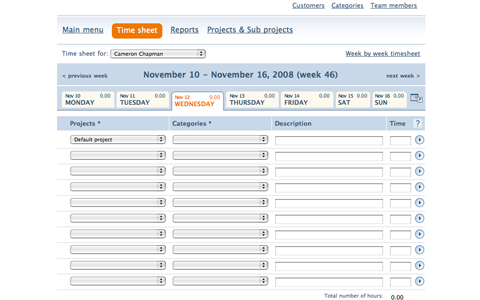
There are 6 different plans offered, including a free account (which includes up to 4 active projects/clients, 10 project categories, an unlimited number of users and reporting functions). The paid plans range from the Personal at $5 per month (which includes the free account features plus up to 7 active projects/clients, 15 project categories, 30 project subcategories and PDF reports) to the Platinum at $99 per month (which includes all the Personal features plus unlimited active projects/clients, unlimited project categories and subcategories, XLS/CSV exportability and SSL connections).
 (al)
(al)

