
15 Impressive Alternative Browsers

Email Newsletter
Weekly tips on front-end & UX.
Trusted by 182,000+ folks.


 Celebrating 10 million developers

It’s 2015 and your choice of browser has proven to be as important as your choice of operating system. Dedicated apps may be competing against browsers on mobile devices, but that is hardly the case in the desktop environment. On the contrary, each year more desktop browsers appear, and some of them can change the way you browse the Internet for the better.
Google Chrome, Mozilla Firefox, Internet Explorer, Safari and Opera dominate the world’s desktop browser market. Whichever statistics you check (NetMarketshare, StatCounter’s GlobalStats or W3Counter), you’ll notice that they often contradict each other in declaring which browser is leading the race. However, no matter which method is used to determine usage share, all sources agree that those five browsers do not own 100% of the world’s desktop browser usage. They may be the most popular, but they are not the only options available for accessing the Internet. So, what about the remaining share?
Meet the alternative browsers — an unofficial term for all browsers other than the Big Five. These browsers, in most cases, follow the lead of Opera, which is based on the open-source Chromium project (as is Google Chrome). Anyone can take the Chromium code and build their own browser from it, adding and removing whatever functionality they wish. A similar case is Firefox, which is also an open-source project.
Keep in mind how often the Chromium engine is updated. Chromium, like any other software, has bugs. The developers behind it strive to eliminate those bugs, introduce performance fixes and minimize security threats. This is why Google Chrome has a six-week update cycle. It’s also why other Chromium-based browsers should follow suit. Most browsers try to keep up with Chromium releases, but some fall behind by six or seven versions, which is damaging to the user’s online security and browser stability.
So, since alternative browsers are basically tweaked copies of bigger browsers, does that mean they are bad tools for productive web browsing? Absolutely not! Alternative browsers aim to deliver improved performance and extra features to enhance the user’s online experience. They are a quick way to get a tool with all of the functionality a user needs right after installation.
Below are 15 desktop browsers that are worth considering if you’re tired of the browser war champions. This list isn’t comprehensive — several hundred browsers are available online — but these are the ones that regularly receive updates and provide a new web surfing experience.
We won’t delve into the development aspects behind each browser. Instead, you’ll find a quick overview of the most interesting features and of functionality that isn’t available in the popular browsers by default or even with add-ons. We’ll also mention the rendering engine used in each browser to give you an idea of how you will experience the web in them: Blink (on which Chrome is based), Trident (Internet Explorer), Gecko (Firefox) and WebKit (Safari). Let’s start with those that have the most features and move towards more single-purpose browsers.
The Browsers
UC Browser
- Operating system(s): Windows, Linux, Android, iOS, Windows Phone, Symbian, Java
- Rendering engine(s): Blink
- Key feature(s): most cross-platform, distinctive UI
UC Browser is one of the most cross-platform browsers — you can even make it work on an old Symbian device. This isn’t the only reason to check it out. The well-rounded design and smooth animation of all elements make UC Browser feel fresh and modern. An up-to-date Chromium engine contributes to browser’s security. To begin, you choose how a new tab will look: a bubble-like speed-dial UI or a more traditional layout. UC Browser offers a cloud account for all of your settings, bookmarks and extensions from the Chrome Web Store, a decent alternative to the whole Google ecosystem.
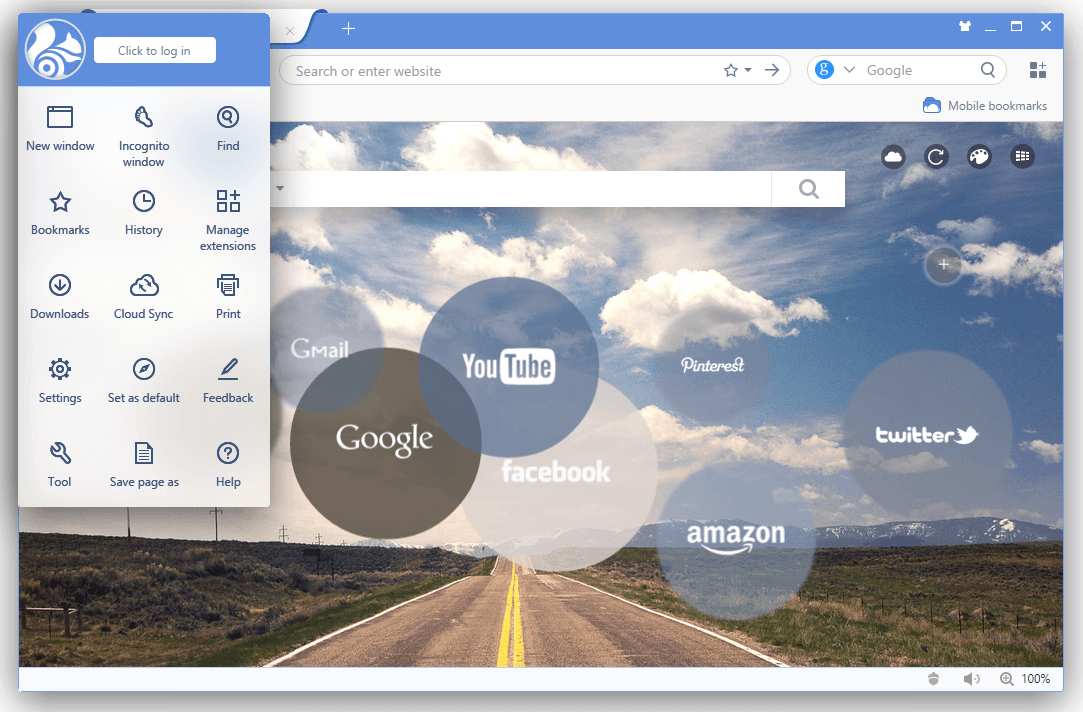
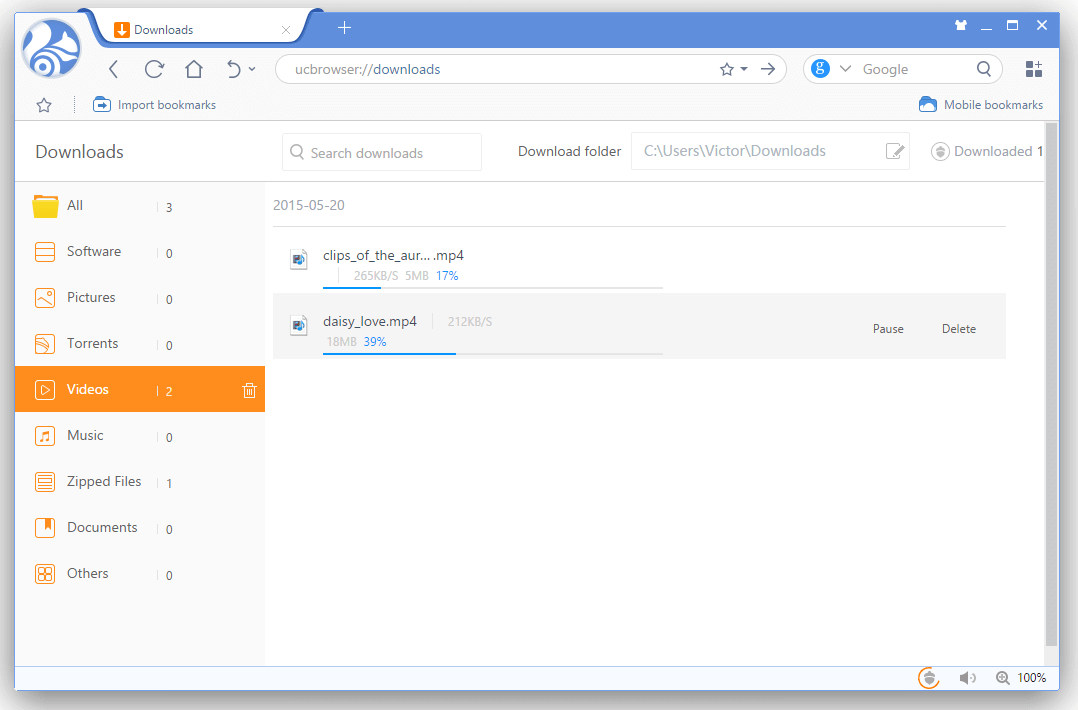
Downloading files is another notable aspect of UC Browser. The downloads manager isn’t advanced (you can’t download torrents or online video), but it’s rather unique. It is the only browser that sorts downloads by category, helping you navigate gigabytes of files. The browser can even download files to the dedicated UC Cloud Storage. Although its capacity is small, 2 GB, this is a useful feature for mobile devices because you don’t have to wait for downloads to finish.
UC Browser doesn’t focus only on security, file downloads and social networks. This browser aims to appeal to a wide audience, without dictating how it is to be used. Most Chromium browsers can be considered an improved version of Chrome somewhat, whereas UC Browser is more of a new Chrome.
Maxthon
- Operating system(s): Windows, Mac OS X, Linux, Android, iOS, Windows Phone
- Rendering engine(s): Trident, Blink
- Key feature(s): cross-platform, own ecosystem
Maxthon is a popular Chinese browser available for desktop and mobile platforms. It incorporates two rendering engines and packs an abundance of features, including split-screen view, a built-in proxy manager, ad-blocking and moderate acceleration of downloads. By logging in with Maxthon Passport (analogous to a Google Account), all of your settings, tabs, extensions and passwords are synced across multiple devices.
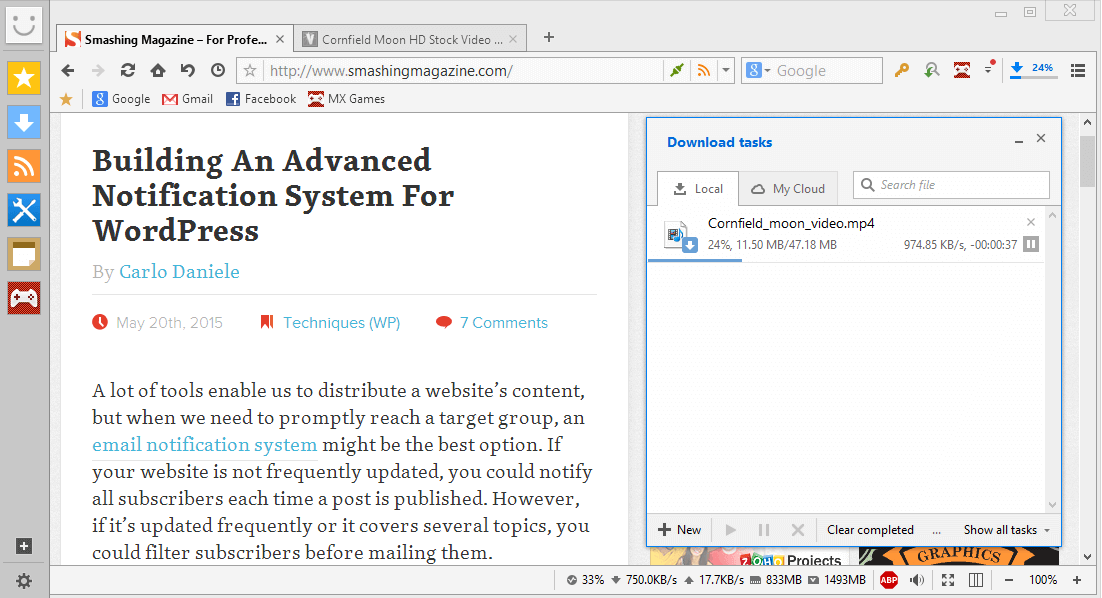
Maxthon’s UI is a mixed bag. On the one hand, it’s a fresh interface for managing tabs, extensions and all of the added functionality. However, most of the extra features are available via yet another sidebar, which might be an annoyance for some users. The RSS reader, downloads manager, note-taking app and games are not the most necessary extensions, but they can be uninstalled. Maxthon has its own extensions service, but you’re not likely to find a lot of your favorite Chrome or Firefox plugins.
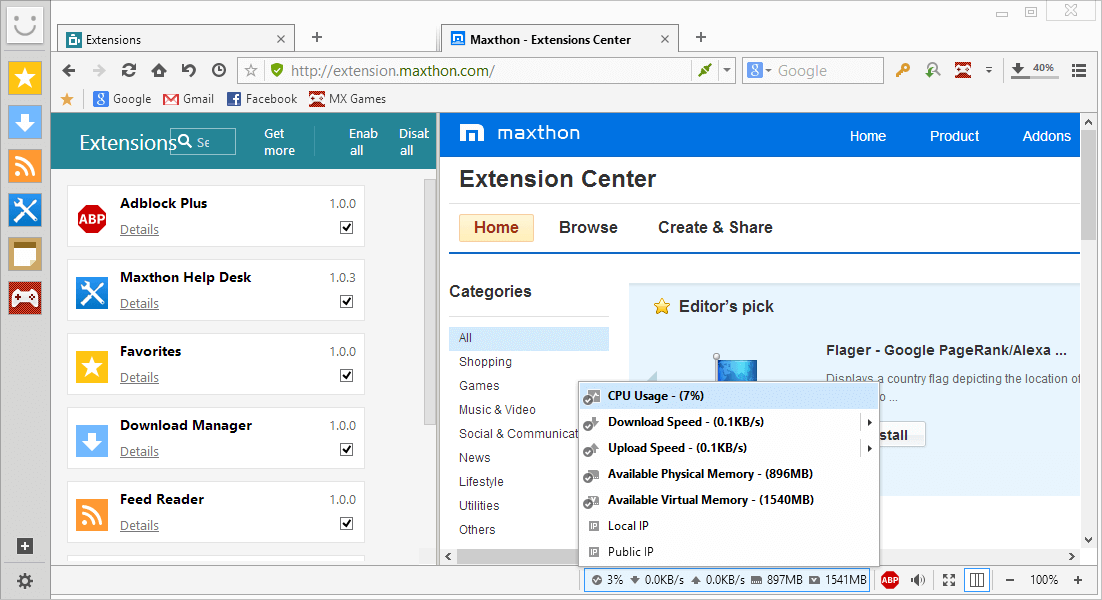
Despite all of the rough edges, Maxthon is a powerful yet resource-light browser. You can monitor resource consumption in a customizable toolbar at the bottom of the window, which is a nice touch. For cross-platform use, Maxthon is certainly a great option. It’s smooth and fast, but filled with features and extensions that not everyone might want. This leads us to an interesting alternative.
MxNitro
- Operating system(s): Windows
- Rendering engine(s): Blink
- Key feature(s): minimalist, fast
MxNitro is a different take on Maxthon. With speed the focus, this browser is like a stripped-down version of Maxthon, with almost nothing except basic functionality. MxNitro is minimalist, lightweight and speedy. It’s fast to install and ready for browsing immediately — no need to tinker with the settings because none are available.
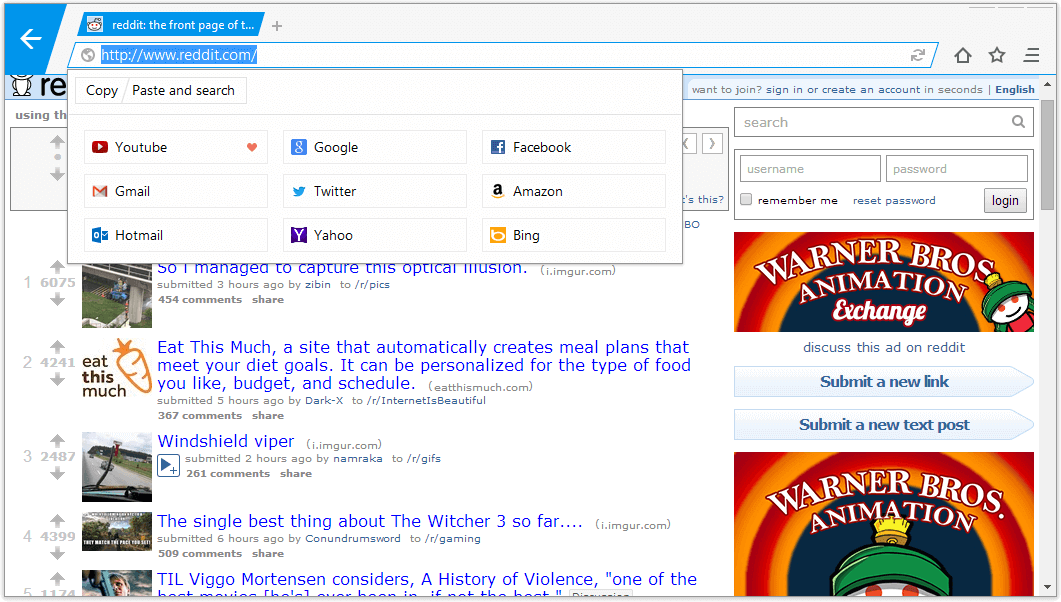
There are no extensions, no cloud syncing and no downloads manager. The sole purpose of MxNitro is to enable you to browse the web with no clutter, distraction or resource drain. It’s not perfect yet. The developers are improving the browser, promising to make it available on other platforms and to integrate ad-blocking. The biggest problem with MxNitro is the absence of a convenient bookmarks manager or speed dial. There is a quick launch menu with some predefined websites, but users can’t customize it. MxNitro might be the perfect solution for people on old PCs or with low demands.
Torch
- Operating system(s): Windows
- Rendering engine(s): Blink
- Key feature: multimedia-oriented
Torch aims to be a powerful media-consumption center, rather than a straightforward browser. It is Chromium-based, heavily restyled, with some added functionality. The new tab page boasts a customizable, minimalist yet stylish design, while the toolbar sports shortcuts to all media features available in the browser. The Torch Music app is a shortcut to the web app of the same name, a music-streaming service with many popular artists and albums. However, all of the music comes from YouTube; hence, the rather low sound quality. Torch Games is a Flash games collection that helps you kill time at work. The Facelift tool (a Facebook theme changer) and the share button make it a convenient tool for social-networking fans.
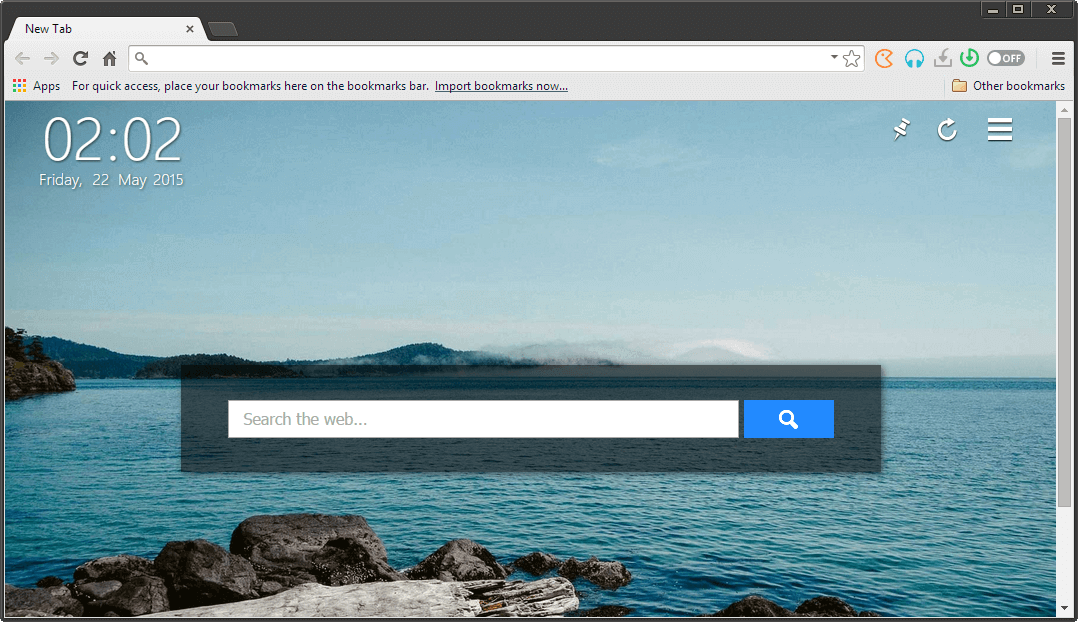
Torch’s downloads manager delivers files somewhat faster than Chrome, but it often has bugs and crashes. Torch can also download torrents and magnet links, which are handled not in the downloads manager but in a separate tab. The feature to play videos in the browser while they are being downloaded, while not yet completed, is an interesting alternative to watching videos online. Videos can be downloaded from streaming services such as YouTube, Vimeo, Daily Motion, etc.
Torch has several mild annoyances, though. It tends to display popups to explain features, and it asks you to spread the word about it in social networks. If you don’t need some of the features, there’s no easy way to remove them, and the developers don’t seem to hurry to update the Chromium engine, which can result in security vulnerabilities. Despite all this, Torch is a great experience for movie, music and social-network lovers.
Citrio
- Operating system(s): Windows, Mac
- Rendering engine(s): Blink
- Key feature(s): fast downloads, timely updates
At the time of writing, Citrio does the best job of making timely Chromium updates, helping with security, bug fixes and implementation of new features. The browser is a lot like Chrome, but it looks simpler and performs better. Citrio is a simple yet powerful browser for file downloads and media consumption.
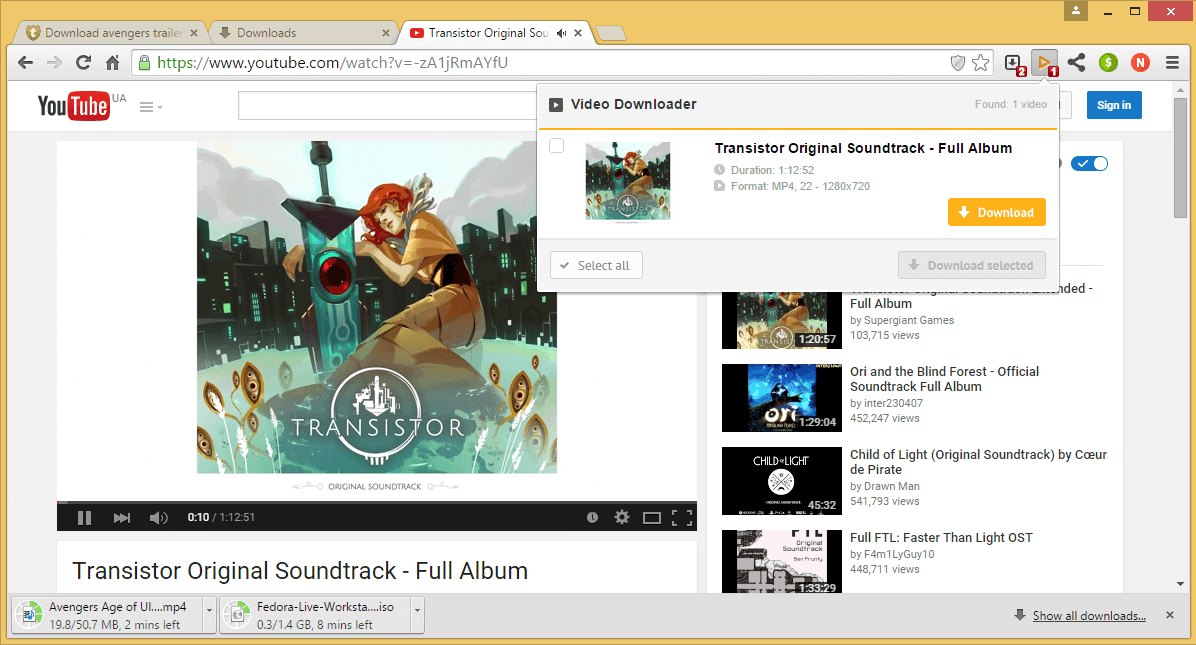
The downloads manager is used for normal downloads, torrents and magnet links alike, without particularly differentiating between them, and it is comfortable to use. The speed boost and the ability to resume downloads in case of a failed connection make Citrio a great tool for downloading large files.
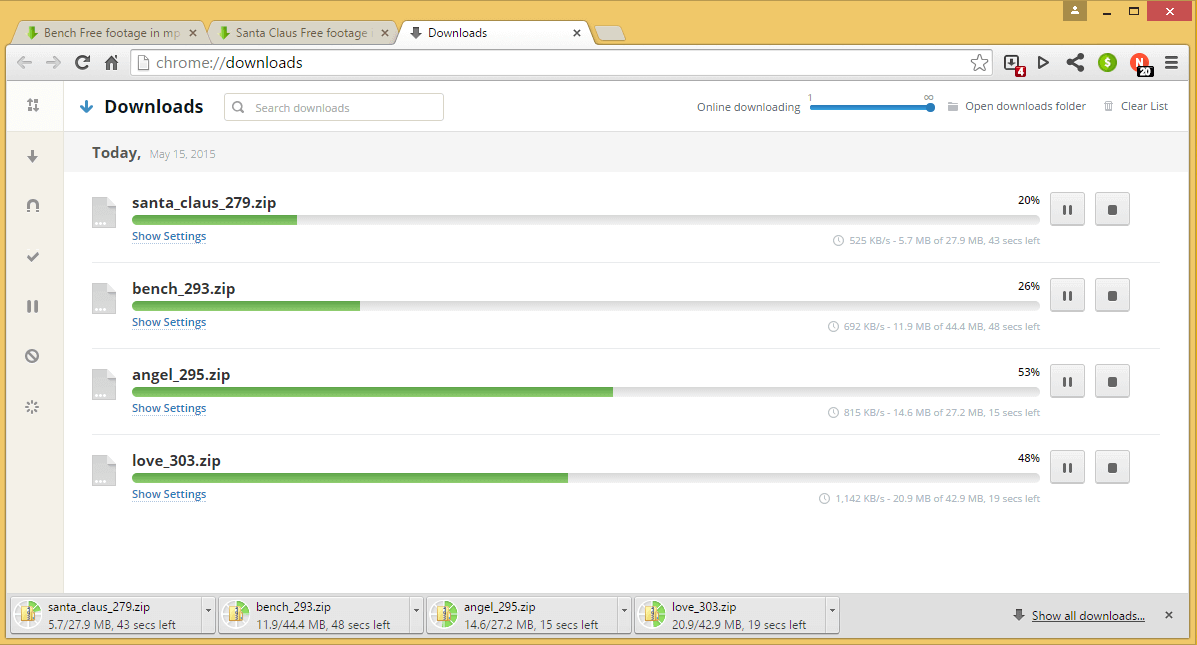
In addition to its useful downloads manager, Citrio comes with a bunch of extensions. While the YouTube downloader and the video player for downloads in progress will be well received by some users, the news reader and social sharer are very basic. There are better alternatives in the Chrome Web Store. And if you don’t like a particular extension, it can be easily removed. Overall, Citrio is a nice downloads-oriented Chrome alternative that won’t confuse new users.
Baidu Browser
- Operating system(s): Windows, Android, Windows Phone
- Rendering engine(s): Blink
- Key feature(s): video downloader, social media integration
Baidu browser is a Chinese offering oriented around social media and downloads. It supports Chrome extensions, and Facebook and WhatsApp extensions are preinstalled (but can be deleted). Baidu is based on Chromium but has separate URL and search boxes, reminiscent of Firefox. Browser skins can be swapped, and the speed-dial panel with preinstalled bookmarks can be customized.
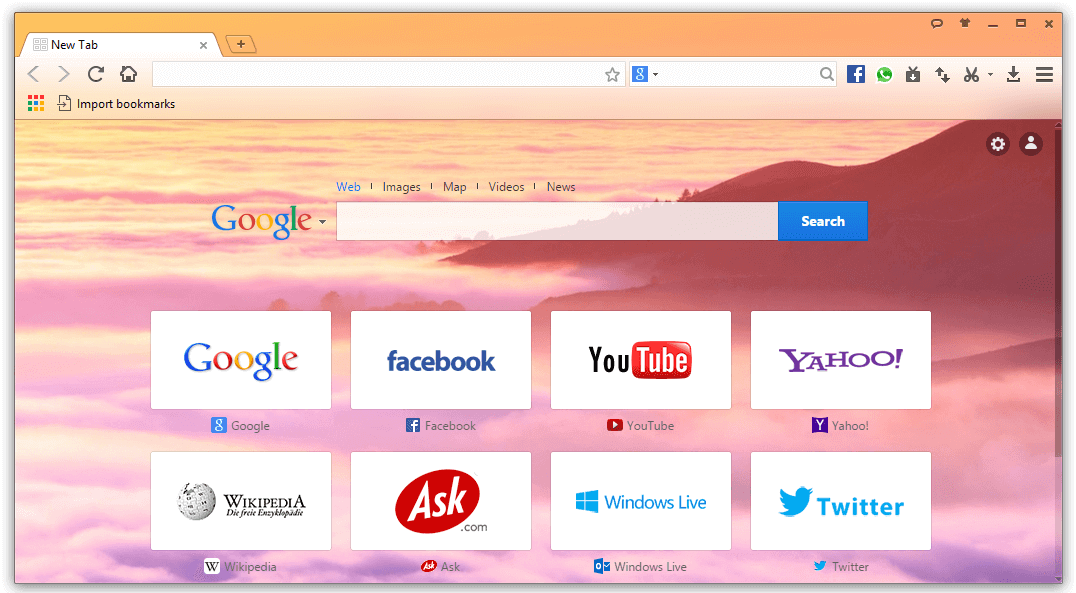
Baidu has an integrated BitTorrent client, with an option to limit the downloads thread so that it doesn’t interfere with other downloads or the buffering of online videos. There is also a capture tool and an online video downloader, which is the most convenient function of Baidu. This is a rare example of a browser that lets you choose the quality of video to download and has a separate button for downloading MP3 audio. Online video can also be given a separate window, allowing users watch it without having to keep a tab open for YouTube.

Unlike UC Browser, Baidu isn’t much different from Chrome, although it tries to be. Its fast startup time, advanced YouTube functionality and downloading tricks make it useful for media consumption.
Sleipnir
- Operating system(s): Windows, Mac OS X, Android, iOS, Windows Phone
- Rendering engine(s): Blink
- Key feature(s): pleasant fonts, tab grouping
Sleipnir is a Japanese web browser based on the Blink engine; hence, Chrome users will find it familiar. The browser strongly resembles Safari, bringing not only the Mac OS X design, but also standard Mac fonts. Sleipnir renders fonts similarly to the Mac, appearing rounder and thicker. The merit of the effect is highly subjective, but reading text in Sleipnir is a pleasant experience that is difficult to ignore.
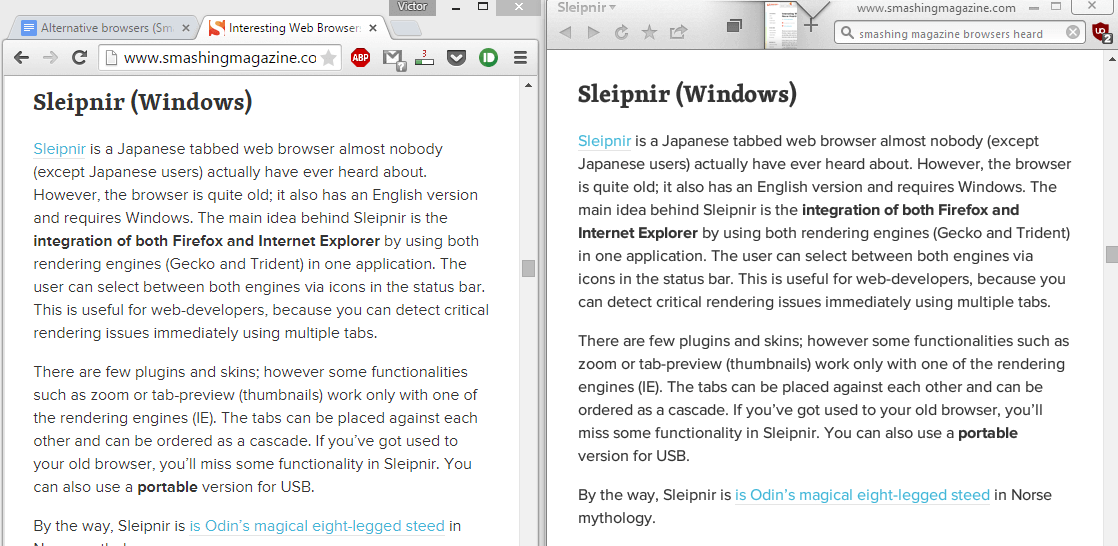
However, fonts aren’t all Sleipnir has to offer. Instead of providing favicons and tab names, Sleipnir displays thumbnails of opened pages, making navigation somewhat easier. The thumbnails are a nice touch when five or six tabs are opened, but more can get cumbersome. This is where Sleipnir’s groups kick in: Tabs can be sorted by topic for easier navigation; for example, keeping personal websites separate from work-related ones.
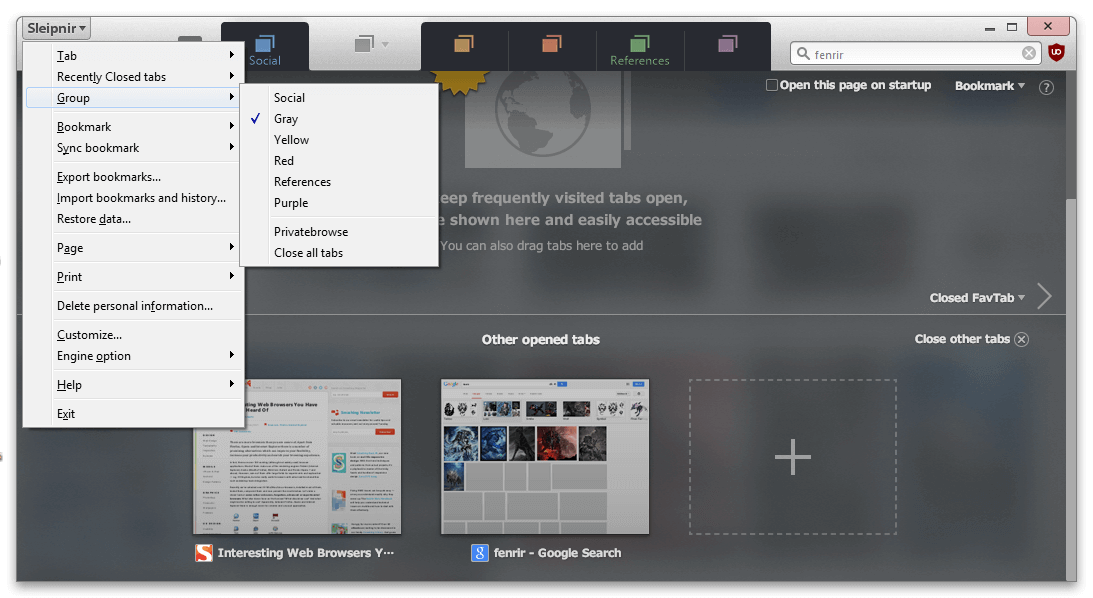
Because Sleipnir is available on multiple platforms, you can use Fenrir Pass (analogous to a Google Account) to sync tabs, groups and passwords and to send pages to your smartphone. The browser supports mouse and touchpad gestures, as well as Chrome extensions. Performance and speed are good, but Sleipnir has a steep learning curve because of its unusual design and workflow. If you’re willing to try it out, the experience may be very rewarding.
Epic
- Operating system(s): Windows, Mac OS X
- Rendering engine(s): Blink
- Key feature: security and privacy
Epic is the only privacy-oriented browser on this list. That’s mainly due to the more regular updates of the Chromium engine compared to other popular browsers in this field (for example, WhiteHat Aviator and Comodo Dragon). It’s usually several versions behind Chrome, but that’s better than the alternatives. Epic is designed for a secure browsing experience out of the box. You could argue that users can add a bunch of extensions to Chrome and get the same effect, but not every user knows how to do that or knows what exactly needs to be blocked.

Epic is basically Chrome with no strings attached to Google: No data gets sent or collected, trackers are blocked, AdBlock comes preinstalled, and a convenient one-click proxy switcher will hide your IP address. Users also have a measure of control over what to block. When you click the umbrella icon, Epic visualizes what services are tracking you and shows toggles for add-ons, data encryption, ad-blocking and notifications.
Lunascape
- Operating system(s): Windows, Android, iOS
- Rendering engine(s): Trident, Gecko, WebKit
- Key feature: multiple rendering engines
Lunascape is a simple cross-platform web browser that takes advantage of its three rendering engines. This feature is backed up by a cascading view of web pages. With it, you can display one or several websites in the browser without having to open a separate window.
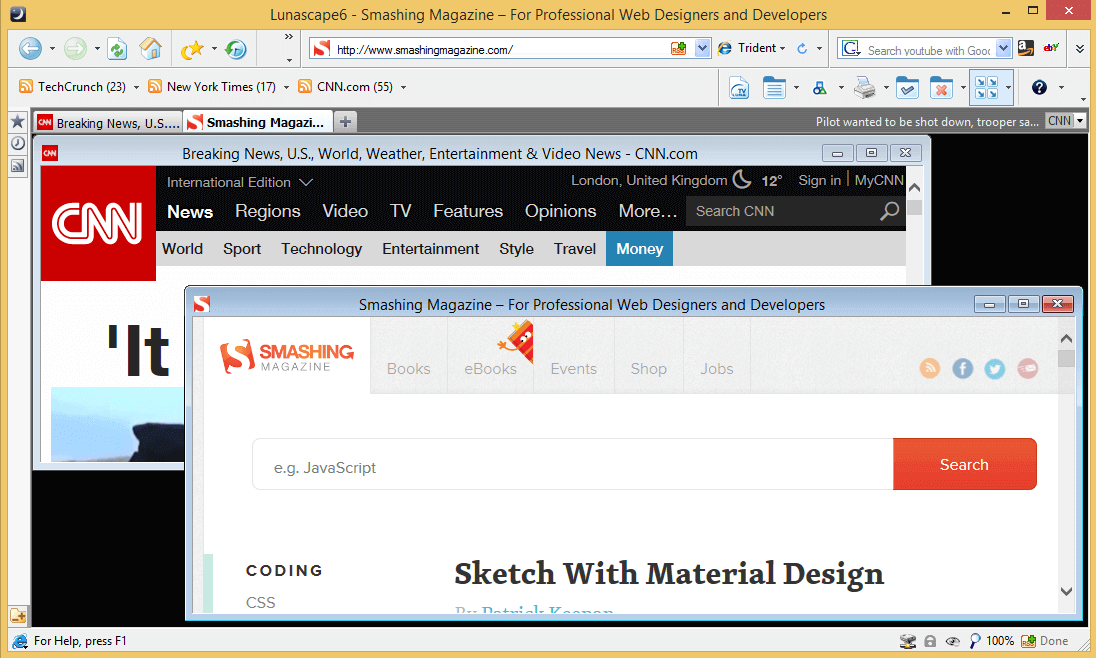
The highlighted search lets you search a selected term from multiple sources. Lunascape also has a ticker that displays new headlines from selected sources in the toolbar. This functionality can be expanded with a number of Internet Explorer and Firefox add-ons, as well as by some Lunascape exclusives.
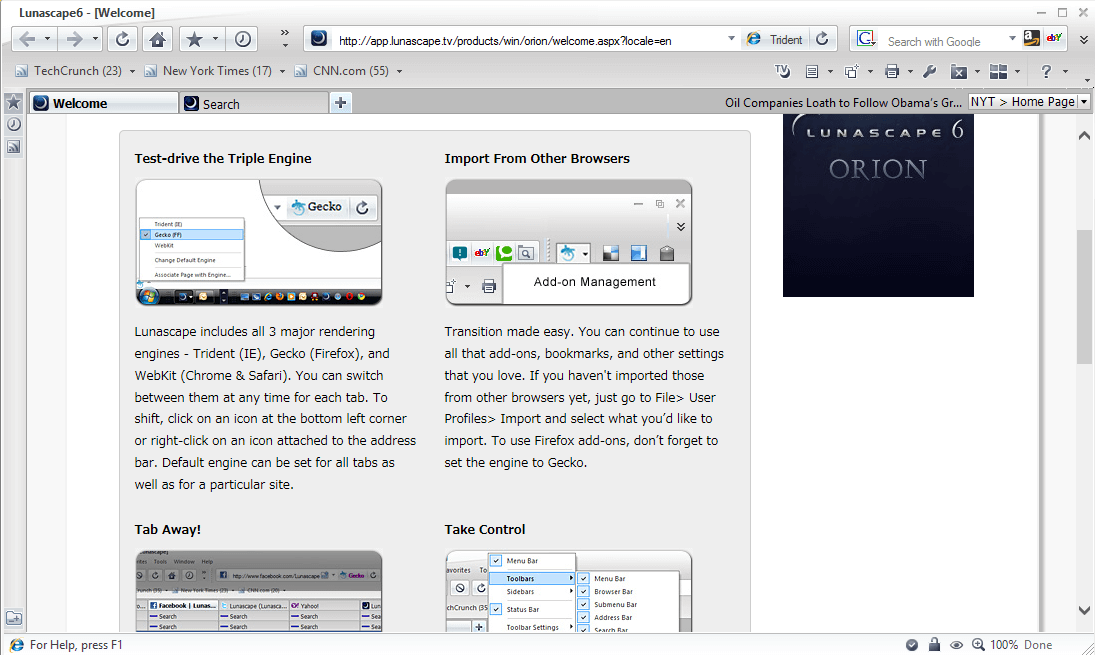
While the browser doesn’t look modern, performance and resource consumption are good. Lunascape’s trump card — the ability to open a website with any rendering engine — will be useful for compatibility.
GreenBrowser
- Operating system(s): Windows
- Rendering engine(s): Trident
- Key feature: enhanced Internet Explorer experience
GreenBrowser is based on Internet Explorer. There’s nothing fancy about it: The experience is pretty basic, the design reminiscent of Internet Explorer 8, and there is almost no advance functionality or plugins to compete with Chrome’s. However, GreenBrowser still gets updates, performance is good, pages load quickly, and the user has everything they need for simple web browsing.

Nevertheless, GreenBrowser integrates many useful features: ad-blocking, speed-dial, drag-and-drop options, mouse gestures and a “boss” button to quickly hide the browser. A nice touch is the clock in the browser’s bottom taskbar, which makes full-screen mode a little more convenient. This is how Internet Explorer should have looked and functioned years ago. If MxNitro is a little raw for you, try GreenBrowser.
SlimBrowser
- Operating system(s): Windows
- Rendering engine(s): Trident
- Key feature(s): lightweight, fast
SlimBrowser is an improved version of Internet Explorer. The lightweight installer delivers a full-featured and fast browser with a customizable taskbar. Built in is a YouTube downloader, a weather forecast widget, ad-blocking, Facebook support, a form filler, a popup blocker and a lot of other nice details.

SlimBrowser has a downloads manager, although not as powerful as the ones in Chromium-based alternatives. It might be not much, but for the fans of Internet Explorer, SlimBrowser probably works better than it. And, as advertised, it launches and loads pages much faster.
PirateBrowser
- Operating system(s): Windows
- Rendering engine(s): Gecko
- Key feature: integrated Tor client
PirateBrowser is a project developed by the Pirate Bay team and whose main purpose is to overcome governmental restrictions on certain websites. It basically consists of Firefox, Portable Edition + Vidalia + the FoxyProxy add-on. Vidalia is a user-friendly GUI for the Tor anonymity network, which reroutes your Internet traffic. Once you launch PirateBrowser (which doesn’t require installation), Vidalia automatically connects you to the Tor network, launching Firefox thereafter.

FoxyProxy switches the user’s Internet connection across multiple URL proxy servers. PirateBrowser won’t give you absolute anonymity on the Internet, but it’s a great starter kit for circumventing online censorship.
Tungsten
- Operating system(s): Windows
- Rendering engine(s): Blink, Trident
- Key feature: built-in file manager
At a first glance, Tungsten seems like nothing special. It’s a minimalist Blink and Trident browser with typical performance. It supports Chrome extensions, and its design is similar to Internet Explorer 10’s. The interesting part is that Tungsten is not only for the web, but also a browser for your local files and apps.
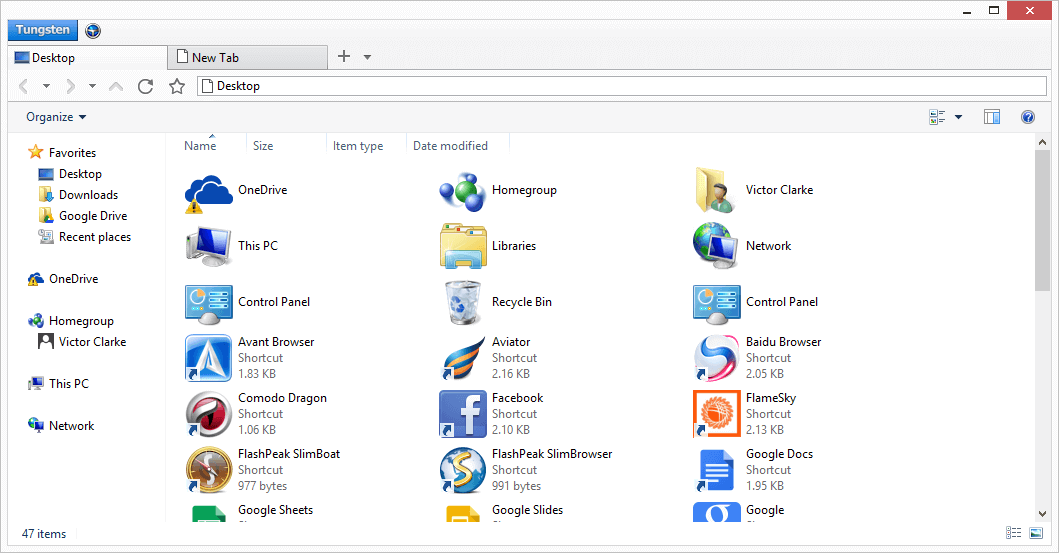
Software such as Clover creates a tabbed browsing experience for Windows Explorer. Tungsten turns this idea upside down. The browser opens Windows Explorer inside a tab, so you can navigate your folders, open files and launch programs. While not revolutionary, it’s nice to find a feature that comes close to the ChromeOS concept of doing everything in the browser.
In Development
Vivaldi
- Operating system(s): Windows, Mac OS X, Linux
- Rendering engine(s): Blink
- Key feature(s): highly customizable, tab stacking
Developed by a team of ex-Opera developers, Vivaldi is being created to repeat the initial success of Opera and satisfy fans of the original browser. So far, we’ve gotten four technical previews of the browser but not a full release. It’s too early to judge, but Vivaldi already shows some interesting features.
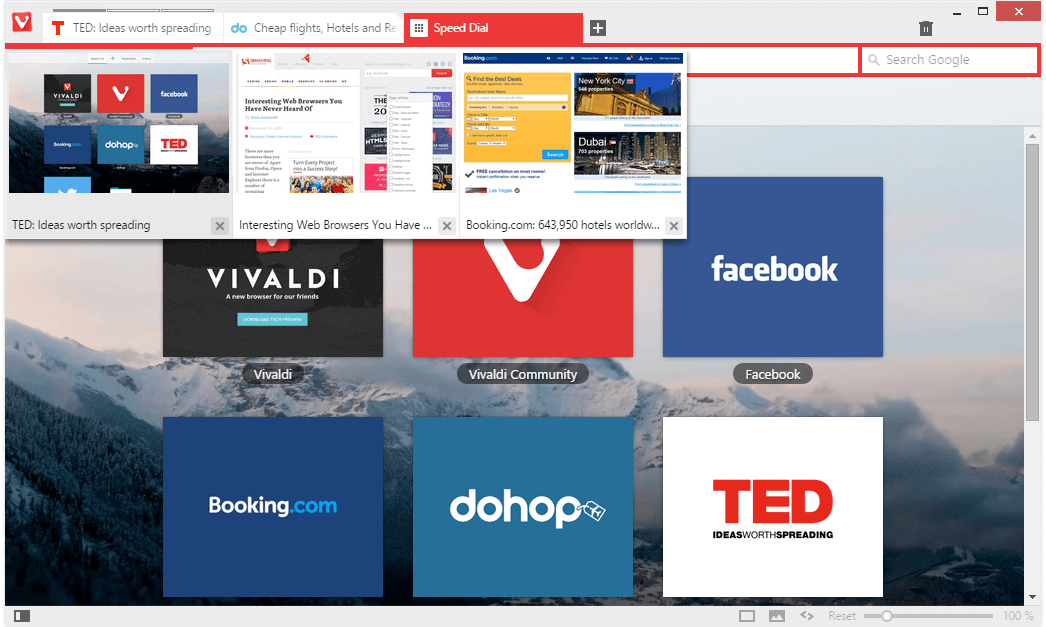
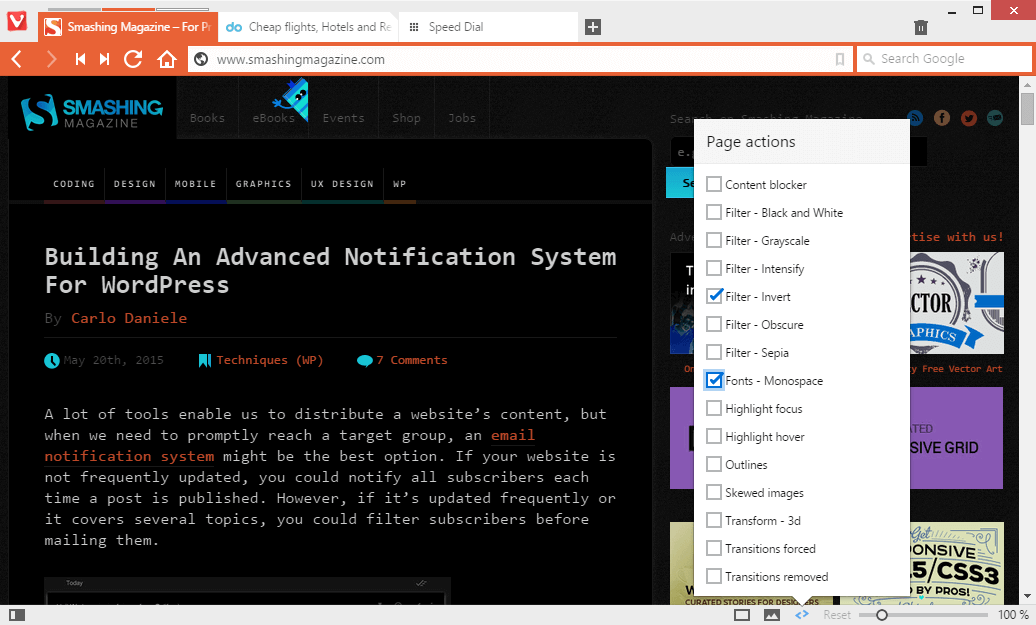
The design is flat and minimalist and stands out from the crowd. The color palette changes according to the current website’s predominant colors. Speed-dial is most certainly present, so there’s no need for that add-on. Page action is new: You can control a page’s colors and fonts, apply filters and distort it as much as you like. It’s more of a gimmick, but the feature could find useful applications.
Just like in Opera, you can stack tabs into groups. Because of this, tab previews make a lot more sense than in other browsers. Notes can be left on any page, and future versions promise a Vivaldi mail service. Once Vivaldi leaves beta (or the technical preview stage), we can expect a powerful competitor in the browsers war.
Project Maelstrom
- Operating system(s): Windows
- Rendering engine(s): Blink
- Key feature: P2P web browsing
Project Maelstrom is “the world’s first torrent-based browser.” Maelstrom receives web content from peer networks instead of the servers that host the website. This is done for the purpose of distributing web content and making it independent of the hosting servers. In case a server goes down (whether because of malfunction or government restriction), the content will still be available because many people have it and are willing to share.
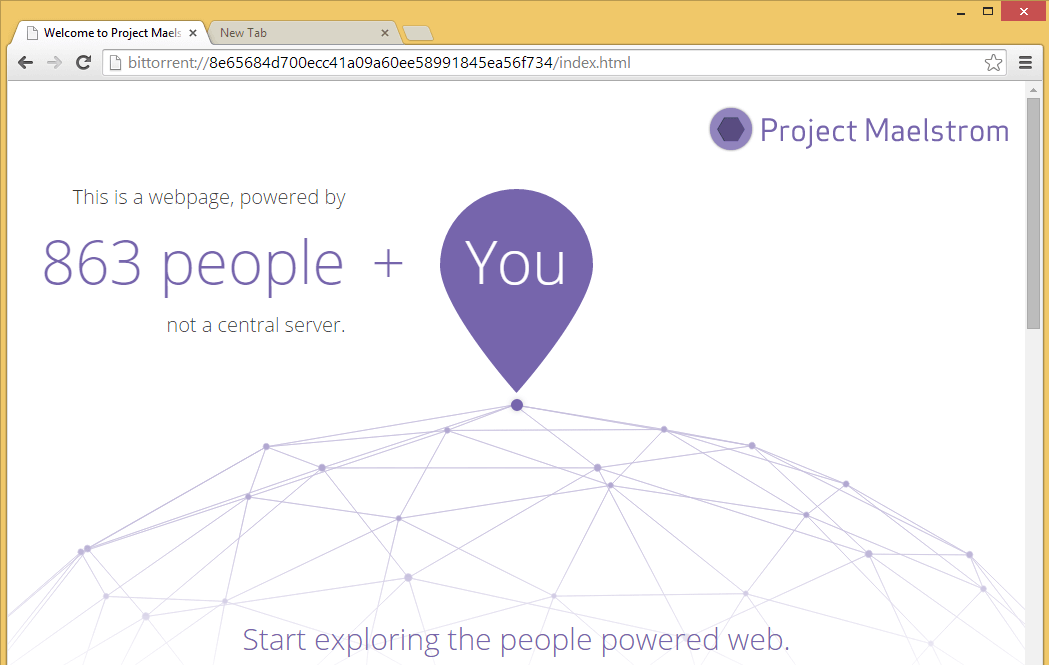
Maelstrom is Chromium-based and is Chrome in every other respect — functionality, navigation, extensions, etc. You’re not limited to P2P-distributed websites; you also get access via HTTP and HTTPS. The problem with Maelstrom is that few websites support this technology. When you first access a P2P website (a list is available on the browser’s home page), you’ll download its pages using a magnet link. Hence, the process takes more time than usual. Maelstrom is an interesting idea and, because it’s still in beta, needs more time to get polished and popularized.
Conclusion
The combination of new features and familiar workflow makes alternative browsers a convenient way to transform your web-surfing experience. Most people will be well off choosing an alternative browser based on their current favorite. That way, they’ll be able to get the most out of new features without having to adapt to a new environment.
The best part is that you don’t need to make a full switch. You can select a browser that boosts performance or introduces functionality that your main browser lacks and use it for that purpose only. Eventually, you might even forget that you’re not using Chrome, Firefox or Internet Explorer. Also, not everyone needs the full power of Chrome or the customization of Firefox. Less is more, and sometimes all you need is a fast and reliable way to access a search engine.
This is what alternative browsers give users who are willing to try something new: the possibility to bend the Internet to their needs and preferences.
Further Reading
- Dear Web User: Please Upgrade Your Browser
- What’s The Deal With The Samsung Internet Browser?
- Review Of Cross-Browser Testing Tools
- Testing Mobile: Emulators, Simulators And Remote Debugging
 (ah, ml, al, mrn)

