
20 Useful WYSIWYG Editors Reviewed

Email Newsletter
Weekly tips on front-end & UX.
Trusted by 182,000+ folks.
 Celebrating 10 million developers


When it comes to coding editors, it’s damn hard to a get a clear overview of all the benefits and functionalities different editors have to offer. However, in the end everybody needs one, so it’s important to know which editor is best tailored to your personal needs.
WYSIWYG-editors are often criticized by real coding ninjas for bloated, dirty and not standards-complaint source code they’ve been producing over the last years. However, WYSIWYG-editors have become much better recently. Some of them even produce valid and elegant code.
Sometimes you need to provide your clients with some simple tools to edit or update their web-sites. And this is where the utility of WYSIWYG-editors comes in. As a web-professional you need to provide your clients with some sophisticated advice and offer a simple yet effective tool — e.g. a WYSIWYG-editor.
You may want to take a look at the following related posts:
- Next-Generation Responsive Web Design Tools: Webflow, Edge Reflow, Macaw
- 10 Things To Consider When Choosing The Perfect CMS
We believe that it would be wrong to recommend you some “best” editors, because the choice always depends on your requirements, primary goals, skills and experience. Therefore in this article we’ve tried to give you an overview of both useful and deprecated WYSIWYG-editors.
Hopefully, you’ll find some editors you’ve never heard about before. Or maybe you’ll find some features you miss in your current editor and risk to experiment with some promising alternatives to improve your workflow. Besides, you can learn what editors you could use and what tools you shouldn’t use.
What does WYSIWYG mean?
The somehow cryptic abbreviation WYSIWYG stands for “What You See Is What You Get”. In such editors you edit not directly the source code of your documents, but its presentation as it (hopefully) will appear in the final document. So instead of writing blocks of code manually (as you e.g. would do it in Word or Latex), you manipulate with design components using an editor window. This means that you view something very similar to the end result while the document or image is being created.
Notice: this post reviews only desktop-based WYSIWYG-editors which run on Windows, Linux or Mac. It doesn’t provide an overview of JavaScript-based WYSIWIG-editors — you can find an extensive overview of JavaScript-based WYISWYG Web Editors in the post Through The Web WYSIWIG Web Editors — The List or WYSIWIG Editors Test.
Adobe Dreamweaver
Dreamweaver (Win / Mac) Previously Macromedia Dreamweaver, this tool is one of the commonly used editors which can support developers, improve the workflow and save you a lot of time during coding. While previous versions of Dreamweaver sometimes produced rather quirky source code, the last version is able to generate (mostly) quite clean markup.
Dreamweaver also offers numerous helpful tools such as the library of code snippets, ftp management, server debug and an integrated coding development. E.g. you can view CSS information in a single, unified CSS panel that makes it easy to see the styles applied to a specific element, identify where attributes are defined, and edit existing styles without entering Code view.
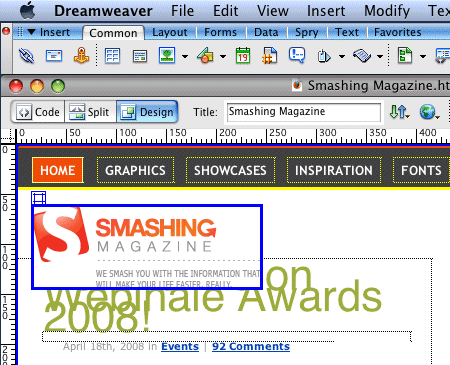
Some of Dreamweaver’s endless features:
- Advanced CSS Editing
- Integrated coding environment
- Spry framework for Ajax
- Browser Compatibility Check
- Integration with Photoshop CS3 and Fireworks
- Code snippets (e.g. CSS Layouts)
- FTP management
- XML support
- FLV support
- Learning resources (e.g. Adobe CSS Advisor)
Amaya
Amaya (Win / Mac / Linux) What really makes Amaya different is the fact that it is a hybrid of a web browser and a web-page editing application — thus you can browse in the Web and edit your pages in the same application. Created by the WWW-concorcium, this allround-tool allows you to manipulate web-sites, change or update their content, insert new images or links. Of course, if Amaya can display these pages.
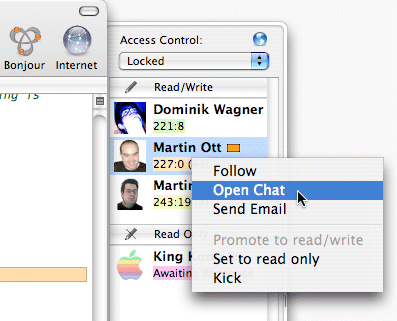
The last version of the editor, Amaya 10, was released in February 2008. It is able to work on several documents at a time (several (X)HTML, native MathML (.mml) and SVG (.svg) documents can be displayed and edited at a time). E.g. you can insert mathematical formulas using a pop-up: Amaya converts them via Math-ML on the fly.
Amaya also includes a collaborative annotation application (annotations are external comments, notes, remarks that can be attached to any Web document or a selected part of the document) and it has support for SVG, RDF and XPointer. Open-source.
Adobe Contribute
Adobe Contribute The main purpose of Adobe Contribute is to allow editing web-sites and blogs for users without any technical expertise. Contribute CS3 enables content authors to update existing websites and blogs while maintaining site integrity. Contribute offers a Dreamweaver integration, enables posting from Microsoft Office and editing from IE 7 and Firefox.

With a WYSIWYG authoring environment, content authors and contributors can edit or update any website or blog without having to learn HTML. Price: $169 (version CS3).
Microsoft Expression Web
Microsoft Expression (Win) Once being severely criticized for its really bad web-editors (Frontpage), Microsoft’s recent editor, Expression, seems to have learnt a lot from its predecessors. Expression attempts to comfort web-users with features which are remarkably similar to Adobe Dreamweaver. However, in a direct comparison Dreamweaver offers more and produces a cleaner code. Nevertheless, Expression does produce decent standards-compliant code and knows how to deal with CSS and CSS-layouts.
The Studio edition with further software applications (graphic design tool, video encoding tool etc.) costs ca. $500. Single Expression package costs $350. You can get Expression by updating Frontpage and thus save some money.
Please notice: Expression isn’t a successor of Frontpage, rather a different development tool. Microsoft Expression, which bears striking similarity to Microsoft SharePoint Designer, is rather designer-oriented, aimed at general web development. Microsoft SharePoint Designer which reflects the emphasis on designing and customizing SharePoint-based sites, can be considered as Frontpage’s big brother.
Some of Microsoft Expression features:
- ASP.NET 2.0 Integration
- Advanced CSS rendering
- XPath Expression Builder
- Build and format views of industry-standard XML data
- Tag Property Grid
- Accessibility Checking
- Real-time Standards Validation
- Full Schema Support
Kompozer
KompoZer (Win / Mac / Linux) This tool is a branch of NVU which has been developed further after the development of NVU has slowed down. KompoZer is a complete web authoring system that combines web file management and WYSIWYG-editing.
KompoZer is designed to be extremely easy to use, making it a feasible solution for users who want to create sites without obtaining technical knowledge. Compared to NVU, Kompozer produces a cleaner markup and has visible marks — visible carriage returns and block borders.
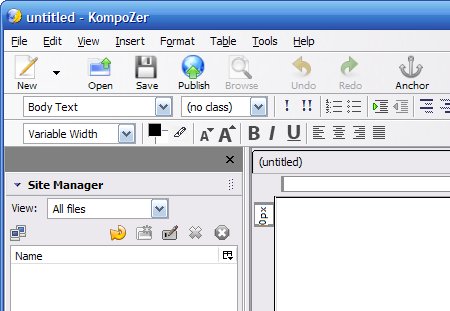
The last version was released in August 2008. Kompozer can be considered as a sound alternative for small projects and for users without technical knowledge. But it’s definitely too weak for professional web-development.
NetObjects Fusion
NetObjects Fusion This editor was once probably the worst yet extremely popular WYSIWYG-editor. It produced horrible source code (only MS Word produced worse source code), but was often given away by web-hosting companies and ISPs. NetObjects Fusion allows you to create web-sites without any technical knowledge. Particulalry if you’d like to create a business card, you may get it done in minutes. But if you want to create professional web-sites, NetObjects isn’t an option worth considering.
Currently NetObjects Fusion is available in its 10th version. The quality of the produced source code might have changed, but it doesn’t really matter. There is a trial-version which requires you to register in a shop. Which is why we have no screenshot for the product. Price: €100.
Seamonkey Composer
SeaMonkey Composer (Win / Mac / Linux) This editor is a simple yet powerful alternative for large commercial applications. Being a successor of Netscape Composer, SeaMonkey Composer doesn’t really have anything common with it.
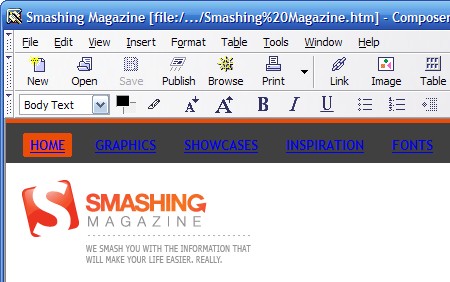
The editor is powerful yet simple and offers dynamic image and table resizing, quick insert and delete of table cells, improved CSS support, and support for positioned layers. The WYSIWYG-editor is built into SeaMonkey, an all-in-one web application suite.
Create
Create (Mac) Create combines the major features of applications like Illustrator, InDesign, Pages, GoLive, Canvas, DreamWeaver, QuarkExpress, Streamline in one easy-to-use, low-cost, OS X native application. Among other things you can add links to text and graphics with drag-n-drop, the tool automatically creates navigation bars and index and you can produce PDF and web-sites from one document.
WYSIWYG Web Builder
WYSIWYG Web Builder Web Builder is a highly customizable and extensible application with numerous features, scripts and templates. New design elements are added via drag’n’drop, many scripts. Image editing is available within the software.
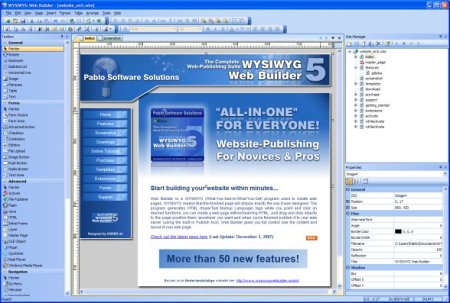
The PayPal eCommerce Tools are integrated; RSS Feed object with podcast option, blog with built-in RSS feed option and Google compatible sitemap generator are available. The editor also has numerous extensions such as password protection, RSS feed, RSS parser, photo album and lightboxes.
Editors for non-professionals, newbies and small companies
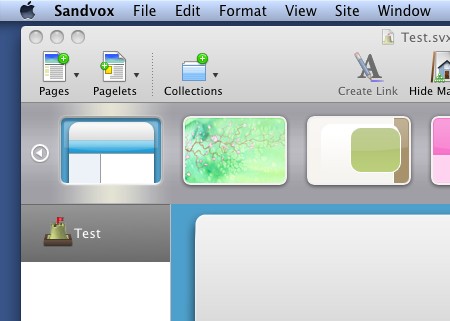
Sandvox (Mac) Sandvox features drag-and-drop website assembly, live editing without a preview mode, over 40 designs, and 17 different pagelets. It’s an easy and elegant website creation tool for people who don’t want to spend too much time developing their websites.
Drag and drop content, watch your site take shape as you create it, and make it available to others with Sandvox’s publishing assistant. Pricing starts at 49,- USD.
Studioline Web3 (Win) The results of Studioline can be observed only if Javascript is activated — otherwise you won’t see anything at all. The source code doesn’t contain tables, but it has a very low quality and is extremely bloated. Don’t try this at home.
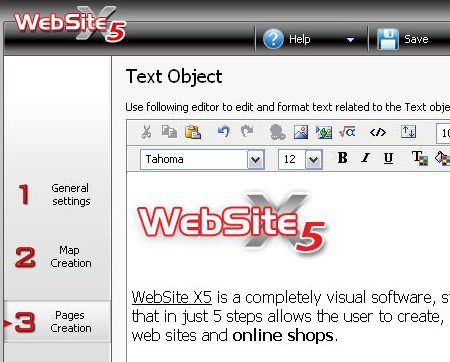
Website X5 (Win) WebSite X5 is a completely visual software: web-sites aren’t coded but “clicked” together. Remarkable: the results are standards-conform. Price: $60+.
<oXygen/> (Win / Linux / Mac) Actually, <oXygen/> is an advanced XML editor, but it also offers a number of useful tools for both newbies and professional web-developers. In fact, you can exploit the tool for editing (X)HTML-web-documents. E.g. it makes easier the document sharing between content authors by including a Subversion (SVN) client. The SVN client allows you to browse repositories, check for changes, commit changes, update your working copy and examine the revision history. The editor is available as standalone desktop or Java Web Start application, or as an Eclipse plugin. Price: $59.
No code and text-editors? Wait, there will be more. Tomorrow.


