Smashing Magazine we smash you with the information that will make your life easier. really.
Splash Pages: Do We Really Need Them?

October 11th, 2007 in Design Showcase | 69 Comments
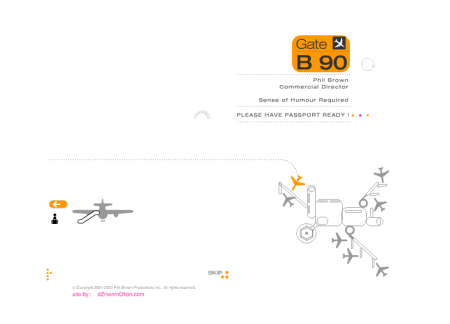
Yes, sometimes we do. Should we use them? No, we probably shouldn’t. Splash screen (or splash page) is a front page of a web-site that don’t provide the actual content, but offers visitors some kind of intuition or background information for what the site is about. Designers use splash pages in their portfolios to impress potential clients with eye-candy. Companies tend to make use of them to draw users’ attention to their latest products. And users literally can’t stand them, because splash pages usually take a long time to load and provide (almost) no navigation options — except of “entering the site”.
Depending on designers’ creativity, splash pages use more or less attractive visual elements, sometimes with interactive Flash-movies which sometimes start to play automatically. Splash pages usually have a very simple structure — mostly just an image with few text lines and links.
The design of these pages sometimes isn’t related to the overall site design. And although most sites don’t use them, splash pages are sometimes necessary and therefore remain popular. In fact, there are some situations in which we might want or might even need to use them. Even although we shouldn’t — for our visitors’ sake.
12 Common Reasons For Using Splash Pages
- Splash pages display disclaimers or warnings which are supposed to restrict access to content such as pornography, advertising, or gambling (as is required by law).
- It is necessary to draw visitors’ attention to an important message such as approaching deadline, critical update, latest release, news, slogan etc.
- Visitors are supposed to select the language they want to use or the country they come from — to direct users to the appropriate version of the site.
- Visitors can choose between a low-bandwidth version (HTML — Dial-Up) and high-bandwidth version (Flash — cable, DSL). Sometimes one can also choose the “accessible” version containing only text without images.
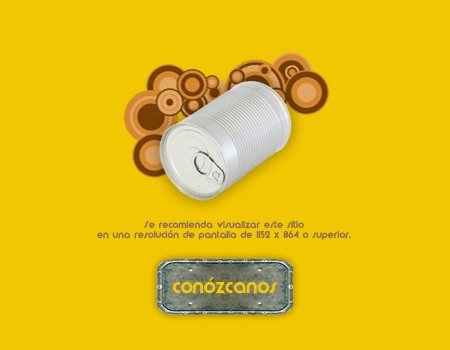
- The designer informs visitors about site requirements such as used browsers, screen resolution as well as used Flash, Java, Quicktime etc. and suggests to choose the “right” configuration and download plug-ins for “optimal” site presentation.
- Visitors can select the preferred view mode - for instance, standard mode and fullscreen mode.
- Multiples sites share the same domain. Or a large site tries to communicate its most important sections directly.
- Splash page is supposed to include hints for browsing the site and explains the main sections.
- Designers use splash page trying to awake excitement for the actual content of the site.
- Sound is announced. Visitors are asked to turn on their loudspeakers to enjoy the Flash-show or Midi-experience (yes, apparently Midis are still alive).
- Splash pages are used as an additional form of advertising.
- The decision to use a splash page is design-driven and realizes some designer’s idea.
How To Lose Your Visitors: Case #1
Users don’t like splash pages, however if designed creatively, splash pages can also really get on users’ nerves. Petr Hrubes has an informative and attractive web-site with an absolutely unusable splash page (sorry, Petr). The design of Petr’s splash page offers precise information and is visually appealing, but it has one of the most significant mistakes a splash page can contain — it’s obtrusive and just not user-friendly.
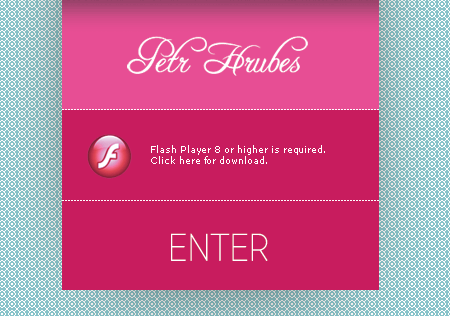
Hrubes.com: this is not the way a splash page should be designed;
the main page opens in a new tab, in fullscreen mode.
If you are using Firefox or Opera you’ll find out that the mouse click on “Enter” opens the main page in a new tab in your browser. To navigate through the site visitors may want to close the “splash page”-window first and then change to the “main page”-tab. It’s neither necessary nor helpful.
The fans of Internet Explorer (is there anybody out there?) or Safari (Windows) have even more fun. Not only doesn’t the page open in a new tab (although IE7 should be capable of it), both browsers also open a new window which is automatically displayed in the fullscreen mode. Without warning. It doesn’t have to be like this.
How To Lose Your Visitors: Case #2
It can get worse: creative designers tend to offer their visitors problems of a different kind. For instance, sometimes users have to move the mouse among the splash page to recognize what elements can actually be clicked and what should be done to finally get to the content of the page.

Splash Page at FunkyPunky: can you recognize the linked area?
Hint: take a closer look at the top of the page.
Not every visitor is patient, in most cases the page will be closed right away. Or the visitors land on the Adobe-page where they are asked to download the latest version of Flash plug-in. Or they are directed to some design-award web-site where they can observe dozens of beautifully designed web-sites. You can be sure that they won’t get back. Here you go - an optimal way to lose a visitor in few seconds.
A Showcase Of Splash Pages
Whether minimal, useful, beautifully illustrated, colorful or animated: the design of splash pages is a challenge designers can take to impress their visitors with creative approaches. Whatever decision you make please make sure that you really need a splash page and that it is designed with a purpose in mind.
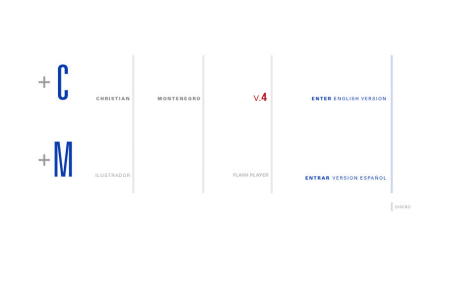
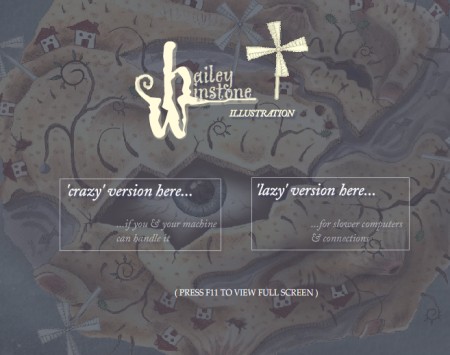
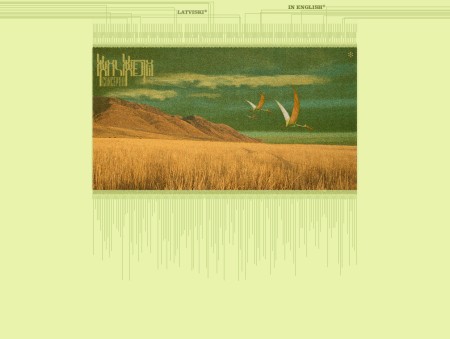
There are literally millions of them out there. Below we’d like to present an overview of splash pages which are supposed to showcase their basic purposes and common design solutions (mostly non-Flash-based splash pages are presented). These pages make use of the 12 common reasons we’ve listed at the top of this article. Here are some ideas:
Splash Pages As Additional Advertising
Both Apple and Zune use a hybrid of a splash page with basic navigation functions. What do you think, is it still a splash page? (Bonus: find the difference between both of them!).
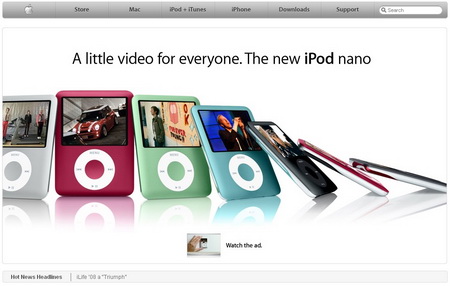
Classic: multimedia-related sites offer audio and video on the splash page; however, sometimes basic navigation is also included. Ice Age also provides “special” entry points for users from United States and outside the U.S.

Showcase For Important Messages And News

Disclaimer, Warning, Requirements
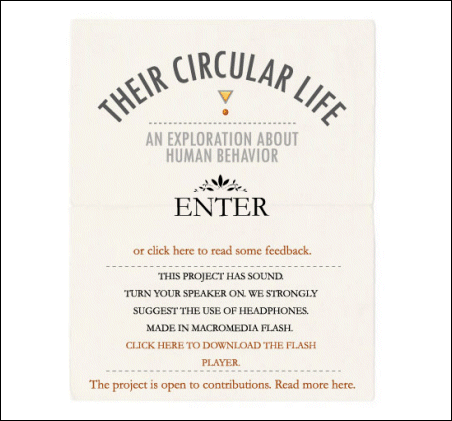
Showcasing Designer’s Creativity

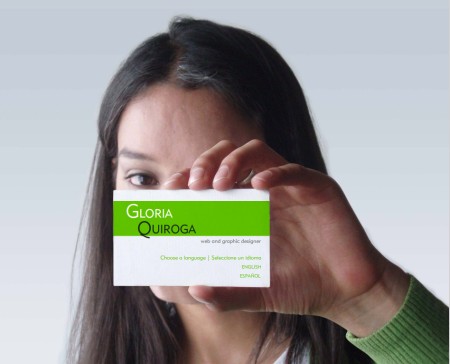
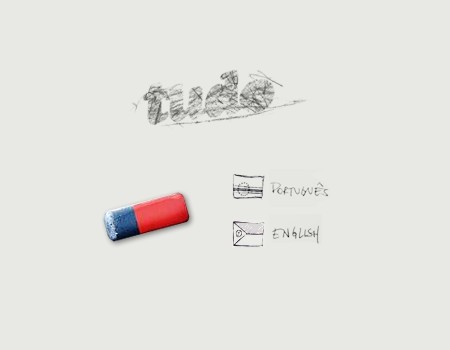
Choice Of A Language / Site Version

The selection of a language with a Flash-effect.
Splash Pages Explain What The SIte Is About
So much text, so many references, but none of them can be clicked.

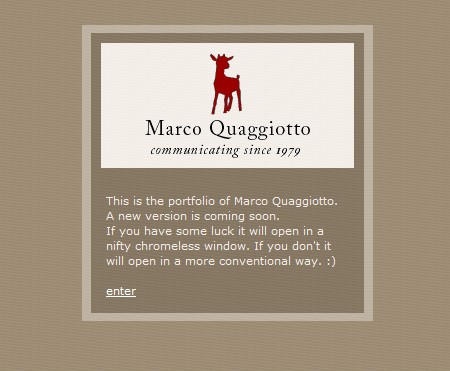
An intro explains what the site is about. This is typical for many splash pages.
Minimalistic Solutions
Further Solutions
Flash-based splash page. There is some kind of navigation, however it doesn’t really work.
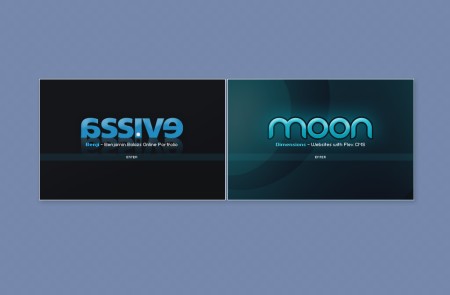
Two projects share the same domain.
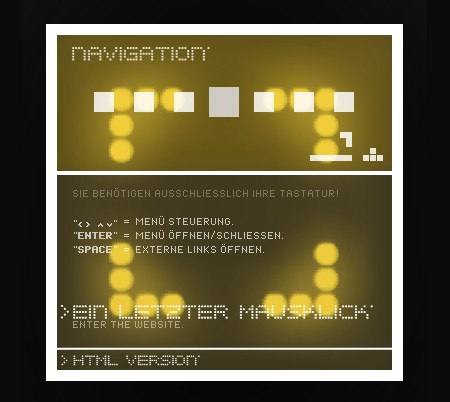
The splash page explains how the page is supposed to be used — here the navigation is possible only with keyboard.
We Have No Idea Why The Splash Page Is Used

Splash page for a weblog? Yes, it’s possible.
Leave a Reply
Sponsors
- Advertise with us!
Smashing Links
Popular Posts
- 100 Wordpress Themes
- 83 Wordpress Themes
- 80 AJAX Solutions
- 53 CSS Techniques
- 50 Beautiful Designs
- 50 Simple Designs
- 45 Fresh Designs
- 30 Dark Designs
- 45 Blog Designs
- 65 Flash Designs
- Brilliant Wallpapers
- Brilliant HDR Pictures
- Brilliant Photos
- Free Design Templates
- Free CSS Layouts
- Free Icon Sets
- Free High-Quality Fonts
- Slideshows & Lightboxes
- Adobe Photoshop Tutorials
- Adobe Illustrator Tutorials
All Posts
- 404 Error Pages
- AJAX Libraries
- AJAX Solutions
- Blog Designs
- Blog Headers
- Book Covers
- Browsers Round-Up
- Browser Test Suites
- Buzz-Monitoring
- Charts and Diagrams: Tools
- Cheat Sheets
- Code Beautifier
- Copyright Explained
- CSS Coding Techniques
- CSS Designs 1, 2, 3, 4, 5
- CSS Expert Ideas
- CSS Float Theory
- CSS Frameworks
- CSS Free Templates
- CSS Footers
- CSS Forms 1, 2
- CSS Frameworks
- CSS Galleries
- CSS Ideas
- CSS Layouts
- CSS Menus
- CSS Print-Layouts
- CSS Specificity
- CSS Styleguides
- CSS Tables
- CSS Tutorials
- CSS-Techniques
- CSS Tools
- Data Grids and Tables
- Data Visualization 1, 2
- Date Stamps
- Design Books 1, 2
- Design Magazines
- Designer's Checkpoints
- Domain Tools
- Dreamweaver Tutorials
- E-Mail Delivery
- Favicons 1, 2, 3, 4, 5, 6
- Firefox Themes
- Fireworks Tutorials
- Flash Designs
- Flash Slideshows
- Flash Tutorials
- Fonts 1, 2, 3, 4
- Forums
- Gadgets 1, 2, 3
- Google AdSense
- Google PageRank
- Graphics Design
- Grid-Based Design 1, 2
- Grunge Design 1, 2
- Hand-Drawing Design
- Handwriting and Lettering
- Hotkeys
- HDR Pictures
- HTML Template Systems
- Icon Sets 1, 2, 3, 4
- Icons, Templates 1, 2, 3
- Illustrator Tutorials 1, 2
- Laptop Sleeves
- Laptop Designs
- Link Building
- Mascots
- Motion Graphics
- Music Videos
- Navigation Menus
- Newspaper Designs
- Online Converters
- Online Generators
- Pagination
- PDF Magazines
- Photoshop Tutorials 1, 2
- Pixel art
- PNG Transparency
- Portfolios
- RSS Best Design Practices
- RSS Icons
- Screensavers
- SEO Tools
- Shopping Carts
- Short Movies
- Slideshows & Lightboxes
- Splash Pages
- Start Pages
- Stock Icons
- Tab-Based Interfaces
- Tag Clouds
- Textures & Backgrounds
- Tooltips Scripts
- Tutorials
- Typefaces 1, 2
- Type Setting Principles
- Typographic Posters
- Typography In Motion
- Typography Showcase
- Usability Books
- Usability Glossary
- Usability Nightmares
- Usability Principles
- User Interfaces
- Vintage and Retro
- Wallpapers 1, 2, 3, 4
- Web 2.0 Tutorials
- Web Profis Ideas 1, 2
- Whitespace & Simplicity
- Wordpress Plugins
- Wordpress Themes 1, 2, 3, 4
Webtips
Sideblog
Footers can be a place where a designer can let his creative juices flow a little more freely. Christian Watson shows 76 excellent footer designs. More footers.
Ross Johnson discusses 8 forgotten fonts you may use in CSS. Among them are Palatino Linotype, Century Gothic, Copperplate and Gill Sans — apparently, these fonts are installed on a variety of operating systems.
How creative can a table of contents be? Designobserver presents Thirty Tables of Contents. The collection includes excerpts from the books by Philip Larkin, Philip Roth, Paul Rand and Jan Tschichold.
A set of 18 splendid and colorful looking 3D RSS-Icons. They are done with 3d Studio Max. JPG.

In Font Clock 12 different fonts are printed within the mechanism of a clock, providing a random, mixed display of graphic language within a single time piece. Designed by Sebastian Wrong.
One pixel notched corners as used by Google Analytics. Instead of each option being boxed in a clickable rectangle, there is a 1px notch in each corner. It's not necessarily a curved corner, but it is a little softer than a normal box. Nice little trick.
Hartija is a CSS print framework which is an attempt to unite best CSS printing practices into one single CSS-file.
Rather than standard website templates, a free admin template is nearly impossible to find. This is an admin template which you can use for web applications like online-shops or CMS.


luke (October 11th, 2007, 10:31 pm)
Yay first to comment (well, i was when i wrote this!)
Great article guys!
Juan Manuel Lemus (October 11th, 2007, 10:51 pm)
Simply WoW!. Great post!
EGA (October 11th, 2007, 11:02 pm)
Guys you’ve missed a real annoying one Link [www.eweek.com]
EGA
Dave Woods (October 11th, 2007, 11:12 pm)
Really good article. I think as long as there’s some basic navigation on there then it probably shouldn’t really be considered a splash page. Something like the iTunes website provides a bit of advertising but users have probably come to this site to perform an action so the navigation allows them to perform this task without the splash seeming obstructive.
Interestingly, I think sites that usually have an “enter here” splash are usually created by designers originally from the print media who are maybe more used to slapping a front cover on things.
I’m not doubting print designers ability for design as in a lot of cases they’re better graphically but they must be adaptable as the web is more a source of information for the majority of users and not something that a casual reader would tend to sit down and flick through in the same way they might a magazine.
Nice site by the way :)
TeeDee (October 11th, 2007, 11:12 pm)
Most of the reasons are ‘open doors’.
5: The designer informs visitors about site requirements such as used browsers, screen resolution as well as used Flash, Java, Quicktime etc. and suggests to choose the “right” configuration and download plug-ins for “optimal” site presentation.
If a user lacks Java, Quicktime etc. etc. your site should still be usable.
8 Splash page is supposed to include hints for browsing the site and explains the main sections.
If you need a splash page to explain how to navigate a site, you have some serious usability issues :). However, if you have some explaining to do, I would put that under the “Help” or “How to” section.
kidsinhalf (October 11th, 2007, 11:17 pm)
A regal. Keep on, keep on
OzzieWild (October 11th, 2007, 11:53 pm)
Love this blog/mag. Follow the RSS as soon as posted. Great tips! Keep it up guys!
Andy Gongea (October 12th, 2007, 12:14 am)
Nice one - hate splash pages - delete them all >:)))))
jon (October 12th, 2007, 12:16 am)
We I must say apart from the odd annoying one or two, I love splash pages and the extra element of design they can add to a web site, just like the front cover of a book or an album cover.
VitaminCM (October 12th, 2007, 12:43 am)
NO!
Seriously though, great article. They are just slightly less irritating than pop-up ads.
Jake (October 12th, 2007, 1:00 am)
Splash pages should be outlawed.
Dieter (October 12th, 2007, 1:29 am)
I never understood it.
Lots of people want them, but almost everybody just wants to find the ’skip this’ button as fast as possible.
They can be entertaining the first time, but the second time you just hate them.
Please stop asking for splash pages!!!!!
mahalie (October 12th, 2007, 1:52 am)
Another great article. One thing I didn’t see mentioned was the detriment to search engine optimization caused by splash pages. Sometimes getting clients and designers to do the right thing is (unfortunately) easier if you put it terms of SEO or lost-traffic e.g. lost opportunity.
Agust Gudbjornsson (October 12th, 2007, 2:04 am)
Love the post, simply great!
Brian (October 12th, 2007, 3:14 am)
Sorry, splash pages = a “no no” of modern web design. Dont make me sit through a flash splash page for no reason, I want information and I want it yesterday… oops, you lost me, im moving onto the next site.
sir jorge (October 12th, 2007, 4:06 am)
great stuff, i love the post, and agree
Sachin Jain (October 12th, 2007, 4:07 am)
Another great post…
i don’t know how many times I will write this…
;)
Ryan (October 12th, 2007, 5:03 am)
Splash Page == Coding by the Boss’s Daughter’s Finace’s younger brother.
jonathan (October 12th, 2007, 5:16 am)
Another quality article from SM - but I wanted to quickly comment on some of the replies above. In SOME cases it IS necessary to have a splash page for a website. I create websites for theater companies, and when you have more than one location but only one website, and want / need to offer only relevant information to a visitor ie their local theater, the best, simplest and most user friendly way is to use a splash.
Take this site I am currently creating for a client Link [www.galaxyfunplex.com]Link [www.galaxyfunplex.com]. We have a splash page to choose you local theater - you have the option for the system to set a cookie to remember your location and automagically make it your “home page” the next time you visit - but once you do this, what if you move to a new house in a new area? Simple we add a message next to the welcome message near the top of the page - which takes you to the splash to choose again.
Obviously splash pages are not good, and I started creating websites when it was the CRAZE to get one - flash websites with splash pages - yuk! Still get asked for them today but refuse to do them by explaining the pit-falls to clients and making them understand - only use when NECESSARY.
Thanks again for the wonderful website SM and keep up the great reading material for all freelancers!
daniel (October 12th, 2007, 5:46 am)
I always thought for location stuff like interenational corporations national websites you can get the IP adress of the visitor and forward them to the appropriate site. like good old google does. I wouldn’t know how to do it, but i’m sure it could be done. maybe.
but it is annoying when i have to pick a location out of europe, america, and asia, flipping heck. what happened to the pacific. i mean i’m from tiny new zealand and all, but there are more than three continents. and one of those continents is not australia. :D
I think for artists websites (web/graphic/print designers, photographers, artists, etc) splash pages are fine, because you want to see stuff on such websites
My personal site is not even a splash page, just a ‘business card’ at the moment. waiting for the summer break when i actually have some time to code the thing.
LGR (October 12th, 2007, 5:56 am)
While I hate splash pages I find I don’t mind the language selection splash page so I can choose to view the site in a language I can read. That being said I think that there could be more information on a language splash page besides just choosing the proper language.
Cesar (October 12th, 2007, 5:59 am)
I hate splash pages. Specially at work: slow network+splashpage=pain
Specially when it is a cheap flash animation with no sense and no extra value. I just close the page when i find one.
I only find them interesting on movie websites, music bands or that kind of entertaining stuff
Grover (October 12th, 2007, 6:15 am)
Minor quibble. This is only true if you have gone in and told Firefox or Opera to behave this way. It’s a preference to have Firefox open new windows in a new tab instead.
Agreed. I teach web design to undergrad graphic design majors and one of the hardest parts is teaching them to think of the web as its own medium, instead of just designing for a physical medium and adapting it to the web. It’s also self-perpetuating. The designers they like (who are primarily print designers) all use splash pages, so they feel that’s “the way to do it.”
Personally, I don’t consider this to be a splash page. When it performs a necessary function of the site, it’s more of a configuration utility than a splash page. As long as (and I’m sure this is the case for you), you provide a means for automatically skipping that page once it’s been configured.
Millions (October 12th, 2007, 6:56 am)
I like them for entertainment or portfolio sites…I think they look good and often showcase a designer’s ability to code HTML / CSS if their site is full Flash.
…I think a far more egregious error is the unnecessarily long Flash intro. Granted, I haven’t seen as much of this in recent days, but every now and then you’ll hit a site with such a long one it’s mind numbing.
Jonny (October 12th, 2007, 7:05 am)
An very interesting topic. To my mind, Splash pages that are used to determine a user’s technical set up are deeply suspect for 2 reasons:
1. There are perfectly viable methods for automatically working out technical set up, such as JavaScript for plug-in detection and geolocation for national / regional location. Where possible they should be tried first to make a decision on the user’s behalf. Too often, offering choices is just a sympton of lazy or inept programming.
2. The idea of asking a user to confirm something before they enter is deeply unappealing, plus a non-technical user (i.e. most of us) have no idea what plug-ins we have or what the options mean. Imagine a High Street shop that employed a dress code, or asked people to give their inside leg measurement before entering.
In particular, I question the Ice Age example, which gives the option of entering a regional territory if you are not in the US. Film Studios have a major problem in this area and this is the typical lazy and unsatisfactory result; assume you are in the US, though make the user state otherwise. Geolocation is a perfectly simple solution to this problem, where at least the site can hazard a pretty good guess at where you are in the world, whilst still giving you the option to move around.
Dave (October 12th, 2007, 7:10 am)
I use one at my blog - ideally to give visitors a quick, four-second visual summary of what my site is all about.
michael (October 12th, 2007, 7:43 am)
Your list of reasons for using splash pages is a good reminder that they are not all evil. However, there is not a single instance that requires the page be Flash based. Apple uses Flash, but embedded. That seems to be a reasonable compromise. Flash only splash pages may be interesting but aren’t necessary and in most cases do more harm than good.
chip (October 12th, 2007, 8:17 am)
I’m going to put my hand up here and say that I enjoy a good splash page.
Great article and good list of “Reasons For Using Splash Pages”!
Aaron (October 12th, 2007, 9:22 am)
I have to disagree. Splash pages serve a very valuable function when implemented correctly. More often than not, companies have “invested” in a very expensive, cluttered, poorly designed website, and don’t want to change anything for fear of incurring costs. At the same time — they run advertising that is intended to inform — and hold ad agencies responsible for their sales. See the disconnect? The only workable solution is to craft a landing/splash page that matches the campaign and offers a few simple options on an otherwise impossible to navigate site. Users are happy because they find what they need, client is happy because (for sites that are sales oriented), sales go up.
Cole (October 12th, 2007, 11:47 am)
A splash page means one more click for the user, which is also one more click than a competitors site. Whos site was easier to use?
m.andrei (October 12th, 2007, 12:16 pm)
nice splashs :-)
Jermayn Parker (October 12th, 2007, 2:30 pm)
good post, splash pages can be useful but I would say that 90% of these you shown are useless. So a good list of showing what not to do…
dharma (October 12th, 2007, 3:30 pm)
Forget splash screens… go back 5 years in time. You should have seen the number of flash intros every site had. There used to be one loading screen and a % loader showing you the loaded bytes. You wait endlessly and a there it loads after an hour, quick images which you never get to see and fast music to scare your office neighbor!
Link [dharma.indviews.com]
Bikram (October 12th, 2007, 6:07 pm)
I too need a splash screen for my blog. I need a splash screen like those - “Loading …” screens. It should hide everything in the background until all is loaded. Can you please tell me how to do that?
I’d really appreciate it if you can mail me regarding this.
Thanks.
Pete (October 12th, 2007, 6:09 pm)
What defines a ‘Splash Page’ really?
On Link [www.tochin.net], I have what I consider to be a Splash Page, in that it looks entirely different to the rest of the site and gives a bit more of a visual, but it also provides a link to every page on the site.
At the moment I’m currently re-designing the site, and have gone for an option without the Splash, but part of me is considering designing a fresher one for the new site, or should I just drop the idea altogether?
Nice article by the way, I agree with some of the comments above that on a porfolio/designer site, it can be nice to see an unobtrusive but stylish peice of work to show off some skills before entering more of a standard layout.
Luca (October 12th, 2007, 9:04 pm)
Nice inspirations! Thanks for the resource!
Dunc (October 13th, 2007, 3:18 am)
As mentioned before, if your site has a splash page specifying a resolution, you need to redesign your site.
If it has instructions on how to use the site, you need to redesign the site.
If the splash screen is telling the visitor they MUST download Flash to continue…you need to redesign the site.
The only place I want to see a Splash screen? On a porn site.
paulie (October 16th, 2007, 1:13 pm)
Forget splash screens… go back 5 years in time…?
I notice a certain arrogance from those who decry all splash screens because of useability issues. Yes useability can be important depending on the context. But personally I think these critics have lost track of what many people actually want. There is a reason many clients want a splash screen. Because they’ve been to sites where they’ve noticed and enjoyed them. Using the web is not always about extracting maximum content as fast as possible (maybe unless you’re a web designer!) - shouldn’t it be enjoyed as well?
Twenty seconds too long to wait to enter a site? Amazing how many waited 5 hours to get an iPhone on the first day - and enjoyed it. Yes I could avoid the trip to the theatre by watching a DVD at home - much better useability! But not the same experience. Of course if I’m banking, or looking for something, or paying a bill, I want that over as soon as possible.
By all means try to make your clients avoid splash screens “because they were so bad 5 years ago” - but don’t be surprised if your clients start avoiding you.
Milega (October 18th, 2007, 7:31 pm)
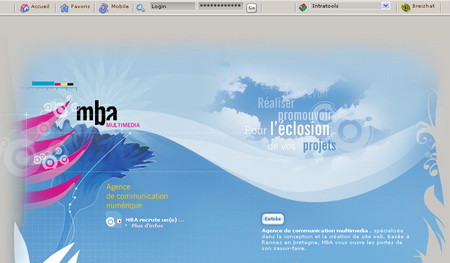
Link [www.creationunivers.com] is a copy of Link [www.mba-multimedia.com]
Shame on them.
paskal (October 21st, 2007, 11:18 am)
One click is too many, wouldn’t they? Still, splash page is way too cool to forget. And i agree with paulie. :)
c. s. (October 24th, 2007, 5:58 am)
“Yes I could avoid the trip to the theatre by watching a DVD at home - much better useability!”
It is? You like how many DVDs these days force you to watch all of the previews before you get to the menu? At least with video tapes, you could fast forward through them. Instead, I get “that action cannot be performed”. I’m not being entertained, I’m being annoyed. I already watched those previews last time I watched this movie (or I had to switch disks with the rental place because the first one was skipping).
Splash pages are 99% bad. Yes, 1% of the time it *is* appropriate for some sites (disclaimers, audio warnings, pages to set local settings, language/region selection). Most sites use it because they are pretentious dinks who think making you wait for content is a form of entertainment, not making the connection that what they’re doing is little better than what the DVD designers do.
Splash pages should not be confused with the home page of the site: some sort of summary, branding, navigation to the major sections, and/or highlights of what’s hot/new/popular. The home page is supposed to have an overview of the whole site. Apple and Zune do a home page right; neither is an example of a splash page.
Max (October 29th, 2007, 5:56 pm)
There is NO PROBLEM AT ALL to have a new window opening on mouse click. You make it a big deal but it is not and furthermore the standard users DO NOT CARE. Waiting? WTF? A splash screen of 400kb is waiting but watching youtube is ok? Come on, you can do better. I agree that the authors use a lot of arrogance and try to make things black and white. I really doubt in the design abilities of the author of this article!
Mostafa Mourad (November 4th, 2007, 7:18 pm)
Thats why I did not even make a “home” page!
In my website Link [www.designrific.com]
The website has no homepage. every page is considered a home page.
chary (April 4th, 2008, 11:13 pm)
I njoyed lot by seeing these SPLASH PAGES
Good work!!!
Larry (April 11th, 2008, 3:26 pm)
Are you kidding? There’s no reason to ever have a splash page.
mOOk (April 28th, 2008, 8:18 pm)
beautiful example! an ad splash page!