
Blogging For Web Designers: Editorial Calendars And Style Guides

Email Newsletter
Weekly tips on front-end & UX.
Trusted by 182,000+ folks.


 Celebrating 10 million developers
Hence, it’s important to keep learning about the variety of design-related fields every single day — be it marketing, psychology, business, copywriting, publishing or blogging. This article doesn’t cover “traditional” web design discipline as we know it, but goes a bit beyond it, exploring various writing, blogging and online publishing strategies. Apart from that, we present some useful writing style guides that may help you educate your clients on their copy for their upcoming project.
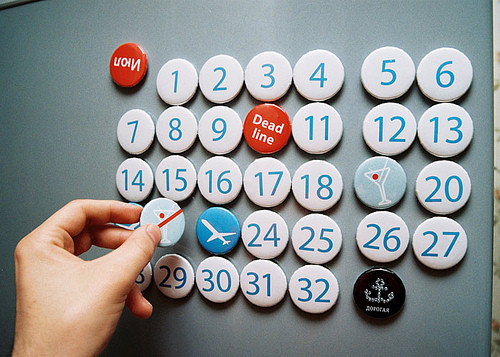
Good news: you don’t have to reinvent the wheel every time you are about to start and run a blog. Many bloggers have already shared their best tips on how to run a blog efficiently. One of those tips is to set up an editorial agenda. Blogging may sound like a spontaneous activity, but it can also be planned. While this might sound obvious to professional bloggers, applying the idea to less regular posting schedules is not a bad idea. Some will benefit greatly from looking ahead. Writing and posting according to your inspiration is great creatively, but it doesn’t exactly make for consistent work. While planning can have its drawbacks, it does come with many positive effects.
Compiling a list of brilliant posts waiting to be published is not enough, though. Polishing the quality of the posts is important, too. Unfortunately, spelling is not the only thing to check. Style guides are useful to many people other than those who run newspapers and magazines, and certainly to bloggers. In reality, this is what it takes to conquer the world.
Editorial Calendar
An editorial calendar outlines the editorial content that is planned for the coming few weeks. Financially speaking, it can be useful for advertisers to know on which day to run a particular ad, but in this article we’ll consider only the benefits for you and your readers.
Creating discipline will change your relationship to your blog, and in visible ways. An editorial calendar will affect both your writers and your readers. The key is consistency. Calendars don’t have to be extensive to be efficient, even though newspapers and a few blogs have calendars that cover as much as an entire year.
Why Is It Useful?
From the writer’s point of view, a calendar has numerous advantages. First, seeing the long term encourages them to look at the big picture, an excellent habit. It also helps establish credibility because all your content will have to make sense in the context of that schedule.
Secondly, by knowing which articles will be published when, you are able to better plan your personal work schedule. If you want to write an upcoming article now, great. If not, you now know when you’ll have time. By exercising discipline, you are able to focus on the things that matter, which Jonathan Thomas calls a good blogging habit:
You’ll create a production state of mind, meaning that you’ll get in the habit of writing a post a day, or even writing them all in one day and scheduling them to post. This will make the creation process much easier to begin and end.
Why not exploit this window of opportunity by tackling some in-depth articles or developing an interview series? Imposing deadlines on yourself lets you organize research to support your writing or to contact experts for commentary. Planning ahead this way makes it easier to write features stories and to deliver higher-quality content to readers. It also helps you grow faster professionally.
A lot of it has to do with motivation. You have to recognize that finishing your posts on time while dealing with all of other tasks is do-able. Motivation is critical to writing more and planning content ahead. It’s a virtuous circle. Rather than juggling ideas for hundreds of post a week, you will focus on a few and actually work on them. Organizing content helps you to organize ideas, and by the end, you’ll likely end up with even more interesting ideas in the editorial plan.
Drawbacks
Of course, calendars do have their drawbacks, otherwise every single blog would be using one. The most obvious drawback is that sticking to the plan can be hard. Having a plan on paper is great, but what happens when your Thursday post isn’t ready? Readers won’t be pleased that you’ve broken the unspoken contract. You’ll want to think about who has access to the schedule. Keeping it mainly to yourself and revealing it only occasionally can be a good idea and can generate a little excitement.
Readers won’t be the only ones disappointed. In most cases, an editorial plan functions as a kind of pledge by the blogger to follow a better workflow. A calendar can certainly raise the bar, but it should be motivating and not too difficult to keep up with. This is why having reasonable deadlines is important. Even if you miss one, remember that stuff happens, and it’s not the end of the world.
Which brings us to the last point: flexibility. A calendar shouldn’t restrict a blog’s potential, especially if the blog has more content than it needs. If a great story comes along that is time-sensitive, so be it: calendars can and should be adjusted. Content trumps all else.
Getting Started
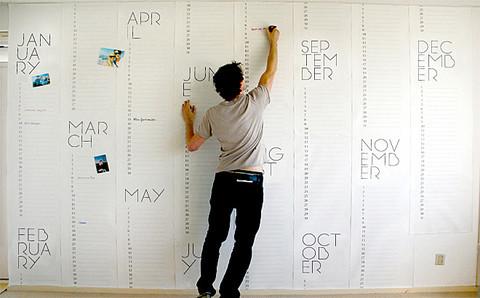
- Sit down, take a sheet of paper and list the themes and topics you will be covering. Starting an editorial plan takes time. The more precise you are, the easier it will be to organize.
- Define your categories and tags. While simple to do, a few rules will make the process more efficient:
- Use only as many categories as you really need—don’t overload them;
- Make the labels short, unique, descriptive and reader-friendly;
- Assign one category to a post, and then use tags for more description;
- Use sub-categories only if you really need them.
- Balance both form and content. Mixing feature with shorter articles is good because it lightens your workload without sacrificing regularity, and also because it’s easier for readers to follow. Bear in mind that you have already defined your categories, and now is the time to figure out how to mix them. Keep in mind also that a diversity of content is always appreciated by readers.
- Determine your themes. Now you can spice things up by creating themes for the days or weeks. This has two benefits. First, it puts readers on a schedule. If they know what to expect and when, they will be more inclined to return. Secondly, it saves you from having to think of a theme or idea for each day. Here are some examples you could use:
- Tutorial and how-to
- Review
- Short tips
- Bookmarks round-ups
- Ask the blogger, reader Q&A
- Columns
- Lists
- Debates and polls
- Features
- Ongoing series
- Decide when to publish. Consider two things. First, when will you have time to write? If you’re behind schedule, on what day would you most likely have time to write a feature story? When will you be busy and have time to write only a short article? Secondly, some days are slower than others, so you might want to save your brilliant feature for the middle of the week. Here is an idea of what you could do:
- Monday: short tutorial A helpful tutorial is a good start to the week.
- Tuesday: feature Show the world your big story. It’s a good day for visibility.
- Wednesday: tips A post that doesn’t take much time to write and prepare will be good for you in the middle of the week.
- Thursday: review The weekend is coming, and if your work is not done, Thursday can be stressful. Time for a quick-and-dirty review.
- Friday: list The weekend is here. Time for a list from which readers can quickly take what they need.
- Saturday: poll Take advantage of the weekend to pose question to your readers.
- Sunday: useful links You could post the links that you collected during the week.
Setting a Schedule
When you set up your schedule, be fair to yourself and realistic. Ask yourself honest questions. And always remember your goals: realistic objectives, diversity of content and forward-thinking.
- How long ahead should I plan? Normal practice is about two weeks ahead.
- How often should I post? It could be once or several times a day, a few times a week, whatever works for you.
- How often should each category appear? Try to balance the categories so that the content is varied.
- How to balance features and shorter articles? Depending on your blog’s purpose, you may want to publish a feature every day or every week.
- Who does what and when? If you have multiple authors, make sure everyone knows what is expected.
- How much quality content can I ensure?
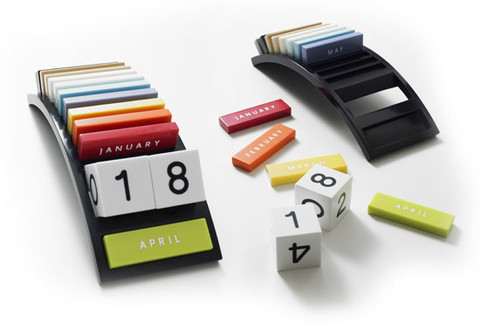
Whether your scheduling tool is as simple as an Excel sheet or as sophisticated as dedicated software, the important thing is that you feel comfortable with it. You can download a weekly spreadsheet template for 2010 for OpenOffice or Excel. Of course, creating your own calendar could work even better: just a few columns with succinct information. You could use the following headings:
- ID or number,
- Date of publication,
- Title of post,
- Category and/or tags,
- Basic intro,
- Description or main points,
- Links and resources used.
Taking it a step further, by maintaining an SEO-friendly editorial calendar, you would be organizing the blogging process in a way that supports your SEO strategy.
Going Further
It makes sense to start blogging when you have at least a week of content ready, preferably more. And then you can’t rest on your laurels. Keep an eye on what’s coming up; you should constantly be collecting ideas in an efficient way. When are you most likely to think of great post topics? If in the morning, then wake up 10 minutes early to write down your ideas. Constantly searching for new topics is great, but writing them down is even better. If you make a habit of adding topics and basic points to your list, then you will be able to just pick one and write a post.
A little of strategy goes a long way. Even if you have a lot of content and ideas, don’t rush. Save some back-up posts for busy weeks. There are times when you will be relieved to have content ready to publish so that you can focus on other work. This is what Kian Ann calls a “buffer” in his article “6 Steps to Consistent Blogging.” Another reason not to publish all of your content at once is the difference in traffic it would make. How would publishing two articles a day instead of one change traffic flow? How much will it cost you? Is it worth it?
As with all else, constantly looking to your users for feedback is critical. Find out if they’re happy with the frequency and quality of your content, and adjust to them accordingly. If you have many readers, you could use a tool such as Twitter or a polling service.
You could go even further by including in your calendar a way to keep old posts alive. ProBlogger has an excellent “5 Tips for Getting Readers Viewing Your Old Blog Posts” video on this issue. The advice includes creating a “best of” or “popular posts” section, linking related content as well as updating and reposting old content. You could also see out opportunities in the offline world. A lot of events are probably happening in your field. If you’re interested, you could easily find ready-to-write subjects and prepare first-hand news reports.
UI And Editorial Style Guides
Purpose
As emphasized, consistency is one of the strongest assets a blog can have, which is why style guides are so helpful. Style guidelines created for a particular organization are called “house style.” On the Web, their main purpose is to ensure consistency across websites by standardizing design and content. Other advantages are that they facilitate group collaboration and are useful for training new members on a product team.
Beyond imposing proper grammar and spelling, an editorial style guide sets the voice and tone of the content. If you are the only writer on your blog, you might think that your voice is always the same… but don’t be so sure. If you run a blog with multiple authors, a style guide is all the more important.
An interface style guide is helpful for documenting a website’s design and informing clients and content editors of branding guidelines, including rules for typography, color and images. Development standards are no less important: the style guide for them keeps development smooth and efficient, and it often accompanies the design style guide.
Resources
Here is a list of online style guides that can be used as a starting point.
A List Apart: Style Guide A great example of a short but efficient style guide, covering such things as tone of voice, punctuation and CSS style.
NYPL: Style Guide This style guide for the New York Public Library explains the mark-up and design requirements for all Web projects of branch libraries, along with various standards and best practices.
The Guardian style guide A detailed A–Z online edition of the style guide used by writers at The Guardian, Observer and guardian.co.uk.
Web Style Guide This guide to Web publishing and writing style by Patrick J. Lynch and Sarah Horton is available with complete text and illustrations online. It is a comprehensive guide to issues affecting website designers, including a complete chapter on “Editorial Style.”
Princeton Web Editorial Style Guide The Web Editorial Style Guide was created by Princeton’s Office of Communications as a quick reference tool to help the school’s communicators follow a style that is consistent and appropriate to websites. The guide follows conventions outlined in the Associated Press Stylebook, but there are exceptions specific to the university. Short but efficient.
BBC News Styleguide This page links to BBC’s policies, standards and guidelines and is intended primarily for those undertaking or wishing to undertake work for the BBC as content providers.
The Times Style and Usage Guide This version of The Times Style and Usage Guide (published in book form in January 2003) provides writers and sub-editors with a quick reference to contentious points of grammar and spelling and guides them through specialized areas where confusions have arisen in the past. The alphabetical list has been augmented by seven specialist sections on the armed forces, the arts, the churches, the courts, politics, sport and titles.
The Chicago Manual of Style (not free) Excerpts and the full text is available online by subscription. The CMS is published in hardcover and online. The online edition includes searchable text of the 15th edition, with features such as tools for editors, a citation guide summary, and searchable access to a Q&A in which University of Chicago Press editors answer readers’ style questions. An annual subscription is required for access to the manual.
AP Stylebook (not free) Excerpts and the full text is available online by subscription and in print.
Setting Your Own Rules
- Going through a few respected style guides is only a start, because each blog should establish its own rules. Defining them might take a while but is worth it in the end. Style guide not only maintain consistency but reflect an identity. So, this is the time to remind yourself or your writers of what you generally expect:
- What is your blog’s purpose?
- Should the writing exhibit any particular style?
- Are there any sentences or expressions you don’t want to be used?
- How specific should a post be? Who should it target?
- Do you allow personal remarks? How formal should the writing be?
- An editorial style guide should reflect the blog’s writing style, and a good way to be precise is to look at your old posts and compare them to your current writing:
- What has changed?
- Which do you like better?
- A user interface style guide includes mostly formatting elements but can include pretty much anything else:
- How will you deal with images? How will you cite them? At what size should they be displayed?
- How long should titles be? How will you capitalize them?
- How long should posts be? How should the content look?
- How will you format links? How will you display quotes and photo credits? What terms and copyright licences should photos be used under?
- Should author bios follow a particular format?
For more resources on creating a style guide, see a nice example of a personalized style guide on Writing an Interface Style Guide, and read some tips on avoiding problems in “Guidance on Style Guides,” by the Society for Technical Communication.
Conclusion
Editorial calendars and style guides are only guidelines. They are great for ensuring consistency, but they have to evolve with your objectives and should not constrain your workflow. Update them to fit your needs.
We would love some feedback from you. Do you use calendars and style guides or think they’re too much of a headache? If you have followed them in the past, did you have to adjust them? How so? Please share your tips and advice with us and readers.
Further Resources
Templates
- 2010 Blog Editorial Calendar Template The worksheets are broken down by week for all of 2010, including one at-a-glance worksheet broken down by topic. There is also a worksheet for each month for more detailed information like category, target URL and keywords.
- User Interface Style Guides Some useful links to style guides followed by large websites, corporations and news agencies. Also discusses editorial guidelines, quality guidelines and online standards.
- AARP Bulletin: Style Guide A set of images on Flickr about one style guide redesign.
Plug-Ins
- ScribeFire Blog Editor ScribeFire is a full-featured blog editor that integrates with your browser and lets you easily post to your blog.
- WP editorial calendar This editorial calendar lets WordPress administrators and editors manage dates for multiple posts at once. You’ll see all of your posts in a calendar view, and can arrange them via an easy drag-and-drop interface.
- SEO Blogger: Optimize Your Posts as You Write SEO Blogger lets you find the most sought-after keywords for your subject without ever leaving the blog editing screen.
Further Reading
- Don’t Forget The Small Stuff
- Designing Style Guidelines For Brands And Websites
- How To Make An Effective Style Guide
- Work, Life And Side Projects
- Being Editor In Chief Of Smashing Magazine This article describes the workflow of the editorial team here at Smashing Magazine, featuring some useful insights from the editor in chief Vitaly Friedman.
 (al)
(al)

