Smashing Magazine - we smash you with the information that will make your life easier. really.
Interesting Web Browsers You Have Never Heard Of
There are more browsers than you are aware of. Apart from Firefox, Opera and Internet Explorer there is a number of promising alternatives which can improve your flexibility, increase your productivity and enrich your browsing experience.
In fact, there are over 100 existing (although not widely used) browser applications. Most of them make use of the rendering engines Trident (Internet Explorer), Gecko (Mozilla Firefox), WebCore (Safari) and Presto (Opera 7 and above). However, some of them offer large fields for experiments and exploration — e.g. 3D Engines, but also really useful browsers with advanced functionalities such as desktop-tools integration.
Recently we’ve selected over 20 Win/Mac/Linux-browsers, installed most of them, tested them, compared them and now present the results below. Let’s take a closer look at some rather unknown, forgotten, advanced or experimental browsers. What else do we have on the horizon? What should we use? And what might we be willing to use? Apparently, between Firefox, Opera and Internet Explorer there is enough room for creative and unusual approaches.
Please note that
- we’ve tried to showcase only those browsers that use Gecko or WebCore layout engine, but we present some interesting Trident-based applications as well;
- it wasn’t our intention to display all available browsers such as Swiftweasel and Midori. We’ve selected the ones we’ve found most useful and promising.
This is Swiftweasel, an optimized build of the Mozilla Firefox web browser for Linux.
[Offtopic: By the way, did you know that Smashing Magazine has a mobile version? Try it out if you have an iPhone, Blackberry or another capable device.]
Portable Versions
Although we’ve recently seen a tremendous breakthrough of interactive web-applications, some tools such as file management or web browser are still left over to desktop-software. In order to actually use these applications, you need to install them on every PC you’re working on. Right?
Not really. In fact, there are hundreds of portable applications you can use to carry your favorite programs along with all of your bookmarks, settings and email. You can use them on any Windows computer. All without leaving any personal data behind. Being open-source, portable applications provide a truly open platform that works with any hardware (USB flash drive, iPod, portable hard drive, etc).
A portable version of Mozilla Firefox has the full functionality of Firefox bundled in a tiny encapsulated package.
The main advantage of portable versions is the simple fact that they are usually much faster, can be used without installation and require less memory. So, for instance, the portable version of Firefox uses 35% less memory. And you can test web-sites on some external machines immediately, without installing all the necessary browsers first.
Ordinary Firefox 2.0.0.3:
Portable Firefox 2.0.0.3 (same number of extensions and opened tabs):
You can use the portable version of your favourite browser without installing it on the machines:
- Mozilla Firefox, Portable Edition
Portable Edition is the Firefox bundled with a PortableApps.com Launcher as a portable app, so you can take your bookmarks, extensions and saved passwords with you. - Opera Portable Personal
You can manage multiple profiles at once. The profile file will contain all the settings you made while running. So, your settings, history, passwords etc. are packed into a single file, then they are overwritten and deleted on the host machine (so you leave no trace). When you run Opera Portable on another machine, your settings will be applied again. - Internet Explorer 7 Standalone
You can find a truly portable version of IE 7 in Google as well.
Flock (Win/Mac/Linux)
Flock is a social web browser based upon Firefox, with its own user interface and a number of unique “social” features. Instead of locally stored bookmarks Flockr uses public bookmarks, letting users add bookmarks to del.ico.us “on the fly”. The browser integrates Flickr, Twitter, Facebook, Technorati and further services such as an RSS feed-reader.

Flock points users’ attention to available RSS-Feeds.
What makes Flock unique is its ability to improve the productivity of bloggers. E.g. you can publish your blog posts directly from your browser-window — a WYSIWYG-editor is preinstalled by default. You can also use a Web-Clipboard, Photo Uploader, a Mediabar for Flickr-Fotos etc. Flock was released in October 2005, the first stable version was available two years later. Flock uses Yahoo as a default search engine.

The Flock Blog-Editor supports WordPress, TypePad, Blogger, LiveJournal and further services.
Safari (Mac / Win)
Safari belongs to Mac OS X just as Internet Explorer belongs to Windows. In both cases user interface is designed consistently with the common design used in the operating system. Since the mid 2007 Safari, with its elegant aqua design and and classic Mac user interface, is also available for Windows.
That’s no big news for Apple users, but quite interesting for Windows users who can now experience a quite new kind of text rendering. Safari is 2x faster than Internet Explorer. First beta-versions of Safari had a number of critical bugs, but the latest version is quite sophisticated and more or less stable. However, it doesn’t change the fact that Safari looks quite alien on Windows. Safari has solid and standards-compliant support for CSS, including a partial support of CSS3.
Shiira (Mac)
Shiira is a web browser based on Web Kit and written in Cocoa. The browser offers private browsing options so that history and cookies are not recorded when activated. The browser is of comparable stability and speed to Safari, making it among the fastest and most functional browsers for users of Mac OS X. One of the main advantages: elegant, breathtaking design and user interface.
The goal of the Shiira Project is to create a browser that is better and more useful than Safari. All source code used in this software is licensed under BSD and is publicly available.
Camino (Mac)
Camino’s main aim is to integrate as well as possible with the Mac OS. It uses the Aqua user interface and integrates a number of Mac OS X services. E.g. you can use Keychain for password management and Bonjour for scanning available bookmarks across your local network.
You can migrate your Firefox data and extend Camino in similar ways, using differences in keyboard shortcuts described on the site. Camino uses the Gecko rendering engine, what is not typical for Mac OS applications. Camino also offers the feed detection, spell-checking, session saving and more. “Single window mode” tames sites that insist on opening new windows by forcing their new windows to open in tabs, keeping window clutter to a minimum. Open Source.
GreenBrowser (Windows)
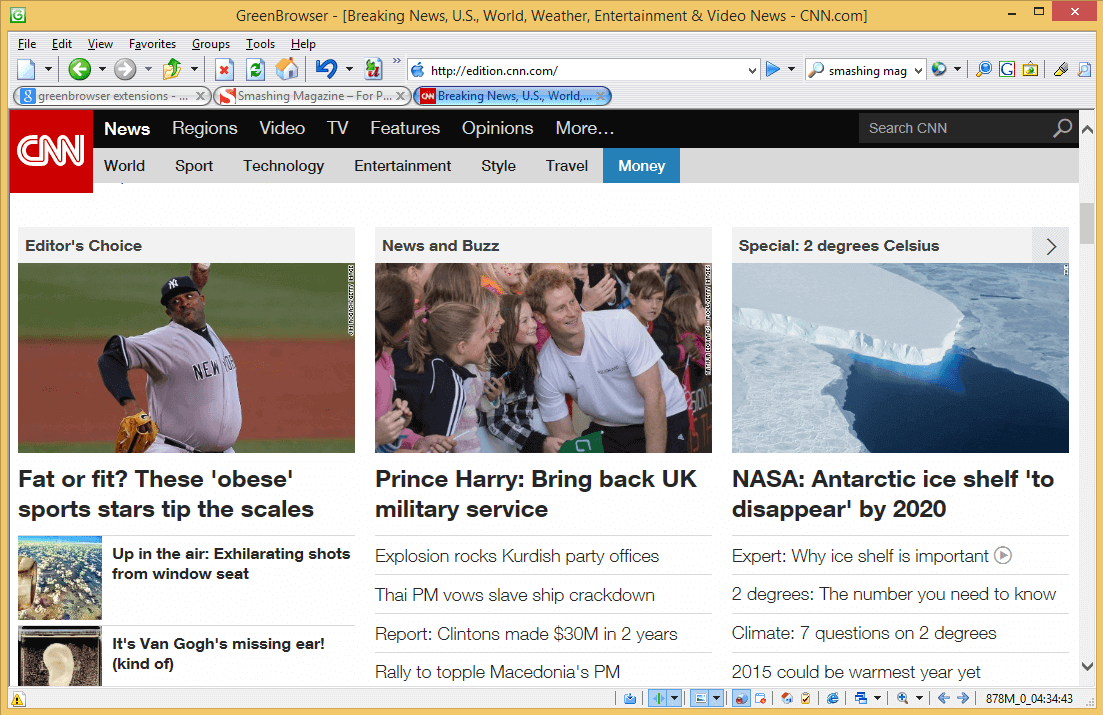
Not that this browser is actually green, but it’s a fresh, light and quite promising application with many useful tools you won’t find in your favourite web browsers. For instance, you can add the shortcuts of frequently used software applications in an external toolbar. Afterwards you can also set the option “Auto Start with GreenBrowser” or “Auto Close with GreenBrowser” to handle multiple applications at a time.
Besides, the browser also shows the state of the page; you can observe whether a file is downloaded, read or not, locked, protected, saved or bookmarked.
Among available options you’ll also find an ad filter, mouse gestures recognition, auto fill form, auto scroll, auto refresh, auto save, auto hide, quick key, skins and other features. Multiple languages are available. Unfortunately, the browser uses Trident as a rendering engine. 1.3 Mb.
Slim Browser (Windows)
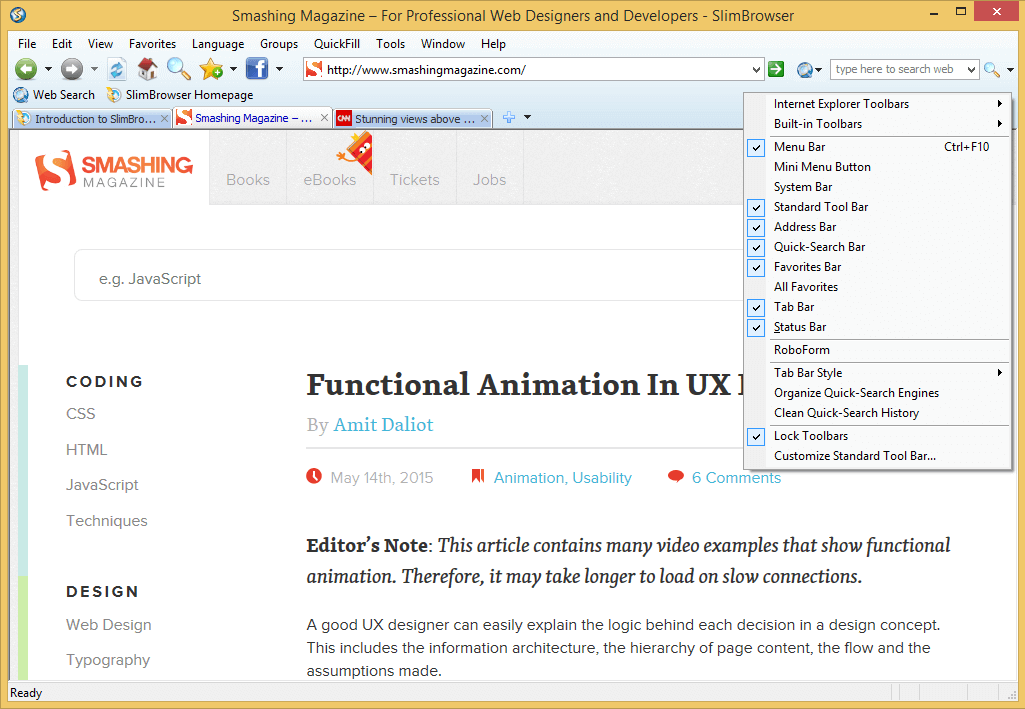
Slim Browser is a tabbed multiple-site web browser that uses the Microsoft Trident rendering engine. That means that you can rescale tabs and group them within your browser as standalone windows. Slim Browser incorporates many useful features such as skinned window frame, hidden sites, built-in commands and scripting, RSS feed reader, blacklist / whitelist filtering and URL Alias.
Tabs can be saved in groups, which can then be opened at any time from the groups menu. You can also open only sites from that group, or have SlimBrowser open a group on startup. If the browser crashes, the opened tabs will be restored automatically.
Auto login enables you to to create an instant shortcut to a website you would normally need to type a username and password for – Slim Browser does it automatically.
K-Meleon (Windows)
K-Meleon is an extremely fast, customizable, lightweight web browser for Windows which is based on the Gecko layout engine. K-Meleon is free, open source software released under the GNU General Public License.
K-Meleon, as the title suggests, offers some middle thing between Firefox and Internet Explorer. From the technical point of view K-Meleon uses the Mozilla Gecko layout engine which stands for a modern, standard-conform site rendering. Optically K-Meleon resembles Internet Explorer. With the only difference that it has less features and functions. Thus the browser consumes less memory and loads pages faster.

K-Meleon after the installation (Win XP)
There is no reason to change from Firefox to K-Meleon, as there are minimal differences between both of them. So, for instance, you can use macros to accomplish typical daily routine tasks automatically; you can also use mouse gestures to let the software know what action it has to perform. Since you have identical site rendering in both Firefox and K-Meleon, the main advantage of the latter one lies in its very low memory usage: this browser is a nice alternative for older and not so powerful PCs.
xB Browser (Windows)
xB Browser (xB stands for XeroBank) is the free portable anonymous web browser. The benefit of xB is that it allows you to securely and anonymously surf the Web, bypass firewalls and website censorship. For enhanced privacy, xB Browser clears history of browsing and deletes cookies when you close the browser.
xB Browser uses Mozilla Gecko for rendering web sites. Last Version is 2.0.0.6. It does not allow you to run another version of Firefox at the same time — for security reasons. Fullsize screenshot
Maxthon (Windows)
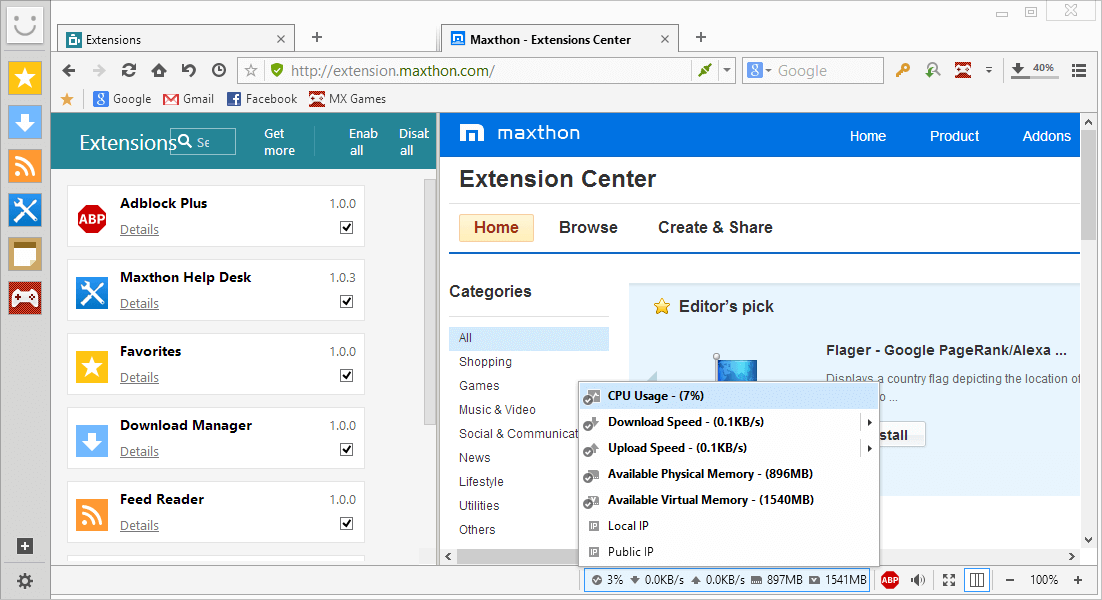
Maxthon (earlier MyIE2) is a powerful tabbed browser built for all users. Besides basic browsing functionality, Maxthon Browser provides a rich set of features to improve your surfing experience. Compared to other browsers, Maxthon offers a very user-friendly interface, with a number of skins and plugins. Maxthon is a browser Internet Explorer 6 could have become if Microsoft developers tried to invest more in an optimal user experience. Whatever task you have to accomplish with Maxthon, you always feel absolutely comfortable as the interface is extremely well through-out and intuitive.
Maxthon has the basic functionalities offered by Mozilla family and Opera. It also offers the Anti-Freeze functionality which reacts once the browser seems to have frozen. You can also add shortcuts of your programs in Maxthon, and start them with a single click. You can even set programs to start and shutdown with Maxthon Browser. Screen capture is integrated and URL key-shortcuts can be set up with few clicks.

Maxthon after the installation (Win XP)
Maxthon is basically an advanced skin for already existing Internet Explorer: you have a better browser experience, but it’s not necessarily more secure. Maxthon automatically imports all IE-Bookmarks in the engine.
Swift (Windows)
Swift is a WebKit-based browser for Windows, which is supposed to render sites similarly to Safari. Except you can use it in Windows as a native web-browser. Although Safari offers a far more advanced alternative, Swift is currently in an early alpha version and may be improved in the future. What you’ll end up with in the end might be a classic Windows Vista application with integrated WebKit rendering engine.

Swift after the installation, the browser is in an early alpha stage.
Sleipnir (Windows)
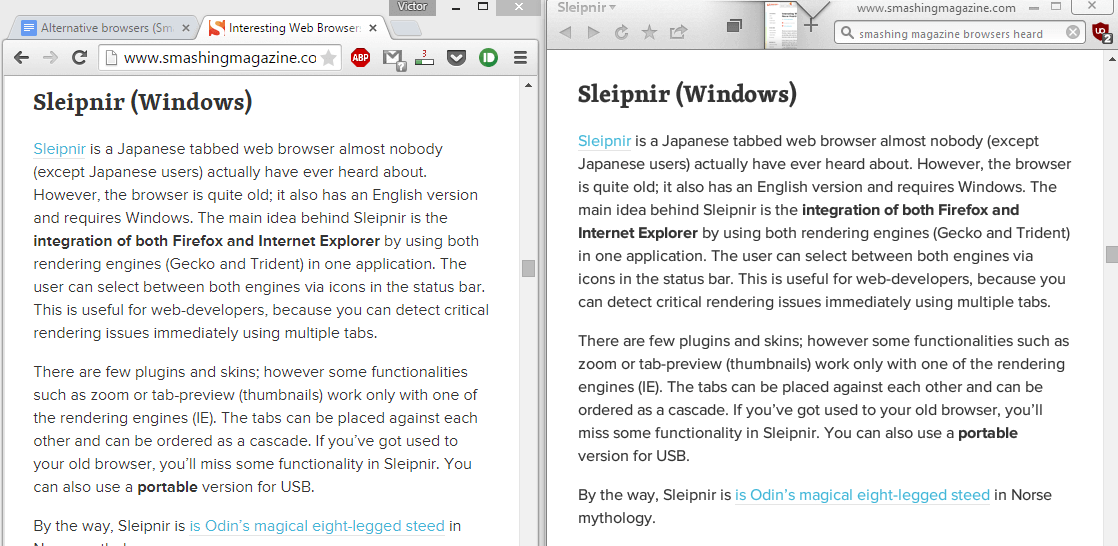
Sleipnir is a Japanese tabbed web browser almost nobody (except Japanese users) actually have ever heard about. However, the browser is quite old; it also has an English version and requires Windows. The main idea behind Sleipnir is the integration of both Firefox and Internet Explorer by using both rendering engines (Gecko and Trident) in one application. The user can select between both engines via icons in the status bar. This is useful for web-developers, because you can detect critical rendering issues immediately using multiple tabs.
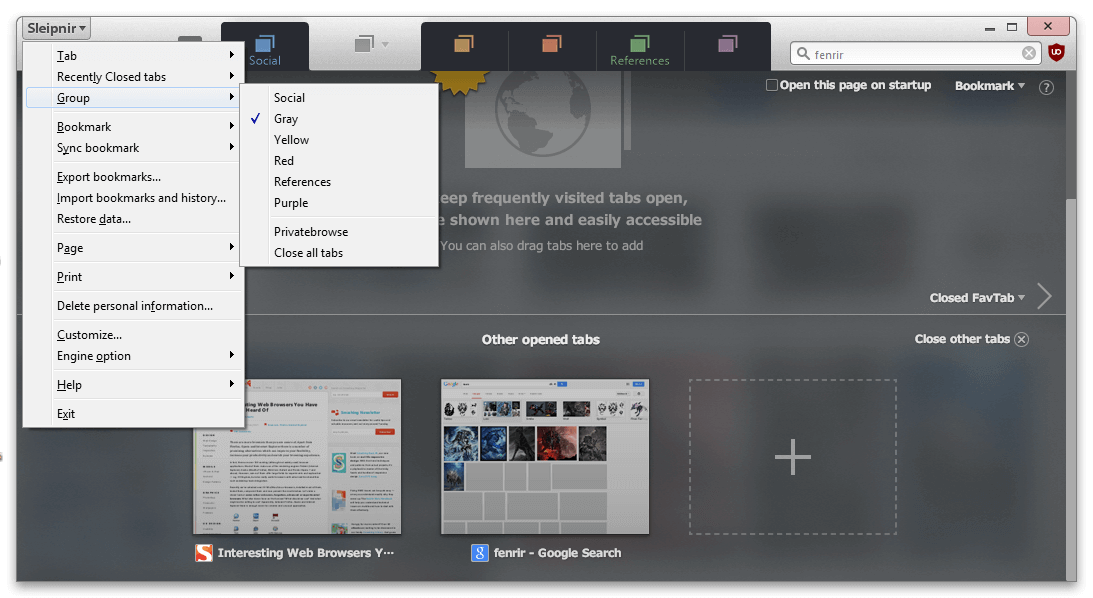
There are few plugins and skins; however some functionalities such as zoom or tab-preview (thumbnails) work only with one of the rendering engines (IE). The tabs can be placed against each other and can be ordered as a cascade. If you’ve got used to your old browser, you’ll miss some functionality in Sleipnir. You can also use a portable version for USB.
By the way, Sleipnir is is Odin’s magical eight-legged steed in Norse mythology.

Sleipnir after the installation (Windows XP)
SpaceTime (Windows)
SpaceTime offers a 3D Tabbed Browsing. You can see more than one page at a time in unlimited space. You can also move pages around, as well as flip and turn them.
uBrowser (Windows)
Web pages as a cube. uBrowser is an open source test mule that renders interactive web pages onto geometry using OpenGL and an embedded instance of Gecko.
Browse3D (Windows)
The Browse3D web browser is supposed to offer users a visual advantage making finding and using web information more productive. With Browse3D using multiple browsers is made easier because each web page is represented by an image of that page and not just a generic tab. There is a limited free Version. Browse3D uses the IE Rendering Engine.
3B (Windows)
3B is another 3D browser. Although it looks interesting, it’s also very commercial. To use the browser you need to register on the site. After registration you can navigate through 3D-rooms, which can be designed and customized by other users of the browser. This is quite exciting and unusual, however also quite complicated and slow. You can use a chat as well.
Bitty (all)
Bitty is a browser within a browser. Although it definitely won’t compete with Firefox or Safari, it might be quite useful in some situation. The browser can be integrated into web-pages and can display external web-sites or RSS-feeds. A tiny small navigation is available as well as the Google search. Unfortunately, Bitty has some ads as well.
Netscape / SeaMonkey
Yes, Netscape, a descendant of Netscape Navigator, is actually still alive. However, since Netscape has lost its market share over the last decade, now it can be seen as a radical alternative to everything else browser market has to offer. What is interesting is that Netscape today is actually Firefox with a new skin. Navigator 9 is available for Windows, Mac OS X, and Linux.
Navigator is also included into SeaMonkey, a free, open source, and cross-platform Internet suite that is the continuation of the former Mozilla Application Suite. SeaMonkey has inherited the all-in-one concept of the original Netscape Communicator and continues that product line based on the cross-platform architecture provided by the Mozilla project. It also has a Mail & Newsgroups client program, and an HTML editor, or Composer program. The SeaMonkey is available for Microsoft Windows, Linux and Mac OS X.
The Co-Founder of Smashing Magazine. Former writer, web designer, freelancer and webworker. Author of several books. Runs the business.
- 144 Comments
- 1
- 2
November 21st, 2007 2:01 amVery nice post!
I’m installing Shiira right now :)
- 3
November 21st, 2007 2:03 amWhat about iCab, one of the first browsers to pass the Acid2 test?
http://www.icab.de/ - 4
November 21st, 2007 2:20 amGreat Post. Exists other browsers, but this list is so great. The Swiftweasel Icons is so cool
- 5
November 21st, 2007 2:28 am[cough]WebKit, not ‘WebCore’[/cough]
- 7
November 21st, 2007 3:21 amVery nice list, I think I’ll stick with Firefox for now, though… I’ll bookmark this just in case my needs change. Thanks!
- 8
November 21st, 2007 3:38 amOoh, Flock looks promising… *will download and play*
- 9
November 21st, 2007 3:39 amFlock, the social web browser. What a great alternative. Same rendering engine as Firefox, same add-ons as Firefox, only adds the social networking capabilities. Thanks for the post, now I have a new browser!!!
- 10
November 21st, 2007 4:00 amLOL. Smashing Mag uses Windows!!!
- 11
November 21st, 2007 4:12 amVery cool! I’ve been using Camino for over a year and love it. Nice to know about the other browsers out there.
- 12
November 21st, 2007 5:16 amVery nice post, as usually, but Linux also has cool but not-so-known browsers like Kazehakase or Epiphany.
- 13
November 21st, 2007 5:30 amI’ve been using Safari for windows for a while now, and I must say wow! Highly recommended!
- 14

- 15
November 21st, 2007 7:35 ami use firefox , opera adn flock both in my pc..i use portable versions of firefox and opera in my flashdisk also..i try maxthon last year but i dont like ie engine so i stop using it..now i can try 3d browsers..thanks for them..
- 16
November 21st, 2007 10:11 ami use shiira, and really really like it … i.m a web developer so using the web kit features is amazing … but best browser by far, firefox ..
i really wish spacetime will come to mac …
- 17
November 21st, 2007 11:02 amu didn’t include the avant web browser..for windows. :-)
- 18
November 21st, 2007 3:20 pm+1 for Maxthon. It was my favorite browser before I started using Firefox.
- 19
November 21st, 2007 3:42 pmI’ve heard of Flock before! :D I’ve got it installed as well, but the thing I dislike about it is it’s got a lot of flashy things that makes it go a fair bit slow… and also the annoying startup loading bar.
- 20
November 21st, 2007 4:08 pmUsing Flock on Mac OS X since 2 weeks. Very good and stable :-)
- 21
November 21st, 2007 4:10 pmShiira is really fast but the documentian on their home page (in English) is quite poor. I do use Shiira from time to time but the browser has a lack of plugins and I still do not know how I can install plugins.
(The feature on the last picture in the article with turning over a page is not supported in the latest version 2.2. And most of the screenshots on the home page of Shiira illustrate an earlier version and not the latest one.) - 22
November 21st, 2007 4:13 pmIn my opinion the future belongs to browsers like Flock. I like the idea to leave «passive browsing» behind, and would like to see even more content management tools in the next versions.
- 23
November 21st, 2007 4:57 pmHa ha, “Bitty”…funny name for a browser…anyone from the UK that has seen Little Britain will know why!
- 24
November 21st, 2007 5:37 pmReally cool browsers. I like the look of Shirra. Unfortunately its not available for windows. I think I will try Maxthon.
- 25
November 21st, 2007 6:05 pmFlock rules. Really!!! I’ve been having fun with a lot of crashes in the past months with Firefox so I switch to Flock – Great choice – Why ? — because most of the extensions from Firefox work on it and it is a solid social platform. Keep up the good work.
- 26
November 21st, 2007 7:09 pmVery interesting article… Using Maxthon since… wow a very long time, the best one !
- 27
November 21st, 2007 7:27 pmCan we please use just ONE browser, makes it a lot easier for web design!
- 28
November 21st, 2007 7:53 pmVery nice post. Can you please tell us clearly which one is very much useful as application developer like Mozila firefox??
- 29
November 21st, 2007 8:24 pmAwesome overview, yet again!
By the way:
Maxthon is basically an advanced skin for already existing Internet Explorer: you have a better browser experience, but it’s not necessarily more secure.
That’s not entirely true. Yes, it uses the Internet Explorer engine, but it has an internal proxy which is able to block IE vulnerabilities.
- 30
November 21st, 2007 8:46 pmYeah… The most browser are Windows-Browser ;)
For Mac-User there are more browser like
sunrise (for webdesigner helpful): http://sunrisebrowser.com/en/
omniweb: http://www.omnigroup.com/applications/omniweb/
xyle (for webdesigner helpful, too): http://culturedcode.com/xyle/BTW, the list are great and should open the eyes for only ie-users ;)
From Germany
Ralph
- 31
November 21st, 2007 9:24 pmHuh. I actually wrote something quite like Bitty, in JavaScript.
Here it is. Ad-Free. :)
- 32
November 21st, 2007 9:28 pmI have been using both Camino and Flock on my PPC for the last year or so and find them nice substitutions for Firefox and Safari. I’ve also used Shiira, but not as much. I regularly use Camino as my main browser because of speed and how light it is when compared to Firefox.
I’m surprised OmniWeb wasn’t mentioned. Although it’s a proprietary browser, it’s still a great browser.
- 33
November 21st, 2007 9:41 pmFirefox all the way!
- 34
November 21st, 2007 9:42 pm@Vitaly Friedman & Sven Lennartz….
Quote from apple develop site.
WebKit is an open source web browser engine that is the core of Apple’s Safari web browser. WebKit is also the name of the Mac OS X system framework version of the engine that’s used by Safari, Dashboard, Mail, and many other Mac OS X applications. WebKit’s HTML and JavaScript code began as a branch of the KHTML and KJS libraries from KDE.
WebKit is comprised of two smaller frameworks, WebCore and JavaScriptCore available as a system framework for adding web content rendering capabilities to Mac OS X applications.
so its WEBKIT not core.
- 35
November 21st, 2007 10:50 pmWhy on earth is Safari on a list of ‘Interesting Web Browsers You Have Never Heard Of’ in Smashing Magazine that is for web developers?!?
You must all be using Windows, and never done a real web dev job.. (please tell me I’m wrong)
Not a single web project I know of have been done without knowledge and testing in Safari. How is it possible that in an article for web developers it is listed as a ‘Web Browsers You Have Never Heard Of’? What have you guys been smoking? ;-) - 36

- 37
November 21st, 2007 11:18 pm@ove
I think the guys were trying to highlight the fact that Safari runs on Windows too:
“That’s no big news for Apple users, but quite interesting for Windows users who can now experience a quite new kind of text rendering.”
- 39
November 21st, 2007 11:57 pm3D Browsers? Awesome
- 40
November 22nd, 2007 12:17 amSafari,
got it now, made mental note to fully read before posting ;-) - 41
November 22nd, 2007 12:34 amNice list,
but why did you forget avant browser? It’s a really good one.. - 42

- 43
November 22nd, 2007 2:23 amThere many browsers I never know, I should try them
- 44
November 22nd, 2007 5:05 amI am using Maxthon, the new version is the best ever …
- 45
November 22nd, 2007 5:25 amWhen I read the article, I remembered that years ago there was a browser I was using – Neoplanet. I think now it’s under development. It was really nice for those days. Now I heard the rebuild the browser based on Gecko engine…
- 46
November 22nd, 2007 12:16 pmJust a note that Safari for Windows should be interesting to web developers on Windows not only because it’s the main browser on the Mac, but because it’s also the only web browser on not only the iPhone (1.5m users today, probably 10m or more this time next year) but also a number of other phones from companies such as Nokia that also use Webkit.
Those aren’t huge numbers of users (yet), but are probably among the most active and influential users.
- 47
November 22nd, 2007 1:27 pmI love Maxthon! ))) It’s best browser
- 48
November 22nd, 2007 7:09 pmFoun it really interesting and the I Loved the 3D Browser that i would like to intall it rite now. Good Research keep it up…………
- 49
November 22nd, 2007 7:12 pmI’ve used a shed load of browsers in my time and have been designing for several years – and still not heard of half of these!
Thanks for sharing – I shall go and have a play with some of them now!
Thanks again.
DM - 50
November 22nd, 2007 7:21 pmSmashing!
I think I’ll be switching my portable browser - 51
November 22nd, 2007 7:41 pmThanks! The stuff about the 3D browsers is pretty cool..
- 52
November 22nd, 2007 8:12 pmMaxthon gets my vote for best web browser.
- 53
November 22nd, 2007 8:50 pmHaha I only use firefox. It’s the best!
- 54
November 22nd, 2007 9:37 pmI use K-Meleon as my default browser because it is so much faster than any other browser I have tried, except the excellent (no need for install, very compact) but limited OffByOne browser. My IE-like favorite is the abovementioned Avant browser. Another browser I enjoyed “working” with is Ghostzilla that integrates visually in other applications you use so it is not so clear you are actually web browsing.
- 55
November 22nd, 2007 9:40 pmNeither this list nor the list on Wikipedia included Kirix Strata, which I think offers something completely different than any of these browsers. It is a “data” browser. Basically, it uses the gecko engine to view webpages and uses a very powerful database to analyze many types of data in the internet, no matter how large.
- 56
- 57

- 58
November 22nd, 2007 10:31 pmFlock has changed my life. Remember how you felt when you switched from IE to FF. I feel that way again. The great thing is that Flock is FF, with some social networking and media features. And my FF extensions run just fine in Flock.
FTW
- 59
- 60
November 22nd, 2007 11:46 pmHow could you not include Songbird?! Its lovely!
- 61
November 23rd, 2007 12:02 amI still prefer Firefox & Opera.
- 62

- 63
November 23rd, 2007 1:12 amseriously, you missed several excellent browsers that are probably used more than many of the ones you mentioned:
1, Konqueror
2, Epiphany
3, Links
4, Off By One (ms windows)
- 64

- 65
November 23rd, 2007 1:24 amI switched from IE to firefox a long while ago and have stuck to it. Tried my hand at opera but i still use firefox on my desktop. But the problem is that i am now living away from my home and don’t have a computer yet. So i use my nokia 6600 for all my web browsing. The only web browser for symbian that i know of is opera mini. Does anyone know any alternative to this?Any other web browser for symbian?
Great list though. - 66
November 23rd, 2007 2:31 amFlock can also be used to upload pictures to Photobucket by using the click-and-drag method.
- 67
November 23rd, 2007 2:41 amiCab deserves a mention. It’s one of the first browsers to pass Acid2 test and it does have it’s own engine! (it’s not a GUI for webkit/gecko/ie like most of them)
- 68
November 23rd, 2007 3:44 amno opera??! =(
- 69
November 23rd, 2007 5:18 amSeems you missed two of the best. The best browser by far is irider. http://www.irider.com. It is a true power users browser and the only browser in my opinion that get it right. It makes firefox look like a joke. Unfortunately I switched to mac and its the only program I really miss. I still switch into it if I need to do any heavy web browsing. The second is omniweb which is a pretty decent browser for mac.
- 70
November 23rd, 2007 8:06 amUse Flock since it is a lot like FF and I don’t like any others really. I had given Opera a try for awhile…..but nah, not for me.
- 71
November 23rd, 2007 5:33 pmNice summary, I use 90% Safari, Firefox for the odd site that Safari lets me down on, (and I love the plug-in that can customise your user experience), and Shiira ocassionally… I really like Shiiira, and think it’sgot huge potential – love the Expose style feature where all your open windows tile full screen – beautiful. I think reading your article and the responses – that I’ll have to check out Flock!
- 72
November 23rd, 2007 8:16 pmi havent even heard of most of the browsers …
i use opera … its the best for me …
but i guess most people like firefox … - 73
November 24th, 2007 12:19 amDillo is a good one if you want a super fast browser. It doesn’t support a lot of fancy new features though; it is probably along the lines of Netscape 2. It can also be quite buggy (e.g. you have to reset the fonts).
Sure is fast though.
- 74
November 24th, 2007 5:41 amWant a faster, lighter browser? Go with Lynx. And, it’s portable by definition!
- 75
November 24th, 2007 8:51 amCoolio!
Never heard about this Shiira one, checking it out (just because of the icon though) :0)
Btw. The name “Sleipnir” comes also from Icelandic language, for those who are interested. - 76
November 24th, 2007 10:15 amThe list doesn’t even mention Avant Browser. You fail!
- 77
November 24th, 2007 11:35 amSorry, but any browser without JavaScript support is next to useless nowadays – would love to use Dillo, Lynx, et. al., but that issue is a deal-breaker for me. I agree that it shouldn’t be that way, but – much like idiot web designers who used to tailor their sites to work only on M$IE (pronounced “messy”) – there are far too many sites that force you to enable js to do even the most basic things (things that shouldn’t even require it). It’s reached a point now where the advice to take your business elsewhere if they won’t change it leaves you with very few places to go…
- 78
November 25th, 2007 12:23 amMaxthon is no longer so cool. Version 2 kinda destroyed the impeccable low-resource, very stable reputation the previous version 1.5 (still available in a updated 1.6 type) built! As someone who’s used Max2 I find it uses more system resources than IE7 (which is supposed to replace) for the same sites/pages open.
My “new” multi-tabbed browser (also uses Trident) that includes everything IE7 coulda been and Maxthon 2 didn’t get right quick enough is TheWorld (www.ioage.com/en/index.htm). Besides the usual blockers and filters, there’s a really cool multi-thread downloader. Well worth a look for Smashin’ in a follow-up article.
- 79
November 25th, 2007 3:07 amVery informative article. My favorite browsers are Safari and Firefox. Looks like I’m going to be busy for a while checking out this incredible list of ‘others.’ Thanks for posting this informatin – it must have taken a lot of time to do the research!
- 80
November 27th, 2007 6:05 amK-Meleon – Very fast browser!
- 81
November 27th, 2007 7:56 pmwoa woa woa !!! never knew so many browsers existed… some are good some not so… interesting article!
- 82
November 28th, 2007 12:35 amWhich, if any, of these will work with Windows 95 or Windows 98?
- 83
November 28th, 2007 10:31 amI like Maxthon a lot !!!
- 84
November 29th, 2007 6:34 pmVery nice post!!
- 85
November 29th, 2007 6:39 pmgreat post. makes me want to try another browser other than firefox. great. thanks.
- 86
November 30th, 2007 5:34 pmGreat post – thanks a lot… now for the “Web browsers you wish you’d never heard of.” list!..
- 87
November 30th, 2007 6:03 pmJust to remember that Safari is based on Konqueror tecnology
http://dot.kde.org/1041971213/
http://lists.kde.org/?l=kfm-devel&m=104197092318639&w=2Andrea
- 88
December 3rd, 2007 3:59 amFor all who interested can check the compliance for Web Standards of this browsers on
On this site also available more informations and screenshots of many browsers from AmigaOS, BeOS, FreeBSD, Linux, MacOS, OS/2, Solaris and Windows, including PDA and beta release browsers.
- 89
December 4th, 2007 10:25 amThat’s a pretty cool list. I checked out a few and they’re alright.
One that I really liked but you don’t have here is Wyzo. It’s pretty much new so maybe that’s the reason why it’s not on this list.
It’s based off of Firefox, but has a built in BitTorrent Client. It also has a few other things to do with media.
Here’s the link: Wyzo – The Media Browser - 90
December 5th, 2007 4:17 amSurprised to see that NotJustBrowsing is not in your list.
- 91
December 6th, 2007 4:55 pmThere is another browser by name http://www.konqueror.org/. Web browser with HTML4.0 compliance, supporting Java applets, JavaScript, CSS1 and (partially) CSS2, as well as Netscape plugins
- 92
December 7th, 2007 10:41 amdo you guys know “FastBrowser”, It is extremely powerful in 3 years ago… but now, the developer are been so lazy and abandon it…
- 93
December 10th, 2007 2:35 amIf you’re going to be writing articles like these, I think I’ll RSS RSVP. Nice job! Users also provided some great alternatives (checking a few of those out also). A few comments:
1. Aside from the browsers themselves, you covered 3 of the 4 main rendering engines – essentially leaving the multiple platform (Win, Mac, Linux/BSD, Cells, PDAs, etc..), highly standards-based, superb-RSS, BitTorrent, Email-Client, powerUser-based Opera off the list. For shame;-)
a. Since Portable Firefox was mentioned, an fyi regarding two well-maintained Portable Opera versions:
http://www.opera-usb.com/
http://www.kejut.com/operaportableb. There is a third version of Opera that combines both portability (no installation, no registry writes) and anonymity (TOR+Privoxy), below:
http://archetwist.com/opera/operator2. From the comments…
a. Kirix Strata looks extremely interesting. Thanks for the link/info – downloading now. Looking forward to playing around with this. I save alot of info off the web and this could turn out to be a useful tool.
http://www.kirix.com/faq.htmlb. @ Delay:
iRider. I would have tried this but it’s Windows-only and commercial (free for 21-days only). It’s hard to justify paying for non-crossplatform browser these days even though it looks very useful.OmniWeb has the best statement I’ve read in a long-time: “your web browser should not be a television. It’s a software program. It should let you control stuff. I mean, who’s in charge around here? The internet – or YOU?”
c. @ John Watson:
Try browsing the comprehensive list of browsers at: http://webtips.dan.info/brand-x/
Good resource for alternative browsing, especially useful to anyone when looking for browsers for other OSes.BTW, I would recommend Opera (it’s my browser of choice) for Windows 98. Since MS is no longer supporting this platform, I would try and stay clear of older browsers for security reasons. (Firefox might run well on Win9x, not sure…). Here’s the latest changelog for their Beta Version, which should be available soon:
http://snapshot.opera.com/windows/w950b1.htmlAt the bottom of the page, they state: “Fixed problem running under Windows 98″
Not sure about any issues re: Windows 95…Alternatively – you could try portable versions of Opera and Firefox. Less of a chance of corrupting anything.
- 94
January 8th, 2008 5:20 pmThank’s a lot for such informative review – I’ve been using half of them, just to test websites. Some more useful, some less. ;-)
- 95
January 9th, 2008 12:33 pmZwar kein eigenständiger Browser, sondern nur eine Erweiterung für den Internet Explorer … aber der Crazy Browser war meine erste Erfahrung mit Tabbedbrowsing und ist heute noch meine erste Wahl, wenn ich mit dektiviertem Popupblocker meherere Seiten zur gleichen Zeit besuche. Unschlagbar finde ich die 100%ige Einhaltung des nur einen Anwendungsfensters – der Fox versagt bei einigen Popups doch hin und wieder.
- 96
January 11th, 2008 4:00 amJust wanted to inform you that I’ve published a new browser, over at hydrabrowser.com. It sports an Office 2007 GUI with ribbons and has many of the extensions (most popular ones) available out of the box. It requires NetFX, so you’ll have to download it as well (if you don’t have it already).
- 97
January 22nd, 2008 6:43 pmAppreciate the effort that went into this site, and would like to recommend a couple of lite fast browsers: I’ve been using AMBrowser (.com) for about 8 years and always revert back to it. It is fast, lite and rarely crashes. My main reason for using it is the Groups function. The developers stopped working on it a couple of years ago, but why worry, I do all my surfing in sandboxie anyway.
The other one is TheWorld browser http://www.ioage.com/en/index.htm – quite fast and pretty full featured. - 98
January 23rd, 2008 11:33 pmThanks! Never heard of Shiira before. Just downloaded it and fell in LOVE.
- 99
January 24th, 2008 2:51 amI have used Flock as my default browser for some time and find it very good. K-Meleon is fast and stable. I don’t much like Firefox although I cannot point a finger at it; and Opera I have used for years on and off as my default browser. Secunia regards IE 7 as unsafe and I NEVER use it unless I go to Windows Update. IE 7 is a disgrace, slow and plodding – and is a good reflection of Microsoft generally.
- 100
January 24th, 2008 2:59 pmWhy be so obnoxious? There always has to be ONE clever dick!!
MM
- 101
January 24th, 2008 10:58 pmOpera is by far the best. After years using it I still periodically discover something amazing it can do I never knew before. Indeed, the only reason Opera is not the only browser used throughout the world is because people don’t know everything it can do. Of all the “unique” features that the browsers on this page have, only a small handful don’t appear in Opera. It is unfortunate that the sheer magnitude of Opera’s abilities can’t be gleaned from the cursory test run most users will give it, and I’ve yet to read a review that goes any farther than merely skimming the surface. Even Opera’s own website leave me feeling a lack of a reliable source to turn people to for reading about the browser. Trust me on this one, Opera is far and away the best browser there is.
- 102
January 25th, 2008 6:21 pmiCab is great because it gives the user so much control. And they’re actively developing. I’ve used it for years. Now it allows for variable identity for best compatibility.
- 103
February 2nd, 2008 2:52 pmSlim Browser 4.10 is the Best Browser that I have found. Has Many options, instant Internet Explorer Buttom, Great Interface (3 choices) Multiple Search Engines arranged at your specifications and so much more. I have tried alot of browers and this is the best. To download it go to http://download.com and type in Slim Browser and do the research. You won’t be sorry.
- 104
February 5th, 2008 12:54 pmWho uses just one browser? That’s like having and playing only one game.
Opera is my main browser because Firefox closes all tabs on exit. Firefox needs a plugin to save the pages you were looking at, Opera does it automatically, plus it has keyboard navigation (left hand on the keys right hand on the mouse), something Firefox doesn’t.
Firefox and K-meleon (also based on Mozilla) are alternates I use in case I want to use multiple accounts open on the same websites (e.g. email, commenting). You can’t log into multiple accounts on the same site in one browser .
I use Off By One and Lynx to test web pages for backward compatibility and appearance.
I also use Off By One to visit sites (e.g. cheat code sites) which might contain illicit scripts or viruses. Malicious code can’t run if there’s no Java.
I also sometimes use and test other and older browsers for fun (read: nostalgia) just because I like their feel and layout.
Do I have a favourite? No, because none of them have ever satisfied me and even the “best” versions still have their flaws.
Finally, no, I do not use Infernal Exploder. It is not a web browser, it’s a web louser.
- 105
February 11th, 2008 10:57 amWhy don’t you point out those unique features instead of just alluding to them?
- 106
March 10th, 2008 1:13 pmIf you guys go to http://browsers-for-you.webs.com/ you can discuss everything about browsers on my site forum.
- 107

- 108
March 12th, 2008 6:53 pmWe’ve just released an application that lets users play online video in their browser head. The graphics are as impressive as its utility. You can get it now at videovistas.com
- 109
March 13th, 2008 1:19 pm@ove um.. ya, you would assume that they’re using windows cause apple computers are a B*tch to do any kind of scripting with, macs are good for multimedia (itunes etc..) and some quick performance, other than that windows and linux are for scripting etc. but i’ll eat my words the day some game company designs a game like FEAR or The Sims completely on apple computers
- 110
April 12th, 2008 2:46 pmDiscovering Safari for Windows was a dream come true. It’s like putting on a pair of glasses for the first time. It’s a shame it isn’t better supported though. So I end up using Firefox most of the time.
- 111
April 13th, 2008 2:37 pmYou need to learn the difference between browsers and front-ends. Maxthon is not a browser. It is a front-end for IE 6. It suffers from all of the security problems that IE 6 does.
- 112
April 13th, 2008 2:42 pmWhy don’t more people use it? It stinks. It’s the most user unfriendly browser I ever tried.
- 113
June 17th, 2008 4:24 amCRAZE is absolutely right! Opera is ‘the’ browser. I’ve been using Opera from last 5 years and concur that Opera is for serious-minded advanced users. As for the features CRAZE referred to, some of them and also some other more serious manipulations can be done through Javascript, for e.g, you can determine how different components of web page are handled like strings, scripts, applets etc. Similarly, using a small Javascript, you can save YouTube videos to your HD. For general users, suffice to say that Opera is Safest and Fastest browser.
- 114
July 19th, 2008 7:34 pmIt’s great ! I like FF and Opera. Thanks so much
- 115
July 25th, 2008 12:37 amThe site is very good, coz better information..
Thank you !
- 116
August 7th, 2008 3:22 pmgot any thing for linux
- 117
August 18th, 2008 4:40 pmon my XP HD i use (in this order, best first) 1) Seamonkey 1.18, which i find to be less prone to crash than ANY other browser! 2) Opera 9.26, which has the recovery option built in to it. I had on several occasions with both Linux and Windows tried upgrading to Opera 9.5 but found it to be extremely buggy and crash prone! 3) Firefox 2.0.0.16, its durable, not the fastest but usually reliable and has some snazzy extensions like Opera does. 4) Netscape 9.06, the final version of a sentimental favorite i have it loaded down with many compatable Firefox extensions I keep it because of dependability and the nastalgic factor knowing full well its death is inevitible. Finally 5th is Flock, which after installing automatically copied my Seamonkey preferences, history and cache but not Firefox which i found odd since it is based on Firefox. On my Linux HDs I use Seamonkey first on Slackware 10.1 and Xandros 2.0. Second would be a toss up between Opera 9.26 and Firefox. Both also include Mozilla Suite 1.7 but when Seamonkey is installed they become virtual clones. On Mandrake 10.1 both Opera and Seamonkey crash shortly after i install them so i use Konquerer, Epiphany or Galeon
- 118
August 28th, 2008 6:34 ami love maxton
- 119
September 7th, 2008 10:31 amgoogle chrome is much better than any of these thats all i have to say
- 120
September 13th, 2008 6:19 amTried ff 3, chrome, sleipnir 2.8, ie 7, opera 9.5,safari 3.1.2. I should say I like opera 9.5 since its is highly customizable, speed dial,can block adds can import any type of book marks from pretty much any other browser, tabbed windows can be tiled, cascaded, can hide menu and/or all the toolbars to increase browsing space, the list goes and it is pretty quick; and like ff3 you can use about:config or in opera opera:config to change the setting to your desired taste. Switched my browser to opera 9.5 and became an instant fan.
the other browse i like is sliepnir i could switch between trident and gecko when i found certain pages were not being rendered correctly; this browser is thin on documentation in english and few plugins. safari is fast but from usability/customization point i’d stick with opera/sliepnir .
chrome i’d say is still in beta and is bare bones and i’d prefer the developers at google take a honest look at opera 9.5 from configurability and usability though; I could import bookmarks from ie or ff no other option available, also i found while using chrome my pc was slowing down when i had 5+ tabs open on a 2gb ddr2 core 2 duo machine. regarding ie7 hmm! - 121
September 17th, 2008 11:46 amamazing list. Never realized the existence of so many different varieties. Flock is really cool.
- 122
October 10th, 2008 3:10 amReally.. great list!.. thank you..
- 123
November 8th, 2008 2:36 amWhere are for example links (nowdays can also run graphically), lynx, w3, dillo, etc? Everything you listed and dillo cauld not be more useless if you ned to use webbrowser an remote serve with telnet, ssh or other text-based remote access.
Also if you dont but you want to fast check a page or two, then the links2 is the best choice, even in non-remotely using graphics instead of text console it’s simply the fastest
- 124
November 23rd, 2008 7:56 amNice to have choices isn’t it? I feel sad when someone says ‘right now I’m using firefox, but I’ll remember these if I ever need to change’. The point is that we should use a variety. The best options would be the cross platform browsers – for me in linux GPL licencing is important, however Opera is too good to ignore. Seamonkey is nice, Midori and Epiphany are also very good for some uses. Stability isn’t a big issue if you memorise your Media pages (TV guide pages, or movie timetable) to open in Epiphany leaving you free to use Firefox for browsing. Personally, I like to use also the session manager in Opera for some jobs – and Midori is lightening fast to open up for a websearch.
Number one? for downloading YouTube, it’s firefox. For my email it’s Opera, for TV guides it’s Seamonkey (this also opens profile pages from my chat software etc.) and so I am pleased to support CHOICE rather than try to force everyone to use Firefox exclusively by saying ‘it’s all you need’.
Isn’t that what they say about Microsoft? and Antivirus?
I have neither of these, yet I bought no expensive apples. - 125
December 17th, 2008 9:39 pmThis post is very informative and interesting. I tried the ususal popolar browsers like IE 7 and 8, FF-3, Safari, Opera etc.
But, Opera is my best preference as it offers good many features than all combined. - 126
December 18th, 2008 2:13 amHey! I am Rajnish Gupta web Designer India. Really Its a amazing. its a good one mostly i liked 3d which depicted to real world.
- 127
December 20th, 2008 2:39 amthats nice thank you smashing magazine for giving this idea… thanks always philwebsupport.com
- 128
January 1st, 2009 6:55 pmWhich of the browsers WinXP compatible browsers listed in the article or follow-up comments would work the fastest and on a really slow dial-up connection. I’m using FF, but often it gives up and says a page is unavailable when it is only the connection is slow. I only care about having basic features…skins and all that jazz don’t matter to me.
Thanks for any responses. I looked for, but didn’t find a clear direction from the article.
- 129
January 8th, 2009 4:10 amvery nice info given to us…simply superb
- 130
January 13th, 2009 1:41 pmvery good post.thanks
- 131
February 2nd, 2009 9:34 pmAmazing!!……
That’s incredible…..the browser 3B is just mind blowing….especially that you can go through the rooms without even going to the site….a lot of time and money gets saved…..not just commercial but interesting too…..
Mine is a web development Site. Can I use it in some ways for my site
- 132
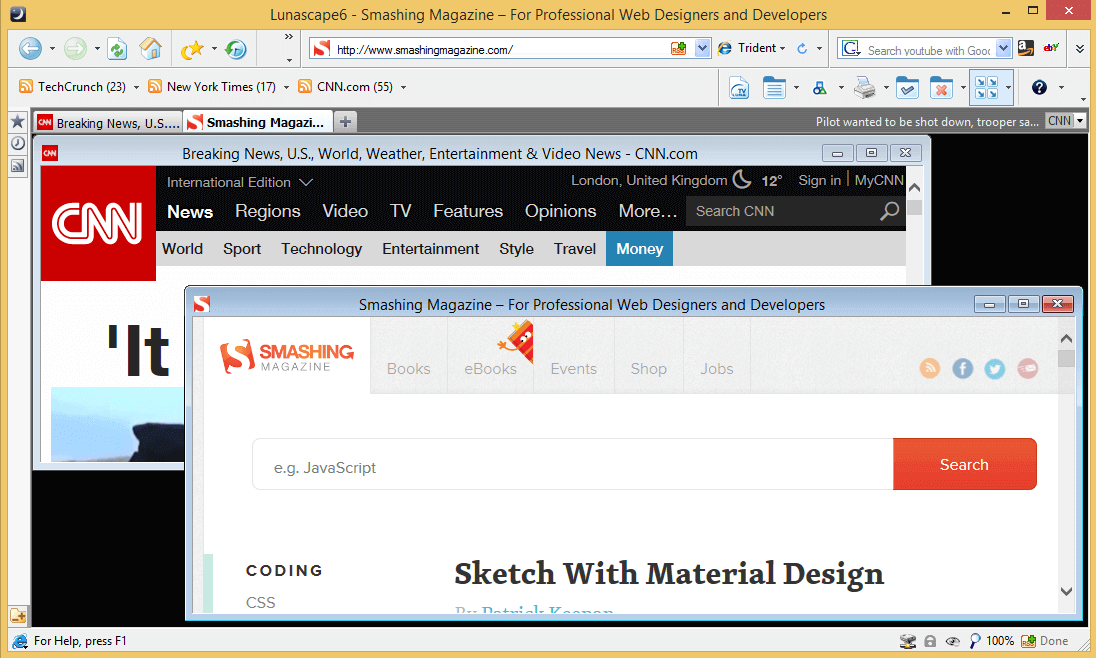
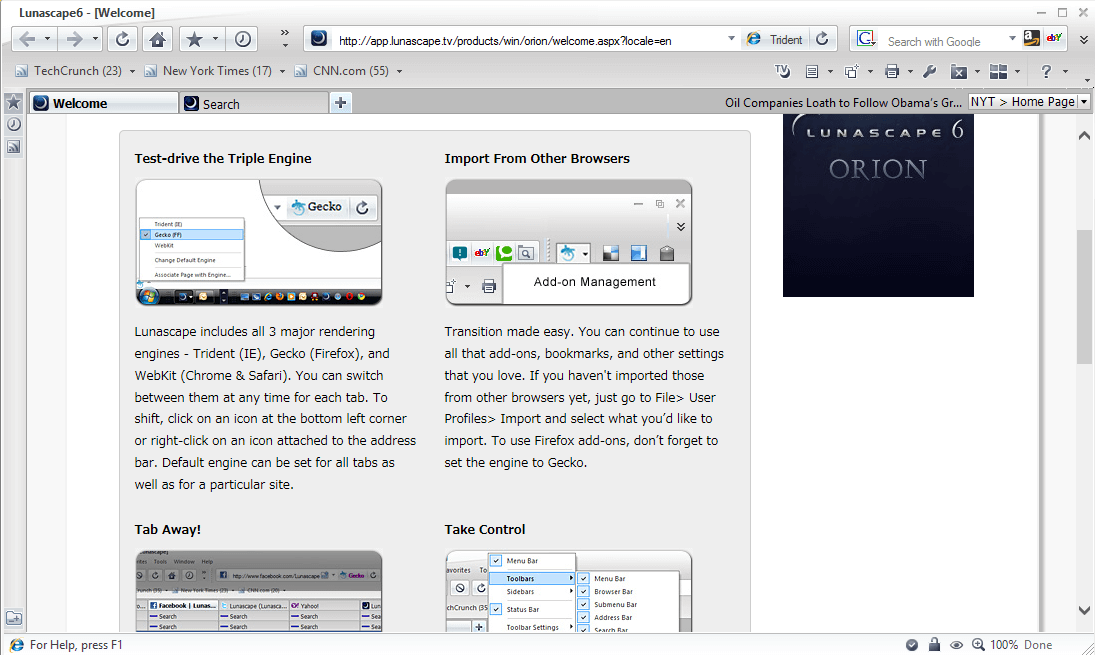
February 6th, 2009 6:01 pmHey, I found out about a cool new browser that is totally customizable and has a lot of plugins (I hope you can read Japanese for the plugins, as there is no English ones)! Its called Lunascape, and it uses 3 different engines to operate- Trident from IE, Gecko from Firefox, and WebKit from Safari and Chrome. There’s a bunch of nice skins, and there is an English version. I highly recommend it!
- 133
February 6th, 2009 11:51 pmIE7 is awful,on that subject all IE’s are awful ..Went to Firefox and firefox does not remember any of my settings.Every time I start FF I have to re-enter all my info as if I were setting it up for the first time.
So then I went to Opera and I am in love with it.I think I will try my hands on spacetime 3d now. Good reviews here.I am glad I got a chance to read everyone’s input on all the browsers but to me opera seems to be the smartest so far and I will continue to try other browsers til I find the one for me. - 134
February 7th, 2009 3:09 pmDidn’t mentioned quite good windows browser. It’s based on WebKit.
Too much to talk, just see!
QtWeb - 135
February 19th, 2009 5:20 pmAny more web browsers out there , already tried OPERA, SAFARI, FIREFOX , now is MAX turn lets see how that one does the 3d browsers are not good and to slow
he requested URL http://browser.netscape.com/ was not found on this serverand thats what you get when trying to get NETSCAPE o well
- 136
March 10th, 2009 11:33 amThat XB BROWSER is great because it hides your real IP number so you can surf the net and people don’t know you are there is very cool the problem is that is costs money to have that Web Browser :( is 30 days free do they have a free browser that does the same thing??
- 137
May 2nd, 2009 3:36 pmi use flock and i recommend that you download it!
- 138
May 6th, 2009 3:01 amAslo try the new Google Chrome This is very quick if you are using internet Dongle.
- 139
May 23rd, 2009 7:10 amRegarding Google Chrome it is very nice browser to use. It is very nice
- 140
June 8th, 2009 6:35 pmI personally think Google Chrome is rather hyped, because SRWare Iron ( http://www.srware.net/en/software_srware_iron.php) has the exact same interface and feature set as Chrome, and is just as fast, but it’s half the size, doesn’t spy on you, and doesn’t plant any identification tags on your computer (making Iron better than Chrome by default). Also, if you’re running Linux, then Midori () and my personal favorite, Swiftfox (), are another couple of browsers worth taking out for a spin ^u^
- 141
August 21st, 2009 7:18 amYou forgot NotJustBrowsing.
And, safari – People know what that is! - 142
October 10th, 2009 7:05 amYou may also want to have a look at MenuBox for Windows. It allows you to create a redistributable chromeless browser application, with a hard-coded initial URL (local file, or online). It uses the Windows Trident engine, with added document object model extensions.
- 143
October 28th, 2009 8:09 pmI am a fan of Chrome and Camino. For ease Safari is always at some time or another reactivated on my dashboard. Check out Stainless, it was a demo browser for Chrome but is being developed no independently. Omni Web is pretty nice too, and faithful Mac users will testify to its neatness because it was the first browser developed for Mac. I did use Flock all last year but have since stopped since Chrome for Mac has been released and Flock started getting buggy with Snow Leopard as did Shiira.
Happy browsing!!!
- 144
December 29th, 2009 8:14 pmOh God, just kill me with these awful browsers. Although its a good thing you didn’t mention IE .x ;)
- 00
There are no trackbacks at this time. If you are interested in leaving a trackback, please use this URL.
Leave a Comment
Make sure you enter the * required information where indicated. Please also rate the article as it will help us decide future content and posts. Comments are moderated – and rel="nofollow" is in use. Please no link dropping, no keywords or domains as names; do not spam, and do not advertise!
Interact
Popular
- 100 Wordpress Themes
- Photoshop Tutorials
- Fantastic Wallpapers
- 40+ Excellent Freefonts
- Dual-Screen Wallpapers
- Wordpress Themes for 2009
- Illustrator Tutorials
- Incredible Free Icon Sets
- High-Quality Free Fonts
- 30 Scripts For Galleries
- Photoshop Text Effects
- Useful Icon Sets
- Web Design Trends
- iPhone Wallpapers
- Before Launching a Website
- CSS Layouts And Templates
- Photoshop Actions
- Stunning Pictures and Photos
- Fantastic HDR Pictures
- Logo Design Tutorials
- Free Design Templates
- 10 Mistakes In Logo Design
- Photoshop Custom Shapes
- 40 Creative Design Layouts
- 8 Layout Solutions
- 53 CSS Techniques
- Photography Techniques
- Black & White Photography
- Styling Design Elements
- CSS-Based Forms
- 50 jQuery Techniques
- 50 Portfolio Websites
- 50 CSS Techniques
- Creative Logo Designs
- Desktop Wallpapers
- 25 Open Source Mac Apps
- 50 Free Icon Sets
- How The CSS Selector nth-child Works - http://bit.ly/cgPMqe
- 33 New High Quality Adobe Illustrator Tutorials - http://bit.ly/bTgFbu
- How to Drastically Improve Your Designs - http://bit.ly/a9L1sb
- A Quick Look at Mobile Web Designs - http://bit.ly/9TCWCG
- How to Test your JavaScript Code with QUnit - http://bit.ly/da853c
- jQuery 1.4 API Cheat Sheet - http://bit.ly/5zYYnE
- Beautiful, Elegant and Free 48px Icon Set - http://bit.ly/cSWcBR


I have been using Maxthon (and MYIE2 before that) for about as long as I can remember. Tried the firefox and safari thing but that did never work out for me quite as well. One of my favorite Maxthon options is to save a bundle of tabs as a group.
I must say though, that IE7 with the plugin IE7Pro is also a very nifty browsing experience. Judging by your list here it looks like I need to try some more different browsers to really know what I am talking about.. right?! ;)