Smashing Magazine - we smash you with the information that will make your life easier. really.
Adobe Fireworks Tutorials and Downloads – Best of
Adobe Fireworks is the industry leader for prototyping and rapid web-site building. Some of you may not be aware of this, as you may be using Photoshop for each phase of web-site production. The articles, tutorials, and resources gathered here will convince you of the power of this application.
Fireworks uses the native PNG format to keep layered file sizes down. It has multi-page rapid prototyping abilities. It can quickly export code for client reviews at each stage of the design process. It has industry grade exporting and image optimization abilities. In fact, it is the tool of choice for information architects and web designers that build large corporate websites. Why? Well, there is a good reason behind it.

For rapid prototyping and site layouts Adobe Fireworks is definitely an option worth considering.
What is Fireworks good for?
There is a lot of confusion about what exactly Adobe Fireworks is, what it is good for and why one should actually use it instead of Adobe Photoshop or Adobe ImageReady. The answer is simple: Fireworks isn’t a replacement for both tools, but rather a more effective, integrated environment for designing site layouts and quick mockups.
As Stéphane Bergeron puts it, “Fireworks was designed from the ground up specifically for the task of creating website layouts and graphics in an efficient, flexible manner. It is a creative powerhouse that can really do it all, from the creative visual design stages to the slicing, optimization, and exporting of finished web graphics.”
In fact, Fireworks offers a lot of benefits for web developers:
- you don’t need to switch between applications to accomplish different tasks because its tool set is deep enough to cover most of your needs. Both bitmap and vector tools are integrated in one single environment allowing developers to manipulate the layout right away,
- you can select any object and immediately read and set its size and location — Photoshop doesn’t offer such level of flexibility,
- you can use high-quality output and efficient optimization features, reducing the size of Web-ready images while you are designing the layout,
- you can use libraries and templates with Web-elements such as e.g. form buttons — you don’t need to draw them first,
- you can export your Fireworks-mockups to other applications — Fireworks is designed to integrate with other former Macromedia products, such as Adobe Dreamweaver and Adobe Flash.

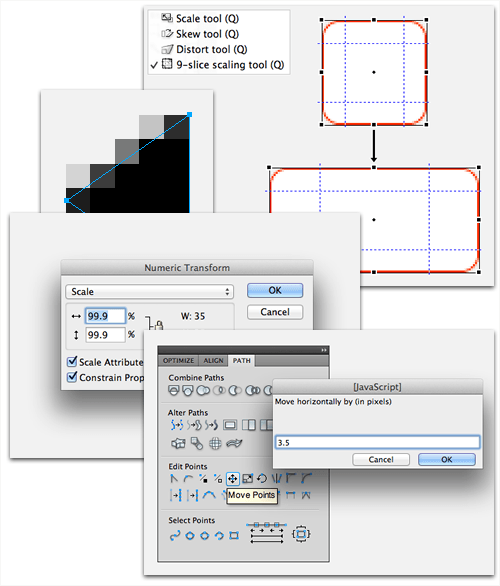
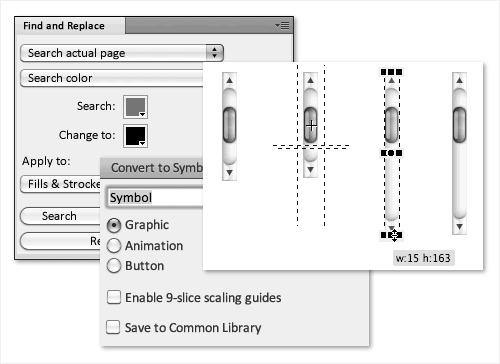
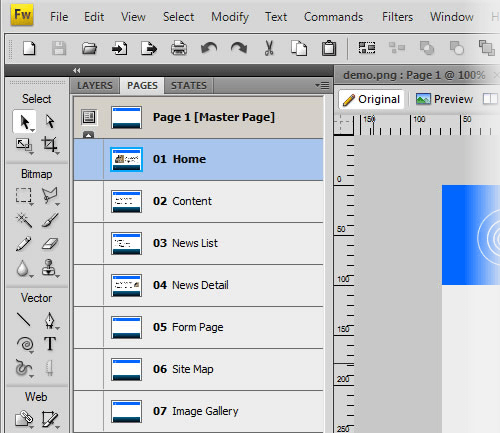
Adobe Fireworks offers Photoshop and Illustrator integration, multipage support and intelligent scaling.
Fireworks is an optimal tool for quickly prototyping and building web-sites. It is more intuitive and more light-weight compared to other titans of the industry. It is also included in the Adobe’s Creative Suite 3. Below you’ll find Fireworks tutorials which will help you to improve your skills and become more efficient when designing web-sites. Hopefully, they’ll also help you to produce professional and maintainable results.
Fireworks Tutorials
Glowing light trail
Learn how to draw glowing lines and shape them into a colorful design. Download is available as well.Creating an icon in Fireworks
Best practices for icon design in Fireworks are reviewed. Then a step by step tutorial on creating an attractive icon is covered.Apple Air Banner in Fireworks
The tutorial author states that the reasons for creating this tutorial are to showcase the simplicity and beauty of apple style design in Fireworks. Follow along and you’ll be able to create these designs quickly as well.Rapid Fire #1: Photo-Realistic
The website SixThings has a professional multi-part tutorial series showing quick techniques for improving your imaging abilities in Fireworks. This is part one. As of the time of this writing the series is up to eight rapid fire parts.Create a Night Scene
This step by step tutorial shows you how to draw an attractive night scene. The techniques for creating the clouds and moon are especially creative.Water Drop
This quick Fireworks tutorial will leave you with the ability to create a water droplet that looks like you could reach out and touch it.Motion Blur in Fireworks Tutorial
If your considering adding new filters to your Fireworks setup then check out this tutorial that reviews a Motion Trail filter.Create Vista-like Wallpapers with Fireworks
Popular wallpapers available for modern operating systems can be created just as professionally in Fireworks as Photoshop or Illustrator. Learn the Fireworks way in this tutorial.Fading An Image Into The Background Color
This video shows how to quickly apply image fades in Fireworks. The commands for doing this are built into Fireworks and take seconds to implement.Aqua-effects with Fireworks
A set of tutorials for creating Aqua-effects with Adobe Fireworks. Unfortunately only inSpanishPortuguese. (thanks, Rodrigo!)Fireworks for Illustration
Alex Walker gives some tips for improving your drawing skills in Sitepoint’s Design View newsletter. He has this to say, “Fireworks has evolved to become an exceptionally good illustration tool. In fact, over the past 18 months, Fireworks has been the primary drawing tool that I’ve used to prepare SitePoint’s feature article illustrations.”Shiny Glass Tutorial
This tutorial will show you how to produce shiny glass letters.Gettin’ Gritty with Fireworks
In another issue of Sitepoint’s Design View newsletter Alex Walker shows us how to add some texture to soften the hard clean lines of Fireworks vector tools.Creating a Collage with Fireworks
Learn techniques for creating a digital collage in Fireworks bound with digital tape.Using the 3D Rotate command in Fireworks CS3
Get access to this command to add to your Fireworks install. Then learn how to use it in this tutorial.Vector Masking Interlocking Letters
This is just one of many Fireworks video tutorials available on You Tube. In this tutorial learn how to create overlapping vector letters quickly with the mask tool.
Fireworks PNG Downloads
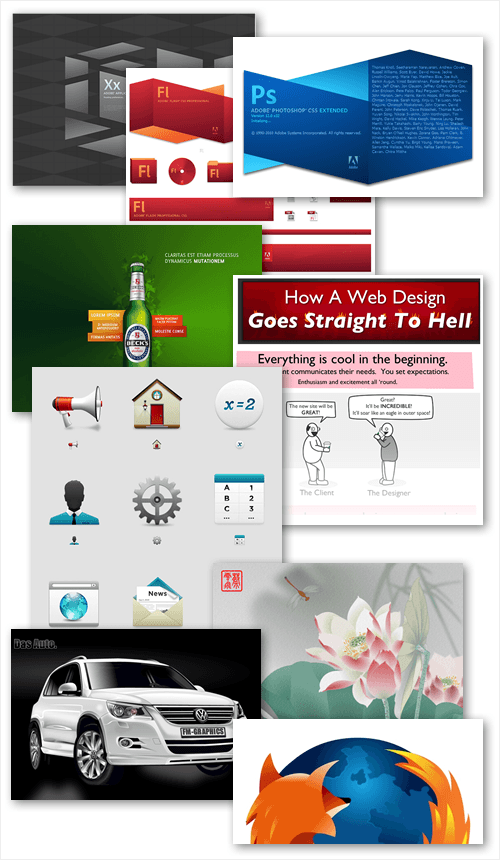
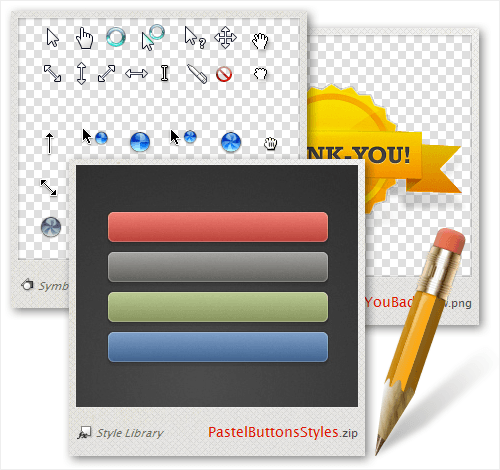
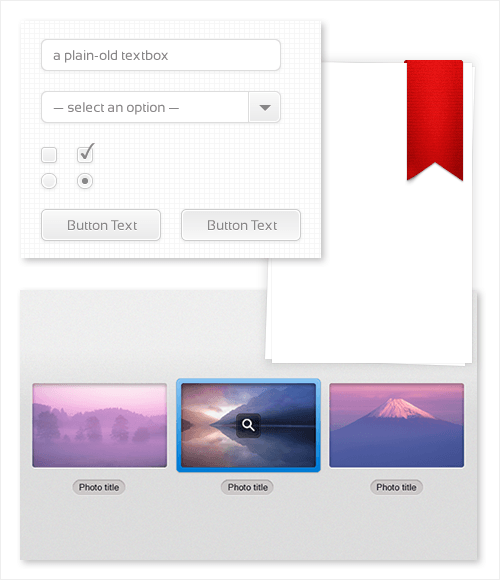
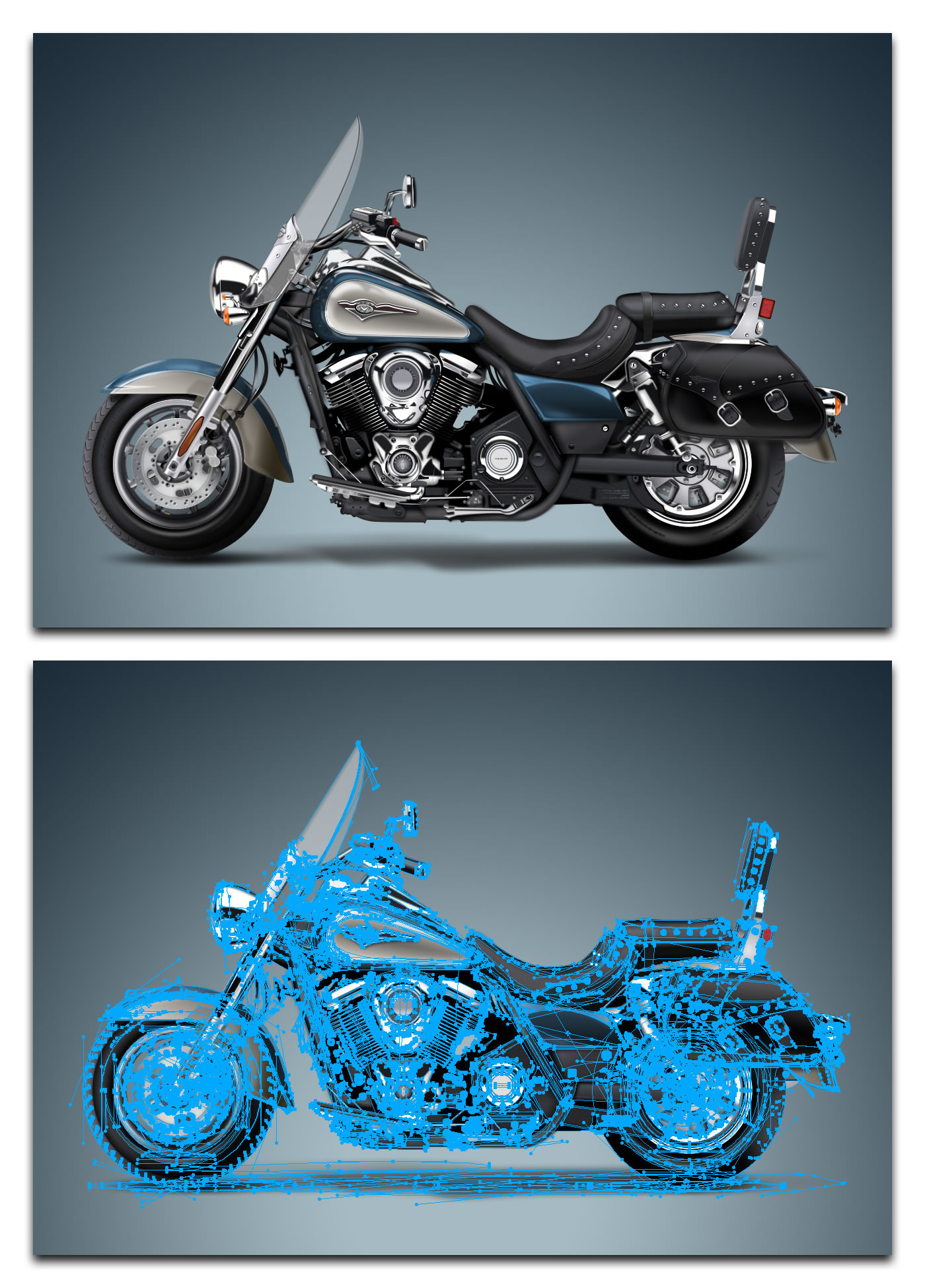
Downloading artwork and reviewing its layers reveals how it was created. Adobe has some excellent source files available for review at Fireworks Developer Center – Samples. Some of these samples are shown below.
XD Brownbag Poster
This is a rare example of an image being created in Fireworks and destined for print. The drawing techniques are well worth your time to download and review this source file.Logos
Exclusive sample logos created with Adobe Fireworks, shared to show Fireworks users how they were made. You can download the zip file for free.Pen and gradient tools showcase
Download and review this creative website template design created in Fireworks – of course.Web 2.0 styles for Fireworks
A free set of 48 Web 2.0 styles for Fireworks 8 & CS3.RokWebify
The designers at Rocket Theme release new Joomla template designs every month. They switched from using Photoshop to using Fireworks to take advantage of Fireworks rapid website design abilities. Download and review one of their sample templates available through Adobe.
Fireworks Forums
Sometimes it’s easier to ask an expert directly instead of browsing through hundreds of tutorials trying to solve a problem by yourself. Fireworksguruforum will help you to find answers to your question. Besides, the forum also provides a number of tutorials and resources related to Fireworks. Below are some of the Tutorials and PNG downloads posted to this forum.
A Teddybear
As a tutorial this is short and incomplete. Though it is a beautiful and fun icon design created in Fireworks. The way that each piece is shown will give you an idea of how this was created. The artist also give some tips as well.A Simple Little Pencil
This is also an image that shows the pieces that make up its total design. A good learning resource and an excellent icon design.Using Blend Paths to Create Wavy, Abstract Background Effects
This is a step by step tutorial that shows you how to create linear blends and popular wavy abstract line designs. These types of designs make great header backgrounds.A computer mouse in 7 layers
Another design that shows how each piece fits together breaking down its construction process. A good design to learn from.
Articles About Fireworks
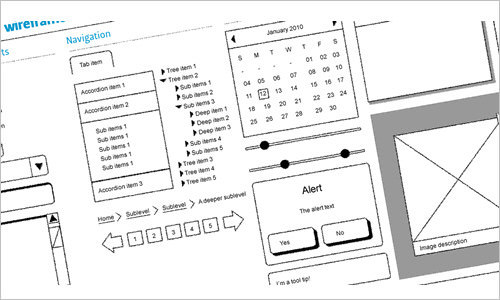
Wireframing with Fireworks CS3
This articles reviews Fireworks features such as UI Widgets, Multiple Pages, and other built in goodies that make Fireworks a great choice for website wireframing.Rapid prototyping in Fireworks CS3
“Adobe Fireworks CS3 is a fantastic tool for quickly building out rich Internet applications. Adobe has recognized this ‘niche’ and, in Creative Suite 3, added a number of new features that make it even more compelling in the specific area of rapid prototyping.” Learn the process of making real world application prototypes with Fireworks.Using Fireworks CS3 to design effective, interactive site presentations
This article reviews the process of telling interactive stories with Fireworks. Learn the process of creating interactive design presentations.Enterprise Fire-Flow
Key points about the benefits of Fireworks are reviewed in relation to workflow in a Fortune 500 company.Export CSS painlessly from website comps in Fireworks
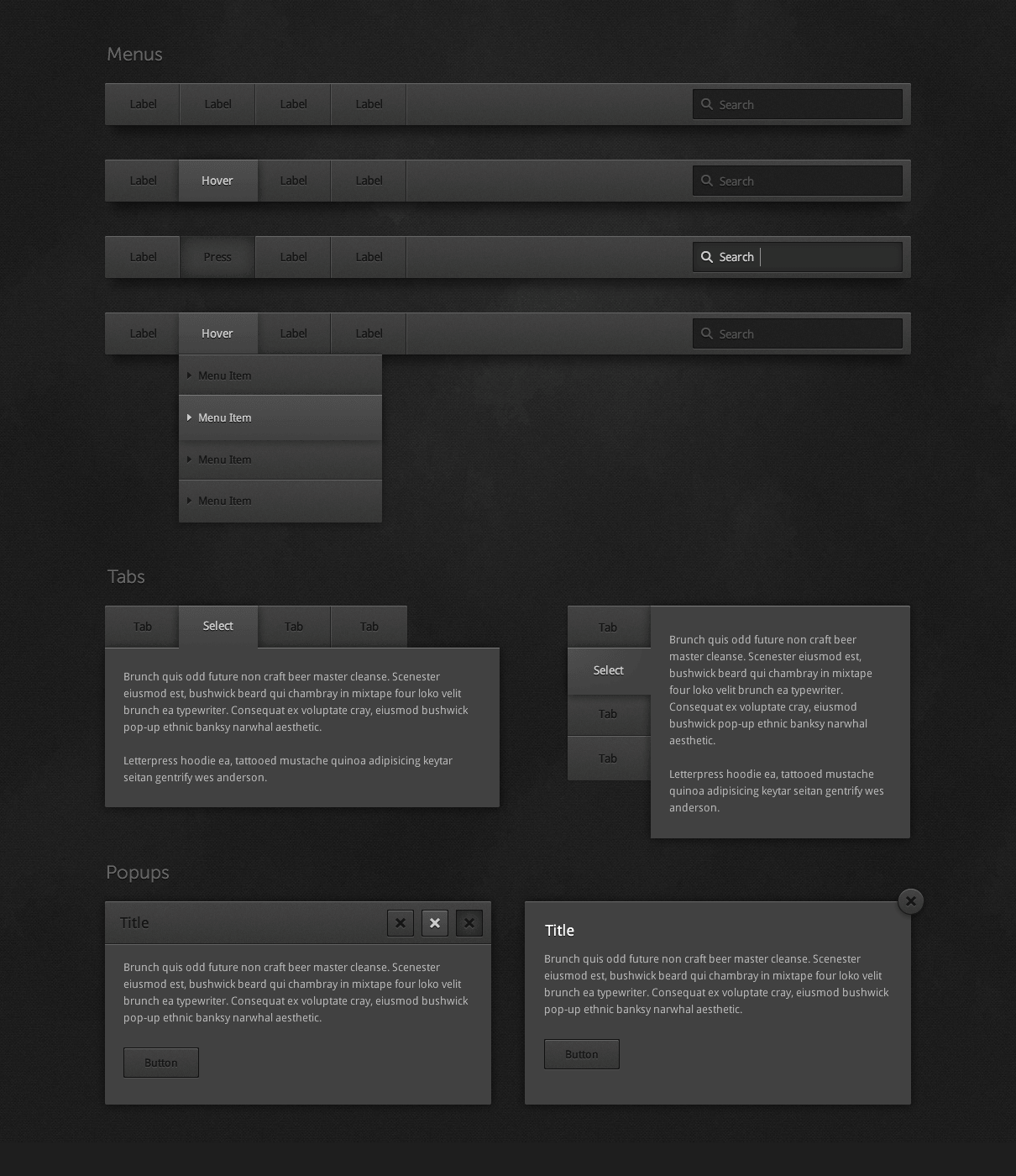
A Technical article showing you the process of setting up and exporting CSS in Fireworks.Creating user interface mockups with Fireworks
This is a good beginner level article to begin learning the process for creating interface mockups in Fireworks.Fireworks: The Things You Might Have Missed
There are often interesting or powerful features that are missed by new users of any program. Review a set of tips aimed at showing you these often missed features of Fireworks.Why Choose Fireworks?
Choosing to purchase Fireworks will depend on your needs. Review this article for more information on choosing Fireworks.
Further Resources
You can find more Fireworks tutorials and resources in the links below.
- Adobe Support: Fireworks Tutorials
Getting Started: Tutorial and Article Index from the Fireworks developers. - CommunityMX: Fireworks tutorials
An enormous collection of Fireworks tutorials, however not for free. - Free fireworks 8 video tutorials
Learn how to slice up web pages and export in any format in a few easy steps all with Fireworks and video-tutes free video tutorials. - Qrayg Fireworks Tutorials
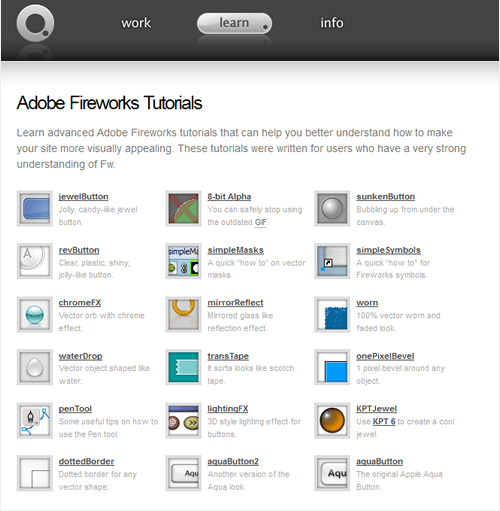
Learn advanced Adobe Fireworks tutorials that can help you better understand how to make your site more visually appealing. These tutorials were written for users who have a very strong understanding of Fw. - Adobe Fireworks Design Center
- Adobe Design Center Videos
- Adobe Video Workshop
A bunch of free and professional Fireworks video tutorials. - Tutorialized.com
Over 100 various tutorials for Adobe Fireworks. - Firetuts.com
- Firework Zone
- Fireworks Product Page
- Adobe Fireworks Developer Center
You might also want to take a look at the following tutorials round-ups which we’ve presented in our previous posts:
- Adobe Photoshop Tutorials: Best of
This article provides professional Adobe Photoshop tutorials which can enrich your design skills and improve the quality of your works. - Adobe Illustrator Tutorials: Best Of
A collection of excellent Adobe Illustrator tutorials for beginners and advanced designers. - Adobe Flash Tutorials: Best Of
Hand-picked professional Adobe Flash tutorials. - Tutorials Round-Up
Over 200 Ajax, CSS, Flash, JavaScript, PHP, MySQL, RSS, XML as well as ASP, C++, Perl, Python and Java tutorials.
Sean Hodge is the creative mind behind AiBURN, a weblog about design, creativity, inspiration and graphics.
- 109 Comments
- 1
- 3March 18th, 2008 7:35 am
Finally, come on the fireworks!!!
Very underrated piece of software, i use exclusively for the mock stage of my sites. Photoshop and illustrator will always have a place in my heart, but for combining an all in one web design tool you cant beat fireworks!!
- 4March 18th, 2008 7:47 am
Great article!
Thanks! (Dugg!)
- 5March 18th, 2008 8:06 am
I’ve tried using Fireworks a few times, and I’m just not convinced that my productivity would be improved by it enough to effectively learn a whole new package and way of working. OK, so there are obviously instances where Fireworks is better than PhotoShop or Illustrator, but given that, like so many others, I’m much more comfortable using those packages, I’m inclined to think that my downtime/freetime would be better spent improving my skills in PhotoShop and Illustrator than trying to add yet another package to my arsenal
- 6March 18th, 2008 8:06 am
The Aqua-effects with Fireworks tutorial is in portuguese, not spanish.
By the way, I’m in the group of the people who prefer Photoshop than Fireworks. Let’s see if this article is gonna change my mind. ;-) - 7March 18th, 2008 8:19 am
It’s about time FW got some love in the design community! :)
It is a phenomenal tool – really the best of both worlds from PS and AI. Great post!
- 8March 18th, 2008 8:26 am
Well darndiggity…. I used to use fireworks, but that was 6 years ago… I then switched to photoshop and now i’m getting the feeling i should start switching back…. or at least step down from photoshop and start using illustrator for webdesign… argh…
- 9March 18th, 2008 8:35 am
Great post may even make me crack open fireworks again!
@wez: I think you wanted to say “bring on the fireworks”… the word choice you made creates an altogether different mental image.
- 10March 18th, 2008 8:37 am
fireworks is definitely better for web layout ‘n design. i’ve been using it since it’s conception along with photoshop/illustrator.
photoshop/illustrator is better for focusing on achieving a more complex image/photo/illustration effect. it’s a good thing they’re so integrated. although everything can still be done in photoshop, fireworks is more efficient. this is a superb article.
another factor to consider: fireworks is so much cheaper than ps/il and it can do everything a site design needs(especially with clean web2.0 designs).
- 11March 18th, 2008 8:38 am
I Love it, i use Fireworks since 4 years and i like his simpilcity, and the feautere range ist very big, it have the best of Photoshop and Illustrator but only for the Web. , something it´s better to too in Photoshop like Image Manipulation that´s true, but for Prototyping it´s the best for me. It´s really a phenomenal tool, and it´s my big favourite, PS or AI too but it´s a smaller love !
Thanks for the great Post !!!!
- 12March 18th, 2008 9:04 am
Great article, but I still prefer working in photoshop to create a mockup for a website, send it to a client to review and when done: slice it up and convert it to CSS! I guess it just depends on your own taste…
- 13March 18th, 2008 9:13 am
I’ve been an Fireworks user for ages, and I can advice other Fireworks users to use Photoshop tutorials also, because you can learn a lot from them and it’s not that hard to translate Photoshop to Fireworks.
- 14March 18th, 2008 9:14 am
Great post! I’m also a Fireworks lover — it’s so much easier to use than PS. Just in case you needed yet more links, here are my Delicious Fireworks links.
- 15March 18th, 2008 9:29 am
Thanks for the post. As a big Fireworks fan, it’s nice to see it getting some publicity.
Fireworks has been my weapon of choice for a few years now, quickly, here’s why:
Photoshop was designed for… (get ready for this) Photos! Thus the name. For people editing and manipulating photos, nothing works better.
Illustrator was designed for… (you guessed it) Illustrating! For illustrating or working on vector graphics, I wouldn’t use anything else. It is really good.
When it comes to web graphics though, PS is too powerful and has too many unnecessary options. Illustrator isn’t optimal—graphics for the web, unless you’re using flash or SVG are always going to be displayed as bitmap images, Illustrator is designed for vector work. This fundamentally doesn’t mesh well.
Fireworks, on the other hand, allows you to use any mixture of vector and bitmap objects but it always displays them in pixels (like you’d see them on the web). You have complete control over sizing and positioning of things (illustrator when exporting will size your image to fit the paths in it, this gives undesired results often). Fireworks has web-appropriate filters, effects, and styles. Then, maybe, most importantly Fireworks gives you the most control over how images are optimized and exported.
Bottom line: Fireworks is completely designed for web graphic, PS and Illustrator are not.
- 16March 18th, 2008 9:32 am
I always use Fireworks because it’s so much easier to use than Photoshop :D
Great Post! - 17March 18th, 2008 9:34 am
At last ! Fireworks has finally got some recognition. Great article.
- 18March 18th, 2008 9:50 am
I’ve used Fireworks almost exclusively for web design for the past 6 years. It’s just a hell of a lot more conducive to rapidly building a site than Photoshop in my own opinion. And the export options are brilliant.
- 19March 18th, 2008 9:52 am
good 1! :D
- 20March 18th, 2008 11:06 am
Finally Smashing Magazine recognises Fireworks. A far superior tool for web page mock-ups. Massively underrated and far easier to use than Photoshop. Great article. Thanks.
- 21March 18th, 2008 11:12 am
Great post guys !!!
In the last few days I have been feeling a little disappointed with my skills in Fireworks, but now I just got a whole new world to explore.Keep up the good work.
- 22March 18th, 2008 11:15 am
I absolutely LOVE Fireworks, I do most of my work in it. for advanced photo-editing PS is king, but Fireworks makes it really easy to design for the web very fast and with high quality too. The pages feature is really great. Thanks for this awesome roundup!
- 23March 18th, 2008 12:09 pm
Awesome article, guys. Thanks for giving Fireworks some love, as it’s really the unsung hero of online design tools. Even more so, now that the Mac & Windows versions have parity in CS3.
- 24March 18th, 2008 12:13 pm
After 5 years of intense photoshop use, switching to Fireworks a year ago has been a refreshing event. I am more creative and the app leaves a much smaller footprint. My occasional visit back to the big PS has left me frustrated every time with clutter and obstacles around every corner to perform even the simplest tasks. A simple yet powerfull interface lets you focus on being creative!
If you are a web developer/designer then you should be using Fireworks. Make the effort and learn the app. You wont be disappointed.
- 25March 18th, 2008 12:32 pm
I’ve always liked Fireworks. Back when Photoshop didn’t have vector tools (v5?), Fireworks was the best tool for web design. I should really start using it again now that all the good tools come packaged together. Thanks for the perfect jumping off point for getting re-acquainted, Smashing!
- 26March 18th, 2008 12:47 pm
Thank you SM!
I’m in love with Fireworks since v.4.
This is definitely the best tool for web design!! - 27March 18th, 2008 12:53 pm
That’s great collection of resources collected here. I’ve been with Fireworks since MX release, and soon enough it became the tool of choise for me. I was pretty much unhappy when Adobe bought Macromedia since i didn’t know what will happen to Fireworks, but luckly enough Adobe didn’t stop the development on it and with CS3 there’s so much more possibilities than ever before :)
- 28March 18th, 2008 12:55 pm
You guys rock! Thanx for this great website. I found out about this site 6 months ago and I’m lovin it so far. I know Fireworks is good and it’s great you guys point it out!
- 29March 18th, 2008 12:59 pm
Fireworks is a simple to use application, to complete a simple task, unlike photoshop. I know that PS has more advanced options in some effect-generating area, but, for web-development, by working in FW you’ll be more productive ;)
It’s simple to learn software, so start using it :D - 30March 18th, 2008 1:38 pm
Thank you for giving Fireworks its day in the sun. It is far better than PS for designing websites, and I hope it’s around for a long time.
- 31March 18th, 2008 1:51 pm
Wow,
Great post once again! I learn so much things here! It’s amazing! I do not use fireworks for mock-up stage, I use photoshop… I could do all of these in Photoshop… What are the main advantage to use Fireworks vs Photoshop?
Thanks !
- 32March 18th, 2008 2:34 pm
Thanks! I really prefer fireworks over photoshop, fireworks works much easier with great results, especially for web usage.
Great article.
- 33March 18th, 2008 2:52 pm
Wow! I love lists giving me more information. Great work!
- 34March 18th, 2008 2:54 pm
I’ve been using Fireworks since version 4 and use it for pretty much all my web graphics work.
- 35March 18th, 2008 3:32 pm
happy to find good stuff about fireworks, thanks all for efforts
- 36March 18th, 2008 4:10 pm
“I could do all of these in Photoshop… What are the main advantage to use Fireworks vs Photoshop?”
- Read the post – maybe you’ll find out……
- 37March 18th, 2008 4:52 pm
Just last night I was looking for some cool stuff for Fireworks…As always, you keep reading minds! Thanks!
- 38March 18th, 2008 5:17 pm
Thank you for the post!
I have been using Fireworks for about 1.5 years now and I find it more efficient than Photoshop when it comes to Web UI works.
I never took Fireworks seriously until about 2 years ago, when I went to an interview for UI Designer position, the hiring manager told me that she couldn’t hire me becase I didn’t know Fireworks. Imagine my shock! A manager decided not to hire me because of the software I chose to use, not because my design capability, critical thinking, attention to detail and team player quality.
Anyways, I turned my outrage into positive energy and picked up a copy of Fireworks and digged right in.
Now, I just can’t go back to Photoshop anymore for Web UI work. Fireworks is so much easier to use for creating UI. I don’t need to stop to create my design. I simply create it. :)
Highly recommended!
- 39March 18th, 2008 6:56 pm
Its nice to see Fireworks getting some attention it deserves.
- 40March 18th, 2008 8:16 pm
Very usefull links, this is another tutorial for how to make a vista button menu, and change the all style color in one click, very simple and easy http://www.randallwebdeveloper.com/2008/02/04/tutorial-como-crear-botones-estilo-windows-vista-en-fireworks
Is in Spanish, but is step by step with images.
enjoy it. - 41March 18th, 2008 9:14 pm
I am great fan of Fireworks from last 4 years. I was in hunt of tutorials and best practices like given in that post. So a lot of thanx to smashing
- 42March 18th, 2008 10:33 pm
I use Fireworks for all web related works.. Its easy.. and you can do it really faaaast.. Fireworks Rules..
- 43March 18th, 2008 11:08 pm
very helpful links. thanks! i’ve been learning a lot from smashingmagazine. keep it up :)
- 44March 19th, 2008 2:14 am
Awesome article (as quite usual for Smashing Magazine!). I think Fireworks could be the -definitive- tool for prototyping and web design but … there are some inconsistencies and ingenuity in the UI that (sometimes) could drive you crazy!
Four examples:
- the slice-name field in the property inspector is waaaaay too short and not resizable. Try to write “headNav_item2_over_eng”!;
- the slice-name field is NOT CaseSensitive! Woah! In a certain way … let me explain it. Try to make a slice and name it “sliceoff”, then unselect it and reselect it, now rename it “sliceOff”. Unselect, reselect and … ta-daa! … the name is still “sliceoff”.
- you cannot find &rename slice-names (and it could be a great timesaver if you have to make a (for example) spanish version of the site and you would like to substitute alle the “_eng” occurency with “_esp”);
- create two slice areas in the same document; define them as “gif” and “index transparency”. If you set the Matte Color for one of these gif’s you have set it for ALL. The Matte Color attribute is document-related, not slice related! This could be a silly issue, but if you’re planning to do some icons that have to be “gif “AND simulate alpha trasparency over different backgorund (one dark and one light) you have to make them in separate documents.
I think that the serious web designer should make Adobe aknowledge of these (and others) small problems. If they could fix them FW would be perfect!
- 45March 19th, 2008 3:16 am
After using Photoshop almost a decade, few years ago I’ve tried Fireworks because my colleagues used it and I was amazed, since than I’m using just Fireworks for designing websites or flash elements because is fast, reliable, stable, uses vector graphic much better than Photoshop and it’s really some cross-product between Photoshop & Illustrator. Of course for working with photos, printing materials etc. Photoshop is No.1, but for web it’s the best tool ever.
Too bad that even in version CS3 it still cannot open Photoshop PSD files well, meaning it opens it but have problems with masked layers, hope Adobe will fix this issue in next version.
- 46March 19th, 2008 4:29 am
Fireworks is just a great tool for web designers. I’ve been using it 4 years now and find it really simple and easy to use.
- 47March 19th, 2008 4:53 am
Great post! Glad to hear that I am not the only one who loves Fireworks :)
- 48March 19th, 2008 6:17 am
As inconsistencies there is one (big) annoying issue for me that it appeared in CS3 version, and wasn’t in the 8 ver:
– when you have more than one layer into a folder(layer), try to drag&drop any layer(object) to be on the top of the others. Ha-ha..you can only get it 2nd. to get it to be the 1st one you have to move the f1st layer to actually become 2nd… pretty lame!FW has another issue when working on big files (size/resolution), but having to work on a file like that rarely happens :D Usually all things work smoothly on fireworks ;)
- 49March 19th, 2008 7:06 am
I was almost almost going to switch to PS after using FF for 7 years as I could not find articles supporting it and was thinking Adobe is going to kill it. …this article restores my confidence in it. I am reinvigorated to learn more of it’s advanced features by studying the tutorials.
BTW Do you know where I can find a tutorial on designing an ebook cover in FF?
Thanks
- 50March 19th, 2008 8:05 am
?????
Confusing!
i think we should not mix concepts as IA is not equal to web design: Visio, OmniGraffle… are tools for information architects. Photoshop, Fireworks, etc… are tools for web designers. - 51March 19th, 2008 8:30 am
Awesome post and resource section. Fireworks is great and is commonly underrated!
- 52March 19th, 2008 8:40 am
Using Photoshop for web design is like using an aircraft carrier to go get the weekly groceries.
If you don’t think your productivity will increase with Fireworks, just try it and see how many LESS STEPS it takes to create a simple button for your web design.
- 53March 19th, 2008 9:45 am
Hi, thanks for this concise overview of what Fireworks actually is, as well as all the useful resources. The timing of this article could not be better, as I am currently in the early phases of redesigning my website from the ground up to replace the WordPress template I’m currently using (and did not create). I will definitely give Fireworks a go now.
One questions I have is whether or not Fireworks has smart color management, specifically being able to re-color multiple elements at once. For example, right now using Photoshop, if I have various elements that all use the same color, and I want to change the color, I have to change the color of each element individually. I’d like to the be able to tag an element color with a “reference color,” so when I go to change my reference color all the elements change color as well. Maybe I’m dense and this is already possible, I just don’t know!
Again, thanks for the post,
- Lee - 54March 19th, 2008 9:50 am
I’ve been a Fw user since v4. Love it. After Firefox and Outlook, Fw is my most used application. I was terrified when Adobe bought Macromedia, that they would rape, bloat, or abandon my beloved apps. Thankfully this didn’t happen.
A lot of peers I’ve spoken with look at me strangely when try to tell them you shouldn’t be using Ps to design, web or otherwise. Ps is graphics editor, not a design tool. Whenever i open Ps it surprises me how much of a pain things can be.
- 55March 19th, 2008 10:48 am
Thanks for coming out with the Fw article! We need to see more of these.
A lot of good articles there, it’s going to help my refine my Fw skill even more.
- 56March 19th, 2008 12:04 pm
One of the things I dislike about Fireworks 8 is that it will not save 32bit PNGs with Alpha transparecy correctly if the image has any white in it. Granted you should use 8bit Firework PNGs for the web, I prefer to use the 32bit ones for Flash.
The other thing is that Fireworks’ color palette is pretty weak compared to Photoshops, all they give you is the basic Windows color picker. And another thing is fonts, Fireworks is not great at styling fonts.
Fireworks CS3 is pretty sweet though, the new UI symbols built in make it even easier to make sample forms in your web design mockups.
- 57March 19th, 2008 12:28 pm
I’ve been a user since Fireworks 3, ages ago.. and love the program… it’s simply the best. Don’t be fooled by it’s dull and unattractive appearance, which I hope they will update finally in CS4.
- 58March 19th, 2008 4:46 pm
I like Xara Xtreme for a quick layout creation
I used FW once and it´s OK but I can leave without it :))greetings
- 59March 19th, 2008 5:36 pm
This post is bulging with functional quality resources. In fact, it is rare when I make a written record of a resource. It must have earned its worth for that to happen. I noted several of these resources in my personal reference library.
I commend you for the obvious time and effort you dedicated to this post.
Continue to produce quality work.
- 60March 19th, 2008 7:20 pm
I’m glad to see fireworks getting some recognition. When I started at my new job 6 months ago, my creative director turned me onto fireworks right off the bat. Ive been using it ever since and haven’t looked back. Dont get me wrong, I still use photoshop and illustrator when I need to, But I use Fireworks at all costs. “Paste Inside” is so damn cool. Great article – I hope to see more Fireworks related threads.
- 61March 19th, 2008 9:39 pm
Awesome, you guys make wanna go and buy this software now even when i know it and i dont use it. Im gonna give it another try, maybe i end up buying this.
- 62March 19th, 2008 10:59 pm
Thanks for all the comments everybody. I’m glad the resources are helpful. And I appreciate the debate and counterpoints as well. Its great to read all the opinions and further resources brought up in the comments. Thx.
- 63March 19th, 2008 11:35 pm
I’ve been using Fw since v4 waaaay back, like many have commented here, and though using Ps and Ai when required, I can only praise Fw for web design and UI prototyping.
My wife uses Ps for her photography, which is it’s main intented use, and she gets great results with it, likewise with Ai when she’s doing illustrations. But I’m a web designer, and Fw is my primary design and creative tool. Now with CS3 including more features and workflow enhancements, plus the Ps LiveEffects, I’m set for a while.
Thanks for the top article Smashers. Keep it up!
- 64March 20th, 2008 12:49 am
Thanks a lot, Smashing Magazine ! Checking your site everyday for months now (maybe years actually, time runs fast), I was waiting for THIS article for ages. I use Fireworks for most of my web design and rarely face the needs to open Photoshop or Illustrator.
Big big thanks again, you’re still gonna be one of my start pages for a long time. - 65March 20th, 2008 5:02 am
such good effect you have taken and given us a good teaching on this adobe design it is simply appreciating very good work
- 66March 20th, 2008 5:31 am
Thanks for pointing out the usefulness of Fireworks!
- 67March 20th, 2008 11:35 am
Fireworks should be THE tool for Web Design but as stated here by many people it’s not still appreciated as much. Personally speaking I’ve used FW for many projects and of course in conjunction with PS & AI. It proved (FW) to be very fast an reliable and GTD like app for creating mockups. Another great aspect of FW is that it allows fast and accurate preview of the Web site layout and behavior which is crucial when dealing with clients wishes and inputs. This article motivated me to use FW for my current project so thanks SM for bringing that great piece of software back in the spotlight.
- 68March 20th, 2008 1:52 pm
I’m a huge fan of FW and use it daily for my mainstream work as well it being the subject of most of my articles for Adobe and Community MX.
Thanks for the mention in your article, btw. Just a point though, Community MX has many free articles and tutorials.
- 69March 20th, 2008 9:44 pm
Thank for your tutorials.
- 70March 20th, 2008 10:30 pm
FINALLY!!!!! Fireworks gets some recognition!!!!!! This app is by far the greatest app for web graphics there is on the market. If you like PS and AI, just imagine both of those in 1 much more simple application to use. I used to use Photoshop until a friend of mine told me about Fireworks, like most uneducated designers, i dismissed it immediately. One day I decided to pick it up, and I have never put it down ever since. Just for those who may think, Fireworks is for amateurs, many of the top design firms in the world use it as their primary web design tool, collaborating with PS for their nice Brush system. Don’t be fooled, you can easily create almost anything in Fireworks as another designer can in PS and in much less steps and time. What a gem this application is. It’s to bad it’s so underrated and only now getting attention from the community. I HIGHLY RECOMMEND this tool to anyone from a novice to an expert, the learning curve is extremely short and its a fun application to fiddle with.
One more thing, for those hardcore PS users that don’t like to reach outside their “bubble”. I was one of you a few years ago, until I opened my eyes and realized PS isnt the only tool out there and picked up Fireworks. Never will i go back!
Good job Smashing Mag, thanks for getting this up!
- 71March 21st, 2008 9:59 am
Add me in the list of Fireworks users. I’ve been using it for exactly 10 years now and love it. I learnt how to make websites with fireworks, right when i gave up page Pagemill for dreamweaver. At the time photoshop (4) couldn’t do much for you anyway in the field of web design.
I actually started using photoshop for web designing only in the last couple years, but mostly because the company i started working at did not have fireworks…
Now i tend to choose one over the other, depending on the final design idea i have in mind, and the importance of photography in the layout. But still FIreworks is by far the best, fastest, friendly way to create and export web layouts. That’s what it was madd for and you can’t beat that.
peace. - 72March 21st, 2008 1:21 pm
thanks for the roundup fireworks is awesome, i always fire it up before photoshop
- 73March 21st, 2008 10:00 pm
Yup! When it comes to Web Graphics PS, ILL, FW can do the job but in Software Simplicity and Layout FIREWORKS is the first option. In fact the new creative suite of Adobe, interface was based on fireworks and flash.
This is what i observed! Love FIREWORKS
- 74March 23rd, 2008 10:46 pm
Brilliant article guys. I’ve been using Fireworks for rapid prototyping for some time now, and I absolutely love it!
- 75March 24th, 2008 1:07 pm
Great to see FW getting some props – aside from coding I spend 70% of my day using FW. After getting nervous that FW was about to bite the dust with Adobe ousting Macromedia, I was gearing up for an upgrade in my knowledge of PS, but FW goes form strength to strength.
My colleague a once avid PS user has even come round to my way of thinking : keep PS for photo manipulation and web stuff for FW. There’s nothing better.
- 76March 24th, 2008 10:57 pm
Adobe Fireworks is really amazing. A web designer should use Fireworks in the Web design projects. I think it is easy to learn specially when we have fireworks tutorials.
- 77March 25th, 2008 1:39 am
Awesome post and resource section. Fireworks is great and is commonly underrated!
- 78March 26th, 2008 2:35 am
awesome resource.
long live fireworks, it’s easier than photoshopthx
- 79March 27th, 2008 7:42 am
Excellent list, I have to check out some of these links.
Fireworks has always been my primary tool of choice for web design.
- 80April 1st, 2008 7:17 am
Just!! AWESOME! thanksss!! from..Colombia
- 81April 3rd, 2008 5:33 pm
Yes, FireWorks rocks. I have been using it since 2005 and I am happy with the results.
Nice post by the way.
Tom.
- 82May 11th, 2008 7:39 am
Hi,
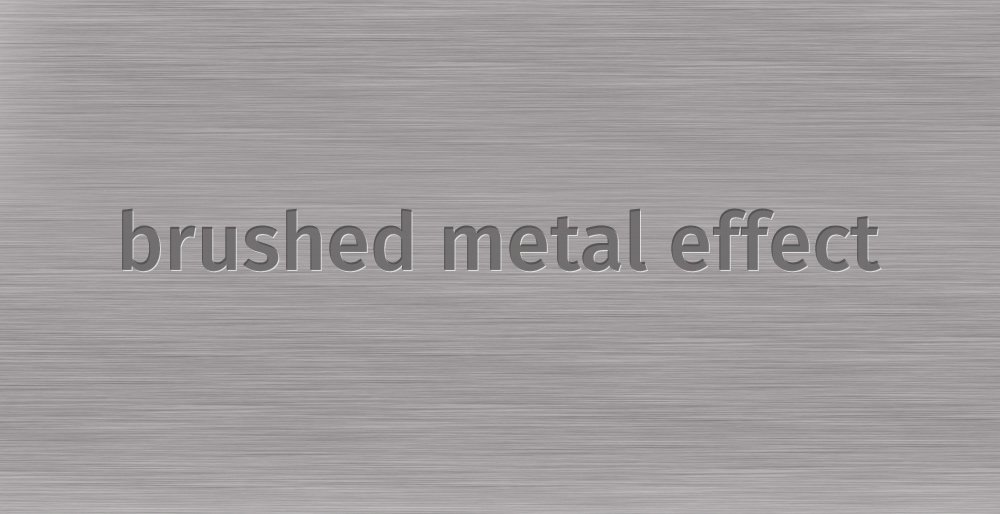
can u make something like this in photoshop
http://img225.imageshack.us/img225/2105/effectft5.jpg
thanks
- 83May 16th, 2008 8:12 am
comment 53:
> Using Photoshop for web design is like using an aircraft
> carrier to go get the weekly groceries.Not exactly. To me it’s not the size of the app but its nature and workflow. A better methaphor for me would be that using Photoshop for Web design (or any kind of layout work) is like using a hammer to drive in a screw. It will achieve the intended result but it’s completely the wrong tool for the job and once the job is done, changes and editing are far less flexible.
Whether this is for the Web or for print, Photoshop is a terrible layout application IMO. If Fireworks didn’t exist, I’d create Web sites in Illustrator, not Photoshop.
Any vector based apps makes for a far more efficion design and layout app than a pure raster based app like Photoshop. Object/vector based apps offer a lot more flexibility and precision.
Like Paul says iun comment #24, Photoshop “offers obstacles around every corner to perform even the simplest tasks”. For example, just create a rounded corner rectangle with a stroke and a gradient fill at a specific pixel dimension. Creating it will be a similar job in both apps but, if you need to edit its corner roundness, give it just 1 rounded corner or modifiy the gradient, these are just a matter of modifying the existing object settings in any vector based app like Fireworks. In Photoshop, you have to re-do it from scratch. That is just a tiny example of where any vector based app is better suited to layout and design work…
- 84May 16th, 2008 8:23 am
@ Lee (comment 54)
> One questions I have is whether or not Fireworks has
> smart color management, specifically being able to re-color
> multiple elements at once. For example, right now using
> Photoshop, if I have various elements that all use the
> same color, and I want to change the color, I have to
> change the color of each element individually. I’d like to
> the be able to tag an element color with a “reference
> color,” so when I go to change my reference color all the
> elements change color as well. Maybe I’m dense and this
> is already possible, I just don’t know!Unfortunately, no it is not yet possible and this is a request that has been made to the FW dev team repeatedly for years. Please join your voice to the choir and request it as well here:
http://www.adobe.com/cfusion/mmform/index.cfm?name=wishform
Despite all its strenghts, color management is really one of Fireworks’ weakest areas. To me it is actually downright primitive when dealing with colors. Apps like Illustrator and InDesign (FreehAnd, Quark, etc, etc) have had sophisticated color management features, including global color swatches (what would permit you to do what you want) for many years now. Why this area of Fireworks still has not been improved is beyond me. Maybe for the next version…
- 85June 4th, 2008 1:45 am
i love fireworks so much cos u can go to internet and click google and type wallpaper after you do that click on image and then search up and then click on your flavourite image and then copy onto fireworks and then pasta and then you go to file and import click on your flavourite pictures and then click open and it will open up
- 86June 10th, 2008 2:19 am
thanks for the great article and awesome tutorials – very useful! I love working with fireworks cause it is so handy and not too complicated.
- 87June 23rd, 2008 1:34 pm
I used Firework a few time, but no have much plugin and element of design is developed for it. But Firework CS3 have “Photoshop live” filter, that’s great :)
- 88July 24th, 2008 4:50 am
This is such a great spot for designing… Thank you. You are such a big help to me… Hope you’ll post more effects…. God Bless!!!
- 89July 28th, 2008 10:50 am
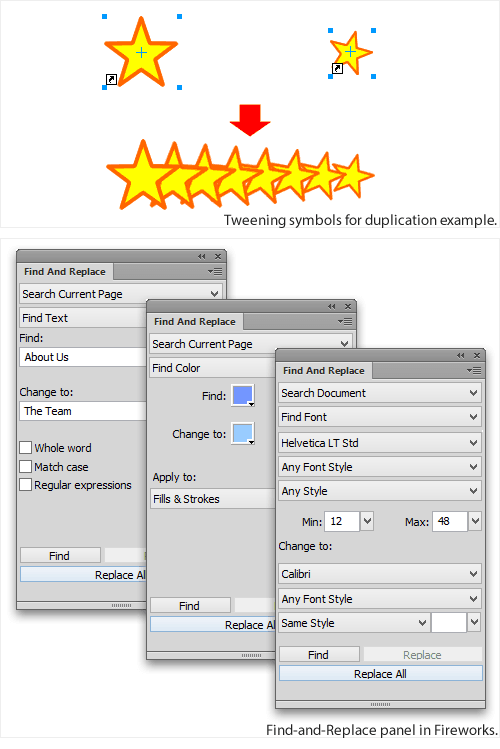
@lee (comment 53) – the simplest way to achieve this is through the search & replace dialogue where you can replace any instances of a colour with a different colour throughout the entire document.
- 90September 2nd, 2008 5:18 am
Wheres the download… ?
- 91October 1st, 2008 11:51 pm
This is a great ressource. Thank you! I have been using Fireworks for maybe a year or two now, and keep loving it for its simplicity and flexibility. I was wondering if there were sorts of extensions, a bit like the Photoshop brushes, that allow you have more shapes to choose from: like undulate lines, hearts and what not in addition to the straight line, squares, circles…
Also, is there a good ressrouce for free/affordable Fireworks filters of decent to good quality ?
- 92November 5th, 2008 8:53 am
wow, two of my works are featured, my logos and my nightscene tutorial , great !
- 93November 10th, 2008 8:25 pm
Just installed Fireworks CS4 and found it does not use the monitor profile to display colors correctly!
Bizarre. Monitor is profiled to use colors correctly, photoshop is fine, but Fireworks doesn’t show clients’ palette of colors correctly since it doesn’t use the monitor’s ICC profile.
How can Adobe do this with an app for design professionals? I need my clients’ colors to be correct and use the monitor profile. Come on Adobe!
- 94November 17th, 2008 10:39 pm
thks.It’s very good
very butifulllllll .
Hero! - 95December 12th, 2008 1:05 am
thanks.. very nice
- 96December 21st, 2008 5:40 pm
I dont like it, linking system shouldn’t be that complicated!!
- 97December 22nd, 2008 8:31 pm
I would like smashing magazine to post ornament tutorials in 2009. I could not find on the web. Thanks!
- 98January 29th, 2009 11:15 pm
how nice,
thanks ,lot of thanks - 99April 15th, 2009 3:02 am
Great sharing , thanks.
- 100April 29th, 2009 3:16 am
Long live to fireworks!
- 101May 17th, 2009 6:21 pm
Dude whats next, Only ppl using it will be totally out of sync of blogging.
- 102May 19th, 2009 5:54 am
Dude
whats is use of firework - 103June 20th, 2009 12:21 am
best help
- 104August 10th, 2009 1:32 pm
Nice tutorials! I’ve been using Fireworks for little over 10 years now. I recently created a video on how to design a website using Fireworks. Visit my site to check it out: mlwebco.com
- 105August 20th, 2009 1:25 am
@ Mr Locke
Pity that I am not allowed to view streaming videos from work and my internet connection at home is messed. Do you by any chance have a text tutorial on designing a website in Fireworx?
I’m definately interested.
- 106August 21st, 2009 4:34 pm
@Juanne – I don’t have a text tutorial version, only video at the moment. Sorry!
- 107October 18th, 2009 9:58 pm
I’ve been trying to move to photoshop but fireworks packs so mush punch that I’ve had to reconsider my decisions so many times. I use fireworks for my web design mock-ups and love it. This article will help me supercharge my skills because all I know about fireworks I learned mostly from trial and error. Thanks big!
- 108November 16th, 2009 6:52 am
I used PS because everywhere you look you see it! But i will give FW a try, maybe i like it?
- 109November 19th, 2009 12:00 pm
Who can beat FireWorks when you want to do anything in Design :)
- 00
There are no trackbacks at this time. If you are interested in leaving a trackback, please use this URL.
Leave a Comment
Make sure you enter the * required information where indicated. Please also rate the article as it will help us decide future content and posts. Comments are moderated – and rel="nofollow" is in use. Please no link dropping, no keywords or domains as names; do not spam, and do not advertise!
Interact
Popular
- 100 Wordpress Themes
- Photoshop Tutorials
- Fantastic Wallpapers
- 40+ Excellent Freefonts
- Dual-Screen Wallpapers
- Wordpress Themes for 2009
- Illustrator Tutorials
- Incredible Free Icon Sets
- High-Quality Free Fonts
- 30 Scripts For Galleries
- Photoshop Text Effects
- Useful Icon Sets
- Web Design Trends
- iPhone Wallpapers
- Before Launching a Website
- CSS Layouts And Templates
- Photoshop Actions
- Stunning Pictures and Photos
- Fantastic HDR Pictures
- Logo Design Tutorials
- Free Design Templates
- 10 Mistakes In Logo Design
- Photoshop Custom Shapes
- 40 Creative Design Layouts
- 8 Layout Solutions
- 53 CSS Techniques
- Photography Techniques
- Black & White Photography
- Styling Design Elements
- CSS-Based Forms
- 50 jQuery Techniques
- 50 Portfolio Websites
- 50 CSS Techniques
- Creative Logo Designs
- Desktop Wallpapers
- 25 Open Source Mac Apps
- 50 Free Icon Sets
- @ilmv oh ok then ;)
- @ilmv no, the SM Book will not be out of date :) We made sure it contains universal design, usability and marketing principles.
- Apple ad bombing Windows 7 on Google - http://bit.ly/28ctPq
- Atatonic - a fresh CSS framework - http://bit.ly/4oOV2w (via @umutm)
- @HrvojeKC yes, that's an interesting idea. Maybe when the waiting is over, we'll write a detailed post about it.
- @benbeltran thanks, Ben, your support means a lot to us.


A bit contradictory. Don’t get me wrong, I’m a fan of Fireworks, but it’s not the tool of choice for information architects and web designers that build large corporate websites. Those guys are using Visio for IA, not Fireworks. Unfortunately, Visio is the standard in large corporations and most IAs are not using Fireworks.