Smashing Magazine - we smash you with the information that will make your life easier. really.

25 Useful WYSIWYG Editors Reviewed

Advertisement

When it comes to coding editors, it’s damn hard to a get a clear overview of all the benefits and functionalities different editors have to offer. However, in the end everybody needs one, so it’s important to know which editor is best tailored to your personal needs.

WYSIWYG-editors are often criticized by real coding ninjas for bloated, dirty and not standards-complaint source code they’ve been producing over the last years. However, WYSIWYG-editors have become much better recently. Some of them even produce valid and elegant code.

Sometimes you need to provide your clients with some simple tools to edit or update their web-sites. And this is where the utility of WYSIWYG-editors comes in. As a web-professional you need to provide your clients with some sophisticated advice and offer a simple yet effective tool — e.g. a WYSIWYG-editor.

We believe that it would be wrong to recommend you some “best” editors, because the choice always depends on your requirements, primary goals, skills and experience. Therefore in this article we’ve tried to give you an overview of both useful and deprecated WYSIWYG-editors.

Hopefully, you’ll find some editors you’ve never heard about before. Or maybe you’ll find some features you miss in your current editor and risk to experiment with some promising alternatives to improve your workflow. Besides, you can learn what editors you could use and what tools you shouldn’t use.

What does WYSIWYG mean?

The somehow cryptic abbreviation WYSIWYG stands for “What You See Is What You Get”. In such editors you edit not directly the source code of your documents, but its presentation as it (hopefully) will appear in the final document. So instead of writing blocks of code manually (as you e.g. would do it in Word or Latex), you manipulate with design components using an editor window. This means that you view something very similar to the end result while the document or image is being created.

Notice: this post reviews only desktop-based WYSIWYG-editors which run on Windows, Linux or Mac. It doesn’t provide an overview of JavaScript-based WYSIWIG-editors — you can find an extensive overview of JavaScript-based WYISWYG Web Editors in the post Through The Web WYSIWIG Web Editors — The List or WYSIWIG Editors Test.

Adobe Dreamweaver

Dreamweaver (Win / Mac)
Previously Macromedia Dreamweaver, this tool is one of the commonly used editors which can support developers, improve the workflow and save you a lot of time during coding. While previous versions of Dreamweaver sometimes produced rather quirky source code, the last version is able to generate (mostly) quite clean markup.

Dreamweaver also offers numerous helpful tools such as the library of code snippets, ftp management, server debug and an integrated coding development. E.g. you can view CSS information in a single, unified CSS panel that makes it easy to see the styles applied to a specific element, identify where attributes are defined, and edit existing styles without entering Code view. See also our List of Dreamweaver Tutorials. Price: $400 (version CS3).
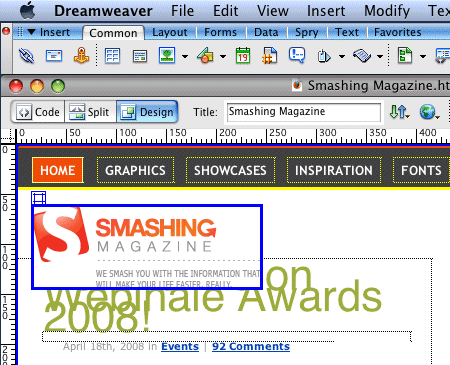
Dw1 in 25 Useful WYSIWYG Editors Reviewed

Some of Dreamweaver’s endless features:

  • Advanced CSS Editing
  • Integrated coding environment
  • Spry framework for Ajax
  • Browser Compatibility Check
  • Integration with Photoshop CS3 and Fireworks
  • Code snippets (e.g. CSS Layouts)
  • FTP management
  • XML support
  • FLV support
  • Learning resources (e.g. Adobe CSS Advisor)
  • Numerous Dreamweaver add-ons, e.g. SVN for Dreamweaver ($59).

Amaya

Amaya (Win / Mac / Linux)
What really makes Amaya different is the fact that it is a hybrid of a web browser and a web-page editing application — thus you can browse in the Web and edit your pages in the same application. Created by the WWW-concorcium, this allround-tool allows you to manipulate web-sites, change or update their content, insert new images or links. Of course, if Amaya can display these pages.
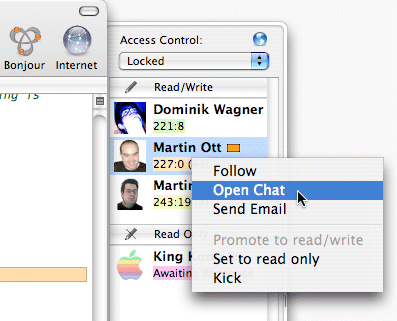
Amaya in 25 Useful WYSIWYG Editors Reviewed

The last version of the editor, Amaya 10, was released in February 2008. It is able to work on several documents at a time (several (X)HTML, native MathML (.mml) and SVG (.svg) documents can be displayed and edited at a time). E.g. you can insert mathematical formulas using a pop-up: Amaya converts them via Math-ML on the fly.

Amaya also includes a collaborative annotation application (annotations are external comments, notes, remarks that can be attached to any Web document or a selected part of the document) and it has support for SVG, RDF and XPointer. Open-source.

Rapidweaver

RapidWeaver (Mac)
RapidWeaver is a powerful template-based website creation tool which can generate pages of different kinds, such as styled text, weblog, contact forms, image galleries, Flash slideshows, and podcasts; it also has a built-in FTP uploader, and integration with iPhoto and .Mac.

Rapid in 25 Useful WYSIWYG Editors Reviewed

The editor includes podcasting, inline comments, RSS feeds, custom permalink and tag support. RapidWeaver has also been finely tuned to be SEO friendly. It also has many powerful features such as modifiable themes, live php rendering, mix and match WYSIWYG and HTML, smart publishing, XHTML and CSS based site output, viewable source code, built-in error checking. All templates are XHTML and CSS based. What is remarkable is that all the code RapidWeaver generates is valid. Price: $49.

Adobe Contribute

Adobe Contribute
The main purpose of Adobe Contribute is to allow editing web-sites and blogs for users without any technical expertise. Contribute CS3 enables content authors to update existing websites and blogs while maintaining site integrity. Contribute offers a Dreamweaver integration, enables posting from Microsoft Office and editing from IE 7 and Firefox.

Contribute in 25 Useful WYSIWYG Editors Reviewed

With a WYSIWYG authoring environment, content authors and contributors can edit or update any website or blog without having to learn HTML. Price: $169 (version CS3).

Adobe Golive

Adobe Golive (Win / Mac)
Once Adobe’s flagship, now GoLive is an editor which even Adobe isn’t really happy with. In April Adobe has stopped development and sales of GoLive 9, which makes GoLive a legacy web authoring application. Adobe recommends its GoLive users to switch to Dreamweaver which is why you probably shouldn’t recommend GoLive (actually a remarkably powerful editing tool, see features below) to your clients.

Golive in 25 Useful WYSIWYG Editors Reviewed

Some of Adobe GoLive 9 features

  • Designer styles
  • Visual CSS layout
  • Place command
  • Adobe InDesign® integration
  • Color management
  • Platform support
  • Site management tools
  • Publish Server
  • Smart Objects

Microsoft Expression Web

Microsoft Expression (Win)
Once being severely criticized for its really bad web-editors (Frontpage), Microsoft’s recent editor, Expression, seems to have learnt a lot from its predecessors. Expression attempts to comfort web-users with features which are remarkably similar to Adobe Dreamweaver. However, in a direct comparison Dreamweaver offers more and produces a cleaner code. Nevertheless, Expression does produce decent standards-compliant code and knows how to deal with CSS and CSS-layouts.

The Studio edition with further software applications (graphic design tool, video encoding tool etc.) costs ca. $500. Single Expression package costs $350. You can get Expression by updating Frontpage and thus save some money. A 60 days trial version can be downloaded for free, however a registration is required.

Please notice: Expression isn’t a successor of Frontpage, rather a different development tool. Microsoft Expression, which bears striking similarity to Microsoft SharePoint Designer, is rather designer-oriented, aimed at general web development. Microsoft SharePoint Designer which reflects the emphasis on designing and customizing SharePoint-based sites, can be considered as Frontpage’s big brother.
Expression in 25 Useful WYSIWYG Editors Reviewed

Some of Microsoft Expression features:

  • ASP.NET 2.0 Integration
  • Advanced CSS rendering
  • XPath Expression Builder
  • Build and format views of industry-standard XML data
  • Tag Property Grid
  • Accessibility Checking
  • Real-time Standards Validation
  • Full Schema Support

NVU

NVU (Win / Mac / Linux)
This editor should once become a real alternative to dominating products: an ultimate WYSYWIG-editor for Linux, Microsoft Windows and Mac which could rival FrontPage and Dreamweaver. And in some aspects Nvu indeed offers more features than one would expect from a completely free software.

Nvu (pronounced as N-view, for a "new view") offers integrated file management via FTP, powerful support for forms, tables and templates and it is indeed very easy to use. CaScadeS, the well-known CSS editor add-on, is integrated into Nvu and enables you to create and manage stylesheets easily and see your style settings applied ‘”live” to the document you’re editing.

Nvu in 25 Useful WYSIWYG Editors Reviewed

Nvu is open source and released under the Mozilla Public License (MPL). Unfortunately, the development of NVU hasn’t been continued over the last years. An advanced, improved version of NVU is KompoZer.

Some of NVU’s features:

  • Site manager allows you to review the sites that you’re building
  • XML support
  • Built-in validator

Kompozer

KompoZer (Win / Mac / Linux)
This tool is a branch of NVU which has been developed further after the development of NVU has slowed down. KompoZer is a complete web authoring system that combines web file management and WYSIWYG-editing.

KompoZer is designed to be extremely easy to use, making it a feasible solution for users who want to create sites without obtaining technical knowledge. Compared to NVU, Kompozer produces a cleaner markup and has visible marks — visible carriage returns and block borders.
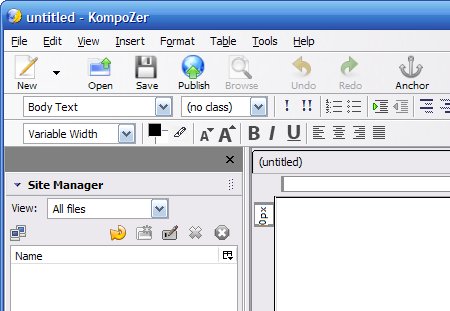
Compozer in 25 Useful WYSIWYG Editors Reviewed

The last version was released in August 2008. Kompozer can be considered as a sound alternative for small projects and for users without technical knowledge. But it’s definitely too weak for professional web-development.

Namo WebEditor 2006

Namo WebEditor 2006 (Win)
Namo WebEditor combines almost all tools which are necessary for creating web-sites in a simple and user-friendly interface. The interface elements are remarkably intuitive, simple and easy-to-use. You can switch between a design-editor, HTML and browser-preview. You can also use a number of wizards to automate your workflow. Namo is powerful, however its WYSIWYG-features are limited. The editor wasn’t updated since 2006 which is why the producing source code is sometimes extremely quirky. Namo Web Editor Pro comes with a Flash editing program as well as a graphics program. A test-version is available. Price: $99.95.

Namo in 25 Useful WYSIWYG Editors Reviewed

Some of Namo Webeditor features:

  • Code Helpers for speedy auto tag completion
  • Quick Tag Editor
  • Tag Selector
  • HTML/CSS Reference

Evrsoft First Page 2006

Evrsoft First Page 2006 (Win)
Actually, this editor is highly underrated. It’s not that popular and it hasn’t been updated since 2006, but it has some quite useful features one wouldn’t find in advanced WYSIWYG-editors. E.g. Auto History feature remembers all the attributes and values commonly used and suggests the “right” value automatically.

Dual Preview Engine enables you to preview your web documents in multiple browsers within First Page 2006. You can preview your work in Internet Explorer, Mozilla or view your page in both browsers side-by-side (horizontal/vertical pane swap). And a real-time visual source rendering engine offers document editing and previewing without the typical code tampering usually seen in WYSIWYG editors.

A number of integrated tools produce decent standards-based code, quickly and easily. First Page is freeware. Similar freeware alternative (also not updated since 2005): Selida HTML Editor.

Evrsoft in 25 Useful WYSIWYG Editors Reviewed

Some of First Page’s features:

  • CSS Class Support & Auto Detection
  • Syntax Highlighting
  • Tag Document Selection Tool
  • Tag Auto Completion
  • Tidy HTML Power Tools
  • Preview in IE as you type
  • Image Mapper
  • CSS Style Sheet Designer
  • Server Side Includes Support
  • Highly customizable Toolbars and Interface
  • FTP client
  • Advanced Find & Replace In Files

Microsoft SharePoint Designer

Microsoft SharePoint Designer 2007 (Win)
Microsofts Frontpage successor. SharePoint Designer is a standard WYSIWYG-editor. Apart from support for interactive ASP.NET pages it doesn’t offer something revolutionary. Free trial is available. There is an online-version which requires Internet Explorer and a large potion of patience.

Sharepoint in 25 Useful WYSIWYG Editors Reviewed

Sharepoint-styles in 25 Useful WYSIWYG Editors Reviewed

Some of Sharepoint’s features:

  • support for interactive ASP.NET pages
  • create Data Views from RSS, XMl, Office XML
  • collaborate with the built-in Workflow Designer
  • CSS tools
  • track customized pages
  • spelling checker
  • SharePoint Server 2007 integration

NetObjects Fusion

NetObjects Fusion
This editor was once probably the worst yet extremely popular WYSIWYG-editor. It produced horrible source code (only MS Word produced worse source code), but was often given away by web-hosting companies and ISPs. NetObjects Fusion allows you to create web-sites without any technical knowledge. Particulalry if you’d like to create a business card, you may get it done in minutes. But if you want to create professional web-sites, NetObjects isn’t an option worth considering.

Currently NetObjects Fusion is available in its 10th version. The quality of the produced source code might have changed, but it doesn’t really matter. There is a trial-version which requires you to register in a shop. Which is why we have no screenshot for the product. Price: €100.

Quanta Plus

Quanta Plus (Linux)
Quanta Plus is a stable, very comfortable and feature rich web development environment. Quanta has created an editor designed for efficient and natural use and with maximal user extensibility.

The editor is capable of both WYSIWYG and handcoding interface. It features tag completion as you type and tag editing through a dialog interface, script language variable auto-completion, project management, live preview and a PHP debugger. It also has a visual CSS editor, autocompletion for CSS, offers high extensibility and integrated preview.

Quanta in 25 Useful WYSIWYG Editors Reviewed

The editor has also nice features for project management, including support for local and remote (through the network) projects. Project files can be uploaded to many servers using various protocols. CVS support is integrated, Subversion support is possible through external plugins. Quanta is based on KDE. Released under GPL.

Freeway

Freeway (Mac)
Freeway (originally Uniqorn) comes in two flavours, Freeway Pro and Freeway Express. Freeway 5 Pro can be used to create CSS page layouts using absolute positioning. Advanced procedures (like connecting to a MySQL database using a scripting language like PHP) are done through plug-ins called “Actions”. Several Actions can be downloaded for free on several websites, but there are also commercial 3rd Party Actions.

There is a trial-version which requires you to fill in a quite long web form. Freeway has been nominated for the Macworld 2008 Awards in the Creative Web Product of the year section. If you use Mac, FreeWay is together with RapidWeaver probably first option worth considering.

Freeway in 25 Useful WYSIWYG Editors Reviewed

Some of Freeway’s features:

  • Multiple Master Pages
  • Layout Tools
  • Link Map
  • Link Styles
  • Integrated .Mac upload
  • Internet Explorer Compatibility
  • Support for Sliced Background Images
  • Built-in preview within Freeway (Safari/Webkit)
  • Full EPS (Panther & later), Illustrator, Photoshop layered file import
  • Freeway Shop
  • Work with Blogger Templates

Seamonkey Composer

SeaMonkey Composer (Win / Mac / Linux)
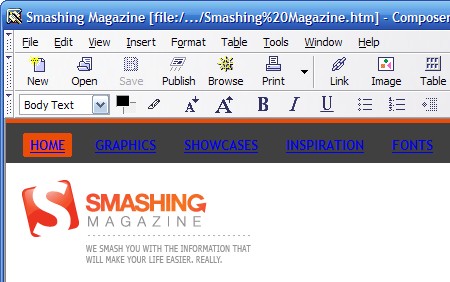
This editor is a simple yet powerful alternative for large commercial applications. Being a successor of Netscape Composer, SeaMonkey Composer doesn’t really have anything common with it.
Seamonkey in 25 Useful WYSIWYG Editors Reviewed

The editor is powerful yet simple and offers dynamic image and table resizing, quick insert and delete of table cells, improved CSS support, and support for positioned layers. The WYSIWYG-editor is built into SeaMonkey, an all-in-one web application suite.

Create

Create (Mac)
Create combines the major features of applications like Illustrator, InDesign, Pages, GoLive, Canvas, DreamWeaver, QuarkExpress, Streamline in one easy-to-use, low-cost, OS X native application. Among other things you can add links to text and graphics with drag-n-drop, the tool automatically creates navigation bars and index and you can produce PDF and web-sites from one document.

WYSIWYG Web Builder

WYSIWYG Web Builder
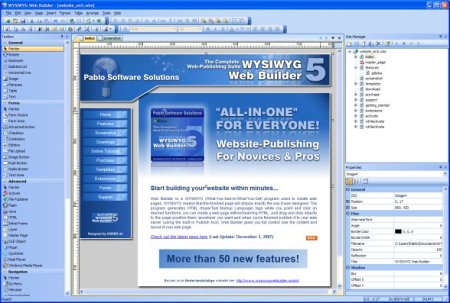
Web Builder is a highly customizable and extensible application with numerous features, scripts and templates. New design elements are added via drag’n'drop, many scripts. Image editing is available within the software.
Webb in 25 Useful WYSIWYG Editors Reviewed

The PayPal eCommerce Tools are integrated; RSS Feed object with podcast option, blog with built-in RSS feed option and Google compatible sitemap generator are available. The editor also has numerous extensions such as password protection, RSS feed, RSS parser, photo album and lightboxes.

Editors for non-professionals, newbies and small companies

iWeb (Mac)
iWeb is small, compact and simple. You can switch the theme of any page with the click of your mouse. Mix themes in a site if you wish. You can place Google Maps and Google AdSense ads on your web pages and simplify navigation by dragging your photo albums to a sleek, animated index page. Web widgets, live content from other sites, like video, stock tickers, and headline news can also be added with few clicks. Price: $7. No trial-version is available.

Widgets20070807 in 25 Useful WYSIWYG Editors Reviewed

Sandvox (Mac)
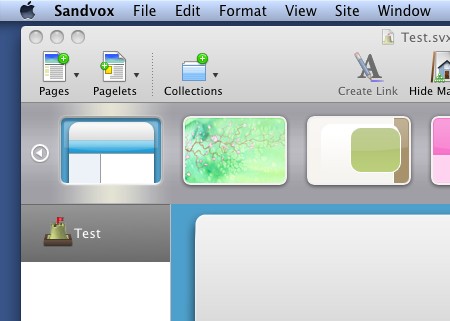
Sandvox features drag-and-drop website assembly, live editing without a preview mode, over 40 designs, and 17 different pagelets. It’s an easy and elegant website creation tool for people who don’t want to spend too much time developing their websites.

Drag and drop content, watch your site take shape as you create it, and make it available to others with Sandvox’s publishing assistant. Pricing starts at 49,- USD.
Sandvox in 25 Useful WYSIWYG Editors Reviewed

Sitegrinder (Win / Mac)
SiteGrinder is a Photoshop Plug-in that converts Photoshop designs to web sites. It is smart. It has many many features. It is easy to use. Trial-version is available. Pricing starts at $129.

Compsandpagesanim in 25 Useful WYSIWYG Editors Reviewed

Studioline Web3 (Win)
The results of Studioline can be observed only if Javascript is activated — otherwise you won’t see anything at all. The source code doesn’t contain tables, but it has a very low quality and is extremely bloated. Don’t try this at home.

Bluevoda (Advertising)
BlueVoda is offered as a free download but requires a VodaHost account to publish the website to. BlueVoda looks very similar to Microsoft Office’s interface, like most WYSIWYG editors HTML code is hidden allowing the user to create websites without knowing code and having components such as tables, text formatting and the rest.

Website X5 (Win)
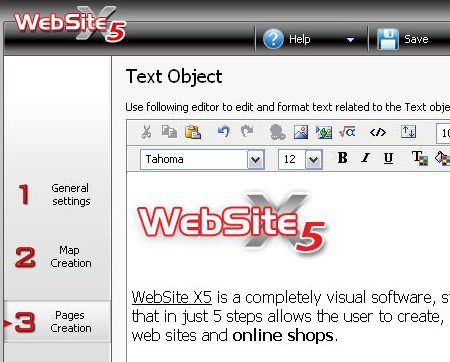
WebSite X5 is a completely visual software: web-sites aren’t coded but “clicked” together. Remarkable: the results are standards-conform. Price: $60+.
X5 in 25 Useful WYSIWYG Editors Reviewed

<oXygen/> (Win / Linux / Mac)
Actually, <oXygen/> is an advanced XML editor, but it also offers a number of useful tools for both newbies and professional web-developers. In fact, you can exploit the tool for editing (X)HTML-web-documents. E.g. it makes easier the document sharing between content authors by including a Subversion (SVN) client. The SVN client allows you to browse repositories, check for changes, commit changes, update your working copy and examine the revision history. The editor is available as standalone desktop or Java Web Start application, or as an Eclipse plugin. Price: $59.

No code and text-editors? Wait, there will be more. Tomorrow.

The Co-Founder of Smashing Magazine. Former writer, web designer, freelancer and webworker. Author of several books. Runs the business.

Post Rating
1 Star2 Stars3 Stars4 Stars5 Stars (1 votes, average: 5.00 out of 5)
Loading ... Loading ...

Tags: , , , , ,

Advertising
  1. 1
    kailoon
    May 6th, 2008 7:42 am

    I am using DreamWeaver for web development and so far there is no problem for me :) Thanks for the useful info and list.

  2. 2
    Mac-Sage
    May 6th, 2008 7:50 am

    This is a great list, but does any one of these other editors come close to offering the features and ease of use that DreamWeaver does? I don’t know of any professional web designer/developer that uses anything other than DreamWeaver.

  3. 3
    Angstrom
    May 6th, 2008 7:55 am

    I’ve been using Dreamweaver for years, but I only ever use it in code view and stuck with it because I sometimes need a code hint .. and I have a useable management, ftp and diff system going on with it (using winmerge).

    But I feel daft using a WYSIWYG app to simply type markup, especially when I’m sure there must be a hundred and one better scripting/coding interfaces, yet I’ve never managed to find one that works particularly well for me. Only a cluster of apps which must be used together.

    I’d be interested in Smashing Magazine’s overview of the non-wysiwyg authoring options available to me that provide site management, code-hints, ftp, diff tools.
    What is the ‘pro-tool’ for all these things.

  4. 4
    Kyle P. Johnson
    May 6th, 2008 7:58 am

    Another great cross platform tool is Aptana

  5. 5
    nyë
    May 6th, 2008 8:19 am

    I use Coda (Mac only) and sometimes Dreamweaver, but each one have its lacks, I’m still searching for THE EDITOR. Now I’m also testing CSSEdit for css, looks fine. but I would like to have only one app to code html, css, javascript, php…. jejeje, too much!?

    Bye!

  6. 6
    Gaurav
    May 6th, 2008 8:23 am

    I used FrontPage a couple of years ago when I was just starting with web design but I was so annoyed with its code that I quit WYSIWYG editors. But judging by the list, I’d give Nvu a shot..

  7. 7
    Matt Crest
    May 6th, 2008 8:25 am

    @Angstrom – I’d check out Coda (as doug just mentioned). It’s an all-in-one app that really is a dream to work in. It’s Mac only though, so if you’re a PC guy…dunno.

    @doug – Coda isn’t a WYSIWYG editor. You get a great inline real browser view of your page, but you still code everything by hand (except for CSS, which can be more WYSIWYG like).

  8. 8
    maze
    May 6th, 2008 8:26 am

    Nice summary. CODA should also be mentioned: http://www.panic.com/coda/

  9. 9
    Vitaly Friedman & Sven Lennartz
    May 6th, 2008 8:33 am

    @maze: Coda isn’t a WYSIWYG-editor.

  10. 10
    JIMMY
    May 6th, 2008 8:48 am

    I don’t know of any professional web designer/developer that uses anything other than DreamWeaver.

    Are you serious!?!?!

    How about mentioning some of the professional programs used by professionals on here, like Eclipse, Netbeans, .NET, etc…. Real professionals use a development environment that helps and supports the coding language your writing. Sure, cutting your teeth on dreamweaver or one of these other freebie toys is a great way learn the ropes. You need to move into textpad or something non-GUI based to really gain any real talent or skill.

    A lot of big companies will ask you to hand write out some code for them as an example in an interview. If DOCTYPE and meta information wasn’t the first thing you thought of when reading that, your not even close yet to being a professional and should consider switching to a different development environment.

  11. 11
    Ed
    May 6th, 2008 8:51 am

    I’m a Mac user and a huge fan of RapidWeaver. I used to use DW back in the v4 days but I find RW so much easier to use for my purposes.

    Its 3rd Party support with Themes and Plug-Ins make the base application a pleasure to work.

  12. 12
    Brady
    May 6th, 2008 8:58 am

    I mainly use CODA – given, it’s not exactly WYSIWYG (though you can preview files after you code them). When I’m looking for ease of use, I go with Dreamweaver CS3.

  13. 13
    victor
    May 6th, 2008 9:00 am

    Before posting about Aptana, Eclipse, etc please remember this about WYSIWYG editors.

    Good list btw

  14. 14
    Gunnar Bruun
    May 6th, 2008 9:00 am

    No WYSIWYG for me, but Aptana does the trick.

  15. 15
    tyCSSguy
    May 6th, 2008 9:03 am

    The point of a list is keeping it categorized, if you want to see some editors that are not WYSIWYG, then you probably won’t see them on this list ;)
    The post did a great job of finding some doozies.
    I use Expression Web, they even rolled php into the latest version.
    Now if there were a way to add ExpressionEngine code snippets to a tool, maybe Aptana Studio could handle it, but again not WYSIWYG.
    A list of auto-completion or intellisense code editors that allow creating snippets, working with PHP and other languages roundup would be nice ;)
    Thanks gang.

  16. 16
    Chris
    May 6th, 2008 9:03 am

    I’m with Gunnar, Aptana is just awesome, it’s a true IDE.

    This is really more of a list + features, not a review.

  17. 17
    Ed
    May 6th, 2008 9:03 am

    I’m a Mac User and a diehard fan of RapidWeaver. I used to use DW back in the day, but for my purposes now RW it the tool for me.

    What I most enjoy is the Extendibility of the Base app. 3rd party support of additional Themes and Plug-Ins is great.

  18. 18
    tyCSSguy
    May 6th, 2008 9:05 am

    You did miss Windows Live Writer:
    http://get.live.com/writer/overview
    A good choice for remote blog posting, via one of several blogger type API’s
    -ty

  19. 19
    Benjamin David
    May 6th, 2008 9:20 am

    Skedit is also a nice Mac OS X editor. It has SCM (Subversion) support that I miss in Coda.

    You also missed Textmate.

    Cheers

  20. 20
    Jen
    May 6th, 2008 9:37 am

    Are you serious!?!?!

    How about mentioning some of the professional programs used by professionals on here, like Eclipse, Netbeans, .NET, etc…. Real professionals use a development environment that helps and supports the coding language your writing. Sure, cutting your teeth on dreamweaver or one of these other freebie toys is a great way learn the ropes. You need to move into textpad or something non-GUI based to really gain any real talent or skill.

    I hate to disagree here but I’m gonna have to. Just because some people prefer to use one solution over the other doesn’t mean they have no “real” talent or skill or that they aren’t professionals. It means that the program they are using works for them. That attitude reminds of a guy I used to work with who was MS certified who told me our company shouldn’t even consider using PHP because the language would be dead in a year (it’s now 3+ years later).

    A lot of big companies will ask you to hand write out some code for them as an example in an interview. If DOCTYPE and meta information wasn’t the first thing you thought of when reading that, your not even close yet to being a professional and should consider switching to a different development environment.

    Since I own my own company, I don’t have to worry about interviews but I’m of the opinion that just because I can’t write the DOCTYPE or meta info from memory doesn’t mean I’m not close to being a professional. It means that I have templates set-up with these things already in place to maximize my time and be able to make more money. Part of being a professional is good time management. If I have to repetitively type something because that makes me a “professional” then I’ll gladly call myself an amateur and pass on those savings to my clients—which I’m sure they appreciate a lot more than knowing if I can type all the code by hand.

  21. 21
    hdoug
    May 6th, 2008 9:55 am

    Once upon a time, back in the mid -1990’s, I powered up Notepad, typed out and built my first web site. It took forever, but I learned HTML, which is still the core of the web. If you don’t know HTML, forget about WYSIWYG editors for now. Check out this tutorial So, you want to make a web page – and follow the lessons. It’s sooo easy! You’ll soon be better than 99% of the so-called web-designers out there.

    To make a long story even longer, during this time of learning HTML I was working for an online advertising company that wanted to branch out into building sites for some of their clients. I was tasked with the job since I had build a few sites at that point. I powered up Notepad, typed and built some client sites. Dreamweaver was beginning to become popular but I refused to use it because “real sites are coded by hand”. My boss at the time asked me to use it, but I still refused, saying that “I can build a better site by hand”. Well, he told me that if I didn’t use it I’d be fired. Well, needless to say, I installed it & I haven’t looked back since. I still do a lot of hand coding, but DW saves hours of time and produces results that can be tweaked until the end product is perfect.

    To summarize – learn HTML first, then install Dreamweaver.

  22. 22
    dragoshell
    May 6th, 2008 10:06 am

    “The last version was released in August 2008. Kompozer can be considered”

    how come? :) released into the future? :))

  23. 23
    will
    May 6th, 2008 10:07 am

    As the guy above says, WTSIWYG editors are not a good thing for people starting out. It teaches laziness. Just get used to ALT + TAB then hit F5 in your favourite browser while using a text editor like notepad++ or something.

  24. 24
    dragoshell
    May 6th, 2008 10:23 am

    Isn’t that somehow unrealistic? :)

    PS: are the comments manually-approved or my previous comment went spam?

  25. 25
    existdissolve
    May 6th, 2008 11:22 am

    I swear by Dreamweaver, and there is no product better for DESIGNING websites. However, it is not an ideal tool for development. Until DW gets better with development-related intellisense and variable recognition, it will be a limited development tool.

  26. 26
    Akiva Levy
    May 6th, 2008 11:24 am

    WYSIWYG editors are generally terrible all around.

    I would seriously consider any web designer who claims to adhere to (or understand) web standards and design and touts themselves as professional who uses almost any of these (from the ones I have actually used and heard of) as suspect .

    Web design and WYSIWYG do not mix. Period.

    That’s like calling Contribute a CMS, which is how it is all too often sold as.

    I have worked much with DreamWeaver and Contribute (my old employer refused to stray from it), and the amount of work you need to put into it just to ensure that the user won’t break the styles is hard enough, never mind attempting to validate the output semantically.

  27. 27
    Pedro Assumpção
    May 6th, 2008 11:43 am

    No dreamweaver (I already used it some years ago) and no WYSIWYG editors for web.
    For me, code is by hand (PSPAD or Aptana).

  28. 28
    ilovecolors
    May 6th, 2008 11:55 am

    The only issue with Dreamweaver is that some/many-times it doesn’t matches the final real output. In the beggining I used to work a lot with it, and for laying out text and applying classes is ok.
    While I’m writing this, I realized that the topic is WYSIWYG, not coding, not IDE. For w…, Dreamweaver with its integration with other products is the king. However, Fireworks is more w… than DW, DW tries to reach for the code too and that’s its falldown. Fireworks should’ve been in this list as the better wysiwyg.

  29. 29
    marie
    May 6th, 2008 12:01 pm

    I’m a fan of the lastest versions of Microsoft’s Visual Studio and Visual Web Developer Express… the latter is free to download and still pretty powerful.

  30. 30
    Chris Porter
    May 6th, 2008 12:10 pm

    I used to use Dreamweaver, but now that I’m very advanced in xHTML/CSS, I don’t need it since its a resource hog and the FTP sucks sometimes. Now I just use Notepad++ and Filezilla for F T P.

    I tried Aptana, but they were missing some features such as anonymous FTP login (for work on internal servers), and some other features.

  31. 31
    Martin
    May 6th, 2008 12:13 pm

    Except for Dreamweaver, Nvu / Kompozer / Seamonkey Composer and maybe Web Expression, they all suck. Especially the “WYSIWYG Web Editor”. Built my first site with it. It was rubbish.

    In conclusion, one can say: The benefits of these products are best put to use by professionals, who are adept at coding anyway, and not by newbies, who often manage to make a complete mess of things. They would definitely be better off learning the “hard way”.

  32. 32
    Scott L
    May 6th, 2008 12:14 pm

    If you’re using PHP then I would strongly recommend using Zend, built by “the” PHP company. Best advice here is learn HTML first then use a WYSIWYG editor. I can’t tell you how much crap I’ve had to fix for somebody else that was auto-generated by a lame editor.

  33. 33
    Reginald
    May 6th, 2008 12:18 pm

    I was expecting to see some new editor and more familiar ones. I am quite shock that only one of these I have actually heard of before.

    I glad I just didn’t assume that I already knew the information that was contained in this post. I would have missed out on a very enlightening post.

  34. 34
    George
    May 6th, 2008 12:19 pm

    Just spent 20 minutes fiddling around with the Coda trial.

    I can understand the positive energy. Very light, very fast, with tight integration of a quality FTP client. My only issue being that there’s no popup CSS code hints. Like others with a good understanding of CSS, I want to write directly into the document (single line font and background declarations, especially) and not have to resort to filling out forms. It seems to be aimed at pros, so I figure they should have such a feature.

  35. 35
    Yuriy
    May 6th, 2008 12:22 pm

    Akiva Levy,

    Just because one uses a software which is capable of WYSIWYG, does not mean the individual does not know code standards. I have been using Dreamweaver for years, but not once have I used the WYSIWYG features.

    I use Dreamweaver for it’s simple project manager.
    I use Dreamweaver for it’s code highlighting.
    I use Dreamweaver for it’s excellent interface.
    I use Dreamweaver for it’s code completion.
    I use Dreamweaver for it’s code folding.
    I use Dreamweaver for it’s built-in F T P.

    … and when I’m doing front-end work, it’s always valid XHTML/CSS.

    I’m sure there are many like me :).

  36. 36
    Matthew Bergman
    May 6th, 2008 12:24 pm

    I have to agree with the prevailing feeling. WYSIWYG editors are the bane to a well formed web. It teaches laziness and bad coding methodologies. Not to mention the bigger ones use templates to keep websites with them from editor to editor. Best thing for a newbie to do is to learn by hand as painful as the process can be. At least it is cheaper.

  37. 37
    Bogdan Lungu
    May 6th, 2008 12:32 pm

    I’ve worked some time ago with DreamWeaver and tried it again some days ago (it was CS3), I have to say I’m little disappointed, I think an WYSIWYG editor is good for a beginners to make the first steps in writing code by hand.
    In my day to day work I use PSPAD which is a great free software. Now I will try Aptana as I saw it recommended up here by some guys.

  38. 38
    Rob Vaughan
    May 6th, 2008 12:49 pm

    Another notepad user here. When I started building sites dreamweaver and frontpage were common place as were the bloated unintelligable code the output. I haven’t tried DW since, so maybe I’ll take a look.
    But I get on fine using my own templates, notepad for tweaking and Topstyle (http://www.newsgator.com/Individuals/TopStyle/Default.aspx) for PHP and CSS coding (cause of the hints and layout help with the code). It sometimes gets a look in on HTML coding, but thats almost always started off in notepad.

    Off to torrent DW ;)

  39. 39
    Rick
    May 6th, 2008 12:50 pm

    How about some suggestions for editors that can be integrated with a CMS like tinyMCE or Expression Engine for example.

  40. 40
    César Couto
    May 6th, 2008 12:57 pm

    I do all the pages with notepad++, with css it’s very easy and fast to code a xhtml and css valid webpage. First I design the webpage in Photoshop for showing the client to have a generic ideia. After aproval, I take about 2 to 3 hours to create all the xhtml and css code. I used dreamweaver before, but when codding all manually i have absoluty 100% control of the webpage, also since the webpages i create use template codding, for example, i don’t repeat the header and the footer, i put in different php files and then grab then, it’s much more simple to me viewing the code, i remember sometimes dreamweaver stucked when showing some css div’s.

    Coding all the page with a normal notepad with a sintax highlighter have improved to evolve to the next level.

    (Sorry the bad english)

  41. 41
    Anna Ullrich
    May 6th, 2008 1:40 pm

    It looks like you reviewed the first version of Expression Web because there’s no mention of the big new features in version 2 which was just released on May 1 with rich support for PHP, easy PHP previewing in browser, ASP.NET AJAX, and Photoshop import.

    Anna

  42. 42
    xavi
    May 6th, 2008 1:44 pm

    i also code with notepad++, quanta plus or aptana… human code is always better than generated one

  43. 43
    Jimbo
    May 6th, 2008 2:01 pm

    In my experience, I’ve found that WYSIWYG editors are no match for Notepad. :)

  44. 44
    Matt Tuley
    May 6th, 2008 2:02 pm

    What great timing! I just guest-blogged on the importance of freelance writers having their own website, and there are some great tools listed here that will help folks do just that. I used Rapidweaver for my first site, but have switched to a Wordpress-hosted site that I tweak by hand in Textwrangler (Mac text editor).

    I can also recognize this is the kind of article that can drive a design professional crazy since it points to all sorts of ways a nondesigner can do a mediocre job on their own. Unlike most nondesigners, though, I recognize the limits of my talents and do intend to hire a pro when my budget allows!

  45. 45
    Heri
    May 6th, 2008 2:06 pm

    I use SciTE for all of my server-side and client-side coding. WYSIWYG editors serve absolutely no purpose for me. You simply can’t beat the coding syntax’s in SciTE, and virtually every aspect of the editor can be customized in the SciTEGlobal.properties file. When you put SciTE and Notepad++ side by side, SciTE always comes out on top for me. Other editors like PHP Designer, TextPad, and UltraEdit don’t even come close in my book.

    Now I know I’m very opinionated and many here will probably disagree with me, but anyone who claims to be a web professional has no reason whatsoever to be using ANY form of a WYSIWYG editor. I don’t care how valid and standards compliant the output code may be, WYSIWYG editors do not provide nor allow for an effective and efficient work flow. And for the good honest folk who actually have a legal copy of Dreamweaver, I hate to break it to you but you’ve wasted several hundred dollars that could’ve be spent on a bigger monitor or something (lol).

  46. 46
    Mason
    May 6th, 2008 2:08 pm

    I tried DW, but once you learn how to hand-code your sites with Coda, you’ll never go back.

  47. 47
    Marc
    May 6th, 2008 2:09 pm

    I use Dreamweaver – it’s cos I’m so used to it. I’ve never used the WYSIWYG features; I’m only responding cos it annoys me how people can say you have ‘no real talent’ and such just for using a tool which makes life easier. I use it for code snippets, auto-completing (I type

  48. 48
    Jake
    May 6th, 2008 2:18 pm

    I agree with Ed, I am a Rapidweaver user and fully believe that is the best. From being able to create custom templets, to the great plugins. Its easy for non-experienced users, and great for some who are advance in html, css, php, or whatever you want just about.
    Hands down it is the best app for web design!

  49. 49
    John Faulds
    May 6th, 2008 2:35 pm

    I’m of the opinion that just because I can’t write the DOCTYPE or meta info from memory doesn’t mean I’m not close to being a professional. It means that I have templates set-up with these things already in place to maximize my time and be able to make more money.

    I agree. I used to use a text editor for all my work but even then I didn’t type out doctypes out by hand – the editor came with its own inbuilt templates which included doctypes etc.

    Now I use Dreamweaver and again, it lets you create templates with the doctypes already included. I still only use DW in code view though (sometimes use split view for quickly adding content like lists, anchors etc) and wouldn’t recommend anyone to try and work with CSS using DW in design view as it makes a mess of how it displays positioned elements.

    But as a tool that saves the amount of characters you type, I think it’s great and anyone who thinks they’re a better coder because they actually type every single byte of code they produce, rather than using tools that speed up that process and reduce production time, is misguided.

  50. 50
    Jeremy
    May 6th, 2008 3:06 pm

    I’ll have to 2nd Zend, as a user that moves between M$, Linux, and OS X. Zend is the ideal editor.

  51. 51
    Jon
    May 6th, 2008 3:19 pm

    What Dreamweaver needs is a better way to work with dynamic websites. Not just plug-ins like this one but it should truly incorporate ways to work with CMS’ like Wordpress and Drupal

  52. 52
    Kristy
    May 6th, 2008 4:00 pm

    Funny… I always thought Nvu was pronounced “envy you” – as in the end product/design. Apparently I hadn’t read up on the package before briefly using it.

  53. 53
    marian
    May 6th, 2008 4:02 pm

    In sum, WYSIWYG are just for beginners. And when it comes to front-end web development, its always best to use Code Editors (Coda, PsPad, Notepad++, etc.) for advance developers.

    I use Dreamweaver and always on the Code View, most of the time I only switch in Design View when locating DIVs for long coded pages. DW snippets are useful too and so I use them. Together w/ DW I use PsPad for more of the coding part, where line highlights are very much useful for me.

  54. 54
    Lica
    May 6th, 2008 5:13 pm

    I can’t believe Coda got mentioned so many times. I used Dreamweaver for years until Mac got their intels and I didn’t feel like spending the money to upgrade Dreamweaver as well. I ended up with Coda and I was worried that I would get stuck with the code, but I didn’t and I wouldn’t want to switch back now. I really like Coda!! It’s not a WYSIWYG, but that preview mode is great . Why don’t you guys make a list about apps like Coda, Rapidweaver, CSSEdit etc. I don’t think there are many designers that read these posts that don’t have a single clue about html or other code and I feel like this post is a little too basic. Even those that are using Dreamweaver are most likely using the code view for work not design view.

  55. 55
    MDA
    May 6th, 2008 5:20 pm

    I use a yellow Legal pad for my xhtml and a stenographers notebook for my CSS And always use a pen!
    AJAX = Rolodex.

    Your mac’s don’t impress me. I use mine as a paper weight.

  56. 56
    Kaino
    May 6th, 2008 5:45 pm

    “Im a geek i code by hand and refresh. wysiwyg is for lazy. real developers use .net and need intelisense…” man why do people get so edgy about this stuff. obviously some tools work better for others. I use dreamweaver to manage files, and quickly edit pages. I code by hand or use there tools when its faster. Code a table by hand vs a wysiwyg (and before you go on about tables I mean for tabular use you standards compliant nazi freaks).

    At the end of the day- for PHP, Ruby or .net programming or whatever you need a different tool. for whipping a up a quick 10 page website that you charge $5K for and want done in 2 days- you need a streamlines approach, easy tools, and XHTML&CSS knowledge. not this tool or that tool.

    I was hoping to read about a wysiwyg editor that:
    – warns me of problomatic CSS- ie bugs, x-browser rendering differeces. Not because i don’t know, but because i have a life outside of work and forget over the years all the bugs. monday after a big weekend and a websites due nothings worse than looking at some code knowing you’ve solved the problem before and can’t remember.

    - has intellegent CSS design. has lightbox and sifr and grids and ajax stuff inbuild, and updatable from their website like an rss feed or something. I read and keep up to date on the latest and greatest ninja code techniques but i got other things on my mind too, im trying to learn motion design, get out of the house more and I can’t keep on top of new knoweldge forever. – maybe thats why some people get so anus over discussions like this, they have invested so much time into the knowledge its become part of their identity and they feel the need to let everyone know what they know. I know someone else who was bursting to express himself: Seung-Hui Cho. yeah. didn’t work out so good.

    I think some of you need to go for a walk and calm down. Just because someone doesn’t develop/code/design/build the same way you do doesn’t mean you’re right or they are right.

    we can all be right.

    except frontpage/sharepoint designer lovers. Can you believe that I can’t even force MOSS to be standards compliant and SharePoint Designer has the nerve to tell me I’m writing bad code.

  57. 57
    Maxime
    May 6th, 2008 6:08 pm

    Those who use Dreamweaver or other WYSIWYG editors are ussualy: lazy or noob. If you want a clean cut design with clean tableless code, you need to know your xHTML very well along with CSS.

    I haven’t seen one WYSIWYG editor capable of displaying my hand-coded xHTML correctly. Visual editors are only good for simple website or web pages without any real obstacle…

    Moreover with the web 2.0, alot of website use bits and pieces of AJAX and javascript which ussualy need a hand job. This is the reasons why I use notepad++

  58. 58
    Boredofmouth
    May 6th, 2008 6:18 pm

    Notepad is the only way to edit any web content. If you aren’t fluent with HTML, XSLT, etc, you have no business doing any kind of web design. Learn your server model languages and get bck to us actual web professionals. Syntax coloring and dynamic validation is for ignorant pussies.

  59. 59
    Toni Marie
    May 6th, 2008 6:25 pm

    Just because you use Dreamweaver does not negate the use of being able to hand write code. I have only ever used DreamWeaver (ok HomeSite for 6 moths over 6 years ago… but that’s just DW without the wysiwyg… was bundled together as I recall).

    However, i can write all my HTML and CSS in code view and simply look at the way the divs balance, etc, in split view. Just because a true professional wouldn’t *design* in DW’s “design view” … doesn’t mean it’s not the best balance of form and function.

    Because I cut my teeth on HTML and CSS long before I learned PHP, Eclipse is not a comfortable environment to do my HTML/CSS… and certainly the FTP management of accounts via “Sites” is far superior to other wysiwyg editors.

  60. 60
    K.Brown
    May 6th, 2008 6:26 pm

    Coda for Mac+CSS Edit=Amazing. Please include these programs next time!

  61. 61
    Akiva Levy
    May 6th, 2008 7:14 pm

    It seems my previous post was prevented from being posted.

    To touch upon Toni Marie’s comments, if you are going to “use DreamWeaver correctly” as a web designer and hand code the XHTML and CSS, what point is there in paying for an application primarily developed to be a WYSIWYG editor? Surely using any aspect of the latter, such as the much-despised Designer View, clearly contradicts the point (and much of the markup) of clean, compliant handmade code, no?

    And to touch upon my first comment, where did it go?
    Where ever did that fishy go?

  62. 62
    michael
    May 6th, 2008 7:29 pm

    maybe Aptana is the best editor too.

  63. 63
    Lonnie
    May 6th, 2008 7:49 pm

    I am trying out SiteMasher, which I was introduced to during Interop 2008 here in Las Vegas.

  64. 64
    César Couto
    May 6th, 2008 8:09 pm

    As i said, i use notepad++ to code everything, sintax highlight helps to seperate the vars and it’s quick to find specific code. I feel sad that some people says that coding is professional and using wysiwug software is for newbies, it has nothing to do with it. Being professional is all about the final result, not the tools you use to reach the goals. Even coding could demonstrate a bigger knowledge than someone using software, it doesnt mean the final result will be better ;)

  65. 65
    Paul Everett
    May 6th, 2008 8:42 pm

    whoops another one: Flux 1.2
    http://www.theescapers.com/

  66. 66
    Edilson de Souza
    May 6th, 2008 8:47 pm

    I use Quanta Plus, it’s not really WYSIWYG editor. I like it because it offers a comfortable code editor for XHTML and CSS, and syntax highlight for JavaScript. However, sometimes a prefer using Aptana for JavaScript and PHP.
    I think if a developer cares about web standards, accessibility etc, handcoding will be his/her natural choice, even with Dreamweaver (argh!!!).

  67. 67
    Fernando Trasviña
    May 6th, 2008 8:48 pm

    For the guys that say no professional web designer/developer uses something else than dreamweaver.

    No one calling himself a professional (being a professional) would rely on dreamweaver’s WYSIWIG hability, they code, and why pay for an overpriced product, adobe just came to destroy good old macromedia rising the price of the software and 0 improvements.

    Ok guys. now Web Development professionals should use good old text to create this (this goes for designing and programming). except for grapchis.

    Personally i use Gedit on LINUX (free and reliable). I used to work with dreamweaver till it was sold, still used the coding feature which still are great but not so much for the price. there are some other amazing ides like some guys comment here, but for the WYSIWIG part the article does a really good job, this comment is directed to all the people who cant see beyond WYSIWIG for web development.

  68. 68
    mda
    May 6th, 2008 9:11 pm

    I can make a site in notepad too!

    I’m so cool. it’s the outcome not the tool.

    tools

  69. 69
    mee
    May 6th, 2008 9:50 pm

    Wow, I knew that there was a lot of editors, but that many …
    I use Dreamweaver or for css Coding.

    Thanks for the list!

  70. 70
    Andris
    May 6th, 2008 10:43 pm

    I always use Dreamweaver. you can split the screen, so you can code by hand and see what you’ve written. by the way i really like the code highlighting and the ftp-thing. You don’t have to work WYSIWYG with Dreamweaver, just use it as an editor.

  71. 71
    Thibaut Allender
    May 6th, 2008 11:36 pm

    Sorry, I real don’t get the point of this post…
    Smashing Magazine aims professionnals, right ?

  72. 72
    Paul Everett
    May 6th, 2008 11:43 pm

    Tim you are a twat

  73. 73
    Darren Cornwell
    May 6th, 2008 11:55 pm

    You forgot a couple of good mac editors – skedit and Coda – the latter being a pretty good all in one application with code / preview / ssh / ftp / and a library function to look up references.

    I use skedit on a daily basis and would be lost without it. It all comes down to your style of editing I suppose.

  74. 74
    Tom
    May 6th, 2008 11:57 pm

    is there any list out there to read trough for photoshop plugins, what they do or photoshop actions to make the life easier?

    my editor is notepad++. i switched from dreamweaver after a loving relationship for more then 4 years. notepad++ looks good, gives me everything i need, can be pimped with new colour-shemes and make it unique ( for design-lovers only ) but too use and handle this free tool is outstanding.

    again a great and useful article. and maybe someone can hel me with my question from above ;)

  75. 75
    Apollo Blue
    May 7th, 2008 12:13 am

    The perfect coding is made by hand with a text editor. A web site should be first drawn in photoshop or similar platforms and then hand coded. it is more flexible and the code will be clean and simple. Of course after that you can use integrating software for PHP or Ajax/JavaScript if you are working at a very large website, for example an on-line store or something like that. :)

  76. 76
    James
    May 7th, 2008 12:18 am

    Up next week, “25 WYSIWYG Word Processors Reviewed”

    Of course, we all know that real writers use LaTeX. Hand written in Notepad. :)

  77. 77
    anti-pixel
    May 7th, 2008 12:41 am

    I use dreamweaver at home and notepad++ at work…
    Dreamweaver is cool, but i don’t even user 10% of the software, and it slows down my computer when i open photoshop or flash or when i have 20+ files opened…
    Notepad++ is so quick, and gives many useful shortcuts…
    i think too that the real wysiwyg is alt+tab and F5…

  78. 78
    David
    May 7th, 2008 12:41 am

    What does “concorcium” mean?

  79. 79
    Squirrello
    May 7th, 2008 12:47 am

    The problem with WYSIWYG is adaptability. For those happy to build formulaic, generic , tabled , “I’v seen it somewhere before ” pages/ sites WYSIWYG delivers. If you want very clean code, WYSIWYG generally won’t. Not only that, but you face the real possibility of not be taken seriously by many top level employers. For beginners that’s not a problem but what happens when you need to integrate Ajax, PHP, Flash into a CSS/ HTML page? Wait for a plug in? Those who know code have already written that application. The worst thing about WYSIWYG is it puts those dependant on it at a TOTAL DISADVANTAGE in terms of abilty to code. I learned html/ css the so called “hard way” and saved myself several hundred diollars but most importantly if I see something I like I use view source and I know what I’m seeing. If I look at some interesting effect on a tutorial and code is given, again I know what it means and how to customize it. Most importantly learning humble html/css has allowed me to learn other languages rather than rely on a translator… (WYSIWYG) and that makes you more innovative than relying on a plug in or others to do things for you…

  80. 80
    Defunkid
    May 7th, 2008 12:54 am

    some professional web designers just use a good non WYSIWYG editor like UltraEdit and page opnened in several browsers to cut the design coming from PSD or AI but this is about WYSIWYG :)

  81. 81
    vickymustdie
    May 7th, 2008 12:59 am

    Really helpful information.

    I still remember when i use to design websites using Microsoft Frontpage, as that was the only WYSIWYG software trained by most of the Computer Training Institute in India those days. Now there are lot of Web Page Editos presents and you’ve covered most of them.

    But I think when it comes to WYSIWYG software, Dreamweaver rules all of them. It has everything a newbie / advanced Web Designer / Developer look for.

    Why don’t you do Voting for the most used WYSIWYG software. I know Dreamweaver will win it.

  82. 82
    K.K.Shankar
    May 7th, 2008 1:20 am

    Oh!….

    Why Still some of the developers to develop thier pages without using the WYSISWYG editors.
    Its waste of time & Energy

    Choose better WYSIWYG editor suitable to your project. save your time.

  83. 83
    J vd Meulen
    May 7th, 2008 1:32 am

    I’ve used FirstPage for a while, which is IMO a great editor, but recently I discoverded HTML Kit, which is now my weapon-of-choice. It has add-ons that allow to preview in both IE and FF which proves very helpful in testing your designs.

    Download from download.com: http://www.download.com/HTML-Kit/3000-2048_4-10035302.html

  84. 84
    Bartek G
    May 7th, 2008 1:35 am

    IMHO the best WYSIWYG editor for web is a set of Photoshop + Aptana/Eclipse + browsers’ dev tools.

  85. 85
    Thorvald Neumann
    May 7th, 2008 2:30 am

    I am using TextWrangler and CSSEdit mostly; I am using Dreamweaver only when I have to create quick’n'dirty website previews or when I have to support old, badly coded websites.

  86. 86
    zalkdesign
    May 7th, 2008 3:01 am

    Where is CODA? :)

  87. 87
    Arby
    May 7th, 2008 3:01 am

    How about a review of web based WYSIWYG editors for developers to install for their clients? We have more and more requests for CMS so would be good to know what is preferred, whats popular, problems, etc etc..

  88. 88
    Simon
    May 7th, 2008 4:00 am

    I started web design in 1997 using notepad. Moved on to Hotdog pro (anyone remember that?). For the last 6 years I’ve been using dreamweaver simply because it cuts out a lot of the gunk and the speed I create pages is so fast. I can hand code HTML and CSS with my eyes shut but I would never hand code simply because it takes too much time.

    Good post but looking at this lot I’ll still be using DreamWeaver (Visual studio 2008 has got a lot better for the front end designer but still DW is the best imho).

  89. 89
    Steve Killen
    May 7th, 2008 4:04 am

    It has been mentioned but would love a run-down of the best and worst code editors to use (including IDE platforms), I think it’s more of a minefield than WYSIWYG editors and some guidance would be nice.

  90. 90
    Tom
    May 7th, 2008 4:15 am

    Agree it would be nice to see a review of text/code editors. And I’d love for you to find out from Adobe why one of the best editors out there – HomeSite – has been left to rot. I believe it’s because they put all their eggs in DW, but it would be nice to know for sure.

  91. 91
    Andy Montoya
    May 7th, 2008 4:19 am

    Who are really using the Microsoft Expression Web???

  92. 92
    shaymein
    May 7th, 2008 4:34 am

    don’t care what anyone says… i love the GoLive.. and i was happy with at least a v. 9 that did come out with some really great tools that i hope one day would make it into dreamweaver. until my golive 9 dies i refuse to make the switch the interface is so much easier than dreamweaver.

    goliver since 6.0!

  93. 93
    Bobby
    May 7th, 2008 5:22 am

    Hey Jimmy, wow, I think it is time for you to get off your high-horse and deflate that ego of yours. “Professionals” find a way to code and develop in whatever platform that fits them best. I been doing web design and development in a “Professional” environment for over 15 years now and you can use whatever program it takes to create code. There is nothing wrong with using Dreamweaver along side Microsoft Visual Studio or whatever other programs the “Professionals” use. A “Professional” developer knows how to work around .net, asp and php, all of which Dreamweaver supports and works very well with. So Jimmy boy, go get a “Real Job” and become a real “Professional” and you will see the light.

  94. 94
    Kite
    May 7th, 2008 5:25 am

    dreamweaver for me is the best! ^^

  95. 95
    Jurjen
    May 7th, 2008 5:25 am

    Nice list, but hardly a review. A review would actually compare, whereas this is only a list of features… Not even a comment on what’s missing in a editor or what makes a specific editor worse or better.

  96. 96
    Markús
    May 7th, 2008 6:20 am

    25 editors and you miss Coda, how dare you!

  97. 97
    jesse
    May 7th, 2008 6:42 am

    Wow, I’m surprised at the rancor that this review/list has brought up. I’d just like to add for those working/thinking about Linux-only web development tools, Quanta Plus is the most full-featured DW-like one out there, with a handy split code/design view to help you find your way on the page; it can be tweaked to your liking. For those who want a text-editor only, Bluefish and Screem are great for web development. Of course, you can run Aptana too.
    I agree, a list of text-editors is now called for! Let the games begin!
    BTW, thanks Smashing Magazine. You guys consistently bring quality content.

  98. 98
    Akiva Levy
    May 7th, 2008 6:42 am

    Yuriy, you are off target on a few points.

    A) DreamWeaver does not have a “real” code folding algorithm at all, and does a pathetic attempt at doing such. For instance, you have “code fold” anything you can highlight. So, I could, if I wanted to, code fold “DreamWeaver” to “+D..R”. Yeah, that’s not what code folding is.

    B) DW is a huge memory hog. Running files up to 600 lines of code or more seriously begin to choke the system you are running. Having color syntax highlighting and “code folding” even adds more salt to this wound.

    C) It requires a hefty 800mb to install and most of this is for the WYSIWYG aspects of the install. So, if you are claiming that you only use it for the basic features of projects and FTP because you code by hand, why would you go through all of this rather than switching to one of the ridiculously fast and light weight alternatives that include these features? Maybe you are a masochist? I don’t want to assume.

    D) Perhaps you are using the DWT template feature? If this is so, don’t get me started about how flawed that is.

    E) Well, to be honest I lost track of all of the reasons I have come up with over the years as to why DW is bad. And yes, I have used CS3 and none of these issues have been addressed.

    In summary, if you claim to use DW like a “real designer” should (who knows anything about standards and proper web design), then you are either a masochist or really are using some aspect you are not claiming to when you consider that any decent aspect that the “IDE” offers you is available in various free software that runs 100% faster and more reliably.

  99. 99
    LC
    May 7th, 2008 6:59 am

    I use Dreamweaver (after Netscape Composer) when started coding 10 years ago but it didn’t take me long to forgot the WISWIG feature because of the horrible code produced. At least I learn HTML and then CSS.

    Nowadays I use Textpad for HTML/CSS/PHP but Notepad++ looks great I’m gonna try it.

    I’m also on a ASP.NET project right now so I use Visual Studio 2008. For sure the event-driven programming feature is great, and the new AJAX extensions seems really cool but I don’t really consider the WISWIG editor. I’d like to test Zend for its support of Zend framework, and I saw that Delphi for PHP which seems to reproduce the VS event stuff. But I’m off topic because all these aspects are related to programming related and not webdesign.

  100. 100
    Potential Client
    May 7th, 2008 7:12 am

    lol! ACK!! k guys. I’m what you’d call a “potential client”:)

    To quote a part of the article; “Sometimes you need to provide your clients with some simple tools to edit or update their web-sites. And this is where the utility of WYSIWYG-editors comes in. As a web-professional you need to provide your clients with some sophisticated advice and offer a simple yet effective tool — e.g. a WYSIWYG-editor.”

    Seems some of you are missing the point here! Might not be about what editor YOU use as a professional but what you can provide your clients to use to update and maintain their own sites. Times are tough as I’m sure we all know! I for one as a potential client couldn’t really afford to hire a designer/coder much less purchase software such as DW!! Throw your clients a bone now and again and they’ll refer you to their contacts which could very well = some good income for you;)

    BTW…being someone that needs a site done but due to the lack of any extra funds…PERIOD. I appreciate this list! As a potential client speaking IF I were to be able to pay someone to do a site for me I sure wouldn’t care HOW on earth they did it as long as it was functional, I loved it AND I got some more bang for my buck by being introduced to one of these wysiwyg editors by my web guy to make changes and updates on my own, whenever I found the need to:)

  101. 101
    Amarjeet Singh Rai
    May 7th, 2008 7:37 am

    You made a mistake (Kompozer): “The last version was released in August 2008.”

    That should be 2007, I believe.

  102. 102
    adam
    May 7th, 2008 7:42 am

    Another vote for microsoft’s Visual Web Developer. It’s free, and good.

  103. 103
    Jacob
    May 7th, 2008 8:13 am

    I’ve always used notepad+ and i know alot of people who use coffee cup, however dreamweaver was always a hassle for me, but i know alot of people (most of which use it in code view) who use dreamweaver.

    As far as WYSIWYG goes, i’ve seen dreamweaver to be poor spitting out table designs (wethere that’s true or not idk, just what i”ve seen).

  104. 104
    UI juggler
    May 7th, 2008 8:59 am

    thanks people..i was facing some editors issues

    it gonna help me a lot

  105. 105
    Luis
    May 7th, 2008 9:08 am

    Nice post!.. I am a web designer making the jump to developer and used Dreamweaver before, but after using VS2005/2008 I think I will never go back. Keep up the good work.

  106. 106
    PhishNet
    May 7th, 2008 9:10 am

    I code and design all of my sites in my mind. If anyone actually needs to use a computer to code, design, or even view Web Pages, they’re clearly an amateur and have no place in the 21st Century. If I was transported to 1843 I could still code web sites using a hammer and chisel. Alright? So even if you use Notepad or a notepad, keep in mind that real web professionals rely on their wit and self-satisfaction and wouldn’t touch a computer with a ten-foot pole.

  107. 107
    Christina Warren
    May 7th, 2008 9:39 am

    WYSIWYG editors have their place, but I think that most people are better off taking the time it takes to actually learn how to code, rather than always having to rely on a slow, antiquated and crashy tool (Dreamweaver, that’s you!). Of course, time isn’t always an option, and some of the editors mentioned have worked out just fine in my experience.

    Personally, I do mock-ups in Photoshop or Illustrator and then code in Coda or TextMate (Mac) — though I have come to absolutely adore CSSEdit.

  108. 108
    Akiva Levy
    May 7th, 2008 10:30 am

    For Potential Client:
    You will always find designers who are willing to work for less, and it always shows.
    The way every client out there needs to look at it is this: any one can write a book, but it doesn’t mean it will be done well. So, the real issue is this: are you the kind of client who just don’t care about who writes their book or if it’s well done, or are you the kind who sees the value in what it really is?
    There are plenty out there who just see their web site as just a page everyone will view in Internet Explorer, like it’s some necessity for the web. Like putting their little flag in soil. That’s fine. It will show and reflect poorly on their business.
    On the other hand, there are plenty of clients out there who realise the importance of the web and various things that come with a web site done well, and they will pay for it. After all, it’s not just a web site that mentions your business, it’s part of your presence and branding. Would you pay just any schmuck to build you office?

    A

  109. 109
    Jen
    May 7th, 2008 10:52 am

    It’s funny how people here who have said “real professionals” don’t use a WYSIWYG editor to develop their sites. I’ve used Dreamweaver for years and do work for National Georgraphic and Symantec. Guess what? Just because it’s a WYSIWYG editor doesn’t mean you have to use it as such.

    I’ve searched for so-called non-WYSIWYG apps to use that aren’t such resource hogs but have yet to find one that offers code completion and the split screen view so I can view the code that I write by hand in the design view area. I personally like that I can open a new document in DW and my DOCTYPE and meta info plus my body and html tags are there… That’s one less step for me to do which is less time for the client to have to pay for.

    If someone can point me to a Mac app that has code completion and a split view (code and design) plus the ability to create a new document with my DOCTYPE and meta info, I’d happily give it a go but in my searches I’ve yet to find anything that offers that.

    By the way, no one has mentioned the free app Smultron for Mac so I thought I’d give it a shout out. It’s my “text editor” of choice.

  110. 110
    Jon
    May 7th, 2008 10:57 am

    Dreamweaver? Are you goddam crazy? It makes bad code, it messes up style sheets, it sends files across by FTP when you don’t want it to.

    I used it for a couple of years but dumped it for a code editor as soon as I got proficient.

    Don’t rely on it!

  111. 111
    Akiva Levy
    May 7th, 2008 12:20 pm

    We haven’t even begun to address other bloat produced by DW, such as all the lock and note files. I have had many wonderful moments with DW downloading sites that should have been ~1,000 files altogether but actually consisted of ~4,000 due to such files.

    .lck files are no substitute for real design tools such as Subversion.

    Using the “Ftp” is buggy, and extremely bandwidth expensive.

    If you claim to be a real design and rely on the page rendering in DW alone, a real designer you are not. If you are falling back and checking other browsers, concerning yourself with this aspect of DW as a reason not to leave it is not very legitimate.

    That said, I am perfectly fine with others thinking that their DW is the crock o’ gold Adobe would like you to think it is. The rest of us are all the wiser and our work usually reflects this.

  112. 112
    Yuriy
    May 7th, 2008 12:21 pm

    Akiva Levy,

    RE A) DreamWeaver’s “fake” code folding is actually the best feature it has. Using the select+fold method I can fold anything I want, whether it’s a block of code, a big comment, several helper functions, whatever. I love this feature and seriously miss it wherever “real” code folding is implemented. I do not want to be restricted to only folding the data between { and }, as is the case with many editors.

    RE B) I have never noticed any memory hogging problems with Dreamweaver. I often have several files of several *thousand* lines open, among with a couple smaller ones, and I have never experienced any problems with speed. Furthermore, if I have Dreamweaver open, chances are I’m also running Photoshop (which is using anywhere from 500mb – 1.5GB of RAM), Firefox (don’t even get me started), and a bunch of other apps. I’m using an Intel E4300 (1.8GHZ C2D) with 4GB of DDR2 and very rarely experience any kind of lag. And face it, this hardware is dirt cheap and commonly available.

    RE C) You’re complaining about hard drive space… in 2008? A 500GB drive (of which I have 4) costs $100… The only problem here is that CS3 takes forever to install, but that’s a one time process (and if you make a ghost image of your clean system + CS3, it’s the last time you go through it).

    The FTP feature is great because sometimes I get work which had to be done on a remote server through F T P. I would much rather hit CTRL+S and have the file automatically uploaded than save it, alt-tab to another FTP client (which, by now, has probably dropped the connection), upload the new file and then choose “YES” in the replace-existing-file dialog… Dreamweaver’s F T P feature all the way!

    RE D) Never looked at it, never used it. I have custom (independent from Dreamweaver) snippets of code for everything I commonly use.

    RE E) Your reasons over the years cannot possibly be relevant today. Dreamweaver has gone through a couple big updates in the CS series and is a wonderful editor for many reasons. I don’t consider it as a WYSIWYG editor. I look at it as a powerful and convenient development environment. Some of my favourite features (custom code folding, code completion, code prediction, built-in FTP, etc) are flat out not supported by 90% of the other editors. And the ones that DO support these features are plain unusable due to their horrible interfaces. If I can’t look at an editor for longer than 10 minutes, I’m not going to use it.

    The only feature (and I’m probably just missing something here) that Dreamweaver lacks and that I want is customizable themes. I like dark themes such as Blackboard for Textmate (which I’ve been recently using with e Text Editor), and the several dark themes which are available for gedit on Linux.

    In summary, I *do* use Dreamweaver like a “real” designer, and a developer. As it happens I do much more coding (front end – xhtml/css/javascript and back end – php/mysql/cms systems) than actual design, and I love Dreamweaver for every aspect of the development process.

    As it so happens, I despise WYSIWYG editors and their results. If I have to install one for a client’s CMS project (most often Drupal), it will be TinyMCE because I can configure every aspect of it.

    It’s quite foolish to associate certain software with “professionals” and other software with “beginners”. I know professionals who use notepad, and I know complete beginners (and idiots) who use ZendStudio. It’s not what you use, it’s what you produce.

  113. 113
    Akiva Levy
    May 7th, 2008 12:34 pm

    Yuriy: I completely agree with your last point. It is the end result. I am speaking from years of experience (even now, one of my employers is an adobe shop and we use DreamWeaver CS3–So I have first hand experiences of all the issues mentioned).

    But let’s call it what it is, if you seriously look into the few aspects that seem unique to DW that you like, and you really look around, you will find many apps do all that with much better results. Take a look at Eclipse/Aptana for example. You can have a fully fuctional IDE with amazing plugins built right in that does everything and more that DW does for free.

    And HDD is a relevant issue. Just because hard drives are cheap now doesnt excuse bloated software. Overlooking the reasons (bad code begind the application itself), it just makes no sense. And that isn’t even talking about CPU and RAM usage.

    We have 12 PCs here in this office that all use DW CS3 and all have the same issues, so it’s not an isolated case. So much so, that we have begun migrating away from DW (finally).

    Make your web sites in what ever you want. That was not the point of this SM post. Handing it to your client to develope pages was. Read: Sometimes you need to provide your clients with some simple tools to edit or update their web-sites. And this is where the utility of WYSIWYG-editors comes in.

    Giving your client DW to update their site, you are guaranteed it will break all standards compliancy you (should) have worked so hard for. Period.

  114. 114
    Toni Marie
    May 7th, 2008 1:24 pm

    @Akiva:

    You simply don’t ENTER new data into the design view. It would be silly, because there’s no way to select exactly at what line you want to insert a div, etc. However, the ability to, in code view, insert a div with a given class “around selection” or “at selection point” or whatever it says (it’s so automatic for me, hehehe) … that’s a real time saver for me, and a perfectly valid use of code and features.

    I have made use of the myriad of DW features… like having a library of snippets I’ve created, for CSS layouts and their corresponding CSS selectors… I manage multiple clients via the “Sites”, etc.

    I don’t believe DreamWeaver was intended to be “primarily a WYSIWYG editor” and I challenge you to find that Macromedia or Adobe intended for most work to be done in the design view. I do all my work in split screen or code view, but I appreciate the design window, for sure. You can see when divs butt against each other without enough padding, when something that should have a background simply doesnt, etc. The design view, without having to preview in a browser on a localhost, is a significantly useful feature.

    I think you have to really use Dreamweaver for an extended period of time to appreciate the features it offers the professional. I also think it is elitist and unnecessary for those who use code editors to condemn its use without giving the CS3 release a test drive.

  115. 115
    Christian Yves
    May 7th, 2008 1:42 pm

    I’d have to pick Dreamweaver out of this list for any WYSIWYG-editing. It’s wealth of features, user interface and presentation are top-notch.

    As an alternative I’d go with (!) Microsoft’s Expression Web. I only mention it (dreadfully at that) because it’s what we have to use in my office. Most of my fellow co-workers got used to FrontPage hence the move to Expression Web. I still hate it’s UI and overall presentation but it gets the job done for the most part. The painful part is when it’s my turn to clean up that code.

    As for non-WYSIWYG editors, I’m a huge, huge fan of Panic’s Coda myself. I use it daily along with BBEdit for hand-coding heaven.

  116. 116
    Jen
    May 7th, 2008 4:26 pm

    John:

    Dreamweaver? Are you goddam crazy? It makes bad code, it messes up style sheets, it sends files across by FTP when you don’t want it to.

    I used it for a couple of years but dumped it for a code editor as soon as I got proficient.

    Don’t rely on it!

    I’d have to say that I am indeed god damn crazy! Dreamweaver only makes bad code if you use it in design view only and then, the code isn’t so bad. Any site that I develop is done in Dreamweaver and when they are handed over to the client, they ALL validate as XHTML Strict. As far as my continued use of DW? I was proficient in coding before turning to DW. Everyone just seems to assume that if you’re using DW, you’re totally negating the Code view aspect of the app, when that is indeed where I do all my hand-coding with the design view split so I can see how the site lays out as I’m coding by hand. Seems pretty straight-forward to me and if that makes me god damn crazy, then I’ll make a shirt and wave some banners.

    Akiva:

    We haven’t even begun to address other bloat produced by DW, such as all the lock and note files. I have had many wonderful moments with DW downloading sites that should have been ~1,000 files altogether but actually consisted of ~4,000 due to such files.

    .lck files are no substitute for real design tools such as Subversion.

    Using the “Ftp” is buggy, and extremely bandwidth expensive.

    If you claim to be a real design and rely on the page rendering in DW alone, a real designer you are not. If you are falling back and checking other browsers, concerning yourself with this aspect of DW as a reason not to leave it is not very legitimate.

    I beg to differ Akiva. All these “extra files” you are referring to is because someone never set-up their preferences not to have them or they created the sites as templates with only certain areas editable. The power of Dreamweaver is in the preferences. You can set the app up to pretty much render any way you want to. Which includes not using the FTP if not needed. I prefer to use Fetch instead of the built-in function in DW.

    Lastly, as far as your claims of being a “real designer” and using the Dreamweaver design view area to see how your design is rendering, there’s absolutely nothing wrong with that. I’ve just saved myself 2 steps by using the split view in the app. I also am proficient enough in my coding to know, if it renders correctly in design view, the only browser I’m going to have issues with is IE 6. You’re also assuming that “professional designers” are only relying on the Design view screen to test their site. Sorry, not true. I’ve got a Mac and a PC for browser testing purposes.

  117. 117
    type1
    May 7th, 2008 9:11 pm

    yeh Im currently using Quanta+ mainly because I found Dreamweaver was more of a WYSIWTF than a WYSIWYG, but I am really interested in taking Amaya for a ride, sounds like a lot of fun
    Thanks for the Linux Apps..

  118. 118
    type1
    May 7th, 2008 9:22 pm

    I recommend for those that are game, installing ubuntu, setting up 6 desktops on the cube, installing the IE viewer in Wine, on screen 1, so thats 3 ies 5, 5.5 and 6, on screen 2, opera, on 3 Firefox, on 4 Konqueror and on 5 Quanta+ or whatever your editor of choice, then you can test until your brain implodes. justr watch out for those IE`s if they stay open too long they will kill anything.

  119. 119
    Iman
    May 7th, 2008 11:02 pm

    thanks, excellent post!
    i have an idea for your site, you can add editor’s Suggested. or add your rating.
    thanks

  120. 120
    Defunkid
    May 8th, 2008 3:08 am

    maybe we should make a difference between design a webpage and cut the markup
    how many designers are using a WYSIWYG editor instead of Photoshop or Illustrator? no idea

    in any case nothing is more WYSIWYG than chaeck the page in a browser, not in an editor window

  121. 121
    Rick
    May 8th, 2008 5:08 am

    I’m still using old Hot Metal Pro 6.0 by Softquad I purchased about 10 years ago. It still works great, even on Vista. It allows me to do raw code as in any ASCII editor, but I can pop over to a Tags View to see the layout, or even WYSIWYG mode so I have three modes. I haven’t seen anything that will let me do all that so I keep using it. It’s paid for itself many times over. Too bad Corel got their hands on it and deep-sixed it like most everything else they touch.

  122. 122
    Daniel Fisher(lennybacon)
    May 8th, 2008 7:28 am

    I write software. Sometimes its for the Web. From the “writing more code”-perspective I prefer Microsofts “Visual Web Developer” (standalone free Express version or commercial as a part of visual studio) over Expression Web. Additionally to be named are features like the source control integration, ability to write add-Ins…

    Pointing to your next review of course it has great coding features ;-)

  123. 123
    Allan
    May 8th, 2008 7:39 am

    As a code editor, DreamWeaver is a great tool. It used to be my editor of choice. As a WYSIWYG tool, it’s nothing special, I’d rate it only ok. Similarly, Microsoft Expressions, which seems to be just a DreamWeaver clone, had some good code editing ability, but is not a good WYSIWYG tool.

    I’m sure many of the readers believe that the only good place for a WYSIWYG tool is in the trash, but, as the article stated – they are often handy for novices to build sites, novices to maintain sites developed by someone else, or for professionals who are in a hurry. I’d like to see them rated on these three points.

    Best WYSIWYG Tools for Novice to Build Site: RapidWeaver, Freeway, SiteGrinder (if they use Photoshop).
    But I haven’t looked at Sandvox, Komposer, and some of the others. I find that tools like DreamWeaver, NVU, etc. are not good WYSIWYG tools for novices. They quickly get themselves in trouble.

    Novice to Maintain Site They Did Not Develop: WordPress
    I’m going to check out Amaya again (haven’t looked at it in years). My recommendation would be to set up your site with Joomla, WordPress, MODx, etc. and have the novice client use that. If the site is set up with RapidWeaver, then it is a good tool for a novice to use for maintenance.

    Professional In a Hurry: Do Less, RapidWeaver or SiteGrinder.
    If I’m in a hurry, I just “do less”.
    But if I’m in a hurry and there are a lot of graphics involved in the design, then my recommendation is SiteGrinder .
    If I’m in a hurry and no custom design is involved, then I recommend RapidWeaver.
    FWIW, these are the only two WYSIWYG tools that I think actually boost productivity if what you are doing is within the scope of their limitations.

    Al

  124. 124
    lol
    May 8th, 2008 1:29 pm

    bleh I cant use wysiwyg unless im updating my blog, my development its a crutch.

  125. 125
    tokyoterri
    May 8th, 2008 2:37 pm

    thanks for the list: what I really hope is that one of these can be used with Wordpress templates with good results.

  126. 126
    Tom
    May 8th, 2008 9:03 pm

    Very nice! This helps a lot. Thanks!

  127. 127
    Jamie
    May 9th, 2008 2:42 am

    I’m a professional web developer and I don’t understand how our designers can use DreamWeaver… I’ve tried so many times to get them using Visual Studio 2008 but they won’t.

    What is so good about DreamWeaver. In my opinion Visual Studio is the best editor for designers, ease of use, it has style builders, style managers and application. It’s way more powerful than DreamWeaver.

    Visual Studio wins hands down over the Express editions, DreamWeaver and anything else you throw at it.

  128. 128
    dharma.indviews.com
    May 9th, 2008 3:05 am

    Jamie, it is more of a break away from comfort zone when we designers have to move from Dreamweaver to something new, we may use plain notepad but don’t ask us to use Visual Studio :))

    Myself have been using Dreamweaver from the very first version.

  129. 129
    Rajaraman
    May 9th, 2008 12:18 pm

    nice collection, but i feel Dreamweaver is the best

  130. 130
    Pat
    May 10th, 2008 6:45 pm

    I am not sure if anyone can beat Dreamweaver – I agree with the last post. I’ve been on it for years and love it so much (or set in my way) – It’s very hard to make myself migrate to a new software.

    I have tried a few WYSIWYG editors in my time, and have experienced bloated code and some were hard to optimize for the search engines. Recently, I have found out about a new online editor at http://www.Sitemasher.com- kicked it around under a demo account and was surprised how much better it is than the ones in the past I tested – they are getting better.

    I think it is also my comfort zone, and I have in the back of my mind, that if I learn a WYSIYG editor and design a site I can benefit from it. If I do, atleast I can hand over the site maintenance to my clients and not have to deal with the pain in the butt text edits they call me to do…because they will never learn Dreamweaver and I will never incorporate Contribute as it is not good…. I may be sold on these new editors, we’ll see….

  131. 131
    Hervey
    May 11th, 2008 4:32 am

    Hello

    Any of you guys know a live css editor like firebug that you can see what you are editing live and after done just ftp?

  132. 132
    Harald
    May 12th, 2008 4:11 am

    Photoshop and Illustrator is for design for professionals. HTML and CSS just needs a good Texteditor. Aptana with Eclipse is one of them. Its not the big thing to write HTML, Javascript and CSS in source code when you have to do it almost every week.

  133. 133
    Lynsey Jordan
    May 15th, 2008 8:12 am

    Some of you people need to stop being so self-righteous. The problem isn’t the editor, it is the person doing the editing.

  134. 134
    Andy Harris
    May 21st, 2008 10:48 am

    aptana is an open-source extension of the eclipse Java Editor. It’s a programmer’s editor morphed into web development, and it may be exactly what you’re looking for. It has syntax coloring and code completion for HTML /XHTML, CSS, JavaScript, PHP, and many AJAX libraries built in. It has a feature for previewing your page instantly, ability to work directly with an FTP server, and lots of plugins. The community edition is open source and completely free, with all the features you need. I used it extensively with my book, though I also use the Firefox web developer toolbar’s css editor (also free) to edit CSS in real time. This has the advantage of writing your own code but seeing the results immediately.

  135. 135
    Allan
    May 21st, 2008 11:46 am

    yeah, Aptana is great, I use it as well.

    However, I hardly think of it as a WYSIWYG editor. It has nice page preview, but it has no placement or layout tools that a non-coder could use. To make any changes to a page, you must edit the HTML and CSS directly. To my mind, this disqualifies it from being listed as a WYSIWYG tool.

    (Several of the tools that did make the list should have been disqualified). There is a separate list of 25 Best Code Editors. Aptana belongs there.

  136. 136
    Daryl
    May 26th, 2008 7:40 am

    As a noob, I learned more from the comments here, than from the article!

    I’m starting with just a text editor. I’m a GNU/Linux fan, use Debian (KDE), and currently using the KWrite text editor. It’s become obvious to me the best way to learn is writing code by hand with a text editor (thanks for this tip!, it makes sense). It’s also astonishing how much bad advice there is for a ‘noob’. WYSIWYG for a noob? Morons.

    As I get better, I’ll probably move up to a better editor, like bluefish.

    When I start learning PHP, I’ll probably move up to Quanta Plus.

    I find it hard to believe anyone would actually PAY MONEY for a tool, when there are many great tools available for free!

  137. 137
    JoergenAJ
    May 27th, 2008 11:56 pm

    I have now tried more than 10 of these on the list for Windows. I find the free Eversoft First Page 2006 best suited. It has split view with real wysiwyg. BUT only problem is site management: A pity it isn’t possible to list whole sites, only seperate files. Anyone know a solution?

    Another favorit is Kompozer, but it seem only to handle html documents. When I try to open an .asp file from the project list, a message sais it is not an html document, and it won’t open.
    Any ideas to workaround?

  138. 138
    N
    May 31st, 2008 12:53 am

    Funny that NetObjects Fusion didn’t get a fair shake in this review. It’s a great tool and produces very pro results. When you need a pin-point accuracy in terms of object placements on a page, NOF is the tool. The code got better too over time. NOF isn’t really the best thing for those who pride themselves on using Notepad to produce a 100-page site. But for a designer who works lots in InDesign or Photoshop, NOF makes lots of sense. Anywho, if using Windows, I strongly prefer NetObjects Fusion or GoLive. With Mac OS X, I prefer working with Freeway Pro but also frequently use Sandvox and RapidWeaver.

  139. 139
    Daddy Shabs
    May 31st, 2008 10:10 am

    so no one uses Serif WebPlus then?!?!

  140. 140
    Rob Cifre
    June 3rd, 2008 7:36 am

    I use textmate for mac. It’s a pretty awesome tool. Check out the videos on their site. Google it.

  141. 141
    Rahul Bansal
    June 9th, 2008 10:01 pm

    Where is coda for mac????
    I am surprised to see its missing… :-(

  142. 142
    Eve
    June 10th, 2008 7:25 am

    “Some of you people need to stop being so self-righteous. The problem isn’t the editor, it is the person doing the editing.”

    I agree with Lynsey. Reading half of these comments would make you sick. Each to their own in my opinion. Its the end result that matters, not how you did it. If your client is happy that is all that matters. Also DW is a brilliant DESIGN tool. I was forced to use Notepad recently, which I havent had to use for a few years, to mock up a page. It took 10 times the amount of time to do it than if I had used DW. I can hard code and did have to but why do it when half if not all of the work is done for you in something as powerful and graphical as DW?

  143. 143
    Richard
    June 11th, 2008 5:55 am

    XHTML on a legal pad and CSS on a shorthand pad? That’s just for wimps. Real coding is on paper in binary (and not namby-pamby hexadecimal), then entering the code into the system through a USB enabled Altair 8800, operating one switch at a time.

  144. 144
    surendrn
    June 11th, 2008 10:34 pm

    i am using dreamweaver, it’s very comfortable to me but please list out the good html and css editor software and also this list is very useful to me, thanks a lot ……

  145. 145
    Alexis J. Bravo Ll.
    June 28th, 2008 9:51 am

    Aptana is great, cross platform, and it’s FREE.

  146. 146
    Daniel
    July 6th, 2008 12:35 pm

    I use Mozilla Firefox 3. I’ve added two great Add-Ons, Codetch & FireFTP.
    Even though I have Dreamweaver, I still prefer to use Codetch over Dreamweaver. I’m not much for WYSIWYG editors unless there’s something in the code that I can’t figure out, after I’ve read many tutorials on that matter.

  147. 147
    Darren
    July 9th, 2008 10:04 am

    “Some of you people need to stop being so self-righteous. The problem isn’t the editor, it is the person doing the editing.”

    ABSOLUTELY. The egos on some of these people are out of control. Is it good to know how to code? Yes. Does it mean you’re lazy or incompetent if you don’t? Not in the least. In some cases, using a WYSIWYG editor is the best available option. For instance, I work for a large corporation that manages various properties all over the US, UK, and BC, and each property has it’s own unique website. Since we are so widespread, most of our collaboration takes place on conference calls and it is much simpler to say “click here, type here, open this, close that, etc.” rather than get into a buch of coding jargon. If the company had no choice but to invest the time and money to train all of these people how to code I’m sure they would, however in this case it is much MUCH easier to have a simple program that basically anyone can learn how to use without extensive training, and there is nothing even remotely unprofessional about the end results. If you don’t like WYSIWYG programs, fine. But I have to say it’s a bit unprofessional to seek out an article like this just to gripe about it and tout your own self-appointed superiority.

  148. 148
    zack
    July 17th, 2008 2:04 pm

    second that. wysywyg editor is horrible. for abs. beg. only

  149. 149
    Dave O
    August 3rd, 2008 6:37 pm

    Ahh, if anyone has a text editor that will count “unique” events of words, would they please post a result.
    html
    css
    php
    ajax
    xhtml
    aspx
    rapid-dreamweaver
    java
    ….
    Looks like we need a “web-site language” instead of the mish-mash of many languages.

    Do you guys realize you are pressed to program/integrate multiple languages to accomplish (1) website ?

    PS, I wonder about the guys that post with misspellings. They need a programming language to correct their typos?

  150. 150
    Paul
    August 12th, 2008 10:36 am

    I use whatever works-
    html when necessary
    templates when necessary
    cut and paste html
    notepad, PSPad, etc.

    Whatever works.
    Then again, my primary output to the universe is a typepad blog whose html and css I occasionally tweak: *impulse

    IAdditionally, I have coded for a few friends and for a few artists, but nothing extensive. My viewpoint is more one of principle than of practice.

    It is almost certain that eventually a WYSIWYG editor will be developed that integrates everything nicely and outputs compliant code…this will work fine for a few years and will wipe out notepad coders until it falls into obsolescence, and then there will be a renaissance of coding. Didn’t this sort of already happen?

    Paul

  151. 151
    Paul
    August 12th, 2008 10:46 am

    So true.
    Many real old school hackers lamented the decline of the CLI and the rise of the GUI.
    It took a long time, but I don’t hear anyone say anymore that using Windows is wuss and you should do all your OS stuff in CLI.

    It is actually rather silly.

    Also, genuine artists with great visual and design sense that hackers don;t have a clue about can express themselves with Dreamweaver without having to waste time learning non-essential stuff like coding.

    The migration is toward making the web as non-techie as possible.

    This way, all the non-techies with great creative talent in design, music, literature, whatever, can make the web a more splendid, enjoyable place and bring happiness to many more ppl than hackers ever will.

  152. 152
    Tina Clarke
    August 17th, 2008 9:01 pm

    Everyone misses the point…it’s nothing to do with the editor.. it’s the webmaster that makes the site… just because you use a particular editor does not make you the better web designer, coding, design or seo or whatever it may be.. you might be good at one and not at the others or any combination.

    The smart people use the tools that get the job done, whatever they may be. They also continue to learn and never stop.

  153. 153
    Max
    August 28th, 2008 12:09 pm

    I have to agree with N that NetObjects Fusion is actually a very powerful tool these days and is seriously under rated in this article. Sure it isn’t perfect and it takes some time to learn to get the best out of it, but it certainly is capable of creating professional web-sites with compliant code. Personally I use NetObjects and KompoZer and wouldn’t be without either.

  154. 154
    Arda
    September 2nd, 2008 9:47 am

    I started designing web pages with Netobjects Fusion, when it was version 2.0, maybe 10 years ago. I can say that it’s not a tool that can be compared with Dreamweaver. But it’s perfect for beginners, who has no idea about coding. I don’t think that, the quality of the code is so important for a very small business or a dummy user who try to preapare a static web site of 10 pages. It has a very attractive feature that you can design a web page easily like you are working on your desktop. You can drag anything in the screen, and it’s really extremely easy for beginners. And this feature is really deserving respect because they made that many years ago.
    I don’t have idea about the code quality of the latest version.
    But I really recommend that product for users who don’t have any idea about coding, and who are not interested to know what’s happening in the background.
    And for people who likes technology, I suggest them to download the trial and to take a look at the interface and features just for fun.
    I like Smashing Magazine really so much, and mostly I agree with their reviews, but this time I think Fusion deserves more than that..

  155. 155
    bob
    September 4th, 2008 7:43 am

    people need to realise that many designers are just that – designers.
    Not programmers.

    Ive been producing pro web design for 7-8 years now and I’ve always relied on wysiwyg editors.
    Of course I’ve learned a bit of html and php code over that time, but not to the point where i could code php.

    Some people are capable of design and code, but they are VERY rare. So people giving arguments that designers should hand code sites is just rubbish.

  156. 156
    Shady
    September 8th, 2008 4:10 am

    As a designer of 8 years I use DW every day but began my career coding my first web sites in Notepad. Learning the basics is necessary but DW is just the job for me using xhtml and css.
    I also tutor a web design class and we teach them xhtml strict and css. Later in the year we introduce them to DW. Surprisingly, almost all the students last year preferred to hard code in PSPad and wanted to master it and use it to build their end of year projects before learning DW.

  157. 157
    Marko
    September 11th, 2008 2:58 pm

    SOMEONE PLEASE HELP: I will happily PayPal $50 to the person who gives me the answer I desperately need!! I Urgently NEED to find a sitebuilder which has the best combination of:

    1) The easiest, most user-friendly WYSIWYG editor available for someone who doesnt have a clue about programming.
    2) Creates the Cleanest, most SEO-Friendly code without any junk so it loads fast

    I have ZERO programming skills so technical programs like dreamweaver and even frontpage are WAY over my head. To give you the best idea of what I need, Coffeecup is PERFECT for me BUT the code it generates is a total SEO-Disaster!! I really need something which generates beautiful clean code without any bogus junk inside.

    Basically what I dream of is a user-friendly click-build sitebuilder AS BASIC AS COFFEECUP that generates code AS CLEAN AS DREAMWEAVER… I know thats impossible but all Im asking for is the closest thing to what I just described. I dont expect my dream to come true, I just NEED the closest thing to it. Money is not an issue so I will pay whatever I need to get this.

    Please could someone help me, I am very happy to paypal you the small reward if you have the answer Im looking for.
    Thank you very much for your time.

    Marko

    ps. Once someone here has led me to the sitebuilder Im looking for I will enter a comment that the offer has ended, but until then Im still looking Thank you

  158. 158
    Marko
    September 15th, 2008 12:34 pm

    Getting more desperate as time goes by, I have raised the reward to $100. This is nothing compared to the amount of business Im losing every day from lost revenue due to my sites not being completed. If you have the answer Im looking for please reply Urgently!

    Thank you.
    Marko

  159. 159
    Mike
    September 16th, 2008 9:51 pm

    I’m thinking just about everyone here has missed the whole point of this topic. This topic is not about “what editor you should use to write your web pages.” Go re-read the third paragraph again. This topic is about: If you have a client who creates content on pages you write and they don’t write code or are not technical, what are some alternatives (ie: WYSIWYG) for them to use? To many here are flaming while stuck on “my HTML editor has a bigger testicles than your HTML editor.”

    With that, this was an excellent article because I have a client who creates a LOT of content on their site and is current using Contribute and it’s just not technical enough for what I need them to do -it allows no way to edit the code itself, and they are extremely non-technical people. I’ve been considering having them purchase Dreamweaver, but fear it’s too technical for them and I’m going to spend hours showing them how to do basic things. That’s a waste of my time. I’m content with DW and it gets the job done for me, so I have no idea what alternatives are out there for them. Clean code and standards compliance is very important to me. This showed me several options I will look into.

    Thank you again!!
    -Mike

    P.S. Marko… try Dreamweaver and use the WYSIWYG editor and I think you’ll be farther ahead of the game. Outside of that, download a couple of these mentioned in this article and see what works best for you. Your third option is always RentAcoder or E-lance. I think you’re asking a question that requires a Crystal Ball to know what’s best for you, but I doubt anyone here is psychic. You may have to figure out what works best for you on your own. Given that a week has already past, you could have discovered that by now instead of waiting.

  160. 160
    Racunovodstvo
    October 1st, 2008 3:17 am

    I tried NVU, but it seems to be lacking a bit. :(

  161. 161
    Irishlight
    October 2nd, 2008 8:26 pm

    Hand coding is fast with a good editor like PsPad and the free Filezilla FTP program.
    I learned to hand code first and am now exploring IDE’s out of curiosity.
    I think it is ok to use these tools if they can make you more productive but I would make sure I knew how to fix broken code before using them.
    Dreamweaver looks serious and Aptana is also very good.

  162. 162
    dmcd
    October 6th, 2008 7:16 am

    Marko, I don’t want your money, but I think I can suggest a solution to your problem. I understand your desperation. I built sites professionally from 1998-2003 with Dreamweaver but newer technology has left me behind. For those of us who do not have the time to learn html, xml, dhtml etc., it is hard to find a good, user friendly wysiwyg programme. There are a lot of very bad wysiwyg web site builders out there.

    I personally cannot afford to pay someone to build a site for me. I’ve wasted too much money on useless software. I will not even trial software that is sold with a licence for a single site and escalating costs for extra site licences. I like to own the software for which I pay and use it any way I wish so I have not tried any site builders that sell their software with these strings attached.

    I’ve been in exactly the same position as you. Frustrated with the poor performance or steep learning curve required by available wysiwyg software and completely overwhelmed by the progression from tables based layouts I built in DW 4 and 6, to new standards compliance css based ones after being away from building sites for the past five years.

    I don’t want to learn html. I have a life to lead away from a computer screen, but I do want to share information with like minded people worldwide and present it myself instead of relying on a third person to keep my site fresh and up to date.

    I’ve recently tried all the wysiwyg stuff. I bought many of them including updating to Dreamweaver MX a couple of years ago. No doubt that DW is a good piece of software but MX was very confusing to learn to use despite feeling comfortable with previous versions and I’m not about to blow the budget on Adobe’s latest version.

    Expressions Web is surprisingly good and easier to learn to use than DW but you must be prepared to learn css and I struggle with that. It has a few problems still and if you need to input data in a table, it will not do so unless you import from Excel.

    I own the latest Web Easy Pro, WYSIWYG Web Builder and Namo. All these are nasty and build code bloated, amateurish sites.

    I still have Komposer installed but it has severe limitations, is old fashioned in what it can do and does not suit my purposes.

    The smallest learning curve for outstanding results can be found with Antenna: http://www.stormdance.net/software/antenna/software%20overview.htm

    I’m surprised Antenna Web Design Studio, wysiwyg software from Stormdance was not mentioned in this article. It can produce very nice websites with reasonably tight code. It is a little quirky and hasn’t been updated for over two years. Apparently a new version is on the way, but I’m not holding my breath for it! There is a very helpful and active user community forum who seem able to answer any questions and solve any little problems. Their patience seems limitless and nobody there will make you feel foolish for asking the most basic questions.

    I suggest you have a look at the Stormdance Online Community Forum before you download the miserly 15 day trial of Antenna. It will give you a feel for the software. There are lots of very nice web templates available for $10- $20 from Antenna enthusiasts which include forums and e-commerce if you prefer not to design your own. You can find these via the Forum.

    Antenna is not a template based heap of junk like some of the other wysiwyg web builders. It automatically writes nice clean style but you cannot attach external style sheets. You don’t have to use an existing template. You can build your own site from scratch very easily and achieve professional looking results. You can insert Flash, javascript etc., if you require them.

    It’s not perfect, but of the 30 or so wysiwyg web site builders I’ve tried, this is the simplest to use, gives the best results and is the most affordable. I’m anxiously awaiting the update. I have no affiliation with Stormdance Software. I’m just a consumer.

    It is not just professionals who avidly read Smashing. Old fogies like me also enjoy this magazine.

    Good luck.

  163. 163
    Doug
    October 9th, 2008 12:34 pm

    I have Dreamweaver 8, but on my G4 Mac, it is too slow. I also have BBEdit (text editor) which I use when I want to open a web page directly from the web, edit it and save it back to the web. (I then make a backup locally.) But for coding web sites, I use the FTP program Transmit (by the same people who make Coda: Panic Software) linked to PageSpinner, a code editor designed specifically for web sites. When I double click on a web page in Transmit, it opens automatically in PageSpinner. For new pages, PageSpinner creates the DOCTYPE, etc. for me and when I hit the preview button, it shows me the page in a real web browser (so I see what the page will really look like on the web). It also has lots of hint features, an HTML and CSS assistant and a row of buttons for quickly inserting code (links, lists, etc) with a click. True, it is not wysiwyg, but for speed on any Mac, it is great, and a new version was recently released and updated.

  164. 164
    Doug
    October 9th, 2008 1:08 pm

    By the way, PageSpinner is not some new fly-by-night program. It was mentioned in Designing with Web Standards by Jeffrey Zeldman back in 2001.

  165. 165
    Doug S
    November 2nd, 2008 7:49 am

    Umm… How can anyone say the Visual Studio .NET is not a WYSIWYG editor? It is by far one of the most powerful wysiwyg editors out there. The only problem is if you are using it as a wysiwyg editor, then you are a total noob.

  166. 166
    Jarett
    November 13th, 2008 1:22 pm

    There’s a new WYSIWYG editor being developed called BlueGriffon. It’s open source.

  167. 167
    Jasvinder SIngh
    December 15th, 2008 3:40 am

    There no great tool like dreamweaver yet. Its clean, simple and easy in handling code and table structure

  168. 168
    Graham
    December 21st, 2008 1:57 pm

    Marko, if you can get to a Mac, download and try Freeway 5.

    I started repairing cars and writing programs in the late sixties, I had a hand-push lawn mower and a twin-tub washing machine. Times have moved on! I’ve heard all these programming/coding arguments before. The more destructive the argument gets, the more you know that they are on their way out. As many people have said, look at the quality of the product – a website is to be viewed, not dismantled!

  169. 169
    Venkat
    January 7th, 2009 5:02 am

    Hi,
    Thanks for this……….

  170. 170
    http://acidace.blogspot.com
    January 9th, 2009 1:42 pm

    How about xSite Pro?

  171. 171
    horizontal_hold
    January 11th, 2009 4:12 pm

    my background is in tv, mainly editing, and reading a selection of the above reminds me of those editors who used to say; ‘there’s nothing like cutting film’, then, ‘cut to cut with a couple of vtr’s’….

    i’ve been building (simple) websites for years with dreamweaver, which i think i know reasonably well – and can’t fault it. HOWEVER, i had a client come in the other day with website x5 on his laptop, and he showed me how quickly he could build a decent, WORKING site. i have to say i was knocked out…..

    so, why should i bother learning code when i can get a wysiwyg editor that’ll build me a good looking, working site in next to no time?

    leslie

  172. 172
    GrantAndre
    January 20th, 2009 3:53 pm

    This is an interesting list! I loved the opening paragraph(s) that helped to setup the purpose of the list. It seems that many commenters missed the point: this isn’t about what is BEST, but about discovering some new tools you might recommend to clients when appropriate… In short, knowing more.

    Personally, I used DreamWeaver (in code view) for years and thought it was great. At the time, I was working primarily on ASP.VB, CSS and HTML projects. A few years ago, I began using VisualStudio to start transitioning from ASP.VB to ASP.NET – and have learned that (depending on your tasks) VisualStudio is a truly powerful and helpful tool.

    For anyone interested, I would recommend the free download of Visual Web Developer 2008 from the Mircrosoft.com website. I haven’t yet encountered a feature missing from the free version that I need/use in the paid-for version.

    Most surprising (because it’s an M$ tool): this is the best CSS editor I’ve ever encountered! A full list of IntelliSense (code-hinting) tips prompt at every new class attribute with additional hinting about what each of the attributes does… very cool!

    On the other hand, this is not a WYSIWYG editor. I personally use the browser(s) to preview my work.

  173. 173
    Linux N00b
    January 25th, 2009 7:35 pm

    Wow lots of testosterone in these comments.. anyways real men use vi and nothing else… get with it!

  174. 174
    FDR
    February 8th, 2009 6:19 am

    I used Dreamweaver, but i want to change for something other..
    DW is always overwrite my new files with the older one on the f t p. So i have enough of it.. I only use the ftp function in DW..
    Now i try Aptana…

  175. 175
    TICO2009
    February 15th, 2009 3:04 pm

    Thanks for that list!

  176. 176
    Keith Hill
    March 9th, 2009 6:41 pm

    Yet another vote for the free MS Visual Web Developer. I use Visual Studio at work but VWD on my notebook and it is quite good. The css support is very good. I especially love the visual cues for margin and padding. You can even visually drag the margins and padding around with your mouse. Great stuff that. I have recommended it to several people.

  177. 177
    roamer
    March 12th, 2009 10:32 am

    thats great!

  178. 178
    Super
    April 3rd, 2009 1:02 am

    he he he.. so funny people… please don’t mix web designing (graphics) and developing.

    PS : DreamWeaver is unbeatable for WEB DESIGNING.

  179. 179
    Angelize
    April 9th, 2009 3:48 pm

    I’d like to add a brand new program to the list. Xara Web Designer.

  180. 180
    solexy
    April 13th, 2009 1:50 am

    good list

  181. 181
    Dajebus
    April 23rd, 2009 5:30 am

    I love how the comments always fill up with “WYSIWYG is not real coding” arguments in seconds.

    Yes, you use notepad+ and your amazing..
    Now how about you get out of the comments and go code or something?

  182. 182
    Alan C.
    April 24th, 2009 12:26 am

    I used Webbuilder (version 5, now on 6) to produce a 50 page site that earns me around $4,000 a month.

    I guess I should go back to notepad huh? Please.

    Give it a try – and keep playing with it, as there’s a huge list of options and features available.

    AC

  183. 183
    kak
    April 26th, 2009 7:12 pm

    notepad++

  184. 184
    DougS
    May 3rd, 2009 11:16 pm

    Life is too short to write code unless you’re a programmer personality and think code is fun.

    I could learn HTML if I had to. In the early 80s, before WYSIWYG, I wrote a manual on how to embed typesetter format codes in word processor files. I have used a couple different music counterparts of the word processor (notation software), one of which was code-driven. I got good at it, but no way would I go back after learning Sibelius (= WYSIWYG).

    I want to see right away what my page looks like and don’t have time to get a master’s degree in HTML. God bless the creators of all these WYSIWYG programs!

    If only I can find one that works reliably and doesn’t have a steep learning curve (like DW). Most I’ve tried are pretty imperfect.

  185. 185
    Pim
    May 5th, 2009 6:56 am

    You forgot to mention Serif Webplus, which is a very easy to use website builder. You can use him without having knowledge of coding.

    Although web developers or designers should not use these programms, it is a fast way of publishing something on the web ;-).

  186. 186
    Kush
    June 6th, 2009 9:55 am

    Visual Studio 2008 / Visual Web Developer Express Edition(Free) + Intellisense + WYSIWYG + CSS Editor + IDE = A Very Powerful tool for ASP.NET Development.
    Dreamweaver may be good just for designing but if you thinking of other features like debugging and programming language support (VB.NET/C#/JavaScript/XML) it does not match up. Plus it too has full FTP support like Filezilla. I started with DW but moved to VS. And i just can’t agree that how can you create a professional looking website just using the design view. Unless you know your html and css , you can’t create anything nice whatever tool you may use.
    I would like to see Visual Web Developer 2008 Express Edition in this list if you guys think that it is a WYSIWYG editor.

  187. 187
    Doane
    June 10th, 2009 5:41 am

    I’ve been using Net Objects Fusion since v2 and currently have v7. Early versions had some stability problems everything after v5 has been great. I don’t think it deserves the bad rap in the review. It’s also one of the few that will handle huge corporate web sites, easily changing all of just a few pages. For graphics oriented sites, most are today, NOF is precise, easy and fast. You don’t have to get bogged down in script or complicated procedures.

  188. 188
    Julie
    June 15th, 2009 7:45 pm

    Do you have an opinion on Site Studio (from Effective Studios now Sitoo)? I got it in 2004 primarily because you could buy once and create multiple web sites off the templates it came with. Now the new version 6 wants you to buy a new copy for every web site you create. :-(

    I am interested in products I can use to create web sites for others quickly or can embed into the hosting service I provide and allow the customer to upkeep their own site, whether as an add-on service or reseller, or something I can install on a server for use by multiple customers.

    Any ideas?

  189. 189
    Wyman
    July 4th, 2009 4:41 pm

    Many of the comments sound like the battle of web designers. Not everyone wants to be one, just put up an attractive sight as part of their business. I am going to try KompoZer and the tutorial Link to learn HTML code for the future. Thanks for the WYSIWYG review. That was the purpose of the article. A newbie forum of those of us trying KompoZer might be nice. I’ll Google to see if there is one.Thanks

  190. 190
    Alexandra
    July 13th, 2009 12:14 pm

    I’m with Wyman. This thread is dripping with arrogance from cowardly designers hiding behind their IPs, and it’s pathetic. Grow up. If I needed a web designer and he/she had the same attitude that I’ve seen here, I sure as heck wouldn’t hire that person.

    Thanks for the list.

  191. 191
    MartinjBull
    July 29th, 2009 10:32 am

    Reading all this with interest…I’m actually a painter (fine art-not ceilings and walls!) stepping out more into graphic design and web design. And I think a lot of people are missing the point. In my studio I have tiny russian sable brushes that cost £80 (about $140) each. I also use 10 cent pastry brushes (and my fingers sometimes-got those for free). I have tubes of high grade paint costing the earth-and student quality at a few pounds a gallon. I use them all-and I’m a pro. Why? because they all work, that’s why. You just have to know when to use which-and that’s the key. I am learning HTML, CSS etc, but I need to make some clients happy now with sites that look good, work fine and are ready on time. So I WYSIWYG with a whole load of programs. But because I understand HTML enough, I then load my code into BBEdit, taco or Notepad and check it. I take out the garbage buried in there and check it still works in the 14 or so browsers I have. then i publish.
    Its thae same as when I spend 2 weeks on a studio painting that sells for $1000, or I go to the harbour one day for three hours, do an open air painting and sell that for $1000? Why? Because its the product and the customer who matters, not my guilt/ego/need to prove I know my aeriel perspective from my golden section-or in web terms, my notepad code from my wysiwyg outcome. Geddit? Come on, guys. I know you don’t want to advocate always openg a beer bottle with a scredriver, but soemtimes what matters is the beer, right?

  192. 192
    MartinjBull
    July 29th, 2009 10:42 am

    PS It occurs to me we don’t have this debate about inDesign and Illustrator vs ex-acto knives and pencils. Now I can draw-i’m a professional artist, but if you can’t compose a painting my guess is you let bad web design layout slip through too… dare i suggest you notepad ninjas (not my words!) need to allow for the fact that there’s more than one way to skin a cat-so long as you know what a skinned cat should look like? (Now theres an image… ugh.

  193. 193
    Frustrated
    July 29th, 2009 3:43 pm

    I cannot believe you put SHAREPOINT MOSS to those locked into it. We nicknamed it MESS because it is so ridiculously esoteric and unhelpful. I was required to use it on a job and I swear it caused my first grey hair!!!!

  194. 194
    johann
    August 7th, 2009 9:40 am

    The best WYSIWYG editor is WYSIWYG web builder, really it´s no properly a web editor, it´s a web builder or web generator. The code is totally clean or 95 % clean

  195. 195
    Stan Levin
    August 8th, 2009 9:15 am

    My web developer won’t give my site a wysiwyg editor for my customers to upload formatted text because he says then hackers can write code in the text that would hurt my site. My question is – Are there any wysiwyg editors that can be purchased to reside on my site that will, as an example, make highlighted text bold by clicking on the bold “B” on the command bar BUT NOT make the text bold if it is enclosed with these characters text . Is my question clear?

  196. 196
    Stan Levin
    August 8th, 2009 9:22 am

    My comment above did just what I did not want to happen. It converted the (b) text (/b) to the word “text” in bold. Are there any wysiwyg editors that only apply the formatting when coming from the command line and not from the text itself?

  197. 197
    benzourry
    August 14th, 2009 8:06 am

    Ahh, DW CS4 stop support for jsp type editing.
    Juz when will netbeans provide WYSIWYG jsp editor..
    As there is Visual Web Designer in NB, i gez I just have to stop dreaming about jsp WYSIWYG editor.
    ….

  198. 198
    max
    September 23rd, 2009 3:15 am

    So many comments here and elsewhere are so laughably pathetic. “DW is for beginners!. . . All you need is Notepad!. . .” Or, just as worse, “I use DW, but I NEVER use Design View!” Eliticism at its worst. Reminds me of Linux community hobbyists who claim that all you need is make, vim (command line, of course), build, and gcc. Smacks of “in the old days, I had to walk 12 miles in the snow, uphill. . .etc.”
    For real pros, there comes a time when you need to produce, and produce NOW. For most, this means doing a mock-up in something like DW (even in Design View), showing it to a client, and then cleaning the code in Code View. And that’s just for code generation, not mentioning the many other features designed to streamline the site design/development process. In the end, it’s about the final code that is produced – not the process of generating the code. You want to hand-code, great! You want to design first, then hand-fix the code, fine also! Get off your high horses, and just let people use the tools they want. Ultimately, we’re all judged by the quality of the work, not our tools.

  199. 199
    max
    September 23rd, 2009 4:52 am

    I think MartinjBull said it best: “Because it’s the product and the customer that matters, not my guilt/ego/need to prove I know my aerial perspective from my golden section — or in web terms, my Notepad code from my wysiwyg outcome. Geddit? Come on, guys. I know you don’t want to advocate always opening a beer bottle with a scredriver, but sometimes what matters is the beer, right?”

    I think too many get caught up in the misguided perception (egotism?) that the tools define (to a great degree) our chops. If you can’t code, you can’t code, regardless of what tools you use. If you can’t code, then you’ll make an equal mess using Notepad as you will with DW.

    Another obvious question is, what can you do in a stand-alone text editor that you can’t do in DW? Another is, how do you consider a $400 software as that for beginners? Give a beginner DW, and they’ll run for the hills. DW (like Photoshop, Illustrator, InDesign, etc., as well as the built-in tools that integrate all of them) are for professionals in the real world to whom efficiency is just as important as quality. It’s true that Notepad (or Textmate, UE, TP, NP++, etc.) is all you need to produce work, but in the real world of deadlines and anxious clients, you need more. And if a tool like DW allows you to do the same work faster and more easily, then why wouldn’t you use it?

  200. 200
    Johann
    September 24th, 2009 9:55 am

    Why Antenna Web Design Studio, wysiwyg software from Stormdance was not mentioned in this article. It can produce very nice websites oriented to designers and graphic artist, it¨s not for begginers (they can use this with great results) but I think, the designers not developers o programmers have an excelent option to fly with their imagination. this is not a HTML/VISUAL editor this a WYSIWYG website builder that´s the difference.

  201. 201
    amol
    October 1st, 2009 7:29 am

    is there any wyswig editor that can be used withing a webpage like the one in wordpress.

  202. 202
    Neo
    October 16th, 2009 4:30 pm

    Was looking for exactly the same for my article.
    Best of this Web – Blog Spot

  203. 203
    Shavkat Karimov
    October 20th, 2009 9:18 pm

    Here is a complete list of WYSIWYG editors if you are looking for something special or research this subject in general.

  204. 204
    nufto
    October 23rd, 2009 2:32 am

    for all those who scoff at the lazy noobes,
    just remember there are people out there that are far from geeks and pros and just want to get something on to the web. we want it to look ok and do its job in saying its message. It would be great if we could do that with the tightest most efficient code that you all might admire. BUT that is not what we are about, the content is THE thing. If we have to be dirty and easy under the surface we can live with that, we havent the skill or the time to learn it, nor the money to pay someone else. That is what the internet is about – letting the plebains have their say. So if our charge over the techno barriers is untidy, please don’t mock, just smile and feel good that you know better. We are grateful for the people that review these sort of programs because they are the ones we can use.

  1. 00

    There are no trackbacks at this time. If you are interested in leaving a trackback, please use this URL.

Leave a Comment

Make sure you enter the * required information where indicated. Please also rate the article as it will help us decide future content and posts. Comments are moderated – and rel="nofollow" is in use. Please no link dropping, no keywords or domains as names; do not spam, and do not advertise!


Advertisement Advertise with us!
Join in Smashing Forum
Post your job