
35 Useful Source Code Editors Reviewed

Email Newsletter
Weekly tips on front-end & UX.
Trusted by 182,000+ folks.

 Celebrating 10 million developers


To edit HTML- and CSS-code you only need a simple plaintext-editor — the rest depends on your skills and your creativity. However, to make your life a little bit easier, you can use some more comfortable source-code editors with advanced editing features. These features can effectively support you during coding, debugging and testing. Powerful modern editors provide developers with syntax highlighting, diff, macros, plugins, code-snippets, preview-option and an integrated FTP-management tool. Some editors go even further and offer a complete integrated development environment with numerous features and functions.
In the list below we present an overview of 35 established or rather unknown — but useful source code-editors; you’ll probably find “usual suspects” — your favourite editor or the editor you’ve once been working with. But you’ll also find some rather unknown alternatives which are definitely worth considering when choosing an optimal source code editor.
Some of the “ancient” text-editors such as EMacs or Vi are still alive and have achieved a remarkable level of quality over years. We’ve presented them below proving that sometimes it is really better to consider preferring a rather old editor to a “fresh” one. The position of the editors in the list is rather random and doesn’t necessarily correspond to our personal evaluation of the editors. Please notice: even although this overview presents quite many editors, it doesn’t mention all of them.
Yesterday we’ve published a review of 20 WYSIWYG-editors. Now, what about useful source code editors? What is your favourite?
SubEthaEdit
Subethaedit (Mac) SubEthaEdit is rather unknown, but a very powerful and lean text editor. What makes the editor different is its primary focus on collaborative web development. For instance, when using the editor you can see live what changes the other developers have introduced — in their or in your documents. When a source code file in your project has been changed, the tool notifies you immediately in the main window.
The editor includes advanced editing features such as a UNIX command line utility to enable complex and interactive pipe workflows with your terminal, completely user customizable syntax highlighting through styles, support for editing files as administrator. Improved AppleScript support to allow control of sharing features is also available. A definitive choice for collaborative coding process. Price: $29. A 30-days trial version is available.
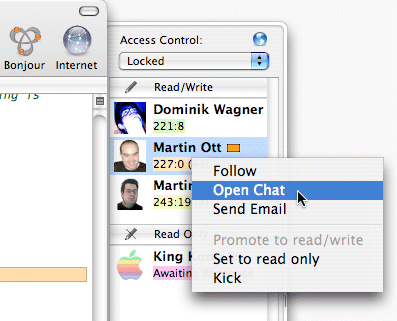
Some of Subethaedit’s features:
- Share documents with Bonjour
- Collaborating
- AppleScript menu and manipulate text with AppleScript
- Safari-powered live-updating HTML preview
- Autocompletion
- Splitview
- Integrates with FTP clients as external editor
- Customizable syntax highlighting
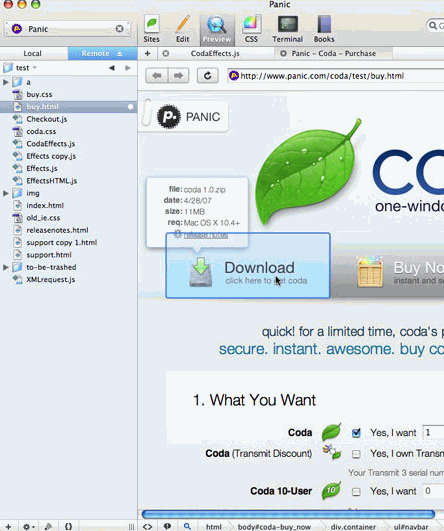
Panic Coda (Mac OS), a web development software rather than a source code editor, incorporates a licensed version of the SubEthaEdit engine, rather than having a custom one, to allow for sharing of documents over the Bonjour network. Coda also boasts a new Find/Replace mechanism, which allows users to do complex replaces using a method similar to regular expressions.
UltraEdit
Ultraedit (Win) UltraEdit is probably the most advanced and therefore not lightweight text editor. It is a plaintext, HTML and HEX editor and an advanced PHP, Perl, Java and JavaScript editor for programmers. Compared to other editors, Ultraedit also include regex capabilities, keyboard shortcuts, environment and workspace support, code folding, macros, SSH/Telnet, multiline find and replace and unicode support.
UltraEdit supports disk-based 64-bit file handling (standard) on all 32-bit Windows platforms. A very popular editor which is now released in its version 14. Ultraedit costs $49.95. If you are looking for a web-development focused editor with numerous advanced features Ultraedit is the first option to consider.
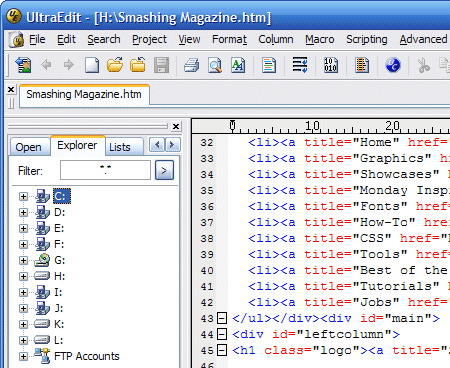
Some of Ultraedit’s features:
- Code Folding
- Unicode support
- Disk based text editing and large file handling - supports files in excess of 4GB, minimum RAM used even for multi-megabyte files
- Mulitline find and replace dialogs for all searches (Find, Replace, Find in Files, Replace in Files)
- 100,000 word spell checker, with foreign languages support (American English, British English, Dutch, Finnish, French, German, Hungarian, Italian, Spanish and Swedish)
- Syntax highlighting — configurable, pre-configured for C/C++, VB, HTML, Java, and Perl, with special options for FORTRAN and LaTex. Multiple word-libraries are available for free download.
- FTP client built in to give access to FTP servers with multiple account settings and automatic logon and save. (32-Bit Only) Includes support for SFTP (SSH2)
- SSH/Telnet window
- Project/workspace support
- Environment Selector - Provides predefined or user-created editing “environments” that remember the state of all of UltraEdit’s dockable windows, toolbars and more for user convenience.
- Integrated scripting language to automate tasks
- Configurable keyboard mapping
- Hexadecimal editor allows editing of any binary file, shows binary and ASCII view
- Named templates
- HTML toolbar preconfigured for popular HTML functions
Komodo Edit
Komodo Edit (cross-platform) Komodo Edit is an open-source scripting environment which was developed for programmers who need a multi-language editor with broad functionality, but not the features of an IDE, like debugging, DOM viewer, interactive shells, and source code control integration. The editor includes a full range of supported languages (Perl, PHP, Python, Ruby, Tcl) and platforms (Linux, Mac OS X, and Windows ). Like Komodo IDE, Komodo Edit also supports browser-side languages like JavaScript, CSS, HTML, and XML.
Considering that Komodo Edit is free and offers functionalities which aren’t available in commercial products, it is a very impressive professional editor for dynamic languages and definitely worth checking out. You may want to consider Komodo IDE (price: $295) which is a multi-platform, multi-language development environment for end-to-end dynamic web application development.
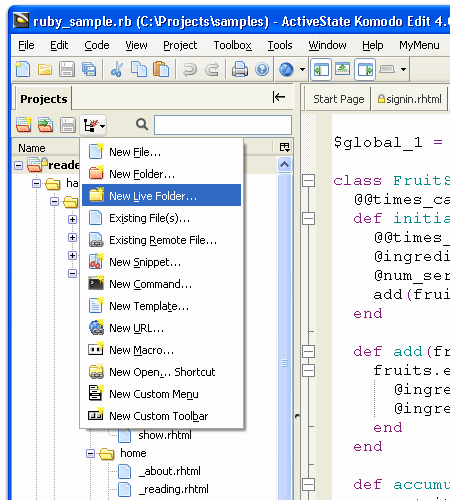
Some of Komodo Edit’s features:
- support for all major scripting languages
- in-depth autocomplete and calltips
- multi-language file support
- syntax coloring and syntax checking
- Vi emulation
- Emacs key bindings
- code snippets and code folding
- project manager
- XPI Extensions support provides the same capability as Firefox, with all standard Mozilla APIs
- multi-user support and many more.
Eclipse
Eclipse (Java / cross-platform) Eclipse is an open-source Java-based integrated development environment (IDE). Originally, Eclipse was meant to be used by Java developers, however, since users can extend its capabilities by installing numerous plug-ins, Eclipse is widely used by professional developers of all kind. For instance, plug-ins for C and C++ (CDT-project), Perl, PHP, ColdFusion, Ruby, Python and C# are available.
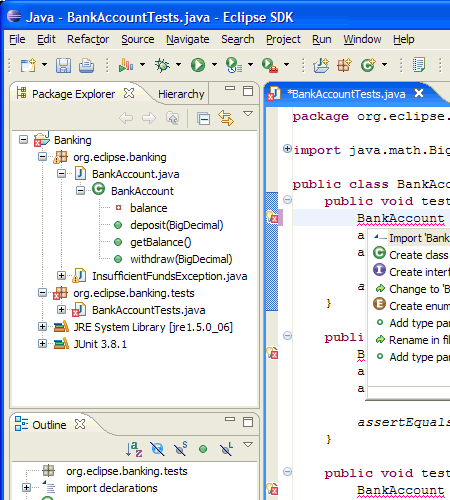
In Eclipse you will definitely find all features you would expect from a professional source sode editor. However, you will also find much more. Additionally, among nifty features of the IDE are advanced code completion, refactoring, content assist and parameter hints, snippets, advanced search, faster navigation, synchronization with CVS, actions saver (you can assign actions performed on a file each time its saved), advanced compare view, definition of team-wide settings for code clean ups (Clean Up profile), a Quick Fix assistant and many-many more. And to get the ultimate productivity boost, check out the Mylyn extension. Eclipse is a very powerful and flexible solution which should definitely be considered by professional developers.
TextMate
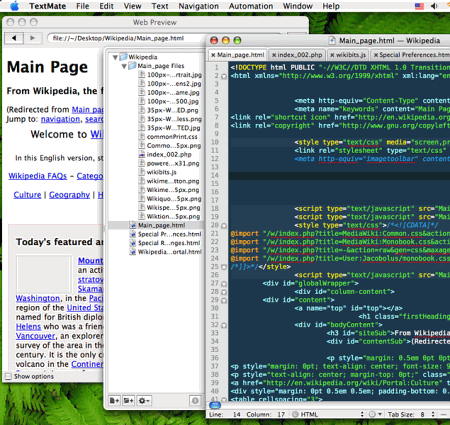
TextMate (Power PC / Intel Mac) TextMate is a high-end source code editor for Mac OS which looks damn sexy. Its integration of version control systems, recordable macros, regular expression search and replace (grep) and shell integration combine most useful features in one single interface.
What is distinctive for TextMate is the integration of scope selectors: a scope selector is a pattern much like a CSS selector which is matched against the scope of the caret (i.e. current context) and the outcome is either a match or a non-match. There are also powerful macros and downloadable bundles available.
Some of TextMate’s features:
- Ability to Search and Replace in a Project
- Clipboard History
- Completion of Words from Current Document
- CSS-like Selectors to Pinpoint the Scope of Actions and Settings
- Dynamic Outline for Working With Multiple Files
- File Tabs when Working With Projects
- Foldable Code Blocks
- Plug-able Through Your Favorite Scripting Language
- Recordable Macros With No Programming Required
- Run Shell Commands from Within a Document
- Support for Darcs, Perforce, SVK, and Subversion
- Support for More Than 50 Languages (incl. LaTeX integration)
- Switch Between Files in Projects With a Minimum of Key Strokes
- Themable Syntax Highlight Colors
- Visual Bookmarks to Jump Between Places in a File
HTML-Kit
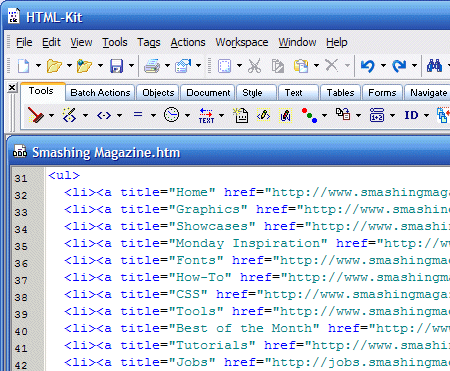
HTML-Kit (Win) HTML-Kit is a freeware full-featured editor designed to help HTML, XHTML and XML authors to edit, format, lookup help, validate, preview and publish web pages. Despite its name and the light download size, HTML-Kit is a multi-purpose tool that has support for several scripting and programming languages.
Features: macros, hotkeys, batch search and replace, wrapping selected text with snippets, auto/manual block indenting, auto backup files by appending a new extension or by making a copy in another folder, autosave, multiple methods of previewing, bookmarks, multi-line search and replace and more. Due to its features suite, HTML-Kit may be considered as a serious free alternative to Ultraedit.
Some of HTML-Kit’s features:
- more than 400 free plugins available for customizing and extending HTML-Kit (including ASP, CF, C#, iHTML, Java, JavaScript, JSP, Perl, PHP, Python, SQL etc.).
- multiple live preview modes
- code snippets
- Validate HTML, XML and CSS
- Actions Bar
- Integrate with Windows shell
- batch actions
- HTML Tidy
- auto backup and auto save
- TimeTracker
- Text to Speech Wizard
- UnicodePad
- FTP Workspace
Scriptly
Scriptly (Win) Scriptly is an extensive, almost overloaded freeware-code-editor for coding in HTML and PHP. The editor offers 7 styles of syntax highlighting, code completion, code consistency check, code inspector, tree view of the source code for HTML, PHP and CSS, browser preview in IE and Firefox, print preview and image editing.
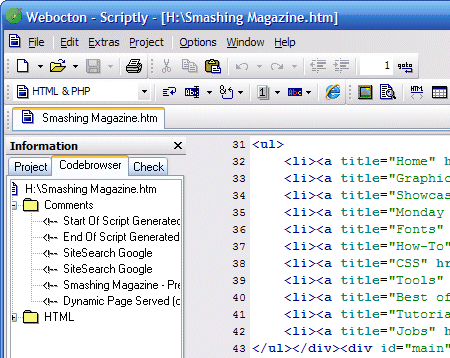
Hex-viewer, diff viewer, multi-file search and replace, table-assistant and MySQL-assistant are available as well. Developers can also set hotkeys, use code snippets and employ the project management tool, including to-do-notes. Hence developers get almost everything they might ever need — for free. A really powerful freeware alternative to commercial products.
BBEdit
BBEdit (PowerPC and Intel Macs) Like Ultraedit for Windows, BBEdit is one of the well-known professional source code-editors for Mac-users. The editor was created with focus on web-authors and software-developers. Among interesting features of BBEdit are text factories which allow to automate repetitive text-processing tasks and Preview Server support you can use to preview pages which use PHP, JSP, or other server-side processing techniques.
Apart from that, file comparison, enhanced source control management (integrated support for the Subversion and Perforce allows to work with multiple repositories) and extensible syntax coloring support available. BBEdit costs $125. If you are using Mac, BBEdit is definitely a good option to consider. There is a 30-days trial version available.
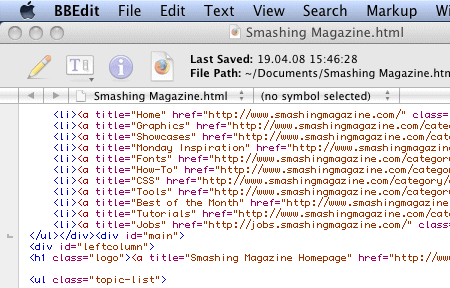
Some of BBEdit’s features:
- Automator support
- Transparently reads and writes gzip (.gz) files
- Transparently reads and writes DOS, Unix, and Mac files
- Splittable editing windows
- Automated auto-save
- Extensive FTP and SFTP support
- Run Unix scripts and filters
- Native Mac OS X spelling checker
- Comprehensive AppleScript support: scriptable, recordable, and attachable
Screem
Screem (Linux) Screem is a web development environment for HTML/XML-documents. It’s purpose is to increase productivity when constructing a site, by providing quick access to commonly used features. While it is written for use with the GNOME desktop environment in mind it does not specifically require you to be running it, just have the libraries installed.
Screem has some nifty features such as advanced CVS support, broken link checking, intelligent code completion and support for regular expression. You can also copy some content from a web browser and have the html that was selected pasted, rather than just the text. The latest version was released in 2005, but it’s still worth considering when using Linux.
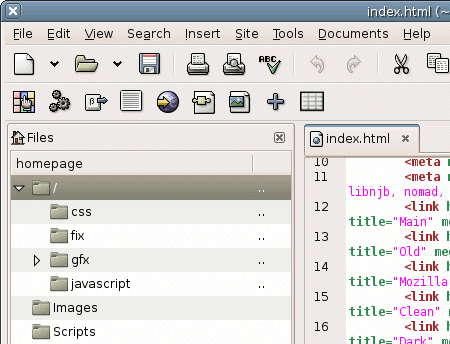
Some of Screem’s features:
- Broken Link Checking
- CTags Support
- CVS Support
- Document Structure Display
- Helper Applications
- Inline Tagging
- Page Previewing
- Page Templates
- Spell Checking
- Syntax Highlighting
- Wizards
CSSEdit
CSSEdit (Mac) While most editors presented in this overview are (X)HTML- or PHP-oriented, CSSEdit focuses on CSS, offering a solid foundation for standards-based web-designs. Among other things, CSSEdit offers real-time styling: even when your dynamic Web App is powered by a complex database or makes use of AJAX, you can style and analyze it without the hassle of uploading or refreshing.
The editor also uses intelligent CodeSense, so instead of suggesting a list of predefined keywords, it actually analyzes your Style Sheet and behavior to offer smart, context-sensitive suggestions. A fresh, nice-looking, intuitive and powerful application for editing stylesheets. Price: 29.95 €.
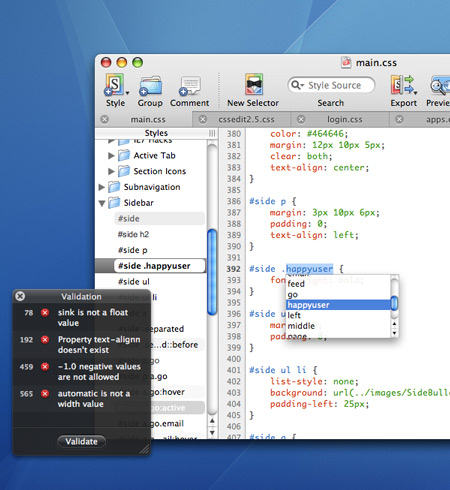
Some of CSSEdit’s features:
- live preview
- Selector Builder lets you describe what elements to style in plain English.
- elegant visual interface
- intelligent source editing
- X-ray Inspector shows you what styles apply to the web page
- Validation Inspector lets you validate your style sheets against W3C standards
- Milestones integration
Arachnophilia
Arachnophilia (Java / all) Arachnophilia is a freeware Java-based legacy editor which was first released in the mid 90s. The tool is a powerful programming editor with some special HTML production and editing features. The editor has RegExp functions and the text compare functionality. It doesn’t offer something revolutionary, but it is cross-plattform. The last version 5.3 was released in March 2008.
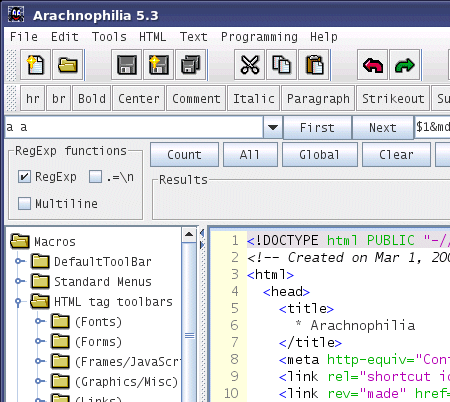
Some of Arachnophilia’s features:
- HTML Validate will help you find and correct structural errors in your pages
- Code Beautifier
- Spell Checker
- Advanced FTP Operations
CoffeeCup HTML Editor
CoffeeCup (Win) This editor was first released in 1996 and was regularly updated since then. The last version offers decent HTML & CSS code completion, document dependency check and 40 bullet proof CSS/XHTML layouts. The built-in WYSIWYG-editor should be avoided as it is quite quirky and doesn’t produce meaningful code. The editor itself, however, is focused on producing clean and valid markup. Powerful, but no amazing. Price: $49. A trial-version is available (Nagware).
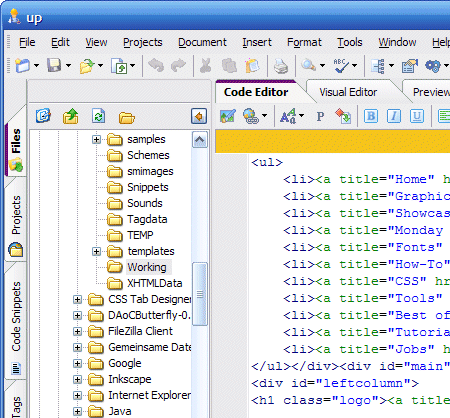
Some of Coffeecup’s features:
- HTML & CSS Code Completion
- Quick Tag Help
- Project Management
- Graphics Collections
- Wizards
- Built-in SiteMapperCreator
Smultron
Smultron (Mac) Smultron is a free text editor for Mac OS X Leopard 10 with useful features one won’t find in any alternative — even commercial — products. E.g. if you don’t want to be disturbed by other applications or the desktop you can let Smultron cover the whole screen to let you concentrate on your work. You can preview HTML-files directly in Smultron and save snippets of text and insert them with a shortcut.
Smultron can also use regular expressions and it can run commands and scripts. It can be used for a whole variety of needs — particularly, for web programming or script editing. Intuitive and powerful.
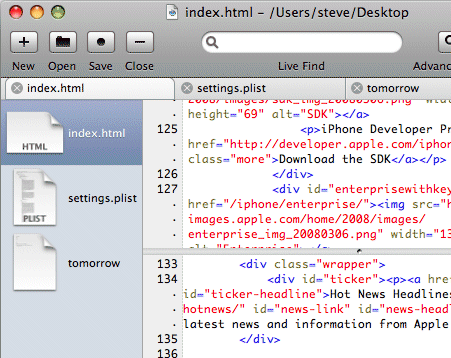
Some of Smultrons features:
- split window
- snippets
- AppleScript support (limited)
- support for the ODB Editor Suite
- auto-completion
- command-line utility
EditPlus
EditPlus (Win) EditPlus is a lightweight text editor, HTML editor and source code editor for Windows. It can serve as a good Notepad replacement, but it also offers many powerful features for Web page authors and programmers. A distinctive feature of EditPlus is its support for user-defined tools, help files and keystroke recording files. The output of tool execution can be captured in the Output Window, so that you can double-click the error line to automatically load the file and locate the cursor to that line.
Among other things you can also use multi-line regex-based find & replace, auto indentation, code folding, compiler integration, shell integration and an integrated web browser. The last version was released in April 2008. Price: $35. There is also an evaluation version available.
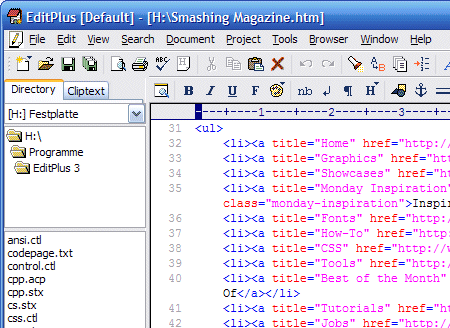
Some of EditPlus’ features:
- integrated Web browser for previewing
- Ruler
- Auto-completion
- Powerful search and replace
- Multiple undo/redo
- Spell checker
- Customizable keyboard shortcuts
EmEditor
EmEditor (Win) EmEditorText Editor is a lightweight yet extendable and simple text editor for Windows. Compared to other editors, it is very quick, highly customizable and portable. E.g. you can easily set up a removable USB drive to copy project and configuration files to a new machine. A useful feature of EmEditor is its ability to record and play keystrokes and mouse operation against other applications. This capability allows you to automate certain tasks, e.g. when testing your applications.
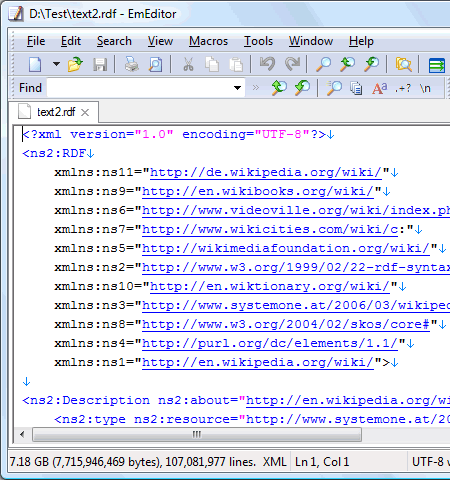
The Shell Object is used to send keystroke and mouse activities and to enumerate or find top-level windows. Furthermore, the editor supports Unicode and macros. EmEditor is certified for Windows Vista and can quickly open huge files — up to 248 GB or 2.1 billion lines — with only a little memory. Price: $39.99.
PageSpinner
PageSpinner (Mac) PageSpinner is an easy-to-use, professional web page editor for Mac OS which supports HTML, XHTML, PHP, SSI, CSS with a built-in JavaScript generator. Among other features PageSpinner has a built-in FTP support, customizable syntax color-coding of JavaScript, PHP, Cascading Style Sheets and the integration with Apache and the Terminal in OS X.
PageSpinner also supports Include files that enable you to change common sections on all pages in a folder or a site, by simply editing a single include file. Price: $29.95. The editor can be used for free 21 days.
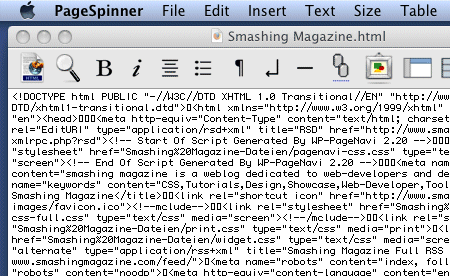
Some of PageSpinner’s features:
- built-in FTP support
- customizable syntax color-coding
- support for Server Side Includes,
- integration with Apache and the Terminal in OS X
- Fully customizable Live previews
- HTML validation
- A Tag Clipboard
- AppleScript support
HateML Pro
HateML Pro (Win) HateML Pro is a lightweight freeware editor and a powerful PHP IDE with support for (X)HTML and CSS for both professional and novice users alike. It was designed with focus on helping to accelerate the process of editing and debugging web applications, php scripts and XHTML sites. The editor offers a standard suite for efficient web-development: automatic syntax checker, intelligent code-completion tool (IntelliSense & CodeHint), PHP debugger, built-in FTP-client, MySQL Manager and an integrated preview.
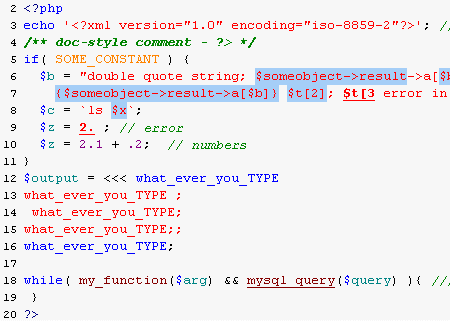
Some of HateML Pro’s features:
- Advanced Syntax Highlighting
- Automatic syntax checker
- IntelliSense & CodeHint
- Debugger & Profiler
- CodeBrowser
- FTP Client
- MySQL Manager (plugin)
Emacs
Emacs (22 operating systems, among them Linux, Mac OS X and Windows) Emacs (Editor MACroS) is the classic and legacy editing application among Linux-editors. It is the oldest (1976) and the most authoritative editor presented in this overview. There is a large number of extensions that add further functionalities, including a project planner, mail and news reader, debugger interface, calendar, and more.
The editor is popular for its built-in macros and powerful keyboard shortcuts that make editing text documents very efficient. However, you need to climb the learning curve which is quite time-consuming and isn’t easy to achieve for beginners. You can also consider GNU Emacs and XEmacs which are both advanced, open source and cross plattform versions of EMacs. Emacs is freeware and is released under GNU-License. An advanced option for hardcore-programmers.
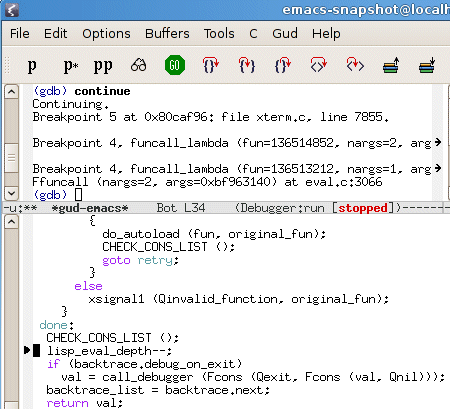
Some of Emacs’ features:
- Many Languages
- Complete built-in documentation, including a tutorial for new users.
- Highly customizable, using Emacs Lisp code or a graphical customization interface.
- Content-sensitive editing modes
Notepad++
Notepad++ (Win) A free, mature source code editor and Notepad replacement, which supports several programming languages, running under the MS Windows environment. The editor can be considered as an advanced yet simple text-editor which is extremely customizable and offers most functionalities which are available in high-end commercial products. Alternative: Notepad 2.
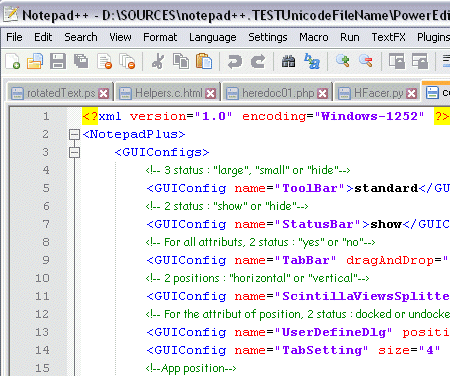
Some of Notepad++’s features:
- Syntax Highlighting and Syntax Folding
- User Defined Syntax Highlighting
- Auto-completion
- Multi-Document
- Regular Expression Search/Replace supported
- Full Drag’n’ Drop supported
- Zoom in and zoom out
- Multi-Language environment supported
- Macro recording and playback
NoteTab
NoteTab (Win) NoteTab is a mature text and HTML editor which has been first released in 1998. This application does it all: it can handle a stack of huge files; it has advanced formatting features, offers multi-line global replacements and corrects your spelling mistakes. There are 3 versions of NoteTab. If you are going to use NoteTab, it’s reasonable to only use the Pro Version which costs $29,95.
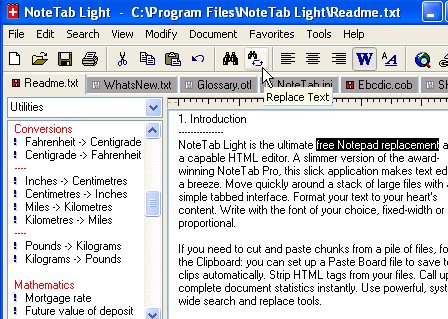
Some of NoteTab’s (Pro Version) features:
- Open and edit many documents at once
- Multi-level undo/redo
- Very fast text processing
- Highlights URLs and HTML tags
- Supports document templates
- Multilingual spell checker and thesaurus
- Supports regular expression search/replace
- Programmable - add your own features
PSPad
PSPad (Win) PSPad is another freeware source code editor which should be in every review of professional editing applications. As a web authoring editor, PSPad contains syntax highlighting, macros, clip files and templates. Integrated HEX Editor, Project support, FTP Client, Macro Recorder, File Search/Replace, Code Explorer, Code page conversion are available as well. PSPad a;sp catches and parses compiler output, and can compare different source code versions. PSPad is Freeware.
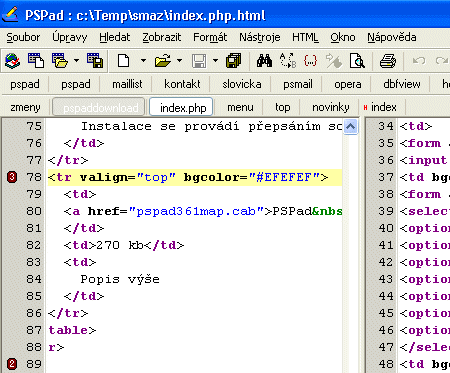
Some of PSPad’s features:
- work with several documents at the same time (MDI)
- FTP client - edit files directly from the web
- macro recorder to record, save and load macros
- text difference with color-coded differences highlighted
- templates (HTML tags, scripts, code templates…)
- installation contains templates for HTML, PHP, Pascal, JScript, VBScript, MySQL, MS-Dos, Perl,…
- syntax highlighting according to file type
- user-defined highlighters for exotic environments
- auto correction
- intelligent internal HTML preview using IE and Mozilla
- full HEX editor
- external compiler with output catcher, log window and log parser for an “IDE” effect in every environment
- integrated TiDy library for formatting and checking HTML code, conversion to CSS, XML, XHTML
- export with highlight to RTF, HTML, TeX format to file or clipboard
- reformat and compress HTML code, tag character case change
- Code explorer for Pascal, C/C++, INI, HTML, XML, PHP and more in development
- spell checker
- internal web browser with APACHE support
jEdit
jEdit (Java / all) jEdit is, together with Arachnophilia, another cross-platfrom source text editor for professional coding. The editor supports over 130 file types. The current line is highlighted; the source text is divided into blocks such that the beginning and the end of braces are directly visible. Copy-Paste-friends have an unlimited number of clipboards. You can split windows in multiple viewing modes and save the configuration for further projects. jEdit is free — it is released under GPL 2.0 license. Very powerful, however not that easy to get used to first.
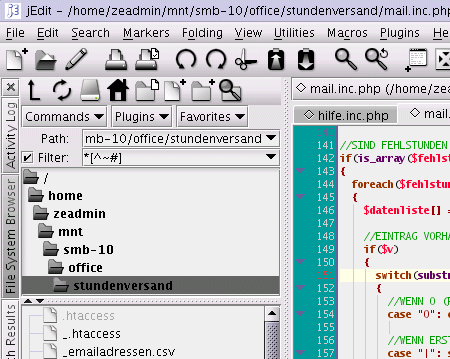
Some of jEdit’s features:
- Built-in macro language; extensible plugin architecture. Dozens of macros and plugins available.
- Plugins can be downloaded and installed from within jEdit using the “plugin manager” feature.
- Auto indent, and syntax highlighting for more than 130 languages.
- Supports a large number of character encodings including UTF8 and Unicode.
- Folding for selectively hiding regions of text.
- Word wrap.
Quanta Plus
Quanta Plus (Linux) Quanta is widely recognized as the most advanced free software web development environment. But a lot of people do not know that Quanta is a friendly editor for all XML documents. You can even import DTDs, write scripts to manage editor contents, visually create dialogs for your scripts and assign script actions to nearly any file operation in a project. Quanta is based on KDE and was released under GPL.
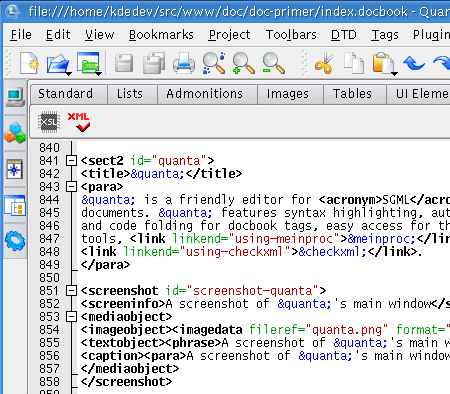
Some of Quanta’s features:
- built-in FTP support
- customizable syntax color-coding
- support for Server Side Includes,
- integration with Apache and the Terminal in OS X
- Fully customizable Live previews
- HTML validation
- A Tag Clipboard
- AppleScript support
HateML Pro
HateML Pro (Win) HateML Pro is a lightweight freeware editor and a powerful PHP IDE with support for (X)HTML and CSS for both professional and novice users alike. It was designed with focus on helping to accelerate the process of editing and debugging web applications, php scripts and XHTML sites. The editor offers a standard suite for efficient web-development: automatic syntax checker, intelligent code-completion tool (IntelliSense & CodeHint), PHP debugger, built-in FTP-client, MySQL Manager and an integrated preview.
Some of HateML Pro’s features:
- Advanced Syntax Highlighting
- Automatic syntax checker
- IntelliSense & CodeHint
- Debugger & Profiler
- CodeBrowser
- FTP Client
- MySQL Manager (plugin)
Emacs
Emacs (22 operating systems, among them Linux, Mac OS X and Windows) Emacs (Editor MACroS) is the classic and legacy editing application among Linux-editors. It is the oldest (1976) and the most authoritative editor presented in this overview. There is a large number of extensions that add further functionalities, including a project planner, mail and news reader, debugger interface, calendar, and more.
The editor is popular for its built-in macros and powerful keyboard shortcuts that make editing text documents very efficient. However, you need to climb the learning curve which is quite time-consuming and isn’t easy to achieve for beginners. You can also consider GNU Emacs and XEmacs which are both advanced, open source and cross plattform versions of EMacs. Emacs is freeware and is released under GNU-License. An advanced option for hardcore-programmers.
Some of Emacs’ features:
- Many Languages
- Complete built-in documentation, including a tutorial for new users.
- Highly customizable, using Emacs Lisp code or a graphical customization interface.
- Content-sensitive editing modes
Notepad++
Notepad++ (Win) A free, mature source code editor and Notepad replacement, which supports several programming languages, running under the MS Windows environment. The editor can be considered as an advanced yet simple text-editor which is extremely customizable and offers most functionalities which are available in high-end commercial products. Alternative: Notepad 2.
Some of Notepad++’s features:
- Syntax Highlighting and Syntax Folding
- User Defined Syntax Highlighting
- Auto-completion
- Multi-Document
- Regular Expression Search/Replace supported
- Full Drag’n’ Drop supported
- Zoom in and zoom out
- Multi-Language environment supported
- Macro recording and playback
NoteTab
NoteTab (Win) NoteTab is a mature text and HTML editor which has been first released in 1998. This application does it all: it can handle a stack of huge files; it has advanced formatting features, offers multi-line global replacements and corrects your spelling mistakes. There are 3 versions of NoteTab. If you are going to use NoteTab, it’s reasonable to only use the Pro Version which costs $29,95.
Some of NoteTab’s (Pro Version) features:
- Open and edit many documents at once
- Multi-level undo/redo
- Very fast text processing
- Highlights URLs and HTML tags
- Supports document templates
- Multilingual spell checker and thesaurus
- Supports regular expression search/replace
- Programmable - add your own features
PSPad
PSPad (Win) PSPad is another freeware source code editor which should be in every review of professional editing applications. As a web authoring editor, PSPad contains syntax highlighting, macros, clip files and templates. Integrated HEX Editor, Project support, FTP Client, Macro Recorder, File Search/Replace, Code Explorer, Code page conversion are available as well. PSPad a;sp catches and parses compiler output, and can compare different source code versions. PSPad is Freeware.
Some of PSPad’s features:
- work with several documents at the same time (MDI)
- FTP client - edit files directly from the web
- macro recorder to record, save and load macros
- text difference with color-coded differences highlighted
- templates (HTML tags, scripts, code templates…)
- installation contains templates for HTML, PHP, Pascal, JScript, VBScript, MySQL, MS-Dos, Perl,…
- syntax highlighting according to file type
- user-defined highlighters for exotic environments
- auto correction
- intelligent internal HTML preview using IE and Mozilla
- full HEX editor
- external compiler with output catcher, log window and log parser for an “IDE” effect in every environment
- integrated TiDy library for formatting and checking HTML code, conversion to CSS, XML, XHTML
- export with highlight to RTF, HTML, TeX format to file or clipboard
- reformat and compress HTML code, tag character case change
- Code explorer for Pascal, C/C++, INI, HTML, XML, PHP and more in development
- spell checker
- internal web browser with APACHE support
jEdit
jEdit (Java / all) jEdit is, together with Arachnophilia, another cross-platfrom source text editor for professional coding. The editor supports over 130 file types. The current line is highlighted; the source text is divided into blocks such that the beginning and the end of braces are directly visible. Copy-Paste-friends have an unlimited number of clipboards. You can split windows in multiple viewing modes and save the configuration for further projects. jEdit is free — it is released under GPL 2.0 license. Very powerful, however not that easy to get used to first.
Some of jEdit’s features:
- Built-in macro language; extensible plugin architecture. Dozens of macros and plugins available.
- Plugins can be downloaded and installed from within jEdit using the “plugin manager” feature.
- Auto indent, and syntax highlighting for more than 130 languages.
- Supports a large number of character encodings including UTF8 and Unicode.
- Folding for selectively hiding regions of text.
- Word wrap.
Quanta Plus
Quanta Plus (Linux) Quanta is widely recognized as the most advanced free software web development environment. But a lot of people do not know that Quanta is a friendly editor for all XML documents. You can even import DTDs, write scripts to manage editor contents, visually create dialogs for your scripts and assign script actions to nearly any file operation in a project. Quanta is based on KDE and was released under GPL.
Some of Quanta’s features:
- Templates
- Plugins
- Integrated preview
- User toolbars and actions
- Project management
Taco HTML Edit
Taco HTML Edit (Mac) A free software for Mac OS X. It is designed to simplify the process of creating attractive web sites that render correctly in various browsers. Taco HTML Edit includes tag wizards, which generate valid HTML markup. Taco HTML Edit also helps find errors in your HTML markup, and it can also check spelling in your documents.
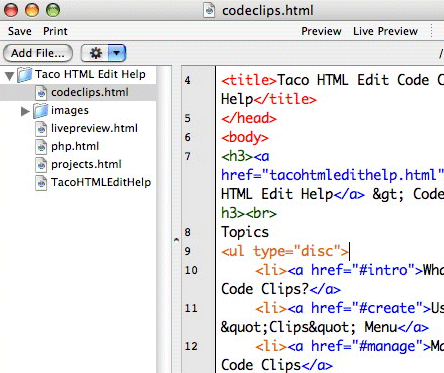
Some of Taco’s features:
- Code Clips
- Insert Wizards
- Live Preview
- Syntax Checking
- Tag Coloring
TSW WebCoder
TSW WebCoder (Win) With a very strong focus on HTML, CSS, PHP/MySQL, but also with features which cover JavaScript, XML and ASP.NET, in TSW WebCode you probably get all features a modern source editor for web-development really needs.
You can use code inspector to directly preview the properties of a given element, FTP-manager allows you to upload file changes directly to the server. With Project ToDo-list you can check what is done and what is needed to be done. Also, a browser preview option (for IE and Firefox) provides you with the result of your work.
Finally, you can verify and validate your code with Integrated W3C validation and real syntax check for PHP and keep track of your projects with ease, using the advanced project management. A very compact and powerful source code editor. WebCoder 2007 can be purchased for $59.99 for personal use and $89.99 for commercial use. A trial-version is available.
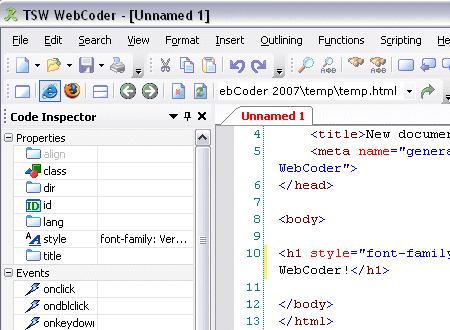
Some of TSW WebCoder’s features:
- Built-in FTP client
- CodeFolding
- CodeSnippets
- CSS Inspector
- MySQL database client
- Search & replace in multiple files
- Syntax coloring and wordwrap
TextPad
TextPad (Win) A general purpose editor for plain text files. Really easy to use, with most of the features a power user requires. Whether you simply need a powerful replacement for Notepad, a tool for editing your web pages, or a programming IDE, TextPad does what you want, the way you would expect.
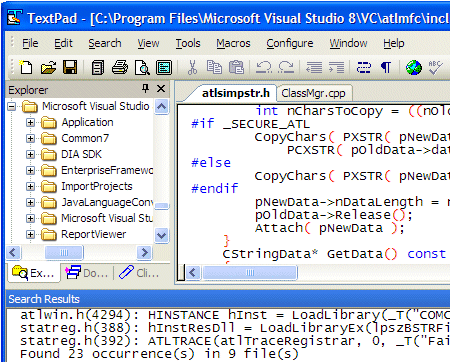
Some of TextPad’s features:
- Huge files can be edited, up to the limits of virtual memory.
- English, French, German, Italian, Polish, Portuguese and Spanish user interfaces.
- A spelling checker with dictionaries in 10 languages.
- Multiple files can be simultaneously edited, with up to 2 views per file.
- Warm Start feature lets you restart exactly where you left off.
- Text can be automatically word-wrapped at the margin, or at a specified column, if it does not fit on a line.
- Unlimited undo/redo capability.
- A keystroke macro recorder, with up to 16 active macros.
- Toolbar with fly-by usage hints, and an active status bar.
- A powerful search/replace engine using UNIX-style regular expressions, with the power of editor macros.
- A built in file manager for fast file copying, renaming, deleting etc.
- Viewer for binary files using a hexadecimal display format.
- Built in file comparison utility, and up to 16 user-defined tools with argument macros.
Vim
Vim (all) Vim (Vi IMproved), first released by Bram Moolenaar in 1991 for the Amiga computer, is a legend. It is a highly configurable console text editor built to enable efficient text editing. It is an improved version of the vi editor distributed with most UNIX systems. The editor is often called a “programmer’s editor” for keyboard macros and powerful set of programmer’s tools and it is so useful for programming that many consider it an entire IDE. Like vi, Vim’s interface is based not on menus or icons but on commands given in a text user interface.
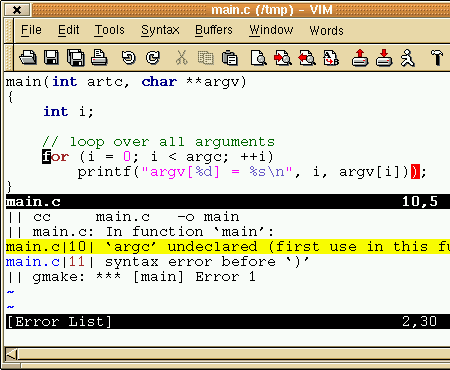
Vim has derived from Vi which looks pretty nasty although is pretty powerful. You may want to check out gVim or gVim Portable for Windows (with graphical user interface) and MacVim for the Mac.
Vim is extremely powerful. With this editor you can do everything you might ever think of. Vim isn’t simple, it isn’t intuitive and it isn’t user-friendly: it is a tool, the use of which must be learned. A nice application to start becoming a coding ninja with.
- syntax highlighting for over 200 languages (you can define your own syntax)
- Edit-Compile-Fix: You edit a program, type “:make” and Vim shows the error messages in a window.
- highlighting matches: when you search for a pattern, all matches found can be highlighted.
- you can map keys, change the colors, add new commands, use scripts
- completion, comparison and merging of files (vimdiff)
- extended regular expressions
- scripting languages (both native and through alternative scripting interpreters such as Perl, Python, Ruby, Tcl, etc.)
- folding: a range of lines can be hidden, and one line displayed instead. This gives a quick overview of what a file contains.
- editing of compressed or archived files in gzip, bzip2, zip, and tar format and files over network protocols such as SSH, FTP, and HTTP
- session state preservation
- unicode and other multi-language support
- trans-session command
- cursor position histories


