Smashing Magazine - we smash you with the information that will make your life easier. really.

Table of Contents: Creative Examples

Advertisement

Table of contents is often considered to be one of the most unspectacular design elements ever invented. Because of its simple, usual form, table of contents is often not given the attention it may deserve — after all, it is just a list of the parts of a book or document organized in the order in which the parts appear. But why not use exactly that and surprise the reader of a booklet, brochure, annual report or a book with some beautiful and original table of contents? In fact, many creative approaches are possible. And this post attempts to prove exactly that.

This post showcases creative and/or beautiful tables of contents. We have tried to include creative, visually appealing and interesting design solutions. Hopefully, everybody will find something interesting and unusual for herself or himself. Please take a look at the references section in the end of the article — there you may find further examples of interesting and unusual tables of contents.

You may want to take a look at our related posts

Please notice: some photos look not beautiful at all — here the idea matters more than the quality of the screenshot. The showcased tables of contents aren’t necessarily useful in practice as they may be hard to read; they should serve as the inspiration for your future works and show you that even in the design of table of contents some unusual approaches are possible.

Creative and beautiful examples

So how beautiful or creative can a table of contents be?

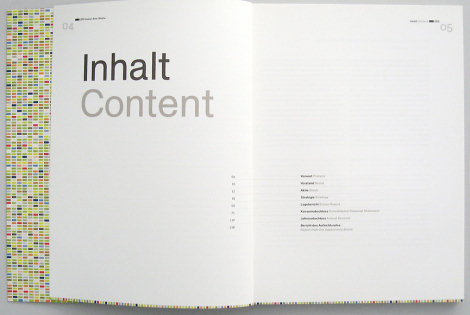
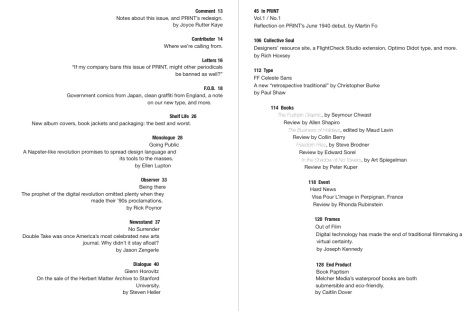
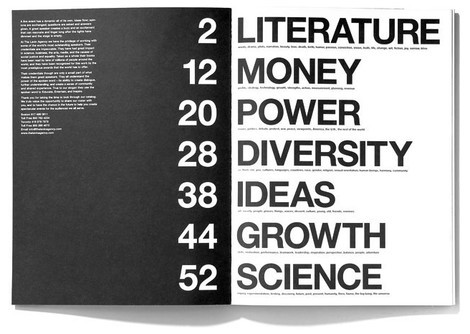
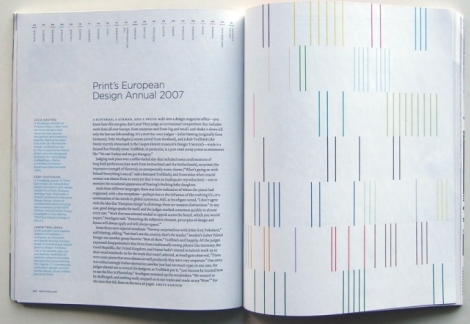
PRINT Magazine Spread: Table of contents
54 in Table of Contents: Creative Examples

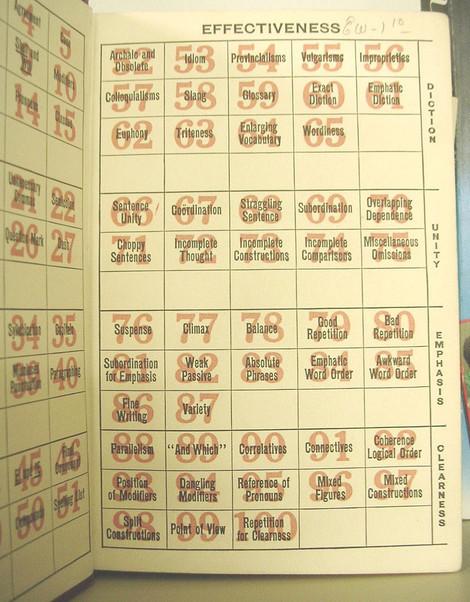
Guide to grammatical errors
“Interesting table-of-contents page in a 1940s grammar guide, found in a thrift store in Roswell.”
13 in Table of Contents: Creative Examples

Table of contents

45 in Table of Contents: Creative Examples

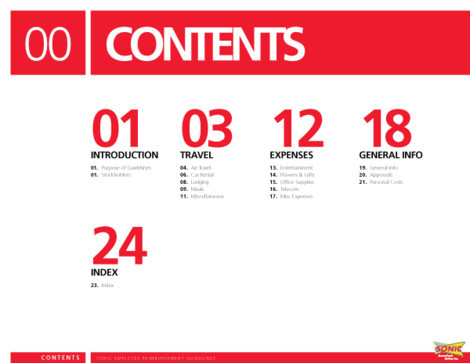
Sonic Travel Guide
Illustrated section heads and selected pages from the Sonic Travel Guide book. Content pages are absent as they contain internal information about the organization. Designed by Jenkin Hammond.
1 in Table of Contents: Creative Examples

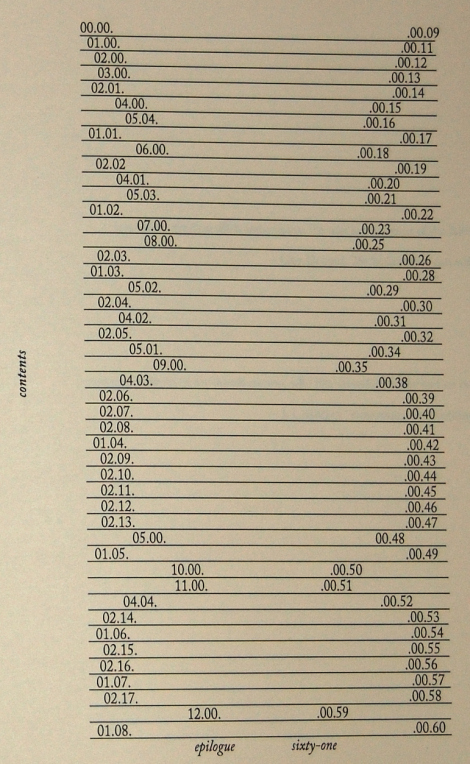
Be somebody
Acknowledgements, front matter, and table of contents from Lester’s Be Somebody (2008, Effing Press).
38 in Table of Contents: Creative Examples

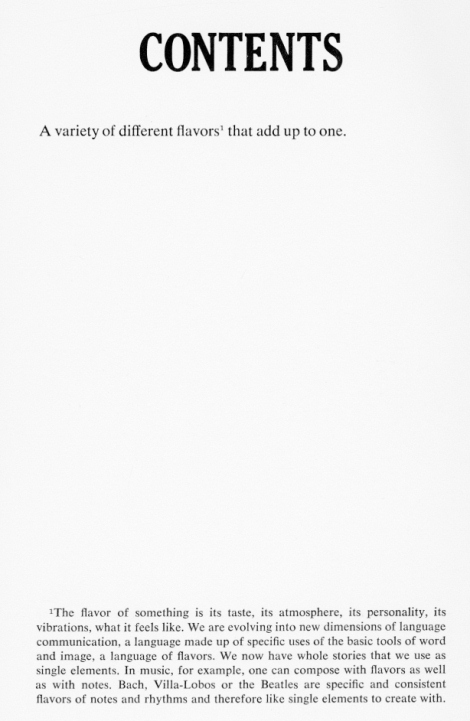
Flavors
“Flavors” Mason Williams. Doubleday &Company, 1970 (design: Mason Williams).
28 in Table of Contents: Creative Examples

Table of contents: Содержание

55 in Table of Contents: Creative Examples

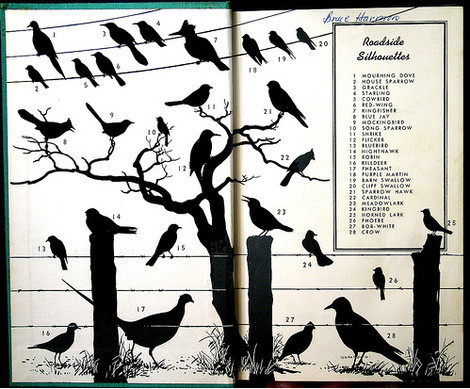
Peterson
The inside cover of A Field Guide to the Birds (Peterson 1934).
52 in Table of Contents: Creative Examples

Annual report

7 in Table of Contents: Creative Examples

indice de obras

22 in Table of Contents: Creative Examples

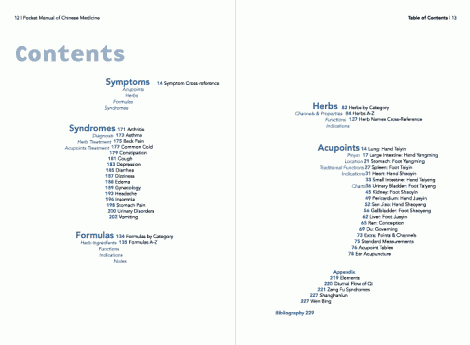
The Pocket Manual of Chinese Medicine
Sway in Table of Contents: Creative Examples

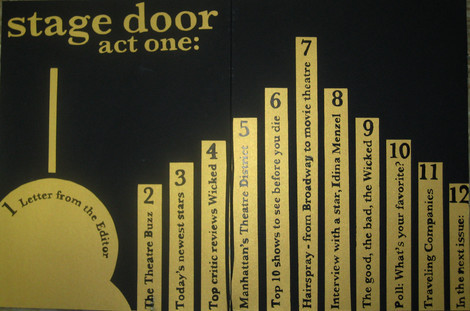
Stage door
All of the lettering except or Stage Door act one, is pen and ink.
43 in Table of Contents: Creative Examples

Table of Contents

6 in Table of Contents: Creative Examples

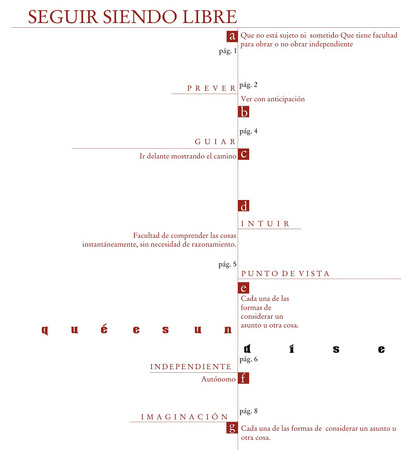
Indice

21 in Table of Contents: Creative Examples

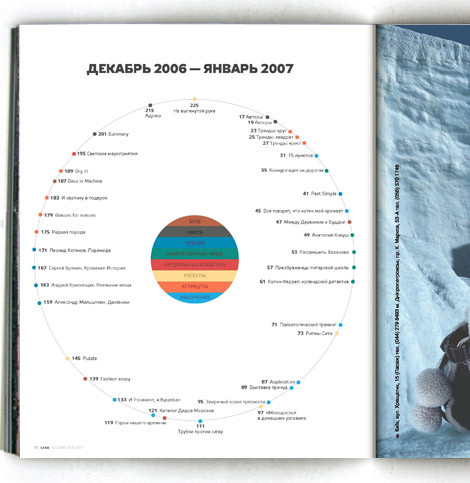
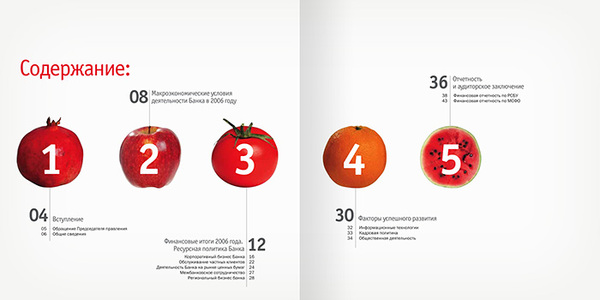
Annual report for SB bank
Designed by Danil Kryvoruchko.
57 in Table of Contents: Creative Examples

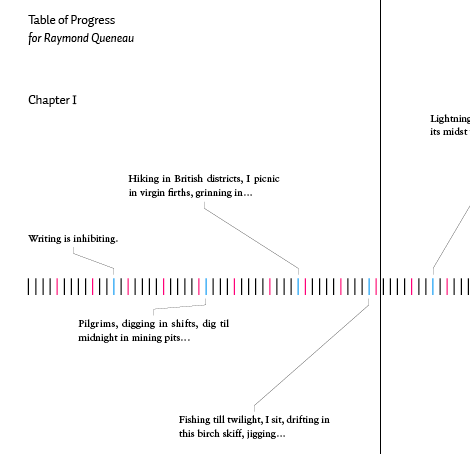
Table of progress

Vir in Table of Contents: Creative Examples

Restart
Universe/Rizzoli, 2001. Design: Christian Küsters.
32 in Table of Contents: Creative Examples

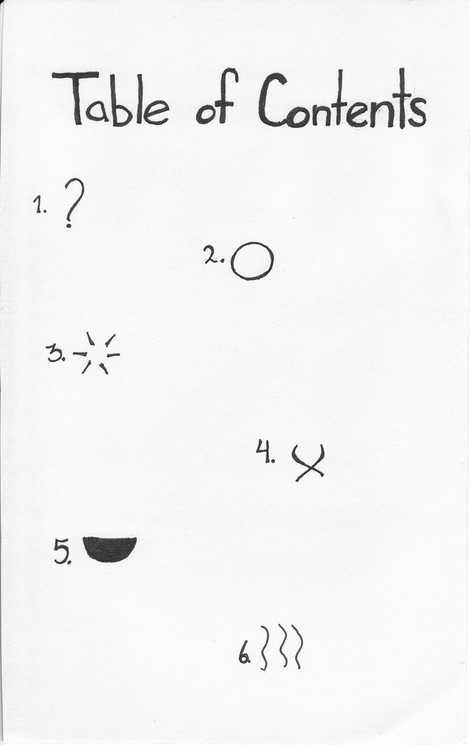
“Sense, Memory” Table of Contents
“Ink. I want to use symbols to describe each of the pages content. I think I did an adequate job. In order: Introduction, Sight, Sound, Touch, Taste, Smell. The epilogue was included after this was made, but I felt it could easily be a back cover.”
40 in Table of Contents: Creative Examples

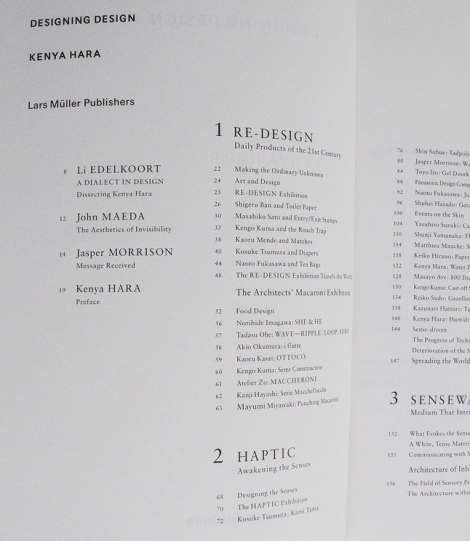
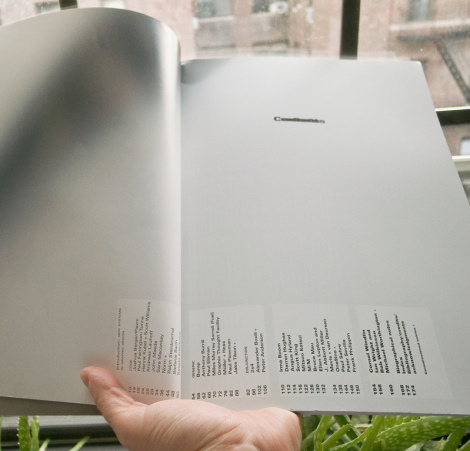
Designing Design by Kenya Hara

33 in Table of Contents: Creative Examples

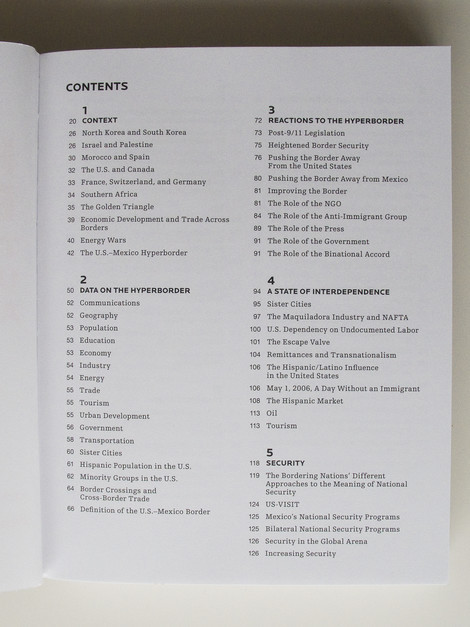
Hyperborder: The Contemporary U.S. – Mexico Border and It’s Future by Fernando Romero
34 in Table of Contents: Creative Examples

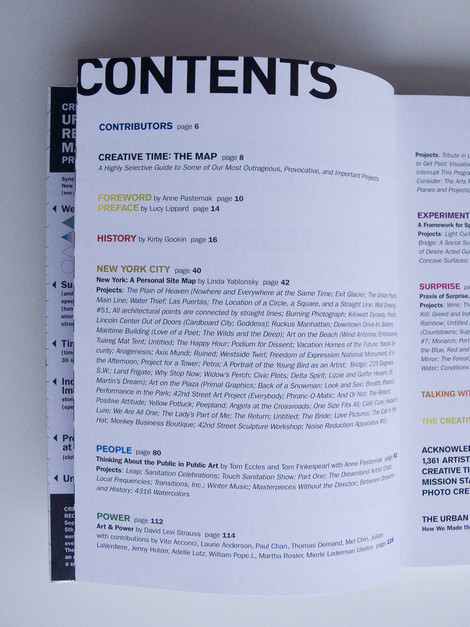
Creative Time: The Book by Anne Pasternak and Lucy Lippard
37 in Table of Contents: Creative Examples

Examples with leaders

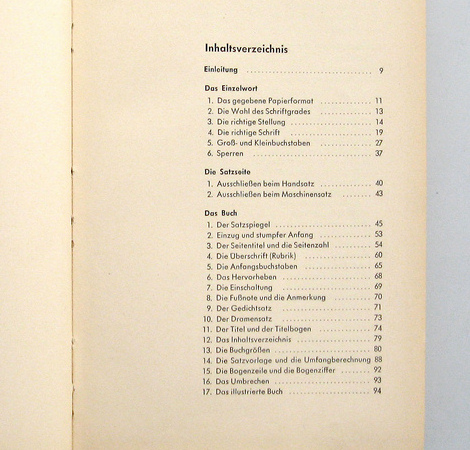
If the page numbers appear after the heading text, they might be preceded by characters called leaders, usually dots or periods, that run from the chapter or section titles on the opposite side of the page, or the page numbers might remain closer to the titles. In some cases, the page number appears before the text.

Book Paul Renner 1948
A classic.
10 in Table of Contents: Creative Examples

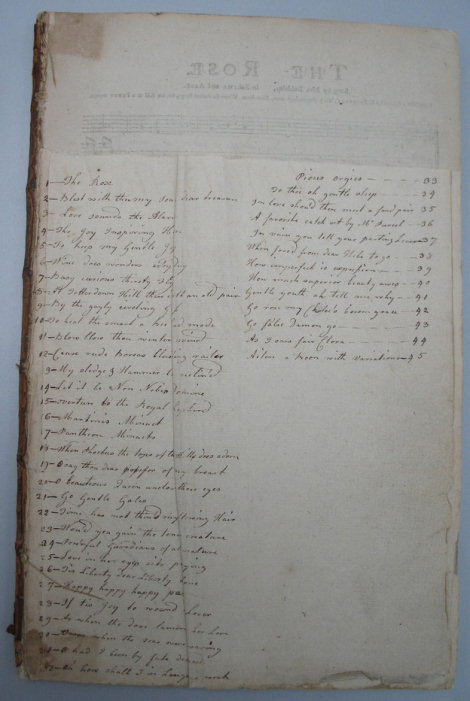
Endsheet table of contents
Handwriting in use. Why not?
99 in Table of Contents: Creative Examples

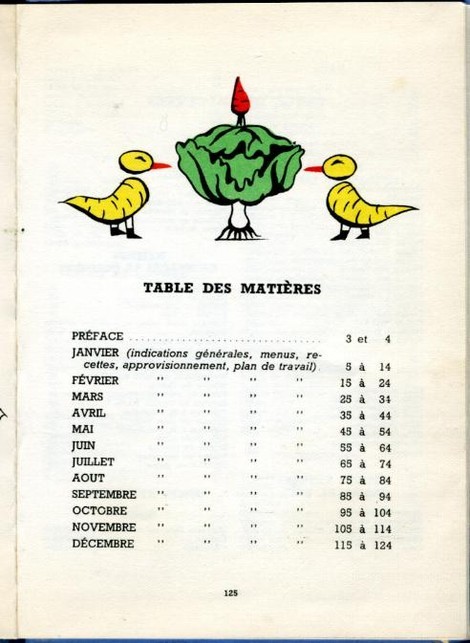
La cuisine au fils des mois by, Suzanne LABOUREUR Table
50 in Table of Contents: Creative Examples

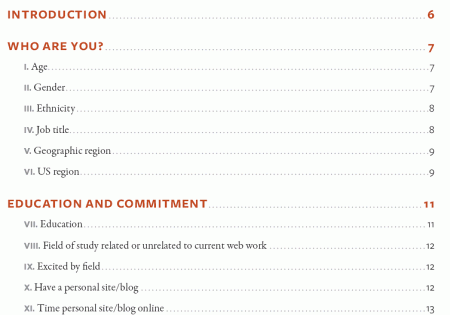
A List Apart 2007 Survey Results
In April 2007, A List Apart and An Event Apart conducted a survey of people who make websites. The results represent the first data ever collected on the business of web design and development as practiced in the U.S. and worldwide.
56 in Table of Contents: Creative Examples

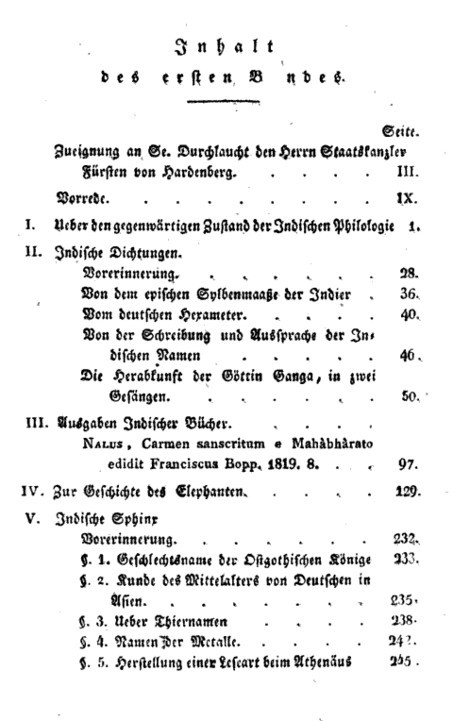
A. W. von Schlegel
A. W. von Schlegel: Indische Bibliothek. Bd. 1 (1823). Inhaltsverzeichnis.
14 in Table of Contents: Creative Examples

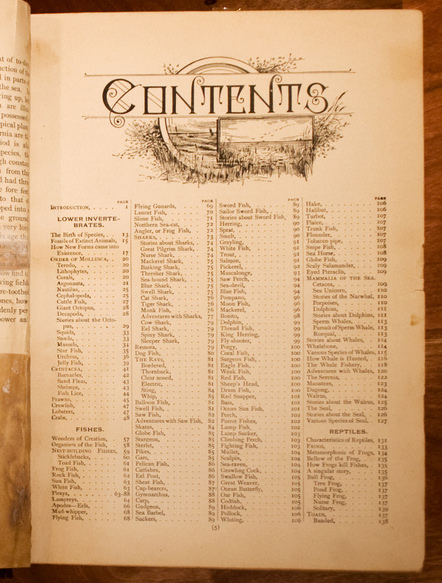
The Living World
My great-grandfather’s book, published circa 1890.
17 in Table of Contents: Creative Examples

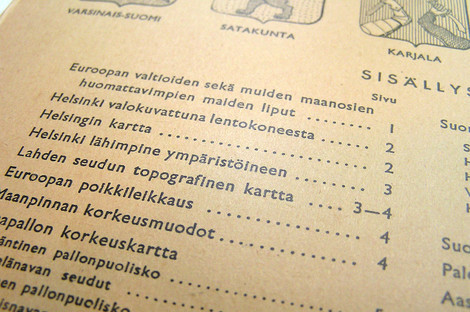
Atlas Table of Contents
A Finnish atlas from 1958. “Isänmaan ja maailman kartasto” (Atlas of the Homeland and the World).
18 in Table of Contents: Creative Examples

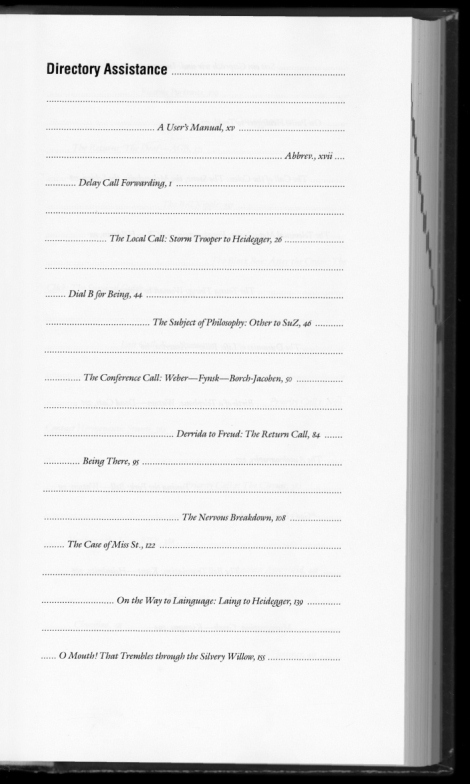
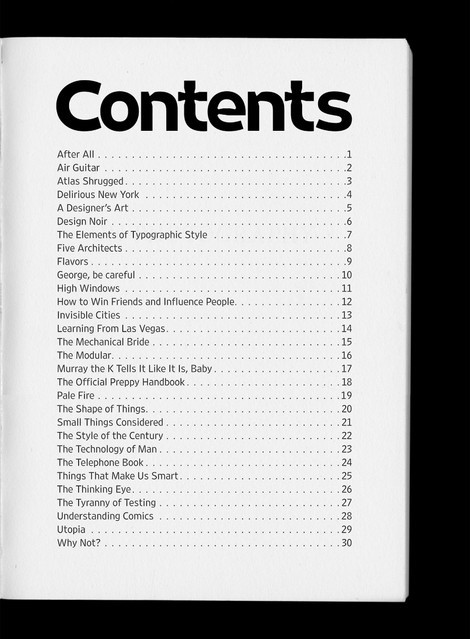
The Telephone Book
“The Telephone Book: Technology, Schizophrenia, Electric Speech” Avital Ronell University of Nebraska Press, 1989 (design: Richard Eckersley).
3 in Table of Contents: Creative Examples

The Next Page – Cover

23 in Table of Contents: Creative Examples

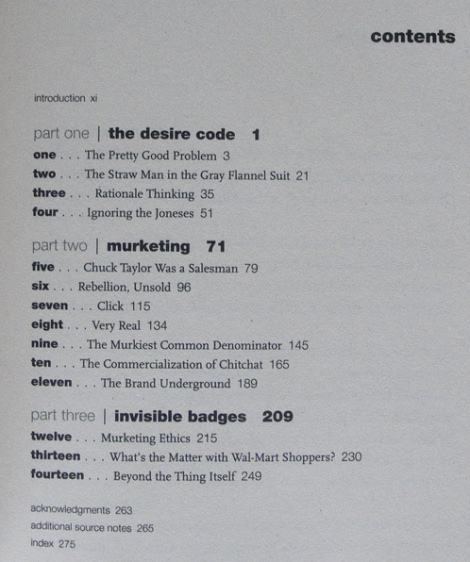
Buying In by Rob Walker

30 in Table of Contents: Creative Examples

Examples without leaders

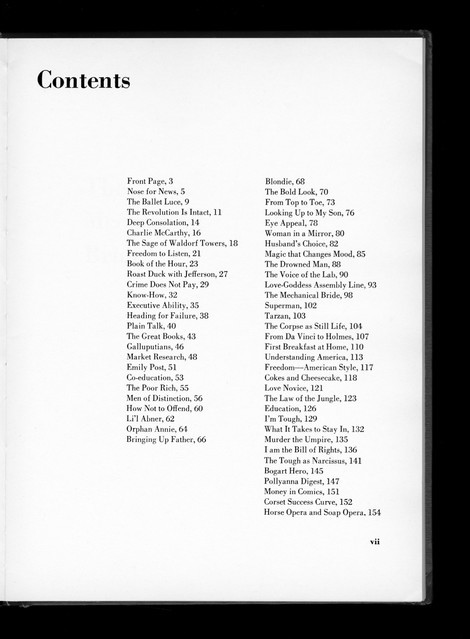
The Mechanical Bride
“The Mechanical Bride: Folklore of Industrial Man” Herbert Marshall McLuhan. The Vanguard Press, 1951 (design: Ernst Reichl).
27 in Table of Contents: Creative Examples

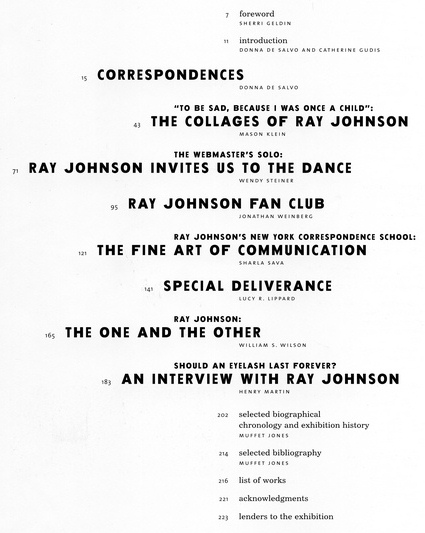
Glauber_Johnson 1999
Ray Johnson: Correspondences, 1999. Barbara Glauber, Beverly Joel/Heavy Meta, designer.
35 in Table of Contents: Creative Examples

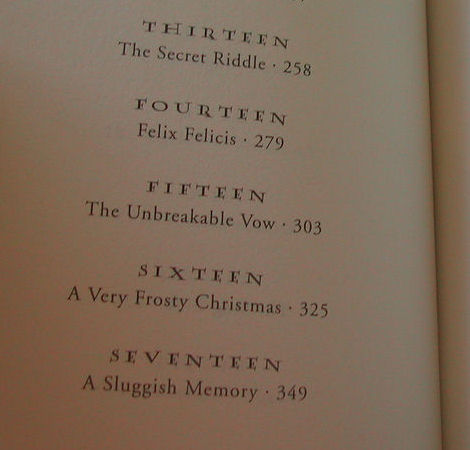
El Indice
Capitulos Half-Blood Prince
20 in Table of Contents: Creative Examples

Peterson
The table of contents is repeated at the top of every page.
53 in Table of Contents: Creative Examples

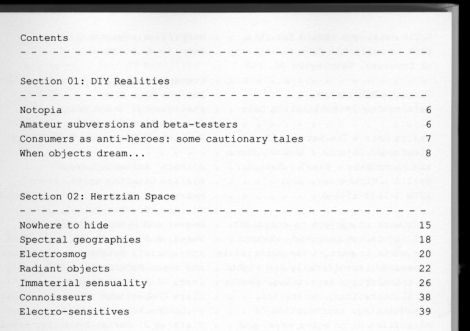
Design Noir
“Design Noir: The Secret Life of Electronic Objects” Anthony Dunne & Fiona Raby. August/Birkhauser, 2001 (Design: Alex Rich)
98 in Table of Contents: Creative Examples

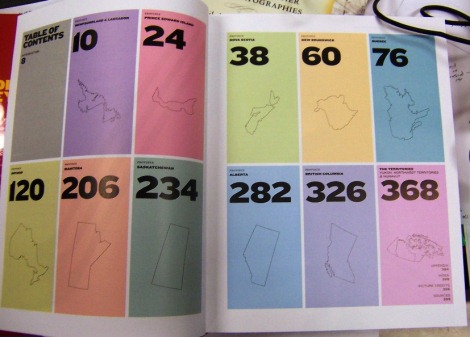
The Canadian Hockey Atlas

48 in Table of Contents: Creative Examples

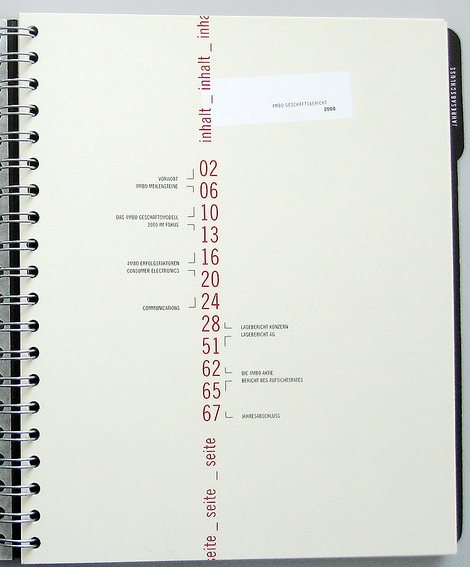
ToC_Morphosys AR 2008

9 in Table of Contents: Creative Examples

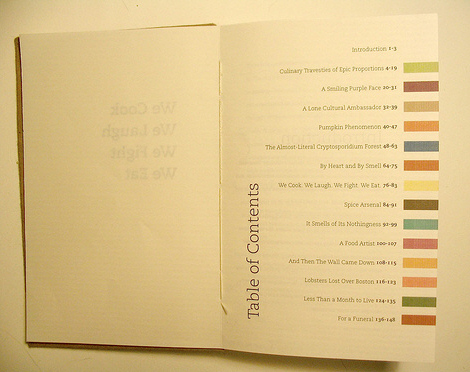
Complete book
Each colored bar will repeat on the right hand page of the corresponding story.
44 in Table of Contents: Creative Examples

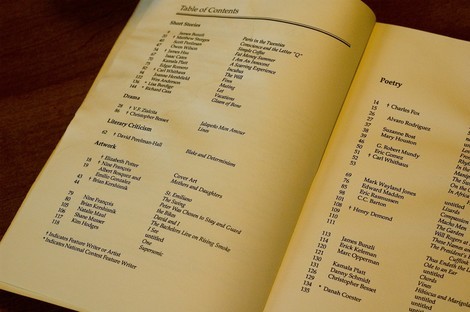
Yeah, THAT Owen Wilson and THAT Wes Anderson
12 in Table of Contents: Creative Examples

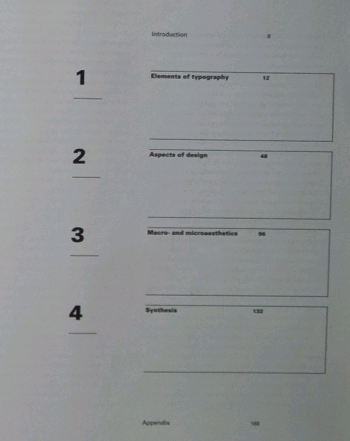
Ideas matter

Macro- and Microaesthetics
Niggli, 1998. Design: Willi Kunz.
Be in Table of Contents: Creative Examples

Sewed table of contents
What about sewing a table of content? This is exactly what Screaming Lulu did. Limited edition.

41 in Table of Contents: Creative Examples

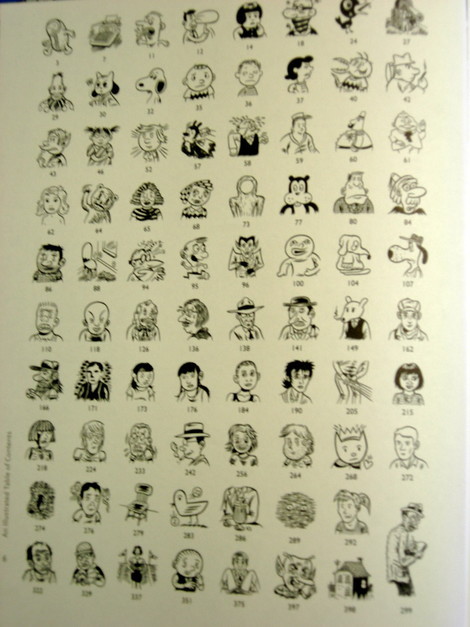
Brunetti’s Anthology Table of Contents
This table of contents uses drawing and cartoons as metaphors for the chapters.
42 in Table of Contents: Creative Examples

Last Click

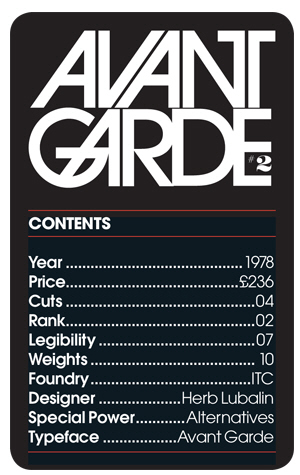
Type Trumps
“A set of Type Trumps, a play on the game Top Trumps, in which different typefaces are attributed numerical values. These figures are then used to enable the cards to be won or lost using some of the fried and tested ‘Top Trumps’ rules.
2 in Table of Contents: Creative Examples

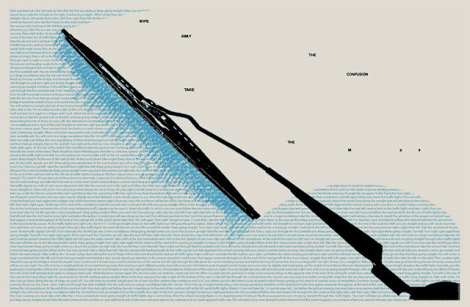
Shaz Madani’s poster
No, it has nothing to do with tables of contents, but it somehow fits to the context. This is a response designed to promote the M25 motorway. On one side the poster gives exact directions that would have to be taken in order to travel from one side of London to the other illustrating the complexity and confusion involved in taking alternative routs through the centre of the city. The reverse side reads “wipe away the confusion take the M25″.

Lc1 in Table of Contents: Creative Examples

Lc2 in Table of Contents: Creative Examples

Sources and Resources

Vitaly Friedman, editor-in-chief of Smashing Magazine (www.smashingmagazine.com), an online magazine dedicated to designers and developers.

Post Rating
1 Star2 Stars3 Stars4 Stars5 Stars (No votes yet)
Loading ... Loading ...

Tags: , , ,

Advertising
  1. 1
    Michael
    July 7th, 2008 1:52 am

    First to comment – yowza’r!

  2. 2
    iBLO
    July 7th, 2008 2:01 am

    good typography and unique.
    hard to implement in web page

  3. 3
    Elena
    July 7th, 2008 2:13 am

    inspiration is everywhere
    thank you

  4. 4
    Barney
    July 7th, 2008 2:14 am

    The grammatical mistakes directory is the best. Absolutely fantastic. I’ll have to rip that off myself somewhere, somehow.

  5. 5
    Maneesh Prabhalayam
    July 7th, 2008 2:16 am

    Awesome creativity

  6. 6
    zenith
    July 7th, 2008 2:47 am

    many weith poor usability though :(

  7. 7
    Paul
    July 7th, 2008 2:51 am

    Excellent designs; for the most part; and excellent for inspiration.
    But there’s one which I just don’t get. Be Somebody. I can’t understand how the Table of Contents is supposed to be read… (as such it fails for me)

  8. 8
    designaddict
    July 7th, 2008 3:03 am

    very creative

  9. 9
    mayur
    July 7th, 2008 3:09 am

    gr8 work with Excellent designs ……. Thanks

  10. 10
    Arturo Filasto
    July 7th, 2008 3:18 am

    Awesome, great design, very inspiring.

  11. 11
    Laloj
    July 7th, 2008 3:53 am

    I really like the Table of Contents. What’s wrong with it?

  12. 12
    johnson
    July 7th, 2008 4:10 am

    great selection guys!

  13. 13
    Cameron
    July 7th, 2008 4:26 am

    These are excellent, particularly like the final poster. I think it’s very interesting to draw inspiration from works like these which cannot be directly transposed into web design (for the most part) and then channel the ideas into making something original, functional and special. Just my thoughts.

  14. 14
    Bonny
    July 7th, 2008 4:33 am

    Loving the field guide to birds – truly inspirational!

  15. 15
    Cosmi
    July 7th, 2008 4:47 am

    Excelent, Thanks.

  16. 16
    Lucbach
    July 7th, 2008 5:24 am

    The last one (Shaz Madani’s poster) – lovely!

  17. 17
    vFragoso
    July 7th, 2008 5:59 am

    Loved the symmetry in The Pocket Manual of Chinese Medicine.

  18. 18
    Gene
    July 7th, 2008 6:07 am

    That book, Designing Design by Kenya Hara not only has a killer table of contents, but the whole darn book is pretty amazing. The content, the weight, and that first delicate piece of paper that sits right inside the cover… all inspirational.

  19. 19
    Nathski
    July 7th, 2008 6:29 am

    Lots of inspiration here, I would love to see an article dedicated to website maps, they are very often dull and uninspiring.

  20. 20
    Christine
    July 7th, 2008 6:42 am

    Great selection, thanks!

  21. 21
    Quakeulf
    July 7th, 2008 8:08 am

    Many good or creative examples, just too bad we can’t ever have a perfect combination of good and creative when it comes to usability, though. x3~

  22. 22
    Josh
    July 7th, 2008 8:21 am

    That M25 one is spiffy-excellent. Yeah!

  23. 23
    Malcolm
    July 7th, 2008 8:33 am

    What happened to the monthly “Best of” entries????????

  24. 24
    Andy Gongea
    July 7th, 2008 8:54 am

    Some are interesting. Anyway I think this subject is more than niche.

  25. 25
    Andrewrew
    July 7th, 2008 9:01 am

    Some of these are very annoying to read and not usable at all

  26. 26
    BORABORA
    July 7th, 2008 9:31 am

    Some really nice ones there!
    I also got some on my website:

    Regards

  27. 27
    Julian L.
    July 7th, 2008 12:17 pm

    @ Andrewrew
    Agree with you, but what about the Sonic Travel Guide?
    So adorable!

  28. 28
    Selene
    July 7th, 2008 12:49 pm

    The last one certanly made me chuckle!
    Great article!

  29. 29
    aurel
    July 7th, 2008 1:04 pm

    hi smashing, these are great collection, that could easly provide inspiration.

  30. 30
    furley
    July 7th, 2008 1:05 pm

    Very interesting. When you think of toc’s you usually think of the same boring layout from every text book ever. Great to see some innovative designs.

  31. 31
    Louis
    July 7th, 2008 1:18 pm

    I love that last one, so clever.

  32. 32
    Chris D
    July 7th, 2008 7:51 pm

    Great article, guys! Consistently amazed by your fantastic writeups.

  33. 33
    DoktorThomas
    July 7th, 2008 8:46 pm

    While curious, this article is not as superlative as the others read, consumed and re-devoured here. Usually every link is an excursion; only the London speedway wiper blade coaxed me to click the link and follow. Perhaps very good wanes when all the rest is exceptional….

  34. 34
    rajaraman
    July 8th, 2008 1:42 am

    Its good, I ill try in my website …………
    thank you

  35. 35
    tuttu
    July 8th, 2008 2:58 am

    Its all very good picks i like it very much u just give me a member shep in ur sight

  36. 36
    Alex
    July 8th, 2008 8:20 am

    I love it, make me want to design a magazine.

  37. 37
    Eric
    July 8th, 2008 12:04 pm

    you should have used one of these to present the list

  38. 38
    Michael
    July 8th, 2008 12:30 pm

    Most of these designs are of the form first, function last, school of design, except the one with the large words “Literature, Money, Power” as the first three items.
    To my mind a table of content’s first (and pretty much only) function is to give the most accurate impression possible of the content at each level of examination. A glance should give you the most important theme, and subsequently closer examinations should give you correspondingly more specific and specialized information.
    Graphic design that does not illuminate the content, but just calls attention to itself is not doing its job.
    Making art out of typography is pretty (and valid), but I don’t think it belongs in the realm of design, in which functionality is the primary focus and pretty is the secondary. A good designer can do the second without compromising the first. Very often creating exceptional functionality creates beauty without even trying.
    There are few ugly tools.
    Sometimes a seemingly indulgent design can help create an atmosphere that enhances the functionality, or content, but that is very rare, in my opinion.

  39. 39
    sunny beach
    July 9th, 2008 1:09 pm

    I think favicon is like a symbol. the creativity shown in this.

  40. 40
    Hinduismnet.com
    July 9th, 2008 11:51 pm

    You just need to look around for inspiration… it is all around you.

  41. 41
    Sébastien
    July 10th, 2008 3:05 am

    Great article.
    Here’s another example of content table from the SCAM (Civilian Society for Multimedia Artists in France) : http://88.191.55.88/Screenshot-20080710-13353.png

  42. 42
    Don Ranly
    July 11th, 2008 8:15 am

    Michael (above) said it all — and so beautifully.

    TOCs are not just to look at. They are to be the menu for what’s inside. They should serve as a home page that make readers “click” for more.

    They surely are no place for self-indulgent designers to design for design sake.

    They should be creative to enhance the content. Grabbing titles should be followed by summary/benefit/confents blurbs.
    The blurbs should say to the reader, “There’s something here for you!” They must be organized clearly so that in-a-hurry readers can catch what they want at a glance.

  43. 43
    Don Ranly
    July 11th, 2008 8:29 am

    Michael (above) said it all — and so beautifully.

    The TOC should be the home page where readers can find what they want and “click” to find more. It should have titles that grab followed by summary/benefit/contents blurbs organized for the in-a-hurry reader to catch at a glance.

    The TOC should not be a page where designers design for design sake. It is not a page just to be looked at. It should be designed creatively to enhance the messages on it, to get readers into the book.

  44. 44
    lassandbonnie
    July 12th, 2008 5:12 am

    mmmmm – I Like it. Alot.

  45. 45
    Bird
    July 12th, 2008 11:32 am

    The Peterson Field Guide front piece is not a TOC, it does not take point you to the section of the book where you could read more about the species represented. That would be a good idea though.

  46. 46
    siongchinchan
    July 15th, 2008 1:12 pm

    The ToC is meant as a reference point from which one can see the structure of the book. It summarises the contents yet provide ‘bookmarks’ that one can use to ‘explore’ the book. As such, usability is key. However, this is not saying that ToCs must follow a rigid rule. You can certainly experiment, but it CANNOT be designed at the expense of usability. Doing so defeats the purpose.

    Most of these designs, unfortunately, fail miserably at that.

  47. 47
    Rakesh.S.
    July 31st, 2008 12:36 am

    Outstading collection. It really amazes me.. the color combination, variety in design, typogrqphy… just supreb !!!! kudos :-D

  48. 48
    Dave C.
    August 5th, 2008 1:51 pm

    Some good, so not so good.

    The main purpose of a table of contents (and design in general) is to communicate. Some of these are form WAY over function, making them more art than design.

  49. 49
    kanchan
    August 31st, 2008 8:36 pm

    Quite cumbersome to read…

    Had to really decipher the contents out of the table…

    :(

  50. 50
    trice22
    September 5th, 2008 12:32 am

    Nice! Thanks.

  51. 51
    Joachim
    September 6th, 2008 11:58 pm

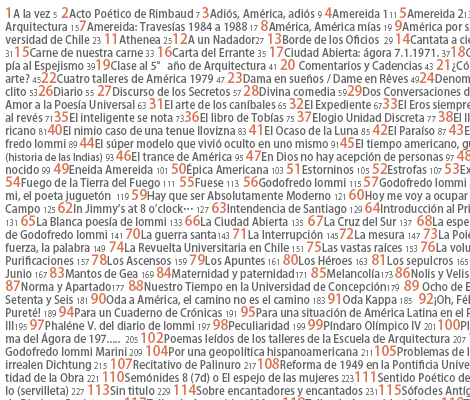
    The “Be Somebody” ToC doesn’t seem to say anything about the content at all. I don’t know anything about the book. On the left side the first pair of numbers indicate the indentation on that line and the second pair indicate the “section number” within that indentation level. The numbers on the right side are either page numbers or simply line numbers – it’s unclear which because the numbering starts with 9. So, at first glance, that is a really, really weird ToC – and seemingly completely useless. Looks kind of nice though :)

  52. 52
    me
    September 14th, 2008 1:34 pm

    cooooooollllllll!!too bad there wasnt the one i wanted

  53. 53
    me
    September 14th, 2008 1:34 pm

    kldkshfakjfhkjfhsdkjfhasejkfhdasjkfhasdkjfhaeskjfhasd

    this web sucks

  54. 54
    vaishnavikrishna
    December 6th, 2008 4:15 am

    A good variety and collection of table of contents….good job..

  55. 55
    brickhu
    December 21st, 2008 4:37 am

    nice!

  56. 56
    Carmen Albanese
    February 5th, 2009 11:19 am

    I do not like any of these damn pictures..they all suck..dont bother

  57. 57
    kiefer
    February 5th, 2009 11:20 am

    i hate this web site it sucks balls
    fuck u all!!!

  58. 58
    Carmen Albanese
    February 5th, 2009 11:21 am

    hello..i am carmen..

  59. 59
    PoppaJ
    February 5th, 2009 11:26 am

    Yo foos are gonna get busted

  60. 60
    j-smooth
    February 5th, 2009 11:27 am

    haha oh man thats funny

  61. 61
    PoppaJ
    February 5th, 2009 11:29 am

    Yall don’t know who you messin with

  62. 62
    Carmen Albanese
    February 5th, 2009 11:31 am

    Hello my name is carmen..but i hate that name so please call me LIL ROCCO

  63. 63
    PoppaJ
    February 5th, 2009 11:35 am

    LilRocco I’ll kick yo ass

  64. 64
    Aaron
    February 5th, 2009 11:37 am

    hahaha lil rocco thats hilarious

  65. 65
    kiefer
    February 5th, 2009 11:39 am

    ima sorry for the launguage
    kiefer!

  66. 66
    kiefer
    February 5th, 2009 11:40 am

    hahaha nattt!!!!! bring it big faget j u homo

  67. 67
    PoppaJ
    February 5th, 2009 11:41 am

    You know who you talkin to bitch

  68. 68
    Administrator 22
    February 5th, 2009 11:42 am

    Hello recent posters your computers have been traced and you will be sent fines in your email that NEEDS to be paid or the police will get involved. thank you

  69. 69
    PoppaJ
    February 6th, 2009 11:00 am

    Watch yo ass Albeneze, and this aint Justin

  70. 70
    jeanna
    April 30th, 2009 6:25 pm

    this is pure art! love it

  71. 71
    gemmaphoto
    June 30th, 2009 7:38 pm

    This is great! Thanks!

  72. 72
    lauren
    November 3rd, 2009 11:46 am

    Thank you. This was just what I needed to get quickly inspired in the remaining 14 minutes I have away from my children (whilst sitting at the local brooklyn coffee shoppe)

  1. 00

    There are no trackbacks at this time. If you are interested in leaving a trackback, please use this URL.

Leave a Comment

Make sure you enter the * required information where indicated. Please also rate the article as it will help us decide future content and posts. Comments are moderated – and rel="nofollow" is in use. Please no link dropping, no keywords or domains as names; do not spam, and do not advertise!


Advertisement Advertise with us!
Join in Smashing Forum
Post your job