Smashing Magazine we smash you with the information that will make your life easier. really.
70 Beauty-Retouching Photoshop Tutorials
July 15th, 2008 in Tutorials | 216 Comments
by Dirk Metzmacher
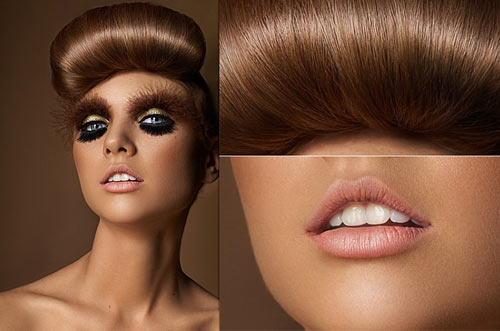
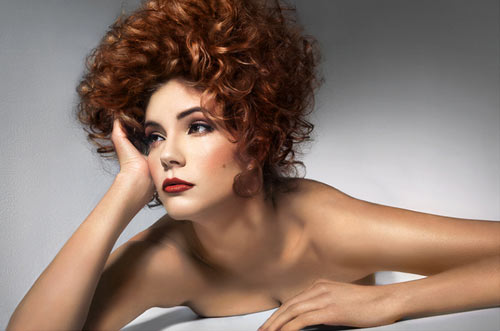
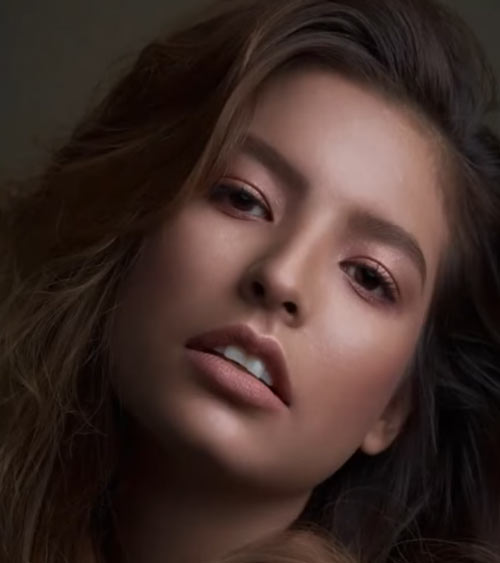
Beauty retouching is probably one of the most popular application areas in which Adobe Photoshop is used extensively. There are two simple reasons for that. First, Photoshop offers a variety of advanced tools to smooth out skin and hair, optimize body proportions and emphasize some beautiful details. And second, if you have some experience with Photoshop it is easy to learn the basics and quickly produce very impressive and beautiful results.
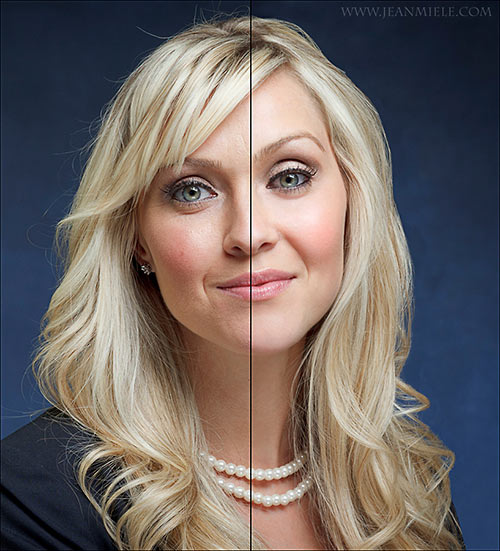
Of course, beauty-retouching is a quite deceptive art. The masters of Photoshop create illusions which are hard to tell apart — unless you have both a genuine photo and the final result in Photoshop and can directly compare them. In fact, every day we consume perfectly retouched stars and models online and offline which just look different in the real life.
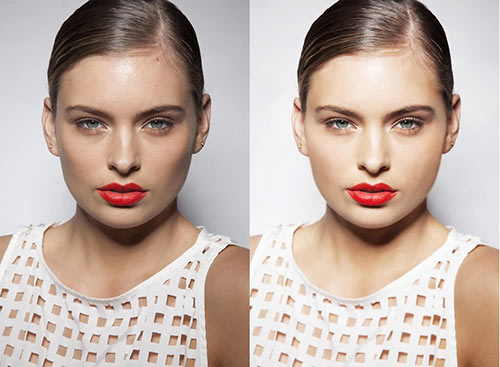
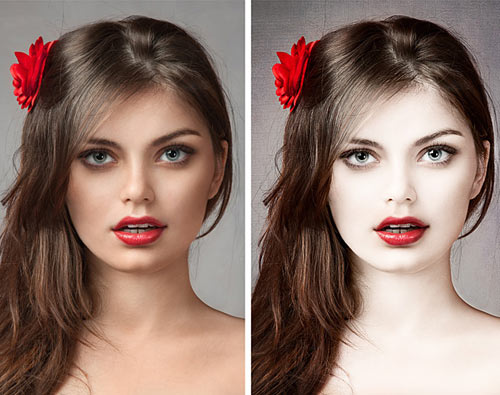
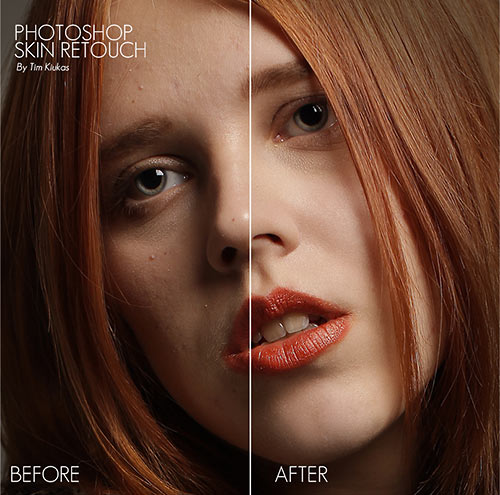
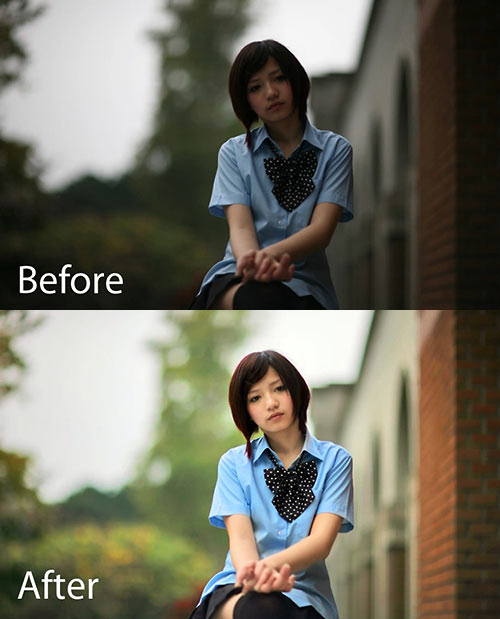
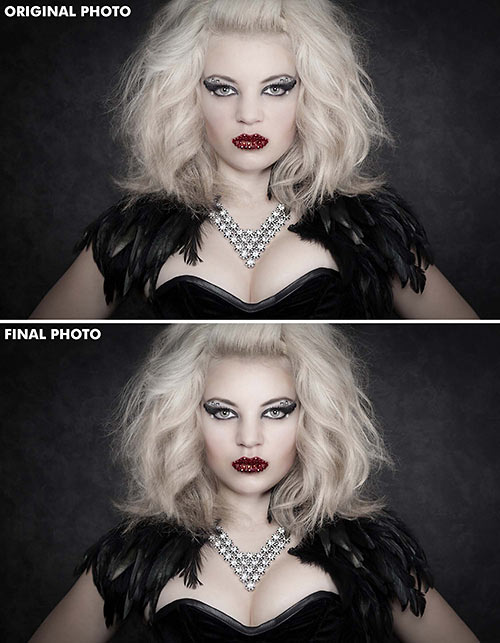
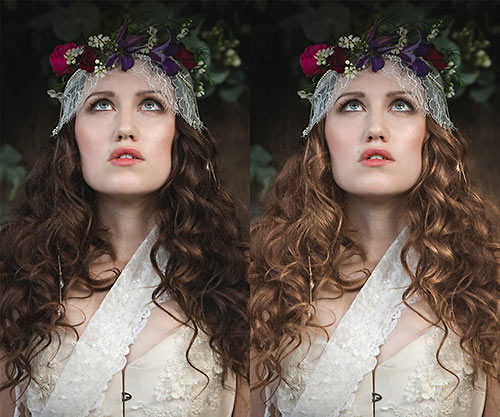
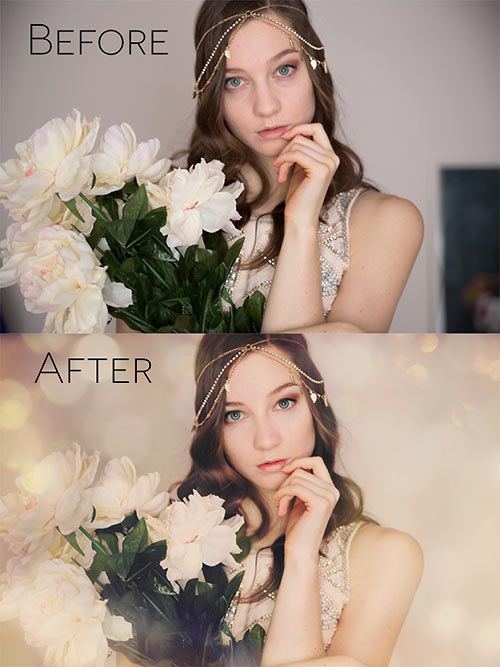
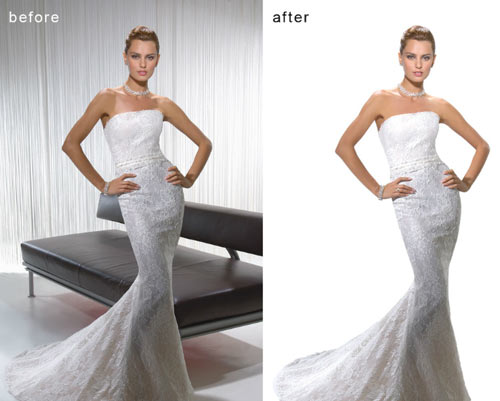
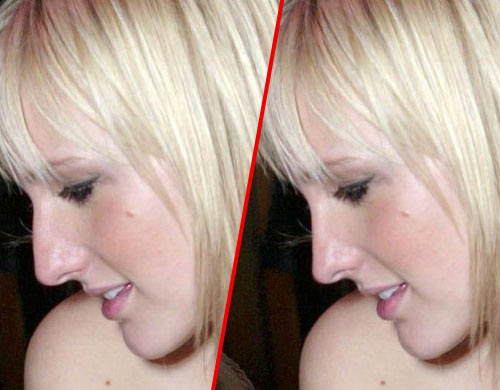
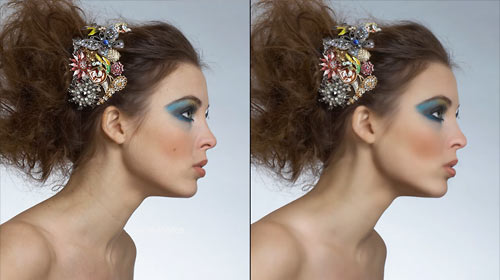
Still, it is not the reason to avoid learning advanced Photoshop techniques for beauty-retouching and study examples of how it is done in practice. The list below presents both image-tutorials as well as video-tutorials. Most examples have a before-vs.-after-comparison and you can follow the modifications with Photoshop step-by-step.
You may want to take a look at the further Photoshop tutorials selections we’ve presented earlier:
- Adobe Photoshop Tutorials: Best Of
- Adobe Photoshop Video Tutorials: Best Of
- Adobe Photoshop Tutorials: Rainbows, Glows and Light Effects
Skin
- Beautiful Skin
Not everyone has beautiful skin but you can make it better - at least in your photographs. - Smooth skin
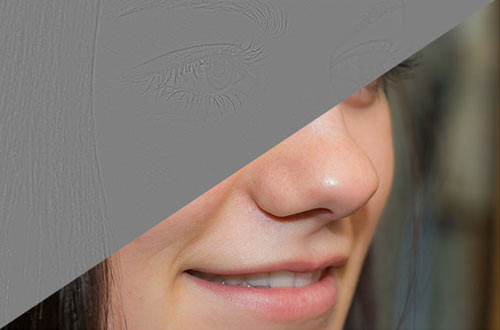
How to make a skin like the ones you see in magazines like Playboy. - Beauty Retouching
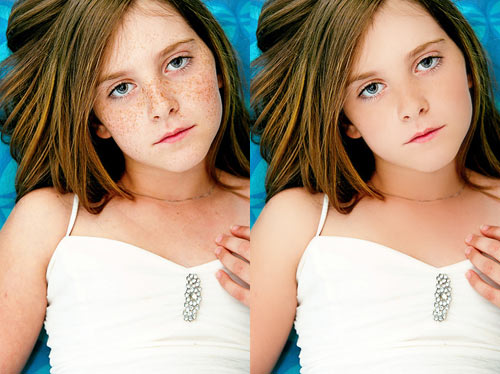
Beauty retouching is one of the most demanding parts of photo manipulation. The main trick for your results to be astonishing is patience. - Remove Freckles
Reduce slight freckles naturally without using the Healing Brush. In this Photoshop tutorial, you’ll learn how to subtract freckles using a layer. - Perfect Skin
How you can get rid of all the acne and pimples and blemishes and scars on your face. - Skin looking smooth
During the course of this Photoshop Lunacore shows you how to make skin look smooth. - Makeup makeover
How to remove hair in front of someone’s face, retouch skin and apply makeup using Photoshop. - Dark skin - bright skin
This tutorial shows you how to make a dark skin bright(er). - A chapter of Beauty Retouching
A free sample chapter of “Skin”, a Photoshop Retouching Book by Lee Varis about Beauty Retouching.
Hair
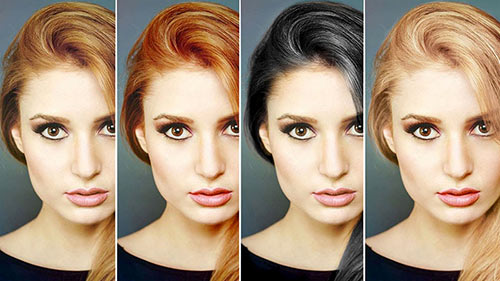
- Changing Hair Color
How to change hair color. - Shining hair
Creating shining hair like shown in shampoo ads. - Removing Hair Roots
A fairly straight-forward method for removing hair roots that takes mere seconds to accomplish. - Color hair locks
Changing hair color in just few minutes.
Body (breasts, bum, figure, etc.)
- Trimming weight
Trimming weight off with the Liquify tool. - Digital Nip Tuck
Photoshop is probably the cheapest alternative to plastic surgery possible. - Digital Nose Job
Simple and easy photo editing technique to give someone a digital nose job. - Spare Tires
In this tutorial we will see how to remove love handles (or the extra fat around the waist). - Smaller Nose
This tutorial will walk you through the steps for reducing the size of a nose in a photograph using Photoshop. - Bigger Bustline
Learn to make a bustline look huge and comically big.
Eyes, mouth and teeth
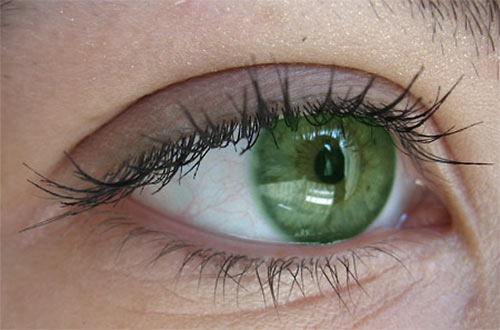
- Enhancing Iris Color
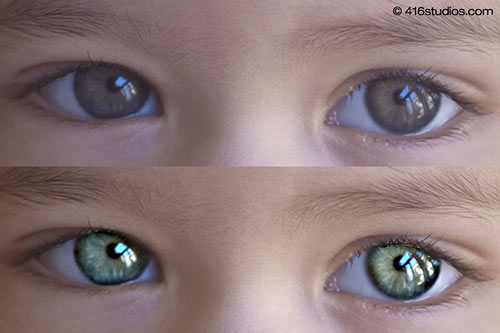
It is said that the eyes are windows into the soul. This tutorial details a simple yet powerful technique for altering eye color using basic Photoshop tools. - Red Eye Tool
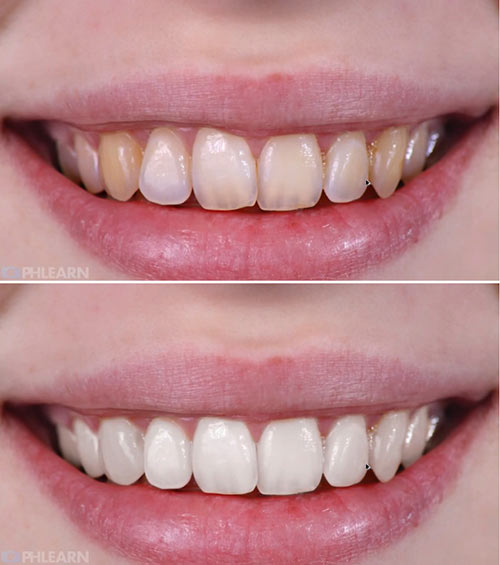
This photoshop tutorial will show you how to use Photoshop CS2’s Red Eye tool in a non-destructive way. - Whitening Teeth & Eyes
Some methods to make natural elements white or whiter. - Make eyelashes thicker
Learn how to make eyelashes thicker. - Apply Eye Make-up
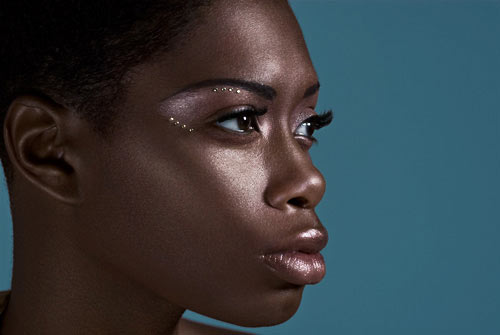
This photoshop tutorial will show you how you can add eyeshadow, eyeliner and mascara to any model easily. - Eyebrow Piercing
This tutorial shows you how to add an eyebrow piercing to a photo. - Photoshop dentist
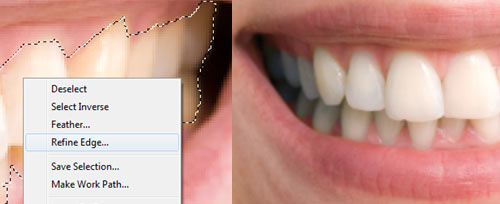
Everybody can be a good dentist - with Photoshop. - Whitening Teeth
Another way to make whiter teeth with Adjustment Layer.
Galleries
- Celebrities Before and After
Shows some photos of celebrities before and after beauty retouching. - Greg Apodaca
Rolling the mouse over most of the images of this digital portfolio will display the original scan before it was retouched. - Touch of Glamour
Photo Retouching and Enhancement for Pageant, Model and Glamour Photography - Rollover effect also here. - Amy Dresser
Portfolio of a full-time retoucher and illustrator. - Retouche
Norm Nason is a senior graphic designer and fine artist. - The art of retouching
Glenn Feron was born, then found art and was born again. - Digitalpablo
Portfolio of Pablo J. Castillo. - Digital Retouche
A German professional retoucher. - Artist 2 Design
Experience retouching thousands of actors headshots over the years has taught Shawn the art of what to retouch and what not to. - Digital Retouching Services
From very basic blemish clean ups to full out magazine quality beauty skin retouching. - Retouchme
Creative high-end beauty, fashion and product retouching. - Retouche Demo
Nice flash demonstration how to retouche a photo.
Video-Tutorials
- A Perfect Lie In Photoshop
Cameron Rad turn a beautiful woman into a perfect one. “I went through about 40 different makeover techniques, until i found what i thought was the best balance for this photo.” A good “flawless” skin method. - Hilary Duff
Hilary Duff makeover. - Breast Enlarge
This tutorial shows you how to enlarge a breast. - Smart Filters
Using smart filters to soften the skin of your subject gives you the ability to retouch your image while maintaining flexibility. - Basic Beauty
Learn the absolute basics of beauty retouching in Photoshop. - Beauty Saloon
Skin retouching with Photoshop. - Model Beauty
Speed revision of a model beauty. - Natural to Synthetic
Extremly makeover of a photo of Amy Lee from Evanescence. - Gossip Girl
Leighton Meester super glam. - Body makeover
Makeover to illustrate what photoshop can do. - Magic
The fast way to loosing weight. - Pretty
A little time and effort can do a lot. - Extreme
A really nice Photoshop Makeover. - Pretty face
Another Makeover. - Evolution
An evolution of a model. - proof
Proof that you can in fact create top beauty images with a point and shoot camera. - model job
Great digital makeup in photoshop. - The Perfect Lie
High-speed Photoshop transformation.
Complete Workflow
- Pure perfection
Spin raw beauty into pure perfection. Very detailed tutorial. - Beautify a Face
This extensive Photoshop tutorial will show you how to beautify a face. - Ultimate Makeup
A series of steps to improve skin tones, modify shadow and light patterns to increase the impact, and enhance the eyes and hair to create a striking portrait.
Artistic Retouch
- Phoenix Hair Effect
With some simple brushing techniques, and a bit of color tweaking, you can spice up your photos with this flaming hair tutorial.
More beauty
- Longer Nails
You would like a woman’s nails to be longer? Here we go… - Eliminate Cellulite
In this tutorial you can learn how to eliminate a person’s cellulite. - Nail manipulation
Manipulating nails by increasing length and changing shade. - Airbrush retouching
See what`s possible with Photoshop`s airbrush tool. - Retouching for Beginners
This tutorial shows a couple of simple techniques you can use to enhance your portraits. - Photoshop Beauty
Some ways to improve your photos with the help of using Photoshop. - Tone Down Highlights
Sometimes the only thing that keeps a good portrait from being a great portrait is a little too much shine on the skin. - Looking good
Great Techniques for Photoshop Beauty Retouching. - New look
Whatever a model looks like, we can give her a totaly new, beautiful look. - Glamour Style
Suzette Troche-Stapp is one of the most sought-after photographer/digital artists today.
Dirk Metzmacher is a professional Photoshop trainer, book author and designed with over 10 years of experience. He is also a creative mind behind Photoshop Weblog, a German blog about techniques, tutorials and resources related to Adobe Photoshop.


Marie (July 15th, 2008, 5:15 am)
Lots to learn from this. Thanks!
Kathi (July 15th, 2008, 5:15 am)
Thanks!
Toby (July 15th, 2008, 5:15 am)
wow!!!great!
Niki Brown (July 15th, 2008, 5:17 am)
Hate to say it, but crap like this is totally unethical. The only thing that is slightly interesting is the changing the hair color. And WHY are all of these images of women in pseudo sexual poses? Way to re-enforce stereotypes and marginalize women.
Niki Brown Link [nikibrown.com]
Brennan (July 15th, 2008, 5:18 am)
Great compilation of PS tuts… So much to learn, so little time.
;)
Federico Espinosa (July 15th, 2008, 5:19 am)
very nice tutorials
Plexihack (July 15th, 2008, 5:20 am)
Absoulute must-have bookmark form all artists…
Gg guys!
Geoff (July 15th, 2008, 5:29 am)
lol there all women
therapix (July 15th, 2008, 5:44 am)
OMG, this is the best selection ever.
Well know tricks, and some new ones. You guys rock.
Put a DONATION button NOW!!!
Tracy (July 15th, 2008, 6:05 am)
Thank you Smashing!
I have wanted to get my hands on tutorials for some of this stuff for AAAGGGGGEEESSS now! Especially the really heavy stuff like the beauty retouching and the liquify tool!
Manasa Malipeddi (July 15th, 2008, 6:08 am)
Amazing!! I’ve never seen a more comprehensive list! Thanks so much. I’ve been looking for tutorials like these for ages. It couldn’t have come at a better time. I had installed Photoshop CS3 Extended just yesterday.
Markus of Sweden (July 15th, 2008, 6:13 am)
Wow! This is amazing! Thanks!
Josue Gomes (July 15th, 2008, 6:13 am)
Be careful or you’ll be here: Link [photoshopdisasters.blogspot.com]
Pelardo (July 15th, 2008, 6:15 am)
very nice collection
Jak (July 15th, 2008, 6:15 am)
@ Niki Brown: aw, why you got to spoil this, this is just a collection of “tuts”, go and voice your mind-set to the rest of the world! …ads sell, imagine if Bacardi showed a add with FAT ppl drinking rum on a sofa infront of a telly! … it just wont work! ….besides u are most prob more than 150Kg. Get a life!
Marcel (July 15th, 2008, 6:20 am)
wow! very nice tuts to learn! thanks for the great list
Kaleesh (July 15th, 2008, 6:35 am)
Hey! better photoshop than dangerous plastic surgery. thank you for the collection {:
Driftwood (July 15th, 2008, 6:52 am)
One thing that I didn’t find in here (at least not directly), that I had to scrounge up tutorials for…is for skin reflections. The flash picked up some oils on the skin and was a big pain to try to fix.
Still this is a great round up of tutorials.
kailoon (July 15th, 2008, 7:18 am)
again…mine is not in the list …sigh ~
foalboy (July 15th, 2008, 7:42 am)
Not a fan of this collection. Smashing usually puts really inspirational pages together.
This is rubbish … there’s no beauty in this use of photoshop. It’s not inspirational. Faking the real world isn’t cool.
@Jak - why do you think Nikki Brown’s comment ’spoils this’? She’s just stating her opinion. And it’s a very valid one. My opinion, for what it’s worth is that you write like a child :)
trav (July 15th, 2008, 7:56 am)
this is the WORST smashing article i have ever seen.
Chibani (July 15th, 2008, 8:00 am)
What a collection !
Thanks ;)
jf33 (July 15th, 2008, 8:03 am)
I have to agree with other people’s comments — I found this article to be very offensive and encouraging stereotypes. I realize that people do this stuff for a living, but I’ve always looked to Smashing for inspiration, and this is not it.
Arthur Soares (July 15th, 2008, 8:20 am)
I’d like to submit my retouching portfolio too:
Link [portfolio.arthursoares.com.br]
TJ @ Smartblogtips (July 15th, 2008, 8:31 am)
Thank you very much. nice tutorial collections
Adam Clark (July 15th, 2008, 8:43 am)
i’ll agree that most of these tutorials are used for unethical purposes (creating an unrealistic standard of attractiveness or physique) however I would be a poor designer if I didn’t take away at least some measure of inspiration or photoshop knowledge, whether it be unethical or not. So in terms of this articles ability to impart ideas for projects upon the reader it it successful, at least on me.
Louisa (July 15th, 2008, 8:59 am)
How disgusting. This goes beyond removing some pimples from a wedding picture. This is changing the physical anatomy of a woman so she is barely recognizable.
@Jak, do you really believe that those models are fat in real life? They’re actually really skinny. Photoshop morphs them into physically impossible waifs.
What is ugly about having some freckles? Why should we “brighten” a black woman’s skin?
There are some things that photoshop is useful for. Moving obstructions, changing the lightening, cleaning up red eye. We DON’T need photoshop to beautify people who are already models. I wonder why they even hire models for magazine shoots anymore, you won’t recognize them in the ad
lol (July 15th, 2008, 9:22 am)
To all those complaining: whether or not it is unethical is irrelevant. Photo manipulation is an essential skill for graphic designers. Moreover, the market demands beauty-retouching. If any one designer stops retouching in protest, another designer will gladly do it. Take your activism elsewhere.
Angelie (July 15th, 2008, 9:41 am)
I’ve got only one word coming into my mind to describe this SM article:
WOWWWWWW!
Brilliant selection, well done.
soundproof (July 15th, 2008, 9:53 am)
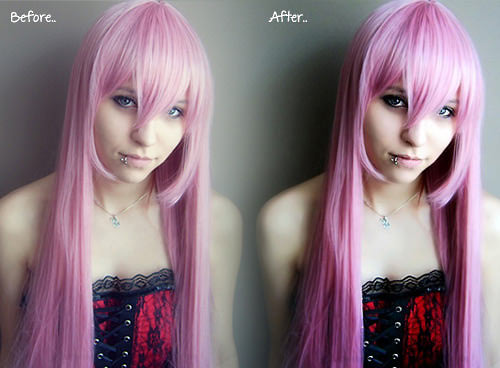
How come all of the women in the before photos look better than the after ones? Especially the main photo from the front page
D-Man (July 15th, 2008, 10:04 am)
I agree with many of the comments above that POSTS LIKE THESE MARGINALIZE WOMEN and make pigs out of men.
The editors of Smashing seem to spew these stereotypes on women a lot, but I agree with another of the comments above that this is the worst smashing article yet.
Marek Wojtaszek (July 15th, 2008, 10:09 am)
Now that is brilliant. I was just about to look for some professional retouch articles and there You are :)
Chris (July 15th, 2008, 10:24 am)
I find nothing wrong with doing the kind of retouching that you would do any any situation regardless of subject. For example some skin retouching, hair/eye colour change or say a stray hair or dirt. The whole removing natural lines from faces, complete body modification or removal of depth (shine/shadow) freaks me out. It’s A un-ethical and B plain weird.
Like I said I have no problem with general fix and finish. Hell I’d remove the telegraph polls from a lovely landscape or mud from a car advert. However are we one step away from composite models? with the legs of one attached to the body of another and so on?
Tobias A (July 15th, 2008, 10:26 am)
Wow, at least half of these tutorials deserves a post at photoshopdisasters. Could do with some more work put into actually looking at the outcome of these before posting them.
James (July 15th, 2008, 12:31 pm)
Some of these are ok…only two I can say are really great retouchers on here. If you want to check some amazing retouching you should look up Bianca Carosio’s work. I believe one of her links is Link [www.modelmayhem.com]
cool posts, thanks!
Jehzeel Laurente (July 15th, 2008, 12:46 pm)
too many tutorials, but i’m too lazy to learn :D i have to bookmark this and use it till my laziness will vanish… hehe :)
kayzah (July 15th, 2008, 1:09 pm)
I am so glad that I don’t have to work for a shiny magazine or stuff where I would have to do this job.
Blair McBride (July 15th, 2008, 1:40 pm)
Here’s some food for thought for those people saying this type of touch-up work degrades women and is unethical.
I do some photography, and some digital touch-up work. In all instances, the requests for touch-ups have come from the female subject in the photograph.
bassofia (July 15th, 2008, 2:21 pm)
Gracias por la tremenda colección, por supuesto he agregado un enlace para difundirla….
Thank you for the tremendous collection, of course I have added a link to disseminate ….
[Link [www.editando.cl], Si lo que querías era Tutoriales para Photoshop…]
Salu2
akhdan (July 15th, 2008, 2:24 pm)
I agree with some other comments that this is the worst article especially many of them just disgusting. Another articles is really worth but this..
Charles (July 15th, 2008, 2:44 pm)
To the activists whining about this article: GMAFB.
This does not marginalize, trivialize, or objectify women in any way. Get a life.
DaveK (July 15th, 2008, 4:26 pm)
My issue with this article is that many of the tutorials are of very low quality, which can only encourage/result in more grotesque retouched photos out there.
The theme to this article is certainly catering to an acceptable and established part of the Design industry, I have no issue with that … but stick to quality links, SM, don’t drop quality for the sake of quantity.
Jimmy (July 15th, 2008, 7:47 pm)
TQVM - this is almost the ultimate, just below Worth1000.
Karthik (July 15th, 2008, 8:16 pm)
Wowwwwwwwww………..amazing tuts. was searching for this all over the net.
sumit (July 15th, 2008, 8:25 pm)
simply amazing
Awesh (July 15th, 2008, 8:34 pm)
Awesome… thanks :)
gaurav_m (July 15th, 2008, 8:52 pm)
GREAT ….tutorials there..nice!!!
Ash (July 15th, 2008, 10:45 pm)
Excellent article, very useful ! (and don’t loose your time with useless comments, they surely must be some students wich have not been working yet…)
Adel K Ghithan (July 15th, 2008, 10:51 pm)
Now thaaaaaaaaaaaaaaaat’s some thing
keep smashing the web guys
love u ;)
Daniel (July 15th, 2008, 11:09 pm)
This is amazing !
you ROCK !
flo (July 16th, 2008, 12:11 am)
again a fantastic collection! thanks 1000 times!
flo
RubineBoy (July 16th, 2008, 12:47 am)
priceless
Kashif (July 16th, 2008, 12:53 am)
worst article, unethical.
Myl (July 16th, 2008, 1:12 am)
Smashing Job!
dapas (July 16th, 2008, 1:24 am)
Very helpfull for me. Thank’s…
Justin Roberts (July 16th, 2008, 3:28 am)
Wow dude. Photoshop totally ROCKS. Excellent Tutorial indeed.
Unknown (July 16th, 2008, 4:56 am)
You must be ugly… Niki
Quakeulf (July 16th, 2008, 5:24 am)
I just have to recite what has already been stated: “Moreover, the market demands beauty-retouching. If any one designer stops retouching in protest, another designer will gladly do it. Take your activism elsewhere.”
So please people, do something about it, don’t just talk. If you want to start something about this, go ahead, but do it elsewhere.
Also, I must agree that some (not all, many were quite good and efficient) of the links in this post were not of the kind of standard I would have expected coming from this site. There are literally billions of tutorials for photomanipulation in PS, so finding someplace that has some better tutorials than the other site wouldn’t be that much of a hard issue I guess.
noobee (July 16th, 2008, 6:02 am)
Are these tips intended to be used in Photoshop Elements, CS3 or both/either?
HGK (July 16th, 2008, 6:21 am)
Thanks very much for these tutorials.
Whether or not you may think these tutorials are unethical, the fact remains sometimes photos aren’t very flattering. Some people don’t take good photos. If they request something in a photo removed (like red eye) or downplayed (like shine), then I find nothing wrong with that.
trav (July 16th, 2008, 8:23 am)
way to sell out
Nice Guy (July 16th, 2008, 10:09 am)
I don’t think anyone’s complaining that photo retouching is a bad thing, but when women are taken for granted as they are in many of these tutorials, that’s wrong.
tomjulio.com (July 16th, 2008, 12:10 pm)
crap tutorials on how to make real people look fake as hell. this is the number one problem facing the world of digital photography.
Steve (July 16th, 2008, 12:40 pm)
hmm…to be honest, most of the “before” portraits look better. particularly, the feature example.
rafael apocalypse (July 16th, 2008, 4:35 pm)
You really need to know the work of this guy: Link [bressane.com]. Rodrigo Bressane is a brazilian photographer who knows more than anyone to retouch digital photos.
Take a look at his portfolio and some videos that he have at youtube.
Con el viento (July 16th, 2008, 6:05 pm)
Wow! Another great compilation.
Good, good, good job!
zoel (July 16th, 2008, 9:52 pm)
cool
thanx very much for the tutorial compilation
i’m not a potoshop newbie anymore…
Fashion Photographer (July 17th, 2008, 12:07 am)
Some of these retouchers are really awful, but a few of the tutorials give a good sampling of the basics. But I definitely agree with the other commenters that a few of them could earn a spot on PhotoshopDisasters…
Anj (July 17th, 2008, 12:44 am)
Thank u so much for this post!!
Steve (July 17th, 2008, 1:10 am)
Fantastic - I’ll get some good use from this page. Thank you!
A great resource.
Alistair (July 17th, 2008, 1:39 am)
Great tutorials.
But. Seriously. If you’re going to have a career doing this kind of retouching then I’d think seriously about what a messed up world it can contribute too.
As imperfect human beings do we need to see impossibly perfect stereotypes everywhere we look?
Jeff (July 17th, 2008, 1:48 am)
Are you guys serious? This isn’t the forum to discuss social issues. The techniques here are great. I’d be just as amazed if the artists were making beautiful people look ugly.
At least its not another wallpaper post.
greg (July 17th, 2008, 5:42 am)
I saw the post mentioned with another retoucher’s work…Bianca Carosio…does she have online tutorials available??? I wonder why her samples weren’t shown here.
pwenzel (July 17th, 2008, 8:17 am)
Next up, how to make your Facebook profile stand out from the rest!
Sharwan (July 17th, 2008, 9:27 am)
just stunning!!!!!!!
VonRamsey (July 17th, 2008, 10:49 pm)
Your da man, thanks buddy
duda (July 17th, 2008, 11:03 pm)
good job!
WeBDrops (July 18th, 2008, 3:42 am)
oh!! My god… Photoshop can do soooo much I just loved this whole article and specially the way you have listed down each thing… good one… thanks for sharing… I have bookmarked this page and m passing this on to our design department m sure this will be interesting for them
nerdski (July 18th, 2008, 9:36 am)
Good stuff! Will illustrator be next? :)
James (July 18th, 2008, 11:06 am)
Greg…
I’ve never seen tutorials by Bianca..but I can imagine all the people asking her for advice..I check her updates often though!
P. Thornton (July 18th, 2008, 8:58 pm)
While it might seem unethical to change the look of people, you simply can’t blame the retoucher. Last time I had a guy who wanted to make his face look better for a dating site. Who am I to tell this 24 year old guy not to do it? He has the request, I provide him with a solution. Next time it’s a model or a musician and you expect me to tell them it’s unethical? Most professionals would be without a job and tons of people would complain that they are unable to find a better retoucher other then some 15 year old wannabe photoretoucher in a basement.
Geesh, in that case it’s unethical to sell guns, prescription drugs, to be a soldier or run MacDonalds… Oh wait, I guess it’s also unethical to talk about it like Smashing Magazine does, right?
Get real guys…don’t act like a saint….sigh
James Baldwin (July 19th, 2008, 12:47 am)
This post couldn’t have come at a better time - I have recently wanted to expand my photoshop knowledge to include the art of beauty retouching and the like; this set of tutorials is absolutely perfect.
A very thorough post and I thank you greatly! Now.. where do I start! :)
Jon Eland (July 19th, 2008, 5:25 am)
Oh dear, another bunch of lefties claiming that this marginalises women. Well, I’m here to learn how to re-touch men too so - I’m helping re-balance the ‘marginalisation’.
What this does is play on everyones aspirations and issues - that’s what marketing does. And the main (pretty much only) use of the stuff in smashing magazine is for marketing; whose sole purpose is to convince someone to buy something they didn’t think they needed.
SMashing does a great job of linking and displaying some of the great tips and techniques; it’s not a place for discussing societys ills.
Great article guys, keep ‘em coming.
Titu (July 19th, 2008, 7:20 pm)
Its awesome, fantastic very useful please be continue. Weldone Smashing :)
Kenn (July 20th, 2008, 5:50 pm)
That one turning the African American lady white is just evil. Just Sad. I suppose its meant to make better right?
Alana (July 21st, 2008, 5:37 am)
Just because you can DIY eugenics using Photoshop doesn’t make it okay. Horrible article.
LouiseL (July 21st, 2008, 4:51 pm)
Ew. Most of the models looked better before the re-touching. They look far too plastic afterwards. I have “fixed” photos before but I would never smooth EVERY “blemish” out and make the person look like a Bratz doll. Remove pimples etc, soften some areas just a little, pop some highlights, and you get a realistic but still beautiful result. If you’re going for a very fantasy look, make it obvious. I think a lot of consumers are getting tired of the overly-photoshopped model.
And just because a lot of women themselves ask for their photos to be retouched doesn’t make it OK to pretend that this doesn’t have an impact in our society. Sure, this is a design blog not a political or social issues blog, but what we participate in as professionals still contributes to the whole problem.
shiny_shanny (July 22nd, 2008, 1:39 am)
Oh, I can`t wait to come back home from work and try all of these excellent tutorials, I know it will take all night to me, hihihihi :) :D
Mchilly (July 22nd, 2008, 9:33 pm)
Great collection of tutorials….Photoshop really makes wonder in our photos…
Dennis (July 23rd, 2008, 7:11 am)
Great set of tutorials, these are pretty basic but are in one place for those that want to get better at retouching photos.
You need to realize that photo’s need to be retouched, weather Glamour, Mens Health, Car and Track, and even Playboy pictures get retouched on a daily basis and it is done to sell the product weather it be a car, clothing, makeup or even the magazine itself. In my opinion there is nothing erotic with any of the pictures and tutorials you provided although all but one are of women, some are very nice models that you can see in any womans magazine, Glamour, Oprah, redbook, etc.
The problem is not with pictures getting retouched, or of women, the problem is that the first thought being off the subject of retouching. Why is making a beautiful woman more beautiful wrong, a woman in a bathing suite is just that, a woman in a bathing suite. A pictue of a women enjoying hereself is just that, a woman enjoying herself.
Stop sitting in judgement people, great tutorials SM
kayzah (July 23rd, 2008, 11:30 pm)
These tutorials are sooo american ^-^
Chanelle (July 24th, 2008, 1:07 am)
I see that you have featured my website - retouchme
The best retouching is the kind where you keep it realistic. No horrible blurring of skin and making people look totally fake. The high end images that I work on are photographed on medium format cameras that are around 22 megapixels. These pick up every hair and every blemish. If you looked at a person normally you would not see these fine details, therefore when the images come out of camera they are raw and do need refining. The main thing to remember is keep it looking realistic. Take it to the level of how the model would have looked to the eye on the day.
Sunflower Maggie (July 25th, 2008, 10:17 pm)
please !! leave humans be just humans
with all their beauties AND imperfections
why must everything be so perfect ???
Dell (August 1st, 2008, 12:04 pm)
this is great… a one stop shop
somebody (August 1st, 2008, 3:29 pm)
wow, this article teaches impressionable Photoshop pirates how to perpetuate ideals of impossible beauty. very useful! let’s all contribute to corporate mindf*ck by creating ads that make life seem better than it really is.
“Moreover, the market demands beauty-retouching.”
the market demands all sort of disgusting things.
Bhanu (August 3rd, 2008, 2:37 am)
really good
willow (August 3rd, 2008, 3:54 am)
For those who think that retouching is no big deal, it does have a cumulative effect: go here and watch both clips on the page for some examples
Link [jezebel.com]
For those saying “keep your debates to yourself” - who should we debate retouching with if not the people who actually do retouching? People who aren’t in design, imaging or photo manipulation at all? Or do you just mean that you want to make money without having to think about what contribution you may be making to something some people consider an insidious problem?
Herbert Bouchez S. (August 4th, 2008, 5:11 am)
Thank you “Excelent Work”
regards
Sonja (August 5th, 2008, 10:00 pm)
This was awesome! it was pretty sweet to be able to look through the pretty wide variation of tutorials. Thanks! =D
nobody.. (August 6th, 2008, 11:38 pm)
well.. for those who are against the photo retouching… i just want to say… please be more.. open minded.. being a designer.. it’s one of the skilled required for most of our projects.. yeah understood they are models.. but models have flaws too… skin.. teeth.. hair.. lips.. flabs.. and the likes.. we designers only remove those for different reasons.. by request, for art purposes.. for beautification.. for the sake of the concept and the likes.. and for the plastic thingy look that i read above.. it happens for a reason.. and depends on the retoucher how he/she would like her model to look.. for me thats fine.. but i find it kinda ugly.. i would just let some humanity look into it if i were to do it.. hey.. but it’s not me that is doing the photo… as i said earlier it depends on the retoucher how he/she would do it.. and about the women models are most preferred… well i do most of the time men retouching… cause you know.. men are more rough than women.. meaning.. they don’t actually care for their looks.. so they tend to have more flaws than women.. maybe that’s why women are always considered as models… easy to fix… ^__^.. just keepin’ it real men…
Morwen (August 7th, 2008, 8:59 pm)
Gah, everyone whines so much! Wah wah wah wah wah!! Who freakin cares? What..? You guys gunna make the entire industry dissapear from coming on here and bitching and whining about it to people who think youre all wasting their time? Hate to break it to ya that isnt the way the world works. You hoping to guilt some photo retouchers into quitting their jobs? Giving up their career because you say that its “unethical”? Thats a word thats been thrown around a lot but really whats “unethical” about it? Who is it hurting? The models are all willing participants. Very confused about how this practice is considered so wrong :S
Screw it. Good tuts anyway.
jayesh from india rajkot (August 13th, 2008, 7:24 am)
so very……………………good & nice
Stu. (August 14th, 2008, 4:59 pm)
Execellent collection from photoshop masters, applicable to any type of photographic industry. Very important body of work.
Thank you.
Ehsan (August 21st, 2008, 6:48 am)
fantastic
i link this page in my Link [forum.boomobar.com]