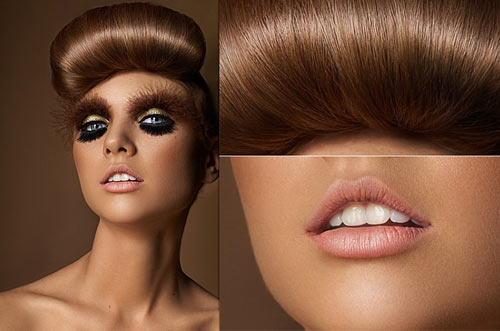
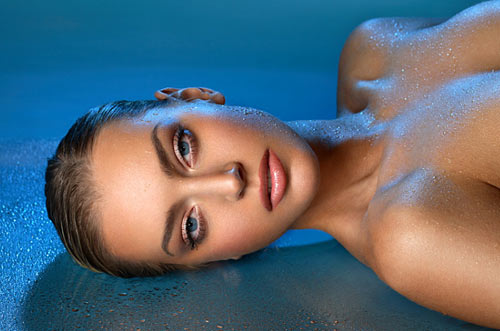
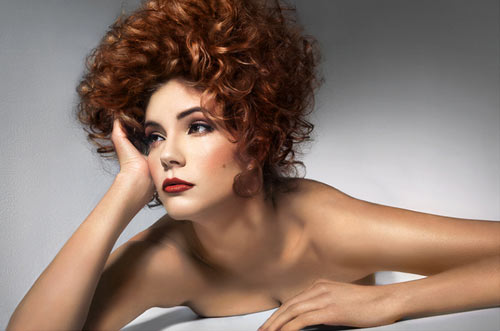
70 Beauty-Retouching Photoshop Tutorials
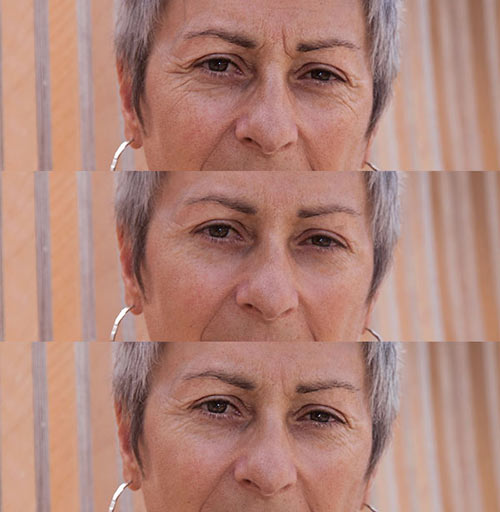
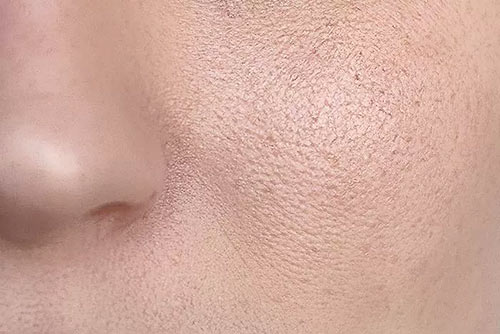
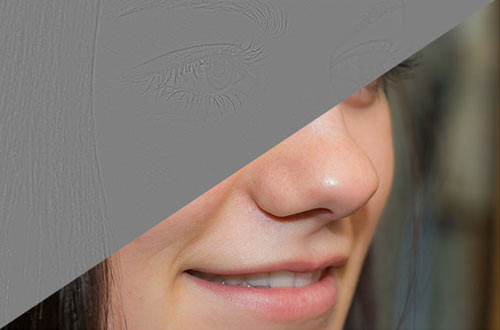
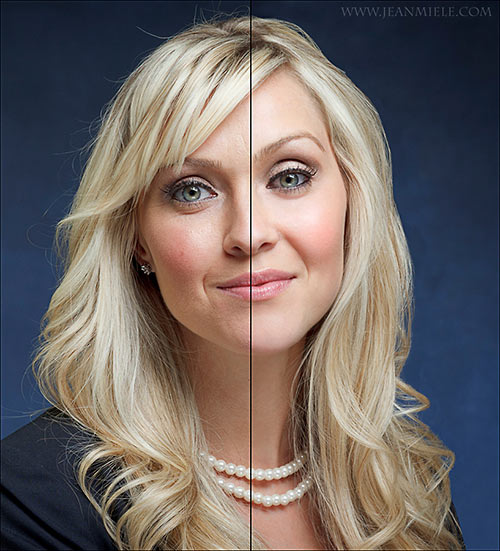
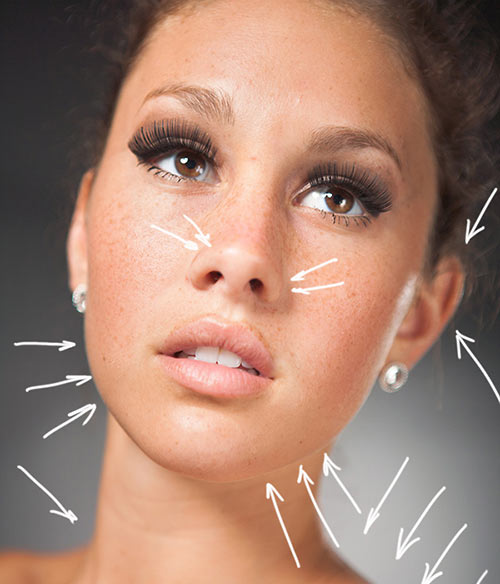
Beauty retouching is probably one of the most popular application areas in which Adobe Photoshop is used extensively. There are two simple reasons for that. First, Photoshop offers a variety of advanced tools to smooth out skin and hair, optimize body proportions and emphasize some beautiful details. And second, if you have some experience with Photoshop it is easy to learn the basics and quickly produce very impressive and beautiful results.
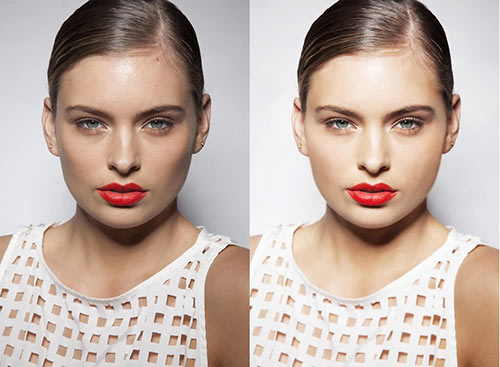
Of course, beauty-retouching is a quite deceptive art. The masters of Photoshop create illusions which are hard to tell apart — unless you have both a genuine photo and the final result in Photoshop and can directly compare them. In fact, every day we consume perfectly retouched stars and models online and offline which just look different in the real life.
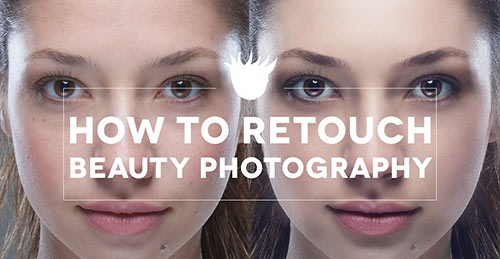
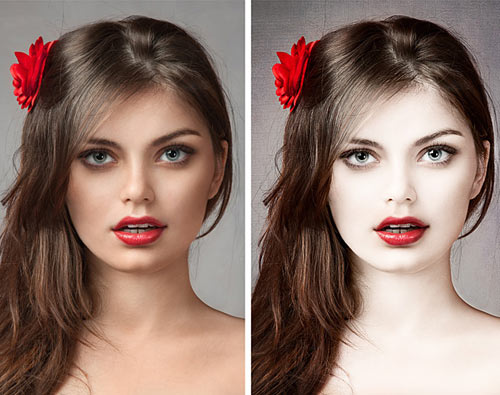
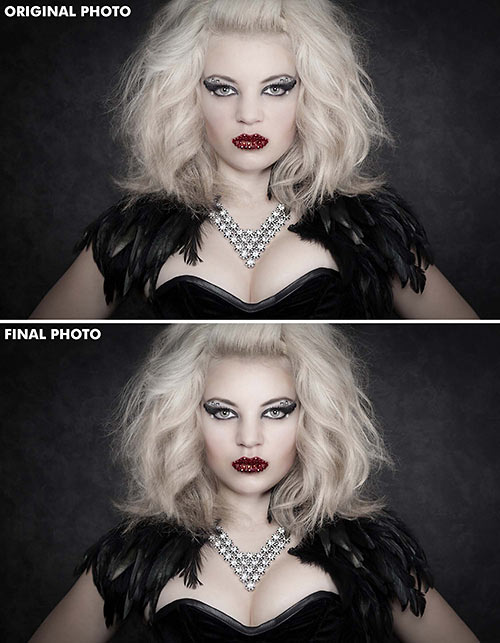
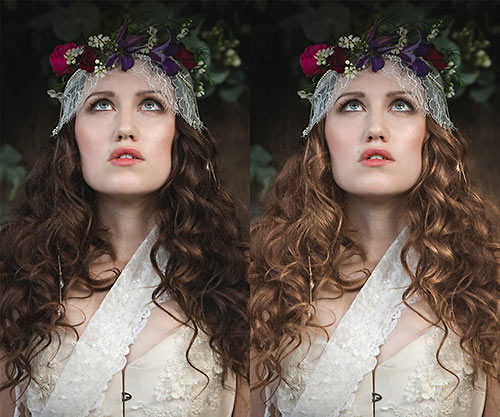
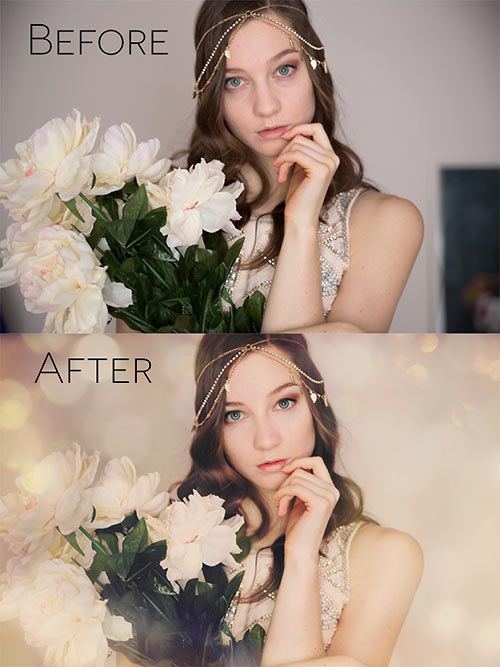
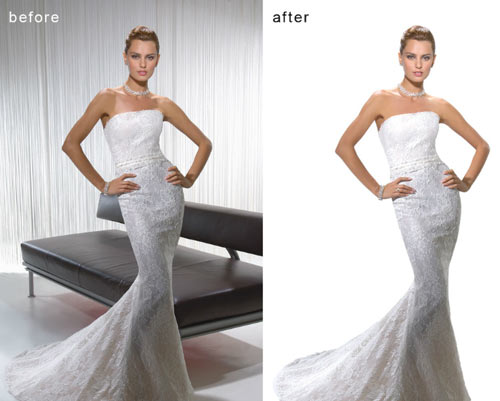
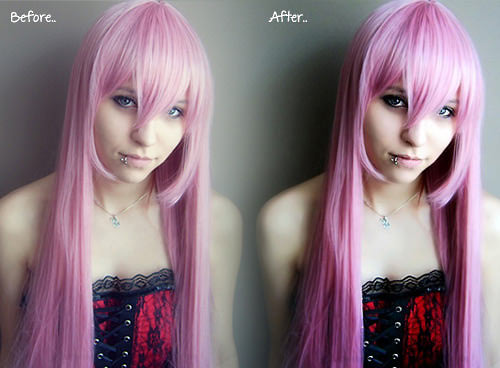
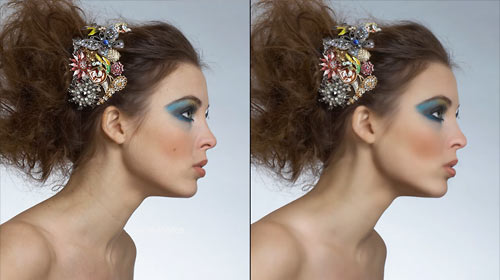
Still, it is not the reason to avoid learning advanced Photoshop techniques for beauty-retouching and study examples of how it is done in practice. The list below presents both image-tutorials as well as video-tutorials. Most examples have a before-vs.-after-comparison and you can follow the modifications with Photoshop step-by-step.
You may want to take a look at the further Photoshop tutorials selections we’ve presented earlier:
- Adobe Photoshop Tutorials: Best Of
- Adobe Photoshop Video Tutorials: Best Of
- Adobe Photoshop Tutorials: Rainbows, Glows and Light Effects
Skin
- Beautiful Skin
Not everyone has beautiful skin but you can make it better – at least in your photographs. - Smooth skin
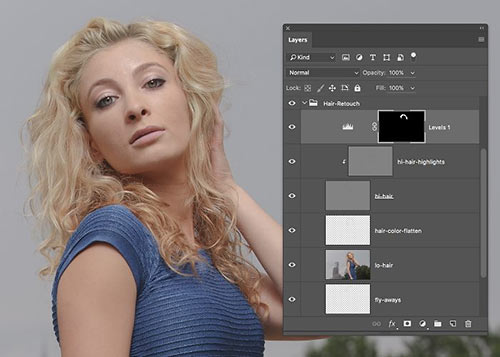
How to make a skin like the ones you see in magazines like Playboy. - Beauty Retouching
Beauty retouching is one of the most demanding parts of photo manipulation. The main trick for your results to be astonishing is patience. - Remove Freckles
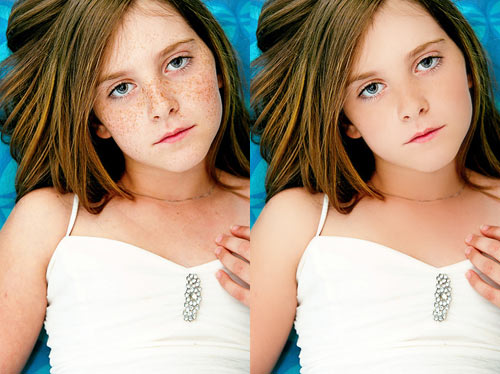
Reduce slight freckles naturally without using the Healing Brush. In this Photoshop tutorial, you’ll learn how to subtract freckles using a layer. - Perfect Skin
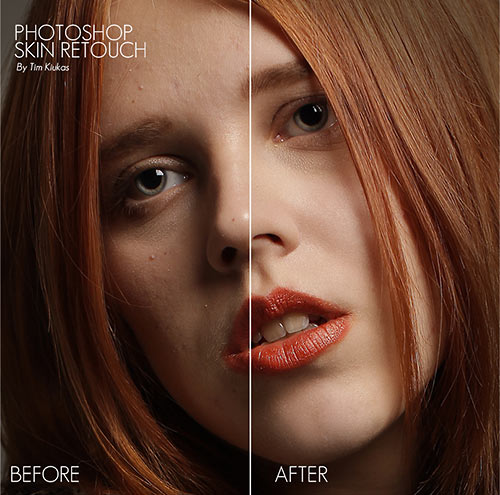
How you can get rid of all the acne and pimples and blemishes and scars on your face. - Skin looking smooth
During the course of this Photoshop Lunacore shows you how to make skin look smooth. - Makeup makeover
How to remove hair in front of someone’s face, retouch skin and apply makeup using Photoshop. - Dark skin – bright skin
This tutorial shows you how to make a dark skin bright(er). - A chapter of Beauty Retouching
A free sample chapter of “Skin”, a Photoshop Retouching Book by Lee Varis about Beauty Retouching.
Hair
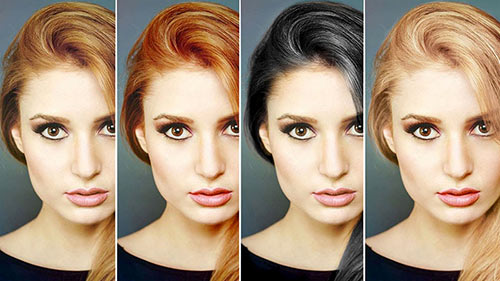
- Changing Hair Color
How to change hair color. - Shining hair
Creating shining hair like shown in shampoo ads. - Removing Hair Roots
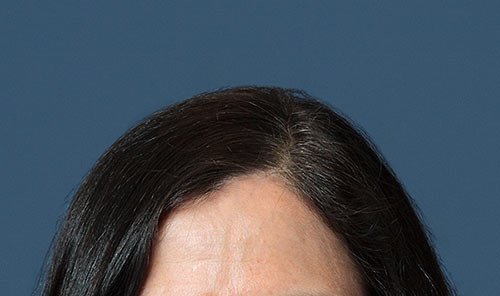
A fairly straight-forward method for removing hair roots that takes mere seconds to accomplish. - Color hair locks
Changing hair color in just few minutes.
Body (breasts, bum, figure, etc.)
- Trimming weight
Trimming weight off with the Liquify tool. - Digital Nip Tuck
Photoshop is probably the cheapest alternative to plastic surgery possible. - Digital Nose Job
Simple and easy photo editing technique to give someone a digital nose job. - Spare Tires
In this tutorial we will see how to remove love handles (or the extra fat around the waist). - Smaller Nose
This tutorial will walk you through the steps for reducing the size of a nose in a photograph using Photoshop. - Bigger Bustline
Learn to make a bustline look huge and comically big.
Eyes, mouth and teeth
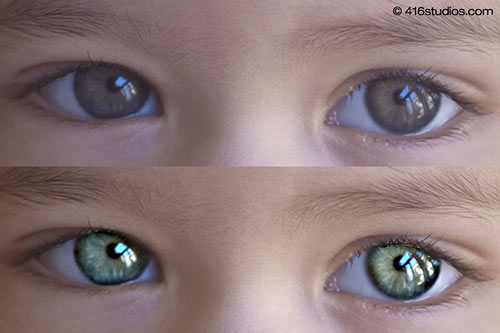
- Enhancing Iris Color
It is said that the eyes are windows into the soul. This tutorial details a simple yet powerful technique for altering eye color using basic Photoshop tools. - Red Eye Tool
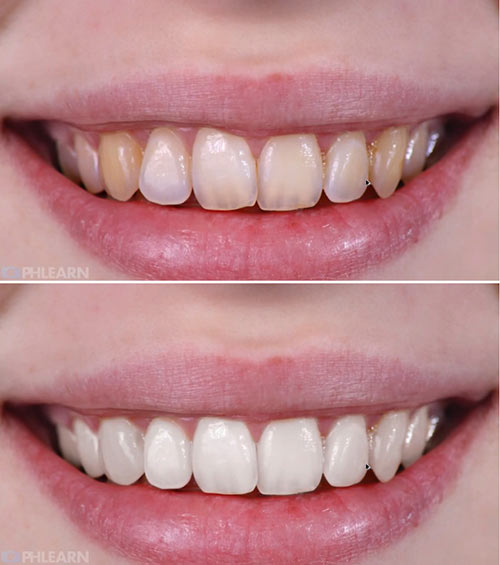
This photoshop tutorial will show you how to use Photoshop CS2’s Red Eye tool in a non-destructive way. - Whitening Teeth & Eyes
Some methods to make natural elements white or whiter. - Make eyelashes thicker
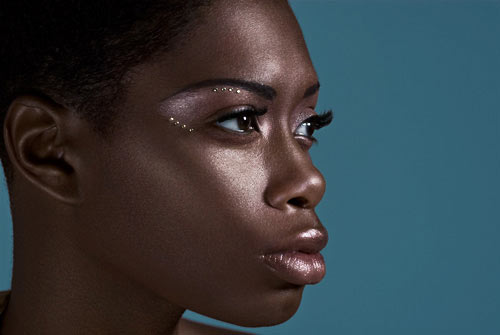
Learn how to make eyelashes thicker. - Apply Eye Make-up
This photoshop tutorial will show you how you can add eyeshadow, eyeliner and mascara to any model easily. - Eyebrow Piercing
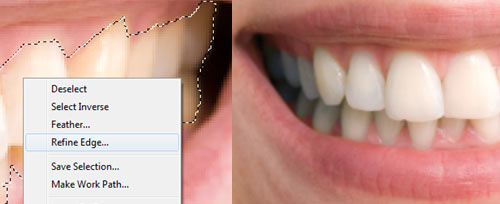
This tutorial shows you how to add an eyebrow piercing to a photo. - Photoshop dentist
Everybody can be a good dentist – with Photoshop. - Whitening Teeth
Another way to make whiter teeth with Adjustment Layer.
Galleries
- Celebrities Before and After
Shows some photos of celebrities before and after beauty retouching. - Greg Apodaca
Rolling the mouse over most of the images of this digital portfolio will display the original scan before it was retouched. - Touch of Glamour
Photo Retouching and Enhancement for Pageant, Model and Glamour Photography – Rollover effect also here. - Amy Dresser
Portfolio of a full-time retoucher and illustrator. - Retouche
Norm Nason is a senior graphic designer and fine artist. - The art of retouching
Glenn Feron was born, then found art and was born again. - Digitalpablo
Portfolio of Pablo J. Castillo. - Digital Retouche
A German professional retoucher. - Artist 2 Design
Experience retouching thousands of actors headshots over the years has taught Shawn the art of what to retouch and what not to. - Digital Retouching Services
From very basic blemish clean ups to full out magazine quality beauty skin retouching. - Retouchme
Creative high-end beauty, fashion and product retouching. - Retouche Demo
Nice flash demonstration how to retouche a photo.
Video-Tutorials
- A Perfect Lie In Photoshop
Cameron Rad turn a beautiful woman into a perfect one. “I went through about 40 different makeover techniques, until i found what i thought was the best balance for this photo.” A good “flawless” skin method. - Hilary Duff
Hilary Duff makeover. - Breast Enlarge
This tutorial shows you how to enlarge a breast. - Smart Filters
Using smart filters to soften the skin of your subject gives you the ability to retouch your image while maintaining flexibility. - Basic Beauty
Learn the absolute basics of beauty retouching in Photoshop. - Beauty Saloon
Skin retouching with Photoshop. - Model Beauty
Speed revision of a model beauty. - Natural to Synthetic
Extremly makeover of a photo of Amy Lee from Evanescence. - Gossip Girl
Leighton Meester super glam. - Body makeover
Makeover to illustrate what photoshop can do. - Magic
The fast way to loosing weight. - Pretty
A little time and effort can do a lot. - Extreme
A really nice Photoshop Makeover. - Pretty face
Another Makeover. - proof
Proof that you can in fact create top beauty images with a point and shoot camera. - model job
Great digital makeup in photoshop. - The Perfect Lie
High-speed Photoshop transformation.
Complete Workflow
- Pure perfection
Spin raw beauty into pure perfection. Very detailed tutorial.
- Beautify a Face
This extensive Photoshop tutorial will show you how to beautify a face. - Ultimate Makeup
A series of steps to improve skin tones, modify shadow and light patterns to increase the impact, and enhance the eyes and hair to create a striking portrait.
Artistic Retouch
- Phoenix Hair Effect
With some simple brushing techniques, and a bit of color tweaking, you can spice up your photos with this flaming hair tutorial.
More beauty
- Longer Nails
You would like a woman’s nails to be longer? Here we go…
- Eliminate Cellulite
In this tutorial you can learn how to eliminate a person’s cellulite. - Nail manipulation
Manipulating nails by increasing length and changing shade. - Airbrush retouching
See what`s possible with Photoshop`s airbrush tool. - Retouching for Beginners
This tutorial shows a couple of simple techniques you can use to enhance your portraits. - Photoshop Beauty
Some ways to improve your photos with the help of using Photoshop. - Tone Down Highlights
Sometimes the only thing that keeps a good portrait from being a great portrait is a little too much shine on the skin. - Looking good
Great Techniques for Photoshop Beauty Retouching. - New look
Whatever a model looks like, we can give her a totaly new, beautiful look. - Glamour Style
Suzette Troche-Stapp is one of the most sought-after photographer/digital artists today.


Ehsan
August 21st, 2008 6:48 amfantastic
i link this page in my forum
ADAMS.
August 22nd, 2008 9:39 amwere can i download this 70 beauty-retouching photoshop tutorials?
or if its a certain photoshop, then what one is it? and were can i download it?
can anybody send me a link or tell me the website and what photoshop it is.
thank you.
Tamas .A. khan
August 25th, 2008 3:30 amGreat ideas over here
Nishant
August 27th, 2008 2:47 am!!!! Superb !!!!!
Very Help Full
Dan the Man
August 28th, 2008 5:34 amPHOTOSHOPED! This is all totally photoshoped, not real! NOT REAL!
Sherry
September 1st, 2008 6:33 pmI’ve seen better done by 16 year olds…. Not very impressive. Nothing looks even remotely natural. The idea is to NOT show that the image was retouched. Poor article…..
Bombchell
September 3rd, 2008 1:47 pmwow this is great!! so comprehensive. Its like all the random links Ive seen in one! like a yelow pages of photo retouching!! Thanks a lot
zaira
September 3rd, 2008 7:37 pmme re gusto
vladimir
September 15th, 2008 1:47 pmWoooow the BAST tutorial in the World … thanks a lot :D
ms.slater
October 3rd, 2008 2:54 amthey are all ugly but not me im the most sexiest woman ever i have a flatty batty andd a flat chestt i love to put poo poo all over myy privatee to give it that tinggy taste
Putera
October 8th, 2008 3:21 amThis is great, it helps me so much, thanks!
mauro
October 8th, 2008 10:22 amgreat tutorials! It’s just sad that some people find here the forum to complain about other things that aren’t relevant. This is like school – it doesn’t matter that the subject is or not offensive: people want and should learn about it. It’s like saying that the holocaust is terrible, and because of that we won’t “teach about it anymore” – or a proctologist not learning most of his trade because it deals with anus, and that’s, after all, disgusting. This is NOT the place to talk about how you feel about the fashion industry – which, by the way, have been doing this longer than most people here were born, because the market asks for it. Dove came up with a campaign that showed “real beauty”, and had to remove it from most markets, because it hurt sales. Now can you really say with a straight face that the market doesn’t dictate this? also, there’s nothing degrating about wanting to look good – we all do it – even if the end result is questionable. Niki Brown herself has a picture of her with a read hat – I’m sure she wasn’t cold when she took the picture, but she feels/thinks/knows she loogs good wearing it – or “cool”. Whatever the reason is, is purely aesthetic. Say it isn’t so.
mauro
October 8th, 2008 10:28 amoops – I write too fast sometimes: “… with a RED hat…” “… she LOOKS good..” (before people start attacking the grammar to avoid talking about the issue)
peace
mrc
October 12th, 2008 9:52 pmi think alot of these tuts are quite usefull if you just want to play around. I clicked on “the art of retouching” by Glenn Feron. there is a galery..or portfolio. The pictures are mostly all of women, the pictures objectify women and use very sensual poses to sell technology. They are selling tvs and dvds and they have a half naked woman with her chest popping out with the merchandise?! we are in 2008. this shoudnt be happening. Those pictures totally devalorise women.
I really dont think what he does is fair or right. Here is the link so you can see for yourself.
http://glennferon.com.nyud.net:8090/portfolio1/index.html
ALD
October 20th, 2008 1:29 pmFor those having an issue with the concept of photo retouching or image manipulation…..do you also take issue with people buying makeup or enlisting the aid of plastic surgeons?
The Fashion industry is the driving force and has been around since long before photoshop was ever heard of.
I don’t see a lot of difference between layering on a ton of makeup to mask perceived imperfections and utilizing photoshop to achieve the same results..except, perhaps, that photoshop is non-destructive and won’t lead to future skin issues or irreparable body modifications.
I don’t particularly have to agree with the levels of manipulation some people go to (both in photoshop and in the ‘real’ world) but, that doesn’t mean I have the right to impose my views on them.
Eliminating the cosmeticians won’t ‘correct’ the problem. Nor will flaming threads such as this. The fact remains that there IS a whole industry built up around the perceived ‘perfect’ image. If you wish to change that simple fact then, perhaps direct your energies to the Fashion industry moguls and major makeup manufacturers.
In the meanwhile, photoshop, used properly can help augment an image and, perhaps, make somebody feel better about themselves for a moment in time…even if they shouldn’t feel badly about their image in the first place.
sallyrock
October 29th, 2008 9:13 amwhere can i download it free
Rakesh
November 17th, 2008 10:53 amhi frnds…
this site is excellent
to biginners.
many many thanks….
sklepy internetowe wrocław
November 29th, 2008 5:40 amThanks for this article, it’s great. So great that we’ve made it ‘sticky’ on The Webmaster Forums. Now we don’t have to repeat ourselves, just send people to this article!
me
December 8th, 2008 4:39 pmwho is this good for? Is it a compliment to the model (shouldn’t be it’s NOT her picture)? It’s a lie, and everyone is finding out. REally what’s the point. Go paint or draw a beautiful women, instead of tricking ppl. ANYONE ANYONE ANYONE can look perfect with photoshop. look at Lil kim before and after photoshop. Silly..Anyone who uses this crap will regret it once they think it over i’m sure. They will no longer have a picture of themselves at all
alaa
December 10th, 2008 8:49 amthx
Darrel
December 28th, 2008 2:53 pmThank you for this.
These excellent tips are extremely helpful.
Ralph McPherson
January 19th, 2009 10:42 amWow! Thanks! They look very helpfull
bobby
January 27th, 2009 12:19 pmi loved this website so much
i only have two words wow and amazing
P.S. send me some more of the pics.
Scott
January 30th, 2009 5:32 pm@Niki Brown: your use of the word “unethical” shows a complete lack of understanding of the word. To compare teaching the use of Photoshop to create digital art to truly unethical acts is ridiculous!
If you’re trying to make a comment on the retouching industry in general, as opposed to these tutorials, then why don’t you say so?
On the flip side of that, retouching an image to create an ideal allows more models to get work, so that the ‘evil’ editors of fashion magazines won’t destroy the minds of girls who are ‘too fat’, or ‘too ugly’ to otherwise get work.
If you were a young girl wanting to take up modelling, would you feel worse getting rejected time after time after time because you’re too fat, or would you feel worse getting jobs, and then having your appearance tweaked?
Medie
February 4th, 2009 4:44 amGreat job mate, I really appreicate…
ankawa
February 19th, 2009 10:21 pmwow greaT!
me90210
February 24th, 2009 6:43 amnice!
Grsgamal
March 12th, 2009 11:15 pmIt is very prof. and handy work
roben lum
March 25th, 2009 7:51 pmeveryone has their days who know they hav pimples the day they have photo shoots which can’t call off due to equipment, place and etc rentals so photos needs been taken and retouched just like flowers and plans need water and sunlight too much they’ll die so …. it’s helps me alot here and it’s much appreciated thank you very much!
Noble
March 31st, 2009 7:10 pmhello! The babes are here! This is my favorite site to visit. I make sure I am alone in case I get too hot. Post your favorite link here.
Cesar Ramírez
April 13th, 2009 10:34 amMuchas gracias :)
esha
April 22nd, 2009 6:13 amwow………. its gud n helpful i liked it
Tiffany
April 22nd, 2009 1:42 pmWOW thank you SO much for these Tuts…I’ve been looking everywhere for help and finally have come accross a site that is helpful in what I’ve been trying to accomplish. I am very new with “photoshop”, presently I’m working in Elements 6, and was wondering if these tuts apply to this the particular version I’m working in.
Also, wanted to make a comment on those who apparently have need of complaining that this is “Unethical” etc. I do NOT understand how on earth wanting to look better is unethical. I work in the modeling industry and touch ups are done ALL the time, in fact not one goes into a magazine without first being touched up in some form. What is the BIG DEAL? I am a woman and do not see the connection of what some claim to be “degrading” or whatever. The only trouble I did have was the changing of one’s skin tone, I found the model prior photo of her skin tone to be absolutely BEAUTIFUL thus, I didn’t see a need of changing it but having said that, there are many in this world who obviously would like to see how they may look with a different skin tone. That is their business and their choice. I personally would not choose to do so but everyone has a right to choose what they so desire. Also, keep in mind that it is PRIMARILY the subject of the photo that desires change NOT the photographer, etc. thus none of the women are being belittled, etc. THEY have made the choice to have a flawless photo and in my opinion there is NOTHING wrong with the choice they’ve made. We cannot change the world. Sadly in almost EVERY industry its all about image, nothing we can do to change that!
Anyway, I appreciate you taking time out to post these tuts, they’ve been EXTREMELY helpful to this beginner ;-)
abiu
May 23rd, 2009 5:36 pmHay Nikki brown > I can understand ur feelings but it’s mad’s world and all are mad to catch woman in any advertisement promotion, tell me honestly, Do u watch TV? lets count it about every 10 nos of TV ad, u should go through 8 ads showing woman face or figure in so many poses, This world now buyers world and (all most) every small or big sellers love to produce their product on air/print with ladies, it’s hard to believe but it’s true.
Geri from acne solution
June 9th, 2009 4:01 pmWow, I am impressed by what can be done with a click of the mouse. Thanks for this very informative piece.
sandesh
June 12th, 2009 9:31 amits gud n helpful i liked it Thank you
anon
June 22nd, 2009 9:40 amBlah blah blah… some of you people take life way too seriously!
My neice was attending her prom but has pretty bad acne. For weeks before, she ate right and used all sorts of creams & soaps to keep her skin clear. It was working, but the stress of the evening got to her and she broke out the night before her prom.
Not to mention there was an idiot photographer who couldn’t even get the lighting right!
I used these tutorials to neaten up her photo a bit and she was ecstatic.
By the way, I’m also female and won’t be naive enough to deny that sex sells.
Grow up people seriously!
You don’t complain when there’s tutorials on taking a mundame landscape image and converting into something masterful. How is this any different???!?!?!?!??!?!
alvis
July 15th, 2009 4:32 amMAGNIFICIENT
THANKS
Danielle
July 16th, 2009 2:51 pmtks for the tuts… i think photo retouching is always useful for a designer…
sushil K. Sharma
July 29th, 2009 2:49 amvery good excellent job keeps up its very helpful
but what add layer mask A to Z totutrial where is
andy
August 5th, 2009 6:18 amI would like to agree with some of the sentiments of other posters. Un-ethical is banded around without any thought. Photo retouching alone isn’t un-ethical, Retouching news images, changing someones skin from dark to light, improving appearance of youngsters in photo’s is.
Photoshop seems to be blamed for all societys ills, when in theory its only been around in the industry for no more than 15 -20years. Image manipulation has been around since man first captured the human face and form on stone and later on celluloid.
You think the classical greek statues were acurate depictions or that roman emperors actually looked like the image on coins?, of course not. The same goes for paintings by most of the masters. Kings and queens and noblemen never looked like their pictures.
We as humans at an animalistic level like symetrical perfect looking things, it’s in our nature. The same reason why a peahen looks for the brightest, biggest most perfect peacock, it means he’s healthy. We are unfortuately a visual animal and this is a knock on effect of this.
As someone said before if your going to criticise retouchers then you must also criticise all women who wear make-up, all people who have plastic surgery for beauty purposes or for treating disfigurement, all fashion designers, and all magazine editors.
Educating teenagers on the subject is the key.
Helen Tran
September 10th, 2009 11:12 amAs a fashion photographer, half of these tutorials are awful and teach bad habits! Please have a thorough read before you post this… none of these effectively answer the question of how to retouch skin. Not even the fashion/beauty industry wants their models’ skin to look this bad!
Jack
September 20th, 2009 2:33 pmMediocre at best. These are not high end at all.
HAAM
October 23rd, 2009 2:11 amamazing….
rojesh
December 6th, 2009 3:40 amNice collection …~~~~
hailey
January 17th, 2010 8:57 amhow do u join this?
adolfo leon
February 8th, 2010 12:29 pmestraordinarios tutoriales gracias y los felicito me gustaria que sacaran tutoriales de como crear plantillas psd y quisiera saber de una pagina para bajar plantillas gratis gracias por toda su alluda
Daniel Meadows
February 24th, 2010 2:50 amI’m seeing way too much blur going on. The quicker the fix, the worse it looks, a beauty retouch that doesn’t take at the very least an hour or two is going to look pretty awful in print.
Okaraj
March 13th, 2010 4:35 amYour Effects all super
Sandra B
April 16th, 2010 9:15 amI found the Vitamin Enhanced Moisturizer from the Made from Earth line is the best for improving skin tone. First, it WORKS! The company says to give it 4 weeks, but in as little as 1 there was a noticable difference in my two brown patches (on the driver’s window-side–sunblock, sunblock, sunblock!).
Also, I have super-sensitive skin which can’t decide if it’s dry or oily or just going to be both with the beginnings of wrinkles, but this product didn’t clog pores or feel gooey, and it didn’t dry me out or make me red.
It goes a long way – at first I thought it was expensive for 2 ounces but the jar has lasted me two months! Thats how potent it is – im actually saving money by using this because it replaces the other stuff that runs out so quick.
p-art
April 26th, 2010 1:29 amcool but i think on black skin retouching is what i need can you show me my wayabout ?
March
May 4th, 2010 10:58 amExcellent list!!
Thanks for sharing!!
Kim Bosco
May 13th, 2010 1:15 pmI love the great work you guys are doing and wish i could join some time to come
alvis
May 13th, 2010 11:41 pmThis is great, it helps me so much, thanks!
CatJ
May 31st, 2010 8:54 pmHow do you get skin like this with all the pores and texture still there?
http://www.dmeadowsdesign.com/portfolio/beauty-retouching/
Anyone?
thuy
June 2nd, 2010 9:27 pmit’s very useful for me, thanks you very much. I love you.
sergio zambrano
July 3rd, 2010 11:46 pmI hope you can include my… wait!, mine is not a tutorial, but an ACTION for QUICK results!
Here’s a PRO technique, which can be used to extract the wrinkles from an old man and apply them to a young girl, or just dramatically fix skin issues NO plastic skin results.
You can download it from my [wordpress blog socialblogsitewebdesign.com] (http://socialblogsitewebdesign.com/photoshop-perfect-skin-secrets-keeping-pores)
John Smith
August 16th, 2010 6:51 amhow do you photoshop a man’s face?
Since you can’t make him look too smooth, because he’ll end up looking gay.
It’d be nice to see how to photoshop a man’s face with stubble or something.
vaishnavi
August 27th, 2010 7:50 amgreat tutorials!!!!!!!!
thanks!! :)
vinod
September 16th, 2010 12:03 amwonder full
ketty
September 17th, 2010 3:26 amReally outstanding, & along with lots of information.
Iqbal
November 25th, 2010 12:33 pmi cant even begin to thank you this is so totally cool
Chelsea
September 22nd, 2010 10:00 pmGreat tuts. (:
Don’t see how it’s unethical. They’re just pictures. Seriously. Get over yourselves.
linda
September 23rd, 2010 7:35 pmI’m Linda and have been retoucher working more than 10 years in Shanghai .
I’m looking forward to work with you in the near future.
Gook luck!
Ramesh Vishwakarma
September 28th, 2010 5:18 amGreat collection…. :)
amit verma
October 2nd, 2010 1:47 amThank’s for this B’coz that is very excellent tips are extremely helpful for edting any other images……………….
yonas
October 11th, 2010 2:11 amrealy i like it. it helps me on time.
Pallazzio
October 25th, 2010 1:55 pmSweet
jader
November 3rd, 2010 5:35 ami cant even begin to thank you this is so totally cool
Jagath K
November 3rd, 2010 10:59 pmnice. Grate.Thanks
Sara
November 22nd, 2010 1:49 amThank you very ,very much!!!!
phil
January 4th, 2011 9:00 amI don’t know what any of the “CRY BABIES” are crying about,all they’re showing us is how to do it,They’re not saying this is what we should do to fool people,because anyone that knows us or would meet us after seeing our(photo shopped pics) will see us and laugh their asses off,It is mainly to touch up photos that we really like and might not be able to ever take again,so if we can fix a part we don’t like why not,then erasing a memory (But anyways what is wrong with seeing how we would look in different color hair,or clearing up our blemishes,or green eyes instead of brown,or even bigger breast,and If some wants to put it out there for people to see, maybe they want to know what type of reaction they get?) And finally why they don’t show men,is because most of us don’t give a F*CK what we look like,As long as our cloths are clean and we can still smooth talk into getting “SOME” we DON’T CARE ABOUT PHOTO SHOP/NOR HAVE THE TIME ! p.s. Any girls like what they hear hit me up!!!
Pixelizar
January 28th, 2011 10:25 amnice collection! thanks! :)
Jenn Jimnez
March 20th, 2011 10:12 pmI am now well into my 50s and I have tried everything on the market, even expensive bleaching creams purchased from my dermatologist. I’ve found that most skin lightening creams–if they work at all–lighten your skin and the scaring in equal proportions, leaving the scars just as prominent as before you started using the product; you look like you’re changing colors and you still have spots.
What I was looking for was something that would even out my skin tone; leave my skin color as it was but smooth out and/or lighten only the scars so that my face would have the same even coloring all over. Nothing worked, that is until I found Dr Max Powers Scar Serum. I thought it should just be used on scars, but I used it all around my face as my moisturizer. And I am extremely happy with the results!
Devicharan.
May 24th, 2011 4:08 amHi Thankyou so much…. :-)
daniel
June 2nd, 2011 12:56 amWell, great collection and a lot of good inspiration for getting better final results :)
Helped me getting even more beautiful shots.
Thanks for sharing!
DitzyGypsy
June 19th, 2011 2:28 pmI found this so helpful and my friends -and their partners/spouses- who like me to take their photos are happy too because they bought the software for me and I thought I’d never figure out how to do anything with it. And all this complaining and fake people, fake boobs, fake models–pffft. How about fake singers who win grammys and sell millions?! We’ve had “composite” singers in the music industry since the advent of ProTools. So convincingly real that even a flat singer with a brilliant husband doesn’t know that’s her COMPOSITE pitch and note corrected and perfected studio vocal track playing through the system while her mic is off except for in her earbuds during live gigs! (Soundmen cannot keep secrets, lol.) I think that’s MUCH worse than perfect models being glued together to make perfect composite models. Join the club visual artists!
Wuff
June 26th, 2011 11:07 pmSome of the links don’t work anymore ):
Paula Millers
July 6th, 2011 10:53 pmso cool, there are very useful and helpful.
thanks for sharing.
Paula Millers
July 6th, 2011 10:54 pmgreat collection and a lot of good inspiration !!
-Paula voodoo spells
shahid
July 14th, 2011 11:51 pmgoodbetterandbest
yeah
July 15th, 2011 4:02 pmNIKI BROWN, you disgust me, like most feminists. The idea of a female sexualized destroys you so much, that you refer to it as degrading and marginizing. Give me a freaking break.
How often do you see guys in sexual positions? Oh yeah, that’s right… its barely noticable when it is a guy. Try watching Spongebog, or nickeledeon. The amount of time the camera zooms in on a guy’s butt in kids hows is amazing. But feminists like you and your “marginizing” nonsense.
Your inability to ignore this only makes females look like the weaker gender. It is girls that get away with so many things that would be considered crimes if a guy did so. If people want to look beautiful, that’s their own business. Don’t bring everyone else to your standards just because you are ugly and your life is miserable.
And just be lucky you are actually a whining female. Whining guys get beaten up, and that is the only thing keeping you annoying feminists from an ass whooping… your gender.
jyoti
August 24th, 2011 1:53 amit’s really good and helpful.
Jude
September 26th, 2011 6:00 amIts really use full to the trainers
thanks
thilini
October 16th, 2011 3:43 amThis is a good web site !!!!!!
Racheal
November 21st, 2011 10:34 pmWhat type of Photoshop is this??…where can I download it..and is it for Mac?
henry
February 1st, 2012 1:39 pmKeeping a fresh blog is tough and really tiresome. You’ve pulled it off well though.
Derek
February 17th, 2012 6:54 pmSorry, but my retoucher Bianca Carosio murders this whole website, with no remorse, on her skills.
Michie
March 6th, 2012 3:21 amehh…Now looking at that website I’m shocked they haven’t listed it here yet.
Meranda
May 7th, 2012 5:25 pmNothing about Photoshop is right, it gives girls a false image of what they are supposed to look like. When they see beautiful, perfect women they expect that that is what they need to look like. They starve themselves, wear gobs of makeup, all to try and look like these girls. when in reality, THEY DON’T EVEN LOOK LIKE THAT. It’s disgusting to think that models and stars look like the rest of us do, normal, but they can’t let that be shown. They have some pictures of girls who are pretty and skinny anyways, and STILL retouch them to make them smaller. WHY? Normal girls read these, so normal looking girls should be featured in them.