Smashing Magazine we smash you with the information that will make your life easier. really.
Top Ten Web Typography Sins
August 11th, 2008 in Events | 171 Comments
By Steven D.
While many designers have been quick to embrace web standards, it’s surprising how often the basic standards of typography are neglected. Here are ten deadly sins to avoid in your web typography:
1. Using hyphens instead of an em dash

If you need to interrupt yourself, do it with an em dash (—) instead of a pair of minus signs. This is a top pet peeve for countless editors.
2. Using periods instead of ellipses.

Most fonts provide a dedicated ellipsis character (…) to keep your type tidy. The ellipsis character fits the three dots into a single letterspace, which is especially beneficial for content that might be printed.
3. Using dumb quotes

These straight “up and down” quotes used in your markup should stay in your markup. In your content, only use them to indicate a measurement in feet or inches.
4. Double-spacing between sentences.

The antiquated practice of double-spacing between sentences seemed like it was finally laid to rest thanks to web typography. Just a few short years ago, it required manually inserting a blank ASCII space to commit this font faux pas. Now, some content management systems will actually format the double-spacing for you if you let them. Don’t give them the chance! Only use single spaces between sentences.
5. Improvising a copyright symbol.

Not only is it ugly and lazy, a copyright symbol hacked together out of a capital C and parenthesis might not even cut the mustard in court. Use the real McCoy (©), and bill your clients extra for the legal advice.
6. Using too much emphasis.

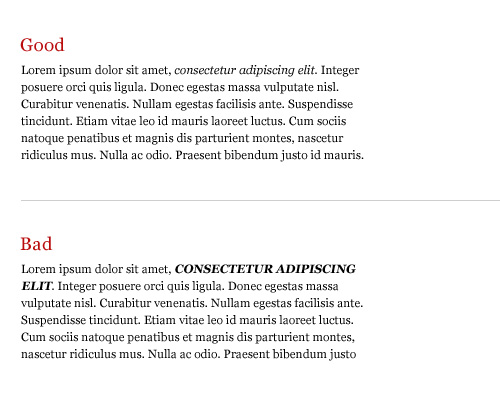
You can bold text. You can italicize it. You can underline it. You can even use all caps if you really need to hammer home your point. Just don’t use more than one at the same time.
7. Underlining your hypertext links.

Underlines cut right through the descenders in your typeface, making it harder to read. Instead of text-decoration: underline;, use border-bottom: solid 1px #00f; to draw a line below your text instead of through it.
8. Faking families in Photoshop.

If your font doesn’t offer (or you couldn’t afford) the bold, italic, or smallcaps branches of the family tree, don’t try to fake it in Photoshop. Sometimes you can get away with it in print, but at web resolutions, it’ll be a mess.
9. Not using accent characters.

I know how annoying they can be (especially when you’re writing about Ikea furniture), but if somebody’s name includes an exotic character, be polite and include it.
10. Not using CSS for capitalization effects.

I know it’s CRUISE CONTROL FOR COOL, but if you’re using caps (or lowercase) for decorative reasons, be sure to use the text-transform property. It’ll save a lot of trouble if you ever decide to change things later.
About the author
Steven D. is a web developer so secretive that he won’t even tell you his last name without entering a mutually-binding NDA. In his free time, he enjoys working instead of enjoying his free time.
Editor’s note
This post is one of the finalists of our guest author contest. Over three weeks selected top-10-lists and discussion articles will be published. To rate the articles we’ll analyze their popularity, users activity, quality of backlinks, traffic and further data.


superxtian (August 11th, 2008, 7:22 am)
how many finalist do you have?
anyway, nice one Steven D.
Greenek (August 11th, 2008, 7:22 am)
Entities are IMO better idea, for example: ©
Sparticus (August 11th, 2008, 7:23 am)
The first really cool article to come from the competition. Granted a lot of it is well known by now but it’s a good round up. Bravo
David (August 11th, 2008, 7:23 am)
Good tips for anyone to follow.
Joe Casabona (August 11th, 2008, 7:28 am)
Guilty of a few of these- namely 2(ellipses), 7(underlining), and 9(ignoring accent characters).
Great article.
Dominic (August 11th, 2008, 7:35 am)
It’s strange: the article mentions to border links instead underlining them, but Smashing Magazine doesn’t keep with it.
silencio (August 11th, 2008, 7:41 am)
entities and mac equivalents. or is the idea of opt+g too hard for ©? :P
Niobe (August 11th, 2008, 7:42 am)
The last 2 items are saying what you should do, not what you shouldn’t (like the other 8). It really confuses the flow of the article.
Michael Risser (August 11th, 2008, 7:42 am)
Great tips. And to help out the lazy among us :) here are a few CSS classes:
.lowercase {
text-transform: lowercase;
}
.underline {
border-bottom: 1px solid #000;
}
.uppercase {
text-transform: uppercase;
}
I’m hoping to see more like this. Great job.
Donna Payne (August 11th, 2008, 7:44 am)
Ellipses… are immediately after the word, 3 periods and followed by a space before the next word. Not……. and just random periods.
Whereas em dashes have no spacing on either side.
NaldzGraphics.com (August 11th, 2008, 7:48 am)
Awesome tips.its very useful.thanks a lot.im learning this one
Jizm (August 11th, 2008, 7:48 am)
what a aload of common sense. This is webdesigner level 1 stuff.
DC (August 11th, 2008, 7:49 am)
I don’t want to give up the double space after the period. I don’t care if it’s wrong. Just can’t do it.
conrem (August 11th, 2008, 7:50 am)
it sucks a lil’ bit
Susanna K. (August 11th, 2008, 7:54 am)
I think the underlining issue is too slight to be really called a “sin.” More of a small nicety that could make your copy look marginally better. Personally, I’m just happy when people bother to underline links at all these days.
Lee (August 11th, 2008, 7:54 am)
Although I agree on the readability issues of #7 (underlining), using border-bottom instead text-decoration:underline for links requires a bit of care: that extra border pixel may be just the thing to push objects down or around around and wreck a layout. Reducing the padding-bottom to compensate might make up for it, but not always, and it might be impractical if you’ve set up an em-based typographic baseline.
brandon (August 11th, 2008, 7:55 am)
WORST. ARTICLE. EVER.
-7 is a good tip
-Better than 5 would be to just type out copyright
-Text transform properties might seem like a good idea at the time, but what happens when you copy and paste content and then suddenly your content isn’t in caps anymore? think about it. its just a bad idea. Same goes for special characters that don’t copy.
-If anyone ever handed me website content with normal quotes (not “dumb” quotes) then I would either make them change the content to dumb quotes or dump them as a client, or maybe just disembowel them.
Jason (August 11th, 2008, 7:55 am)
Isn’t character mapping only good on PCs?
Where I come from we use
©
and the likes.
I also think dumb quotes are good, because it works cross browser, while
"
will work in some browsers, but not in others.
Also, does photoshop fonts really matter, we’re dealing with web typography, your fonts don’t matter.
Jason (August 11th, 2008, 7:56 am)
hmm, my code blocks didn’t work
Nathan Beck (August 11th, 2008, 7:56 am)
Oh my, even though I know of most of these points, I don’t stick to them all the time. I feel so ashamed… what a terrible, terrible inconsiderate web designer I am… :o
Karl (August 11th, 2008, 7:57 am)
See if I care… Especially regarding 2. and 3. This is so pointless. Fanatic typography designers forcing the world to comply.
Kim Siever (August 11th, 2008, 8:03 am)
Please do not
pm (August 11th, 2008, 8:04 am)
Great article … except for #7.
Kim Siever (August 11th, 2008, 8:05 am)
Sorry. Missed a closing bracket.
Please do not use underlining for emphasis on the web. People assume underlined words are links, and get frustrated when nothing happens after clicking on them.
Regarding ellipses, the Canadian Press Style Guide says to use three spaced periods. That’s good enough for me. Emphasis on “spaced” though.
Oh, and they’re “primes” not “dumb quotes”.
Re #10. Em dashes are spaceless only in the US.
RonnieSan (August 11th, 2008, 8:07 am)
Some of these are more of annoyances than sins. I agree with Karl about 2 and 3. In 6, you should never underline your text unless it is a link. That’s the biggest sin of all!
Lasse Rintakumpu (August 11th, 2008, 8:10 am)
In his 2007 article on hyperlinks (http://www.thinkvitamin.com/features/design/dont-be-the-weakest-link) Paul Boag argues against the use of bottom border instead of underlines (#7). Many of his points have since lost their edge (mainly because of new browser versions), but I think that some of the arguments are still sound.
RonnieSan (August 11th, 2008, 8:11 am)
Forgot to mention, numbers 9 and 10 aren’t consistent with the rest of the list. The descriptions suggest that you should follow them, and not that they are sins!
Rocky (August 11th, 2008, 8:12 am)
Ummm. . .
If these are the “Top Ten Web Typography Sins,” then why don’t your solutions involve using HTML Character Entities instead of Windows ALT+ characters?
No web designer in his/her right mind would dare use ALT+ characters in their HTML. Print out a HTML Character Entity reference sheet and keep it handy.
pickupjojo (August 11th, 2008, 8:13 am)
Excellent post!
Even if I’m French and we do not use exactly the same rules, you’re so right.
Joffrey,
Link [www.geekandhype.com]
T (August 11th, 2008, 8:16 am)
I enjoyed the article, but I disagree with the point about the makeshift copyright not cutting it in court. Since around 1989, works are automatically copyrighted, without the need for a notice. It is effectively irrelevant from a legal standpoint whether or not you use a makeshift copyright symbol, because the copyright statement only serves to notify others of the copyright. This provides protection from the “innocent infringement” defense in court, and the makeshift symbol can serve just as well as the real symbol in that regard.
Link [www.copyright.cornell.edu]
Jurgi (August 11th, 2008, 8:17 am)
I’m figting this owful sins for a long time. Thanks for support. :)
Steven D. (August 11th, 2008, 8:17 am)
Kim,
Either “dumb quote” or “prime” is acceptable, depending on context. When used as an indication of measure, yes, it’s a prime mark, but when used in markup, they’re dumb quotes. Valid criticism, though, I should have pointed out the distinction.
Y’know, after seeing the reactions the other entries have gotten, I actually told my girlfriend this morning how happy I was that I wasn’t a finalist; at least my writing wouldn’t be ripped to shreds on the most popular web design blog on the planet. Then it turns out they just aren’t notifying finalists… here I thought I’d dodged a bullet. ;)
Artem (August 11th, 2008, 8:23 am)
Actually, - is not a minus. Minus (−) is as bit wider and has the same width as the + sign and all digits (though it can be different in some fonts).
Jeremy (August 11th, 2008, 8:26 am)
Good rules to follow. Maybe it’s just me but if you do not already know these rules then you are probably not a very good designer.
I would have like to have seen some sort of image representing the overall theme of your article and headline. Maybe something with a devil image or the like.
amusicsite (August 11th, 2008, 8:32 am)
No.1 should be use UTF and never quote Windows ALT+ characters when talking about the web.
Obviously the author never worked on a site outside of the USA.
STPo (August 11th, 2008, 8:44 am)
So using underline is OK for emphasis but makes hypertext links harder to read?
Can you explain this to me? =]
insub2 (August 11th, 2008, 8:48 am)
Though those classes will save you the trouble of rewriting the whole title, you’ll still have to go through all your pages and switch the class if you ever want to change your design. You should instead have a class of “title” and have that text-transformed. that way, you’ll only have to change one thing in your CSS as opposed to the HTML on #unknown number# of pages.
Miles (August 11th, 2008, 8:49 am)
This is a horrible article. Never, never, never use alt characters in HTML or the Mac equivalents. This mistake essentially ruins the whole article, because since you can’t do that, it’s almost always way too much work to put in curly quotes or real ellipses because you have to use the HTML entity. Some software will automatically convert straight quotes (etc.) to their proper versions, and that’s great. But if you don’t have software for that, it’s not worth it.
Also, primes are a different thing than straight (or “dumb”) quotes. It’s a completely different character.
The tip about not underlining links is moronic. Underlining looks the way it does on purpose, and the Photoshopped picture here has an extra white stroke around it to make it look much worse than it actually does.
It’s preferable to use real italics if you have them, but Photoshop’s fake italics will, if anything, work way better on the web than in print. (Notably, you can’t save to a PDF in PS with fake italics intact.)
Bad, bad, bad, bad article. Even though there are some truths in it, it’s sprinkled with so much bad advice that it’s ruined and would hopelessly confuse someone who didn’t know better.
Jason (August 11th, 2008, 8:50 am)
@Steven D.
It isn’t that your writing is bad, its just a lot of the things you highlight as typography sins go against what most of us consider best practices. I would guess that you probably do a lot of design and not a lot of markup, like you pass a photoshop file on to someone else to code.
I think a lot of people on here are like myself, we design and do the markup. You look at something and probably put more weight into the design while I will usually shy away from a design element if I feel like it hurts usability, accessibility, or compatibility.
Like #8, how is that relevant to web typography? Faux-italics, or faux-bold for a photoshop document, or formatted quotes in that same document aren’t translated to the web. We use styling for that stuff, and the fonts come from your users computer.
#5 entities should always be handled with markup, never with alt+whatev_on_pc or opt+whatev_on_mac
insub2 (August 11th, 2008, 8:51 am)
GAH!!!
That was supposed to be a reply to comment #9 Michael Risser.
@Smashing Magazine
Why oh why is there a “Comment” link in every comment box? That implies that I get to reply to that comment.
Mike M. (August 11th, 2008, 8:53 am)
Nice article Steven. I agree with some of the criticisms (would be nice to have the mac shortcuts), but I think a lot of them are unfounded or just plain stupid, don’t let them get under your skin.
@ people who think best practices, standards, and conventions are “pointless”, you might want to consider changing professions. Maybe you could be an inventor! You could invent a time machine so you could go back and design websites in the 90s!
Jimb0 (August 11th, 2008, 9:06 am)
I’m going to stick with my “dumb” quotes. I already have to take the time to convert them from the dreaded and evil microsoft word quotes.
Mike M. (August 11th, 2008, 9:06 am)
One follow-up to my comment: the mac shortcuts would be nice to have for prototyping in photoshop (or whatever you use), and definitely should not be used in markup. I think the extra work of adding in the HTML for quotes
("), ampersands&, and…ellipsis is well worth the time.I agree with Jason (#39) on his points.
Mike M. (August 11th, 2008, 9:09 am)
My code tags got jacked in my previous post, but you get the idea.
Tsahi Levent-Levi (August 11th, 2008, 9:09 am)
The use of special characters for dumb quotes and ellipses make a mess for me when I show it on IE, but not on Firefox.
I am doing that on a Hebrew based PC but for an English post. Is there any way to fix it?
Dathan (August 11th, 2008, 9:09 am)
How did you arrive at #7: Underlining your hypertext links?
Since when can you change the underline color (without using border-bottom) to make it different from the text color? If the underline and text are the same color then how can you tell if the underline is below or above descenders in your typeface? You can’t change the underline color, hense you can’t see if the underline is above or below descenders in your typeface!
Steven D. (August 11th, 2008, 9:10 am)
Embarrassing!!
To those pointing out that I used ASCII symbols instead of entities, you’re absolutely right, that’s a mistake. I sent in a draft copy of the article by mistake. I’ve asked Sven if I can send in a revised copy of the article, and hopefully he can get that corrected for me.
Werson (August 11th, 2008, 9:11 am)
Prime mark is U+2032, and is a different character from the straight apostrophe (U+0027). Learn what you’re talking about before you write an article like this.
I don’t know what people are talking about with regards to “ALT characters on the Web”. Using ALT codes on Windows produces a UTF-8 character which can be safely included in documents. HTML entity references are an old hack we don’t need anymore. If they cause problems, it’s because you’re using old/crappy software.
Steven D. (August 11th, 2008, 9:16 am)
Werson, no worries, after this response, I don’t think I’d want to write another article. :(
X9 (August 11th, 2008, 9:20 am)
aai entidade a parada ficou fritante..
C.V
R.L
Janis Lanka (August 11th, 2008, 9:25 am)
This is a good reference to check up on once in a while and see how many mistakes you still do.
itmustbeken (August 11th, 2008, 9:34 am)
Now how to we get clients to stop using emphasis tags like and ALL CAPS everything they say is so important?
David Russell (August 11th, 2008, 9:46 am)
Boy do I know a ton of people who need this article. Of course, I need to keep this list handy to double-check my own work!
Thom Blake (August 11th, 2008, 10:30 am)
Thanks for the excellent article. There are quite a few things that I would consider mistakes, but it’s nonetheless well-written and potentially helpful. It’s definitely the case that “dumb quotes” translate better, underlining makes more sense than border-bottom (semantically), and underlining should not be used for emphasis where it’s avoidable.
Chris Nutt (August 11th, 2008, 10:33 am)
This is a classic case of bulking out some good points with some marginal to just plain bad ones. Number 7 was dictated in a client project recently and is frankly one of the worst web typography ideas I have ever had to deal with. The amount of extra conditions and classes needed to switch it back off items like images and extra markup when you want an underline and a border is just a major pain in the arse.
Like the photo touch up article, quality is preferable to quantity folks.
Branden (August 11th, 2008, 10:42 am)
I thought this was a great article. If nothing else, it pointed out several tics that have been in my typography since being taught on an electric typewriter in the 80s. Some of these habits are really outdated on the Web.
Don’t let the bastards grind you down, Steven!
Jeff (August 11th, 2008, 11:26 am)
Seriously, no two spaces after a period? OK, fine for web content but seeing it in actual print makes me want to beat the author with a style manual. I will not now, or EVER, stop putting two spaces at the end of each sentence. Anything else is just wrong.[space][space]Period.
Francois Botha (August 11th, 2008, 11:41 am)
This was a very useful post. However, if you use incorrect grammar, you are just a hypocrite by being fussy about typography. Note the difference between “only use” and “use only”. The word “only” qualifies the word that follows it.
Lindsey (August 11th, 2008, 11:43 am)
re: Stephen D
Werson, no worries, after this response, I don’t think I’d want to write another article. :(
Don’t let the elitist snobs bother you. Regardless if there were some inconsistencies or errors you don’t see any of them publishing any helpful content on Smashing Magazine. The guys here obviously found you worthy enough to post your content, and that’s what you should care about. Not about the whining and trolling and antagonism of so-called “professionals” who only try to start trouble.
Don’t be foolish to let some childish behavior of people ruin what you love to do. Instead of giving criticism and helpful advice they trash people. It’s immature.
Lindsey (August 11th, 2008, 11:53 am)
re: brandon
-Text transform properties might seem like a good idea at the time, but what happens when you copy and paste content and then suddenly your content isn’t in caps anymore? think about it. its just a bad idea. Same goes for special characters that don’t copy.
Huh? It’s a CSS property. It doesn’t matter if you copy and paste anything. Whatever you put in between the item you have defined the text-transform property for will inherit the style. You don’t want it in caps anymore. Go to the CSS and take out the text-transform. Really not seeing your point here…
Cosmi (August 11th, 2008, 12:03 pm)
Great article!
redwall_hp (August 11th, 2008, 12:23 pm)
Great post! (I voted “excellent.”) I disagree on the ellipsis item though. It’s a fairly common convention to use a triple period, and it works fairly well. I agree with the other items though (and I admit to being guilty of using hyphens instead of em dashes on a few occasions…).
Andrew (August 11th, 2008, 12:47 pm)
I voted this article as bad. I’m sorry, but it is very misinformed.
I’m sorry, some of these aren’t sins, or even guidelines. These are one guy’s preferences. Have you ever looked at smart quotes on a mobile phone browser? Or in a lot of CMS’? Or in an RSS aggregator? I’ll bet you nine times out of 10 they show up as entity markup instead of the quote you hoped for. Sorry: you’re stuck with inch and foot marks. Furthermore, I was mortified to do a view-source on that point, and see that either Steve or the CMS left the high-ascii smart quotes in there. They’re not even replaced with the appropriate “ and ” entities. Those characters will definitely choke most systems. Sorry, Werson, you’re just dead wrong.
And underlining links? Since 1994 (and before in many help systems) underlined text has been a hyperlink. But Steve doesn’t like it, so its a sin.
Andrew (August 11th, 2008, 12:59 pm)
“…after this response, I don’t think I’d want to write another article.”
Well, sorry, Steve, and maybe we’re being too harsh. But once something is published on the web it gets a kind of authority, and, well: wrong is wrong. Your point regarding smart quotes is especially problematic since mobile phone browsers really just can’t handle a lot of these entities. They should, but they don’t. And here in Europe that’s a demographic you can’t afford to ignore. Its coming to North America, too.
Steve (August 11th, 2008, 1:01 pm)
Good grief. In no particular order:
@Jeff: The only reason to use 2 spaces at the end of a sentence is in the event that a monospaced font is used. Also, using 2 spaces at the end of a sentence creates what are called rivers: A big no-no.
@Miles:
It is always worth using the correct typographic characters in a text. To not do so is to condone mediocrity.
@RonnieSan and @Niobe:
Lying and not telling the truth are one in the same.
@Karl:
If you don’t care about typography, why are you reading an article titled Top Ten Web Typography Sins?
@brandon:
They are referred to as dumb quotes for a reason. I myself would not tout my preference for something referred to as dumb. I also cannot see how having proper quotes in a text is bad. You may want to explain that.
As for me, I like the article. It is a simple reminder of errors that are still oh so common. There are some comments here that bring up some valid criticisms. A little bit of editing will surely improve what is at its heart a good article. Don’t give up!
weiss (August 11th, 2008, 1:12 pm)
orly? notice how smashing magazine is guilty of some of these too?
don’t preach principles which you don’t hold babes
heather (August 11th, 2008, 1:15 pm)
i thought this was a refreshing reminder to think about how and why you write the way you do. this can often be overlooked, and as a result makes the web a sloppy place as far as writing/grammar is concerned.
i feel that much of the over-the-top negativity is due to some designers fear that this article might win the author a computer. we all think we could do so much better? well, you had your chance and the contest is close. providing feedback is more important than insulting someone to the point where they won’t post/write again. i’m sure many, many people got something beneficial from this post, and that’s the point.
carl (August 11th, 2008, 1:15 pm)
Absurd. That is my response. What you advocate is what breaks the web to unusable status in many ways. These special characters are not only not rendered well in many applications and devices, these add very little if any meaningful benefit. Except for someone who has penchant for this, it matters little or next to nothing for the average joe surfing the web.
Steve (August 11th, 2008, 1:31 pm)
@carl:
So I should just give up trying to have a website with french content?
Peter V Cook (August 11th, 2008, 1:32 pm)
How about including the HTML Entities for each of these, the Alt+ command doesn’t do much good as we code our sites.
1. Em Dash: —2. Ellipses …
3. Left Double Quote: “ Right Double Quote: ”
5.Copyright Symbol ©
9. Accented characters. For example, o's with different accent marks: ò ó ô õ ö
Link [petervcook.com]
dizzl (August 11th, 2008, 1:41 pm)
One should know theese..
but good to have ‘em listed here!
MichaelJ (August 11th, 2008, 1:54 pm)
Give the guy a break. All the stuff he mentions is valid for print design, I just don’t think he realized he was writing for a web audience. They’re valid rules for the print world, and a few of these are points that I’ve had to argue with the designers I work with.
For instance, there’s no way in hell I’m going to go into HTML mode in a CMS to create proper quotes. Its just not happening. Headlines… sure, but not body copy. It’s just not worth the time (money) and will be screwed up by the client eventually.
Pistol (August 11th, 2008, 2:09 pm)
It’s would be great if so-called “smart quotes” have cross-browser compatibility, but they don’t and aren’t recognized in some email clients. Personally, I would rather have “dumb quotes” than no quotes at all.
Barry Schwartz (August 11th, 2008, 2:29 pm)
Whether to use ellipsis glyphs or periods is a matter of choice. The ellipsis glyphs often aren’t very good, not mixing well with periods and commas, and so I think periods are a better choice in general.
Again, regarding em dashes, I favor them in print, but an en dash with surrounding space is another option, and a 3/4 em dash is another (which the “em dash” in the font may actually be, anyway). In monospace fonts a pair of hyphens might well be the best choice, though.
Basically: use your judgment, no?
Nick (August 11th, 2008, 2:39 pm)
Sorry to say, but this article is, simply put, pathetic. Unless you have a program that can automatically convert special characters to code, you’re just wasting your AND your employers time by not-committing-top-ten-web-typography-sins. The only one I can agree with, would be spelling out the names properly, as some people get rather picky about this sort of thing… but “dumb quotes”? More like a dumb article.
Justin Lilly (August 11th, 2008, 2:39 pm)
Am I the only one to notice that he did, in fact, use both at the same time? Specifically italicizing and underlining a word. Yeesh!
Carl F. (August 11th, 2008, 3:01 pm)
@Justin Lilly:
he actually used three means of emphasis: underline, italics and colour. In this instance, I think that’s ok, he was trying to make a point…
Wizely (August 11th, 2008, 3:01 pm)
There are plenty of mistakes and some bad advice in this article but for those that argue against using the correct elements such as em dash and ellipsis, do you think the w3c standards are just personal choice too? I always use the right element for the right job, it takes no longer if you know what you’re doing and gives a professional look.
You can prefer not to use the correct symbols, you can chose to ignore spelling and grammar - but I hope you don’t complain when bad designers ignore accessibility, w3c standards and build sites with tables and inline styling.
In the article I would have liked to have seen en dashes explained too. These are the dashes that denote an ordinal range (between numbers).
Werson (August 11th, 2008, 4:20 pm)
What decade are you guys living in?
Link [marketshare.hitslink.com] (or look at any of the links on Link [en.wikipedia.org])
Internet Explorer (73.81%)
Mozilla Firefox (18.43%)
Safari (6.14%)
Opera (0.71%)
Netscape (0.62%)
Mozilla (0.11%)
Opera Mini (0.05%)
Konqueror (0.03%)
Pocket Internet Explorer (0.02%)
Other (0.08%)
Internet Explorer, Mozilla/Firefox, Safari, Opera/Opera Mini, and Netscape all completely support UTF-8. That’s 99.92% of traffic, and I’m not even sure about the rest (WebTV?)
As for e-mail: Microsoft Outlook, Mozilla Thunderbird, and GMail all have UTF-8 support. Is that good enough?
It’s 2008. Every meaningful browser has UTF-8 support. Yes, you can copy, paste, e-mail do whatever you want with it. Link [bp1.blogger.com]
I’m not saying using entities is wrong (it really doesn’t make a difference), but there’s nothing stopping you from using Unicode characters right now. Stop feeding outdated myths.
ryry (August 11th, 2008, 4:46 pm)
This is a pointless article. Content is the driving force on the web and usability is the next most important consideration. All items on this list of sins are too picky. None affect content and some even worsen usability.
Nathan (August 11th, 2008, 5:03 pm)
My boss at my former studio made me commit #6 time and time again, and it drove me nuts.
Kim Siever (August 11th, 2008, 5:27 pm)
Re: 75
You imply spaced en dashes can replace em dashes. This is untrue. En dashes serve entirely different purpose, the most common being to indicate a range. Even then, em dashes are only spaced by hairline spaces.
adelaide web design (August 11th, 2008, 6:33 pm)
fantastic post
Link [www.duivesteyn.com.au]
JakeT (August 11th, 2008, 6:48 pm)
Seriously?
William (August 11th, 2008, 6:52 pm)
An interesting read, though not something I would expect to win the contest. Most is common sense.
Dan (August 11th, 2008, 6:53 pm)
Double Spacing– I just can’t let go. I blame my 5th grade typing teacher.
Pete Nawara (August 11th, 2008, 7:43 pm)
Good. It could use correct examples following the incorrect examples. You know, for reference.
Theo G (August 11th, 2008, 8:15 pm)
No double-space between sentences, really? That’s going to be hard for me. Is there some standards or governing body that did away with this convention, and I just missed the news? Single-spacing between paragraphs really makes me a little nuts, to be honest. *sigh*
Sandie Sørensen (August 11th, 2008, 10:12 pm)
Even thoug I don’t agree with point number 3- I think this is a fine article. Especialy the forst two advises. Thanks. :)
Zuim (August 11th, 2008, 11:17 pm)
Nag nag nag. Web typography is not for print, so it does not have to follow strict guidelines. It’s the same with making websites accessible to deaf / blind / disabled people: not that many people care, there is no money for it and it makes things too complicated. /ignore.
Olivier (August 11th, 2008, 11:37 pm)
The paragraph “3. Using dumb quotes” is the only one that doesn’t give advice on what the good approach would be.
Barton (August 11th, 2008, 11:50 pm)
Note that em dashes and ellipses cause a lot of trouble with content management systems.
Radomir Dopieralski (August 12th, 2008, 12:02 am)
The real number 3 should be: don’t use the “smart” quotes that Microsoft Word and their ilk creates for you, these characters were invented by Microsoft and won’t work anywhere else. Use either “” or “ and ” or even better, let the browser decide what to use and use tag. Also, please don’t use ” to mean inches or seconds, there is ″ or ″ specifically for this purpose, accompanied with ′ or ′ for feet and minutes. Funny how a list of “typography sins” includes one of more annoying sins as an actual advice. Oh, and by the way, don’t write 3×5, write 3×5, pretty please.
Radomir Dopieralski (August 12th, 2008, 12:04 am)
Oh, and don’t make the comment form convert characters behind the user’s back when the topic of the discussion may involve precisely these characters.
Adam Alyan (August 12th, 2008, 12:07 am)
I like the article, but not sure about no. 7!
Kit Grose (August 12th, 2008, 12:08 am)
I’m surprised by the animosity in the responses. I agree with all of the “sins” except number 7; a border-bottom under low descenders looks terrible and is not easily disseminated from the other text on the page. When you’re breaking a web convention that’s had well over 10 years to take hold, you should make sure your solution is unequivocally better than the alternative.
As for everyone else getting so riled up about the example using Windows Alt+ combinations instead of HTML entities; you’re the ones who are wrong.
The web is perfectly capable of handling UTF-8 content in the markup so long as the charset encoding is defined as such. You can use special characters to your heart’s content!
God, I can’t imagine what the entity Nazis would say if they watched a Japanese/Chinese person code websites (unless you think they know their entire alphabet in Unicode Codepoints).
For the reference of any Mac users who want to know the equivalents to the Alt+numkeys, they’re (on a US keyboard layout):
Em dash: Shift+Opt+hyphen (en dash is without the Shift)
Ellipsis: Opt+Semicolon
Curly opening/left quote: Opt+[ (opening single quote is Opt+])
Curly closing/right quote: Shift+Opt+[ (closing single quote is Shift+Opt+])
Copyright symbol: Opt+G (Trademark is Opt+2, Registered Trademark is Opt+R)
Diæresis-O: Opt+u, o (Press opt+u first, then type the vowel to have the diæresis applied to that letter. U stands for ümlaut, I assume)
NeoSheet (August 12th, 2008, 1:21 am)
nice article, but i have diferent opinion about underlining hypertext links.
Leon P (August 12th, 2008, 1:28 am)
I enjoyed this article: it was snappy, clear and to–the–point. One small question: why does using bracket–c–bracket not cut it in court? I thought the simple act of publishing something on the web conferred copyright.
Régis (August 12th, 2008, 1:34 am)
A couple more: using space instead of non-breackable space ; not using accent characters on capital letters ; not using ligatures.
brent (August 12th, 2008, 4:04 am)
Correct me if I’m wrong, but the majority of this seems to focus more on grammar and etiquette, not typography. Good article though, it’s good to be called out on things you know you shouldn’t do but let yourself get away with it when you think no one else cares.
Thibaut (August 12th, 2008, 5:01 am)
@Kit Grose :
Thanks for pointing this out, I was about to say the same ;-)
It would be a nightmare to use entities for every special char we need, especially with accented languages like french or german! No to mention the puzzle when you store your content and want to search it through a database or manipulate strings with server-side scripting…
Elaine Simpson (August 12th, 2008, 5:06 am)
Mostly useful. I don’t agree with point 7. Unless you want to change basic conventions, leave the links underlined, it’s just going to look a bit weird.
Stephen James (August 12th, 2008, 5:15 am)
Using character encoding is about as annoying as using Adobe Color Management, especially when it involves database collation. Such is life.
Barry McGee (August 12th, 2008, 6:12 am)
I liked it, cheers!
h-a-r-v (August 12th, 2008, 6:25 am)
Great top-10 :-) First really good article in the contest, IMO - technical, not some philosophizing. I kinda disagree with #10, but it’s ok, I’ve just never found this property useful.
Torley (August 12th, 2008, 7:46 am)
Most of these are difficult to do casually and naturally unless your text editor has autocorrect, or if this is a web-specific dev environment which can help.
Furthermore, some of these non-standard characters get mangled across various encoding sets when input as-is, making them more discouraging to use — em dashes are a prime example. (I’ve seen that go out fine in emails, but come back as a “?” I also think Atlassian’s JIRA doesn’t have full support for those extended characters.)
I
rob (August 12th, 2008, 8:26 am)
i dont know. web is web and speed is paramount. a nice display of anachronisms. like wearing a tie on sunday.
Chris Murphy (August 12th, 2008, 8:59 am)
This isn’t typography — it’s copy editing, and to be blunt: “common standards” are as varied as the publications around the world. Though, I do still have my personal pet-peeves when it come to certain copy-edit quirks.
Katie Back (August 12th, 2008, 9:24 am)
Many Link [ditley.com] make the mistake of using different fonts that don’t go well together. It is very important that the fonts are corresponding to one another. If you do decide to go a little wild with the font make sure you pick a font that has many different choices aside from bold and italic. If you’re working in InDesign there are many fonts that offer semi bold, book, etc. Therefore when you do go wild, your different fonts will still be in the same family.
Evan (August 12th, 2008, 12:40 pm)
The big one I do all the time is quotes mostly because I don’t care how they look . The point still comes across either way.
If I am copying from word in to a utf-8 page I will just leave the proper quotes in. I still work on sites or emails where I don’t get to use utf 8 and rather than going through and replacing them all with special characters I prefer to just use the “.
Big takeaway for me was using a border on a link and not text-decoration. I am going to try it out when I get a chance.
Danielle Reisch (August 12th, 2008, 1:36 pm)
I have to respectfully disagree with most of this article. We are web designers, not print typographers. Our top priority should be usability and consistency, not “looking pretty.” There are far larger issues to address with readability, such as contrast, defining sponsored content spaces, inconsistent link underlining (ahem, Smashing!) and accessible font-size coding. I can usually call out someone who was traditionally schooled in typography, because their designs break in my RSS feeds, or on my mobile devices.
Often our designs are built for applications with user input, and those users are usually HTML-ignorant. Two examples off of the top of my head: this web form (notice I did not spend time using curly quotes), and editorial/business staff using a site administration tool. Anyone who has dealt with encoding issues, international users, and special character parsing (to remedy users who copy and paste in windows-1252 characters from Microsoft Word) knows why I might complain about the print design world invading the web design world. A bottom border is also not an underline, but a bottom border. You are making more (unnecessary) work for yourself when you change the box model display of your links, or when they wrap.
I’ve also often seen times where three stops seems more appropriate than an ellipsis character. There has been a debate about its display in the print world, but in the web world, wouldn’t it make more sense to use something simple and clean? Even Google uses three stops in its web results.
The capitalization line is a valid point, however. I’ve had to deal with old CMS systems where user content was converted to caps before being stored in a database. It’s always nice to have the flexibility to go back and alter the presentation, which we didn’t have with the legacy content, but you will if you control via stylesheet.
And yes, for places where special characters are very appropriate, use entities!
Pascal Hartig (August 12th, 2008, 2:27 pm)
I did not read all of the comments, but did anyone of you mention Link [daringfireball.net]? It’s a small library, that fixes some of these problems. There are implementions for other languages (python, for example) as well.
Bryan (August 12th, 2008, 6:13 pm)
Sorry, but I completely disagree with the double spacing between sentences. It just makes reading a paragraph much easier. That little period isn’t enough of an indication that a sentence is ending when the font is small. The double space gives your eyes more of a visual cue, and reading becomes much easier.
Stick with the double space rule.
Steven Coburn (August 12th, 2008, 8:58 pm)
I loved it. Very well thought out and informative, but I just wish that he elaborated more! That was very annoying to be left with quesitons after reading it. I rated a 4 none-the-less.
Bincom ICT Solutions (August 13th, 2008, 1:26 am)
Thank You! I am guilty of a couple of these errors. I’m not sure about the border line instead of underline though. I guess I will start corrections from here onwards.. Thank You once again.
Nox (August 13th, 2008, 2:07 am)
Terrible article. Especially the bit about underlining. You’re talking about breaking a convention of the web that’s been around nearly 20 years! This is basic usability stuff, FFS. The rest of this article is just nitpickery and nonsense.
And I can’t believe there are people comparing this crap to accessibility and other best practices. As a disabled person, that’s beyond insulting. As a web designer, I weep for the future of our profession.
Plus, double spacing between sentences is awesome. :-)
Stephanie (August 13th, 2008, 5:46 am)
Very nice article. The first one I’ve read in a long time that was informative and made me smile, chuckle even. Thank you Steve. I’m sorry to hear you won’t be writing more articles.
I do have a question: when you use the em dash, do you space between the dash and the words? I’ve actually had clients tell me to “get rid of that long dash and replace it with a regular one.” Such is life.
jay (August 13th, 2008, 5:50 am)
simply great
Diane (August 13th, 2008, 6:02 am)
I have to disagree with #7. Removing the underline from hyperlinks is an accessibility issue and using a bottom border is simply not appropriate. People who remove underlines from links are making it harder for people with visual disabilities to actually find the links, especially if you’ve used only color to indicate a link - some people with color blindness may never see your links at all.
While I agree with most of the points here, getting all twisted out of shape over an underline on a link because it cuts the descender is ridiculous.
Echilon (August 13th, 2008, 12:02 pm)
I hate anything which doesn’t encode nicely into HTML. Weird quotes and em dashes are a no no.
Matt (August 13th, 2008, 9:03 pm)
I like this article, but I’ve got two gripes: First, what’s wrong with double spaces after a period? I don’t care what the standard is, I think it looks better.
Second, I’m not going to take the time to encode all the up and down quotes when a straight up quote is sufficient.
Phillip B (August 14th, 2008, 12:49 am)
When we start wiritng a page we define the language. I write in en-gb, which has accepted typography standards that differ somewhat from en-us, and noticeably from fr-ca, etc. It also means that a screen reader will garner clues as to what to expect.
The only problem with quotation marks is browsers that don’t display the Q tag. Get over that, and we dispense with all the other disagreements, and it becomes language sensitive too. M$, are you listening? Meanwhile I use the entity codes ldquo and rdquo - it’s a pain, but they work better from a readability point of view in my opinion, as the slight directional slant even in a non-serif screen font gives the user a clue as to what’s happening.
I’m off to have a think about how I style my hyperlinks, since it had not previously occured to me that underlining reduced the readability. (I’m not going to switch to border-bottom because of the reservations expressed by previous commenters. I also want the links to show up in print, as I primarily write for my employer’s Intranet, where users frequently print the articles to take with them when away from the office.)
The other nine points - great. Thanks for being brave enough to weather the storm that you must have known would come (and duly has).
Graeme (August 14th, 2008, 1:12 am)
So what are the rules regarding the following:
#1: Do we type what’s or what’s. Which apostrophe sign do we use?
#2: Single spacing or double spacing between two sentences. I was tough years ago that I must use double spaces between sentences.
Nice article by the way!
Phillip B (August 14th, 2008, 3:14 am)
I’ve had my experiment with hyperlinks and done some further browsing. My conclusion is that I’ll leave the underlines in and “pave the cow path” - the slight reduction in readability is more than offset (IMHO) by the probable frustration of users hunting or straining to find links.
I decided against the border-bottom method because I found it bumped into the ascenders on the line below with links in paragraphs.
I guess that an icon after each link would be an option (and there are plenty of methods for styling them), but I’m not going to bother for now, since I’ve already got one specific icon for external links. Also, any pages with lots of links would look like the page has measles!
Kil (August 15th, 2008, 1:39 am)
Yes, entities for accented characters is crap. Just go UTF-8 an be done with it.
ED (August 17th, 2008, 9:08 pm)