Smashing Magazine - we smash you with the information that will make your life easier. really.

Adobe Illustrator Tutorials – Best Of: Part 2

Advertisement

It’s been about 7 months since the original Illustrator Tutorials – Best Of was published, and in that time there have been many more noteworthy tutorials released. With all of that new content , it’s only appropriate to put out a second edition of the best Illustrator tutorials. In this post you’ll find some basic tutorials on getting started with certain aspects of Illustrator and some of its specific tools. You’ll also find more advanced tutorials that deal with all of the potential that Illustrator brings to graphic design.

Many of these tutorials have been developed by some of the best in the business, so you’re sure to find plenty of new techniques and tricks to take your graphic design skills to a new level.

Adobe Illustrator Tutorials – Best Of

A Comprehensive Guide: Illustrator’s Paintbrush Tool and Brush Panel
Probably the most comprehensive tutorial or article on this subject. Everyone can learn something here that will improve their skills with brushes, and it’s especially useful for beginners with Illustrator.

Brushguide1 in Adobe Illustrator Tutorials - Best Of: Part 2

Illustrator’s Pen Tool: The Comprehensive Guide
Another extensive guide from VECTORTUTS. This one leads you through a series of exercises that will quickly develop your skills with the pen tool. Again, an excellent resource for beginners and for those who just want to improve their work with the pen tool.

Penguide in Adobe Illustrator Tutorials - Best Of: Part 2

An Intro to the Mesh Tool
Gradient meshes have a lot of power and potential in Illustrator, but you have to know how to use them. This tutorial is a good starting point if you haven’t worked with them before or if you are looking for a refresher.

Meshtool in Adobe Illustrator Tutorials - Best Of: Part 2

Create a Cute Vector Monster from a Pencil Sketch
Illustrated characters are obviously a popular trend right now in Web design. Let Chris Spooner show you the process used to create this vector monster from sketch to Illustrator.

Vecmon in Adobe Illustrator Tutorials - Best Of: Part 2

Geometric Patterns in Illustrator
Patterns have plenty of use in Web design, and in this tutorial Veerle takes us through the process of creating one using a hexagonal shape.

Geometric in Adobe Illustrator Tutorials - Best Of: Part 2

Trendy Geometric Lines Tutorial
This tutorial uses Photoshop to add finishing touches to work done in Illustrator. It’s easy to find a use for these techniques in wallpaper design or creating background images for websites.

Trendylines in Adobe Illustrator Tutorials - Best Of: Part 2

BMX Illustration
If you’ve got a lot of time on your hands and want detailed design and Illustration tutorials, IllustrationClass is the place to go. The tutorials are available as Zip downloads. The approximate time for this tutorial is 18 hours. There are over 50 images included and the notes are seven pages long.

Bmx in Adobe Illustrator Tutorials - Best Of: Part 2

Symmetrical Illustration: Thug Bunny
Another detailed tutorial from IllustrationClass. This one again takes you through the whole process from sketch to finished artwork, this time to create a cartoon thug bunny.

Thugbunny in Adobe Illustrator Tutorials - Best Of: Part 2

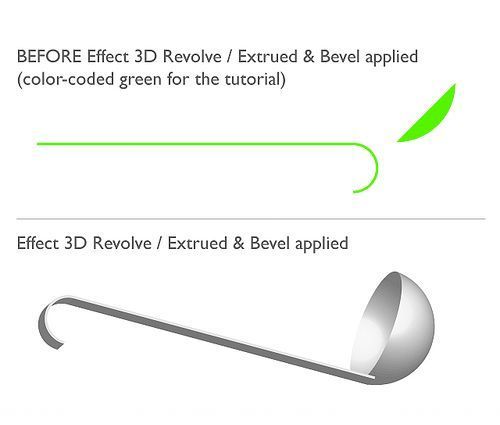
How to Create an Open Book with Illustrator’s 3D Extrude & Bevel Tool
Learn how to create an impressive-looking book with some handy Illustrator tools.

Openbook in Adobe Illustrator Tutorials - Best Of: Part 2

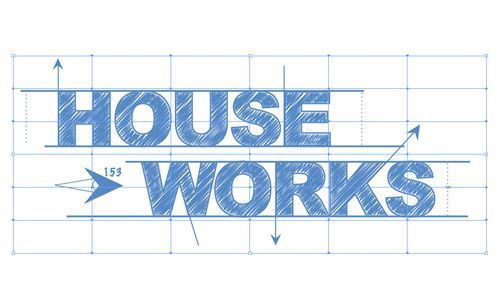
Blueprint Style Text in Adobe Illustrator
A text effect that’s surprisingly not as complicated as it looks. The end result is a text logo that resembles a blueprint.

Blueprint in Adobe Illustrator Tutorials - Best Of: Part 2

Creating an Environmentally Friendly Green Type Treatment
This is one of the more useful text tutorials on Illustrator. It will teach you techniques that are especially effective for logo design and creating website headers.

Greentype in Adobe Illustrator Tutorials - Best Of: Part 2

Type on a Path Options
In this tutorial you’ll get a quick look at the potential of using type on a path. You’ll see examples of several different useful effects, with explanations of each.

Typepath in Adobe Illustrator Tutorials - Best Of: Part 2

Create Your Own Vector Cartoon Character
Starting with a sketch, Chris Spooner will lead you through the process of creating a fun cartoon character. Chris makes it look simple to design vector characters like this one.

Veccart in Adobe Illustrator Tutorials - Best Of: Part 2

Create a Blissful Vector Scene
In this tutorial you’ll work through this design of the land, sky and clouds and the colorful flowers that brighten up the scene.

Blissful in Adobe Illustrator Tutorials - Best Of: Part 2

Create Abstract Backgrounds
Experimenting with creating backgrounds is an effective way to master the tools of Illustrator and enhance your skills. This tutorial leads you through some experimentation, and of course there is plenty of opportunity here to go off on your own and be creative.

Abstractback in Adobe Illustrator Tutorials - Best Of: Part 2

Recolor Artwork Using Illustrator’s LiveColor
A helpful tutorial from Veerle that will have you recoloring your work with ease. Veerle takes you through all the necessary steps to use a feature of Illustrator that can be intimidating.

Livecolor in Adobe Illustrator Tutorials - Best Of: Part 2

Extract Paths from Mesh Shapes
This is a quick, brief tutorial, but if you’ve been frustrated trying to edit meshes, this will help you convert them back to paths to make editing much easier.

Meshshapes in Adobe Illustrator Tutorials - Best Of: Part 2

Wrapping Text Around an Image in Illustrator
Particularly useful if you’re using Illustrator for page layout design, this tutorial will help you create a very professional look.

Wraptext in Adobe Illustrator Tutorials - Best Of: Part 2

Create a Spiral Ornament Symbol in Illustrator
Spirals and curls can add a lot of artistic character to a design, and here you’ll learn to create attractive spirals with some of the basic Illustrator tools.

Spiral in Adobe Illustrator Tutorials - Best Of: Part 2

How to Draw Your Own Vector Wings
Starting with a photo of a single feather, this tutorial will lead you through the process of creating a nice set of vector wings to use in your own graphic design work.

Vecwings in Adobe Illustrator Tutorials - Best Of: Part 2

Create a Rotatable Globe in Adobe Illustrator
You’ll learn some more about working with 3D images in this tutorial. The end result is an impressive and realistic globe.

Globe in Adobe Illustrator Tutorials - Best Of: Part 2

Create a Stunning Undersea Painting Using Vector Packs
Go Media’s vector packs are well known in the industry, and this tutorial takes you through a very detailed process of using the contents of the vector pack to create something special.

Vecpack in Adobe Illustrator Tutorials - Best Of: Part 2

A Pseudo-Sugar Skull: From Start to Finish
Go Media puts out another complete tutorial that takes you the whole way through the process of sketching this skull and creating the finished piece in Illustrator.

Sugarskull in Adobe Illustrator Tutorials - Best Of: Part 2

Create a Four-Leaf Clover
Starting with some basic shapes and mixing in some nice use of gradients, you can create a well-designed four-leaf clover relatively quickly.

Fourleaf in Adobe Illustrator Tutorials - Best Of: Part 2

Create a Sidekick LX Styled Vector Illustration
There are all kinds of Photoshop tutorials for creating mobile phones, but not nearly as many for Illustrator. This tutorial starts with a JPEG of the sidekick and works through the process of creating a realistic vector version of it.

Sidekick in Adobe Illustrator Tutorials - Best Of: Part 2

Create an Envelope Icon with a Satin Feel
This is a detailed tutorial with plenty of screenshots to lead you through the process of creating an attractive envelope icon, which of course has plenty of practical usage possibilities.

Satinenvelope in Adobe Illustrator Tutorials - Best Of: Part 2

Creating a Cool Water Effect
There are a number of Photoshop tutorials on creating similar water drop effects, but this is a nice one for Illustrator. You’ll create the background and style the text to complete the look.

Coolwater in Adobe Illustrator Tutorials - Best Of: Part 2

How to Create a Vector Safari Compass in Illustrator
Design a highly detailed compass that makes nice use of a vector world map as the subtle background of the compass face.

Vecsafari in Adobe Illustrator Tutorials - Best Of: Part 2

An Expressive Shining Eye Tutorial: Parts 1 and 2
An excellent two-part series starting with the pen tool and ending with the finishing touches to the eye. Recreating the look of an eye is not that simple, but this tutorial will show how it’s done.

Shiningeye in Adobe Illustrator Tutorials - Best Of: Part 2

Working with Illustrator “Art” Brushes: Options and Adjustments
Learn more about one of the four types of Illustrator brushes. It’s mostly a post that leads you through some experimentation that will help you understand more about how art brushes work.

Artbrushes in Adobe Illustrator Tutorials - Best Of: Part 2

Command Shape in Illustrator
Learn how to recreate the Apple command key icon. This is an informative tutorial on working with shapes, even if you are setting out to create a different end result than the command key shape.

Command in Adobe Illustrator Tutorials - Best Of: Part 2

Using Illustrator’s Mesh Tool as Nature Intended
In this tutorial you’ll take a basic leaf and give it some added character using the mesh tool. It’s only a seven-step process, and there’s room for some experimentation as far as how the end result looks.

Meshnature in Adobe Illustrator Tutorials - Best Of: Part 2

Using the Symbol Tools
This is part of a 30-day series on learning Illustrator (definitely worth checking out, especially for those who are new to Illustrator). By understanding symbols you can create images like this one quickly by reusing the symbol.

Symboltool in Adobe Illustrator Tutorials - Best Of: Part 2

Illustrator Tutorial: Disco Ball
A fun tutorial on working with symbols and the 3D effects of Illustrator. This is a fairly quick tutorial, with not a lot of steps to create the ball itself.

Discoball in Adobe Illustrator Tutorials - Best Of: Part 2

Vector Freebie and Micro Tutorial: Seamless Swirls
Although it’s called a “micro-tutorial,” there is still plenty to learn here, and the freebie is nice too. With this free pack of swirls, you’ll be led through the detailed process of creating this seamless image.

Seamless in Adobe Illustrator Tutorials - Best Of: Part 2

Illustrator Tutorial: Surprise Gift
If you’re looking for a tutorial in which you’ll get to work with a number of different tools, this is a good option.

Surprisegift in Adobe Illustrator Tutorials - Best Of: Part 2

Creating Halftone Effects
A popular trick with Photoshop users, creating a halftone is also possible with Illustrator CS3.

Halftone in Adobe Illustrator Tutorials - Best Of: Part 2

Crazy Cool Vectors in Illustrator and Photoshop
This tutorial starts in Illustrator to create the basic colored disk and then moves to Photoshop for some layer effects and brush work.

Coolvec in Adobe Illustrator Tutorials - Best Of: Part 2

Swirl Mania in Illustrator and Photoshop
Although this tutorial also uses Photoshop, the bulk of the work to create the swirls is done in Illustrator; Photoshop is used more for finishing touches.

Swirlmania in Adobe Illustrator Tutorials - Best Of: Part 2

How to Draw Simple Flowers
Using the pen tool, you can create the outline of the flowers and gradients to add the color. As it says, it’s a simple end result, but a nice skill to have nonetheless.

Simpleflowers in Adobe Illustrator Tutorials - Best Of: Part 2

Design Gift Boxes Using Illustrator’s 3D Tools
The 3D tools of Illustrator have made a few appearances on this list, mostly because they give the user so much potential with surprising ease. The end result of this tutorial is a beautiful festive design.

Giftbox in Adobe Illustrator Tutorials - Best Of: Part 2

Envelope Distortion in Illustrator
Learn more about distortion and how you can use it to improve your work and explore creatively during the design process.

Distortion in Adobe Illustrator Tutorials - Best Of: Part 2

Background Designs
This video tutorial from Layers Magazine shows you how to use the live trace effect to convert a stock image into an effective website background.

Bgdesign in Adobe Illustrator Tutorials - Best Of: Part 2

Creating Silhouettes in Adobe Illustrator
Using a simple photograph, you can create a useful silhouette by tracing and cleaning it up.

Silhouette in Adobe Illustrator Tutorials - Best Of: Part 2

Create Non-Raster Drop Shadows in Illustrator
Here you’ll go through some well-detailed steps to create drop shadows with a few different approaches.

Dropshadow in Adobe Illustrator Tutorials - Best Of: Part 2

Create a Vector Home Cinema Design
Go step by step through the process of creating a flat-screen TV, speakers and stands, all with attractive shadows and polish.

Cinema in Adobe Illustrator Tutorials - Best Of: Part 2

How to Make a Vector Pattern Brush
By creating a brush that can be used for seamless patterns, you open up a lot of opportunities for creativity. This tutorial takes you through the steps of setting up the brush and making sure that there are no seams.

Vecpat in Adobe Illustrator Tutorials - Best Of: Part 2

Adobe Illustrator Shortcuts
This is not so much a tutorial as it is a productivity post. Increasing efficiency and streamlining processes is always a good thing, and this post will give you plenty of practical shortcuts.

Shortcuts in Adobe Illustrator Tutorials - Best Of: Part 2

A Time to Shine
Learn to create some shapes, give them depth with gradients and drop shadows, use opacity and wind up with a shiny logo or text.

Shine in Adobe Illustrator Tutorials - Best Of: Part 2

Tug and Twirl Text in Illustrator
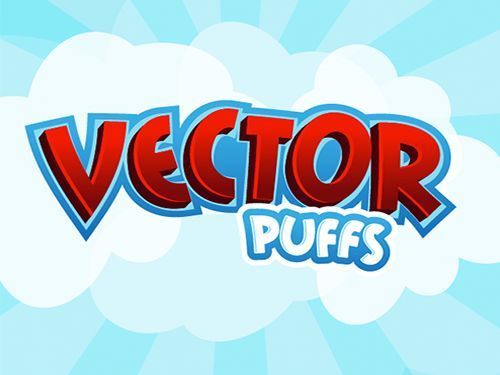
In this tutorial you’ll take simple text and spice it up by rearranging and resizing, and then use the pen tool to create some artistic tails and swirls.

Tug in Adobe Illustrator Tutorials - Best Of: Part 2

Transform a Busy Photo into a Strong Silhouette
This tutorial uses the pen tool to trace part of a photo to create the silhouette. At the end it offers the option to go one step further in Photoshop and create a different effect by filling the silhouette with a texture.

Busyphoto in Adobe Illustrator Tutorials - Best Of: Part 2

For additional Adobe Illustrator tutorials:

(al)

Steven Snell has been designing websites for several years. He actively maintains a few blogs of his own, including DesignM.ag, which regularly provides articles and resources for web designers.

Post Rating
1 Star2 Stars3 Stars4 Stars5 Stars (No votes yet)
Loading ... Loading ...

Tags: ,

Advertising
  1. 1
    Federico Espinosa
    October 8th, 2008 1:43 pm

    Very interesting. Thanks

  2. 2
    Cynthia
    October 8th, 2008 1:47 pm

    great list!!! thanks :)

  3. 3
    Grant Friedman
    October 8th, 2008 1:51 pm

    Great list!

  4. 4
    cesar Gomez
    October 8th, 2008 1:54 pm

    Excelente lista! se ven muy buenos esos trabajos.
    Justo que estoy en campaña de aprender Illustrator.
    Gracias por el post!!!!!

  5. 5
    Aaron Ortiz
    October 8th, 2008 2:07 pm

    This is why I love this magazine, lovely list!

  6. 6
    Rob Y
    October 8th, 2008 2:08 pm

    Excellent

  7. 7
    Josiah Jost (www.siahdesign.com)
    October 8th, 2008 2:24 pm

    Excellent list of AI tuts. Thanks a lot!

  8. 8
    Orillion
    October 8th, 2008 2:33 pm

    This is just… i love you.

  9. 9
    Stryker
    October 8th, 2008 3:00 pm

    Thanks a lot

  10. 10
    Madichiban
    October 8th, 2008 3:20 pm

    WOW – These are nice. Some people have been stuck on Photoshop for so long they have forgotten the power of Illustrator. Thanks. Just so there no misunderstanding, Photoshop is the bomb I love it just as much.

  11. 11
    Okibi
    October 8th, 2008 3:58 pm

    Great list, thanks heaps.

  12. 12
    Breno Girafa
    October 8th, 2008 4:15 pm

    Fantastic. Thanks a lot

  13. 13
    Sean Farrell
    October 8th, 2008 4:15 pm

    wow great list! can’t wait to try all these out. thanks

  14. 14
    numen
    October 8th, 2008 4:24 pm

    Thanks a lot, but anyway — is there any chance to have some collection even about free software links? For example Inkscape is great, too — okay, not as cool as Illustrator, but still it has lots of possibilities, and I bet this was only one of the possible candidates.
    For hobbyists it may be good to provide the choice:) Anyway, for designers it’s really a must.
    Thank you!

  15. 15
    azam
    October 8th, 2008 7:12 pm

    good……..

  16. 16
    Josh
    October 8th, 2008 7:33 pm

    These are ok. Most of them are pretty basic.

    Illustrator is very powerful and complicated compared to photoshop. Sure you can make those “multicolored droplets spurting from a bottle” coke ads easily enough in illustraor and make a tutorial for it, however I have yet to see anything for some of the impressive mesh work out there. The mesh tutorials in this list do not compare.

    And while illustrator is powerful and complicated you can turn out these quite easily which make a lot of things done in photoshop pale in comparison.

    Where am I going with this? I am not sure beyond the need for better illustrator tutorials, or perhaps in illustrators case, walk throughs for complicated art.

    Also whoever said that inkscape is not as cool as illustrator needs to use inkscape sometime. It is just as cool in its own right, provided you dont want to use the features that it does not have. Going on this list you only need those features for 3-4 (if that) tutorials.

    The problem is the same as illustrator lacking good learning content – not as many people use it so it pales in comparison to the glut of photoshop content available.

  17. 17
    333
    October 8th, 2008 8:14 pm

    Gracias muy util

  18. 18
    Simon
    October 8th, 2008 9:45 pm

    On a completely off topic note to our smashing blog website designer. Could you possibly address the link title headings in the smashing articles? It’s sometimes confusing to work out whether the headings belong to the article above or below. A little bit of top margin padding?

  19. 19
    Fedegrafo
    October 8th, 2008 10:09 pm

    Great links …. thanks for sharing!

  20. 20
    Justin (www.DotNetMushroom.com)
    October 8th, 2008 10:55 pm

    Had always been a bit hesitant to do a project with illustrator but after seeing these tutorials, I think I will give it a try. Some of these tutorials are ideal to start off and then one can progress from there. Also had a look at the first post and it has some cool tutorials there too ! Great collection guys !

    DotNetMushroom

  21. 21
    Wade
    October 9th, 2008 12:08 am

    It makes me tingle to see such awesome tuts such as these! thanks smashing!

  22. 22
    Ash
    October 9th, 2008 12:33 am

    Extremely useful ! Thanx a lot !

  23. 23
    Beppone
    October 9th, 2008 12:48 am

    Wonderful tuts… thank’s :)

  24. 24
    b00m
    October 9th, 2008 1:32 am

    Tnx SM for the these Ai tutorial collection list…very useful especially for the beginners in Ai.

  25. 25
    Rob Barrett
    October 9th, 2008 1:42 am

    Wow, great list! There goes the rest of my free time this week…

  26. 26
    Chris
    October 9th, 2008 3:07 am

    6

    Pretty please :D

  27. 27
    Roman
    October 9th, 2008 4:39 am

    How can You forget http://www.ergodraw.com. The owner was very cool.

  28. 28
    Matt Rossi
    October 9th, 2008 7:03 am

    Ryan Putnam from Vectips always shows up. Great friggen designer, sheesh. Nice list guys!

  29. 29
    Danish Refai
    October 9th, 2008 8:15 am

    It’s a great list there….
    Thanx a tonne !!!

  30. 30
    Bhargav
    October 9th, 2008 8:21 am

    Thank you
    Those are some excellent Illustrator tutorials…… Can you post more of them please…..

  31. 31
    ericb
    October 9th, 2008 9:28 am

    Smashing Magazine has done it again! Thanks for sharing!

  32. 32
    gringo
    October 9th, 2008 9:44 am

    My switch from Freehand to Illustrator took long. But with these great and helpfull tutorials it is fun exploring Illustrator. Greets from Germany.

  33. 33
    Soh
    October 9th, 2008 11:25 am

    I really need to learn this stuff, thank you~

  34. 34
    dragoshell
    October 9th, 2008 11:40 am

    wow..this is more than I could ever ask for :D
    Thanks guys!!! It will be very useful over the long weekend..though I have to study for my exams :D

  35. 35
    Toni
    October 9th, 2008 12:13 pm

    Hey there ! This is a great collection. Thanks for sharing. I would like to add a useful illustrator brush tutorial link. The tutorial is not as exquisite as the ones above but I find it very handy. http://digg.com/design/Convert_Brushes_from_Photoshop_to_Illustrator
    Cheers !

  36. 36
    Martiniano Sienra
    October 9th, 2008 12:21 pm

    smashing tuts!

  37. 37
    pica
    October 9th, 2008 12:34 pm

    what an awesome collection
    some of them are really sick! …in that good kinda way xD

  38. 38
    Long Beach Web Design
    October 9th, 2008 12:36 pm

    I love this place. These are a great compilation of Illustrator tutorials.

    Jad Limcaco
    Jad Graphics
    http://www.jadgraphics.net

  39. 39
    Steven Snell
    October 9th, 2008 5:04 pm

    Matt,
    I agree. Ryan does a lot of my favorite tutorials.

  40. 40
    Ashley
    October 9th, 2008 5:38 pm

    Bought CS3 Design Premium recently. Am coming from InkScape, looking forward to doing some of these :)

  41. 41
    dev (Www.iHaCK.ASIA)
    October 9th, 2008 6:32 pm

    Good Tutorials, really love “Blueprint Style Text in Adobe Illustrator”, it look like hand coloring

    http://Www.iHaCK.ASIA

  42. 42
    mnvamsi
    October 9th, 2008 9:09 pm

    Cool collection..
    I think i will find this post really helpful if i am am Adobe Illustrator beginner..
    i guess i need to bookmark this page for as future guide.

  43. 43
    lunchboxbrain
    October 10th, 2008 5:43 am

    Great tut list! If anyone is interested in how to achieve a “hand drawn” look in Illustrator, check out this easy to follow tutorial that I developed awhile back. Cheers!

  44. 44
    Ubi
    October 11th, 2008 12:02 am

    Great tutorials which i was looking for a long time..thanks a lot.

  45. 45
    Christopher Ross (thisismyurl.com)
    October 11th, 2008 11:57 am

    Creating Silhouettes in Adobe Illustrator is a great tutorial, I used it just the other day to create a logo for one of my clients. Worked like a charm!

  46. 46
    juiCZe
    October 11th, 2008 12:48 pm

    Very very useful, thanks much !

  47. 47
    Incicaadding
    October 13th, 2008 1:58 am

    We witnessed a very crazy day for the stock market yesterday. The DOW plunged 800 points only to come roaring back to close down 370 points. It was breathtaking for many of us because we were glued to our TV (and computer screen) as the stock market kept on going down but for some of us, it didn’t really matter because our focus was on other things.
    Yesterday, I was extremely busy at work. I was so busy that I didn’t have time to check on Yahoo Finance nor did I have time to talk to my coworkers about the stock market. When I finally sat down and looked at how the market was doing, I saw the headline (DOW plunged 800 points and closed at 370) on the homepage. My net worth probably plunged just like any other 350 point down days, but it didn’t matter as much to me.
    I wasn’t emotionally upset this time because I wasn’t “living” the roller coaster. As a result, it hurt my wallet but didn’t hurt my feelings. I felt much better and saved myself from much of the emotions of a down day just by focusing on other parts of my life. I wasn’t thinking about the stock market nor was I worrying about the Cisco (CSCO) shares that I owned.
    I was living my life and not being controlled by the stocks I own. I felt good. In this type of market, maybe you should try it too.
    How did you spend your day yesterday? Did you even know that the stock market plunged? Can you sleep at night these days? If you aren’t worried at all, reply and show some encouragement to those that couldn’t!

    You can now follow me on twitter! Alternatively, subscribe to my RSS feed or get blog posts through email if you enjoyed this post. You might even win a prize or two by doing so!

    http://www.moneyning.com

    Laura Kauffmann
    “Seven Oceans Investments Club”

  48. 48
    design
    October 14th, 2008 7:45 am

    I have only used Illustrator a couple of occasions, this series of tutorial is amazing.

  49. 49
    Mwasamani Gunda
    October 23rd, 2008 12:07 am

    This is Awesome.For the First time, I have seen a Graphics and Multimedia Web Expertise online.Frankly ave gone through some tutorials and found them very good and have changed the way I used to think about Web Graphics. I have added this page in my Favourites and made this my HomePage and happy with that too, coz a will be doin one two or three tasks in a day….and believe it will change my perspective towards and new approach on Smarshing Magazine
    Looking foward to become a lifetime member

  50. 50
    jbcarey
    October 29th, 2008 12:50 am

    Ah…. what can we say, another smashing post….

    I got around 25 tabs open with tutes ive got to follow…. thanks.

  51. 51
    Ciril Tomy
    December 4th, 2008 1:56 am

    This is really great work I am really thankful to the team behind these works…
    Best wishes for your future works…

  52. 52
    alessandro carrijo
    January 20th, 2009 3:33 pm

    otimas dicas, aprendi muitas coisas neste site, vou indicar para amigos

  53. 53
    kkshivakumaran
    February 3rd, 2009 11:55 pm

    Great tutorials which need for all the design peoples. Very very useful, all should really need to learn this stuff, thank you. I need more useful tutorials……. thanks

  54. 54
    death
    February 5th, 2009 8:35 am

    this stupid website sucks beyond belief, this site only have some of the gayest tutorials ever.

    Death;(

  55. 55
    muad
    February 22nd, 2009 7:12 pm

    Thanks for all tutorial….

  56. 56
    +3sixty
    April 17th, 2009 4:30 am

    nice tips and tricks, keep it up

  57. 57
    Jalal
    April 27th, 2009 6:37 pm

    I’ve become a successful person after learning
    some tricks & tips from your website..
    I might not be a good talker..
    But..
    You are a reason of making someone greater..
    Thank you deeply & I appreciate all your working

    Mr.J
    —————–
    There’s No Ctrl+Z in Life ;)

  58. 58
    gan
    July 24th, 2009 6:35 am

    wow!

  59. 59
    John
    October 8th, 2009 12:59 pm

    @laura Kauffmann
    Quit spamming and stick to the topic-It’s about Illustrator tutorials and not your piddly worries about your own stocks. READ the site retard!

  1. 00

    There are no trackbacks at this time. If you are interested in leaving a trackback, please use this URL.

Leave a Comment

Make sure you enter the * required information where indicated. Please also rate the article as it will help us decide future content and posts. Comments are moderated – and rel="nofollow" is in use. Please no link dropping, no keywords or domains as names; do not spam, and do not advertise!


Advertisement Advertise with us!
Join in Smashing Forum
  • Re: Correct way to learn PHP

    Start off by reading all the 15 parts of PHP 101 on Devzone.

  • Re: Using Tutorials?

    I say you're okay. I wouldn't straight up jack someone else's design and present it as my own, even if it was a tutorial, but it's certainly acceptable to learn some…

  • Correct way to learn PHP

    So, I'm a designer but I wanna expand my abilities and learn PHP, to be more exact I wanna learn CI - Codeigniter!

  • I wanna make comics!

    Hello,I'm designer but I've never involved in vector painting so I need your help

  • Re: Twitter

    @gatorwebdesignShould tweet something really...

Post your job