Smashing Magazine ~ we smash you with the information that will make your life easier. really.
Smashing Magazine we smash you with the information that will make your life easier. really.

The Ultimate Collection Of Useful Photoshop Actions

By Jacob Gube, October 20th, 2008 in Developer's Toolbox | 254 Comments | Forum

Advertisement

Saving repetitive tasks as Photoshop actions can save you a lot of time, allowing you to automate your work and improve workflow efficiency. A Photoshop action is a recording of a sequence of commands and operations that you can save and access later on.

We’ve searched for the best downloadable Photoshop actions that can help you improve your workflow and perform complex techniques with the push of a button. In this collection, you’ll find more than 350 free hand-picked Photoshop actions that you can use to speed up your graphics creation.

Note: It’s important to check the license of each action set you download and use.

Quick Introduction to Photoshop Actions

For those unfamiliar with Photoshop actions, they’re simply pre-recorded tasks that you can save and reuse anytime. Photoshop actions commonly have an .atn file extension. Installing a Photoshop action for more recent versions of Photoshop is easy: simply drag the .atn file onto the Actions palette or place it directly inside your Adobe Photoshop\Presets\Photoshop Actions folder. For a more comprehensive discussion of Photoshop actions, check out this complete guide to Photoshop actions.

Image Effects and Graphic Creation Actions

Cross-processing ATN
Simulate the Cross-processing (Xpro) photography technique using this Photoshop action.

Cross-processing ATN screen shot.
1 action - Download

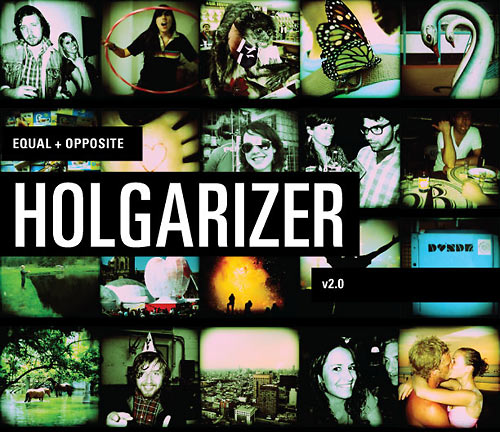
Lomo
Give your images a “Lomo” look and feel with this excellent Photoshop action.

Lomo screen shot.
1 action - Download

Lomo Cross-processing
This Photoshop action is a combination of two popular photography effects: Lomo and Cross-processing.

Lomo Cross-processing screen shot.
1 action - Download

Polaroid Generator
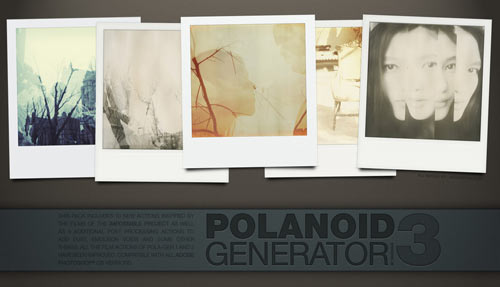
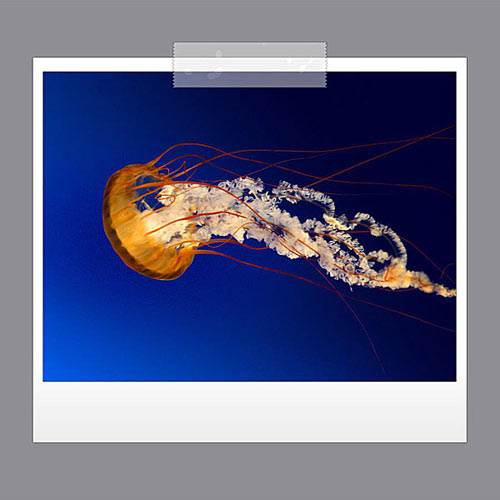
Automatically frame an image in a Polaroid border with this set of Photoshop actions.

Polaroid Generator screen shot.
5 actions - Download

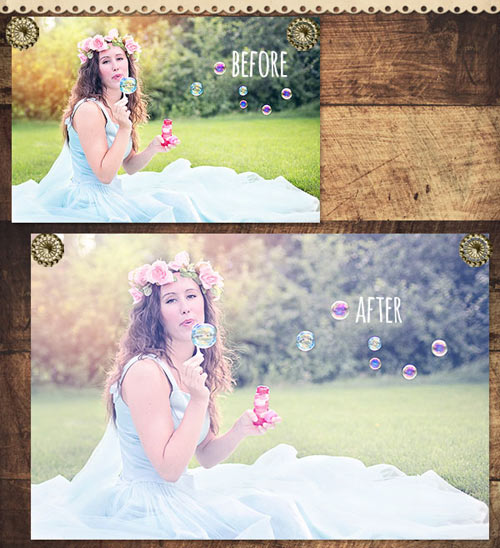
Hand-Colored Vintage Photo
This is a handy Photoshop action set for giving images aged, dirty effects.

Hand-colored Vintage Photo screen shot.
4 actions - Download

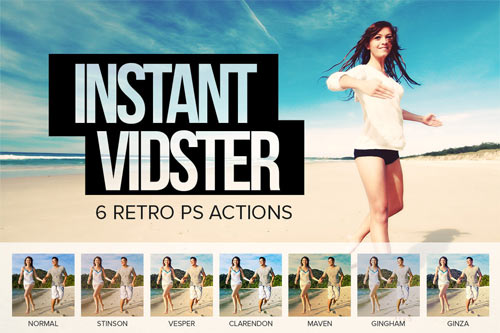
Vintage
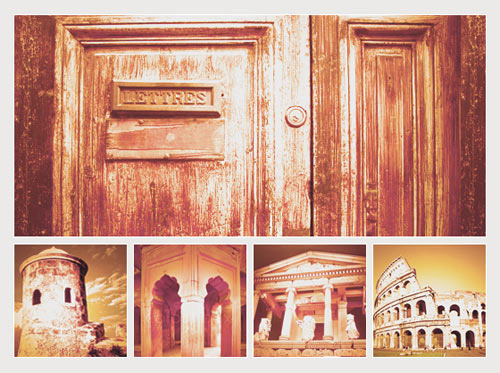
Aly’s Vintage action set is a nice collection of six vintage image effects that you can use on modern digital photos.

Vintage screen shot.
6 Actions - Download

Vintage Wash
Give your images an old, vintage effect with this set of ten different actions.

Vintage Wash screen shot.
10 actions - Download

Old Parchment
Easily create aged paper with this free Photoshop action.

Old Parchment screen shot.
1 action - Download

Simple Stamp Generator
Automatically create a stamp graphic with this action.

Simple Stamp Generator screen shot.
1 action - Download

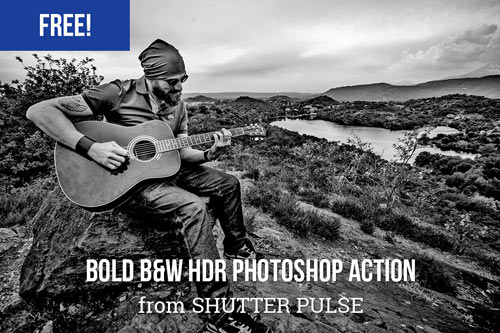
Pseudo HDR
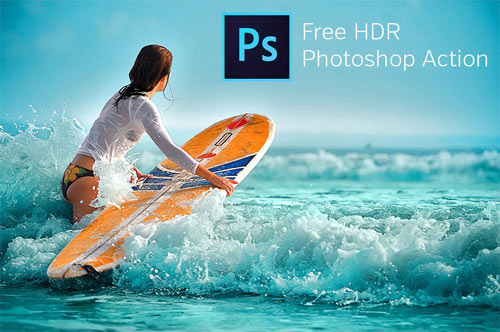
Mimic the “HDR” photo effect without having to use multiple exposures of the subject.

Pseudo HDR screen shot.
1 action - Download

HDR For Dummies
Here’s another easy-to-use Photoshop action set for giving photos the “HDR” effect.

HDR For Dummies screen shot.
3 actions - Download

IR Actions
Give your photos the popular infrared effect using Dave’s IR Photoshop action.

IR Actions screen shot.
1 action - Download

IR Effect
Here is another method for faking the infrared photographic effect using a Photoshop action.

IR Effect screen shot.
1 action - Download

Photo Effect Action
This Photoshop action can be used for grunge designs.

Photo Effect Action screen shot.
1 action - Download

Comics Photoshop Action
Give your image a comic book look and feel using this Photoshop action.

Comics Photoshop Action screen shot.
1 action - Download

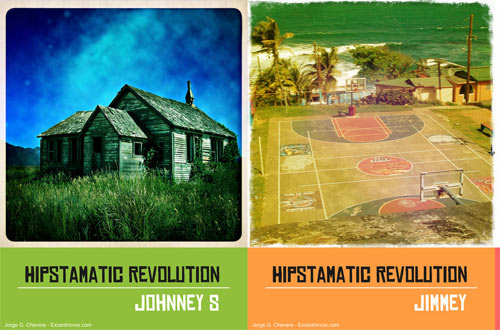
Retro Love
Achieve a retro-colored image effect using the Retro Love action.

Retro Love screen shot.
1 action - Download

Soften Skin Effect
Smoothen skin and remove blemishes with the Soften Skin Effect action.

Soften Skin Effect screen shot.
1 action - Download

Burnt Edges Vignette
This action gives your photos burnt and high-key effects (available for low- and high-resolution images, see the “Try Me”-section).

Burnt Edges Vignette screen shot.
4 actions - Download site, check the “Try Me”-section

Edge Effects
This set of actions allows you to give your images different types of edge effects.

Edge Effects screen shot.
8 actions - Download

B & Big Picture
Create a three-dimensional collage effect using one source image with the B & Big Picture action.

B & Big Picture screen shot.
4 actions - Download

Photo Enhancement and Processing Actions

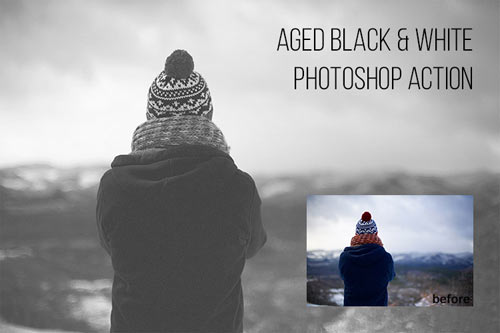
Black and White Photoshop Actions
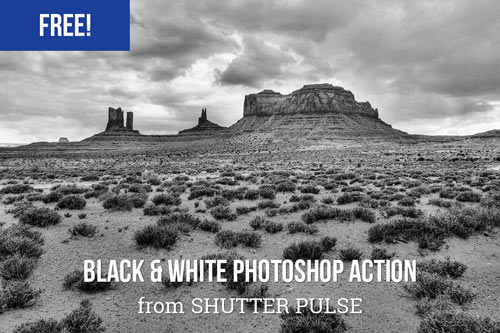
This is a set of useful actions for processing black and white images.

Black and White PS Actions screen shot.
8 actions - Download

TLR B&W Toning
TLR B&W Toning is a large action set for enhancing and processing black and white images.

TLR B&W Toning screen shot.
30 actions - Download

Photoshop Postwork Actions
Here is a ton of excellent post-work Photoshop actions.

Photoshop Postwork Actions screen shot.
25 actions - Download

TLR Sharpening Toolkit
This is a useful Photoshop action pack for sharpening RGB, CMYK and monochrome photos.

TLR Sharpening Toolkit screen shot.
33 actions - Download

TLR Tone Enhance
Enhance the tone and color of your images using this Photoshop action set.

TLR Tone Enhance screen shot.
30 actions - Download

Color Enhancing Actions
Here is a variety of actions, such as “colorboost,” “softlight,” and “contrastboost.”

Color Enhancing Actions screen shot.
10 actions - Download

Photoshop Color Actions
A nice collection of color actions to process and enhance your photographs.

Photoshop Color Actions screen shot.
10 actions - Download

Cross Coloring Tools
Here is a set of actions for dark, mid-range, and light cross-coloring of image tone.

Cross Coloring Tools screen shot.
4 actions - Download

Image Enhancing PS Actions
These are ten brilliant image-enhancing Photoshop actions.

Image Enhancing PS Actions screen shot.
10 actions - Download

Watermark Photoshop Action
Automate the watermarking of your images with this set of Photoshop actions.

Watermark Photoshop Action screen shot.
9 actions - Download

Photographers Toolkit
A wonderful set of actions for photographers to enhance photos.

Photographers Toolkit screen shot.
9 actions - Download

Assorted Sets of Actions

Photoshop Actions - 53
This is the 53rd set of Photoshop actions by =night-fate of deviantART.

Photoshop Actions - 53 screen shot.
9 actions - Download

Productions Action
This is a set of useful actions that will simplify your workflow for common Photoshop tasks.

Productions Action screen shot.
20 actions - Download

Photoshop Automator Actions
This is one of the biggest sets of useful actions to cut down on repetitive tasks such as watermarking images, scaling images, and fitting images in the canvas. You need to register before being able to download the set.
90 actions - Download

Photography Action Set
This is an excellent collection of popular photo effects, such as HDR, Lomo, Velvia, Xpro and more.

Photography Action Set screen shot.
8 actions - Download

Rather Large Set of Actions
This is a large collection of useful Photoshop actions.

Rather Large Set of Actions screen shot.
40 actions - Download

Photoshop Actions - 62
Another beautiful set of assorted Photoshop actions by =night-fate.

Photoshop Actions - 62 screen shot.
8 actions - Download

About the Author

Jacob Gube is a Web developer/designer and author of Six Revisions, a blog on Web development and design. If you want to connect with the author, you can follow him on Twitter. (al)

Delicious button Stumbleupon Spread the word on Twitter!

Advertisement
  1. 1.

    kocsmy (October 20th, 2008, 1:23 pm)

    waaao, nice collection! thank you!

  2. 2.

    Tiago (October 20th, 2008, 1:30 pm)

    Wow!!! Thanks!

  3. 3.

    samuelson.pl (October 20th, 2008, 1:36 pm)

    nice :)

  4. 4.

    manu (October 20th, 2008, 1:41 pm)

    i love the cross coloring action!

  5. 5.

    magnus (October 20th, 2008, 1:43 pm)

    I like - I LOVE - super smashing keep it up

  6. 6.

    Praveen Sewak (October 20th, 2008, 1:44 pm)

    amazing collection, this one… i am not much of a designer (more a developer) but Photoshops Actions have helped me alot achieve some of the nicest effects i would imagine.

    Thanks SM.

  7. 7.

    Mike Brisk (October 20th, 2008, 1:48 pm)

    A feature that isn’t expressed very often in designing sites, great resource! Thanks!

  8. 8.

    pandu.ch (October 20th, 2008, 2:03 pm)

    wow, another smashing collection! keep up the good work.
    greets pandu

  9. 9.

    Tommy K (October 20th, 2008, 2:12 pm)

    great stuff… thanks a lot

  10. 10.

    cesar Gomez (October 20th, 2008, 2:14 pm)

    This is very useful, thanks a lot

  11. 11.

    Fachia (October 20th, 2008, 2:22 pm)

    wow.. that’s a very nice compilation..
    I’m sure it can be so useful
    I’ll start to download it..

  12. 12.

    xepik (October 20th, 2008, 2:30 pm)

    omg, thanks (:
    a simply amazing collection here

  13. 13.

    Web Design Adelaide (October 20th, 2008, 2:31 pm)

    This is an awesome collection. thank you very much. starting to download now. thanks

  14. 14.

    mike. (October 20th, 2008, 2:48 pm)

    nice post.

  15. 15.

    mesiu (October 20th, 2008, 2:59 pm)

    thanks for putting these together!

  16. 16.

    Rolando (October 20th, 2008, 3:01 pm)

    Cool Actions! I´ll try them tomorrow…

  17. 17.

    Ollie (October 20th, 2008, 3:01 pm)

    Absolutely fantastic post! These are going to be really useful. Thank you ;o)

  18. 18.

    Nat (October 20th, 2008, 3:50 pm)

    I can wait to try some of these out. Thank you!

  19. 19.

    abdel faiz (October 20th, 2008, 4:41 pm)

    awesome actions ^^

  20. 20.

    pixelvandal (October 20th, 2008, 5:22 pm)

    Thank you for a great collection.

  21. 21.

    Valerie (October 20th, 2008, 5:36 pm)

    Very awesome collection, thank you. I am downloading them all now :)

  22. 22.

    Colin (October 20th, 2008, 6:21 pm)

    Shoot I thought these would be useful in the batch processing and time saving way.

  23. 23.

    Tae (October 20th, 2008, 6:50 pm)

    cool action,
    thanks…

  24. 24.

    au8ust (October 20th, 2008, 7:05 pm)

    An excellent blog post!

  25. 25.

    NaldzGraphics (October 20th, 2008, 7:20 pm)

    Really ultimate.nice jacob and SM

  26. 26.

    Martin (October 20th, 2008, 7:33 pm)

    The best PS actions collection I’ve ever seen. Cheers

  27. 27.

    gr8pixel (October 20th, 2008, 7:54 pm)

    Woahhhh!!! These are really awesome!! Thanks SM! :D

  28. 28.

    Jigar (October 20th, 2008, 8:21 pm)

    I have never seen this type of effects..

    This is very Useful.

    Thanks, SM.

  29. 29.

    terry (October 20th, 2008, 8:57 pm)

    really nice collection.
    Thanks!

  30. 30.

    CantY (October 20th, 2008, 9:47 pm)

    Nice Collection !!!

  31. 31.

    Robert (October 20th, 2008, 9:53 pm)

    great job SM!

  32. 32.

    Sallihin (October 20th, 2008, 9:56 pm)

    THANK YOU VERY MUCH!

  33. 33.

    Diego (October 20th, 2008, 9:58 pm)

    thanks ;) the best collection ever seen

  34. 34.

    Shuuun (October 20th, 2008, 10:30 pm)

    i will try actions now! ty for this examples!

  35. 35.

    Consuelo_italy (October 20th, 2008, 10:56 pm)

    Some of then are really wonderfull.. and so “quick”!!! :-) Thanks

  36. 36.

    Roland (October 20th, 2008, 11:10 pm)

    Why do I keep getting the feeling this site’s intended audience is home users (most of which don’t even use legally acquired software)?
    No offense, as it must’ve taken quite some work to get such a collection of links put together, but either only list those actions that can (also) be used commercially, or save your readers the work of having to check out every single action they deem interesting by adding some info on restrictions.

  37. 37.

    speedcu (October 20th, 2008, 11:13 pm)

    yeah, great!! very useful stuff! thanks so much :)

  38. 38.

    Gerd Wippich (October 20th, 2008, 11:21 pm)

    A very useful collection. Thanx.

  39. 39.

    mojito (October 20th, 2008, 11:21 pm)

    Thanks.. this encourages me to start experimenting and using actions on PS, that are a forgotten feature to me right now.

  40. 40.

    jean-marc (October 20th, 2008, 11:26 pm)

    Smashing as usual!

  41. 41.

    Arcana (October 20th, 2008, 11:33 pm)

    So useful! Thanks so much!

  42. 42.

    Alex (October 21st, 2008, 12:05 am)

    Great! Thank you!

  43. 43.

    Webstandard-Team (October 21st, 2008, 12:22 am)

    We know some of them and we cann add Link [webstandard.kulando.de]

  44. 44.

    Modisana (October 21st, 2008, 12:35 am)

    I never really like using actions, I prefer creating my own things from scratch…but seeing how AWESOME all of these are and how busy I often am to sit and do my own stuff, Im gonna get every single one of these…Thanks Smashing! Y’all ROCK!

  45. 45.

    Tom (October 21st, 2008, 1:07 am)

    nice thought roland. i totally agree with you

  46. 46.

    chris (October 21st, 2008, 1:15 am)

    awesome stuff. ty

  47. 47.

    MoiN (October 21st, 2008, 1:50 am)

    This is the best post you guys could ever come up with !!

    Love these

  48. 48.

    upla dupla (October 21st, 2008, 1:55 am)

    Boring. There is nothing creative using actions. You just click and get instant effects without thinking what happened with your image. Thats why there is a lot of same looking garbage photos everywhere. You can get far beter color and LOMO effects if you spend 5 minutes in Photoshop with open mind. And thats what I call Photoshop Fun.

  49. 49.

    Jojje (October 21st, 2008, 3:11 am)

    Thank you! Great work. Inspiring!

  50. 50.

    Djex (October 21st, 2008, 3:30 am)

    how can i use the action set? after the instalation i can´t use it in photoshop…

  51. 51.

    Alex (October 21st, 2008, 3:31 am)

    I wonder, what is the best one out of all of these to enhance quality. I scanned 1500 pictures one by one with a regular scanner (yes, very long and painful process)…Now that it is done, is there any general action that will enhance automatically most pictures? of course, i will do some one by one… but if i am to automate the whole batch, which is best?

  52. 52.

    charles (October 21st, 2008, 3:41 am)

    I wrote a tutorial explaining how to create a “batch save” action to save and exit all the open images you have in Photoshop. I think it’s a much more usable action than something like “zany color actions”.

    Link [onlinephototutorials.com]

  53. 53.

    vashyoung (October 21st, 2008, 4:00 am)

    very useful indeed :P

  54. 54.

    Justin (October 21st, 2008, 4:18 am)

    Very nice actions, BUT my suggestion would be to just get Lightroom 2 :)

  55. 55.

    sidhu (October 21st, 2008, 4:42 am)

    super and super and super very useful

  56. 56.

    DKumar M. (October 21st, 2008, 5:05 am)

    Nice collection, keep up the good work.

  57. 57.

    Frizbi (October 21st, 2008, 6:18 am)

    You made my day ^^ Thank you so much!

  58. 58.

    mikey (October 21st, 2008, 6:29 am)

    this is great! thank you.

  59. 59.

    Wayfaring Wanderer (October 21st, 2008, 6:31 am)

    This is AWESOME!!!

  60. 60.

    Orlando Diez (October 21st, 2008, 6:35 am)

    Really Nice, Thanks one more time ;)

  61. 61.

    Stevedave (October 21st, 2008, 7:39 am)

    I have to agree with upla dupla, there isn’t much that these actions do that can’t be done with some basic Adjustments. Additionally these actions are optimized for the photos shown as examples, you’re almost certain to get better results adjusting the photos individually or creating your own action sets for a photo set’s individual lighting and color needs. We’re talking basic photoshopping here, stuff that should be done in the first ten to twenty minutes of working with any image.

  62. 62.

    Mini-no (October 21st, 2008, 7:45 am)

    Awesome post, great actions. Thanks for this.

  63. 63.

    kaseysmithcs.com (October 21st, 2008, 7:53 am)

    Great post, Thanks for the actions and keep up the GREAT WORK.

  64. 64.

    Nishan Joomun (October 21st, 2008, 8:08 am)

    I normally love your selections … but here i think you mixed quality + quantity .. many of them could be left out

  65. 65.

    brauny (October 21st, 2008, 8:22 am)

    The best collection of PS actions I have ever come across. Thank You.

  66. 66.

    praveen (October 21st, 2008, 8:50 am)

    amazing …. brilliant… i hav no words to say… gr8 wrk

  67. 67.

    Henry (October 21st, 2008, 10:06 am)

    Wow…!! Great colletion… Thank you so much…!!!

  68. 68.

    Håvard Bergersen (October 21st, 2008, 11:17 am)

    Very good collection!

  69. 69.

    Edo (October 21st, 2008, 12:09 pm)

    Great post, cross processing is amazing but don’t forget this useful action:-)
    Link [www.lightwork.it]

  70. 70.

    Devon Delzin (October 21st, 2008, 1:17 pm)

    this was the best i have sceen so far keep up the good work ….. from Trinidad and Tobago

  71. 71.

    klynam (October 21st, 2008, 1:38 pm)

    excellent list - as always - now its time for that list of AWESOME FREE PS PLUG-INS !!! :-)

  72. 72.

    Fel (October 21st, 2008, 2:00 pm)

    Man, your contribution is magnificent. nice collection, thank you.

  73. 73.

    Nikx (October 21st, 2008, 3:30 pm)

    Hey, that’s me! The redhead. The natural redhead, that is.

    Great collection, by the way.

  74. 74.

    jason (October 21st, 2008, 5:24 pm)

    Smashing comments are very similar to ebay feedback

    ARTICLE WAS AMAZING, WOULD READ AGAIN!!!!!! AA++++++PLUSINFINITY

    Maybe this is the norm on blogs, I don’t read many but the few people saying this collection is not great seem to know the score.

  75. 75.

    Mammademin (October 21st, 2008, 9:16 pm)

    wouwwwwwwwwwww….supaaa

  76. 76.

    Guy McLaren (October 21st, 2008, 9:45 pm)

    Excellent set of actions, what would make this even more useful is if you zipped them all up in one file for download. That would make this excellent page super excellent.

  77. 77.

    padwan leinad (October 22nd, 2008, 1:21 am)

    cool… but do NOT zip’em all together… those to lazy to download them separately don’t deserve them all… :)
    and some might not want them all… or might not even like all of them… :)

    great stuff, tanx!

  78. 78.

    Rumont (October 22nd, 2008, 3:30 am)

    Buenísima recopilación. Muchas gracias

  79. 79.

    mistress web (October 22nd, 2008, 4:07 am)

    great page, but are these just for home use or can they potentially be used for commercial use?

  80. 80.

    Quakeulf (October 22nd, 2008, 5:18 am)

    To all you guys who bash the use of actions:
    You obviously have never experienced a real deadline before.

    Awesome list, just what I needed right now. :3

  81. 81.

    Jo_Winchester (October 22nd, 2008, 5:56 am)

    Quakeulf is right. Actions are a life saver in a rush job. I can definitely try these out for future projects.

    Thank you!

  82. 82.

    海波 (October 22nd, 2008, 10:51 pm)

    太好了,谢谢你

  83. 83.

    Calvin (October 23rd, 2008, 1:47 am)

    Thank you for a great collection.

  84. 84.

    sumanth (October 23rd, 2008, 5:33 am)

    great stuff yaar….hats off

  85. 85.

    Dan (October 23rd, 2008, 6:20 am)

    Thank you so much.

  86. 86.

    Betsy Barron (October 23rd, 2008, 7:43 am)

    Thank you, Thank you, Thank you!!!!!

  87. 87.

    kirandulo (October 23rd, 2008, 7:48 am)

    excellent! similar collection for GIMP would be great, too

  88. 88.

    Khan (October 23rd, 2008, 2:55 pm)

    thanks for sharing ………….. very useful…. nice…

  89. 89.

    jsonvega (October 23rd, 2008, 7:11 pm)

    thank you thank you very much for the great collection! :D

  90. 90.

    Raul Soto (October 23rd, 2008, 10:01 pm)

    I love you, Tanks!

  91. 91.

    Tuur (October 24th, 2008, 12:58 am)

    great stuff!!!

  92. 92.

    Numbskull (October 24th, 2008, 4:01 am)

    Thank you very much!
    Now i got alot of stuff to try out :-)

  93. 93.

    gasiwa (October 24th, 2008, 9:20 pm)

    owesoomwe!!!
    thank you man!

  94. 94.

    Roberto Abril (October 25th, 2008, 1:50 am)

    Thanks a lot for the feature!

  95. 95.

    david (October 25th, 2008, 4:20 am)

    amazing! thank you so much!

  96. 96.

    Rubén Sottolichio (October 26th, 2008, 12:48 am)

    Increible!!!!

    smashingmagazine.com. El mejor sitio de diseño gráfico y web, siempre.

    Incredible!!

    smashingmagazine.com. The best site for graphic and web design, always.

    Ok!!

  97. 97.

    rodolfo (October 26th, 2008, 2:05 pm)

    sweet!

  98. 98.

    Mchilly (October 26th, 2008, 6:28 pm)

    Wow, amazing collection…

  99. 99.

    bl4nk (October 27th, 2008, 8:11 am)

    amazing collection!!!

  100. 100.

    fahrulazmi (October 30th, 2008, 1:40 am)

    thanks!!!

  101. 101.

    LumaFlux (October 31st, 2008, 11:13 am)

    Super duper! Just made my day that much “colorful”.

  102. 102.

    ponytail (November 3rd, 2008, 7:28 pm)

    so cool!~~
    what a wonderful work~~
    thanks a lot,try some tonight

  103. 103.

    Erick (November 4th, 2008, 3:01 am)

    Great list. Just a word of caution. Many actions among these don’t yet work with CS4. Only with CS3.

  104. 104.

    israel20xx (November 5th, 2008, 8:31 am)

    Awesome, I love this site

  105. 105.

    kikebill (November 8th, 2008, 7:30 pm)

    thanks

  106. 106.

    Kira Wynne (November 9th, 2008, 8:22 pm)

    This is awesome. I love ps actions and this is a great collection of some amazing actions!

  107. 107.

    april greer (November 15th, 2008, 1:18 am)

    wunderbar!! sehr vielen dank

  108. 108.

    srikanth (November 16th, 2008, 10:22 am)

    your action are so beautiful and i like very much.ok bye

  109. 109.

    marcah (November 20th, 2008, 4:33 am)

    Excellent. Thank you.

  110. 110.

    carlos (November 23rd, 2008, 8:36 am)

    So awesome! Thanks so much!

  111. 111.

    govind (November 28th, 2008, 10:49 pm)

    Nice creative collection

  112. 112.

    Nate (December 6th, 2008, 11:07 am)

    I love it! But I feel like I’m cheating…. nahh

  113. 113.

    Jagdish Shinde (December 7th, 2008, 9:20 pm)

    Excellent. Thank you.

  114. 114.

    Folio (December 8th, 2008, 12:02 pm)

    Awesome great actions, reaaaalllyyy great!!!
    P.S There’s more at deviant art, and at eCoverSuiteElite
    and at Link [designreviver.com]

  115. 115.

    Jess (December 19th, 2008, 3:12 am)

    AWESOME!

  116. 116.

    Glenn Mitchell (December 22nd, 2008, 8:55 pm)

    Thank you for including the action sets form The Light’s Right in your list. I’m honored.

    The URL has changed. The site has become a community site for the digital photography community.

    The three action sets can be found here:

    Link [www.thelightsright.com]
    Link [www.thelightsright.com]

    The TLR Sharpening Tolkit has been completely redesigned and extended. It is now called the TLR Professional Sharpening Actions:

    Link [www.thelightsright.com]

    Best holiday wishes!

    Mitch

  117. 117.

    gallex (December 27th, 2008, 6:14 am)

    will those actions work with PS 7.0?

  118. 118.

    Jessica (December 28th, 2008, 4:33 pm)

    Thanks for the actions! I am hooked.

  119. 119.

    Chrissy Merrell (January 23rd, 2009, 4:04 pm)

    I first started using actions while editing my bridals for my wedding reception. I absolutely love them! I got so many compliments I’ve started edited photos for other people and cannot wait to get started with these new actions. Thank you so much for making these available to everyone! How generous of everyone involved.

  120. 120.

    godzalli44 (January 27th, 2009, 9:51 pm)

    Whoaaaa… YOU ARE GREAT!!!
    thank you very very much… mmmuuuaachhh…

  121. 121.

    Just Joe (February 2nd, 2009, 4:38 pm)

    where do i find the actions panel in ps 4

  122. 122.

    Wrench Pilot (February 3rd, 2009, 2:18 pm)

    Just Joe, find the actions panel under the ‘window’ menu.

    Thanks to everybody. Such useful stuff here. -M

  123. 123.

    DaveWR (February 3rd, 2009, 7:59 pm)

    I LOVE this website! Thank you so much for these they will help me be faster at retouching in no time!

  124. 124.

    vreny (February 5th, 2009, 12:41 am)

    wow thanks for these fantastic action scripts. They great for retouching - saving time!

  125. 125.

    Patrick Bateman (February 5th, 2009, 6:11 pm)

    Here is a link to my free action set on deviant art (contains some good vintage stuff)

    Link [kanedogphotography.deviantart.com]

  126. 126.

    clumzycaffein (February 9th, 2009, 7:36 pm)

    thanks a lot!!
    really useful

  127. 127.

    Nosh (February 10th, 2009, 10:47 pm)

    Thank you-Cant wait to try them!

  128. 128.

    Charlie (February 11th, 2009, 3:52 am)

    THANK YOU!! Now i can edit my wedding photo’s with ease….YAY!!!

  129. 129.

    maudg (February 27th, 2009, 7:26 am)

    thanks for all resources !!! great !!!

  130. 130.

    RISurfer (March 4th, 2009, 5:41 am)

    Brilliant collections. Great to demo w/ my students the amazing effects you can get w/ Photoshop.

  131. 131.

    Joris (March 8th, 2009, 5:09 am)

    Great stuff, thanks a lot!!

  132. 132.

    pranav (March 11th, 2009, 5:02 am)

    very useful……thanks dude

  133. 133.

    Ho Dinh Huy (March 16th, 2009, 2:53 am)

    usefull actions! Many thanks.
    Ho Dinh Huy

  134. 134.

    alberto (March 20th, 2009, 11:08 am)

    Muito obrigado! Farei bom uso de todo este conteúdo!!!!

  135. 135.

    surya (March 21st, 2009, 12:12 am)

    edan coy !!

  136. 136.

    vincent (March 25th, 2009, 3:16 am)

    Extremely useful. Thank you!

  137. 137.

    Bahamut (March 25th, 2009, 9:34 pm)

    This made my life easier! Thank you for this, and don’t stop making people happy! :)

  138. 138.

    zoha (April 8th, 2009, 9:31 am)

    ohhhhhhhhhhhh my gosh oooooh my gosh ohh my goshhhhhhhh!
    i die for these

  139. 139.

    Ashley (April 18th, 2009, 1:18 pm)

    Amazing thanks so much!!

  140. 140.

    Pablo Renauld (April 27th, 2009, 1:31 am)

    ohhhh amazing! thanks for this!

  141. 141.

    covalic (May 2nd, 2009, 8:44 am)

    Great job..

  142. 142.

    Melissa (May 3rd, 2009, 12:28 pm)

    These are so awesome, thanks for sharing!

  143. 143.

    Wecostumizedweb (May 4th, 2009, 10:46 am)

    gotta try them all :)

  144. 144.

    pangeran_ditz (May 9th, 2009, 1:08 am)

    mantab nih…makasih yaaa(indonesian photoshoper)

  145. 145.

    Vincent (May 13th, 2009, 8:06 am)

    You guys rock!!!!!!

  146. 146.

    Natalie (May 18th, 2009, 6:21 pm)

    I have the action icon, but cant get this to open in CS2… can someone help?? these actions look awesome!

  147. 147.

    Carolyn (July 1st, 2009, 7:37 am)

    they are all really awsome, am going to spend a whole day trying them all out. Thank you so much

Leave a Reply

Allowed Tags: <a href="" title=""> <abbr title=""> <acronym title=""> <b> <blockquote cite=""> <cite> <code> <del datetime=""> <em> <i> <q cite=""> <strike> <strong>
Advertisement
 

All Posts

Follow us on Twitter!
Subscribe to our RSS-feed!

Advertisement

Fresh Bookmarks

22 Free Seamless Vector Pattern Resources Perfect For Web Design
A collection of resources and articles related to vector patterns.

10 New PHP Content Management Systems
All based on PHP.

25 Beautiful Logos with Sequential Concept
Sequential logos maybe is a new trend among logo designers.

Designing a blog with HTML5
Much of HTML 5’s feature set involves JavaScript APIs that make it easier to develop interactive web pages.

20+ CSS Data Visualization Techniques
Get inspired.

CSS3 – a big storm is coming
With CSS3 media queries and multi-column layouts it will be a whole new ballgame.

Woodgrain: A Free Social Media Icon Set
With 18 social networks represented alongside astandard RSS icon in PNG format,

Webdesign: Five Minute Upgrade
Making Your Design Pop.

45 Stylish Typographical Desktop Wallpapers
These beautifully designed wallpapers are not solely about typography.

The Light CMS Trend
A new trend in CMSs I’m calling “light” CMSs.

  • 9Rules Logo
  • Quicksprout Logo