The Ultimate Collection Of Useful Photoshop Actions

Advertisement

Saving repetitive tasks as Photoshop actions can save you a lot of time, allowing you to automate your work and improve workflow efficiency. A Photoshop action is a recording of a sequence of commands and operations that you can save and access later on.

We’ve searched for the best downloadable Photoshop actions that can help you improve your workflow and perform complex techniques with the push of a button. In this collection, you’ll find more than 350 free hand-picked Photoshop actions that you can use to speed up your graphics creation.

Note: It’s important to check the license of each action set you download and use.

Quick Introduction to Photoshop Actions

For those unfamiliar with Photoshop actions, they’re simply pre-recorded tasks that you can save and reuse anytime. Photoshop actions commonly have an .atn file extension. Installing a Photoshop action for more recent versions of Photoshop is easy: simply drag the .atn file onto the Actions palette or place it directly inside your Adobe Photoshop\Presets\Photoshop Actions folder. For a more comprehensive discussion of Photoshop actions, check out this complete guide to Photoshop actions.

Image Effects and Graphic Creation Actions

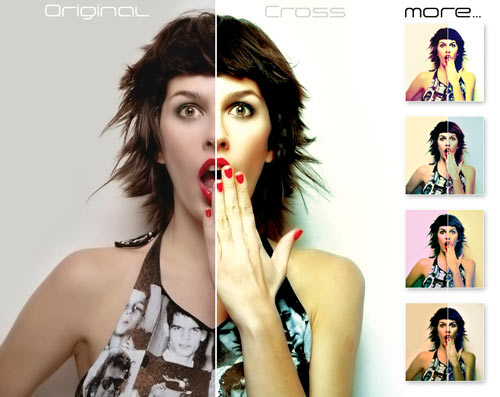
Cross-processing ATN
Simulate the Cross-processing (Xpro) photography technique using this Photoshop action.

Cross-processing ATN screen shot.
1 actionDownload

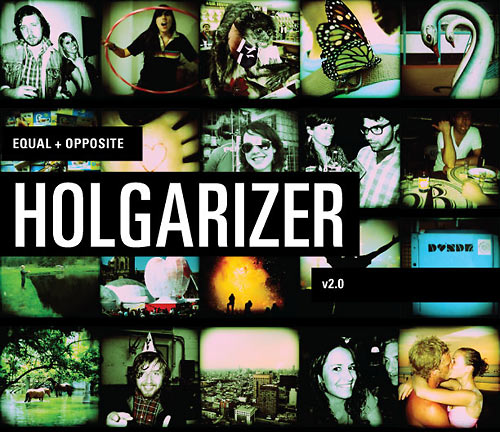
Lomo
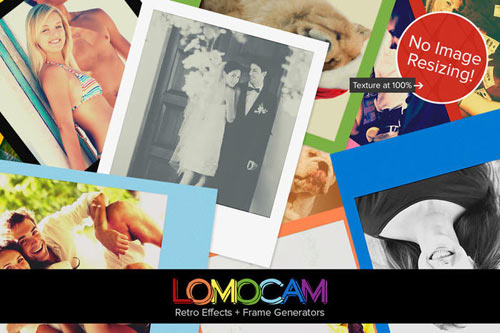
Give your images a “Lomo” look and feel with this excellent Photoshop action.

Lomo screen shot.
1 actionDownload

Lomo Cross-processing
This Photoshop action is a combination of two popular photography effects: Lomo and Cross-processing.

Lomo Cross-processing screen shot.
1 actionDownload

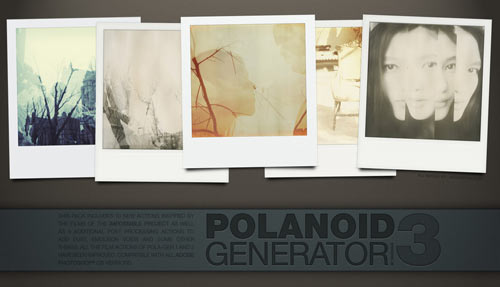
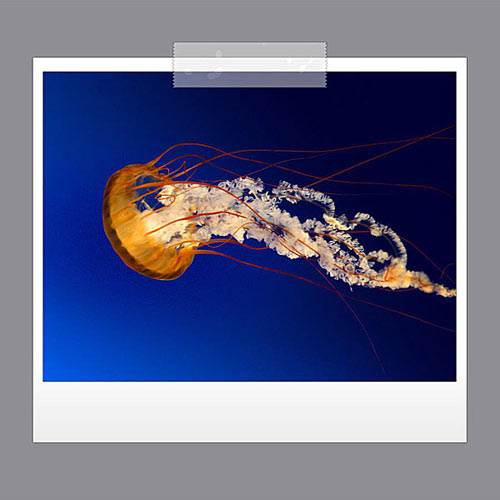
Polaroid Generator
Automatically frame an image in a Polaroid border with this set of Photoshop actions.

Polaroid Generator screen shot.
5 actions - Download

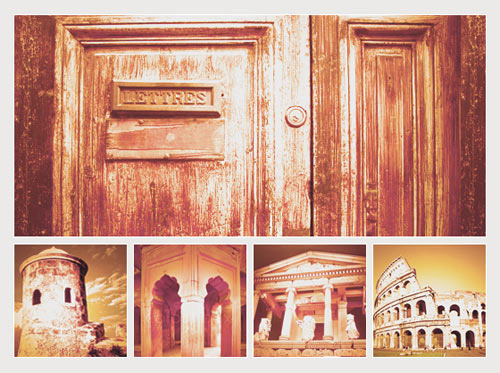
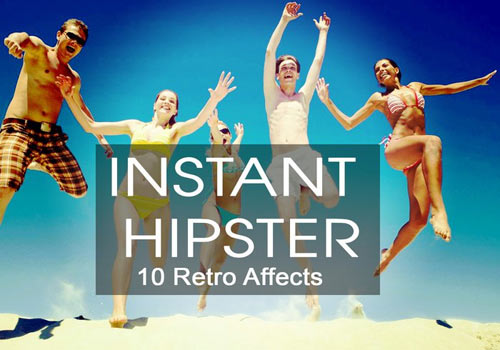
Hand-Colored Vintage Photo
This is a handy Photoshop action set for giving images aged, dirty effects.

Hand-colored Vintage Photo screen shot.
4 actionsDownload

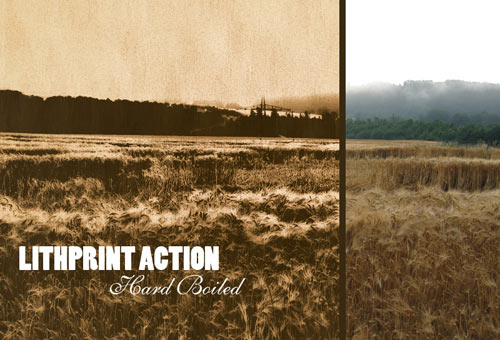
Vintage
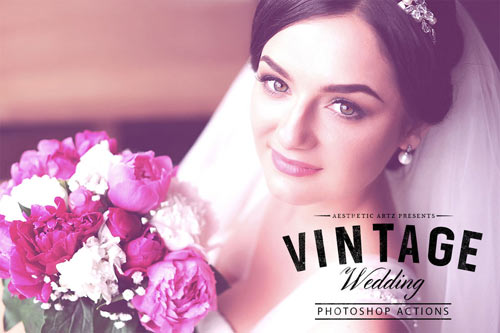
Aly’s Vintage action set is a nice collection of six vintage image effects that you can use on modern digital photos.

Vintage screen shot.
6 ActionsDownload

Vintage Wash
Give your images an old, vintage effect with this set of ten different actions.

Vintage Wash screen shot.
10 actionsDownload

Old Parchment
Easily create aged paper with this free Photoshop action.

Old Parchment screen shot.
1 actionDownload

Simple Stamp Generator
Automatically create a stamp graphic with this action.

Simple Stamp Generator screen shot.
1 actionDownload

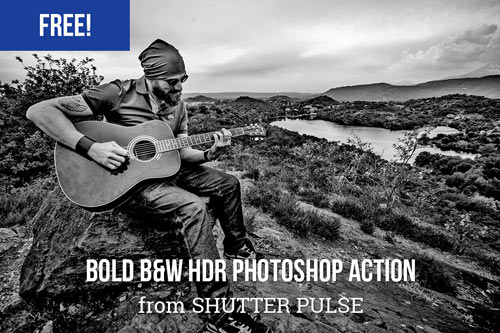
Pseudo HDR
Mimic the “HDR” photo effect without having to use multiple exposures of the subject.

Pseudo HDR screen shot.
1 actionDownload

HDR For Dummies
Here’s another easy-to-use Photoshop action set for giving photos the “HDR” effect.

HDR For Dummies screen shot.
3 actionsDownload

IR Actions
Give your photos the popular infrared effect using Dave’s IR Photoshop action.

IR Actions screen shot.
1 actionDownload

IR Effect
Here is another method for faking the infrared photographic effect using a Photoshop action.

IR Effect screen shot.
1 actionDownload

Photo Effect Action
This Photoshop action can be used for grunge designs.

Photo Effect Action screen shot.
1 action - Download

Comics Photoshop Action
Give your image a comic book look and feel using this Photoshop action.

Comics Photoshop Action screen shot.
1 action - Download

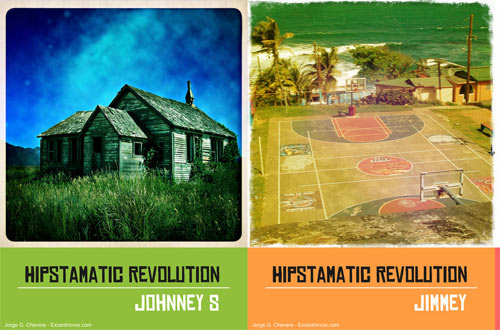
Retro Love
Achieve a retro-colored image effect using the Retro Love action.

Retro Love screen shot.
1 actionDownload

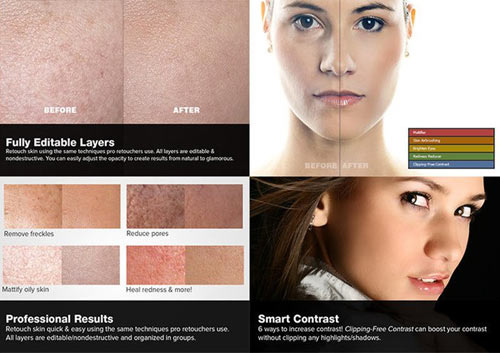
Soften Skin Effect
Smoothen skin and remove blemishes with the Soften Skin Effect action.

Soften Skin Effect screen shot.
1 actionDownload

Burnt Edges Vignette
This action gives your photos burnt and high-key effects (available for low- and high-resolution images, see the “Try Me”-section).

Burnt Edges Vignette screen shot.
4 actionsDownload site, check the “Try Me”-section

Edge Effects
This set of actions allows you to give your images different types of edge effects.

Edge Effects screen shot.
8 actionsDownload

B & Big Picture
Create a three-dimensional collage effect using one source image with the B & Big Picture action.

B & Big Picture screen shot.
4 actions – Download

Photo Enhancement and Processing Actions

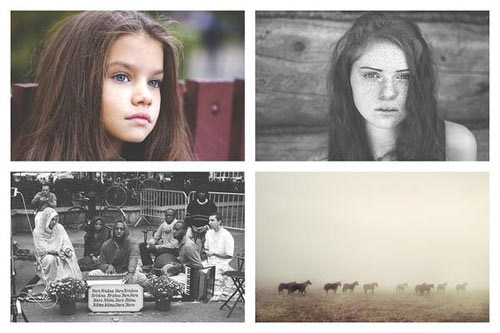
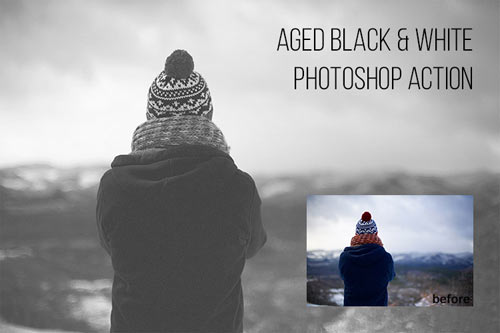
Black and White Photoshop Actions
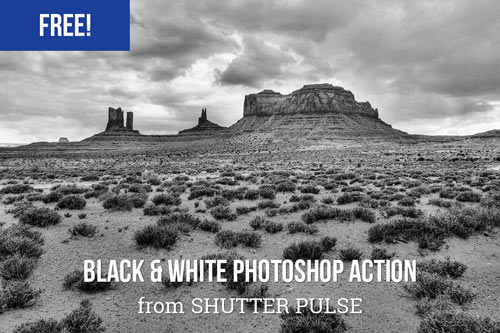
This is a set of useful actions for processing black and white images.

Black and White PS Actions screen shot.
8 actionsDownload

TLR B&W Toning
TLR B&W Toning is a large action set for enhancing and processing black and white images.

TLR B&W Toning screen shot.
30 actionsDownload

Photoshop Postwork Actions
Here is a ton of excellent post-work Photoshop actions.

Photoshop Postwork Actions screen shot.
25 actionsDownload

TLR Sharpening Toolkit
This is a useful Photoshop action pack for sharpening RGB, CMYK and monochrome photos.

TLR Sharpening Toolkit screen shot.
33 actionsDownload

TLR Tone Enhance
Enhance the tone and color of your images using this Photoshop action set.

TLR Tone Enhance screen shot.
30 actionsDownload

Color Enhancing Actions
Here is a variety of actions, such as “colorboost,” “softlight,” and “contrastboost.”

Color Enhancing Actions screen shot.
10 actionsDownload

Photoshop Color Actions
A nice collection of color actions to process and enhance your photographs.

Photoshop Color Actions screen shot.
10 actionsDownload

Cross Coloring Tools
Here is a set of actions for dark, mid-range, and light cross-coloring of image tone.

Cross Coloring Tools screen shot.
4 actionsDownload

Image Enhancing PS Actions
These are ten brilliant image-enhancing Photoshop actions.

Image Enhancing PS Actions screen shot.
10 actionsDownload

Watermark Photoshop Action
Automate the watermarking of your images with this set of Photoshop actions.

Watermark Photoshop Action screen shot.
9 actionsDownload

Photographers Toolkit
A wonderful set of actions for photographers to enhance photos.

Photographers Toolkit screen shot.
9 actionsDownload

Assorted Sets of Actions

Photoshop Actions – 53
This is the 53rd set of Photoshop actions by =night-fate of deviantART.

Photoshop Actions - 53 screen shot.
9 actionsDownload

Productions Action
This is a set of useful actions that will simplify your workflow for common Photoshop tasks.

Productions Action screen shot.
20 actions - Download

Photoshop Automator Actions
This is one of the biggest sets of useful actions to cut down on repetitive tasks such as watermarking images, scaling images, and fitting images in the canvas. You need to register before being able to download the set.
90 actionsDownload

Photography Action Set
This is an excellent collection of popular photo effects, such as HDR, Lomo, Velvia, Xpro and more.

Photography Action Set screen shot.
8 actionsDownload

Rather Large Set of Actions
This is a large collection of useful Photoshop actions.

Rather Large Set of Actions screen shot.
40 actionsDownload

Photoshop Actions – 62
Another beautiful set of assorted Photoshop actions by =night-fate.

Photoshop Actions - 62 screen shot.
8 actionsDownload
(al)

Jacob Gube is the Founder and Chief Editor of Six Revisions, a web publication for web developers and designers, and the Deputy Editor of Design Instruct, a web magazine for designers and digital artists. He has over seven years of experience as professional web developer and web designer and has written a book on JavaScript.

  1. 201

    Great set of resources. Thanks for sharing.

    +1
  2. 202

    collection of the same deviantart actions for the 50th time. since 3 years there isn´t anymore a big change in the top-list of deviantart. that lead us directly to the fact, that if you just copy and paste the most popular actions, you might look like all the 49 blogs did before you.

    even generating traffic with other people afford is pretty something. but giving the possibillity to a direct download, instead of just a link to the artists page is in fact uncrediting artists.

    my advise: just try to create something by yourself instead of generating traffic with something you haven´t done.
    btw: you not even help or support the artists with this blog, cause the top list of deviantart have got enough pageviews anyways.

    FAKE

    +1
  3. 203

    To many with error messages to be able to download. Thanks anyway.

    +3
  4. 204

    <3 <3 <3 . ha, awessoomeee!

    0
  5. 205

    These are so awesome!!!!!!! THANK YOU!!!!!!!!!!!!

    -1
  6. 206

    Yeah, a lot of these are pretty great.

    One think people need to realize, however is they are not auto-amazing-picture actions. Yes, the creative color can add a lot of interest to your image. However, a lot of these actions induce haloing, chromatic/luminosity noise, and loss of detail in your picture. These actions are best used in conjuction with elements of the original image. Careful masking and layer blending will help you make the most out of these actions.

    Also, try combining actions. ie If you really like the way the yellows come out in one version, blend those into a purple version you made with a different action.

    +2
  7. 207

    Although this is a year 2008 post, but it’s still the best collection of these photo filters. Love everything posted here!

    0
  8. 208

    great set…

    +2
  9. 209

    i hope to enjoy

    -1
  10. 210

    Thank you so much for the wonderful stuff!!

    -1
  11. 211

    i need more photoshop action.

    -2
  12. 212

    Thank you so much for the action.

    i need more photoshop action,

    0
  13. 213

    Even though this post was written in 2008, will be very helpful to me, here in Brazil. Thanks!

    -2
  14. 214

    I think that photoshop is the best editing image tool of the year
    Thank You for this actions.

    -3
  15. 215

    Cant wait to try all these :))
    Looks exciting

    -1
  16. 216

    Great list! I just made an action that mimics film on my site… check it out if you like vintage/old looking photos!

    http://www.grapherphoto.com/?p=567

    +1
  17. 217

    Awesome Collections and so easy to use…. Thanks!!

    0
  18. 218

    half of these don’t work anymore… but thanks for the ones that do ^^

    +1
  19. 219

    noiseandpixel

    July 15th, 2011 2:09 am

    THis very useful for all task and can make polaroid effect for my ban b.bad . but if we could find an instagram software on-line it be really more faster … i see on in the lab of twittepic but nothing happened .. if some new out your welcom to share info !!

    -1
  20. 220

    This is an awesome list of photoshop actions! I’ve recently seen some great photoshop actions for photographers at: wbactions.com

    0
  21. 221

    Hi there, thanks for sharing a would like to add to the list a website with lots of free and premium presets:

    http://www.adobelightroompresets.net/

    Hope can help

    0
  22. 222

    Alan de Paula

    July 23rd, 2011 10:48 am

    Thank you for providing these actions signal that puts are great!
    thanks!

    0
  23. 223

    thanks for ceollections, now I can tweaks my pics for whatever I want!

    0
  24. 224

    uh why are all the links dead :[

    0
  25. 225

    Very useful .. thanks for collection

    0
  26. 226

    Been looking for a site with the Vintage looking purple/pink flushed out look…and finally found it!!
    Thank you for putting this post together!!

    except now..how do I install the .atn files?

    0
  27. 227

    Most of the links go no where but a few do and for those I thank you. I am new to photoshop but I can tell you deviantart will never get my business, not because they are wrong but I got tired of seeing their little avatar telling me to get lost, then clicking back and waiting for the page to load. Someone needs to clean this mess up.

    -1
  28. 228

    You need to check your links. A lot of them don’t work any more. Thanks for the other links :)

    0
  29. 229

    Thanks to the world of new technology, thanks to Adobe PhotoShop which has made anything about pictures so easy. I want to be updated on photoshop picture or photo effect . Please I want latest updates to be sent to the above stated email address. Thanks.

    -1
  30. 230

    Hey guys, do you know how I can create an action where I turn layers on and on in a succession, saving images of every step of the way? Thanks!

    0
  31. 231

    Awesome! Thanks!

    0
  32. 232

    Guilty self promotion…

    Product Photography oriented Actions at psdcovers.com

    0
  33. 233

    Lots of broken links in this article. Mostly the ones I really wanted, too! :(

    0
  34. 234

    Do these work in photoshop elements 10? they are fantastic! thanx for sharing!

    -1
  35. 235

    I still don’t understand how I can record my own set of actions for future use. I am making up several photobooks which will contain as many as 1000 images in total. I therefore need to
    image/image size/resolution 200/width 1000,save as
    Lots of times

    0
  36. 236

    Stacie Jensen

    March 13th, 2013 5:24 pm

    Great list! Its always nice to see different takes on different styles. Editing can be a very artful thing to many photographers who use it to explain how they were feeling during a shoot. colorvaleactions.com

    0
  37. 237

    Thanks for sharing.

    0

  1. 1

    Why do I keep getting the feeling this site’s intended audience is home users (most of which don’t even use legally acquired software)?
    No offense, as it must’ve taken quite some work to get such a collection of links put together, but either only list those actions that can (also) be used commercially, or save your readers the work of having to check out every single action they deem interesting by adding some info on restrictions.

    +3
  2. 2

    This is the best post you guys could ever come up with !!

    Love these

    +3
  3. 3

    To many with error messages to be able to download. Thanks anyway.

    +3
  4. 4

    this is great! thank you.

    +2
  5. 5

    great set…

    +2
  6. 6

    Yeah, a lot of these are pretty great.

    One think people need to realize, however is they are not auto-amazing-picture actions. Yes, the creative color can add a lot of interest to your image. However, a lot of these actions induce haloing, chromatic/luminosity noise, and loss of detail in your picture. These actions are best used in conjuction with elements of the original image. Careful masking and layer blending will help you make the most out of these actions.

    Also, try combining actions. ie If you really like the way the yellows come out in one version, blend those into a purple version you made with a different action.

    +2
  7. 7

    i love the cross coloring action!

    +1
  8. 8

    great stuff… thanks a lot

    +1
  9. 9

    thanks for putting these together!

    +1
  10. 10

    Shoot I thought these would be useful in the batch processing and time saving way.

    +1
  11. 11

    Boring. There is nothing creative using actions. You just click and get instant effects without thinking what happened with your image. Thats why there is a lot of same looking garbage photos everywhere. You can get far beter color and LOMO effects if you spend 5 minutes in Photoshop with open mind. And thats what I call Photoshop Fun.

    +1
  12. 12

    Excellent set of actions, what would make this even more useful is if you zipped them all up in one file for download. That would make this excellent page super excellent.

    +1
  13. 13

    thanks

    +1
  14. 14

    amazing collection!!!

    +1
  15. 15

    thanks!!!

    +1
  16. 16

    your action are so beautiful and i like very much.ok bye

    +1
  17. 17

    Great list. Just a word of caution. Many actions among these don’t yet work with CS4. Only with CS3.

    +1
  18. 18

    Awesome, I love this site

    +1
  19. 19

    Waw Mantaaaap!?

    Amazing!!

    +1
  20. 20

    Great set of resources. Thanks for sharing.

    +1
  21. 21

    collection of the same deviantart actions for the 50th time. since 3 years there isn´t anymore a big change in the top-list of deviantart. that lead us directly to the fact, that if you just copy and paste the most popular actions, you might look like all the 49 blogs did before you.

    even generating traffic with other people afford is pretty something. but giving the possibillity to a direct download, instead of just a link to the artists page is in fact uncrediting artists.

    my advise: just try to create something by yourself instead of generating traffic with something you haven´t done.
    btw: you not even help or support the artists with this blog, cause the top list of deviantart have got enough pageviews anyways.

    FAKE

    +1
  22. 22

    half of these don’t work anymore… but thanks for the ones that do ^^

    +1
  23. 23

    Great list! I just made an action that mimics film on my site… check it out if you like vintage/old looking photos!

    http://www.grapherphoto.com/?p=567

    +1

Leave a Comment

Yay! You've decided to leave a comment. That's fantastic! Please keep in mind that comments are moderated and rel="nofollow" is in use. So, please do not use a spammy keyword or a domain as your name, or it will be deleted. Let's have a personal and meaningful conversation instead. Thanks for dropping by!

↑ Back to top