Smashing Magazine ~ we smash you with the information that will make your life easier. really.
Smashing Magazine we smash you with the information that will make your life easier. really.

50 Beautiful And Creative Portfolio Designs

By Jacob Gube, November 26th, 2008 in Design Showcase | 126 Comments | Forum

Advertisement

By Jacob Gube

Design portfolios come in various forms. Traditionally, they have been print-based and something you would carry to a client pitch or meeting to showcase what you’ve done and how you did it. Today, many designers take advantage of the Internet to publish and showcase their work via their online portfolios. Having your work displayed online removes the geographical restraints that traditional portfolios impose on you.

With many portfolios online, it’s often hard to stand out from the sea of competition out there. It takes a creative design to grab the user’s attention long enough for him or her to enjoy sifting through your work. Adding rich interactive elements, framing your work in a unique way, and concocting a means of providing a unique experience can not only get the user’s attention but also show your capabilities as a designer.

In this showcase, you’ll find a variety of beautiful, unique and highly creative portfolio designs. The aim here is to stimulate your creativity and inspire you to create your own portfolio or re-think your existing one. You’ll see portfolios from a wide range of fields, including Web design, product design, illustration, photography and even animation. So, we now present to you 50 beautiful and creative portfolio designs.

You may also want to take a look at the following related articles:

  • Creating A Successful Online Portfolio
    In this article, we review five pitfalls that commonly plague portfolio design. Then we’ll offer portfolio tips that, if carefully considered and well executed, will deliver quality results for your portfolio.

50 Beautiful and Creative Portfolios

Pikaboo
This portfolio showcases a creative navigation scheme; use the scroll button on the mouse to navigate up and down the showcase. Alternatively, the designer gives you a columned view of the showcased work if you click on “Overview.”
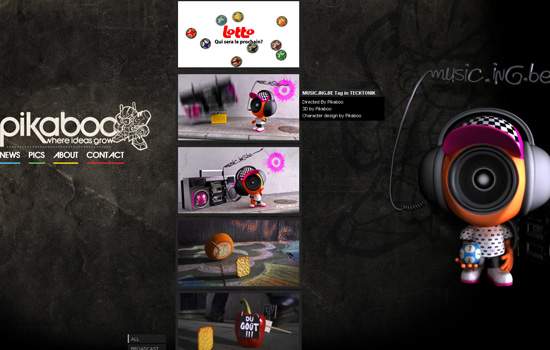
Pikaboo screen shot

Lyndon Wade
This portfolio effectively integrates the interface of the design. Clicking a category link of the portfolio expands a “film-strip” view of the thumbnails in the section. Upon clicking a thumbnail, it expands to a full-screen view; clicking on the left or right allows you to navigate through all of the showcased paragraphs in full-screen mode.
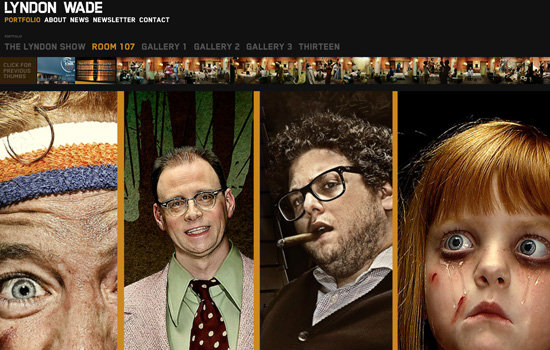
Lyndon Wade screen shot.

Jesse Willmon’s fall 2008 DESIGN-TACULAR
Jesse Willmon presents his portfolio in a unique fashion, through “doodles,” giving it a memorable user interface.
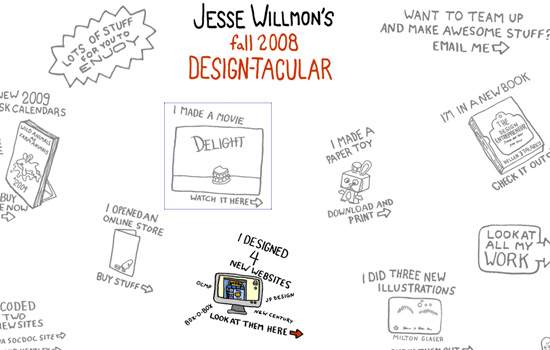
Jess Wilmon screen shot.

Daniel Stenberg
Daniel Stenberg frames each of his works beautifully and allows users to navigate through them horizontally. The result is a clean and simple but effective portfolio design.
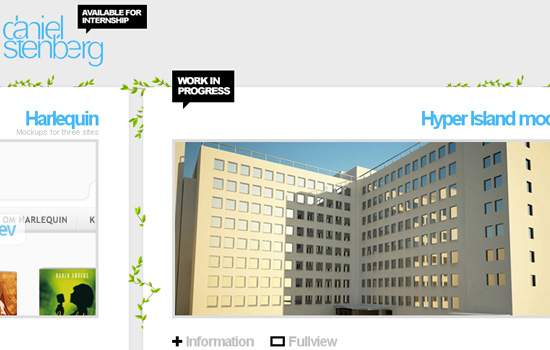
Daniel Stenberg screen shot

Domenico Tedone Design
Unconventional navigation schemes can be a great way to leave a lasting impression on users (but they can also make users leave in an instant); Domenico Tendone capitalizes on Flash’s strength of being responsive to user events by showcasing his work via a revolving 3-D wheel. Use the scroll button to scroll through his work.

Domenico Tedone Design screen shot.

Marc Dahmen
Marc Dahmen gives us a creative user interface by showing his projects as business cards. Clicking on a business card gives you a nifty animation as it enlarges. To make navigation easier, the portfolio provides keyboard shortcuts (you can see them at the top left of the page).
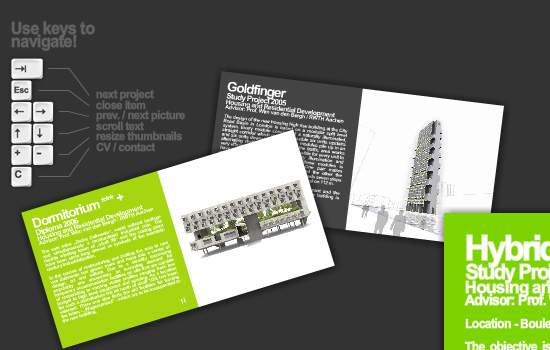
Marc Dahmen screen shot.

SuperLover
The excellent selection of colors in this portfolio complements the showcased artwork, and the organization of each piece makes it stand out.
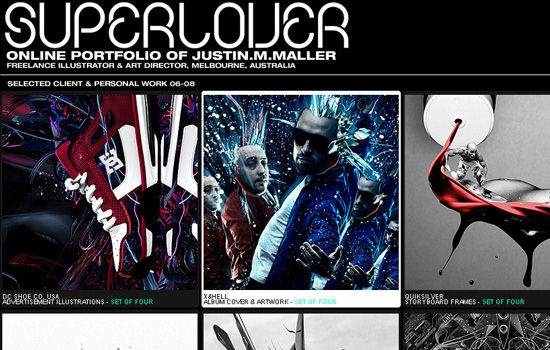
SuperLover screen shot.

Aline Caron Portfolio
The presentation of the thumbnails in this portfolio gives it a unique interface, reminiscent of the chemical table of elements.
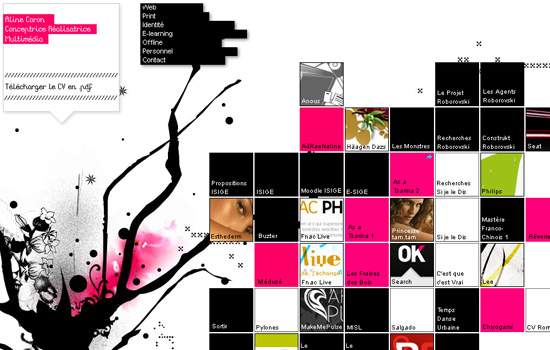
Aline Caron Portfolio screens hot.

chris woods

Minimalist portfolios focus the user’s attention on the works being presented, as seen in the portfolio of Chris Woods.
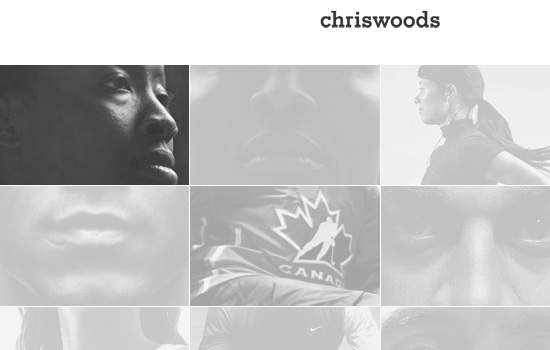
Millice screen shot.

Deep
Deep’s portfolio gives users a unique navigation interface; the plain solid background and text make the showcase the highlight of the home page.
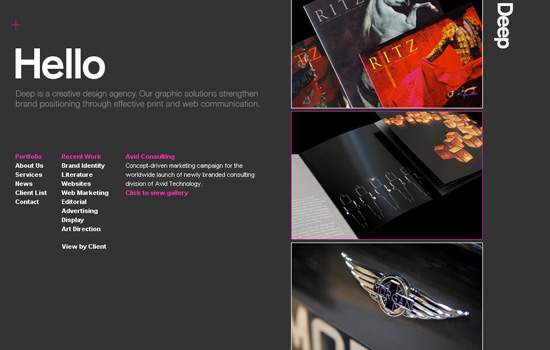
Deep screen shot.

Dave Werner’s Portfolio
Dave Werner’s portfolio gallery is shown as an artistic collage; clicking on a piece in the collage expands it.
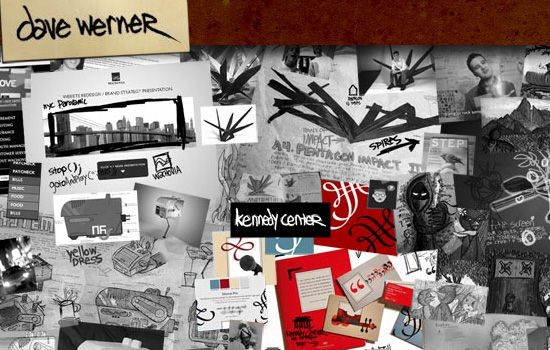
Dave Werner's Portfolio 2006 screen shot.

Booreiland
Booreiland’s portfolio gives users a “breadcrumb” navigation scheme so that they can easily jump through sections.
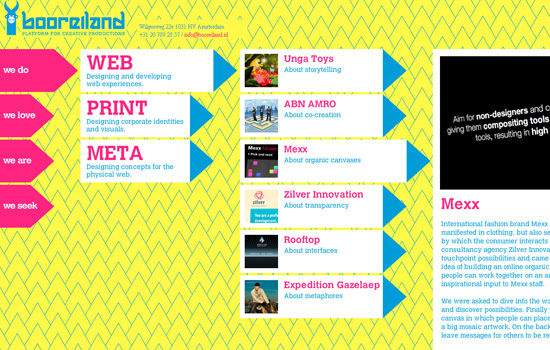
Booreiland screen shot.

vivified
In this showcase, the projects dominate the entire page, and a thumbnail gallery on the right-hand side gives you a way to browse through the projects.
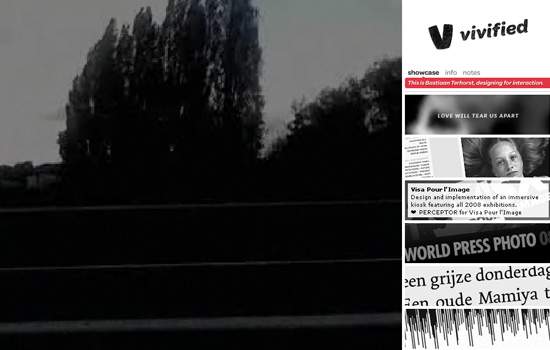
vivified screen shot.

nisgia.com
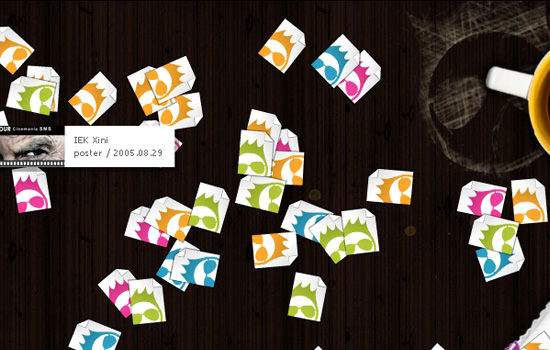
Interactive designers can show off their creative skill in user interaction by having a portfolio with distinctive interactive elements, as shown by nisgia’s portfolio.
nisgia.com screen shot.

Rob Young
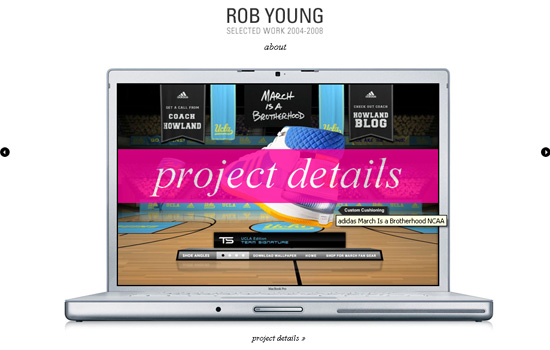
Rob Young frames his projects in a MacBook Pro laptop, alluding to the nature of his job as an art director and designer.
Rob Young screen shot.

Sid Lee
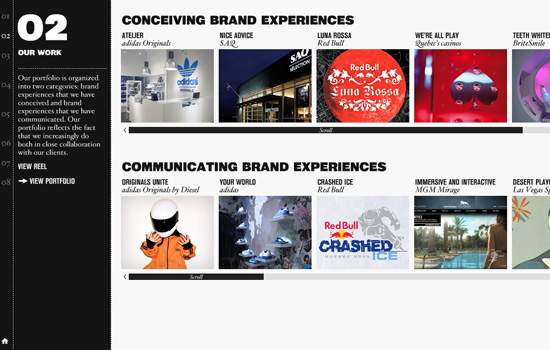
This clean and simple portfolio gives focus to the active work being viewed by allowing it to take up a large part of the viewing area. Hovering over the right-hand side of the page opens up an alternate navigation menu.
Sid Lee screens hot.

Nile Inside
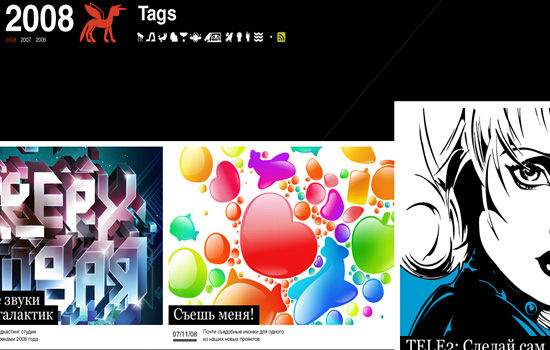
Artwork is displayed in a “film-strip” view, and clicking on a piece expands it without navigating away from the film strip. Even with the rich interactivity of the portfolio, it doesn’t rely on Flash.
Nile Inside screen shot.

Les illustrations de Lapin
Illustrations displayed side by side beautifully showcase the illustrations made in the artist’s sketchbook, giving the portfolio an unprocessed, raw, natural look.
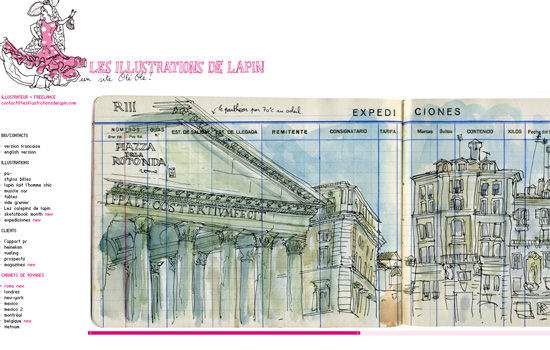
Les illustrations de Lapin screen shot.

Contrast
Conventional design portfolios are visual, but that isn’t the case with Contrast’s portfolio, which displays its “thumbnail” gallery in a text-based format.
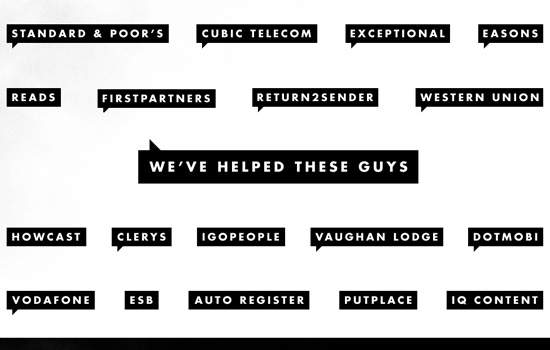
Contrast screen shot.

sroown
sroown effectively uses its logo to frame its design gallery. Note the red “Jump back to top” element along the right-hand side that follows you along as you scroll down the page, a subtle enhancement of the interface that gives you insight into the small details they pay attention to in their designs.
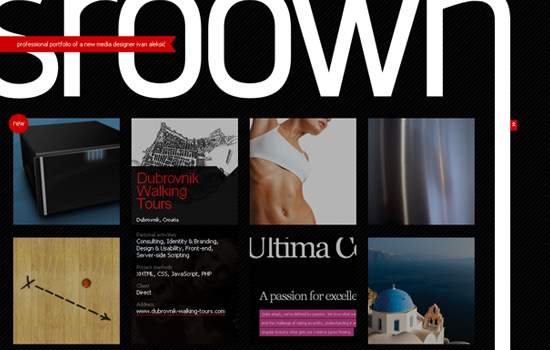
sroown screen shot.

OnWired
OnWired showcases its design process by taking us from conception to final product in each of its projects.
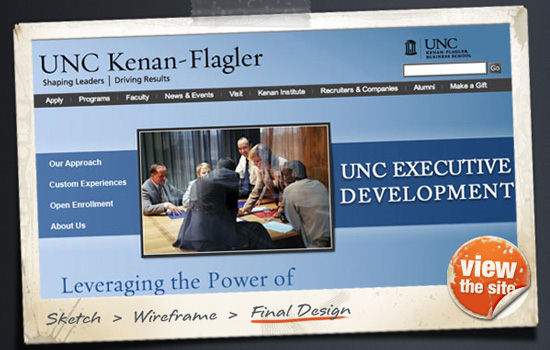
OnWired screen shot.

Michael Muller Photography
Michael Muller’s portfolio directs the user’s attention to his photographic work by making it the focal point of the page. Hover over each piece to navigate through his work.

Michael Muller Photography screen shot.

EveningLab
A creative interface makes EveningLab’s portfolio stand out.
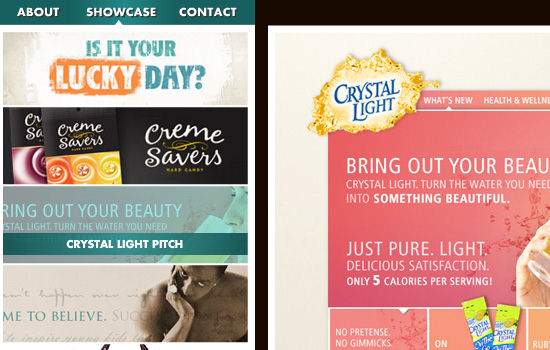
EveningLab screen shot.

Die Neue Modern
Irregular shapes and sizes of the thumbnails in this portfolio give it a unique and “systematic disorder.”
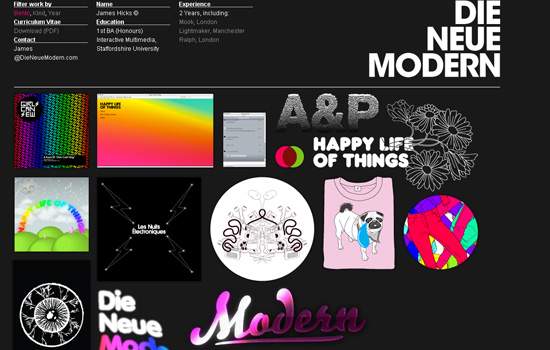
Die Neue Modern screenshot.

Made Like Me
This portfolio shows the typical way of displaying thumbnail galleries; but by leveraging the artwork’s vivid colors and placing the art against a dark background, each piece pops out of the page and the gallery achieves a unified look.
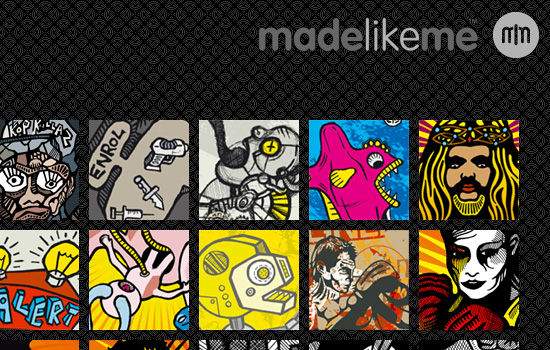
Made Like Me screen shot.

Marius Roosendaal
An accordion user interface gives Marius Roosendaal’s portfolio a nifty way of showcasing his work while allowing it to remain compact, thus maximizing valuable screen real estate.
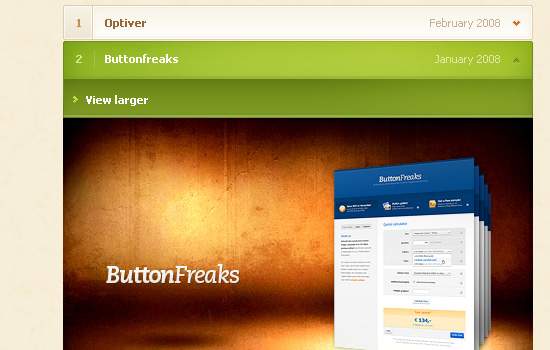
Marius Roosendaal screen shot.

Jason Reed Web Design
Jason Reed’s portfolio features a horizontal accordion menu, which minimizes the need to scroll and, again, makes the design compact.
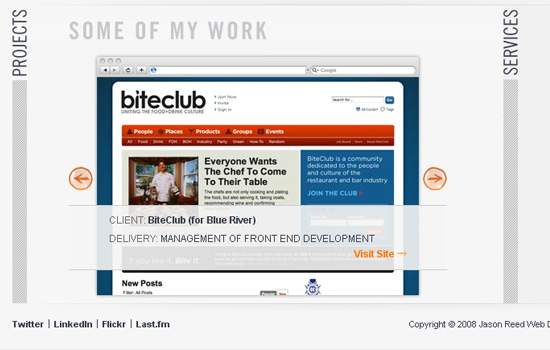
Jason Reed Web Design screen shot.

Thibaud’s portfolio
Thibaud’s portfolio uses color swatches as interactive elements, which not only hints at the nature of his work but also effectively showcases his skill, experience and creativity in interactive design.
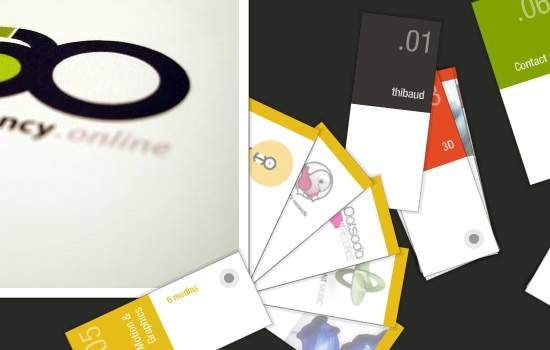
Thibaud's portfolio screen shot.

standardimage
Standardimage features a unique navigation scheme that auto-scrolls down the page when you click on a menu item. The portfolio design is clean, simple and minimal, which makes each piece stand out.

standardimage screen shot.

bcandullo.com
Brad Candullo beautifully frames his creations with worn notebook pages, giving them an organic look and feel.
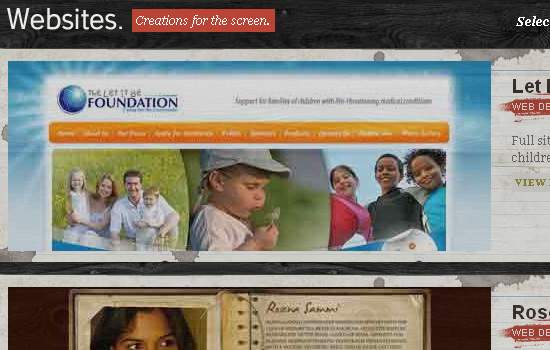
bcandullo.com screen shot.

James Lai Creative
James Lai Creative’s portfolio sits on the front page. Each thumbnail is in a frame, and you can navigate through them horizontally.
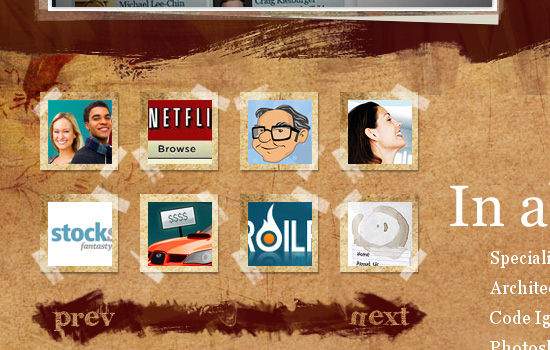
James Lai Creative screen shot.

formrausch
This portfolio puts each project in a beautiful frame, showing the designer’s meticulous attention to detail.
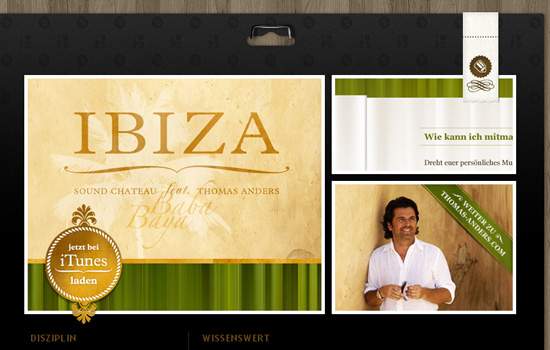
formrausch screen shot.

Serial Cut
Another minimalist portfolio design that focuses attention on the artwork.
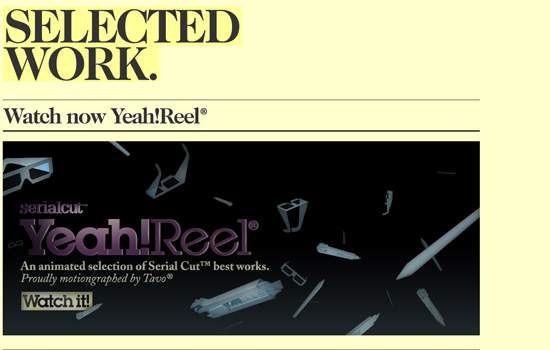
Serial Cut screen shot.

Dawghouse Design Studio
Dawghouse Design Studio displays its projects on a notebook paper background. The hand-drawn concept is carried through with each graphical element, including the “View site” button and the “Next” and “Previous” buttons.
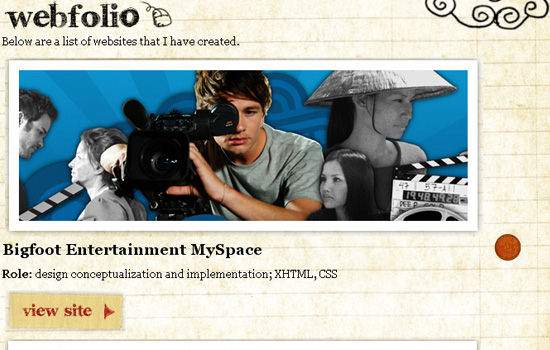
Dawghouse Design Studio screen shot.

Hot Meteor
Eye-catching, smooth animation that uses horizontal and vertical movement creates a memorable user experience.

Hot Meteor screen shot.

Oneover.com
The unconventional 3-D showcase seen in this portfolio provides a great user experience.
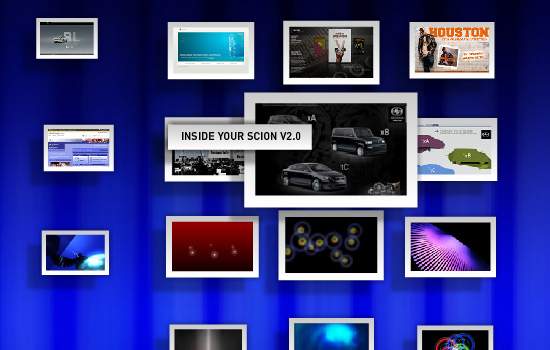
Oneover.com screen shot.

13 Creative
13 Creative houses its portfolio on a steno pad. A beautiful navigation scheme and subtle, fluid animation make this portfolio a memorable design.
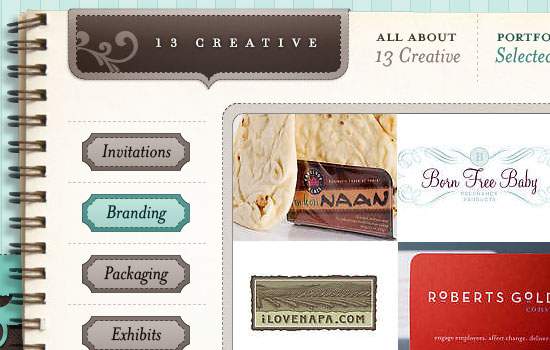
13 Creative screen shot.

TROZO GALLERY

Eduardo Valdivieso’s style of art transcends the canvas and works well as part of a Web design, allowing the two media to complement each other.
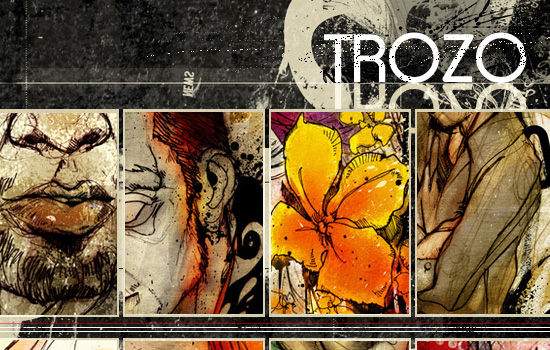
TROZO GALLERY screen shot.

Danny Blackman
Danny Blackman’s animated navigation makes navigating through his projects a pleasant experience.
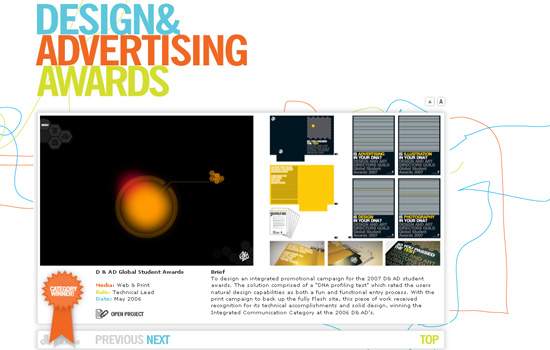
Danny Blackman screen shot.

Frisk Web
Frisk Web displays thumbnails of its projects as taped-on Polaroid shots, giving the portfolio design an uncommon and remarkable layout.
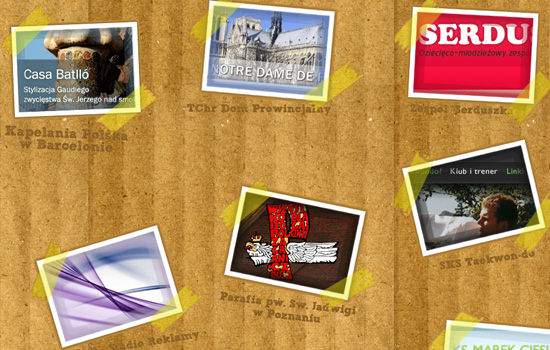
Frisk Web screen shot.

foxie’s graphic design

This creative portfolio interface uses books sitting on a bookshelf for navigation.
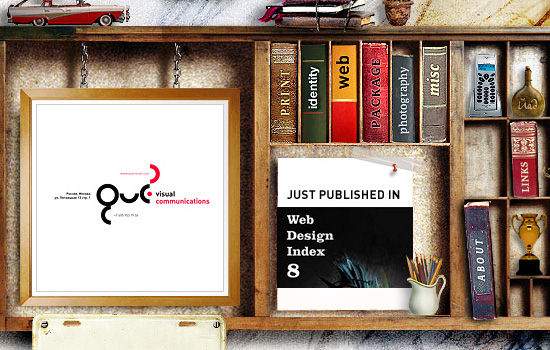
foxie's graphic design screen shot.

Visualbox
Visualbox takes advantage of the vivid colors of its work by placing its portfolio against a plain dark background, effectively emphasizing the “Visual” in its company name.
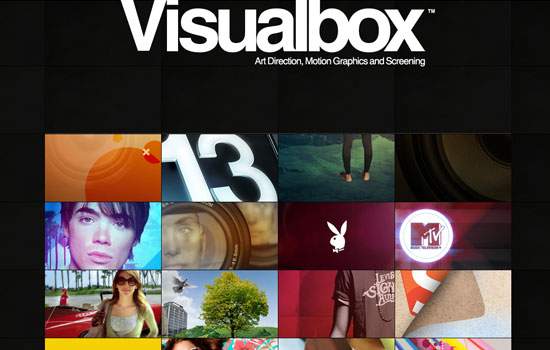
Visualbox screen shot.

Ed Peixoto
An unconventional layout for a thumbnail gallery and subtle yet memorable hover-over animation make this portfolio design impressive.
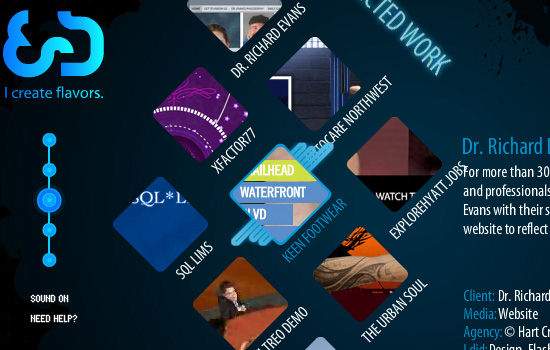
Ed Peixoto screen shot.

Odd Web Things

Odd Web Things stays true to its name by showcasing its work in an unusual fashion. You just might think about the design long enough to remember the company’s name, or even explore the rest of its website looking for an explanation.
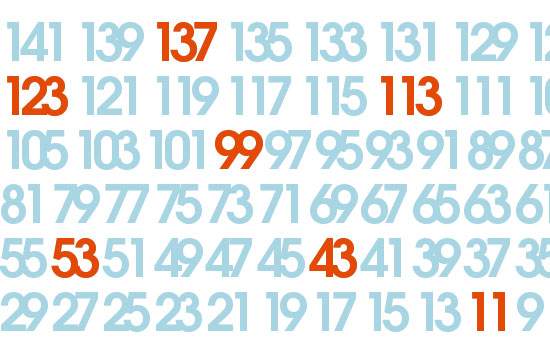
Odd Web Things screen shot.

NANAMIart
NANAMIart integrates its portfolio in the design by displaying it near the header, giving users access to it at all times.
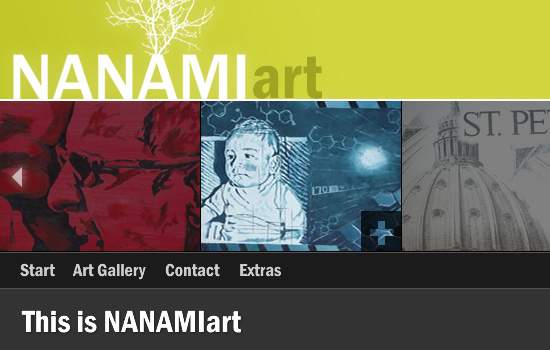
NANAMIart screen shot.

Vault49
This portfolio is text-based until you click on the name of a project; the name then expands to show a preview of the artwork.
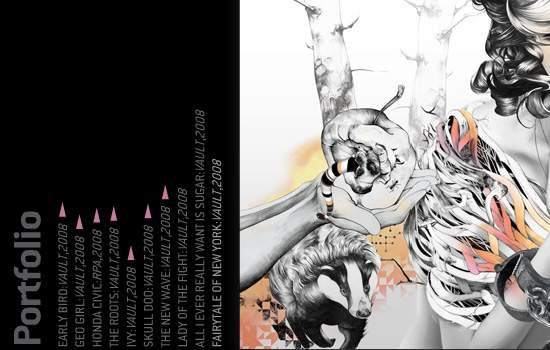
Vault49 screen shot.

SKINS INTERACTIVE
Fluid, smooth 3-D animation makes browsing through Skin Interactive’s portfolio an enjoyable user experience.

SKINS INTERACTIVE screen shot

adncom
A rotating display that revolves around an illustrated sheep gives adncom’s portfolio a unique twist.
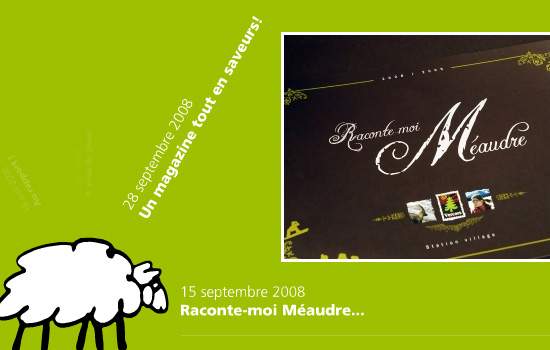
adncom screen shot

SeymourPowell
The deck-of-cards introduction gives users a sense of what SeymourPowell is all about in a matter of seconds.

SeymourPowell screen shot.

hellokarl
hellokarl combines subtle, fluid animation along with great large-scale product shots to create an engrossing mood.
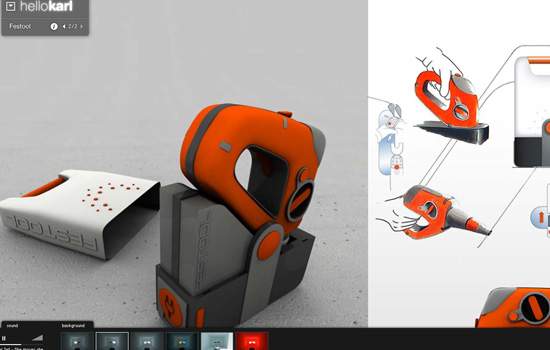
hellokarl screen shot.

Related posts

You may also want to take a look at the following related articles:

  • Creating A Successful Online Portfolio
    In this article, we review five pitfalls that commonly plague portfolio design. Then we’ll offer portfolio tips that, if carefully considered and well executed, will deliver quality results for your portfolio.

About the Author

Jacob Gube is a Web developer/designer and author of Six Revisions, a blog on Web development and design. If you want to connect with the author, you can follow him on Twitter.

(al)

Delicious button Stumbleupon Spread the word on Twitter!

Advertisement
  1. 1.

    Craig Schlewitz (November 26th, 2008, 3:11 pm)

    Great article!! It gave me some really good ideas. :] I especially like this:
    Link [www.sidlee.com]

  2. 2.

    pascal (November 26th, 2008, 3:20 pm)

    always nice to see how other designers publish there portfolios and which techniques they use. Was looking on the Internet for some smashing portfolios my self earlier this week.
    Nice addition to what i have already seen.

    Good job

  3. 3.

    Faisal Khan (November 26th, 2008, 3:20 pm)

    It is beautiful !!!

    Love the minimalism and class!

  4. 4.

    Shali Nguyen (November 26th, 2008, 3:25 pm)

    Nice post! Very inspiring… :)

  5. 5.

    Akashrine (November 26th, 2008, 3:39 pm)

    Some of this site are really beautiful but some of them have already been quote regulary. Maybe you’ll like mine.
    Link [www.akashrine.fr]

  6. 6.

    Two Socks - Graphic design and print (November 26th, 2008, 3:42 pm)

    nice post, some great portfolios

  7. 7.

    Piotr Godek (November 26th, 2008, 3:43 pm)

    Thank you for featuring my portfolio :)

  8. 8.

    Jason Reed (November 26th, 2008, 3:44 pm)

    Awesome… thanks for including my site!

  9. 9.

    c wylie (November 26th, 2008, 4:19 pm)

    nice list. happy thanksgiving. it’s time to redo my portfolio i guess :/

  10. 10.

    Jacob Gube (November 26th, 2008, 4:49 pm)

    I’m glad you guys enjoyed this article and have a Happy Thanksgiving. :)

  11. 11.

    David (November 26th, 2008, 5:02 pm)

    Beautiful and creative are very beautiful and creative descriptions.

  12. 12.

    Tim (November 26th, 2008, 5:10 pm)

    Another awesome post!
    One of my favorites - Link [www.dubblevision.com]
    A nice, simple and clean design.

  13. 13.

    Tracy (November 26th, 2008, 7:03 pm)

    Thanks smashingmagazine verymuch. very beautiful! I need this now:)

  14. 14.

    Peter (November 26th, 2008, 9:45 pm)

    Great inspiration!

    Here’s a cool kids art portfolio gallery for charity.
    Link [www.giveohgive.org]

  15. 15.

    denbagus (November 26th, 2008, 10:02 pm)

    thank a lot.!! that is nice information

  16. 16.

    David Hellmann (November 26th, 2008, 11:47 pm)

    a lot of good stuff!

  17. 17.

    szalmo (November 27th, 2008, 12:17 am)

    Thibaud’s very very beautiful!

  18. 18.

    Shuuun (November 27th, 2008, 12:30 am)

    What about mine? =D i am not finished with this… and you may have to press f5 several times to get content and startpage :P “its not finished yet” and its not perfect, but a nice and creativ way to show you a bit of me ;) Link [snakesz.sn.funpic.de]

  19. 19.

    Karri (November 27th, 2008, 1:34 am)

    These are really good-looking portfolios. It amazes me again and again how creative and innovative people can get to achieve great results.

    Portfolio designs can also be a wonderful source of inspiration that can bring something unique to the table when you’re mocking up something new or want to display something in a very unique way in your designs.

    Keep up the good work!

  20. 20.

    gr8pixel (November 27th, 2008, 1:55 am)

    great work. I know Thibaud’s site was there for more than 3 years and still it’s pretty unique! :)

  21. 21.

    Mostafa Mourad (November 27th, 2008, 1:57 am)

    OH!
    Where is Link [www.designrific.com]??!!

  22. 22.

    b00m (November 27th, 2008, 2:23 am)

    Love minimal/simple/clean websites…
    All portfolios listed are great!

  23. 23.

    Lukasz Bachur (November 27th, 2008, 2:37 am)

    Thank you for submit friskweb.pl! Best regards SM ;-).

  24. 24.

    Tom (November 27th, 2008, 2:43 am)

    They’re all very impressive and creative at first glance, but I find myself lost on these pages so quickly I simply give up. They’re very pretty, just not very usable — which can obviously lead to people not actually finding the work in your portfolio.
    (Just my opinion)

  25. 25.

    katie (November 27th, 2008, 2:59 am)

    i agree tom - i have my flashy non-user-friendly portfolio site (Link [whatkatiedoes.net]) but also a low-bandwith HTML one for people who don’t have the time to spare exploring it.

  26. 26.

    download4design (November 27th, 2008, 2:59 am)

    whoa, these websites’re beautiful, i love them. I see site Link [foxie.ru] is best cool!

  27. 27.

    John Wilde (November 27th, 2008, 5:35 am)

    not a designer portfolio, but a fantastic Link [www.strogalski.com] (photographer named Strogalski)
    just came across it while diggin into the designer portfolios.

  28. 28.

    Гидроаккумулятор (November 27th, 2008, 5:42 am)

    Nile Inside the best. But not so famous such as lebedev lab

  29. 29.

    Daemon (November 27th, 2008, 5:53 am)

    It is incredible how most of these sites are VERY unusable. Navigation is a mess, some of them try to play music even after you killed it, some are freaking slow and i am running Quad Core….. Do not get me wrong, they might be visually nice, but they fail at what website should do: convey a message and display what these people do. It’s like having a pretty colorful hammer made out of glass. It’s nice, but you cannot hammer a nail into wall with it.

  30. 30.

    Daemon (November 27th, 2008, 5:55 am)

    And yea, Link [www.eisforeffort.com] is promoting Apple. Why? Designer who made this site could have at least delete “MacBook Pro”. This way it look very very VERY snobbish. “Yea i have a Mac” “Yea i will put it on my website so everyone can see i have Mac”

  31. 31.

    dog (November 27th, 2008, 6:38 am)

    This post is a great source of inspiration indeed, however the only thing these portfolios have in common is the confusing navigation. I just don’t understand why people choose to implement a tricky sliding annoying navigation instead of a regular css based navbar. Someone pls tell me what is to be gained from the pathetic flash garbage on a portfolio site. When i visit a site, i want content and i want it accessible immediately. Otherwise i just go away. Not just me.
    SM editors should consider this as well when compiling the next selection.

  32. 32.

    foxie (November 27th, 2008, 6:46 am)

    Happy to see my site here again in such splendid neighbourhood!
    Thanks guys ;)))

  33. 33.

    Erwin Heiser (November 27th, 2008, 7:37 am)

    I have to agree with some of the posters above, all the work shown has a lot of visual flair but a lot of them are confusing to use, while some are downright annoying.

  34. 34.

    John (November 27th, 2008, 8:20 am)

    There´s a good one on Link [www.aryfalcao.com.br]
    Take a look!!!

  35. 35.

    Quakeulf (November 27th, 2008, 8:30 am)

    What happened to usability? Was that just another fad that had come and gone? :o

  36. 36.

    Rob (November 27th, 2008, 10:07 am)

    Great Article

  37. 37.

    Antphilosophy.com (November 27th, 2008, 10:52 am)

    I am constantly amazed with your posts. You should really give yourself a pad on the back for all the hard work you do. I can’t have been easy to find these 50 different portfolio displays.

  38. 38.

    a. miranda (November 27th, 2008, 12:27 pm)

    great work! i like a lot!

    =)! =)! =)!

    congratulations guys!

  39. 39.

    test (November 27th, 2008, 12:32 pm)

    Inspirational article

  40. 40.

    Bình Minh Mưa (November 27th, 2008, 12:50 pm)

    It is beautiful !!!
    Great Article

  41. 41.

    grackie (November 27th, 2008, 6:07 pm)

    I like Lyndon Wade so far… nice stuff!

    thanks SM!!

  42. 42.

    ricardo rayano (November 27th, 2008, 6:57 pm)

    visualbox rocks, seen their work in the past and blew me away :)) should keep an eye on their designs

  43. 43.

    Rakesh.S (November 27th, 2008, 7:40 pm)

    Great collection indeed, so much of varities in designs.

  44. 44.

    bob mackie (November 27th, 2008, 7:52 pm)

    Super lover is not a good example. guys work is horrible and way over rated. still pushing around the same ol style since 99

  45. 45.

    Alex (November 27th, 2008, 8:27 pm)

    Great collection… i would like you to write a post of just html portfolios… i’m not a big fan of flash

  46. 46.

    Manohar (November 28th, 2008, 3:12 am)

    thanks.. thanks a lot for “sm”, great stuff……

  47. 47.

    Dave (November 28th, 2008, 4:20 am)

    Here one more (from germany): Link [www.art-redesign.de]

  48. 48.

    Ben (November 28th, 2008, 9:02 am)

    Great post and some nice work!

    One of my favorite portfolio sites and another for the list:
    Link [www.arteye.com]

  49. 49.

    Osvaldo (November 28th, 2008, 5:02 pm)

    Very interesting stuff! Thanks!

  50. 50.

    Khayyam (November 28th, 2008, 8:13 pm)

    I remember stumbling across Deep’s site a moon or two ago and was utterly blown away by how stellar their work is and how they display it.

    The older site I prefer, yet they still go over the top with their new one.

    Lots of amazing portfolios to check out.

  51. 51.

    VTVTVT3000 (November 29th, 2008, 11:00 am)

    WOW!!!!!!! the portfolios are really amazing :)

  52. 52.

    didou (November 29th, 2008, 11:08 pm)

    really nice porfolios ….
    thanks for this….

    Link [www.yaweb.fr]

  53. 53.

    Daniel (December 1st, 2008, 8:54 am)

    Visually very appealing websites, most of them.

    BUT what I find totally disgusting is websites with music turned on by default……… How can a web site professional do such a stupid thing?………….

  54. 54.

    swedegeek (December 2nd, 2008, 6:04 am)

    Great list! I also really like the layout of Link [brettnyquist.com]. Very clean, and cool designs.

    Thanks for sharing!

  55. 55.

    Jason Robb (December 2nd, 2008, 8:49 am)

    An observation: all of Smashing Mag’s screenshots are taken on a PC. Typography is an eye sore, IMHO.
    Jason

  56. 56.

    Never The Same (December 3rd, 2008, 5:29 pm)

    While I’m a huge fan of simplicity, I couldn’t help but notice vivified’s site looking strikingly similar to the Superfamous site. Not sure who’s came first but my money’s on Superfamous.

    In other news, love Smashing Magazine. Good source and collection of inspirational imagery.

  57. 57.

    Marko (December 5th, 2008, 11:58 am)

    look at Link [www.pxforce.com] … its so cool and simple portfolio design too :)

  58. 58.

    Aleso (December 7th, 2008, 7:31 am)

    great portfolio design here.
    i like it.

  59. 59.

    Alexandre Plennevaux (December 8th, 2008, 3:20 pm)

    Hey guys, what do you think about this image gallery portfolio, turned into an interactive barcode ? Link [www.lisapram.com]

    Here were my intentions: The interface is a specific design approach to online image galleries aiming to produce an integrated graphical product based on the work itself. The result of this search is an “interactive barcode”, generating a unique representation of Lisa Pram’s work in a non-metaphorical manner, through indexing of her image sets according to four main keywords, which stand for the main areas of her work - Professional, Experimental , Advertising and Editorial. Clicking on each of them allows the visitor to filter through her image galleries. Each gallery is represented by a line which thickness reflects the number of images it contains - 1 image is 1 pixel width. This simple principle leads to the barcode representation. Clicking each of these lines unfolds its pictures in a continuous strip inside the barcode, thus introducing the user into the colors and contrasts of her work.

    Thanks Smashing !

  60. 60.

    Bob No Hope (December 10th, 2008, 12:46 am)

    Ah man, not my cup of tea. Every portfolio screams ADHD designers with starburst vomit. Come the fudge down PEOPLE!

  61. 61.

    miranda (December 11th, 2008, 4:24 pm)

    great work! i like a lot!

    =)! =)! =)!

    congratulations guys

  62. 62.

    JAN (December 23rd, 2008, 10:08 pm)

    It’s such an honor to be part of the list! Thanks for including me! - JAN

  63. 63.

    hotcube (December 23rd, 2008, 10:17 pm)

    nice websites!

  64. 64.

    Shaq O’neal (January 12th, 2009, 2:26 am)

    I liked Pikaboo. It is really cool. Can someone demystify its great layout structure? It would be a great tutorial.

  65. 65.

    Danilo (January 26th, 2009, 9:55 am)

    Coll post! Very good !!!

  66. 66.

    Creamy CSS (February 27th, 2009, 4:31 am)

    It’s really a wonderful list best portfolios on the web! Thanks for the post! ;)

  67. 67.

    Nathan Latterell (March 26th, 2009, 10:23 am)

    These are all great portfolios, but some lack usability, and have mystery meat nav. above all very inspirational

  68. 68.

    Anne (March 30th, 2009, 12:42 pm)

    I just finished mine… Tried to keep it very simple. Hope you like!

    Link [www.27something.com]

  69. 69.

    smita (April 20th, 2009, 5:18 am)

    very inspiring!!!

    gr8 portfolios!!!

    congratulations to all hard worker behind the curtain.

    :)

  70. 70.

    Julianna (April 22nd, 2009, 5:17 am)

    I love this list! I think anyone who likes design like this should also check out stuff from Link [www.identitywithheld.org] and Link [www.ths.nu]. I can appreciate clean designs but I love the ease of use and off-beat quirkiness of both these websites. My favourite from the list has to be Trozo though; I’ve had that one bookmarked for quite a while!

  71. 71.

    Webdesign Portfolio (April 22nd, 2009, 2:31 pm)

    Very interesting portfolios! Thanks!

  72. 72.

    genggao (May 20th, 2009, 11:18 pm)

    wow these are beautiful! Thanks for sharing. great work

  73. 73.

    zen (June 1st, 2009, 5:55 am)

    great!

  74. 74.

    Itbxhaum (June 22nd, 2009, 1:11 pm)

    VBVaw3 comment1 ,

  75. 75.

    Zeleon (June 27th, 2009, 2:21 am)

    This gave me a lot of inspiration!
    Thnx a lot

Leave a Reply

Allowed Tags: <a href="" title=""> <abbr title=""> <acronym title=""> <b> <blockquote cite=""> <cite> <code> <del datetime=""> <em> <i> <q cite=""> <strike> <strong>
Advertisement
 

All Posts

Follow us on Twitter!
Subscribe to our RSS-feed!

Advertisement

Fresh Bookmarks

2009 Web Design Trends with How-To’s
A step further is this list of tutorials.

36 Beautiful Wallpapers for Minimalist Lovers
Related to photography from multiple Flickr pools.

100 Login Forms
An inspirational Gallery.

@font-face: The Potential of Web Typography
Take advantage of the @font-face CSS rule.

22 Free Seamless Vector Pattern Resources Perfect For Web Design
A collection of resources and articles related to vector patterns.

10 New PHP Content Management Systems
All based on PHP.

25 Beautiful Logos with Sequential Concept
Sequential logos maybe is a new trend among logo designers.

Designing a blog with HTML5
Much of HTML 5’s feature set involves JavaScript APIs that make it easier to develop interactive web pages.

20+ CSS Data Visualization Techniques
Get inspired.

CSS3 – a big storm is coming
With CSS3 media queries and multi-column layouts it will be a whole new ballgame.

  • 9Rules Logo
  • Quicksprout Logo


