Smashing Magazine - we smash you with the information that will make your life easier. really.
50 Extremely Useful And Powerful CSS Tools
We love useful stuff. For months, we have been bookmarking interesting, useful and creative CSS tools and related resources. We have been contacting developers, encouraging them to improve their tools and release their handy little apps to the public. Last year we prepared and published some of them in a series of smashing posts about CSS. Now again is the time to give these tools the attention they deserve. Big thanks to all designers and developers who contributed to the design community over the last months and years. We — our community and the design community — truly appreciate your efforts.
Below, we present 50 extremely useful CSS tools, generators, templates and resources. We did not include “traditional” CSS tools, such as Firebug or the Web Developer extension, but tried to focus on rather unknown tools that are definitely worth a look. Some tools are new and some are old, but hopefully everybody will find a couple of new useful or at least inspiring tools.
We strongly encourage you to develop these tools further, build on the ideas presented here, release new tools for the public and let us know about them. We would love to feature your handy tool in our next review.
Please take a look at the following related posts:
- Powerful CSS-Techniques For Effective Coding
- 53 CSS Techniques You Couldn’t Live Without
- CSS: Techniques, Tutorials, Layouts
- 75 (Really) Useful JavaScript Techniques
[Offtopic: By the way, did you know that Smashing Magazine has a mobile version? Try it out if you have an iPhone, Blackberry or another capable device.]
CSS and Typography
- Hyphenator
Hyphenator.js brings client-side hyphenation of HTML documents to every browser by inserting soft hyphens using hyphenation patterns and Frank M. Liang’s hyphenation algorithm commonly known from LaTeX and OpenOffice. The goal is to provide hyphenation in all browsers that support JavaScript and the soft hyphen for at least English, German and French. Here is the server-side script that does the hyphenation. - CSS Type Set
CSS Type Set is a hands-on typography tool that allows designers and developers to interactively test and learn how to style their Web content. - Typechart
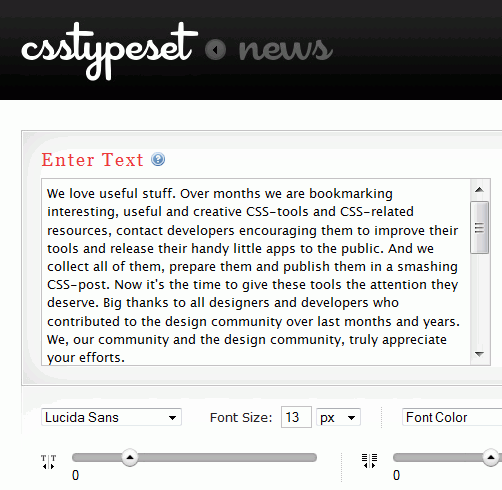
Typechart lets you flip through, preview and compare Web typography while retrieving the CSS. - CSS-Typoset Matrix and code generator
A matrix table that presents font sizes and (symmetrical and asymmetrical) margins for various base font sizes — in pixel and em units. It also generates the source code on the fly. Created by Jan Quickels. - Em Calculator
Em Calculator is a small JavaScript tool that helps you make scalable and accessible CSS design. It converts sizes in pixels to relative em units, which are based on a given text size. - Facelift Image Replacement (FLIR)
Facelift Image Replacement (or FLIR, pronounced “fleer”) is an image replacement script that dynamically generates image representations of text on your Web page in fonts that might otherwise not be visible to your visitors. Written by Cory Mawhorter. How To Use Any Font With FLIR: Tutorial. - Vertical rhythm calculator
This tool converts pixel values to em values depending on the font size of the text. You can also set margins and paddings automatically, depending on the line height you’ve defined. Very useful. - typeface.js
Instead of just creating images or using Flash to show your website’s graphic text in the font you want, you can use typeface.js and write in plain HTML and CSS, just as if your visitors had the font installed locally.
CSS Online Tools
- PSD2CSS Online
A free online service that generates Web pages from Photoshop designs. By following the guidelines and naming conventions, you can precisely choose how the transformation from PSD to (X)HTML and CSS is done. - Conditional-CSS
Conditional-CSS allows you to write maintainable CSS with conditional logic to target specific CSS statements for both individual browsers and groups of browsers. - MoreCSS
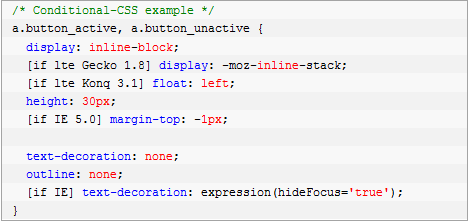
MoreCSS is a design-oriented JavaScript library that allows you to write code for applying automatic hyphenation and creating pop-ups, tool tips, tab menus, zebra tables, advanced list styling and cross-browser opacity style. But the really special thing is that you can do these things as you would with regular CSS. - px to em
This tool is what its developers call “px to em conversion made simple”. Type a base font size in pixels, and the tool will produce a complete pixel to em conversion table, making elastic Web design much easier to produce. - CSS Frame Generator
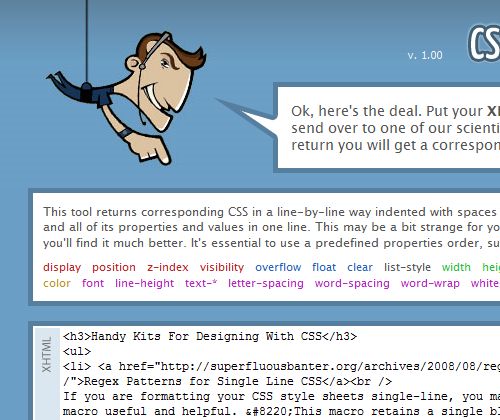
This tool returns corresponding CSS in a line-by-line way indented with spaces to reflect XHTML structure – each selector and all of its properties and values in one line. This may be a bit strange for you at the beginning, but if you get used to it you’ll find it much better. - CSS Redundancy Checker
You can use this tool to find CSS selectors that aren’t used by any of your HTML files and that may be redundant. - CleverCSS
CleverCSS is a small markup language for CSS, and inspired by Python, that can be used to build a style sheet in a clean and structured way. In many ways, it’s cleaner and more powerful than CSS2. You can also work with variables. - WordOff
WordOff applies some rules to strip the cruft that is pasted into WYSIWYG editors from Word. For example, attributes are removed for all elements except <a>, <span> and <div>, empty elements are removed and consecutive line breaks are reduced to two. It also contains an API. - Postable
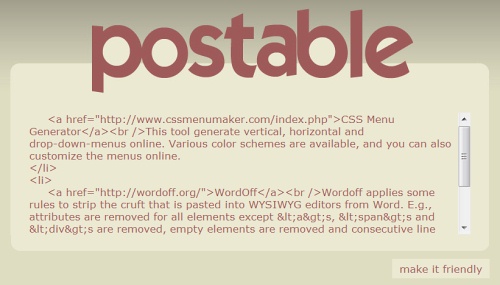
“I absolutely hate having to switch all the ‘< ‘ and ‘>’ signs in my code to ‘<’ and ‘>,’ respectively. I also hate having to write “&” any time I want to include an ampersand. It makes including code snippets on my blog and whatnot extremely annoying, and today I finally got fed up.” This handy tool is a little app that will do all that for you. Created by Elliot Swan. - Kotatsu
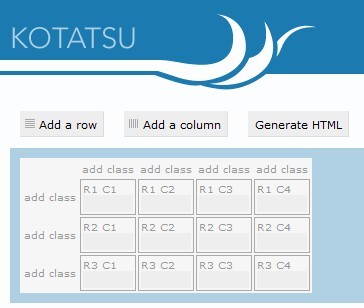
Kotatsu is a simple HTML table generator. The tool lets you attach classes to cells in the same column easily. - htmldevelopertools
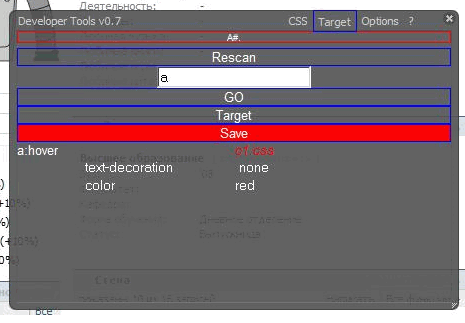
This tool allows you to update your CSS files on the server in a browser window. Currently works only under IIS + .NET 3.5. An interesting idea. Could someone create a similar script for Apache? Let us know, and we’ll support your both financially and with the broad coverage of our magazine. - Deploy
Deploy is a free open-source Web application that allows you to choose the name of a project, the Doctype, whether you want a CSS reset or jQuery integration, and it creates a zipped, ready-to-use package with all specified files and folders. The tool has been optimized for Fluid, the Mac application that creates SSBs (site-specific browsers) for websites. - CSS Evolve
CSSEvolve lets you play with many properties of a website, including the website’s color scheme, fonts, borders and more. CSSEvolve works through a process of simulated evolution in which you select website features that you like and refine them through multiple generations.”It uses a traditional blind watchmaker, user-driven genetic algorithm to drive CSS changes on a website of the user’s choosing. Basically, a set of mutated CSS variants are produced, the user selects changes that he or she likes, the algorithm randomly combines those changes through crossover and mutation and the process continues.” [ via ] - Lorem 2
This tool provides you with an “all around better Lorem experience.” It contains short paragraphs, long paragraphs, short list items and long list items to use in your wireframes. - SelectORacle
A small script that explains CSS selectors in plain English or Spanish. Particularly useful for CSS3 selectors. - JS Bin
A Web app specifically designed to help JavaScript and CSS folk test snippets of code in a particular context and debug the code collaboratively. It allows you to edit and test JavaScript and HTML (reloading the URL also maintains the state of your code: new tabs don’t). Once you’re happy, you can save and send the URL to a peer for review or help. They can then make further changes, saving anew if required. Alternative: CodePaste or EtherPad. - CSS Text Wrapper
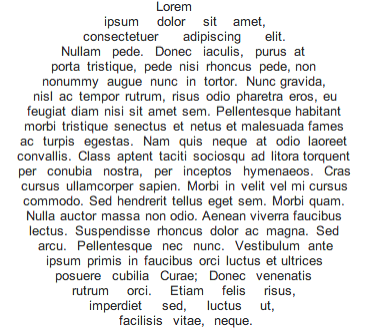
The CSS Text Wrapper allows you to easily make HTML text wrap in shapes other than just a rectangle. You can make text wrap around curves, zig-zags, or whatever you want. - Writing Tests Against CSS
CSS is hard to test automatically. Do font sizes meet expectations? Does the layout width correspond to the initial mockup? This tool helps you spot changes in unexpected areas of a website’s layout and design. It can also extract rendered DOM values, such as text size, from a given Web page and compare them against expected values. This could be useful for both regression testing and assertion-based, test-driven development. Written in Python by Gareth Rushgrove. - CSS Sprite Generator
With this tool, you can upload all of your images (you have to place them in a .zip file first) and it will combine the uploaded images into a single sprite and generate the CSS for you. - Sky CSS Tool
An online CSS authoring tool, Sky CSS allows you to create CSS classes almost without using handwritten code. A JavaScript-compatible browser is needed for proper functioning. - CSS Tidy Online
An online version of CSS Tidy, a tool that allows you to keep your code clean by compressing the code. - Web-Based Tools for Optimizing, Formatting and Checking CSS
A huge compilation of some of the best free Web-based CSS optimizers/compressors, code formatters and validation services. By Jacob Gube. - Grid Designer 2.4
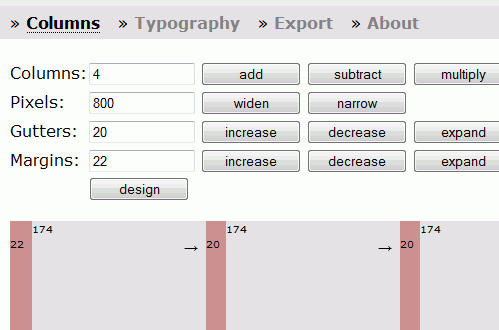
This tool enables you to create a grid by specifying the number of columns and the widths of the columns, gutters and margins. You can also specify typography in the same tool and export the final CSS and (X)HTML markup. You can also bookmark your grid and typography settings and create designs with spanning columns. Created by Rasmus Schultz. - Yahoo’s Secret Text-Sprite Generator
Basically this is a URL you can hit that creates a perfect sprite-ready PNG graphic of text you add to the URL. - Replace CSS Colors – Editor
This tool enables you to change the entire color scheme of your website without going through the CSS code. You choose your local CSS file, replace colors and then download the new CSS file. - The Box Office
The Box Office lets you wrap, float or contour text around free-form images using CSS for (X)HTML pages. - MinifyMe
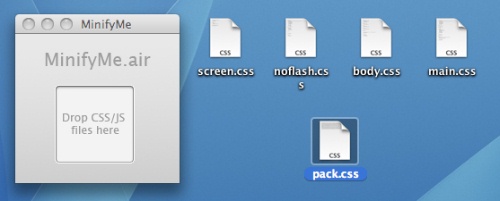
A small AIR application that can compress multiple CSS and JavaScript files into one and runs on your desktop. - cssdoc
CSSDOC is a convention for commenting in CSS to help individuals and teams to improve writing, coding, styling and managing CSS files. It is an adoption of the well known JavaDoc/DocBlock-based way of commenting in source code by putting style, DocBlocks and tags together. - CSS Menu Generator
This tool generates vertical, horizontal and drop-down menus online. Various color schemes are available, and you can also customize the menus online. - sheetUp – DOM Stylesheet Library
Simplify the tedious task of manipulating style sheets contained in document.styleSheets. You can use the sheetup bookmarklet to integrate a built-in CSS/HTML-editor in your browser. - CSS SuperScrub
This tool claims to significantly reduce the size and complexity of your CSS by programmatically stripping unneeded content, stripping redundant calls and intelligently grouping the remaining element names. - DrawAble Markup Language
Drawter Beta 2 gives you the possibility of literally drawing your website’s code. It runs on every single Web browser, which makes it really useful and helpful. Each tag is presented as a layer you have drawn.
Handy Kits For Designing With CSS
- Regex Patterns for Single Line CSS
If you are formatting your CSS style sheets single-line, you may find Dan Rubin’s Textmate macro useful and helpful. “This macro retains a single blank line where your original contained two or more blank lines (helpful if you group your rules) and adds white space that matches my standard formatting preferences (which I find makes it easier to scan quickly).” And if you don’t use Textmate, you can use a regular expression instead; it is also provided in the post. - 21 Excellent Dreamweaver Extensions for CSS Productivity and Standards
An extensive overview of various Dreamweaver extensions, such as CSS Sculptor, CSS Menu Writer, Link Fader, CSS Layouts, Format Table, Style Switcher, etc. - Graph Paper
This graph paper is made for visual designers, interactive designers and information architects. You’ll find styles for wireframing user interfaces, storyboarding interaction and plotting values on a two-by-two grid. Plus, you’ll get a basic grid for drafting sitemaps or anything else that might come up. - Starter Kit For Developers (PSD)
This starter kit is a free Photoshop template that includes forms, grids, ad placeholders, dummy copy and other design elements (13 MB). - CSSHttpRequest
CSSHttpRequest (CHR) is a method for cross-domain AJAX, using CSS for transport. Similar to JavaScript, this works because CSS is not subject to the same-origin policy that affects XMLHttpRequest. Like JSONP, CSSHttpRequest is limited to making GET requests. Unlike JSONP, untrusted third-party JavaScript cannot execute in the context of the calling page.
In-Browser CSS Tools
- Collection of Web Developer Tools, by Browser
Sometimes it is not easy to keep track which tools are at a developer’s disposal (and which ones are actually useful). This article lists the best tools available and quickly describes how to activate, install and use them.
In-Browser CSS Tools: Firefox Extensions
- Dust-Me Selectors
A Firefox extension (for v1.5 or later) that finds unused CSS selectors. It extracts all of the selectors from all of the style sheets on the page you’re viewing, then analyzes that page to see which of those selectors are not used. The data is then stored so that when testing subsequent pages, selectors can be crossed off the list as they’re encountered. - Aardvark Firefox Extension
With Aardvark, you can: clean up unwanted banners and surrounding “fluff,” especially prior to printing a page; see how a page is created, block by block; and view the source code of one or more elements. - CSSViewer
A CSS property viewer that displays all information about a design element. - Dummy Lipsum
This Firefox extension dynamically fills a selected field with Lorem ipsum text; the function is called via the context menu. - Firefox: Test- und Entwicklungstools für Webentwickler | Dr. Web Magazin
- GridFox
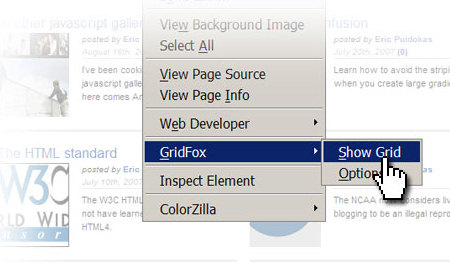
GridFox is a Firefox extension that overlays a grid on any website. If you can open it in Firefox, you can put a grid on top of it. It’s easy to customize and allows you to create the exact grid you based your layout on. - 20 Firefox Add-Ons To Enhance Your Web-Development
Yet another overview of useful Firefox add-ons that can help developers create websites more efficiently. Among them are Codetch, Pixel Perfect, Link Checker and ColorZilla.
Coding and Programming With CSS
- CSS Extra Coda Plug-in
CSS Extra is a plug-in for Coda that gives you access to some dynamic CSS. Although it is not truly dynamic in that it will not force Coda to process the variables and settings, it gives you the commands to process the CSS instead. What this means is that you can have constants, bases and a layout module within your CSS. - Edit in Place with JavaScript and CSS
This tool offers you more intuitive editing (in-place editing) of your documents and style sheets. The idea: in a selected area, the user can enter the markup or change the current value directly. - Simple CSS
Simple CSS is a free CSS editor that runs on Mac, Windows and Linux. It allows you to create CSS from scratch and modify existing sheets, using a familiar point-and-click interface. Freeware. - AWK
AWK is a very powerful programming language that you can use on the command line for advanced text processing. - cssutils
A Python package for parsing and building CSS. - RESTful CSS
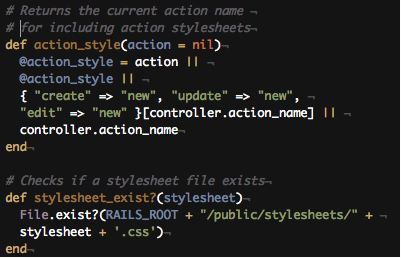
A new method for organizing CSS that better maps on to the way that popular Web application frameworks are built. The examples are based on Ruby on Rails, but the concepts should be easily transferrable to other MVC frameworks. By Steve Heffernan.
New CSS Frameworks
- CSS Drop-Down Menu Framework
A cross-browser, modular framework that contains 14 customizable templates for designing drop-down-menus. - BlueTripCSS Framework
A full featured and beautiful CSS (Cascading Style Sheets) framework which combined the best of Blueprint, Tripoli (hence the name), Hartija’s print stylesheet, 960.gs’s simplicity, and Elements’ icons, and has now found a life of its own. The framework contains 24-column grid, sensible typography styles, clean form styles, a print styleshet, an empty starter stylesheet, sexy buttons and status message styles. - Hartija – CSS Print Framework
Hartija is a CSS print framework that attempts to unite the best CSS printing practices into one single CSS file. - AM framework
This framework contains six basic templates: for fixed, fluid, one-column, two-column and three-column layouts, as well as a jQuery template. - Introducing SenCSS
A clean, minimal CSS template for new projects. - Typogridphy
Typogridphy is a CSS framework constructed to allow Web designers and front-end developers to quickly code typograhically pleasing grid layouts. - formy-css-framework
A CSS Framework for better form management. - emastic
Emastic is a CSS Framework. Its continuing mission: “to explore a strange new world, to seek out new life and new Web spaces, to boldly go where no CSS framework has gone before.”
CSS Bookmarklets
- Design Bookmarklet
Design is a suite of Web design and development tools that can be used on any Web page. Encompassing utilities for grid layout, measurement (rule) and alignment (unit, crosshair), Design is a powerful and useful JavaScript bookmarklet. - ReCSS: Reload your CSS
This little bookmarklet makes refreshing your CSS a breeze. It comes in quite handy when you’re developing dynamic applications. Tested in IE and Firefox. - XRAY
A bookmarklet for Internet Explorer 6+ and Webkit- and Mozilla-based browsers (including Safari, Firefox, Camino and Mozilla). You can use it to see the box model of any element on any Web page. - MRI
MRI is a bookmarklet for Internet Explorer 6+ and Webkit- and Mozilla-based browsers (including Safari, Firefox, Camino and Mozilla). You can use it to debug and test selectors. - CSSFly
A tool for editing websites easily, directly and in real-time in your browser. - 15 Must-Have Bookmarklets For Web Designers And Developers
An extensive list of 15 handy Web designer and developer bookmarklets. The whole pack can be downloaded and imported into Firefox.
Tools For Generating CSS Layouts
- Construct Your CSS
A visual layout editor based on Blueprint and jQuery. A video tutorial is available as well. You can use the keyboard to create layouts on the fly. By Christian Montoya. - XHTML/CSS Markup Generator
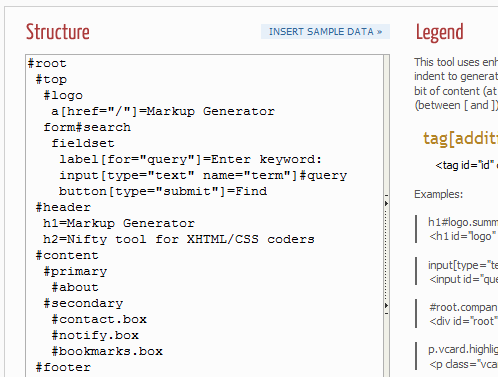
Markup Generator is a simple tool created for XHTML and CSS coders who are tired of writing boring frame code as they just begin slicing work. Its main purpose is to speed up your work by generating (X)HTML markup and a CSS frame out of very intuitive, shortened syntax, so that you can jump directly to the styling of elements. - Dynamic Layout Generator
This tool generates cross-browser multi-column liquid designs and enables you to visually change the width and colors. You can drag the sliders to choose the width you want in your layout and preview the layout online. The CSS code is generated automatically. - iStylr – Online CSS Template Generator
An advanced WYSIWIG online CSS-editor with syntax highlighting, drag’n'drop-functionality, template import/export, image manager, stylsheet sharing option and a visual DOM tree. A registration is required (OpenID-login is supported).
Blank CSS Layouts
- The Only CSS Layout You Need
A collection of basic cross-browser layouts. - Faux-Column CSS Layouts
There are a total of 42 faux-column CSS layouts for downloading. All markup has been validated against a strict Doctype. - Fixed-Width CSS Layouts
There are a total of 53 fixed-width CSS layouts for downloading. All markup has been validated against a strict Doctype. - ___layouts
The foundational ___layouts file offers five preset page widths, the option to have a fixed width or a text “zoom”-style scaling effect and two core templates that give you the ability to nest subdivided regions of one to four columns. The framework supports fluid-width layouts and fixed-width layouts.
CSS Layouts
- 100 Free High-Quality XHTML/CSS Templates
In this post, we showcase 100 free high-quality templates. Hopefully, some of them will save you some time in your design and development. While they are generally free for personal or commercial use, always remember to check the license first for any restrictions or guidelines. - 45 Excellent Free Web Templates
Would you like to see more similar posts?
Related Posts
Please take a look at the following related posts:
- Powerful CSS-Techniques For Effective Coding
- 53 CSS Techniques You Couldn’t Live Without
- CSS: Techniques, Tutorials, Layouts
- 75 (Really) Useful JavaScript Techniques
(al)
Vitaly Friedman, editor-in-chief of Smashing Magazine (www.smashingmagazine.com), an online magazine dedicated to designers and developers.
- 145 Comments
- 1
- 2
December 9th, 2008 2:28 pmuh…this list is kind of amazing. Thanks! Lots of useful stuff that I hadn’t ever heard of.
- 3
December 9th, 2008 2:31 pmWhat a great list of resources. It’ll take the rest of the week to check out every single one of them. Thanks S-mag.
- 4
December 9th, 2008 2:35 pmThank you for listing my article. You have quite the fantastic list here!
- 5
December 9th, 2008 2:36 pmAbsolutely amazing post. I found at least 5 new resources that I will be using daily. Smashing keeps kicking major ass! Thank you.
- 6
December 9th, 2008 2:40 pmGreat post, thank you for all the knowledge you share among us!
- 7
December 9th, 2008 2:46 pmoooOOOOoooo…I’m like a kid in a candy store! So much useful CSS info to go through. I’m sure I’ll find something new.
Thanks Smashing :D
- 8
December 9th, 2008 2:55 pmAwesome post man!
- 9
December 9th, 2008 3:19 pmtoo much links in one post…
- 10
December 9th, 2008 3:32 pmYou can never have too many links in one post in my opinion. Thanks for compiling this great list of CSS Tools.
- 11
December 9th, 2008 3:35 pmI love this site.
- 12
December 9th, 2008 3:39 pmSome lovely new bookmarks, thanks SM!
- 13
December 9th, 2008 3:54 pmgreat post very helful
- 14
December 9th, 2008 3:56 pmI’m speechless… didn’t know there were so many great tools to help with fiddly css… will take me ages to explore them all!
- 15
December 9th, 2008 4:09 pmSM is back! Love this post! Wonderful resources here, lot’s I’ve never seen before.. thanks!!!
- 16
December 9th, 2008 4:09 pmExcellent! Great list! Thanks again.
- 17
December 9th, 2008 4:34 pmBrilliant list… like you read my mind
- 18
December 9th, 2008 4:37 pmZOMG! Awesome!
/me bows
- 19
December 9th, 2008 5:04 pmSo many tools have no support for Unicode 8(
But very usefull articl as for me. Thanks - 20
December 9th, 2008 5:33 pmI’ve never seen such a comprehensive list. Thanks for this!!!
- 21
December 9th, 2008 5:37 pmexcellent ! Bravo.
- 22
December 9th, 2008 6:29 pmLike everyone else here I’ve to approve, that this is the most comprehensive list for useful css-tools I’ve ever seen!
On articel to stay hours for just checking out all the contents. - 23
December 9th, 2008 6:53 pmFantastic stuff here SM!
- 24
December 9th, 2008 7:26 pmAmazing list guys! Thank you!
- 25
December 9th, 2008 7:40 pmyou guys are amazing!
- 26
December 9th, 2008 8:46 pm*****
Incredibly awesome
- 27
December 9th, 2008 8:54 pmWe’ve been smashed…
- 28
- 29
December 9th, 2008 9:27 pmFan-bloody-tastic! More CSS tools than you can poke a stick at!
Brilliant work guys- keep it up!
- 30
December 9th, 2008 11:28 pmWoow very good,
- 31

- 32
December 10th, 2008 12:03 amgreat article! thank you so much for all these helpful tools!! :)
- 33
December 10th, 2008 12:10 amThis is taking up my whole morning. I REALLY had things to do. You guys have to stop this!
- 34
December 10th, 2008 12:18 amGreat post, thank you…
- 35
December 10th, 2008 12:23 amQuite innovative and fresh !!!
Keep up the good work. - 36
December 10th, 2008 12:37 amvery nice thank you keep it up
- 37
December 10th, 2008 12:40 amThanks for the addition (Typogridphy).
- 38
December 10th, 2008 12:57 amGreat list! Thanks!
- 39
December 10th, 2008 1:23 amThe best post on here in months, a real return to form. Good work.
- 40
December 10th, 2008 1:24 amHardcore!
Very nice post ^-^ - 41
December 10th, 2008 1:47 amthis is really amazing!
- 42
December 10th, 2008 1:59 amVery nice article! Thanks guys!
- 43
December 10th, 2008 2:17 amThanks for posting my tools here guys, I hope someone will find them useful. Cheers!
- 44
December 10th, 2008 2:30 amwow .. great list .. thanks
- 45
December 10th, 2008 3:03 amA-MA-ZING ! This fits exactly my current needs. It’s like you’ve guessed it… This is a gold mine for every people working on web matters, even if not specifically designers (like myself).
Thank you very MUCH for this ! This article is a database of info one usually stores, bookmark per bookmark, browsing the web, during weeks.
Thanks ! - 46
December 10th, 2008 3:04 amThis is alot better than more lame icon packs.
Well done SM, your back on my daily checks again.
- 47
December 10th, 2008 3:09 amIt’s almost too much :)
But I still much use notepad++ and good ol’ F5 when doing CSS. Wonder why …
- 48
December 10th, 2008 3:09 amThis is a great resource! Thanks SM!
- 49
December 10th, 2008 3:47 amVery nice list, Thanks
- 50
December 10th, 2008 4:55 amVery very extremely awesome! thanks you so much!
- 51
December 10th, 2008 5:06 amI am BLOWN AWAY by this list, so many promises, I hope they can deliver. I will definitely be back to this page when i have to repoduce my next client templates.
- 52
December 10th, 2008 5:08 amgreat collection! thanks a lot!!!
- 53
December 10th, 2008 5:16 amI miss blueprint CSS grid
it is a really great help for all designers
- 54
December 10th, 2008 5:18 amHoly smokes you guys, this is a freaking amazing list of resources. I’m currently in the process of fine tuning my CSS coding skills, and I think that you guys have just made that much easier.
Once again, excellent work you guys.
- 55
December 10th, 2008 5:23 amWoah! Great stuff you guys! Nice post indeed!
Now I’ve got something to do after my pre-board tomorrow! :)
- 56
December 10th, 2008 5:26 amAwesome! thaks for this post.
David Costales
http://davidcostales.com – http://blog.davidcostales.com - 57
December 10th, 2008 5:30 amexcelente recopilacion de recursos.!
- 58
December 10th, 2008 5:39 amvery useful :)
- 59
December 10th, 2008 5:43 amThis is extreme! I would pay for a list like this. Got me 5 new bookmarks :). Smashing rockz!
- 60
December 10th, 2008 5:45 amHi guyz,,,,,,,,,,,,,,superb workkkkkkkkkkkkk excellent….
- 61
December 10th, 2008 6:05 amThat leaves just one problem… How am I ever going to use all these tools?
Great post. Thanks SM
- 62
December 10th, 2008 6:44 amAmazing list here, I can’t wait to try some of these tools out. Not your typical top 10 list with the tools everyone knows. Many kudos to the authors, great job!!
- 63
December 10th, 2008 6:55 amAs always… Smashing makes my job easier and my day that much better… you guys rock!
- 64
December 10th, 2008 7:32 amgreat post!!
- 65
December 10th, 2008 7:38 amBest Smashing post ever.
- 66
December 10th, 2008 7:41 amExactly what I needed, exactly when I needed it. How serendipitous!
- 67
December 10th, 2008 7:43 amWow, I cant believe Typetester (http://www.typetester.org) is not in the list! it’s a really cool tool! I wish someone would integrate all these tools that are floating around all over the web into one website under one interface, my tools list is getting pretty long Xb
- 68
December 10th, 2008 7:55 amI really appreciate all of the resources you share! Thank you!
It would be great if you would collect reviews of these 50 CSS Tools and then publish the Top Ten that pros actually use & how they use them. Gracias!
- 69
December 10th, 2008 8:11 amWOW! These tools look like they’ll save me tonnes of time and help me actually write proper css code. thanks SmashingMag, yet another fantastic post bookmarked in my del.icio.us :)
- 70
December 10th, 2008 8:12 amlike the title: this is a powerful article and very helpful, thanks a lot
- 71
December 10th, 2008 8:16 amFrameworks are for pussies that can’t write their own CSS, and do their own work. CSS is not complicated enough to require a framework. I can code up any design in less than 6 hours, and make it cross-browser compliant, and then it’ll have classes like “left_nav” or “header”, instead of “y_2_38r”, or other bullshit.
The only thing you should need a framework for is programming.
- 72
December 10th, 2008 8:35 amThank for article Smashing.
- 73
December 10th, 2008 9:04 amSeriously Great info. You guys have a way of posting exactly what I’m looking for.
- 74
December 10th, 2008 9:33 amAbsolutely amazing list ! Thanx a lot !
- 75
December 10th, 2008 9:48 amHi!
Great collection… there are soo manye cool links!
Thx it`s awsome
- 76
December 10th, 2008 10:07 amGreat list! Thanks for compiling it.
Feedback on one of the entries — I was disappointed in the “faux-column layouts” site (toward the bottom of the list). Their site (called CSS Sucks) doesn’t render properly in Firefox 3… makes it a little hard to take their tools seriously.
- 77
December 10th, 2008 10:10 amHey mikemike… nothing says “I’m 13 years old” like pig-headed opinions and profanity. CSS frameworks are for good coders who have better things to do with 6 hours than reinventing the wheel.
- 78
December 10th, 2008 10:22 amDamn, do you all get any sleep? Awesome post, thanks!
- 79

- 80
December 10th, 2008 11:47 amDamn, this seems like the pirate’s css chest… lots of info.. need to digest..
thanx for this smashing article
- 81
December 10th, 2008 12:50 pmSWEET. I’m going to have to devote an afternoon to going through this all. thanks!
- 82
December 10th, 2008 1:09 pmThis article got me so excited I actually tinkled a little bit! Great job and list of resources. Thanks a ton! :)
- 83
December 10th, 2008 1:30 pmYey – an unbelievably good post! :)
- 84
December 10th, 2008 2:41 pmJust Incredible list,
Thank you!
- 85
December 10th, 2008 2:57 pmwow! Wonderful list! So many new links to play with. It’s like xmas came early. :) thanks guys, stellar post.
- 86
December 10th, 2008 4:41 pmThis is going to save me so much time! :D
- 87
December 10th, 2008 6:43 pmits.. too… much….
now I’m going to stuck in my notebook the whole week and my wife will hate me…
mmm thx anyway smashing magazine! - 88
December 10th, 2008 6:52 pm@mikemike
you shouldn’t name css class after their ‘physical’ position…:)
- 89
December 10th, 2008 7:24 pmThis is probably the MOST useful article I’ve read in a while! Very good resources! I LOVE IT!
- 90
December 10th, 2008 7:37 pmAs a front end developer this is exactly the kind of article I want to read here at Smashing. Keep up the good work people!
- 91
December 11th, 2008 12:01 amThank your for the overview.
I really wonder if Conditional-CSS makes your website faster. I prefer conditional comments in my markup over the inclusion of another php file
- 92
December 11th, 2008 1:09 amI never even knew a lot of these existed, some great stuff here, especially for up and coming Front End developers
- 93
December 11th, 2008 2:17 amNice, helpful list of useful things. One small criticism though – you might want to take a look at the description for “Postable” as it makes very little sense ;)
- 94
December 11th, 2008 5:18 amIMO this Layout Generator must be included in Tools For Generating CSS Layouts. It’s great tool.
- 95
December 11th, 2008 6:57 amAlthough, I’m more interested in the design aspect, and less so on the developing, coding, I found a lot of little interesting things on here, so good job SM!
- 96
December 11th, 2008 7:52 amThanks for the mention of BlueTrip!
- 97
December 11th, 2008 8:15 amAnd thanks for including CSS Type Set!
- 98
December 11th, 2008 8:17 amAbsolutely amazing post! I never heard of most of the tools…Thank you.
- 99
December 11th, 2008 8:23 ama very nice article
- 100
December 11th, 2008 10:40 amyou peoples goona make me mad someday. i just love your posts. keep it up.
- 101
December 11th, 2008 11:19 amI’m exhausted from just scrolling to the bottom :)
Great roundup! - 102
December 11th, 2008 12:27 pmThank for Great collection.
- 103
December 11th, 2008 12:32 pmA lot of stuff ;-) Thanks.
- 104
December 12th, 2008 6:09 amReally a good one. Would have been better if little descriptive with some screen shots placed. Firebug and Dev Toolbar are few good tools suggested.
- 105
December 12th, 2008 7:57 pmexcelenteeeeeee!!!! quiero más ;)
- 106
December 13th, 2008 8:14 amJust what I needed, thank you guys.
- 107
December 13th, 2008 8:19 amJust to clarify on the sheetUp bookmarklet ( http://templateed.com/ ), it only works in Firefox, purely because I knew that Firefox could to save to disk so I concentrated efforts towards Firefox. It did partly work with Webkit and Opera but that broke recently, twas pure luck that it did run before. I’m just about to add a warning on the loading screen now.
- 108
December 14th, 2008 1:30 amI don`t think that most of them are usefull. When I make a css or xhtml I will make it slower if use some of the tools. Alot of them are for a non profesional work.
- 109
December 14th, 2008 7:50 pmGod bless you!
- 110
December 14th, 2008 8:52 pmthis article will come very handy…
bookmarked for reference and spread to friends =) - 111
December 15th, 2008 6:50 amWOW, you weren’t joking when you said “extremely useful”!
FYI, “css-checker” isn’t working.
- 112
December 15th, 2008 10:11 ambrilliant list of helpful tool! Tnx. Most of them are very useful. It’s great to collect them in one perfect place. That save a lot of coders’s time.
- 113
December 16th, 2008 4:03 amEpic post. I have been a developer for a few years and used many many resources, but you continue to provide fresh stuff that helps and inspires! Many thanks, keep it up!
- 114
December 16th, 2008 2:06 pmComprehensive and interesting… but not useful for me. I think I would waste time trying to “use” these tools. Anything that automates my CSS development means I don’t fully “know” my CSS, and that will cause delays later when I try to fix problems. I’ll stick with Dreamweaver and the Web Developer toolbar for Firefox.
- 115
December 20th, 2008 5:35 amwhere to download the materials of ‘50 CSS tools’ in this page?I have been researching the download link ,but i can’t find.
Jesper
- 116
December 20th, 2008 2:48 pmgreat post
- 117
December 23rd, 2008 9:08 amHey, nice one Smash, a multi-dimensional list. Are there any apps that alphabetize your style sheets from selector to selector?
- 118
December 24th, 2008 8:28 pmOMG you just saved me so many headaches with the minimizer air app. Keep these rocking please ;)
- 119
December 30th, 2008 4:00 pmrespect. that’s a lot of work of yours…
thanks for the list! - 120
January 2nd, 2009 1:40 amWoow.. wonderful collection.. :-))
- 121
January 5th, 2009 5:55 am谢谢分享!
Thank you for sharing this。 - 122
January 7th, 2009 9:00 pmReally usefull information… thanks smashing magazine!
- 123
January 7th, 2009 9:01 pmReally useful information… thanks smashing magazine!
- 124
January 13th, 2009 11:12 pmvery good,thank you,welcome to our website:www.1dushi.com,www.zhongt.net
- 125
January 18th, 2009 2:45 amFantistic!
- 126
January 19th, 2009 1:02 amWow, thanks!
- 127
January 20th, 2009 8:50 pmgreat advice, interesting article, and nice presentation… do you want my job (just kidding)…
cheers,
polly
the jeans guru, - 128
January 22nd, 2009 10:09 amGreat post. I’ve used a few of these, but I’m very grateful for the others you’ve found! There can never be too many CSS resources! :)
- 129

- 130
January 27th, 2009 6:26 amI’m pretty suprised you didn’t mention the YUI CSS framework, it’s an excellent set of tools for developers. The YUI Reset is awesome for creating a cross browser ‘blank slate’. And the YUI Grids are great for creating templates. Check it out if you haven’t already.
- 131
January 28th, 2009 7:40 amTHIS IS AS GOOD AS GOLD!
- 132
January 28th, 2009 5:07 pmi has happy
- 133
January 29th, 2009 8:52 pmEvery time I drop by this site, I wind up leaving with about 10 new tabs open. The resources are so awesome! And these CSS tools are no exception.
- 134
January 31st, 2009 1:16 amsuper
good Fantistic! - 135
February 19th, 2009 10:16 pmYou just keep getting better and better. Wow — WOW!
- 136
February 21st, 2009 10:40 amThis is very very excellent document. I think site creator had done very hard work to create this document. It is so use full to web developers.
- 137
April 14th, 2009 8:51 amreally impressive, i think my internet presence will live here for a while
- 138
May 4th, 2009 3:42 pmvery nice
- 139
May 10th, 2009 10:36 amnice nice
- 140
June 5th, 2009 12:48 amSimply amazing. So many useful tools
- 141
June 25th, 2009 10:53 pmGreat article and contains lots of tips and tricks!
- 142
September 30th, 2009 12:03 amPXConverter allows you to convert PX websites to EM Sites on the fly. Either upload your Stylesheets or use the real-time text converter. Hassle-free accessible websites.
- 143
October 22nd, 2009 2:05 pmThere will be many issues to discuss between our two countries, and we are willing to move forward without preconditions on the basis of mutual respect. ,
- 144
November 13th, 2009 1:51 amNobel Job! Kudos Mr.Vitaly Friedman, Keep posting things that we love to have… Thanks Alot…
- 145
December 14th, 2009 10:38 pmVery good exhaustive post!
Thank you very much for this!
- 00
There are no trackbacks at this time. If you are interested in leaving a trackback, please use this URL.
Leave a Comment
Make sure you enter the * required information where indicated. Please also rate the article as it will help us decide future content and posts. Comments are moderated – and rel="nofollow" is in use. Please no link dropping, no keywords or domains as names; do not spam, and do not advertise!
Interact
Popular
- 100 Wordpress Themes
- Photoshop Tutorials
- Fantastic Wallpapers
- 40+ Excellent Freefonts
- Dual-Screen Wallpapers
- Wordpress Themes for 2009
- Illustrator Tutorials
- Incredible Free Icon Sets
- High-Quality Free Fonts
- 30 Scripts For Galleries
- Photoshop Text Effects
- Useful Icon Sets
- Web Design Trends
- iPhone Wallpapers
- Before Launching a Website
- CSS Layouts And Templates
- Photoshop Actions
- Stunning Pictures and Photos
- Fantastic HDR Pictures
- Logo Design Tutorials
- Free Design Templates
- 10 Mistakes In Logo Design
- Photoshop Custom Shapes
- 40 Creative Design Layouts
- 8 Layout Solutions
- 53 CSS Techniques
- Photography Techniques
- Black & White Photography
- Styling Design Elements
- CSS-Based Forms
- 50 jQuery Techniques
- 50 Portfolio Websites
- 50 CSS Techniques
- Creative Logo Designs
- Desktop Wallpapers
- 25 Open Source Mac Apps
- 50 Free Icon Sets
- How to Drastically Improve Your Designs - http://bit.ly/a9L1sb
- A Quick Look at Mobile Web Designs - http://bit.ly/9TCWCG
- How to Test your JavaScript Code with QUnit - http://bit.ly/da853c
- jQuery 1.4 API Cheat Sheet - http://bit.ly/5zYYnE
- Beautiful, Elegant and Free 48px Icon Set - http://bit.ly/cSWcBR
- Gridmaker For Photoshop CS4 - http://bit.ly/98F9kv (via @designernews)
- All freely available fonts on MyFonts in an overview - http://bit.ly/6osbDd


Very Good :D