
10 Useful Tips For Ruby On Rails Developers

Email Newsletter
Weekly tips on front-end & UX.
Trusted by 182,000+ folks.
 See User Testing Live
 Celebrating 10 million developers


 Custom Web Forms for Angular, React, & Vue. Your backend.
By Greg Borenstein and Michael ‘MJFreshyFresh’ Jones
Now, we love Rails. But don’t get us wrong. Like any tool, it’s not the perfect solution to every problem. A lot of the biggest complaints people have about the framework come from using it in situations where something simpler, smaller and more lightweight would do just fine. We love Sinatra for anything with minimal server-side involvement. Merb is another excellent minimal framework. And nothing beats apps that run completely in the browser with JavaScript: they can be deployed nearly for free, can scale almost infinitely and never have to be restarted.
Be sure to check out the following articles:
- Getting Started With Ruby On Rails
- Beginner’s Guide To Ruby On Rails: Part 2
- Successful Freelancing With Ruby On Rails: Workflow, Techniques And Tools
- Set Up An Ubuntu Local Development Machine For Ruby On Rails
In the overview below we present 10 useful tips, ideas and resources for Ruby on Rails-developers (both newbies and professionals). Please feel free to share your tips, ideas and suggestions in the comments to this post!
1. Plug-Ins Save Time
Rails has a well defined plug-in structure that enables you to easily install and use plug-ins in your application. David Heinemeier Hansson, the father of Rails, once stated that he uses five to six plug-ins in each Rails application.
There’s an old nugget of developer wisdom that “the best code is no code at all.” Part of what makes us so productive when developing in Rails is that all the code that we don’t have to write because someone else in the community has already written a plug-in that provides the functionality we need.
There are a few ways to install a plug-in in Rails, however the most common is using script:
# Install from a git repo
script/plugin install git://github.com/mislav/will_paginate.git

# Install from a url
script/plugin install https://topfunky.net/svn/plugins/calendar_helper
You can save yourself a ton of time and hassle by becoming good at searching the Web (and especially the almighty GitHub). A couple of places to find plug-ins are Core Rails, Railsify and Rails Plug-in Directory. Need to integrate with an existing API or consume some kind of standard format data? Need tagging, pagination, or another common Web application feature? Odds are that some great Rails or Ruby developer out there already has a project going that will get you at least most of the way there.
2. Testing is Fun and Easy with Rspec
For most people, the word “test” brings back scary memories of school exams. When working with Rails, however, automated testing can make your development experience much more enjoyable. While lots of people have strong, nearly religious, opinions about them, at their core, automated tests are just little helper programs you write that run bits of your main code to make sure they do the right thing. When done right, testing will improve your workflow and increase your confidence in the results.
Rails ships with a test framework baked right in, but for the last couple of years all the cool kids have been using an alternative called Rspec. Rspec’s biggest advantage is its syntax for specifying tests:
describe "My Cool library" do before do
    @cool = Cool.new end

  it "should be full of penguins." do
    @cool.get_penguins!
    @cool.penguin_count.should == 10
  end

  it "should melt if it gets too warm"
end
What’s great about Rspec’s syntax is how much English it uses. The describe block that sets the context and each assertion within it takes strings that you use to explain what your code should do. Often, this is the most important stage: you sit down to write the assertion, getting as far as you can, and then you think, “Right, what should this code actually do then?”
Because Rspec lets you leave off the block that implements the assertion (as in the second melt example), you can quickly brainstorm all of your functionality, and then go back and implement the tests later as you write the code. In the meantime, Rspec will consider those tests as “pending” and give you little reminders about them in your test runs.
Besides helping you write code in the first place, another great thing about tests is that, once you have enough of them, they let you see how all of your code is related, making it easy to know if your recent change broke anything else in your application. Rspec makes it easy to get good test coverage through the use of custom generators that create the tests right along with the rest of your code:
$ script/generate rpsec_scaffold MyModelOnce you’ve got tests to ensure that the basic functionality works successfully, you can make changes and add new code with confidence without worrying about introducing invisible bugs. As long as you run your tests regularly, you’ll know as soon as you break something. And as GI Joe taught us, knowing is half the battle!
3. Save Time, Use Rake
Projects often include more than just application-specific code. Sample data have to be created, Web services have to be queried, files have to be moved, code snippets rewritten, etc. Resist the urge to shell script or to cram in a migration or controller. Use Rake. It rocks!
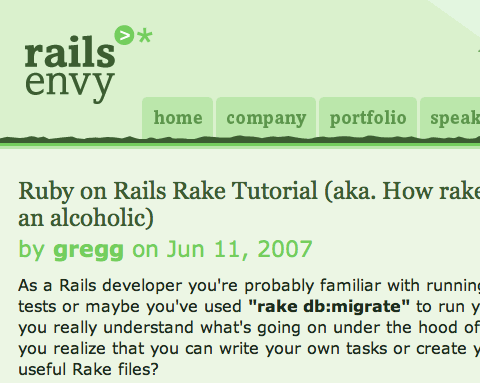
Rake is a build tool written in Ruby, very similar to make. Rails projects have several Rake tasks already defined; to see these, run the rake -T command.
macbook$ rake -T

rake data:bootstrap     # load in some basic data [caution: will nuke and replcace cate...
rake db:create:all      # Create all the local databases defined in config/database.yml
rake db:drop         # Drops the database for the current RAILS_ENV
...
rake ts:run          # Stop if running, then start a Sphinx searchd daemon using Thi...
rake ts:start        # Start a Sphinx searchd daemon using Thinking Sphinx's settings
rake ts:stop         # Stop Sphinx using Thinking Sphinx's settings
Adding your own Rake tasks is quite easy. In the example below, you see that the task is name-spaced and has a description and task name, allowing you to write in Ruby.
namespace :data do desc "load in some basic data [caution: will nuke and replcace categories, categorizations and inventory items]"
  task :bootstrap => :environment do
    # clean out existing:
    [Category, Categorization, InventoryItem].each{|m| m.find(:all).each{|i| i.destroy}}
    InventoryItem.create! :name => "Compass"
    c = Category.create! :name => "Basic Apparel"

    ["Men’s Heavyweight Cotton T",
    "Men’s Heavyweight Polo",
    "Women’s Organic Cotton Fitted T",
    "Women’s Fitted Polo",
    "Children’s T-Shirt",
    "Jr’s Distressed Hoodie",
    "Hemp Messenger Bag"].each do |name|
      c.inventory_items.create! :name => name
    end

   ...

end
4. Track Application Exceptions
Exceptions happen, and when they do, you want to know about them! Your client shouldn’t be the one telling you that a problem has occurred; you should already be aware of the issue and working to resolve it. Exception notification has been available in Rails for a while. There are exception notification plug-ins that make it easy to be notified. However, some services such as Airbrake Bug Tracker and Get Exceptional add a lot of value to your application.
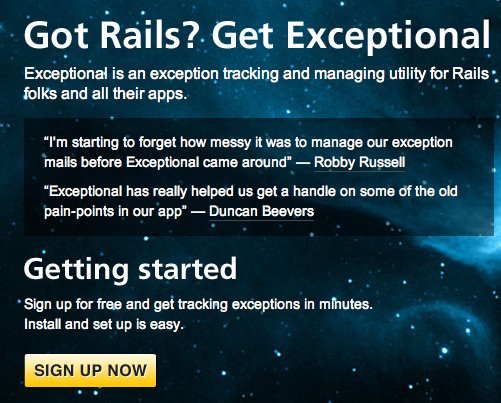
Both of these services are easy to install and provide a great UI for tracking your exceptions. You can even sign up for a free account to try things out.
By centralizing the application exceptions, you are able to see how frequently these exceptions occur, what environment they occur in (a particular browser? a particular location?), what parameters were present and the full stack trace. This centralization of data helps you see patterns and resolve the issue more quickly, which results in a better application and happier users.
5. Mix and match between frameworks and servers with Rails on Rack
As of version 2.3, Rails runs on top of Rack. Rack makes it possible to mix and match between Ruby Web frameworks and servers. If you’re using a framework that supports it (like Rails, Sinatra, Camping, etc), you can choose from any of the servers that do also (Mongrel, Thin, Phusion Passenger, etc.), and vice versa.

In addition to introducing all kinds of new options for deployment, this change means that Rails now has access to the exciting world of Rack middleware. Because Rack lives at the intersection of your app and your server, it can provide all kinds of common functionality directly. A great example of this is Rack::Cache.
Rack::Cache provides a caching layer for your application that you control simply by sending the correct headers in your responses. In other words, all you have to do is install a bit of code in the Rack config file:
require 'rack/cache'

use Rack::Cache,
  :metastore => 'file:/tmp/rack_meta_dir',
  :entitystore => 'file:/tmp/rack_body_dir',
  :verbose => true
And make sure your controller actions send the right headers (for example, by setting request.headers[“Cache-Control”]) and Bam!, you’ve got caching.
6. Easy Data Dumping
You’ll often need to get data from production to dev or dev to your local or your local to another developer’s local. One plug-in we use over and over is Yaml_db. This nifty little plug-in enables you to dump or load data by issuing a Rake command. The data is persisted in a yaml file located in db/data.yml. This is very portable and easy to read if you need to examine the data.
rake db:data:dump

example data found in db/data.yml

---
campaigns:
  columns:
  - id
  - client_id
  - name
  - created_at
  - updated_at
  - token records:
  - - "1"
    - "1"
    - First push
    - 2008-11-03 18:23:53
    - 2008-11-03 18:23:53
    - 3f2523f6a665
  - - "2"
    - "2"
    - First push
    - 2008-11-03 18:26:57
    - 2008-11-03 18:26:57
    - 9ee8bc427d94
7. Keep Your Constants in One Place
All applications have constants, variables that are defined with data that don’t change, such as the name of the application, the tagline, values for crucial options, etc. We use the Rails initializer feature to define a config/initializers/site_config.rb for housing these constants. By using this convention, all developers on a project know exactly where to look for the constants and can quickly make changes.
Many people have questions about when to put a constant in the site_config.rb instead of the class it is used in. For a constant that are only used in a single class, we suggest putting it in that class. However, if the constant is used in more than one location, put it in the site_config.rb. For more on constants, have a look at Rubylearning.
# File config/initializers/site_config.rb

REPORT_RECIPIENT = 'jenn@scg.com'
REPORT_ADMIN = 'michael@scg.com'
8. Console for Working on Code
Sometimes you may have code that you’re curious about. Will it work this way? What’s the output? What can I change? Rails ships with a wonderful tool called console. By running script/console you will enter an interactive environment where you can access your Rails code just as though the application were running.
This environment is incredibly helpful. It is often used in production environments at times to quickly peek at data without having to log in to the database. To do this in a production environment, use script/console RAILS_ENV=production:
macbook$ ./script/console
Loading development environment (Rails 2.1.1)
>> a = Album.find(:first)
=> #
>>
9. Ugly Views Getting You Down? Try Haml.
Views are how your Rails application generates the HTML pages your visitors actually see and use. By default, Rails uses the ERb templating system to let you embed bits of Ruby in your markup so that you can insert your data as needed. However, recent versions of Rails let you take your pick of templating languages, and nowadays the Ruby interwebs have been all abuzz about an alternative system called Haml.
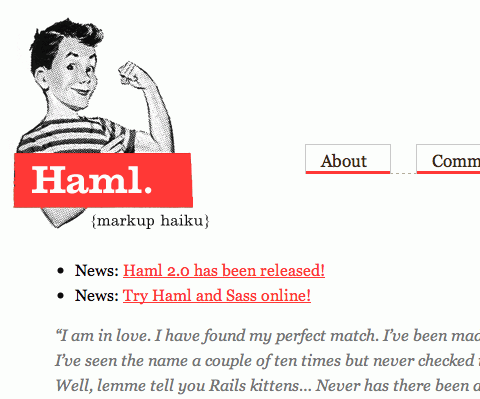
Haml is marketed as “markup Haiku.” Its CSS-inspired syntax lets you focus on the semantics of your data rather than worrying about closing all the angle brackets that come with using ERb and HTML.
For comparison, here’s a bit of markup in standard ERb:
<%= print_date %>
<%= current_user.address %>

<%= current_user.email %>
<%= h current_user.bio %>
And here’s the equivalent in Haml:
#profile
  .left.column
    #date= print_date
    #address= current_user.address
  .right_column
    #email= current_user.email
    #bio= h(current_user.bio)
Haml’s not for everyone, and many people will find this syntax quite alien. But if you value concision and are fluent in CSS, Haml may be just the ticket.
10. Know Where to Watch What’s Happening in Rails
Rails and Ruby both have large and active communities that constantly generate changes, improvements and new projects. Trying to keep up with all the activity can be daunting, but it’s essential if you want to benefit from the community’s best work and continue to increase your Rails and Ruby knowledge.
Thankfully, a number of sources aggregate some of the most important activity:
- GitHub has a most-watched projects page, which is a great place to start.
- Similarly, RubyInside’s monthly What’s Hot on Github and
- the GitHub blog’s Rebase series both feature selections of interesting work from the website.
There’s also a whole universe of Rails training:
- Rails Envy
- PeepCode
and news aggregators:
- follow ruby_news on Twitter,
- subscribe to Ruby Inside,
- subscribe to Ruby Flow.
Another avenue is the Rails Core mailing list and the #rails-core IRC channel.
About the authors
This guest post was written by Greg Borenstein and Michael ‘MJFreshyFresh’ Jones, lead Ruby developers for StepChange Group. StepChange designs, develops and manages social media widgets and Facebook applications in partnership with leading brands and agencies. Outside of work, Greg builds drum-playing robots and other hardware hacks, and MJ leads a local group of Unicycle-borne pirates. They live and work in beautiful, moist Portland, Oregon.
 (al)
(al)

