Smashing Magazine - we smash you with the information that will make your life easier. really.
10 Steps To The Perfect Portfolio Website
by Lee Munroe
You may have a personal portfolio website for a number of reasons. If you’re a freelancer, then you’d need one to showcase your work and allow people to contact you. If you’re a student (or unemployed), then you’d need one to show prospective employers how good you are and what you can do, so that they might hire you. If you’re part of a studio, then you might use one to blog about your design life, show people what you’re doing and build your online presence.
A personal portfolio website is all about promoting you. You are a brand, and your name is a brand name. No one is going to know about your brand unless you get it out there; and if you’re a Web designer, developer, writer, gamer or any other type of creative, then it’s essential that you have a good portfolio website.
You may want to take a look at the following related articles:
What makes for a good personal portfolio website?
1. Logo
Your logo is usually the first thing a user sees. In the Western world, we read from left to right, top to bottom, so it makes sense to put your logo in the top left of your website so that users can immediately identify who owns the website.
It doesn’t necessarily have to be your name, but if you’re trying to promote yourself online, then it’s a good idea to go by your name. And always link your logo to your home page. It’s a common convention that users expect online.
Mohit goes by the alias of CSS Jockey.
Jason Reed uses a signature-style logo of his name.
2. Tagline
Once the user sees who owns the website, they’ll want to know what it is you do. This is where you explain what you do with a tagline. Your tagline should be short and snappy, summarizing what you do.
Things to ask yourself when writing your tagline:
- What are you? A designer? A writer? A developer?
- What do you do? Design websites? Develop games?
- Where are you from? Country? City?
- Are you a freelancer or do you work for a studio? Are you looking for work?
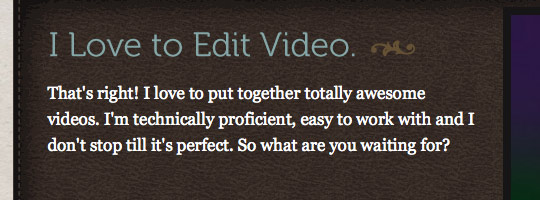
Sarah Longnecker makes it clear that she puts together videos and is good at it.
3. Portfolio
This is a personal portfolio website after all, so your portfolio will determine whether the website is interesting or not. People will want to see your previous work to decide whether you’re good or not and for general interest, to see what you’ve been up to in the past.
Depending on what you do, your portfolio should contain big high-quality images, clearly accessible to the user. Always include a link to the live version of the website you worked on, and link your screenshot to the live version (another common convention that people expect). Include a short description for each project, including the different skills that you needed to complete the project.
It’s never a bad idea to get a testimonial from a client. Your visitors might also be interested in the stages of development for your projects and how you arrived at the final outcome.
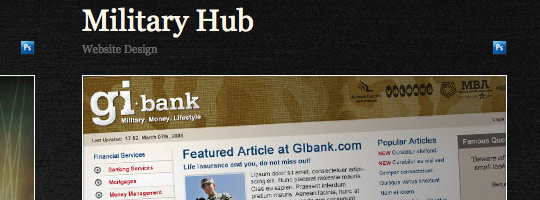
Leigh Taylor displays nice clear screenshots of previous work and indicates what software was used during development.
4. Services
Your tagline summed up what you do, but you’ll want to go into a bit more detail here about each service that you offer. You can’t expect potential clients to guess what you do based on your portfolio, and you don’t want to leave them wondering whether you offer a particular service or not.
Make it clear, and break it down: Web design, development, video, copywriting, branding, etc. You may want to be even more specific: corporate branding, church website design, Flash banner ads and so on.
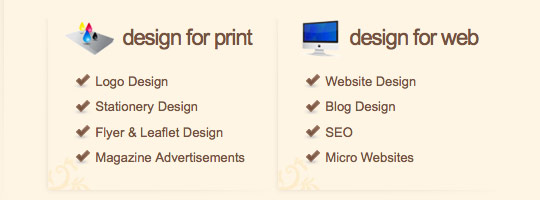
Chris Spooner clearly indicates the services he offers for both print and Web.
5. About me
It’s all about you. Let people see the man or woman behind the mask (i.e. website). Share your background, where you came from, how many years you’ve been in the business, etc. The more details you give, the better your users can form a bond and build trust with you.
If you’re not camera-shy, show a picture of yourself. This will give potential clients peace of mind by allowing them to see who they’re dealing with, and it adds an element of trust.
Don’t be afraid to show off your awards and recognition here. You want people to know you’re good at what you do.
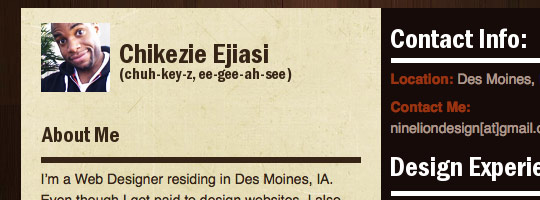
Chikezie Ejiasi shows us a photo of himself and even lets us know how to pronounce his name.
6. Contact
This is one of the most important elements of a portfolio website but is often hidden or even neglected. A potential client has browsed your website, is impressed with your portfolio and can see who you are. Now they want to hire you.
Your contact information should be obvious and easy to access; don’t hide it in the footer. Let people know they can contact you for a quote or a chat. Use a form to make it easier for users to contact you (so that they don’t have to take down your email address and then open up their email manager). A form also allows you to ask for specific information, such as name, email address, website URL, details of inquiry.
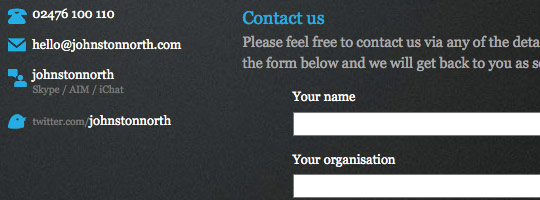
Stuart Johnston offers clear contact details throughout his website but also provides an easy-to-use contact form.
7. Blog
A blog is always a good idea. Blog about your area of expertise; show you know what you’re talking about. It will help promote you and prevent your website from lying static.
Let people follow you by subscribing to an RSS feed, and show off your most popular blog posts to new readers.
Be sure to enable comments for feedback. Don’t make users register to add a comment to your blog, and don’t use anti-spam Captcha software, which only turns people off from commenting. There are plenty of anti-spam plug-ins available that don’t require users to do extra work.
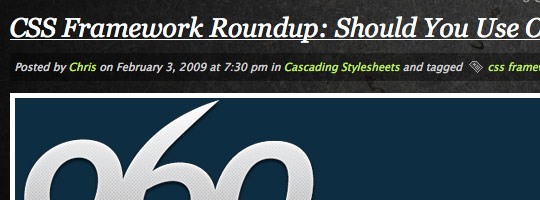
Chris Wallace uses his blog about Web design-related topics to help out other people in the industry and to engage in discussion.
8. Call to action
Ask yourself what you want to get out of your personal portfolio website. Do you want to be hired? Attract more blog readers? Maybe you just want people to know who you are.
Each page should have a call to action, a “Next step.” The best way to accomplish this is with a “call to action” button that is clear and stands out from the rest of the page. Link it to your blog, portfolio or contact page, and use appropriate language (e.g. “Hire me,” “Request a quote,” “View my portfolio”).
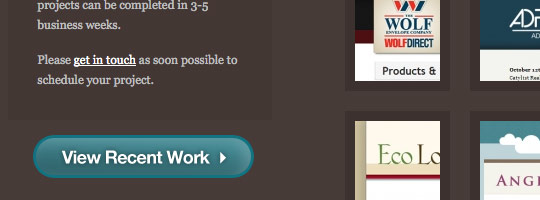
Matthew Brown’s call to action is a contrasting button that stands out from the rest of the website.
9. Use social networking websites
Now that people have an interest in you and your work, encourage them to follow you on other websites. Make it clear that they can follow you on Twitter, Facebook, Flickr, LinkedIn, etc. Make the most of social networks and have a group of friends to call on if needed.
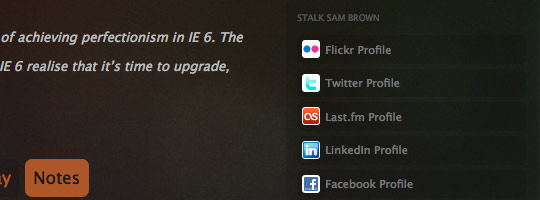
Sam Brown offers clear links to other websites he uses, allowing us to stalk him.
10. Language and communication
How you conduct yourself is important. Remember, it’s a personal portfolio website, so be personal. You don’t need to sound like a corporate brand with no emotion. Be friendly and personal, but also clear and precise; don’t ramble. Once you write all the text for your website, read it again and see if you can cut it in half.
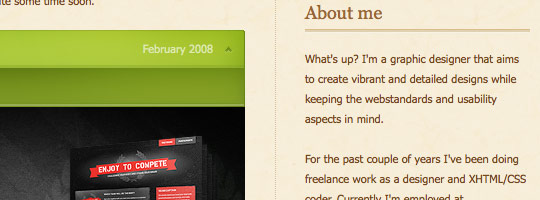
Marius Roosendaal uses a relaxed and friendly tone on his website.
Other tips:
- Let people know where you’re from. This is always interesting to know, and some clients prefer to work with people nearby or in the same time zone.
- Validation is important, especially for Web designers. If you’re going to be building professional websites for clients, then your own website’s code should at least be valid.
- Link images, not just text. Most people will click on images, expecting them to point somewhere.
- If you don’t have any previous clients for your portfolio, create a WordPress theme, design an icon set, develop a Twitter mashup, etc. You have a lot of possibilities, and there’s a big difference between having one project to show in your portfolio and having none.
40+ beautiful personal portfolio websites
Miki Mottes (Flash)
Cartonblanc (Flash)
<img /> is everything (Phil Thompson)
Spoon Graphics (Chris Spooner)
Johnston North (Stuart Johnston)
Penflare Designs (Sean Farrell)
What do you expect to see on a good personal portfolio website?
Anything important we’ve missed? What would make the difference between your deciding to hire someone and deciding against it?
Further reading:
- 10 characteristics of excellent portfolio websites
- 50 excellent designer portfolio websites
- Creating a successful online portfolio
- 50 beautiful and creative portfolio websites
- Call to action buttons
(al)
Lee Munroe is a freelance web designer from Belfast. You can see his other writings on web design on his blog.
- 160 Comments
- 1
- 2February 26th, 2009 1:51 pm
Thanks for the tips and list of great websites.
- 3February 26th, 2009 1:53 pm
Thanks SM for the great tips! Speaking of which, I think SM needs a face-lift…current design has been on long enough.
- 4February 26th, 2009 1:54 pm
yes, they are perfect.
Im totally amazed ! - 5February 26th, 2009 1:54 pm
Another great one for in the book!
- 6February 26th, 2009 1:55 pm
These are awesome tips! I am going to use all of them on my new portfolio design. I never thought about alot of these, and just took them for granted!
Thanks for this alot!
- 7February 26th, 2009 2:03 pm
Could I asked, from where did you get these portfolios? Any website gallery?
- 8February 26th, 2009 2:05 pm
Great article guys at SM. I’ll pass it along via twitter. @bobbyburdette
- 9February 26th, 2009 2:06 pm
Great article, I am going to incorporate these on my personal site. Thanks!
- 10February 26th, 2009 2:07 pm
Great article SM! already retweeted!
- 11February 26th, 2009 2:10 pm
been working on my portfolio site lately and this def comes in handy, thanks! and big props to all the designers listed.. awesome sites!
- 12February 26th, 2009 2:10 pm
Some links of the showcase are wrong. They are all linking to Robbie Manson´s website.
Fix it, please ;)Cheers
- 13February 26th, 2009 2:10 pm
Very Nice Article Lee…. I like the details.
DKumar M.
- 14February 26th, 2009 2:11 pm
nice article good tips thanks..
- 15February 26th, 2009 2:13 pm
Wow…really great list. Very inspirational. Glad to see Elliot Jay Stocks made the list. His portfolio has always been one of my favorites.
- 16February 26th, 2009 2:15 pm
Great Portfolios!!
Just might take some pointers here and there…
Thanks SM!!
- 17February 26th, 2009 2:18 pm
Great post, am in the process of building my portfolio myself >.<
- 18February 26th, 2009 2:33 pm
been workin on my portfolio lately and this def comes in handy.. thanks SM! and props to all the designers listed! awesome work
- 19February 26th, 2009 2:36 pm
Thanks, have my portfolio up recently and it needs improvements!
- 20February 26th, 2009 2:41 pm
This was a great article. I went through several of the sites and noticed that none of them were flash sites. Any specific reason? Perhaps this article should have been titled 10 steps to the perfect css portfolio website.
- 21February 26th, 2009 2:51 pm
Great article Lee, nice one, some quality ideas and showcase sites.
- 22February 26th, 2009 2:53 pm
great list and advice
- 23February 26th, 2009 2:57 pm
Cant imagine why you would 1st up showcase cssjockey as an example of a good logo representation? maybe not the best logo work going around in this selection.. Alot of similarities between some of these designs. Nice to see some fresh aproaches among them. Overall a nce post though. Thanks for the time to gather the article.
- 24February 26th, 2009 3:01 pm
I disagree that your portfolio necessarily needs to validate. Yah, I see the benefit, but a portfolio is also a great place to test out some cutting edge stuff that may or may not validate.
- 25February 26th, 2009 3:53 pm
Increíblemente inspirado!… Gracias por el necesario recordatorio. Es que a veces si sabes lo que DEBES hacer pero no encuentras esas preciadas horas para darle un buen avance a tu propio proyecto. :(
- 26February 26th, 2009 3:57 pm
This was a great article, but I disagree about the need to link to a live website. I never link to a live site for the simple fact that my client’s keep their own websites up-to-date, and by week number two, it’s normally not so “pretty” anymore.
- 27February 26th, 2009 4:05 pm
Thank you for featuring my portfolio, Nine Lion Design! It’s nice to be included in lists like these. I really like the illustrations of Chirag Solanki’s site.
- 28February 26th, 2009 4:06 pm
Timely and appropriate – thanks against for your efforts, SM! :D
- 29February 26th, 2009 4:12 pm
Great article.
One thing you might have mentioned is to try to avoid the overused, cliche tagline a million portfolios seem to be using nowadays:
We (verb) (adjective) (noun)’s
- 30February 26th, 2009 4:39 pm
Lee, thanks for the mad props! Always a pleasure to see my work out and about.
- 31February 26th, 2009 4:42 pm
Great tips and very great list, most of them are my idol
- 32February 26th, 2009 5:26 pm
I’d like to think that my website looks good to prospective clients, but no matter what opinions I hear, it’s hard to say if it’s good or not, especially in this economy.
- 33February 26th, 2009 5:53 pm
Great list! Nice design work by all. Will definitely archive this post and check out the sites in more detail.
My all-time favorite portfolio site has to be Dave Werner’s 2006 Portfolio site:
- 34February 26th, 2009 6:27 pm
Now I have so many ideas I’m creatively paralyzed. Thanks Smashing Magazine?
;D
- 35February 26th, 2009 6:36 pm
Inspiring collection, nice to see my Leigh Taylor and 9lions featured many times. My favorite of the lot is vlouenco
I do have an issue with portfolio sites that are very busy – i thinkyour own site should leave the center of the stage to the client work you’ve done.
It can become confusing when the designer’s website and it’s content clash.
great job Lee
- 36February 26th, 2009 6:40 pm
Great work Lee, you must have spent a long time compiling this article.
For me, a portfolio must be original and only display your best work – you dont have a long time to create an impression.
I like things to be clean on a white background, like vlourenco or alessandro cavallero’s
- 37February 26th, 2009 7:45 pm
There’s something to be said for a dark background, especially on sites that are more likely to be surfed at night with the lights off.
Or maybe that’s just me, from getting my start in adult internet. :)
- 38February 26th, 2009 7:58 pm
Thank you for this. Very informative. Kind of self-help without the drama. :)
- 39February 26th, 2009 8:00 pm
What weird timing. Last weekend my fiance designed her portfolio and I did the coding -> http://www.kristinanaude.com You can read more about how I implemented the design on my blog http://www.russellheimlich.com/blog/kristinanaudecom-from-comp-to-code-in-12-hours/
One of these days i’ll probably get around to redoing my portfolio.
- 40February 26th, 2009 8:09 pm
Hi
all are good tips and great websites. - 41February 26th, 2009 8:19 pm
Thx… Nice article with cool sites….
- 42February 26th, 2009 8:36 pm
WOW! Awesome article, Lee. I wish something like this was available years ago as I slugged along building my own list of website portfolios…this is an incredible rundown. THANK YOU.
- 43February 26th, 2009 8:56 pm
I would only disagree with #5. You want people to get their entire first impression of you from
your work alone. You don’t want people judging you on appearances until you meet in person.
You don’t want a client ditching you because you look too young (or old), too cool or too straight
or even too black/white/asian/hispanic/etc. - 44February 26th, 2009 9:03 pm
Leigh Taylor is listed twice.
Nice article!
Btw, funny to see that: ” Hi, I am so & so and I create/make this & that” seems to be the trend… or cliché!
- 45February 26th, 2009 10:00 pm
Thanks so much for featuring my site! Looks like I am definitely in good company :) I’m flattered.
- 46February 26th, 2009 10:43 pm
great lists…
- 47February 26th, 2009 10:56 pm
Great work in getting all of these together. I just want to let you know that NineLion is on the list twice. A few of the sites are based on templates too (not sure which came first, the template or the design, which was then released.) Those guys have done a fabulous job in portraying who they are.
It would be interesting to do a study on how effective a portfolio site is in gaining new business.
- 48February 26th, 2009 10:57 pm
thanks a bunch for featuring my site (Design Moves Me). it’s such an honor to be in such great company. keep the great articles coming!
- 49February 26th, 2009 11:07 pm
Thanks for the post! It’s really great source for inspiration! ;)
- 50February 26th, 2009 11:09 pm
Great article – will try and put some of the tips into effect on my own site!
Some amazing examples – I think Digital Mash and Toby Powell are the two that stand out, but all very good.
Thanks!
- 51February 26th, 2009 11:18 pm
Like this article. Thanks for writing
- 52February 26th, 2009 11:39 pm
Great read!
Thanks for adding my site to the list, great te be on SM!Best Regards,
Timothy van Sas - 53February 26th, 2009 11:45 pm
I’d like to thank you so much for featuring us on your website, in this list. Its such an honor to be here. I tried to stick to the basics the right way when I was designing CSSJockey. And I see that it’s been quite fruitful. Thanks again.
Those are some nice tips and portfolios! Nice work done, putting them up together.
- 54February 26th, 2009 11:47 pm
You guys just made my day!!! Thank you so much for featuring my little paiko.de among all these great people up there :)
- 55February 26th, 2009 11:51 pm
Thanks for this post, Im freelance Webdesigner, I respect the 1,2 and 3 point.
But I think I must rethink the 4 and 6 point to return it more clearly. - 56February 26th, 2009 11:52 pm
Thanks for this article and nice list!
- 57February 27th, 2009 12:23 am
I should change my site after this post
Stop thinking start doing )) - 58February 27th, 2009 12:42 am
Interesting article with some unique and some predictable portfolios… that being said, my site takes the one-on-one approach which is being deemed as cliché, as noted by Musings, but according to archive.org my version has been around since mid 2006. I would like to think it takes a unique approach, but perhaps not.
- 59February 27th, 2009 12:59 am
Thanks for this. After years of neglect i’m about to redesign my portfolio site so this article has come at the perfect time. Thank you
- 60February 27th, 2009 1:05 am
What a pleasant surprise to find my website included in your article.
I’ve been reading Smashing Magazine for ages and it is a privilege to be featured.
Thank you very much.
- 61February 27th, 2009 1:10 am
Yea there is a whole lot of similarity going on here, accepted that the vast majority of these sites are following all of the conventions of large type, personal tone, obligatory use of museo (which I love, but time to change) and bold subheadings. In short readers of this kind of article.
Nice list but more diversity would be nice, This is the style of website I always expect to see on smashing, it would be nice to get a suprise once in a while. - 62February 27th, 2009 1:14 am
All pretty obvious stuff.
The gallery of portfolios is interesting though.
- 63February 27th, 2009 1:33 am
Good tips.
Thank you. - 64February 27th, 2009 1:41 am
I’m currently building my portfolio, so this has given me a few idea/reinforced some ideas I alreayd had. Thanks!
- 65February 27th, 2009 1:53 am
Nice Article…… Thanks 4r the tips
- 66February 27th, 2009 2:09 am
Line of Design (danish website):
1. Logo – Check!
2. Tagline – Check!
3. Portfolio – Check!
4. Services – Check, Check!
5. About me – Check!
6. Contact – Needs to be clearer! – But Check..
7. Blog – Missing!
8. Call to action – Missing!
9. Use social networking websites – Missing!
10. Language and communication – Needs international language – Missing!But I’m totally motivated, to get into theese great advises!
Thanks for always motivating and inspiring me to do better and strieve higher all the time!! - 67February 27th, 2009 2:10 am
nice tips, there’s a lot to do now.
- 68February 27th, 2009 2:14 am
Thanks for all the comments, glad to see this post was useful and inspiring.
@Peter: I’ve been building up this collection for some time now via various CSS Galleries, blogs, Twitter links, general browsing etc.
@Digiguru: No reason for no Flash sites. Although it tends to be that personal portfolio sites aren’t generally flash as HTML and frameworks are easier to maintain and of course there’s SEO, accessibility and loading issues. Not that I’m against Flash, there are some great Flash portfolios out there.
@Tim: You’re right, I think as long as you know the reasons it doesn’t validate (e.g. some external JS widget) then it’s fine. Although you shouldn’t have 100s of errors
@floodmixed: Fair argument, it really comes down to your choice whether you want potential clients to know/see who you are before meeting. Although it’s common in this industry to never meet your client, so a picture can add some reassurance
- 69February 27th, 2009 2:24 am
Aye Smashing, talk about validation…hehe
- 70February 27th, 2009 2:37 am
wow nice one.
- 71February 27th, 2009 2:39 am
great article!
what do you guys think should portfolios be in english or in your mother tongue? - 72February 27th, 2009 2:44 am
thx again! have to re-do mine as well.. :)
- 73February 27th, 2009 2:54 am
wow, nothing new.
- 74February 27th, 2009 2:57 am
Wow very useful !
Ty SM ! - 75February 27th, 2009 3:39 am
Or if you’re an IA/Interaction designer with little graphic design skills, the site could
be very plain, but highly usable. My clients don’t mind this at all.It seems the cat is still not out of the bag among GD’s on the single biggest
way to boost traffic to your website – Its pretty obvious, but heck I aint gonna say
what it is – then Id lose my advantage! It has to do with keywords and metadata. - 76February 27th, 2009 3:40 am
This is a great article Lee and to be honest some of the points i could incorporate into my site when i get round to it.
Oh yeah i am showcased twice which i obviously wouldn’t complain about lol but wouldn’t want anyone thinking there is preferential treatment.
Great roundup too and list of fantastic portfolios, bookmarked solely for the quality of the article. Well done.
- 77February 27th, 2009 3:43 am
Looking good Lee! Really good pointers here to follow
- 78February 27th, 2009 3:56 am
Great article, I’m currently building my portfolio, this helped me.
- 79February 27th, 2009 4:02 am
Lee, thanks for this brilliant post.
I am having my freelance site and blog redesigned and your tips and examples are very inspirational. - 80February 27th, 2009 4:10 am
Thanks for you article. Learned something new.
Reading it was like motivation for me! - 81February 27th, 2009 4:32 am
Wow! I haven´t seen all the portfolio websites, but some of them are really cool! Thanks for sharing with us designer such good thing ;)
- 82February 27th, 2009 4:37 am
This is why I love SM- it always seems to publish articles at the right time. This is exactly what I’ve been looking for the last couple of days!
- 83February 27th, 2009 4:46 am
Thanks a lot, I’m currently working on my portfolio so it helps a lot :)
It’s in french, but you can check the beta : http://beta.deadpx.fr (click on any link to experience the JS navigation !) - 84February 27th, 2009 4:54 am
Some great examples. My personal website definitely needs a revamp, I threw it together at the very end of my Graphic Design course. Now I’m a full-time web designer I just haven’t had the time. Now I’m feeling alot more inspired!
- 85February 27th, 2009 5:04 am
great tips and good timing. I’m trying to redesign my portfolio, although I never seem to have the time.
- 86February 27th, 2009 5:41 am
Why do all those portfolios look alike….
- 87February 27th, 2009 5:51 am
Nice tips. Very useful. Should come in handy for my next design of pushingbuttons.net
- 88February 27th, 2009 6:05 am
AWESOME!!! Thank you!
- 89February 27th, 2009 6:15 am
10 step to have a portfolio like everyone else would be a more apropriate title
- 90February 27th, 2009 7:02 am
very good!
- 91February 27th, 2009 7:04 am
These sites aren’t that “good looking” to be honest. I only liked cartonblanc. The rest of these sites have cliched designs… Well that’s just my personal opinion…. The tips though is good
- 92February 27th, 2009 7:40 am
Great tips ever! I don’t want to say that I don’t have time. (I thought It’s just an excuse) after reading this I felt so inspired and fired up to finish my portfolio site.
- 93February 27th, 2009 8:40 am
Hi!! Nice post, the theme is surely interesting for us visitors and essencial points were taken.
I’m really glad to see Mopa listed (they rock!!) although I prefered their old site. And other brilliant brazilian designers! \o/The point I don’t agree with is about the social networking sites (#9). I don’t really see the advantage on posting so many of them. If the idea is to show other aspects of your life I think this is not the best way to do it.
Of course I enjoy very much when I see a link to Flickr. It is a great tool show creative process, alternative versions, sketchs (but please, avoiding to repeat the same works already presented!!) and stuff. It will atract the visitor if he is interested enought to see more pieces of your work and able another contact way to other flickr users. In this way it’s highty recommended.
About the rest of them, isn’t it better to have your site link added to your profiles rather than the contrary?What I think it’s missing in the list is a link session, like ‘faves’, ‘friends’, ‘respect’… It’s a nice way to present yourself as part of a networking, to show you are participating and have interesting contacts at your field. Also to be grateful for those who may have helped you and increase friendship with other professionals. Trading spontaneous links helps to promote yourself and is great for visitors who are looking for similar kinds of work.
Hugs.
- 94February 27th, 2009 8:57 am
inspirational!
- 95February 27th, 2009 8:59 am
Great article. I was wondering if you could possibly elaborate on the Blog portion. Like possibly give us some links to blogging software and anti-spam software we could use to help us get started.
Thanks!
- 96February 27th, 2009 9:08 am
I’m due for a major re-design, overdue in fact and this goes a long way to giving me some inspiration and a few healthy tips. Nice one Smashers
- 97February 27th, 2009 9:32 am
Just after ive finished designing my portfolio site for uni…typical!
This is great and will help me tweek my design.
- 98February 27th, 2009 9:36 am
I have a question based on this article – I do two things, web design and compose music. I currently have two sites for this. I think it’d be great to have one “Jamie” site with all of my artistic stuff in one place, plus a blog about those things. Is this feasible? Any ideas?
- 99February 27th, 2009 9:53 am
Trends > creativity.
All your steps are obvious.
Nothing new on Smashing.
- 100February 27th, 2009 9:59 am
Great article – funny thing though. You say you should make sure your web pages are validated, but I got 270 errors when I ran this page through the link you provided… lol! :)
- 101February 27th, 2009 10:08 am
Fantastic stuff.. Just when I am about to go Freelance.
Cheers :)
- 102February 27th, 2009 10:12 am
Thanks a lot. A very useful post. I’m missing a bit some more portfolios of female deasigners. And yes, I’d like to see a “what inspires me” site with favourite links as “role model” ideas as sometimes you cannot work on what your higher goals are. But I guess this could link to your favourite blog posts.
Tanja burgdorfer alias mayari
- 103February 27th, 2009 11:03 am
I think one of the most important aspects of this is to use social networking tools. Very important.
- 104February 27th, 2009 2:45 pm
thnks dood, this couldnt have come at a better time i’m right in the middle of making mine now…
- 105February 27th, 2009 2:46 pm
Ummmm… where to begin?
1. Logo. Sure. Whatever. Why not the middle? Hell, one of my favorite portfolios has it on the upper right. You’re a designer, you should be able to make anything look good.
2. Tagline. Good idea, but for fuck’s sake don’t start out your introduction with ‘Howdy’ or ‘Hi there!’ You are not there, and your clients are probably not from the southwest.
3. Portfolio. Yes yes yes yes, clear, high-quality images and active links only.
4. Services. Tacky, but probably good for SEO – don’t use fucking checkmarks for christ sake though.
5. About me. Location is always useful to know, but unless you are very attractive keep your terrible, trendy haircut off your potential client’s screen.
6. Contact. Your e-mail address and number should be right there on your home page. Anything else is pretty superflous. Contact form pages are not only a hallmark of a bygone era where webmail barely existed but they are unreliable. Let people compose and autosave their shit in gmail.
7. Blog. No. No. No, unless your blog is your portfolio/recent work. Your clients don’t care how you make rounded corners as long as they work.
8. Call to actions are for banner ads, not your fucking book.
9. Social Network Profiles. Same thing as your haircut. Probably not very interesting, and really doesn’t do much visually for the page.
10. Copywriting is an extremely overlooked part of web design, as shown by this article and this example. Under no circumstance, should you ever say ‘What’s up?’ in your portfolio, and “web standards” is two words.
- 106February 27th, 2009 5:09 pm
Thanks for the awesome post!
- 107February 27th, 2009 6:22 pm
Holy crap. This is all wrong.
I’m not visiting any one of those websites, and I’d never work with any of those people. Why? Because they’re trying to wow me with their website – not their work/thinking, they’re all the same website essentially (same formula), and every single one of those websites are the result of trends and not thinking. Differentiation and great work is key. Let’s please understand this now.
- 108February 27th, 2009 6:48 pm
Well done… these articles continue to inspire my design work. great work!
- 109February 27th, 2009 11:46 pm
Hello SM,
Today i am very happy and Thank you lot accepted me as your eligible user of you site. and Its such an honor to be here.
Thanks for all the comments
@Chikezie Ejiasi :- Thank you so much you like my site as well your site also gr8 and creative look
My Blog is : http://www.cjscreativemall.com/
Thanks again SM
- 110February 28th, 2009 2:49 am
Please use “Go to Top” link just above the contact form, it’ll be convenient to your visitors.
- 111February 28th, 2009 4:45 am
@Gordon – I agree.
- 112February 28th, 2009 6:14 am
Fantastic article!
- 113February 28th, 2009 6:37 am
@Gordon fair comments and I just don’t coincide with you at #7 and #8.
I think it’s very important to have references, and in the case you target being contracted by a client or a creative agency, it’s nice to show, in some way, you have them. Here that ‘friends links’ I was talking about (93) also suits.
Of course it depends on the content you put at your blog. If I wanted to contact a designer for a comissioned work or as a partner in some project, I’d love to see more of his creative process, and maybe know further about his experience dealing with clients, getting into visual communication events, posting interesting news and discussions concerning his field and so on… it would surely show me he enjoys what he does and keeps increasing his references. And, as Lee Munroe says, “prevent your website from lying static”.A portfolio I ended up visiting on daily basis was Fabien Barral’s Graphic Exchange. I might have visited his portfolio once or twice but what made me put a link at my bookmark bar was the great quality of the references he posts and how often he updates it. Once in a while he posts personal work, besides the fixed link, and I’m sure he has many many loyal users like me taking a look at it when he does.
I also like the way Bosque, for example, puts some personal pictures at their site. They write literaly ‘Life’ at the menu, even already having a blog linked, and present random pictures of people, personal work and everyday images and fun. The client looking at that may like it or not, but if he does like and hire them I’m sure the workflow will suit their personality much better than if the client haven’t seen it before.
And the ‘Call to actions’, working as a ‘next step’ was the most relevant topic this post bought to me! I definetely put it in consideration now on.
- 114March 1st, 2009 5:27 am
Here’s another good web designer portfolio site to check out- http://www.jeremyamaral.com
- 115March 1st, 2009 5:30 am
AWSOME! really cool article!
- 116March 1st, 2009 6:14 am
10 Steps To The Perfect Portfolio Website infrench here -> http://blog.gaborit-d.com/10-etapes-pour-un-site-portfolio-de-qualite/
- 117March 1st, 2009 7:27 am
Great post very inspiring
- 118March 1st, 2009 9:36 am
Amazing portfolios, im building my own.
I love design, but what about when you have to include some dynamic content to your page, enough to be important but no so bigger to be used like a blog?
Whats your favourite CMS or news script to add dynamic content to your pages?
Lets work together designers of the world! :)
- 119March 1st, 2009 10:53 am
This is why I don’t suggest people hire “designers” because the best work they will ever do is their own portfolio. Case and point, all the examples were of web designers. Ever think that more than web designers use the Internet or care about design? Get out of your bubble once in awhile.
- 120March 1st, 2009 12:17 pm
Incredible article!
- 121March 2nd, 2009 12:15 am
very useful, thanks. and so clearly chunked down. very good work!
- 122March 2nd, 2009 4:52 am
Thanks very much for showcasing my site. I feel very proud to be featured.
- 123March 2nd, 2009 5:41 am
just don’t forget that the main idea is to show your work to others
- 124March 2nd, 2009 1:05 pm
some great examples.
- 125March 3rd, 2009 5:04 am
Great sites!
A piece of advice: Some of you are proudly stating that your sites are validated XHTML, CSS, etc. Unfortunately some of these designs also break in Internet Explorer 7, which is still the most commonly used browser out there.
Idealism is good, but pragmatism is what most companies need, to keep all of their users happy (non geeks included). Make the nescessary hacks for IE, and Bob’s your uncle. - 126March 3rd, 2009 7:22 am
Thanks! I have to complete a portfolio website by next week in class, you guys always seem to release the best articles!
- 127March 3rd, 2009 9:21 am
115: Blair
This is why I don’t suggest people hire “designers” because the best work they will ever do is their own portfolio. Case and point, all the examples were of web designers. Ever think that more than web designers use the Internet or care about design? Get out of your bubble once in awhile.Interesting. Who then, would you suggest a professional, image conscious company should hire to design a website if not a graphic/web designer?
- 128March 3rd, 2009 12:06 pm
Great Stuff.
Really gives Inspiration. Thanks! - 129
- 130March 3rd, 2009 2:02 pm
@Gordon, haha, i can see why your such an angry man, thats a lot of big talk and advice from a man who’s own website is so poor, and desperately trying to be different and trendy.
Get a life - 131March 4th, 2009 10:45 am
Gamer??
“and if you’re a Web designer, developer, writer, gamer or any other type of creative, then it’s essential that you have a good portfolio website.”
Confused, not sure what type of portfolio site a gamer would have. But, I confuse easily. Nice writeup ;)
- 132March 4th, 2009 11:42 am
I’m a bit surprised by some of the negative comments… I will agree that people don’t always agree what is a good design, and personal tastes will vary. Some of the points seem to follow current trends, but often these are trends because they work and are good ideas.
“115: Blair
This is why I don’t suggest people hire “designers” because the best work they will ever do is their own portfolio. Case and point, all the examples were of web designers. Ever think that more than web designers use the Internet or care about design? Get out of your bubble once in awhile.”I would hope that a designer’s portfolio would be some of the best work they do — it’s one of their most vital selling points. Who is going to hire a web designer whose personal site doesn’t leave a good impression?
Thanks for the links Smashing Mag, I used a couple of these when I redesigned my portfolio earlier this year.
- 133March 5th, 2009 2:23 pm
I’m I already followed most of this advice but it sure would have been easier had this blog been here 2 years ago!
- 134March 6th, 2009 7:57 am
I don’t care what Gordon says, these are great tips for those that are still learning and need a bit of help understanding what to add on their website. Great article!
- 135March 6th, 2009 10:20 am
Absolutely agree with Benjamin, I don’t understand the negative comments, design is so subjective. A portfolio should reflect the deisgner creating it, most of the designs in his/her portfolio often are directly influenced by the client, so the portfolio is a good vehicle to stamp your own mark/style, all the design decisions made are made yourself without any influence or direction from the client, hopefully resulting in a piece of work that is truly your own.
- 136March 6th, 2009 3:40 pm
I am so glad you have this posting. My portfolio website needs a major face lift. This article sparked some inspiration to start changing my website and is a great aid in doing so. Thanks!
- 137March 11th, 2009 10:25 pm
What if you have multiple talents? I mean, you want to show what you’re best, the trade you’ve learned but you still want to show that you have learned on your own other styles, mediums, or types whether it’s in the arts or not.
- 138March 20th, 2009 11:14 am
I tried clicking on designmovesme site and was warned of a virus within the website. Just wondering if anyone had the same issue?
- 139April 16th, 2009 12:26 pm
We would like to get your website on first page of Google. All of our processes use the most ethical “white hat” Search Engine Optimization techniques that will not get your website banned or penalized. Please reply and I would be happy to send you a proposal.
- 140April 27th, 2009 12:43 am
Great Collections..
- 141May 4th, 2009 4:47 am
super awsome ideas deffffffffffffffff liked the one ps. email me some more cause my computer broke down
- 142May 6th, 2009 3:56 am
Very Very good Site yaar, Just Amazing portfolios
- 143May 20th, 2009 12:03 pm
Great Inspiration for my own portfolio site, Thank You
- 144May 20th, 2009 11:20 pm
Very useful tips. I enjoyed reading your post. Thank you.
- 145May 29th, 2009 4:31 am
Thanks a lot, I’m redesigning my website right now and this is pure gold. (:
- 146May 30th, 2009 3:17 am
Вот что-то похожее у меня уже месяц из головы не выходит!
- 147May 30th, 2009 9:08 am
Мне вот интересно, а есть тут кто-то, кто не согласен с автором ? :)
- 148June 8th, 2009 11:20 pm
WoooooooooooW
- 149June 18th, 2009 6:51 am
i love horizontal portofolio site
- 150June 18th, 2009 9:51 am
Просто замечательно – очень интересные мысли. Разжевано специально как бы для меня :)
- 151July 20th, 2009 2:35 am
EXTREMLY useful! I love this post, thank you very much!
I can now start thinking of making a portfolio on a good base. :) - 152July 20th, 2009 12:16 pm
very nice thread. great examples of some beautiful work.
for those designers who are less saavy with programming and design, deviantart offers its own free portfolio tool now. it offers enough customization for the sophisticated user, but adheres to the simplicity that art buyers look for when reviewing thousands of sites in a day.
love to get everyone’s feedback on the set-up wizard and the design:
portfolio.deviantart.com - 153July 29th, 2009 5:08 am
The FREAKIN BEST thing I’ve ran into so far!!!
So simple, very informational, perfectly composed!!!
Thumbs UP!!!!
PUURFECT!!!
- 154July 31st, 2009 1:14 pm
Thank you very much for such a useful post. I’ve been looking all over trying to gather research for my new portfolio site and this article has proved very helpful.
- 155August 9th, 2009 11:42 am
“In the Western world, we read from left to right”…So Israel is part of what? China?
- 156September 8th, 2009 3:48 am
really very nice design……………..superb!
- 157September 21st, 2009 11:18 am
Thanks guys. This article played a big role in how I redesigned my site.
- 158September 24th, 2009 12:13 pm
Reply to I Hasson,
“I think SM needs a face-lift…current design has been on long enough.”
No need to fix something that isn’t broken. Their website is very well made.
Also thanks for the tips/showcase SM.
- 159October 27th, 2009 7:52 pm
These are some great tips. I think people overlook the fact that they need an “about me” page on their site. Commonly, I see portfolio pages that fail to give the user a little information about them. I also, think is very important to include social networking site. Let’s face it everyone either has a facebook, myspce, linkedIn, twitter, youtube, ect. It gets people talking, too. You are really limiting yourself if you fail to put these on your web site. I have been freelancing for about a year now and have implemented all these tips into my website.
On another subject I failed in getting a lot of jobs early on in my career when I would got to GetAFreelancer and bid on different design projects. I could spend 24 hours and only get 1 project if I was lucky, and waste a handful of days. I hate sites like that! Luckily, I have found site where you can actually get in direct contact with clients for projects via email or telephone.
- 160November 19th, 2009 6:39 am
Great article. I’ve referred friends to this many times. I still wonder how personal verses how professional to make your portfolio site. For instance, on my site (http://www.glennsorrentino.com) I had on my homepage a photo booth style strip of pics of me to make it more personal then I switched to pics of my work, now I’m trying for both. Any thoughts?
- 00
There are no trackbacks at this time. If you are interested in leaving a trackback, please use this URL.
Leave a Comment
Make sure you enter the * required information where indicated. Please also rate the article as it will help us decide future content and posts. Comments are moderated – and rel="nofollow" is in use. Please no link dropping, no keywords or domains as names; do not spam, and do not advertise!
Interact
Popular
- 100 Wordpress Themes
- Photoshop Tutorials
- Fantastic Wallpapers
- 40+ Excellent Freefonts
- Dual-Screen Wallpapers
- Wordpress Themes for 2009
- Illustrator Tutorials
- Incredible Free Icon Sets
- High-Quality Free Fonts
- 30 Scripts For Galleries
- Photoshop Text Effects
- Useful Icon Sets
- Web Design Trends
- iPhone Wallpapers
- Before Launching a Website
- CSS Layouts And Templates
- Photoshop Actions
- Stunning Pictures and Photos
- Fantastic HDR Pictures
- Logo Design Tutorials
- Free Design Templates
- 10 Mistakes In Logo Design
- Photoshop Custom Shapes
- 40 Creative Design Layouts
- 8 Layout Solutions
- 53 CSS Techniques
- Photography Techniques
- Black & White Photography
- Styling Design Elements
- CSS-Based Forms
- 50 jQuery Techniques
- 50 Portfolio Websites
- 50 CSS Techniques
- Creative Logo Designs
- Desktop Wallpapers
- 25 Open Source Mac Apps
- 50 Free Icon Sets
- The Big Showcase Of Online T-Shirt Stores - http://bit.ly/5Tq8uA
- @ilmv oh ok then ;)
- @ilmv no, the SM Book will not be out of date :) We made sure it contains universal design, usability and marketing principles.
- Apple ad bombing Windows 7 on Google - http://bit.ly/28ctPq
- Atatonic - a fresh CSS framework - http://bit.ly/4oOV2w (via @umutm)
- @HrvojeKC yes, that's an interesting idea. Maybe when the waiting is over, we'll write a detailed post about it.


Great article. Thank you! :-)