Smashing Magazine - we smash you with the information that will make your life easier. really.

50 Twitter Tools and Tutorials For Designers and Developers

Advertisement

Twitter appears on innumerable personal and professional websites nowadays, whether it is a simple “Follow me” badge in the header or a display of the author’s latest tweets in the sidebar. No longer a fad, Twitter is now a necessity for every website, not just for sharing your thoughts and keeping in touch with people, but also for marketing, advertising and even searching. But you may be wondering, How can I make Twitter work the way I want on my website?

Below, we present Twitter Web Designer and Developer Toolbox, API and Tutorials, a series of tutorials, links, references, libraries and plug-ins that will help you do everything you’ve always wanted to do with Twitter.

Twitter Development Links

Official in 50 Twitter Tools and Tutorials For Designers and Developers

Twitter Technology Blog
If you’re writing an application for the Twitter API or just curious about the code, tools and practices, this blog has something for you.

Twitter API Wiki home page
Download the Twitter API here, and it’s also a great reference for developers.

Twitter API Announcements – Google Groups
This website is updated only when changes to the Twitter API are released or there is a pending release.

Twitter Development Talk – Google Groups
Discussion about the development and use of the Twitter API

Follow Twitter Development via Twitter
Keep up to date with all news via Twitter.

Introduction to the Twitter API
Using in 50 Twitter Tools and Tutorials For Designers and Developers

Twitter API for Dummies
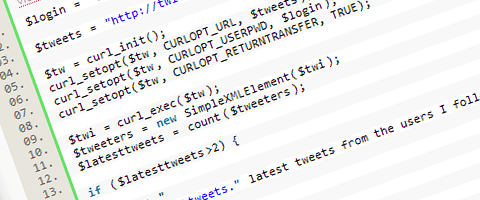
This is an easy-to-follow tutorial with several examples based on different Web technologies. It has just enough for you to start your own Twitter project.

Using the Twitter API
This is an excellent introduction to using the Twitter API. The API offers many different ways to connect to your details including XML, JSON, Atom and RSS. This tutorial uses XML, PHP and cURL.

Get Started With the Twitter API
If you’re looking to try out an API for the first time, Twitter’s is a great one to start with. Its API is simple and easy to use. The only thing to keep in mind is that Twitter limits you to 70 requests per 60-minute intervals, so remember to cache or otherwise store your results.

Getting Started with the Twitter API
Twitter’s API lets you read and write Twitter messages with minimal coding in nearly any programming language. In fact, you can use this API without doing any programming. A slightly more advanced tutorial than the previous three.

Building Your Website Around Twitter

Build Your Own Social Home!
Many of us have not only our own websites, but also Twitter, Flickr, ScrnShots and Facebook accounts, too. This tutorial brings all of these together neatly on one page.

Socialhome in 50 Twitter Tools and Tutorials For Designers and Developers

How to Create an RSS-Enabled Micro-Blog with Twitter
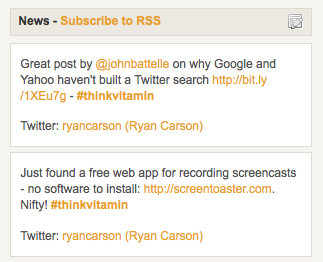
Have you ever wanted to create a simple multi-person blog but didn’t want to bother setting up an entire WordPress installation? If so, this tutorial is for you. By combining Twitter Search, Atom feeds, hash-tags and PHP, you can create an RSS-enabled, micro-blog using Twitter and be up and running in less than 10 minutes.
Createrss in 50 Twitter Tools and Tutorials For Designers and Developers

How to Make a Unique Website for Your Twitter Updates
Twitter offer a little JavaScript widget that automatically uses the API and returns simple HTML of your recent tweets. This tutorial shows you how to design a unique website for your Twitter updates using this widget.
Tweet in 50 Twitter Tools and Tutorials For Designers and Developers

How to Build a Maintainable Website Using CushyCMS and Twitter
In this tutorial, you build a simple one-page website and then, in less than 5 minutes, set it up with a Twitter feed for daily updates and with CushyCMS for general content.

Collis in 50 Twitter Tools and Tutorials For Designers and Developers

Send Message from a PHP Page Using the Twitter API
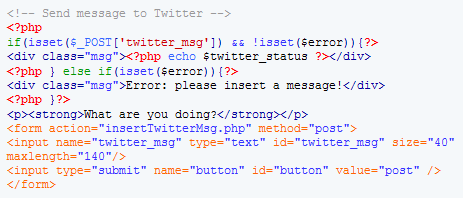
This is a very simple tutorial (really just a few lines of codes!) that explains how to post a message using the Twitter API from a PHP page.
Woork in 50 Twitter Tools and Tutorials For Designers and Developers

How to Run Multiple Twitter Feeds on the Same Page
What if you want to display the Twitter feed of someone you admire or perhaps the feed of another author on your blog? This tutorial shows you how.

Multiple in 50 Twitter Tools and Tutorials For Designers and Developers

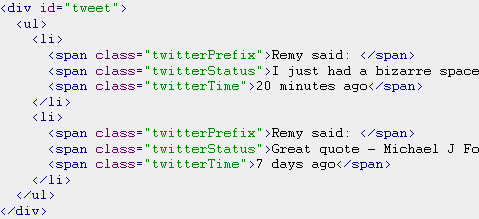
Add Twitter to Your Blog (step by step)
This is a simple but great tutorial: a “step-by-step guide to adding Twitter to your blog without it hanging your website”. Great description.
Addtwit in 50 Twitter Tools and Tutorials For Designers and Developers

Scripting Twitter with cURL
cURL is a versatile command-line utility designed to script Web page interactions. As a little demo, this tutorial shows you how to use it to easily to overcome the shortcomings of Twitter’s API. You can also view the Perl + LWP version of this tutorial here: Scripting Twitter with Perl + LWP

PHP + Twitter + Google Calendar + SMS
This tutorial shows you how to add an event to Google Calendar by text message. It shows you how to hook up your Twitter account to Google Calendar using their APIs.

TwitterZoid PHP Script
TwitterZoid is the name of this PHP script for parsing Twitter RSS feeds. This tutorial shows you how to successfully implement this.

Twitter and AJAX Tutorials

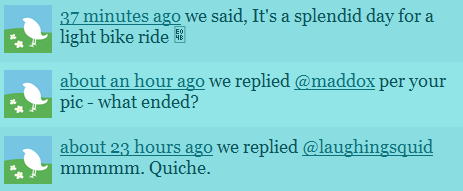
Tweet! Unobtrusive jQuery Twitter Widget Tutorial
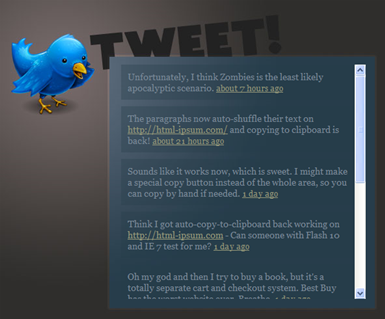
Tweet is an unobtrusive, fast-loading, feature-rich jQuery plug-in that lets you easily display your tweets on your website.
Tweet2 in 50 Twitter Tools and Tutorials For Designers and Developers

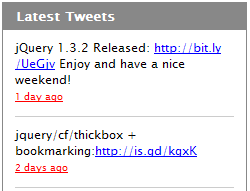
jQuery Plug-in for Twitter
This is a simple, unobtrusive and customizable client-side method for easily embedding a Twitter feed on a Web page. From Coda, you know it’s going to be smooth. View demo here.
Coda in 50 Twitter Tools and Tutorials For Designers and Developers

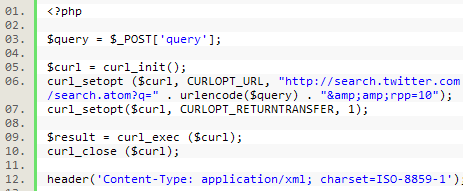
PHP and Ajax with the Twitter API
This tutorial shows you how to use jQuery, PHP and a little AJAX to connect to the Twitter API and return results.
Jq in 50 Twitter Tools and Tutorials For Designers and Developers

Authenticating Twitter API Calls with PHP and jQuery
In this tutorial, you are shown how to authenticate the API calls to your Twitter credentials (to be able to return your favorites).

Twitter Followers Counter Tutorial
Here, you are taught how to create your very own Twitter counter, showing how many followers you have. View demo here.

Counter in 50 Twitter Tools and Tutorials For Designers and Developers

Juitter – jQuery Plug-In to Put Twitter Live on your Website
Juitter is a small and fast-loading plug-in. It not only shows tweets to or from a user, but can be filtered to show tweets containing a specific word or restrict searches by language. You can also show avatars, which makes this jQuery plug-in quite unique. View demo here.

Juitter in 50 Twitter Tools and Tutorials For Designers and Developers

Twitter Emulation, Using MooTools 1.2 and PHP
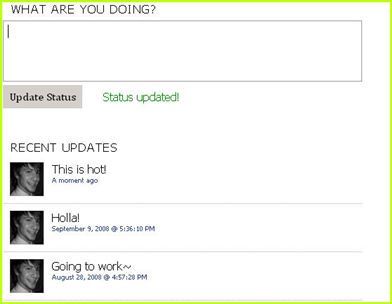
What most people probably don’t know is how simple it is to emulate Twitter’s functionality. Using PHP, MySQL and MooTools JavaScript, you can implement a Twitter-like status system in no time.
Moo in 50 Twitter Tools and Tutorials For Designers and Developers

Sidebar, Widgets and Badges

Create a Twitter Box in Your Sidebar
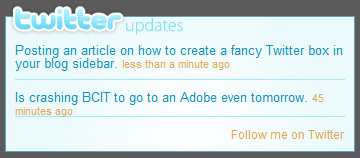
In this tutorial, you’ll learn how to easily create a fancy box that displays your latest Twitter rants in your sidebar, without having to turn to clunky plug-ins that bog down your blog.
Clunky in 50 Twitter Tools and Tutorials For Designers and Developers

How to Create Your Own Twitter WP Plug-In
In this tutorial, you will be shown how to write a simple widget to allow your readers to share your posts on their Twitter accounts.

Wp in 50 Twitter Tools and Tutorials For Designers and Developers

How to Display Your Twitter Status Message in a Speech Bubble
Display your latest tweet in a nice speech bubble. It can be a pain in the neck creating this with pure CSS and images, so this tutorial will help. A nice effect.

Bubble in 50 Twitter Tools and Tutorials For Designers and Developers

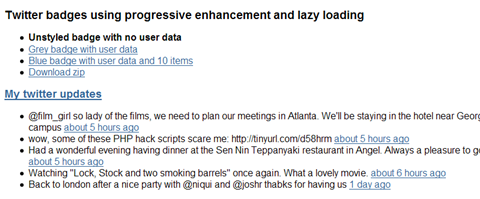
Unobtrusive, Lazy-Loading Badge Using the Twitter API
Twbadge in 50 Twitter Tools and Tutorials For Designers and Developers

A Resizable CSS-Based Twitter Website Badge
If you find the official Twitter badges too big and clunky, then this tutorial is for you. Display your latest tweet in a neat CSS-designed widget that resizes depending on the size of your tweet.

Twbadge3 in 50 Twitter Tools and Tutorials For Designers and Developers

Custom Twitter Badge Tutorial CSS
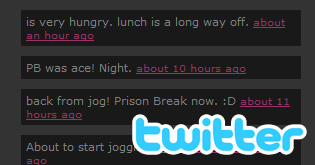
If you’re struggling to get Twitter to suit your website, then this tutorial will show you how to customize the different elements and create your own Twitter badge. View demo here.
Twbadge2 in 50 Twitter Tools and Tutorials For Designers and Developers

Building My Own Twitter Badge with RSS
In this tutorial, you will make your own Twitter badge with PHP by reading the RSS feed that Twitter provides. The default Twitter badge uses script tags that do not display when a user has JavaScript disabled. This code will render no matter what and still displays links and the names of tweeters.

Official Twitter Badges
Display your latest updates with a customized widget (or “badge”) from Twitter itself.
Twbadgeoff in 50 Twitter Tools and Tutorials For Designers and Developers

30+ Twitter Icons And Badges
A large collection of Twitter badges, buttons and icons, available for free download.

Rev in 50 Twitter Tools and Tutorials For Designers and Developers

Building a Twitter Application

How to Build Your First Flash Twitter Mash-Up in Four Lines of Code!
Build a Twitter mash-up in four lines of code? That’s all you need, according to this tutorial, to get the latest public timeline updates from Twitter into Flash.

Twitter Client for Android
A tutorial showing how to create a Twitter client for Android (i.e. how to make XML-over-HTTP calls).

Building an Application with the Twitter API
Twitter API libraries are available for most popular programming languages, and they’re opening up new possibilities for publishing information. In this tutorial, you will use a short Python script to create tweets when the Dow Jones Industrial Average (or any stock or index you like) makes a big jump.

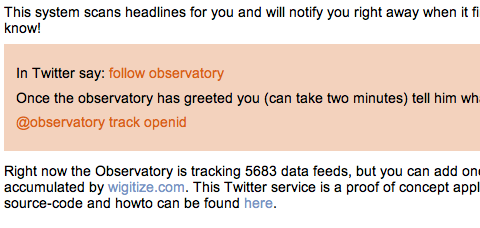
How to Build a Twitter Agent
In this article, you will build a useful Twitter service to track the blogosphere.
Obs in 50 Twitter Tools and Tutorials For Designers and Developers

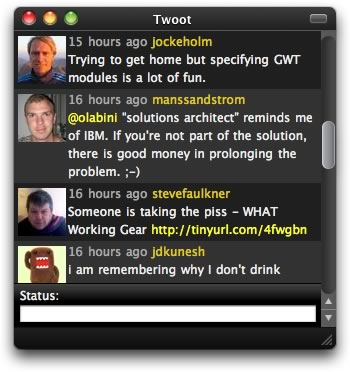
Building Your Own Twitter Client with Fluid and jQuery
Here, you will learn how to build your own Twitter client using Fluid (which contains Web apps in their own process/window), to see if it is possible to build a completely open-source, ad-free Twitter-like client on a single Web page, using only JavaScript and HTML.
Twoot in 50 Twitter Tools and Tutorials For Designers and Developers

Twitter Libraries of Note

Devhead in 50 Twitter Tools and Tutorials For Designers and Developers

TwitterScript (Actionscript)
This is an ActionScript 3.0 library for accessing Twitter’s APIs. This was originally code from Twitter, but it is being open sourced so that it can be maintained and kept current.

QTwitLib(C++)
QTwitLib is currently in a functioning stage, which allows a user to make calls to the library, which in turn makes POST/GET requests to Twitter and returns a message and status code for the action request.

java-twitter (Java)
A Java wrapper around the Twitter API.

jtwitter (Java)
JTwitter is a small library providing easy access to the Twitter API. Set and get your status, manage your network of friends, message friends, etc.

My Twitter (PHP)
This class can be used to set and retrieve a Twitter user status.

TwitterLibPHP (PHP)
An object-oriented PHP interface for the Twitter API.

PHP Twitter (PHP)
A Twitter class for PHP, forked, modified and enhanced.

PHP Twitter (PHP)
PHP Twitter is a (wrapper) class for communicating with the Twitter API.

python-twitter (Python)
A Python wrapper around the Twitter API.

twitty-twister (Python)
A twisted client for Twitter-like APIs.

Twittery (Ruby)
Twittery is a lightweight Ruby class that interfaces with Twitter’s API to make interacting with Twitter as simple as possible.

(al)

Paul Andrew is a freelance Web designer. He is chief admin for Speckyboy - Design Magazine, a Web design, Web development and graphic design resource blog.

Post Rating
1 Star2 Stars3 Stars4 Stars5 Stars (No votes yet)
Loading ... Loading ...

Tags: ,

Advertising
  1. 1
    Argux
    March 2nd, 2009 5:49 am

    First one! Great post as usual!

  2. 2
    Yvo Schaap
    March 2nd, 2009 6:09 am

    An example of how I use the Twitter API to create a motion chart of tweet keywords and a twitter world map from over 4,000,000 tweets: Twitter Charts

  3. 3
    Cucu Ionel
    March 2nd, 2009 6:15 am

    Great post. I’ll try these tools.

  4. 4
    DKumar M.
    March 2nd, 2009 6:16 am

    Nice Round-Up!! I’m kinda new to twitter and these stuff comes in handy… Thanks Paul for your effort in putting this together & allowing others to learn from it.

    DKumar M.

  5. 5
    V@s3K
    March 2nd, 2009 6:27 am

    I wrote simular functionality by myself about half year ago. But API is good ^_^

  6. 6
    Dinu Dominic Manns
    March 2nd, 2009 6:38 am

    Great article! Exactly what I was looking for to improve my own website…

  7. 7
    Randa Clay
    March 2nd, 2009 6:38 am

    Wow – thanks for the comprehensive list of tools! Wanted to also make sure your readers knew about our new site, My Social Buttons that has lots of Twitter icons, graphics and buttons (along with many other social media tools).

  8. 8
    Andris
    March 2nd, 2009 6:47 am

    Nice roundup. I’ll try some of these for sure.

  9. 9
    Robert Banh
    March 2nd, 2009 6:49 am

    It’s pretty easy. I used the Arc90 Twitter Client (http://lab.arc90.com/2008/06/php_twitter_api_client.php) to built my app within a few hours:

    MrMilestone: http://thetwittertagproject.com/milestone.php

  10. 10
    giles
    March 2nd, 2009 7:05 am

    I made a few Animated tweet icons i thought i’d share…will add more when i have time.

  11. 11
    Mei
    March 2nd, 2009 7:05 am

    Great article again. (but you’ve missed the ‘y’ in Paul’s blog URL!)

  12. 12
    OverZero.it
    March 2nd, 2009 7:13 am

    I really have to consider Twitter…

  13. 13
    Ali
    March 2nd, 2009 7:36 am

    I have one more desktop application “Tweetdeck.com” to add in your list. I am sure it will also be very useful.

    Ali.

  14. 14
    insic
    March 2nd, 2009 7:39 am

    sorry about the promotion of my twitter. Maybe i just like twitter that much thats why i need a lot of friends. lol :)

  15. 15
    Luca
    March 2nd, 2009 7:44 am

    PockeTwit is another great app for mobile phone! ;)
    @santirocco on twitter :)

  16. 16
    tiraeth
    March 2nd, 2009 8:01 am

    There is a nice app for Last.fm Sidebar: Lasttweet.com I wish you mentioned it in this article.

  17. 17
    Milan
    March 2nd, 2009 8:16 am

    Nice, shame I can’t even follow @smashingmag on Twitter! Grrrrr

  18. 18
    Jimmy Rittenborg
    March 2nd, 2009 8:17 am

    You also forget alertthingy.com which gather a lot (if not all) of these social updates into one pretty simple and nice Adobe AIR app.. aside from tweetdeck, this thing also allows you to update your facebook status and follow along with whatever your friends are doing, directly from your desktop.

  19. 19
    Enk.
    March 2nd, 2009 8:35 am

    Wow, Cool Post !
    Very Usefull .. I always wanted something like that.. ;)

  20. 20
    lunakizz
    March 2nd, 2009 8:40 am

    Awesome, I like “How to Make a Unique Website for Your Twitter Updates” too much.

    Thanks!

  21. 21
    djdtm
    March 2nd, 2009 8:45 am

    Speckboy link at bottom of article is broken.

  22. 22
    Eren Emre Kanal
    March 2nd, 2009 8:48 am

    Also there are 72 pixel twitter icons here:

    http://www.erenemre.com/2009/02/free-24-sets-of-pixel-twitter-iconsbadges/

  23. 23
    Brandon Hansen
    March 2nd, 2009 9:41 am

    Thanks for the link to the python twitter wrapper. Meaning to learn more about Python, and this is the perfect place to start. Twitter is the new “Hello World”.

  24. 24
    Chris
    March 2nd, 2009 9:43 am

    One more suggestion for building your website around Twitter. SweetCron is a lifestreaming blog software that seems to have a lot of potential. I have not installed my copy yet, but have a few friends that are running SweetCron blogs. Thanks for the article.

  25. 25
    Daniel
    March 2nd, 2009 9:47 am

    You have done a entire post on twitter without mentioning tweetmeme once. Tweetmeme gives you a way to integrate full digg like voting through twitter, using either a javascript widget or a wordpress.

    http://www.tweetmeme.com/button.php

  26. 26
    Ralph
    March 2nd, 2009 9:59 am

    Hey, thanks alot for the link to the “Multiple Twitter Feeds on the Same Page” article. I really appreciate it ;)

  27. 27
    Joe Hickman
    March 2nd, 2009 10:04 am

    This is going to be my new favorite article for a while. I’m glad someone finally put all of these resources in one spot. Thanks!

  28. 28
    David Singer
    March 2nd, 2009 10:29 am

    Twitsrc is great as a Twitter paste bin (with syntax highlighting).

  29. 29
    requirezero
    March 2nd, 2009 10:42 am

    omg for god’s sake stop pumping twitter. it is a completly useless site and NO NO NO it is NOT next facebook.

  30. 30
    sefakoc
    March 2nd, 2009 11:08 am

    Thanks a lot

  31. 31
    Dieter Haeck
    March 2nd, 2009 11:47 am

    Twitter is awesome and this post is pretty interesting.

    Thanks!

  32. 32
    Sarah
    March 2nd, 2009 12:00 pm

    I don’t really get Twitter, I have to say. The hype surrounding Twitter reminds me of that which surrounded MySpace before it passed into “uncool” territory. I was hoping for an explanation in this article of why Twitter is now “more than a fad”, especially since it seems so similar to a Facebook status. Can someone explain it to me? I’m not catching on.

  33. 33
    mienta
    March 2nd, 2009 12:33 pm

    How to insert twitts on your lastfm site > http://lasttweet.com/

  34. 34
    Dainis Graveris
    March 2nd, 2009 1:11 pm

    extremely useful post! wow!

  35. 35
    Lachelle T.
    March 2nd, 2009 2:03 pm

    Excellent post! I implemented one of the tutorials on my website.
    To those who don’t “get” twitter or understand the purpose – look at all the information above!! Twitter has one simple function – to update others on what you’re doing and yet there’s so many different ways it can be extended and personalized onto your own website. You cannot do that with Facebook or Myspace. Sometimes the simplest things are the best things folks!

  36. 36
    Leo
    March 2nd, 2009 2:12 pm

    @Sarah – I agree, when people say “Twitter is now a necessity for every website” it just makes me cringe and wonder what they have been drinking. Out of about 20 clients I have spoke to none are even remotely interested in implementing twitter or using it. Like most they see no value in it and I am really hard pressed to find any myself.

    My two cents, Twitter is hardly necessary or useful for the vast majority of websites and is just another social networking app that people like because it lets them talk to a theoretical audience online (ooooh look at me, I’m Internet famous!)

  37. 37
    rYAN
    March 2nd, 2009 2:14 pm

    It’s a nice collection!
    Here’s more essential twitter tools may be useful for you.
    http://fishintheriver.com/2009/02/27/50-essential-twitter-tools-for-bloggers/

  38. 38
    ken
    March 2nd, 2009 4:54 pm

    i’m so sick of hearing about twitter…

  39. 39
    Spank McMonkey
    March 2nd, 2009 5:41 pm

    I also disagree on the “necessity” of Twitter.

  40. 40
    Jacob
    March 2nd, 2009 5:58 pm

    You forgot to mention http://www.tweetizen.com -

  41. 41
    New Standard
    March 2nd, 2009 7:05 pm

    Im a bit sick of hearing about twitter as well, however I still use it. It’s a very useful tool and is capable of so many things. However, as this post illustrates, it could use some upgrades. Excellent post!

  42. 42
    requirezero
    March 2nd, 2009 9:05 pm

    as i posted before twitter is just a big empty baloon. It is not next facebook. I read an article about twitter users. More than %80 of are minors (below 18 years old). Mostly using twitter for “oohhh look at lindsay hair, hey here is new britney shoes”… After reading this article any site with “follow us on twitter” icon makes me think it is another kiddy site

  43. 43
    gr8pixel
    March 2nd, 2009 10:03 pm

    Supeeeerrrrrrrrbbb!! :D

  44. 44
    zeroone
    March 2nd, 2009 10:20 pm

    Yep, another social nework.
    Can anyone explain me usefulness?
    I just don’t get it.

    How useful can be “I’m drinking coffee.” or “I’m writing blog right now.”.

    From my point of view it’s another time waster.
    Excuse me, …. beep beep beep

  45. 45
    Tim
    March 2nd, 2009 11:11 pm

    Great post and here is an open source .net twitter app : http://www.codeplex.com/jata

  46. 46
    W3Planting
    March 3rd, 2009 12:22 am

    nice collection as usual !

    zeroone You are right(but not 100%), there are a ton of people who providing useful information instantly via twitter.

    its up to one how smartly he/she uses it :)

  47. 47
    Ryan
    March 3rd, 2009 3:53 am

    Its amazing how much resources there is directed towards twitter. Fascinating list. Very very good reading. Thanks guys.

  48. 48
    Ivan
    March 3rd, 2009 3:59 am

    Great post!
    I miss a lot of Rails/Twitter tutorials except the last ruby one.

  49. 49
    Tom Bradshaw
    March 3rd, 2009 5:27 am

    I think a twitter box can add a really interesting element to a website, it’s something I’ve been meaning to add to my own site for a while now.

  50. 50
    Den
    March 3rd, 2009 6:09 am

    JSP (and/or Coldfusion) components for Twitter: Twitter taglib

  51. 51
    theCount
    March 3rd, 2009 6:36 am

    got to admit I am late with all this twitter business this post will get me on track with twittering – thanks SM.

  52. 52
    leo
    March 3rd, 2009 3:42 pm

    @W3Planting –
    Saying “its up to one how smartly he/she uses it :)” is of course rubbish, the real question is “Can twitter bring any value to my client or their site?” in most cases the answer will be no, no it will not. If the answer is yes then by all means you can go down the rabbit hole of “How can we leverage this technology to accomplish our goals” but to just simply go all “OMG” over twitter and try to apply it to everything is rather amateur.

  53. 53
    @AronStevenson
    March 3rd, 2009 7:10 pm

    Thanks for the list Paul, it’s very useful for a novice like me….

  54. 54
    nasip
    March 3rd, 2009 7:11 pm

    Still not convinced about the whole twitter thing!

  55. 55
    Dan
    March 4th, 2009 2:26 am

    I’d love to see an article like this for last.fm, unless someone has some similar links?

  56. 56
    Bryan Povlinski
    March 4th, 2009 7:26 am

    This is a really great post. It’s pretty impressive how quickly the Twitter API has taken off with so many new applications to use. Thanks for getting us up to date on this

  57. 57
    Brian Cray
    March 4th, 2009 7:45 am

    Here’s an example use of Twitter’s location-based search API: Nearby Tweets

  58. 58
    Scott
    March 4th, 2009 9:03 am

    What about tools like ours, MicroPlaza – a which delivers filtered news based on the people you follow. For example you can create a design ‘tribe’ on the platform and add in all your design related contacts to get the aggregated view of what they’re sharing.

  59. 59
    Mark
    March 4th, 2009 10:13 am

    Great Post! Keep them coming!

  60. 60
    Matthew Heidenreich
    March 4th, 2009 11:44 am

    Nice list…. heres a tutorial in Photoshop on making a little box for your twitter feed twitter box tutorial

  61. 61
    Pat Arlt
    March 4th, 2009 3:14 pm

    Honored to be mentioned in a Smashing Magazine article. Hopefully I’ll have a new version of my tutorial up soon but for the mean time I’ll be looking into some of these tools and hacks

  62. 62
    Raj
    March 4th, 2009 4:18 pm

    Check it out the Twitter interface at http://fonet.mobi which is a mobile web site and can be accessed from any phone.

  63. 63
    Greg Fletcher
    March 5th, 2009 5:53 pm

    Is it possible to protect my Twitter updates and also publish them to a password protected website? I want to get my boss using twitter but want to keep the public from seeing the updates, then post a feed on our intranet. Ideas?

  64. 64
    Rory Martin
    March 6th, 2009 1:06 am

    Thanks for article, ashamed to say I didn’t really know much about this TWITTER craze but this indepth tutorial has filled in the gaps, cheers.
    I’ll begin adding the feature to my websites from now on.

  65. 65
    ZyZZZyZ
    March 10th, 2009 5:06 pm

    Really perfect article Paul … & I “twitted it ” !!
    Here : http://twitter.com/ZyZZZyZ

    Many thanx for this great job !
    ZyZZZyZ

  66. 66
    John Brady
    March 11th, 2009 7:28 pm

    Great content and as a newbie to this whole business every little bit helps.

  67. 67
    undauntedTwit
    March 15th, 2009 6:17 pm

    extremely useful thanks. although ive never been a fan of fb i’ve become hooked on twitter. something about the microblogging, realtime feed that appeals to some. twitter does especially well with all the application / tools support through their api. kudos for them for opening it up so much. follow me if you want (http://twitter.com/undauntedTwit) and have a good life!

  68. 68
    Cindy
    March 15th, 2009 6:36 pm

    A twitter api of course provides the same functionality that is provided by http://www.twitter.com. Some sites have been using the API to mimic the twitter web content, yet build upon it. I’ve seen several instances of course. Many tools provide grouping and customized searching or a new site I found, Twaitter.com provides a fairly in depth scheduling platform. The use of twitter’s api is endless.

    Cindy

  69. 69
    chocksy
    March 18th, 2009 10:22 am

    I did an update to the followers counter for twitter if you are interested you can visit it :) It’s for people with more than 100 visitors per hour :))

  70. 70
    Tina
    March 19th, 2009 5:46 am

    Someone just sent me this link and I have to say: Twitter is NOT a necessity.

    When people tell me, “you just don’t get it” about Twitter, I want to smack them. Uh, YOU don’t get that YOU are being had. You’re drinking the Kool-Aid without stopping to think that it’s just another means to suck time from your life. Marketing 101: always present your widget as a NEED. The Twitter marketers have successfully done just that.

  71. 71
    Uddin
    March 29th, 2009 1:50 pm

    HI,
    Great article. I love it. I am using your site as a reference to my blog about Twitter…
    Thanks for putting out such a wonderful information. You guys rock!!

  72. 72
    Jonathan Nelson
    April 3rd, 2009 6:40 am

    great list you got here smashing magazine. i thought i’d chime in and let you know about my new Twitter application i just launched called TwitterMass. you can test it out here http://twittermass.com. people are calling it the twitter networking tool on cruise control.

  73. 73
    andres
    April 23rd, 2009 4:16 am

    Puede interesarte

  74. 74
    andres
    April 23rd, 2009 4:18 am

    Favor enviar datos a andres_henon@hotmail.com

  75. 75
    peter laptop deals
    April 23rd, 2009 1:01 pm

    Very helpful. Seriously. It is like a gateway to twitter api.

    I guess that is why it is a digg frontpage.

  76. 76
    Teo Graca
    May 9th, 2009 3:20 pm

    It’s great to find all this data in one place. Good stuff!

  77. 77
    jane
    May 27th, 2009 11:13 am

    http://textsnip.com is a good way to paste a large block of text into a tweet. no password, no sign up

  78. 78
    Twick.in
    June 12th, 2009 6:10 am

    Thanks.
    With this useful post I have lauched my Twitter Affiliate Link Cloaker.

    Thaks again !

  79. 79
    Paul
    June 22nd, 2009 12:32 pm

    Great thanks for that collection of useful links. Im web developer, so bookmark that article for my future projects Link

  80. 80
    Ginny
    June 26th, 2009 12:57 pm

    This looks like something that is truly useful to us new Twitters. Thank you!

  81. 81
    ron
    August 13th, 2009 10:26 am

    I’m looking for a php script. where i can load my twitterupdates in flash with AS2. Anyone?

  82. 82
    jQuery
    September 17th, 2009 8:57 pm

    I find jQuery Twitter API plugin very useful while developoing my client’s Twitter badges.

    You can find it here http://jquery-howto.blogspot.com/2009/04/jquery-twitter-api-plugin.html

  83. 83
    Trevor
    September 26th, 2009 8:49 am

    I am using the Twitter API to build a great application which will aid shopping by linking social netrworking recommendations to websites which sell the recommended goods.

    What I have done so far is called fullbe.com I would appreciate any comments.

  1. 00

    There are no trackbacks at this time. If you are interested in leaving a trackback, please use this URL.

Leave a Comment

Make sure you enter the * required information where indicated. Please also rate the article as it will help us decide future content and posts. Comments are moderated – and rel="nofollow" is in use. Please no link dropping, no keywords or domains as names; do not spam, and do not advertise!


Advertisement Advertise with us!
Join in Smashing Forum
Post your job