Smashing Magazine - we smash you with the information that will make your life easier. really.

15 Essential Checks Before Launching Your Website

Advertisement

Your website is designed, the CMS works, content has been added and the client is happy. It’s time to take the website live. Or is it? When launching a website, you can often forget a number of things in your eagerness to make it live, so it’s useful to have a checklist to look through as you make your final touches and before you announce your website to the world.

This article reviews some important and necessary checks that web-sites should be checked against before the official launch — little details are often forgotten or ignored, but – if done in time – may sum up to an overall greater user experience and avoid unnecessary costs after the official site release.

Favicon

A favicon brands the tab or window in which your website is open in the user’s browser. It is also saved with the bookmark so that users can easily identify pages from your website. Some browsers pick up the favicon if you save it in your root directory as favicon.ico, but to be sure it’s picked up all the time, include the following in your head.

<link rel="icon" type="image/x-icon" href="/favicon.ico" />

And if you have an iPhone favicon:

<link rel="apple-touch-icon" href="/favicon.png" />
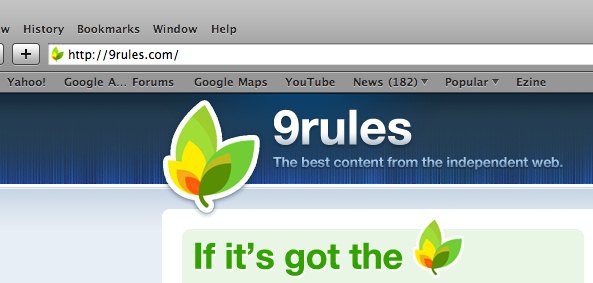
9rules in 15 Essential Checks Before Launching Your Website

Titles And Meta Data

Your page title is the most important element for SEO and is also important so that users know what’s on the page. Make sure it changes on every page and relates to that page’s content.

<title>10 Things To Consider When Choosing The Perfect CMS | How-To | Smashing Magazine</title>

Meta description and keyword tags aren’t as important for SEO (at least for the major search engines anyway), but it’s still a good idea to include them. Change the description on each page to make it relate to that page’s content, because this is often what Google displays in its search result description.

<meta name="description" content="By Paul Boag Choosing a content management system can be tricky. Without a clearly defined set of requirements, you will be seduced by fancy functionality that you will never use. What then should you look" />

B-desc in 15 Essential Checks Before Launching Your Website

Cross-Browser Checks

Just when you think your design looks great, pixel perfect, you check it in IE and see that everything is broken. It’s important that your website works across browsers. It doesn’t have to be pixel perfect, but everything should work, and the user shouldn’t see any problems. The most popular browsers to check are Internet Explorer 6, 7 and 8, Firefox 3, Safari 3, Chrome, Opera and the iPhone.
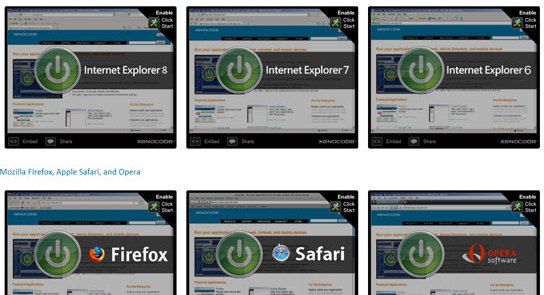
Checks in 15 Essential Checks Before Launching Your Website

Proofread

Read everything. Even if you’ve already read it, read it again. Get someone else to read it. There’s always something you’ll pick up on and have to change. See if you can reduce the amount of text by keeping it specific. Break up large text blocks into shorter paragraphs. Add clear headings throughout, and use lists so that users can scan easily. Don’t forget about dynamic text too, such as alert boxes.

Links

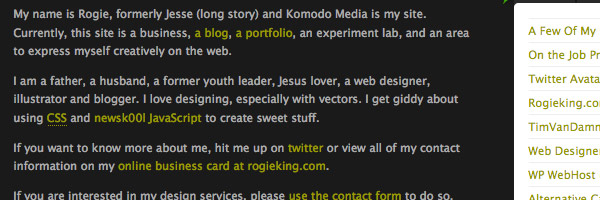
Don’t just assume all your links work. Click on them. You may often forget to add “http://” to links to external websites. Make sure your logo links to the home page, a common convention.

Also, think about how your links work. Is it obvious to new users that they are links? They should stand out from the other text on the page. Don’t underline text that isn’t a link because it will confuse users. And what happens to visited links?
B-links in 15 Essential Checks Before Launching Your Website

Functionality Check

Test everything thoroughly. If you have a contact form, test it and copy yourself so that you can see what comes through. Get others to test your website, and not just family and friends but the website’s target market. Sit back and watch how a user uses the website. It’s amazing what you’ll pick up on when others use your website differently than how you assume they’d use it. Common things to check for are contact forms, search functions, shopping baskets and log-in areas.

Graceful Degradation

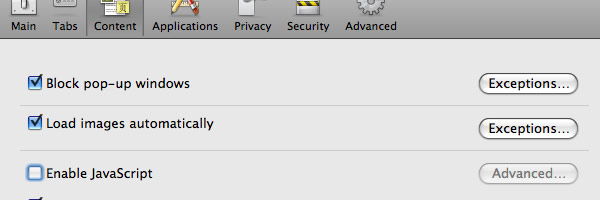
Your website should work with JavaScript turned off. Users often have JavaScript turned off for security, so you should be prepared for this. You can easily turn off JavaScript in Firefox. Test your forms to make sure they still perform server-side validation checks, and test any cool AJAX stuff you have going on.
B-js in 15 Essential Checks Before Launching Your Website

Validation

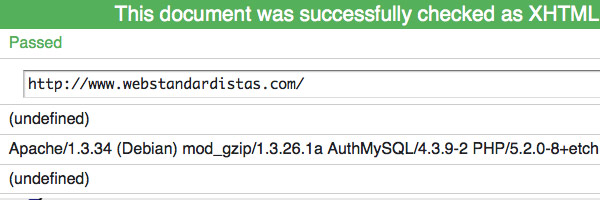
You should aim for a 100% valid website. That said, it isn’t the end of the world if your website doesn’t validate, but it’s important to know the reasons why it doesn’t so that you can fix any nasty errors. Common gotchas include no “alt” tags, no closing tags and using “&” instead of “&amp;” for ampersands.

B-valid in 15 Essential Checks Before Launching Your Website

RSS Link

If your website has a blog or newsreel, you should have an RSS feed that users can subscribe to. Users should be able to easily find your RSS feed: the common convention is to put a small RSS icon in the browser’s address bar.

Put this code between your <head> tags.

<link rel="alternate" type="application/rss+xml" title="Site or RSS title" href="link-to-feed" />

B-rss in 15 Essential Checks Before Launching Your Website

Analytics

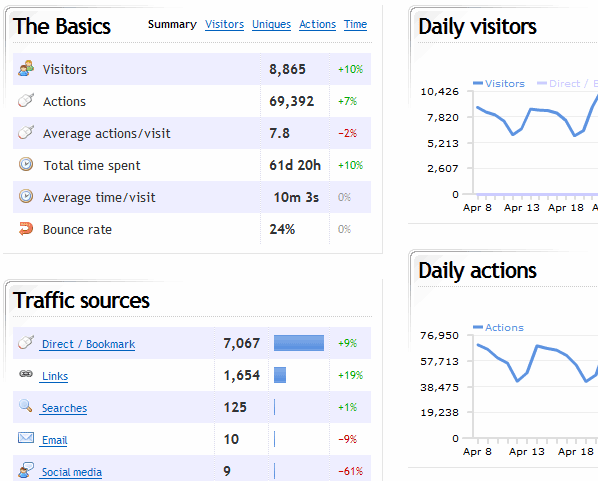
Installing some sort of analytics tool is important for measuring statistics to see how your website performs and how successful your conversion rates are. Track daily unique hits, monthly page views and browser statistics, all useful data to start tracking from day 1. Google Analytics is a free favorite among website owners. Others to consider are Clicky, Kissmetrics (still in closed beta yet), Mint and StatCounter.

Clicky in 15 Essential Checks Before Launching Your Website

Sitemap

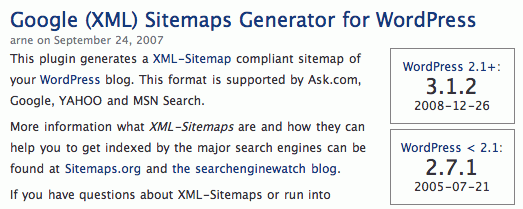
Adding a sitemap.xml file to your root directory allows the major search engines to easily index your website. The file points crawlers to all the pages on your website. XML-Sitemaps automatically creates a sitemap.xml file for you. After creating the file, upload it to your root directory so that its location is www.mydomain.com/sitemap.xml.

If you use WordPress, install the Google XML Sitemaps plug-in, which automatically updates the sitemap when you write new posts. Also, add your website and sitemap to Google Webmaster Tools. This tells Google that you have a sitemap, and the service provides useful statistics on how and when your website was last indexed.
Xml in 15 Essential Checks Before Launching Your Website

Defensive Design

The most commonly overlooked defensive design element is the 404 page. If a user requests a page that doesn’t exist, your 404 page is displayed. This may happen for a variety of reasons, including another website linking to a page that doesn’t exist. Get your users back on track by providing a useful 404 page that directs them to the home page or suggests other pages they may be interested in.

Another defensive design technique is checking your forms for validation. Try submitting unusual information in your form fields (e.g. lots of characters, letters in number fields, etc.) and make sure that if there is an error, the user is provided with enough feedback to be able to fix it.

B-404 in 15 Essential Checks Before Launching Your Website

Optimize

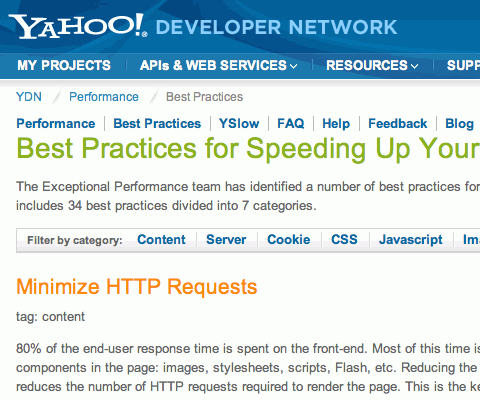
You’ll want to configure your website for optimal performance. You should do this on an ongoing basis after launch, but you can take a few simple steps before launch, too. Reducing HTTP requests, using CSS sprites wherever possible, optimizing images for the Web, compressing JavaScript and CSS files and so on can all help load your pages more quickly and use less server resources.

Besides, depending on the publishing engine that you are using, you may need to consider taking more specific measures – for instance, if you are using WordPress, you may need to consider useful caching techniques to speed up the performance.
Yahoo in 15 Essential Checks Before Launching Your Website

Back Up

If your website runs off a database, you need a back-up strategy. Or else, the day will come when you regret not having one. If you use WordPress, install Wordpress Database Backup, which you can set up to automatically email you backups.

Print Style Sheet

If a user wants to print a page from your website, chances are she or he wants only the main content and not the navigation or extra design elements. That’s why it is a good idea to create a print-specific style sheet. Also, certain CSS elements, such as floats, don’t come out well when printed.

To point to a special CSS style sheet that computers automatically use when users print a page, simply include the following code between your <head> tags.

<link rel="stylesheet" type="text/css" href="print.css" media="print" />

Download the Ultimate Website Launch Checklist!

Just recently Dan Zambonini has published a very detailed checklist that covers both the pre-launch and the post-launch phase of the web site life cycle. Among other things his Ultimate Website Launch Checklist contains checks related to content and style, standards and validation, search engine visibility, functional testing, security/risk, performance and marketing.
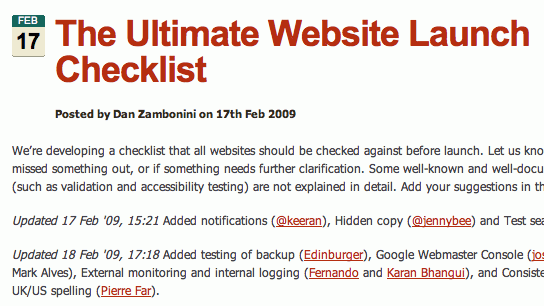
Ultimate in 15 Essential Checks Before Launching Your Website

The pdf-version is available as well. The checklist is a very useful reference that may help you in your daily projects and will help you to prevent errors and mistake once the site is released.

You may also want to consider the Quick Usability Check List by David Leggett that highlight some of the more common problems designers should address on their own sites in a Usability checklist of sorts. Not all of these items will apply to every website, these are just suggested things to look for in your own site design.
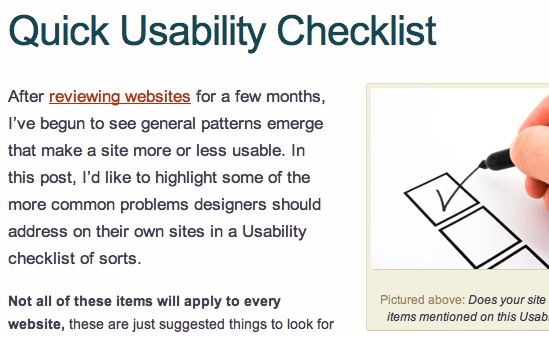
Usab in 15 Essential Checks Before Launching Your Website

What other checks would you list?

Make yourself a to-do list and keep it handy to check over before making any website live. Are there any other points you would add? Share them in the comments!

(al)

Lee Munroe is a freelance web designer from Belfast. You can see his other writings on web design on his blog.

Post Rating
1 Star2 Stars3 Stars4 Stars5 Stars (2 votes, average: 4.00 out of 5)
Loading ... Loading ...

Tags:

Advertising
  1. 1
    Jireck
    April 7th, 2009 1:31 pm

    Great ;-)

  2. 2
    cssah
    April 7th, 2009 1:51 pm

    thanks so much that

  3. 3
    Mike Rundle
    April 7th, 2009 1:53 pm

    Thanks for the 9rules screenshot! When it first popped up in my RSS reader I thought you were showing 9rules as an example of a site that didn’t do something right and I got real nervous, then I clicked over to read the article and I saw that wasn’t the case. Good thing!

  4. 4
    Alexander
    April 7th, 2009 1:55 pm

    This is an excellent list. If every site did these things first, the Internet would be a much happier place.

    One comment: Progressive enhancement might be a better approach than graceful degradation. The two are really the same thing (making pages look good in trimmed-down browsers), but take different approaches. Graceful degradation designs an insanely awesome site for the latest browsers, then hacks the stylesheets to not look awful on older browsers. Progressive enhancement designs a tasteful site for basic browsers, then hacks the stylesheets to look insanely awesome in the latest browsers. This way, backward compatibility is a step along the way rather than an afterthought.

  5. 5
    Josh Cooper
    April 7th, 2009 1:56 pm

    This is a fantastic post! I strongly feel that there needs to be a post specifically on the speed optimization section of this checklist. There are so many loose resources out on the net, and to pull that all together would be great. Otherwise, this is a great complilation, Thanks!

  6. 6
    Davor
    April 7th, 2009 2:04 pm

    Thank you, this is very useful.

  7. 7
    Davin
    April 7th, 2009 2:06 pm

    I agree with most of these, but I disagree with #7. Users do not “often” have javascript turned off. Most don’t turn it off since it is on by default. Only among the comp savy is this even slightly the case.

  8. 8
    Elijah Grey
    April 7th, 2009 2:08 pm

    Shouldn’t the iPhone apple-touch-image be a png file? I’ve never seen an ico file working on an iPhone before.

  9. 9
    Tim N
    April 7th, 2009 2:18 pm

    Great idea for a post! This is very useful and informative.
    Thanks Lee

  10. 10
    Ab
    April 7th, 2009 2:22 pm

    SmashingMag, you never cease to amaze! Thanks for the awesome post!

  11. 11
    M165437
    April 7th, 2009 2:25 pm

    Very useful! Thanks!

  12. 12
    Milan
    April 7th, 2009 2:34 pm

    Nice article, maybe you could have included something about Robots.txt

  13. 13
    tewoos
    April 7th, 2009 2:45 pm

    great article and great timing… thank you very much!

  14. 14
    Martin Jensen
    April 7th, 2009 2:51 pm

    Nice with a usable post instead of all those “inspiration” posts :) Nice work SM!

  15. 15
    Tamixes
    April 7th, 2009 3:04 pm

    Thanx – great post, helpful stuff here as I’d usually leave this for a developer to sort out ‘cos it seems too technical for a designer – you’ve just added some great tools to my web arsenal!

  16. 16
    B
    April 7th, 2009 3:26 pm

    How can this awesome site not give users the ability to share these blog posts on facebook or send by email? Seems kind of ironic given the natures the posts, no?

  17. 17
    Dan
    April 7th, 2009 3:30 pm

    Nice and useful! Thanks!

  18. 18
    Evan
    April 7th, 2009 3:38 pm

    I love articles like this.

    SM you’ve been on fire lately !!

  19. 19
    Okibi
    April 7th, 2009 3:46 pm

    Nice article, thank you.

  20. 20
    John Faulds
    April 7th, 2009 5:08 pm

    Other items on my list include:

    - Checking the layout on small screens
    - Testing Microformats if used
    - Minifying CSS/js
    - Testing accessibility with Total Validator, aDesigner, WebAIM etc.
    - Checking colour contrast
    - Checking for unused selectors with Dust Me Selectors (FF extension)
    - Checking robots.txt
    - As well as Google Analytics, also signing up for Google Webmaster tools, Yahoo Site Explorer, and Live Webmaster Center

  21. 21
    Antoine
    April 7th, 2009 5:49 pm

    Great post.

    Just a question… Did you have some sponsorship from Silverback?

  22. 22
    Volomike
    April 7th, 2009 6:27 pm

    The only thing I disagree with is the Javascript item. In this day and age, Javascript is absolutely essential, as are cookies. Don’t believe me? Fine. Go ahead and turn either of those off, and start surfing and using many sites you normally go to. You’ll be dead in the water.

    Now, Javascript often breaks, so that’s why we have jQuery — it gives us pretty much cross-browser functionality no matter what browser someone is using. And about 50% of the sites out there use cookies instead of session variables because they realized that session vars are either configured to use enormous amounts of server RAM, especially when you get slashdotted, or are slow because they are configured to go to the database. For me, encrypted, compressed cookies let you scale affordably unless you have invested a lot of cash in your backend — a suitable thing when you’re just starting your website out with one to three servers in the first couple years.

  23. 23
    Agnes
    April 7th, 2009 7:00 pm

    That’s very useful set of guiding final buttons to close tightly.
    Thank you very much!

    Agnes

  24. 24
    Christopher Mena
    April 7th, 2009 7:27 pm

    I love you Smashing, I really do. Thank you for being so awesome…

  25. 25
    Rafyta
    April 7th, 2009 8:03 pm

    Awsum!

  26. 26
    Shin
    April 7th, 2009 8:16 pm

    Great. I wish I had advice like this years and years ago when I was first starting web design. :D

  27. 27
    Tom Isaacson
    April 7th, 2009 8:32 pm

    The number one annoying oversight on websites – forgetting to include an easy-to-find contact email (preferably at the bottom of every page)! If I find a problem with a website I usually try to let the owner know, but some of them don’t want to be found…

  28. 28
    saurabh shah
    April 7th, 2009 9:04 pm

    nice post.. very useful for me as m going to live my site soon.. thnx for sharing …

  29. 29
    mangesh jog
    April 7th, 2009 9:15 pm

    fantastic post! i think all are covered point are impotent thankful for this this post

  30. 30
    Shiju Alex
    April 7th, 2009 9:53 pm

    These things may come under proof read, but still good to mention:
    * check for junk data and meta data, inserted by the CMS/application/developer/designer
    * double check that contact info is correct and forms reach the correct mail id.

    For optimizing YSlow (http://developer.yahoo.com/yslow/) and http://www.smushit.com are worth mentioning.

    And John Faulds’ comments are notable.

  31. 31
    MrBiggles
    April 7th, 2009 9:56 pm

    Nice stuff. Going to print it out and paste it over my desk now =)

  32. 32
    kesav
    April 7th, 2009 9:57 pm

    Thanks… great post!

  33. 33
    Pandjarov
    April 7th, 2009 10:23 pm

    From this checklist it seems that the most important thing to check…..is your favicon. LOL I wonder whether someone important has left SM. Posts are getting worse every day…

  34. 34
    Ali Reid
    April 7th, 2009 10:53 pm

    Cross browser checks and title tags are hardly things one ‘checks’ at the end. how can you develop a site without checking IE constantly!?

    Otherwise, good post. Checking IE is like our company mantra… for the many times we forget. …stupid IE.

  35. 35
    PAVAN NIMMARAJU
    April 7th, 2009 11:12 pm

    Thaks a lot…………and its very useful guidence for every web designer and web developer for creating great web site or web applications.

    Thanks a million again…………………….

  36. 36
    Muriel V
    April 7th, 2009 11:14 pm

    Waouw ! Great Post ! Thank you… As a web content strategist, I appreciate, of course, you integrated content (Tip 4) in your check-list ;-)

  37. 37
    Johny
    April 7th, 2009 11:15 pm

    Very rubbish!
    IE6 is NOT one of the most commonly used browser, iPhone doesn’t worth mentioning at all (iphone? dude, really iphone???)
    Validation has NO LINK WHAT SO EVER with your site success and google indexing.
    Making site without JS because 0.1% of the users may turned it off??? Come one, we are 2009, it’s a ridiculous idea!
    Favicon as number one to check? Are you serious?

    Seems like the quality of the articles here is declining each day, so sad:-(

  38. 38
    Creamy CSS
    April 7th, 2009 11:27 pm

    thanks for useful post,.. I missed some of really important steps before launch my website

  39. 39
    Icepick
    April 7th, 2009 11:31 pm

    Great article I also use http://en.opquast.com/ which really helps in terms of quality checks :)

  40. 40
    Alpesh darji
    April 7th, 2009 11:39 pm

    .htaccess file with directory listing disabled for the inner folders. I guess this is most important from security point of view.

  41. 41
    Bob
    April 7th, 2009 11:52 pm

    Man, screw this… these days are over. SEO is BS and all of this stuff is a waste of time. A smoke screen on top of that. A lot of this is stuff designed to stall the competition and bog them down with details.

    The reality is nobody really gives a crap about most web sites. Short attention span is at an all time high. The internet is dead. Too many thieves stealing content and even if you do make a killer site with a billion hits a day advertising is pretty much dead so you’ll probably lose money on it.

    Best thing to do is turn off your computer and quit dicking around with this shit. Buy a guitar, take lessons and start a band. Or… play the lottery. Your odds of success at either of those will be much higher than wasting your life away on the Internet.

    P.S. Global warming is a scam

  42. 42
    css bag
    April 7th, 2009 11:58 pm

    very useful, thanks!
    just bookmarked! :)

  43. 43
    jason
    April 8th, 2009 12:15 am

    Another smashing magazine post to pass on to my bosses to show how we should be doing things!

  44. 44
    robh
    April 8th, 2009 12:26 am

    12: checking your form for validation.
    I used to have “helpful” diagnostics but the spammers used them to try to circumvent my anti-spam measures. I use javascript validation so those with JS enabled get on-the-fly error prompts and follow that with PHP validation. Spammers disable JS but 99.9% of “real” users” don’t so they get the helpful prompts. The PHP validation gives a less helpful error response that says something like “the message appears to have some characteristics in common with junk mail, please review your input and try again”.
    I also put a “JS disabled” alert on form pages because I agree with Volomike and others – Web without JS is like a kiss without a moustache (to paraphrase J P Sartre?).

  45. 45
    thibaud
    April 8th, 2009 12:26 am

    I’d add http://www.reinvigorate.net under the “analytics” paragraph

  46. 46
    Smashing Editorial
    April 8th, 2009 12:27 am

    @Pandjarov (#33) and Johny (#37): why would you think that checking favicon is the most important thing? Why would you suggest that the items in this article are ranked according to their importance? And maybe you are not concerned about Gracefule Degradation of your web-site, but you certainly should be.

  47. 47
    Shawn
    April 8th, 2009 12:40 am

    You can detect if a user has JS turned off and serve them alternate content, and this is exactly what I do for a website that relys heavily on JS.

    For pages that absolutely won’t function without JS, the user gets a nicely designed and worded error message and not simply a broken page.

  48. 48
    Amitay Horwitz
    April 8th, 2009 12:42 am

    I would also advise to optimize -> minify scripts and css, gzip etc.
    http://developer.yahoo.com/yslow/

  49. 49
    Pandjarov
    April 8th, 2009 12:42 am

    Dear Smashing Editorial,

    In many of the posts in this website you have spoken about the usability of a website and the way users scan/read through a page.

    Although experienced web designer, I read this article/post as a normal visitor. It has left me with the impression that the points in this check list are ordered. Maybe because they were numbered.

    I believe you will agree with me that the favicon is not the first thing you should check when publishing your website.

    If you don’t want users to think that the items in this article “are ranked according to their importance” you should not place numbers in front of them :) Just a common sense.

    Personally, I would advise the usage of the http://browsershots.org/ website. I have nothing to do with it, haven’t even added it as a link here but it is a fantastic way to check how your website looks in different browsers.

    As for the “Graceful Degradation” I agree with you. Never said anything bout that, I suppose you are quoting John.

    I would argue about the validation of your website. Although a good thing (having a new Porsche is good too but not all of us can afford it unfortunately) it is not “Essential”. You can try validating http://www.google.com and I believe they rank pretty hight in the SERPS :)

    In conclusion I think this article was written more in terms of SEO rather than web design. After all, visitors don’t read meta description, do they :)

    Cheerz

  50. 50
    Ed Robinson
    April 8th, 2009 12:56 am

    For testing your site’s performance, you can use the free Page Test tool – this is a web based application: type in your site’s URL and a remote machine starts Internet Explorer, measures how long it takes to load the web page and presents results.
    You can test from two locations to see load times from different parts of the world:
    East Coast USA
    New Zealand

  51. 51
    andrew
    April 8th, 2009 1:28 am

    “Your website should work with JavaScript turned off ” – please!!!
    how many users have turned it off or browsing web from linux console? none?

  52. 52
    Vishnuvardhan Reddy
    April 8th, 2009 1:59 am

    Nice article, thank you.

  53. 53
    gareth hunt
    April 8th, 2009 3:03 am

    Over 30 million people have downloaded the NoScript extension for Firefox, people working in government buildings or secure corporate offices often have javascript disabled by default, most search engine spiders are analogous to users browsing without javascript, etc.

    You can’t simply say something as baseless as “it’s 2009! who doesn’t have javascript enabled” if you are serious about making your site accessible to as many people as possible using different technologies.

  54. 54
    Steerpike
    April 8th, 2009 3:04 am

    I don’t know whether to start with the article or the proceeding comments.
    I guess starting with the article makes more sense.

    1. Many of the things mentioned here, while important tasks, are not the kind of things you should be doing pre-launch – they should be occuring much earlier in your development cycle than that. In some cases (how to handle no-script issues) should be handled all the way back in the wireframing stage. Defensive design and validation is certainly something you don’t want to be first thinking about towards the end of a project.

    2. The article lacks a lot of advice on what you should have checked during this crucial time. Things like
    i) Making sure you have a the required details needed to go live: does your client allow ftp to their server or only sftp? Do you have the details to login? Do you know how their file structure is configured?
    ii) Does their server/scripting language/database have all the appropriate addons/configurations you might have used in development? For that matter are you developing and hosting on indentical environments? (You should be, and you should have a definitive answer to that question before you even start a project).
    iii) Do you know when the client wants the go-live to happen? Have you cleared enough time from your schedule to do the job properly? (If in doubt or the project is remotely complex, schedule a full day).
    iv) Have you backed up the live site and data? (This is mentioned in the article but you can never remind people to backup enough)
    v) Are all your internal links appropriate? No linking a sneaky css file from the testing server? No including that debugging javascript file by accident? No hardcoded links to the development or client display server? No forgotten # in the footer that should link to a privacy policy?
    vi) No lorem ipsum content anywhere? This includes making sure that previous placeholders like ads or blockquotes have been replaced with the correct content.
    vii) SQL files created for making the appropriate databases and also for adding any required data? Do you know how those sql files are going to get run? Does the client have a user panel for doing this or do you have to ssh into their server and run it by command line or do you have to send it to a third party system admin to execute? (If it’s an external System Admin, have you scheduled enough time to get the job done? Have you? Really? I don’t think you’ve dealt with enough Sys Admins, triple that timeframe).
    viii) Is your data clean? No test data lurking in the database that might result in ‘test user’, ‘testuser1′ being seen on the live site?
    ix) Did you re-clean the database after running the tests you should have run when the site is live for testing that signup form?

    3. Graceful degradation is dead, killed by progressive enhancement. Please don’t publish articles promoting the use of a dead methodology.

    As for the comments.
    1. Yes, you design and build with the possibility of javascript being turned off in mind. No, shut up, don’t argue, don’t even open your mouth. The fact you’re even opening your mouth to say something tells me you’re utterly clueless and you shouldn’t be entering the conversation. Be quiet and let the adults talk.
    You design and build with no-script in mind because that’s the whole point of progressive enhancement. Make sure that everyone can make use of or at the very least comprehend the service you are offering. If you’re using the canvas tag, you provide a fall back notification for browsers that don’t support it. Every other javascript interaction should be detailed/wireframed/documented in terms of progressive enhancement. This is a bigger issue than you thinking ‘Oh man, this is just bullshit.’ This is an accessibility issue and if you don’t understand it you should just shutup, walk quietly away and go and study until you’re capable of holding a conversation about it.

    Ok, apparently this got a bit long. I’ll stop now.

  55. 55
    Jamiel Sharief
    April 8th, 2009 3:32 am

    Brilliant. Thanks for putting this together.

  56. 56
    ChristianD
    April 8th, 2009 3:34 am

    Nice article! I agree with most of the stuff, but I think numbering the points was a mistake. Made me first believe that favicons was the most important thing on the site.

    One thing I noticed was that the first images points has a faulty link to http://www.smashingmagazine.com/2009/03/05/10-things-to-consider-when-choosing-the-perfect-cms/

  57. 57
    sama creation
    April 8th, 2009 3:34 am

    Nice subject !!!
    great collection
    Link [www.samacreation.com]

  58. 58
    Pandjarov
    April 8th, 2009 3:56 am

    I wonder why my reply is awaiting administration approval all day…

  59. 59
    Lee Munroe
    April 8th, 2009 3:56 am

    Just to clarify, this isn’t a list in order of importance, it’s simply a quick checklist as a reminder.

    Agreed all of these things should be checked throughout the process (along with a lot of other checks) and not left to ‘5min before going live’. This is just a useful final reminder checklist to make sure everything has been covered in case there is something you overlooked.

    To back up gareth hunt’s point, unfortunately there are users who do have JS turned off even in this day and age. Usually coming from government buildings where they have it turned off to stop pop-ups and the likes. Other platforms, e.g. some mobile phone browsers, may not support JS also so it’s important to make sure you have these scenarios covered.

    @Elijah: You’re right, well spotted. The favicon for iPhone should be favicon.png

    Thanks for all the comments.

  60. 60
    aMUSICsite
    April 8th, 2009 3:58 am

    All this talk about functions disabled in the browser. How about checks for human users with disabilities? Color blind testing, vision impaired users?

  61. 61
    AT
    April 8th, 2009 4:02 am

    Just a small thing, but if you are spending time and money launching and promoting the site/URL, it helps to set yourself up to catch the inevitable mistakes people make, so:
    - set up DNS so that domain.com, w.domain.com, ww.domain.com etc work as well, preferably using 302s to correct them gently.
    -If you have a server that is case sensitive, be consistent in how you use case, and work out what happens when people type things in the ‘wrong case’.
    - On larger sites, if the budget allows, register similar or common typo domains and use 302s as well. This not only helps get users who mistyped, but forestalls competitors or unrelated sites from getting your traffic by accident.

  62. 62
    Phil
    April 8th, 2009 4:08 am

    Great article! Will be sure to refer back to this when I finish the redesign of my site.

  63. 63
    Andrew Turnbull
    April 8th, 2009 4:36 am

    great stuff, im currently on 2 web projects one for work and 1 for client. I not sure what the person way above was talking about in his essay, its just a guide mate. Love the check list link will be using it soon.

  64. 64
    azizbaba
    April 8th, 2009 4:38 am

    spectecular. thanks!

  65. 65
    Matt Pramschufer
    April 8th, 2009 5:03 am

    This is a pretty good list. I wrote an article a month or so ago titled 13 Steps to a Successful Website Launch (Link). We had a couple items in common, but it seems like your list concentrates more on SEO and non critical items of a launch.

  66. 66
    Smashing Editorial
    April 8th, 2009 5:34 am

    Thank you for your feedback, the numbers in the headings of the article sections were removed.

  67. 67
    Lee
    April 8th, 2009 5:38 am

    Very Useful. Thanks. I am not sure I agree with the RSS Feed suggestion, regardless, this checklist has great suggestions for those who don’t have a solidified checklist.

  68. 68
    Priyanka
    April 8th, 2009 5:40 am

    Very informative! Thank you!! :-)

  69. 69
    Daemon
    April 8th, 2009 5:47 am

    Incredible how some people cannot see past their ignorance.

    Sites should work without Javascript. Maybe not every little feature, but main content of the site should be accessible without Javascript. Main menu that relies on JS is fail. Search that relies on JS is fail. Etc.

    Why?

    Because most mobile phones today do not support JS, or at least complex JS. There are TONS of users, at least in Europe, that check some small info on website via mobile phone. I book tickets for cinema via mobile phone. I do not BROWSE that website, because it is impossible, but i just manage somehow to click through to book tickets. If at any point JS is required, i would not be able to do so.

    Also, on multiple occasions, i used mobile phone to visit website of some company to check their contact phone number / call center. I did not BROWSE website with mobile phone, rather i just checked something really fast.

    So stop that nonsense complaining about good point SmashMag made, and realize that if you can reach 3% more of people with your website – that’s 3% more of potential revenue for site’s owner at the end of the year.

  70. 70
    Snookerman
    April 8th, 2009 5:54 am

    Does anyone know why some feeds have a favicon and some don’t? Smashing Magazine’s feed for instance has a favicon so all the visited pages have a favicon and the new ones don’t which makes it really easy to find updates. Other feeds on the other hand only have the default icon. I’m using Firefox’s built-in feed service.

  71. 71
    Christian
    April 8th, 2009 6:25 am

    nice article!

  72. 72
    h-a-r-v
    April 8th, 2009 6:26 am

    I agree – graceful degradation is dead. I use the mighty noscript addon myself but when something doesn’t work – I turn it on. 95% are using JS by default, the 5% that doesn’t are most likely doing that in a similar aware fashion. Still.. Basic stuff like registration and navigation should be working anyway but not because of the end-user, but because of the site’s best interest, that’s correct. It’s the same rule we apply to the IE6-compatibility right now – “let them know it’s not worth using it”. And of course Steerpike is right: that’s an early development stage, not final. Same with optimization, etc. I agree with you t in most cases except using lorem-ipsum (not the idea behind it), which should rather be replaced with some real text likely to appear in particular areas (which – yeah – is a must-do).

    Daemon: should we really care about the mobile phone users? NO – UNLESS they’re an important part of your target. In most cases they are not. In addition, soon all mobile phones will have webkit-based browsers or some IE and then what? You’ll be rewriting your sites, adding tons of new stuff you suddenly realized could or should be there from the beginning? Creating mobile versions, if you really care, is way better. You make them download much lighter, faster, minimalistic version with the most important stuff while not limiting the whole projects because of your naive idealism. “Equal to everyone” – we’ve seen countries falling because of this idea. It’s impossible to make everyone comfortable and usually it’s not best to. There is no general rule like that – it’s about every project individual needs. Will you throw out all your graphics because I’m gonna watch your site in some text-based phone? You get the point. Everything progresses. If you watched the mobile phones market closely, you’d see soon it won’t really matter. 0,5ghz cpus are standard for PDAs now, next year it’s gonna be 1ghz. And as for normal phones – again, mobile versions are best the solution. And if you wanna use your phone for web most often, you’re more likely to have an iPhone, HTC, or whatever PDA already. If not, then you’re an idiot. You don’t buy acoustic guitar to play heavy metal.

  73. 73
    anieuribe
    April 8th, 2009 6:27 am

    love the ultimate website checklist, awesome

  74. 74
    Max
    April 8th, 2009 6:28 am

    Awesome list! I was doing pretty good, but some of these I was missing, they will be in place for my next launch. Thanks.

  75. 75
    BT
    April 8th, 2009 6:30 am

    If you don’t want to find yourself in court, ensure that you properly cited copyrighted and trademarked products! And if you think that you can use the little icon–that really well-known icon–to indicate the flavor of the document that the user is about to open, you’d better read the fine print on the owner’s website. If you can’t find it on their site, shame on them, but CALL their legal department to get a very clear directive.

    And you’d better be darn sure that your company either created their own images or appropriately paid for images from a stock shop…. Or be prepared to receive a bill from them–and yes, they do that.

    Keep all of this documented so that if anyone from your legal department comes knocking on your door, you’ll have that CYA you deserve.

  76. 76
    Xavier C.
    April 8th, 2009 6:35 am

    I agree with most things in this article. I wont mention the issue of javascript since plenty of others have posted about how silly it is to worry about the 1 or 2 people in the world who have javascript disabled.

    The only other thing worth mentioning is regarding the browser compliance. As a general rule, I test in IE6, IE7, IE8 and Firefox. Sorry Safari and Opera but for a combined 5% of users, its just not worth it unless the client absolutely demands compliance in these browsers (but that should be a little extra for the time needed). IE8 is the exception. Currently, according to w3school.com browser stats, IE8 only commands around 1.4% but this is IE we are talking about and its use will dramatically increase as IE5 and IE6 get closer to the exit. In an ideal world, every website works in every browser, with or without javascript but the reality for many web designers and developers is that time is of the essence. Clients are more and more demanding for shorter turnarounds and we have to pick our battles.

    • 77
      Dorian
      November 18th, 2009 7:49 am

      Hey Xavier: Safari represents the webkit rendering engine, which is also used in Google Chrome and Konqueror (the second most popular browser on Linux after Firefox). So adding one of these three browsers to your test suite can help you cover more user base than you might think!

      Browsers I test with upon every layout change:
      IE6, Firefox 3.5, Safari or Chrome depending on what OS I’m on.

  77. 78
    Arthur Brown
    April 8th, 2009 6:38 am

    Great check list. As a web designer / developer the lines of distinction are constantly blurred so a check list like this is essential before a site goes live. Thanks!

  78. 79
    Steerpike
    April 8th, 2009 7:17 am

    Why your site should work with javascript turned off:
    Because javascript is the bas-relief of a website – there’s nothing wrong with adding beautiful carvings into the side of a building, but if it’s been build on a crumbling foundation then all your hard work wont survive.
    The fact that functionality fails without javascript is an indication that the developer doesn’t understand functionality. AJAX enhancements require the server side functionality exists anyway so why are you not first creating the functional version before enhancing the experience with a smooth javascript UI? What exactly are you doing with your website that’s more complex than what google maps does? Yet they can provide a functional experience when the user turns off javascript.

    They can do that because the system has been written properly from the foundations upwards. Not slapped together and had a glossy layer of paint thrown over it to make it look exciting.

    Do your job properly, it’s embarassing listening to you arguing against it.

  79. 80
    Timothy
    April 8th, 2009 7:25 am

    Great list! But I really don’t think validation is necessary. If it works in all the browsers (IE6 – 8, FF, Chrome, Safari, Opera, etc) then you’re fine. Using Strict doctype has its quirks, like you can use _target in links. What’s the deal with that? Screw validation. And, I’d add a focus on security. Preventing XSS, injection, overflows, etc.

  80. 81
    Ilya Bodner
    April 8th, 2009 7:30 am

    This is a great list for small business owners. Simple yet equally important to do everything on this list.

    Great work!

    Sincerely,

    Ilya Bodner
    Small Business Owner
    Initial Underwriting Group

  81. 82
    maltos
    April 8th, 2009 7:39 am

    excelent article, added to my favorites

  82. 83
    aravind
    April 8th, 2009 7:55 am

    Nice article. I already have a check list to check all the things before the launch of a website.
    I do xhtml validation, but no css! I am already much into css3 and I use hacks as well!
    W3C doesn’t seems to be liking my habit.
    and one more thing ~~Screw IE6~~ I never waste time to fix things for IE6. If clients insist, I usually handover that part to my colleagues :P

  83. 84
    Disposable_Hero
    April 8th, 2009 7:55 am

    @Johny:
    1. According to my company’s last web stats check, the number of people who use IE6 is about the same as the people who use Firefox. Would you consider Firefox one of the most popular browsers? Also more and more people are using iPhones or similar devices, so if you want to make sure your market is as wide as possible, its probably a good idea to check it.

    2. I don’t remember the article saying that validation had to do with Google indexing. With that said, even if it has nothing to do with SEO, it is related to success of your site, because if you don’t have things coded correctly, they often don’t show up correctly when people view the site. Bad site = less success.

    3. I agree with the JS thing….sort of. I think I saw another comment on here about how the main content of your site should be accessible without JS, but that doesn’t mean your entire site needs to be JS-free.

    4. Yes, the favicon is *one* of the points to check. Just because it was listed first doesn’t mean it’s the most important.

    It seems these days people just want to complain about everything, no matter how useful. I always find it hilarious when you see a string of 20-30 people saying “nice post!” etc… then you have 1 guy saying “This article is horrible!” or something similar, as if it was a personal attack against them. If you don’t like the article, leave it for the rest of us that aren’t on a personal mission to hate everything posted on this site.

  84. 85
    John
    April 8th, 2009 7:55 am

    Great article

    Honestly though, people dont browse the web with Javascript disabled unless they manually disable it.
    If you use javascript for things like form validation make sure you have server-side validation too.

  85. 86
    bruce bielawski
    April 8th, 2009 8:05 am

    I would love the job of reviewing web sites before launch. It would seem that a ‘web site’ company would have a review person, or even group. I’m hereby starting a new service for anybody with a web design that’s about to go to launch, contact me to review, and see if it’s ready. twitter me @brucebski and we’ll get the source that connects us in on the new company too. I just have to thing of a name. Anyways, this is a wonderful checklist that comes from the school of hard knocks. College education material, seriously, Let’s print it and I’ll sell this to some University…

  86. 87
    Eric D
    April 8th, 2009 8:07 am

    This is one of the best “tips” posting I have seen in a long time. Very practical. I know I am guilty sometimes of rushing to get a site or an update up and running and forget some of the basics…….. they always come back to haunt you……. thanks for the info

  87. 88
    Radeksonic
    April 8th, 2009 8:29 am

    Great!

    This should be included:
    Check if your website works with Adblock Plus (firefox extension) with all filter lists enabled.

  88. 89
    DawnB
    April 8th, 2009 9:00 am

    Wow–I have just learned so much by reading this article and the posts and by following the links.

    I am not a developer, but I am responsible for our site. My web developer is just getting started on building a new site from the ground up. This information helps me to understand how to monitor the process.

    Thanks to everyone!

  89. 90
    Carla
    April 8th, 2009 9:27 am

    Great article. Though I have already launched my site, I can still benefit from this list.

  90. 91
    Navdeep
    April 8th, 2009 10:36 am

    These things are very essential. I also loved the “Ultimate Website Launch Checklist”…

  91. 92
    Mark
    April 8th, 2009 10:37 am

    great great list! thank you! (to Lee Munroe)

  92. 93
    Marcus Nelson
    April 8th, 2009 10:58 am

    One part is missing from this article —
    Create an easy way to get feedback from users & thrive off that feedback. Nothing will build your reputation faster then showing users that you’re listening and building for them!

  93. 94
    Mark N
    April 8th, 2009 11:03 am

    Nice, thanks. Two I might add:

    1. Designed to fit 1024×768 – still the predominate browsing resolution
    2. Optimized for facebook/digg sharing link and medium tags

  94. 95
    ERic
    April 8th, 2009 11:21 am

    Great article! I will recommend this to anyone who is starting their first site or blog.

  95. 96
    Patricia Davidson
    April 8th, 2009 12:04 pm

    Nice checklist – thanks so much!

  96. 97
    George Munroe
    April 8th, 2009 12:13 pm

    Masterclass stuff Lee, well done! Great resource.

  97. 98
    Tilek
    April 8th, 2009 12:36 pm

    In regards to browser compatibility, I believe Chrome has more market share than Opera now…

  98. 99
    Zaid Rasid
    April 8th, 2009 12:38 pm

    You guys keep knocking out these great articles!

  99. 100
    Erik Wallace
    April 8th, 2009 12:59 pm

    Excellent article, a great list indeed. One thing that I feel might be overlooked is using Delicious to tag important pages on a website or blog. I’ve noticed that some of the savvy people I follow tag their articles, blog posts and pages. Seems like it might be a good way to help people find and save your work.

  100. 101
    swetha ganjipally
    April 8th, 2009 1:30 pm

    This is an excellent list. If every site did these things first, the Internet would be a much happier place.

  101. 102
    Johny
    April 8th, 2009 2:14 pm

    @Disposable_Hero
    Dude (or gal),
    First of all comments like “nice” and “cool” are completely useless. Second, I’m working on that field for 11 years now and this is the reason why I find 90% of the articles here shallow and too general, telling nothing but bla bla which you can find in any other site. That’s ok, obviously most of the users here are not so long into the web design and they like it, that’s fine. But I DON”T have to agree and I CAN express whatever I feel about certain article, just the same way other people say “fantastic”. You are not the one to judge me, so please in the future keep your advises to yourself unless you have to say something on the topic.

    And on the topic – they missed even to say about testing different resolutions! But lol, the favicon is there! Nothign about choosing hosting provider, nothing about testing dbase queries, nothing about trying to access the site through various continents (I bet you never heard you can do that, try to find that service for yourself, I won’t do your homework for you mean little person:-)

  102. 103
    Matt@wildmountaingourmet.com
    April 8th, 2009 2:35 pm

    Nice article. Should help us out as were are tweaking our newly published site.

  103. 104
    Josh Boxer
    April 8th, 2009 4:01 pm

    Excellent Post. Thank you for the insite.

  104. 105
    Freeman
    April 8th, 2009 8:38 pm

    If adding a favicon is important to you, http://www.html-kit.com/favicon/ can do favicons and iPhone icons in one go. HTH.

  105. 106
    Akarsh MG
    April 8th, 2009 9:21 pm

    Great post! Nice info.

  106. 107
    Sanjin
    April 8th, 2009 10:29 pm

    Hi!

    This was a great article like almost every article on this page :)

    Im building a webpage for a hotel and followed this checklist which was great, I have one qustion though about adThis (share with facebook, delicious etc.) that wasn’t on the list:

    What do you guys think is it an important thing and accepted or will it on a hotel page be seen as unserious because the target auidance is mostly older people and companies?

  107. 108
    Malcolm
    April 8th, 2009 10:34 pm

    Wonderful addition to the Ultimate Website Launch Checklist!. This is more in a simplistic way of things.

  108. 109
    Pradeep CD
    April 8th, 2009 10:53 pm

    I have done some of these…thanks..

  109. 110
    Paolo
    April 8th, 2009 11:31 pm

    Very nice&useful list. Thanks!
    WordpressGala

  110. 111
    tom
    April 9th, 2009 12:00 am

    you might wanna check your js code on debugger and console.log statements and at least outcomment them

  111. 112
    Geert
    April 9th, 2009 12:42 am

    Thanx! This is a perfect checklist, which we gladly used for checking.
    It’s a start to set up your own checklist. Quality & content are essential we like to think!

  112. 113
    tom
    April 9th, 2009 1:07 am

    o and check your outcommented try catch statements in your js code… for debugging these are often outcommented to be able to see where errors occur. But on live they should be capturing your js errors and report them in a userfriendly way to the visitor.
    Hmmm there might be a list of 15 things to check when you put your js code live…

  113. 114
    tom
    April 9th, 2009 1:40 am

    There you go. A small list for javascript code: 10 Checks Before Launching Your Javascript

  114. 115
    Linda
    April 9th, 2009 2:47 am

    I think that all listed here is absolutely obvious and It’s really surprising that so many people found it useful :) nice post in any case

  115. 116
    Gustavs
    April 9th, 2009 3:12 am

    Setting the write permissions for files and directories is also a thing I forget.

  116. 117
    san
    April 9th, 2009 3:13 am

    Good, very much helpful for testing, Thanks

  117. 118
    Deepak Gupta
    April 9th, 2009 3:15 am

    Many thanks to provide this checklist.

  118. 119
    Felipe
    April 9th, 2009 3:45 am

    Great checklist, I second Icepick about Opuast (english and french): it’s a great tool for improving the quality of your websites!

  119. 120
    Shalini
    April 9th, 2009 5:47 am

    great stuff!!

  120. 121
    r_jake
    April 9th, 2009 6:21 am

    Vitaly/Sven – any chance of a post on JS degradation/enhancement best practices? Seems like it’s a bit of a ‘hot potato’…

  121. 122
    linhland
    April 9th, 2009 7:47 am

    nice post :)

  122. 123
    [url=http://www.evohosting.co.uk/]UK Web Hosting[/url]
    April 9th, 2009 7:48 am

    Great article! I will definitely be using it as a checklist the next time I redesign my site. Thanks!

  123. 124
    Brian
    April 9th, 2009 8:04 am

    Cross browser checks with IE are a waste of time. If my site looks good in Firefox, Opera, Chrome and Safari, I’m done. I don’t code for browsers that are not standards compliant. :)

  124. 125
    fraghorst
    April 9th, 2009 8:24 am

    Thank you, very well done!

  125. 126
    wendy de Haan
    April 9th, 2009 9:29 am

    I now have a favicon! Yeah!

  126. 127
    Dave
    April 9th, 2009 11:16 am

    @Pandjarov (#33) and Johny (#37) : I quite agree.

    Surely one of the things that should be done before releasing a blog post is to check that the title is accurate – this stuff is general advice, not a pre-release checklist.
    Most of this stuff should be done as part of the initial site setup, and only needs to be done once.

  127. 128
    PP
    April 9th, 2009 8:18 pm

    I personally believe this is a GREAT list, but checking this everytime MANUALLY is waste of time. I think there needs to be someway to Automating the Unit Testing, so that the validation is run everytime there is any chance.

    Automation Baby Automation….

  128. 129
    bloggeronline.net
    April 9th, 2009 8:26 pm

    thanks
    great post

  129. 130
    Arjay
    April 9th, 2009 9:18 pm

    @Brian #123
    It is necessary to cross browse/ test/ check within IE (6,7 and 8) because mostly in the East used IE as their browser including Asian or any web developers out there.

    So take a shot with IE first before you consider that your site was checked properly.

    Thanks,
    -Arjay

  130. 131
    finkerl
    April 9th, 2009 10:02 pm

    Thanks very much! This really helps (again)!

  131. 132
    V ray
    April 10th, 2009 6:24 am

    Hi. Also accessibility. this is a great list, but you need to make sure it is useable for disabled populations.

  132. 133
    Robby Russell
    April 10th, 2009 7:11 am

    Great article. I wrote a similar article a few months ago called, Launching Ruby on Rails projects, a checklist (Launching Ruby on Rails projects, a checklist) which covers a few of these topics along with some Rails-specific things to consider.

  133. 134
    Argenis Leon
    April 10th, 2009 12:27 pm

    Excelent post!!! I am using some of them right now and I will include the ones that not.

  134. 135
    20something
    April 11th, 2009 8:54 am

    i don’t know why i thought this could be useful i get here and you guys are are talking about double checking to see if you’ve created a favicon.. .wow! see-L an amature mistake at best :(

  135. 136
    Yofie Setiawan
    April 11th, 2009 6:15 pm

    nice article, thanks for sharing :D

  136. 137
    wolfshunt
    April 12th, 2009 12:50 am

    Very nice&helpful. I’ll try everything. Thanks!

  137. 138
    Jeffrey Friend
    April 12th, 2009 5:47 am

    Excellent info we should all adhere to. Just missed one very important thing … robots.txt with a sitemap link.

  138. 139
    Fonda LaShay
    April 12th, 2009 10:13 am

    great information!

  139. 140
    Mehul Javia
    April 13th, 2009 3:28 am

    wow ! Simply excellent !

  140. 141
    Steve
    April 14th, 2009 6:52 am

    I believe you meant to say that you should use & instead of just &. I think you have it backwards. Great article, but I agree with most here that using JS is silly.

  141. 142
    ajuba
    April 15th, 2009 1:29 am

    good :)

  142. 143
    Jack Bremer - 3B Digital, London
    April 15th, 2009 8:31 am

    FANTASTIC – am using some of these points as the central force in my new company-wide Best Practice Manual!

  143. 144
    Aaron Peters
    April 16th, 2009 5:45 am

    Having a favicon in place for your site is important. Not *the* most important thing, but definitely something you don’t want to overlook. Not having a favicon in place will cause a 404 error in many browsers. And the 404 error has a negative impact on load time. Browsers handle favicons in different ways.
    IE7 will usually (but not always, for reasons unknown) follow the link in the head and download the image as specified. It’s best to actually include a second link in the head for IE: . If IE7 finds not link(s) in the head, it will try to fetch /favicon.ico.

    IE6 will ignore the link(s) in the head and always try to download /favicon.ico, but only actually show the icon after the website has been added to the Favorites of the browser. Weird stuff, but fits the profile…

    Firefox is a good boy: look for link in head and download the .ico file in the link. If no link is present, try to fetch /favicon.ico.

    IE browsers will not show .png files as a favicon. Only .ico files.
    So this for example will not work in IE:

    Last note: webservices such as Delicious and Google Toolbar will always look for /favicon.ico and ignore the link in the head.

    Conclusion: put the favicon.ico file in the root folder of your site and place two link tags in the head.

  144. 145
    Wizely
    April 18th, 2009 6:35 am

    Good article for those final checks. What I’d like to see added would be a check that the design is really maximising the value of the content and getting the desired message across – doing all it can to get a response. Sort of ‘Content functionality’ I’d say – that there’s focus on the right elements, no distractions in the design, there’s flow through the content, calls-to-action are reinforced etc.
    Oh, and proofreading is the checking of typographical/ ‘type-setting’ errors – what you described under this heading is copy-editing… a proofreader would’ve picked that up!

  145. 146
    Ruchi
    April 21st, 2009 12:54 am

    Great Comprehensive List. Keep it up.

  146. 147
    azad
    April 28th, 2009 1:43 pm

    Brilliant compilation. I always forget favicons and feed meta. Bookmarked.

  147. 148
    marcuspaul
    May 13th, 2009 3:56 am

    Great list!
    I was suprised that so many people are defensive of javascript. I guess I’m one of the “1 or 2″ people that leave JS turned off. This stops new window pop-ups, and some annoying windows that ask if you’re sure you want to leave the site. Sometimes I’ll turn JS on if a site needs it to function, but I can’t stand sites that don’t work without JS or Flash enabled and don’t provide alternatives.

  148. 149
    Валерий Дасаев
    May 26th, 2009 12:37 am

    Хм… Ну у вас либо талант писать, или это стыбрено откуда-то! :)

  149. 150
    David Radovanovic
    May 26th, 2009 4:15 pm

    SEOMOZ and Hubspot offer a membership fee for a suite of useful (up to date) SEO tools. It would be great if there were more like these two, especially with more emphasis on self serve SEO. Just a thought. Thanks for your very useful post!

  150. 151
    Aravind Babu
    May 29th, 2009 11:02 am

    Great!…Very useful post

  151. 152
    Jas
    June 4th, 2009 9:57 pm

    haha i love bobs comment … this really is a lot of hullabaloo. throw your stupid PCs and Macs out the window and grab a surfboard and head out to some lonely mexican beach to get back in touch with real life.

  152. 153
    Михаил Кузьмин
    June 7th, 2009 5:05 am

    Занимательно написано, приятно полистать ваш сайт!

  153. 154
    Terry
    June 11th, 2009 11:30 am

    I am looking for checklist that lets a small bank check each of its web pages for FDIC compliance. Things such as is there as pop up indicating you are leaving a secure site for an open one.

  154. 155
    Steve
    June 29th, 2009 7:36 am

    Perfect timing, I was about to do one of these but this is just what I was looking for, thanks

  155. 156
    Praba
    July 3rd, 2009 2:01 am

    Great list, I am a newbie and would like to learn more about caching will someone please guide me ( a url, an ebook) please.

  156. 157
    CMI Web Studio
    July 3rd, 2009 12:20 pm

    this article is right on the money. so many web developers don’t even validate their code against w3c standards, or some of the others mentioned, and it’s the difference between professionals and novice amateurs in this business.

  157. 158
    пpoблeм
    July 13th, 2009 11:48 pm

    Я, хоть и не постоянный читатель, но всё же выскажусь. На ваш сайт попал совсем случайно. Однако нашел много чего нового и интересного. Так что, как говорится, АФФТАР ПЕШИ ИСЧО! :)

  158. 159
    James R
    July 14th, 2009 4:35 pm

    h-a-r-v wrote: ‘You don’t buy acoustic guitar to play heavy metal.”

    Why not? Jimmy Page did. I think he was pretty successful.

  159. 160
    Владислав
    August 24th, 2009 7:37 am

    Вот это да… Мне кажется, минусы значительно превосходят плюсы. Думаю, не стоит заморачиваться.

  160. 161
    Whatever
    August 29th, 2009 10:58 am

    Here is a good one – make sure you have some way for prospective customers (etc) to contact you. If you are offering products for sale, make sure people who might want to buy them can see how much they cost. Perhaps make sure that if you are offering them for sale directly, you give them a way to actually purchase them. If you only sell via resellers, then include links to reseller websites. You should also inlude things like detailed specs and information on your products, perhaps online (pdf) user manuals if applicable. Note you should not only do this for “current” products but also for any products you’ve sold within the last few years – it greatly increases the resale value of your brand, which might increase how much someone buying new product from you might consider worth paying. (New BMWs and Hondas sell for more than new Chevys and Fords because they know when they are ready to upgrade, they will get more for their used BMW or Honda than a Chevy or Ford)

    Don’t forget to include some way for people to contact you – a phone # (that someone answers during business hours), an email address, and maybe an online form. (Note: an online form by itself is not sufficient, nor is any method that forces a potential customer to give you *their* contact info and wait around for you to get back to them)

  161. 162
    Richard Pelletier
    September 1st, 2009 10:22 am

    I am completely amazed at how many “newly launched” sites have title tags like “home” or just the name of the business. Thanks, Smashing, for a smashing article.

  162. 163
    how to view private facebook profiles
    October 4th, 2009 7:03 pm

    How To View Private Facebook Profiles

  163. 164
    Charlie
    October 4th, 2009 9:26 pm

    Thank you for an informative and interesting read.

  164. 165
    creativebrain
    November 2nd, 2009 2:29 am

    great advice,, makes me inspirated. thanks for this article

  1. 00

    There are no trackbacks at this time. If you are interested in leaving a trackback, please use this URL.

Leave a Comment

Make sure you enter the * required information where indicated. Please also rate the article as it will help us decide future content and posts. Comments are moderated – and rel="nofollow" is in use. Please no link dropping, no keywords or domains as names; do not spam, and do not advertise!


Advertisement Advertise with us!
Join in Smashing Forum
Post your job