Smashing Magazine - we smash you with the information that will make your life easier. really.
The Mystery Of CSS Sprites: Techniques, Tools And Tutorials

CSS Sprites are not new. In fact, they are a rather well-established technique and have managed to become common practice in Web development. Of course, CSS sprites are not always necessary, but in some situation they can bring significant advantages and improvements – particularly if you want to reduce your server load. And if you haven’t heard of CSS sprites before, now is probably a good time to learn what they are, how they work and what tools can help you create and use the technique in your projects.
What Are CSS Sprites?
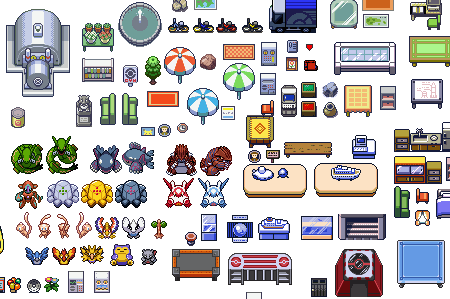
The term “sprite” (similar to “spirit,” “goblin,” or “elf”) has its origins in computer graphics, in which it described a graphic object blended with a 2-D or 3-D scene through graphics hardware. Because the complexity of video games has continually increased, there was a need for smart techniques that could deal with detailed graphic objects while keeping game-play flowing. One of the techniques developed saw sprites being plugged into a master grid (see the image below), then later pulled out as needed by code that mapped the position of each individual graphic and selectively painted it on the screen.
Sprites were displayed over a static or dynamic background image, and the positioning of the sprite was controlled simply by the hardware controllers. The term was coined because the sprites seemed to “haunt” the display and didn’t really exist in the graphic memory.
![]()
The Pokemon Sprite Sheet, consisting of over 1000 graphic objects. Found here. You can click on the image for the larger version (thanks, Ryan!).
Time passed, and at the beginning of the 2000s, when progressive Web designers started to seek alternatives to JavaScript-based rollover menus (with onMouseOver and onMouseOut effects), sprites saw a renaissance in Web development. With CSS, the simple implementation of sprites was possible, and it was much easier and clearer than its JavaScript-based predecessor.
In 2004, Dave Shea suggested a simple CSS-based approach to CSS sprites based on the practice established by those legendary video games. In this case, multiple images used throughout a website would be combined into the so-called “master image.” To display a single image from the master image, one would use the background-position property in CSS, defining the exact position of the image to be displayed. Any hover, active or focus effects would be implemented using the simple definition of the background-position property for the displayed element.
When the page is loaded, it would not load single images one by one (nor hover-state images per request), but would rather load the whole master image at once. It may not sound like a significant improvement, but it actually was: the main disadvantage of the onMouse effects is that JavaScript-based hover effects require two HTTP requests for each image, which takes time and creates that unpleasant “flickering” of images. Because the master image is loaded with the whole page only once with CSS sprites, no additional HTTP requests are needed for hover, active or focus effects (because the image is already loaded), and no “flickering” effect occurs.
Consequence: CSS sprites reduce HTTP requests and the loading time of pages. This is the main reason why CSS sprites are often used on websites with heavy traffic, where millions of page impressions would need “only” a tiny fraction of what could otherwise be 30,000,000. Hence, CSS sprites are commonly used, particularly for navigation (such as for hover effects), icons and buttons.
Where Are CSS Sprites Used?
CSS sprites can be used in various settings. Large websites can combine multiple single images in a meaningful manner, creating clearly separated “chunks” of the master images – the purpose being to keep the design maintainable and easy to update. The large empty space between the images is often used to make sure that the text resizing in browser doesn’t cause side effects such the display of multiple images in the background. In fact, sprites usually work well in a pixel-based design, but they are hard to use in elastic (em-based) designs due to the restricted background-position-property. Essentially, the structure that sprites take depends on the trade-off between maintainability and reduced server load; thus, it varies depending on the project you are working on.
Here are some inspiring (and not so inspiring) examples:
Xing
Xing uses various icons and buttons, as well as its logo, in the sprite.

![]()
Amazon
Large, shiny and compact CSS sprites on Amazon.

Apple
Apple uses CSS sprites for various states of its main navigation menu.

YouTube
YouTube takes a vertical approach to its buttons and icons. The whole sprite is 2800 pixels in height!

CNN
CNN uses a modest CSS sprite with its social icons.

Digg
Digg has quite an esoteric sprite, with small arrows and brackets. The large empty space between the images is used to make sure that text resizing doesn’t display multiple images as the background image. You can explicitely define width and height in pixels, so that this problem does not occur – however, in this case the resized text will never break out of the defined box, thus possibly making the text unreadable. Consequently, you must be cautious when using spriting for buttons with variable text labels. For those buttons, you should define font size in pixels also. Or just use the large empty space in the sprite (thanks, daftie!).

Yahoo
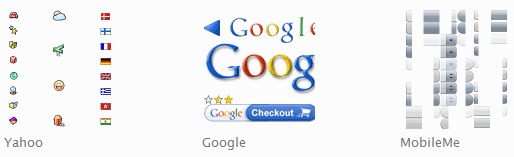
Yahoo has nice icons in its sprite, spread out equidistant from each other.

Google
Google sticks to its minimalist design principle with its minimalist CSS sprite.

Dragon Interactive
A design agency with a colorful, vivid CSS sprite for the navigation menu.

TV1.rtp.pt
A huge colorful and qute chaotic CSS sprite on a site of a Portugiese TV-channel (thank you, António Manuel Cardoso!).

CSS Sprites are used to combine many frequently used graphic elements, such as navigation elements, logos, lines, RSS icons, buttons, etc. Conversely, they are not used for any kind content that is likely to change frequently upon release.
Articles About CSS Sprites
CSS Sprites: Image Slicing’s Kiss of Death
The legendary introductory article about CSS sprites on A List Apart.
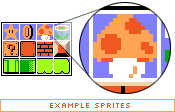
CSS Sprites: What They Are, Why They’re Cool And How To Use Them
An illustrated article about CSS sprites by Smashing Magazine author Chris Coyier and a blogger from Turkey, Volkan Görgülü.
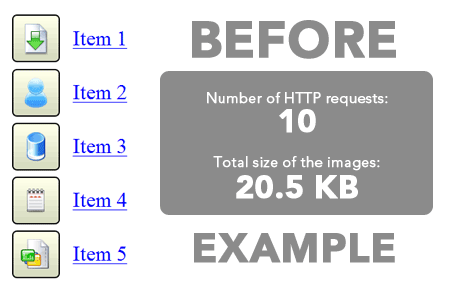
How Yahoo.com and AOL.com Improve Web Performance With CSS Sprites
Some of the busiest websites on the Web use CSS sprites to save on HTTP requests. This article shows how Yahoo! and AOL use sprites to improve performance. Note: some devices (the iPhone being the most notable) apply sprites in a memory-intensive way, which slows the device to a crawl.
What Are CSS Sprites?
An introduction by Jason Cranford Teague.
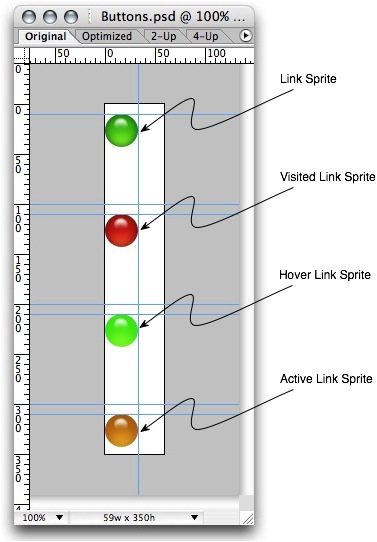
Sprite Optimization
Dave Shea ponders whether it actually makes sense to create large CSS sprites, combining all elements into a single image and then displaying them with the background-position property in CSS. Answer: No, do not over-complicate things. Instead, find a good compromise between quick loading time and maintainability.
Creating Easy and Useful CSS Sprites
A detailed introduction to CSS Sprites by Ignacio Ricci. All files can be downloaded as well.
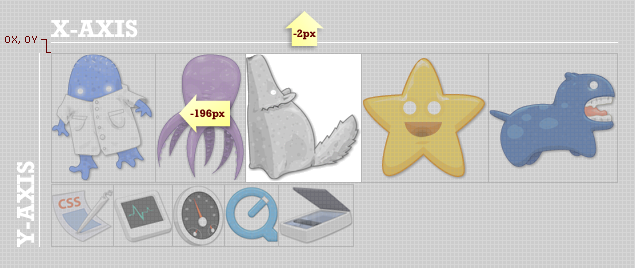
Fast Rollovers Without Preload
A practical example of implementing fast rollovers.

CSS Sprites + Rounded corners
Another example from practice, this one explaining how to display rounded corners using CSS Sprites.

CSS Image Sprites
An extensive tutorial with examples, tips, suggestions and best practices.
Optimize Your Website Using CSS Image Sprites
This very detailed tutorial by Andrew Johnson explains what CSS sprites are, why they are important, how they work and how to implement them.
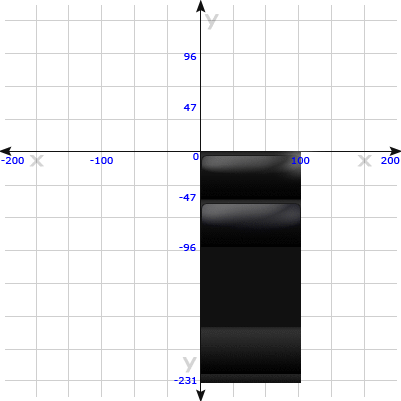
Animated GIF For CSS Sprites
This article discusses one of the more bizarre uses of CSS sprites: as an animated GIF.

Image Sprite Navigation With CSS
Learn how to create a simple menu with the hover effect.

Advanced CSS Menu
Implement the hover effect with CSS sprites.
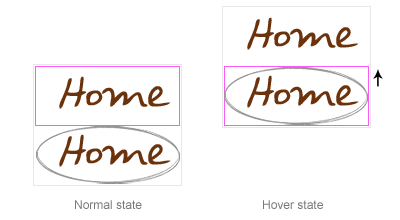
Creating and Using CSS Sprites
A very basic tutorial about CSS sprites by David Walsh.

Screencasts about CSS Sprites
How to Use CSS Sprites
David Perel explains the basics of CSS sprites and how to use them in your website design. 10 minutes.
Creating Rounded Buttons With CSS Sprites
Continuing the above sprites tutorial, David shows how to create dynamic rounded-corner buttons with CSS.
Exactly How to Use CSS Sprites
In this screencast, Andres Fernandez shows how to use CSS sprites to improve loading time and decrease HTTP requests.
How To Use CSS Sprites
This screencast, Smashing Magazine author Chris Coyier shows how to use CSS sprites in practice, by taking what would have been eight different images and combining them into one. As an added bonus, he then expands on the idea with jQuery by building a little accordion widget.
Faster Page Loads With Image Concatenation
For complex web apps, the quantity and resulting latency of icons and images used can greatly affect page load times. And developers usually try to reduce, rather than increase, page load times for their sweet Web apps.
CSS Image Sprites In 10 Minutes
Another screencast that explains how to use CSS sprites for a navigation menu.
CSS: Using Percentages in Background-Image
This article explains the background-position property, which is essential to implementing CSS sprites.
CSS Image Maps With CSS Sprites
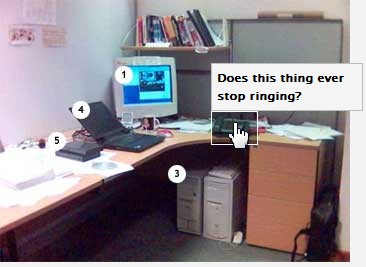
With CSS Sprites, the hover effect doesn’t have to be applied to the whole element. Using a negative background-position value, you can create pure CSS-based image maps. Below, you’ll find some techniques in which CSS sprites are used for this purpose.
CSS Image Maps Using Sprites
A basic example of a CSS-based image map with a negative background-position value. Try hovering over the image. Compare this with the classic example without CSS sprites.

City Guide Map Using Sprites
Another example, with horizontally positioned hover areas.
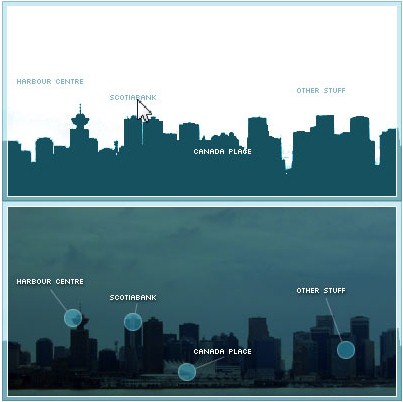
Advanced Map Using Sprites
A more advanced technique by Frank Manno.
CSS Sprites Techniques
CSS Sprites 2
Dave Shea expands on the classic CSS sprites technique with jQuery. His technique allows for animation between link states, while still being fully degradable for visitors who do not have JavaScript enabled.
CSS Sprites2 Refactored: Building an Unobtrusive jQuery Plug-In
Joel Sutherland describes his jQuery plug-in, which cleans up Dave Shea’s function and allows for more control over the animation with less initial configuration.

Background Repeat and CSS Sprites
CSS sprites are a great way to improve the loading speed of your pages. One of the problems you might face with sprites is how to deal with cases where the background repeats. The rule is pretty simple: if you want the background to repeat vertically (top to bottom), place the images in the sprite horizontally (left to right) and make sure the individual images in the sprite have the same height. For the opposite case, when you want to repeat horizontally, sprite vertically.
CSS Sprite: Photoshop Script Combines Two Images for CSS Hover
This article presents a simple JSX Photoshop script for creating image sprites, and you can also assign a keyboard shortcut to it.
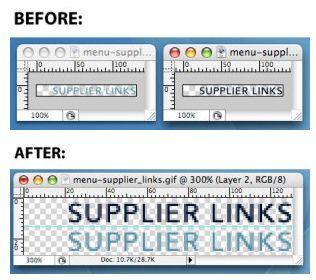
Extending CSS Spriting
Jennifer Semtner extends the classic CSS sprites technique to non-background images and discusses what to consider when using CSS Sprites for the design.
Sliding Doors Meets CSS Sprites
Combining the ideas behind Dave Shea’s CSS sprites and Douglas Bowman’s sliding doors technique, this post assumes you have a good understanding of Bowman’s article “Sliding Doors of CSS.”
How to Preload Images When You Can’t Use CSS Sprites
This article addresses the problem that occurs with CSS sprites when the user resizes text. The idea is to combine the images into two images, rather than one. Then you place the image being shown on hover as the background image of another element (preferably a containing element), positioned just off screen.
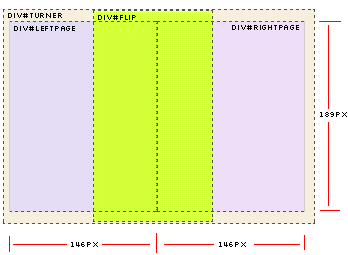
JavaScript Sprite Animation Using jQuery
Alex Walker combines visual jQuery effects with CSS sprites to achieve the “page turn” effect.
IE6, CSS Sprites and Alpha Transparency
Julien Lecomte shows how to combine CSS sprites, PNG transparency and Internet Explorer 6 compatibility using the AlphaImageLoader hack.
CSS Sprite Generators
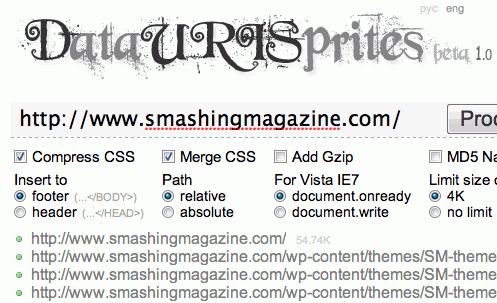
Data URI Sprites
DURIS (Data URI [CSS] Sprites) is a new method to manage website’s background images. It’s aimed to replace classical CSS Sprites. The new technique allows you to apply any corrections to your make-up, allows you to minimize number of requests for design-related data that is used on the webpage and uses text (non graphic) format of image data presentation. It also solves all problems with scaling for background images and combines images of different types and axes of repetition.
Spritr
This simple tool lets you upload multiple images and generates CSS code for the sprite.
Sprite Creator 1.0
This tool allows you to upload an image and create the CSS code for selected areas of the sprite.
CSS Sprite Generator
A Drupal module for building CSS sprites.
CSS Sprites Generator
This tool allows you to upload multiple files and generate a sprite out of them. It also gives you the CSS code (the background-position value) for each image in the sprite.
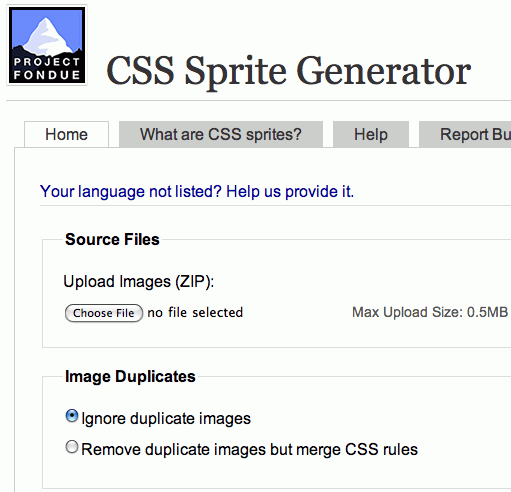
Projekt Fondue CSS Sprite Generator
This generator lets you ignore duplicate images, resize source images, define horizontal and vertical offset, define background and transparency color, assign CSS class prefixes and various other things. It also supports many languages. The source code is available for downloading and is covered by a BSD license. Want to run a local copy? Well, you can do that, too.
SmartSprites
A Java-based desktop application that parses special directives that you can insert into your original CSS to mark individual images to be turned into sprites. It then builds sprite images from the collected images and automatically inserts the required CSS properties into your style sheet, so that the sprites are used instead of the individual images.
You can work with your CSS and original images as usual and have SmartSprites automatically transform them to the sprite-powered version when necessary. A PHP version is available as well. Open-source. Check also Chris Brainard’s Sprite Creator 1.0.
Bonus: How Does The background-position Property Work?
The background-position property, together with CSS specificity and CSS floats, is probably one of the most confusing and counter-intuitive of CSS properties.
According to CSS specifications, the background-position takes two (optional) arguments: horizontal position and vertical position. For example:
.introduction {
background-image: url(bg.gif);
background-position: [horizontal position] [vertical position];
}Using this property, you can define the exact position of the background image for the block-level element (list item li). You can use either % or px units (or mix both) to define the starting position (i.e. the upper-left corner) of the displayed part of the master image. Alternatively, you could use the following keywords: top left, top center, top right, center left, center center, center right, bottom left, bottom center, bottom right.
Hence, in background-position: x% y%, the first value is the horizontal position, and the second value is the vertical position. The top-left corner is 0% 0%. The bottom-right corner is 100% 100%. If you specify only one value, the other value will be 50%.
For instance, if you use,
ul li {
background-image: url(bg.gif);
background-position: 19px 85px;
},… then the background-image will be positioned 19 pixels from the left and 85 pixels from the top of the list item element.
As SitePoint’s reference article explains: “a background-image with background-position values of 50% 50% will place the point of the image that’s located at 50% of the image’s width and 50% of the image’s height at a corresponding position within the element that contains the image. In the above case, this causes the image to be perfectly centered. This is an important point to grasp — using background-position isn’t the same as placing an element with absolute position using percentages where the top-left corner of the element is placed at the position specified.”
You can find a detailed explanation of the property in the article “background-position (CSS property)” on SitePoint.
Related posts
You may want to take a look at the following related posts:
- 53 CSS-Techniques You Couldn’t Live Without
- Powerful CSS-Techniques For Effective Coding
- 50 Extremely Useful and Powerful CSS Tools
- CSS Float Theory
- CSS Specificity
(al)
The Co-Founder of Smashing Magazine. Former writer, web designer, freelancer and webworker. Author of several books. Runs the business.
- 122 Comments
- 1
- 2April 27th, 2009 7:33 pm
that’s great!
- 3April 27th, 2009 7:51 pm
Another great post, thanks!
I heard about css sprites but rather ignored it up to now. Well, will keep it in mind for my next project. - 4April 27th, 2009 7:53 pm
I’ve played around with this, but doesn’t it become a major problem when dealing with different browsers that add or subject padding and margin and throw the whole thing off? Some off those icons are so small it could cause an entirely different image to be displayed.
- 5April 27th, 2009 8:10 pm
Good post, really worthy… Thank you dude..
- 6April 27th, 2009 8:12 pm
good tutorial …!!!
- 7April 27th, 2009 8:15 pm
I’m not sure I’d call sliding bg techniques, “sprites,” which suggests a kind of animation created through image cycling in the same square. Similar but not really the same purpose with no JS to slow the speed of the switch from one image to the next which would be needed to create animation beyond one step.
You can lump a bunch of stuff into background shorthand-style that’s useful. I rarely use background-image.
Like so:
background:#888 url(../images/someimg.gif) 2px 5px no-repeat;
The color appears behind the image or is just transparent if you don’t select one. The px dimensions are left and top for the bg-image and no-repeat is a good one if you don’t want tiling in the event that your element gets larger than the image size. Note: padding needs to be corrected for in regards to the bg image. This can actually be a very useful behavior sometimes.
I’m not sure if I got the order right on no-repeat vs. the x and y pixel settings but think I’ve seen it work either way. Sometimes the order matters on CSS shorthand, sometimes not in my experience.
That is interesting that they’ve been using entire panels of icons like that. Some of them were poorly set up though. Even spacing in rows and colums with a set width would make sense. Then you could add new ones in new rows without messing up the appearance of the old sets.
- 8April 27th, 2009 8:15 pm
Great tutorial…
- 9April 27th, 2009 8:21 pm
Interesting…
- 10April 27th, 2009 8:26 pm
One of the very best post here…
- 11April 27th, 2009 9:00 pm
Awesome! I’ve used this on a few sites of mine. Great post!
- 12April 27th, 2009 9:02 pm
Very good article, i honestly thought sprites were used only for menus and nothing else, i even felt guilty when i used a sprite almost for a whole test site once. Thanks guys.
- 13April 27th, 2009 9:22 pm
I’ve always referred to this as a sliding image, or window affect, not Sprites. Any who, I’ve used this for a long while with menus, and sometimes for a whole site when there are few images. It helps keep everything organized, plus it tends to lower the bandwidth used because all the images in one file usually is smaller than all of them all separate.
- 14April 27th, 2009 9:46 pm
Great post..
Good job smashingmagazine.com.. - 15April 27th, 2009 9:47 pm
Nice comprehensive overview, I have been doing this for a while but only as one sprite per nav item, think I might try it for all nav items in one image file next time.
- 16April 27th, 2009 9:53 pm
There really is a lot packed into this article. Explanation, description, history and a wealth of very helpful resources. Great work, thank you!
- 17April 27th, 2009 10:07 pm
Really like this Article much respect to the writer and sure to our hood smashingmagazine.com
- 18April 27th, 2009 10:12 pm
very informative and extensive. it’s also nice how using sprites prevents flickering when using hover effects. looking forward to more css articles like this!
- 19April 27th, 2009 10:19 pm
very good post. thanks i would say best post of the month thanks a lot dear
- 20April 27th, 2009 10:22 pm
Great article for refreshing a technique that I use in almost every website. Refreshing basic techniques is always a good thing.
- 21April 27th, 2009 10:32 pm
really worthy… Thank you Buddy..
- 22April 27th, 2009 10:46 pm
Great post, knew about sprites, but didn’t use them, but now I think there are some nifty things for it for usage.
- 23April 27th, 2009 10:49 pm
Very useful post!
Thanks! - 24April 27th, 2009 11:13 pm
Excellent post. Very useful and technically affordable. Thanks.
I would add a brief description of the advantages over preloading. - 25April 27th, 2009 11:19 pm
I’ve never used this technique, but then again I don’t use that much graphics on my site. x3
- 26April 27th, 2009 11:25 pm
In your tool list, you could add YASC (Yet Another Sprite Creator), a tool to easily generate the css rules for your sprite images : http://www.lecentre.net/fratoblog/yasc/
- 27April 27th, 2009 11:26 pm
Very nice, thank you
- 28April 27th, 2009 11:31 pm
An awsome post SM, very practical, altough I use sprites for some roll over states I see I can expand this much further to encompass more of my smaller global graphical elements..
Many thanks
Keep up the great work.
Tim
- 29April 27th, 2009 11:36 pm
thanks
- 30April 27th, 2009 11:38 pm
The word “sprites” is just stupid. How about we call it “not being a moron w/ how you load images”…
Geez.
- 31April 27th, 2009 11:55 pm
Nice post. Comprehensive and well explained.
- 32April 28th, 2009 12:28 am
Very useful post!
Thanks! - 33April 28th, 2009 12:32 am
Great post, it’s very useful to semplify the hover effect!
- 34April 28th, 2009 12:55 am
“infamous technique”?!?? Why? Does SM not know what that word means?
- 35April 28th, 2009 1:00 am
Use and teach students this technique all the time, but this article has some useful snippets which I would like to explore – that photoshop plug-in looks like a good time saver for instance.
Had a bit of a debate a while back about the term ‘Sprite’ and where the original videogame use derived from so thanks for clearing that one up!
Personally I think it makes sense in a CSS context, but if you don’t like it, go and and take your grievances to Mr Shea, he’s the one that coined it.
@Alan – use browser reset styles to prevent different browsers adding unwanted margins and padding, not that this would affect background-position anyways.
- 36April 28th, 2009 1:06 am
Great post for a front end designer who doesnt code at all. Didnt even know these things existed! Very interesting.
- 37April 28th, 2009 1:09 am
CSS Sprites were a great idea four or five years ago. They are very impractical now for one big reason. What if the user is running a browser that doesn’t have a built in zoom function such as Flock. When the user increases the text size the box size increases to accommodate the text. They then get to see images that were meant to be hidden, and the design looks hideous.
Internet speed are growing all of the time. It doesn’t really matter how many HTTP requests are required. Also, If you are a clever designer you can greatly reduce the amount of images you use and rely on the CSS box model to style the majority of your page.
- 38April 28th, 2009 1:35 am
A great little ‘local’ tool for QUICKLY combining existing graphics into sprites by the boys at indyhall in philly – http://github.com/IndyHallLabs/css-sprite-generator/tree/master
- 39April 28th, 2009 1:59 am
Indeed, this article lacks one thing: good solid information about the disadvantages. Sprites work well in a pixeldesign, but are not made for em design (due to the restricted background-position).
Good writeup for those who never heard of it I guess, but I’d preferred a more objective article.
(SM) Good point, it was added to the article. Thank you.
- 40April 28th, 2009 2:39 am
had a chat with a friend about sprites yesterday.
how did you guys know that? ;) - 41April 28th, 2009 2:55 am
wow. i’ve found some tricks i didn’t know yet.
great post as usual!thanks sm
- 42April 28th, 2009 4:01 am
Nice Post… Thanks…
- 43April 28th, 2009 4:14 am
Great post. Was literally looking into some buttons and navigation that use this technique. Thanks for the quick overview.
- 44April 28th, 2009 4:14 am
Interesting article, I do use this technique from time to time, but only really on image rollovers for menus etc – for quicker loading times. I’ve always used individual images and can’t say this is really worth the time or effort.
- 45April 28th, 2009 4:18 am
Here is a fantastic set of tiny icons (using the Silk Icon Set) converted to CSS Sprites. Turns 1+ megabytes of Silk CSS icons into a single 67KB png and then provides a very simple CSS structuring for calling any of those images…
- 46April 28th, 2009 4:32 am
Very thorough post. I’ve been using CSS sprites for rollovers for a few months now, and it REALLY makes a difference in page loading time & coding/marking up.
Thanks.
- 47April 28th, 2009 4:40 am
I have been using sprites for a number of years now, especially with my bigger clients (5,000+ unique visits a day) it makes sense to reduce the number of server-requests by using sprites.
This is a wicked article with a load of information, thanks!
- 48April 28th, 2009 4:50 am
I thought this technique recently, but haven’t got a chance to play it. thanks for the great article.
- 49April 28th, 2009 4:58 am
This is very cool, I’ve only started using sprites as a basic stable of my design services and find that for larger volume websites it’s making a pretty big dent in load times.
- 50April 28th, 2009 5:19 am
Great article!
Thanks!http://www.rockstarapps.com/joomla-1.5.8/documentation/resource-optimization/create-sprite.html – a useful article about Rockstarapps Web Optimizer, this tool offers automatic CSS Sprite generation.
- 51April 28th, 2009 5:45 am
Thank you for the mentioning my JavaScript Photoshop script for creating a simple normal/hover background image.
- 52April 28th, 2009 6:03 am
great article! i always wondered how these were supposed to be used! great resource. I’m definitely bookmarking this!
- 53April 28th, 2009 6:14 am
nice article.
is there any one that know :
1. why css sprites reduce bandwidth of site?
2. is there any program (software not online website) to generate css sprite?please answer to my gmail by id alirezamoaz. thanks.
- 54April 28th, 2009 6:27 am
Great Article, very informative!!
- 55April 28th, 2009 6:28 am
@Andrew
Cause it’s not that obvious, dick.
- 56April 28th, 2009 6:53 am
Where have you been all of my (coding) life? This is an excellent comprehensive compendium on CSS Sprites that I will cherish… until the next specification. ;-)
- 57April 28th, 2009 7:32 am
Great post, it’s worth reading it over!
- 58April 28th, 2009 8:02 am
I’ve been using this for a few years. It really surprises me how many menus I find that should be using this and don’t. My internet is a little on the slow side, so I notice it when I hover over something and the background doesn’t load for 3-4 seconds. Good article.
Btw, the submit button style here makes it look like the button is disabled.. Anyone agree with me? O_o
- 59April 28th, 2009 8:13 am
@AliReza
Because they reduced the number of HTTP requests from the server or in simpler terms less files are sent from server to browser which makes for a faster page load. Been using these for a few years now, on corporate high traffic sites these are a must (if you care about page load time and saving the planet (less requests = less power used))
- 60April 28th, 2009 10:00 am
This article completely ignores the printing aspect of css sprites.
Also, for the Digg example, “The large empty space between the images is used to make sure that text resizing doesn’t display multiple images as the background image.” is a passive comment.
If this article was supposed to be good, it would tell us, following that example, that when using sprites, you can define width and height in pixels so that this problem does not occur. Obviously this means you must be cautious when using spriting for buttons with variable text labels. For those buttons, you should define font size in pixels also. Or just do the large empty space thing.
(SM) thanks, corrected!
- 61April 28th, 2009 10:10 am
Great Post!
- 62April 28th, 2009 10:28 am
Great collection of links – I was aware of sprite-based navigation, but didn’t know how widespread was their usage for other things too.
- 63April 28th, 2009 10:29 am
This article has a glaring historical inaccuracy: the Pokemon sprite sheet is not at all from the “original” game. The original was on the Gameboy, a black and white system system. The sprite sheet shown is in no way only black and white.
(SM) thanks, corrected!
- 64April 28th, 2009 10:46 am
I’ve been using this technique for quite some time, and although as stated in the opening paragraph this technique is far from new, its a nice roundup of some tutorials and links
- 65April 28th, 2009 10:53 am
Thanks for this article. I’ve known about and used the technique on a few websites already, but it’s always nice to see it publicized. Typically, I use it on navigation menus, where a “button” will have two or three states – and for what it is, I think the technique is great – no Javascript, and no in-between image flicker to content with. It can create issues when one is constructing CSS and HTML only dropdowns (having to do with wanting sub-menus, but having their display conflict with the properties one must apply to the ‘parent’ menu div to prevent the main button sprites from “over-displaying”). If this description is a bit abstract, then you haven’t probably had to deal with the problem – if you understand, though, or are trying to content with a problem like this, there are simple solutions.
- 66April 28th, 2009 11:44 am
Great article for a relatively little used technique. However, the last time I’ve used this technique was in the 90s making Duke Nukem 3D levels, LOL Sprites!
As a developer I can usually control page renders via ASP and the page lifecycle such as PreRender, PreLoad etc.
But for straight up HTML + CSS, lightweight, this is great! Thanks!
- 67April 28th, 2009 12:17 pm
What an amazing post!
- 68April 28th, 2009 12:21 pm
I thought it was going to be hard to beat the Acorn icons.
- 69April 28th, 2009 12:34 pm
Great article, great links. Thanks!
- 70April 28th, 2009 1:12 pm
One thing that really bugs me about the background-position property is the lack of support for background-position-x and background-position-y. The only browsers that support this are IE (of all browsers) and Safari. Support for these two properties would certainly make working with CSS sprites more convenient with less CSS needed.
For example, take a deck of cards. If your master image was a grid that incremented in value along the x axis (Ace, 2, 3, 4 …) and suits along the y axis (spades, hearts, diamonds, clubs) then you would only need 18 classes to represent the whole deck in a clean semantic way like class=”ace clubs”. Compare that to 52 using the standard background-position property. Bleh!
If you need to see code samples and more visuals, check out my blog post on the subject http://www.russellheimlich.com/blog/ie-gets-a-css-rule-right/
Anyway glad to see Smashing Magazine demystify the secrets of CSS sprites for all to learn!
- 71April 28th, 2009 1:19 pm
Great topic, but this article is just a accumulation of links.
I was expecting some more details in the articles – not just links… - 72April 28th, 2009 1:25 pm
Another one for the list http://www.clawg.co.uk/blog/right-aligned-css-sprites.html, concentrating on the alignment of CSS sprites.
- 73April 28th, 2009 2:18 pm
I clicked this thinking it was about generating simple images pixel-by-pixel using HTML. I’ve seen sites that do that! deviantART is one; they use it for stuff like the rounded borders on elements.
Anyway, I already knew of this technique and figured out how to make it work about a week ago, but the links are going to be handy for reference, especially if I want to teach someone else how to do it.
As an added bonus, unless you’re using JPEG, this is an added asset to download time because any similar elements between one graphic and another will be subject to redundancy compression. :)
- 74April 28th, 2009 2:56 pm
yep, good article indeed. :)
- 75April 28th, 2009 3:05 pm
I just love this article… very interesting… I can’t wait to make use of them…
- 76
- 77April 28th, 2009 7:13 pm
I have try most of them and I found the tutorial from webdesignerwall is the most comprehensive yet intuitive.
- 78April 28th, 2009 9:08 pm
great post! thanks! I will use them next time..
- 79April 28th, 2009 9:59 pm
Thank you very much. I wanted to know about this techniques, since I had seen the images set of the yahoo web site navigation bar. After I seen the images information with web developer toolbar, I realized that they used only one Image for all small pieces of their home page. I knew they changed the position of each part of the image, but I don’t know the technology behind, and other advantages of the techniques. Now I got the point to imagine for my projects.
Thanks you all.
- 80April 28th, 2009 10:56 pm
another great resource from sm. thanks!
i’m upto speed on new stuff thanks to you guys. - 81April 29th, 2009 12:31 am
In my site I use 3 css sprites images . One for repeat-x, other for repeat-y and one other for no-repeat. Soo I use only 3 images to do most all (you can see one http://img.rtp.pt/noticias/images/ImgNoticias_n_repeat.jpg – http://tv1.rtp.pt/noticias/index.php).
- 82April 29th, 2009 12:38 am
very nice
- 83April 29th, 2009 1:06 am
i love u smashing
- 84April 29th, 2009 1:32 am
really nice collection…
- 85April 29th, 2009 1:34 am
great collection…
- 86April 29th, 2009 2:57 am
I learnt about css sprites (although i just knew it called “sprites”) in jquery ui tabs.
tabs using 2 images light and dark to display selected and not selected one.
- 87April 29th, 2009 4:44 am
TV1.rtp.pt is not in Polish, it’s Portuguese and probably from Portugal. I’m a native Brazilian Portuguese speaker.
- 88April 29th, 2009 5:31 am
I would like to point out that the “huge colorful and qute chaotic CSS sprite” is from a Portuguese TV-channel. It’s the main TV channel in Portugal.
- 89April 29th, 2009 5:57 am
RTP.pt is a portuguese TV-channel, not a polish channel :S
- 90April 29th, 2009 6:33 am
“A huge colorful and qute chaotic CSS sprite on a site of a Polish TV-channel (thank you, António Manuel Cardoso!).”
It is not Polish. It is Portuguese! (Check the domain PT)
- 91April 29th, 2009 6:35 am
I just did a project using jQuery and CSS sprites, mainly the click effect and the addClass and removeClass switching between two boxes on a static page. Quite useful. It is not live yet, but in a couple of months we may have to revisit this post. I like sprites. Figuring out how to make funky, non conventional tabs and using jQuery was quite interesting.
- 92April 29th, 2009 6:59 am
I only really use sprites for menus, or for whatever graphical elements that may different states for hover, active, selected, etc.
Cool post though!
- 93April 29th, 2009 8:32 am
I can see the advantage of using CSS sprites for a large site with a lot of traffic, but for smaller sites, images can be preloaded by javascript, and a user won’t experience any image flicker or hesitation to display when hovering over a menu that uses images as backgrounds. I use this on my site, and you will see that after you have entered my site, your browser cache will contain images that you haven’t yet seen (unless you have hovered over the horizontal navigation). I do like the idea of using sprites, but would probably not use them unless I was working on a high traffic site.
- 94April 29th, 2009 10:03 am
Amazon actually changed now, they don’t longer use images for all those buttons, they use text. The only text in their new sprite is the logo text:
http://g-ecx.images-amazon.com/images/G/01/gno/images/orangeBlue/navPackedSprites_v6._V245374309_.png - 95April 29th, 2009 2:43 pm
The only way I have gotten this to work is putting an img inside of a href tags, inside of a div with css code changing the margin according to the a and a:hover states, all inside another div to shave the excess down to just the image that needs to be seen.
I have no idea how to css a change in the background position between a and a:hovers because you can’t apply an a href to a div.
- 96April 29th, 2009 3:55 pm
Just a note to the author:
TV1.rtp.pt is NOT a polish television site, but a PORTUGUESE television site :)I normally use sprites for “hover” efects on menus.
- 97April 29th, 2009 3:59 pm
Nice post
- 98April 29th, 2009 5:17 pm
“TV1.rtp.pt
A huge colorful and qute chaotic CSS sprite on a site of a Polish TV-channel (thank you, António Manuel Cardoso!).” it’s not a Polish TV but Portuguese ;-)Thanks
- 99April 30th, 2009 12:36 am
Nice Post … like it ..
- 100April 30th, 2009 8:08 am
what the other PORTUGUESE guy said…
It would be nice if you corrected the error..pt domains are from Portugal; .pl domais are from Poland
- 101April 30th, 2009 10:34 am
Polish TV… Are you crazy…
Please correct the error to Portuguese TV from Portugal…
- 102April 30th, 2009 11:32 am
Believe it or not. aol.com has one of best sprite implementations
- 103April 30th, 2009 11:38 am
One of the best posts
- 104April 30th, 2009 12:17 pm
way to copy/paste my second point from comment #60 but completely ignore the first (about sprite printing issues).
Backgrounds don’t print out, so if you have any icons that absolutely must show in print, spriting is not for you.
Was that so hard to explain?
- 105April 30th, 2009 1:31 pm
As pointed out for many preivous comments “TV1.rtp.pt” is portuguese not polish. .pt is the portuguese TLD. Whenever you are able to you should correct that ;)
Also in the same text:
“A huge colorful and qute chaotic CSS sprite on a site of a Polish TV-channel (thank you, António Manuel Cardoso!).”
You may mean “quite” instead of “qute”.Good work with this article by the way.
- 106April 30th, 2009 4:48 pm
Ok now you have corrected it to portuguise :S Please be correct.
I will paste the text corrected so it is easier (just copy paste)
“A huge colorful and quite chaotic CSS sprite on a site of a Portuguese TV-channel (thank you, António Manuel Cardoso!).”Thank you!
- 107May 1st, 2009 5:52 am
@ Chris B
“Internet speed are growing all of the time. It doesn’t really matter how many HTTP requests are required”No they are not. Yes it does.
Latency is teh suck.
- 108May 1st, 2009 7:15 am
Thanks, I have seen this technique used, but never investigated the in’s and out’s.
It seems like this would take a lot of extra time to design, but that may be worth it to cut down site load time depending on site traffic. The Projekt Fondue CSS Sprite Generator etc… will probably really help with design time.
I would think it would be a pain to update images. It is so easy to just FTP over image files if you want to replace them. I would hate to have to plug them in to a master image each time I wanted to switch out a graphic.
Has anyone used this? Am I right, or is this less painful then it sounds?
- 109May 3rd, 2009 3:09 am
Great article…
Further reading
CSS sprites part1 and CSS sprites part2 (link to my last month articles) - 110May 3rd, 2009 5:10 am
Nooooooooooooooooooooooooooooo, I was gonna submit an article on CSS Sprites!
- 111May 4th, 2009 6:38 am
Great technique and great post!.
How do you track these moves on the sprite? ( I am a web strategist and as such have to deal with everything.)
So from a server load, traffic optimization point this is awesome. User experiences – great. But I guess the analysts will start crying soon, because the reload gave them info on what just happened on that page. How to you deal with this? How do you analyse the user interactions with sprites? - 112May 10th, 2009 3:17 pm
Epic post!! I noticed that AddTOAny uses CSS Sprites in the widgets.
- 113May 13th, 2009 9:33 am
This is a good collection of references, but what about using sprites with an input type=”image” tag? I’ve got it covered if you want to link me up: http://blog.josh420.com/archives/2008/07/using-sprite-images-with-input-typeimage-for-hover-effect.aspx
- 114May 13th, 2009 6:15 pm
A great and comprehensive post on CSS Sprites
I have already post about CSS sprites at my blog for css beginners with minimal code free and provided download link there. But this article is really cool for professionals - 115May 18th, 2009 12:35 pm
I love sprites! I just had a slicing service cut up and code a page for me and was disappointed that they didn’t use sprites for the nav.
Great article.
- 116June 11th, 2009 6:24 am
darn handy, tx
- 117June 26th, 2009 2:47 am
That is a truly outstanding synopsis. Good job.
- 118October 1st, 2009 2:13 am
A Outstanding Tutorial for Designers.
and an impressive work with CSS.thank you very much
- 119October 5th, 2009 12:56 am
It’s good!
- 120October 16th, 2009 5:25 pm
The Top 4 CSS sprite generator::
http://ledomoon.blogspot.com/2009/10/css-sprite-generator-top-4-css-sprite.html - 121October 27th, 2009 7:45 am
Very nice tutorial about CSS sprites. It covers almost all the aspects of CSS sprites where they can be used, and various detailed examples. Nice job. I recently wrote a tutorial where one can use CSS Sprites to increase the interactivity of their tweet display box. Hope it would be helpful to all who learned how to use CSS Sprites from here :)
Spice Up Your Twitter Feed Box Using CSS Sprites - 122November 4th, 2009 12:51 pm
Extremely thorough article on sprites. Thanks Smashing!
- 00
There are no trackbacks at this time. If you are interested in leaving a trackback, please use this URL.
Leave a Comment
Make sure you enter the * required information where indicated. Please also rate the article as it will help us decide future content and posts. Comments are moderated – and rel="nofollow" is in use. Please no link dropping, no keywords or domains as names; do not spam, and do not advertise!
- Magazine RSS Feed
177,918 readers - Follow us on Twitter
83,590 followers
Interact
Popular
- 100 Wordpress Themes
- Photoshop Tutorials
- Fantastic Wallpapers
- 40+ Excellent Freefonts
- Dual-Screen Wallpapers
- Wordpress Themes for 2009
- Illustrator Tutorials
- Incredible Free Icon Sets
- High-Quality Free Fonts
- 30 Scripts For Galleries
- Photoshop Text Effects
- Useful Icon Sets
- Web Design Trends
- iPhone Wallpapers
- Before Launching a Website
- CSS Layouts And Templates
- Photoshop Actions
- Stunning Pictures and Photos
- Fantastic HDR Pictures
- Logo Design Tutorials
- Free Design Templates
- 10 Mistakes In Logo Design
- Photoshop Custom Shapes
- 40 Creative Design Layouts
- 8 Layout Solutions
- 53 CSS Techniques
- Photography Techniques
- Black & White Photography
- Styling Design Elements
- CSS-Based Forms
- 50 jQuery Techniques
- 50 Portfolio Websites
- 50 CSS Techniques
- Creative Logo Designs
- Desktop Wallpapers
- 25 Open Source Mac Apps
- 50 Free Icon Sets
- Please nominate Smashing Magazine for Best Online Magazine in the 2009 Open Web Awards - http://bit.ly/10ynWA
- Mega Drop Down Menus with CSS & jQuery - http://bit.ly/24novl
- Join us on the Smashing Magazine's Official Facebook Page - http://bit.ly/18ebRT
- #followfriday @inspiredmag @designerdepot @DesignMagTweets @inspirationbit @Colorburned @buysellads @TheCoolHunter @behoff
- New format on @smashingmag: The Beauty of London in Design - http://bit.ly/1Hkju8
- Unbelievable: Ponte City Tower in Johannesburg - http://bit.ly/Iv2k5 - When modern architecture isn't beautiful.
- The Biggest Ecommerce Lies And How To Avoid Them - http://bit.ly/3qkDhE


Great post!!!
Thanks!


