Essential Guide To Regular Expressions: Tools and Tutorials

Email Newsletter
Weekly tips on front-end & UX.
Trusted by 182,000+ folks.


 Celebrating 10 million developers

Regular expressions are an essential part of any programmer’s toolkit. They can be very handy when you need to identify, replace or modify text, words, patterns or characters. In a nutshell: regular expressions (regex) are like a Swiss army knife for modifying strings of just about anything. Need to make your site URLs look pretty? Use regex. Need to remove all punctuation from a sentence? Definitely use regex. The uses for regular expressions are almost limitless.
Regular expressions are something that you’ll come across at least once in your development cycle, whether you’re just trying to modify an .htaccess file to make clean URLs, or something much more advanced like filtering RSS feeds or other data. Here are some resources to get you well on your way to mastering regex.
You may also be interested in the following related posts:
- Crucial Concepts Behind Advanced Regular Expressions
- Introduction To URL Rewriting
- Keeping Web Users Safe By Sanitizing Input Data
Getting Started
Just dipping your feet into regex? Here are a few must-read resources to get you started with the basics.
The Absolute Bare-Minimum Every Programmer Should Know About Regular Expressions A simple and direct article that outline some of the main “characters” in regular expressions.
Demystifying Regular Expressions In this article a simple usage of regular expressions is described. Its intention is to bring users to try the most powerful search and replace paradigm available and hopefully start using it.
Regular Expression Quickstart A primer for grasping some of the basics of regex, pieced together in an easy-to-read format.
Using Regular Expressions with PHP A brief overview of how to use regex syntax with PHP.
Learning to Use Regular Expressions Each section of this article has a bit of code on the left for reference while you’re reading what the code actually does on the right side of the page.
Regular Expressions - User guide A very detailed and comprehensive introduction to regular expressions, with numerous examples and references.
PHP Freaks: Regular Expressions Another detailed introduction to the basics of regular expressions; the article also describes regex concepts such as metacharacters, greediness, lazy match, pattern modifiers and others.
MSDN’s Introduction to Regular Expressions (Scripting) These sections introduce the concept of regular expressions and explain how to create and use them.
Regular Expressions Cheat Sheet A one-page reference sheet. It is a guide to patterns in regular expressions, and is not specific to any single language. Available in PDF and PNG.
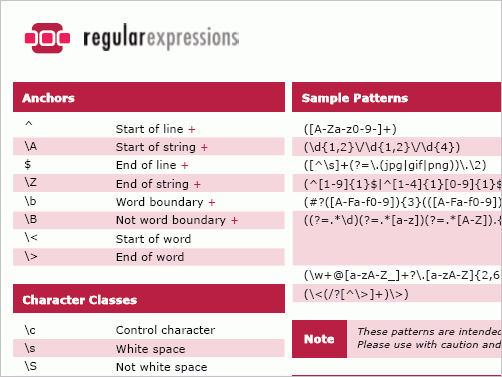
Visibone Regular Expressions Cheat Sheet A quick reference cheat sheet (only .png) for regular expressions for JavaScript.
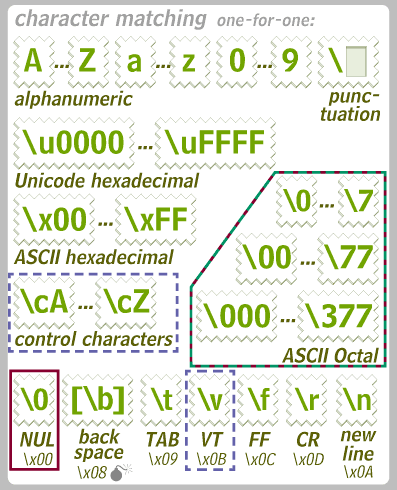
Perl Regular Expression Quick Reference (pdf) and Perl Regular Expression Quick Reference Card (pdf)
Comparison of Regular Expression Engines Wikipedia has a helpful comparison of regular expression libraries for quite a few languages. The page also has a table of languages that come with regular expression support, and the differences between them.
Regular Expressions in Ruby and Rails Regular expressions in Rails are bracketed by forward-slash, so a regular expression looks like this: /[0-9]*/. You can put all your usual modifiers after the second slash (such as i for case-insensitivity). Gone are other programming languages’ ways of dealing with regular expressions as a string!
Comprehensive Guides
These guides are a little more complex than the previously mentioned starter guides. Perfect for advanced programmers and those wanting to really dig into regular expression functionality.
Crucial Concepts Behind Advanced Regular Expressions an introduction to advanced regular expressions, with eight commonly used concepts and examples. Each example outlines a simple way to match patterns in complex strings. If you do not yet have experience with basic regular expressions, have a look at this article to get started. The syntax used here matches PHP’s Perl-compatible regular expressions.
Regex Tutorial This tutorial is a step-by-step teaching tool to learn every aspect of regular expression usage. It’s best to go through the tutorial top to bottom, as each section builds upon the last.
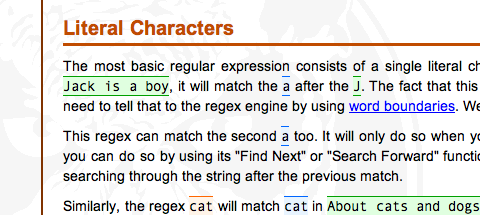
Regular Expression - User Guide This user guide comes with a soft beginning and goes on to quickly cover most everything about regex. The guide is clean and concise, and packed with code examples.
perlretut An incredible tutorial for those wanting to learn regex with Perl syntax. The tutorial is quite detailed, and is quite massive in size. Yet it’s an authoritative resource for anyone wanting to learn regular expressions from top to bottom.
Regular Expressions Resources This growing collection of resources related to regular expressions includes references to various tools and books.
Regex Tools A selection of .NET tools for working with regular expressions.
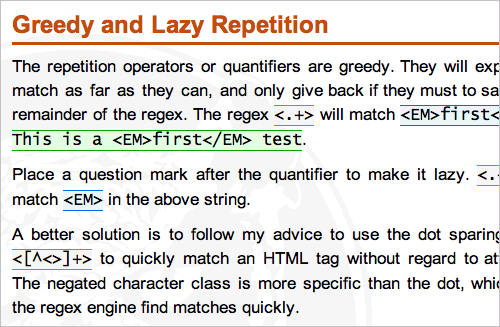
Extreme regex foo: what you need to know to become a regular expression pro In this article you’ll learn about greedy vs. lazy quantifiers, non-capturing parenthesis, pattern modifiers, character and class shorthands as well as positive and negative lookahead.
Practical Regular Expressions
Telephone numbers (via Matt83) Number in the following form: (###)
###-####
$string = "(232) 555-5555";
if (preg_match('/^(?[0-9]{3})?|[0-9]{3}[-. ]? [0-9]{3}[-. ]?[0-9]{4}$/', $string)) {
echo "This is a valid phone number.";
}
Postal codes (via Matt83)
$string = "55324-4324";
if (preg_match('/^[0-9]{5,5}([- ]?[0-9]{4,4})?$/', $string)) {
echo "This is a valid postal code.";
}
Matching a user name (via immike.net)
function validate_username( $username ) {
  if(pregmatch(‘/^[a-zA-Z0-9]{3,16}$/‘, $_GET[‘username’])) {
    return true;
  }
  return false;
}
Matching an XHTML/XML tag (via immike.net)
function get_tag( $tag, $xml ) {
  $tag = preg_quote($tag);
  preg_match_all(‘{<’.$tag.’[^>]>(.?).‘}’,
                   $xml,
                   $matches,
                   PREG_PATTERN_ORDER);

return $matches[1];
}
URL validation (via Matt83)
$szString = "https://www.talkPHP.com";
if (preg_match('/^(http|https|ftp)://([w]*).([w]*).(com|net|org|biz|info|mobi|us|cc|bz|tv|ws|name|co|me)(.[a-z]{1,3})?z/i', $szString))
    echo "This is a valid URL";
Emails (via Matt83)
$string = "first.last@domain.co.uk";
if (preg_match(
'/^[^W][a-zA-Z0-9_]+(.[a-zA-Z0-9_]+)*@[a-zA-Z0-9_]+(.[a-zA-Z0-9_]+)*.[a-zA-Z]{2,4}$/',
$string)) {
echo "This is a valid e-mail.";
Valid credit card number (JavaScript, via ntt.cc)
    function luhn (cc) {
   var sum = 0;
   var i;

for (i = cc.length - 2; i >= 0; i -= 2) {
      sum += Array (0, 2, 4, 6, 8, 1, 3, 5, 7, 9) [parseInt (cc.charAt (i), 10)];
   }
   for (i = cc.length - 1; i >= 0; i -= 2) {
      sum += parseInt (cc.charAt (i), 10);
   }
   return (sum % 10) == 0;
}
Regular Expressions That Are Often Needed in Practice Dozens of useful regex-patterns that are often used in programming of web-applications.
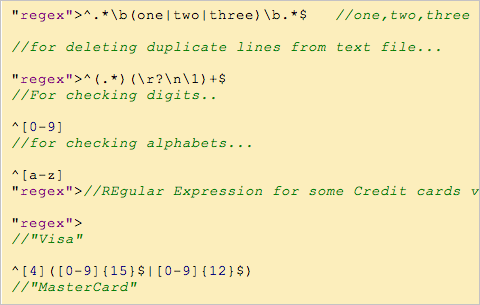
10+ Useful JavaScript Regular Expression Functions General JavaScript-based regular expressions for common tasks such as checking if a string is non-blank, if it is a decimal number, if it is currency etc.
RegExLib.com The Internet’s first regular expression library. Complete with 2,511 expressions from over 1,500 contributors. You can search and find nearly any pattern matching snippet that you might need for a web project.
Regex Tools
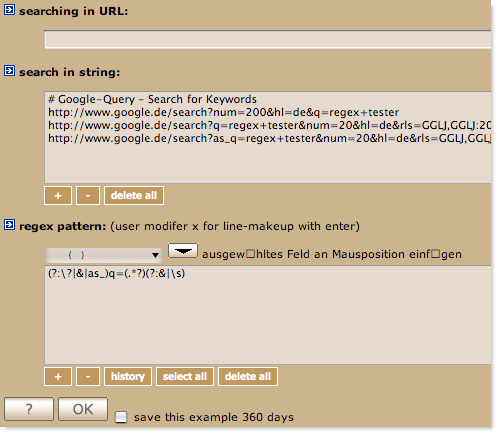
regex online tester Regex allows you to test your regular expressions in different types of data in a variety of ways. For instance, you can directly check how your regular expressions are applied to a given web-page (URL) or text. History stores all the regular expressions you’ve created with the tool, so you can use a roll back once you’ve modified the expression in an incorrect way. Regex patterns, filters and modifiers help you to build the regular expression and test it immediately in the same window. Basic knowledge about regular expressions is required to use the tool.
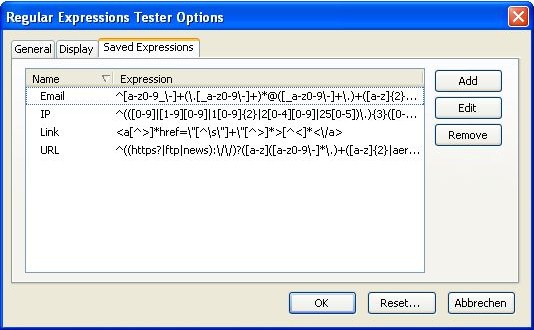
The Regulator The Regulator is an advanced, free regular expressions testing and learning tool that allows you to build and verify a regular expression against any text input, file or web, and displays matching, splitting or replacement results within an easy to understand, hierarchical tree. You can let the tool generate the code in VB.NET and C#.
Regular Expression Tester Firefox Plugin This Firefox plugin offers developers functions for testing their regular expressions. The tool includes options like case sensitive, global and multi line search, color highlighting of found expressions and of special characters, a replacement function incl. backreferences, auto-closing of brackets, testing while writing and saving and managing of expressions.
html2regexp - Regular Expression Generator for HTML Element html2regexp is a ruby program of generating regular expressions for extracting HTML elements.
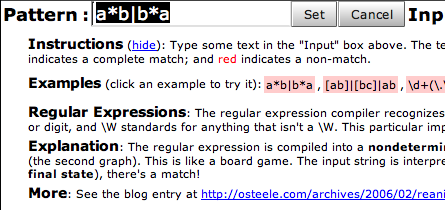
reWork ReWork is a regular expression workbench. Type a regular expression into the “pattern” field, and a string to match it against into “input”. The results area updates as you type. You can search, replace, split, scan, parse and generate the graph (FSA, Finite-State Automation) that corresponds to the regular expression.
RegExr RegExr is an online regular expression testing and builder. You can play with regex in a helpful environment and make sure your syntax is correct before pushing it live.
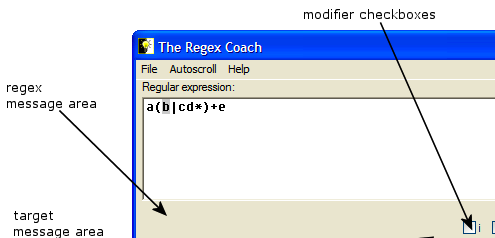
The Regex Coach A cross-platform downloadable tool that teaches you about regular expressions in an interactive environment, all from your desktop.
Rubular An online regular expression tester for the Ruby language.
Rex V - Regular Expression eValuator This tool is a Regular Expression evaluator for the regular expression systems PHP PCRE, PHP Posix and Javascript.
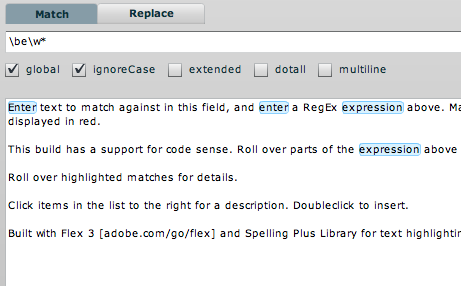
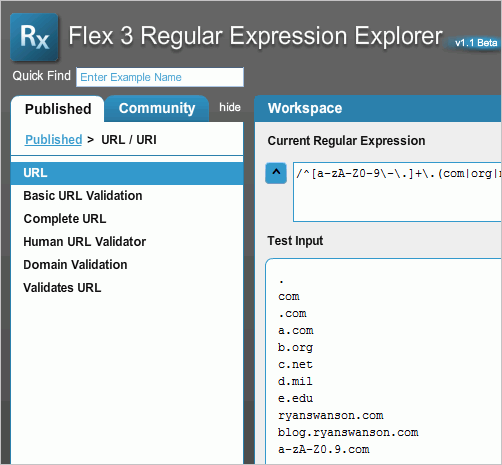
Flex 3 Regualr Expression Explorer This tool provides with popular regular expressions submitted by the community and also lets you try out a regular expression on a test input.
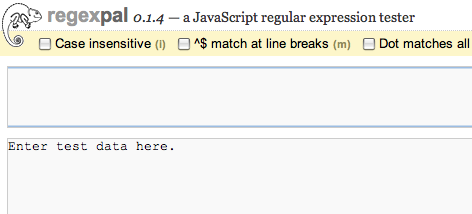
regexpal An interactive javascript regular expression tester. You can also host the tester on your own server with the open source version of regexpal.
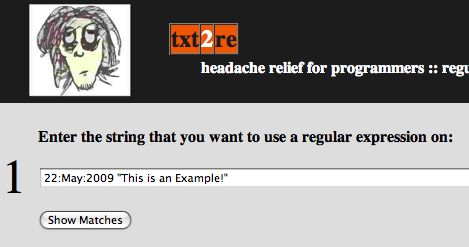
Txt2re A regex generator that uses a color-based table for visual cues to help you write regular expressions more efficiently.
reAnimator: Regular Expression FSA Visualizer A handy tool to help you see what the regex expression will match against a set of text. You can read more about the service at the reAnimator’s launch post.
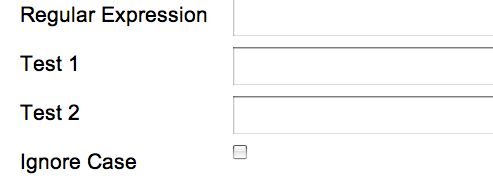
Javascript Regular Expression Validator A helpful regex tester for Javascript that also shows the regular expression library alongside the tester. A simple but very powerful tool.
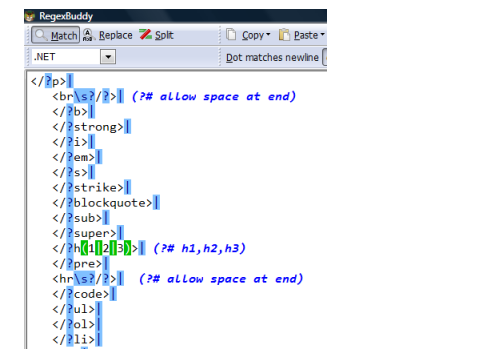
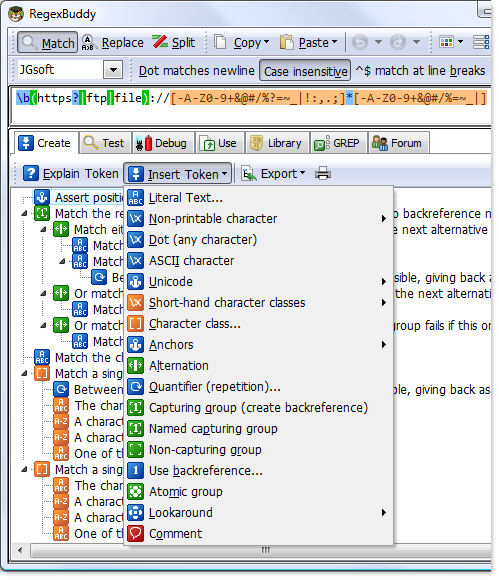
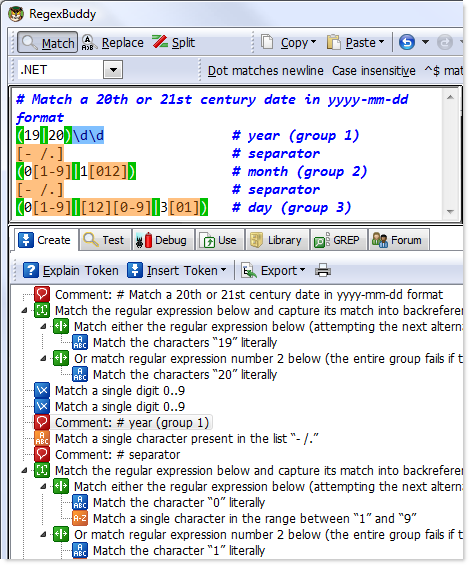
RegEx Buddy RegexBuddy is a powerful regex tester and builder. You can create regular expressions, study complex regexes written by others, quickly test any regex on sample strings and files, preventing mistakes on actual data. You can also debug without guesswork by stepping through the actual matching process. Besides, the tool generates source code snippets automatically adjusted to the particulars of your programming language. You can also GREP (search-and-replace) through files and folders and integrate RegexBuddy with your favorite searching and editing tools for instant access. Windows only.
Besides, one of the most useful features of RegEx Buddy is it’s plain English regex tree that makes it easy to understand exactly what a regular expression does - step by step.
Expreso Expresso is a free award winning regular expression development tool. You can build complex regular expressions by selecting components from a palette and test expressions against real or sample input data. The tool can generate Visual Basic, C#, or C++ code and displays all matches in a tree structure, showing captured groups, and all captures within a group. You can also maintain and expand a library of frequently used regular expressions and use a builder and an analyzer to create and test your expressions. Registration is required. Win only.
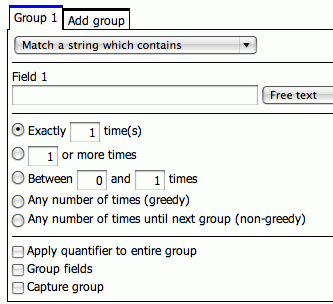
JavaScript Regex Generator An attempt at making a user-friendly regex generator. A little buggy in IE. Currently limited to 7 groups and no support for negating character classes.
Regex Screencasts
For those wanting to learn regular expressions visually, here are a few excellent screencasts.
Learning Regular Expressions (Video Tutorial and Cheatsheet) A screencast with emphasis on how to use regex with E Text Editor.
A Crash-Course In Regular Expressions An introductory crash-course by Jeffrey Way. A little bit outdated, but still useful tutorial that shows how to use regular expressions to check if an e-mail is valid or not. “To a novice web developer, regular expressions look like the most scary thing on the planet. Who could possibly dismantle such a block of code and decipher its meaning? Luckily, its bark is much worse than its bite. You’ll quickly find that regular expressions are rather straight-forward and easy to understand - once you learn the syntax.”
Regular Expressions for Dummies An introductory screencast with a quiz at the end to see what you’ve learned.
Regex for Dummies: Day 2 Build off of the first ThemeForest screencast by learning about matching.
Regular expressions (the series) A 5-part series on the basics of regular expressions.
Regular Expression Tutorials
PHP Regular Expression Examples Many different code examples for possible uses of regular expressions with PHP. A few that might be helpful: processing credit cards, dates, email addresses, and many more.
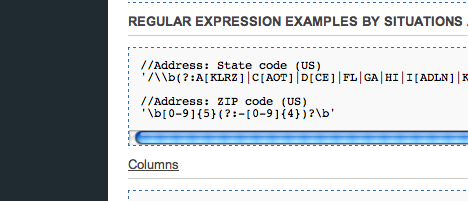
PHP regular expression tutorial This article explains how to use regular expressions in PHP and provides simple and advanced examples of common regex-patterns.
Demystifying Regular Expressions Regular expressions on the surface appear pretty complex. Not only does the language look rather odd, but it also requires logic beyond just following protocols. This article helps to take away some of the stigma some might have with regex in an easy-to-follow guide with examples.
The Joy of Regular Expressions [1] This Sitepoint tutorial uses simple examples that don’t include incoherent demo strings like “aabbcc” to show how regex really works. The article covers all of the core concepts like exact matching, positive matching, pattern modifiers and more.
The Joy or Regular Expressions [2] This second regex tutorial by Sitepoint provides plenty of useful examples like how to find images with .jpg extensions, and even finding xss security holes in your code with regex.
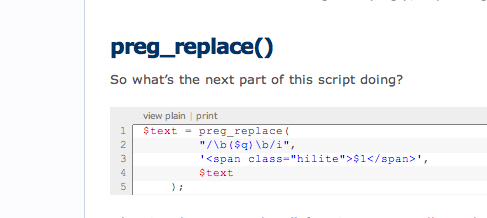
Introductory Guide to Regular Expressions A quick guide to the basics of spotting patterns in regex, complete with a simple example of a javascript regular expression with forms.
Regular Expression Tutorials
PHP Regular Expression Examples Many different code examples for possible uses of regular expressions with PHP. A few that might be helpful: processing credit cards, dates, email addresses, and many more.
PHP regular expression tutorial This article explains how to use regular expressions in PHP and provides simple and advanced examples of common regex-patterns.
Demystifying Regular Expressions Regular expressions on the surface appear pretty complex. Not only does the language look rather odd, but it also requires logic beyond just following protocols. This article helps to take away some of the stigma some might have with regex in an easy-to-follow guide with examples.
The Joy of Regular Expressions [1] This Sitepoint tutorial uses simple examples that don’t include incoherent demo strings like “aabbcc” to show how regex really works. The article covers all of the core concepts like exact matching, positive matching, pattern modifiers and more.
The Joy or Regular Expressions [2] This second regex tutorial by Sitepoint provides plenty of useful examples like how to find images with .jpg extensions, and even finding xss security holes in your code with regex.
Introductory Guide to Regular Expressions A quick guide to the basics of spotting patterns in regex, complete with a simple example of a javascript regular expression with forms.
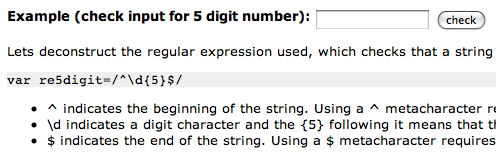
Know Your Regular Expressions IBM has an excellent write-up on how to use regular expressions across UNIX applications.
Regular Expressions: Now You Have Two Problems Jeff Atwood (co-founder of the excellent Stackoverflow), show some best practices when using regular expressions. Knowing where and when to use regex is sometimes tricky, and Jeff outlines some tips on how to use regular expressions effectively.