Smashing Magazine - we smash you with the information that will make your life easier. really.

35 CSS-Lifesavers For Efficient Web Design

Advertisement

CSS-design is not easy. We need to find workaround across browser inconsistencies, not that easy CSS-concepts and quite counterintuitive CSS-solutions. However, there are effective and useful CSS-tools and Smashing Magazine reviewed many of them in our previous posts. Now it’s time to present you with some fresh (or not mentioned earlier) tools that can assist designers in their work.

Today, we will look at 35 new and useful CSS tools, generators and resources that can significantly improve your workflow and reduce your time efforts for CSS-coding. Whether you’re writing, compiling, refining or experimenting with CSS code – or all of the above – these tools can help you get the job done faster and better than ever before.

You may want to take a look at the following related articles:

[By the way, did you know there is a brand new Smashing Wordpress Book? Push WordPress past its limits and take the basic blog into an entirely new blogosphere.]

Extend CSS with advanced selectors, variables etc.

Less CSS
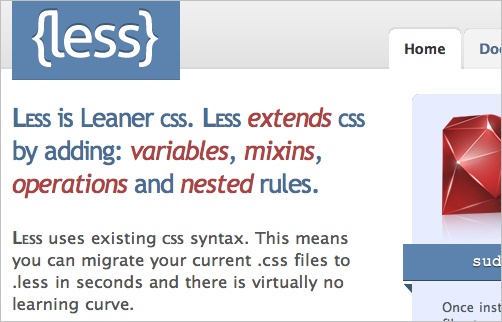
Say goodbye to bloated CSS code with LESS. LESS uses existing CSS syntax to extend the capabilites of CSS while compiling lean code.
Less2 in 35 CSS-Lifesavers For Efficient Web Design

Sizzle
A pure-JavaScript CSS selector engine designed to be easily dropped in to a host library. Includes CSS 3 Selector support, escaped selector support #id\:value, :contains(text), :not :not(a#id), :not :not(div,p), not attribute value [name!=value], position selectors :first, :last, :even, :odd, :gt, :lt, :eq, easy Form selectors :input, :text, :checkbox, :file, :password, :submit, :image, :reset, :button and more.
Sizzle in 35 CSS-Lifesavers For Efficient Web Design

Haml
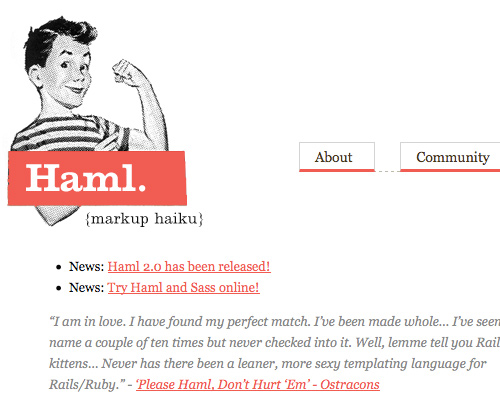
When it comes to templating languages for Ruby, Haml is our pick of the litter. Haml was built on the primary principle that markup should be beautiful. Its creators say you should give yourself 20 minutes to sit down and concentrate and you can learn Haml. After learning Haml, your templates will be fast, beautiful and ready to use on any busy website.
Haml in 35 CSS-Lifesavers For Efficient Web Design

Object Oriented CSS
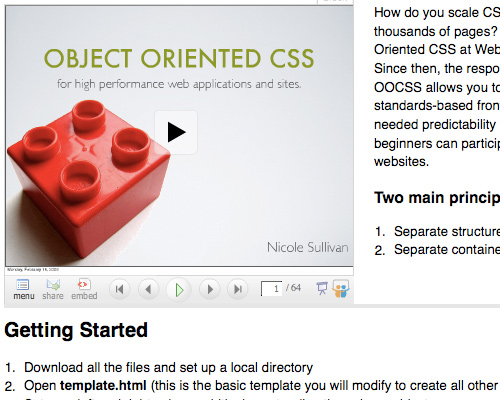
We demand high performance from CSS in the process of beautiful design work. The problem with these demands has always been that the CSS code can become large and clumsy along the way. Object Oriented CSS creates clean code for even the largest websites and is simple enough for even beginners to use.
Objectoriented in 35 CSS-Lifesavers For Efficient Web Design

DtCSS: Variables in CSS
DtCSS is a PHP script that preprocesses your CSS file. It speeds up CSS coding by extending the features of CSS, such as nested selectors, color mixing and more. DtCSS reads the CSS file with special syntax written for DtCSS, and outputs the standard CSS. It also comes with a smart caching system.

CSScaffold
Everyone has heard the arguments before – the pro’s and con’s of CSS frameworks like Blueprint. They’re not semantic and they’re inflexible. Everyone knows it, but it’s a start. CSScaffold merges the productivity increase of CSS frameworks, with the dynamic capabilities of Cacheer.

CSS-Tools For HTML-Newsletters

Inline Styler
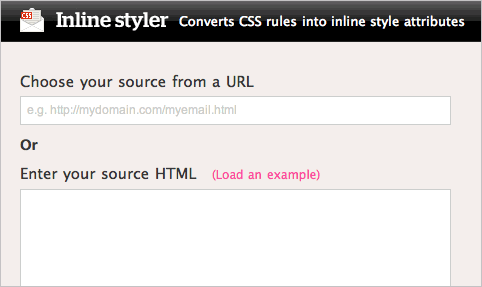
The Inline Styler converts CSS rules into inline style attributes with the click of a mouse. Choose between entering a url or pasting source url into the box and click convert. It’s all done for you.
Inline in 35 CSS-Lifesavers For Efficient Web Design

Emogrifier
Emogrifier automagically transmogrifies your HTML by parsing your CSS and inserting your CSS definitions into tags within your HTML based on your CSS selectors. You can either use the form below to paste your HTML or CSS, or if you’re more technically inclined, you can download the PHP source code and use it in your own applications. Great for making e-mail newsletters.

Typographic CSS tools

Better Web Readability Project
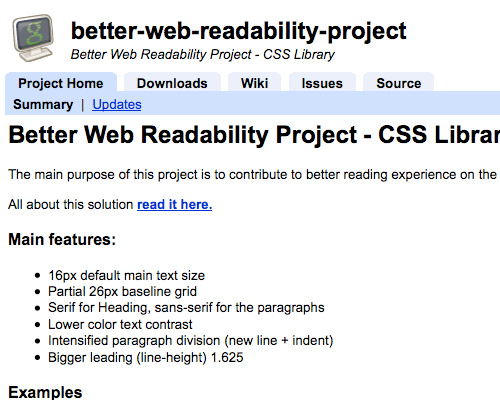
The main purpose of this project is to contribute to a better reading experience on-screen by using a CSS typography library.
Betterweb in 35 CSS-Lifesavers For Efficient Web Design

Readability
Readability is a simple tool that makes reading on the Web more enjoyable by removing the clutter around the text. Just drag the bookmarklet to your bookmark toolbar to enjoy easier reading on the Web.
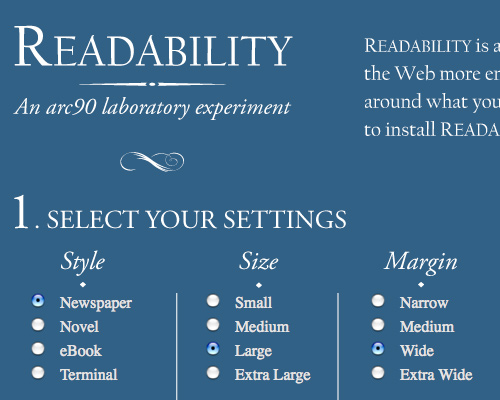
Readability in 35 CSS-Lifesavers For Efficient Web Design

Texster
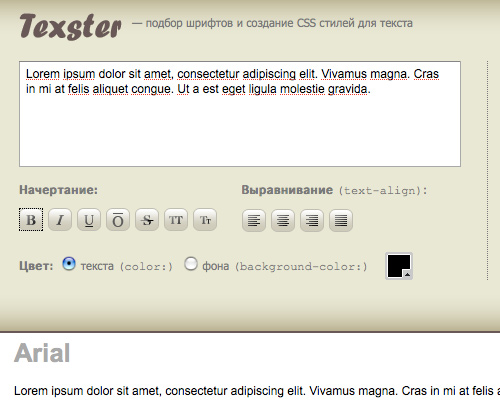
Texster is a CSS code generator that allows you to preview 19 fonts as you adjust size, color, line height, character spacing, word spacing and indent properties – so there are no surprises.

Texster in 35 CSS-Lifesavers For Efficient Web Design

Syncotype Baseline Overlay Bookmarklet
Either install the Safari/Firefox bookmarklet or add one script tag to your page, and the Syncotype box appears in the upper right. Enter your line height and offset from the top of the page in pixels and Syncotype overlays your baseline in red.
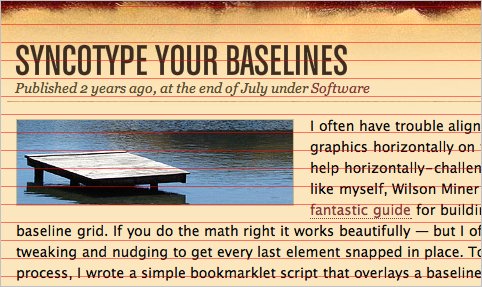
Sync in 35 CSS-Lifesavers For Efficient Web Design

CSS Font Matching
A list of font comparisons for web development and CSS that compares all three major systems: Linux, MacOS X and Windows.

CSS Font and Text Style Wizard
This tool allows you to easily apply CSS styling to text and generates HTML and CSS source code for you to copy and paste.

Grids with CSS: generators and useful tools

1Kb Grid
A simple tool that generates lightweight CSS-grid and lets you download it. Very useful.
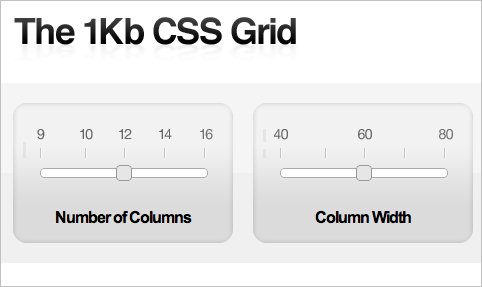
1kb in 35 CSS-Lifesavers For Efficient Web Design

Fluid 960 Grid System
A set of comprehensive templates for rapid interactive prototyping, based upon the 960 Grid System, covering main design elements such as forms, typography, graphics and various dynamic components.
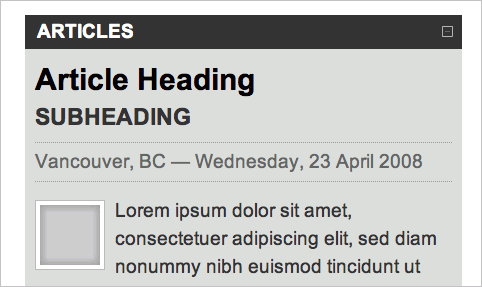
960 in 35 CSS-Lifesavers For Efficient Web Design

Grid System Generator
The grid system generator will create fixed grid systems in valid CSS/XHTML for rapid prototyping, development and production environments. In addition to the css framework, it creates a background file (sample) that you can use in Fireworks, Illustrator, OmniGraffle, Photoshop, Visio (etc.) to aid in prototyping and design.
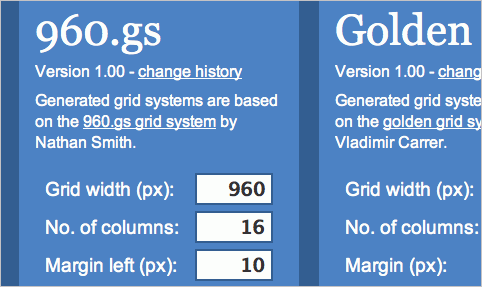
Grid in 35 CSS-Lifesavers For Efficient Web Design

BluePrint CSS Architect
This tool will generate the CSS required to layout an XHTML template. It uses Blueprint CSS at the core, but it does not implement the Blueprint grids through classes. Rather, it generates the same CSS for the IDs you have already defined in your template.

BOKS
BOKS is a visual grid editor that was designed for designers who believe the grid system is good, but haven’t had time to fall in love with it yet. Since it is an AIR application, it works on Windows, Mac and Linux and provides a user interface for Blueprint CSS’s framework.
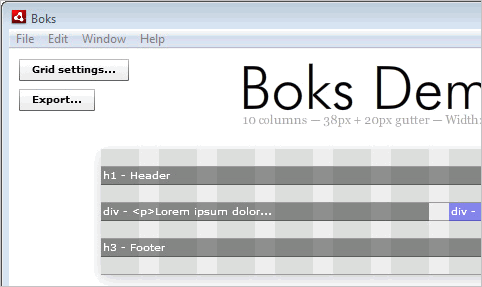
Boks in 35 CSS-Lifesavers For Efficient Web Design

CSS Grid Calculator
Use the CSS Grid Calculator to quickly visualize page layout and draw grids in a variety of ways. It provides accurate visual feedback on how text blocks and page divisions will appear in browsers and returns style declarations for divisions and code to copy and paste into your CSS.
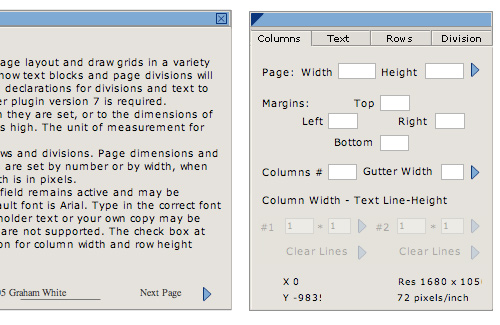
Cssgrid in 35 CSS-Lifesavers For Efficient Web Design

CSS Frameworks

BlueTrip CSS Framework
A full featured and beautiful CSS (Cascading Style Sheets) framework which combined the best of Blueprint, Tripoli (hence the name), Hartija’s print stylesheet, 960.gs’s simplicity, and Elements’ icons, and has now found a life of its own. Including a 24-column grid, sensible typography styles, clean form styles, a print stylesheet, an empty starter stylesheet, sexy buttons and status message styles.
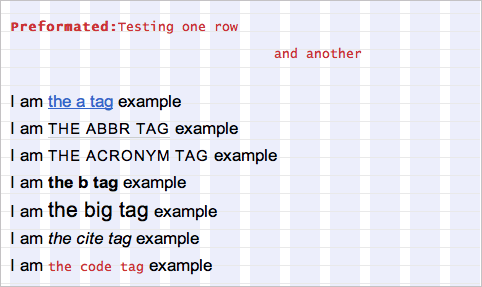
Bluetrip in 35 CSS-Lifesavers For Efficient Web Design

Compass
This CSS Meta-Framework provides ports of the best of breed CSS frameworks (blueprint, yui, 960) to Sass.
Compass in 35 CSS-Lifesavers For Efficient Web Design

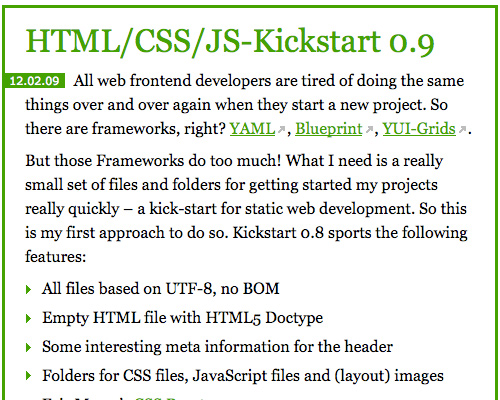
HTML/CSS/JS-Kickstart 0.9
A lightweight library of files and folders for getting started on projects really quickly – a kick-start for static web development.
Kickstart in 35 CSS-Lifesavers For Efficient Web Design

iPhone-universal
IPhone-universal is a CSS framework for iPhone Web application developers. This tool makes it simple to create an app using different iPhone interfaces.

Useful CSS development tools

Mappet
A visual generator of maps using CSS. Very handy.

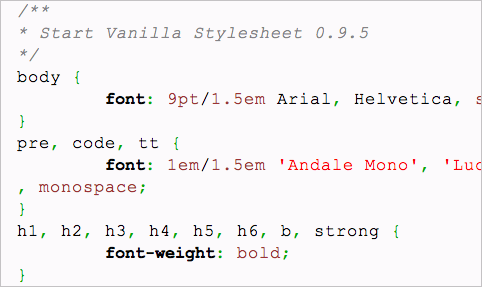
Vanilla CSS Un-reset
Vanilla is a CSS “un-reset” that works in tandem with CSS resets such as the Yahoo CSS Reset. Vanilla is meant to be dropped into your stylesheet, tweaked and handled to your liking. It’s meant to be some kind of a baseline stylesheet, so that you don’t have to start over every time.
Vanilla in 35 CSS-Lifesavers For Efficient Web Design

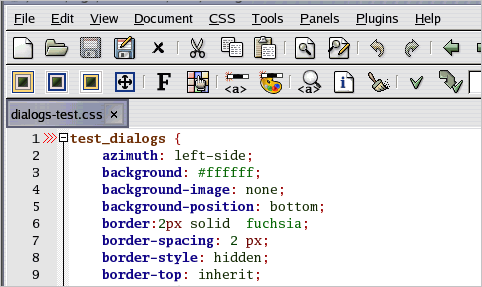
CSSEd
A small developer editor and validator, a GTK2 application to help create and maintain CSS style sheets for web development.
Edit in 35 CSS-Lifesavers For Efficient Web Design

HTML test page for CSS
The Snipplr html test page for CSS style guide is a good place to test and analyze CSS code. Snipplr is also a public source code repository to store and organize snippets of code to be shared with other designers and developers.
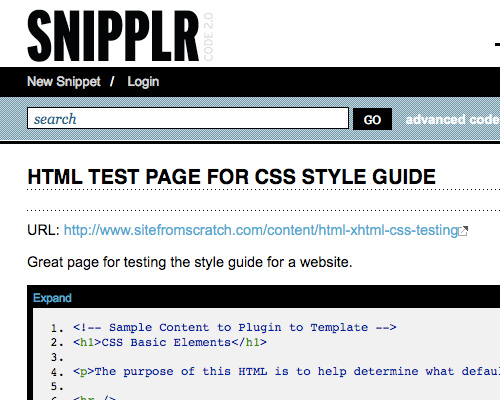
Snipplr in 35 CSS-Lifesavers For Efficient Web Design

CSS Styling Code Convention Convention
NodeWave provides a complete downloadable CSS Coding Style Convention with guidelines to improve development productivity.
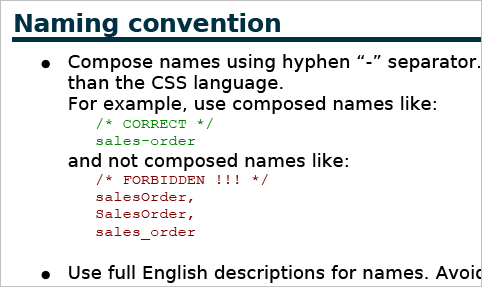
Naming in 35 CSS-Lifesavers For Efficient Web Design

CSS Http Request
Cross-domain AJAX using CSS. Like JavaScript includes, this works because CSS is not subject to the same-origin policy that affects XMLHttpRequest. CSSHttpRequest functions similarly to JSONP, and is limited to making GET requests.

Useful Browser Extensions For CSS-Coding

CodeBurner
CodeBurner is a Firefox add-on that integrates with Firebug, to extend it with reference material for HTML and CSS. The extension’s core functionality is centered around a new Reference panel, which contains a search tool for looking up HTML elements, attributes, and CSS properties.
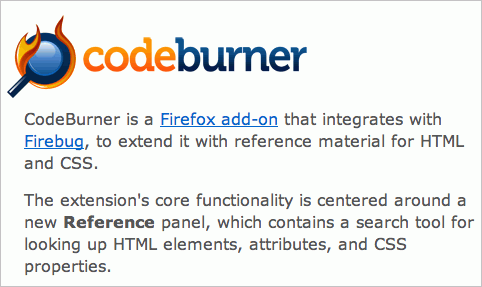
Cb in 35 CSS-Lifesavers For Efficient Web Design

CSS Usage 0.0.5
This is a Firebug extension that allows you so scan multiple pages of a site to see which CSS rules are actually used.
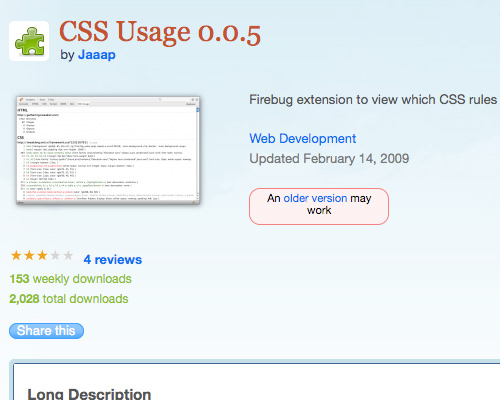
Cssusage in 35 CSS-Lifesavers For Efficient Web Design

PixelPerfect Firefox Plugin
This Firefox plugin generates an overlay over a web composition over top of the developed HTML.

Firebug Lite
Designers who use FireFox may have used the Firebug extension for some time now, but not everyone uses Firefox. Firebug Lite brings the goodness of Firebug to Internet Explorer, Opera and Safari. Firebug Lite is a JavaScript file that can be inserted into Web pages to simulate Firebug features in browsers other than Firefox.
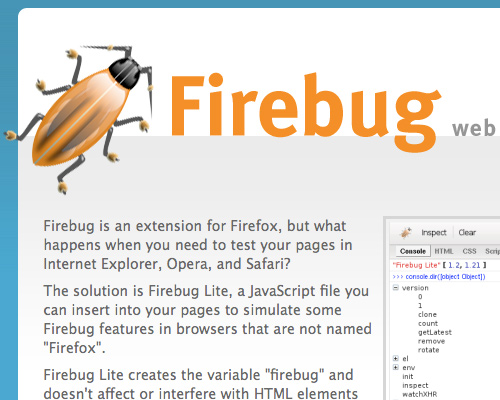
Firebuglite in 35 CSS-Lifesavers For Efficient Web Design

ReCSS
This handy bookmarklet makes refreshing your CSS simple. It comes into play when you’re developing dynamic applications. Tested in IE and Firefox and also now has an update with Safari support.
ReCSS in 35 CSS-Lifesavers For Efficient Web Design

Dust-Me Selectors 2.11
Time for some CSS housekeeping? Dust-Me Selectors is a FireFox plugin that finds unused CSS selectors to help you keep your code clean.
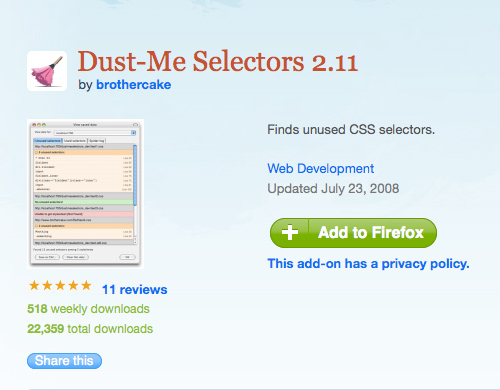
Dustme in 35 CSS-Lifesavers For Efficient Web Design

Useful CSS tools: online and offline

Markdown
Markdown is a text-to-HTML conversion tool for web writers. Markdown allows you to write using an easy-to-read, easy-to-write plain text format, then convert it to structurally valid XHTML (or HTML). Requires Perl 5.6.0 or later.

Visual QuickMenu
Make custom menus on the fly with Visual QuickMenu. Choose a template, click the customize button and instantly create. Visual QuickMenu produces cross browser / cross code menus, capable of running on 100 percent Pure CSS alone, or JavaScript if it’s present in the browser.
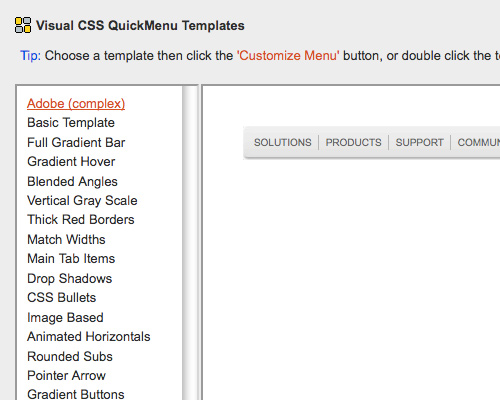
Opencube in 35 CSS-Lifesavers For Efficient Web Design

CSS Redundancy Checker
CSS Redundancy Checker is another tool to help keep your code tidy. Use this tool to find CSS selectors that aren’t used by any of your HTML files and may be redundant.
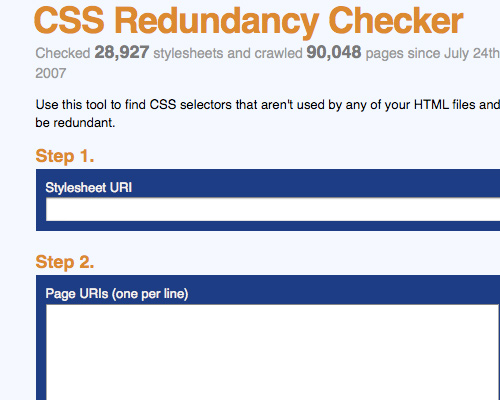
Cssredundancy in 35 CSS-Lifesavers For Efficient Web Design

CSS Tools Coda Plugin
CSS Tools brings the power to reformat your CSS to Coda. With this tool you are able to convert a style sheet from a single line to multi-line and vise-versa and compress your CSS code if you’d like.
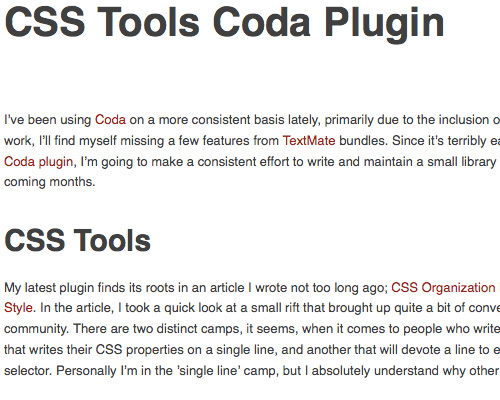
Csstools in 35 CSS-Lifesavers For Efficient Web Design

CSS Fly
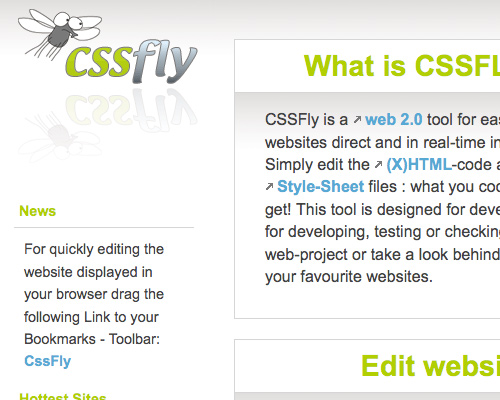
CSSFly is a developer’s tool for easy site-editing, direct and in real-time in your browser. Simply edit the (X)HTML-code and the external Style-Sheet files – what you code is what you get!

Cssfly in 35 CSS-Lifesavers For Efficient Web Design

Silk Sprite
Silk Sprite is a Blueprint CSS plugin providing the Popular Silk Icon Package in CSS Sprite form to improve peformance and ease of use.
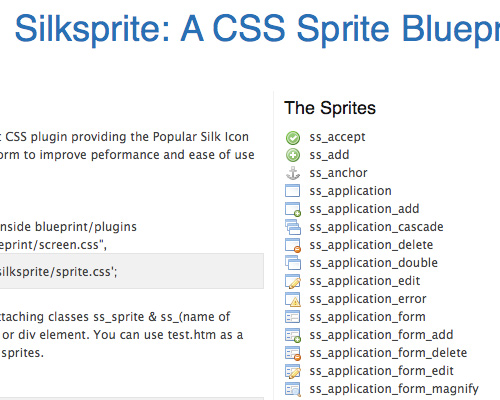
Silksprite in 35 CSS-Lifesavers For Efficient Web Design

htmlwrapper
Wrapper is a cross-browser compliant HTML/CSS rendering engine written in ActionScript that sits on top of your standards compliant HTML page. Wrapper eliminates cross-browser issues and makes integrating ActionScript and HTML/CSS projects possible without needing to compile.

Htmlwrapper in 35 CSS-Lifesavers For Efficient Web Design

CSS Cheat Sheet Wallpaper
Rather than opening and closing a CSS cheat-sheet, you can now simply use this attractive wallpaper.
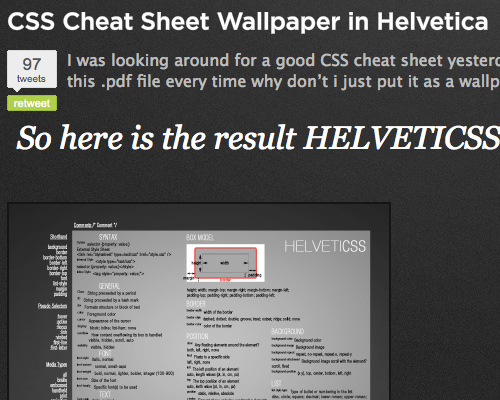
Cheatsheet in 35 CSS-Lifesavers For Efficient Web Design

Styleneat
With Styleneat you can input CSS code, upload a file or specify the url of the stylesheet you wish to organize. There are options to arrange properties or sorters alphabetically, import and organize linked stylesheets and to have the output in single or multi-line formatting.
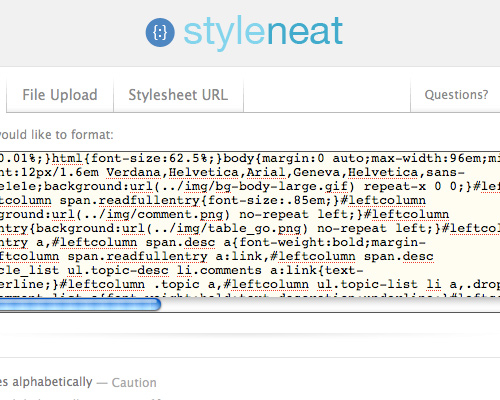
Styleneat in 35 CSS-Lifesavers For Efficient Web Design

SmartSprites
SmartSprites is a CSS sprite generator that allows you to easily introduce and maintain CSS sprites in your designs. SmartSprites parses special directives you can insert into your original CSS to mark individual images to be turned into sprites. It then builds sprite images from the collected images and automatically inserts the required CSS properties into your style sheet, so that the sprites are used instead of the individual images.

Typo3 CSS/JS Merger
This extension speeds up your website by merging your css and js files to minimize requests.

The Box Office
The Box Office lets you wrap/float/contour text around freeform images using CSS for usage in (X)HTML pages. Using today’s techniques (PHP/CSS/XHTML) it automates the task of wrapping the text; allowing you, the webdeveloper, to kick back and relax a little.
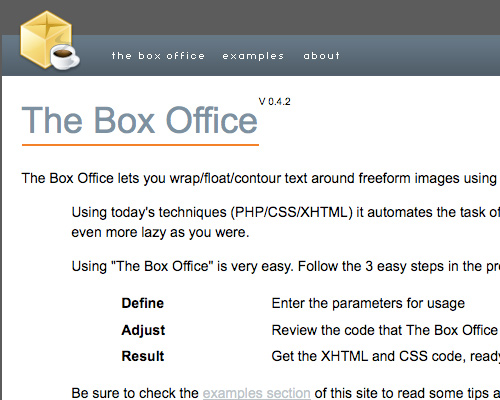
Boxoffice in 35 CSS-Lifesavers For Efficient Web Design

IE6 CSS Fixer: starter kit
This is a tool specifically designed to ease the pain of the ie6 css debugger. It is not a one-click-fix-all tool and no final version exists yet. It gives designers a head-start by correcting roughly 40-60 percent of IE6 issues with a click and outputing rough code that can be refined.
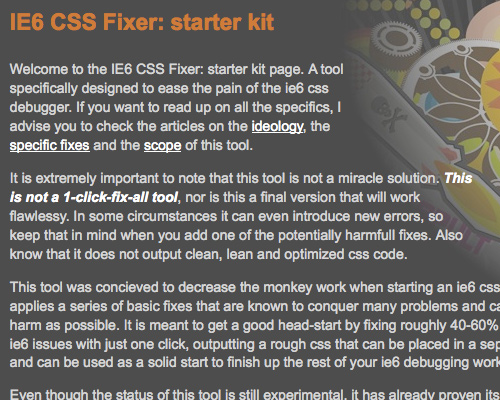
Ie6fix in 35 CSS-Lifesavers For Efficient Web Design

Wufoo CSS/XHTML Form Templates
A collection of customizable CSS/XHTML-templates for web forms that can be downloaded and used for free.
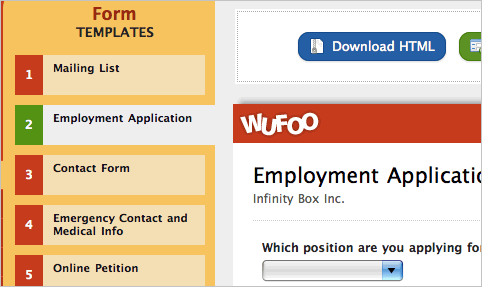
Forms in 35 CSS-Lifesavers For Efficient Web Design

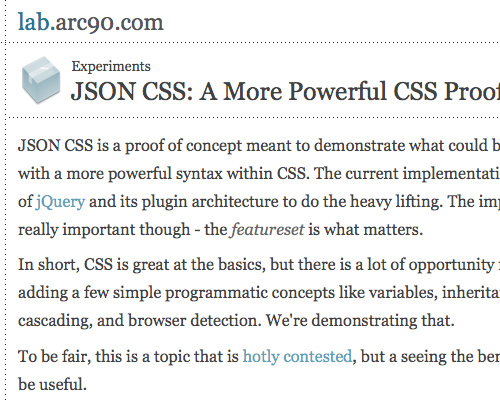
JSON CSS
CSS is great at the basics, but there is a lot of opportunity for improvement by adding a few simple programmatic concepts like variables, inheritance, syntactical cascading, and browser detection. That’s what makes JSON CSS better. Alternative implementation.
Arc90 in 35 CSS-Lifesavers For Efficient Web Design

Gerri Elder is a freelance writer, Web developer and social media enthusiast. She can frequently be found on Digg and Twitter.

Post Rating
1 Star2 Stars3 Stars4 Stars5 Stars (No votes yet)
Loading ... Loading ...

Tags: ,

Advertising
  1. 1
    Onemanteam
    June 25th, 2009 4:21 pm

    This is just great… Thanks… (First ^_^)

  2. 2
    nanto_mago
    June 25th, 2009 4:27 pm

    Second.. great tools..thanks

  3. 3
    jesse_jaybird
    June 25th, 2009 4:47 pm

    im a big fan of smashingMag… never posted, but this list is just off the charts for me! great tools i didnt know were available . Thankyou

  4. 4
    Kille
    June 25th, 2009 5:00 pm

    As someone that makes a lot of html emails, those inline stylers are brilliants… cheers

  5. 5
    Lucyland
    June 25th, 2009 5:00 pm

    Fab list and definitely bookmarked… Thanks Smashing Mag!

  6. 6
    Dan
    June 25th, 2009 5:19 pm

    This is one of those posts where a little more “quality-over-quantity” would have been nice. Not that any of these are inferior solutions, but I think it’s definitely worth noting that Less and Haml both require your site to be built with Ruby. Pretty important, and the fact that I had to follow the links just to be let down really hurt the rest of the article for me- I didn’t want to waste any more time on dead ends.

  7. 7
    Aneslin
    June 25th, 2009 7:12 pm

    thanks for this great collection of css tuts
    really useful

  8. 8
    Juan Pablo
    June 25th, 2009 7:39 pm

    Simply. A greatest post! Thank u!

  9. 9
    Aoho
    June 25th, 2009 9:41 pm

    Yahoo/YUI grids/etc should be listed as a framework. It gets a large amount of support.

  10. 10
    Nathan Weizenbaum
    June 25th, 2009 10:17 pm

    Dan: Both Sass and Less work perfectly well for non-Ruby sites – they’re just implemented in Ruby, they don’t require you to write any Ruby code.

  11. 11
    Łukasz Adamczuk
    June 25th, 2009 10:54 pm

    a lot of useful tools

  12. 12
    Linda
    June 25th, 2009 10:55 pm

    awesome, thanks=)
    I hate wiritng html emails, that inline styler will certainly be handy. I’ll certainly try out that ie6 fixer.

    I can’t view the helveticacss wallpaper, tried in firefox and safari =(

  13. 13
    moabi
    June 25th, 2009 11:39 pm

    one of the top so far…
    awesome…

  14. 14
    artmania
    June 25th, 2009 11:50 pm

    anybody using lesscss.org?? it looks fine, but not sure!

  15. 15
    James
    June 26th, 2009 12:06 am

    Thank You SM. Definitely an article to bookmark.

  16. 16
    Thomas
    June 26th, 2009 12:06 am

    I thought that maybe YAML could also fit into the list, since you also introduced some ready to use frameworks. YAML layouts can be easily configurated by using predefined elements, generating cross browser compatible layouts.

  17. 17
    bijan
    June 26th, 2009 12:10 am

    Less is extremely useful!
    THX 4 this hint… :)

  18. 18
    spritzstuhl
    June 26th, 2009 12:26 am

    Yeah, YAML is definitively a must on this list!

  19. 19
    Giboo
    June 26th, 2009 12:42 am

    There is another “css inliner” excellent tool called premailer
    http://code.dunae.ca/premailer.web/

  20. 20
    Peter Klein
    June 26th, 2009 12:47 am

    awesome.
    thx

  21. 21
    david
    June 26th, 2009 1:03 am

    ‘CSS-design is not easy.’ CSS is freakin’ easy, come on.

  22. 22
    LC
    June 26th, 2009 1:32 am

    I love ReCSS, really a time saver.

  23. 23
    MaTYO
    June 26th, 2009 1:33 am

    absolutely awesome post

  24. 24
    Riccardo
    June 26th, 2009 1:36 am

    An excellent post, and a definite bookmark. This has so many useful links that I know I’ll be coming back to it often. Thanks!

  25. 25
    Vijay
    June 26th, 2009 2:08 am

    its really very goof information. thank u smashingMag

  26. 26
    gmoulin
    June 26th, 2009 2:22 am

    woah ! woah ! woah !

    Great article ! And as usual full of usefull stuff & ideas.

  27. 27
    Quakeulf
    June 26th, 2009 2:33 am

    Yes!!! I am semi-featured on this post! I made the graffix for the IE6 CSS Fixer: starter kit (you can see my gravatar featured in there too)! I hope my friend knows about this. Thank you very much! x3

  28. 28
    Tom Bradshaw
    June 26th, 2009 4:28 am

    These are some great resources – very useful – much thanks!

  29. 29
    Filip Van Tendeloo
    June 26th, 2009 4:46 am

    @Quakeulf
    Oh he knows :)

    Great to see our little tool here.

    Love the inline css tool (could save me a lot of time when creating mailtemplates)

  30. 30
    SonicE
    June 26th, 2009 4:47 am

    This post will be on the first place of my bookmarks – just great guys !!!!

  31. 31
    Allen
    June 26th, 2009 5:06 am

    Great list of sites. For css typography I use typechart.com

  32. 32
    Sushil
    June 26th, 2009 5:38 am

    Really a useful post Gerri, keep it up, and Thanks….

  33. 33
    Greg
    June 26th, 2009 6:07 am

    what is CSS plz

  34. 34
    Mik Cowans
    June 26th, 2009 6:41 am

    Just, wow! What a comprehensive list.
    For those just starting: you could build a business from this. From those in the know: what a way to improve efficiency…thanks, as always.

  35. 35
    Manuel Pena
    June 26th, 2009 6:57 am

    needed stuff like this when I was back in school

  36. 36
    Quakeulf
    June 26th, 2009 7:23 am

    Greg:
    Counter-Strike: Source. You should go play it now, and never return. >;3

  37. 37
    Zeeead
    June 26th, 2009 7:27 am

    Very usefull
    Thanks for sharing

  38. 38
    Tracy
    June 26th, 2009 8:18 am

    Great list! Thanks for sharing

  39. 39
    CKOHLER
    June 26th, 2009 8:30 am

    I’ve used WuFoo for styling forms. I like it but I prefer Uni-Form. I recommend adding this to the list. If you build or maintain really, really complex forms, Uni-Form it makes building them much less tedious.

    http://sprawsm.com/uni-form/

  40. 40
    Rama
    June 26th, 2009 10:04 am

    VisualQuick Menu is horrid! I’ve tried it.

  41. 41
    Marielle
    June 26th, 2009 11:44 am

    Does anyone use Stylizer? I’m using it and I love it… It’s a visual CSS editor that makes life very simple when it comes to CSS, imho…here’s the link if you’re interested:

  42. 42
    Rahul Talar
    June 26th, 2009 11:48 am

    Great feed For CSS Lover

  43. 43
    Chris
    June 26th, 2009 11:57 am

    I’m kind of shy using those techniques. But thanks, anyway.
    Dust-Me-Selector is not as helpful as it sounds: If you use one stylsheet for all pages of your project, it will show up everytime one selector isn’t used on that page (but on another page of the same website).

  44. 44
    tripdragon
    June 26th, 2009 12:16 pm

    if you can not write css long hand you do not belong here or on any html work. Css is to easy to have to expand upon it “this” much. haml I can see. fake CSS code not so much

  45. 45
    tasarhane
    June 26th, 2009 12:54 pm

    good post.
    very useful.
    thanks.

  46. 46
    Giuly
    June 26th, 2009 1:33 pm

    thankyou!

  47. 47
    Selvam
    June 27th, 2009 12:09 am

    Essential collection for every web designer :)

  48. 48
    Smith
    June 27th, 2009 2:08 am

    Thank you for sharing your Valuable information.
    I just gone through your Blog it’s nice to have all this information shared as I am also working for web design this information will help me increase my knowledge.

  49. 49
    anjum nawab
    June 27th, 2009 7:02 am

    You guys always make me stunned. what a wonderful collection for css resources/ tools too good 10000000*thanks :)

  50. 50
    Armig Esfahani
    June 27th, 2009 9:36 pm

    Just an another great post! thanks!

  51. 51
    Sam
    June 28th, 2009 5:57 am

    Great post, thanks for sharing these resources.

  52. 52
    Mohammed Zatari
    June 28th, 2009 7:00 am

    good article but sth advanced to a newbie in css like me

  53. 53
    Aaron
    June 29th, 2009 6:27 am

    Handy article, however it was not mentioned that Visual Quickmenu was not free/oss.
    I spent an hour getting my menu just right to find that it was going to cost me $150 :(

  54. 54
    Adrian
    June 29th, 2009 9:16 am

    Great info! thanks for posting.

  55. 55
    Dmitry
    June 29th, 2009 2:20 pm

    Dan: LESS doesn’t require Ruby, it’s just that the main compiler is written in Ruby and comes as a Ruby gem. So if you have Ruby installed you can easily compile .less files to .css using that gem — but you don’t actually need Ruby at all for the rest of the site, it’s just the compiler. Additionally, there is a web based compiler for LESS at http://www.tripeedo.com/less . Obviously the Ruby one is best, but you are not limited to it :) Hopefully we might see a PHP one in the future as well, giving you even more options.

  56. 56
    Dwayne Schnell
    June 30th, 2009 2:25 pm

    Great! Bookmarked and deilicious’d. I need tips like this as I’m still “starting out” (for the last year) at Loklo Media.

  57. 57
    Truffle
    June 30th, 2009 9:57 pm

    Very usefull

    Thanks
    Truffle Apps

  58. 58
    Truffle Apps
    June 30th, 2009 10:01 pm

    Nice. Really usefull.

    Thanks
    Truffle Apps

  59. 59
    JohnW
    July 1st, 2009 9:19 am

    Great article, very informative

  60. 60
    Rebecca
    July 1st, 2009 2:17 pm

    neither codeburner or dust-me selectors are compatible with FireFox 3.5

    @Greg – are you serious!

    @Quakeulf – hilarious!!

  61. 61
    Arun
    July 3rd, 2009 5:08 am

    Awesome Article…..
    A lot of Thanks for this…..
    Congrats Smashing Magazine Team.

  62. 62
    Shawn Wheatley
    July 6th, 2009 11:47 am

    Either your author writes for other sites, or your content is being ripped off:

    dzinepress.com/2009/06/30-css-techniques-for-effective-coding-in-web-designs/

    (Note, I didn’t make the link clickable, because I don’t want to drive more traffic to their site if they are just ripping off other articles.)

  63. 63
    Alexander Bickov
    July 10th, 2009 4:39 am

    Nice post

  64. 64
    Joony
    July 26th, 2009 8:07 am

    Very helpfull! :)

    Thanks a lot!

  65. 65
    August 8th, 2009 3:57 pm

    非常感谢,哈哈哈。

  66. 66
    Gökhan Dirsel
    February 8th, 2010 6:56 am

    Very nice article, I was checking Less and find out i need a .NET version and voila – some googling- “http://www.dotlesscss.com/”.

  1. 00

    There are no trackbacks at this time. If you are interested in leaving a trackback, please use this URL.

Leave a Comment

Make sure you enter the * required information where indicated. Please also rate the article as it will help us decide future content and posts. Comments are moderated – and rel="nofollow" is in use. Please no link dropping, no keywords or domains as names; do not spam, and do not advertise!


Advertisement Advertise with us!
Join in Smashing Forum
Post your job