Popular Tags

Smashing Magazine - we smash you with the information that will make your life easier. really.

45 Incredibly Useful Web Design Checklists and Questionnaires

Advertisement

Designing websites can be a long and complicated process. Dealing with clients, designing prototypes, coding, programming, and testing – there’s a lot to keep track of and a lot to make sure gets done. That’s where checklists can make your life a whole lot easier. With lists of points covering multiple areas from content to usability to accessibility to standards, you’re a lot less likely to overlook important parts of a site.

Below are 45 checklists to make your design process easier and more organized. Consider using these checklists as a jumping off point for creating your own customized list, based on your own needs.

Also consider our previous articles:

1. Client-Focused Checklists and Questionnaires

These questionnaires and checklists are focused on making your relationships with your clients better. Use these to gather information from your clients or prospects at the beginning of each project so that everyone is on the same page.

How to Extract the Facts with a Web Design Client Questionnaire
This questionnaire from Freelance Switch is meant to send out to prospective clients to get a good idea of what they’re looking for from a website. It can save you valuable time and allow you to create more accurate proposals.

Ext in 45 Incredibly Useful Web Design Checklists and Questionnaires

Design checklist: What clients should provide their designer
A checklist of things that clients should provide their designer at the outset. To follow this list will ensure the client and designer are dealing professionally as well as creating an efficient workflow.

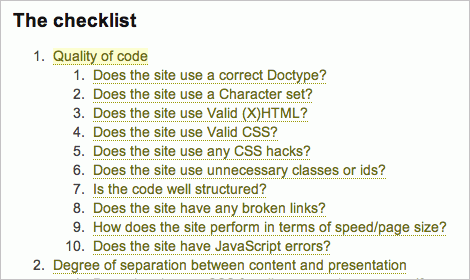
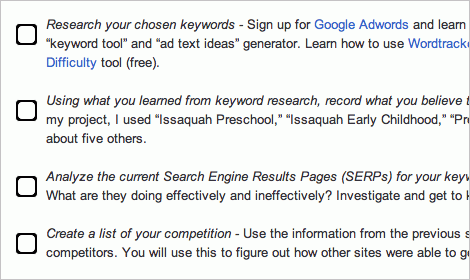
Comprehensive Web Design Checklist
This is another client-focused questionnaire. It’s aimed at getting clients to really think about what they need and want from a website.

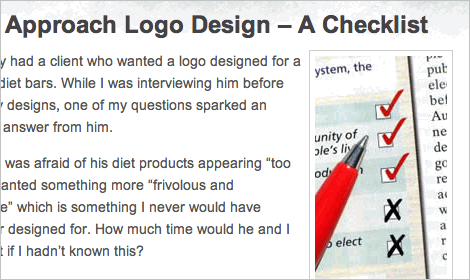
How I Approach Logo Design – A Checklist
Learn how to figure out what the client wants to have in a new logo, what his objectives are and where the logo will be used. Also check 4 Critical Logo Design Details You May Be Forgetting About.
Logo in 45 Incredibly Useful Web Design Checklists and Questionnaires

20 Questions To Ask Clients Prior To Designing A Logo
Before starting any project it’s essential to get the right preliminary information from your clients. This will help pave the way to a successful project, assist in bringing client’s vision into perspective and build a lasting relationship.

Client Questionnaire for Web Developers
This questionnaire is very short and basic but covers the important points: audience, content, and communication.

Step-By-Step Website Development – Check List
To help you make your plan, here is a simplified checklist for the development and design of a website ($ indicates potential additional fees that may be incurred).

Project Planning Website Checklist
This website check list is a high-level check list of activities to include in your project plan. A successful web development requires attention to several strands of activity, an in particular the organization of information and changes in origanization and business processes.

2. Pre-Launch Checklists

This checklist deals less with the planning and initial stages of website design and focus on the things you need to make sure are complete prior to launching a new site. Every designer should have a pre-launch checklist to make sure they’ve completed everything on a site that they need to.

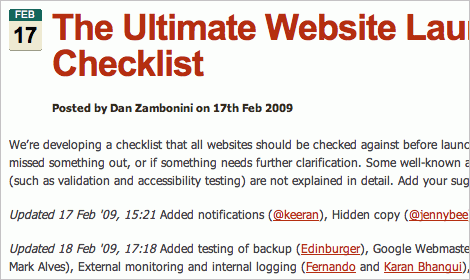
The Ultimate Website Launch Checklist
This is a comprehensive checklist of things to check pre-launch that includes things like content, style, validation, seo, and security points. Created by Dan Zambonini. The pdf-version is available as well and so is the French translation. The checklist is a very useful reference that may help you in your daily projects and will help you to prevent errors and mistake once the site is released.
6 in 45 Incredibly Useful Web Design Checklists and Questionnaires

Blogger’s Checklist Before Hitting The Publish Button
How many times have we hit publish on a blog and then realized we forgot to do something crucial, whether it is changing post slugs or a crucial spell check. Here is a quick checklist of what you should do before you hit publish.

3. General Web Design Checklists

The checklists in this category are general-purpose; they cover a wide variety of web design areas. This is a good place to start if you’re not sure what a checklist should include or what you need to remember when designing sites. But don’t mistake these for beginners’ resources; most of them are quite comprehensive.

Web Standards Checklist
This checklists covers pretty much every aspect of building a standards-compliant website, from accessibility to basic usability to site management. It’s very complete and well-organized.

Standard in 45 Incredibly Useful Web Design Checklists and Questionnaires

Typographic Rules Checklist (PDF)
Another useful typographic checklist that contains not only some general typographic rules, heuristics and guidelines, but also reminders for typography in your projects.

Typography Checklist (PDF)
Compiled by Jason DewinetzIf, this list contains some useful typographic checks that you may want to consider for before launching your next project or printing your next brochure or book.
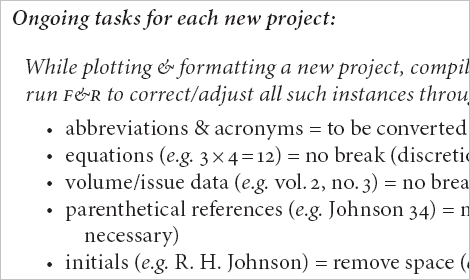
Type in 45 Incredibly Useful Web Design Checklists and Questionnaires

Essential Navigation Checklist for Web Design
These checklists pull together best practice in the disciplines of information design, usability and accessibility, into an easy to apply format. If you are already familiar with those topics, the checklists serve as a handy reminder that is easy to refer to and apply when planning navigation.

Checklist for usable forms
This checklist is for HTML forms along with links to a few articles that are very helpful. Check also Brian Crescimanno’s article Sensible Forms: A Form Usability Checklist.

GUI Screen Design Checklist
This checklist covers various common problems, issues and errors that appear frequently in graphical user interfaces. Also check the legendary GUI Testing Checklist.
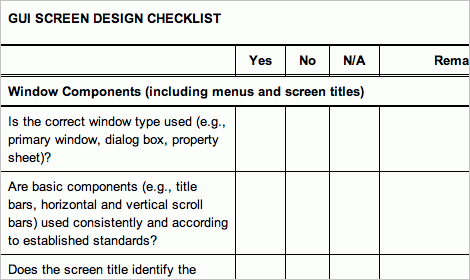
Gui in 45 Incredibly Useful Web Design Checklists and Questionnaires

Web Accessibility Checklist (also available as printable PDF and in German)
This checklist, compiled by Aaron Cannon, contains over 35 checks that will help you to improve the accessibility of your web-site. Another accessibility checklist.

Checklist To Improve Your Site’s Speed and Performance
Users have short attention spans and are generally not willing to wait for a bloated Web site to load. Take advantage of these tips, tools and resources, and you’ll have a much better time capturing visitors’ attention. This article presents over 50 speed optimization tips to consider before launching your web-site.

The Ultimate Testing Checklist
Testing plays a critical role in the development of your web site and its long-term maintenance. While smaller web sites—especially those with more limited budgets—may not need to follow the formal testing procedures that are required for large-scale, commercial web sites, every site needs to be thoroughly tested to ensure that it’s error-free, user-friendly, accessible, and standards compliant. This checklist will help you test your site both during development, and after. Download this checklist, along with others covering SEO and content management. Sitepoint also offers 101 Essential Checklists (printable .PDFs, for 29.95$+ per PDF).

Ult in 45 Incredibly Useful Web Design Checklists and Questionnaires

50 Questions to Evaluate the Quality of Your Website
This 50 questions long questionnaire might trigger something here and there for some of you or maybe brings some forgotten item from the long to-do list back into your mind.

Content Quality Checklist
In my experience, a common misperception of the evaluation of content quality is that its scope is limited to the correction of typos and grammatical errors. To truly consider content quality, we need to examine its quality along several dimensions. Consequently, the content quality checklists that follow cover everything from usefulness to voice to accuracy.

CSS Crib Sheet
While not a traditional checklist, this article does offer a pretty complete list of things you need to double-check in your CSS.
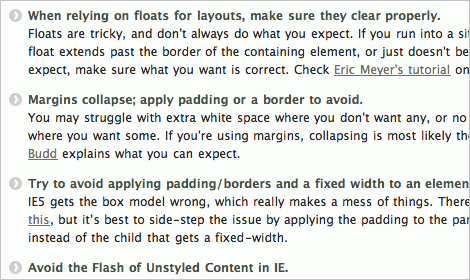
Csss in 45 Incredibly Useful Web Design Checklists and Questionnaires

Beginner’s Checklist Before Debugging CSS
This article shares common pattern of mistakes that designers tend to make in practice. Although the following examples may be stating the obvious, it seems most beginners make these mistakes quite frequently.

Ruby On Rails Code Quality Checklist
Ruby and Ruby on Rails is often considered to be one of the most difficult language/framework combinations to truly master. You may want to give this checklist to your coding teams so they can sign off on for each of their projects. Also check Launching Ruby on Rails projects, a checklist.

Checklist for Securing PHP Configuration
The Apache/PHP/MySQL stack is immensely popular for web application development. Its components are powerful, versatile and Free. Unfortunately however, PHP comes with a default configuration that is not suitable for production mode, and may cause developers to use insecure techniques during the development phase. Inside is a check list of settings that are intended to harden the default PHP installation.

4. Usability Checklists

Usability is the single most important part of web design. If the sites you design aren’t user-friendly, if they don’t work as expected, and if they confuse visitors, there’s really no point in even designing them—they won’t get used. The checklists below can help ensure your sites are usable by the vast majority of visitors.

Web Design Best Practices Checklist
This Web Design Best Practices Checklist from terrymorris.net covers a wide variety of usability points, including page layout, browser compatibility, color and graphics use, and multimedia content. It’s very thorough, with more than 60 points to check.

The Ultimate Webdesign Usability Checklist
This checklist from NotUsable offers up more than 85 points to check covering everything from images to navigation to content to forms. It’s one of the longer usability checklists out there and is incredibly complete.

4 in 45 Incredibly Useful Web Design Checklists and Questionnaires

Quick Usability Checklist
This 7-point checklist from Ux Booth covers some of the most important elements of site usability.
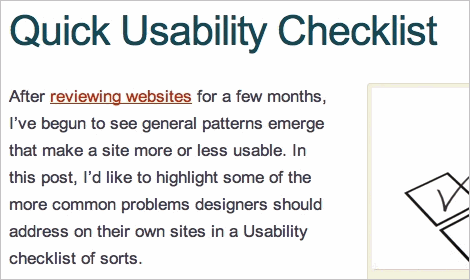
5 in 45 Incredibly Useful Web Design Checklists and Questionnaires

The Blog Usability Checklist
19 point checklist that should be useful to any blogger looking for a practical way to evaluate (and improve) the usability of their blog. Many of the principles here will apply to websites, as well.

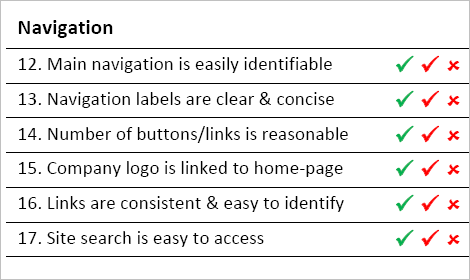
25-Point Website Usability Checklist
The 25-Point Website Usability Checklist offered by UserEffect covers all the basic areas in which to check your site, including accessibility, identity, navigation, and content. It’s shorter than many other checklists, but it still covers all the important items. A printable .pdf-version is available as well.
Pdf in 45 Incredibly Useful Web Design Checklists and Questionnaires

Everyday Usability—14-Point Checklist for Success
This checklist offers up fourteen points for making your website more usable and more effective. It covers everything from user testing ideas to link checking.

Usability.Edu: 25 Incredibly Useful Usability Cheat Sheets & Checklists
A truly useful collection of usability cheat sheets and checklists for forms, blogs and more, all listed in alphabetical order. Useful!

The Usability Toolkit
The Usability Toolkit is a collection of forms, checklists and other useful documents for conducting usability tests and user interviews.

Key questions to ask your usability testing supplier (PDF)
This document gives you some of the key questions you should ask your usability supplier and explains what to listen for in their answers. You can use it as a checklist during invitations to tender, when interviewing usability providers or when reviewing proposal documents.

Dr. Web: The Ultimate Usability Checklist (in German)
An extensive German usability-checklist writte by Stefan Nitzsche.

5. Search Engine Optimization (SEO) Checklists

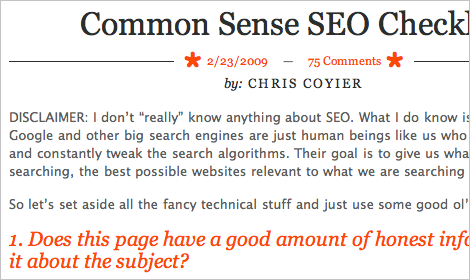
Common Sense SEO Checklist
Chris Coyier’s list of pretty straightforward things to consider when publishing SEO-optimized content on your website.
Seo3 in 45 Incredibly Useful Web Design Checklists and Questionnaires

The Ultimate SEO Checklist
Optimizing your web site for search engines should be an integral part of your web site project, from the very beginning to the very end. Shirley Kaiser’s checklist that can be used as a guide to optimize your web site for search engines.

The Beginner’s Checklist For Small Business SEO
Consider some essential SEO checks that are important for local small business sites. The following is a checklist of all the tasks that may be necessary for you to generate great results. See also The Beginner’s Checklist for Learning SEO and The Web Developer’s SEO Cheat Sheet.

Seo2 in 45 Incredibly Useful Web Design Checklists and Questionnaires

SEO Checklist
There are “over 200 SEO factors” that Google uses to rank pages in the Google search results (SERPs). What are the search engine optimization rules? Here is the speculation – educated guesses by SEO webmasters on top webmaster forums. Should you wish to achieve a high ranking, the various confirmed and suspected Google Search Engine Optimization (SEO) Rules are listed below.

6. Marketing Checklists

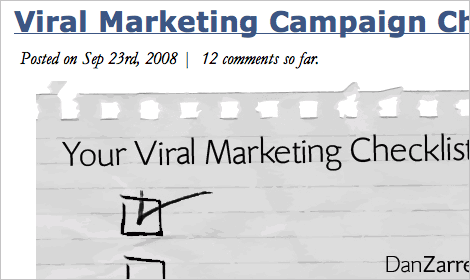
Viral Marketing Campaign Checklist
Once you’ve decided you’d like to create a viral marketing campaign, its easy to become too focused on the details, and miss the forest for the trees, but a good campaign is the integration of a lot of parts. Here’s a quick checklist to make sure you haven’t missed anything.
Viral in 45 Incredibly Useful Web Design Checklists and Questionnaires

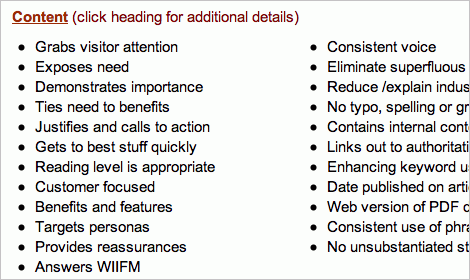
The Best Damn Web Marketing Checklist, Period!
Here’s an extensive checklist for verifying you’re doing everything you can to market your website from Search Engine Guide. More information is linked from the headline of each category on the list.
Engi in 45 Incredibly Useful Web Design Checklists and Questionnaires

Improving Conversion Rates Checklist
If your Web site gets great traffic but no sales or sign-ups to back it up, it’s time to take a good, hard look at it. Chances are, your site is scaring off customers. Follow these tips to make your Web site more friendly to customers and encourage better conversion rates.

Conv in 45 Incredibly Useful Web Design Checklists and Questionnaires

Landing Page Checklist
The landing page checklist below is unique in its scope and detail. It is designed to help you assess what you have already done and what is left to do on any given landing page.

Checklists for starting your first business
If you don’t have a business of your own, or are new to starting businesses, you’re probably at a loss for some of the details of what you need to do. So let’s work them out, keeping everything as simple as possible.

7. WordPress Checklists

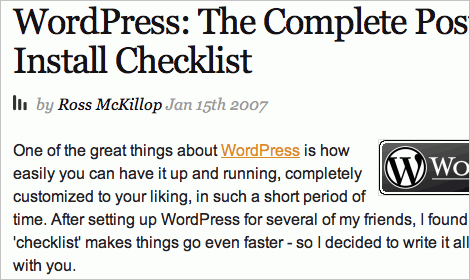
WordPress: The Complete Post-Install Checklist
Depending on how you’ve installed WordPress (manually or by a “one-click-install” that many hosting providers offer) – one of the very last installation steps is to choose a blog name and provide an email address. That’s where this checklist begins. More checkpoints.
Wp in 45 Incredibly Useful Web Design Checklists and Questionnaires

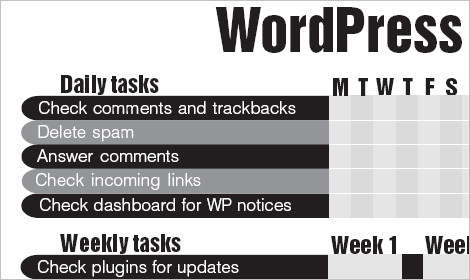
WordPress: Blog Maintenance Checklist
If you use WordPress to run your website, at the minimum, you need to regularly check updates on such things as your theme and the plugins you are using. This WordPress-powered blog maintenance checklist is a reminder of tasks that you may need to do as well as tracker of such things as version numbers of plugins and themes.
Wpm in 45 Incredibly Useful Web Design Checklists and Questionnaires

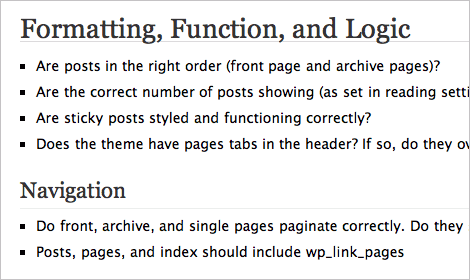
WordPress: Theme Development Checklist
A list of essential checks that you should consider before releasing a theme or launching your Wordpress-powered blog. Another checklist and yet another one (incl. a printable PDF-version).
Wp2 in 45 Incredibly Useful Web Design Checklists and Questionnaires

Moving and Upgrading Your WordPress Weblog: A 20-Point Checklist
Now, there are many types of “moves” that can be performed for a weblog. This one not only involves changing hosts but also upgrading the blog platform version. And it all has to be done at the same time. It turns out that it’s not a problem-free switch. So what about a “brute force” process for moving and upgrading your weblog? On the off chance that it’ll help someone, here it is. Check also the WordPress Upgrade Preparation Checklist.

8. Ultimate Web Design Checklists

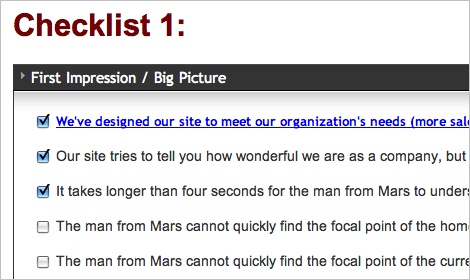
149 Mortal Sins That Will Send Your Site to Web Design Hell
This checklist from Web Pages That Suck is one of the most complete checklists out there. It primarily focuses on front-end design.
1 in 45 Incredibly Useful Web Design Checklists and Questionnaires

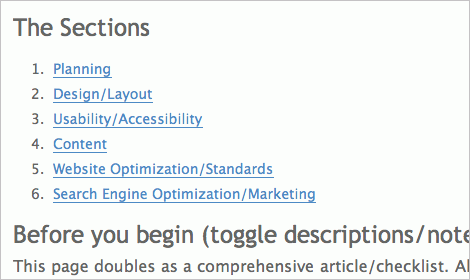
The Official ‘Successful Website Checklist Challenge’
This checklist breaks down important points over six different categories: Planning, Design/Layout, Usability/Accessibility, Content, Website Optimization/Standards, and Search Engine Optimization/Marketing.
2 in 45 Incredibly Useful Web Design Checklists and Questionnaires

PC Limited’s Web Design Check List
This is a very comprehensive checklist that includes ten steps for planning your site designs. Steps include sizing up your competition and choosing a domain name, among others.

A Solid Web Design Checklist
This checklist includes both pre- and post-launch points to verify in a variety of categories, including typography and layout, accessibility, and consistency.

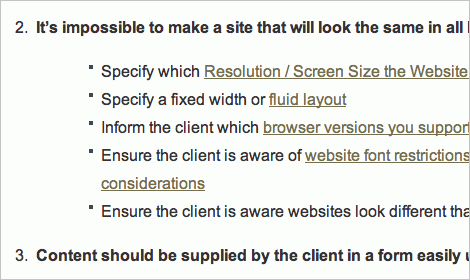
A Website Design & Development Project Checklist
This checklist is aimed at both designers and their clients, and offers some great starting points for creating an effective working relationship.
3 in 45 Incredibly Useful Web Design Checklists and Questionnaires

Test Your Website: A 57-Point Checklist for Maximum Usability
In addition to offering 57 points to check your site’s usability, this article also offers more resources for each of those points. A very valuable resource for creating more usable websites.

Cameron Chapman is a professional Web and graphic designer with over 6 years of experience. She also writes for a number of blogs, including her own, Cameron Chapman On Writing. She’s also the author of Internet Famous: A Practical Guide to Becoming an Online Celebrity.

Post Rating
1 Star2 Stars3 Stars4 Stars5 Stars (1 votes, average: 5.00 out of 5)
Loading ... Loading ...

Tags:

Advertising
  1. 1
    Lorenzo
    June 29th, 2009 7:00 am

    Great Post.
    Realy useful…

  2. 2
    mdzo
    June 29th, 2009 7:20 am

    very, very usefull ! thanks a lot guys !

  3. 3
    Daiver Pedemonte
    June 29th, 2009 7:24 am

    Easily the post of the year! Thanks!

  4. 4
    Kevin
    June 29th, 2009 7:31 am

    Wow, that’s a lot to wade through. Should come in useful once I start designing again.

    Thanks!

    Kevin

  5. 5
    sayan
    June 29th, 2009 7:38 am

    Great Compilation…very very useful. Thanks a lot.

  6. 6
    Tadd Mencer
    June 29th, 2009 7:43 am

    This is a great grouping of tips and such … just about anyone should and could find something useful here.

    Thanks!

    -Tadd
    taddmencer.com

  7. 7
    dave miers
    June 29th, 2009 7:50 am

    this is brilliant. thanks smashing homies

  8. 8
    Taylor Satula
    June 29th, 2009 8:04 am

    I aggree with Daiver Pedemonte

  9. 9
    Lucyland
    June 29th, 2009 8:18 am

    Thanks again for another incredibly useful list!

  10. 10
    Matthias
    June 29th, 2009 8:25 am

    Thanks for another, very helpful post!

  11. 11
    Floris Fiedeldij Dop
    June 29th, 2009 9:09 am

    Excellent. Thank you for putting this together.

  12. 12
    Kent
    June 29th, 2009 9:31 am

    Now that is an awesome post! Thanks Cameron (and Smashing).

  13. 13
    Dan
    June 29th, 2009 9:33 am

    Just fantastic- every single one of these is going to help me out immensely. I’ve been meaning to put some design checklists together for my own work for some time now, but never seemed to get the chance to step back and look at the big picture. It never occurred to me that these might already be out here and available.
    Thanks a lot, Smashing!

  14. 14
    Darren Taylor
    June 29th, 2009 9:38 am

    I happen to think our pre (accessibility) audit checklist is useful – http://www.dfpni.gov.uk/pre-audit-checklist-v1-4.doc

  15. 15
    Claude
    June 29th, 2009 9:42 am

    I wish some people would use simply “my”.
    rather than “ultimate”, “essential”, “incredibly usefull” or “must-have”.
    collections are fine. so are occasional insights into other people’s workflow.
    But these “ultimate” collections get a bit silly imho…

  16. 16
    tom
    June 29th, 2009 9:48 am

    YEAH! Another example why Smashing Magazin is one of my topsites. Thanks!

  17. 17
    Olivier
    June 29th, 2009 10:45 am

    Most useful post ever!!!

  18. 18
    Gina Alzate
    June 29th, 2009 10:50 am

    Thanks for compiling this useful collection of helpful checklists and sharing them with us.

  19. 19
    Johannes
    June 29th, 2009 10:56 am

    Thanks so much!! Ive been looking for around for such lists quite a lot in the past days. Great to find this guide!!

    Vielen Dank!!

  20. 20
    Devi
    June 29th, 2009 11:22 am

    Easily the most useful post I have found in Smashing, or any other web development blogs, in a very, very long time. These will be implemented in our business immediately. Well done; Post of the year!

    Thanks!

  21. 21
    peteskenandore.com
    June 29th, 2009 12:15 pm

    Always useful, with uncanny timing. Thanks!!

  22. 22
    Philip Karpiak
    June 29th, 2009 12:32 pm

    Speak of the Devil! I was just about to scour the web for some user questionaires. Cheers.

  23. 23
    hdoug
    June 29th, 2009 12:49 pm

    Amazing resource… especially the client checklists and questionnaires.

    I hope my competition doesn’t see this post. ; )

  24. 24
    Razvan
    June 29th, 2009 12:59 pm

    ok, your are simply smashing!!!
    gr8 post! thank u both !!

  25. 25
    Rajeev Ratra
    June 29th, 2009 1:53 pm

    You guys are absolutely the best! Your timing could not be better – I was working on putting together some stuff of this sort and then I saw this post of yours on popurls!! Thank you for such a well put-together list.

  26. 26
    Hobo
    June 29th, 2009 2:28 pm

    Hey Cameron,

    Thanks for picking us out :)

  27. 27
    joey
    June 29th, 2009 2:29 pm

    The Ultimate testing Checklist is out of date :
    “Here’s a list of the popular operating systems and browsers on which you might test your site.
    (…)
    Browsers for Macintosh OS X

    * Safari 1.2
    * Mozilla 1.6
    * Firefox 1.0
    (…)
    * Internet Explorer 5.2″

    OMG ! IE 5.2 ! ^^

  28. 28
    Facundo
    June 29th, 2009 3:01 pm

    This site is my bible!

  29. 29
    Paul Roe
    June 29th, 2009 6:38 pm

    Way cool.

    You truly mine the web for its hidden diamonds.

  30. 30
    T Bryan
    June 29th, 2009 7:24 pm

    A lot to digest, but looks like some very useful stuff! Will read in more detail when I have the time.

  31. 31
    Tracey Grady
    June 29th, 2009 7:58 pm

    Thanks Cameron – this is a great idea for a post, and a truly comprehensive collection. I’m delighted that my article has been included in such great company.

  32. 32
    dams
    June 29th, 2009 8:30 pm

    nice dude !

  33. 33
    Chadwick Tuteaux
    June 29th, 2009 8:44 pm

    I am afraid I did NOT find any useful information in this article. It seems to be stating the obvious. It does not give clear pointers on how to improve web site design, it just described what a person using his/her common sense would do.

    waste of time, space, money and bandwidth!

  34. 34
    imroz
    June 29th, 2009 8:57 pm

    really great post. thanks for this nice article. i really like. my link

  35. 35
    yvaine2010
    June 29th, 2009 9:02 pm

    Great Checklist collection. This is very useful… thanks :)

  36. 36
    rocky
    June 29th, 2009 9:06 pm

    this is a very nice post

  37. 37
    Adam
    June 29th, 2009 9:23 pm

    I just searched for this the other day on Smashing!!! You read my mind…. Thanks for this!!

  38. 38
    Armig Esfahani
    June 29th, 2009 9:41 pm

    that’s really useful! thank you..

  39. 39
    sama creation
    June 29th, 2009 10:25 pm

    Way cool. Thanks for this!!

  40. 40
    arnoldc
    June 29th, 2009 10:36 pm

    smashing magazine made me cry (T_T) lol
    …you’ve compiled all of the useful stuff that I need to know

  41. 41
    Valencio
    June 29th, 2009 10:44 pm

    Wow. What a great resource. Sometimes I’m so keen on getting to the design that I forget to ask some key questions or take into consideration a few essential elements. Great post!

  42. 42
    Raj Subramaniam
    June 29th, 2009 11:14 pm

    Real useful stuff, very handy for Web developers.
    Thanks Cameron !

  43. 43
    nazar
    June 29th, 2009 11:30 pm

    Hi

    Thanks for sharing.this information was really very good..i have more useful.Easily the most useful post I have found in Smashing, or any other web development blogs, in a very, very long time.
    Thanks!

  44. 44
    spritzstuhl
    June 29th, 2009 11:58 pm

    Despite of the obvious character of the points mentioned I think it is a good article. I is a great source for newebies and for those who think they know already everything.

  45. 45
    Lukasz Bachur
    June 30th, 2009 12:05 am

    Brilliant, so useful!

  46. 46
    vanaheim
    June 30th, 2009 12:11 am

    Wow! Impressing list! Thanks!

  47. 47
    Rui
    June 30th, 2009 1:27 am

    I’ll just dive and swim back to the rock, because I just don’t have time to read all of these.
    You need almost to take a month off so you keep up with Smashing Magazine =)

    There should be something or a machine that could process all of these into a tree, or to a single checklist, and then you’d navigate to the branch you want with all different and similar opinions on a subject.

    Navigating between articles of different sites, will easily get you out from focus.

  48. 48
    Line of Design
    June 30th, 2009 3:05 am

    Amazing, resaourcefull article. I’m stunned with all the information available on this page…
    I must take some time during Summer Holiday to catch up on reading into most of the links…

    Great! Thank you Smash!

  49. 49
    Tim Holmes Design
    June 30th, 2009 3:43 am

    One of the best articles you have featured.

    Excellent and extremely useful

    Muchos gracias SM

    Tim

  50. 50
    joris_lucius
    June 30th, 2009 4:03 am

    Really lot of nice resources here, to extend our wiki! Thanks!

  51. 51
    Allen
    June 30th, 2009 4:09 am

    This list will be a very great resource for me! Thanks.

  52. 52
    “ Maxim Mag hold the record
    June 30th, 2009 4:27 am

    hi..testing

  53. 53
    Tom Bradshaw
    June 30th, 2009 4:35 am

    Thanks, a really useful resource. Checklists are helpful – although sometimes when speed is required they can be a little troublesome.

  54. 54
    Clou
    June 30th, 2009 6:01 am

    Too bad Freelance Switch is upgrading their WP blog while being featured at the beginning of this article.

  55. 55
    Amy Thibodeau
    June 30th, 2009 6:06 am

    Just thought I’d let you know that Dan Zambonini has added a few more useful design tools to our blog:

    Analyzing the Design of Websites: Apple, Microsoft & 37 Signals: http://boxuk.com/blog/analyzing-the-design-of-websites

    Web Design Checklist (just published today): http://boxuk.com/blog/web-design-checklist

    Hope these are also useful.

  56. 56
    Mi Ja
    June 30th, 2009 6:11 am

    Perfect timing! This list is awesome! Thanks so much for putting it together!!!

  57. 57
    Addicott Web
    June 30th, 2009 7:03 am

    Incredible post – I’ve already opened about half of these links in tabs, and can’t wait to go through everything! Will definitely link back here – thanks for putting this together!

  58. 58
    Mélane Lago
    June 30th, 2009 7:52 am

    Just in time! Thanks a lot for the very usefull article! :)

  59. 59
    Dave
    June 30th, 2009 9:15 am

    Brilliant! A checklist to make sure I’m using the right checklists.

  60. 60
    sean steezy
    June 30th, 2009 10:41 am

    jeee. zus. thats a lot of checklists. don’t forget to check off your checklist checklist. to make sure to got all your checklists. check. list.

  61. 61
    Steve
    June 30th, 2009 10:45 am

    Best post. EVAR!!!!!

    Seriously, great job Cameron.

  62. 62
    Karl
    June 30th, 2009 9:49 pm

    Best post to date. So useful. Thanks.

  63. 63
    Rafa Carrasco
    June 30th, 2009 11:52 pm

    really really helpful. thanks a lot

  64. 64
    Yari
    July 1st, 2009 4:49 am

    Brilliant post, I’ll definitely be linking back to it! Very useful

  65. 65
    Loughlin
    July 1st, 2009 7:00 am

    This site is incredible. Every time I check your feed my mind is blown by the quality of the work put into these articles. Cheers!

  66. 66
    Adam Brewer
    July 1st, 2009 7:13 am

    Crikey, that’s a pretty comprehensive list! Have printed off a few and stuck them on the wall – should prevent a few schoolboy errors here and there! Adam | Web Design Blog

  67. 67
    Rebecca
    July 1st, 2009 12:45 pm

    thanks smashing! an overall good post, however I noticed some of the resources provided are a bit dated. (CSS Crib Sheet) has references to IE5

  68. 68
    Cre8ive Commando
    July 1st, 2009 4:25 pm

    Great post! There are some effective checklists that really help out with building a website. Here is a logo design walk-through that could help with putting together a logo design efficiently without any fuss.

  69. 69
    Tsedaka
    July 1st, 2009 8:53 pm

    I’ve read many somehow/almost/rather good articles here… but it’s been a long time since a read such a GREAT one!

    Thanks.

  70. 70
    Ryan Gensel
    July 1st, 2009 9:26 pm

    Thanks for compounding such a comprehensive list, I am wiser because of it.

    Ryan G.

  71. 71
    supremegraphx
    July 3rd, 2009 8:27 am

    great great great list. Always needed a list like these. Now I can book mark this and come bck to it and go down the line for what i need
    Thanks

  72. 72
    Chris
    July 5th, 2009 10:45 am

    Thank you very much for this superb list! Smashingmagazine is one of my favourite websites. Keep on with you good work! Link

  73. 73
    Adam Hermsdorfer
    July 5th, 2009 6:34 pm

    What an unbelievable list! Universities could teach full online marketing classes based on these check lists. Will be be back to this page often!

  74. 74
    Shaimaa
    July 6th, 2009 10:49 pm

    Extremely helpful .. one of the greatest posts ever ! Thank you so much

  75. 75
    Vidya
    July 7th, 2009 9:55 am

    Very extensive and great list. Thanks. Digimode

  76. 76
    e11world
    July 7th, 2009 2:58 pm

    Wow! This was a very helpful resource. Thank you!

  77. 77
    kre8iveminds
    July 9th, 2009 12:48 am

    Excellent resource. Thanks a lot.

  78. 78
    Manuel
    July 11th, 2009 1:06 pm

    Amazing resource. I found tons of great lists that will save us a lot of time…

  79. 79
    snipe
    July 14th, 2009 10:29 am

    I’m afraid I’ve got to side with Chadwick here – really sort of just a collection of lists that overstate the painfully obvious. Anyone with a shred of common sense wouldn’t – no, *couldn’t* forget these things. Still love Smashing Magazine, but everything here is just regurgitation of Website Design 101.

  80. 80
    Jon Fukuda
    July 23rd, 2009 10:45 am

    @snipe – you’re right if you’re talking to a bunch of seasoned web folks, but you’d be surprised how many of my clients need this level of guidance. Somehow – the larger more established they are.. the less they’ve thought about this.

    Thanks Smashing for putting this list together!

  81. 81
    David Lafon
    August 13th, 2009 12:01 am

    I would like to add useful checklists and an amazing tool for web quality checklist: Opquast. It is very comprehensive for all web projects including those with a problem of accessibility or e-commerce.

  82. 82
    anita
    August 24th, 2009 4:42 pm

    i from ghana 28 f +233 541892730 pls call me bye

  83. 83
    R Paul
    September 4th, 2009 1:21 am

    not just, 45 Its 100% Useful Web Design Checklists, nice work ;)

  84. 84
    Larissa
    September 15th, 2009 12:37 pm

    These are great checklists. I like to use a printing checklist to prepare files: http://ljdesignstudio.com/ultimate-design-checklist-for-print-files

  85. 85
    Cara Dixon
    October 19th, 2009 3:02 am

    This will prove really useful when designing in the future! Great post! Thanks for sharing!

  1. 00

    There are no trackbacks at this time. If you are interested in leaving a trackback, please use this URL.

Leave a Comment

Make sure you enter the * required information where indicated. Please also rate the article as it will help us decide future content and posts. Comments are moderated – and rel="nofollow" is in use. Please no link dropping, no keywords or domains as names; do not spam, and do not advertise!


Advertisement Advertise with us!
Join in Smashing Forum
  • No items transmitted. Please check back later.
Post your job
Advertisement