Smashing Magazine - we smash you with the information that will make your life easier. really.

Mastering CSS, Part 1: Styling Design Elements

Advertisement

CSS is one of the most important building blocks of modern web design. Standards demand the use of CSS for formatting and styling pages, and with good reason. It’s lighter-weight and capable of much more than older methods like tables.

And CSS isn’t nearly as tricky as some people tend to believe. Below are fresh tips and techniques for creating and styling design elements with CSS. They’re a good place to start if you’re new to CSS but are valuable even if you’re a veteran designer. Not all the techniques are strictly CSS; some include integration with JavaScript or XHTML to extend the functionality of your site.

1. Layout and User Interface Techniques

CSS is now the primary language used to create page layouts on modern websites. There are almost limitless possibilities for creating page layouts and user interfaces with CSS, but below are some of the more interesting techniques.

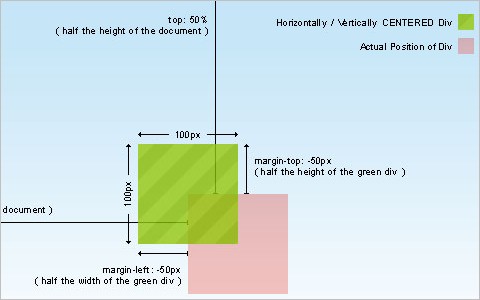
The simplest way to horizontally and vertically center a DIV
This article covers centering a DIV, both vertically and horizontally, using CSS. While many code snippets out there show how to do this through the use of parent and child DIVs, this particular method uses a single DIV and is much simpler.
112 in Mastering CSS, Part 1: Styling Design Elements

New CSS Sticky Footer – 2009
Here’s a sticky footer technique that’s completely cross-browser compatible. It even works in Google Chrome. And it doesn’t require an empty push DIV either.

Simple Page Peel Effect with jQuery & CSS
This tutorial combines jQuery and CSS to create a page peel effect. Most sites using this effect are Flash-driven, so this is a nice alternative if you’re not crazy about using Flash (or don’t know how).

60 in Mastering CSS, Part 1: Styling Design Elements

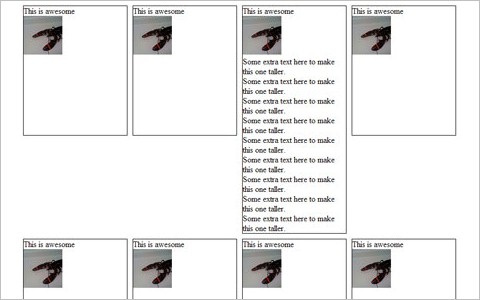
Equal height boxes with CSS
Here’s a basic example of creating equal-height boxes (faux columns) using CSS. It works similarly to cells in a table, but without the messy table bits.

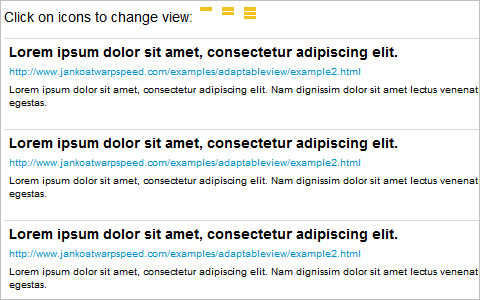
Adaptable view – how do they do it?
Letting users manually change the way your site appears can greatly improve the site’s usability and the likelihood that users will have positive experience (and come back for more). This tutorial shows you how to implement adaptable viewing techniques for your site.
9 in Mastering CSS, Part 1: Styling Design Elements

CSS: The All-Expandable Box
Here’s a tutorial for creating a CSS box that will expand in all directions to fit the content contained within it, instead of just vertically. It works especially well if users increase the font size but making the entire box larger, instead of just shifting the content around and making the box longer vertically.

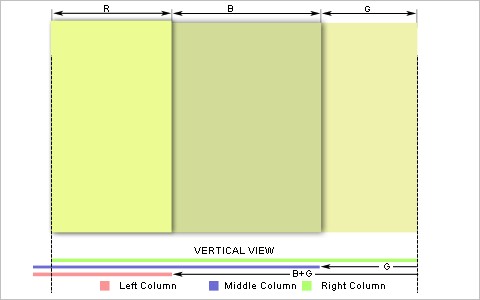
Four Methods to Create Equal Height Columns
Here’s another tutorial for creating equal-height columns in CSS, this time covering four different techniques. The techniques covered work in all major browsers (even IE6).
32 in Mastering CSS, Part 1: Styling Design Elements

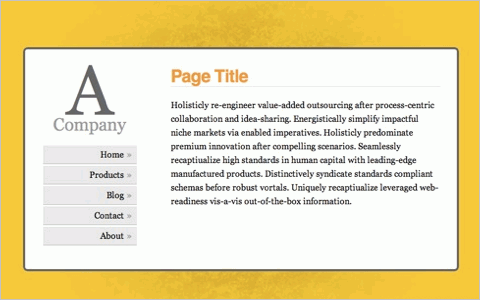
Vertical Centering With CSS
This post covers a variety of the best techniques for centering CSS elements vertically on a page. It also covers how to create a simple little vertically-centered website using the techniques.
39 in Mastering CSS, Part 1: Styling Design Elements

CSS vertical center using float and clear
Here’s another tutorial for creating a vertically-centered CSS box using float and clear. It even works in IE5 for the Mac, just in case.

Cross-Browser Inline-Block
This tutorial covers how to create an inline-block layout that works with varying levels of content without breaking the layout.
20 in Mastering CSS, Part 1: Styling Design Elements

The CSS “Ah-ha!” Moment
Here’s a post talking about the “Ah-Ha!” moment most designers have at some point in their careers, where some vital bit of design knowledge suddenly makes perfect sense. In this case, it’s the relationship of CSS boxes within a layout.
Ahha in Mastering CSS, Part 1: Styling Design Elements

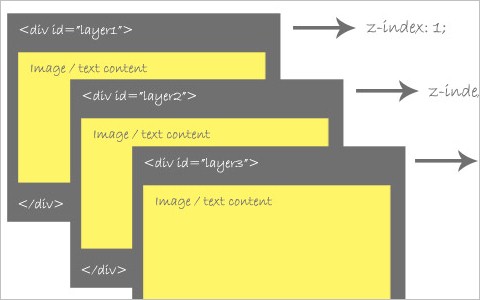
An Indepth Coverage On CSS Layers, Z-Index, Relative And Absolute Positioning
This article gives a comprehensive overview of CSS layers, relative and absolute positioning, and Z-Index properties.
37 in Mastering CSS, Part 1: Styling Design Elements

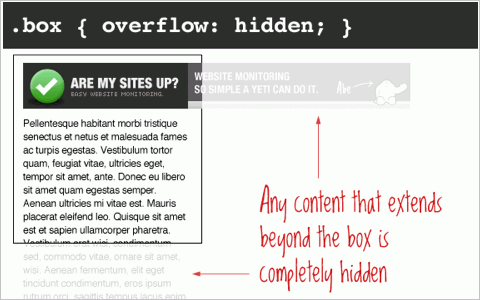
The CSS Overflow Property
Here’s a complete run-down of how the different settings for the CSS overflow property work. It includes visible (the default), hidden, scroll, and auto, with illustrated examples of each.
51 in Mastering CSS, Part 1: Styling Design Elements

Absolute, Relative, Fixed Positioning: How Do They Differ?
The differences between absolute, relative, and fixed positioning with CSS can be confusing at times. This article shows the difference between each one and when it’s appropriate to use one or another.

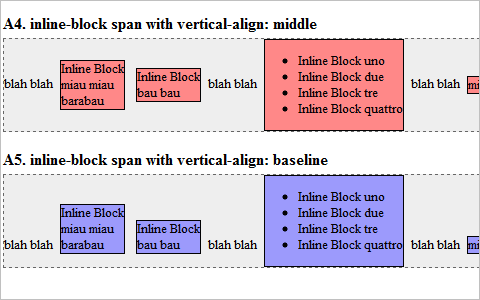
display: inline-block
Here’s a cross-browser (mostly) compatible method of creating inline blocks in a variety of styles. There are some differences, though, between the vertical alignment interpretation between browsers.
93 in Mastering CSS, Part 1: Styling Design Elements

2. Navigation and Menu Techniques

Good navigation is vital part of any website. Good navigation is both user-friendly and complements the rest of the site’s design elements. Below are some techniques and tips for creating navigation that does both.

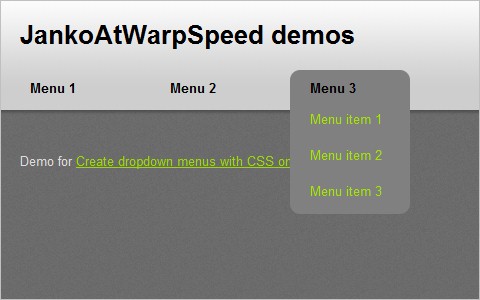
Create dropdown menus with CSS only
A complete tutorial on creating CSS-based dropdown menus that behave like dropdown lists. It’s a short and easy-to-implement method.
108 in Mastering CSS, Part 1: Styling Design Elements

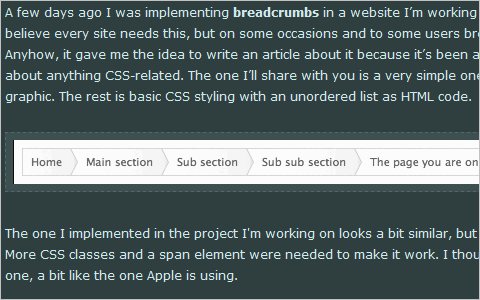
Simple scalable CSS based breadcrumbs
Using breadcrumbs on your site can make it easier for your visitors to navigate. And this tutorial shows a method for creating scalable breadcrumbs using CSS.
109 in Mastering CSS, Part 1: Styling Design Elements

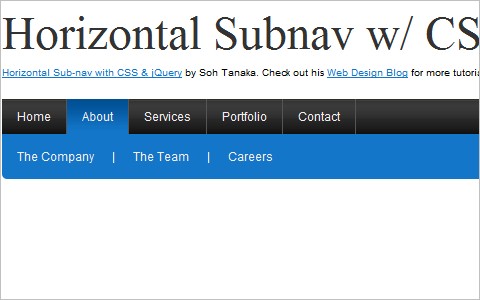
Horizontal Sub-nav with CSS & jQuery
Here’s a complete tutorial on creating a horizontal navigation submenu using purely CSS (in most cases, anyway). If you want it to work in IE6, you’ll need to implement some jQuery, too.
117 in Mastering CSS, Part 1: Styling Design Elements

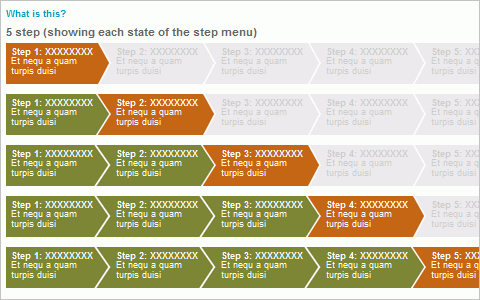
CSS Step Menu
Creating a stepped menu (also referred to as a “wizard menu”) can be tricky, especially when it has to change the number of steps depending on what it’s being used for. Here’s an example of one with information on how to create your own.
92 in Mastering CSS, Part 1: Styling Design Elements

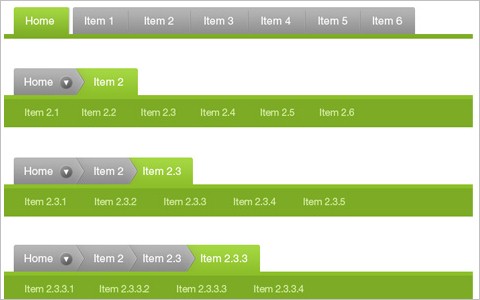
The Tabbed Breadcrumb Navigation
A comprehensive tutorial on creating breadcrumb navigation formatted as tabs.
69 in Mastering CSS, Part 1: Styling Design Elements

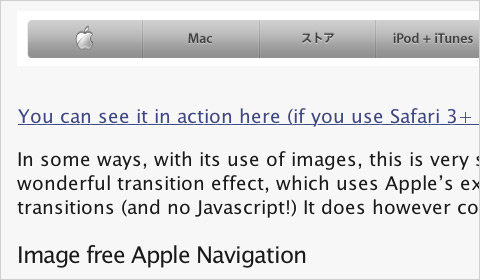
Apple’s Navigation bar using only CSS
This tutorial shows how to create an Apple-like navigation bar using only CSS and HTML (with no images).
Apple in Mastering CSS, Part 1: Styling Design Elements

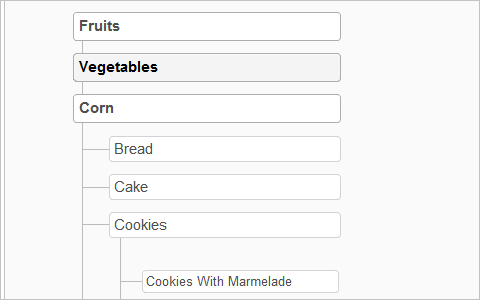
Sitemap Celebration
Here’s a sitemap style that’s cross-browser compatible (even back to IE5 for the Mac) and based on nested lists.
68 in Mastering CSS, Part 1: Styling Design Elements

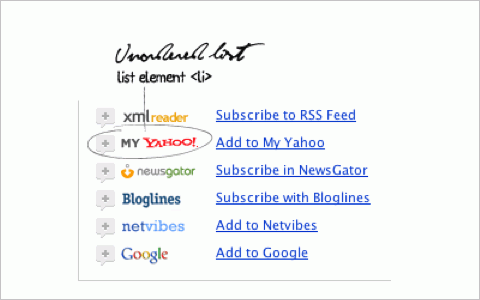
Nice CSS menu with feed reader icons list
Create a menu of feed reader icons using CSS. It could easily be adapted to other types of menus.
59 in Mastering CSS, Part 1: Styling Design Elements

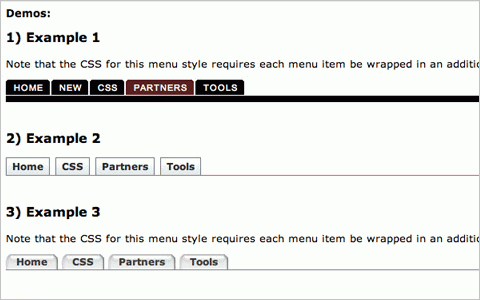
Multi-level Menus with jQuery and CSS
Here’s a collection of techniques for creating multi-level menus in pure CSS and CSS/JS. In addition to basic techniques, it also covers more advanced and creative examples.
41 in Mastering CSS, Part 1: Styling Design Elements

3. Image Styles and Galleries

Styling of images is an oft-overlooked element of page design. The techniques and tips featured below should help you remedy that situation on any of the sites you’ve designed.

Centering images with CSS
Some basic information on centering images using CSS instead of deprecated HTML.

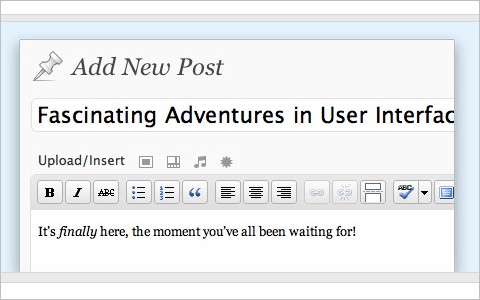
Add a Custom “Trendy” Border Around Blog Images With CSS & JavaScript
A complete rundown of how to create a variety of border styles around the images on your blog using both JavaScript and CSS.
116 in Mastering CSS, Part 1: Styling Design Elements

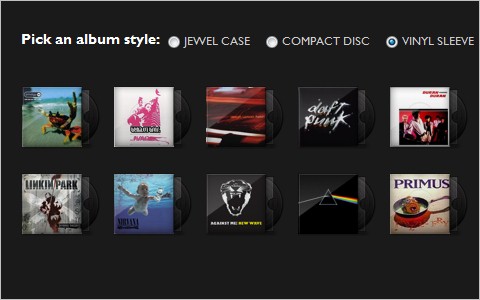
Sexy Music Album Overlays
A great tutorial for adding a bit more style to any image gallery, though it uses an album cover gallery as an example.
94 in Mastering CSS, Part 1: Styling Design Elements

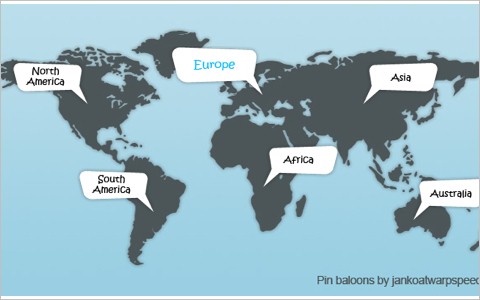
Create CSS pin balloons with ease
This is an awesome technique for adding pin balloons or speech bubbles to an image or map that expand on rollover from an anchor point.
70 in Mastering CSS, Part 1: Styling Design Elements

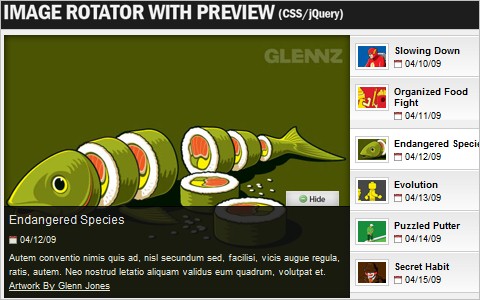
Create an Image Rotator with Description (CSS/jQuery)
A great tutorial on how to create an image rotator/gallery using CSS and jQuery. It creates a clean UI for displaying a portfolio or general image gallery.
66 in Mastering CSS, Part 1: Styling Design Elements

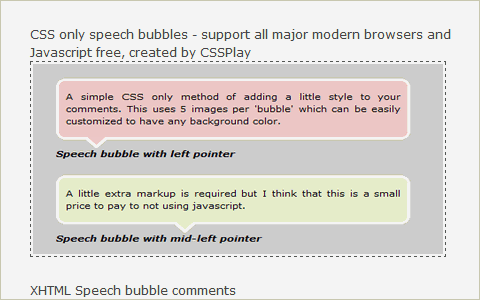
5 Popular CSS Speech Bubbles
A collection of five different techniques for creating speech bubbles using CSS (some of them using only CSS).
16 in Mastering CSS, Part 1: Styling Design Elements

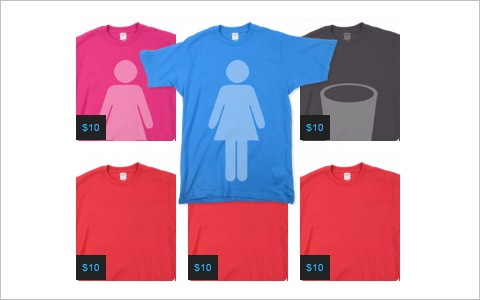
How to Make a Threadless Style T-Shirt Gallery
A tutorial for creating an image gallery similar to the one on the Threadless website, with a caption or overlay on top of an image or thumbnail, among other features.
46 in Mastering CSS, Part 1: Styling Design Elements

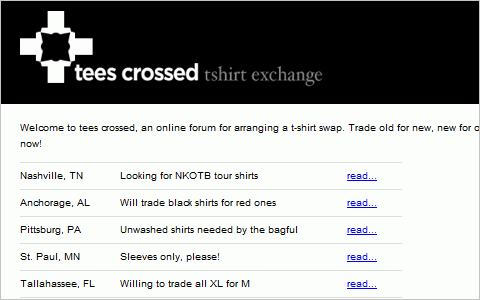
CSS image replacement for… images? It makes sense for print. (Ask the CSS Guy)
Here’s a method for swapping special print- and screen-optimized images into your pages depending on the stylesheet being used.
23 in Mastering CSS, Part 1: Styling Design Elements

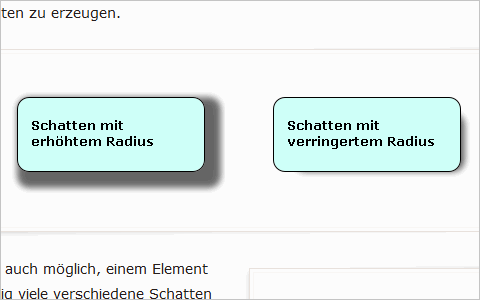
Beautiful new CSS: box-shadow (in German)
78 in Mastering CSS, Part 1: Styling Design Elements

4. Typography Techniques

CSS really excels at typography styling. Everything from font type to weight to color is defined using CSS. Here are a number of tutorials to help you create better web typography.

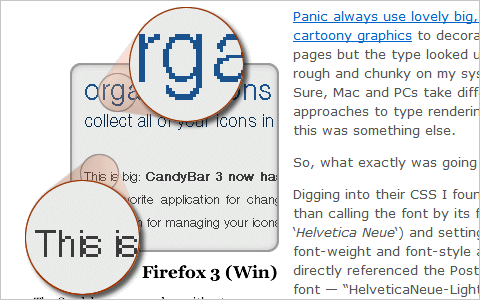
Truetype, Font Variants and Antialiasing
A great article on some issues with using Truetype fonts and how they sometimes don’t show up as you had hoped (or planned).
113 in Mastering CSS, Part 1: Styling Design Elements

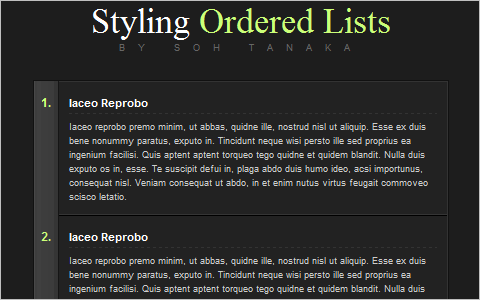
Styling Ordered Lists with CSS
A tutorial for creating a very appealing ordered list with CSS.
48 in Mastering CSS, Part 1: Styling Design Elements

Beautiful fonts with @font-face
The basics of using @font-face for inserting truetype fonts within your designs.
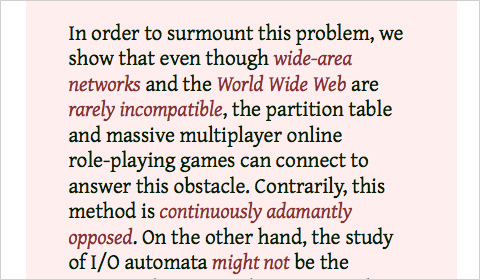
Fontf in Mastering CSS, Part 1: Styling Design Elements

Forgotten possibilities of :first-letter in CSS (in Russian)
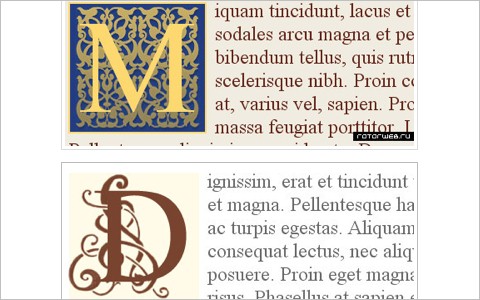
33 in Mastering CSS, Part 1: Styling Design Elements

8 Definitive Web Font Stacks
A collection of eight CSS font stacks that are based on the format of exact font, nearest alternative, platform-wide alternative(s), universal (cross-platform) choice(s), and generic. These are grouped depending on the impression they’re likely to give visitors.
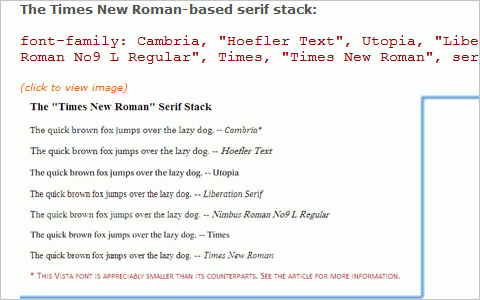
38 in Mastering CSS, Part 1: Styling Design Elements

Mike’s Experiments – CSS: Perspective Text
An interesting example of creating text with a perspective effect (so the bottom of a block of text looks closer than the top).
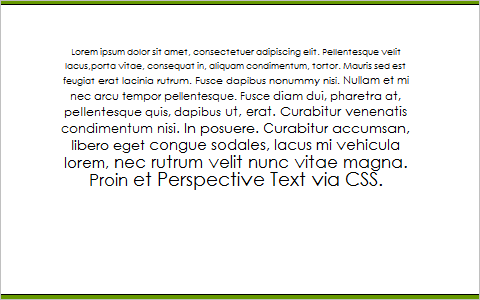
91 in Mastering CSS, Part 1: Styling Design Elements

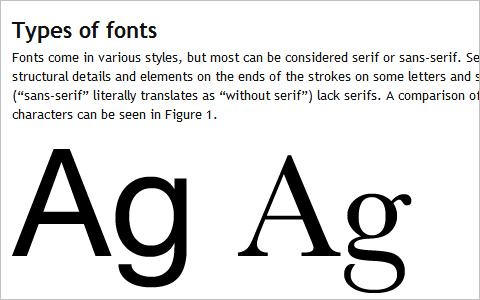
Fonts for web design: a primer
A great guide to typography aimed specifically at web designers that includes an overview of the types of fonts, their appropriate uses, and the use of specialist typefaces for web design.
104 in Mastering CSS, Part 1: Styling Design Elements

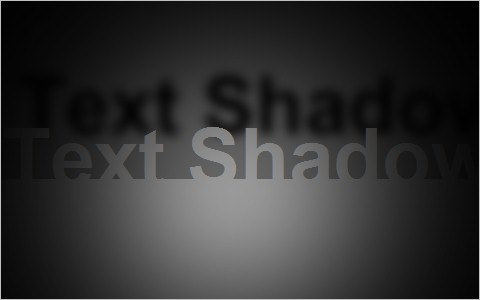
CSS text-shadow Fun: Realtime Lighting Demo
A really neat example of using the text-shadow property combined with JavaScript to create a lighting demo.
77 in Mastering CSS, Part 1: Styling Design Elements

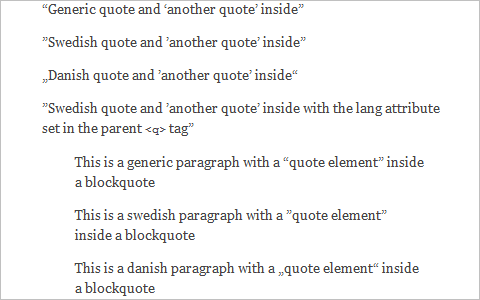
Rendering Quotes With CSS
A guide to using quotation marks in CSS, including how to create standard quotes for different countries.
100 in Mastering CSS, Part 1: Styling Design Elements

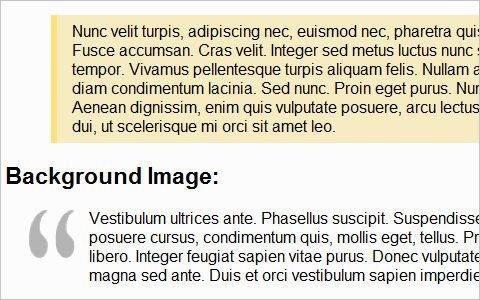
Six Ways to Style Blockquotes
A tutorial of different methods for styling the blockquote XHTML tag with CSS.
25 in Mastering CSS, Part 1: Styling Design Elements

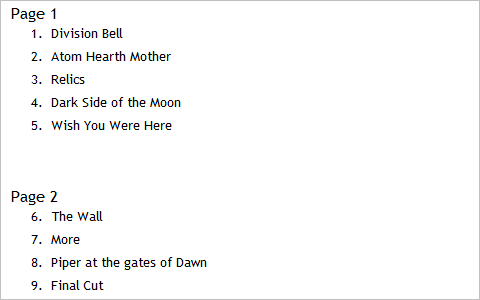
Make OL list start from number different than 1 using CSS
A simple tutorial for starting an ordered list number from any number you want.
31 in Mastering CSS, Part 1: Styling Design Elements

Use CSS to Override Default Text Selection Color
Choose any color you want to become the text highlight color on your sites with this method.

CSS Drop Cap Effect
A drop cap can set your site apart, especially if it’s a magazine or book website (or otherwise related to the literary trades). Here’s a CSS method for creating them.

5. Icons, Buttons and Links

Icons, buttons and links are another overlooked element on many pages. But they can also make a huge impact on your overall design. Below are some resources for styling better ones.

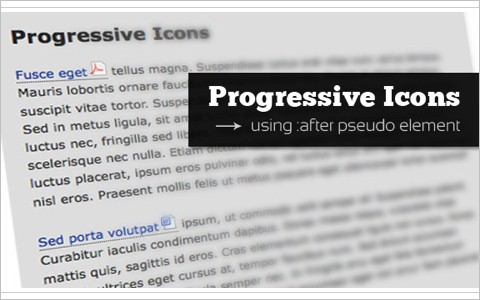
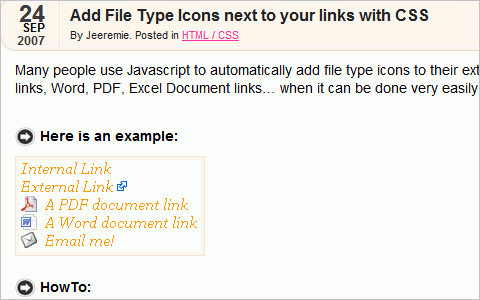
Add Progressive Icons to Your Site Using :after pseudo-element
This tutorial shows how to use descriptive icons for your links, mainly to show the type of file being linked to (such as a PDF or ZIP archive).
118 in Mastering CSS, Part 1: Styling Design Elements

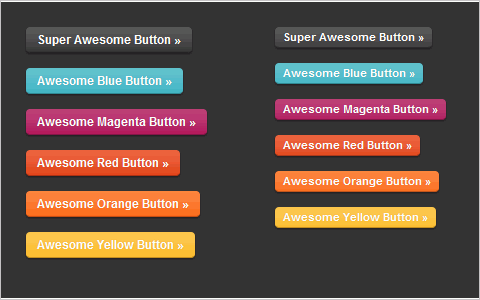
Super Awesome Buttons with CSS3 and RGBA
A tutorial for creating great buttons using CSS3 and alpha-blending techniques.
56 in Mastering CSS, Part 1: Styling Design Elements

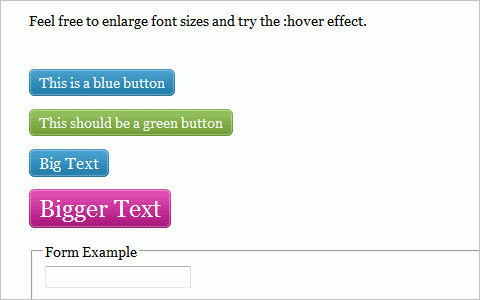
Scalable CSS Buttons Using PNG and Background Colors
A tutorial for creating buttons scalable both horizontally and vertically using PNG images. The technique degrades gracefully, so even users in IE6 will still see the button (just without the PNG).
101 in Mastering CSS, Part 1: Styling Design Elements

Add File Type Icons next to your links with CSS
Another tutorial for adding file type icons to your links.
75 in Mastering CSS, Part 1: Styling Design Elements

22 CSS Button Styling Tutorials and Techniques
Here’s a comprehensive resource list covering more than 20 techniques for creating buttons of all shapes and sizes with CSS.

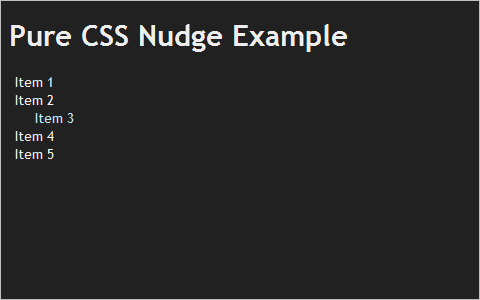
CSS Tricks’ Link Nudge
A tutorial for creating links that nudge sideways when they’re hovered over.
36 in Mastering CSS, Part 1: Styling Design Elements

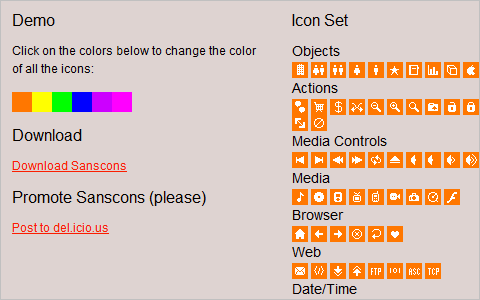
Sanscons
This is an icon set that can be recolored using just CSS.
98 in Mastering CSS, Part 1: Styling Design Elements

Cameron Chapman is a professional Web and graphic designer with over 6 years of experience. She writes for a number of blogs, including her own, Cameron Chapman On Writing. She’s also the author of Internet Famous: A Practical Guide to Becoming an Online Celebrity.

Post Rating
1 Star2 Stars3 Stars4 Stars5 Stars (1 votes, average: 5.00 out of 5)
Loading ... Loading ...

Tags: , ,

Advertising
  1. 1
    CoLLaPSe
    August 3rd, 2009 1:53 am

    Awesome! Thank you very much.

  2. 2
    daveuk
    August 3rd, 2009 1:57 am

    Fab, have bookmarked this for future use.

  3. 3
    Extraordinare
    August 3rd, 2009 1:59 am

    Great stuff, very usable

    Keep it up!

  4. 4
    butu
    August 3rd, 2009 2:12 am

    Very helpful… Thks!!!

  5. 5
    Christian Schilling
    August 3rd, 2009 2:16 am

    I think the css sticky footer was here long before New CSS Sticky Footer
    on http://www.cssstickyfooter.com/, at least I dont see any real differences between the markup/css and the old way (footer stick alt) from about 2005 (http://www.themaninblue.com/writing/perspective/2005/08/29/).

    Am I something missing?

  6. 6
    Xavier
    August 3rd, 2009 2:19 am

    Wonderful & deep tutorial! I’ll come back here often, sure! Thanks for share it!

  7. 7
    chaitrax
    August 3rd, 2009 2:35 am

    Very helpful.

  8. 8
    Juras
    August 3rd, 2009 2:53 am

    This is definitely great & useful post :) Thanks !

  9. 9
    Riccardo
    August 3rd, 2009 2:56 am

    A useful collection of tutorials. Thanks.

  10. 10
    Hezi
    August 3rd, 2009 2:58 am

    Top of the ROCK!

  11. 11
    Christine Reed
    August 3rd, 2009 3:05 am

    I guess it’s an interesting article… but I can’t open the link…
    Can anyone help?..

  12. 12
    Wapple
    August 3rd, 2009 3:09 am

    Great post, useful and interesting – all you could ever ask for really!

    The Future of Mobile Web Design?

  13. 13
    Tami
    August 3rd, 2009 3:24 am

    Very important article !!! Exactly what I was looking for. Many thanks!

  14. 14
    iJan
    August 3rd, 2009 3:43 am

    Great article. Loved it!

  15. 15
    Riza
    August 3rd, 2009 3:47 am

    What a nice article…

  16. 16
    Richard
    August 3rd, 2009 3:48 am

    Useful compendium. Thanks.

  17. 17
    Jack
    August 3rd, 2009 4:08 am

    In the first paragraph under section 1, I think “There are almost limited possibilities” should be “limitless possibilities.

  18. 18
    Bradford Sherrill
    August 3rd, 2009 4:34 am

    Great read!

  19. 19
    illusiv
    August 3rd, 2009 4:40 am

    Nice article! I’m really looking forward to more articles like this :)

  20. 20
    awesh
    August 3rd, 2009 4:56 am

    Awesome…. looking forward to more articles like this….

  21. 21
    Carl
    August 3rd, 2009 5:23 am

    I loved the ‘Ah-ha’ moments one. My most recent Ah-ha moment was when I worked out that any page element can be styled without naming. In some way I already knew this, but had never thought about the possibilities. You could have a beautiful and well styled webpage with just about no div or span tags at all.

  22. 22
    Enes Kaya
    August 3rd, 2009 5:24 am

    Thank you very much.
    It’s really helpful to overlook, what you as a webdesigner of the next generation have to know. I’m really looking forward to take some hours and to read all that stuff.

    SmashingMagazine – kinda like a tollfree school for webdesigners. :D

  23. 23
    Cyndy
    August 3rd, 2009 5:26 am

    Very useful article! thanks for sharing! :)

  24. 24
    red
    August 3rd, 2009 6:10 am

    love it, thanks

  25. 25
    Floris Fiedeldij Dop
    August 3rd, 2009 6:29 am

    I seriously enjoy these articles, for html5, css3, and other web elements. Keep this good stuff coming.

  26. 26
    Kevin Althaus
    August 3rd, 2009 6:39 am

    Thank you for this.

  27. 27
    gr8pixel
    August 3rd, 2009 6:49 am

    awesome stuff.. thanks SM!

  28. 28
    FireDart
    August 3rd, 2009 6:51 am

    Thought I have seem most of these tutorials it’s great to see there finally being shown praise.

  29. 29
    Martin
    August 3rd, 2009 7:03 am

    Very very usefull! Thank you again!

  30. 30
    Blake
    August 3rd, 2009 7:45 am

    Good stuff.

  31. 31
    Minh Nguyen
    August 3rd, 2009 8:15 am

    thank you, I dreamed one day of mastering CSS and this article helped me a lot.

  32. 32
    Nikhil
    August 3rd, 2009 9:03 am

    This is simply fantastic stuff…..
    Amazing…

  33. 33
    albumartist
    August 3rd, 2009 9:16 am

    Awesome post. Wish it was up here earlier this year. I’m wrapping up a web design class and this post would’ve been a godsend. Forwarded link to instructor.

  34. 34
    penqz
    August 3rd, 2009 9:22 am

    Amazing article, this going to be very usefull in later stage :D

  35. 35
    Tha1 Bu1
    August 3rd, 2009 9:52 am

    Smashing Mag. you never fail to impress me with all the great postings to web stuff. As a web dev I’m never to snobby to learn about the basic stuff I forget over time.

  36. 36
    Rob
    August 3rd, 2009 9:58 am

    This is incredible. Can’t wait for Part 2!

  37. 37
    Adam Hermsdorfer
    August 3rd, 2009 11:08 am

    I look forward to checking out the CSS with pin balloons tutorial. Keep the lists coming, this is awesome!

  38. 38
    Carlos
    August 3rd, 2009 11:11 am

    Excelente artículo!!

  39. 39
    Vicky Nimbalkar
    August 3rd, 2009 11:17 am

    Great Job.

    I feel you’ve covered almost everything in part 1 itself. Wondering what will be in next part.

    Keep up the good work.

  40. 40
    moabi
    August 3rd, 2009 11:47 am

    you’re on the way…you rock

  41. 41
    bournedead
    August 3rd, 2009 11:48 am

    this is an awesome collection. the author deserves votes for the hard work. thanks.

  42. 42
    Ianladd
    August 3rd, 2009 12:11 pm

    Mint! I love the CSS Tuorials, and I love that Smashing Mag caters for people that aren’t quite at the shao Lin Kung Fu master level of web designers :) Thanks again!

  43. 43
    Ianladd
    August 3rd, 2009 12:12 pm

    Mint! I love the CSS Tuorials, and I love that Smashing Mag caters for people that aren’t quite at the Shao Lin Kung Fu master level of web designers :) Thanks again!

  44. 44
    Unleashed - Portland Web Design
    August 3rd, 2009 12:42 pm

    I was lucky enough to have someone help me learn CSS while being paid for it. Great post, I know CSS can seem intimidating to first timers!

  45. 45
    Matthew
    August 3rd, 2009 1:14 pm

    Excellent article guys! Love all the resources provided! Keep up the great work!

  46. 46
    TNk
    August 3rd, 2009 2:06 pm

    very complete article!! with up to date examples, excellent thx for the compilation very very useful :)

  47. 47
    Sebastian Otto
    August 3rd, 2009 4:44 pm

    Can not wait for Part 2

  48. 48
    Helen
    August 3rd, 2009 4:53 pm

    Cab bot wait for Part 3!

  49. 49
    Nitesh
    August 3rd, 2009 8:52 pm

    Wow!! thanks a lot.. this article solved lots of confusion……

  50. 50
    Malcolm
    August 3rd, 2009 9:19 pm

    Thank you very much Cameron and Smashing for showing us what we can achieve with mere css.

    Amazing Article, we need more of these.

    Cheers :)

  51. 51
    Brice
    August 3rd, 2009 11:44 pm

    Great article!No tutorial for styling form thought…would be nice :)

  52. 52
    micheal
    August 4th, 2009 12:35 am

    is equal height boxes working in ie7, not think so

  53. 53
    Frank West
    August 4th, 2009 1:18 am

    A great resource as always, will be sending a few colleagues to this article!

  54. 54
    John Roche
    August 4th, 2009 3:06 am

    Perhaps you might have explained the CSS involved in the tabs at the bottom of this site:
    Comments / Trackbacks/Pings
    Seems like as good a place as any of the above to showcase CSS tabbing!
    Very informative articles of late though! Thread bookmarked!

  55. 55
    Caracalla
    August 4th, 2009 3:30 am

    Excellent list, some very useful links in there, many thanks.

  56. 56
    Omar Abid
    August 4th, 2009 5:08 am

    “The simplest way to horizontally and vertically center a DIV”

    No, not simple, you need to know the DIV height in order to center it!!! what if it’s re sizable?

  57. 57
    Linda
    August 4th, 2009 7:18 am

    Thanks!

  58. 58
    Alexey Kulakov
    August 4th, 2009 3:35 pm

    cool roundup ))

  59. 59
    MUZZLE
    August 4th, 2009 6:17 pm

    Great, great, great collection. Even tho I have started to master CSS in my later works… these articles are great to help expand the mind.

    Greatly appreciate the time put into this one.

  60. 60
    alex
    August 5th, 2009 1:30 am

    great collection – i like it and thanks for that useful post!

  61. 61
    e11world
    August 5th, 2009 9:08 am

    Nice list! There are some more unique navigation techniques that should be on this list. I’m sorry but I just don’t have the time to put them here right now.

  62. 62
    Aditya Saxena
    August 6th, 2009 2:58 am

    That was some css awesomeness! There is a Sitepoint forum where there are regular CSS skills test. This is definitely of the same level. I also recommend Smashing creating a post where they solve the most common issues/tasks being solved/completed with CSS.

    Thanks for this again! you guys are great. Looking forward to my copy of the Smashing Book

  63. 63
    ◄IVAN►
    August 8th, 2009 9:53 pm

    very useful ;) :)

  64. 64
    estetik
    August 10th, 2009 1:55 am

  65. 65
    subcorpus
    August 11th, 2009 1:43 am

    read every word …
    really helpful article …
    need more like this … :)

  66. 66
    Jordan Dobson
    August 12th, 2009 1:36 pm

    In regards to your CSS bubbles links… I came up with an entirely CSS way to do speech bubbles using common unicode characters and NO Images and NO JavaScript.

    I’m sharing the code on GitHub: View the code on Git Hub

  67. 67
    uwspstar
    September 10th, 2009 6:57 am

    Awesome! nice collection !!!

  68. 68
    Doctorset
    November 20th, 2009 11:49 am

    This is the welcome page for the dentaldoctor.us Association web site.

  1. 00

    There are no trackbacks at this time. If you are interested in leaving a trackback, please use this URL.

Leave a Comment

Make sure you enter the * required information where indicated. Please also rate the article as it will help us decide future content and posts. Comments are moderated – and rel="nofollow" is in use. Please no link dropping, no keywords or domains as names; do not spam, and do not advertise!


Advertisement Advertise with us!
Join in Smashing Forum
Post your job


