
The State Of Animation 2014

Email Newsletter
Weekly tips on front-end & UX.
Trusted by 182,000+ folks.

 Celebrating 10 million developers

The post-Flash era is hardly free of animation. CSS animation is quickly becoming a cornerstone of user-friendly interfaces on mobile and desktop, and JavaScript libraries already exist to handle complex interactive animations. In the wake of so much “CSS versus JavaScript animation” infighting, a new API specifically for web animation is coming out that might just unite both camps.
It’s an exciting time for web animation, and also a time of grave miscommunication and misinformation. In 2014, I had the chance to travel the world to talk about using animation in user interfaces and design. I met and interviewed dozens of people who use and champion both CSS and JavaScript. After interviewing so many developers, designers and browser representatives, I discovered a technical and human story to be told.
What you’re about to read is purely observational and as unbiased an account as you will be able to find on the subject of web animation.
Flash May Be Gone, But The Era Of Web Animation Has Just Begun
Since the era of Flash, it’s become fashionable to think of animation as little more than decoration, a “flashy” afterthought, often in poor taste, like an unwelcome blink tag. But unless we want to display nothing other than copy on a screen, animation is still very much our friend.
For user interface designers, animation reinforces hierarchy, relationships, structure, and cause and effect. Research going back to the early ’90s demonstrates that animation helps humans understand what’s happening on screen. Animation stitches together app states and offloads that work to the brain’s GPU — the visual cortex.
For interaction developers, complex visuals — from infographics on dashboards to video games on tablets — are impossible to create without animation to glue all the pieces together. If we want those things on the Internet, we still need animation.
Sadly, we have fallen behind in the motion design race. Products that use animation to benefit their users will succeed where their static or animation-abusing competitors will fail. As it stands, native apps are beating the pants off the web. App developers have been incorporating animation into their designs and fleshing out workflow and prototyping tools like Flinto and Mitya from day one.
But things might be turning around. iOS’ Safari team pushed out the CSS animation and transition specifications so that websites can look and feel as good as iOS apps do. Even Google has picked up on this, putting animation front and center in its Material Design recommendations, with careful do’s and don’ts to apply animations and transitions meaningfully, with purpose.
Animation is the natural next step in the evolution of our application and device ecosystem. It makes the digital world more intuitive and interesting for users of all ages. And so long as our devices sport GPUs, it’s not going away.
Animating All The Things
At its core, animation is just a visual representation of a rate of change over time and space. All animation can be distilled into three types:
Static animation runs from a start point to an end point, with no branching or logic. This can be accomplished with CSS alone, as the abundance of CSS loading animations testifies.

Stateful animation in its simplest form takes boolean input — a click to open a menu and a click to close it, for instance — and animates between the two states. This is currently achieved in JavaScript frameworks by applying and removing classes with scoped CSS animation.

Dynamic animation can have many outcomes depending on user input and other variables. It uses its own logic to determine how things should animate and what their endpoints are. It could entail “dragging” a page along behind your finger according to the speed of your swipe, or dynamically changing a graph as new data comes in. This is the trickiest kind of animation to accomplish with the tools at our disposal today. CSS alone cannot be used for this kind of animation.
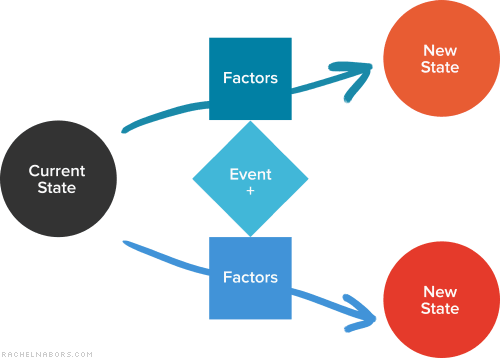
More States != Dynamic Animation
The astute CSS developer might point out that, with enough states, CSS animation could closely resemble dynamic animation. This is true to a point. But truly dynamic animation has more end states than you can possibly anticipate.
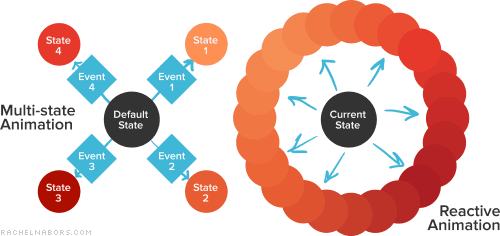
Just imagine the humble loading bar. Having a different class for every percentage point of “fullness” would easily run to a hundred lines of CSS, not to mention the number of times your JavaScript would have to touch the DOM to update the classes and the browser repaints. We definitely could write a more performant dynamic loader with JavaScript alone.
CSS animation is declarative: Aside from a handful of pseudo-classes, such as :hover and :target, it accepts context from neither the user nor the user’s surroundings. It does only what its author tells it to do and cannot respond to new inputs or a changing environment. There’s no way to create a CSS animation that says “If you’re in the middle of the page, do this; otherwise, do that.” CSS doesn’t contain that sort of logic.
When CSS-first developers need logic, they often start by scoping CSS to state classes, with JavaScript handling the logic of when to apply which class. Frameworks such as AngularJS support states, and many UI interactions adapt easily to a handful of states like “loading,” “open” and “selected.” These animations also degrade gracefully in old browsers, providing a much needed UX boost where CSS animation and transitions are supported.
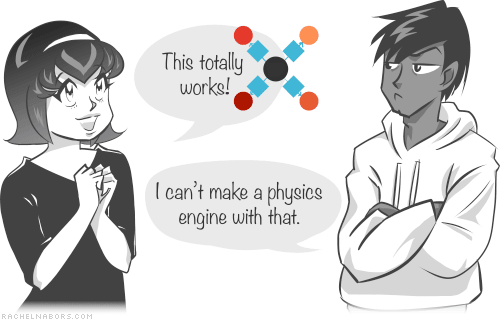
Interaction developers have had a different time of it. CSS animation is often too declarative to handle the things these developers want to build. Paying clients demand reliable animation across a wide spread of browsers; so, many interaction developers and their studios have done what all clever developers do: make labor-saving libraries customized to their own processes. Some of these libraries, like GSAP and Velocity, are available to and developed for the public. But many others will never be released in the wild, because the people and agencies who created them don’t have the time or money (or will) to support an open-source project.
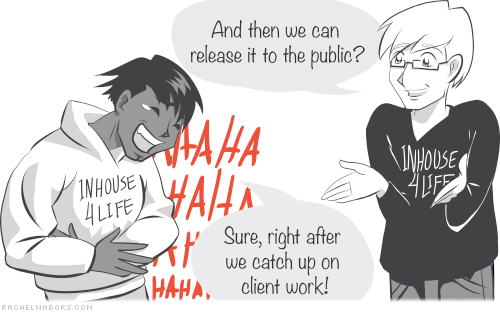
This is a deeply worrying story that I’ve heard over and over again, and it suggests that many developers are reinventing the wheel without moving the web forward. There isn’t enough demand for something considered “nice to have” to support many competitors. It’s easy to see how libraries like GSAP must be commercial in order to survive, or how sponsorships buoy libraries like Velocity.
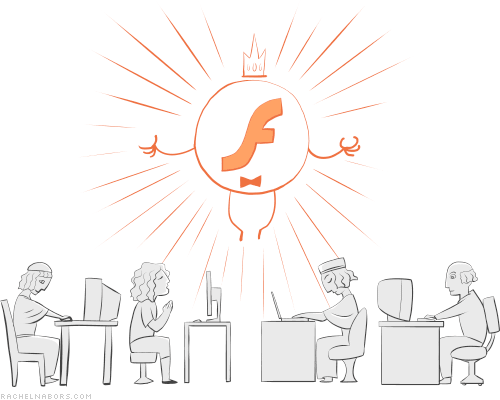
Flash did a great thing by giving interaction developers and UI designers a universal workflow that accommodates all kinds of animations and a platform on which to edit them. But since Steve Jobs announced back in 2010 that the iPhone would never support Flash, many former Flash developers have quietly gone into exile, taking their niche knowledge with them. Now, an entire generation of web designers has come online with relatively no knowledge of the possibilities and challenges we face when ramping up animation complexity.
But things are about to get quite… animated.
The Web Animation API: The Greatest An API You’ve Never Heard Of
The Web Animation API is a W3C specification that provides a unified language for CSS and SVG animations and that opens up the browser’s animation engine for developer manipulation. It does the following:
- provide an API for the animation engine, enabling us to develop more in-browser animation tools and letting animation libraries tap into performance boosts;
- give (qualifying) animation their own thread, getting rid of jank;
- support motion paths;
- provide post-animation callbacks;
- reintroduce nested and sequenced animations that we haven’t seen since Flash;
- enable us to pause, play, seek, reverse, slow down or speed up playback with timing dictionaries and animation player objects.
Here’s just one example of what the Web Animation API can do that CSS alone cannot.
See the Pen Running on Web Animations API by Rachel Nabors (@rachelnabors) on CodePen.
Support
The Web Animation API has been over two years in the making, and its features have been rolling out in Chrome and Firefox nightlies for the past six months. Mozilla is the major force behind the specification. Meanwhile, the Chrome team has been prioritizing the shipment of features.
Microsoft has the API “under consideration” for Internet Explorer. Apple, surprisingly, has also adopted a wait-and-see approach for Safari. And we can only fantasize about when the API will hit those web app engines powered by ancient forks of open-source browsers.
Early adopters who want to explore the API can try out a polyfill for the Web Animations API, which is being replaced by Web Animations Next literally any day now (more about the polyfill and the API can be found on the website for the Polymer project). However, for browsers that don’t support the API, the polyfill is still less performant than GSAP, the reigning champion of JavaScript-based animation libraries. Thus, the polyfill isn’t something interactive that developers will want to put into production for high-performance projects.
It will be some time before this API is supported across the board. With half of browser makers waiting to see how developers will use it and most developers refusing to use a tool that isn’t widely supported, the API faces a chicken-and-egg scenario. However, in an on-stage conversation with Google’s Paul Kinlan at Fronteers, I suggested that, were the API to be fully supported in a closed and monetizable system for web apps, such as Google Play, developers would be able to safely use it in a walled garden until it reaches maturity and fuller support.
Performance
The API’s authors and implementers hope that animation library developers will start feature-sniffing for the API’s support to tap into its performance benefits. Because the Web Animation API uses the CSS rendering engine, we can expect CSS levels of performance. Animations will run on their own thread as long as they don’t depend on anything happening in the main thread, such as JavaScript or layout.
Speaking of layout, reflowing remains one of the biggest processing hurdles for browsers. No CSS or JavaScript animation can get around it unless you’re pumping everything through WebGL straight to the GPU (which some clever in-house library developers have been doing). Aside from opacity and transform, animating the bulk of CSS properties will cause a reflow, a change in layout and/or a repaint of the pixels on the screen. The will-change CSS property helps some by enabling us to point at something and tell the browser, “That, that thing is going to change. You do what you have to do change it efficiently.” The hope is that as browsers get smarter about graphics, they’ll move those elements into their own layer or otherwise optimize the way they handle those graphics. It’s the first step in eliminating hacks like translateZ(0).
Such “performance hacks” often get slapped on as a magic fix whenever an animation is janking, but they often cause performance issues when used unwittingly. Performance decisions are truly best left to the browser in the long run. Fortunately, browser makers are scrambling to get fewer properties to trigger reflows, thus keeping them off the main thread. For animation library developers, this means that the Web Animation API could be a winning partner for performance in the near future.
Tools
Anyone working with web animation yearns for proper animation development tools: a timeline, property inspection, better editors, and the ability to pause, rewind and otherwise inspect an animation while debugging. The Web Animation API will open the guts of the CSS rendering engine to developers and the browser vendors themselves to create these tools. Both Chrome and Firefox are preparing animation features for their development tools. This API opens up those possibilities.
The Web Animation Community Today
Not many people other than those working on it are aware of the Web Animation API. The standards community is eager for real-world feedback from interaction and animation library developers. However, many developers feel that the standardistas live in an ivory tower, far removed from the rigors of the trenches, the demands of clients and the lessons learned from Flash.
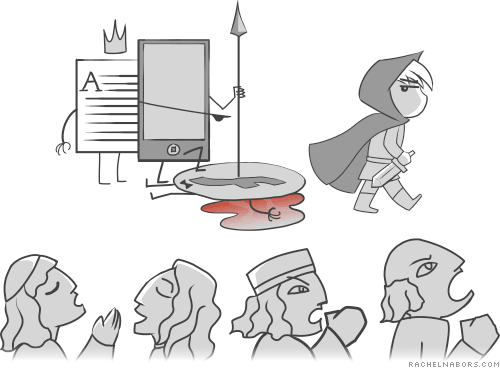
To be fair, the standardistas haven’t exactly come out to meet their audience in the field. To join the “official” Web Animation API conversation, you must jump through some hoops, and getting on the email chain threatens to overflow the inbox of any busy developer. Alternatively, you could get on IRC and join the conversation there — if only designers used IRC. The conversation that needs to happen is unlikely to happen if the people who have the most to say simply aren’t there. Vendors and specification authors will need to find more ways to reach out to their key audience or else risk building an API without an audience.
But the standardistas aren’t the only ones with communication problems here. As a community, we are very judgmental and quick to deride things that we deem unworthy, be it Flash or an API we don’t like the look of. Many of us invest our egos in our tools and processes. But those things don’t define us. What we create together defines us.
- Animation library developers, read the specification. It is long, but if GreenSock’s Jack Doyle can do it, so can you.
- Interaction developers who don’t have all day to read a huge specification, just read the readme on the polyfill’s page. It’s a perfect TLDR. Now that you know what’s coming, you will know when it might be useful to you, whether for optimizing your library’s performance or building an in-browser timeline UI.
- Designers, prioritize JavaScript at work. Play with the polyfill, and play with GSAP and Velocity. Find out what these things can do for your work that CSS alone cannot accomplish.
With web animation, we have a rare chance to put our egos aside and come together as a community to build a tool with which future generations of designers and developers can build great things. For their sake, I hope we can.
“The art challenges the technology, and the technology inspires the art.”
– John Lasseter, CCO Pixar
Resources
Rachel Nabors has an updated list of resources on the Web Animation API. To join the unofficial conversation, look for the #waapi hash tag wherever you prefer to communicate.
- Web Animations (API specification), W3C
- Web Animations polyfill and Web Animation Next (the next incarnation of the polyfill)
- GreenSock animation library
- Velocity, a performant
.animate()replacement for jQuery
Join The Conversation
- Official mailing list: email public-fx@w3.org, starting the subject line with
[web-animations] … - IRC: irc.w3.org#webanimations
- Everywhere else: use the hash tag
#waapiand engage with the community
Make A Difference
People who have some familiarity with C++ coding can help implement the API in Firefox. Brian Birtles might even mentor you! And Mozilla is always looking for people to help write documentation on MDN.
Minor corrections to the specification (grammar, spelling, inconsistencies, etc.) can be submitted as pull requests on GitHub.
People To Follow On Twitter
- Brian Birtles, a principal author of the specification and with Mozilla Japan
- Alex Danilo, Google platform team member and coauthor
- Tab Atkins—Googler, coauthor and contributor to the CSS specification
- Jack Doyle, member of GreenSock and GSAP
- Rachel Nabors, head of animation think tank Tin Magpie
Further Reading
- SVG and CSS animations with clip-path
- Creating ‘hand-drawn’ Animations With SVG
- Practical Animation Techniques
- The Math Behind JavaScript Animations
- UI Animation Guidelines and Examples
- Designing Animations In Photoshop
- Fast Prototyping UI Animations In Keynote
 (al, ml, mrn)

