
40+ Desert Island Web Development Tools

Email Newsletter
Weekly tips on front-end & UX.
Trusted by 182,000+ folks.


 Celebrating 10 million developers

What would you do if you were suddenly stranded on a desert island in the middle of nowhere, with only a USB drive, a dial-up internet connection, and a barebones computer with no software outside the operating system installed? Of course, you’d use the internet connection to call for help first, but what about after that? How would you keep your design business going?
Okay, maybe a scenario that’s a bit more likely would work better. What if your computer crashed, wiping out all of your data and programs, and you have a deadline in two days? Or maybe you want to be able to pick up and leave at a moment’s notice without taking anything more than a change of clothes and a USB drive. If you have the apps below, neither of those scenarios would be much of a problem.
You may also be interested in the following related posts:
- 15 Helpful In-Browser Web Development Tools
- Time Savers, Tools And Useful Services For Web Designers
- 50 Useful Design Tools For Beautiful Web Typography
The apps on this list can help you with everything from coding to graphics to running your business and managing your projects, all from a single USB drive. And while USB drives are getting bigger all the time (last I checked a 64GB one wasn’t too badly priced, and that’s 4GB more storage than my current MacBook has), you still need special programs in most instances to have true portability. The apps below are just that: truly portable and small enough to fit on a USB drive (often a very small USB drive).
Coding
Notepad++ Portable Edition
Notepad++ Portable Edition is a coding application that includes all the features you’d expect in a coding app. It’s written in C++ and runs on Windows. It’s open source and was released under the GPL license.
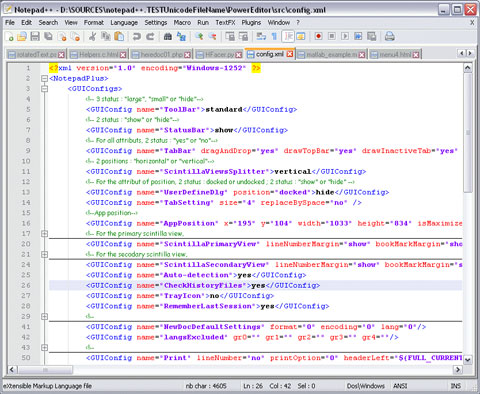
The portable edition includes all the features of the regular version. It has multi-view, supports a multi-language environment, a WYSIWYG editor, auto-complete, syntax highlighting and folding, and macro recording and playback, among its other features. It’s a great lightweight coding app.
Nvu Portable
Nvu Portable is the portable edition of Nvu Web Authoring Software. It includes a WYSIWYG editor and powerful file management. It’s aimed at users who might not be particularly technically savvy and only have a limited knowledge (or none at all) of HTML and CSS.
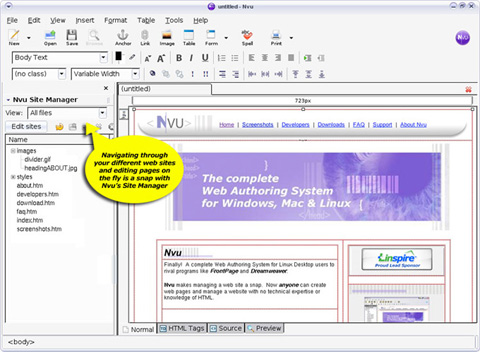
The portable edition has all the features and capabilities of the regular version. It works on Windows systems, and was released under the open source GPL license.
Oiko CSS Editor
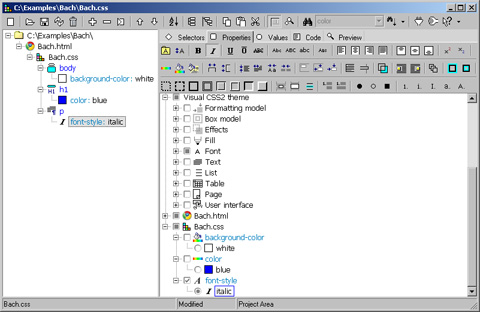
Oiko CSS Editor is a full-featured CSS, (X)HTML and XML editor in a portable format. It works on Windows 98 through XP. It’s a fairly robust editor, with an easy-to-use interface, grouped view of properties and selectors, a tree view of your CSS’s structure, and includes active preview in both IE and Mozilla browsers.
Graphics and Multimedia
Blender Portable
Blender Portable is a portable version of the Blender 3D rendering program. It works with the PortableApps.com platform. The portable version includes all the features of the regular version of Blender.
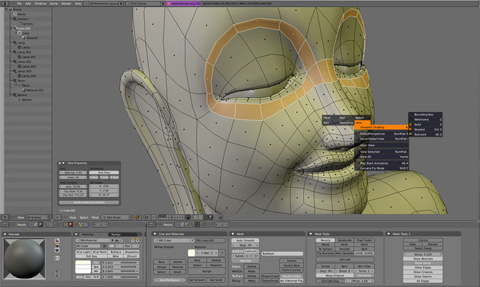
Blender has a range of features for rigging, modeling, animating and rendering 3D images. It has a fully customizable window layout and a non-overlaping, non-blocking UI. And it includes a built-in text editor for annotations and editing Python scripts.
GIMP Portable
GIMP Portable is a good alternative to Adobe Photoshop in a portable format. While GIMP’s user interface takes a bit of getting used to compared to other photo editing programs, it’s actually quite flexible.
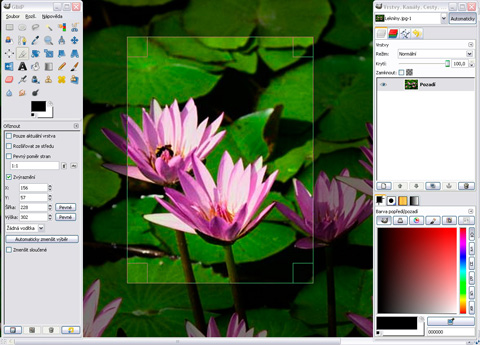
The portable version of GIMP has all the features of the full version, including layers and filters. It can also be extended and expanded, just like the full version.
Lightscreen Portable
Lightscreen Portable is a portable app that runs on Windows and lets you take screenshots of the desktop of whatever computer you’re on. It will perform five configurable actions (to capture window, screen, etc.) and each has its own hotkey.
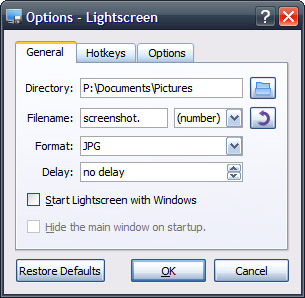
Lightscreen will save images in PNG, JPEG and common other image formats. It also has a delay function for taking screenshots. It runs as a hidden background process and is activated with one or more hotkeys.
Portable Audacity OS X
Portable Audacity is portable audio editing software for Mac OS X. Audacity has tons of features, including the ability to record live audio, edit (including the ability to edit and mix an unlimited number of tracks), add effects to audio files, and work with a variety of different file formats.
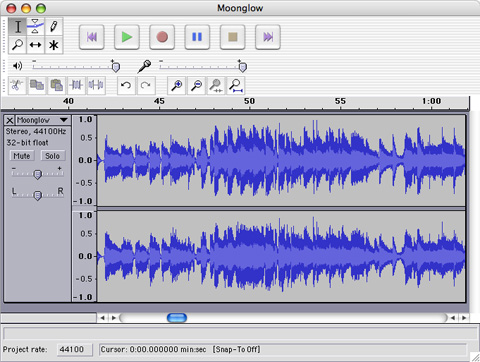
While the full version of Audacity is available for Windows, Mac OS X, and Linux machines, the portable version is available for Mac OS X and Windows. Considering it’s open source, it makes sense that a portable version for Linux would be developed if there’s enough demand.
Portable Inkscape OS X
Portable Inkscape is a portable vector graphics editing program. Inkskape has features similar to other vector graphics programs, including Illustrator, CorelDraw, and Xara X. It saves graphics in SVG (Scalable Vector Graphics) format.
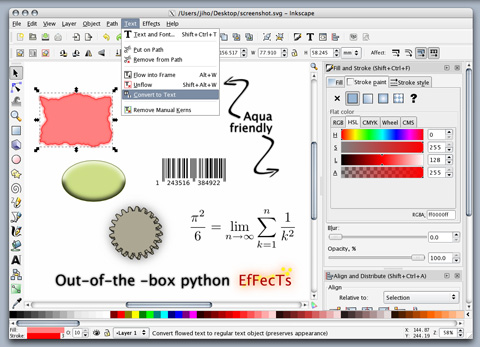
There is extensive documentation available for Inkscape on their website, a big plus if you’re new to using it. The portable version is only available for Mac OS X, though the full version is also available for Linux and Windows.
FastStone Capture
FastStone Capture is a portable screen capture utility. You can capture anything on your screen: windows, full screen, rectangular regions, objecs, freehand regions, and even scrolling windows (a big plus over many other screen-capture programs, portable or not).
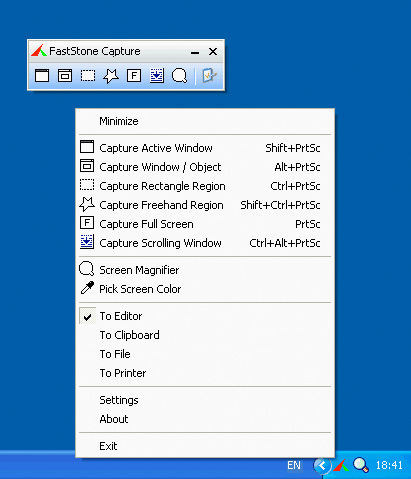
Other features include the ability to add text annotations to captures, resize them, and use hotkeys for specific functions. FastStone Capture only works on Windows systems, but is compatible with Windows98 right up through Vista.
Fotografix
Fotografix is a portable graphics program that lets you both edit and create images. There are brush tools, support for custom brushes, layer and channel support (including adjustment layers and masking), and a variety of other tools included.
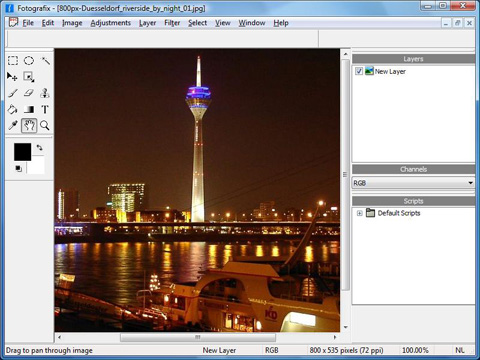
One of Fotografix’s biggest advantages, though, is it’s tiny file size: it’s only 367KB. If you want a really lightweight and easy to use graphics editor, Fotografix might be the right choice for you. However, it’s not as robust as a program like Photoshop, so keep that in mind.
Artweaver
Artweaver is a portable, freeware paint program. It lets you create sketches right from photos and includes a wide variety of brushes. It also lets you create new brushes and customize existing ones.
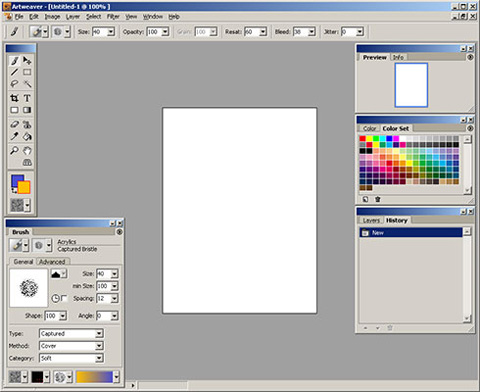
Artweaver also supports transparency and layers, and a variety of image formats (JPG, PNG, PSD, and more). It’s expandable via plugins, too. Artweaver works on Windows 2000, XP, or Vista.
VLC Media Player Portable
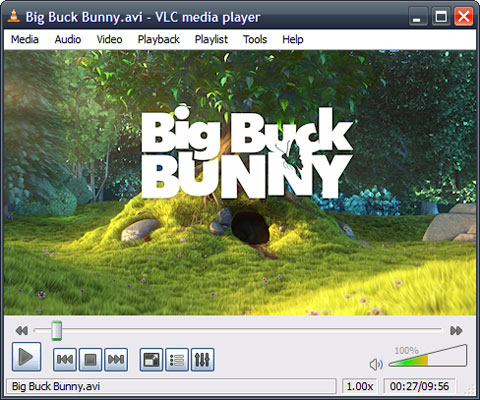
VLC Media Player Portable is a portable media player for using audio and video files. It will play MPEG-1, MPEG-2, MPEG-4, DivX, WMV, MP3, and a host of other file formats. And, in addition to playing your various media files, it can also act as a media server to stream in unicast or multicast in IPv4 or IPv6.
Winamp Lite
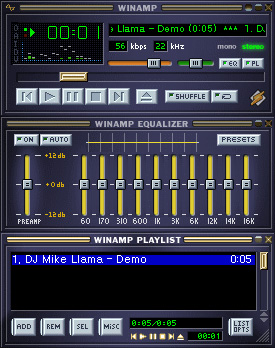
Winamp Lite is the portable version of Winamp MP3 player software. Skins and plugins are also portable, making this another great solution for listening to MP3s on the go. Portable setup is a bit involved but not particularly complicated.
File Management
FileZilla Portable
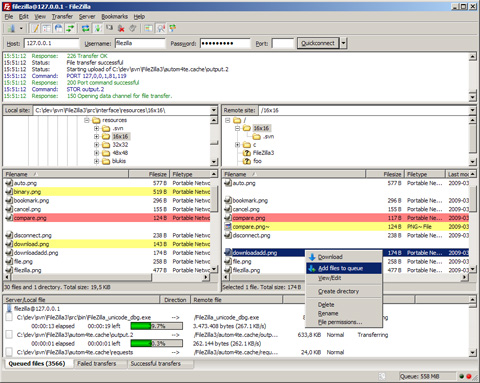
FileZilla Portable is another PortableApps.com application for FTP. It supports FTP, FTPS, and SFTP file transfers, as well as management for transferring large files (over 4GB). There are tons of configuration options. It also supports HTTP/1.1, SOCKS5 and FTP-proxy, and includes logging to file, synchronized directory browsing, and remote file search.
WinSCP Portable
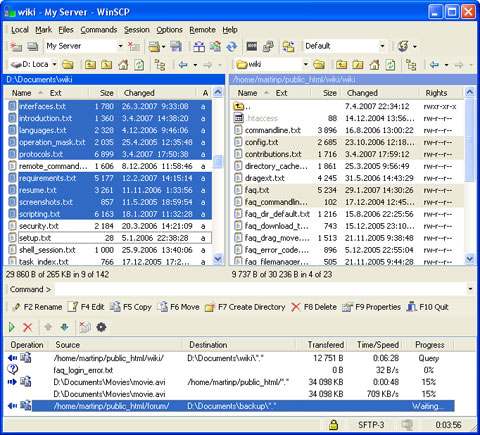
WinSCP Portable is an FTP program for Windows that includes SFTP and SCP protocols and directory synchronization. It’s been around for awhile but performs all common file operations and has an integrated text editor. It also supports batch file scripting and a command-line interface in addition to a GUI.
7-Zip Portable
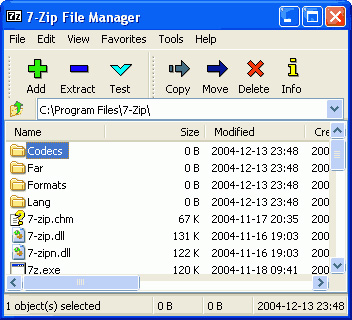
7-Zip Portable is a PortableApps.com program that lets you compress and uncompress a variety of archived file types, including 7z, ZIP, GZIP, BZIP2, TAR, and RAR files. It also supports creating encrypted 7z and ZIP archives and includes a powerful file manager. There are localizations for 63 languages available with the portable edition.
Toucan
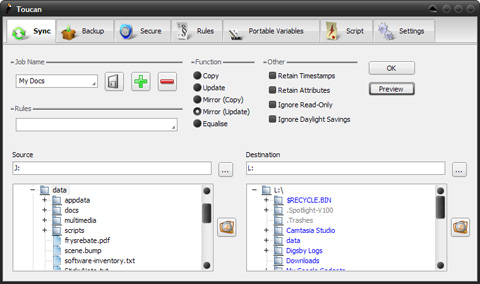
Toucan lets Windows users back up and sync data between two drives (like your hard drive and USB drive). It’s completely portable and free to download. There are a variety of advanced backup settings you can use, including incremental backups with compression and advanced rulesets.
Testing
XAMPP
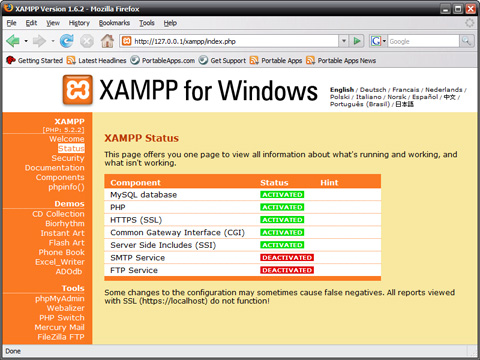
XAMPP is a complete, portable web server package of Apache, MySQL, PHP and Perl. It’s preconfigured, so all you need to do is unzip and install it. It includes phpMyAdmin, FileZilla FTP Server, SQLite, the Zend Optimizer, and MiniPerl, among other features. It’s a complete web, FTP and database server in a single package. There’s also a lite version that includes Apache, MySQL, phpMyAdmin, SQLite, and their related packages.
Portable Firefox
Portable Firefox is the portable edition of Mozilla Firefox. It’s a great app to take with you for working on other people’s computers, as you can store and access your own bookmarks, passwords, and preferences. The portable edition doesn’t leave anything behind on the computer you’re using, so you can be secure in saving your passwords and other information. It even appears to work with any extensions you install. It’s a PortableApps.com app, so it’s only available for Windows machines.
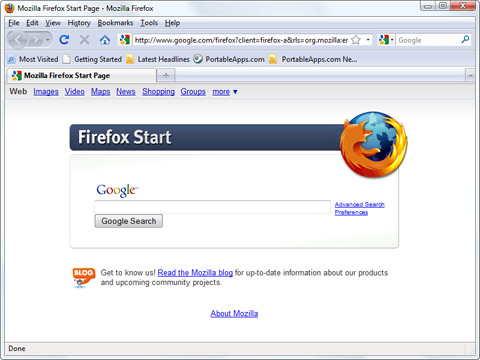
Don’t forget if you’re using Portable Firefox to also make sure you’ve downloaded some of the useful web development add-ons available.
- Firebug - For viewing and on-page editing of HTML, CSS, and JavaScript.
- CSS Viewer - A basic CSS property viewer.
- HTML Validator - An HTML validator toolbar for Firefox.
- Web Developer - Adds a menu and toolbar with various tools for web developers.
- CodeBurner - An HTML and CSS reference guide built into Firefox.
Instant Rails
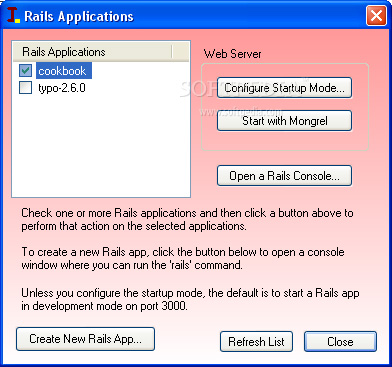
Instant Rails is a Ruby runtime solution with Ruby on Rails, Apache and MySQL, all ready to run. All you have to do is put it in the directory you choose and run it; there are no installation files.
Server2Go
Server2Go is a server package available with a variety of different configurations. There are packages that include Apache, PHP and SQLite; Apache, PHP, SQLite, and MySQL; Apache, PHP, SQLite, MySQL, and Perl; as well as mini packages (with only the needed files) and a “plain vanilla” package that doesn’t include PHP, Perl, or MySQL).
Portable Chrome
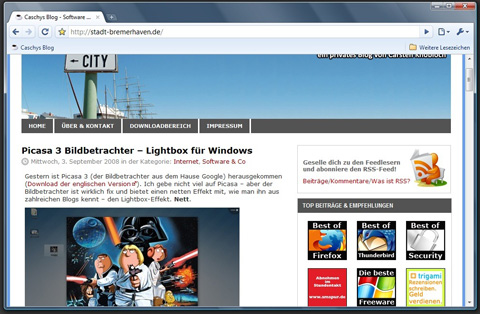
Portable Chrome is the portable vesion of Google’s Chrome browser. It includes all the features of the regular Chrome browser, including better stability and speed, tabbed browsing, and search right from the address bar.
Opera@USB
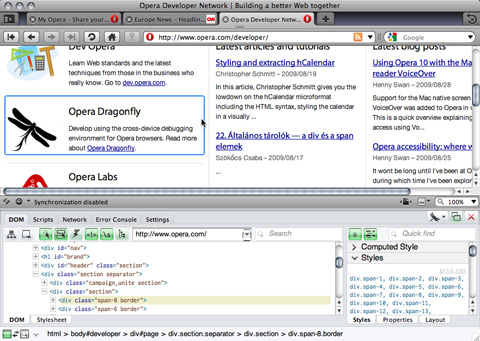
Opera@USB is a portable version of the Opera web browser. It’s very similar to the desktop version, though the differences aren’t expounded upon in the documentation for the app. The full version (and presumably the portable version) includes tabbed browsing, a password manager, an inline spell checker, and support for savable browsing sessions.
MoWeS Portable
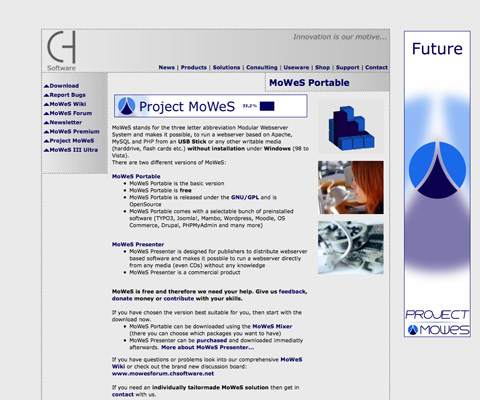
MoWeS Portable is a portable web server for Windows. It’s been tested on Windows 98 through Vista. It’s free and released under the GNU/GPL license. The server is based on Apache, MySQL, and PHP. The biggest difference between MoWeS and many other portable server packages is that you can download MoWeS preconfigured with a variety of software options, including TYPO3, WordPress, PHPMyAdmin, OS Commerce, Drupal, Mambo, Joomla!, and others.
Planning and Productivity
Dia Portable
Dia Portable is a diagramming app similar to Microsoft Visio. It’s more focused on informal diagrams than Visio, though, and is great for casual use. It works with XML files, and also includes the ability to export files to EPS, SVG, PNG, WMF, and XFIG files. Dia also lets you print diagrams (including multi-page ones).
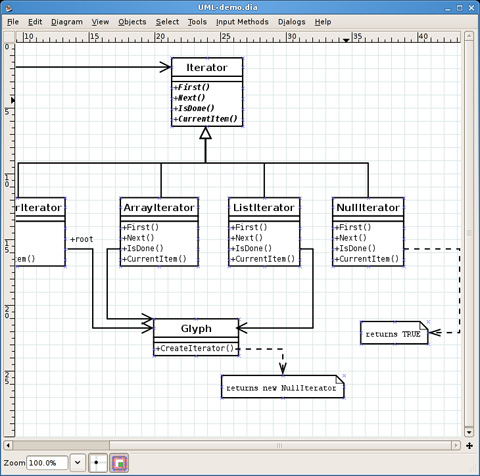
It’s compatible with Linux, Unix, and Windows systems. It can be used to draw UML diagrams, flowcharts, and other types of diagrams.
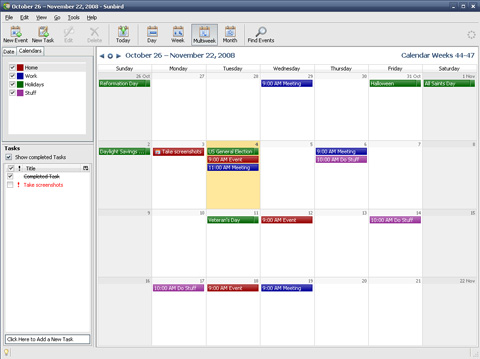
Mozilla Sunbird, Portable Edition
Mozilla Sunbird, Portable Edition is a Windows and Linux compatible calendar application. It’s a full-featured, stand-alone calendar application, perfect for scheduling and simple project management.
ToDoList
ToDoList is a portable project management and task list manager. It lets you subdivide tasks an unlimited number of times to make them more manageable. And it saves your task lists in XML format so that you can format them with stylesheets.
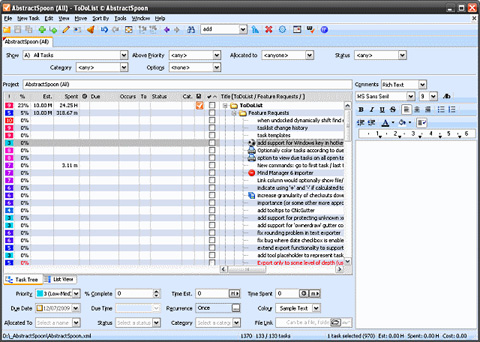
ToDoList is under constant development and is suitable for IT project management as well as more general task management (like the GTD method). There are French and Spanish versions available in addition to English.
Task Coach Portable
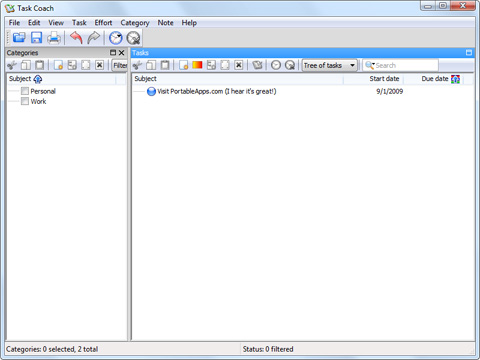
Task Coach Portable is another task manager that lets you manage your to-do list and tasks on the go. Features include an easy-to-use UI that makes it easy to create, organize, and manage tasks, as well as the ability to set a budget for particular tasks, set start dates and deadlines for each task, and more.
Business
GnuCash Portable
GnuCash Portable is another PortableApps.com application. It’s an open source financial management app with most of the features of commercial finance programs. It works with double-entry accounting, stock/bond/mutual fund accounts, and can handle invoices and accounts payable and receivable.
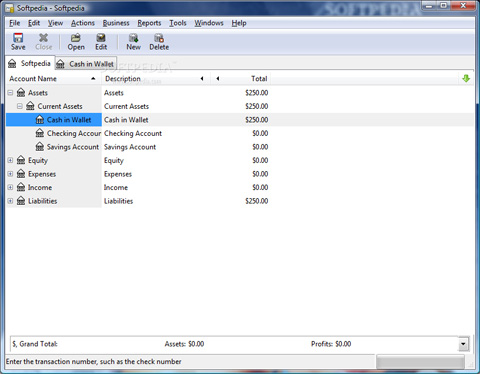
GnuCash is perfect for small business accounting and bookkeeping. It uses a checkbook-style register to make it easier for new users to learn. It also handles reports and graphs, multiple currencies, statement reconciliation, and more.
OpenOffice.org Portable
OpenOffice.org Portable is the PortableApps.com version of the open source OpenOffice.org suite of business programs. It includes all of the regular OpenOffice.org applications: Writer (a word processor), Calc (spreadsheets), Impress (presentations), Draw (graphics), and Base (database).
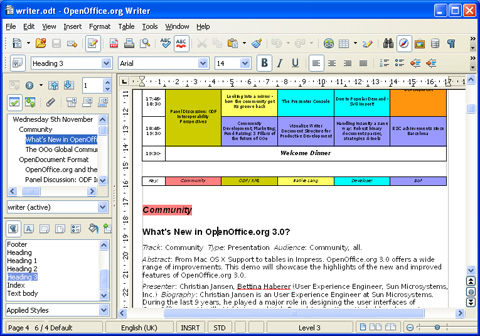
OpenOffice.org is a great alternative to Microsoft Office and provides much of the same functionality in a free and open source package. It’s very easy to use in comparison with many other office suites, and it’s free.
AbiWord Portable
AbiWord Portable is a word processor that can open a variety of files from other word processing programs, including Microsoft Word, Word Perfect, Open Document (OpenOffice.org), Office Open XML, RTF, HTML, and more. It includes all the basic functions you’d expect in a word processor, including spelling and grammar check and mail merge.
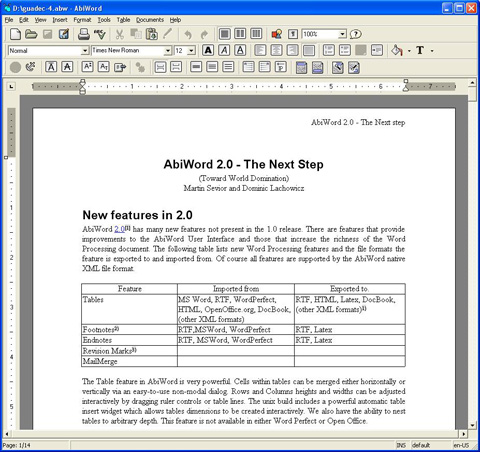
The portable version is built on the PortableApps.com platform and works on Windows 2000, XP, or Vista. There are plugins available to extend AbiWord’s functionality.
Other Useful Apps
Sumatra PDF
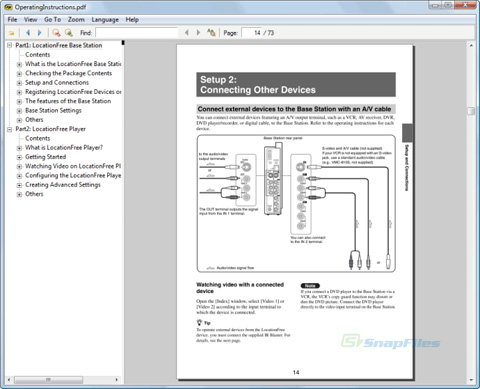
Sumatra PDF is a lightweight, portable, free PDF viewer for Windows. It’s designed to be portable, so there’s no “portable version” per se. It works with a variety of keyboard shortcuts, and can be configured as your primary PDF viewer.
Eraser Portable
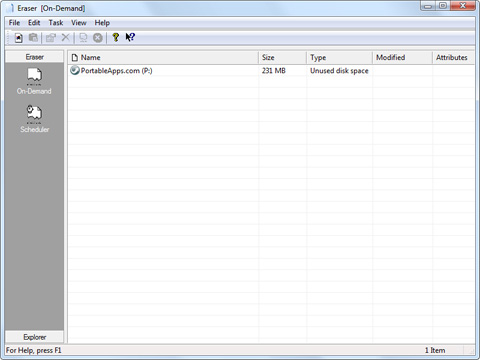
Eraser Portable is a portable version of the Eraser security app. Eraser allows you to completely delete files from your harddrive by overwriting them multiple times with predefined patterns. It’s free and open source (under the GNU General Public License). This is a particularly useful app to have if you work with sensitive information on a regular basis, as it can be used to completely remove any traces of an original file.
7-Zip Portable
7-Zip Portable is a PortableApps.com program that lets you compress and uncompress a variety of archived file types, including 7z, ZIP, GZIP, BZIP2, TAR, and RAR files. It also supports creating encrypted 7z and ZIP archives and includes a powerful file manager. There are localizations for 63 languages available with the portable edition.
Toucan
Toucan lets Windows users back up and sync data between two drives (like your hard drive and USB drive). It’s completely portable and free to download. There are a variety of advanced backup settings you can use, including incremental backups with compression and advanced rulesets.
Testing
XAMPP
XAMPP is a complete, portable web server package of Apache, MySQL, PHP and Perl. It’s preconfigured, so all you need to do is unzip and install it. It includes phpMyAdmin, FileZilla FTP Server, SQLite, the Zend Optimizer, and MiniPerl, among other features. It’s a complete web, FTP and database server in a single package. There’s also a lite version that includes Apache, MySQL, phpMyAdmin, SQLite, and their related packages.
Portable Firefox
Portable Firefox is the portable edition of Mozilla Firefox. It’s a great app to take with you for working on other people’s computers, as you can store and access your own bookmarks, passwords, and preferences. The portable edition doesn’t leave anything behind on the computer you’re using, so you can be secure in saving your passwords and other information. It even appears to work with any extensions you install. It’s a PortableApps.com app, so it’s only available for Windows machines.
Don’t forget if you’re using Portable Firefox to also make sure you’ve downloaded some of the useful web development add-ons available.
- Firebug - For viewing and on-page editing of HTML, CSS, and JavaScript.
- CSS Viewer - A basic CSS property viewer.
- HTML Validator - An HTML validator toolbar for Firefox.
- Web Developer - Adds a menu and toolbar with various tools for web developers.
- CodeBurner - An HTML and CSS reference guide built into Firefox.
Instant Rails
Instant Rails is a Ruby runtime solution with Ruby on Rails, Apache and MySQL, all ready to run. All you have to do is put it in the directory you choose and run it; there are no installation files.
Server2Go
Server2Go is a server package available with a variety of different configurations. There are packages that include Apache, PHP and SQLite; Apache, PHP, SQLite, and MySQL; Apache, PHP, SQLite, MySQL, and Perl; as well as mini packages (with only the needed files) and a “plain vanilla” package that doesn’t include PHP, Perl, or MySQL).
Portable Chrome
Portable Chrome is the portable vesion of Google’s Chrome browser. It includes all the features of the regular Chrome browser, including better stability and speed, tabbed browsing, and search right from the address bar.
Opera@USB
Opera@USB is a portable version of the Opera web browser. It’s very similar to the desktop version, though the differences aren’t expounded upon in the documentation for the app. The full version (and presumably the portable version) includes tabbed browsing, a password manager, an inline spell checker, and support for savable browsing sessions.
MoWeS Portable
MoWeS Portable is a portable web server for Windows. It’s been tested on Windows 98 through Vista. It’s free and released under the GNU/GPL license. The server is based on Apache, MySQL, and PHP. The biggest difference between MoWeS and many other portable server packages is that you can download MoWeS preconfigured with a variety of software options, including TYPO3, WordPress, PHPMyAdmin, OS Commerce, Drupal, Mambo, Joomla!, and others.
Planning and Productivity
Dia Portable
Dia Portable is a diagramming app similar to Microsoft Visio. It’s more focused on informal diagrams than Visio, though, and is great for casual use. It works with XML files, and also includes the ability to export files to EPS, SVG, PNG, WMF, and XFIG files. Dia also lets you print diagrams (including multi-page ones).
It’s compatible with Linux, Unix, and Windows systems. It can be used to draw UML diagrams, flowcharts, and other types of diagrams.
Mozilla Sunbird, Portable Edition
Mozilla Sunbird, Portable Edition is a Windows and Linux compatible calendar application. It’s a full-featured, stand-alone calendar application, perfect for scheduling and simple project management.
ToDoList
ToDoList is a portable project management and task list manager. It lets you subdivide tasks an unlimited number of times to make them more manageable. And it saves your task lists in XML format so that you can format them with stylesheets.
ToDoList is under constant development and is suitable for IT project management as well as more general task management (like the GTD method). There are French and Spanish versions available in addition to English.
Task Coach Portable
Task Coach Portable is another task manager that lets you manage your to-do list and tasks on the go. Features include an easy-to-use UI that makes it easy to create, organize, and manage tasks, as well as the ability to set a budget for particular tasks, set start dates and deadlines for each task, and more.
Business
GnuCash Portable
GnuCash Portable is another PortableApps.com application. It’s an open source financial management app with most of the features of commercial finance programs. It works with double-entry accounting, stock/bond/mutual fund accounts, and can handle invoices and accounts payable and receivable.
GnuCash is perfect for small business accounting and bookkeeping. It uses a checkbook-style register to make it easier for new users to learn. It also handles reports and graphs, multiple currencies, statement reconciliation, and more.
OpenOffice.org Portable
OpenOffice.org Portable is the PortableApps.com version of the open source OpenOffice.org suite of business programs. It includes all of the regular OpenOffice.org applications: Writer (a word processor), Calc (spreadsheets), Impress (presentations), Draw (graphics), and Base (database).
OpenOffice.org is a great alternative to Microsoft Office and provides much of the same functionality in a free and open source package. It’s very easy to use in comparison with many other office suites, and it’s free.
AbiWord Portable
AbiWord Portable is a word processor that can open a variety of files from other word processing programs, including Microsoft Word, Word Perfect, Open Document (OpenOffice.org), Office Open XML, RTF, HTML, and more. It includes all the basic functions you’d expect in a word processor, including spelling and grammar check and mail merge.
The portable version is built on the PortableApps.com platform and works on Windows 2000, XP, or Vista. There are plugins available to extend AbiWord’s functionality.
Other Useful Apps
Sumatra PDF
Sumatra PDF is a lightweight, portable, free PDF viewer for Windows. It’s designed to be portable, so there’s no “portable version” per se. It works with a variety of keyboard shortcuts, and can be configured as your primary PDF viewer.
Eraser Portable
Eraser Portable is a portable version of the Eraser security app. Eraser allows you to completely delete files from your harddrive by overwriting them multiple times with predefined patterns. It’s free and open source (under the GNU General Public License). This is a particularly useful app to have if you work with sensitive information on a regular basis, as it can be used to completely remove any traces of an original file.
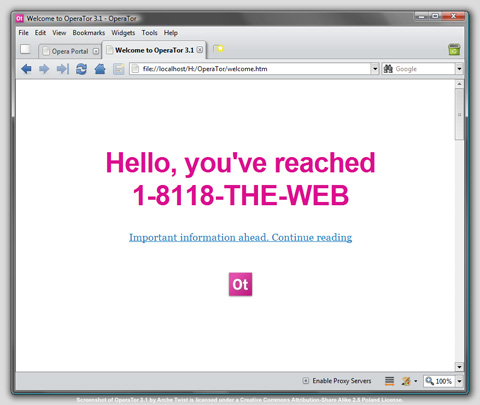
OperaTor
OperaTor combines Opera and Tor to let you browse anonymously from any computer. No data is stored on the computer you’ve plugged your USB drive or other portable device into, making it particularly useful if you’re using a public computer. It also includes Polipo, a caching web proxy, adding an extra layer of anonymity and security.
Portable Windows Live Messenger 2009
If you need to keep in touch with your colleagues or clients, then Portable Windows Live Messenger2009 is a great way to do it. It’s a fully functional version of Windows Live Messenger 2009, just in a portable format you can use from any USB drive. It’s useful for a lot more than just instant messaging though: you can use it to share documents, and communicate via voice and video.
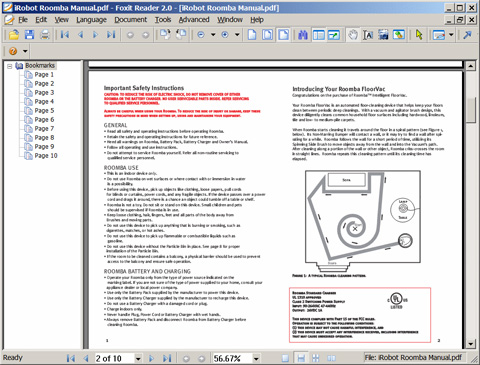
Foxit Reader v3.0
The Portable Freeware Collection offers Foxit Reader V3.0. Use Foxit to open and read PDF documents on the go. Just be aware that according to the comments on the download page, it can be difficult to install and configure.
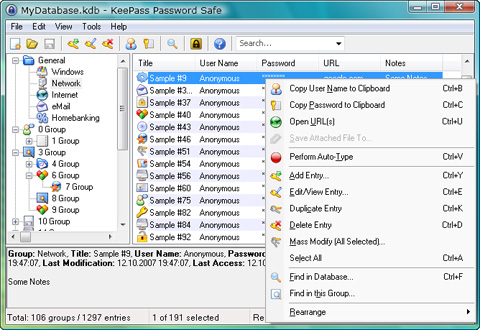
KeePass
KeePass is a password management program for Windows. It’s free and open source and can help you keep track of all your passwords for FPT accounts, email, website passwords, and more. It saves everything in a single database file that you can open either with a key or key file.
TrueCrypt
TrueCrupt is a portable encryption program that will create a virtual encrypted disk and mount it as a real disk. You can encrypt an entire partition or USB flash drive. It uses parallization and pipelining to let data be accessed as fast as if the drive wasn’t encrypted. Be aware that TrueCrypt does require administrator privileges in order to access files, which is a major drawback if you may need to use public computers.
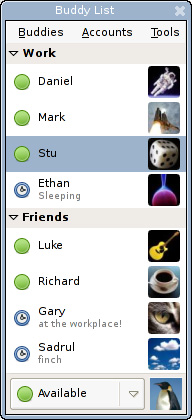
Pidgin Portable 2.1.0
Pidgin Portable is the portable version of the Pidgin instant messaging client (formerly Gaim). It supports AOL, MSN, ICQ, Jabber, and Yahoo IM. You can add encryption plugins to it to enable secure messaging.
WinPT Portable
WinPT Portable lets you encrypt files on your flash drive and then unlock them without having any special software installed. It’s still in development, so it’s not entirely bug-free, but according to most reports it’s a very polished build. The only thing it requires to run is GnuPGP, which is also available as a portable app.
Trillian Anywhere
Trillian Anywhere lets you use the Trillian IM client from a USB drive or disk. It lets you take your contact list and preferences with you wherever you go and use a full-featured but portable version of Trillian from any computer with an internet connection.
Further Resources
- 100 Portable Apps for Your USB Stick (for Mac and Win) This is an excellent roundup of useful apps from makeuseof.com, though it’s not specific to development and design apps.
- PortableApps.com Suite and PortableApps.com Platform Many of the apps in this post are built on the PortableApps.com Platform. PortableApps.com offers a huge variety of programs for use on a USB drive or other portable media. The suite includes a web browser, email client, office suite, calendar/scheduler, and other useful programs.M
- FreeSMUG FreeSMUG offers free open source software for Mac users. Some of their apps include Adium, Cyberduck, Vienna, and Newspeak.
- Linux for Travelers Linux for Travelers offers a ton of information on portable computing for Linux users.


