
Invoice Like A Pro: Design Examples and Best Practices

Email Newsletter
Weekly tips on front-end & UX.
Trusted by 182,000+ folks.


 Celebrating 10 million developers
Your invoice should be prim and proper, so that you can get paid by your clients efficiently. While invoicing is not a fun task, it’s a necessary one: by keeping clients informed of your expectations, you will get paid punctually and reinforce your professionalism. After going over some best practices for creating invoices, we’ll review some great (and not so great) online invoicing tools, so that you can spend less time creating invoices and more time doing the things you love!
Design by Best Templates
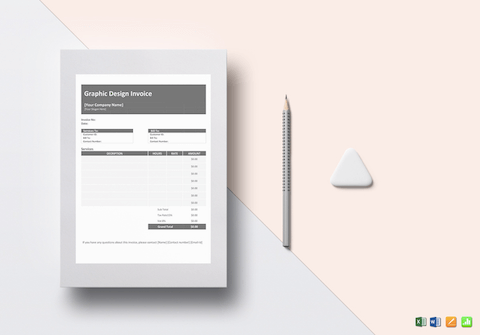
The Graphic Design Invoice template by Best Templates helps you create a sleek invoice without spending a lot of time on the design. It’s editable in Excel, Word, Numbers and Pages formats and even supports Google Spreadsheets. A quick and convenient solution.
You may want to take a look at the following related posts:
- Dealing With Clients Who Refuse To Pay
- Freelance Contracts: Do’s And Don’ts
- Renegotiating The Contract (And Other Tales Of Horror)
- How To Guarantee Your Income With Agile Billing
So here are some general guidelines, best practices and examples that will help you make sure your invoices are up to spec.
1. Their Details and Yours
This is Mickey Mouse stuff, but you can’t afford to forget it. In addition to the client’s address, make sure to include the name of the client’s contact person who handles your account! A company with three employees can figure out what you’re doing; but in big companies, invoices get misplaced, especially if there’s confusion over who belongs to which project.
You’ll also need your company name, your name, address, telephone number and email address. If they have any questions about the charges, contacting you should be as easy as possible.
Design by Nancy Roy Creative | Full view

2. Itemized List of Services
People want to know what they’ve paid for. Most people will not pay for something described merely as “Design.” Tell them exactly what they have received: e.g. “Design of three-page static website for Sporting Goods Department.” Be as specific as possible. In five years, would both you and the client know what you meant by your description? Also, specify whether the charge is project-based or hourly.
Design by Hicks Design | Full view

3. Include Your Terms
When do you expect the client to pay you? What happens if they miss the deadline? To be able to send follow-up or overdue notices or to charge interest, you need a rock-solid paper trail that no one can argue with.
Design by Francisco Inchauste | Full view

4. Let Them Know How to Pay You
Do you want a cheque mailed to you, a money transfer, flowers? Be explicitly clear about what you expect and in what form. It is usually best to discuss with the client beforehand their preferred method or to come to an agreement about a method you both like.
If you want a money transfer, provide all the necessary information. Foreign transfers need more than your account number: in some countries, you need your International Bank Account Number (IBAN) or a Bank Identifier Code (BIC). International transfers also double-charge you: the client’s bank might charge you $20, and your own bank might charge you another $15 to accept the payment. Make it clear which of you will absorb these charges, and talk it it out with them. PayPal is another option, but you still get charged a percentage of the transaction.
Design by Epic Web Agency

5. Numbers and Numbers and Records and Books
Referring to “invoice #9048,” rather than “That invoice I sent you last month, I think on a Tuesday,” is much easier to track for both you and your client.
Assign numbers to your invoices systematically, consistently and chronologically. Some people number their invoices by year (for example, 2009043 would be the 43rd invoice of 2009). You could also specify a code for the project. For example, BRAINEOS06 would be the 6th invoice for the braineos project that you’re currently working on. Having an invoice and project numbering system keeps everything in line.
Design by Graeme Duckett | Full view

6. Thank Them, and Ask Them to Thank You
Money is often a touchy subject, so politeness about it is a good idea. Your clients are paying you money that they’ve earned with blood, sweat and tears, so let them know you appreciate it. You should also invite them to contact you if they have any questions and, more importantly, make it clear that you appreciate their present (and future) business.
Some people also welcome testimonials; for example, by adding, “Let us know how we did. Write a testimonial: info@example.com.” If you’re building your website’s testimonials page or want to complete the feedback loop, this is a great way to get clients to give feedback on your work. If they have suggestions for making the process smoother, it’s also a great opportunity for you to improve.
Design by BGG Design Studio | Full view

7. Don’t Forget: You’re a Designer
Imagine this, you’re at an expensive restaurant. Every detail is perfect: the food was fantastic, the service excellent and the atmosphere rich and plush. Then, you receive the bill, which is printed on cheap paper with low-quality ink. What would you remember about this experience?
Most people spend hours on their website design, business cards and resumes but then use a template for their invoice. The invoice is your last contact with your client, and it should share the attention to detail, branding and style of your other elements. By creating a beautiful, clear invoice, you are saying that you care about the little details.
Most importantly, make sure you have all the necessary information. Make sure there are no spelling mistakes and that your spacing is consistent. Customize your invoice as much as you can. Your logo is a must, but colors and a style that match your other branding items will make it a joy to pay (well, as much as is possible).
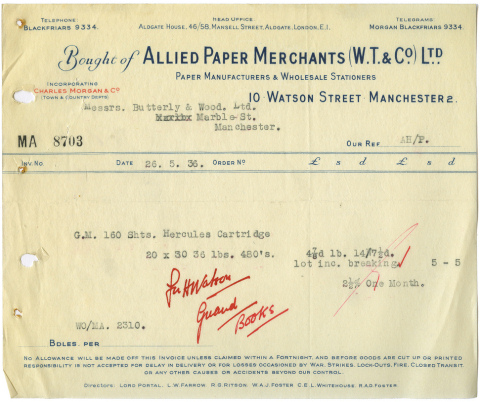
A vintage UK design from the year 1936. In some situations it may be worth considering sending a nice vintage design to your customer. Source.
The invoice is a boring document, and one often neglected. Andy Clarke from Stuff and Nonsense has had “fix up my invoice” on his to-do list for 10 years. This was a fairly typical response from many I had asked!
Jon Hicks lamented that, “The problem is that a lot of tools for invoicing make it quite hard to customize the template. I use Billings, which is a great app, but doing basic things like getting elements to line up require a pound of flesh!”
Invoice Design Examples
Whether you’re using invoice software or designing your invoice from scratch, creating a beautiful invoice is possible. Here are a few examples.
Design by Chase (holdsnowater) | Full view

Invoice Template I (affiliate link)
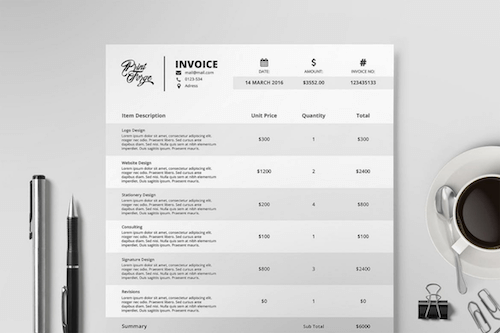
Design by Cameron McEfee | Full view

Design by Thomas Maxson | Full view

Naga Invoice Template (affiliate link)
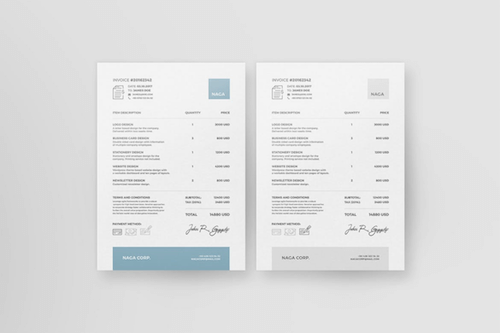
Design by Microspective | Full view

Design by Julie Fitzgerald | Full view

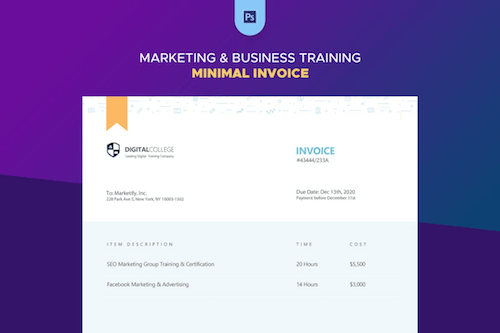
Minimal Invoice Template (affiliate link)
Design by Stereotypes | Full view

Design by Veerle Pieters for Devia | Full view

Design by Ole Martin Buene | Full view

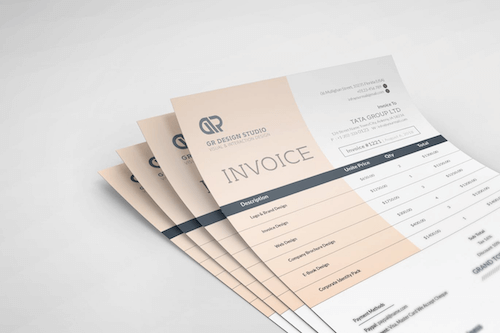
Invoice Template (affiliate link)
Design by Impulse Studios | Full view

Design by Sugar Rush Creative | Full view

Design by Yummygum | Full view

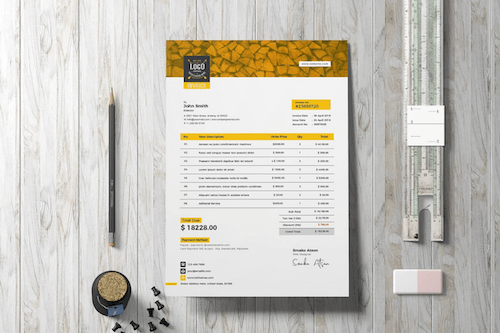
Invoice Template Retro 03 (affiliate link)
Online Invoicing Roundup
Designing and tracking invoices yourself is a lot of work. A lot of online invoicing applications would save you much time and keep you organized (especially designers like me, who would lose their head if they forgot to attach one!). Hundred of online services are out there. Here, I’ll review seven apps based on their ease of first time use, cost, customizability of the templates, usability and more.
Quickbooks Online

- Cost? From free to $34.95 per month.
- Free option? Yes, for up to 20 customers. And a free trial is available.
- Customized invoice design?
 Changing the logo is a convoluted process (I ended up using Help, which detailed a six-step process to get to it), and the logo ends up only 1 square-inch. You can choose between about 13 different templates, but I didn’t like any of them. You can change the font and size of various elements (such as the title), which was nice, but the placement of some of the items left a lot to be desired.
 - Time to create a customized invoice? The first time, I gave up in frustration. It wouldn’t let me set up a UK address, so I set up a hypothetical business, an option it allowed. The second time I pretended to have a business in Beverly Hills 90210 and managed to get in. It still took me about 20 minutes to get it together, having discarded my saved invoice a few times after trying to customize it.
- Usability?
 The landing page is okay, but the app itself is a bit crowded and disorganized. It tries to show you where quick start items are, but I felt lost. It is inconsistent too: some pages have an ugly brown header, while others had a newer design.
 - Recurring payments/actionable late payments? Yes/Yes. It shows a list of overdue invoices, and an automated email service has just launched.
- Other accounting features? You can track everything, I’m sure, but could I find anything? Would I even want to now?
Other pros? It’s probably easy for people who are familiar with QuickBooks, because you can import existing books. It seems to solve every conceivable problem, so if you have very particular needs, this might be best for you.
Other cons? This application immediately made me angry and frustrated. It also can’t be used on Firefox on the Mac (but does work with Safari) or in any country outside the US.
Simplify This

- Cost? From $9 to $29 per month.
- Free option? Free trial.
- Customized invoice design? You can add a logo, but I couldn’t find any options for changing color or layout or even find a preview.
- Time to create a customized invoice? I gave up after 25 minutes.
- Usability? The logo is okay, but the spacing isn’t super-clean or consistent, and I was confused by which items were associated with which accounts and how to actually generate an invoice.
- Recurring payments/track late payments? Undetermined/Undetermined.
- Other accounting features? Undetermined.
Other pros? It offers a lot of interaction: e.g. each item gives you a pull-down menu, where you can edit and set as “Contacted,” “Lost” and “Change to customer,” but I’m unsure what any of these are for.
Other cons? Maybe I’m not very good at this, but I couldn’t figure out how to do anything. It shows a “How to” page before the interface; but, of course, I didn’t read it, and then couldn’t figure out how to get back.
Curdbee

- Cost? Free, or upgrade for $5 per month.
- Free option? Substantial amount of features for free.
- Customized invoice design?
 You can add your own logo and change the header color. The design is decent but very limited.
 - Time to create a customized invoice? Five minutes.
- Usability?
 Quite well designed and easy to use. A few things required extra clicks, but it never lost me.
 - Recurring payments/actionable late payments? Yes/Turns red, but is not actionable.
- Other accounting features? None.
Other pros? I was pleasantly surprised by this little app. It creates a decent invoice and does it simply. It also has strong integrations with PayPal and Google Checkout to make payments even easier! And upgrading is inexpensive.
Other cons? You get PDF functionality only with the upgrade; but at only $5 per month, it is definitely affordable!
Freshbooks

- Cost? From free to $149 per month.
- Free option? Yes, a substantial number of features for few clients.
- Customized invoice design? Limited. You can add your logo and choose between two plain design options, which look a bit like Microsoft Word templates.
- Time to create a customized invoice? Five minutes.
- Usability?
 Nice and clean. You can also partly customize the colors and replace the logo with your own. Easy to navigate.
 - Recurring payments/track late payments? Yes/Yes (can be automatically sent by email.
- Other accounting features? You can track expenses and create reports.
Other pros? It has great, brief explanations for new users. You can customize the whole application to match your brand and specify permissions on tabs for clients and employees. Seems to scale well for big businesses. It also integrates 10 popular payment gateways.
Other cons? I couldn’t figure out how to change my currency for individual clients. I might have missed it, but it wasn’t immediately obvious to me.
Less Accounting

- Cost? From free to $24 per month.
- Free option? Yes, it has some invoice and reporting features for free, and a trial offer.
- Customized invoice design? You must create a template to make an invoice. You can add a logo, choose between three different layouts and change the colors.
- Time to create a customized invoice? Five to ten minutes.
- Usability? Simple and easy to use. Awkward placement of some elements, such as the permanent bar at the bottom, but you get used to it after 10 minutes.
- Recurring payments/actionable late payments? Yes/Not yet.
- Other accounting features? Yes, you can track your business expenses here.
Other pros? Getting started is easy because things behave as you would expect. It also integrates with 37 Signals’ management tools, FreshBooks and more.
Other cons? When I wanted to create my first invoice, a template wasn’t available, so I created one, but upon returning, I found all of the information I’d entered so far for that invoice was gone! I hate re-entering data in forms (even if only for a minute).
Free Agent

- Cost? $20 per month, with discounts for yearly subscription and referrals.
- Free option? Free trial, but won’t let you do much until you register your bank account.
- Customized invoice design? You can add your own logo and choose between seven attractive templates. You can’t change the color, but I found a template I was happy with.
- Time to create a customized invoice? Took at least 10 minutes; I couldn’t figure out how to get back into it because it required my bank details.
- Usability? Well designed and easy to use. Once I got around bank account entry problem, it was great.
- Recurring payments/actionable late payments? Yes/It shows a list of overdue invoices, and an automated email service is currently in development.
- Other accounting features? You can track all business expenses and do your business accounting.
Other pros? Clear navigation and plenty of explanation for first-time users, with pull-down help bars in case you need them. You can also upload bank statements to track your invoices and expenses against your bank account. And you can customize the front page’s appearance.
Other cons? Because I was just testing this app, I didn’t want to enter my bank account details. It’s a great feature, but for those who don’t need it or just want to play around, it’s annoying.
Invotrak

- Cost? Four options, from free to $45 per month.
- Free option? Yes, but you can’t add a logo, and only 2 invoices, and two clients per month.
- Customized invoice design? They have the option to add a logo if you’re upgraded and the choice between 5 different template styles. They are very plain though, and non-customizable. I personally don’t like them at all!
- Time to create a customized invoice? Five minutes.
- Usability? It’s okay. Most things are easy enough to figure out, but they seem to have some weird ways of getting to where you want to go. Not a bad experience but not exactly drool worthy.
- Recurring payments/actionable late payments? No/Not that I can see. It turns the line red if it’s overdue, but there’s no actionable things here.
- Other accounting features? It has a punch-in system for tracking time.
Other pros They make an effort to add helper text along the way, but I didn’t notice it until 15 minutes in.
Other cons It doesn’t auto number the invoices, so you have to remember what the last invoice number you gave a project.
Blinksale

- Cost? From $6 to $24 per month.
- Free option? A 30-day trial is available
(a credit card is necessary). - Customized invoice design? Nice templates, but you can also create your own CSS-based version! Yay!
- Time to create a customized invoice? Five minutes.
- Usability? Very nice and easy to use.
- Recurring payments/actionable late payments? Yes/Yes. It has a customizable email message for overdue notices. You can view all of your overdue invoices in one place and send each with one click. You also get history of when you sent your reminders.
- Other accounting features? You can receive Blinksale invoices from other companies you purchase from.
Other pros A lot of explanation for new users, and the input fields show examples of data, making it easy to see what to do next. It integrates with Basecamp and PayPal. And sent invoices can be linked to your client’s own Blinksale account.
Other cons You can’t test this application without submitting your credit card details, even for the free trial. You also can’t create PDFs on the “Bronze” plan (the ideal plan for part-time freelancers). Finally, it doesn’t automate the numbering of your invoice IDs (although it tells you your last one).
Related posts
You may be interested in the following related posts:
- Freelance Contracts: Do’s And Don’ts
- How To Respond Effectively To Design Criticism
- How To Identify and Deal With Different Types Of Clients
- How To Persuade Your Users, Boss or Clients
 (al)
(al)

