Smashing Magazine
ZURB is a close-knit team of interaction designers and strategists that help companies design better products & services through consulting, products, education, books, training and events. Since 1998 ZURB has helped over 75+ clients including: Facebook, eBay, NYSE, Yahoo, Zazzle, Playlist, Britney Spears, among others.
- 110 Comments
- 1
- 2
December 2nd, 2009 7:24 amYEY! That’s a great way to design. Clean and simple!
- 3
December 2nd, 2009 7:31 amLove it – cannot wait to start using them when CSS3 has higher cross-browser support.
- 4
December 2nd, 2009 2:40 pmHigher cross-browser support meaning IE… :(
- 4
- 5
December 2nd, 2009 7:33 amYou should check out the Fancy Buttons Compass plugin. You can get even nicer buttons with less work. Also they degrade nicely for older browsers!
Demo & Screencast:
http://brandonmathis.com/projects/fancy-buttons/ - 7
December 2nd, 2009 7:33 amI love ZURB playground :D
- 8
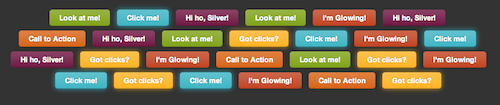
December 2nd, 2009 7:34 amSome awesome techniques used. Very helpful, cannot wait until EVERY browser supports this stuff. Though not the glowing stuff. I can see over use of that and I can see that it might become something of an annoyance, much like scrolling text or blinking text.
- 9
December 2nd, 2009 7:38 amVery nice tut. I just wish I would not have to compensate for IE, would make implementing these functionalities so much more fun.
- 10
December 2nd, 2009 7:39 amInstead of animation, we can use transition (or -webkit-transition, -moz-transition) to make nice hover effect.
For the gradient, we have also -moz-linear-gradient (which have a better syntaxe according to futur implementation into CSS3)
Note the for some specific properties (-moz or -webkit) we should also use the syntaxe whitout the “-specific prefix” to make it compatible in the futur :) - 11
December 2nd, 2009 7:50 amThis is a great article, except for the fact that I had to load Safari.
- 12
December 2nd, 2009 8:09 amThat’s awesome! I wish CSS3 was a standard on every browser right now, because I’d love to start using these techniques on everything.
- 13
December 2nd, 2009 8:12 amWhat is the CSS3 reach so far?
- 14
December 2nd, 2009 8:25 am63% of people are really going to appreciate the work you put into your cool buttons. However, 37% of people are going to wonder why your website looks bad.
Buttons are just too important not to use images for. Unless less people use IE suddenly (I wish).Of course you could spoon feed IE some images for better buttons but that sounds like a lot of unnecessary work.
- 15
December 2nd, 2009 8:27 amWe have begun to adopt CSS3 onto our Web site at bluesailcreative.com , did some cool stuff with the project detail page.
Would love others opinions.
- 16
December 2nd, 2009 8:36 amGreat compilation!
Damn IE users! I’ve been using some CSS3 already and oh well, IE users can keep on looking at those plain buttons, I won’t mind about them. So much goodness for the rest of us woohoo!
- 17
December 2nd, 2009 8:37 amLove CSS3 new features ;)
Thx for this great post ! - 18
December 2nd, 2009 8:42 amThis is so exciting! I’ve been implementing CSS3 in my own projects. These new CSS3 properties save so much time and effort! Can’t wait til all browsers fully support it.
- 19
December 2nd, 2009 8:45 amold… saw this a long time ago…
- 20
December 2nd, 2009 8:45 amHow do these roll back in older browsers? That’s be interesting to know.
- 21
December 4th, 2009 3:30 amThe buttons in the article look quite nice even without the CSS3 styling. When using CSS3 the essential thing to remember is to make sure it looks good in CSS2, then add CSS3 as progressive enhancement.
- 21
- 22
December 2nd, 2009 8:46 amI have already started using CSS3 but only on certain sites and for certain elements. That’s the great thing about web design; we have many, many tools and we can use any one of them whenever the client allows us.
Yes IE sucks big time but that doesn’t mean you ignore these techniques because sites will come along where they would fit in perfectly.
- 23
December 2nd, 2009 8:49 amBrilliant!
Just in time for a new project I’m working on!
Thanks
- 24
December 2nd, 2009 8:50 amI actually looked in IE8 and it’s OK, they rollback pretty nice.
Gonna definitely have a go at this!
With a bit of IE conditional code to maybe display a different set of background this could work really well.
- 25
December 2nd, 2009 8:51 amSuch low browser support; not everyone uses Safari.
- 26
December 2nd, 2009 8:59 amLove the CSS gradient technique it’s something I’ve just started playing with…shame most of my users will never get to see it work in real life!
- 27
December 2nd, 2009 9:11 amthis is a great informative post, but in future CSS3 posts please include details about how it works in IE, and whether or not workarounds are required–then detail those workarounds.
- 28
December 4th, 2009 3:32 amIt doesn’t work in IE at all yet. Even IE9 isn’t looking to have much support of CSS3. However, you can easily and safely add CSS3 as progressive enhancement.
- 28
- 29
December 2nd, 2009 9:47 amI’d second to what ryan said. Considering IE still has 50+% (IE6+) of the market, most professional applications will be ran on IE. Until IE catches up, it would be nice to see alternatives or even a small comment about it not currently being available in IE. It’s good though that IE will just ignore the look but function correctly.
- 30
December 2nd, 2009 10:14 amDo you have screenshots of what these look like in olde IE?
- 31
December 4th, 2009 3:33 amThe same as they look in the article but square and without a drop-shadow.
- 31
- 32
December 2nd, 2009 10:17 amfinally something useful!
not a list :) - 33
December 2nd, 2009 10:20 am“Nah You should visit my site in a modern browser, else no call to action for you”.
Why don’t you make some flash buttons? Support for flash is wider spread than css3, you can even make the buttons rotate 360 degrees while making whistling noises! Both will degrade horribly anyway.
Very good article though, I am just whining: Sliding doors or sprites are techniques to look at when you want to develop robustly and for reality.
When designing for the web effectivaly, you want to convey information. You are trying to send your message to the largest audiance possible. Critical design features such as call-to-action buttons are a large part of creating a successfull story. When you fail to convey this information to older browsers, you failed as a webdesigner. CSS3 is not like a new version of Photoshop. Webdesign is very different from print design.
Don’t choose to convey your message in a leetspeak that only few will understand and appreciate.
- 34
December 4th, 2009 3:35 amAs long as you don’t rely on the glow on its own (i.e. you make sure even at CSS2 level it is an obvious call to action) it degrades perfectly fine.
- 34
- 35
December 2nd, 2009 11:05 amAre the CSS Gradients you use at the end of the article actually planned for CSS3?
It’s the first time that I hear about the gradient-property and it would be amazing if it would become (or already is) an official part of CSS3.- 36
December 15th, 2009 10:11 amYep, they sure are. Mozilla implemented them in Firefox 3.6 now – well on its way to being an official part of the final spec. Pretty cool huh?
- 36
- 37
December 2nd, 2009 11:15 amRealmente interesante, diseñemos óptimamente para CSS2 y mejoremos la experiencia a los navegadores con CSS3 .
Thanks
- 38
December 2nd, 2009 11:43 amthis is a repost from an article back in July on SM…. someone’s obviously got some mates at SM who wanted a bit of free advertising….
- 40
December 2nd, 2009 11:58 amhow do those glowing buttons not work in Firefox??? great post though thanks for the effort!
- 41
December 2nd, 2009 12:06 pmWhy does he use background overlay to do the gradient instead of -moz-linear-gradient() and -webkit-gradnient() ???
- 42
December 2nd, 2009 1:09 pmProfessionals never use browser-specific features for key elements of their designs.
What client would pay me to spend the time making buttons invisible to 90% of their customers? It’s too early to be using CSS3 tricks in real applications.
- 43
December 3rd, 2009 12:44 amtrue true.
- 43
- 44
December 2nd, 2009 1:25 pmGood post, but for some reason the Google-style buttons do not work in my browser. I’m using the latest version of Firefox in Windows XP, so I find it strange the CSS isn’t applying properly.
- 45
December 2nd, 2009 2:00 pmGo back and read the article again:
You can see a live demo of these buttons in the playground, or simply visit the Google search home page in a Webkit browser.
- 45
- 46
December 2nd, 2009 1:33 pmRE: Radioactive Buttons with no JavaScript required. Even in Safari 4, which is the preferred browser, the animation isn’t as smooth as a JS-animated button. And at least for right now, animation using JS is a lot more cross-browser friendly than the method outlined above (which works only in Safari 4, and doesn’t compare to JS animation).
Compare the live demo linked in the article, to Dragon Interactive’s nav bar that uses JS for the animation effect: http://dragoninteractive.com/
That works in browsers as old as IE6.
- 47
December 3rd, 2009 10:30 amPart of the choppiness in ours comes from having something like 40 on the page – you’re right that javascript can do some smoother tricks, but the beauty of using CSS3 is that browsers are already starting to call on the graphics card to render effects.
In the future CSS3 effects will likely be able to call on a lot more horsepower than javascript will ever be able to. You should check out Webkit’s 3D transforms to see what I mean.
- 47
- 48
December 2nd, 2009 1:58 pmTo everyone querying how these buttons work in IE (and other browsers that don’t support the properties being applied), I can only speak about the super awesome technique, because it’s the only one I’ve used, but they work just fine. OK so they’re not rounded and don’t have the shadows, but they will still have the bg-color and gradient (you can either use AlphaImageLoader fix for IE6 or let that browser miss out on the gradient), so they still stand out as buttons. Personally I’d still go with using a bg-image for the gradient rather than CSS gradients at the moment because of the limited support for the CSS option but you don’t have to worry about your buttons being broken – they’ll just look a little less slick than they will in Safari, and like Andy Clarke says: http://dowebsitesneedtolookexactlythesameineverybrowser.com/
- 49
December 2nd, 2009 4:45 pmI love these buttons, they look fantastic. I agree that it’s early to start creating things that only work on a small minority of browsers but it’s not like you have to start from scratch with every project, the buttons are pretty reusable and low maintenance. My only plea is do not remove the outline property of a button or link unless you’ve defined a specific focus style.
- 50
December 2nd, 2009 5:29 pmNice buttons!
- 51
December 2nd, 2009 7:00 pmFreaking Awesome :D
- 52
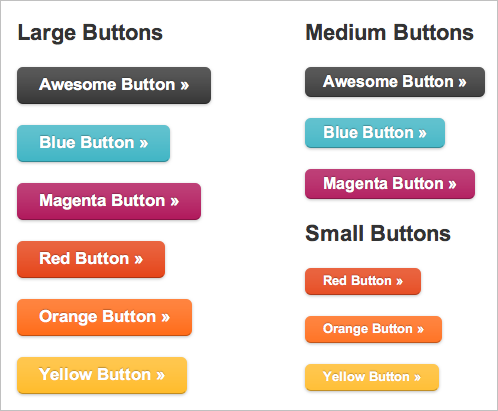
December 2nd, 2009 7:21 pmHow do the buttons in #1 look in non-compliant browsers?
- 53
December 2nd, 2009 7:56 pmLovely! :D
but IE……………….. - 54
December 2nd, 2009 10:06 pmSimply love the CSS3 tricks. But it is not working in ie6. Any solution for that???
- 55
December 4th, 2009 3:39 amNot even IE8 supports CSS3. IE6 never will (it doesn’t completely support CSS2 either)
- 55
- 56
December 2nd, 2009 10:40 pmNice Tricks :)
Thanks :) - 57
December 3rd, 2009 12:21 amGreat article, as allways. Great technology, great idea. But… How many people will appreciate it when IE is most used browser? FF is popular mor or less only in Europe. Opera has only one-digit popularity.
Until FF wont detronize IE or MS wont improve their browser ideas like shown in current article will be for art sake only. - 58
December 3rd, 2009 12:23 amA anoying thing is that you can still select the text on the buttons.
- 59
December 4th, 2009 3:40 amThat’s a good thing. It means it’s easier for search engines and text to speech readers to understand.
- 59
- 60
December 3rd, 2009 12:43 amIsn’t this just like the tag we once fought was a nice trick… HTML 5 and CSS 3 have great features but there are some that make confuse me, we shouldn’t forget to keep content and interaction separated…
Want a pulsing button – witch would be awfully annoying if you ask me, it’s a bit like an old flash website where everything tries to catch your attention so desperately your eyes go watering – but still, if you want a pulsing button, that would really be a javascript thing, it’s not part of the markup or style.
Support for all these features that don’t deserve doubt should go up fast enough, even IE can’t stay behind I guess. Supporting browsers will be so much faster now that we need only half the images they used to, users will notice soon enough.
- 61
December 3rd, 2009 12:50 amLove this, but… I think we should use more standard techniques like sliding doors (the “one image” sliding door for example) and use a “progressive enhancement” css3 like shadows for latest browsers, soo the buttons looks pretty in IE and will look *awesome* in FF, chrome ect ect browsers.
- 62
December 3rd, 2009 12:59 amTo design buttons with CSS3 is surely great and convenient, but until 95% of the Browsers in use support that it is more a theoretical solution as a practical one.
- 63
December 3rd, 2009 1:03 amPretty nice stuff, but in the moment pretty useless for me. In my sphere only about 4 % of people use Safari 4.x for browsing. And I don`t like to put extra effort into something for just such a small audience. If everything would function in Firefox I’d love to use all these CSS properties and don’t care about IE (although still 65 % of the people use it at my company’s website). Besides that, here only 17 % use Firefox 3.5 and 9 % version 3, so many of the features won’t even be seen by FF-users …
Don’t get me wrong, I love to push the web forward and use everything the new technologies have to offer. But there has to be a point where to have to make a break and think if you reach enough people. It’s nice that some people can experience all this stuff, but the majority can’t – which is very sad and doesn’t justify the extra time.
- 64
December 3rd, 2009 1:17 amLoL @ Radioactive buttons! My computer is going nuts (no smooth scrolling anymore) but its fun!
- 65
December 3rd, 2009 1:35 amPerhaps it’s too early to use the CSS3-tricks on clients projects, but I like to be moving, growing and learning all the time, so I’ll consider using some of these tips on my own personal projects. In that way I’m ready and familiar with the tecniques, when my clients also are ready for it…
Thanks for this article, that summons up the latest article and expands it further.
I would like to get some oppinions on IE – if you know of any plans from them on CSS3… - 66
December 3rd, 2009 2:16 amThis is great and all, but until CSS3 can do blinking text I’m not interested.
- 67
December 3rd, 2009 2:22 amjust bad that I saw this post on zurb a whiiileeeeee ago, but more of this techniques would be welcome for sure.
- 68
December 3rd, 2009 10:26 amDon’t worry – we’ve got 2 more articles lined up that build on these techniques and tricks to do some really wild stuff with CSS3, stuff that hasn’t been on our own blog yet. Stay tuned :)
- 68
- 69
December 3rd, 2009 2:24 amOh all very awesome. But we still can’t have variables in CSS, right? We still have to remember and type out the RGB (or indeed RGBa) code for that special corporate nuance of magenta in every single class that uses it. And why? Well, because the CSS wizards have decided *that it would be too much work for the browser* to parse the CSS then. But gradients, round corners etc etc are not hard work for the browser then?
And another thing, slightly related: why oh why do we have to learn three completely different syntaxes for HTML, Javascript and CSS? Why is it zIndex in one and z-index in another? Why (oh why) couldn’t at least CSS have been designed as an SGML language? Like this, for example:
No, that would have been too simple, I guess… :-(
- 70
December 4th, 2009 3:44 amCSS is not a programming language. If you want variables in it, wrap it in your server language of choice.
- 70
- 71
December 3rd, 2009 2:25 amOh OK, didn’t work – let’s try this:
<css class=”blue awesome” backgroundColor=”#2daebf” />
- 72
December 3rd, 2009 2:28 amNice article but why use CSS3 when the browser support is so bad?
Using images for buttons will give the same apparence in almost all browsers. - 73
December 3rd, 2009 2:52 amJust amazing! Love the buttons!
- 74
December 3rd, 2009 4:04 amgreat post! thanks
- 75
December 3rd, 2009 6:44 amIIE9 is supposed to fully support CSS3. We’ll see …
- 76
December 3rd, 2009 7:16 amLet’s shout loudly to IE: be compatible to the rest of the world, we are a happy family after all! :-)
- 77
December 3rd, 2009 7:48 amTotally agree, it would save so much time optimizing your site for IE if IE handled CSS3 correctly.
Also it would take less images, so less bandwidth. And restyling of your elements would take less energy. I could go on forever about the downside of IE, but i’ll call it day.
- 77
- 78
December 3rd, 2009 9:41 amThis is one of the best things or buttons I’ve seen in so many days.. really “Awesome” buttons.. many thanks Zurb and Smashing Magazing ! :)
- 79
December 3rd, 2009 10:13 amWorks on ie6? “!works”
- 80
December 3rd, 2009 10:28 amThanks for the comments everyone, we love hearing what people think about our little experiments. Obviously the radioactive buttons are hilariously easy to overuse and coming pretty close to the blink tag, and the Google buttons only work in Webkit, but that’s what this article is all about: what’s coming, not what’s practical today.
If you want to make practical buttons there are tons of great resources for that (and in fact the first button set in this article degrades pretty well) but we wanted to push it and have some fun. Hopefully you’ll have some fun with all of this too!
- 81
December 3rd, 2009 11:05 amThis tutorial is not well explained. The errors that where solved for IE6 are not explained and the example doesnt supply the stylesheet in a separate file. The author mixed all the website styles with the button ones and the example doesnt use the same styles used in the tutorial. Also, the example does not have any styles for button elements. Only for A tags. The Styles provided in the tutorial will not work in button elements. This article is very interesting, but of no use for most of the people. Please supply a demo page with only the necessary css in a separate css file and with all the styles for both a tags and buttons.
- 82
December 3rd, 2009 2:55 pmLove this post! Please keep them coming…
- 83
December 3rd, 2009 7:13 pmI’ve been doing something like this on my buttons for some time. If you really want to make the buttons look like they’re being pushed when you click on them, flip the gradient for the active state.
- 84
December 4th, 2009 2:31 amExplain: why not just use javacript? Far more people are going to see it. It’s going to be years before even a small proportion of users are going to see this. It’s just not worth it.
- 85
December 4th, 2009 3:42 amInteresting to see this post on SM, I wish there were articles like this on a daily basis!
This site even uses very pretty buttons and polls, like the SM poll, and this comment button below this text area .. A prime example and a daily recommendation to my 5,000+ twitter followers, friends, colleagues, etc.
Poll: More of the same? Hell yeah!
- 86
December 4th, 2009 6:26 amThis is great.
except im too scared to actualy use it, considering i had to swap browser to see it. - 87
December 4th, 2009 8:34 amThat’s impressive. Thanks for this great post once again.
- 88
December 5th, 2009 4:58 amI still don’t like the active state for the buttons. Check this fork for an alternative
http://www.elctech.com/snippets/make-your-buttons-look-super-awesome - 89
December 5th, 2009 10:23 amNow it is too early to use css3
- 90
December 5th, 2009 6:08 pmamazing to see the difference when you look at the buttons in ie , why o why are they so far behind
- 91
December 5th, 2009 6:45 pmYa no puedo esperar para que esto sea mas estándar, las propiedades ahorran mucho trabajo.
Buen post - 92
December 5th, 2009 7:44 pmI’m curious as to weather css3 will validate or a way of adding it that is progressive without invalidating your page.
- 93
December 5th, 2009 10:22 pm@smashingmagazine, we should all request the major parties to agree on one plate form to support all these type of materials. I’m much sick of making compatibility between browsers. Why they don’t have the same render engine? too many issues has not been solved yet. Even IE7 and 8′s render engine are not same. I amazed, they have too much difference.
Is it not possible for all browsers??
- 94
December 5th, 2009 10:22 pm@smashingmagazine, we should all request the major parties to agree on one plate form to support all these type of materials. I’m much sick of making compatibility between browsers. Why they don’t have the same render engine? too many issues has not been solved yet. Even IE7 and 8′s render engine are not same. I amazed, they have too much difference.
Is it not possible for all browsers to have same render engine??
- 95
December 6th, 2009 1:51 amIt is indeed possible for all browsers to use the same render engine. The obvious choice for this today would be WebKit, although three years ago the same argument could have been made for Mozilla’s Gecko engine.
Microsoft has gotten underway on Internet Explorer 9, and posted an article on the IE Blog bragging about getting 32/100 on the Acid3 standards-compliance test (Gecko is over 90/100, Safari 100/100). You would not believe how bitterly the developer community argues for Microsoft to abandon its proprietary Trident rendering engine in favor of adopting WebKit.
It doesn’t look like that can happen, due to the installed base of corporate customers who Microsoft suckered into investing in stuff that only works on various flavors of Internet Explorer browsers. So instead we’re going to have to suffer through at least one more generation of another incompatible-with-all-the-other-Internet-Explorers (6, 7, and 9 all require separate hacks for their various rendering quirks) before Microsoft admits the obvious.
Those of you in the U.S. and Europe should thank your lucky stars. Here in Korea where I live over 90% of users are on IE 6 and there’s no hope in sight for change — because most users of Windows computers are on a pirated copy of Windows XP, there’s no Service Packs or upgrade for them.
- 96
January 25th, 2010 7:23 pmYeah, I know what you say. Here in Brazil, it’s not different. Believe you or not, I come accross people saying “(…) but Internet Explorer is the best, it comes with Windows, aren’t we supposed to be using it?”.
See? I don’t know out there, but here: 1) they think they should use the software only because it’s there, ready, installed, just open it and run; 2) it’s “the best” although they haven’t even tried others and aren’t open to try; 3) “it comes with Windows”, that’s why I install Chrome or Firefox in every Windows PC that I found running Internet Explorer LOL.
Here we are still engaging technology in people’s daily lives, people like the baker next corner and the lady who cleans the street. It’s part of our digital inclusion program. So it’s an ongoing proccess and I make my part by showing the options, opening discussons on hot topics, it’s very democratic. The most rewarding thing is when they start telling their community about what they’ve learned. Sooo rewarding!
In my college, we got our IT staff to install Firefox on every single computer on campus. People are using it, and noticing the difference!
- 96
- 95
- 97
December 6th, 2009 8:25 pmThese are super awesome buttons. I’ve followed ZURB previous post on their blog and have applied those to one of our projects. But with this post, these are sure a one-stop-solution to all of us working on the web, be it on design & development. Thank you very much.
- 98
December 10th, 2009 8:40 amI’ve integrated some of these ideas and concepts into my Sexy Buttons framework. It makes it super easy to add these buttons to your web site. Check it out!
- 99
December 18th, 2009 1:37 amSo interesting post. I like the new css3 propierties but i don’t know a lot of these
- 100
December 19th, 2009 6:31 pmI could have read it wrong, but you said Firefox won’t round of images, while webkit will..I round off images in a Zen Garden project I just completed, and they display fine in Firefox and Webkit
http://www.cs.iupui.edu/~ar43/a455/zenGardenFinal/index.html
- 101
December 28th, 2009 2:19 amHey! It’s great!
BTW, Opera 10.50 (pre-alpha) now supports border-radius property.
- 102
January 19th, 2010 4:27 amJust amazing! CSS3 gives so much freedom!
- 103
January 25th, 2010 7:11 pmMaaaaan! What was that?! Is it only me or someone else out there is also stunned? God, I’m acctually feeling excited right now. I haven’t seen a so useful post for… like… ages
It is sooooo good to see how far we’ve come, how easy our lives are becoming as you designers and us developers. Old times when we had to work rounded corners with JS, sprites and all the fuz.
Yet, there’s the stone in our shoes, Internet Explorer. But, let’s be bright!
Sometimes, clients and users won’t even guess what’s happening. For them, the buttons are pretty and work — and that’s the point, after all, buttons that really cool, but work! If they get to their destination, it’s alright.
That said, I always make sure people around me that just user Internet in the daily basis get to know what’s happening. Not with the technical jargon, but in simple words. And guess what’s the expression? “Oooh, so it was that hard and now just that? And it’s just a bit of code? Like there was the K7 tape, then the CD now the pen drive?” Yeah, evolution, folks.
I’m so happy *.*
- 104
January 26th, 2010 8:03 amI’ve been working on an IPOD touch app and was FORCED to use the web-kit engine and found out how to do the buttons you describe here and then all of a sudden I had an orgasmotic reaction. WOW! what a great way to design a page full of buttons the EASY way. Come on IE developers, wakeup and smell the CSS3 buttons, I mean roses… It’s about time you IE developers lead or get out of the way…..
IE sucks bigtime in this area, if you can invent AJAX (httpxmlrequest) you can implement CSS 3!
- 105
February 7th, 2010 11:31 pmNice post …. Keep the CSS3 Tutorials Coming :D
- 106
March 5th, 2010 4:47 amnice post !
- 107
June 4th, 2010 5:49 pmThere’s one important thing – to get the same look in Safari/FF/Chrome you have to play with :-moz-focus-inner. The guys from zurb.com are doing so in their global.css. Otherwise you can spend long time wondering why using the very same css you still do not have the same look under those browsers while they do.
- 108
June 18th, 2010 8:34 pmJust amazing! CSS3 gives so much freedom! But i got a small question, CSS3 supports all browsers but what about IE browsers? that style does not support IE. Do you have any solution for that?
- 109
July 22nd, 2010 10:47 pmAnd here’s my variation of buttons: http://www.cybernoxa.pl/projects/css3/buttons/ – what important – thre’s a focus state, which zurb buttons seems to miss. Yeah, I know ;]
- 110
August 22nd, 2010 6:15 amIs realy cool
Leave a Comment
Make sure you enter the * required information where indicated. Please also rate the article as it will help us decide future content and posts. Comments are moderated – and rel="nofollow" is in use. Please no link dropping, no keywords or domains as names; do not spam, and do not advertise!
- Free Pom Pom Printables, nice for print decoration (PDFs) - http://bit.ly/a00AyO
- Web Design: Reboot, or Just Upgrade Instead? - http://bit.ly/bcJJaE
- Are You Ambitious Enough? - http://bit.ly/aZkZci - Well, are you? #smambitious
- How do colors affect purchases? (Infographics) - http://bit.ly/b8iU3U
- Perspective in Icon Design – Know-hows - http://bit.ly/buqUw6
- This makes me happy on a Sunday Morning: Every BBC Essential Mix, 1993 to 2010 for free download - http://bit.ly/bnDnk9
- BonBon: Sweet CSS3 Buttons - http://bit.ly/av84qj
- Building a Custom HTML5 Audio Player with jQuery - http://bit.ly/bqXwgS
- DesignKindle: collection of free high qualty web design files - http://bit.ly/clLViX
- What's your ultimate debugging tip? Share yours with the hashtag #smdebug


Super Awesome.