
How To Become A Top WordPress Developer

Email Newsletter
Weekly tips on front-end & UX.
Trusted by 182,000+ folks.
 Register for Free
 Celebrating 10 million developers


 Custom Web Forms for Angular, React, & Vue. Your backend.
First, let’s set a few things straight: becoming a top WordPress developer is hard work — very hard work. It’s going to take a lot of time, energy and determination. If you’re looking for an easy checklist or some “fast pass” to the top, you’re going to waste your time. Being one of the best is hard, and statistically speaking, the odds are stacked against you.

By the way, installing WordPress, reading a few tutorials and customizing a few themes does not make someone a top developer. They may call themselves an “Expert”, and that’s fine. They may know more than the average person. But a top developer moves far beyond the basics, and pushes the very boundaries of what is possible. They innovate, contribute to the community, and demonstrate mastery in the work they do.
So I want you to be more than an “expert”, I want you to be one of the best.
Why Be A Top Developer
Why not? If you work with WordPress (or plan to start), why just settle for being average? There’s too much “average” in life already. “Normal” is highly overrated. There are other reasons, though. For instance, the top WordPress developers:
- Make the most money.
Demand for WordPress development is high and clients are willing to pay more for developers who are the best in their field. - Get the best clients.
When you are at the top, you have the freedom to say “No” to the projects you don’t want, and “Yes” to the projects you do. - Have the most influence.
Being at the top means you have influence (and responsibility) and the capability to shape the future of WordPress as well as the ecosystem that is built around it.
One Hour Of Reading A Day
If you’re going to make it to the top, then you need to spend at least one hour each workday focused on reading and learning more about WordPress — outside of any development work. There are no shortcuts, and no other ways around it. Learning and mastering WordPress is going to take time. If you watch TV, cut it out — more than 90% of it isn’t good for you anyway. If you’re a gamer, sell your games or throw them away. Reaching the top takes commitment and sacrifice and the best place to start is with the things in life that aren’t doing you any good anyway.
Start with one dedicated, distraction-free hour of reading for each workday. Shut off instant messages, put your phone on silent, and read. Take notes on what you learn along the way. You’ll find the time goes by faster than you would have expected. Keep at it, day after day, week after week, and month after month. And as you start to see success, put in more time for reading.
Alternatively, consider a three-hour block, two to three times a week. The key is to make a commitment to learning and honoring that commitment by setting aside the necessary time to see it through.
Enrolling In WordPress University
There’s never been a better time to learn and master WordPress than right now. There are so many excellent resources available to those willing to put the time and effort into using them. Before you can start gaining experience, you need some education. Sure, you could just jump in and start breaking things. But I suggest you wait, and cultivate the self-discipline it takes to learn — there will be plenty of time to break things later. As you start your education, it’s important to begin with the social aspect of your experience.
Hang Out With The Right Crowd
We become like those we associate with. If you want to be one of the top WordPress developers, start spending time with those at the top. Read their blogs, follow them on Twitter, give feedback on their thoughts and ideas, go to WordCamps to meet them and listen to their talks. Read the interviews on CodePoet. Follow their examples, ask them for advice, follow their advice, and report back.
Here is a small list of WordPress developers to get you started:
- Andrew Nacin (@nacin)
- Alex King (@alexkingorg)
- Bill Erickson (@billerickson)
- Carl Hancock (@carlhancock)
- Cory Miller (@corymiller303)
- Mark Jaquith (@markjaquith)
- Matt Mullenweg (@photomatt)
- Mike Schinkel (@mikeschinkel)
- Nathan Rice (@nathanrice)
- Peter Westwood (@westi)
- Jeff Starr (@perishable)
- Joost de Valk (@yoast)
- Justin Tadlock (@justintadlock)
- Silviu-Cristian Burcă (@scribu)
Read The Material
The amount of reading material available on WordPress is overwhelming. There are thousands of people talking about WordPress and it is becoming increasingly difficult to filter through the noise. There are authorities, however, and when you commit to mastering WordPress, then you should start your journey by finding the highest quality resources and concentrating your efforts just on those.
Here are a few resources to get you started:
- WordPress Codex.
The WordPress codex is a community-edited repository for all things WordPress. Start with the very basics and focus on mastering the WordPress interface itself from an end-user’s perspective. Learn the WordPress semantics. Read about theme design and plugin development. - Books on WordPress.
There are more than a dozen books available on WordPress. Start off with the titles of greatest interest to you and then work towards the others. Think “WordPress For Dummies” is too basic? Maybe not. Your clients may read it and it’s important to have their perspectives. When you’re finished, thank the author and write a review. - Blogs on WordPress.
Find and follow the best blogs about WordPress. Subscribe to their feeds. Read them regularly and give feedback to the authors. A few of my favorite blogs are WordPress on Smashing Magazine, WP Tuts+, and WP Candy.
Understand The Technology
If you’re going to master WordPress as a developer you need to understand the technology. If you’re already a programmer and PHP/MySQL aren’t new to you, great. Make sure your skills are up-to-date. If you’re new to programming, start learning.
Here are some ways to begin:
- Learn PHP and MySQL
It’s really important that you know PHP and MySQL and that you learn the best practices. A few out-dated tutorials aren’t going to do it. And if you learned it a few years ago, a lot of the practices you picked up are probably out-of-date. Not sure where to begin? Start with Lynda.com or Learnable.com. Learn about MySQL performance.
- Explore the Codebase
Take time to explore the WordPress codebase on Trac and on Xref. Read through the documentation to understand how things work. Look up what doesn’t make sense to you and ask questions. Familiarize yourself with how WordPress is structured.
- Run The Nightly
Setup a local development environment and run the nightly build as a way to stay up-to-date on WordPress as it’s being developed.
- Read “Make WordPress”
A good way to understand the technology is to follow the development discussions taking place on make.wordpress.org. You can follow discussions about the Core, Plugins, and Themes for starters.
Do The Homework
Put what you’re learning into practice. Start with your own WordPress websites. After you read a tutorial, follow it on your own. Experiment. Break things down. Track what you’ve learned and record your insights and breakthroughs for future reference. Spend as much time as you can taking what you’ve learned and applying it to your own projects and experiments.
Here are a few areas to explore:
- WordPress APIs.
Start by familiarizing yourself with the list of available APIs on the Codex. Read through the information available for each API and experiment with each (some will be easier than others). Search for tutorials for each of the APIs to give you some real-world perspective and experience on what can be done with each.
- Ajax in WordPress.
Even if you’re already familiar with Ajax, learn about the use of Ajax in WordPress. Then, move on to tackle using Ajax in plugin development. Search for tutorials to develop your experience further.
- WordPress PHP Classes.
Familiarize yourself with the list of classes created by WordPress developers. Experiment with them on your own projects and master them. In particular, pay special attention to WP_Query, WP_Theme, and wpdb. Search for tutorials on each of the classes, as well as non-core, community contributed classes like WPAlchemy.
Gaining Experience With WordPress
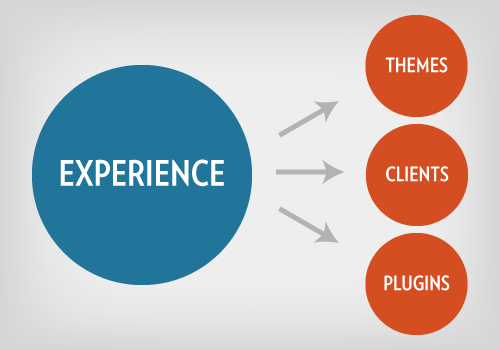
With your education well underway, it’s time to gain real-world experience — and lots of it. Your path to the top is lined with trials and difficulties and gaining experience outside the safe playgrounds of your own projects is a critical step in the right direction. One of the best ways to get started is doing work for others.
Take On Clients
Working for clients, paid or free, is one of the best ways to gain experience. Clients introduce challenges you would never have to deal with working on your own. If you’re just getting started, learn how to get your first client. While the market focus (large clients vs. small clients) will vary, the heart of the matter is get a lot of experience. The goal is to not just get a few hundred hours working on WordPress, but a few thousand. You need to put the time in with real-world experience and taking on clients is one of the best ways to do this.
Develop A Public Theme
Build a theme you’d actually use. Release it, paid or free. Listen to the feedback you get from developers and end-users who use your theme. Ask for a peer review from theme designers you respect. Update your theme as you get feedback and as your abilities improve. Work hard to make a theme that you can be proud of.
Develop A Plugin
As you learn and work with WordPress you’ll eventually find a need that hasn’t been met. When you do, meet it yourself. Take what you’ve learned about plugin development and put it into practice. Write a plugin that’s secure and that solves a real need, without being another “me too” contribution to the already massive plugin community. Release it, paid or free, and get feedback from the people who put your plugin to use.
Contribute A Patch
Read the Core Contributor handbook and learn how to submit a patch. It can be a daunting process your first time around, but look for a challenge that you can tackle, and stick to it. Contributing a patch is an invaluable experience and an important part of being able to consider yourself a top WordPress developer.
Master Debugging
Learning how to write bug-free code is a critical step in becoming a great developer. Start with the Codex and learn about debugging in WordPress. Read Andrew Nacin’s post on 5 Ways To Debug WordPress. Familiarize yourself with some of the developer oriented plugins, like Core Control, Debug Bar and Log Deprecated Notices.
Joining The WordPress Community
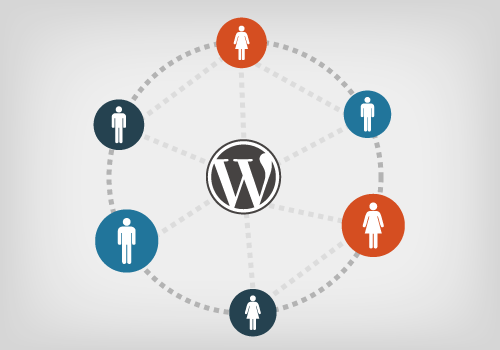
As you continue your education and put what you’ve learned into practice, the next step is to become an active member of the community. You may be a fantastic developer, but it doesn’t count for much if no one knows you exist. Spend time investing in the community. One of the best ways to do so is sharing what you know.
Write Tutorials
I got my start back in 2006 with a simple tutorial I wrote (be warned, it is a little dated). I took what I had just figured out and poured it into a tutorial to help others and save them the time (and headache) I had just experienced. A lot of people read it, a few wrote back and said thank you, and some people even asked me to do some work for them. So write tutorials that take the best of what you’ve just learned and present it to others so they may reap the benefits of your efforts. It’s worth it.
Contribute To The Codex
As you spend time reading through the Codex you will notice areas that need improvement. Learn about becoming a volunteer in the Codex. Dedicate time to improving the quality of the documentation. While documentation in the Codex is continually improving, there are still functions and features in the WordPress core that go undocumented. If an area is beyond your current capabilities, bring it to the attention of others and embrace the opportunity to learn more in the process.
Participate In Forums
Most WordPress beginners start out asking questions on the official support forums. Start there by answering questions (even the silly, basic ones — we all start somewhere). From there, become an active member of the WordPress Stack Exchange community. Answer questions and learn from the answers that other developers are giving.
Present At WordCamps
Attend upcoming WordCamps and look for opportunities to present and give value to the WordPress community. A true sign of your expertise is your ability to take what you know and teach it to someone else. Read the Diary Of A WordCamp. Want even more of a challenge? Become an organizer and start a WordCamp near you.
Reward And Responsibility
The reward at the top is worth the effort. If you’re building a business around WordPress (read 7 reasons why you should), a mastery of WordPress is a critical step to your success. In 2011, according to the official WordPress Survey results, “6,800 self-employed respondents were responsible for over 170,000 websites, personally”. Of those, the average median hourly rate was $50/hour. Based on the Pareto principle, the top 20% of those developers (less than 1,400) are responsible for 80% of the work done (and they make more than $50/hour).
Now, being in that top 20% carries with it a high-level of responsibility. Staying at the top requires a commitment to ongoing education and continual experience. Never stop learning and improving. Being at the top also puts a level of responsibility on your shoulders for the health and future of the WordPress ecosystem. Get involved. Weigh in on important matters. Contribute. Put a percentage of your success back into building up WordPress and ensuring its future.
Conclusion
Becoming a top WordPress developer requires a mindset of continual improvement and a willingness to do the hard work. It starts with an intentional focus on education and then moves to extensive real-world experience. Finally, the title of a “top developer” demands dedication to the WordPress community, as well as recognition of the responsibilities by those who mold and shape the future of WordPress.
What about you? What advice do you have for becoming a top WordPress developer?
Further Reading
- Practical Tips From Top WordPress Pros
- A Process For Professional WordPress Development
- Ten Things Every WordPress Plugin Developer Should Know
- How To Improve And Refine Your Development Process
 (mrn)
(mrn)

