hidden

Smashing Magazine

Color Theory For Designers, Part 2: Understanding Concepts And Terminology

Advertisement

If you’re going to use color effectively in your designs, you’ll need to know some color concepts and color theory terminology. A thorough working knowledge of concepts like chroma, value and saturation is key to creating your own awesome color schemes. In Part 1: The Meaning of Color of our color theory series, we covered the meanings of different colors. Here, we’ll go over the basics of what affects a given color, such as adding gray, white or black to the pure hue, and its effect on a design, with examples of course.

[Offtopic: by the way, did you know that we are publishing a Smashing eBook Series? The brand new eBook #3 is Mastering Photoshop For Web Design, written by our Photoshop-expert Thomas Giannattasio.]

Hue

Hue is the most basic of color terms and basically denotes an object’s color. When we say “blue,” “green” or “red,” we’re talking about hue. The hues you use in your designs convey important messages to your website’s visitors. Read part 1 of this article for the meanings conveyed by various hues.

Examples
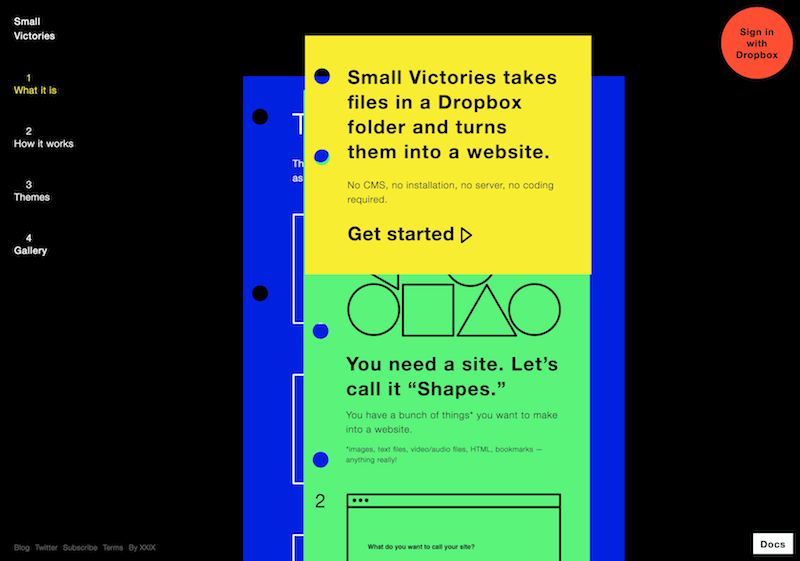
Happytwitmas in Color Theory For Designers, Part 2: Understanding Concepts And Terminology
The primary hue of the background and some of the typography on the Happy Twitmas website is bright red.

Chapolito in Color Theory For Designers, Part 2: Understanding Concepts And Terminology
Using a lot of pure hues together can add a fun and playful look to a design, as done in the header and elsewhere on this website.

Estilorama in Color Theory For Designers, Part 2: Understanding Concepts And Terminology
Pure red is a very popular hue in Web design.

Mix in Color Theory For Designers, Part 2: Understanding Concepts And Terminology
Mix uses a number of pure hues in its header and logo.

Steveottenad in Color Theory For Designers, Part 2: Understanding Concepts And Terminology
Green in its purer forms is seen less often and so stands out more than some other colors.

Chroma

Chroma refers to the purity of a color. A hue with high chroma has no black, white or gray in it. Adding white, black or gray reduces its chroma. It’s similar to saturation but not quite the same. Chroma can be thought of as the brightness of a color in comparison to white.

In design, avoid using hues that have a very similar chroma. Opt instead for hues with chromas that are the same or a few steps away from each other.

Examples

Moviestills in Color Theory For Designers, Part 2: Understanding Concepts And Terminology
Cyan has a high chroma and so really stands out against black and white.

Canalconnection in Color Theory For Designers, Part 2: Understanding Concepts And Terminology
Another website with a high chroma blue, though it includes some tints and shades with somewhat lower chromas.

Philippdoms in Color Theory For Designers, Part 2: Understanding Concepts And Terminology
Combining high and low saturation in the same hue can make for a sophisticated and elegant design.

Fruehjahr in Color Theory For Designers, Part 2: Understanding Concepts And Terminology
Colors with very high chroma are best used in moderation, as done here.

Panelfly in Color Theory For Designers, Part 2: Understanding Concepts And Terminology
Differences in chroma can make for a visually pleasing gradient.

Saturation

Saturation refers to how a hue appears under particular lighting conditions. Think of saturation in terms of weak vs. strong or pale vs. pure hues.

In design, colors with similar saturation levels make for more cohesive-looking designs. As with chroma, colors with similar but not identical saturations can have a jarring effect on visitors.

Examples

Sifrvault in Color Theory For Designers, Part 2: Understanding Concepts And Terminology
The saturation levels of many of the different hues used here are similar, adding a sense of unity to the overall design.

Rainbeaumars in Color Theory For Designers, Part 2: Understanding Concepts And Terminology
Combining colors with similar muted saturation levels creates a soft design, which is emphasized by the watercolor effects.

Disfrutasanjuan in Color Theory For Designers, Part 2: Understanding Concepts And Terminology
Hues with lower saturation levels aren’t necessarily lighter, as shown here.

Craftsale in Color Theory For Designers, Part 2: Understanding Concepts And Terminology
An excellent example of how using a hue with a high saturation against a background with low saturation can make the former really stand out.

Sunrisesoya in Color Theory For Designers, Part 2: Understanding Concepts And Terminology
Aother example of how low saturation colors make nearby high saturation colors really stand out.

Value

Value could also be called “lightness.” It refers to how light or dark a color is. Ligher colors have higher values. For example, orange has a higher value than navy blue or dark purple. Black has the lowest value of any hue, and white the highest.

When applying color values to your designs, favor colors with different values, especially ones with high chroma. High contrast values generally result in more aesthetically pleasing designs.

Examples

Creativespark in Color Theory For Designers, Part 2: Understanding Concepts And Terminology
The high value of the yellow used here really stands out against the lower-value black and gray.

Oysterdesign in Color Theory For Designers, Part 2: Understanding Concepts And Terminology
This website combines blue hues with two different values. Because the different values have enough contrast, the overall look is visually appealing.

Copimaj in Color Theory For Designers, Part 2: Understanding Concepts And Terminology
Combining colors with similar values makes for an energetic and lively background (which is enhanced by the design itself).

Whoseview in Color Theory For Designers, Part 2: Understanding Concepts And Terminology
The red here has a lower value than the light blue, which itself has a lower value than the white.

Colourpixel in Color Theory For Designers, Part 2: Understanding Concepts And Terminology
The human eye can pick up differences in value even among such similar hues.

Tones

Tones are created when gray is added to a hue. Tones are generally duller or softer-looking than pure hues.

Tones are sometimes easier to use in designs. Tones with more gray can lend a certain vintage feel to websites. Depending on the hues, they can also add a sophisticated or elegant look.

Examples

Lakesideheritage in Color Theory For Designers, Part 2: Understanding Concepts And Terminology
Tones can give websites a sophisticated look while adding some vintage and antique flair.

Brightkite in Color Theory For Designers, Part 2: Understanding Concepts And Terminology
This website combines blues in a variety of tones, shades and tints.

Mmuller in Color Theory For Designers, Part 2: Understanding Concepts And Terminology
Tones can be intensified by adding gray around them, as done here.

Redvelvetart in Color Theory For Designers, Part 2: Understanding Concepts And Terminology
The tones used in the navigation and background design here give this website a vintage, hand-made feel.

Mergeweb in Color Theory For Designers, Part 2: Understanding Concepts And Terminology
A great example of how a pure hue can really stand out against a background of tones.

Metalab in Color Theory For Designers, Part 2: Understanding Concepts And Terminology
Some colors that we might consider gray are actually tones of other colors. In this case, the background is a blue tone but with a lot of gray added.

Shades

A shade is created when black is added to a hue, making it darker. The word is often incorrectly used to describe tint or tone, but shade only applies to hues made darker by the addition of black.

In design, very dark shades are sometimes used instead of black and can serve as neutrals. Combining shades with tints is best to avoid too dark and heavy a look.

Examples
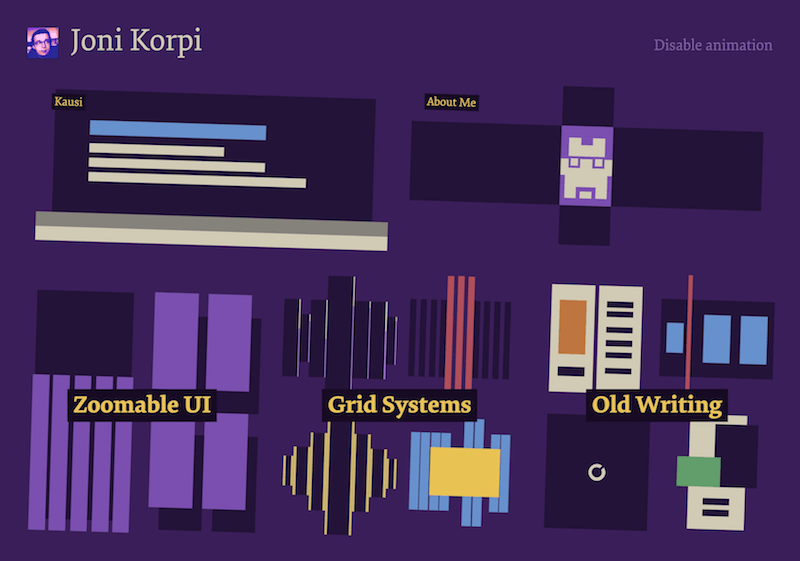
Jonathanmoore in Color Theory For Designers, Part 2: Understanding Concepts And Terminology
Jonathan Moore’s website has a variety of different shades of purple in the background (and a couple of tints in other parts).

Vuumedia in Color Theory For Designers, Part 2: Understanding Concepts And Terminology
Using different shades together works well, as long as sufficient contrast between them is maintained.

Alilot in Color Theory For Designers, Part 2: Understanding Concepts And Terminology
An effective combination of shades and tints, particularly in the header.

Skipvine in Color Theory For Designers, Part 2: Understanding Concepts And Terminology
Another background design that has shades (and a few tints) in a textured gradient.

Stuffandnonsense in Color Theory For Designers, Part 2: Understanding Concepts And Terminology
Combining shades within textures adds interest to this website.

Tints

A tint is formed when white is added to a hue, lightening it. Very light tints are sometimes called pastels, but any pure hue with white added to it is a tint.

Tints are often used to create feminine or lighter designs. Pastel tints are especially used to make designs more feminine. They also work well in vintage designs and are popular on websites targeted at parents of babies and toddlers.

Examples
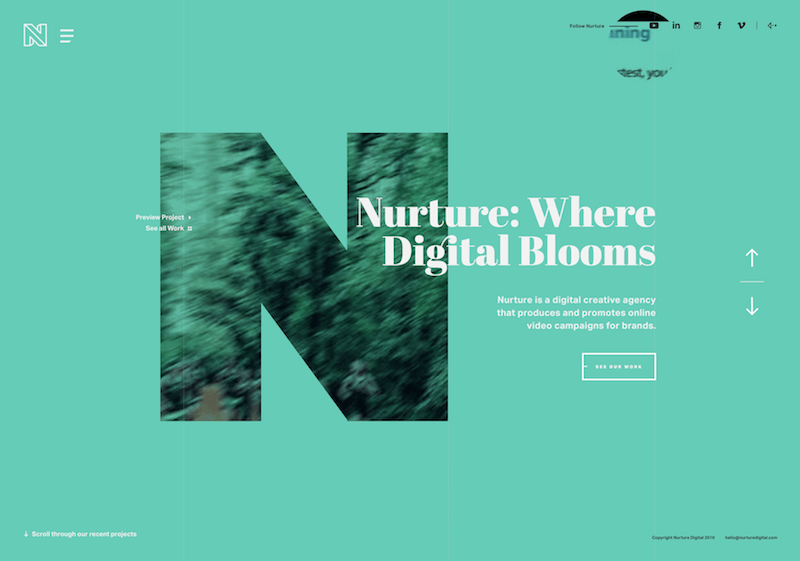
Caiocardoso in Color Theory For Designers, Part 2: Understanding Concepts And Terminology
Caio Cardoso’s website has a variety of green tints in the background and in other elements.

Fernandosilanes1 in Color Theory For Designers, Part 2: Understanding Concepts And Terminology
The blue tint on Fernando Silanes’s website creates a soft and sophisticated look.

Duboutdesyeux in Color Theory For Designers, Part 2: Understanding Concepts And Terminology
Blue tints are popular for sky and nature motifs.

Smallwhitebear in Color Theory For Designers, Part 2: Understanding Concepts And Terminology
Tints are also popular in watercolor-based designs.

Iamgarth in Color Theory For Designers, Part 2: Understanding Concepts And Terminology
Tints combined together make for a sophisticated gradient.

Conclusion

While you don’t necessarily have to remember all of these technical terms, you should be familiar with the actual concepts, especially if you want to master part 3 of this series (in which we create our own color schemes). To that end, here’s a cheat sheet to jog your memory:

  • Hue is color (blue, green, red, etc.).
  • Chroma is the purity of a color (a high chroma has no added black, white or gray).
  • Saturation refers to how strong or weak a color is (high saturation being strong).
  • Value refers to how light or dark a color is (light having a high value).
  • Tones are created by adding gray to a color, making it duller than the original.
  • Shades are created by adding black to a color, making it darker than the original.
  • Tints are created by adding white to a color, making it lighter than the original.

Further Resources

The Whole Series

(al)

Cameron Chapman is a professional Web and graphic designer with over 6 years of experience. She writes for a number of blogs, including her own, Cameron Chapman On Writing. She’s also the author of Internet Famous: A Practical Guide to Becoming an Online Celebrity.

42

Tags:

Advertising
  1. 1
    liebesich
    February 2nd, 2010 6:20 am

    First! Thanks for this summary!

  2. 2
    Jordy
    February 2nd, 2010 6:22 am

    Great article! Love this one more then part 1 to be honest :-).

    Will there be a part three? if yes, may I suggest the theory of contrasts and its effects? I think that’s one big aspect which makes a design work or not.

    Looking forward to more theory =)

  3. 3
    Keerthi Teja
    February 2nd, 2010 6:23 am

    I was waiting for the Part 2..
    thanx a lot….

    Great collection of websites…
    now i redesign my websites…:)

  4. 4
    Faizan Qureshi
    February 2nd, 2010 6:30 am

    Wonderful recap on terms we often neglect to use.

    Cheers. :)

    • 5
      Dan
      February 2nd, 2010 8:39 am

      @Adit:
      Actually, I usually start thinking about interesting details first, and then step back to envision a larger design that will incorporate those details. I agree that many people may start from a big picture and move to the details, but I think it’s just a matter of personal methods, rather than the way the human brain is wired.

  5. 6
    Adit Gupta
    February 2nd, 2010 6:34 am

    Although I have studied color theory, I still have doubts regarding it’s practicality. You said that one must be familiar with these concepts in order to develop an effective color scheme. This essentially means that the final color would be decided after tweaking with the elements which define a color, that is, hue, saturation,value etc. In other words, color theory follows an inside out approach to develop a color. However, this approach is in direct contradiction with the way in which human brain perceives information. Human brain, unlike a computer program, first visualizes the bigger picture and then gets into the details. For example, when designing a website, we already have a picture in our mind. We then use tools like Adobe Kuler to develop a color scheme which is related to the picture we envisioned. A person can easily develop a suitable color scheme without getting into the details of all the elements that define a color. This approach is exactly opposite to the inside out approach. Hence, color theory would be beneficial for a computer designing a website because a computer needs every bit of information to build the bigger picture. Humans have an organic approach when deciding on colors.
    Still, this series is indeed useful to know more about colors. Nice read! :)

    • 7
      Satish Gandham
      February 10th, 2010 6:53 am

      I agree with you, practically it’s not possible for humans to take these principles into consideration while selecting colour scheme. However they can be used to tweak the colours once we have the basic website ready.

      Good read.

  6. 8
    Frucomerci
    February 2nd, 2010 6:57 am

    Thank you very much for sharing your knowledge, both parts are great.
    I’m learning a lot with your blog and from the websites you put as examples.
    Keep posting ;)

  7. 9
    woodshed
    February 2nd, 2010 6:58 am

    Excellent.

    Part 1 was more common place on the web (and as some commented could actually make designers lives a bit more difficult when used as reference by clients), this one though takes it to the next level and show a clear understanding of all the factors involved :)

  8. 10
    Drew
    February 2nd, 2010 7:05 am

    @Adit: No matter how you decide upon a color scheme, knowing color theory will help you understand why you “feel” a certain way about a particular design. Thus, it gives you the power of understanding what’s really behind the perceptions some may find innate or organic. With that understanding comes the ability to adjust your color scheme accordingly to achieve a particular result.

    Just the way I see it!

    • 11
      Joe
      February 2nd, 2010 4:09 pm

      Digressing from the graphics,

      I studied music composition for several years before moving into graphics. Similar deal, you study the works of Bach, Chopin, Beethoven and you learn the “rules” of composition. These rules came AFTER these works only from people studying the music to formalize the process. After you learn these rules you then proceed to break most of them but like above, it’s about the language you speak, and these rules to get the composition finished. Aside from that, the musical ornaments help to really shape the piece.
      As with anything, it’s the theory AND the practice that make a truly amazing work in any discipline.

      Good article in the end though!

  9. 12
    Disappointed
    February 2nd, 2010 7:09 am

    @Adit personnally I’m very very bad at choosing colors (I’m a programmer who likes to design) and I hope to get some clue in color selection for a webapp, the basics at least.

    • 13
      Thiago A. Villa Menezes
      February 2nd, 2010 3:56 pm

      Yeah, me too! Developer who *needs* to design!!!

  10. 14
    Benny
    February 2nd, 2010 7:16 am

    Wow! Thanks a lot! I didn’t know about some of the terminology, shades, tints, tones. Now I know the difference. Thanks again!

  11. 15
    Mark
    February 2nd, 2010 7:57 am

    Excellent post, great web examples too. Good to know the specific terminology – now to teach that to students!

  12. 16
    RCKY
    February 2nd, 2010 8:01 am

    like some of the examples… but most got a terrible fold…

  13. 17
    sugata
    February 2nd, 2010 8:13 am

    nice one

  14. 18
    SD!!!
    February 2nd, 2010 8:15 am

    Cameron you’re awesome!

    Thanks for the article. learn a lot : )

    Congrats.

  15. 19
    Raniya
    February 2nd, 2010 8:30 am

    Excellent article, and great examples. I also love some of the comments and suggestions counterbalancing the article.

  16. 20
    @dworni
    February 2nd, 2010 8:39 am

    Thank you very much for featuring us. Made my day! :-D

  17. 21
    Aaron
    February 2nd, 2010 9:23 am

    Great article, this one point was the only thing I’d like clarified:

    Anyone want to take a stab at explaining the difference between chroma and saturation, in a nutshell?

    • 22
      Mr. Chromatic
      February 4th, 2010 7:44 pm

      they’re the same, but in different mediums. Saturation traditionally was derived from pigment – how much color is in the ink or paint, and chroma from light emitting media (video). Ultimately they measure the same thing: the intensity of the hue component of the color.

  18. 23
    Showpage
    February 2nd, 2010 10:13 am

    Thanks, thanks and thanks.

  19. 24
    Brandon
    February 2nd, 2010 10:18 am

    Great article. Color is a complex thing.

    To get your head around it, I recommend only worrying about the 3 main properties that make up a color: Hue, Saturation, and Value. When you learn how each of these work, concerning yourself with ‘tints’ and ‘tones’ and whatnot start to become redundant – and looking back when I started to learn color, I wish those terms weren’t taught to me – it only complicated things.

    As an example, and as the article shows, there’s a lot of overlap. Some of the sites shown in saturation or chroma sections could also fly in the other sections.

  20. 25
    Krishnam
    February 2nd, 2010 10:21 am

    Colour Theory is something which every designer should be aware of. With out the basic knowledge of Colour Theory one cannot call him/herself a complete designer. Its interesting to know about colours and how humans relate to them in different parts of the world. Cameron your articles are just awesome. I’m waiting for Part 3. Cheers! Kris

  21. 26
    Ivan Philipov
    February 2nd, 2010 11:21 am

    First article was better. Knowing terms won’t make you match colors more effectively. Besides the large selection of good websites, part 2 was fairly useless.

  22. 27
    Dariusz
    February 2nd, 2010 11:36 am

    Great ;D

  23. 28
    alone
    February 2nd, 2010 11:52 am

    Great post!! Very helpfull, thank you!!

  24. 29
    Edison A. Leon
    February 2nd, 2010 11:54 am

    Thank you so much Cameron bring the next one, I’m trying to get into design, since I’m just developer, and this is the best design intro course ever.

  25. 30
    Jonathan Moore
    February 2nd, 2010 12:00 pm

    Thanks for featuring my site – http://jonathanmoore.com! There’s a lot of other great examples there.

  26. 31
    Dani
    February 2nd, 2010 1:34 pm

    I thought saturation was the definition you gave for chroma never heard of chroma before, not even in books about color theory.

  27. 32
    Robert_M
    February 2nd, 2010 2:26 pm

    Some great examples here. I’ll try to remember these tips.

    (adds to Evernote)

  28. 33
    Smalllotus
    February 2nd, 2010 6:43 pm

    Great article!

  29. 34
    ferizaenal
    February 2nd, 2010 7:15 pm

    thanks….

  30. 35
    Ravikumar V.
    February 2nd, 2010 10:46 pm

    its fantastic

  31. 36
    kanagrajK
    February 3rd, 2010 2:22 am

    Really Good Article and learn more on today

  32. 37
    SDC Software
    February 3rd, 2010 4:05 am

    Great Post! Very useful. Thanks.

  33. 38
    Joshua Briley
    February 3rd, 2010 4:16 am

    Thanks again for a great article. I’d be interested in reading how you accomplish these techniques.

  34. 39
    Interactive Agency Copimaj Interactive
    February 3rd, 2010 4:22 am

    Thanks for including Copimaj Interactive among this collection of websites that used color effectively in their designs. We are honored for this mention that encourages our interactive agency to make better and better designs with every project.

  35. 40
    Daniel
    February 3rd, 2010 7:14 am

    Another great article. This series is fantastic, really hitting on some potentially overlooked techniques… Its so much easier to see the difference between tone, hue and tint effects when they are grouped together like that.

    Cheers Cameron

  36. 41
    Waheed Imran
    February 3rd, 2010 7:48 am

    Bundle of thanks for sharing this extra ordinary helpful infromation for all designers who they are going to start their future. We are also waiting for third one.

  37. 42
    Benschi Aadalen
    February 3rd, 2010 8:00 am

    i love the colors!

  38. 43
    Alex O'Neal
    February 3rd, 2010 11:42 am

    I’m thoroughly enjoying seeing color theory promoted so ably. Since we all seem to be color enthusiasts here, I thought I’d share one of my favorite color guidelines, from Marc Chagall:

    All colors are the friends of their neighbors and the lovers of their opposites.

  39. 44
    Angel
    February 3rd, 2010 4:21 pm

    Really useful article!

  40. 45
    ZOMGBananas
    February 5th, 2010 8:00 pm

    Thank you for these colour theory articles, and I am really looking forward to part three. I’ve always had a bit of trouble understanding the ways colours interact and the reasons behind why, but this has really cleared quite a few things up.

  41. 46
    Kamal
    February 8th, 2010 5:12 am

    Thank you SM.
    You rock. Awesome post.

  42. 47
    Rockin
    February 8th, 2010 8:28 am

    In design, avoid using hues that have a very similar chroma. Opt instead for hues with chromas that are the same or a few steps away from each other.

    This is confusing to me. The whole article is confusing. I read in the article that color is important and any variations in some aspects would be a bad thing. Then in the examples there are exactly what was bad things that looked good.

    For the most part I liked the article and I just did not pay attention to the rules of composition since I do not follow rules anyway…

  43. 48
    Aravind Jose T
    February 9th, 2010 10:41 am

    Was keeping the series on hold and today, I’m on a marathon. Finished 1st, now read this one, and moving onto the 3rd one.

    Such a neat and Wonderful article.
    Honestly, didn’t knew what Tones/Shades/Tints technically meant.

    Thank you so much.

  44. 49
    Rob
    February 16th, 2010 5:16 am

    This series of articles is weak at best, only skimming the surface and causes confusion. For example, under “chroma” it’s stated “avoid using hues that have a very similar chroma. Opt instead for hues with chromas that are the same or a few steps away from each other.” which, to me, sounds contradictory.

    Since this is aimed at web designers, talking about adding black to colors without indicating how that is done in a browser only makes it mysterious and confusing. Throw in tints, shades, lightness, chroma and saturation without stating how to do such a thing using RGB on a web page and you’ve lost us. Aren’t some of these terms more related to paint than light?

  45. 50
    vijay
    March 16th, 2010 12:40 am

    this is really nice articles for any web designer or learners.

  46. 51
    Nams
    March 19th, 2010 3:47 am

    Here’s one really nice interactive color guide to see the difference color can create :
    http://www.poynterextra.org/cp/colorproject/color.html.
    Helps overcome any initial jitters one has about understanding color and how to use it.

  47. 52
    Yachika Verma
    May 13th, 2010 11:08 am

    Great Collection….I have got so many color schemes from your collection to use on my sites. Thanks a lot…!!

  48. 53
    sangeeta
    June 15th, 2010 2:07 am

    Very nice article…I have one question.

    What is that method called where colour or font style is used to break one word into two…
    for example…
    if the word “Example” is written… then the words ‘AMPLE’ within it, will be written in a different colour or font…. so that the person reads both…. and to make user read it as “Ample Example” the size of “Ample” would be bigger than the rest of the letter i.e. e and x, in this case….

    Does anybody know it?

Leave a Comment

Make sure you enter the * required information where indicated. Please also rate the article as it will help us decide future content and posts. Comments are moderated – and rel="nofollow" is in use. Please no link dropping, no keywords or domains as names; do not spam, and do not advertise!


Advertisement Advertise with us!
Add this widget to your site!
Visit job board Post your job