Email Newsletter Design: Guidelines And Examples

The email newsletter is a powerful marketing and communication tool that has various useful functions. It reminds your users about you; it informs users about your products; it tells them what you have been up to; and it helps you build a unique relationship with them. Users like email newsletters if the newsletters bring them value.
The fundamental rule for creating an email newsletter is to give it interesting, relevant and up-to-date information that is enjoyable to read. Users sign up for newsletters hoping be informed about things that they would not otherwise be able to find out about. In this article, we’ll discuss some guidelines for designing and distributing email newsletters. Each point will be accompanied by both good and bad examples.
Please notice: in this post we features both good and bad examples of newsletter design, so you can get a better understanding of the problems to avoid and good design decisions to make.
You may be interested in the following related posts:
Signing Up For A Newsletter
This is an important step in convincing users that your newsletters are interesting and that they would benefit from signing up.
Tell Users What They Will Get
Before asking users for their details, tell them what they will receive, and identify the benefits of signing up. If you mention that the newsletters will include exclusive offers and deals, make sure to keep the promise. In addition, let users know how often they will receive the newsletter: weekly or monthly.
On the Mulberry sign-up page, the company promises to send users exclusive updates and offers. The Marie Claire UK subscription page clearly states that its newsletters include news, beauty buys, competitions and offers.
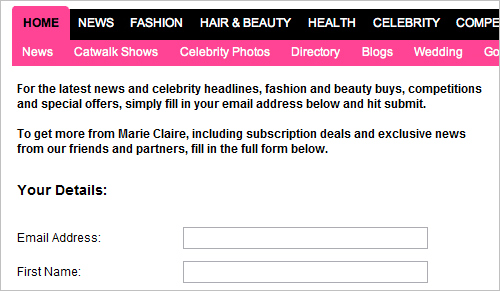
Marie Claire UK subscription page
Reward Users for Signing Up
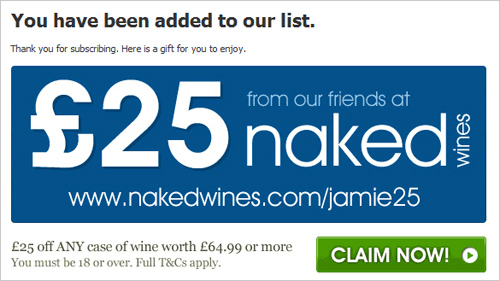
You may want to consider giving some reward to users for signing up; for example, a free gift, voucher or discount. To encourage users to sign up for his newsletter, Jamie Oliver offers a free £25 wine voucher that can be claimed after subscribing (on the condition that users spend £64.99 or more on the wine).

Jamie Oliver reward page
If you will give rewards, let users know as soon as possible in the process. James Perse gives users who subscribe to its newsletter a $15 online gift card. However, the reward is not mentioned on the subscription page, and the promotion code is sent via a confirmation email only after the subscription has been received. You would not have known that until you subscribed. The company is clearly missing a great opportunity to get people to sign up for its newsletters.
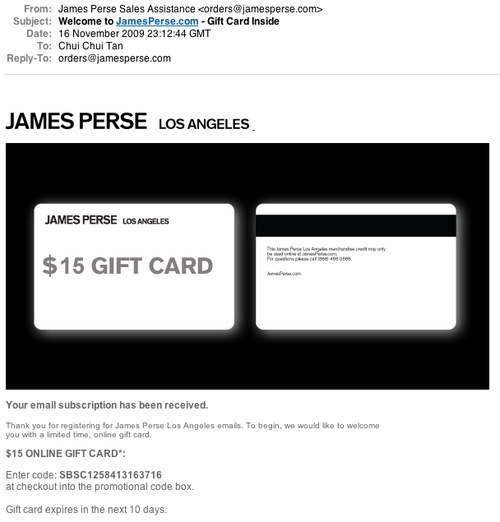
James Perse subscription confirmation email
Preview Your Newsletter
One way to let users know what they will get is to give them a preview of your newsletter. Hershey’s Kitchens has two different newsletters, and it offers examples of both types. The company even gives each newsletter a name and clearly indicates how often it will be sent out.
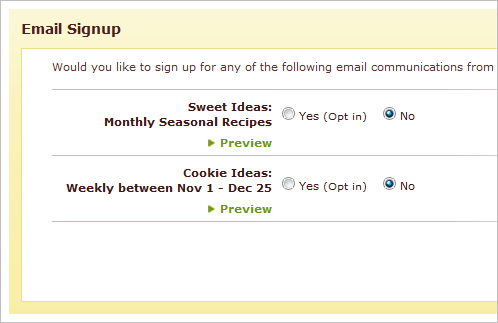
Hershey’s Kitchen sign-up page
Keep Questions Short and Simple
Users avoid filling out forms and submitting their details if possible. For a newsletter sign-ups, all you need is their email address.
Hersey’s Kitchens has 10 mandatory fields. MarieClaire.com has 8 fields, but only the email field is required. We have found from our studies, though, that people often miss the asterisk or do not know what it means. Users who are reluctant to fill in many details may well refuse to sign up in this case.
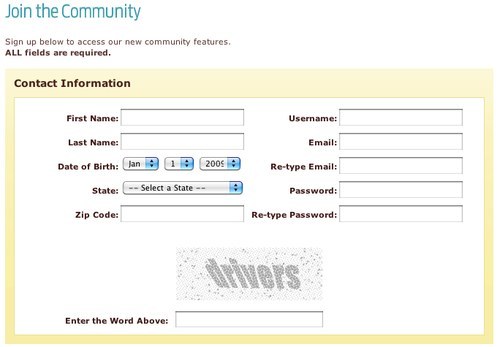
Hershey’s Kitchen sign-up page
Content Of Newsletter
Based on our user testing, we found that people look at three things when they receive a newsletter:
- The sender, to see if it is from someone they know.
- The subject line, to see if it is of interest to them.
- The date, to see if the communication is up to date.
Write an Attractive Subject Line
One way to encourage users to open your newsletter is to write a subject line that grabs their attention.
If you are offering some sort of deal in your newsletter, try to avoid generic appeals in your subject line (for instance, Game July newsletter subject line: “Sizzling Summer Deals”). Instead, mention specific offers, such as Dorothy Perkins November Issue: “25% Off Just for You”. Also, be realistic about your offers, and avoid making them sound too good to be true. Users are skeptical about subject lines like “Get 1000 Extra Points” because they know they will often have to spend a lot to get those points.
Provide Useful and Well-Written Content
A newsletter should contain information that users would not normally research on their own. Users take seconds to scan for topics of interest to them before deciding whether to spend more time reading the newsletter. If your newsletter, like Forrester‘s, shows only one or two topics, users would less likely to find something of interest to them.
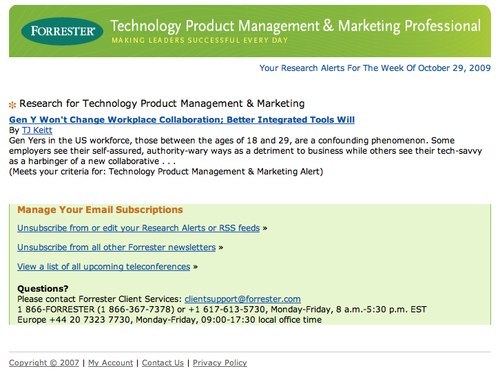
Forrester newsletter
Furthermore, including links to your website in the newsletter is crucial.
Make Content Relevant to Your Readers
Make your newsletter’s content as relevant to your readers as possible, whether through offers, products or images. Superfluous content will add no value and simply be ignored. You could also provide customized content. Personalization can be done in one of two ways:
- Asking users for more (optional) information when they sign up.
- Implicitly recording what they buy and view on your website.
For example, Amazon sends newsletter with recommendations based on what its users have purchased. Recommendation-based newsletters can be highly useful, provided that your analytics are accurate.
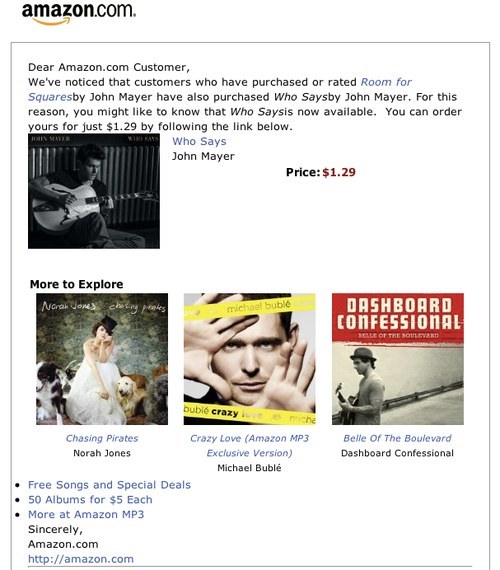
Amazon’s customized newsletter
Offer Exclusive Deals
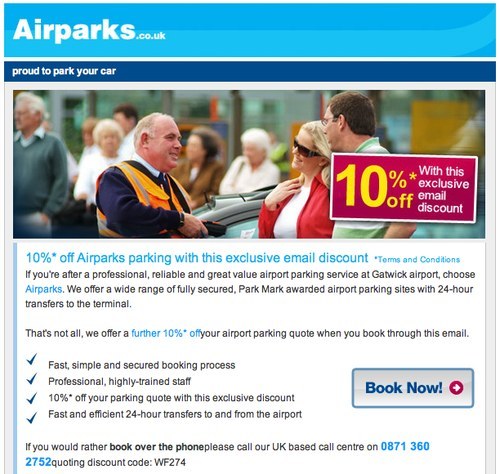
You could always offer subscribers special deals or freebies. There are a few ways to go about this. H&M and Photobox ask users to present their newsletters at the point of purchase in stores to receive discounts. Clinique and Airparks include a promotion code in their newsletters that users can redeem when checking out online.
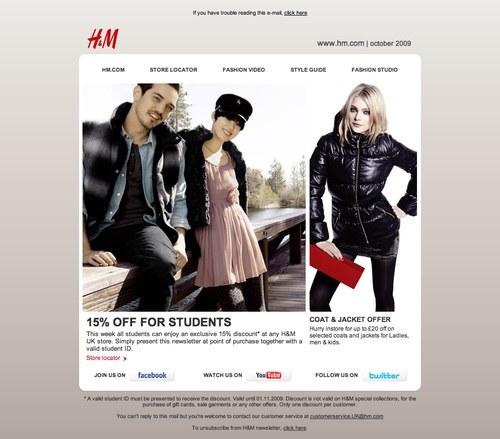
H&M newsletter
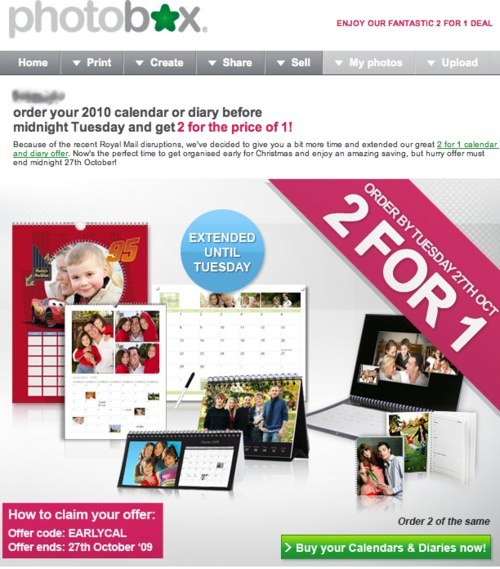

Airparks newsletter
Avoid putting these benefits so deep in the newsletter that users miss them. For instance, Clinique (above) puts its code at the bottom of the page, whereas Airparks puts its at the very top of the page.
In addition, make sure the rewards are relevant to your product and target audience. Take Inkclub, which gives out a free blusher to customers who shop via its newsletter. Not only does this item have little relevance to Inkclub’s product line, but it may not be very attractive to the company’s target users.
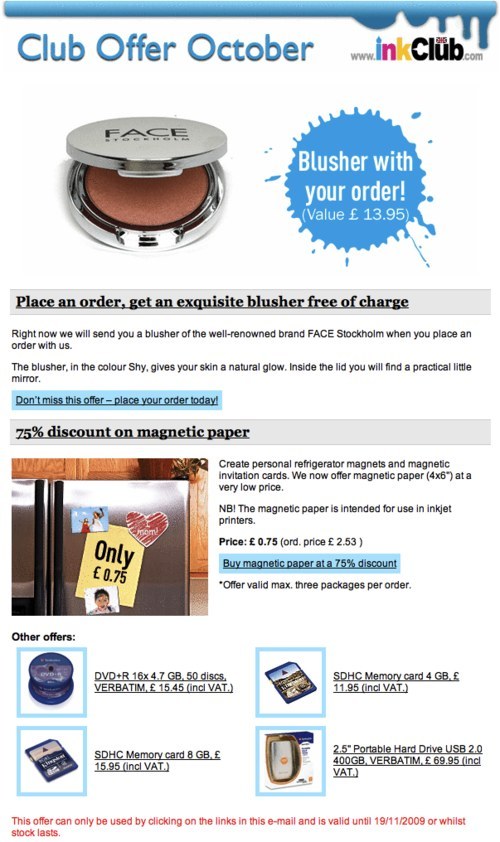
Inkclub newsletter
Newsletter Design
Design your newsletter to suit its chief purpose. If the main objective is to announce a new product or promote a particular service, you may want to focus the newsletter entirely on this product or service. Good examples are Apple in promoting its new iPhone 3GS.
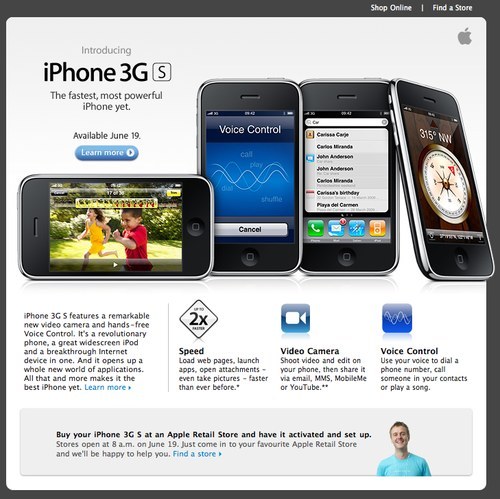
Apple newsletter promoting its new iPhone 3GS.
To promote its latest exclusive offers, Ted Baker takes an easy and rather lazy approach: the whole newsletter consists merely of one big banner showing offers of 50% off, in the hope that users will click to the website to find out more. By contrast, Dabs.com showcases a number of its latest deals in its newsletter, giving users a rough idea of its product line and sale prices.
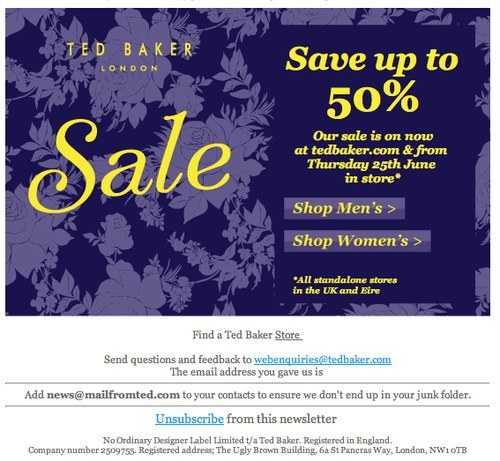
Ted Baker newsletter
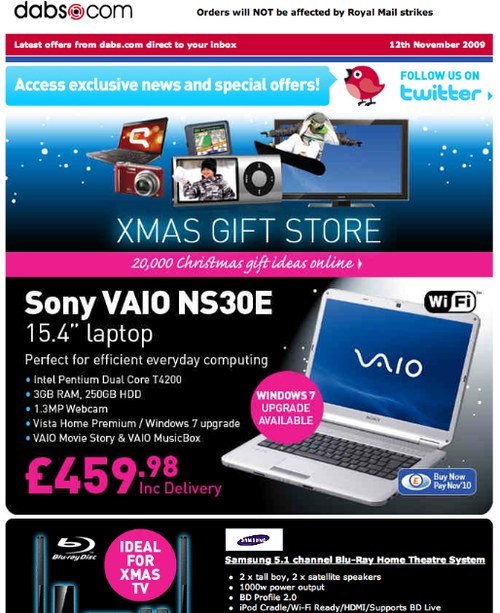
Dabs newsletter
You could also adopt a catalogue style, like IKEA, or create a summary of your e-commerce website, like Audible, which teases users to visit its website with prices and a clear call-to-action button.
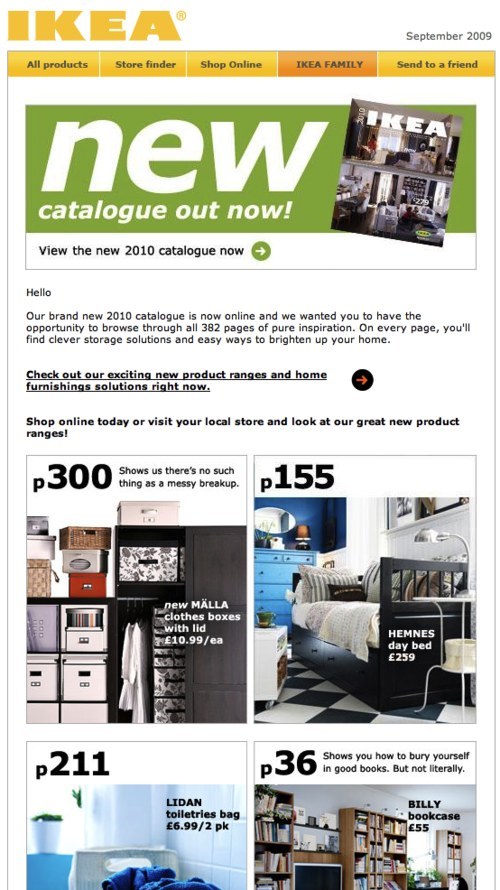
IKEA newsletter
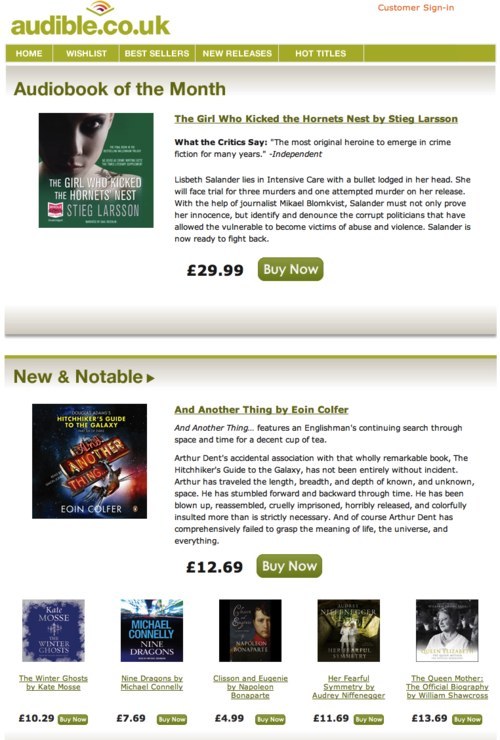
Audible newsletter
Keep it Simple and Straightforward
As reported by the Nielsen Norman Group in its Email Newsletter Usability Report, the average reader skims a newsletter for 51 seconds. People never read: they scan for content that is of interest to them. So, don’t overwhelm them by squeezing too much information on the page. Make sure your content gets straight to the point, and write short paragraphs and bullet points.
The main purpose of Flybe‘s newsletter is to present an exclusive offer on family trips to Disneyland. The value of this deal is lost among the long paragraphs. The message could be conveyed more effectively in bullet points for quick scanning.
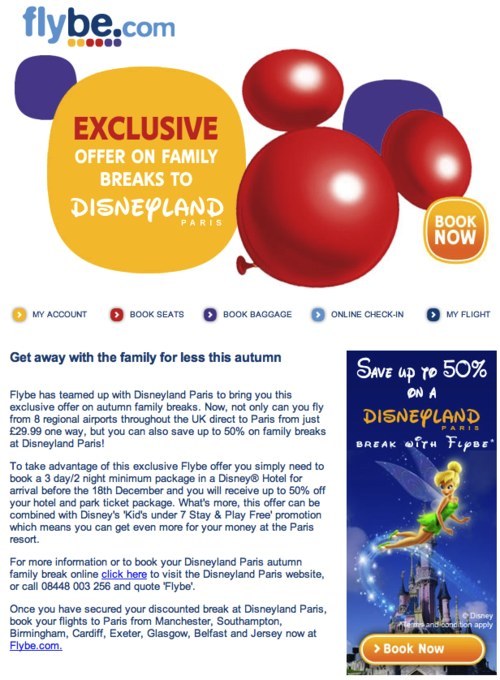
Flybe newsletter
Make Good Use of Images, Numbers and Colors
Users are drawn first to elements that are visually simulating, such as graphics. Use images to guide users to the most important content and messages.
Numbers also grab attention. Users tend to associate them with prices and savings. Use percentages and dollar values to show concrete offers. For example, Pixmania newsletter has a big “49% off,” showing how much savings are available: clear and appealing.
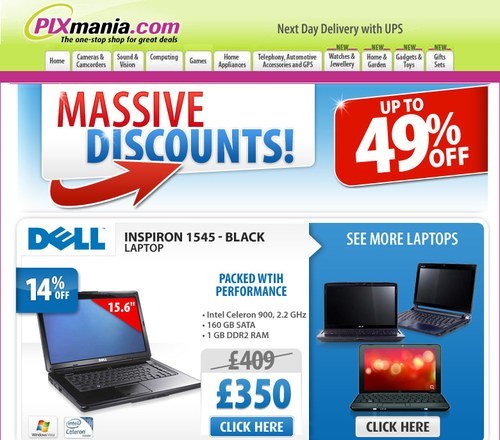
Pixmania newsletter
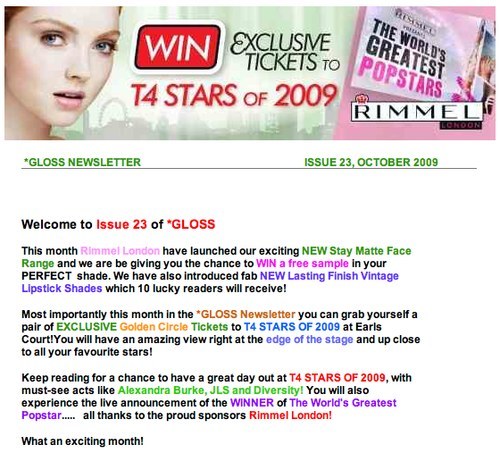
Color adds interest, too. But be careful, because inappropriate use makes for a messy, confusing newsletter. Take Rimmel London‘s newsletter.

Rimmel London newsletter
Tailor the Layout to the Content
A newsletter can be designed in a one-column or multi-column layout or a mixture of both. A one-column grid is easier to skim but might take up more space and increase the length of the newsletter. While people do skim email newsletters, that’s no reason to make them overly lengthy. However, some exceptions are the Design Hotels newsletter, which is long but well organized. Hotels are shown based on location, with attractive photos and deals.
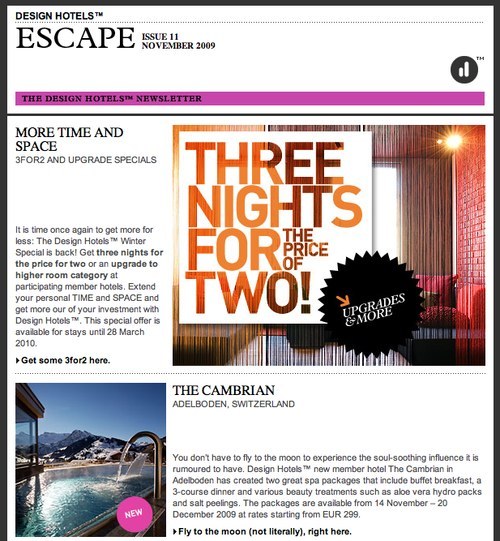
Design Hotels newsletter
A two-column layout is common for newsletters. Narrower columns is usually used for the table of contents and upcoming events, while the main content is given a wider column. Etsy uses a two-column design for its newsletter, but both columns contain photos and links, and the sections have no prominent divisions. The design makes the page look messy and it lacks focus, making it hard to figure out where to look on the page. By contrast, iStockphoto‘s clear division between sections and grid design help guide the user’s attention to the left or right column.
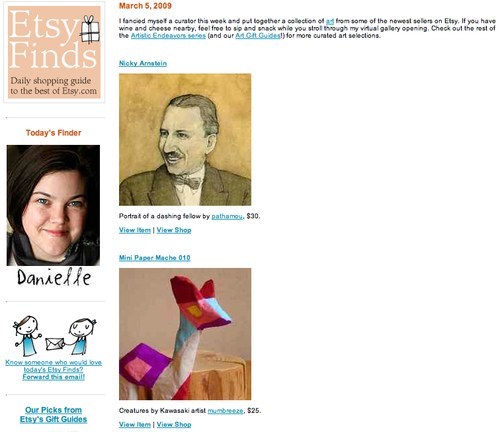
Etsy newsletter
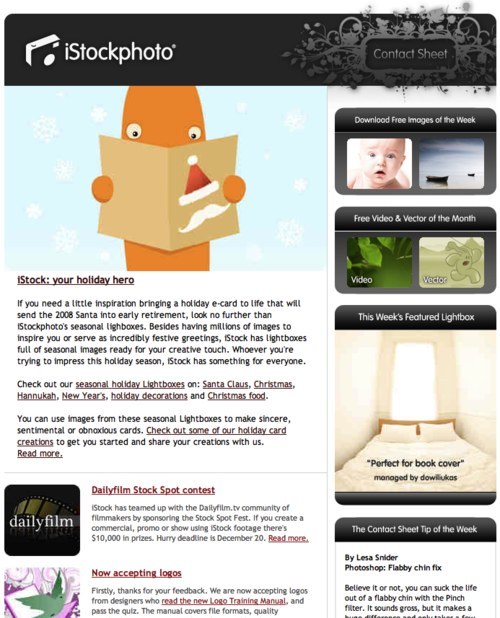
iStockphoto newsletter
Be Creative
Creativity in a newsletter is always welcome. Both First Great Western and Southern present their content using fictional characters, Bob and Loco respectively, who users can easily relate to.
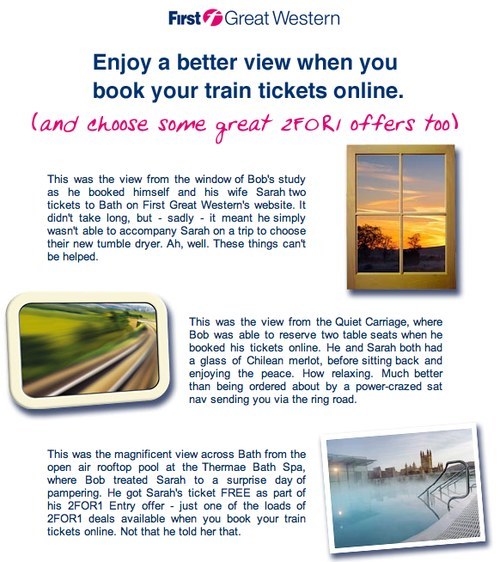
First Great Western newsletter
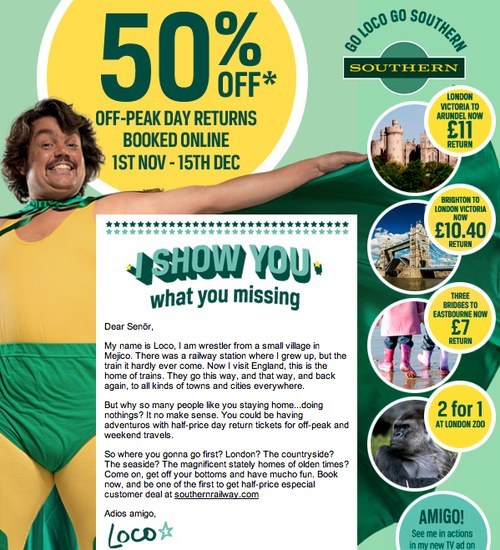
Southern newsletter
Giving each edition of your newsletter a different layout or design is okay as long users can easily recognize your brand. Despite STA Travel using various styles for its weekly newsletter, certain elements follow their branding guidelines, allowing users to quickly identify it.
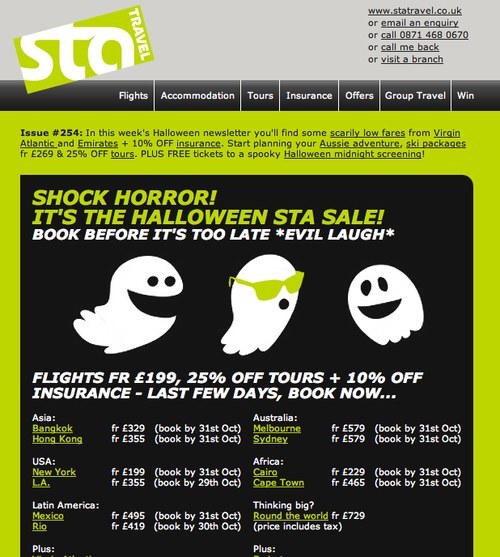
STA newsletter, issue #254
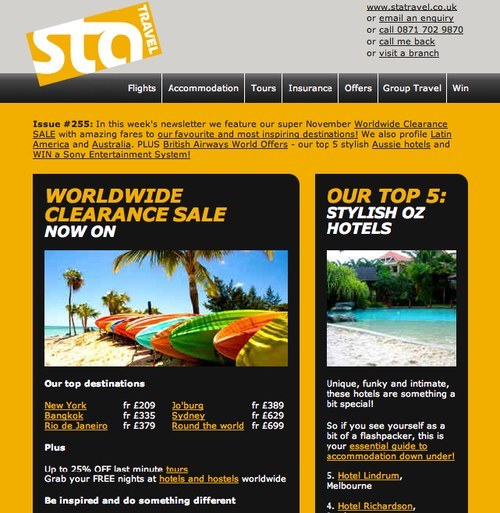
STA newsletter, issue #255
Unlike the rather uninspiring Tripadvisor newsletter, Top Gear gets creative with its hand-sketched design, which makes the newsletter fun to read and explore.
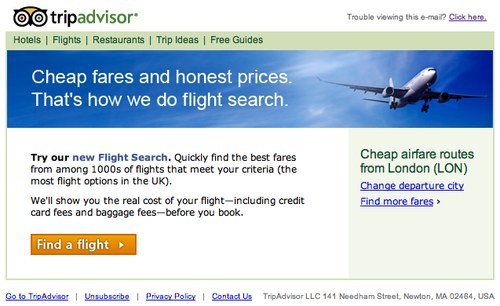
Tripadvisor newsletter
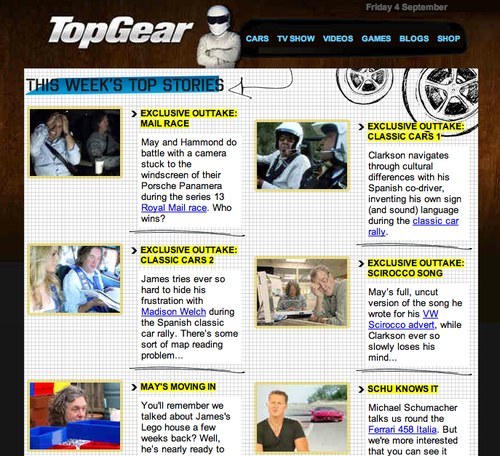
Top Gear newsletter
Be Wary of Table of Contents
Some newsletters include a table of contents at the top of the page, which can help users quickly scan for items of interest. A table of contents can be especially helpful in lengthy newsletters that have a lot of content, such as the one from MoneySavingExpert.
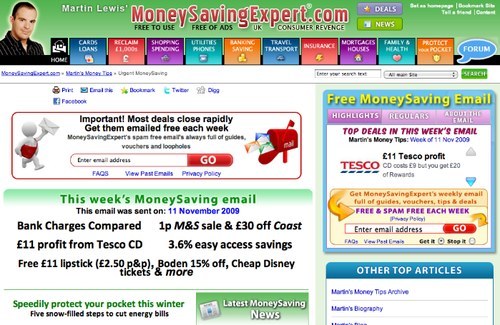
MoneySavingExpert newsletter
Previous experience tells us, though, that some users do not understand that the links in the table of contents navigate within the newsletter. Assuming that the links take them to a website, they avoid clicking them altogether. One solution is to avoid placing the links in the left or right columns, as Foodepedia does, which is where external links and ads are often found.
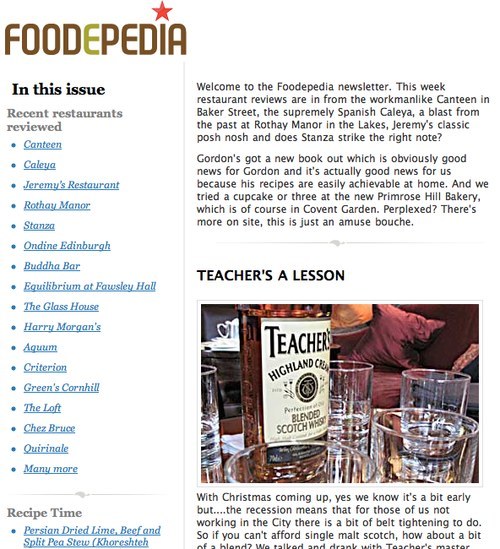
Foodepedia newsletter
Be Wary of Ads
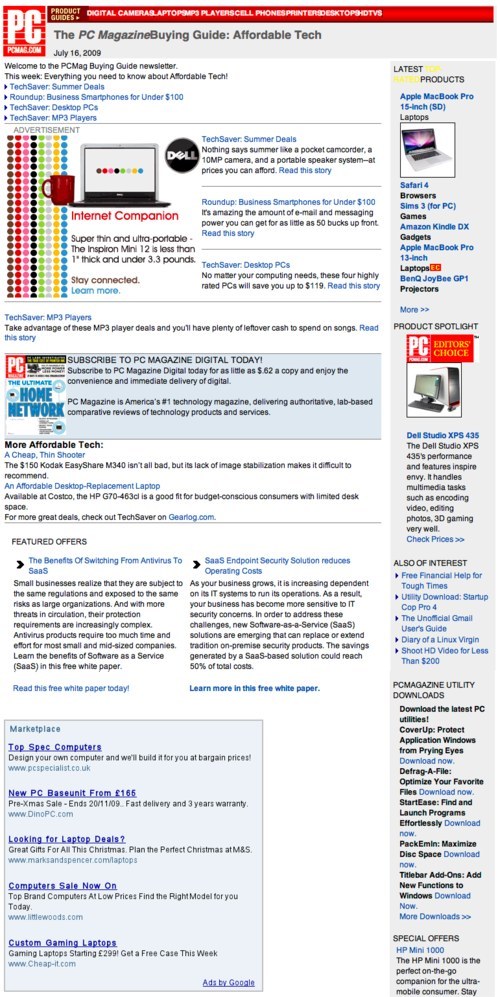
If you have to include ads in your newsletter, make sure they blend in with the content. A good example of this is Lastminute.com, and a bad example is PCMag.com which merely copies Google AdSense code directly into its newsletter, making the page look messy and the content unconvincing.
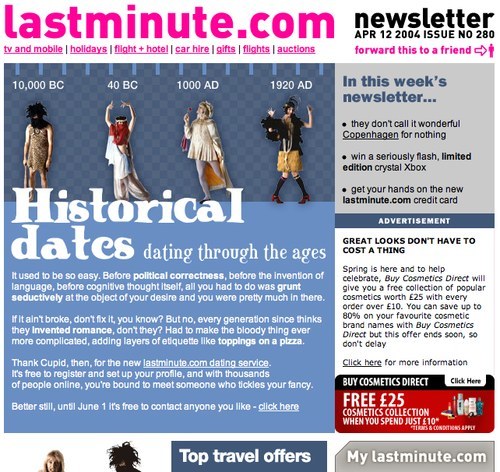
PCMag.com newsletter
Tools And Features
Make it easy for users to unsubscribe, but don’t remind them how to all the time. Also, tell users how they can change their email address, view the newsletter in a Web browser and quickly share the newsletter with their friends. Other useful features include: “Follow us on Twitter,” “Be Our Fan on Facebook” and “Watch Us on YouTube.”
After Sending Out The Newsletter
After sending out your newsletter, use an email marketing tool and list manager to track, monitor and measure the performance of your campaigns. Many email service providers are out there, such as MailChimp, iContact, Mailvivo, Mailing Manager and Atomic Email Tracker. The majority of them also provide templates to help you create your newsletter if you don’t want to get your hands dirty.
Showcase
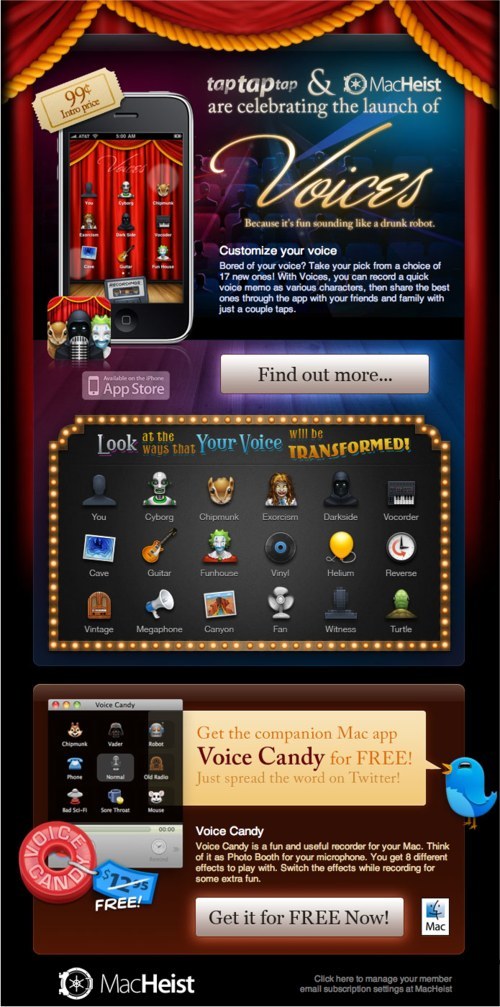
MacHeist‘s Directorate newsletter grabs its readers’ attention with the price of its iPhone apps (£0.99). Then, it tells them what MacHeist does in a short paragraph and presents its features in a clear and appealing way via icons. Simple, interesting and effective.
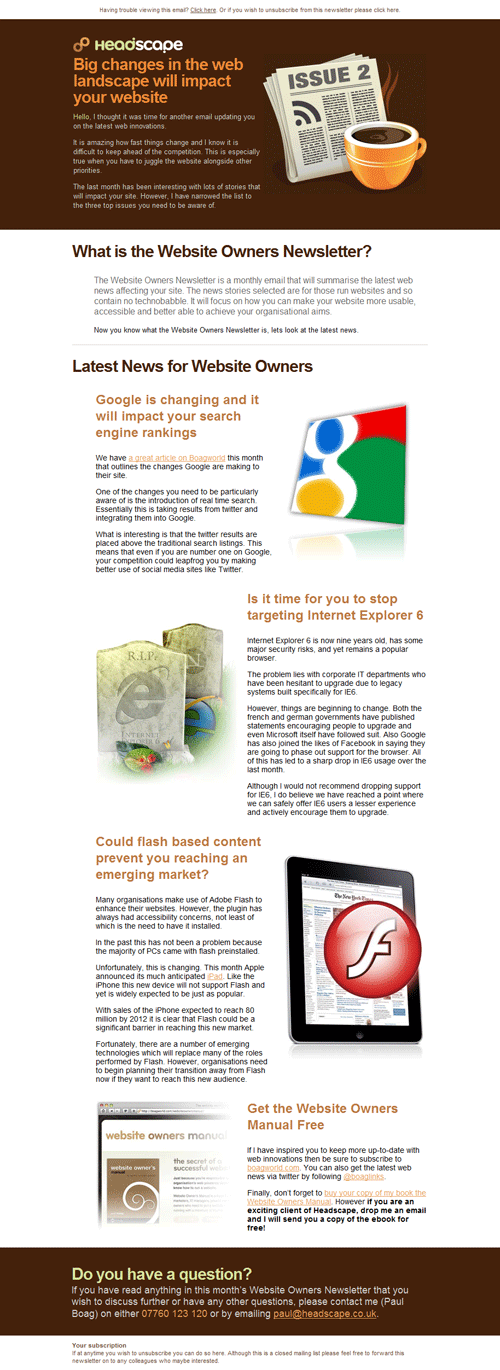
Headscape‘s newsletter with large headlines and nice illustrations.
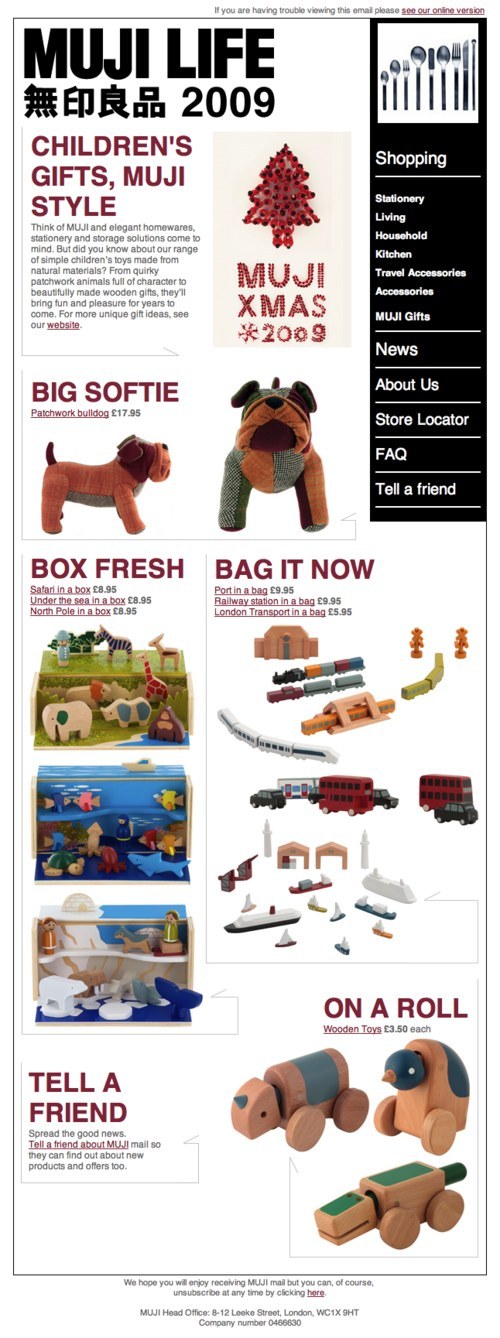
Muji‘s newsletter has a tidy layout that allows for quick scanning. Each section is accompanied by nice product images and prices.
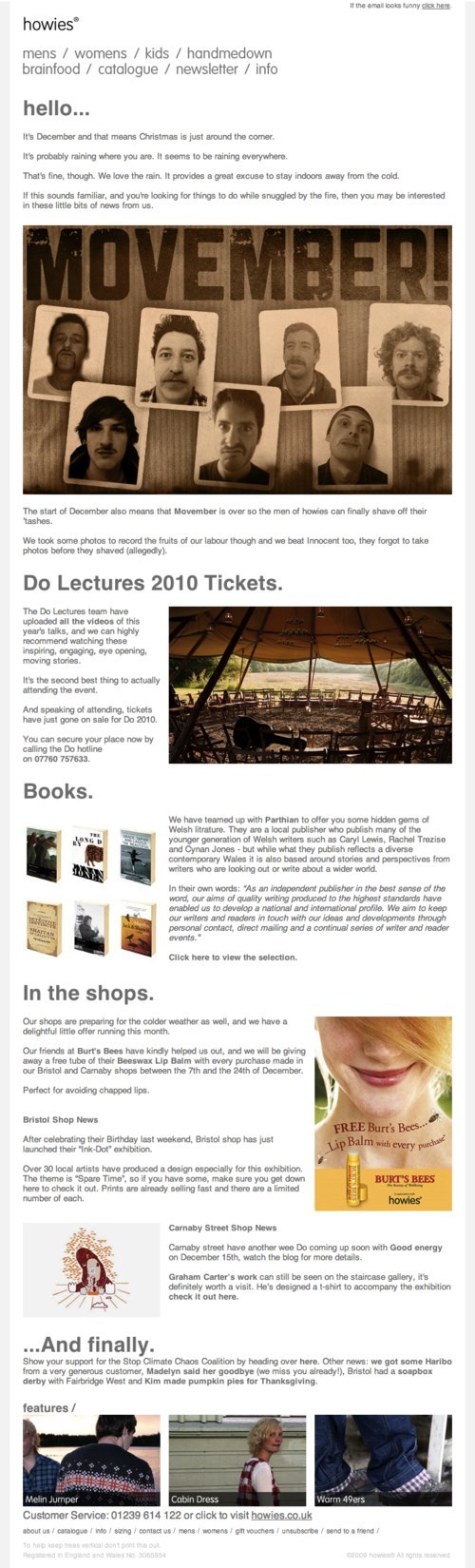
Howies might have a bit too much text in its newsletter. However, it organizes the content into different sections with big clear headings.
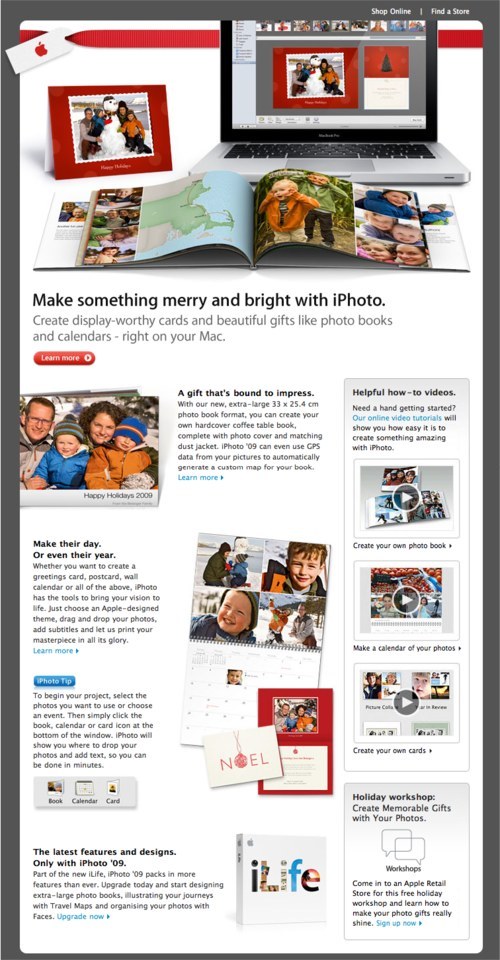
Apple‘s Christmas newsletter has a photo-related theme promoting its digital photo organizer software, iPhoto, and its photo books and calendar printing service.
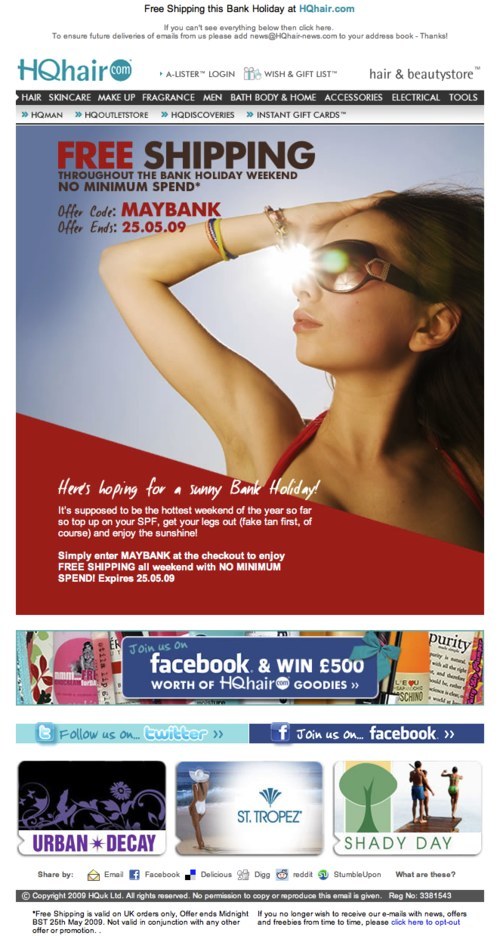
HQhair.com gives its users an exclusive offer with a code. It not only emphasizes the word “FREE” but makes good use of the model to draw attention to the offer.
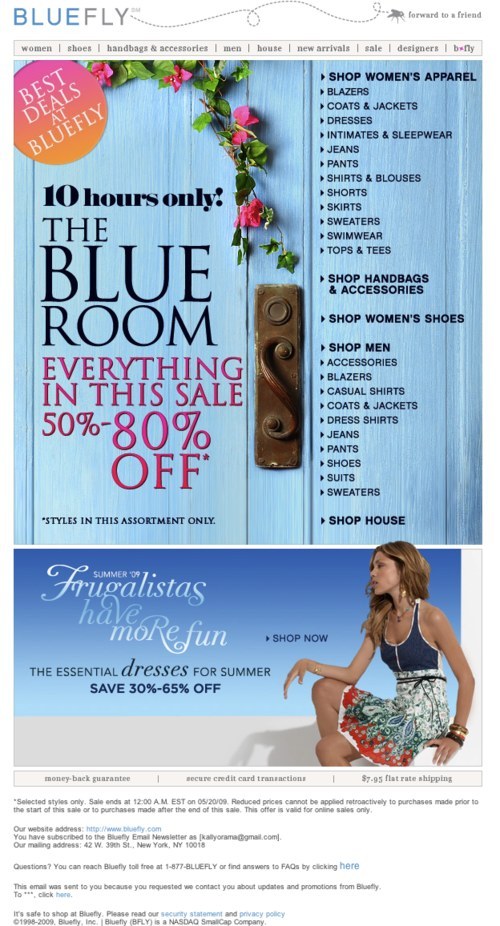
Bluefly cleverly divides its newsletter into two sections: “Offers” (the main section) and the right navigation section, using beautiful imagery in the process. Also, notice how it emphasizes the 80% offer and word “OFF” (in large font).
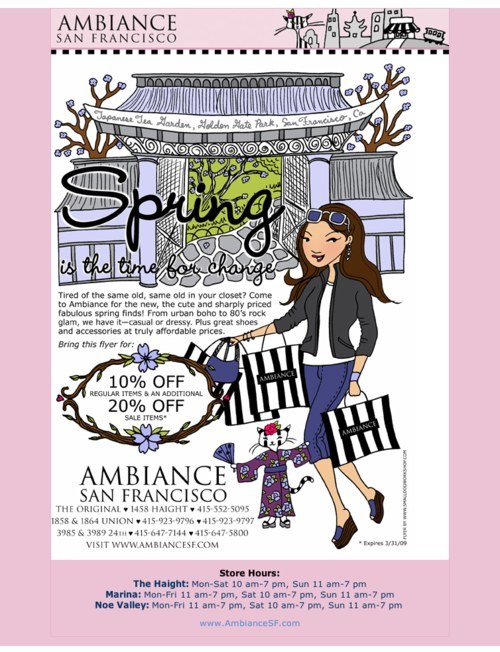
Ambiance San Francisco takes a creative drawing-based approach to encourage users to shop with it.
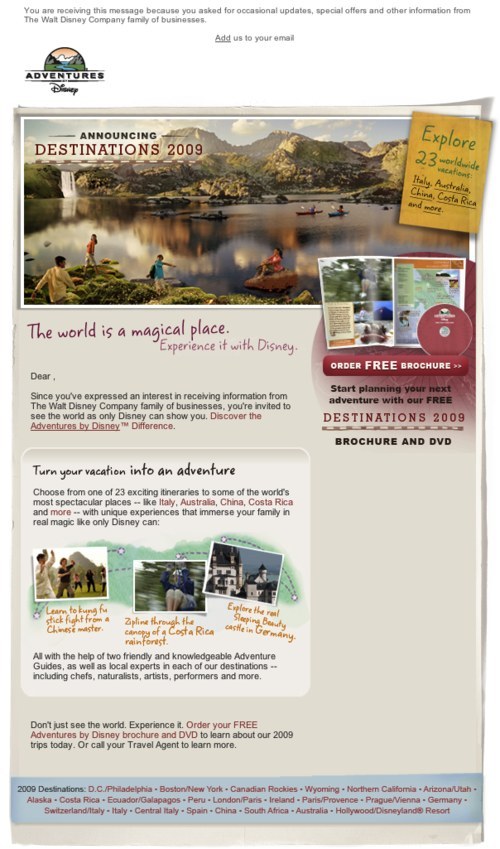
Disney Adventures‘ newsletter is another good example. Its beautiful picture gives users that holiday feeling.
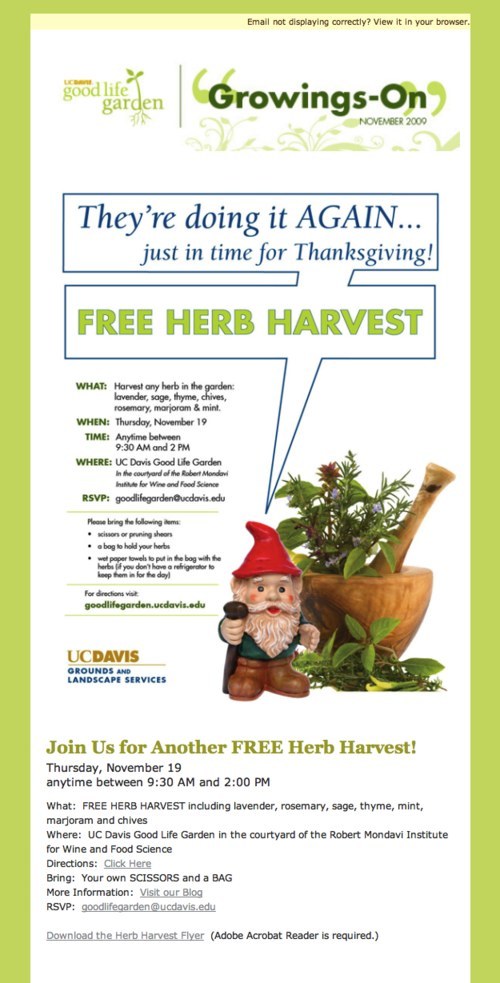
Good Life Garden‘s newsletter effectively uses the word “Free” to grab the user’s attention. The design is simple yet visually pleasing. Unfortunately, the content is repeated in the same newsletter.
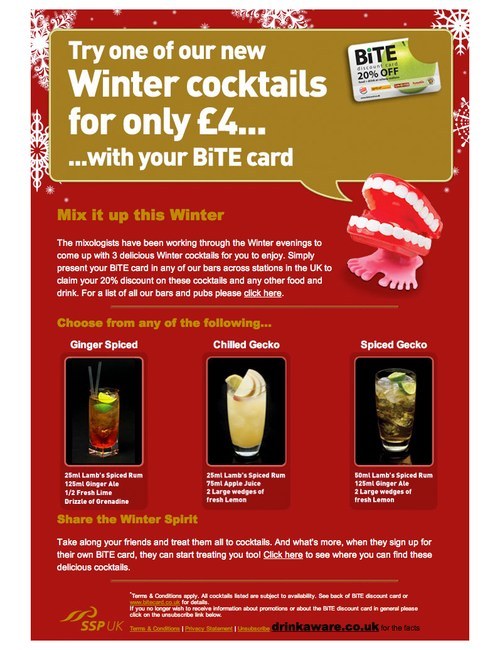
Bite Card‘s newsletter has festive background imagery to evoke the winter season. It is simple, with a big banner at the top showing the product price, followed by cocktail choices and ingredients.
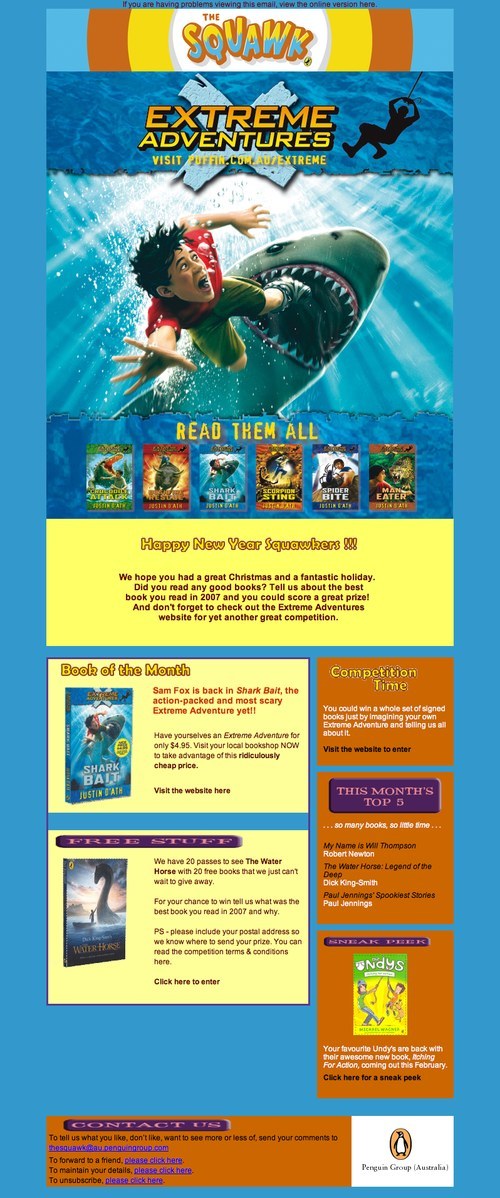
The Squawk‘s newsletter attracts users with the beautiful book cover on promotion for that month.
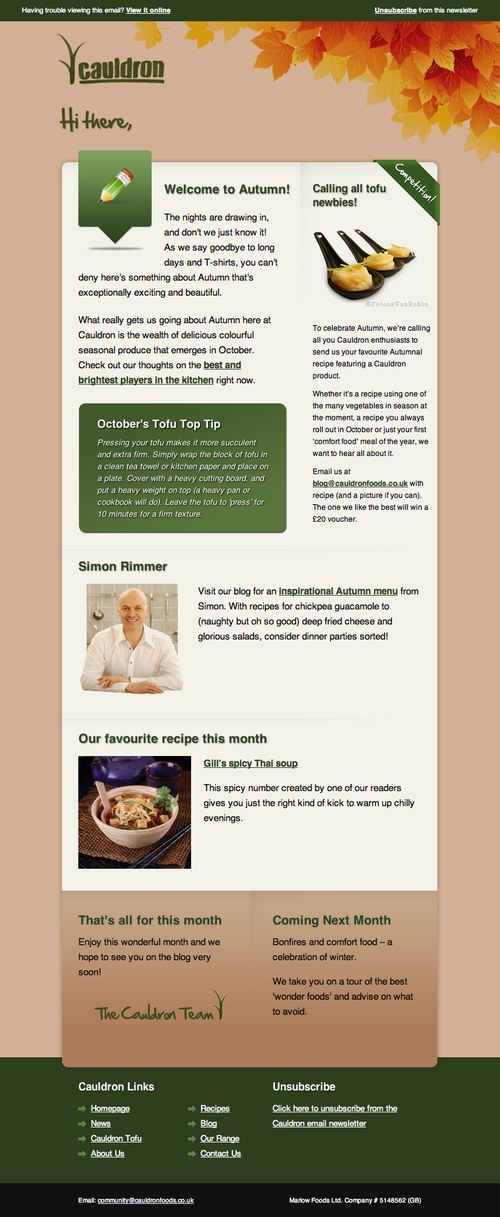
Cauldron‘s newsletter also has a tidy layout and clearly defines the purpose of each section. It tells users the subject of its next issue in the “Coming Next Month” section at the bottom, a nice tease.
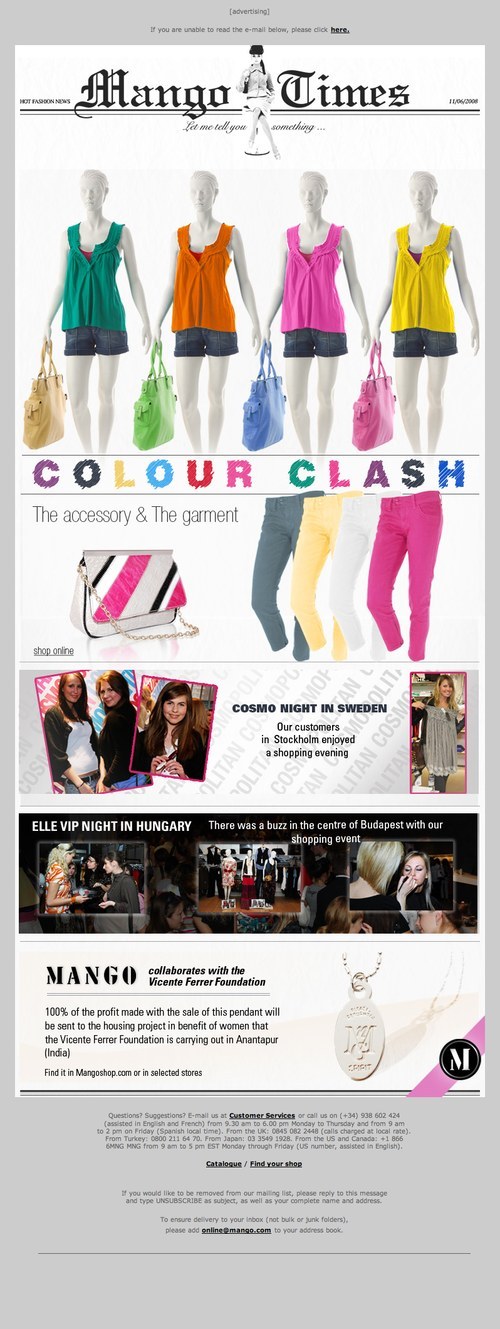
Mango‘s newsletter makes good use of bright, attractive colors.
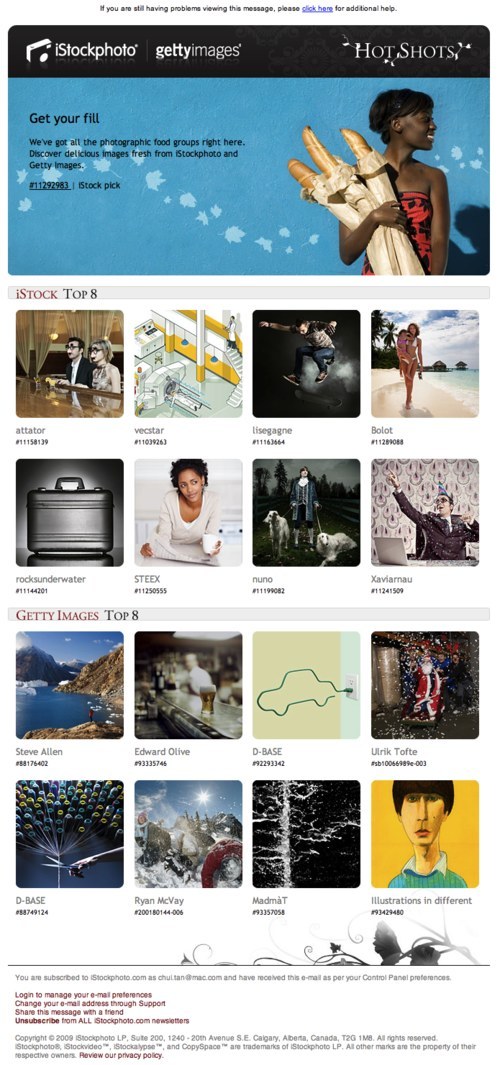
iStockphoto‘s uses a gallery to present its top eight photos of the month: neat and easy to scan.
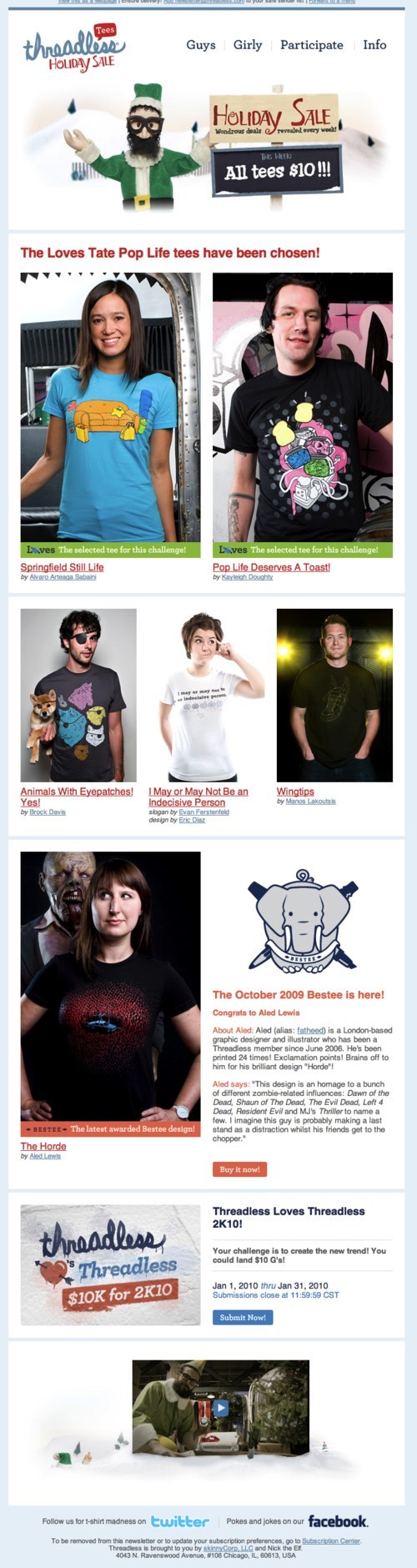
Threadless‘ newsletter offers “$10 per tee” in big clear type at the top of the page.
Further Resources
You may also be interested in these additional resources:
- Beautiful Email Newsletters
- 25 Impressive Email Newsletter Designs for Your Inspiration
- Design and Build Email Newsletters Without Losing Your Mind (and Soul)
- A Guide to Creating Email Newsletter
- Strengthen Your Email Marketing Performance
About the Author
Chui Chui Tan is a User Experience Consultant at cxpartners, UK. She loves being creative. Chui Chui has spent over seven years conducting user evaluations and designing usable and accessible user interfaces. She previously worked as a Mechanical Designer and received her doctorate in Human Computer Interaction. You can follow Chui Chui on Twitter.
(al)


Unyouzed
February 15th, 2010 6:05 amThank :p
Ron
February 15th, 2010 6:25 amNice, good to get this covered as its important to keep in contact this way, and can be forgotten about in web design.
Michael
February 15th, 2010 7:00 amNice round up, thanks
mr92
February 15th, 2010 7:22 amthink there should be some information about html/text newsletters, because a lot of people block images (and html-styles) in newsletters (;
Mikael Halén
February 15th, 2010 7:35 amThanks alot! I’m saving this link to use as a reference when I am doing a newsletter in the future. Brilliant post as always on smashingmagazine!
David K Rodriguez
February 15th, 2010 8:02 amI agree with @mr92.
Many email clients have images turned off by default.
Most of these examples are strongly reliant on images. You say to “Use images to guide users to the most important content and messages.” Does that mean that the most important content should be images? Or does it matter? How about accessibility?
Also, while the tripadvisor email may not seem inspired, I don’t think that is necessarily a bad thing. I love inspired design as much as anyone; but this one is short, clean and to the point with a strong call to action. Is that not more important for their purposes?
I would also like to add that Campain Monitor is a great resource for email design and tracking (although I’m sure many people already know that).
Thanks!
harrison
February 15th, 2010 8:05 amI spend a lot of my time creating HTML emails and i believe that it is important to try and stay away from using images to display text. A lot of email browsers have images switched off and many recipients do not bother to turn choose to display them. Also if you build a HTML email completely with images nested inside tables, you will always get white spacing between the rows when viewing through firefox in hotmail!
I say keep it simple!
Ray
February 15th, 2010 1:34 pmHi Harrison
I saw your comment, and I agree with you, just thought of sharing this in with you and any other HTML email creators, the reason for the whitespace in hotmail when viewing in firefox can be fixed if you include an inline css style in the images making it display as block: style=”display:block”, that should fix your issue.
Anyway great post, thanks…
josh
February 15th, 2010 8:43 pmTo the people talking about images not being displayed : For those not doing unsolicited emails subscribers know they will be receiving the newsletter and can click the view image button. You can style alt tags text style to help with page hierarchy.
You can get rid of these gaps and the solution took about three minutes of googling to find. Apparently the person above me works, I have seen it mentioned on multiple sites. For one reason or another it did not work for part of what i was doing so I use :
vertical-align: top
This also removes the bars.
Tobias
January 21st, 2011 6:16 amyou could try giving each image an inline style : display:block. It works for me.
- sorry, didn’t see the previous comments, anyhow you should now the trick.
Ronald | Naldz Graphics
February 15th, 2010 8:17 amA good email newsletter design and telling them how it works could be a factors that motivate visitors to subscribe:) nice post btw.
Duncan Morley
February 15th, 2010 8:33 amNice work. A really good read with some interesting points.
Web Design Norwich
February 15th, 2010 9:10 amawesome thanks
Golf Royalty
February 15th, 2010 9:19 amSuperb article – my first SM bookmark of 2010!
Cheers,
Lee.
Mohammad Koubeissi
February 15th, 2010 9:20 amGreat post, I’m glad email design is starting to get noticed more within design blogs.
I started http://beautifulemails.com to help others with email newsletter design and email marketing.
Thanks.
Sunny Kumar
February 15th, 2010 10:23 amGreat guidelines and examples.
Dzinepress
February 15th, 2010 10:56 amyou sharing another helping article with newsletter guidelines and really good examples.
Web4half | Web Design
February 15th, 2010 11:37 amThanks for putting together this awesome List…
Jackson
February 15th, 2010 12:26 pmGreat article with some helpful ideas and tips.
Here’s an email design gallery: http://www.htmlemaildesigns.com/
Freakshow
February 15th, 2010 1:17 pm“Be creative”. Seriously? You guys wrote that?
SHG
February 15th, 2010 2:51 pmVery few of the examples above are what I’d call “email newsletters”. A newsletter is a communication that informs and entertains the reader about a common point of interest. Half of the above are just big coupons delivered via email. I throw such coupons away when I get them in the (physical) post and I throw them away when I get them via email.
nk
October 19th, 2011 5:12 amI agree. As I scanned the article, it appeared to me that most examples weren’t newsletters at all, just ads masquerading as newsletters. Today what passes for true information is just glitzed up advertising for folks with short attention spans who don’t really want to use their mental muscles.
c-64
February 15th, 2010 3:17 pmNice as usually from SM.
Is there any good and free app for sending newsletters?
Marco
February 15th, 2010 3:48 pmhttp://htmlemailgallery.com is another that should be mentioned.
Min
February 15th, 2010 5:20 pmThanks for the great article~
Always a big help.
Newsletter design inspirations:
http://www.email-gallery.com
http://www.campaignmonitor.com/gallery/
Ramm
February 15th, 2010 6:05 pmAnd where’s the technical information on how to make them?
CSS support, size, weight, differences between email clients, etc.
Also a review of email apps would be nice too.
This is like a Cosmopolitan article, too superficial for me.
I’m dissapointed :(
Bethany
March 22nd, 2010 1:12 pmCheck out Campaign Monitors “Resources” section.
They have a comprehensive list of what CSS works in what Email client. Very useful if you are just starting out!!
paulb
February 15th, 2010 9:30 pmAs always – an amazing article with excellent examples! Thanks man.
jini
February 15th, 2010 10:34 pmgreat designs and very informative stuff,,
check your website worth websitereckon
thanks
tommy
February 15th, 2010 10:35 pmThanks for this great article.
It would be nice if someone could post the HTML code of the showcased newsletters (e.g. via pastebin). This will make it easier for developers to understand how others structure the newsletters “under the hood”.
Johan de Jong
February 16th, 2010 2:02 am@Tommy: the basics for building HTML templates are simple;
1) forget everything you know about HTML and CSS
2) use tables, tables and even more tables
3) only use inline CSS (and forget about complete stylesheets)
4) when testing: if it works in Outlook, it works everywhere! (except Lotus…)
josh
February 16th, 2010 3:40 pmNo it does not. If it works in outlook it might break in hotmail on firefox.
Not to mention you need to specify outlook 2007, the older versions are better.
tommy
February 16th, 2010 11:05 pmJohan, thanks for your reply. I noticed that some newsletters are available as online versions and analyzed the structure a little bit.
It’s really a mess and frustrating that it’s so difficult to build good newsletters in this days.
Anrkist
February 16th, 2010 7:35 amSomeone recently said to “Code like it’s 1999.” – I don’t think it needs to be that drastic but you get the point.
Remove all meta tags as well… they have no place in email.
I disagree with the #4 statement. Outlook is the most forgiving of all email clients. It will not look the same in Gmail or Yahoo much of the time. Test on as many platforms as possible. There’s some handy charts laying around explaining what is and is not supported in web based email. I think you can find one on CampaignMonitor, which the link has been provided by others here already.
Paula
February 16th, 2010 12:06 amNice examples and good advice. Though the HTML/txt issue is ever debatable. Then again, cannot reach them all anyway.
Federica Sibella
February 16th, 2010 12:39 amThanks, beautiful round up. Right on time, it’s really what I was looking for.
Marc Wisbey
February 16th, 2010 2:56 am+ remember to READ your email before sending it to avoid mistakes such as;
“..if you are an exciting (sic) client of Headscape”
(sorry Paul!)
TSF
February 16th, 2010 3:59 amWhat about this one http://www.associatednewspapers.co.uk/es/homes_property/0209_h_p_template.html
Andrew
February 16th, 2010 6:45 am!= a doubt, my favorite SM article in the past 12mos. Much thanks for this.
Stacey
February 16th, 2010 8:32 amThis article basically says “make pretty designs” in your email newsletters. However, you are not mentioning the complexity that goes into building these properly, and many designers who do not realize how to optimize their email designs for this particular medium will either end up frustrating themselves or their builders if they follow this article’s advice.
Also, it’s NOT going to look good in Outlook 2007 no matter what you do, so good luck with that!
Btravis
February 16th, 2010 1:10 pmWhat type of price should be used when designing a email ad biweekly. Do you charge by the hour or a flat cost?
Michal Kozak
February 16th, 2010 3:10 pmReally nice post, guys :). You’ve covered a lot, I gotta admit.
Matt Jackson
February 16th, 2010 4:40 pmDamn you covered a lot. Great article – bookmarked for later. :D
Dave Rosen
February 16th, 2010 4:53 pmThese are great examples! We’ve posted a guide which covers a few more items too:
http://blog.xhtmlized.com/2010/02/15/newsletters-the-missing-guide/
pantareimadrid
February 17th, 2010 1:19 amThanks, great article!
Some of these newsletters prefers to feature up to 5 different topics, what about those which feature more than 10 different topics?
Do you think it is a good recomendation?
An example:
http://asp2.xqueue.de/ff/display.php?msgID=364797861&adr=aelena@worldhotels.com
Bim
February 17th, 2010 1:47 amthanks. imo there aren’t many email newsletters that look good. some of these aren’t bad. if an email newsletter is nicely laid out, not too much content, good informative content and easy on the eye – it’ll be successful… just like a website if ya like. if coded right, it’ll pretty much always look ok in outlook although it is a bit of b****. in all honesty, i don’t get inspired by the html email galleries listed in the comments… most of the inspiration comes from beautiful web sites.
Giorgi
February 17th, 2010 1:55 amI read this news on http://designshack.co.uk/community/email-newsletter-design-guidelines-and-examples
Niubi
February 17th, 2010 6:00 amSome great looking newsletters there. You missed DubLi.com’s newsletter out, though – they have an innovative design that appeals to a lot of people, and of course it is jam-packed with information for everyone!
Matthias
February 17th, 2010 9:30 amyou should see:
http://litmusapp.com/email-testing
works great!
Ant
February 17th, 2010 2:54 pmTo be honest, I find e-mail letters with «design» (images, multiple columns and other such things) confusing. I prefer simple straight-forward letters with html styling (without css).
Scott Wickberg
February 17th, 2010 3:44 pmUnfortunately this list (like most) completely leaves off any section talking about how your design look when images are turned off. Generally 70% or more of your user base will receive your message with images blocked. This is because very few people add your newsletter email to their address book. So in this case it is very important to style your alt tags and begin to realize that layouts that rely on images to relay all the information are missing the point, and more importantly, missing viewers.
A prime example of this is actually Apple. Generally the top 20% of their emails is a large image with very poor alt tagging. So when i receive it all I see is a big missing image until I allow them. Generally I don’t care enough to go click and allow the image so they miss me. If they had styled it better by using type to relay their message while supplementing their beautiful imagery then it would be a win/win.
Anyways ranting done. But Smashing can I suggest an article on the art of designing emails that look great even when images are not allowed yet. Maybe even a before and after of the email designs.
Scott Wickberg
Michelle
February 18th, 2010 8:39 amGreat post.
Only constructive criticism I have is that, I wish the end of the newsletters screenshots weren’t cut off. I would have liked to see the footers. Just something to keep in mind for next time maybe, even if the shorter images liked to the full image…
Another thing i would love to see is more strategy and design discussion around automatic newsletters, like daily emails from magazines, not just promotional emails.
Questions like: what your subject should be? The same subject line every day? Design that’s not boring to look at everyday? etc.
Thanks for the great info!
Kim Dushinski
February 18th, 2010 6:41 pmWhat about the people who are reading these emails on their mobile devices? These are not going to render properly. Now is not the day and age to be ignoring mobile.
Samuel Delabarre
February 19th, 2010 2:50 amVery very instructive, Thanks a lot !
Sherwood Botsford
February 24th, 2010 11:17 pmMost of these examples are awful!
Long on glitz.
Most people are willing to read a newsletter that is no more than 4-5 screens.
I live at the wrong end of a slow link. To me the best newsletter is one that contains stories that are no more than 100 -200 words, 0 or 1 illustrations, and a link to the full story. Pretty much the way SmashingMagazine’s web site is laid out.
I subscribe to a daily newsletter from Slashdot. Each story usually has links to the original article, sometimes several links to the primary article, the rebuttal, the commentary….
But I’m only interested in about 1 story in 4. The format allows me to skim fast to the next one. If I’m interested, right click, open in new tab.
This is the digest form of news letter.
I recently unsubscribed from Jacob Neilsons Usability news letter. Why? He spneds 95% of his newsletter flogging his books, and seminars. Three line summary to an article, that when you go to it, says little, but flogs his books and seminars.
Andrew Seaward
February 25th, 2010 2:49 amGreat article, some useful points well made. Thanks
tim
February 27th, 2010 1:04 pmI am going to have to step in here and comment about images being turned off. I have used ALOT of email clients for the Mac (Mail, Thunderbird, Hotmail, Yahoo, Gmail, Outlook Express for OS9, and several others). I have never once encountered an email app that defaulted to having images turned off. Maybe 8-10 years ago designing emails to be better read when images are not displayed was the norm, but not anymore. Just as websites have become more image-heavy, so too have emails.
The vast majority of email newsletters (or blasts as I prefer to call them) are advertising something, usually products on the sender’s website or promotions or whatever. In order to advertise those products, you NEED to use images. Those images should definitely use ALT tags, but unless the email goes straight to the receiver’s junk folder, those image WILL be displayed unless the receiver has manually turned that option off in their email app preferences.
Speaking from personal experience of my family members using computers, not very many people know how to change anything in their email app prefs.
It is still good to be cautious about the size of images in emails, but whether they are displayed or not is a non-issue, I think.
tim
February 27th, 2010 1:09 pmAlso, I want to point out that a text email with no images (or images not displayed) is NOT going to get anyone to click on it to go to a website or buy anything. Images are ABSOLUTELY necessary for a call to action and to get the attention of readers. Otherwise > click > Trash.
Bethany
March 22nd, 2010 1:11 pmGmail does NOT display images by default.
Greg
March 27th, 2010 7:50 amCompletely agree on this issue. Email applications are becoming more advanced by the day when it comes to displaying html formatted emails. In the near future, the larger ones will be opening up quite a bit in the arena of styling and allowed code.
Anyone interested may want to bookmark this website, as they are embarking on a refreshing way to use all the tools available to communicate better, including video email campaigning and webcasting or webinars. Adding video in the email (blast) mix.
Check it out: http://www.comf5.com
robertflorish
March 17th, 2010 8:53 pmReally very useful information provided.Thanks for the information.
Robert
April 6th, 2010 10:37 amThe dzine blog link is dead: http://dzineblog.com/2009/08/25-impressive-email-newsletter-designs-for-your-inspiration.html%29
Christiane Rosenberger
April 6th, 2010 2:15 pmFixed! Thank you, Robert :-)
Scott Hardigree
April 12th, 2010 9:12 amHere’s another submission that’s chock full of goodies including dynamic content blocks, social sharing tools, fail-safe animation and image rendering:
http://www.indiemark.com/newsletters/0410/
Thanks,
-S.
Alan
April 20th, 2010 4:04 pmIs it just me, or is that Southern “Loco” ad just a little racist?
Leuis
July 2nd, 2010 2:59 amThanks for the post.The vast majority of email newsletters (or blasts as I prefer to call them) are advertising something, usually products on the sender’s website or promotions or whatever. In order to advertise those products, you NEED to use images. Those images should definitely use ALT tags, but unless the email goes straight to the receiver’s junk folder, those image WILL be displayed unless the receiver has manually turned that option off in their email app preferences.I recently unsubscribed from Jacob Neilsons Usability news letter. Why? He spneds 95% of his newsletter flogging his books, and seminars.
samsung behold II
Karl
July 4th, 2010 2:19 pmA great post, Most informative.
windows 7 key
August 6th, 2010 9:18 pmWell, I want to introduce, under the following
Colin
October 1st, 2010 11:16 am** If you cannot view this email, check the web version or maybe not your choice
PLEASE EVERYONE
Don’t use your first line up with crap
This is the first thing I see on my mobile (iPhone) for a email preview. If I subscribed to your newsletter it’s not to go to your site, it’s to get it where I ask you to mail it!
You want to cath my attention, start with something attractive!! I haven’t opended your email and already I think your idots not to be able to present me something tested!
Nice SM! Bookmarked! (do people still bookmark?)
Evinrisca
March 1st, 2011 3:52 amHow do you exactly send out a newsletter. I’ve just done a very basic html file using tables and just a few images – all of which live on an online server – I can send it as an attachment from my Mac and in testing it’s received on Macs and PCs with a variety of email clients, with no problems.
However, the company I’ve done this for can’t send it without there being some problems in the final result – they use Outlook, Windows 2010 – sending as an attachment does not work and I can’t find any way to include the html file as a signature or theme.
Andrew
April 19th, 2011 5:56 pmoutlook is the worst email client to design for, check out http://www.campaignmonitor.com/ and http://fixoutlook.org/
Dan
March 9th, 2011 8:48 amI love the list of examples… Well done
Andrew
April 19th, 2011 5:53 pm…now try and build one, no end of grief if you thought designing for web browsers was hell…
Rory
June 17th, 2011 1:24 pmThis is a fantastic resource for email newsletters. The design, creative, CTA’s (Call-to-Actions), content, etc all play a part. It’s not just a subject line or the color of the button that makes people “love” the email. It’s the entire process and experience, not to mention landing page from the email because that’s where the users covert.
I’m actually working for an email service provider now, http://www.bombbomb.com . We provide video in the email as well as traditional HTML. We’ve found that video can be a huge catalyst to conversion as well as increased activity within the email send-over-send. There’s something about adding a human element to digital marketing that really does work.
… and +1 on Andrew’s comment above mine. Developing for browsers can be hell, try coding for email as well. Outlook can be a complete nightmare!
Julie
August 11th, 2011 9:33 amLove the creativity of your designs. I will follow through.
Haris
October 6th, 2011 12:40 amA very good article on email newsletters. Thank you.
Adeel Janjua
October 10th, 2011 1:56 amVery informative and exhaustive information on the subject. Need not look further for more information on this subject. Thanks
Gite Mandelieu
October 14th, 2011 10:53 amI don’t disagree with this blog
Scott
February 19th, 2013 4:37 pmthis article is good for someone whos a developer but now someone came up with a software its called http://www.emailslicer.com/ so no need for adobe or other software out there expensive to buy. you should write an article about them. I do it myself and just add the optout and I m good to go. I worked with odesk and elance and hired html email coders but now since I found this tools I cant say how great full and stress free I m.
Le xuan ha
April 3rd, 2013 1:02 pmA very good article on email newsletter
Thanks you