
50 Useful Coding Techniques (CSS Layouts, Visual Effects and Forms)

Email Newsletter
Weekly tips on front-end & UX.
Trusted by 182,000+ folks.


 Celebrating 10 million developers
This is where we come in. We are always looking to collect such articles for our posts so that we can deliver the most useful and relevant content to our readers. In this post, we present an overview of useful CSS/jQuery coding tips, tricks and techniques for visual effects, layouts and web form design to help you find solutions to the problems you are dealing with or will have to deal with in future.
You may want to look at similar CSS-related posts that we published last months:
- 45 Powerful CSS and JavaScript Techniques
- 50 Brilliant CSS3/JavaScript Coding Techniques
- 5 Useful Coding Solutions For Designers And Developers
CSS Layouts: Techniques And Workarounds
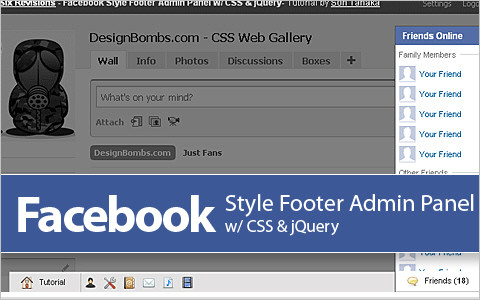
Facebook Style Footer Admin Panel
Learn how to re-create the Facebook footer admin panel with CSS and jQuery. Also check out part 2.
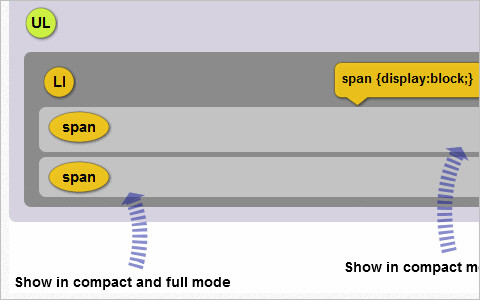
Adaptable View: How Do They Do It?
This tutorial explains how to manually change a layout, and it shows two great examples and “how they did it.”
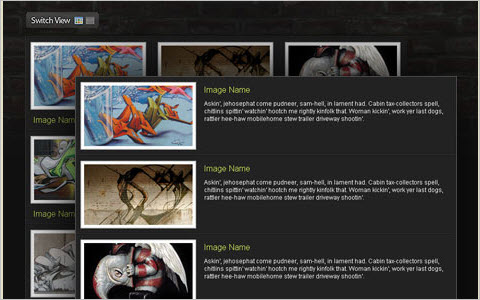
Easy Display Switch with CSS and jQuery
A quick and simple way to enable users to switch page layouts using CSS and jQuery.
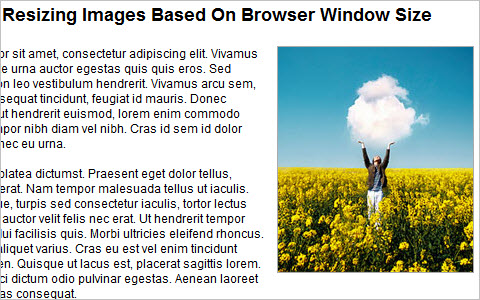
Quick Tip - Resizing Images Based On Browser Window Size
In fluid layouts, formatting text to adjust smoothly to window size is easy, but images are not as fluid-friendly. This quick tip shows how to switch between two image sizes based on the size of the browser, the DIV or whatever else you choose.
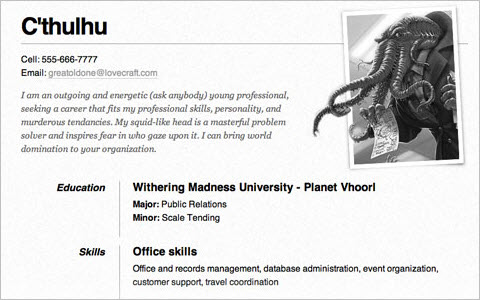
One Page Résumé Site
A clean layout on one page—literally (just one index.html file with optional images). It comes with contact information in microformats and a main area for the resume using a definition list (dl). And it prints well.
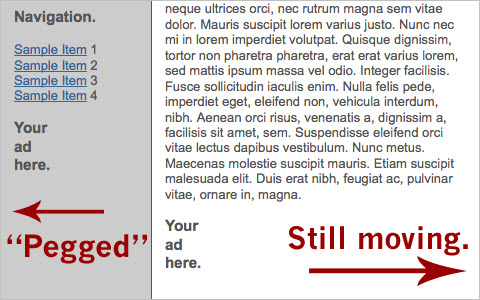
Pegs: Automate Display: fixed++
Chris Wetherell posts on Pegs, a strategy for having one scroll bar but independent scrolling areas. After the first one, click on the other items to flip between sizes. You will see that an area’s scroll depends on the configuration.
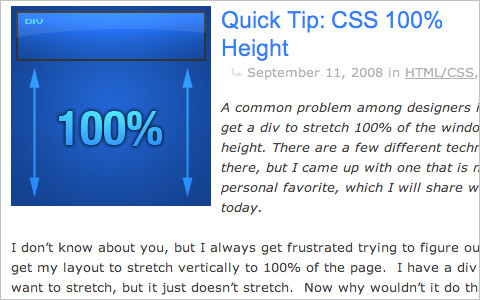
CSS 100% Height
A common problem among designers is how to get a div to stretch 100% of the window’s height. There are a few different techniques out there, and this tutorial shows one of them.
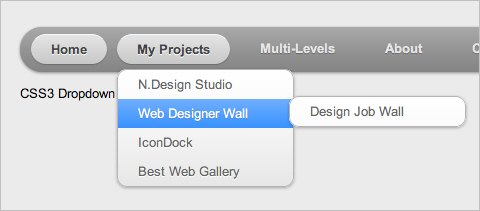
CSS3 Drop-Down Menu
A clean, simple a nice navigation menu, designed by Nick La.
CSS Trick for a Scrolling Transparent Background Effect
Scroll the page to watch a battle between good and evil take shape. The effect requires two images: one transparent and one tiled gradient image. The gradient scrolls under the transparent PNG. Because it matches the colors in the PNG, each set of images disappears, depending on the part of the gradient they’re on top of.
Fluid Images
By default, an image element that is 500 pixels doesn’t exactly play nice with a container as large as 800 pixels or one as small as 100. What’s a designer to do?
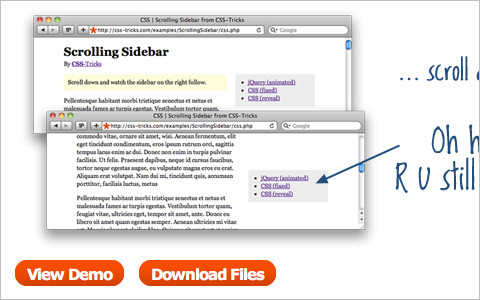
Scroll/Follow Sidebar, Multiple Techniques
A really simple concept: the sidebar follows you as you scroll down the page. There are a number of ways to go about it. Two are covered here: CSS and JavaScript (jQuery), with a bonus CSS trick.
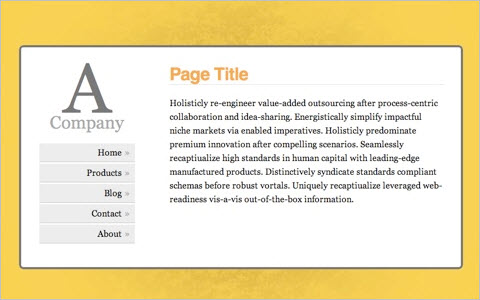
Vertical Centering With CSS
There are a few different ways to vertically center objects using CSS, but choosing the right one can be difficult. Here is a list of the best ways and an explanation of how to create a nice centered website.
Create YouTube-like adaptable view using CSS and jQuery
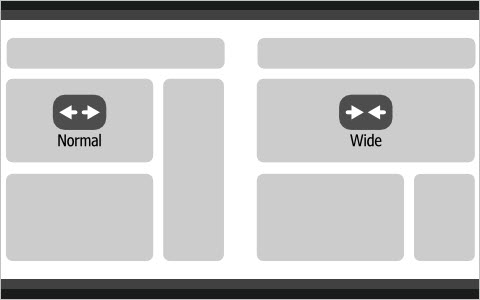
Other than the “Turn off the lights” feature, YouTube has great stuff, such as the “change view” feature, which allows you to switch between normal and wide mode, thus expanding or shrinking the video area. Creating this is very simple.
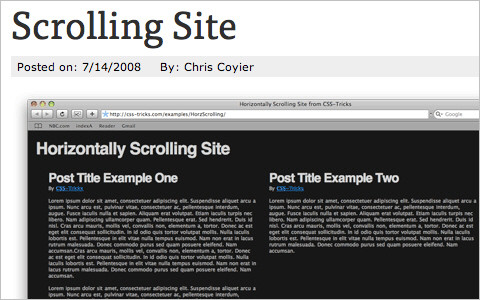
How To Create a Horizontally Scrolling Site
If websites were made of wood, the grain would run up and down. Vertical is the natural flow of the Web. But browsers are equipped with vertical and horizontal scroll bars, right? We have the choice to go against the grain and create web pages that scroll primarily horizontally and that even expand horizontally to accommodate more content. Perhaps a slight blow to usability, but a cool creative touch nonetheless!
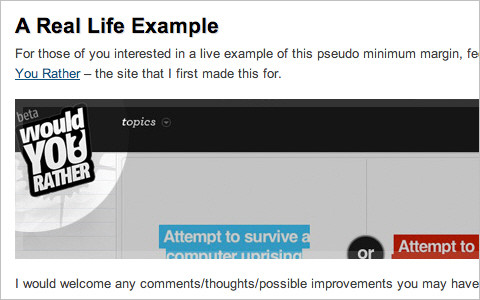
Purely CSS - Faking Minimum Marginsmin-margin is non-existent in the CSS world. After you’ve pondered and Googled it, check out the solution here.
Create Sidebars of Equal Height with Faux Columns
CSS can be tricky business. Creating columns of equal height, where the content in one column is longer than the content in another, is frustrating. Here’s where the faux-column technique can help. Find out how this solution makes even the most complicated layout a breeze to code.
Setting Equal Heights with jQuery
Here is a script to match the heights of boxes in the same container and create a tidy grid, with little overhead.
Quick Tip: Centered Fake Floats
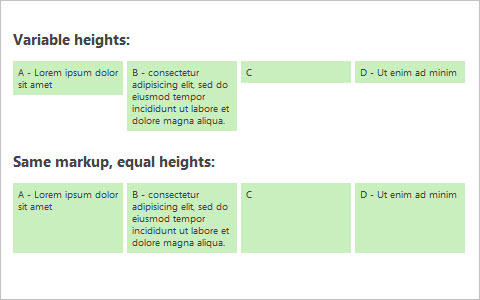
There were ways to center-align left-floated elements, but then inline-block became popular and everything changed. After a bit of tinkering, Zaharenia Atzitzikaki found an efficient and (mostly) cross-browser-compatible way to center elements without floats.
6 Flexible jQuery Plugins to Control Web Page Layouts Easily
A collection of six jQuery plug-ins to manage page layouts easily.
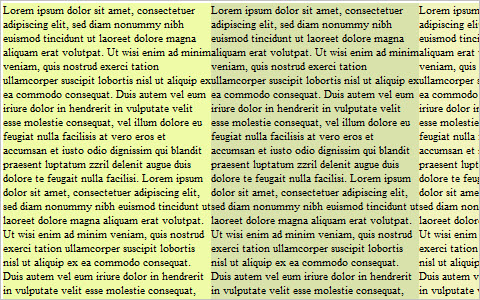
Four Methods to Create Equal-Height Columns
This article discusses ways to create equal-height columns that work in all major browsers (including IE6). All of the methods show how to create a three-column layout.
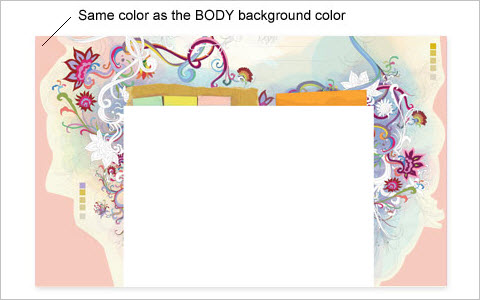
How to: CSS Large Background
A tutorial with various CSS examples for how to create a large background using either a single image or double images.
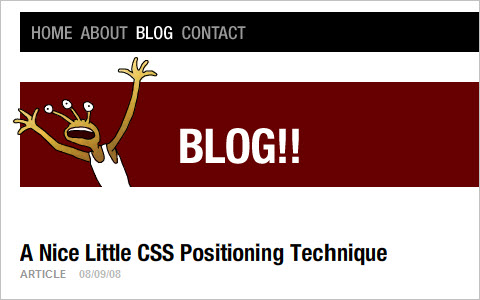
A Nice Little CSS Positioning Technique
Here, we have a basic unordered list (ul), with left-floated images where the text doesn’t wrap under the images. Of course, this technique could be deployed in loads of other instances.
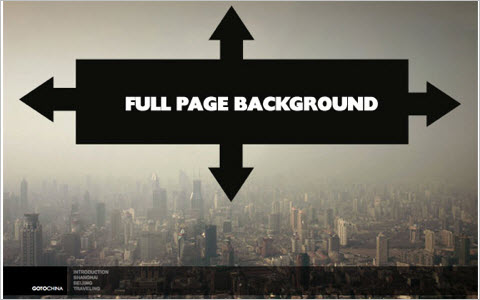
Perfect Full Page Background Image
This technique allows an image to fill the page, with no white space. The image scales as needed and retains its proportions, without triggering scroll bars.
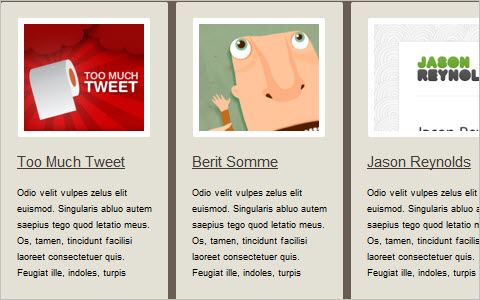
Smart Columns With CSS and jQuery
In observing liquid-width websites, Soh Tanaka sees two common techniques for displaying columns: fixed columns and liquid columns. He points out the drawbacks of both and pitches his solution.
Images And Visual Effects With CSS
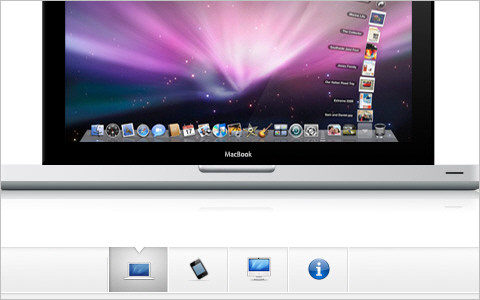
A Beautiful Apple-Style Slideshow Gallery With CSS and jQuery
Create an Apple-like slideshow gallery, similar to the one used on Apple’s website to showcase products. It works entirely in the front end; no PHP or databases required.
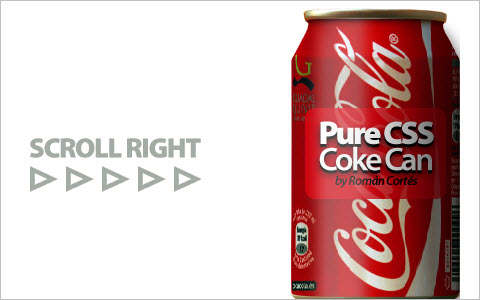
Rolling a coke can around with pure CSS
Román Cortés is having a lot of fun doing CSS tricks these days. He just built a rolling coke can that uses background-attachment, background-position and a few other tricks to achieve the effect. No fancy CSS3 needed here!
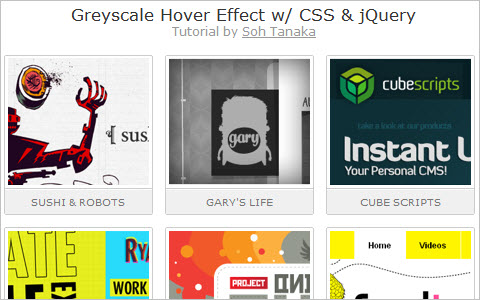
Grayscale Hover Effect With CSS and jQuery
A few months ago, James Padolsey introduced a cool grayscale technique for non-IE browsers. His technique inspired Soh Tanaka to come up with a workaround with a similar effect. His solution relies on CSS Sprites and a few lines of jQuery, but it requires a bit of preparation before implementation. It is not recommended for large-scale projects; it is probably best for portfolio pieces.
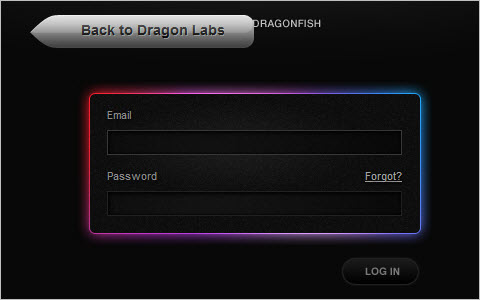
Codename Rainbows
Some JavaScript and CSS magic is used here to apply a two-color gradient to text. Shadows and highlights can also be applied. This works especially well on big websites and for dynamic content where creating images for every instance would be impractical.
3 Easy and Fast CSS Techniques for Faux Image Cropping
This article summarizes three fast and easy CSS techniques for displaying only a portion of an image. All of the techniques need only a couple of lines of CSS. You are not literally cropping, which is why it’s called faux image cropping. These techniques can be helpful if you want to keep images to a certain size (for example, thumbnails in a news section). Being able to use CSS to control which portion of an image to display is great.
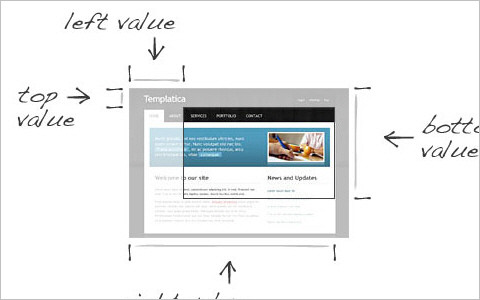
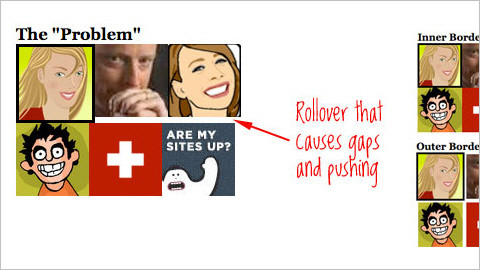
Image Rollover Borders That Do Not Change Layout
With CSS, the border of any block-level element is factored into the element’s size in the layout. So, if you add a border to an element on hover, the layout will shift. In this post, you will find how to use the regular border property and create inner borders to get around that.
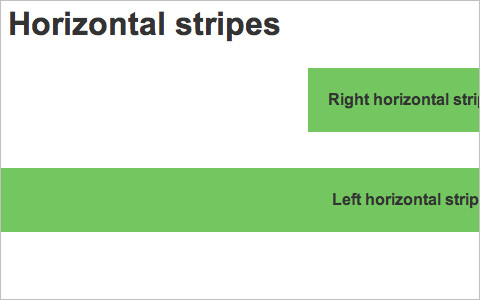
Horizontal Stripes
This tutorial shows you how to create never ending horizontal stripes in your web design using CSS.
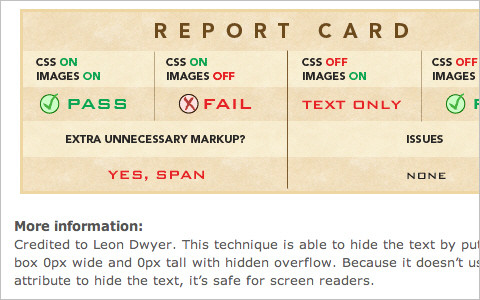
Nine Techniques for CSS Image Replacement
Put nine different techniques of image replacement to the test.
Bokeh effects with CSS3 and jQuery
This tutorial teaches you how to re-create the bokeh effect with CSS 3. With some help from jQuery, we can add some randomness in colour, size and position for the effect.

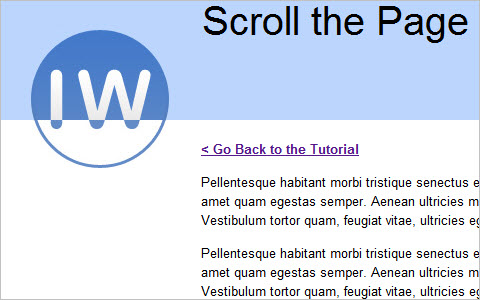
A Stationary Logo That Changes on Page Scroll with CSS
Here is an interesting effect that modifies the logo when the page is scrolled, using the CSS background-attachment property.
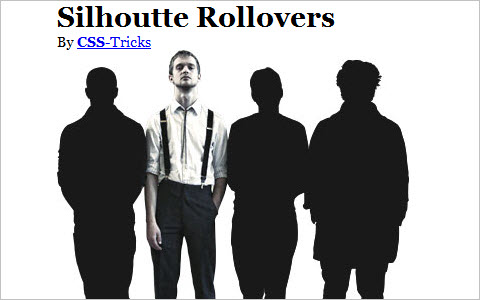
Silhouette Fade-Ins
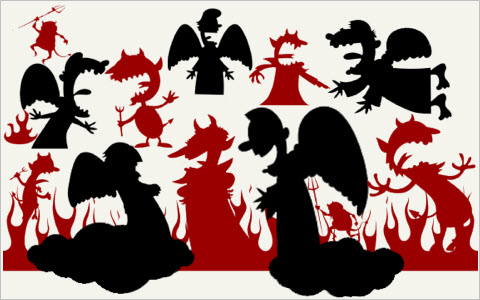
To achieve the effect in the image above, first we need a DIV with the silhouettes as a background image. Then we put four images in that DIV, all the exact same size, with each band member highlighted. These images are hidden by default. Then you absolutely position four regions on top of the DIV; these are the roll-over link areas. With jQuery, we apply hover events to them, fading in the appropriate image.
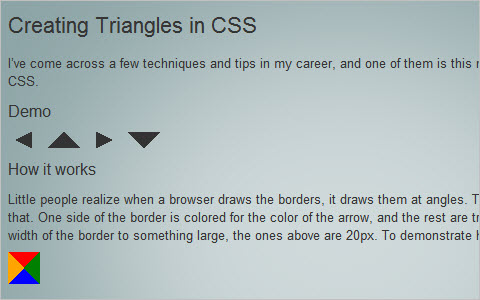
Creating Triangles in CSS (the link was removed due to possible malware)
Few people realize that a browser draws borders at angles. This technique takes advantage of that. One side of the border is given the color of the arrow, and the rest are transparent. Then you give the border a large width; the ones above are 20 pixels.
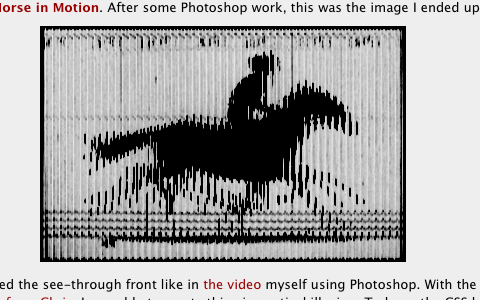
A parallax optical illusion with CSS: The Horse in Motion
Time for some fun with CSS and optical illusions.
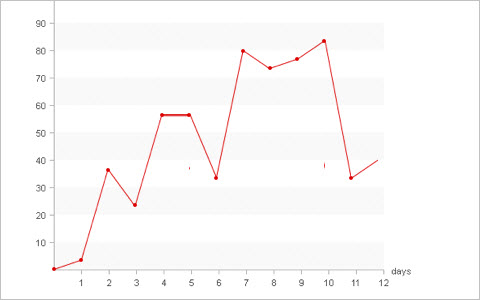
Pure CSS Line Graph
The idea here is not only to offer data visualization to people who aren’t comfortable using scripting languages, but to demonstrate the power of CSS and offer a different way of using CSS. If you are not a fan of line graphs and data visualization, you may still benefit from this article. Think of it as a CSS experiment, and learn a thing or two about CSS Sprites and positioning.
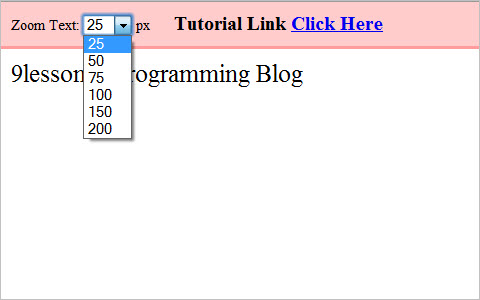
Zooming with jQuery and CSS
This post is about text zooming with jQuery and CSS. This is a basic-level tutorial about changing a style using a jQuery script. A simple way to zoom website content.
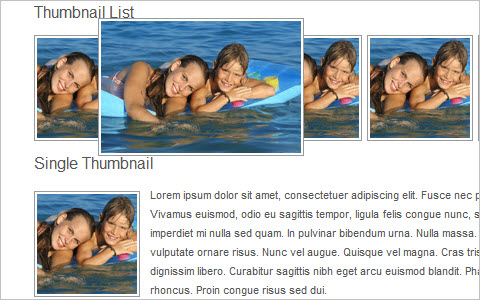
Create Resizing Thumbnails Using Overflow Property
This tutorial teaches you how to control thumbnail sizes. Sometimes we don’t have enough space to fit large thumbnails, and yet we would rather avoid small indecipherable images. Using this trick, we can limit the default dimensions of thumbnails and show them at full size when the user mouses over them.
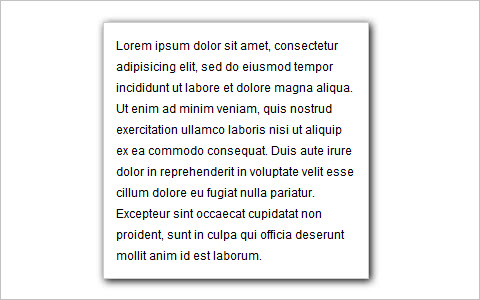
Cross-browser drop shadows using pure CSS
Most methods of adding drop-shadows to content blocks require additional HTML mark-up and one or more PNG images. But by combining the Glow and Shadow filters, something that fairly closely resembles the rendered CSS3 shadow can be achieved.
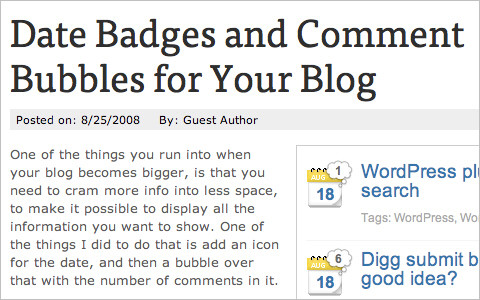
Date Badges and Comment Bubbles for Your Blog
One of the things you have to deal with when your blog grows is having to cram more info into less space to show everything you want to show. One thing you can do is add an icon for the date and then a bubble over it with the number of comments for that post.
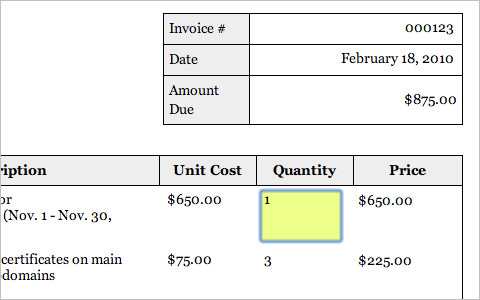
CSS Tables And Web Forms
UX trick: display form data as tabular data
This is a little trick to enhance the user experience of forms. It displays editable form data as readable tabular data.
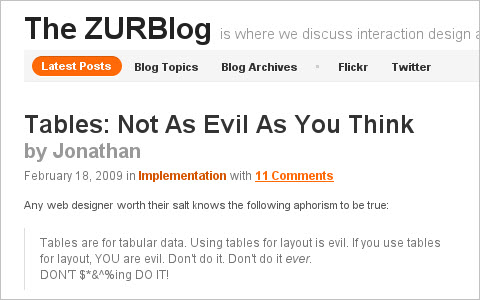
Tables: Not As Evil As You Think
Tables are evil, right? Yes and no. For tabular data, they’re not, of course. That’s what tables are for in the first place. CSS can do an excellent job of styling a properly formatted table, and the table structure provides good scaffolding for JavaScript calls. But what is addressed here is using tables for non-tabular data (i.e. for the layout). Yes, that’s right: using tables for layout.
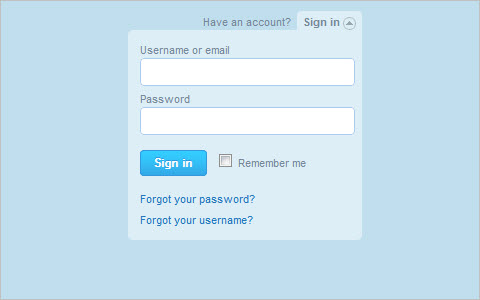
Perfect Drop-Down Log-In Box Like Twitter Using jQuery
This shows you how to create a Twitter-style drop-down log-in form using jQuery. It’s really easy, it saves space on the page and visitors feel comfortable with the awesome toggle form.
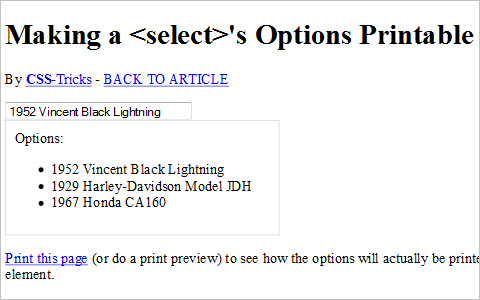
Make a Select’s Options Printable
When printing a Web page with select elements on it, the select drop-down prints just as it looks on the Web. This of course is practically useless on the printed page. One option for handling this is to follow every select HTML element with an unordered list that duplicates the content. Hide the unordered list in your main CSS file and reveal it with your print style sheet. This is a reasonable approach, except that it’s a big ol’ pain in the butt to deal with all the time. Let’s rely on jQuery to do the heavy lifting instead.
Twitter-Like Log-In With jQuery and CSS
This post explains how to get the Twitter-like hide and show effect for logging in using jQuery and CSS.” Very simple: just five lines of JavaScript for the hide() and show() events and a little CSS.

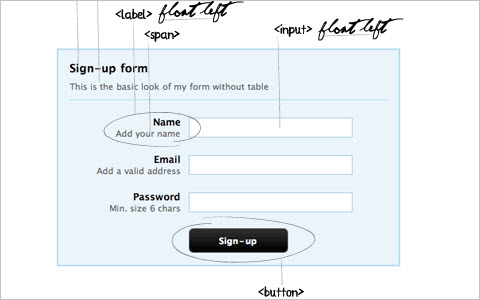
Clean and Pure CSS Form Design
This tutorial illustrates how to design a pure CSS form without using HTML tables.
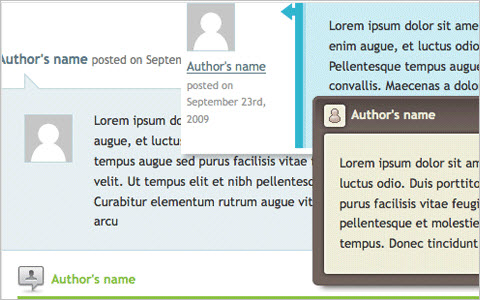
CSSG Collection: Free Comment Styles
This is the second CSSG collection from CSS Globe.
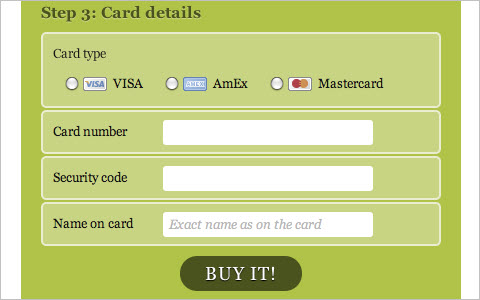
Have a Field Day with HTML5 Forms
Here is a look at how to style a beautiful HTML5 form using some advanced CSS and the latest CSS3 techniques. You will definitely want to re-style your forms after having read this article.
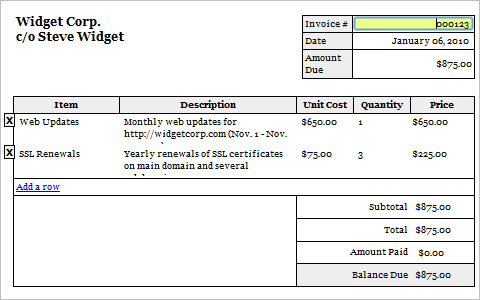
Editable/Printable Invoice
Create editable and printable invoices using CSS and some JavaScript. This is version 2 from Vinh Pham.
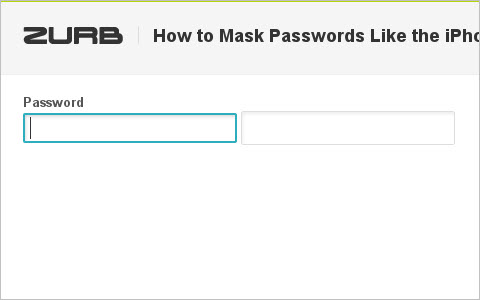
How to Mask Passwords Like the iPhone
Many smartphones, including the iPhone, show the last character that you typed in a password field with a delay of a second or two. You can see that last character but not the entire password. But browsers don’t do what these mobile devices do. Here is a solution, with some fancy JavaScript and behind-the-scenes trickery.
Make Web Forms Suck Less With Labels
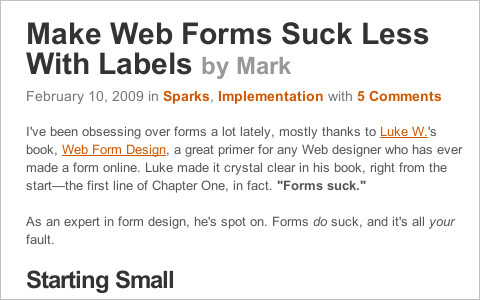
We’ve been filling out Web forms for years, and we all gripe that they could be better. Even with generous padding, the fields are too small. But hardly anyone has improved the most under-rated interaction of them all: checkboxes and radio buttons.
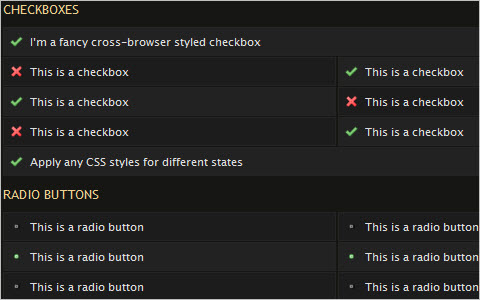
FancyForm: JavaScript checkbox replacement
FancyForm is a powerful and flexible checkbox-replacement script that changes the appearance and function of HTML form elements. It is accessible and easy to use, and it degrades gracefully on older non-supported browsers.
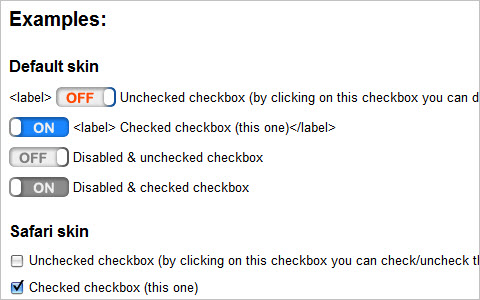
jQuery checkbox v.1.3.0 Beta 1
A lightweight custom-styled checkbox implementation for jQuery 1.2.x and 1.3.x.
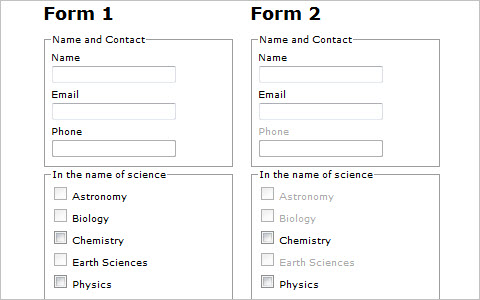
Disabled labels and the Trilemma plug-in
The form above on the left makes use of the disabled attribute, but the default browser settings for disabled inputs don’t contrast as much as one would like. To better distinguish at a glance between which inputs are disabled and enabled, the labels of disabled inputs in the form on the right are styled with a faint gray color.
A parallax optical illusion with CSS: The Horse in Motion
Time for some fun with CSS and optical illusions.
Pure CSS Line Graph
The idea here is not only to offer data visualization to people who aren’t comfortable using scripting languages, but to demonstrate the power of CSS and offer a different way of using CSS. If you are not a fan of line graphs and data visualization, you may still benefit from this article. Think of it as a CSS experiment, and learn a thing or two about CSS Sprites and positioning.
Zooming with jQuery and CSS
This post is about text zooming with jQuery and CSS. This is a basic-level tutorial about changing a style using a jQuery script. A simple way to zoom website content.
Create Resizing Thumbnails Using Overflow Property
This tutorial teaches you how to control thumbnail sizes. Sometimes we don’t have enough space to fit large thumbnails, and yet we would rather avoid small indecipherable images. Using this trick, we can limit the default dimensions of thumbnails and show them at full size when the user mouses over them.
Cross-browser drop shadows using pure CSS
Most methods of adding drop-shadows to content blocks require additional HTML mark-up and one or more PNG images. But by combining the Glow and Shadow filters, something that fairly closely resembles the rendered CSS3 shadow can be achieved.
Date Badges and Comment Bubbles for Your Blog
One of the things you have to deal with when your blog grows is having to cram more info into less space to show everything you want to show. One thing you can do is add an icon for the date and then a bubble over it with the number of comments for that post.
CSS Tables And Web Forms
UX trick: display form data as tabular data
This is a little trick to enhance the user experience of forms. It displays editable form data as readable tabular data.
Tables: Not As Evil As You Think
Tables are evil, right? Yes and no. For tabular data, they’re not, of course. That’s what tables are for in the first place. CSS can do an excellent job of styling a properly formatted table, and the table structure provides good scaffolding for JavaScript calls. But what is addressed here is using tables for non-tabular data (i.e. for the layout). Yes, that’s right: using tables for layout.
Perfect Drop-Down Log-In Box Like Twitter Using jQuery
This shows you how to create a Twitter-style drop-down log-in form using jQuery. It’s really easy, it saves space on the page and visitors feel comfortable with the awesome toggle form.
Make a Select’s Options Printable
When printing a Web page with select elements on it, the select drop-down prints just as it looks on the Web. This of course is practically useless on the printed page. One option for handling this is to follow every select HTML element with an unordered list that duplicates the content. Hide the unordered list in your main CSS file and reveal it with your print style sheet. This is a reasonable approach, except that it’s a big ol’ pain in the butt to deal with all the time. Let’s rely on jQuery to do the heavy lifting instead.
Twitter-Like Log-In With jQuery and CSS
This post explains how to get the Twitter-like hide and show effect for logging in using jQuery and CSS.” Very simple: just five lines of JavaScript for the hide() and show() events and a little CSS.
Clean and Pure CSS Form Design
This tutorial illustrates how to design a pure CSS form without using HTML tables.
CSSG Collection: Free Comment Styles
This is the second CSSG collection from CSS Globe.
Have a Field Day with HTML5 Forms
Here is a look at how to style a beautiful HTML5 form using some advanced CSS and the latest CSS3 techniques. You will definitely want to re-style your forms after having read this article.
Editable/Printable Invoice
Create editable and printable invoices using CSS and some JavaScript. This is version 2 from Vinh Pham.
How to Mask Passwords Like the iPhone
Many smartphones, including the iPhone, show the last character that you typed in a password field with a delay of a second or two. You can see that last character but not the entire password. But browsers don’t do what these mobile devices do. Here is a solution, with some fancy JavaScript and behind-the-scenes trickery.
Make Web Forms Suck Less With Labels
We’ve been filling out Web forms for years, and we all gripe that they could be better. Even with generous padding, the fields are too small. But hardly anyone has improved the most under-rated interaction of them all: checkboxes and radio buttons.
FancyForm: JavaScript checkbox replacement
FancyForm is a powerful and flexible checkbox-replacement script that changes the appearance and function of HTML form elements. It is accessible and easy to use, and it degrades gracefully on older non-supported browsers.
jQuery checkbox v.1.3.0 Beta 1
A lightweight custom-styled checkbox implementation for jQuery 1.2.x and 1.3.x.
Disabled labels and the Trilemma plug-in
The form above on the left makes use of the disabled attribute, but the default browser settings for disabled inputs don’t contrast as much as one would like. To better distinguish at a glance between which inputs are disabled and enabled, the labels of disabled inputs in the form on the right are styled with a faint gray color.
Fluid Search Box
Creating a fluid search box when you have only a single element next to it is trivial. What you should do is wrap the input in an element and use padding to create space for the fixed element; then position the fixed element absolutely (or relatively) in the space created by the padding.
Last Click
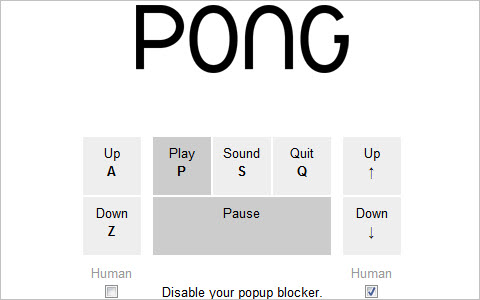
Browser Pong
A whole new pong game using three browser windows for the ball and racquets. Clever!
(kk) (jb) (vf) (al)


