Dealing With Clients Who Refuse To Pay
As a designer, you will eventually have to face a couple of unfortunate truths in your career. Number one: just because you wear a bathrobe for most of your “business” hours does not actually make it business attire. Number two: at some point in your freelance career, you will encounter a client who does not respect the work you do. The most unfortunate part of this unfortunate truth is that it will all too often present itself in the form of a client who refuses to pay for your services once all of the work has been completed.

However, you can put some safeguards in place to guarantee that if this kind of client disrespects you and a dispute arises, that you are not left without any leverage to help you resolve the situation. Because whether they admit it, some loathsome characters deal with freelancers merely because they believe these smaller independent businesses would have little recourse should they not hold up their end of the bargain. They think that once we have taken the time to complete the work and deliver it, that they have all the power to control the outcome of the business transaction. But now more than ever, this is not the case.

One thing these clients overlook is the community that freelancers have at their disposal via the Web and various blogs and social media outlets. Freelancers have an established network of support and guidance through such connectivity that it almost feels effortless at times. And we have been turning to the community for years now to improve the working environment of designers, by discussing methods and techniques of dealing with common issues that arise in the field. This network has spawned some inspiring ideas for addressing these client-related problems.
In fact, we here at Smashing Media turned to our friends on Twitter for some ideas on dealing with this particular issue, and we want to thank everyone who replied with so many great suggestions.
Through the volume of answers we received, a staggering fact became quite clear: that too many people have been burned by this type of business interaction, which only reinforces the necessity of a post such as this. So, armed with stories of clients who were not willing to pay for completed work and who were determined to leave freelancers reeling and damaged, we have compiled some helpful safeguards and talking points to help you steer these situations towards a more positive outcome for you.
Also consider our previous articles:
- Freelance Contracts: Do’s And Don’ts
This post covers some of the basics of putting together a contract as a freelancer. - How To Persuade Your Users, Boss Or Clients
This helpful post shows freelancers how to effectively communicate and win people over to their side. - 8 Strategies For Successful Relations With Clients
Freelancers are always looking for tips on dealing with clients, and here is a post that would certainly help.
First Things First
The main thing to remember if you find yourself in this position is that you are in the right, and you do not have to stand for being bullied by a client simply because they are a client. You have the right to be compensated for the time and effort that you put into the project. Even with no physical contract, the client knowingly entered into a verbal agreement and is therefore completely liable for upholding the terms of the agreement. Sometimes — not always — you may find that the client has challenged the payment only to see if they can get away with it; and once you stand up to them and demonstrate that you will not be undercut, then they go ahead and pay.
But this will not always be the case, and your situation may be cumbersome. So, be sure to remain civil, consistent, confident and above all resilient to make it through this tiring ordeal. By doing this and employing one or more of the strategies suggested below, you might not only keep your business comfortably afloat but also retain a bit more of your sanity.
Use A Contract
One standard safeguard is a comprehensive project contract. This sets up a payment structure that usually prevents an unfavorable outcome, or at least prevents the client from withholding full payment for whatever reason. Use the language and structures that most contracts follow. Most contracts call for a deposit at the beginning, and partial payment at various stages of the project. But this is not always preferred by the client, or even occasionally by the freelancer.

Pros
A contract is a clear and simple way to outline the specifics and expectations of a project for all parties involved. It includes a timeline for completion and delivery, as well as other checkpoints. The payment structure in the contract can ensure that you at least get paid something for your time and effort. It also provides you with some measure of legal recourse in the event of a breach of contract, such as non-payment of the final invoice. A contract also projects an air of professionalism and sets you up to be taken seriously.
Cons
While the payment structure in a contract can be a pro, it can also be a con, turning off many clients who are not comfortable paying a deposit. Clients might also be turned off by contracts because they don’t know what they want or how to describe it, and they feel a contract would lock them in too tightly and not give them enough room to revise later. Another con is that if you are unclear in the language of the contract, you might actually leave yourself open to be taken advantage of, and by the time you realize it, you are contractually obligated to complete the project.
Overall
Long story short, with both pros and cons a plenty, the contract route can safeguard against clients not paying you in part and, in some cases, in full. But it could also keep you from getting clients, so use with caution.
CSS Kill Switch
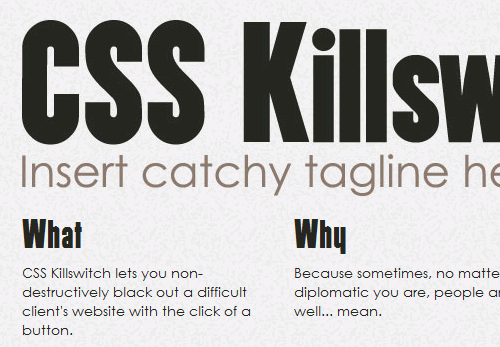
Another route that some freelance Web developers opt for when they design websites for clients is to install a kind of CSS fail-safe, in order to have leverage if payment disputes come up. CSS Killswitch is a freelance coder’s dream come true. By simply linking to an external CSS style sheet, which can be activated with the simple click of a button, you can black out a website if the client refuses to pay — even if they have changed the password and locked you out of the back end, which is the only circumstance under which this should be done.
Pros
While it should be used only with the strictest caution and as a last resort, the kill switch has two major pros. The first is that it gives the freelancer leverage, putting them in a position that they have not traditionally had access to. This leverage could give the freelancer the upper hand and might get them paid in the end, as the client scrambles to make their website visible again. Another pro is the ease of use and installation of the CSS kill switch, relative to some of the other solutions explored in this article.
Cons
Naturally, if and when you exercise this option, know that it won’t be a popular move with your already difficult and possibly volatile client. Your results may vary, and it could further postpone final payment. Another con is that all of these Web safeguards like the CSS kill switch, while easy to use, are also easy to detect and disable if the client’s staff is knowledgeable enough. And while you are merely taking steps to get paid for the work you have done, initiating a kill switch on a client’s website could make things costly and litigious for you very quickly.
Overall
When all is said and done, the CSS kill switch definitely has its upside, even if it does reside in an ethically questionable gray area. It offers the freelancer an effective tool to negotiate with difficult clients on more level ground. But use it at your own risk.
Maintenance Mode
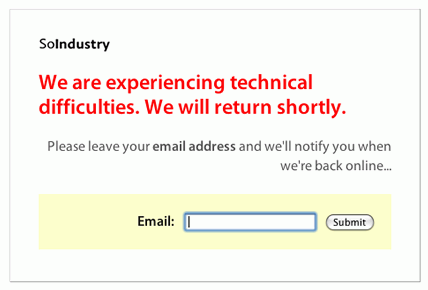
One workaround to temporarily “disabling” the website until payment is made — though not always as effective as the kill switch — is maintenance mode. Switching the website to maintenance mode gives the freelancer a bit of leverage with stubborn clients. While similar to the kill switch, maintenance mode is a milder course of action.
Pros
One pro is that maintenance mode is even simpler to install and activate than a kill switch. You need access to the website itself in order to pull it off; and if you do still have access, you are likely dealing with a client who does not have much background in the Web. And so they may not be aware that you are actually able to pull their website down once it is up. This gentle flexing of muscle may be all the push-back you need to let them know that you are no push-over.
Cons
Once again, this route could incite an already agitated client to take drastic action against you, even though they are the one who violated the terms of the agreement. Also, if the client figures out how to get the website back and changes the password to lock you out, then you have lost your leverage. Unfortunately, this tactic is much easier to fix than a kill switch, so your advantage may not last long.
Overall
While this may work with some less experienced or resourceful clients, others will not be put off for long and will get things back on track with a quick Google search.
Withhold Launch
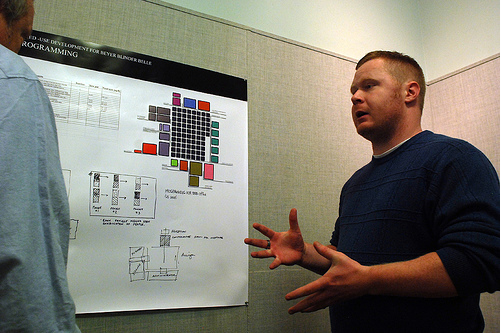
If you pick up on signs early on that your client may be difficult, one surefire way to keep them from withholding payment is to do a little withholding of your own. You always have the power to withhold the launch of the website until final or full payment is made. But you cannot just decide to do this at any point in the project; you would need to establish these terms at the beginning of the working relationship.
Pros
An obvious pro is that this tactic is more likely than others to preempt a client dispute. If the client knows up front that the product will not be fully delivered until they have made all payments, then they are less likely to attempt avoiding payment. It puts most of the power in your end and allows you to basically steer the project’s outcome.
Cons
Just as a contract can be a deterrent for some clients, stipulating that you will withhold delivery until payment is made can have a similiar effect. Some clients will not be entirely comfortable with the idea of paying for something that is not in their possession, especially if they are already operating outside of their element.
Overall
As far as your options go, this is one of the most effective. By simply refusing to deliver the product to the client, you maintain the upper hand.
Send A Project Summary
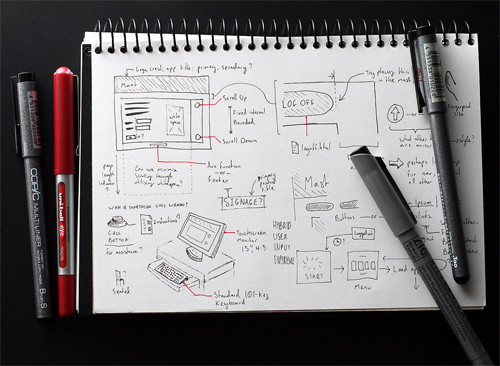
One of the more diplomatic ways to handle a dispute is simply to send the client a complete project summary detailing the timelines and benchmarks that were established at the beginning. Be sure to highlight in the summary just how you met or exceeded these expectations, and provide any reasons why certain deadlines may not have been met. Being extremely professional, this tactic shows respect for your client, rising above the emotion of the moment to drive your point home. Let them know how you have met your end of the agreement, and they should respectfully do the same.
Pros
As mentioned, this is a very business-like way to address the situation, even if the circumstances warrant a more aggressive response. It could be a big boon to your freelance business. Another pro is that you show the client how calm and collected you are in the face of disrespect, and this composure will do wonders for your reputation.
Cons
If you are dealing with a client who is already refusing to pay for completed work, chances are that this respectful reporting of facts will not move them to respond in kind. If that is the case, then this is a double disadvantage, given the time that would be required to put this document together. Another con is the time you would reasonably have to wait to see whether this has had the desired effect on the client, before you follow up or take other steps.
Overall
After all is said and done, and if time is not critical, this is one of the most professional approaches you can take. It is also a very business-like way to start before trying more drastic measures.
Get Their Attention With Social Media
This approach is not as diplomatic as the last: that is, taking your gripe to social media to alert the client and others that this situation is unresolved and far from over. Members of the community at large may want to hear about projects that have ended unfavorably for freelancers, so that they can avoid working with those clients in future. Turn to Twitter, Facebook and other networks to share your tale.
Pros
One advantage to this approach is that it will likely elicit some kind of reaction from the client, whether positive or negative, especially if they have a competent social media staff. Another pro is its accessibility to the freelancer. Most of us already populate social media outlets, so this route to a resolution lies at our fingertips.
Cons
This course of action could have some unwanted repercussions, one of which is not so much the client’s reaction as the reaction of potential future clients who are turned off by your open griping about others. Also, those who follow you on social networks might believe that you are being unprofessional by airing your grievances this way. Did we mention that it could reflect poorly on your business? Because it well might. So again, use caution when going social.
Overall
While social media has given us an outlet with a long reach and has proven effective in getting responses from businesses that are plugged in, it is not always the best or most professional forum in which to address your problem. But that may not be a concern for you.
Wrap-Up
Assess your client’s temperament before deciding on a path to pursue in recovering payment. Whatever the situation, you have options beyond costly legal action. Feel free to leave suggestions below on how to deal with clients who refuse to pay for services provided by a freelancer.
Related Posts
- Invoice Like a Pro
Your invoice should be prim and proper, so that you can get paid by your clients efficiently. While invoicing is not a fun task, it’s a necessary one: by keeping clients informed of your expectations, you will get paid punctually and reinforce your professionalism. - Effective Maintenance Page: Examples and Best Practices
So what should you do if your site is going to be down for maintenance? You don’t want users coming to a 404 or other error page. And hopefully you’d like to encourage them to come back to your site sooner rather than later, right? If that’s the case, you’ll need to build a custom maintenance page. Below we present a list of best practices to building effective maintenance pages that will help keep your visitors, whether new or returning, happy. - What Do You Do When Your Client Won’t Pay?
Freelance Switch offers some awesome advice on this topic. - What To Do When Clients Won’t Pay
Freelance Review has looked at this problem before. Definitely worth a read. - Handling Clients Who Won’t Pay
Another stellar post that offers some other perspectives on the topic. - When Clients Don’t Pay, Pay Late… and Other Anomalies of Freelancing
All Freelance Work has a wonderful post that discusses how to handle these types of client situations. - My Clients Won’t Pay Me. What Now?!
Another great post that discusses this issue and how to resolve it.
(al)


Mike
May 25th, 2010 8:37 pmI am not a lawyer, and even lawyers will tell you case law is not completely settled, but in general kill switches (aka time bombs) are illegal and using one can make the situation much worse for you.
I know it seems logical that if the client hasn’t paid you should be able to ‘take back’ your work but that’s not the whole story with a hidden kill switch.
Yes, an ISP can shut down your service due to non-payment, and the electric company can shut off your power if you don’t pay, but that doesn’t mean you can go onto a client’s server and disable their site, even if you wrote it and haven’t been paid. You’re effectively breaking into their property (servers) and more importantly you’re causing a business interruption, for which they can attempt to claim damages. A hidden kill switch is more or less equivalent, even one that just turns off the system after a certain time period unless it is disabled.
You might get away with it if it’s called out as part of the contract and spec for the product, but it isn’t worth it. Instead, follow the excellent advice of some of the comments above (have a good contract, have a good relationship, pick your clients carefully, structure the project with frequent milestones and payments, etc.).
Mike
May 25th, 2010 8:58 pmOne cautionary tale would be Minecode:
http://www.techflash.com/seattle/2009/01/Minecode_execs_plead_guilty_to_computer_intrusion37289534.html.
In their minds all they did is reach out and take back the work that the client hadn’t paid for. Those guys are convicted criminals now over this.
And as I said above, a kill switch is equivalent in many ways, even if you’re not physically breaking in to the company’s building and taking back the bit. You just can’t do that, even if you haven’t been paid for the work.
JasonG
January 16th, 2012 7:25 pmThe difference with them though is that when they finally went to disable it fully after the client got it working again was that they deleted their ENTIRE webpage, email, DB, etc. When they were only hired to do the gift cart deal. So they deleted more than what they put up there.
Rob
May 31st, 2010 1:05 pmThat CSS killswitch is total overkill imo. Firstly, if you’re stupid enough to upload work that has not been fully paid for then, you deserve to get messed around. For simplicyty, simply use a htaccess file and derny requests – a couple of lines of code you can paste into a .htaccess file – easy.
air jordan
June 5th, 2010 1:02 amI am quite agreen with the write’s says about the experiencial knowledge of better living.For home improvement I have glance those sits.I found they benifit for life. I want to buy something to home see for use. Hope you give me a good views
Liz
June 20th, 2010 10:16 amOne thing I like to do is sending the invoice immediately when it’s due and sending them an online payment method along with the emailed invoice. It seems like such a simple thing to do, but I find a lot of clients forget to pay invoices because they need to actively drop the cheque in the mail or call you during business hours to give you the credit card number. With an online payment method provided right along with emailed invoice, I’ve been getting paid an average of 2 weeks faster.
I personally use Billing Boss (billingboss.com) to create my invoices. It’s free plus it offers me the ability to send recurring invoices. I can better keep track of my cash flow, and know who paid me and who hasn’t.
Full Disclosure: This author has been compensated by Sage. I am their Social Media Consultant but I was using their product well before they contracted me. They found me when I sent them an email giving suggestions about Billing Boss!
Melinda
July 8th, 2010 3:09 pmGreat to here stories from colleagues and their strategies for dealing with fraudulent clients. I have one job where I would have loved the CSS kill switch!!
Sebastian
July 9th, 2010 2:38 amMy ultimate KILLSWITCH
If the website ist coded with PHP (or equal language) you could hide some code which enables you to actually DELETE the website form the clients server by a GET request, even if you don´t have access, eg. http://www.evilclient.com/?erase=f8f334FD9856kj45
(use a variable value to make sure nobody else makes accidentally use of this)
Dean Russell
September 16th, 2010 1:45 amI’ve been dealing with deadbeats since 1997 when I ran a magazine. Trying to get people to pay for advertising ‘after the fact’ (after it has been printed) is difficult at best. It takes time, persistence and nerves of steel. Persistence being the main tactic. I always got paid, but it did take time and constant hounding.
Working as a freelancer I can’t say i’ve had the same luck.
However I changed my payment policy to 50% upfront, 50% on completion (and not released until full payment)
Some clients don’t like this, but it is absolutely the best way.
With the clients I am trying to ‘get’, new clients, I sometimes have to forgo the 50% and do websites with very loose agreements at first, then hash out a payment agreement when I show them the work.
If they like it, they usually pay.
If they like it and think they can take it without paying,
I have a few tricks up my sleeve.
#1 – hosting all images on my home site – so if they don’t pay, every image can be shut down and replaced with a lovely ” shut down for non-payment” message (this is all last resort stuff, but has to be done)
#2 – with flash sites, simply hosting the .swf file on my site is another way (although they can try to copy it from your site, if you host it from a secured area, that is now theft of data) Ya nevermind revenge, send them to jail for stealing your designs.
#3 – hosting css files on your own site as well.. again theft of data if they steal it from your secured location.
#4 – I’ve also got in the habit of using a couple of free website building places. Reason being I can create wonderful sites very quickly and often some of these hosting places are forwarding or hosting the image/web/flash elements through YOUR management panel where you make changes. So if customer doesn’t pay. Shut it down 100%.
What I find sad is the people who claim they are always getting ripped off, are the ones trying to rip people off. So beware of a client who is overly paranoid. They are more likely to be the ones to rip you off, not the other way around.
Good luck.
Rachael
December 15th, 2010 11:18 pmI have had non payment issues twice.
I did the only logical thing to do.
Create a wordpress hosted page and send lots of links to it so it appears in Google right next to their site :)
http://staffworkx.blogspot.com/
At the very least it ticks them off and sometimes they will pay you to take it down!
Jesse
February 10th, 2011 11:53 pmWhat can I do if the client without my authorization went and got the print files I created (and printed them) from the web designer who was making the website for them. Without ever paying me for the print files.
And also refuses to pay me for them, even though they were happy enough with them to spend $1,000′s on printing them and create a website based on my designs.
Grace
February 17th, 2011 10:54 amHow about an issue of a client who refuses to pay after you have created his website, made all the changes he required, configured his server and set up his email addresses and been patient with him waiting for him to pay. One day when you call him he refuses to answer your calls, now.. for more than 2 months. You go to his residence and you find strict instructions from the watchman that he doesn’t see anyone without an appointment. Since you anticipated that, you leave him a notice to renew his yearly hosting subscription and give you your money. You still call, no answer. When finally you call him one day on the wee hours of the morning he forgets and picks your call.. he tells you created junk and he wont pay. Then you say “OK”.
After that you go and “UNDO” all the work you did in the server, i.e. remove your content, and reverse everything you did on the server + delete all the email accounts you “wasted” your time setting up because after all this was all junk.
Is the client supposed to complain that you deleted his emails and if he’s complaining, who’s fooling who?
Jason Devin
August 12th, 2011 3:54 pmSee my response below…”Trial Expired”
Doogz
July 4th, 2011 3:43 pmThere are some complete snakes out there but there are also good clients. For me the ONLY way you know you have some level of comeback is 50% upfront and 50% just before completion.
Why on earth would it be in the designers interests to do all the work you had been showing them through the design process and not release it? Any client that gripes at this is guilty at the outset. We’ve all been ripped off at some point but you really have to move on and absolutely safegaurd yourself from it EVER happening again. A client not willing to pay anything upfront is not someone that is worthy of your time and talents.
Jason Devin
August 12th, 2011 3:53 pmThe best for me was upon project completion a customer said, “I love the work you…I going to try and find someone to do something just like it but cheaper.”
I try to provide the hosting for as many design clients as possible. When they already have their own hosting I always code in a timer which after 30 days looks for a license key. If it’s not found the index page displays a div overlay or popup that says “Trial Expired” with a link to pay their invoice.
It’s not difficult to disable, they could hire someone for $20 to break it, but it’s definitely cut back on the number of non-paying clients.
Lenny Li
October 1st, 2011 8:12 pmThere was a retired civil servant Nora from labour department who abuses computer people like me this way while she is on big fat lifetime pension and flying around the world to make love with guys she find on the net. She fancied getting herself richer by engaging in ecommerce shop business as a computer idiot, then take advantage of my willingness to help, agreed on the rate that I charged previously, and after a full day of onsite service and giving her everything she wanted successfully, she just wanted to put me away with a few coins, and even used her NLP skills to tell me I am bad. I need a hand dealing with bitches with poisonous tongue!
Ben
October 12th, 2011 9:58 amHi, What happens if you have a deposit, spent large amounts of time working on the site to find that for whatever reason, the client starts causing problems with the design that miraculously have appeared well after the design has been finalized. In short, they may have not had the funds in the first place?
My time has been wasted and compensation for a 90% complete project is needed?
Morgan & Me Creative
October 15th, 2011 10:20 amWe have to realise that this is the service industry, while contracts may help, it’s not 100% fireproof. In this business, we’re supposed to operate with a high level of both IQ as well as EQ. Withholding to launch or shifting a website into maintenance mode may sound easy, but wait till you get that phone call with the client screaming at you at the other end. It’s certainty not nice and once they start ranting this onto their network of friends, you can forget about anymore business opportunities in the area. Your name’s tarnished, you might as well pack up and move to another town.
Ryan
November 19th, 2011 10:28 amThe problem with the css kill switch should be pretty obvious… View Source, access file directly, copy, paste, thx for your time and you get no money.
Bridget
December 7th, 2011 3:20 amThis is just the article I am looking for….but one question? Currently I have a customer who doesn’t want to pay nor pay on time. Am I able to hold her domain name (registered with my godaddy) and website content until she pays our fees? or is she legally entitled to it?
Thanks
John
February 20th, 2012 5:26 amIf she hasn’t paid for it – you have and therefore it is your domain. A home builder isn’t going to give me the keys to my new house until he has a cheque in his/her hands. I don’t understand where these clients come from, but there are a lot of them out there.
I have the same situation, once they pay me for it the are more than welcome to it. Good luck!
Chris
December 21st, 2011 10:56 pmKnock on wood; I have never been ripped off by a bad client, mainly because I’m picky on choosing clients. All my works are legal contract based, with 50% upfront deposit before I even move a mussel. The rest of the payment is due before file relinquishment with no exception. I build the sites and applications on my own servers and they can see the live version (on my server) as long as they want, then when they are happy with everything, they pay and I move everything to their server. I make no exception to this rule, whether they are my blood relatives or the Pope. No client has EVER said no this rule and if anyone ever does, it simply shows their distrust and I won’t take the job anyway.
Kay
February 14th, 2012 9:14 amThis helped me a lot! Thanks a mil :))
TDU
December 23rd, 2011 1:17 pmI saw some people in earlier posts mention legal repercussions from disabling a site from a host or removing it. My contract has a authorization clause where the client gives me authorization to access the host and FTP. The contract also has a non payment clause that says the site can be removed from the internet if payment is not received within 30 days of the invoice. Under this contract, am I within my rights to take the site down? I am dealing with this situation for my first time in 6 years. I have since revised my contract to state a site will not go live until final payment is received. Before I had a 33% down, 33% on approval, remainder when site was live approach. It worked find for years, but one deadbeat has ruined that.
KJ
February 7th, 2012 4:43 pmI can see how a kill switch could be considered illegal, but as many have said if the css file or kill switch is actually built into our own hosting account, we would not be intruding on anybody’s server.
I have only run into this issue once or twice, but it was enough to ensure that I collect all deposits and payments up front before the site is launched or the design is presented.
Irina
February 27th, 2012 6:11 pmPer our verbal agreement from 1/2/2012 between me Senior Graphic designer and Owner of the small business in CA was an agreement that I to create a Graphic Design website for the business. Owner guaranteed a payment of $2,000 for this job. In the process of work Owner asked for additional work to enhance the website.
The day site was practically complete and posted the Owner told me over the phone that she does not need the site anymore because she is selling her business and buyer are not going to buy site with the business.
I submitted invoice of $2,000 to the Owner, but Owner declined to make a payment. Instead she emailed me and offered $500. I that letter she blamed me in quality of my work and did not mention the real reason – selling her business.
How I can have evidence that Owner is selling her business?
Thank you very much for any advice.
Truly yours,
Irina
Crystal
April 14th, 2012 7:30 pmI just got done on a 2 month stint with a super greedy business owner. My mom and I own our freelancing company and she has 20 years education behind the scenes in computing and technology. We built a fantastic site and the lady was super happy, however my mom told her she needed payment and all the problems started. They agreed to give her a vehicle well under the total price we were asking so my mom agreed and then said that she could finish payment slowly if she didnt have the money by just giving us 15% profit off her webstore sales until we were squared away. The woman then went into a state of hysteria and fired my mom and tried to get me to work for her. When I told her what she did was shady, she fired me as well keeping all of our equipment we had set up there and changing the locks. To this day she owes us well over $5000 and is slandering us all over town. The website went far above and beyond anything she had ask for we even spent days promoting it and advertising (out of our pockets) So we didn’t shut her down, instead we simply changed it up a bit and blocked her as a user until she pays, which she has assured us will be when hell freezes over. Is it ok for us to just delete the damn thing? After all why should she reap any benefits of the time we spent (about 800 combined hours) and still make money?