
Usability Do’s And Don’ts For Interactive Design

Email Newsletter
Weekly tips on front-end & UX.
Trusted by 182,000+ folks.

 Celebrating 10 million developers

We often talk about how to make our websites more usable, whether it’s tweaking the HTML structure of pages to benefit the user’s process or figuring out how best to display a message via CSS. But we never bring this thought process into our jQuery-based (and other JavaScript-based) elements. How can we enhance the user experience and usability of our jQuery events?
Below, we’ll briefly discuss ways to look at the code and the result of our interactive designs and, thus, improve their usability.
You may want to take a look at the following related posts:
- 30 Usability Issues To Be Aware Of
- 12 Useful Techniques For Good Interface Design
- 10 Useful Web Application Interface Techniques
- Beyond Usability: Designing With Persuasive Patterns
Don’t Leave Users In The Dark
Most if not all jQuery is fired through events from the user, whether it’s loading new content, posting forms or simply modifying the presentation of an item. Such events are fired through a click from the user.
While as designers and developers we would know that something is happening, without a visual representation, the user is left guessing what is going on. If the user clicks an element and nothing occurs immediately, they could wonder whether the page is broken or they have done something wrong.
But by simply displaying a message or loading graphic for the user, they are assured that something is happening and that their action will be completed shortly.
Pinchzoom offers a consistent experience when loading new content by displaying a spinning graphic alongside the word “Loading.” The constant motion of the graphic tells the user that the website is working on their request.
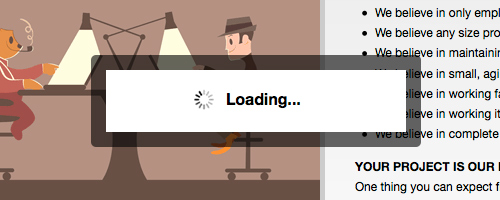
Pinchzoom shows a rotating graphic and text in a modal box to catch the user’s attention and tell them that content is loading.
Always Put Your Code To The Test
As part of any testing process, designers make sure that their interactive design will work across multiple browsers. Unfortunately, we do not test our design elements by using them as a normal user would. You’d be surprised how differently we use our own websites.
Users vary widely in their behavior and viewing set-ups, so don’t be reluctant to use your design in different ways and with different set-ups.
By trying to break your JavaScript, you could come across bugs that you didn’t notice before, which will lead you to create a stabler and more solid user experience. Coming across an element that appears to be broken or not functioning correctly will often make users lose trust in the website as a whole.
Don’t Add jQuery At The User’s Expense
One of the last things you want is a confused user. Adding too many interactive elements can make the user unable to decide what to do or how to find what they need.
When building your website, restrict the number of controls to those that will help the user achieve their goal. By restricting choice, you create a much more effective user experience.
An example of this problem can be seen on the Crispin Porter + Bogusky website. This website has a lot of scrolling navigation and many “Read more” links that load more content on the page. This overloads the user with information. New users might be unsure what to do, where to go or if they’ve missed important information.
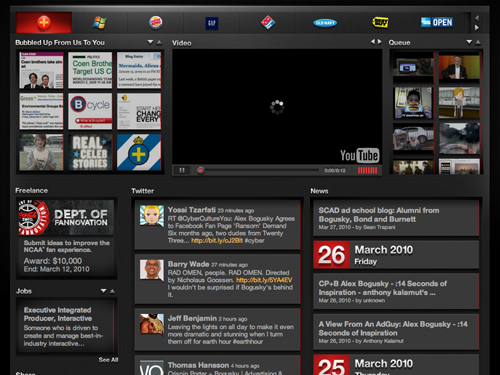
Crispin Porter + Bogusky shows too many options at once.
Speed Isn’t Always Key
We always optimize our code to load pages faster and help users complete their tasks more quickly. On the other hand, there are instances when slowing down animations could improve the usability of a website.
Animations such as those showing rotation through messages or pictures are often set too fast. We must remember that users don’t want to be rushed. Give them time to take everything in. A user shouldn’t be halfway through reading an item and then have to wait for it to rotate before being able to finish.
Whether you use a plug-in to generate the effect or core jQuery code, settings should be available to change the speed of the animation. In most cases, keywords such as “slow” or “fast” can be used. If you wish to be more exact with your timings, numeric values such as “800” or “1200” are available, which would specify time in milliseconds.
The home page of Postbox features a rotating list of news and key items. Though not a prominent feature of the design, the delay between each item is long enough to allow the user to fully absorb the information.
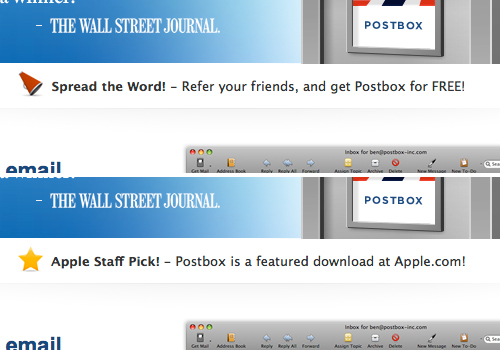
Rotating messages on the Postbox home page.
Make Tabs More Prominent
Though more of usability tip for design, this deserves mention nonetheless. If you are using tabs to show and hide content, make sure they are prominent and that each tab describes its content well.
Tabs are a great space-saver and some say they allow for more creativity in a design. But don’t risk the user overlooking potentially important content.
By making tabs prominent, you enable users to find more information easily should they need it. Also, being more descriptive in your labeling makes clear to the user what they should expect to see.
Delibar styles its tabs as bookmarks. The bold green draws the user’s attention. Delibar uses one-word labels to succinctly convey the product features and content behind the tabs. For example, the “Manage” tab leads to content that describes the numerous ways that users can manage their Delicious bookmarks using Delibar.
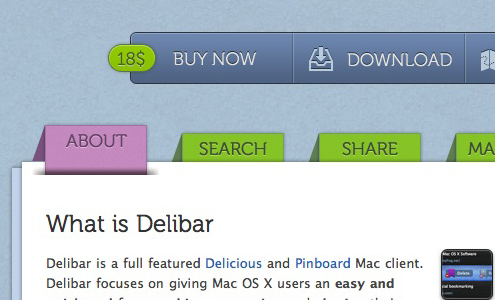
Prominent tabs draw attention so that users do not miss important information.
Don’t Take Control Away From Users
One-page websites with smooth scrolling (horizontal and/or vertical) are a growing trend now. But don’t leave users stuck should they not want to use the navigation you provide.
Users who realize that the page extends beyond the fold will likely try to use their mouse or scroll bar to navigate down. Removing scrolling just shows how taking away basic browsing functionality (and thus taking control away from the user) can impair the overall experience. Users will feel that they are not in control of their own browsing.
If you are including page scrolling in your design, you could improve usability by providing keyboard navigation and shortcuts. This provide another option by which users can navigate the page. Now they’ll have the scroll bar, the mouse and the keyboard. jQuery for Designers has a tutorial on adding keyboard navigation using jQuery.
When deciding how your design and its jQuery should function, think of how your choices might impede basic functionality and how users might react to that.
While providing links to navigate down the page, designinsocial does not let users browse freely with their mouse or scroll bar. As you can see below, content exists below the fold and users will want to scroll down.
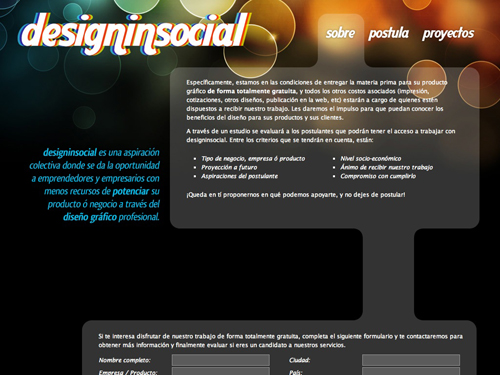
Screenshot of designinsocial at 1024 x 768 pixel resolution.
Use jQuery To Improve Form Validation
jQuery can easily improve form validation and can be triggered either by the “Submit” button or by the user focusing off a field (.blur()). But remember that JavaScript form validation should never entirely replace server-side validation.
Using jQuery to help validate forms can have two very important benefits to users:
- The user won’t have to wait for the page to reload to learn that they made an error. Also, if the page has to reload before an error message is displayed, the user might assume that their submission was successful and overlook the message.
- jQuery allows for easier and more effective error highlighting; for example, by changing the border and background color of relevant inputs or by using animation, such as a tooltip, to catch the user’s attention.
Trevor Davis has an informative article entitled “AJAX Forms with jQuery,” which has some great tips on implementing form validation with jQuery.
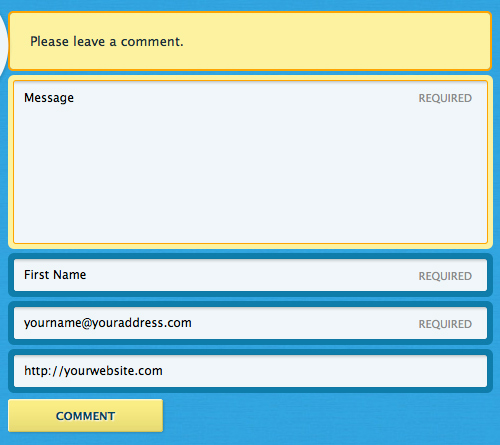
jQuery form validation for comments on Blue Sky Resumes.
Blue Sky Resumes uses jQuery on its blog comment form by changing the background and border color to highlight input fields with errors. A validation summary also appears above the form to further explain the error.
Prevent Animations From Stacking
One of the great features of jQuery is that it allows you to enhance a design by animating elements. This includes fading, changing colors and moving elements. One jQuery animation, often used to de-clutter an interface, is to hide information such as image captions and then display it on hover.
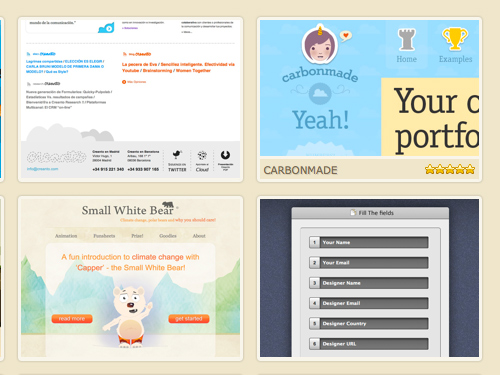
A CSS showcase uses jQuery animation to display an item’s title and rating when you roll over the screenshot.
One problem that many designers and developers overlook, though, is that such animations can quickly “stack.” When a page has many thumbnails, and a user quickly hovers over several at a time, then the animation will drag behind one by one, even though the user has stopped moving their mouse. Hovering over the four panels on druckbar demonstrates this problem.
You can use one of two solutions to save users from this hassle. The first is the .stop() function. When .stop() is called on an element, the currently running animation (if there is one) is immediately stopped. For instance, for an element hidden with .slideUp(), when .stop() is called, the element will be displayed but at a fraction of its previous height. Callback functions are not called.
CSSbake uses the following function in the example shown above to prevent animations from stacking:
$("ol#gallery li").hover(function () {
$(".thumb-meta", this).stop().animate({ bottom: '0px' }, 400);
},
function () {
$(".thumb-meta", this).stop().animate({ bottom: '-22px' }, 400);
});
Alternatively, you could use a jQuery plug-in such as hoverIntent, which fires an animation only if the user’s mouse slows down enough, making it obvious that they are intentionally hovering over an element.
Keep Content Animation To A Minimum
Because JavaScript functions are so easy to implement with jQuery, many of us easily get carried away with animations, causing disruption for the user. Some websites use jQuery to load images as the user scrolls down the page, thus making the initial page load faster and allowing users to access content more quickly. Mashable, a popular social media news website, does this. While this is great for users who have a slow Internet connection, it does have its drawbacks.
The fade-in animation tied into this technique can be quite distracting for the user. If a user is steeped in an article, the fade-in as they scroll down might break their flow. It would be more effective if the image loaded with no animation, ideally just before the image area came into the viewport, to avoid disruption.
So, think about how animation and other jQuery functionality will affect the user’s ability to concentrate on the main content.
Conclusion
jQuery’s ever-growing popularity has brought to light the wide range of possibilities it offers. The points discussed here are just a handful of the current trends in interactive design. As you would with any design element, think of how your decisions will affect users. Is the element easy to use? Are the processes easily understandable? If something goes wrong for the user, how might they react? Questions like these can help iron out errors, giving users a more solid interactive design and user experience.
Showcase Of Websites With Effective jQuery
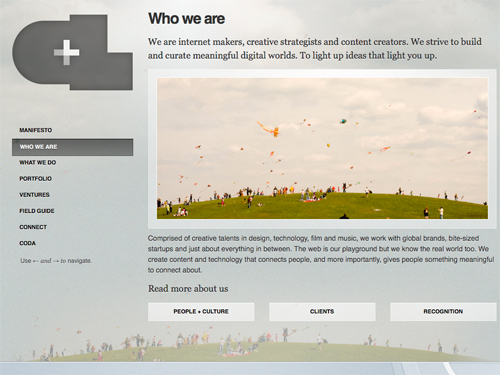
Crush + Lovely Crush + Lovely uses jQuery to create a smooth scrolling effect when a navigation item is clicked. The user experience is enhanced through keyboard navigation: the left and right arrow keys scroll the page between sections.
Shaun Inman Shaun Inman uses jQuery to highlight the item that the user is hovering over. The other animations make the interface and experience more fun for the user.
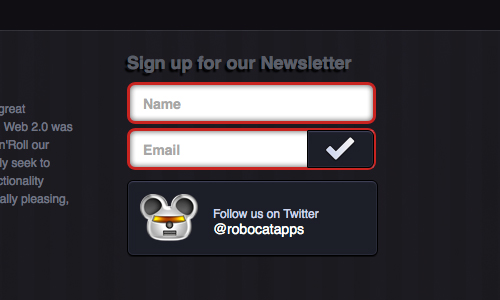
Robotcat Robotcat reinforces its newsletter sign-up form validation with jQuery, by highlighting any errors. Form fields are highlighted with a prominent red border.
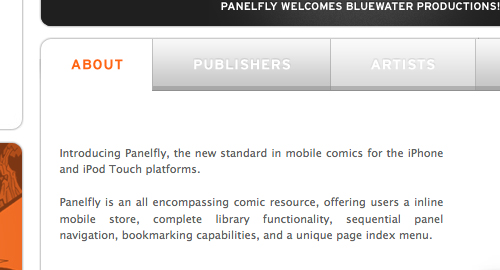
Panelfly Panelfly features tabbed content in its high-impact design so that the user does not miss important content.
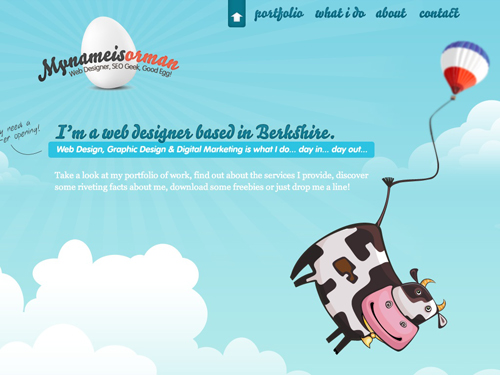
Orman Clark Orman Clark’s portfolio has fixed navigation and jQuery that create smooth scrolling between the sections of the one-page design, while still allowing the user to move with the scroll bar or mouse.
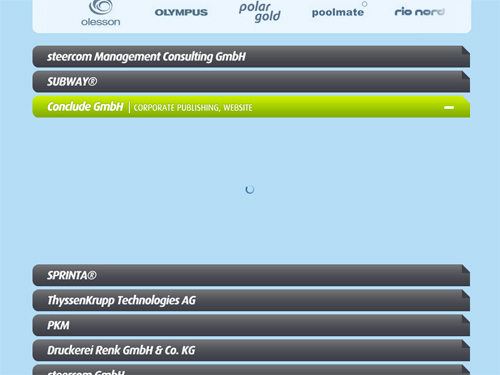
Jan-Eike Koormann Jan-Eike Koormann uses jQuery and AJAX to load items in his portfolio. When an item is loading, a graphic lets the user know that something is happening.
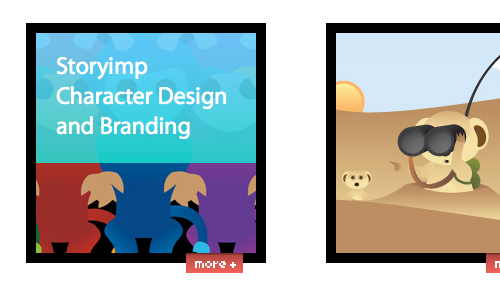
YAY Paul YAY Paul uses hover events to animate and display the titles of his portfolio pieces. Using the methods described above, Paul West prevents animations from stacking.
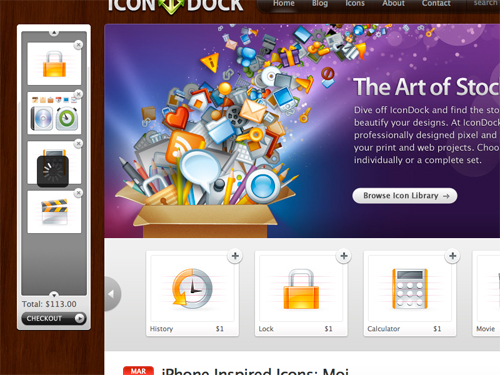
IconDock IconDock uses jQuery to create a unique and playful experience when the user adds items to the cart. In addition to being able to click the “Add to Cart” links, users can drag icon images to the cart. A loading graphic lets users know that the cart is being updated.
Useful Resources
- 45+ New jQuery Techniques For Good User Experience
- 9 Common Usability Mistakes In Web Design
- 10 Usability Nightmares You Should Be Aware Of
- jQuery and JavaScript Coding: Examples and Best Practices
 (al)
(al)

