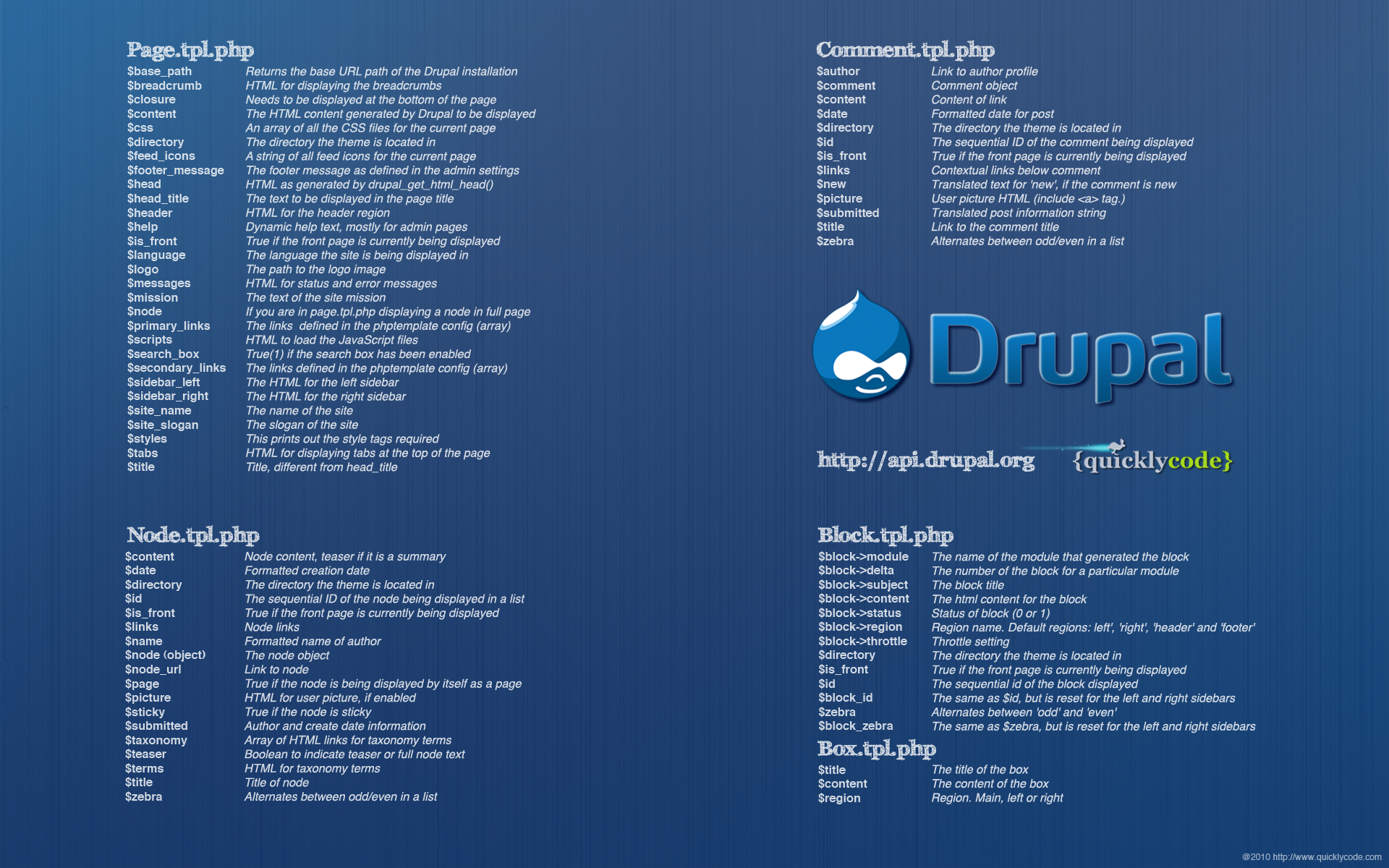
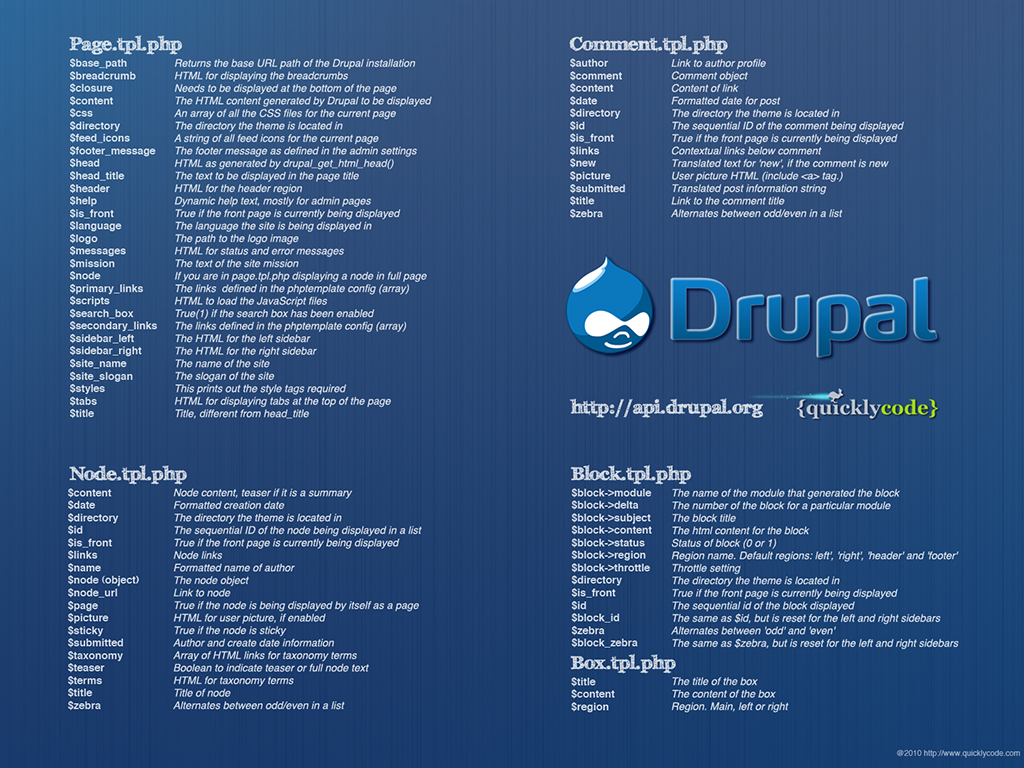
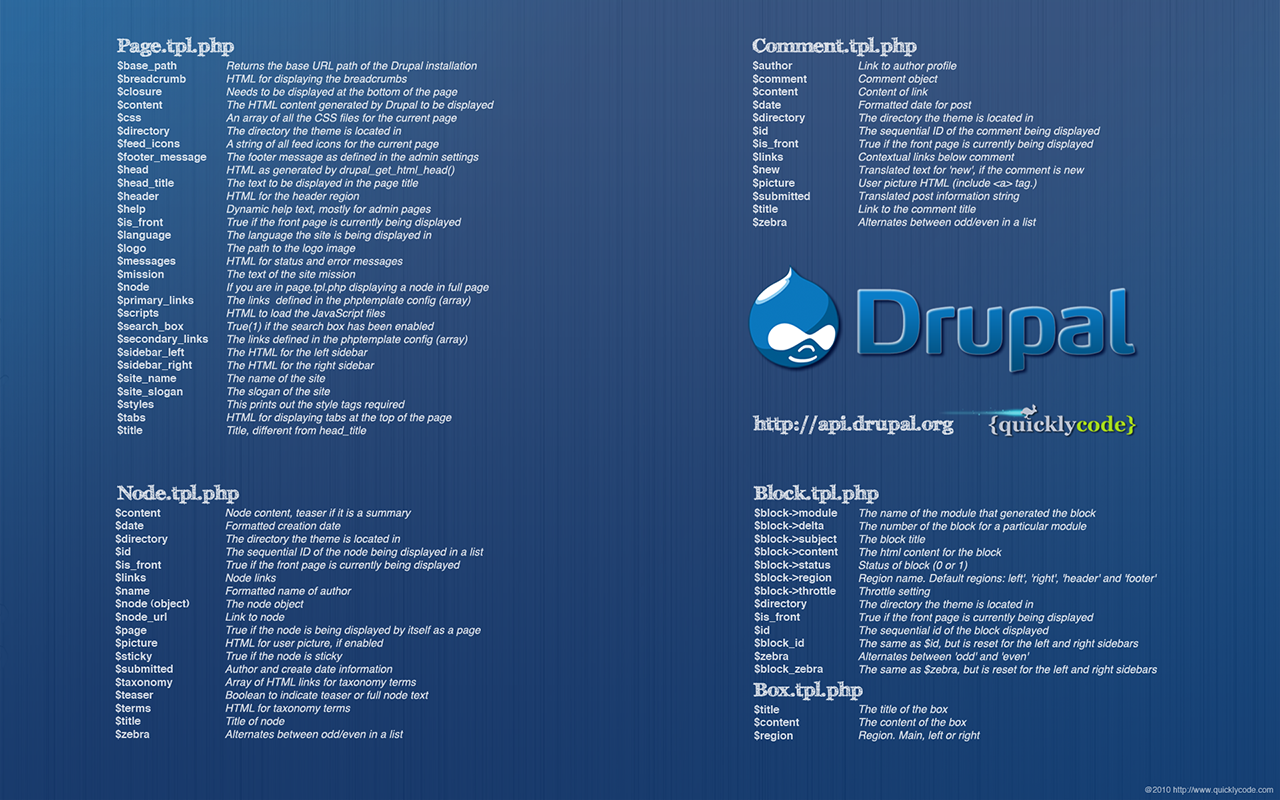
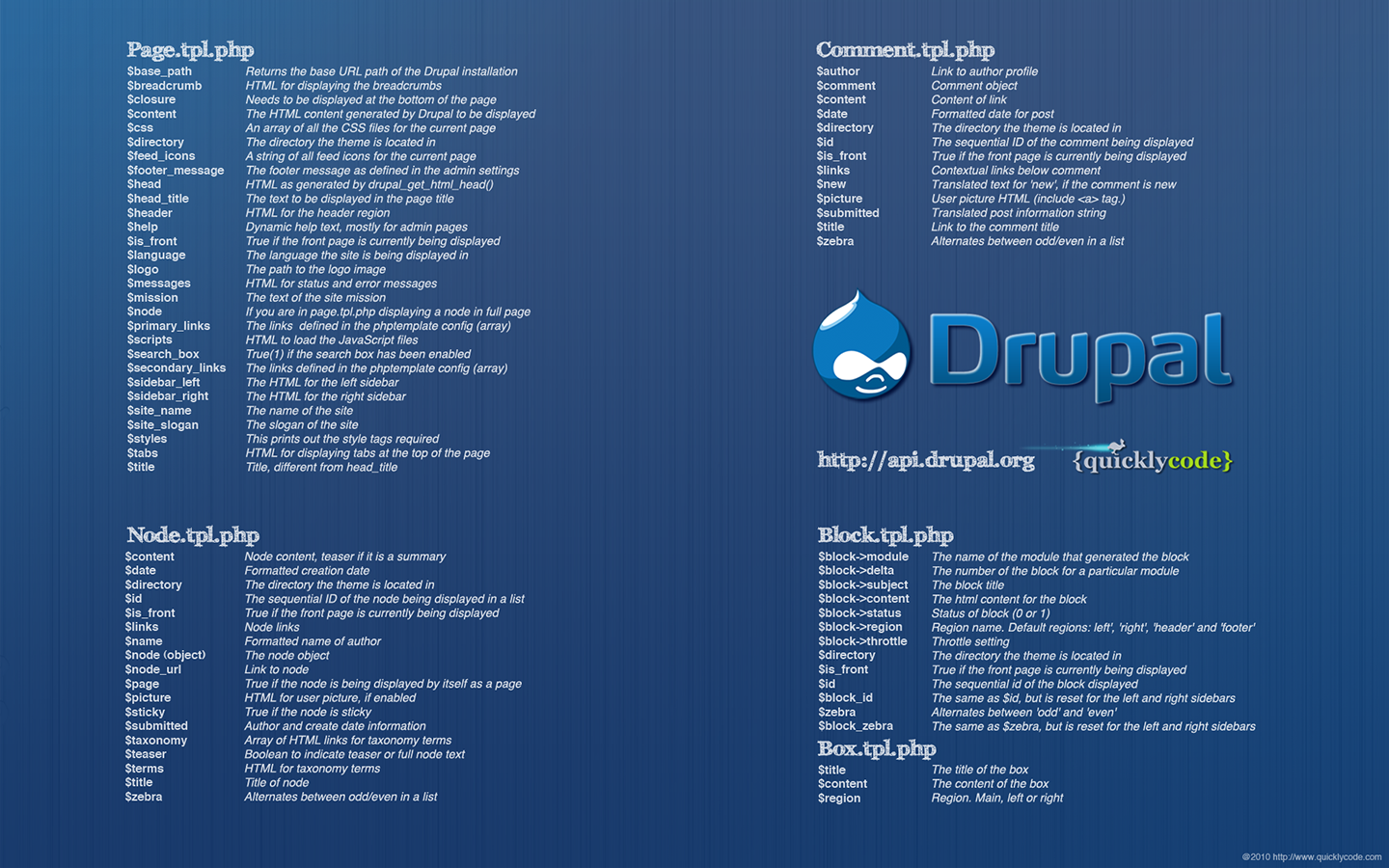
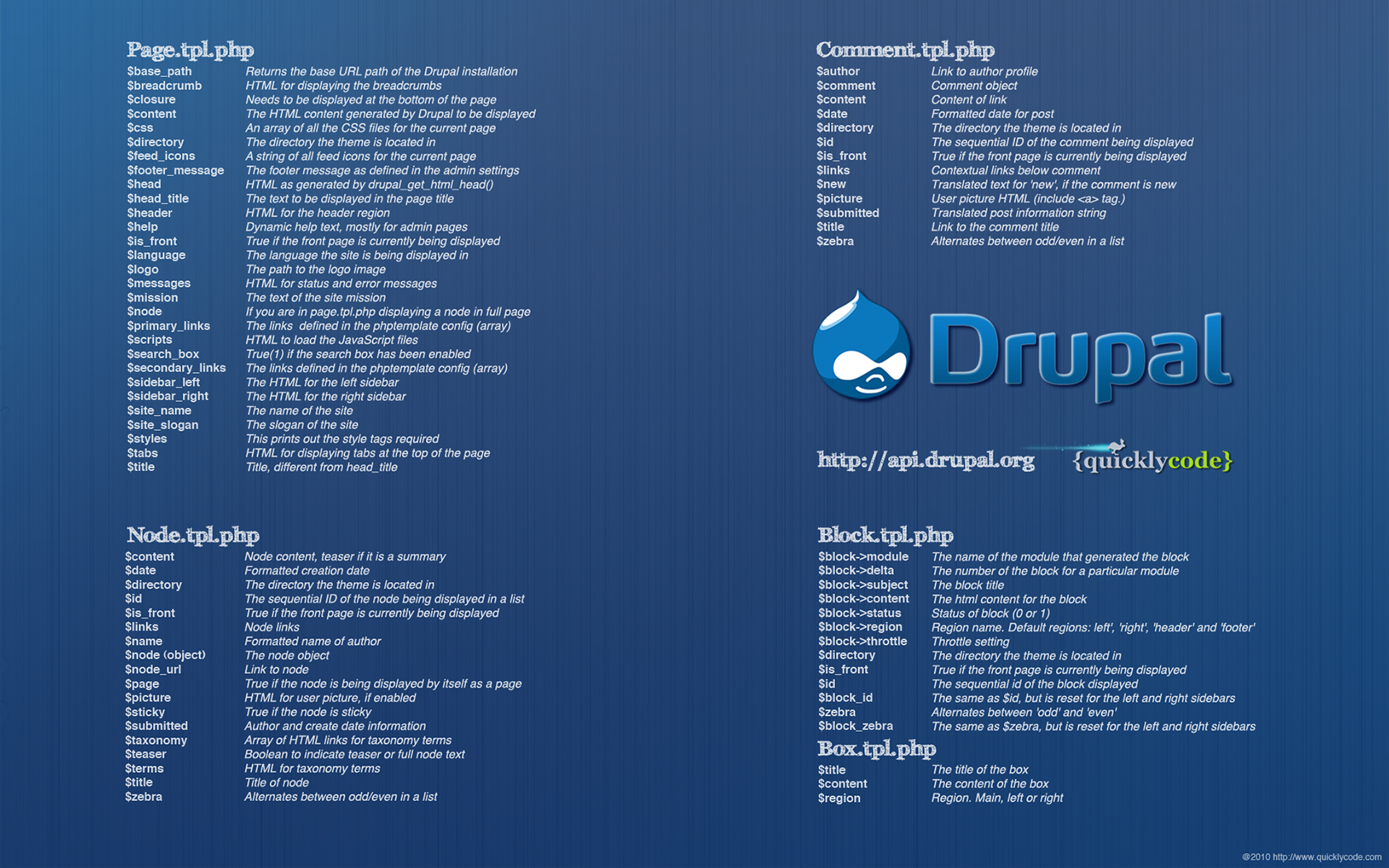
Drupal Cheat Sheet Desktop Wallpaper

Advertisement

In this post we release a yet another freebie: a Drupal Cheat Sheet Desktop Wallpaper, a desktop wallpaper that features most popular variables of the open source content management system Drupal. The wallpaper was created by Giovanni Scala for Smashing Magazine and its readers.


Download the wallpapers for free!

Screenshot

Features

This pack is a set of wallpapers for Drupal developers showcasing available Drupal variables and their descriptions in a compact overview.

  • Page.tpl.php defines the main skeleton for the page,
  • Node.tpl.php controls the display of a node, and a node summary,
  • Comment.tpl.php defines the HTML for the comments block,
  • Block.tpl.php contains theme implementation to display a block (left and/or right side of page),
  • Box.tpl.php prints a simple HTML box around a page element.

Blockbox
Blockbox

Comment
Comment

Node
Node

Page
Page

Behind the design

As always, here are some insights from the designer:

Web developers typically work with many windows and applications opened at the same time, so why don’t use a wallpaper background to help remembering most used variables without opening a yet another window? Many users have alrealdy appreciated the WordPress Help Sheet Wallpaper, so we hope that the Drupal theme developers will enjoy this one, too.

Thank you, Giovanni. We appreciate your work and your good intentions.

We love high-quality content and we care about little details. We believe that good content and design are crafts worth sharpening. Located in the lovely city of Freiburg, Germany. Mostly Vitaly (vf), Iris (il) and Sven (sl).

  1. 1

    AeM

    June 14th, 2010 11:28 am

    thanks ! \o/

    0
  2. 2

    decibel.places

    June 14th, 2010 11:46 am

    With about 60 desktop icons, the wallpaper would work much better if darker – or perhaps lighter – the default blue makes it hard to see desktop denizens

    0
    • 3

      Brandon

      June 14th, 2010 12:24 pm

      I like using Fences for that problem. It gives organization to your desktop icons while adding a backdrop to the icons so that they can easily be seen. Then, when you want to see your wallpaper, just double-click the desktop and they all disappear.

      0
    • 4

      jp

      June 14th, 2010 8:30 pm

      why in god’s name would you have 60 icons on your desktop.. ugh..

      +1
    • 5

      decibel.places

      June 27th, 2010 3:43 pm

      I darkened the background and shifted the text right to leave room for desktop icons on the left
      http://netsperience.org/sites/default/files/images/DrupalWallpaper1440x900DarkerShiftRight.png
      (yes, a designer will see I scaled the bg to fill the left area, instead of tiling it – but I think that provides a smoother bg under the icon area)

      @jp – normally I have 40-50 desktop icons (most are shortcuts to folders I drop files or open frequently) – then a few app shortcuts, some random downloads etc.

      0
  3. 6

    TheAL

    June 14th, 2010 12:14 pm

    Drupal + Smashingmag = Win!

    0
    • 7

      SlowX

      June 14th, 2010 7:11 pm

      I vote with TheAL.

      0
  4. 8

    Lee Regan

    June 14th, 2010 1:05 pm

    Is there a PDF version of this available?? I have a habit of putting them into a notebook of cheat sheets I have.

    In any case, thanks for making this!

    0
    • 9

      Vitaly Friedman (Smashing Editorial)

      June 14th, 2010 2:19 pm

      I will ask the designer to create a PDF version, too! Please stay tuned.

      0
      • 10

        Anja Schirwinski

        June 21st, 2010 2:04 am

        Have you heard back from the designer yet?

        0
  5. 11

    Dimitris24sta23

    June 14th, 2010 2:09 pm

    Thaaaaaaaaaaaaaanks!

    0
  6. 12

    Helge-Kristoffer Wang

    June 14th, 2010 3:36 pm

    Awesome! :-) Would have been fun with different color schemes tho’.

    0
  7. 13

    ivan mejia

    June 14th, 2010 5:06 pm

    Nice wallpaper. may be you want to see this Drupal Cheat sheet for beginner :) http://drupalmexico.com/drupal-cheat-sheet-para-empezar

    0
  8. 14

    zwie

    June 14th, 2010 7:16 pm

    Very nice =) Big thanks!

    0
  9. 15

    Kevin Althaus

    June 14th, 2010 8:15 pm

    I am working on a Drupal project now and this is perfect, thank you Smashing (and creator)! Please more Drupal articles and resources. PDF version++

    0
  10. 16

    Palash

    June 14th, 2010 9:29 pm

    Thanks so much for this! I use Drupal on a daily basis, and this will be a very handy reference sheet.

    Could you by any chance make another version with the most common theme functions? That’ll be kickass for us designer-noob-programmers. Thanks! :)

    +1
  11. 17

    Ron

    June 14th, 2010 9:42 pm

    this is awesome! I just started using drupal a crap ton, maybe ill make it a background on one of my spaces !

    Thanks again

    0
  12. 18

    Cherenkevich Aleksey

    June 14th, 2010 11:00 pm

    Thank you for your work. Great idea!

    But in my opinion the typography of this helper is not good. There are ways to improve it.

    0
  13. 19

    Michael

    June 14th, 2010 11:29 pm

    I need a tuttotial how to make own design for drupal.

    0
    • 20

      TheAL

      June 15th, 2010 12:05 am

      @Michael: Tutorial for making a Drupal theme? Try Drupal 6 Themes by Ric Shreves. 312 pages of Drupal theme goodnessed baked right in.

      0
      • 21

        slegolego

        June 15th, 2010 2:34 am

        @Michael : I’ve got this book from Ric Shreves and i agree with AL , it’s really useful and give a great insight of Drupal theming functions and other in depth features. I suggest you also to lurk around drupal.org, it’s full of guides and information. Plus the community is huge and really supportive.

        0
        • 22

          SlowX

          June 15th, 2010 4:27 am

          Anyone have a feel if this book and its info will be outdated w/ Drupal 7?

          0
          • 23

            slegolego

            June 15th, 2010 5:00 am

            @SlowX That’s an interesting question, but i’ve got a feeling that untill october ( as Michael says) this book will be one of the best guide available.
            I’m sure as soon as Drupal go 7 there will be a spawn of new books and this one will be outdated, but in general I don’t know if the render engine will change , the basic theming structure looks pretty similar to me, even if , as you can see, there are a lot of improvements especially on the theming functions : http://drupal.org/update/theme/6/7. At the same time it gives you an in depth knolwedge of the whole theming structure in drupal and even how to create a theme form scratches.

            0
      • 24

        Michael

        June 15th, 2010 4:49 am

        thanks a lot!

        I’ve found this book on amazon Drupal 7 Bible by Ric Shreves. Release date is 15 october 2010.

        0
  14. 25

    Michal

    June 15th, 2010 2:28 am

    Finaly a smasmag, drupal article!

    0
  15. 26

    Sean

    June 15th, 2010 6:04 am

    Thanks for the Drupal support!

    0
  16. 27

    Mo

    June 15th, 2010 8:15 am

    Brilliant!

    Can we expect something similar for Joomla! use too? ;)

    Mo x

    0
  17. 28

    SoFlaWeb

    June 15th, 2010 9:28 am

    Smashing Drupal!!! :)

    0
  18. 29

    Sweefy

    June 15th, 2010 9:58 am

    Very good idea, use on my desktop, thank you for sharing.

    0
  19. 30

    soren121

    June 15th, 2010 11:24 am

    I whipped up a 1280×1024 version in Photoshop if anyone wants it:

    http://img251.imageshack.us/img251/1197/drupalapi2.jpg

    0
  20. 31

    Adam DiCarlo

    June 15th, 2010 11:31 am

    Blocks can appear in any theme region, not just in a sidebar. Cool reference having all of those variables and descriptions in one place, though if you’re building your theme off of Zen (which you usually should) there will be some other variables available and maybe some differences.

    Why use Zen? As long as you follow its instructions (i.e. don’t completely butcher its CSS) you’ll have a muuuuch easier time getting your theme to work in many browsers.

    Whether you use Zen or (e.g.) 960, please, please use a base theme, don’t code from scratch, and *don’t start from a copy of Garland*.

    0
  21. 33

    Andy

    June 16th, 2010 10:05 am

    Suck my node/1337.

    -1
  22. 34

    Fire pits tables

    June 16th, 2010 5:13 pm

    Is drupal really nice.???I would love to figure this out!

    thanks

    fire pit

    0
  23. 35

    Dave

    June 16th, 2010 7:30 pm

    Thanks for posting a Drupal article! I was shocked to see it come up on my RSS feed. Please, more Drupal stuff!

    0
    • 36

      Kathryn

      September 17th, 2010 7:47 am

      I would love to see more Drupal stuff, too!

      0
  24. 37

    Sid

    June 17th, 2010 4:57 am

    Wow .. Creative way to share cheat sheets .. Love this .. Thnx

    Sid

    0
  25. 38

    Dijup

    June 17th, 2010 11:41 pm

    Wow ..Looks Good!

    0
  26. 39

    Ipads Tablet

    June 21st, 2010 9:18 pm

    a Drupal Cheat Sheet Desktop Wallpaper, a desktop wallpaper that features most popular variables of the open source content management system Drupal. The wallpaper was created by Giovanni Scala for Smashing Magazine and its readers.

    ipad tablet

    0
  27. 40

    Matthe Winters

    July 10th, 2010 10:53 am

    Love it! Every once in a while when its necessary to reference a theme variable, it’s nice to not even have to open a browser or look for notes.

    0
  28. 41

    edwardson sarenas

    July 19th, 2010 10:54 pm

    how to display the admin name or the user that is logged in?

    is it included in the wallpaper?

    0
  29. 42

    Jane

    October 5th, 2010 10:18 pm

    Great one!

    0
  30. 43

    Giovanni Scala

    January 29th, 2011 7:39 am
    +1
  1. 1

    Palash

    June 14th, 2010 9:29 pm

    Thanks so much for this! I use Drupal on a daily basis, and this will be a very handy reference sheet.

    Could you by any chance make another version with the most common theme functions? That’ll be kickass for us designer-noob-programmers. Thanks! :)

    +1
  2. 2

    Sheena Donnelly

    June 17th, 2010 11:05 am

    There are tons of other great Drupal base themes besides just Zen. Zen (http://drupal.org/project/zen) is probably the best for beginners, but is a little restrictive in the regions and layout options out of the box.

    Some other great base themes include:

    NineSixty (based on 960.gs) http://drupal.org/project/ninesixty
    BluePrint http://drupal.org/project/blueprint

    and the two most advanced/flexible base themes:
    Fusion http://drupal.org/project/fusion
    Adaptive Theme http://drupal.org/project/adaptivetheme

    +1
  3. 3

    jp

    June 14th, 2010 8:30 pm

    why in god’s name would you have 60 icons on your desktop.. ugh..

    +1
  4. 4

    Giovanni Scala

    January 29th, 2011 7:39 am
    +1

Leave a Comment

Yay! You've decided to leave a comment. That's fantastic! Please keep in mind that comments are moderated and rel="nofollow" is in use. So, please do not use a spammy keyword or a domain as your name, or it will be deleted. Let's have a personal and meaningful conversation instead. Thanks for dropping by!

↑ Back to top