hidden

Smashing Magazine

50 Powerful Time-Savers For Web Designers

Advertisement

Being a web designer is not easy. Not only do we need to have a good understanding about visual design, typography, information architecture, psychology and a plethora of other disciplines; in our work, we need to take care of so many details, so that our job becomes more and more time-consuming, requiring dozens of tools, attention span and an effective workflow for beautiful, timely and functional results.

And this is where small time-savers become handy. Be it a handy checklist, batch installer, dummy image generator or converter from Excel spreadsheet to HTML — all these things can save us a couple of minutes every day, making our work easier and more efficient. And this is why we keep collecting them for Smashing Magazine’s readers. Whether you like lists or not: this one will probably help you find those little nuggets out there that will help you avoid headaches and stress. Below we present useful time-savers for web designers.

You may want to subcribe to Smashing Magazine’s E-Mail Newsletter (32,600 subscribers) to keep updated about new useful tools, techniques and resources. The newsletter is sent out once every two weeks.

[Offtopic: by the way, did you know that there is a Smashing eBook Series? Book #2 is Successful Freelancing for Web Designers, 260 pages for just $9,90.]

Time-Savers For Web Designers

LaunchList
This tool helps you review important items before the big launch. By default, the tool provides 28 items to be checked, but it also allows you to add custom items to the list. Each item can be commented on or crossed out. Once you’re done, you can send the report along with project’s details to multiple recipients via email. Alternatives: Ultimate Website Launch Checklist and Paul Boag’s The Ultimate Website Prelaunch Checklist.

Launch in 50 Powerful Time-Savers For Web Designers

Pencil Project: Sketching and Prototyping with Firefox
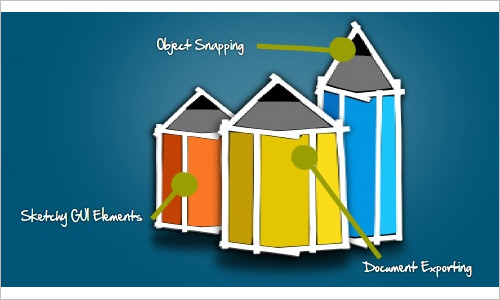
Pencil is an open source GUI prototyping tool. It contains built-in stencils for diagrams and prototyping, on-screen text editing with rich text support as well as standard drawing operations. Works in Firefox 3.5+.
Useful-tool-212 in 50 Powerful Time-Savers For Web Designers

Zootool
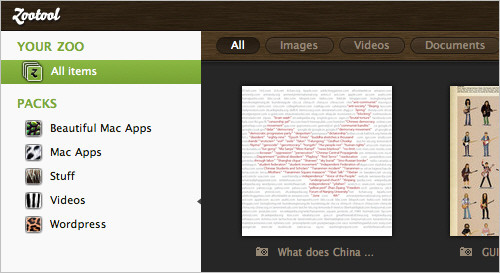
Zootool is a bookmarking website and tool for collecting images, documents, links and videos from anywhere on the Web. A bookmarklet allows you to collect items quickly and easily. You can then tag and organize your saved items in Zootool’s back end. You can also integrate Zootool with Tumblr, Twitter, Delicious and FriendFeed to share what you find. Screenshot via MacStories.
Tools-154 in 50 Powerful Time-Savers For Web Designers

Bounce
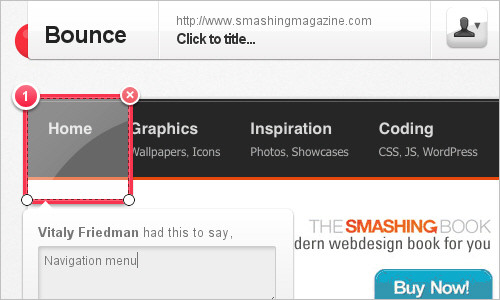
A fun and easy way to share ideas on a website. The tool allows you to make notes, write feedback in an overlay of every site and then share your notes with friends.
Useful-tool-220 in 50 Powerful Time-Savers For Web Designers

Ninite Batch Installer
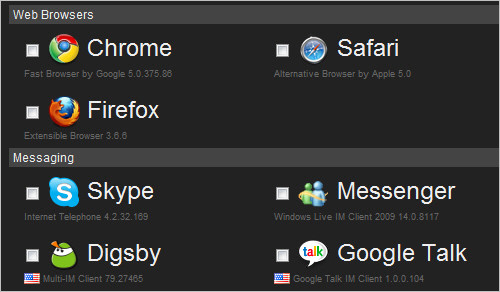
Ninite lets you pick your favorite software from among an extensive list (Web browsers, messaging, media, images, documents, security, runtimes, file sharing, utilities, compression, developer tools and more), creates a batch installer for them and then installs them for you automatically. Alternative: Allmyapps allows you to bundle your favourite applications, install them in a single click and reinstall them whenever you need to.
Handy-004 in 50 Powerful Time-Savers For Web Designers

Support Details
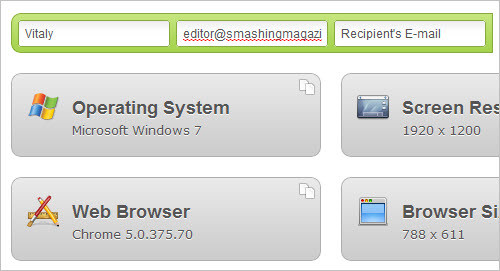
When in doubt, send your customers to this tool. Their data will be automatically read out of the browser (including Flash version, operating system, cookies, JavaScript status, screen resolution, browser size and more) and can be copied, sent directly to you via email or saved.
Supportdetails in 50 Powerful Time-Savers For Web Designers

MugTug’s Darkroom
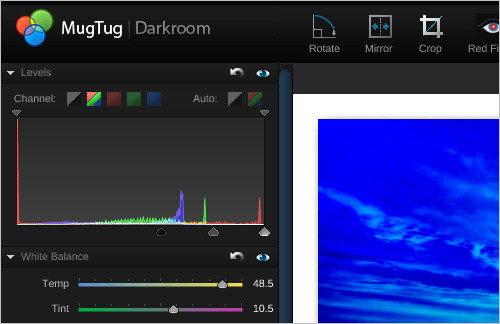
When you need to modify a picture but don’t have your favorite software on hand, you can use the all-in-one image processor MugTug’s Darkroom which was created for photographers. You are able to adjust levels, white balance, exposure, contrast and saturation and apply a few photographic effects. In addition, Darkroom allows to upload pictures from Picasa and Flickr. Alternatives: Pixlr and Sumo Paint.
Handy-005 in 50 Powerful Time-Savers For Web Designers

Visual Website Optimizer
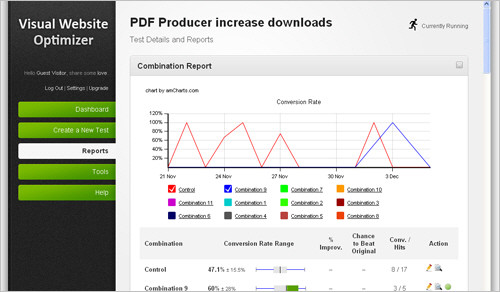
Visual Website Optimizer is undoubtedly the best A/B, split and multivariate testing software ever created by mankind.
Tools-151 in 50 Powerful Time-Savers For Web Designers

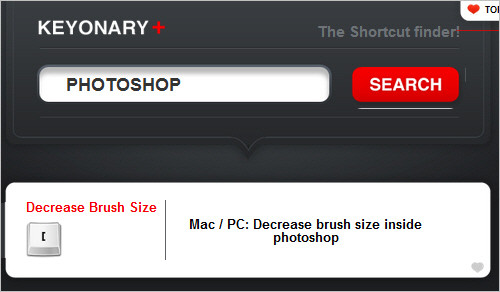
Keyonary
This site a nice little application for finding shortcuts in Mac OS X, Photoshop and so on. Currently, more than 250 Photoshop shortcuts have been added. Simply type the name of application in the search box, and it spits out a long shortcut list.
Tools-143 in 50 Powerful Time-Savers For Web Designers

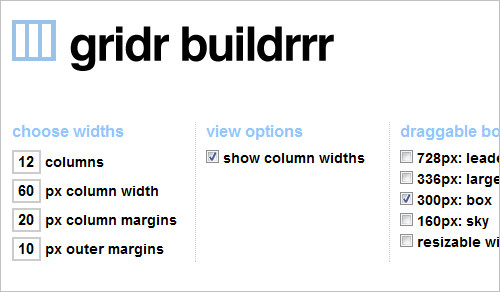
gridr buildrrr
This generators allows you to choose the grid for your layout and preview it online.
Tools-145 in 50 Powerful Time-Savers For Web Designers

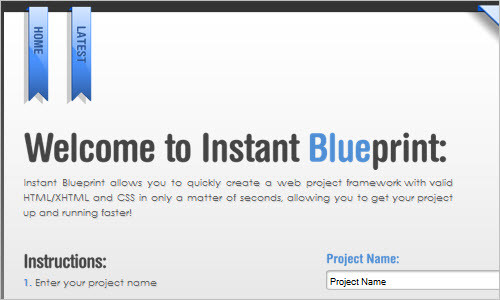
Instant Blueprint – Create a web project framework in seconds.
Instant Blueprint allows you to quickly create a web project framework with valid HTML/XHTML and CSS in only a matter of seconds, allowing you to get your project up and running faster!
Useful-113 in 50 Powerful Time-Savers For Web Designers

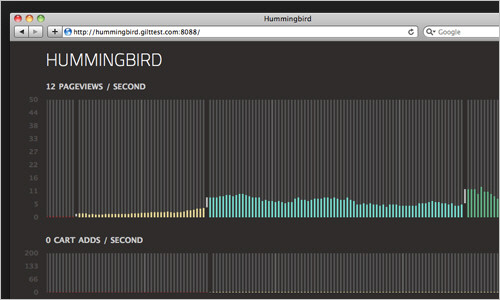
Hummingbird
Hummingbird lets you see how visitors are interacting with your website in real time. Hummingbird is built on top of Node.js, a new javascript web toolkit that can handle large amounts of traffic and many concurrent users.
Useful-tool-227 in 50 Powerful Time-Savers For Web Designers

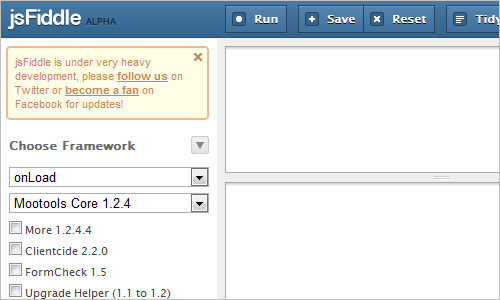
jsFiddle
Online Editor for the Web, with support of JavaScript, MooTools, jQuery, Prototype, YUI, Glow and Dojo, HTML and CSS. The tool lets you save and run your applications within the web browser.
Useful-tool-213 in 50 Powerful Time-Savers For Web Designers

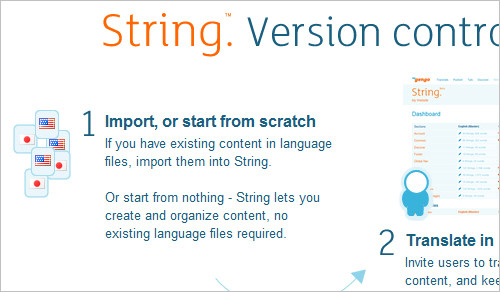
String: create a multi-language website or app
Essentially, String is a version control for localization. This tool allows you to manage your language files – from PHP to PO to Rails to iPhone apps. You can invite users to translate your content, and keep track of changes. You can add new sections and languages as you go and then download your updated language files and place them in your app.
Tools-132 in 50 Powerful Time-Savers For Web Designers

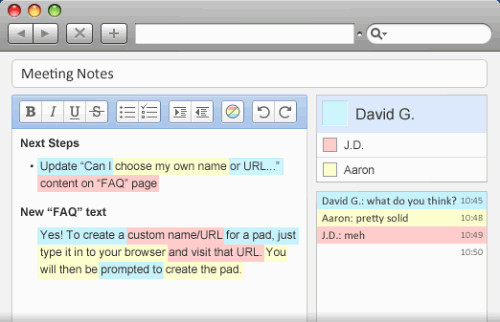
Titanpad
This tool allows you to edit documents simultaneously with other users, highlighting each user’s edits in a different color. Editing is done in true real time. Nice solution for everybody who works collaboratively on text documents, whether in the same office or on the other side of the world.
Titanpad2 in 50 Powerful Time-Savers For Web Designers

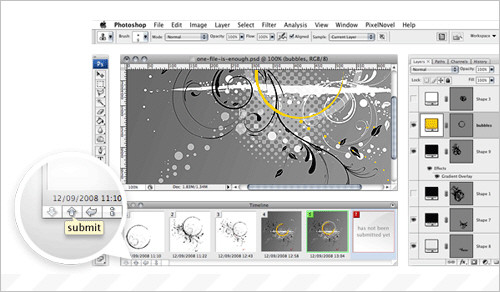
Pixelnovel Timeline: Version Control for Adobe Photoshop
This tool basically integrates a Subversion client in Adobe Photoshop with an Adobe Photoshop plug-in. You can preview versions right in Photoshop and manage version control directly from Photoshop. Not free.
Tools-142 in 50 Powerful Time-Savers For Web Designers

0to255
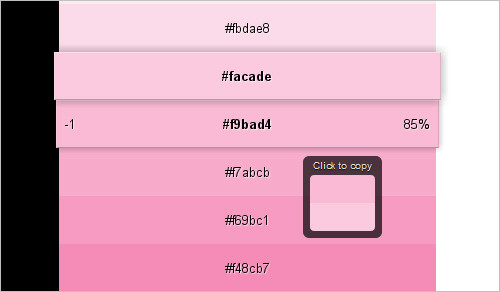
A simple tool that helps web designers find variations of any color. Simply pick the color that you want to start with and 0to255 gives you a range of colors from black to white using an interval optimized for web design. Then, just click the variation you want to use and the hex code is automatically copied to your clipboard.
Tools-135 in 50 Powerful Time-Savers For Web Designers

Load Impact: Website load/stress test
The tool lets you find out the performance limits of your website before you learn the hard way. It is an online service that simulates users accessing your site and creates test report graphs to find out how many users your site could handle.

Useful-213 in 50 Powerful Time-Savers For Web Designers

Ideone: Online IDE & Debugging Tool
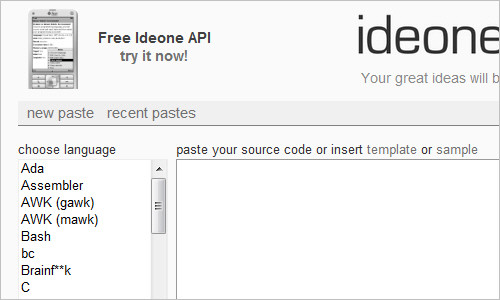
This tool is an online compiler and debugging tool which allows to compile and run code online in more than 40 programming languages, among them C++, Java, JavaScript, Perl, PHP, Python and Ruby. Nice alternatives online: PHP Anywhere (online PHP editor) and CodeRun (allows you to develop, test and debug ASP.NET, PHP and Ajax applications online).
Tools-105 in 50 Powerful Time-Savers For Web Designers

Online Dummy Image Generator
This online tool generates dummy images for you site: you can specify size, background and foreground colors, image format and add custom text. You can also use shortcuts for several standard dimensions including ad sizes (mediumrectangle, skyscarper, leaderboard etc.), screen resolution sizes and video standards (ntsc, pal, hd720, hd1080).

Tools-156 in 50 Powerful Time-Savers For Web Designers

HiFi RegExp Tool
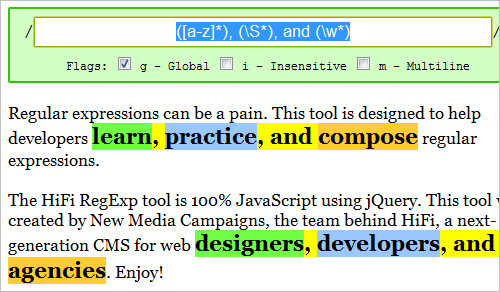
Regular expressions can be a pain. The HiFi RegExp tool is 100% JavaScript using jQuery. This tool was created to help developers learn, practice, and compose regular expressions.
Tools-146 in 50 Powerful Time-Savers For Web Designers

Tableizer
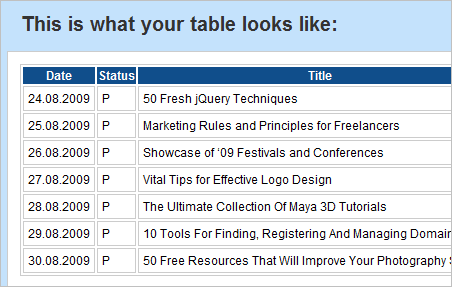
Clients often provide data in spreadsheet form, and reformatting it into HTML can be a real pain. This tool generates HTML tables out of spreadsheet data. Just copy and paste the cells from your spreadsheet, choose your options (font, font size and header color) and you have a properly formatted HTML table for your data.
Tableizer in 50 Powerful Time-Savers For Web Designers

FollowUpThen: Easy Email Reminder
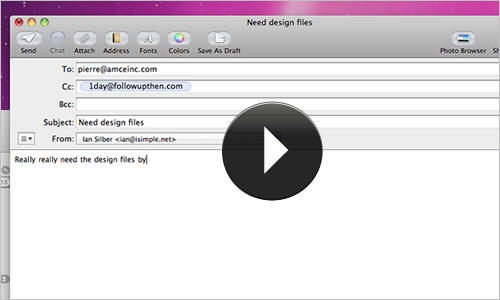
If you don’t mind sending your e-mails to a third-party, try this tool for easy email reminders. On your next email just include time-interval@followupthen.com and the tool will follow up after the time interval you specify. No account is required.
Tools-124 in 50 Powerful Time-Savers For Web Designers

Divine: Conversion tool from PSD to HTML
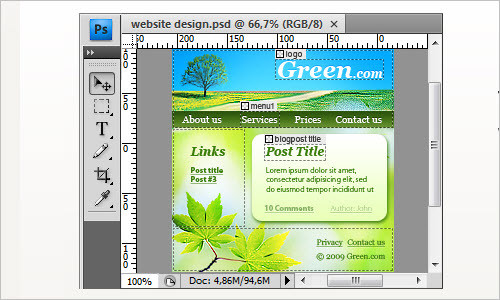
Divine is a plug-in that sits on top of Photoshop. Once you’ve finished designing in Photoshop, launch Divine plug-in in Photoshop, assign WordPress roles to the main elements (e.g. #footer, #header, etc.), and then the plug-in will prepare all the files you need. Once you set FTP access, the tool uploads the theme automatically to your server. Absolutely free.
Useful-200 in 50 Powerful Time-Savers For Web Designers

Kaleido
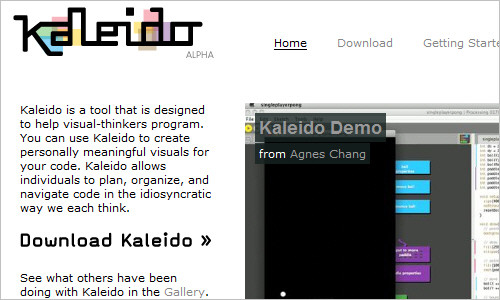
This tool allows you to create meaningful visuals for code and can be used to plan, organize and navigate code in a more intuitive way.
Tools-109 in 50 Powerful Time-Savers For Web Designers

Sketchpad
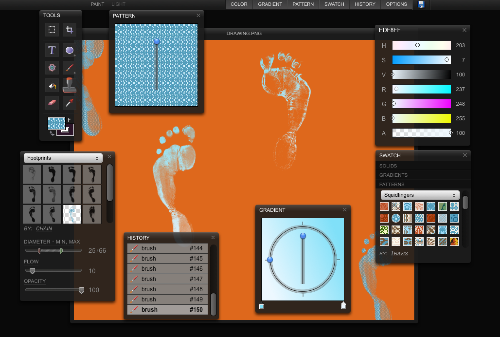
This application is a powerful online image editor. Its tools are organized in handy, draggable boxes that can be positioned very much as you would see in traditional image-editing applications.
Sketchpad in 50 Powerful Time-Savers For Web Designers

Unicode code converter
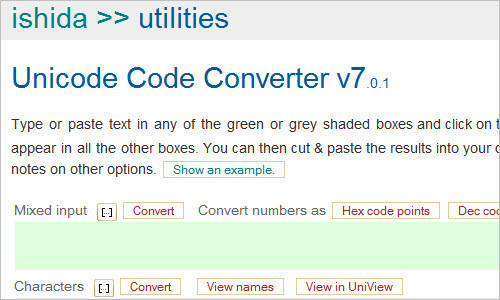
Type or paste text in any of the green or grey shaded boxes and click on the button Convert button above it. Alternative representations will appear in all the other boxes. You can then cut & paste the results into your document.

Useful-155 in 50 Powerful Time-Savers For Web Designers

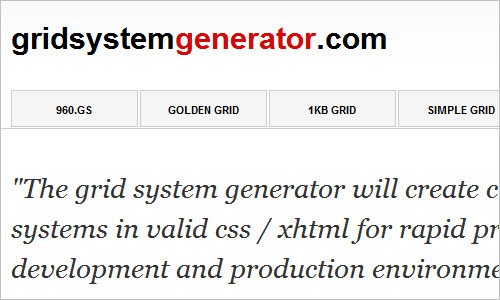
Grid System Generator
This tool generates grid systems in valid css / xhtml for rapid prototyping, development and production environments. The grid system generators offer the ability to customize the width, no. of columns and margin(s) to allow more flexibility for various designs.
Useful-176 in 50 Powerful Time-Savers For Web Designers

ud.com namecheck
The tool checks availability of social usernames, domain names and trademarks.

Useful-tool-217 in 50 Powerful Time-Savers For Web Designers

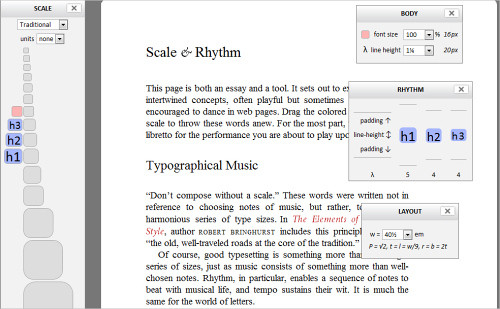
Typograph — Scale & Rhythm
A useful tool for testing typographic scale and rhythm. It lets you set factors such as the typographic scale (traditional, 3:5 Fibonacci, Le Corbusier, etc.), the font size in percentage, line height, the layout, padding and the line height for h1, h2 and h3 headings.
Scale in 50 Powerful Time-Savers For Web Designers

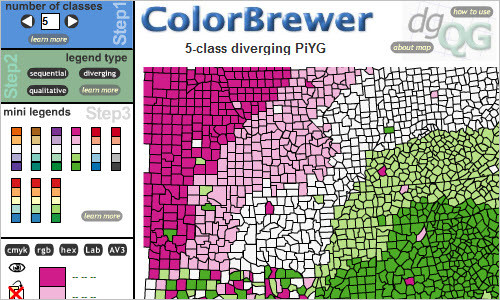
ColorBrewer Intro – Selecting Good Color Schemes for Maps
ColorBrewer is an online tool designed to help people select good color schemes for maps and other graphics.
Useful-210 in 50 Powerful Time-Savers For Web Designers

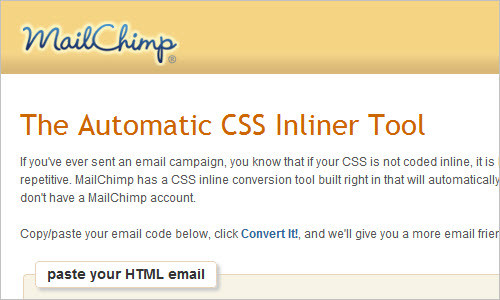
CSS Inliner Tool
If you’ve ever sent an email campaign, you know that if your CSS is not coded inline, it is likely to get stripped out by email clients, which can make your email design pretty funky looking. Writing CSS inline can be time consuming, and repetitive. MailChimp has a CSS inline conversion tool built right in that will automatically transform all of your local styles into inline styles. Designers have found it so useful, we thought we’d share it with everyone else – even if you don’t have a MailChimp account.
Useful-222 in 50 Powerful Time-Savers For Web Designers

HTML Purifier – Filter your HTML the standards-compliant way!
HTML Purifier is a standards-compliant HTML filter library written in PHP. HTML Purifier removes malicious code (better known as XSS) and make sure your documents are standards compliant.

Useful-223 in 50 Powerful Time-Savers For Web Designers

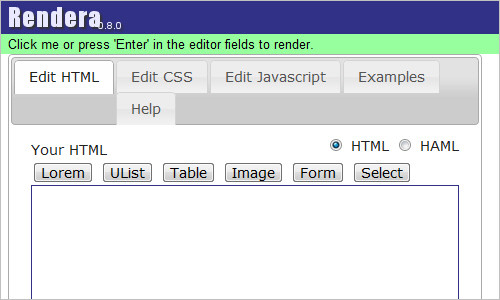
Rendera
Rendera helps you learn HTML5 and CSS. Type in your HTML code and see it rendered in real-time. Then style it with CSS. You can use any of the HTML 5 or CSS3 tags your browser supports. The tool supports HAML and SASS, too.
Useful-tool-204 in 50 Powerful Time-Savers For Web Designers

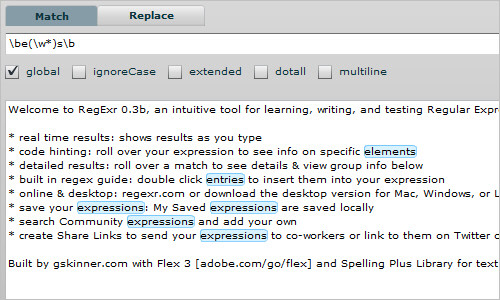
RegExr
An intuitive tool for learning, writing, and testing Regular Expressions.
Useful-tool-211 in 50 Powerful Time-Savers For Web Designers

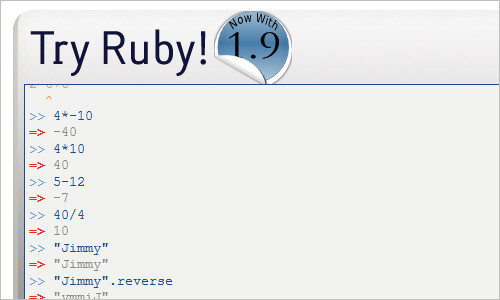
try ruby! (in your browser)
This tool allows you to try out Ruby code in the prompt command line online. It supports Ruby’s built-in methods, and contains a step-by-step tutorial for Ruby newbies.
Useful-tool-216 in 50 Powerful Time-Savers For Web Designers

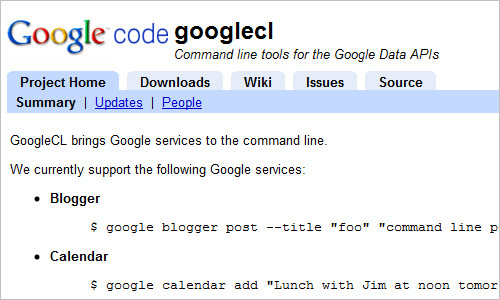
Google Command Line
GoogleCL is a command-line utility that provides access to various Google services. It streamlines tasks such as posting to a Blogger blog, adding events to Calendar, or editing documents on Google Docs.
Useful-tool-222 in 50 Powerful Time-Savers For Web Designers

Tiny Fluid Grid
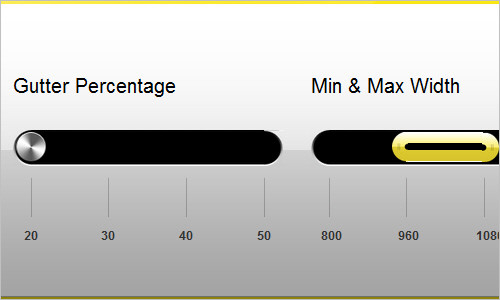
Simple tool that generates code for fluid grid-based layouts.
Useful-tool-206 in 50 Powerful Time-Savers For Web Designers

Fonolo.com
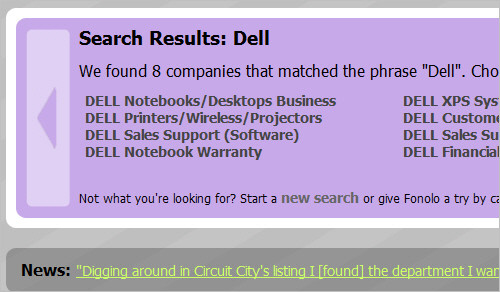
This online tool lets you skip the phone menus for hundreds of companies and makes it less frustrating to call large companies. For business owners, Fonolo allows your customers to actually see your phone menu options, before they call you.
Tools-152 in 50 Powerful Time-Savers For Web Designers

Producteev: Creating To-Do Lists with Emails
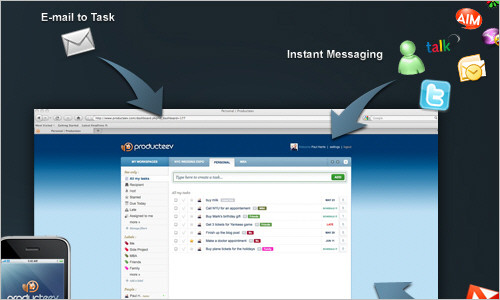
Forward your important emails to task@producteev.com and the tool will create to-do lists on the fly and send you alerts when needed. It can be integrated in E-mails, IM, Web, iPhone, Gmail, Google Calendar etc.
Tools-127 in 50 Powerful Time-Savers For Web Designers

AddUse – User research made easy
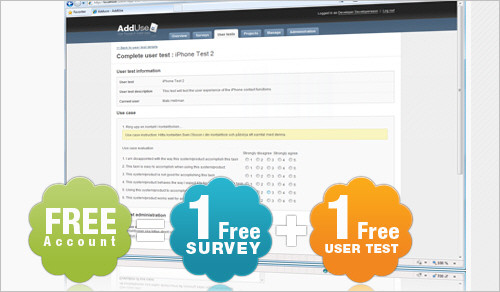
AddUse is a web based tool that helps you create, manage and present your user research in a simple, easy to use and cost efficient way. It’s a tool to use at any given moment in your development process. It presents the results from your user tests, surveys and questionnaires in a graphical way, efficiently helping engineering, marketing and management groups make the right decisions.
Tools-148 in 50 Powerful Time-Savers For Web Designers

bookwhen
Online registration for events, workshops, classes and courses. The free version allows for 150 events with 300 bookings per month.

Useful-tool-218 in 50 Powerful Time-Savers For Web Designers

Further useful tools

see[Mike]code: tool for remote coding interview
This simple tool lets you conduct a short coding interview remotely: it creates a disposable page for the job candidate and allows you to discover people who struggle to code on big or small problems.

jsdo.it
This tool allows you to write code your browser, fork and modify any code, fix bugs and add features and also ask the community about your problems.

JavaScript Error Tracking
The service tracks JavaScript errors that occur on your site and provides you with a stack trace to help you debug. Similar errors are grouped together.

Old Version
Old Version has exactly that, the older version of some of your favorite programs. Why? Because newer is not always better. Sometimes the newer versions cause conflicts. This way, you can always go back to the older version that worked for you.

Onbile
Onbile is a free platform for creating and managing your Mobile Website version for iPhone, Android and Blackberry users

Free Bookkeeping, Accounting, & Tax Services; Self Employment & Freelance Success
Easily import from online accounts to put your bookkeeping on autopilot and prepare taxes. Get up-to-date reports that give you visibility into your P&L, income, and expenses.

iSendr
iSendr lets you send files to your friends directly, without uploading to a server.

seekWP
WordPress documentation search engine.

speedtracer
Speed Tracer is a tool to help you identify and fix performance problems in your web applications. It visualizes metrics that are taken from low level instrumentation points inside of the browser and analyzes them as your application runs. Speed Tracer is available as a Chrome extension and works on all platforms where extensions are currently supported (Windows and Linux).

the Awesome Highlighter
This tool lets you highlight text on web pages and then gives you a small link to the highlighted page.

OpenWith.org
This page provides detailed information about most file extension and links to free programs that can open and create each type of file.

Last Click

Kuku Klok
Online alarm clock and wake-up call for those of us who often work too much and fall asleep in front of the screen. Open the website, select the desired alarm time and set your favorite wake-up call. Keep the browser tab open. Happily, this online alarm clock works even if your Internet connection goes down. The available sounds are “Classic Clock,” “Electronic,” “Slayer Guitar,” “Military Trumpet” and “Cockerel.”

Tools-158 in 50 Powerful Time-Savers For Web Designers

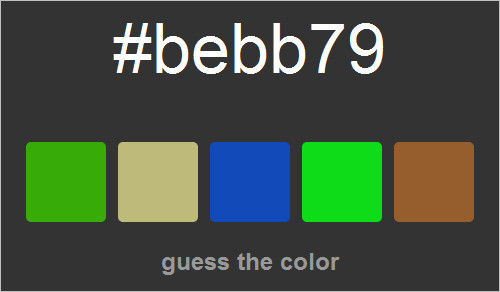
What the Hex?
Among the variety of methods of representing color values, some are easier to identify than others. The hexadecimal system, though, often looks incomprehensible. If you feel you know colors pretty well, then this is a simple game for you. All you have to do is match the hexadecimal code (which is actually a group of three hex numbers: #rrggbb) with the corresponding color. Of course, this is easier said than done, but you can adjust the difficulty by displaying between 2 and 48 possible answers.
Tools-160 in 50 Powerful Time-Savers For Web Designers

Would you like to see more similar round-ups on Smashing Magazine?


Related Posts

You may be interested in the following related posts:

Vitaly Friedman, editor-in-chief of Smashing Magazine, an online magazine dedicated to designers and developers.

68

Tags: , ,

Advertising
  1. 1
    luke
    June 28th, 2010 5:48 am

    fantastic article, thanks.

    • 2
      Francisco Costa
      June 28th, 2010 10:14 am

      indeed

  2. 3
    frederick Luna
    June 28th, 2010 5:51 am

    AWSOME, sometimes i think that you are from mars .. .great post Vitaly.

  3. 4
    franlumic
    June 28th, 2010 5:55 am

    Hello,

    Absolutely great list!

    Wanted to suggest a tool I use myself.

    AllWebMenus – tool for creating JavaScript menus.

    http://www.likno.com

    Fran

    • 5
      div
      June 28th, 2010 10:47 pm

      thanks for this tool.

  4. 6
    apipkin
    June 28th, 2010 6:03 am

    One of my go to tools when writing regular expressions is http://www.regexpal.com/ . It’s fantastic and does multiline, auto matching. It quickly let’s me see an error or try different methods to find matching results.

  5. 7
    moabi
    June 28th, 2010 6:05 am

    really nice

  6. 8
    Unyouzed
    June 28th, 2010 6:07 am

    Thanks !

  7. 9
    Zaid Pirwani
    June 28th, 2010 6:14 am

    You guys…. are AWESOME…. thanks for the post….

  8. 10
    Justin Seidl
    June 28th, 2010 6:17 am

    Very helpful and the Launchlist is one of my personal favorites!

  9. 11
    Ingo van Peeren
    June 28th, 2010 6:21 am

    Thanks for the nice collection of tools!

    The Eitherpad link in the article seems outdated.

    • 12
      Vitaly Friedman
      June 28th, 2010 6:32 am

      Thank you, the article was updated. I am sorry to have missed it.

  10. 13
    ArminC
    June 28th, 2010 6:25 am

    Also a great tool: http://www.perfecttypography.com/

    • 14
      Ary Mega
      June 28th, 2010 8:19 am

      This is money. Thanks for sharing, ArminC.

  11. 15
    nico cornwall
    June 28th, 2010 6:26 am

    Very interesting article, thanks for sharing it!!

  12. 16
    Steve Robinson
    June 28th, 2010 6:26 am

    Wow. Some great tools here I’d never heard of. To throw another regex editor, I like http://www.RegexPal.com. Random passwords help me out all the time, too, and for that I use http://www.pctools.com/guides/password/.

    Thank you for putting this together. Excellent List.

  13. 17
    slegolego
    June 28th, 2010 6:32 am

    Nice List.
    Well done.
    A

  14. 18
    Michelle
    June 28th, 2010 6:34 am

    Amazing! This will save me so much time, thanks!

  15. 19
    Digital Yard Sale
    June 28th, 2010 6:34 am

    Fantastic! I’m new to web design, but it’s roundups like this that helped me learn what I needed to know.

  16. 20
    angeloff
    June 28th, 2010 6:36 am

    Very useful tools. tnx again gays !

  17. 21
    Ted Goas
    June 28th, 2010 6:36 am

    Holy jeez! This is almost too much at once. I’ll have to come back to fully digest and decide if I need any of these tools. Great job finding them all, though! Not many in here that I’ve discovered before.

  18. 22
    arnold
    June 28th, 2010 6:53 am

    thanks Friedman

  19. 23
    molly
    June 28th, 2010 7:00 am

    This is a great collection of resources! I often find that with these round-ups Smashing tends to post a lot of things that I have no use for (which isn’t any of your faults, I know!!), but this one is spot on. Thank you guys!

  20. 24
    Chris Fernandez
    June 28th, 2010 7:01 am

    What a great round-up.

    Will doubtlessly be referencing often for a long time to come.

  21. 25
    Russell Heimlich
    June 28th, 2010 7:05 am

    Thanks for mentioning dummyimage.com I hope others like it as much as I did creating it.

  22. 26
    Pierre
    June 28th, 2010 7:13 am

    Thank you for the website http://allmyapps.com It allows you to bundle your favourite applications, install them in a single click and reinstall them whenever you need to

    I just use it

  23. 27
    stellarking
    June 28th, 2010 7:16 am

    Wow, this is great. I know that personally this will help me in my web designing to get things done quicker and please the boss. Once again, thank you for all of your hard work in finding these tools and I look forward to your next blog.

  24. 28
    Brandon
    June 28th, 2010 7:17 am

    Great list of tools! We run http://scriptsrc.net and would love for it to be added to the list.

    Thanks!

  25. 29
    PauliJr
    June 28th, 2010 7:19 am

    WOW! It’s one of those busy Mondays, but I took time to go through majority of websites listed. My bookmarks sure expanded fast. Can’t believe all the stuff that exists out there.

  26. 30
    Brad
    June 28th, 2010 7:20 am

    Love these lists. I bookmarked about half of them. Keep it up SM!

  27. 31
    manolo
    June 28th, 2010 7:32 am

    nice tools!!!

  28. 32
    Munirah
    June 28th, 2010 7:36 am

    Thanks a lot for this, I found just the right tool I can use for converting PDS to WordPress theme in your list. Hopefully, it will save me a lost project. It looks like it is still in the beta version. A free edition with limited functions…..
    Perhaps there are others I can explore. Anyone got idea..?

  29. 33
    Min Kim
    June 28th, 2010 7:46 am

    Always thanks for sharing useful info!

  30. 34
    Bharat
    June 28th, 2010 8:12 am

    Grammatical mistake right in the first sentence. It reads “Being web designer is not easy.”. It should read : “Being a web designer is not easy.”. The article ‘a’ is missing. I think you should take more care when typing at least the first sentence of the article!

    • 35
      chip
      July 6th, 2010 6:56 pm

      who gives a shit. You understood what he was trying to say

    • 36
      JW
      July 26th, 2010 1:09 pm

      Did you read the rest of the article or did the missing article ‘a’ force you to grind to a halt?

  31. 37
    Marcel
    June 28th, 2010 8:19 am

    Great list. And I would add http://placehold.it/
    It’s an easy to use simple alternative to the online dummy image generator.

  32. 38
    Simon
    June 28th, 2010 8:41 am

    Wow, great list! :) How about this time-saving template builder and XHTML/CSS form generator :)

  33. 39
    creativemanner
    June 28th, 2010 8:47 am

    Thanks this is definitely going to be bookmarked!

  34. 40
    jesse
    June 28th, 2010 8:52 am

    great. thank you SO much for mailchimp!

  35. 41
    Brandon
    June 28th, 2010 9:35 am

    Awesome resource! Some of these I’ve never seen before! Thanks!

  36. 42
    Jan
    June 28th, 2010 9:56 am

    Smashing Magazine is killa!

  37. 43
    John G.
    June 28th, 2010 11:05 am

    Many of these are extremely useful and timely. Thanks, guys!

  38. 44
    Hal Borland
    June 28th, 2010 11:46 am

    Love the article!

  39. 45
    Eric
    June 28th, 2010 12:08 pm

    i prefer http://jsbin.com to http://jsfiddle.net

  40. 46
    Tamixes
    June 28th, 2010 12:46 pm

    Wohoo! Great power list, thanks for sharing and posting such a valuable info.

  41. 47
    Aaron H.
    June 28th, 2010 2:09 pm

    Great list, but you definitely should have included jsconsole.com. Great for trying out javascript stuff and easier than Firebug or Web Inspector for lower level stuff.

  42. 48
    Tyhychi
    June 28th, 2010 2:58 pm

    Amazing list!
    Great job! :D

  43. 49
    LuuQ
    June 28th, 2010 3:09 pm

    Absolutely brilliant! Thx very much for this fantastic list. There are so much useful tools for me. Wow!

  44. 50
    Richard
    June 28th, 2010 3:47 pm

    Wish I knew about all these when we designed maplesyrupworld.com/. Would have same a ton of time! But thx Smashing Magazine for the great list!

  45. 51
    Paul Radich
    June 28th, 2010 5:22 pm

    I normally don’t see to much I haven’t seen in these roundups but this one was fresh with at least 4 new one’s added to my bag of tricks. Thanks!

  46. 52
    Amanda Webster
    June 28th, 2010 5:48 pm

    This roundup is great! Looking forward to giving some of these tools a shot.

    Keep ‘em coming!

    -Amanda

  47. 53
    Marcin
    June 28th, 2010 6:57 pm

    Quality article! Absolutely love the scale and rhythm generator. Good work guys!

    A quick plug..

    Heres a online tool that one of my workmates developed awhile back. It was inspired by all those clients hes worked with recently. It’s nothing too fancy but seems to do a few basic things right. lol

    http://txtden.com/

    Quick summary
    - Allows text processing (text in/process/text out)
    - Web colours
    - Keypress -> HTML
    - Client Info (Handy for those times when you need the clients ip, etc)
    - DNS Lookup
    - HTTP Headers

    Keep those awesome articles coming SM! :)

  48. 54
    Seth
    June 28th, 2010 7:51 pm

    Fantastic article, thanks. Ctrl+D this one.

  49. 55
    Praveen Nair
    June 28th, 2010 8:04 pm

    Hi,

    Excellent list. Thanks for sharing.

  50. 56
    web guru
    June 28th, 2010 9:23 pm

    Amazing list! I hav suggestion -plz open all the links in new browser.

  51. 57
    vinay
    June 28th, 2010 10:19 pm

    awesome collection really useful.. Apps.. I saw a site for all webapps with good reviews… may be useful http://go4webapps.com

  52. 58
    Sonic Frequency
    June 28th, 2010 10:25 pm

    Wow!!!! That is an AWESOME ROUNDUP!!!!!! THANKS!!!!!!!!!!!!!!!!!!!!!

  53. 59
    Andreas
    June 28th, 2010 10:30 pm

    talking about timesavers … you have to mention launchy! my favorite

  54. 60
    div
    June 28th, 2010 10:42 pm

    Thanks a TON………..Very very detailed post and very very useful links. I am going to learn and use many things from this wonderful post.

  55. 61
    Dreamzmaster
    June 28th, 2010 10:46 pm

    Thanks a ton!!!
    Great post…

  56. 62
    Julius
    June 28th, 2010 11:07 pm

    Very nice referrence for future use!

  57. 63
    Massimiliano
    June 28th, 2010 11:31 pm

    AMAZING!!!
    Great article!

  58. 64
    David
    June 28th, 2010 11:42 pm

    Thanks for posting this interesting article. I’m constantly trying to find new ways of working more efficiently and saving time whilst working on projects. I really like the 0 to 255 link, very useful way of generating colors that fit together for a design.

  59. 65
    Xacto01
    June 29th, 2010 12:25 am

    Wow this is such a great article. I’ve always wanted a list like this!

  60. 66
    Bruno Monteiro
    June 29th, 2010 12:57 am

    Awesome Post! Many thx!

  61. 67
    emdin
    June 29th, 2010 1:32 am

    Awesome article. Well, as always. -)

    In addition, may be someone will find my tool useful, it’s online XPath expression checker:

    http://emdin-here.ru/r/xpath_checker/

  62. 68
    Jacob Lett
    June 29th, 2010 1:38 am

    Another time-saver for web designers would be http://www.designclipboard.com/

    It offers HTML special characters, hexadecimal color charts, placeholder text with markup, and code snippets all in one place.

  63. 69
    Corentin
    June 29th, 2010 1:49 am

    Thank you for http:/www.allmyapps.com a real life saver <3 It allows me to save my apps and make a bundle.

  64. 70
    Bim
    June 29th, 2010 2:13 am

    Why thank you?! This is awesome!

  65. 71
    Yuri
    June 29th, 2010 2:39 am

    wow! super useful! thanks!

  66. 72
    Enk.
    June 29th, 2010 3:03 am

    Awesome. Thanks Smashing! Great links there.. very helpful !
    Loved ‘Ninite’, I was looking for something exactly like that.. Its really awesome, Thanks alot, mwaahhh xoxoxo :D

  67. 73
    Adam Alyan
    June 29th, 2010 3:50 am

    Some nice tools here, thanks!

  68. 74
    Jean
    June 29th, 2010 3:53 am

    Greate list, but you’ve missed some of the visual collaboration tools like http://www.thecommentor.com where designers can discuss sketches, mockups, designes, etc. There’re couple more, but I don’t have the list by my hands.

  69. 75
    Worgen
    June 29th, 2010 4:41 am

    Honestly, all these tools are just looking fancy but nearly useless for an average web designer.

  70. 76
    Watafak
    June 29th, 2010 5:08 am

    What a great compilation, well done!

  71. 77
    Nox
    June 29th, 2010 7:36 am

    One of the best posts on Smashing recently

  72. 78
    askbargains
    June 29th, 2010 8:53 am

    very useful ! I like it

  73. 79
    Mayur M aka Neo
    June 29th, 2010 9:06 am

    Great article… Very useful. Love it!!

    Thnks -
    Neo

  74. 80
    Flemming Rasmussen
    June 29th, 2010 9:23 am

    Maybe this could be usefull to some as well
    http://www.typetester.org/

  75. 81
    Anthony
    June 29th, 2010 10:12 am

    There is a lot of really good resources here. I will have to spend the rest of the day checking them out.

  76. 82
    Suzy Massey
    June 29th, 2010 10:42 am

    Another great list. Thank you!

  77. 83
    susu
    June 29th, 2010 12:28 pm

    some great tools, thanks for the share :)

    a couple of time savers for me is http://browize.com and the adobe air app domenow: http://doominow.com

  78. 84
    Robert
    June 29th, 2010 1:32 pm

    Some real crap here…

  79. 85
    Jason Robinson
    June 29th, 2010 2:17 pm

    Great article! I also find spiderpic a useful tool (http://www.spiderpic.com) for searching stock photos with their lightbox that i can save a bunch of photos from a few stock sites together, and also balsamiq (http://www.balsamiq.com) for quick mock-ups.

  80. 86
    dilvie
    June 29th, 2010 2:50 pm

    I’ve been using http://cooltemplate.com to create new web template designs very quickly. It lets me get a complete, working template off the ground in a few minutes, instead of a few hours or days. I have a lot of web design clients, and it makes it easy for me to manage template features across all the sites.

    For example, I’m planning to upgrade all my WordPress clients so they can use the new menus in WordPress 3.0. Instead of hacking each site individually, I’m editing a single export file and switching all the clients over to the new export. It’s a brilliant time saver.

  81. 87
    Renaldo Creative
    June 29th, 2010 7:34 pm

    This is a amazing post, thanks for writing this.

    —-
    Renaldo Creative

  82. 88
    Saifur Rehman
    June 29th, 2010 8:31 pm

    Achcha hai!

  83. 89
    Neeraj
    June 29th, 2010 9:08 pm

    Thank you … really very useful

  84. 90
    Gautam Jain
    June 29th, 2010 11:24 pm

    Fantastic list. Thanks.

    +1 Andreas for mentioning Launchy.

    Another nice file launcher is RecentX – http://www.conceptworld.com/RecentX

  85. 91
    vinod
    June 30th, 2010 12:25 am

    OMG.

    You guys are great!

    Thanks.

  86. 92
    Hoxxy
    June 30th, 2010 12:29 am

    Thanks for featuring my site Instantblueprint much appreciated :D

  87. 93
    Duncan
    June 30th, 2010 1:29 am

    Awesome article with some nice resources.

  88. 94
    Kyle
    June 30th, 2010 5:47 am

    Griddr Blddr (sp? lol) looks exactly like Gridinator but shittier.

  89. 95
    metalpig
    June 30th, 2010 6:14 am

    amazing compilation! :)
    Divine conversion tool is cool, but it’s for windows only.

  90. 96
    Miami_Software
    June 30th, 2010 8:00 am

    Thank you for a great roundup with the preview/summary before we click – very helpful.

    Also, great quality of tools. You have no idea how a resource like this and your site help some of us independent developers in the present economic climate.

  91. 97
    sathish
    June 30th, 2010 8:50 am

    It is very nice and Usefull, I really love to read this kind of posts.

  92. 98
    Juan
    June 30th, 2010 3:24 pm

    Great article, and some awesome tools – wish I’d heard of them sooner. Quick comment on the iSendr recommendation: I prefer FilesDIRECT: inbrowser file upload and download, any file type, SSL encryption and a 30-day free trial. (www.filesdirect.com)

  93. 99
    Amber Feng
    June 30th, 2010 3:57 pm

    This is fantastic. Will use many of these!

  94. 100
    JayMarvalous
    June 30th, 2010 4:14 pm

    Fantastic Post. Awesome job guys.
    -JM

  95. 101
    Andika Kusuma
    June 30th, 2010 8:31 pm

    Great list, and really useful… :D

  96. 102
    Betty Rudas
    June 30th, 2010 8:33 pm

    It’s amazing and superb!!!! Congratulations. I love this kind of review
    BR

  97. 103
    Kisan
    June 30th, 2010 10:21 pm

    Fabulous.

    I have bookmarked few of them on the browser bar.
    I found Tableizer very handy. I get lot of data in spreadsheet format and to code it in HTML is a very big pain.

  98. 104
    Tahsin Hasan
    June 30th, 2010 11:32 pm

    Hello,

    see how to solve svn conflicts on http://newdailyblog.blogspot.com/2010/07/resolving-svn-conflict.html. Thanks.

  99. 105
    Elan Hami
    July 1st, 2010 1:45 am

    The good thing about this list is that the tools here are really very practical for our day-today use.
    I shared some stuff I found here with friends & colleagues and they found them very helpful.
    Thanks for this post!

  100. 106
    OMKAR
    July 1st, 2010 2:47 am

    @ Marcin txtden is cool, all at one place. love it

  101. 107
    Jogos Gratis
    July 1st, 2010 4:12 am

    Load Impact is an amazing tool to stress test. I’ve heard so many times people complaining that their website went down after it was found in Digg or Stumbleupon.
    They even offer a free trial to make sure you can test it before you purchase it.

  102. 108
    Ajith
    July 1st, 2010 5:04 am

    Nice article with lots of information.. keep continue posting like these useful stuff!!!!

  103. 109
    Roman
    July 1st, 2010 5:51 am

    Great list – much appreciated

  104. 110
    John Romant
    July 1st, 2010 5:47 pm

    Great Stuff. Thanks for laying it out like this. You saved us time by organizing the time savers.

  105. 111
    Samay
    July 2nd, 2010 11:06 am

    This is an awesome list. Really very helpful.

    Thanks

  106. 112
    Malcolm
    July 3rd, 2010 12:08 am

    This one goes as one of the best articles on Smashing. Thank you very much guys :) :)

  107. 113
    Web Design
    July 3rd, 2010 12:35 am

    Great list, and really useful… :D

  108. 114
    abdul Aziz
    July 3rd, 2010 3:25 am

    Very useful list …. Thank you Vitaly :) ….

  109. 115
    Allin1der
    July 3rd, 2010 10:33 am

    I love it. THANK YOU Vitaly. So excited I blogged about it.

  110. 116
    Toddler
    July 3rd, 2010 5:34 pm

    My friend sent me this as a link and I think its very good, including the link in the comment to solve svn conflicts.
    Thanks!

  111. 117
    Mohsinfancy
    July 4th, 2010 9:13 pm

    I have created my website.. and its great help to build the web
    check mohsinfancy.com/
    This article is where helpfull

  112. 118
    arnold
    July 5th, 2010 6:56 am

    Thanks again SM.
    Ive fell inlove with ZooTool , its so easy to use. Really helpful when I need some buckets inspirations.

  113. 119
    Charles
    July 5th, 2010 8:58 am

    Sweet. jejeje.

  114. 120
    Kristian
    July 5th, 2010 6:27 pm

    Lots of cool things, cheers. Definitely worth the time reading through

  115. 121
    John
    July 5th, 2010 7:07 pm

    More to bookmark. Thanks for the list.

  116. 122
    Dan Stramer
    July 6th, 2010 6:44 am

    Great article Vitaly, Thanks!
    I am looking for an organizer tool in which I\’ll have all my clients websites listed with all the tech details:
    DNS
    hosting
    FTP
    Users
    etc…
    Does anybody know a software/ service which does that?

    Thanks
    Dan

  117. 123
    Jason Debiak
    July 6th, 2010 9:08 pm

    Great round up of resources!

    One that should totally be added to the list is http://gomockingbird.com/ – we use the heck out of this, it makes the wire framing process incredibly easy.

  118. 124
    e11world
    July 7th, 2010 1:31 am

    I’m surprised you left out Adobe Kuler and it’s definitely one of the best tools out there for color choices and what not.
    Very nice list and most of which I didn’t know about.

  119. 125
    Naebother
    July 7th, 2010 5:09 am

    Great list, thanks

  120. 126
    Praveen
    July 7th, 2010 12:20 pm

    Seriously, a wonderful list. Thanks a lot, made my life a lot easier. Am just beginning with web designing.

  121. 127
    neophron
    July 7th, 2010 1:55 pm

    Здорова Виталий,

    ай уонтед то тел юу, дат дис ис а уондерфъл колекшън!
    Кийп он врайтинг гууд артикълс.

    Have a look at this multifunctional website with different tools: http://tools.dynamicdrive.com/

  122. 128
    Pete Meyers
    July 8th, 2010 4:46 am

    For us, the very cool-looking collaboration service Idonext already saved dozens of man hours. It’s a website + iPhone app to coordinate your team via task and event sharing. You can also share files, use a Yammer-alike feature etc., but we are mostly using the task sharing feature. Idonext is also useful if you use just for yourselve, but in at team it’s really a big time-saver.

    Look here http://www.idonext.com

  123. 129
    Asesores Informaticos
    July 8th, 2010 7:35 am

    Excelente post.

  124. 130
    James
    July 8th, 2010 5:49 pm

    Don’t forget to see what Google “sees” on any site you’re developing:
    http://www.smart-it-consulting.com/internet/google/googlebot-spoofer/index.htm

  125. 131
    Thijs Van Damme
    July 9th, 2010 5:26 am

    Very useful post, thanks so much. Hope to see more like these

  126. 132
    Tony
    July 9th, 2010 11:09 am

    Does anyone else find the length of this post ironic?

    • 133
      Tony
      July 9th, 2010 11:16 am

      Joking aside, this is a great list of tools. I like the regex tools you linked to.

  127. 134
    Eric
    July 13th, 2010 2:31 pm

    Really great list! Plenty of useful tools you got there.

    By the way: regexperience.de.vu is my in-browser regex app! What do you guys think about it?

  128. 135
    Charlotte
    July 19th, 2010 9:27 pm

    @Jason Debiak

    mockingbird its awesome, thanks for tip!

  129. 136
    Florendias!
    July 21st, 2010 1:36 pm

    outstanding article!
    Luar Biasa! < indonesian

  130. 137
    Peter
    July 26th, 2010 3:29 pm

    Thanks for bringing things together, smashing magazine is a great site for keeping up-to-date. There is so much stuff on the web and everyone promising to make life easer, how much do we have to learn?

  131. 138
    Komal
    July 28th, 2010 11:10 am

    Super Cool Post, I loved it. All the tools were nice, but I found Support Details great, it is going to solve a lot of problems I have during my web projects with my clients in browser issues etc.
    Sketchpad is also awesome. Thanks a lot.

  132. 139
    Hermitbiker
    August 13th, 2010 9:10 pm

    …. a great list of powerful time savers for web designers or anyone else who feels the need for them !!

  133. 140
    Sam H.
    August 22nd, 2010 10:18 pm

    Very helpful, especially the online alarm clock, I needed it very much. thanks.

Leave a Comment

Make sure you enter the * required information where indicated. Please also rate the article as it will help us decide future content and posts. Comments are moderated – and rel="nofollow" is in use. Please no link dropping, no keywords or domains as names; do not spam, and do not advertise!


Advertisement Advertise with us!
Add this widget to your site!
Visit job board Post your job