Polaroid: A Free Magento Theme For Your E-Commerce Website
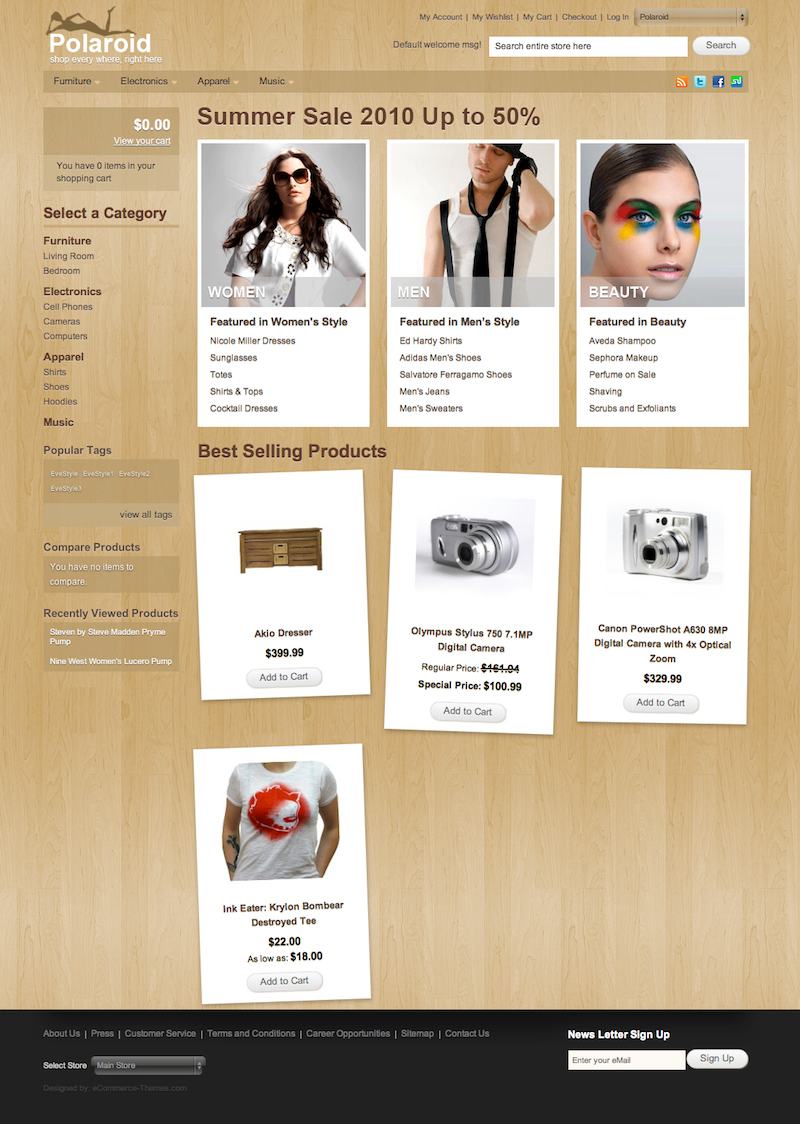
Today we are glad to release a yet another freebie: Polaroid Magento Theme, a professional design skin for the shops powered by the popular open-source ecommerce web application Magento. The theme was designed by eCommerce-Themes and released for Smashing Magazine and its readers. As usual, the theme is absolutely free to use in private and commerical projects.
Download the theme for free!
The theme is released under GPL. You can use it for all your projects for free and without any restrictions. Please link to this article if you want to spread the word. You may modify the theme as you wish.
- live demo
- large preview (.png)
- installation guide and documentation
- download the .zip-package (zip, 1.1 Mb)
- release on the developer’s site
Features
The Polaroid theme includes the following features:
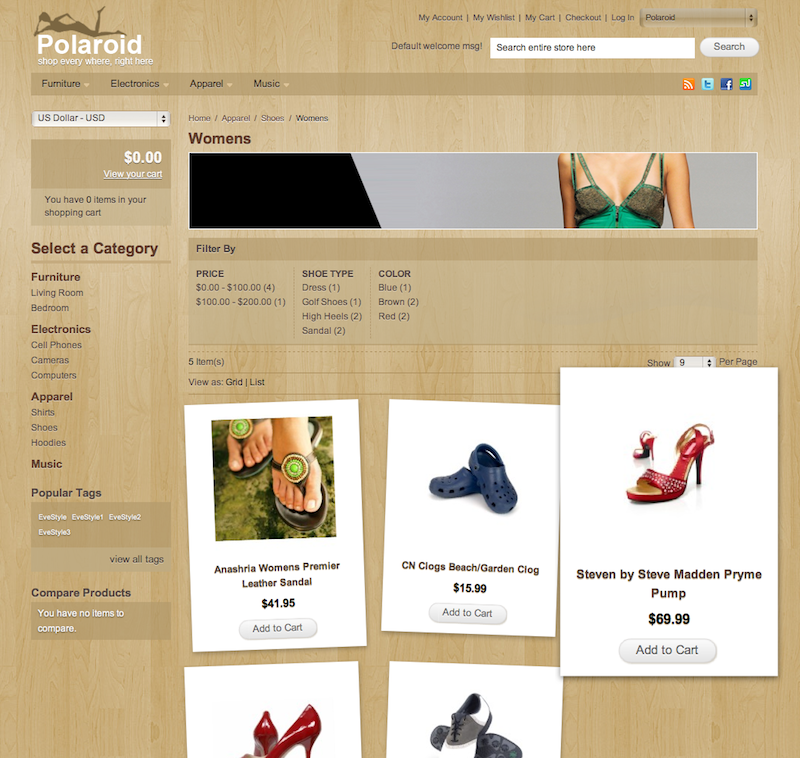
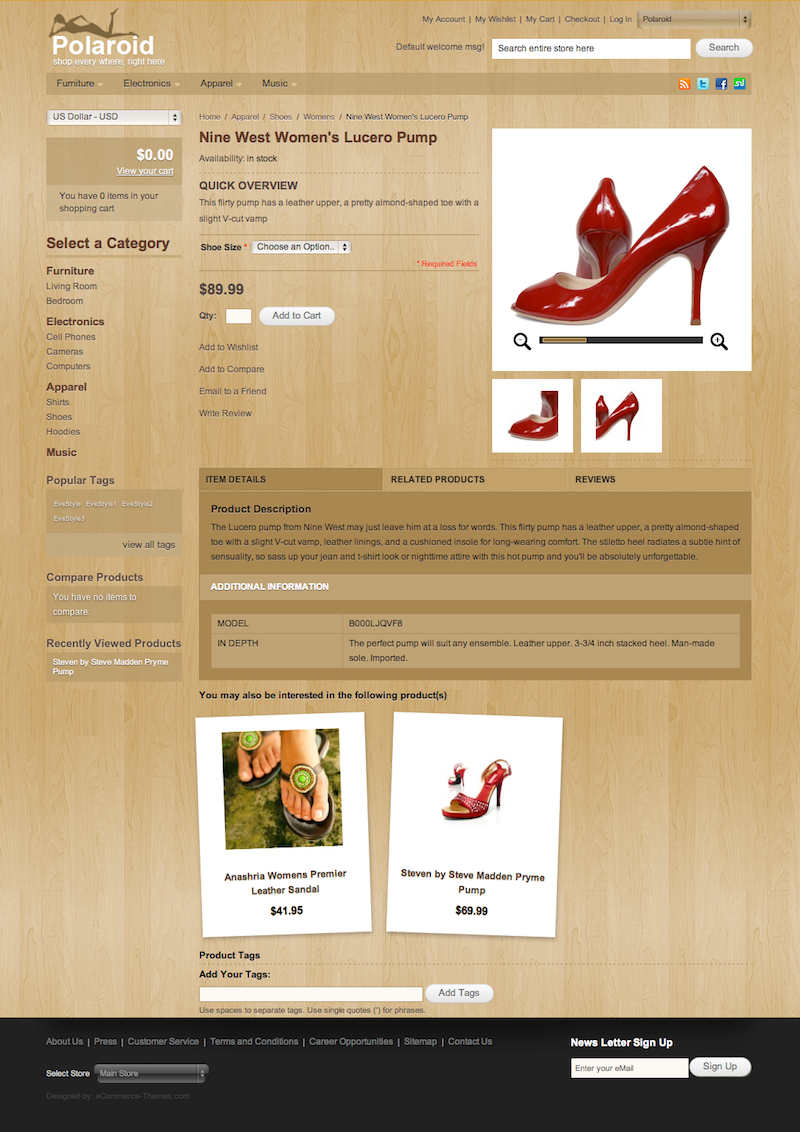
- the Polaroid effect is made with CSS3. The product grid displays products in random orientations.
- Product zoom: the category page was spiced up by adding a zoom functionality to the product grid. When you mouse over a product, it zooms in to show the product in more details.
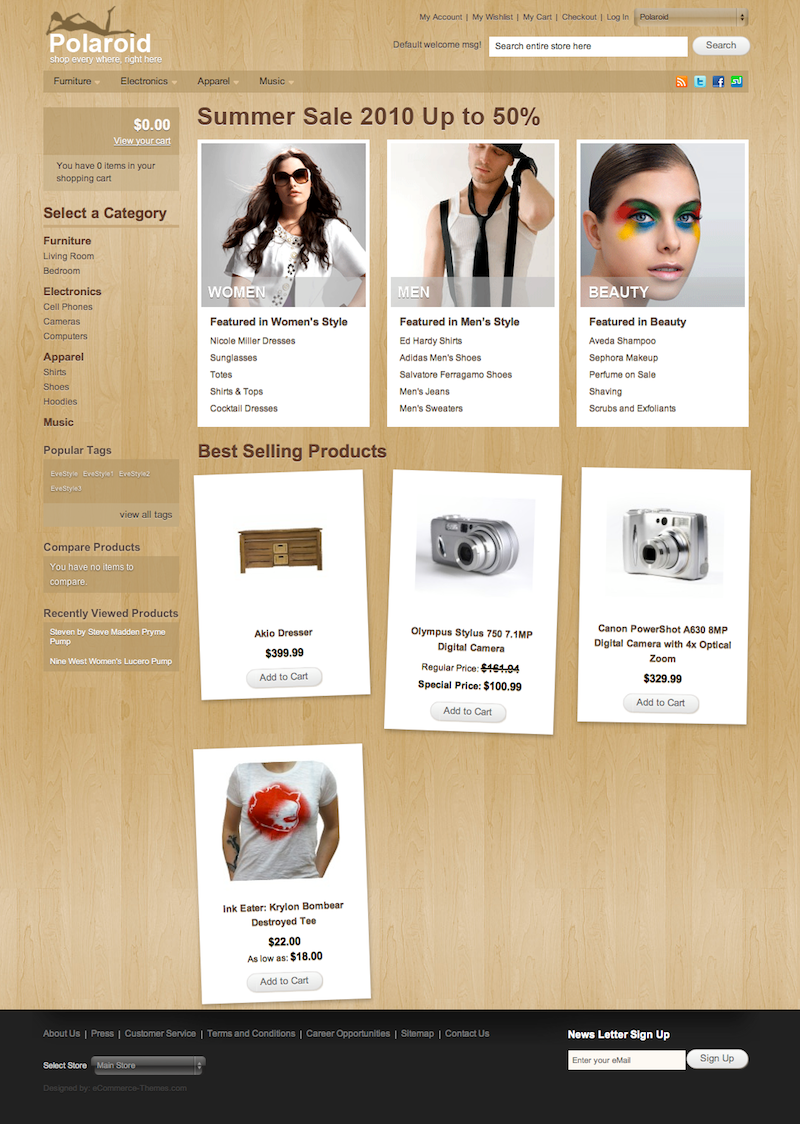
The .zip-package also contains additional modules “Best Sellers”, “Features Products”, “New Products”, and “Multi Shipping”.
Behind the design
As always, here are some insights from the designers:
We wanted to go beyond the boundaries of Magento and break the usual design patterns. We really wanted to try something new, add rich CSS3 features to the Magento theme and experiment a bit with its different features. We are very pleased to share this theme with the community, especially with Smashing Magazine readers.
Thank you, guys. We appreciate your work and your good intentions.
Related Posts
You may be interested in the following related posts:





VIP
August 24th, 2010 11:30 amVery nice theme. Thanks
Richard Käll
August 24th, 2010 11:46 amLooking good! Thanks!
Pontus Ekman
August 24th, 2010 12:20 pmThat’s very generous, thank you!
Aidan
August 24th, 2010 1:01 pmNice. It comes really handy. I’l be glad to try this theme out.
Alizain Prasla
August 24th, 2010 1:45 pmLike It :)
Usman Rajab
August 24th, 2010 2:06 pmDoes it work in regular browsers, or does it work only in browsers like chrome, firefox that can handel css3 and html5?
Big Bear
September 1st, 2010 4:20 pmInteresting question. Are you experiencing any problem in internet explorer? This theme works fine on Firefox and Safari (both in my iMac) but not in internet explorer 8 (in my PC). Do you have the same problem??
Geoff
August 24th, 2010 2:10 pmThis is incredible! How can you give this away for nothing?
Maris
August 24th, 2010 2:24 pmThanks for sharing, that’s nice and good.
But why to use text-shadow for every text element on site? Shadows for text on white background don’t give any eye-candyness, but only blurry effect. Text-shadow in CSS3 is just a useful feature, not must-have madness.
Linda
August 24th, 2010 4:06 pmThis would be very uselful… If only Magento didn’t suck!
Jason Ferrier
August 30th, 2010 10:50 amIs that an unfounded statement? I remember when I first started using Magento. There was no good documentation. There were no books. The forums were full of people like me who couldn’t figure out how to make the smallest of changes.
At the end of July, Varien (aka Magento), released/updated their Knowledge Base and it contains up to date and very useful information.
Yes, Magento can be slow sometimes and seem bloated, but it is still better than a lot of other offerings for the options is provides.
louis
August 24th, 2010 6:38 pmthis is really useful for me!Thanks MAgento
Andris
August 24th, 2010 9:35 pmVery nice theme. I think it mixes retro and new-school design elements very good.
Dre
August 24th, 2010 9:39 pmThank you for sharing! Looks like a promising theme.
ptarmigan
August 24th, 2010 10:29 pmGreat work, and for free… this is very generous indeed!
prestanesia
August 24th, 2010 10:34 pmvery cool. BTW, may I convert it to another CMS like Prestashop ?
AndreaD
August 24th, 2010 10:41 pmVery nice theme! Thx for sharing!
Although in FF, some of the backgrounds, for products which is skewed are not loading properly, so you have to reload the site, in order to see the whole background.
Flow
August 24th, 2010 10:47 pmLink to live Demo is not working, Server Crash ?
Nicola
August 25th, 2010 12:02 amLooks OK, but doesnt really work very well. Im on the latest version of firefox for the mac and the product boxes look rubbish!
Sammy
August 25th, 2010 9:24 pmThanks magento
cool themes :D
Christian V.
August 26th, 2010 5:46 amclean and simple… nice theme!!
Cindy
August 26th, 2010 8:31 pmthat is quite a stunning theme!
Jet
August 27th, 2010 7:44 pmVery nice theme!! thank you.
lawrence
August 28th, 2010 4:12 pmi have no idea how to install it im new to magento.. wordpress is so much easier :/
followed the steps but the featured products/best sellers section refused to come out. can anyone enlightened me?
i think the problem lies in here..
read me:
———————————————————–
To install the modules,
copy VisualFrames folder and paste to app\code\local\
copy VisualFrames_FeaturedProducts.xml and paste to app\etc\modules\
copy VisualFrames_NewProducts.xml and paste to app\etc\modules\
copy VisualFrames_Bestsellers.xml and paste to app\etc\modules\
copy VisualFrames_MultiShipping.xml and paste to app\etc\modules\
—————-
FOR THE FEATURED PRODUCT MODULE:
Create a new attribute by going to Catalog > Attributes > Manage Attributes > Add New Attribute.
Save the new attribute and go to Catalog -> Attributes -> Manage Attributes Sets to add the attribute to the default feature set.
Big Bear
September 1st, 2010 4:14 pmYou need to set the new attribute (featured) to “yes” to all products you want to see in the feature section of the home page.
As for the bestsellers section, I have not tried it myself yet but I assume that shows products base on your sale history. (other bestseller extensions do this). So, if you had not have any sale (i.e. new site), your bestseller section should be emptied.
Hope this help! Have fun.
Big Bear
September 1st, 2010 8:29 amFantastic theme. With a bit of twists and turns, this theme can be easily customized to everyone needs.
However, I do have a few problems that needs help.
1. Related products are not showing. I tried other theme and the related products show up correctly.
2. White background behind the magnifier track bar is missing
3. Polaroid effect is not working in internet explorer. I tried in Firefox and Safari (for Mac), and it works fine.
To make things a bit more complicated, I have a Magento website with 2 stores. One of the stores is using the modern theme with easytabs, easylightbox and other extension installed. Especially the easytabs and easylightbox has negative impact to the Polaroid theme. (I could be wrong!)
Appreciate if you can shed some light of how to resolve the above problems.
Jake
September 1st, 2010 8:45 pmThis theme has some real possibilities. My main concern and the reason I’m not using it is that it breaks the layered navigation. Categories that should display layered nav show nothing. I was hoping to see the horizontal layered navigation like in the demo. Too bad:(
developing developer
September 4th, 2010 10:37 pmHeard that the term Polaroid is copyrighted . I think you better change its name asap .
Great Theme.
jason
September 17th, 2010 11:35 pmdear developer, dose this theme support for 1.4.0.1 ??????
why my product page was erro….
Invalid method Mage_Catalog_Block_Product_View_Description::addToParentGroup(Array
(
[0] => detailed_info
)
)
Trace:
#0 [internal function]: Varien_Object->__call(‘addToParentGrou…’, Array)
#1 [internal function]: Mage_Catalog_Block_Product_View_Description->addToParentGroup(‘detailed_info’)
smashmouth
September 27th, 2010 12:30 pmwhat version of magento is this theme for?
I cannot install it on 1.4.xxx
I get this error:
Fatal error: Call to a member function xpath() on a non-object in /app/code/core/Mage/Core/Model/Layout.php on line 154
sonko
October 7th, 2010 2:44 ami can`t customize the summer sale 2010 up to 50% and changing images at the back end of the home page and there is no were i can add and edit the new products in the back end as well, cause when i try to customize it makes the bestselling ,new and images to disapear any help
nice theme i will be glad to hear from you
Victor Bonillla
October 11th, 2010 1:00 amI couldn’t make home page work, Featured block isn’t not showing, it leaves a message like “There are no products matching the selection.”
Im working with 1.4.0.1 version
Keith
November 4th, 2010 7:15 amAny Idea How To Change The Social Media Icons in The Top Right Corner? I am Not Sure Which File to Update… Thanks!
JDub
April 21st, 2011 1:37 amDid you ever find out where those social icons were located? Looking for them myself! :)
eric
April 29th, 2011 12:52 amfirebug helps…
/magento/app/design/frontend/default/polaroid/template/page/html/header.phtml
dan
September 22nd, 2011 9:38 am/store/app/design/frontend/default/polaroid/template/page/html/header.phtml
pakpenyo
December 8th, 2010 9:46 amcoooooollll…. thanks a lot for “FREE”.
Claudio
December 22nd, 2010 7:17 amIts great , nice looking but…i cannot install it yet. Really hard. I´ve tried everything and still at the beginning. Could any oh you help me to install it please?
djachao
January 23rd, 2011 7:20 amnice theme, now if you could just make it work or add a how-to , to make it work. I’ve tried their documentation and it shows me an error, iI run magento 1.4+
Magento Themes
April 20th, 2011 12:30 amI think this is the correct time of the year to give something to our valuable customers. That is what you have done here. Giving this kind of premium templates for free is really great. Thanks for this.
Simon
August 18th, 2011 5:31 amBeautiful theme, but with magento 1.5, the “place order” button does not appear in the step 5 of checkout :(
I am sad because i will not be able to use template.
would you have a solution?
Thank Simon
Joost
September 4th, 2011 3:01 amIf the ‘place order button’ does not appear in one page checkout, try copying checkout.xml from the base layout dir to the polaroid layout dir.