Keynotopia Wireframing Set: Free Wireframing Templates for Apple Keynote

Advertisement

Lately, Apple Keynote has been gaining popularity among designers as a wireframing and prototyping tool. Features like multiple slide masters, styles, grouping, animation and hyperlinks make it ideal for crafting interactive prototypes and UI narratives. Today’s freebie, Keynotopia, is a free set of interface elements for Keynote that makes it possible for anyone to create these prototypes in minutes. All elements are hand-crafted in Apple Keynote, and organized in nested groups for easier manipulation and customization. The templates can be used in Keynote 09 and 08 and are designed by Amir Khella.

Start with a blank presentation, and create a new slide for each application screen. Then copy/paste elements from the wireframe templates into your slides, and edit their labels, sizes and colors. To save time, group elements together, and use master slides to share common interface and navigation components across multiple screens. Finally, add hyperlinks to enable user interaction, and use slide transitions to create cool interface animations.

Voila! You now have an interactive prototype that you can test with users, share with team members, and present to stakeholders.
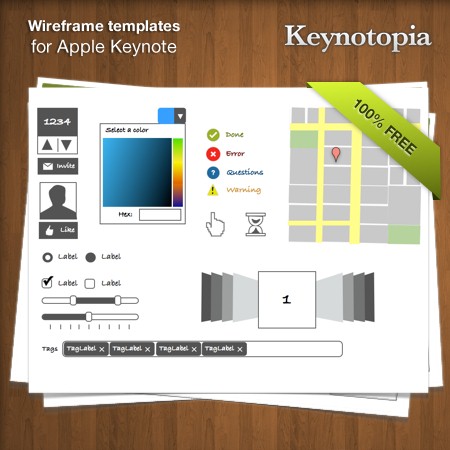
Wireframe templates for Apple Keynote

Download the set for free!

You can use the set for all of your projects for free and without any restrictions. You can freely use it for both your private and commercial projects, including software, online services, templates and themes. The set may not be resold, sublicensed or rented. Please link to this article if you want to spread the word.
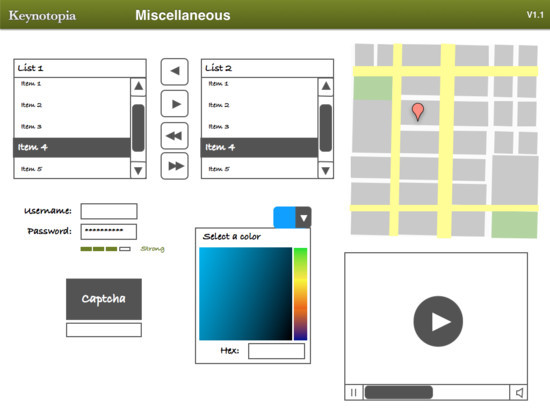
Screenshot

Screenshots

Screenshot
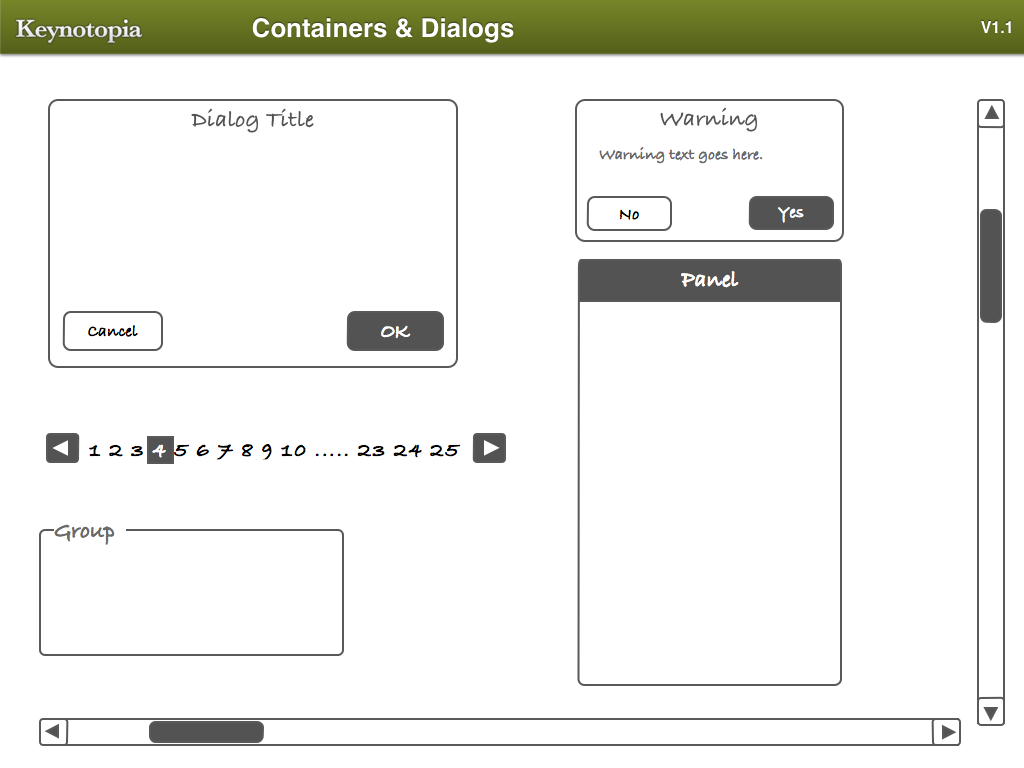
Containers and Dialogs. Large view.

Screenshot
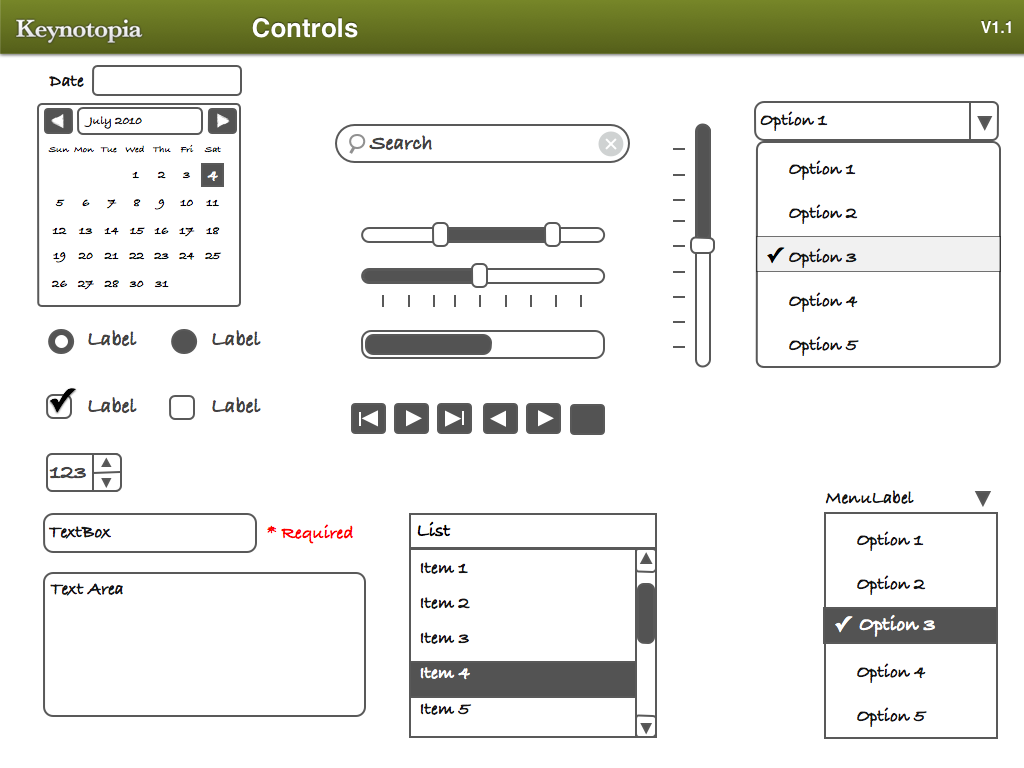
Controls. Large view.

Screenshot
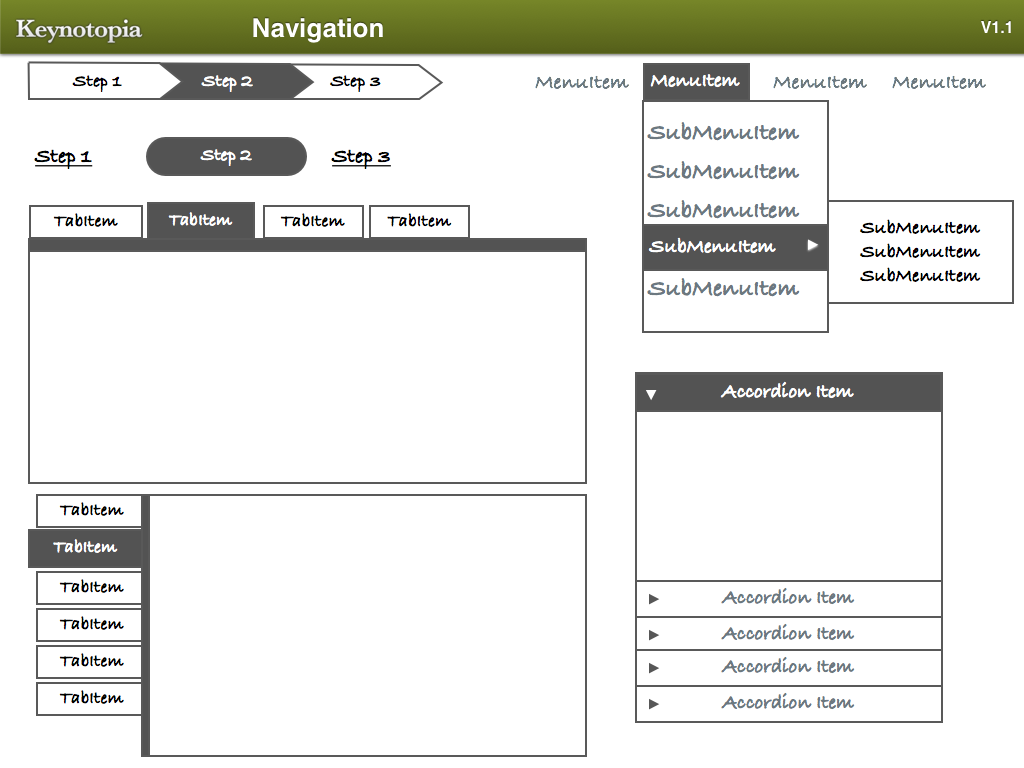
Navigation. Large view.

Screenshot
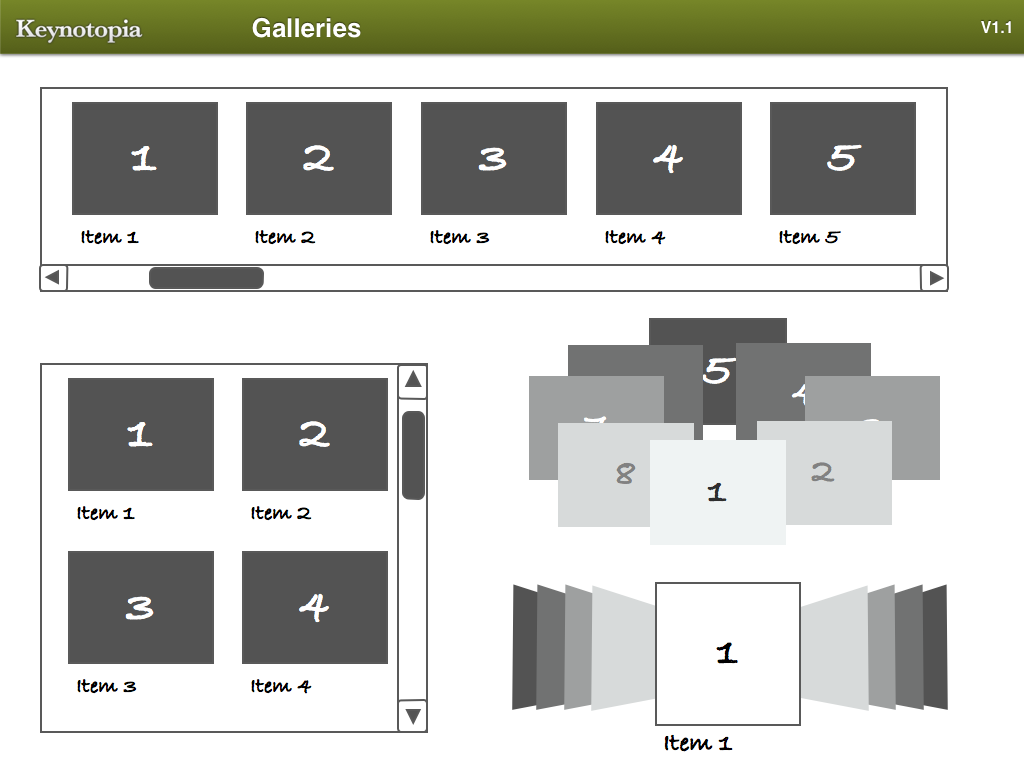
Galleries. Large view.

Screenshot
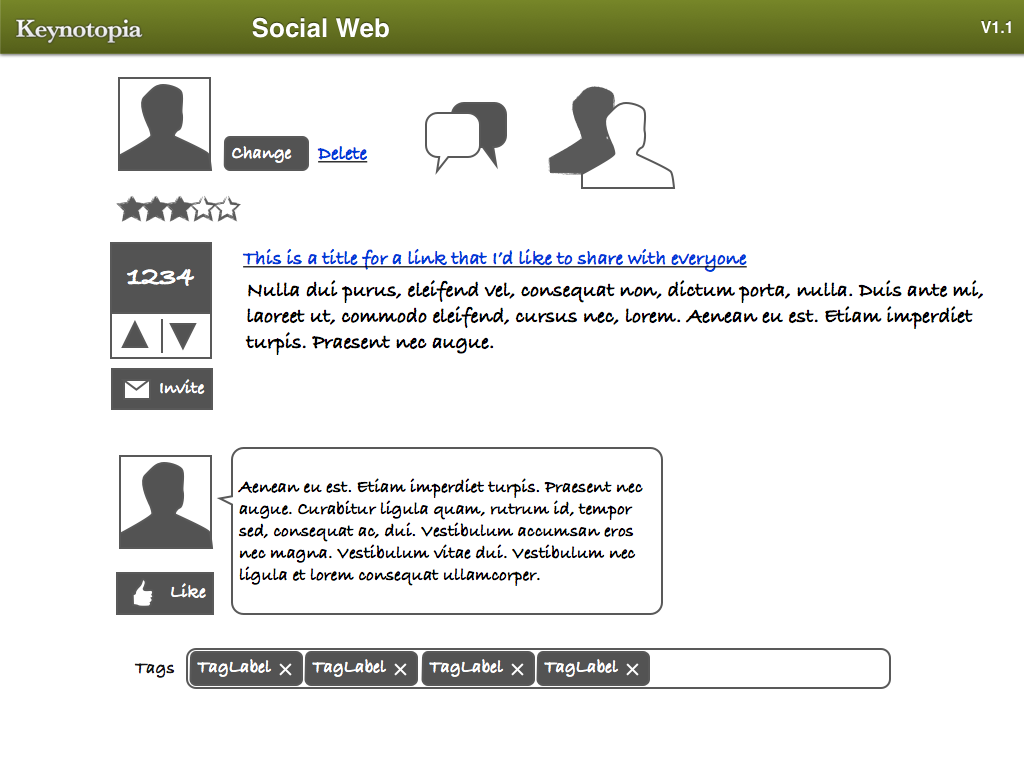
Social Web. Large view.

Screenshot
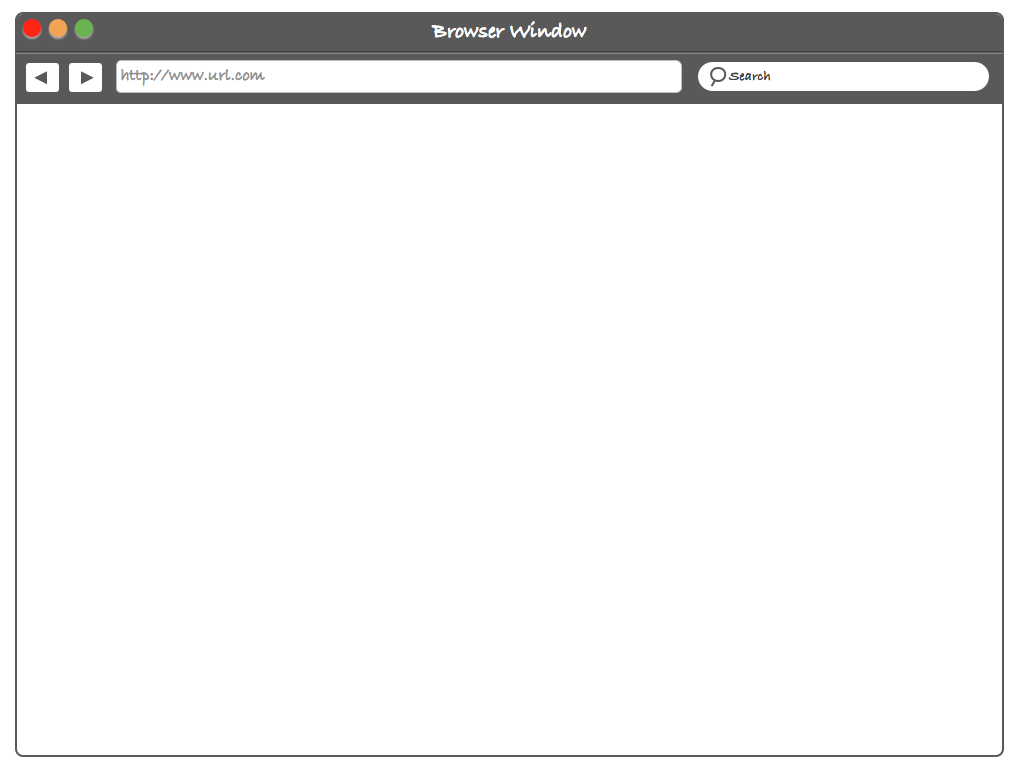
Browser window. Large view.

Screenshot
Application window. Large view.

Screenshot
Lightbox. Large view.

Screenshot
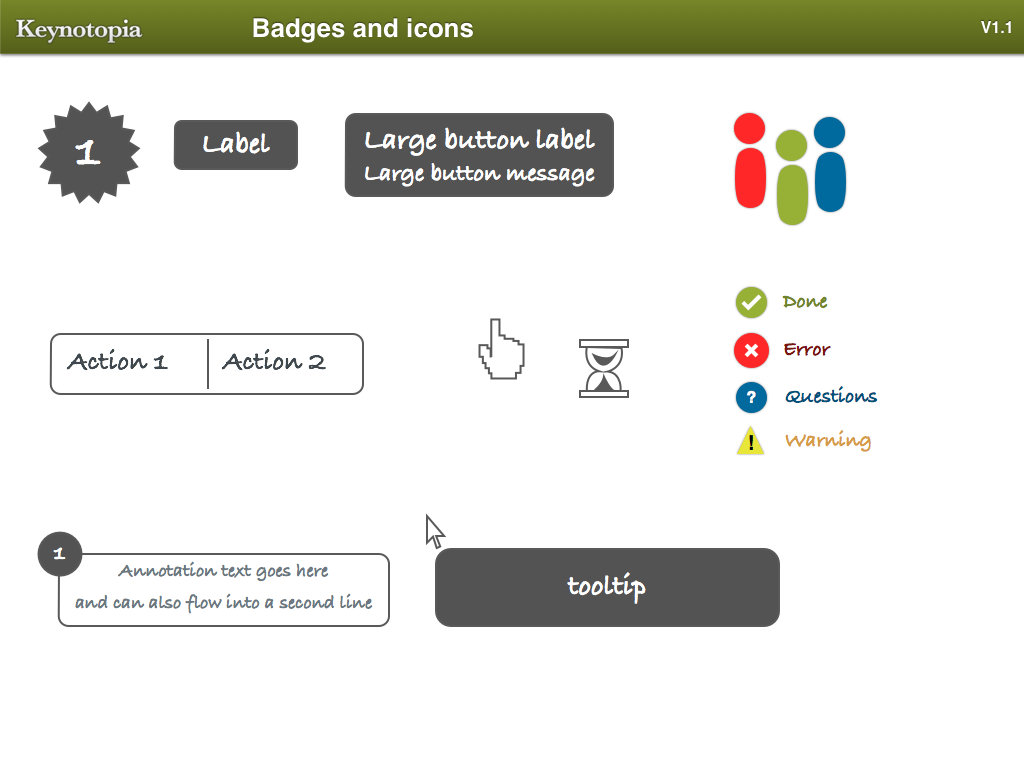
Badges and icons. Large view.

Motivation behind the design

Here are some insights from the designer of the set:

“The first time I’ve used Apple Keynote for prototyping, I was helping a friend create a product pitch for his startup idea. He didn’t have design or development skills, and I wanted to show him how he can quickly put together a click-thru demo in less than an hour, using his favorite presentation tool. He was impressed by the outcome, and I was equally impressed by Keynote’s simplicity and efficiency. I never went back to my prototyping tool since.

Keynotopia was created so that anyone with an idea can quickly test its potential, without having to spend time and money on design and development resources. It’s a simple proof that having the right mindset for prototyping is more important than buying expensive tools.

I also wanted to find a way to avoid writing UI specs. Using Keynotopia templates, I created prototypes that I annotated and shared with development teams, and the response was phenomenal! Time was no longer spent reading, staring at screenshots and imagining interactions; developers and testers were actually having fun playing with the prototypes and providing feedback. Design was finally catching up with the lean and agile development process.

I am constantly updating the website with guides, tips, and new prototyping templates.

— Amir

Thank you very much, Amir! We appreciate your efforts.

Related Posts

You may be interested in the following related releases:

We love high-quality content and we care about little details. We believe that good content and design are crafts worth sharpening. Located in the lovely city of Freiburg, Germany. Mostly Vitaly (vf), Iris (il) and Sven (sl).

  1. 1

    Flip Flap Man

    September 6th, 2010 3:13 pm

    This is absolutely amazingly helpful. Keynote has definitely become my creative blank slate. Such a flexible toolbox. Thanks a lot for sharing.

    0
  2. 2

    Thor

    September 6th, 2010 3:40 pm

    Using Keynote for wireframing is news to me, and a great idea! Will try out on my next projects. Template looks great too!

    0
  3. 3

    Leanna

    September 6th, 2010 3:54 pm

    I have been using Keynote for wireframing for awhile now and it cuts down on my time spent on them by less then half. Not only that but I also use it for building design animatics. It will support almost any file format so I can mash together graphics, video, type and then with the animation capabilities bring it to life. Once a client sees how things actually work it is amazing how quickly things get signed off. Secrets out now!

    +1
  4. 4

    Abhishek Pathak

    September 6th, 2010 4:26 pm

    A real time saver for me… also will help me leave a better impression

    0
  5. 5

    sl01k

    September 6th, 2010 4:59 pm

    in my opinion quite poor wireframing design …
    for me this is powerful http://www.smashingmagazine.com/2010/08/27/free-wireframing-kits-ui-design-kits-pdfs-and-resources/
    i know that “wireframing design” is trendy at the moment but please…

    0
    • 6

      Brandon Luis

      September 9th, 2010 1:08 pm

      They seem to have a nice collection of higher fidelity sets on Keynotopia.

      0
  6. 7

    dave

    September 6th, 2010 5:40 pm

    Nice one. Been using Keynote for wireframing for a few years now – as people have mentioned, the ease of use, plus the fact it can be exported in a range of formats from a flat pdf to an interactive prototype make it a definite contender for most simple wireframing needs.

    0
  7. 8

    Hastimal Shah

    September 6th, 2010 7:39 pm

    its Amazing and it will save the time too. thanks

    0
  8. 9

    colin

    September 6th, 2010 7:46 pm

    Keynote is awesome for doing interactive prototypes. Amir’s paid stencils are great too. I’d check them out.

    I started an open source project for Keynote UX Stencils… I made a bunch for myself, so feel free to take from and add to the pot.

    http://github.com/sud0n1m/Free-Keynote-UX-Stencils

    0
  9. 10

    Gregory Thomas-Tench

    September 6th, 2010 9:49 pm

    This seems like an exact copy of a system we have been using for the last couple of years called balsamiq mockups (http://www.balsamiq.com/products/mockups)

    But hey, if it works why not copy and profit?

    0
  10. 11

    Aureli

    September 6th, 2010 10:52 pm

    That’s right, it looks exactly like Balsamiq

    0
  11. 12

    Stefan

    September 6th, 2010 11:43 pm

    Sweet! Thanks Smashing mag ;)

    0
  12. 13

    Guy

    September 6th, 2010 11:46 pm

    Awesome! Thanks

    0
  13. 14

    Deepika

    September 7th, 2010 1:54 am

    Thanks SM team for sharing keynote wireframe templates. I truly believe that these kind of templates help designers generate designs faster and designers can concentrate more on conceptual designing. Few days back I had posted similar links for iPhone, iPad and Android on my blog (http://deepikadutta.wordpress.com/2010/06/30/ready-to-use-templates-for-iphone-ipad-and-android/), if anyone needs.

    0
  14. 15

    Remco

    September 7th, 2010 2:29 am

    Ehh… Maybe a stupide question but will this work on an iPad?

    0
  15. 16

    Aaron

    September 7th, 2010 4:52 am

    Or, you could spend $12 and get the original and not use the cheep knockoff.

    keynotekungfu.com/

    0
  16. 17

    Flety

    September 7th, 2010 5:29 am

    How should I use this?

    0
  17. 18

    Timoslav

    September 7th, 2010 12:13 pm

    Well, that’s new…but great…never thought about that…simple things sometimes don’t come to mind…right? :)

    Thank you very much!

    Greetz

    0
  18. 19

    Andy Ptacek

    September 7th, 2010 4:02 pm

    Interesting… but wondering if takes some of the creativity out of the process by eliminating good ol’ sketching.

    0
    • 20

      Adam

      September 8th, 2010 7:00 am

      Hi Andy,
      I don’t think of this as a way to eliminate sketching. It’s a way for clients to get what you’re envisioning without having to figure out a way to implant your imagination into their heads or waste time building everything before approvals. So it takes your sketches and brings them to a middle ground where it’s functioning but not refined. Keep sketching :)

      0
  19. 21

    Muhammed rafi

    September 8th, 2010 2:06 am

    Nice post

    0
  20. 22

    Meher Ranjan Howji

    September 8th, 2010 9:34 am

    This is something really awesome. Great for prototyping. This package contains everything one needs. A must have.

    0
  21. 23

    Ryan

    September 8th, 2010 10:23 am

    Maybe one of you keynote wireframing gurus can help me with this problem. Wireframing in Keynote for me is dead slow. Check out the file to see if it’s slow for you too: http://forr.st/~yEY

    0
  22. 24

    Tai Travis

    September 8th, 2010 11:57 am

    I would like to see more resources on SM for Adobe Fireworks.

    I wonder how many readers here don’t use an Apple..

    0
  23. 25

    Jim Hanifen

    September 8th, 2010 6:43 pm

    I don’t use Apple Keynote, but this post makes me want to try it out. Very nice.

    0
  24. 26

    Emanuel Fernandes

    September 9th, 2010 1:10 am

    I’ve been using Keynote for prototyping purposes for a while and definitely rules. The main benefit is the behavior you can give to your prototypes, without much effort. If you have an idea that you wanna share with someone, just quickly put up some animations and people get it straight away.

    I use it as well for design specs, for the final UI. This means, when we have a final design, but we need to explain some interactions, just make some transitions and export a movie. This movie can be used to showcase your final product, even before it is being implemented. I’ve done this for a TV application. And the final implementation didn’t go much different from the prototype.

    This was also a way to get validation from management, instead of waiting for a couple of months and having the risk of not being approved.

    You guys should also, check the new Microsoft Blend prototyping tool, that is more complete. Nevertheless, the strength of Keynote is the simplicity and efficiency, as the author mentions.

    0
  25. 27

    Matt

    September 9th, 2010 6:50 am

    I have been indoctrinated into the Keynote wireframing coven and love using these:

    http://keynotekungfu.com/

    Sure it’s $12, but its the best $12 I’ve spent in a long time.

    0
  26. 28

    Stuart

    September 11th, 2010 3:50 am

    cool! I use an online wireframing and sharing app at the moment, but certainly will look in to this. I have to say that this looks like such a great comprehensive resource….

    0
  27. 29

    Zizzamia

    September 11th, 2010 4:46 am

    E’ stupefacente il lavoro che hai fatto. Mi sarà molto utile per i miei wireframe.
    It’s amazing the work that you did. I will be very useful for my wireframe. Thanks from Italy.

    0
  28. 30

    Dhaval

    September 14th, 2010 10:04 am

    Nice,
    very nice
    Thanks

    0
  29. 31

    Rogier

    October 9th, 2010 3:38 am

    Very cool, thanks!!

    0
  30. 32

    Heath

    October 10th, 2010 8:06 pm

    Very Nice!

    0
  31. 33

    kledii

    July 1st, 2011 7:47 am

    thankssssssssss

    0
  32. 34

    Ivy

    July 26th, 2011 6:47 pm

    It’s a great toolset but why did they have to use such a horrid font? But it’s free, so I shouldn’t complain, right?

    0
  33. 35

    Kgrigole

    October 9th, 2011 1:19 pm

    Great concept; but after several concentrated hours of struggle, I realize a person must first be an expert at Keynote to use the Wireframe templates.

    0
  34. 36

    Kgrigole

    October 9th, 2011 1:29 pm

    Unless you are already an expert at Keynote, I don’t see how anyone could build something–but the concept is still great. I watched the videos, read the ReadMe, etc. But I cannot figure out how to use the wireframes, even after Several hours of concentrated effort. What is a .kth file? What is a theme file? ???????????

    0
  1. 1

    Leanna

    September 6th, 2010 3:54 pm

    I have been using Keynote for wireframing for awhile now and it cuts down on my time spent on them by less then half. Not only that but I also use it for building design animatics. It will support almost any file format so I can mash together graphics, video, type and then with the animation capabilities bring it to life. Once a client sees how things actually work it is amazing how quickly things get signed off. Secrets out now!

    +1

Leave a Comment

Yay! You've decided to leave a comment. That's fantastic! Please keep in mind that comments are moderated and rel="nofollow" is in use. So, please do not use a spammy keyword or a domain as your name, or it will be deleted. Let's have a personal and meaningful conversation instead. Thanks for dropping by!

↑ Back to top