Free HTML5/CSS3 WordPress 3.1+ Theme With Responsive Layout: Yoko
In this post we are glad to present to you yet another freebie: a responsive WordPress theme Yoko which was designed by talented designers Ellen and Manuel from Elmastudio and released for the Web design community. Of course, the theme is absolutely free to use in private as well as commercial projects.
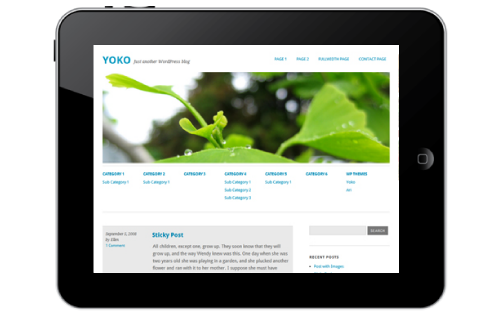
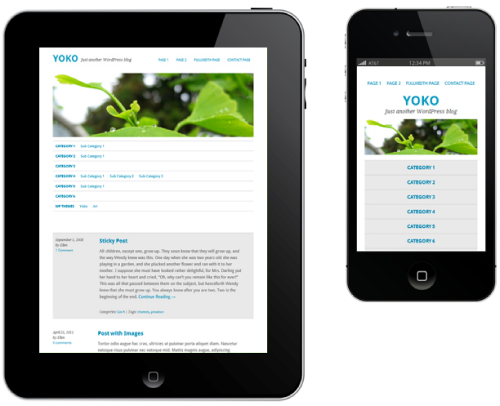
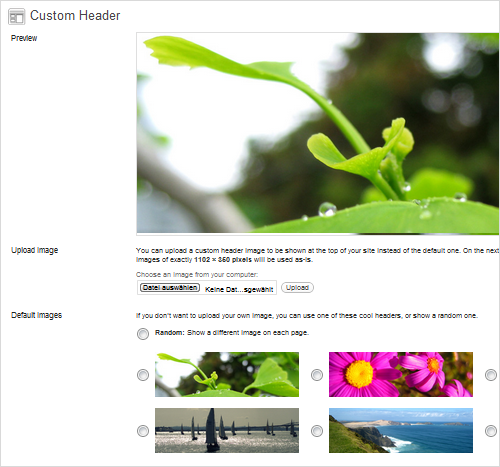
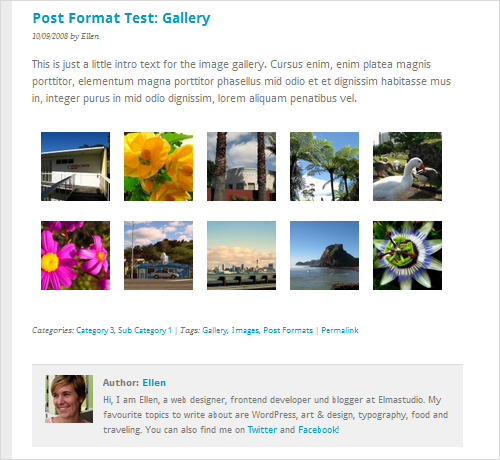
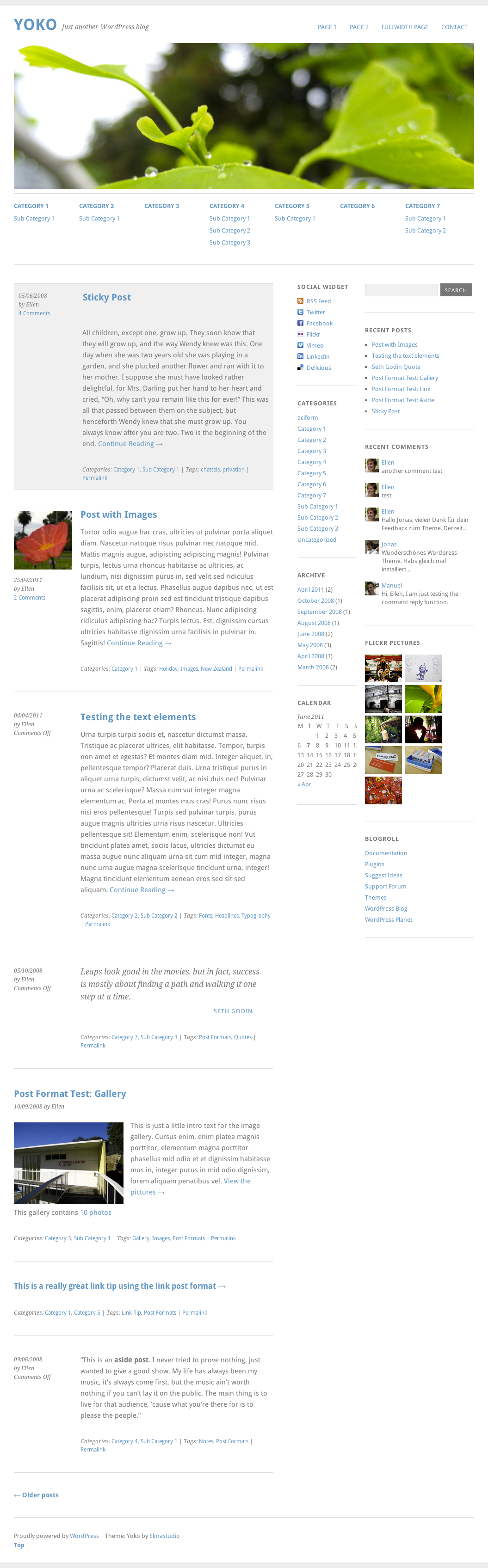
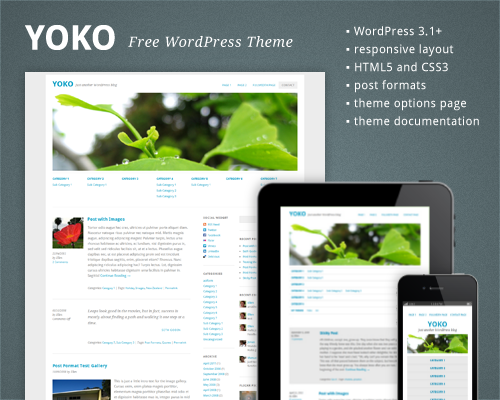
Yoko is a modern and flexible WordPress theme. With the responsive layout based on CSS3 media queries, the theme adjusts to different screen sizes. The design is optimized for big desktop screens, tablets and small smartphone screens. To make your blog more individual, you can use the new post formats (like gallery, aside or quote), choose your own logo and header image, customize the background and link color.
Download the Theme for Free!
The theme is released under GPL. You can use it for all your projects for free and without any restrictions. Please link to this article if you want to spread the word. You may modify the theme as you wish.
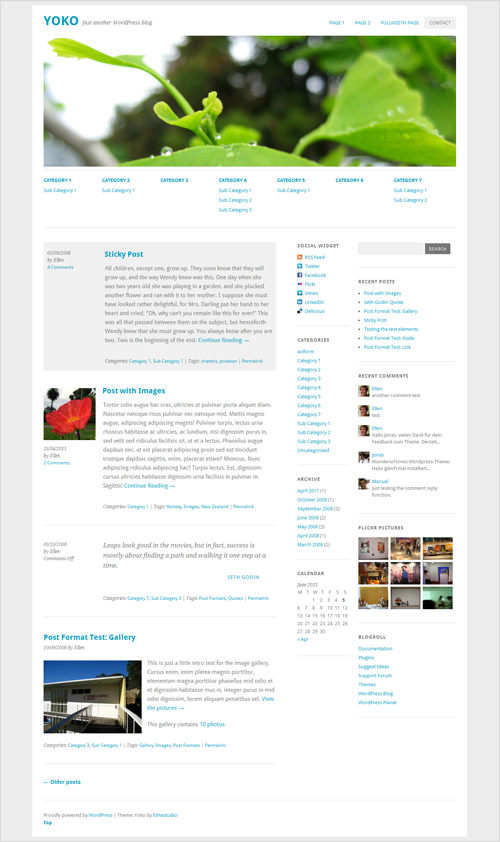
- live demo
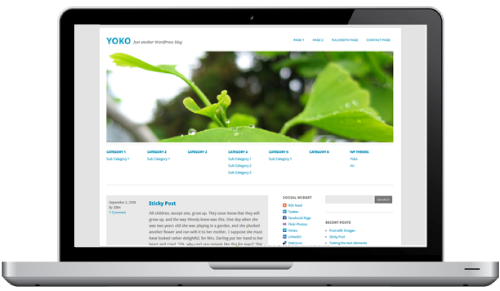
- large preview (.png, 1.5 Mb)
- download the package (2.2Mb, .zip)
- release on the developer’s site (with documentation in English and in German)
- Documentation PDF file (in English)
- Installation Video Tutorials
Features
The theme requires WordPress 3.1+ to run. It has following features:
- Cross-browser compatible (tested in Chrome, Firefox, Safari, Internet Explorer 8+)
- HTML5 (with fallback for IE < 9) and CSS3
- Responsive layout (CSS3 media queries, not supported in IE < 9, but you can use libraries like Respond.js by Scott Jehl or CSS3-Mediaqueries-js by Wouter van der Graaf to make it work in older versions of IE.)
- WordPress post formats (aside, gallery, image, video, link and quote)
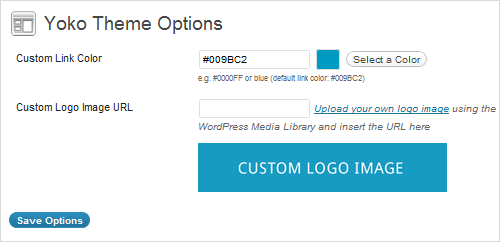
- Theme options page, custom background, custom header image
- Optional sub menu
- A custom social links widget to promote your RSS-Feed, Facebook, Twitter, Flickr, Vimeo, LinkedIn or Delicious profile
- Full-width page template
- Google Web fonts in use (Droid Sans and Droid Serif)
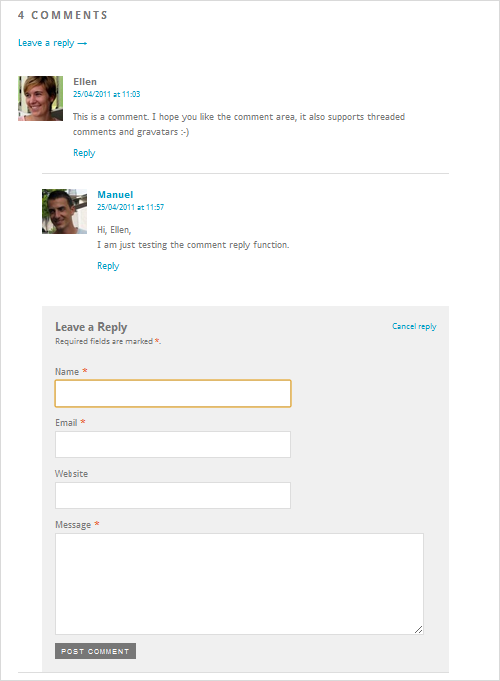
- Threaded comments with Gravatar support
- Shortcodes for multiple columns, info boxes in three colors and highlighted text
- Currently available in English, German and French.
Screenshots
Behind the Design
As always, here are some insights from the designers:
“Since the mobile Web is getting more and more popular every day, we think that it’s also time for WordPress themes to become more flexible and adapt to different devices and screen sizes. While designing the Yoko theme, our goal was to create a minimalistic design with focus on content and good readability on various devices. Also we wanted the theme to be easy to use and customizable for everybody, so we kept the theme options simple while still including the most important options to add a personal style to the theme.
The main problem to solve during the design and development process was to make sure that all the different contents and plugins that people will use still work in the responsive layout. Of course the responsive design approach is still in development but we think it’s a lot of fun to explore new possibilities and as doing so make Web design and WordPress themes more powerful and flexible to use.”
Thank you, Ellen and Manuel! We sincerely appreciate your work and your good intentions!


david
June 7th, 2011 2:20 amlooks awesome! thanks
Rishi Luchun
June 7th, 2011 2:22 amVery nice looking theme!
urvi
June 7th, 2011 2:23 amthanks a lot for this inspiration and giveaway :)
Suddenly inspired!
June 7th, 2011 2:32 amI think I just died and went to heaven ;-)
Pixelpusher
June 7th, 2011 2:36 amThe smartphone/iphone layout does not work well. The logo and image takes up too much space and the “categories”-links does not work (as well as taking too much screen space). Clicking on a category link loads “the same page” (it does change the articles listed below, but the user will only see the same page with the category links again and it does not seem to have changed).
Ellen
June 7th, 2011 10:44 amHi Pixelpusher,
I actually think its quite common on mobile devices that you have to scroll down the page a bit to see all the content. But since the header image and the sub menu both are optional you can just not use them and have a very small header instead. In my opinion this solution is working good especially for a theme that has to hold so many different contents :-)
Manoj Kumar Sharma
June 8th, 2011 4:32 amHi,
Excellent Theme. Looks really good, especially in the small screen versions.
However, as already pointed out, if you were to switch to the phone view, the sub-categories in the menu never appear. On has to scroll all the way down to view the CATEGORY section to identify the sub-category names. And then, the sub-category names do not appear identifiable as sub-categories to the selected category.
Thanks for sharing this.
DaPino
June 7th, 2011 2:43 amVery nice clean theme! well done.
Markus
June 7th, 2011 2:46 amAweseome Theme – use it on both blogs!
Kiki
June 7th, 2011 2:52 amVery clean and fresh looking theme. Will certianly use this somehwere :) Thanks
Amazing
June 7th, 2011 2:53 amAmazingly awesome theme, thanks for sharing and a nice clean theme too.
Bravo.
franszo
June 7th, 2011 2:58 amnice, but what about IE? 7-8?
Laz
June 7th, 2011 3:59 amWhat about them? If you want or need to make it responsive for them too you can use respond.js or CSS3-Mediaqueries-js as they said in the article.
Kim
June 8th, 2011 2:18 am@franszo, I think this is your first time hearing about html5 and css3.
liebesiech
June 7th, 2011 3:26 amOhh, very clean and fresh. Love the vivid green header picture. Many thanks.
Anterpreet Singh
June 7th, 2011 3:40 amGreat theme. Simple and perfect :)
Michel H
June 7th, 2011 3:53 amThanks for this great high tech theme! Love the concept, so I’ve tried it out immediately. After having uploaded a new header image, I opened my blog on my iPad. It shows the default header image instead of the freshly uploaded one. On my desktop everything looks the way it should! Any idea why this is?
Ellen
June 7th, 2011 5:49 amThanks for your feedback, Michael. I am not sure, but you might have to clear the cache one more time. Do you use a chache plugin for your WordPress blog?
Shad
June 7th, 2011 4:03 amGreat looking theme, and I’m definitely going to put it to use somewhere.
Running through the W3 Validator results in 21 errors however. Do you suppose this is more related to WordPress 3.1 rather than the theme itself?
Thanks again for all your hard work!
Ellen
June 7th, 2011 5:16 amHi Shad,
thanks a lot for your feedback :-) Yes, you’re right about the validation errors. The theme didn’t have this validation errors just a couple days ago. I believe its the “rel” attributes that the W3C validation doesn’t accept, but I will check it for sure again :-)
Robert Hauk
June 7th, 2011 4:09 amVery fine work – thank you. Clear design and good readability.
hans
June 7th, 2011 4:23 ami love this. but i am not sure if the media-query thingy is a really good solution …
Jason Levine
June 7th, 2011 5:06 amI could be horribly wrong but this looks like fluid percentages rather than media queries, at least the way I have seen them implemented.
Ellen
June 7th, 2011 5:19 amHi Jason,
its a mix of both (media queries and % width sizes). With this solution the theme can adapt to as many different screen sizes as possible :-)
Aravind
June 7th, 2011 5:36 amNice….
Erica
June 7th, 2011 5:59 amThanks for the lovely theme!
garrotter
June 7th, 2011 7:01 amVery nice clean theme! Thanks for sharing.
Greag
June 7th, 2011 7:58 amReally nice to see these auto resize templates. If you are looking for a free framework that will yield similar results, try lessframework.
Jonathan
June 7th, 2011 8:21 amExtraordinary designer. Congratulations to Elmastudio!
Sriramajeyam
June 7th, 2011 8:43 amawesome… thanks..
in smaller screens, sub pages menu is not visible. it would be better if the fix is available.
Ellen
June 7th, 2011 10:32 amHi Sriramajeyam,
we’re happy that you like the theme :-) Since the space on the smartphone version is very limited, we decided to hide the sub menus in the smallest mobile theme size for better readability.
So the mobile version will only show the most important navigation menus. To still provide a link to all your categories you could maybe activate the category widget in the sidebar :-)
vectorbug
June 7th, 2011 9:25 amThe “live demo” link leads to a site that is blocked by my works Barracuda firewall. =(
Darko Škulj
June 7th, 2011 9:58 amNot impressed. Big picture is just waste of space, especially when opening some category… acitve links? kinda not userfrendly… sorry 4 being honest. But still like resizing part :)
Ellen
June 7th, 2011 10:35 amHi Darko Škulj,
the header image is optional. You can just remove the it with one click if you go to Appereance / Header in your admin panel :-)
Erni
June 7th, 2011 10:21 amHi
it’s a very nice clean WordPress Theme. But if I saw that it’s all about HTML5 and checked it via W3C validator I got 21 Errors and one 1 warning(s).
I noticed that almost every WordPress Theme what was valid some days ago, are now invalid.
Anyone have a answer why this happend?
Ellen
June 7th, 2011 10:39 amHi Erni,
Yoko was also valide HTML5 code until just a few days ago. I still have to check again but I think something changed about the rel-attribute (this is the same code like in the standard WordPress theme). I will try to find out more maybe on the WordPress developer site and let you know :-)
Erni
June 7th, 2011 1:13 pmThis would be really cool, if you could do that. Maybe they already know it and working on some fix on the standard WordPress Theme.
Thorsten
June 7th, 2011 11:50 amHi Erni
You are right. This happens couse the rel attribute will accept only defined arguments/values. Some new of then in HTML5 are archives, author, bookmark, external, first, index, last, license, nofollow, noreferrer, pingback, search, sidebar, tag, up.
You can also use alternate, author, bookmark, external, help, license, next, nofollow, noreferrer, prefetch, prev, search, sidebar, tag.
These values was removed since HTML5 appendix, chapter, contents, copyright, glossary, index, section, start, subsection.
So we need just to change the rel values in the Template.
But there are also 4 real misstakes. There are 4 inline elements with closing tag /> and these is not allowed in HTML5.
Erni
June 7th, 2011 1:20 pmThanks for the explanation, but if I go through the Templates and try to change the rel values, I’ve sometimes no idea which value I should choose and if I change some rel values, I’ve the fear that some things does not work. Because of some new unknown rel values.
Ellen
June 7th, 2011 1:21 pmHi Thorsten,
thank your for your reply and your tips for the the theme files. I will look into the validation errors you mentioned and fix them in the next theme update :-)
Thorsten
June 7th, 2011 11:24 amLooks realy awesome!
Great and cleen design!!!
I love it.
Only the technical html coding could be much better.
There is too much code retundanter. I rewrite some parts already with less code.
Jeffdev
June 7th, 2011 12:37 pmYou guys are awesome.
I love your giveaways like this!
Micha
June 7th, 2011 1:42 pmHi,
i love your theme. But i have one question: Why is the site-title not linked with home when i have choosen the custom logo an not the h1-sitetitle?
Thanks for reply!
Micha
Ellen
June 7th, 2011 1:53 pmHi Micha,
right now this it’s not possible for the logo image to be a link, a resizable image and not have a fixed image size all at the same time. So for now the logo image will not be a link to the homepage. I know this not ideal yet and we’ll work on a solution in a future theme update :-)
Henry Jr
June 7th, 2011 1:46 pmUntil order a subject worthy of note. Very well produced with ccs3 html5. Approved.
Srinidhi
June 7th, 2011 7:09 pmi just can’t describe how thankful i m to smashing magazine
Kim
June 8th, 2011 1:45 amAwesome.. Thanks SM :)
Sumon @ Sumon Seleem's Blog
June 8th, 2011 2:40 amLooks like a great theme. Going to try this for my blog… Love the simple design and it has all latest features of WordPress :)
Fabiola
June 8th, 2011 5:02 amawesome..will try for our blog, Gracias!!!
seraphangel
June 8th, 2011 6:34 amvery nice looking theme, will give it a try and use it as a framework for child theme dev.
Florescu Adrian
June 8th, 2011 8:59 amThank you very much! I will use this theme on my blog for sure!
Christian Lilik Henry
June 8th, 2011 6:09 pmwow.. this is awesome, nice looking and clean design. Great job, thanks for sharing
Rutiso
June 9th, 2011 4:42 amAwesome work! Well done! Me like :)
Jakob
June 9th, 2011 4:53 amWow, looks great, and both design and function!
Ronald
June 9th, 2011 6:06 amReally appreciate the time and effort put into this theme. Thanks!
David Carrero
June 9th, 2011 8:00 amCreate theme ;-)) i like this for translate to spanish.
Regards
Salva
June 10th, 2011 2:11 amAbsolutely amazing use of media queries. Great job!
Alex Batista
June 12th, 2011 3:14 amGreat post! :)
TsuKata
June 12th, 2011 4:31 pmThank you so much for this theme! I updated my blog (tsukata.org) with it today, and it is wonderful! I love the flexibility, that it looks as great on my DROID X2 as it does on my 19″ laptop in Chrome.
Dan
June 13th, 2011 7:43 pmNice theme! Going to have to give this a test drive.
DKNY
June 14th, 2011 2:02 pmHi. Thank you for the theme! My question: Is there a simple way to change the site title font and color?
Hassen
June 15th, 2011 9:51 amWould it be possible, to have the header acting as a simple slider.
ilgorgo
June 16th, 2011 1:34 ambut if I put the icon? how do I change it
ilgorgo
June 16th, 2011 1:50 amNadeem
June 17th, 2011 2:13 amOne design multiple layouts, signs of how things will be done….Squirt Squirt…
Ryan
June 18th, 2011 12:09 pmGreat start. Though this theme has a lot of issues on my Windows Phone 7(HTC HD7)
Surender Markam
June 21st, 2011 9:29 amawesome theme.. I’m going to use it on my next wordpress blog.
tatiana
June 30th, 2011 7:21 amThank you for this nice theme! I just wonder is it possible to add two additional modules – Tags (with Tag cloud) and Related posts? Can you advice how is it possible? Thank you in advance!
Shauna Upson
July 1st, 2011 10:32 pmI love this wordpress theme! just changed over to it and have got it looking the way I want except for 1 sidebar only.
Has this been rectified yet? I’ve checked several forums but it doesn’t appear to.
Ellen…is this possible?
Shauna
Secret Secretary
Menian Lee
July 4th, 2011 8:45 amThanks, Ellen and Manuel! It’s a really nice, clean and fresh looking theme. I gonna use it soon
Shailesh Tripathi
July 10th, 2011 6:18 amNice theme i’m gonna use it on my next site. I loved the layout and design of the site. Share it to each other is my current website and I am constantly conscious of it’s design factor.
Roy
July 18th, 2011 1:16 pmHi Ellen -
How do I get a Post(with Categories, and Tags) to appear on a specific page? Right now what happens is; when I create a post it shows up on all of my pages. I don’t want that.
Help.
Thanks.
Book Affair
August 8th, 2011 11:37 pmthe categories widget in the sidebar does not work – clicking on any of the categories brings up ALL posts, not just those in that category. we would appreciate any advice to solve this matter. thanks.
jim jimson
August 11th, 2011 9:14 amSo, duster / twenty eleven with a few tweaks, renamed Yoko? The custom logo function is great as is the second sidebar. But it should say somewhere that you forked twenty eleven and added some mild adjustments.
Charlotte
February 7th, 2012 1:28 pmWhy the red arrows on this comment? – it’s true. I’ve built many themes on twentyeleven and this theme is almost a direct port of twentyeleven with a tweak or two.
HTML5 Based
August 13th, 2011 12:07 amHi Ellen, awesome work, great theme. Thanks a lot. I am trying to use it for one of my website. One thing I’m unable to get it right is the custom post type. While my other website (different theme) I was able to create custom post type. The same process I’m trying however I’m unable to lineup the posts in a page. I can view the custom post but they don’t line up in a page. Any help would be greatly appreciated.
Thanks
dip
official cheap tory burch sale
August 24th, 2011 10:31 pmThe wide width dress sandals from Softspots are extremely popular because of the high level of comfort they offer while retaining the style element.
kalyan pal
September 4th, 2011 11:13 pmSimple but nice and useful……
Thank you for this nice theme!
achint verma
September 15th, 2011 10:20 pmReally very nice..
And the greatest part of this is, it’s cross browser compatibility..Thx
U can get more stuff related to HTML5 here..
facebook.com/html5apps
Samir kamble
September 17th, 2011 11:59 amSuperb…. this is the only word that comes out…
paresh
September 20th, 2011 3:42 amGreat theme and great work…
Neha
September 29th, 2011 4:59 amHow can i change the display of comment posts? I want to display user name above the profile image and posting date and time below the image. Comment display should be normal like other posts.
Is it possible by css or i have to change php
Darnoji
October 6th, 2011 1:49 pmAwesome theme!!! ….. How can make a sticky post like in the demo? I’ve read the documentation, but I can’t find the way…… Thanks for reply
Mike
October 15th, 2011 1:33 pmIs there a way when you set a featured image, to not have it show in the post too? On the home page, for each post, it has the feature image on the far left, and then the same image in the blog post – so two images are side by side and it looks funny.
Also, is there a way to make the header image smaller? I’d like to have it be about 220 pixels instead of 350.
This is a GREAT theme. I tried 3 or 4 others and this one turned out the best and gave me the most flexibility. I love the submenu.
Mike
October 15th, 2011 1:46 pmIt does seem to work properly in the archive view.
erkw
October 28th, 2011 4:28 amwell.great.simple but suitable
Michael
November 2nd, 2011 9:54 amIn FireFox (7.0.1), the rightmost page menu item (above the header image – where you have CONTACT in your demo) does not respond to the mouse hover. It responds to a click though, but hover does not activate the mouse cursor or shade the menu item. My screen is 1280 wide and FF is maximized. Incidentally, it does the same thing with your lie demo.
shekar
November 9th, 2011 1:31 amIts taking hell lot of time to load on Safari (5.1) not sure what’s the reason. Checked it in couple of machine and its the same across.
Nick
November 22nd, 2011 12:33 pmHi, thankyou very much for this great theme…this is the best theme I’ve found in 3 day of search.
Just one question: how can you put the category and sub-category like the demo under the main image in the home page?
Thanks!
atomiku
February 14th, 2012 6:01 pmWhat a great theme! Inspires me to make some nice WordPress themes to go on my blog. We will be using this for a client’s blog.
Alan Ashbaugh
February 28th, 2012 12:26 amLOVE the theme. Super responsive and nice and wide, just how i I need it to be! The only thing is that I want to make sure it works on IE7, and I’m happy to make some custom tweaks, but I’d love to know if anyone has tried it with IE7 so far. Merci!