Free Prestashop and WordPress E-Commerce Theme: Velvet Sky
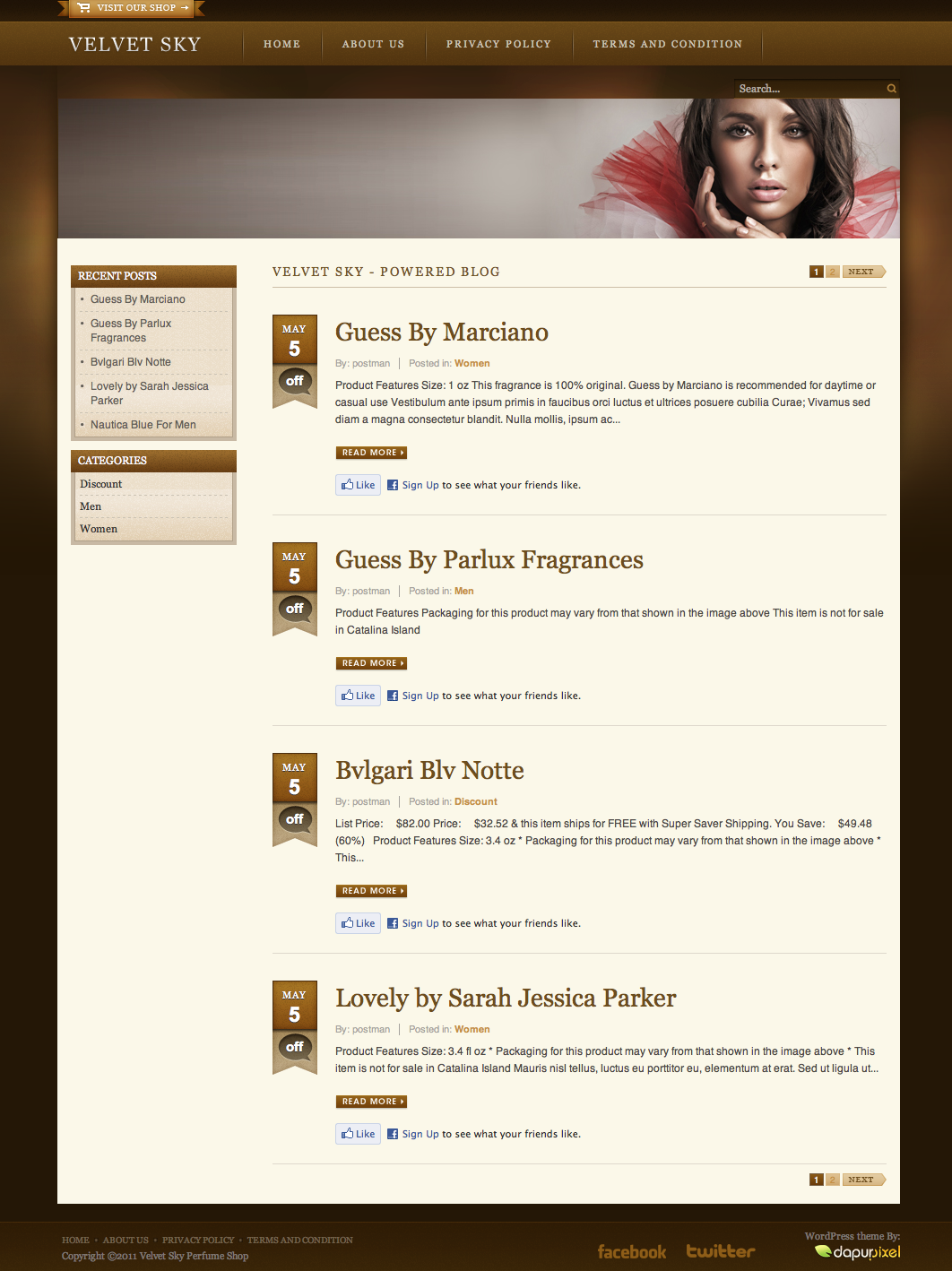
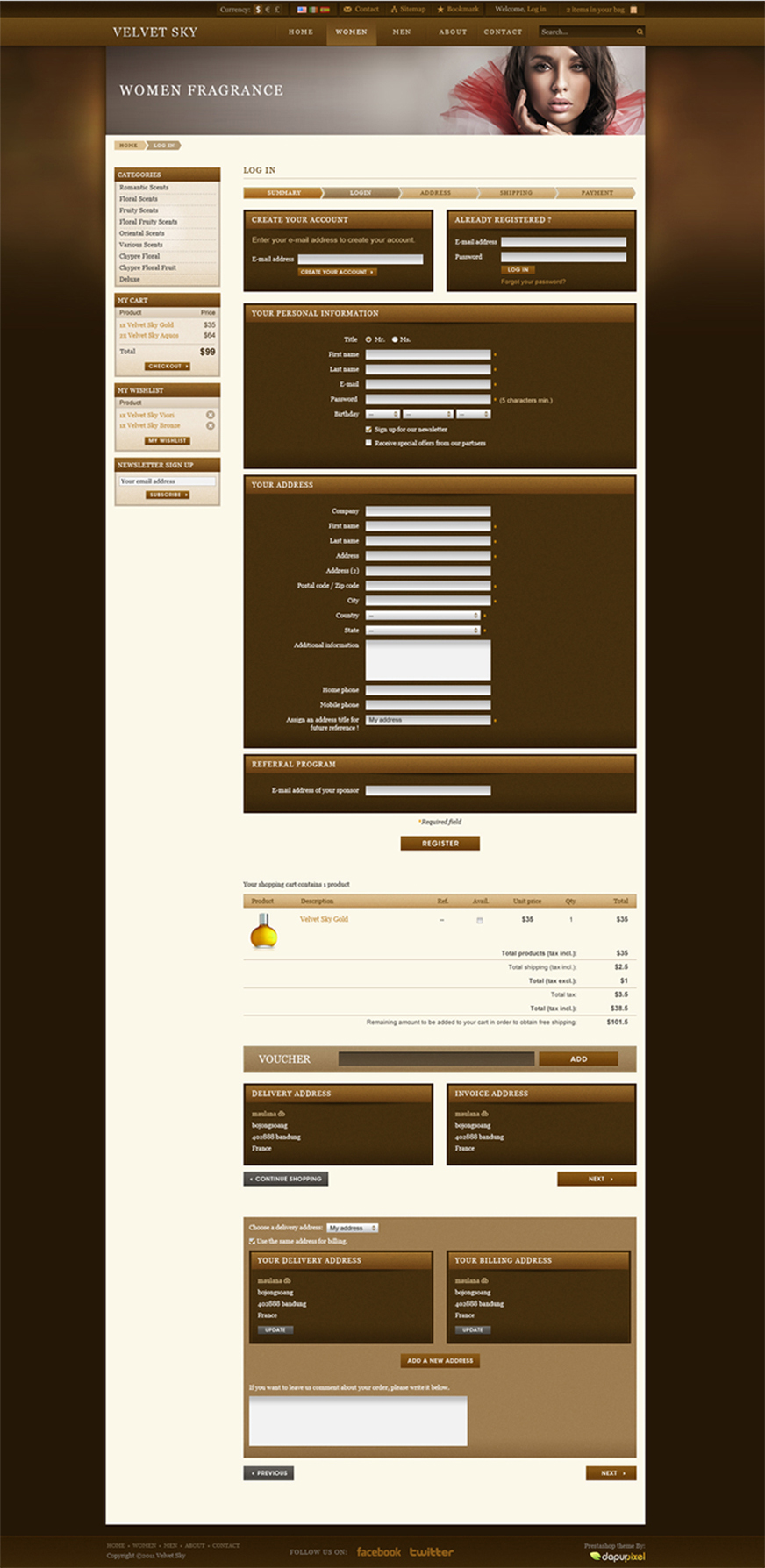
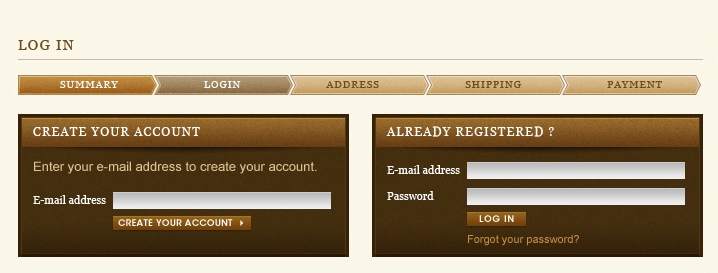
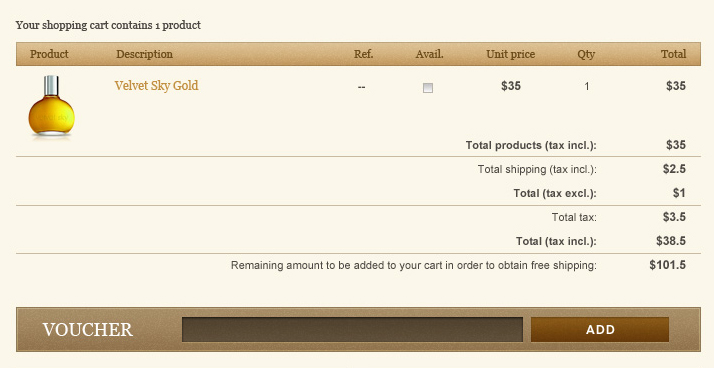
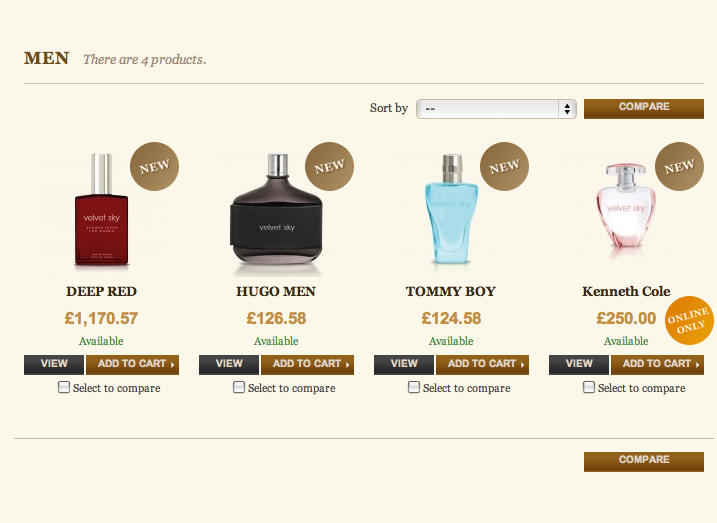
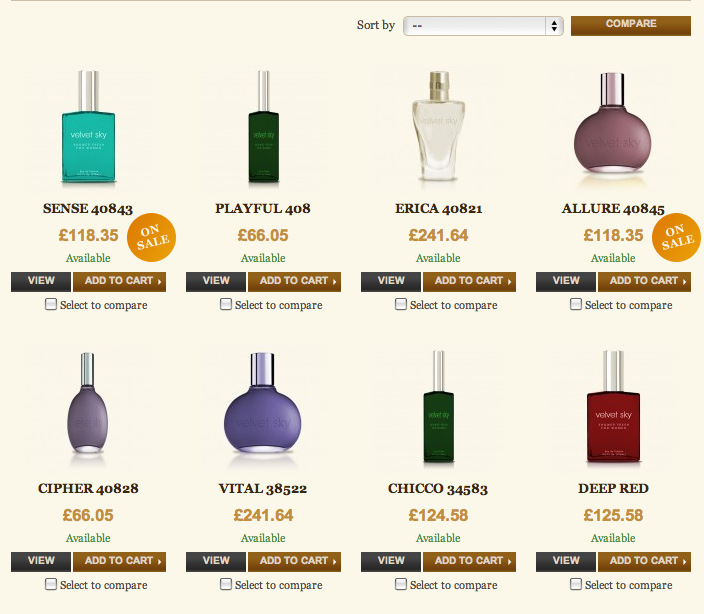
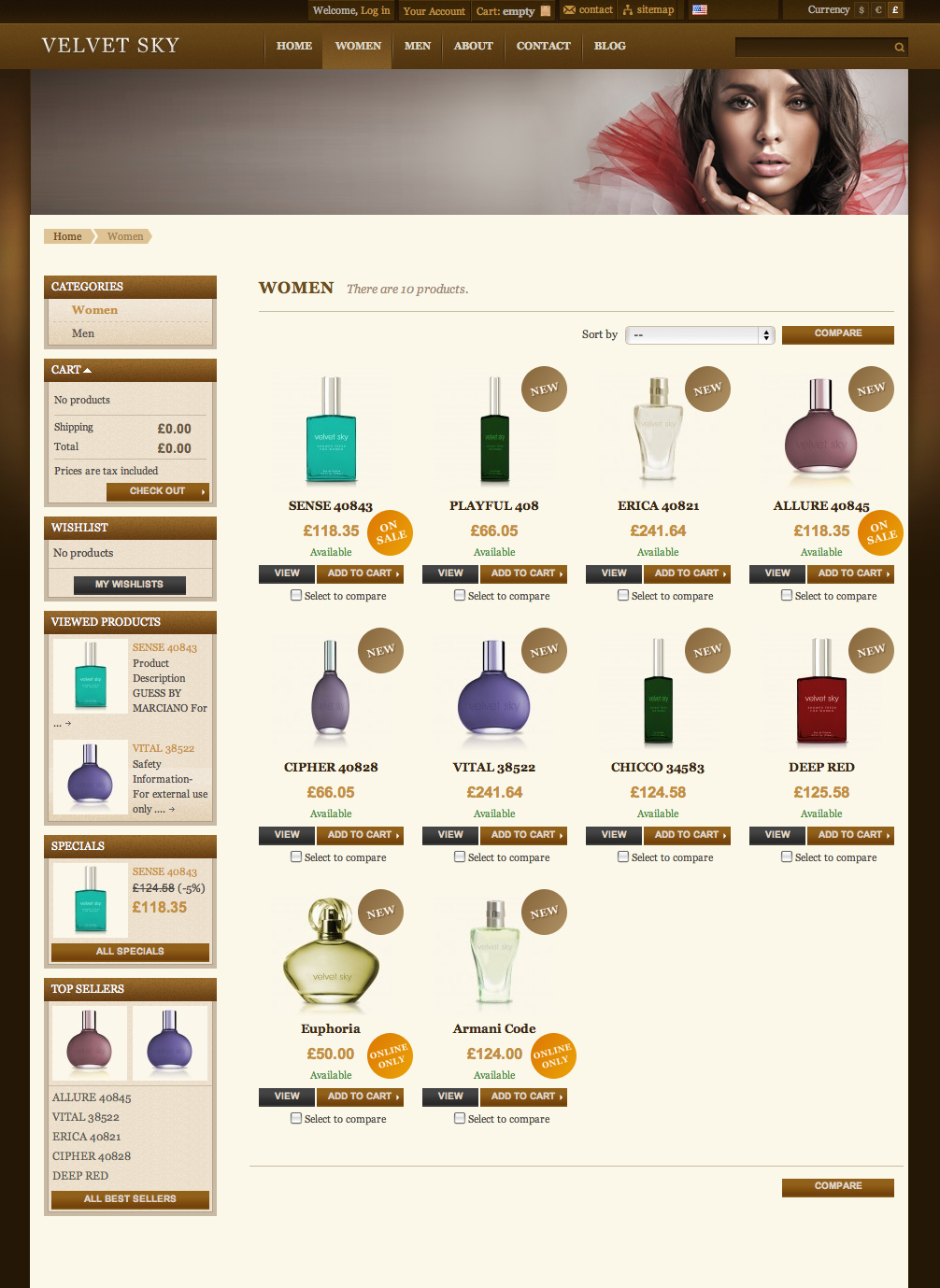
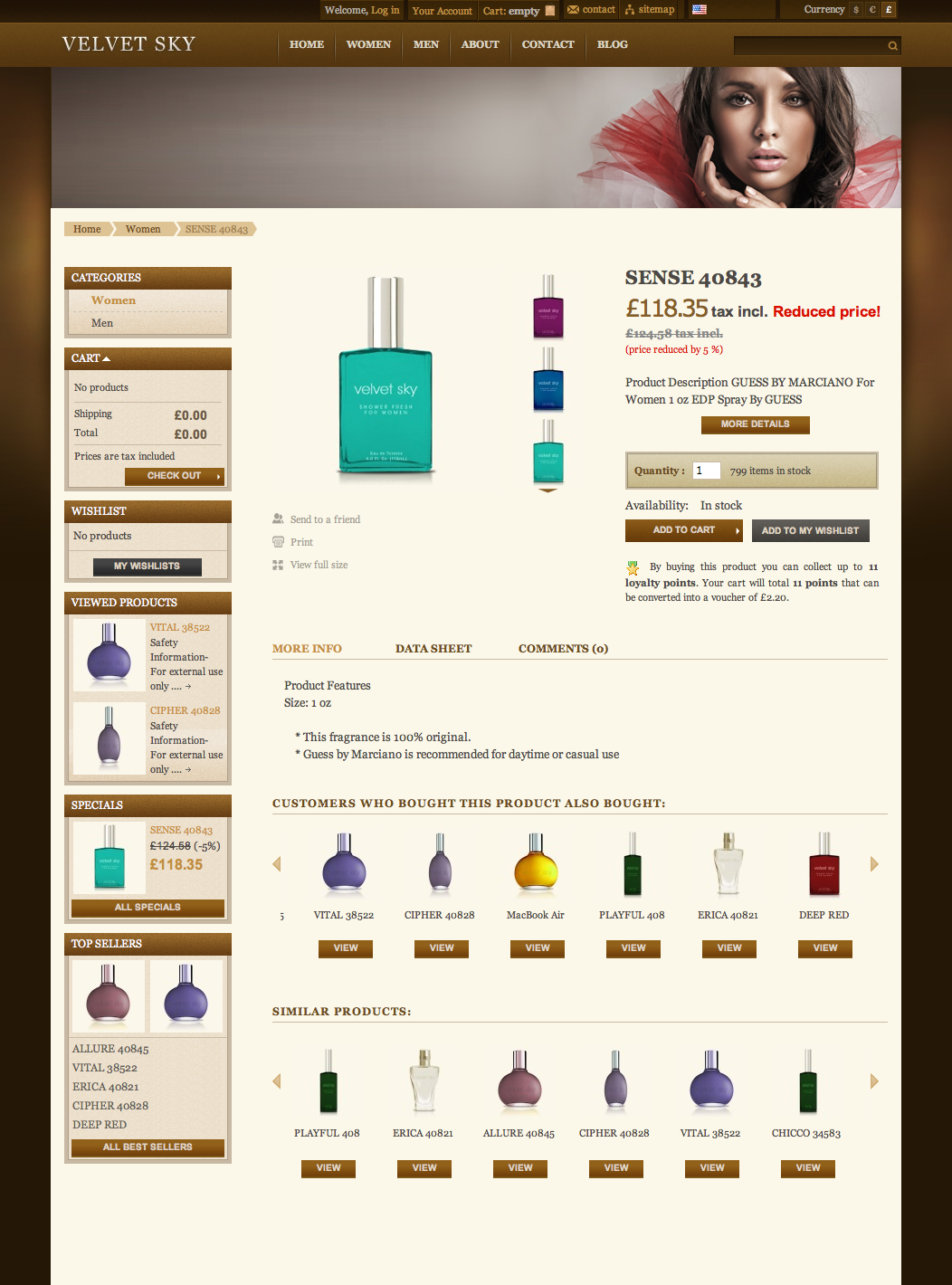
In case you’ve been looking for a nice e-commerce theme for your website or any ongoing projects, today we’ve got something for you. We’re releasing yet another freebie — a Prestashop and WordPress e-commerce theme called “Velvet Sky” which has exclusively been developed by DapurPixel for Smashing Magazine and its readers. The warm, natural brown colours within the theme portray much comfort and will hopefully provide your customers with a very calm and engaging environment in which they can find the items they’re searching for in no time.

Download the Theme for Free!
The Prestashop theme is released under Creative Commons; the WordPress theme is released under GPL. Both themes are free to use for private as well as commercial projects. There are no restrictions; you may modify the theme as you wish. Please link to this article if you want to spread the word!

- live demo
- large preview (.jpg, 0,64 Mb)
- download the WordPress theme (zip, 1.1 Mb)
- download the Prestashop theme (zip, 6.7 Mb)
- release on the developer’s site
Features
- WordPress 3.1+ compatible
- Prestashop 1.4.2.5 compatible
- Custom homepage
- Horizontal menu and submenu integration
- Custom slideshow module
- Combo slider on the homepage
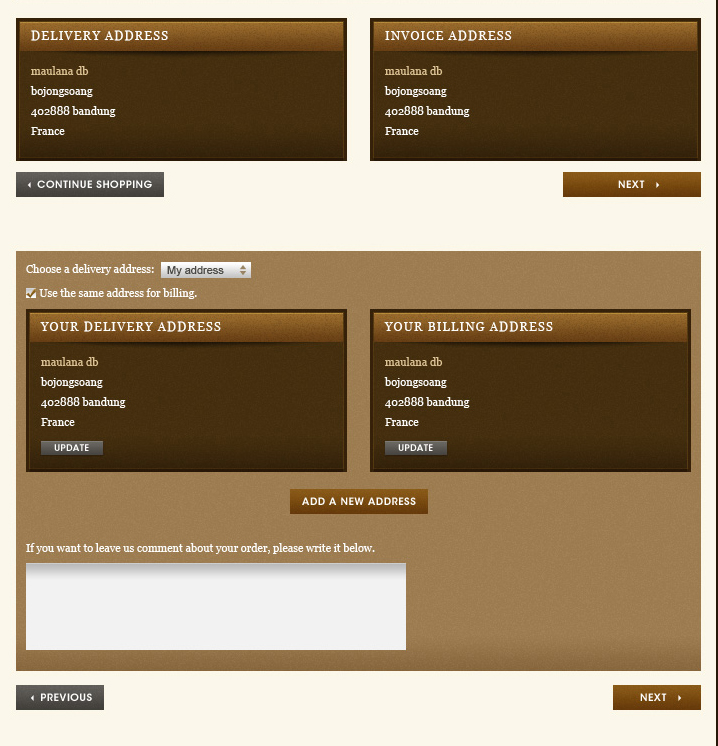
- One page checkout and guest checkout supported
- Custom advertisement block module
- IE7+, Safari, Opera, Firefox, Chrome compatible
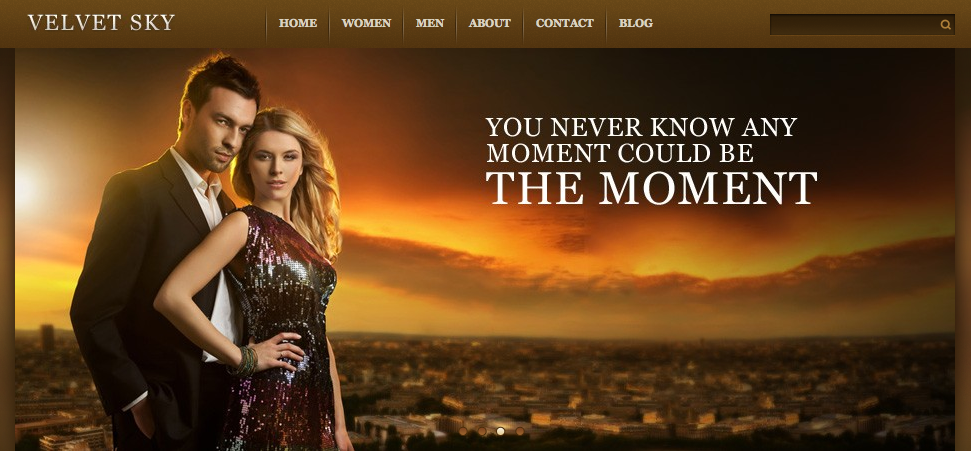
Home page 1 (click for a large preview)

Home page 2 (click for a large preview)

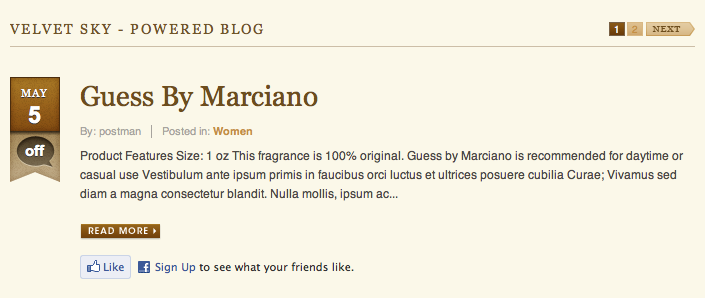
Home page 3 (click for a large preview)
Behind the Design
As always, here are some insights from the designer:
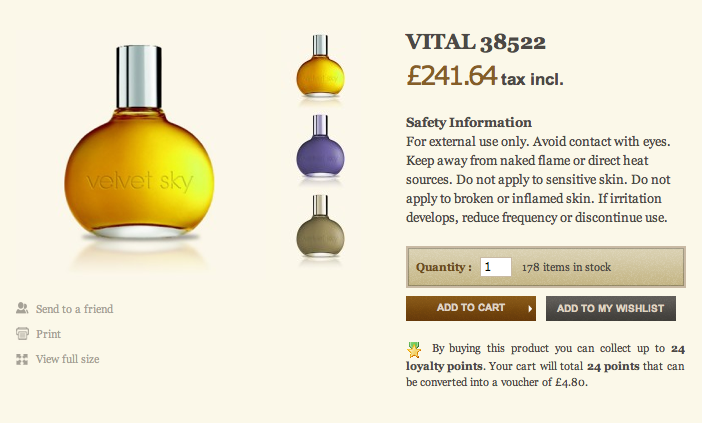
“Attractive! Alluring! Beauty! Desire! Glamour is an impression that we wanted you to have by looking at this theme. Velvet Sky has become an e-commerce theme that provides an atmosphere full of charm. We did a lot of customization; the featured product on homepage, the category product page, the product details. Velvet Sky is our humble attempt to provide a feeling of comfort in shopping experience. We worked hard to make sure that customers can found the items needed without being confused. Support your customers well, and start out by building a personal relation between you and your customers. We hope that you’ll find the theme useful for your projects.”
Thank you, Arrie. We appreciate your work and your good intentions.
Related Post
You might be interested in the following related post:


Fazreen
June 26th, 2011 5:03 amThanks Smashing for the themes!. Have been using prestashop for awhile and can’t find good theme for it.
Agence Graphisme
June 26th, 2011 5:09 amBrilliant e-commerce design… and for free + PrestaShop and WordPress compatible :)
Tom
June 26th, 2011 6:19 am“We’re releasing yet another freebie — a beautiful magento e-commerce theme…”
I think you’ve made a little mistake there, its Prestashop & WordPress isn’t it?
Gomah
June 26th, 2011 9:51 amAwesome, i was looking fo something like that =)
Neal Jansons
June 26th, 2011 9:57 amThe demo link for the theme is getting an internal server error.
Gomah
June 26th, 2011 9:59 amRefresh, they just have a bad host.
Wolforg
June 26th, 2011 10:36 amNice job, I’ve translated the WordPress theme in french today. Feel free to download this translation here : http://www.wptrads.fr/theme/velvet-sky/
Best Regards and have a good sunday :-)
SILVERDUB
June 26th, 2011 1:27 pmFreaky awesome. Good Job, DapurPixel !!
Hmm.. it’s not my favorite color. But it’s okay. I’ll download this cool theme and try to make a parfum factory on my localhost.
Thanks for sharing.
:)
boey
June 26th, 2011 5:12 pmAwesome Theme. Thanks for sharing.
Inspirations Unlimited
June 26th, 2011 8:54 pmAwesome, Thanks SM. It’s free to download however is it free for commercial use?
mahda
June 27th, 2011 11:28 pmYes, it’s free for commercial use, as long you don’t sell it on theme market place
prestajockey
August 11th, 2011 12:12 amHello Mahada. I am also grateful to come across such a beautiful PS theme. Bravo!
However, I am a starting to panic because despite trying every suggestion from the PS forum, the newsletter function is broken in velvet sky. Just like it is broken on daprupixel’s demo site.
It seems that you are part of the development team, which is why I’m hoping that you can say if there are any live examples of velvet sky’s newsletter function actually working.
Thanks
Engkus Kusnadi
September 13th, 2011 11:16 pmHi Prestajockey, I want to respond to your comments about the velvet sky themes, these themes actually released in version 1.4.2.5 so if there is an install in the latest version might be an error because it is not compatible, such as “block newsletter or comboslider” Dapurpixel already have 1.4.3 update themes velvet sky, if you want you can send emails to contacts Dapurpixel. : D
Aravind
June 26th, 2011 9:49 pmNice stuff…. thanks aravind.ind.in
David L
June 27th, 2011 12:08 amLive demo still showing 500 error but nice looking site thanks for sharing it.
Ejaz
June 27th, 2011 12:39 amThats an awesome theme and brilliant work by Arrie, I would love to see more contributions like this.
Alex
June 27th, 2011 1:20 amGreat freebie!!!!!! Thanks a lot!
Sagar S. Ranpise
June 27th, 2011 1:31 amAbsolutely Great Freebie!!!
Markus
June 27th, 2011 1:32 amLove it !!! Give me more themes for prestashop…the good ones are rare on this planet :D
Putri Sarinande
June 28th, 2011 12:06 amyeah! as rare as diamond, uh. LOL.
anyway i really like this one. looks awesome and elegant!
great workin’ all of ya’..
Mamat
June 27th, 2011 1:33 amGreat Design Theme, good job Arrie,… but what kind of place ‘Bojongsoang’ is? :)
sky
June 27th, 2011 10:59 pmit’s a fantastic place near Bandung Kidul :D
azaxs
July 4th, 2011 3:15 amvery fantastic theme from indonesian people..
awesome and maturnuwun from kotareyog :lol:
mahda
July 4th, 2011 7:12 pmU’r welcome! :D
David
July 7th, 2011 6:06 pmmatur nuwun ! indonesia = awesome artist!
dell
June 27th, 2011 2:40 amThank’s a lot, very nice. Very good job.
andres
June 27th, 2011 1:12 pmHelp please when i go to the front page i want to have the same images js changes images etc but i dont now how
thanks if some one can help me!!!!
db maulana
June 27th, 2011 11:09 pmHii andres,
If you want to change the image slider, you can click the modules, then search slideric module and click the configure to change the image. Or you can see the tutorial video here: http://youtu.be/8hodYJX9RwA
al ebol
June 27th, 2011 11:42 pmWess, amazingly good team work ..
proceed friend! bojongsoang village was able to advance as well! ahahah
andres
June 28th, 2011 6:46 amMuchas gracias!!! db maulana
andres
June 28th, 2011 7:05 amI did it whith the tutorial many thanks one more thing where can i see Please how to put the other modules below
db maulana
July 1st, 2011 2:11 amyou can see Install Guide Velvet Sky Theme here : http://www.youtube.com/watch?v=25eVeE2wIqw&feature=youtu.be
andres
June 27th, 2011 1:14 pmfree is the best i ever see for prestashop
avanna
June 27th, 2011 2:07 pmThanks Great theme! looking forward to using it
Jauhari
June 27th, 2011 4:49 pmAwesome…
blackdesign
June 27th, 2011 7:05 pmGreat!! this is the best theme I ever see…nice work. Congratulation :D
Harry Tri Wibowo
June 27th, 2011 8:19 pmI can’t Imagine a great looking and functionality free template like this. five thumbs up :D
Engkus Kusnadi
June 27th, 2011 10:59 pmGreat Themes Prestashop… God Job Team..!! :D
Arrie
June 27th, 2011 11:08 pmThank you all for your kind comment.
Feel free to use the theme for your store and site. Success and Prosper :-)
unicolored
June 27th, 2011 11:54 pmThanks for the work ! It helps a lot.
Srinidhi N.S
June 28th, 2011 4:07 amI’m really grateful to smashing magazine.
Gonzalo
June 28th, 2011 5:45 amNice!!! thanx!
Marlou
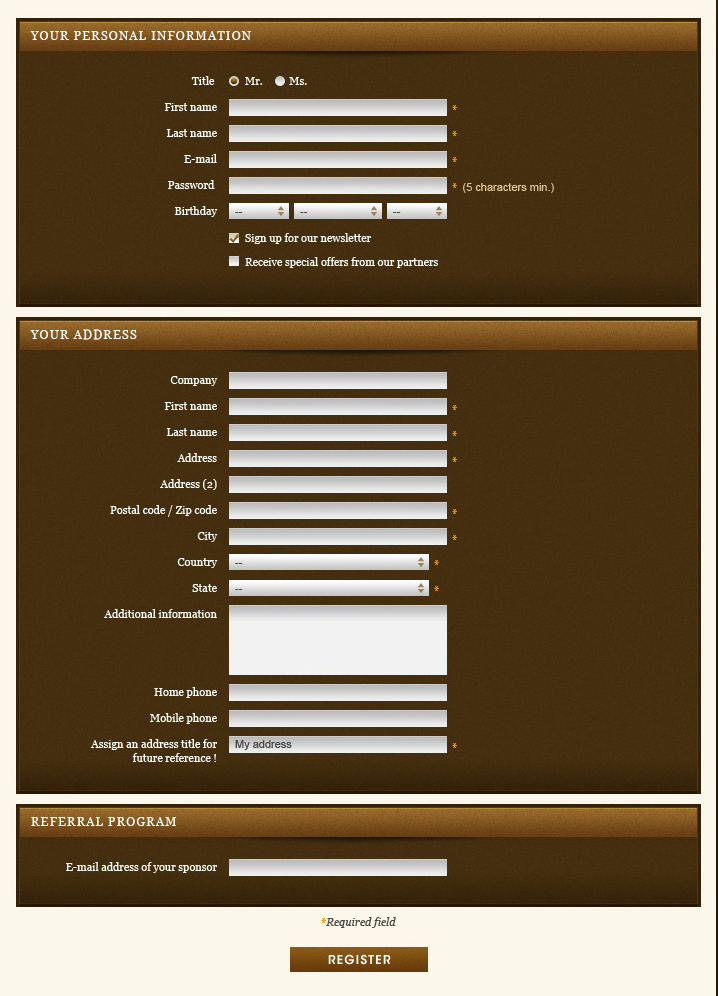
June 28th, 2011 8:25 amThank you so much for you hard work! I know how much work can go into designing and building shops. The result is beautiful and polished. I’m not a fan of the color though, maybe you could make another version in a different color, if you have the time? Or is the PSD included? I think the forms look very dark and might scare of costumers a bit. Otherwise loving it. Very nice and clear product pages too. Keep it up.
Henry Jr
June 28th, 2011 11:44 amVery good. Nice theme for wordpress.
chooeyemcha
June 28th, 2011 10:56 pmawesome
Clint
June 29th, 2011 12:26 amawesome themes
eben
June 29th, 2011 2:56 amjust wanted to add this adding 3 symbol currency to the top causes the currency word to break affecting the menu
max
June 29th, 2011 10:22 amAwesome theme. The nivo slider won’t appear on my frontpage. What am I doing wrong? I followed everything in the tutorial and it is hooked at slider home. It just doesn’t appear.
Engkus Kusnadi
July 3rd, 2011 8:39 pmif you install in prestashop 1.4.3 it must be problematic because the themes are compatible with prestashop 1.4.2.5. comboslider so it appears you must edit the way of calling the picture “featured-list.tpl” in modules “combo slider”.
Haddicus
June 29th, 2011 11:09 amAm I the only one who keeps reading the title on the header, “Create a million seduction with a classy fragrance”, and wondering, where this grammar came from? lol…
Nice looking theme though, like the colors ;)
Haddicus
June 29th, 2011 11:10 amOh lord… gets worse on the other slides… lol
Theresa
June 29th, 2011 12:23 pmThis is a beautiful theme. Thanks!
sundyme
June 29th, 2011 6:22 pmfantastic beauty!
akangdesain
June 29th, 2011 7:28 pmnice themes…
Claudio DiSouza - PORTRAITIST
June 29th, 2011 8:22 pmThanks. Beautiful theme! … looking forward to using it
Anthony
June 30th, 2011 3:32 amWould be good to have an article for creating Prestashop themes :) Great freebie, Thanks SM!
Yingying
June 30th, 2011 10:47 pmVery nice template!!
li9ht
July 2nd, 2011 8:06 pmlicense?
Chris
July 2nd, 2011 11:27 pmGreat theme! However, after installing for wordpress, the slideshow featured on the demo site doesn’t show up. And I don’t see an obvious way to activate it via the dashboard. Anyone have any idea how to make it appear?
Raoul
July 3rd, 2011 8:14 amSmashing design… and free! Beautiful. But it is not packed for the Prestashop Theme installor! And it is already out of date since it doesn’t work with the last release of prestashop.
Engkus Kusnadi
July 4th, 2011 7:35 pmamazing free themes, I agree .. : D maybe for modules “Theme installor” dipackage have not had time because these modules there are still bugs for other customized modules. and turned out a lot with each difference in Prestashop 1.4.2.5 Prestashop 1.4.3. thanks
janithri
July 19th, 2011 7:52 pmwhen i start to install this its shows a msg as ” Bad configuration file” i use PrestaShop 1.4.2.5
plz help me ??
Engkus Kusnadi
September 13th, 2011 11:20 pmmaybe you can try to extract back prestashop 1.4.2.5 you: D
azaxs
July 4th, 2011 3:18 amvery awesome bgt!!
STITCH STYLE MITTENS
July 4th, 2011 10:00 pmthank you for the book
pimsainnum
July 6th, 2011 5:16 pmI love the them .
To looking for long time.
Anganiel
July 7th, 2011 11:01 amAwesome theme I must say too.
O got a problem with the latest prestashop installation and the Combo Slider. It doesn’t show pictures correctly. Anybody has an idea?
Engkus Kusnadi said that I have to edit the featured-list.tpl, but I have no idea how. Thanks for any idea. Cheers.
And once again really cool work this theme!
Moya Yoann
July 7th, 2011 2:22 pmHi,
you can edit featured-list.tpl and replace this code at line 10 :
http://www.hostingpics.net/viewer.php?id=479712code.jpg
Yoann. (http://www.domoticien.fr)
Anganiel
July 11th, 2011 12:54 pmThank’s a lot. I manage to fix this. But unfortunatelly I get accross another problem. When I add six categories to menu (My categories has longer names than that in demo), I get the search bar moved under the menu (let’s say to second row). I tried to change the width of the menu, but then it moved the logo from the first row to the second. Any idea?
Engkus Kusnadi
July 7th, 2011 8:20 pmplease see the following video you can order modules “combo slider” can be used in prestashop 1.4.3 Good luck. : D
http://www.youtube.com/watch?v=j82Bs-zU2PU
Engkus Kusnadi
July 7th, 2011 11:00 pmplease see the following video, you can use the module “slider combo” in prestashop 1.4.3 Good luck. : D
http://www.youtube.com/watch?v=j82Bs-zU2PU
Vladislav Melnik
July 7th, 2011 11:39 pmGreat theme!
Menian Lee
July 8th, 2011 12:25 pmLol, I didn’t know that you can integrate e-shop functionality in WordPress. May be it’s time to explore more (*:
Thanks, SM and dapurpixel
Jim
July 11th, 2011 11:13 amWould be great if we can get magento version of the theme. Looks nice.
mahda
July 11th, 2011 10:09 pmHii Jim, if you want magento version you can contact us by email (see our website for email address) . Thanks
Roman
July 11th, 2011 10:51 pmI love this theme, but I have a question. I used the wordpress one, but I assume I have to install some shop plugin to get it running. Could you please help me with some advice? Thank you in advance…
mahda
July 19th, 2011 11:41 pmWe only use WP as a blog, for ecommerce platform we used Prestashop.
chankx
July 19th, 2011 7:12 amI love this them ,… and its FREE
I want use this them for my assignment which is due on 21st :(
but cant install this on PrestaShop 1.4.3
Can u guys plz send me a link to download PrestaShop 1.4.1
plzzzz help me im a new comer and i have to submit my eCommerce(site implement ) assignment on 21st :((
is there any other solution ?
mahda
July 19th, 2011 11:38 pmyou can see Install Guide Velvet Sky Theme here : http://www.youtube.com/watch?v=25eVeE2wIqw&feature=youtu.be
chankx
July 20th, 2011 5:42 amwell when i upload the zip folder the file its show an error msg as bad configuration ” :( but other themes work on it
any other solutions plz ??
btw thanks a lot .. :)
Engkus Kusnadi
September 13th, 2011 11:23 pmmaybe you can try to zip back prestashop 1.4.2.5 you: D
Mike
July 19th, 2011 1:25 pmLove the theme, but the WordPress version is NOT e-commerce, also it has no footer and header which make it hard to implement new features.
Yassine
July 23rd, 2011 4:16 amVerry nice job and i really like the way of service!
Greg
July 25th, 2011 12:52 pmI love the design, thanks! I just wish the original author for this post would note in an obvious fashion that the WordPress version is blog theme only, not an ecommerce theme :)
It took me about an hour to figure that out, but that could also be because I’m pretty dumb. ;-)
Cristhian
July 28th, 2011 7:21 amHola, felicidades por el excelente tema, instale tal cual los pasos del archivo, en servidor local, pero por mas q intento no se porque no me aparece el carrito a la izquierda, es decir para hacer la compra, no aparece a la izquierda, hice algo mal? alguien puede ayudarme?? gracias de antemano
Mkhardyel
July 28th, 2011 10:01 amPrimero ve a modulos/aplicaciones front office y checa si esta instalado, si es asi entonces entra a modulos/posiciones y les das en trasladar un modulo busca en la primera pestaña el que dice “Carrito” y en la segunda pestaña le pones que te lo mueva a “Left Column Blocks” le das guardar, te regresas a posiciones y buscalo en la “Right Column” y lo borras de alli y ya debe aparecer en la “Left Column”, espero te sirva.
Toni
October 22nd, 2011 4:21 amHola Cristhian, Mkhardyel,
He instalado el tema. Llevo un par de días con él y he encontrado los siguientes problemas.
La página va super lenta, no sé seguro si es a causa del tema.
No aparece en el footer ni el newsleter, ni los logos de facebook y twitter que tanto me gustan.
El módulo del blockbanner advertising custom, el de arriba, no parece colocarse en la posición correcta, tapa parte de la foto de los productos.
Alguna idea? realmente me gusta este tema pero no sé como solucionar los problemas.
Mil gracias amigos!!
Toni
Hafiez Ismail
July 29th, 2011 7:23 pmI tried installing this but everything doesnt seem to work on me. Any kind soul can help me install this for my store pls?
kostas
August 4th, 2011 10:31 amHi Darpurpixe and velvet sky funsl!!
I must say that this theme you provided to the community is really really good!!
I definitely appreciate it! and hope everyone else too!
Fantastic theme, I am running it on the prestashop 1.4.3
I am just before the finish of my own presta shop , but I am having problems with the Combo Slider and the default options on footer menu. My problem is with the language. I use Greek language . I want to change the titles of them to Greek ( new products to ‘’νέα προϊόντα’’) and Specials to ‘’Προσφορές’’ , and that because I am interest only to the Greek population and maybe my costumers don’t know read English. I have tried all the changes at the . tpl files but when I put Greek the letters disappears .
Did anyone knows what I have to do to fix this issue? I try to change UTF-8 at ISO-8859-7 but nothing again..
I want to changes only the characters (in Greek) and not the function of the comboslider and the footer links.
Thanks and I hope someone has the answer.
Engkus Kusnadi
September 13th, 2011 11:32 pmyou try to force-compile a check set to true, because after editing tpl files, must be in force compile, and to problems in prestashop Dapurpixel existing 1.4.3 version update, if you want please send message to contact Dapurpixel. : D
prestajockey
August 10th, 2011 11:56 pmHello all. Despite several issues discussed here and more in-depth on the PS forums, I LOVE THIS THEME.
Sadly, I had to revert back to PS 1.4.2.5 to fix the comboslider issues. Not my preferred method, but all other suggestions failed. I hope that the true cause of the comboslider issues can be fixed for 1.4.4 and beyond.
Unfortunately, the broken newsletter function issue is really detrimental to the use of the site. I have tried every suggestion offered on the PS forum with no luck (including creating the missing sql table for ps_newsletter). I find it disconcerting that the newsletter is broken on daprupixel’s demo site as well.
Does anyone who is using this beautiful theme actually have the Newsletter block working without errors? If so please describe which version of PS, where you have the module hooked, any code customizations, etc.
Thanks
Steve
August 12th, 2011 5:22 pmSame issues here with the newsletter block, apart from that this is an amazing theme. Hoping that as this seems to be the biggest issue it’ll be one of the first to be fixed shortly.
Mao
August 12th, 2011 4:54 amThe theme for PrestaShop is very good but
He still has some bugs, and developers do not always respond when it comes to technical support
I sent three emails since its ecommerce site, subject to recovery on his topic on the forum prestashop
And still no response
kostas
August 18th, 2011 2:25 amnewsletter block is NOT working….if someone has the solution…or…with some way to disable it and put something else there…(like a banner)…
alekos
August 22nd, 2011 9:47 amyes…the newsletter block is NOT working…@!$#$@!#$!
if you give something..even for free…it must be correct…
if you spend ours in somethink and you do not take correct results you feel…….
jc
August 23rd, 2011 11:22 pmhi, would just like to ask, how to move left column to right column?
tried editing the header.tpl and footer.tpl but it doesn’t work
tutorial: http://www.prestashopic.com/how-to-removehide-left-or-right-column-of-the-homepage
Thanks!
Alex
August 31st, 2011 6:56 pmWhat is caching this theme support at Prestashop 1.4?
I love Article Directory
September 8th, 2011 2:51 amIt’s a hard time for almost most people to pull through and propser in this financial state. Just a number of web marketers and internet businesses really succeed. So, I be grateful for your content and I hope this will allow many more also to generate their unique strategy to successes. As a internet entrepreneur I am continue to a believer in the email marketing formula and I am also using safelist in my small business as an device to get new prospective customers.
kaan
September 22nd, 2011 7:30 amHi, thanks for great theme but need a guide to install for wordpress…
i want to create homepage with sliders like in the demo but i cant… can you help me please?
thanks
Obat Anti Rokok
September 24th, 2011 11:02 amexcellent!
We are proud of you .. continue to share …
greetings health :)
green
September 28th, 2011 9:05 pmcan i remove from footer logo dapur pixel and etc about dapur pixel ?
Topan Aprilia
September 29th, 2011 7:40 pmYeah god job.
I think this is the best theme for free.
Mike GR
September 30th, 2011 11:41 pmBrilliant e-commerce design… and for free PrestaShop
I run Presta 1.4.2.5 and I’m going to update to prestashop_1.4.4.1. There is any problem with the latest prestashop installation?? I’m asking before update
Thank you so much for you hard work!
srinivas
October 2nd, 2011 10:37 pmhi,
this theme is looking great, is there any documentation for them configuration in site. for example my site buttons are not changing, they are showing default ‘add to cart’ buttons. please if you have documentation, please send me.
sharizal
October 3rd, 2011 1:23 amwhy i can’t download this theme? also nini bobo for ps 1.3.6.. any solution?
bart
October 14th, 2011 2:10 amGreat Theme!
Unfortunately I still haven’t got the Nivo Slider working in the front-end. I’m using Prestashop 1.4.4.1.
In the back-end everything is working properly.
Hope you can help me out
Guibz
November 11th, 2011 10:19 amHello,
Very good theme, I would like to know how I can change the names of products in the “Combosliders”?
In “leading products” and “new product” I can not find the code that allows me to change this data.
see image:
http://imageshack.us/photo/my-images/812/imgquestion.jpg/
Thank you.
Perlengkapan Bayi Murah
November 17th, 2011 12:14 amWow, i think this is a great theme for free…thanks
Nick
November 21st, 2011 11:35 amThis is a fantastic theme thanks to all involved. I have one small issue in that I don’t know how the featured products works. I am a newbie with PS but managed install and set it up in a couple of hours and the new products part of the combo slider works perfectly but the featured products isn’t showing anything. Will this populate when someone purchases something or can I populate it with products that I want to?
Toni
November 22nd, 2011 10:59 amI think you have just to add products on the home categorie. Those are the ones that will show on Featured Products.
The question I have, is where can I change the name of “Featured Producs” and “New products” ?
I tried to translate from the backoffice but always get an error message…
Toni
Thanks
Kari
November 22nd, 2011 9:18 pmI am loving this theme!!! I only have one problem and hope someone can help, my left bars are in the center instead on the left side and the products are below it. Thanks!
Anders
December 2nd, 2011 12:52 pmMy logo has moving down and if I change the settings under “jbx_menu” modules. I have tried to reset the module, and delete it and then upload it again but nothing works?
Anyone who can help?
Excuse my bad English :/
Iyoxy
December 6th, 2011 8:13 pmSame problem here, i want to make the logo above of the navigation but when changing it in the themes/header.tpl nothing change at all
please anyone who can help?
Eduard Gotwig
December 11th, 2011 2:14 amI got a problem. How can I move the “comboslider” module to “Top of Pages”? thanks
Shane Fletcher
January 23rd, 2012 1:38 pmCan anyone tell me the colour of the brown?
I am inputting a personal made logo but I need to know the background colour.
landie
February 13th, 2012 4:41 pmhow can i remove the velvet sky logo at top left hand corner in WP…..I was able to remove at the footer in the main index file, can’t seem to find the”velvet sky” one at the top left in order to remove it…. can anyone help me?
agus
March 12th, 2012 3:36 amhave you try to find it on the css file ?
John
March 15th, 2012 6:56 amJust like others, I am getting the “Bad Configuration” prompt when I try to upload this module/theme…can anyone please help? What do I need to do make it work?
tim
March 22nd, 2012 12:20 pmwhat are you using 1.4.7. or Prestashop 1.4.2.5 if your using anything but 1.4.2.5 this theme will not work
tim
March 22nd, 2012 12:18 pmThis them is only compatible with Prestashop 1.4.2.5 but where can i download this as prestashop has new one now ?
Also the problems people seem to be getting is because they have the latest prestashop 1.4.7. and the theme will not work with it
Marja
March 29th, 2012 8:13 pmDid you ever find Prestashop 1.4.2.5? Thanks!
Bagusflyer
May 11th, 2012 4:22 amYour theme is the best I find in the Internet. But I have a few questions as a newbie in Prestashop:
1. I’m puzzled at the way to install the theme. There is folder called modules which includes a few modules. Some of them are system modules. I need to overwrite the ones in system modules folder. The question is if Prestashop release a new version and I want to upgrade. What should I do?
2. Before install your theme, there is an animation effect (by the way, my Prestashop is 1.4.7.2) when I click “Add To Cart”. After installing the theme (even before I copy the modules folder), this animation effect disappear. Can you give me an advise on which part I should check for this problem?
Thanks
Nando
September 5th, 2012 5:51 amNo slider page for wordpress theme? Yahh…… Sayang sekali.. :(
untung baru coba-coba doang di media gratisan.
Btw, I’am proud of you guys. Velvet Sky is the best design i’ve ever seen.
Bravo!
Tianna
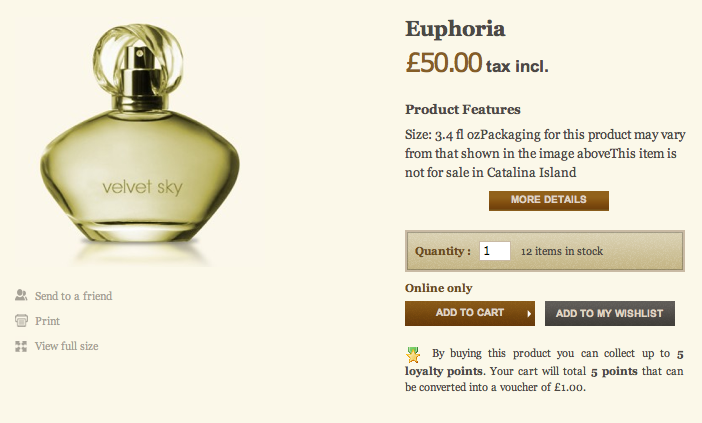
September 28th, 2012 11:16 amArrie is really talented. The theme look amazing and catchy, especially I like a product description page, it is well thought-out, features all necessary elements including “send to a friend”, social sharing buttons, etc., but still quite roomy.
Well done!
Anna
April 16th, 2013 1:25 pmAfter you download it, how do you install it?
Sania Roy
May 7th, 2013 10:26 amyes this site is beautiful