Freebie: Facebook Fan Page GUI PSD
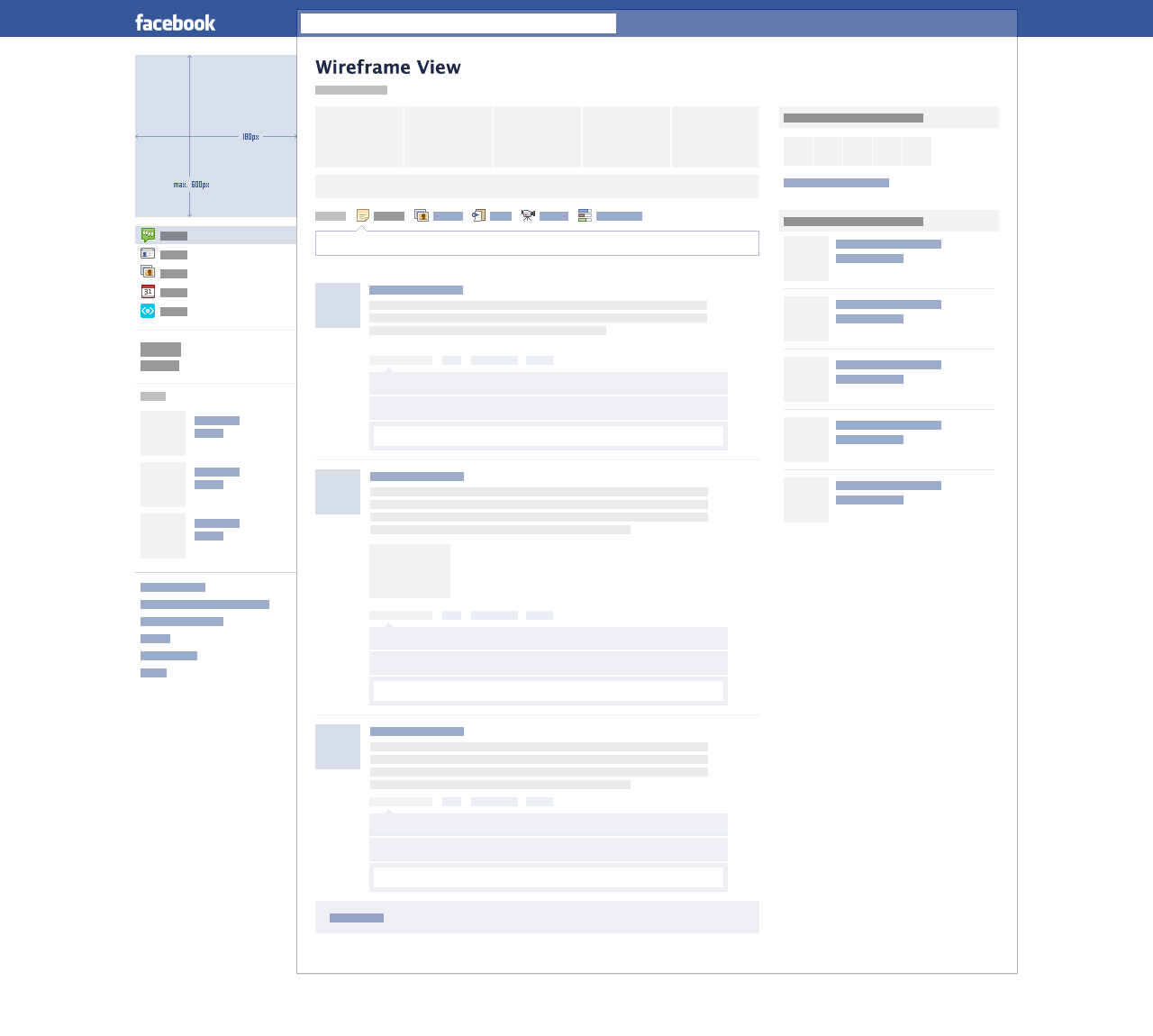
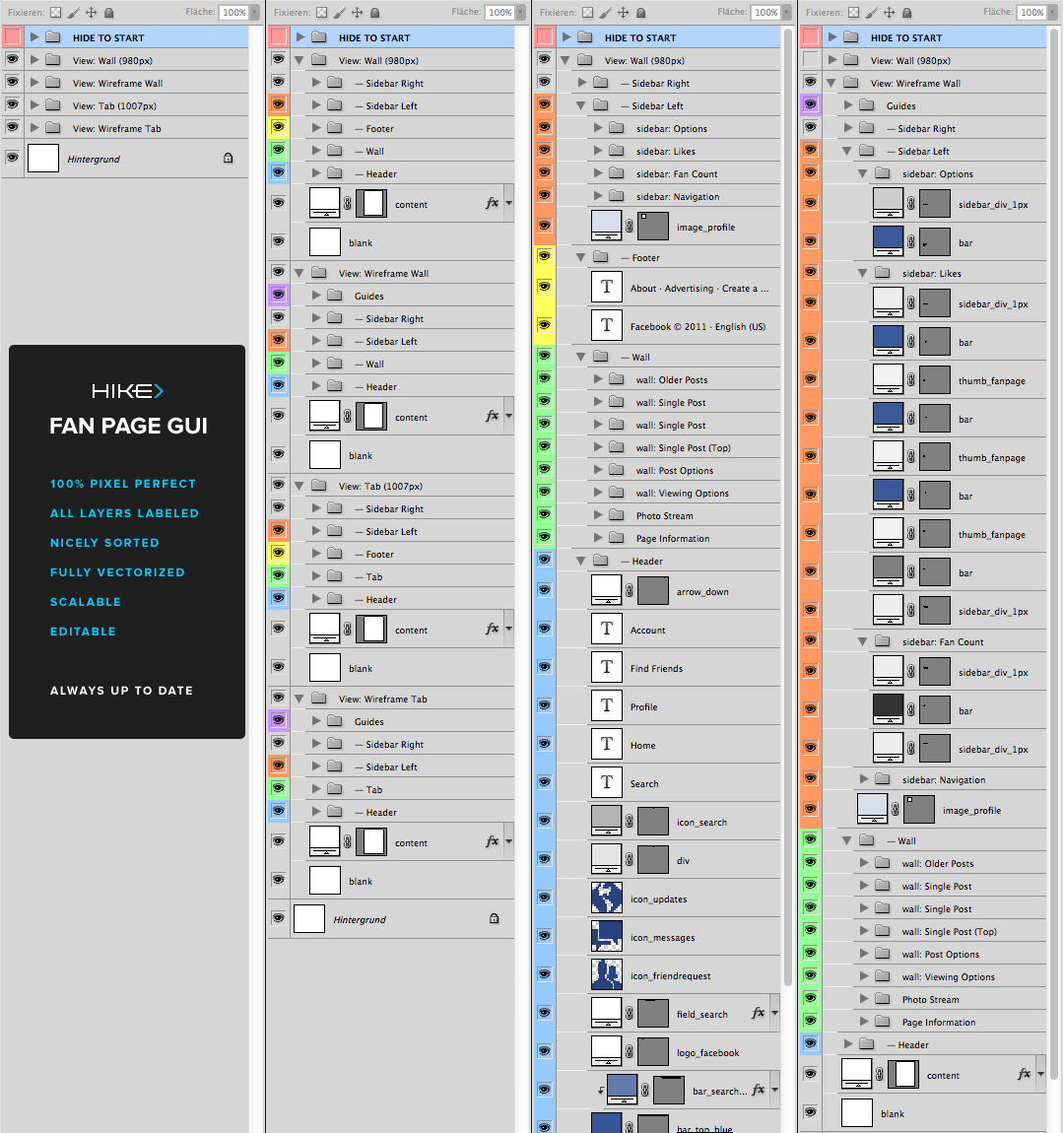
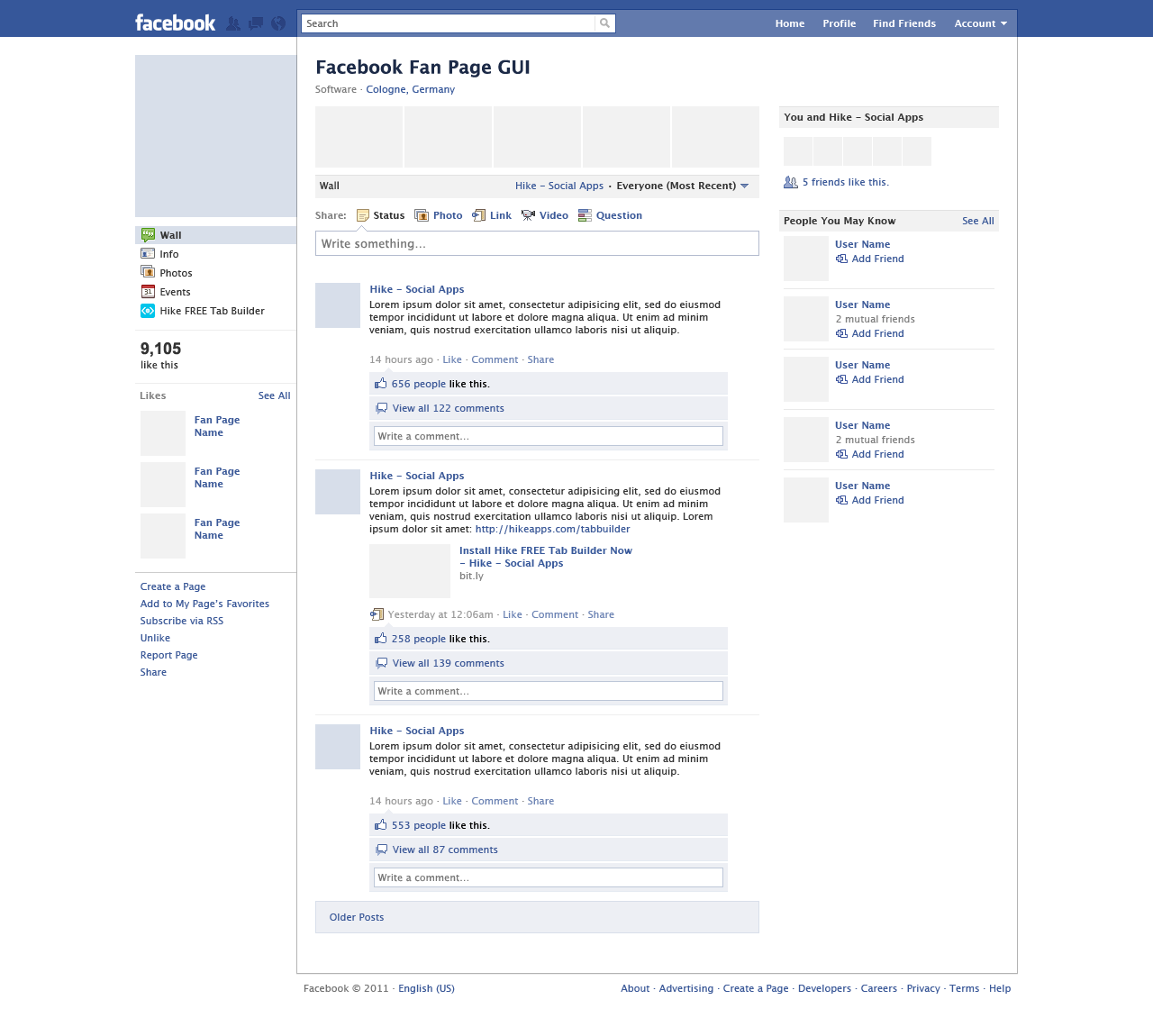
Today we are glad to release a yet another freebie: a Facebook Fan Page GUI PSD, designed by Hike and released for Smashing Magazine and its readers. The PSD will speed up the process of creating previews, thus sparing you from drawing all the comps and letting you customize all the texts, buttons and data as you need. All layers are vectorized, allowing you to scale up the GUI without loss of quality. The mock-up is 100% pixel-accurate, it has 4 viewing modes (default wall, wireframe wall, default tab, wireframe tab), all layers labeled and grouped. Smart guides are included. The PSD is compatible with Adobe Photoshop CS3+.
With every update Facebook performs to its fan page design, Hike reproduces it 24 hours later and updates its download link with the latest version. The main idea behind this PSD was to provide all designers and agencies with a useful tool that will improvs their daily workflow when it comes to preparing Facebook-related previews for their clients or internal presentations. As usual, the goodie is absolutely free to use in private and commercial projects.
Download the PSD for free!
You can use the freebie for all your projects for free and without any restrictions. Please link to this article if you want to spread the word. You may modify the file as you wish.
- large preview (.png, 0,09 Mb)
- download the .zip-package (.zip, 2.1 Mb)
- official download from the designer’s site (.zip, 2.1 Mb, will be regularly updated)
- release post on designer’s website
Features
- 100% pixel-accurate
- 4 viewing modes (default wall, wireframe wall, default tab, wireframe tab)
- Fully vectorized
- Limitless scaling
- All layers labeled
- Smartly grouped
- Completely editable
- Includes smart guides
- CS3+ compatible
- Always up to date
Previews
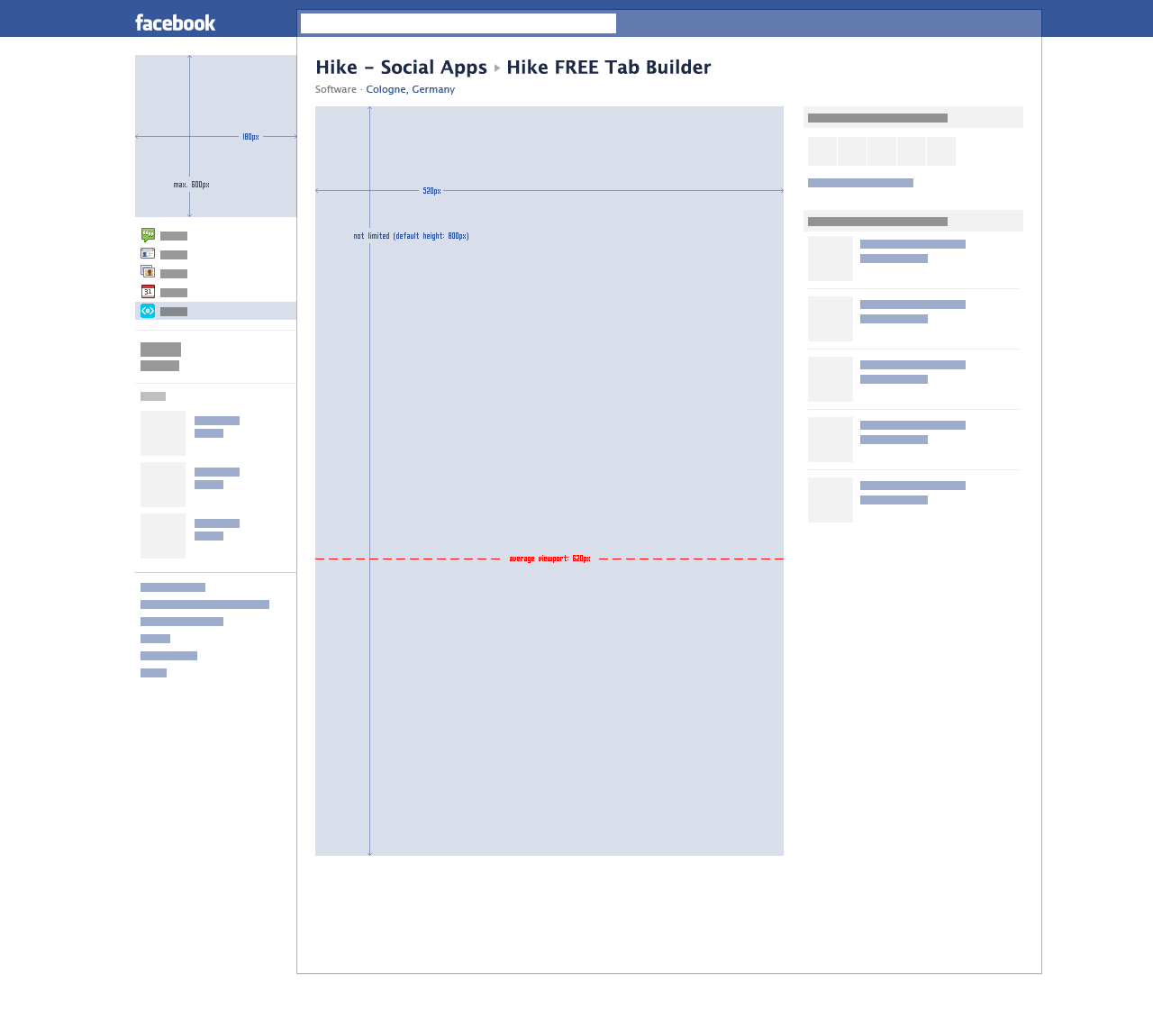
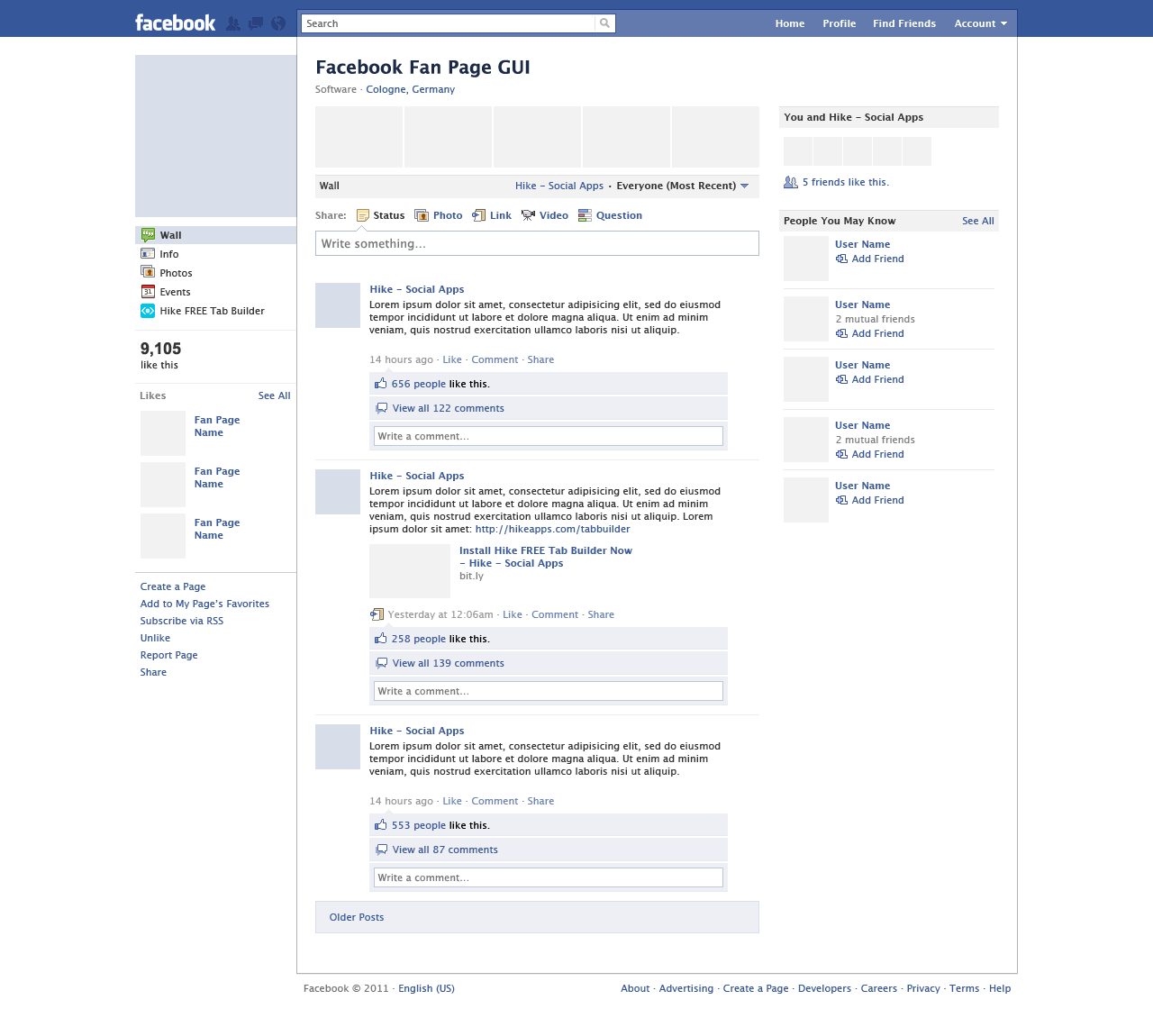
Wall wireframe (large preview)
Behind the Design
As always, here are some insights from the designer:
“From our own experience we knew how time consuming it could be to have to recreate or prepare a decent Facebook template that allows you to implement custom tab graphics, profile banners etc. It’s a real pain and waste of time and it only takes away your focus from the actual artwork. At Hike we once decided to invest multiple days into creating a complete Photoshop template that would allow us to create design previews on the fly.
What sets this PSD apart from similar files is the fact that with every update Facebook performs to its fan page design, Hike reproduces it 24 hours later and updates its download link with the latest version. As listed under Features above, we actually reproduced each and every pixel of Facebook’s fan page UI. The PSD includes 4 viewing modes for the most common design tasks and it’s fully vectorized. Thanks to smart grouping and clever labeling, everybody will easily get along in our PSD. If you have suggestions for improving the file or feel like something is still missing, feel free to post it on our Fan Page wall and we will respond. Follow @HikeSocialApps for updates!”
Thank you, guys! We appreciate your work and your good intentions.


Nate
September 13th, 2011 10:13 amPerfect timing! :) Thank you Hike & SM.
Megan Radich
September 13th, 2011 10:18 amWow, thanks for all your hard work! This saves so much time! :)
Yashodhan Deshmukh
September 13th, 2011 10:19 amWas looking for the same since a long time, thank you
Joachim Löfstedt
September 13th, 2011 10:24 amPerfect, just what I needed!
Andrei Gabreanu
September 13th, 2011 10:37 amExcellent timing. Thanks SM & Hike!
dp
September 13th, 2011 10:42 amnice!
Hugo Santos
September 13th, 2011 10:43 amGreat work. But just a small error, the right size for a profle image is 180x540px.
Cheers!
Alex
September 14th, 2011 1:55 amHey Hugo, thanks for pointing this out. Of course you’re right and the correct height is 540px (it used to be 600px, but that’s old news). Expect it to be fixed with the next update which will become available on our fan page shortly.
Jesika
September 13th, 2011 11:25 amBeautiful! Thank you so much, Hike.
David
September 13th, 2011 12:24 pmThanks!
Tom Gladding
September 13th, 2011 12:36 pmThis will be really useful, thanks! :) x
Kane
September 13th, 2011 1:30 pmI just love SM for sharing this type of stuff, especially for free. Thank you :)
Mizunga
September 13th, 2011 2:20 pmGreat Job, thx for share
Jon
September 13th, 2011 2:41 pmThanks just what I was looking for! really useful :D
Ryan Bradley
September 13th, 2011 3:49 pmHike definitely deserves a link for this! This is awesome.
Daniel S
September 13th, 2011 4:51 pmMaybe a dumb question: How can this be useful? To design another facebook?
avn
September 13th, 2011 5:41 pmhi, this psd will help you to design facebook fan/business page.
avn
September 13th, 2011 5:38 pmhey thanks for sharing
Austin
September 13th, 2011 7:59 pmNoticed a typo, first one I have ever seen on Smashing Mag!
Second par, third line:
with a useful tool that will improvs their
Great resource, thanks : )
gr8pixel
September 13th, 2011 8:43 pmThis will make my life easy… thanks a bunch for sharing!
gopalb123
September 13th, 2011 9:04 pmGreat job….Thank you Hike :)
Muhammad Nasir
September 13th, 2011 9:07 pmThanx
chigicherla
September 13th, 2011 10:23 pmGood timing!
This will be really useful, thanks!
Oliver
September 13th, 2011 11:19 pmThumbs up! Plus perfect timing for me, too.
deepak
September 13th, 2011 11:28 pmThanks a ton for your great help. It is really too good.
Micha
September 13th, 2011 11:35 pmThank you!!!
Celwin Frenzen
September 14th, 2011 12:24 amAwesome stuff guys, thanks!
Cristina
September 14th, 2011 12:27 amJust looking for something like that now: also for me perfect timing!!! Thanks so so much ;)))
gg
September 14th, 2011 1:24 amAnd this is different from facebook screenshot how ? Why do i need all these layers when i cant event touch them in facebook? Seriously …
Heidi Jermyn
September 19th, 2011 2:17 pmYeh I have to say that a quick and dirty screen shot of the clients Facebook Page is really all I need – or ever will need. All those layers – making me feel a little woozy!
FIREWORKS MASTER RACE
September 14th, 2011 3:31 amhaha designing web sites in Photoshop, some people are just gluttons for punishment.
I mean look at those layers, it’s clearly the wrong tool for the job.
FIREWORKS MASTER RACE!
Cassiano
September 14th, 2011 3:44 amI agree! Fireworks is the best web tool!
Why few people notice this????????????
Micha
September 14th, 2011 6:43 amHahaha…. FIREWORKS MASTER RACE … so ridiculous!
Akmal Izzat
September 14th, 2011 5:26 amwow, a great PSD file, perfect for my Banner for Facebook dotcom product, heheh!
Julian Gaviria
September 14th, 2011 10:17 amOff topic but I get very annoyed when you guys put “Mostly Vitaly, Sven, etc”. Just seems very unprofessional and attention hungry.
I’m sure there’s another way to put it without sounding the way you do while at the same time giving certain people credit.
Sorry just my two cents.
Tarr
September 14th, 2011 2:08 pmYeah, FIREWORKS is a better tool for this kind of job, no doubt!
Gabriel
September 14th, 2011 5:24 pmWow! Thanks for that!
Adrian
September 15th, 2011 1:47 amAwesome, THANKS!
Aska
September 16th, 2011 3:57 amGot problem opening zip files but great tips. Thanks! Btw does FB compress profile images? I see pixelation…
Vajaah
September 16th, 2011 8:55 amI’ve definitely seen pixelation on FB profile pics. I only find it to be bothersome when I have designed a Facebook Fan Page App that relates the canvas area to the profile image, then its rather noticeable.
3magic beans
September 16th, 2011 4:05 amWe appreciate your work. Nice work.
dp
September 16th, 2011 5:33 amit’s amazing that FB doesn’t supply this.
David Garcia
September 16th, 2011 12:17 pmAha!! Great PSD file. Will definitely come in handy. Thanks!!!!
Dimitris
September 17th, 2011 7:56 amGreat work!
Marlon
September 17th, 2011 11:35 amThanks a lot!
Philip Wallage
September 18th, 2011 1:29 amThank you so much! Highly appreciated!
Shafraz
September 19th, 2011 5:10 amGreat PSD file. Thank you very Much.
you have said the height of FB fan page tab is not limited and the default value is 800px.
so is there a way to increase this height ..
please help.
thanks in advance
Alex
September 19th, 2011 11:13 amHey Shafraz, you can easily adjust the height of the tab layer (800px) by using the transforming tool in Photoshop (cmd + t). Beforehand you should increase the overall canvas height by the amount you want to expand the tab content. Be sure to adjust the layer “content” accordingly as well. Have fun!
chandrakant
September 20th, 2011 1:57 amthanks a lot SM.
priyank
September 20th, 2011 2:41 amultimate, thanks a lot
Alex
September 21st, 2011 1:52 amHike Fan Page GUI PSD Update: Version 09/21/2011 is now available. Major update to the header, several pixel adjustments, view shares and more. Download: Visit “Hike – Social Apps” on Facebook … You saw it here first!
ella
September 26th, 2011 1:50 amThis is cool. Thanks for sharing this SM.
Alex
September 28th, 2011 12:22 amHike Fan Page GUI PSD Update: Version 09/28/2011 is now available. Find Friends, updated wall bars (new style), several pixel adjustments and more. Download: Visit “Hike – Social Apps” on Facebook … Go get it!
Jeff
October 12th, 2011 3:08 pmWow, i feel like i’m late, 2 weeks late, but still quite happy, thanks a million.
Arturo Molina
October 18th, 2011 9:56 amThanks a lot!!!!
Gabriela
October 21st, 2011 4:15 amGreat! Very usefull :)
Félix Lapointe
November 22nd, 2011 7:41 amThe “average viewport” line will support clients about the “fold issue”. Fellow designers, don’t show a mockup with this line ;)
Alex
November 24th, 2011 7:22 amExactly right, it simply serves as an orientation when designing graphics. Of course the line shouldn’t be part of your final artwork ;)
DjHat
December 8th, 2011 6:24 pmGREAT!! :)
Alex
March 7th, 2012 3:23 pmHike Fan Page GUI PSD Update: Timeline Version is now available. No need for any explanation. It’s ALL NEW, ALL TIMELINE! Get it now! Download: Visit “Hike – Social Apps” on Facebook
TOEFL Kurse
September 6th, 2012 10:24 amWow, incredible blog structure! How lengthy have you been blogging for? you made blogging glance easy. The whole look of your site is excellent, let alone the content!