
Learning JavaScript: Essentials And Guidelines

Email Newsletter
Weekly tips on front-end & UX.
Trusted by 182,000+ folks.



 Celebrating 10 million developers
This is a selection of most popular and useful Smashing Magazine’s articles on learning JavaScript and jQuery published over all the years here, on Smashing Magazine.
Quick Overview
- My Favorite Programming Mistakes
- Ten Oddities And Secrets About JavaScript
- Seven JavaScript Things I Wish I Knew Much Earlier In My Career
- The Seven Deadly Sins Of JavaScript Implementation
- Find The Right JavaScript Solution With A 7-Step Test
- What You Need To Know About JavaScript Scope
- jQuery And JavaScript Coding: Examples And Best Practices
- Image Manipulation With jQuery And PHP GD
- jQuery Plugin Checklist: Should You Use That jQuery Plug-In?
- Commonly Confused Bits Of jQuery
- Make Your Own Bookmarklets With jQuery
- Behind The Scenes Of Nike Better World
- Five Useful Interactive CSS/jQuery Techniques Deconstructed
- Five Useful CSS/jQuery Coding Techniques For More Dynamic Websites
- 10 Useful CSS/JS-Coding Solutions For Web-Developers
- Useful HTML-, CSS- and JavaScript Tools And Libraries
- 50 Fresh JavaScript Tools That Will Improve Your Workflow
- 40 Useful jQuery Techniques And Plugins
- 45 Fresh Useful JavaScript And jQuery Techniques And Tools
- 50 Brilliant CSS3/JavaScript Coding Techniques
- 45 Powerful CSS/JavaScript-Techniques
- Develop A One-Of-A-Kind CSS/JS-Based Game Portfolio
- A Quick Look Into The Math Of Animations With JavaScript
- Create An Animated Bar Graph With HTML, CSS And jQuery
- Essential jQuery Plugin Patterns
- Introduction To JavaScript Unit Testing
- Analyzing Network Characteristics Using JavaScript And The DOM, Part 1
- Lessons From A Review Of JavaScript Code
- Optimizing Long Lists Of Yes/No Values With JavaScript
- Searchable Dynamic Content With AJAX Crawling
My Favorite Programming Mistakes
Over my programming career, I have made a lot of mistakes in several different languages. In fact, if I write 10 or more lines of code and it works the first time, I’ll get a bit suspicious and test it more rigorously than usual. I would expect to find a syntax error or a bad array reference or a misspelled variable or something.
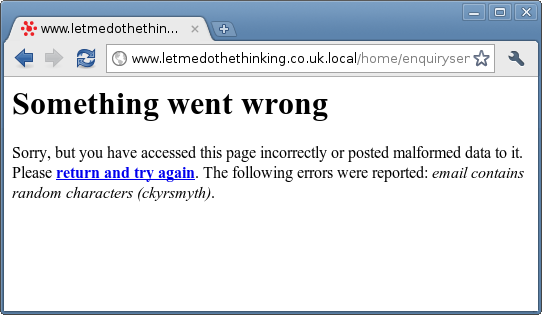
I like to classify these mistakes into three broad groups: cock-ups (or screw-ups in American English), errors and oversights. A cock-up is when you stare blankly at the screen and whisper “Oopsâ€: things like deleting a database or website, or overwriting three-days worth of work, or accidentally emailing 20,000 people. Errors cover everything, from simple syntax errors like forgetting a } to fatal errors and computational errors.
Ten Oddities And Secrets About JavaScript
JavaScript. At once bizarre and yet beautiful, it is surely the programming language that Pablo Picasso would have invented. Null is apparently an object, an empty array is apparently equal to false, and functions are bandied around as though they were tennis balls.
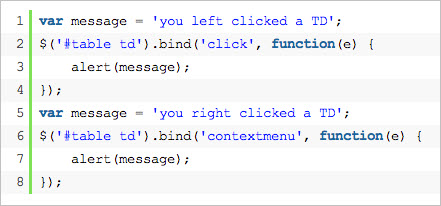
This article is aimed at intermediate developers who are curious about more advanced JavaScript. It is a collection of JavaScript’s oddities and well-kept secrets. Some sections will hopefully give you insight into how these curiosities can be useful to your code, while other sections are pure WTF material. So, let’s get started.
Seven JavaScript Things I Wish I Knew Much Earlier In My Career
I’ve been writing JavaScript code for much longer than I care to remember. I am very excited about the language’s recent success; it’s good to be a part of that success story. I’ve written dozens of articles, book chapters and one full book on the matter, and yet I keep finding new things. Here are some of the “aha!” moments I’ve had in the past, which you can try out rather than waiting for them to come to you by chance.
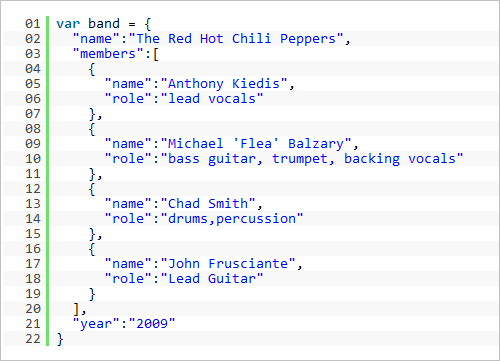
Shortcut notations. One of the things I love most about JavaScript now is shortcut notations to generate objects and arrays. So, in the past when we wanted to create an object, we wrote…
The Seven Deadly Sins Of JavaScript Implementation
Using JavaScript has become increasingly easy over the last few years. Whereas back in the day we needed to know the quirks of every browser, now many libraries such as jQuery, YUI, Dojo and MooTools allow someone who doesn’t even know JavaScript to spruce up boring HTML documents with impressive and shiny effects. By piggy-backing on the CSS selector engine, we have moved away from the complexity and inconsistencies of the DOM and made things much easier.
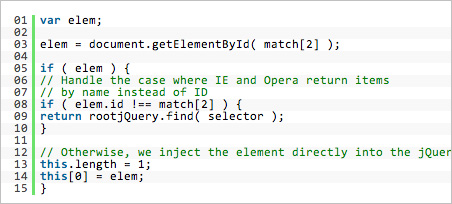
If you look at some of the code that has been released, though, we do seem to have taken a step backwards. In gaining easier access, we also became a bit sloppy with our code. Finding clearly structured, easy-to-maintain jQuery code is quite tough, which is why many plug-ins do the same thing. Writing one yourself is faster than trying to fathom what other developers have done.
The rules for solid, maintainable and secure JavaScript haven’t changed, though. So, let’s run through the seven sins of JavaScript development that will bite you in the backside when you have to maintain the code later on or hand it over to another party.
Find The Right JavaScript Solution With A 7-Step Test
As Web developers and designers, we are spoilt for choice right now. To build a complex Web application or even just spice up a website with some highly interactive interface element, we have hundreds of pre-built solutions to choose from. Every library comes with widgets and solutions, and every developer tries to make a name for him or herself by releasing a funky JavaScript solution to a certain interface problem. We can pick from dozens of menus, image carousels, tabs, form validators and “lightboxes.”
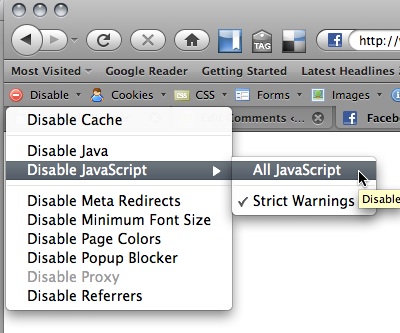
Having this much choice makes it easy for us to pick and choose, which is where things go wrong. In most cases, we measure the quality of a solution by its convenience to us. Our main reasons for picking one solution over another are: Does it do what I need it to do? Does it look cool? Does it sound easy to use? Would I want to use it? Does it use the framework I’m committed to?
What You Need To Know About JavaScript Scope
Understanding scope in programming is key to appreciating how your variables interact with the rest of your code. In some languages, this can be quite straightforward, but JavaScript’s anonymous functions and event handling features, along with a couple of little quirks, mean that handling scope in your applications can become frustrating.

This article discusses how JavaScript handles scope and how various JavaScript libraries provide methods for dealing with it and how they smooth out a few bumps. We’ll also look at how you can get back to basics and do some interesting scope wrangling without a library, a useful approach if you’re writing code that needs to stand alone.
jQuery And JavaScript Coding: Examples And Best Practices
When used correctly, jQuery can help you make your website more interactive, interesting and exciting. This article will share some best practices and examples for using the popular Javascript framework to create unobtrusive, accessible DOM scripting effects.
The article will explore what constitutes best practices with regard to Javascript and, furthermore, why jQuery is a good choice of a framework to implement best practices.
Image Manipulation With jQuery And PHP GD
One of the numerous advantages brought about by the explosion of jQuery and other JavaScript libraries is the ease with which you can create interactive tools for your site. When combined with server-side technologies such as PHP, this puts a serious amount of power at your finger tips.
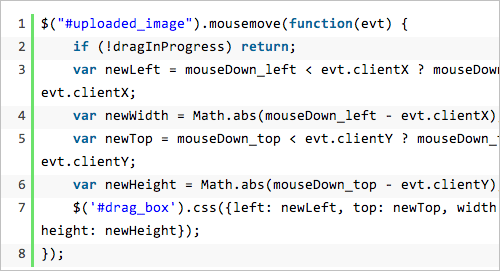
In this article, I’ll be looking at how to combine JavaScript/jQuery with PHP and, particularly, PHP’s GD library to create an image manipulation tool to upload an image, then crop it and finally save the revised version to the server. Sure, there are plugins out there that you can use to do this; but this article aims to show you what’s behind the process. You can download the source files for reference.
jQuery Plugin Checklist: Should You Use That jQuery Plug-In?
jQuery plug-ins provide an excellent way to save time and streamline development, allowing programmers to avoid having to build every component from scratch. But plug-ins are also a wild card that introduce an element of uncertainty into any code base. A good plug-in saves countless development hours; a bad plug-in leads to bug fixes that take longer than actually building the component from scratch.

Fortunately, one usually has a number of different plug-ins to choose from. But even if you have only one, figure out whether it’s worth using at all. The last thing you want to do is introduce bad code into your code base. The first step is to figure out whether you even need a plug-in. If you don’t, you’ll save yourself both file size and time.
Commonly Confused Bits Of jQuery
The explosion of JavaScript libraries and frameworks such as jQuery onto the front-end development scene has opened up the power of JavaScript to a far wider audience than ever before. It was born of the need — expressed by a crescendo of screaming by front-end developers who were fast running out of hair to pull out — to improve JavaScript’s somewhat primitive API, to make up for the lack of unified implementation across browsers and to make it more compact in its syntax.
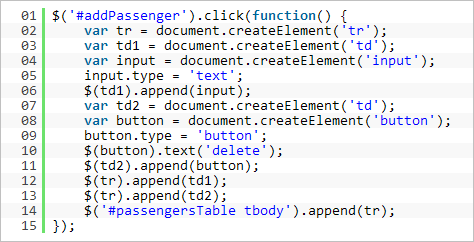
All of which means that, unless you have some odd grudge against jQuery, those days are gone — you can actually get stuff done now. A script to find all links of a certain CSS class in a document and bind an event to them now requires one line of code, not 10. To power this, jQuery brings to the party its own API, featuring a host of functions, methods and syntactical peculiarities. Some are confused or appear similar to each other but actually differ in some way. This article clears up some of these confusions.
Make Your Own Bookmarklets With jQuery
Bookmarklets are small JavaScript-powered applications in link form. Often “one-click” tools and functions, they’re typically used to extend the functionality of the browser and to interact with Web services. They can do things like post to your WordPress or Tumblr blog, submit any selected text to Google Search, or modify a current page’s CSS… and many other things!
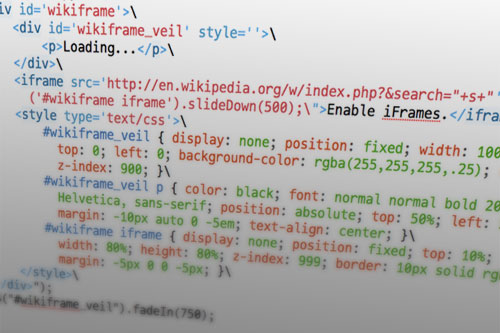
Because they run on JavaScript (a client-side programming language), bookmarklets (sometimes called “favelets”) are supported by all major browsers on all platforms, without any additional plug-ins or software needed. In most instances, the user can just drag the bookmarklet link to their toolbar, and that’s it!
In this article, we’ll go through how to make your own bookmarklets, using the jQuery JavaScript framework.
Behind The Scenes Of Nike Better World
Perhaps one of the most talked about websites in the last 12 months has been Nike Better World. It’s been featured in countless Web design galleries, and it still stands as an example of what a great idea and some clever design and development techniques can produce.
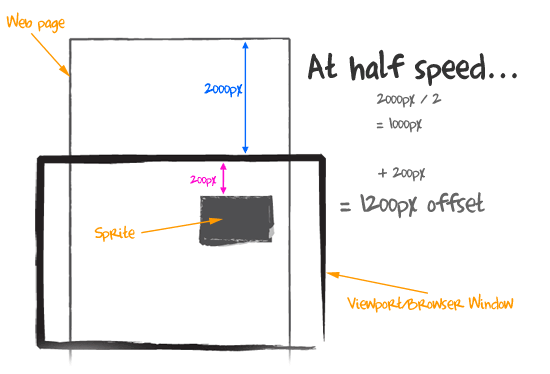
In this article, we’ll talk to the team behind Nike Better World to find out how the website was made. We’ll look at exactly how it was put together, and then use similar techniques to create our own parallax scrolling website. Finally, we’ll look at other websites that employ this technique to hopefully inspire you to build on these ideas and create your own variation.
Five Useful Interactive CSS/jQuery Techniques Deconstructed
With the wide variety of CSS3 and JavaScript techniques available today, it’s easier than ever to create unique interactive websites that delight visitors and provide a more engaging user experience. In this article, we’ll walk through five interactive techniques that you can start using right now. We’ll cover animated text effects, animated images without GIFs, mega drop-down menus, fancy slideshow navigation and animated icons for the hover state of buttons.

Besides learning how to accomplish these specific tasks, you’ll also master a variety of useful CSS and jQuery tricks that you can leverage when creating your own interactive techniques. The solutions presented here are certainly not perfect, so any thoughts, ideas and suggestions on how you would solve these design problems would be very appreciated.
Five Useful CSS/jQuery Coding Techniques For More Dynamic Websites
Interactivity can transform a dull static website into a dynamic tool that not only delights users but conveys information more effectively. In this post, we’ll walk through five different coding techniques that can be easily implemented on any website to provide a richer user experience. These techniques will allow you to better display difficult content, help users find information more effectively and provide meaningful UI cues without overwhelming the user: on-page text search, drag controls for oversized content, subtle hover effects, comment count bars and a full-page slider.

Websites often have search boxes to allow users to find content from their archives. But what if you want to find content on the given page? Information Architects has had on-page text search that provides a great user experience. Let’s recreate this using jQuery.
10 Useful CSS/JS-Coding Solutions For Web-Developers
Often creative and truly remarkable design solutions remain unknown because we, designers, simply overlook them. Being busy with our own projects, we sometimes try to grasp the intuition behind (probably) complex and cluttered code of other designers to understand how they manage to implement particular design ideas. In fact, by just observing the code of other developers we can learn a lot from them; we can find interesting ideas and improve the quality of our work.
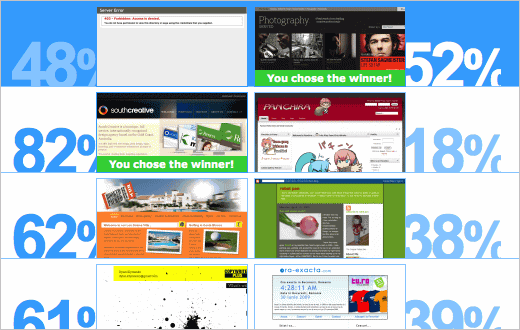
Over the last months we’ve been paying closer attention to interesting design techniques and coding solutions and tried to understand how each of these solutions work and how they can benefit other designers and developers. Such designs are often hard to find, so it would be great if you could suggest some solutions that are worth exploring in detail – we’ll certainly cover them in our next posts!
So let’s take a closer look at 10 useful CSS & Javascript techniques and coding solutions that can turn out to be useful for your next project. You should have at least a basic knowledge of CSS and JavaScript before you read the entire article.
JavaScript And jQuery Tools
Useful HTML-, CSS- and JavaScript Tools and Libraries
Front-end development is a tricky beast. It’s not difficult to learn, but it’s quite difficult to master. There are just too many things that need to be considered; too many tweaks that might be necessary here and there; too many details to make everything just right. Luckily, developers and designers out there keep releasing useful tools and resources for all of us to learn, improve our skills and just get better at what we do.
Here at Smashing Magazine, we’re continuously searching for time-saving, useful HTML-, CSS- and JavaScript-resources for our readers, to make the search of these ever-growing tools easier. We hope that these tools will help you improve your skills as well as your professional workflow. A sincere thanks to all designers and developers who are featured in this round-up. We respect and appreciate your contributions to the design community.
50 Fresh JavaScript Tools That Will Improve Your Workflow
JavaScript is an integral part of the RIA revolution. JavaScript allows developers to create rich and interactive web interfaces and establish asynchronous communication with servers for constantly up-to-date data without a page refresh.
Many things that were once accomplished using Flash objects can now be built using JavaScript - with the added benefit that it is free, typically more web and mobile accessible under most circumstances using best practices for development techniques, and without the need to use proprietary software for development.
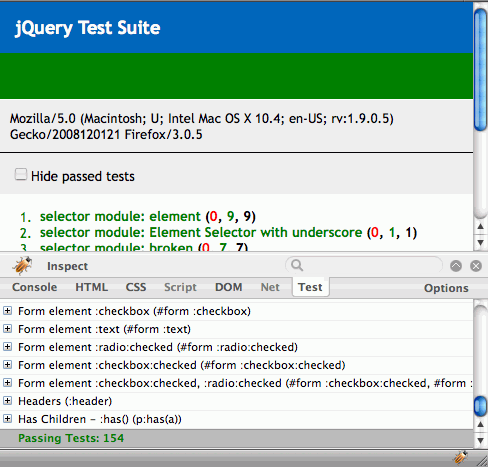
Though JavaScript has been around for a while, new tools, techniques, and information are constantly being pumped out to continually push the technology into greater heights. In this article, we wish to share with you a huge list of fresh and new tools and resources that JavaScript developers will find useful and informative.
40 Useful jQuery Techniques And Plugins
Over the last year, Smashing Magazine has evolved. We’ve been publishing fewer lists and more in-depth articles about design and Web development. We have invited professionals and high-profile developers to write for us. We’ve been investing more resources in the quality and relevance of our articles. We’ve also explored new formats; and on weekends we’ve been publishing more inspirational pieces, leaving the in-depth articles to weekdays.
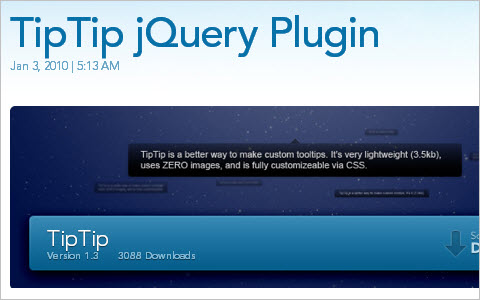
We’ve tried our best to fuel the growing appetite of our readers for more advanced articles, but recently we’ve been receiving more requests for carefully selected, useful round-ups. We are not big fans of lists either, but the format is useful and — if the resources are relevant — can be extremely helpful. Therefore, we’ve decided to add a couple of round-ups per month as a bonus to our regular articles. Instead of replacing the main articles, we will add round-ups on top of our regular schedule. If you don’t like round-ups or find them inappropriate, please feel free to skip them. How does this work for you?
In this post, we present 40 useful but obscure jQuery plug-ins that will hopefully help you improve the user experience on your websites. We look forward to your ideas and suggestions in the comments to this post.
45 Fresh Useful JavaScript And jQuery Techniques And Tools
Yes, this is another round-up of fresh and useful Javascript techniques, tools and resources. But don’t close the tab yet, as you might find this one very useful. In this selection we present calendars, forms, buttons, navigation, debugging, optimization and compatibility tables as well as handy resources and tools. We also cover various jQuery-plugins that will help you extend the functionality of your website and improve user experience with ready components or coding solutions.

The last section also covers a number of useful educational resources such as a compilation of useful JavaScript coding practices, a detailed comparison of JavaScript frameworks and general JavaScript programming conventions. We are looking forward to your feedback.
50 Brilliant CSS3/JavaScript Coding Techniques
CSS3 is coming. Although the browser support of CSS 3 is still very limited, many designers across the globe experiment with new powerful features of the language, using graceful degradation for users with older browsers and using the new possibilites of CSS3 for users with modern browsers. That’s a reasonable solution — after all it doesn’t make sense to avoid learning CSS3 (that will be heavily used in the future) only because these features are not supported yet. The point of this article is to give you a glimpse of what will be possible soon and what you will be using soon and provide you with an opportunity to learn about new CSS3 techniques and features.
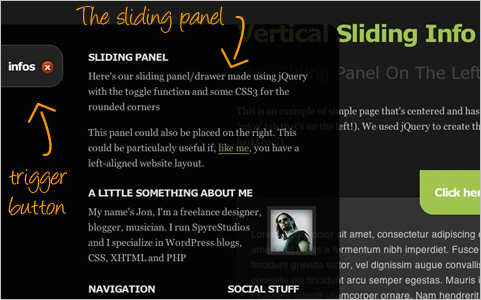
In this post we present 50 useful and powerful CSS3/jQuery-techniques that can strongly improve user experience, improve designer’s workflow and replace dirty old workarounds that we used in Internet Explorer 6 & Co. Please notice that most techniques presented below are experimental, and many of them are not pure CSS3-techniques as they use jQuery or other JavaScript-library.
45 Powerful CSS/JavaScript-Techniques
CSS and JavaScript are extremely powerful tools for designers and developers. However, sometimes it’s difficult to come up with the one excellent idea that would solve a problem that you are facing right now. Good news: almost every day designers and developers come up with fresh and clever CSS tricks and techniques and share them with other developers online. We regularly collect all these tricks, filter them, sort them, revise them and prepare them for Smashing Magazine readers.
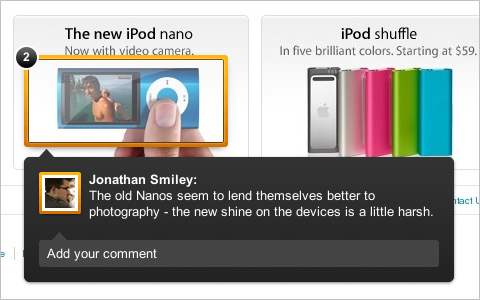
In this post we present 45 useful CSS/JavaScript-techniques that may help you find clever solutions to some of your problems or just get inspired by what is possible with CSS. We cover interesting CSS-techniques, navigation menus, CSS typography, CSS lists and CSS buttons. The focus of this post lies on CSS; please notice that some of the techniques use JavaScript or PHP for enhanced functionality.
Please notice that this is the first part of our large round-up of fresh CSS/JavaScript-techniques. Other techniques (CSS tables, CSS layouts, CSS for Mobile and CSS forms) will be featured in an upcoming article. So don’t forget to subscribe to our RSS-feed and follow us on Twitter for similar articles and a stream of useful resources. Please also let us know what we should change or improve in our future posts!
Develop A One-Of-A-Kind CSS/JS-Based Game Portfolio
A portfolio is a must-have for any designer or developer who wants to stake their claim on the Web. It should be as unique as possible, and with a bit of HTML, CSS and JavaScript, you could have a one-of-a-kind portfolio that capably represents you to potential clients. In this article, I’ll show you how I created my 2-D Web-based game portfolio.

Before getting down to business, let’s talk about portfolios.
A portfolio is a great tool for Web designers and developers to show off their skills. As with any project, spend some time learning to develop a portfolio and doing a little research on what’s going on in the Web design industry, so that the portfolio presents you as an up to date, innovative and inspiring person. All the while, keep in mind that going with the flow isn’t necessarily the best way to stand out from the crowd.
One last thing before we dive into the mystery of my Web-based game portfolio. I use jQuery which has made my life much easier by speeding up development and keeping my code clean and simple.
A Quick Look Into The Math Of Animations With JavaScript
In school, I hated math. It was a dire, dry and boring thing with stuffy old books and very theoretical problems. Even worse, a lot of the tasks were repetitive, with a simple logical change in every iteration (dividing numbers by hand, differentials, etc.). It was exactly the reason why we invented computers. Suffice it to say, a lot of my math homework was actually done by my trusty Commodore 64 and some lines of Basic, with me just copying the results later on.
These tools and the few geometry lessons I had gave me the time and inspiration to make math interesting for myself. I did this first and foremost by creating visual effects that followed mathematical rules in demos, intros and other seemingly pointless things.

There is a lot of math in the visual things we do, even if we don’t realize it. If you want to make something look natural and move naturally, you need to add a bit of physics and rounding to it. Nature doesn’t work in right angles or linear acceleration. This is why zombies in movies are so creepy. This was covered here before in relation to CSS animation, but today let’s go a bit deeper and look at the simple math behind the smooth looks.
Create An Animated Bar Graph With HTML, CSS And jQuery
People in boardrooms across the world love a good graph. They go nuts for PowerPoint, bullet points and phrases like “run it up the flagpole,” “blue-sky thinking” and “low-hanging fruit,” and everything is always “moving forward.” Backwards is not an option for people who facilitate paradigm shifts in the zeitgeist. Graphs of financial projections, quarterly sales figures and market saturation are a middle-manager’s dream.

How can we as Web designers get in on all of this hot graph action? There are actually quite a few ways to display graphs on the Web. We could simply create an image and nail it to a Web page. But that’s not very accessible or interesting. We could use Flash, which is quite good for displaying graphs?—?but again, not very accessible. Besides, designers, developers and deities are falling out of love with Flash. Technologies such as HTML5 can do many of the same things without the need for a plug-in. The new HTML5 <canvas> element could even be adapted to the task. Plenty of charting tools are online that we might use. But what if we wanted something a little more tailored?
There are pros and cons to the wide range of resources available to us, but this tutorial will not explore them all. Instead, we’ll create our graph using a progressively enhanced sprinkling of CSS3 and jQuery. Because we can.
Essential jQuery Plugin Patterns
I occasionally write about implementing design patterns in JavaScript. They’re an excellent way of building upon proven approaches to solving common development problems, and I think there’s a lot of benefit to using them. But while well-known JavaScript patterns are useful, another side of development could benefit from its own set of design patterns: jQuery plugins. The official jQuery plugin authoring guide offers a great starting point for getting into writing plugins and widgets, but let’s take it further.
Plugin development has evolved over the past few years. We no longer have just one way to write plugins, but many. In reality, certain patterns might work better for a particular problem or component than others.
Some developers may wish to use the jQuery UI widget factory; it’s great for complex, flexible UI components. Some may not. Some might like to structure their plugins more like modules (similar to the module pattern) or use a more formal module format such as AMD (asynchronous module definition). Some might want their plugins to harness the power of prototypal inheritance. Some might want to use custom events or pub/sub to communicate from plugins to the rest of their app. And so on.
I began to think about plugin patterns after noticing a number of efforts to create a one-size-fits-all jQuery plugin boilerplate. While such a boilerplate is a great idea in theory, the reality is that we rarely write plugins in one fixed way, using a single pattern all the time.
Let’s assume that you’ve tried your hand at writing your own jQuery plugins at some point and you’re comfortable putting together something that works. It’s functional. It does what it needs to do, but perhaps you feel it could be structured better. Maybe it could be more flexible or could solve more issues. If this sounds familiar and you aren’t sure of the differences between many of the different jQuery plugin patterns, then you might find what I have to say helpful.
My advice won’t provide solutions to every possible pattern, but it will cover popular patterns that developers use in the wild.
Introduction To JavaScript Unit Testing
You probably know that testing is good, but the first hurdle to overcome when trying to write unit tests for client-side code is the lack of any actual units; JavaScript code is written for each page of a website or each module of an application and is closely intermixed with back-end logic and related HTML. In the worst case, the code is completely mixed with HTML, as inline events handlers.
This is likely the case when no JavaScript library for some DOM abstraction is being used; writing inline event handlers is much easier than using the DOM APIs to bind those events. More and more developers are picking up a library such as jQuery to handle the DOM abstraction, allowing them to move those inline events to distinct scripts, either on the same page or even in a separate JavaScript file. However, putting the code into separate files doesn’t mean that it is ready to be tested as a unit.
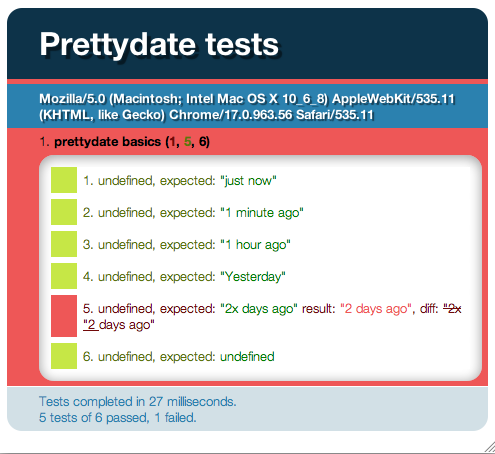
What is a unit anyway? In the best case, it is a pure function that you can deal with in some way — a function that always gives you the same result for a given input. This makes unit testing pretty easy, but most of the time you need to deal with side effects, which here means DOM manipulations. It’s still useful to figure out which units we can structure our code into and to build unit tests accordingly.
Analyzing Network Characteristics Using JavaScript And The DOM, Part 1
As Web developers, we have an affinity for developing with JavaScript. Whatever the language used in the back end, JavaScript and the browser are the primary language-platform combination available at the user’s end. It has many uses, ranging from silly to experience-enhancing.
In this article, we’ll look at some methods of manipulating JavaScript to determine various network characteristics from within the browser — characteristics that were previously available only to applications that directly interface with the operating system. Much of this was discovered while building the Boomerang project to measure real user performance.
Lessons From A Review Of JavaScript Code
Before we start, I’d like to pose a question: when was the last time you asked someone to review your code? Reviewing code is possibly the single best technique to improve the overall quality of your solutions, and if you’re not actively taking advantage of it, then you’re missing out on identifying bugs and hearing suggestions that could make your code better.
None of us write 100% bug-free code all of the time, so don’t feel there’s a stigma attached to seeking help. Some of the most experienced developers in our industry, from framework authors to browser developers, regularly request reviews of their code from others; asking whether something could be tweaked should in no way be considered embarrassing. Reviews are a technique like any other and should be used where possible.

Today we’ll look at where to get your code reviewed, how to structure your requests, and what reviewers look for. I was recently asked to review some code for a new JavaScript application, and thought I’d like to share some of my feedback, because it covers some JavaScript fundamentals that are always useful to bear in mind.
Optimizing Long Lists Of Yes/No Values With JavaScript
Very frequently in Web development (and programming in general), you need to store a long list of boolean values (yes/no, true/false, checked/unchecked… you get the idea) into something that accepts only strings. Maybe it’s because you want to store them in localStorage or in a cookie, or send them through the body of an HTTP request. I’ve needed to do this countless times.
The last time I stumbled on such a case wasn’t with my own code. It was when Christian Heilmann showed me his then new slide deck, with a cool feature where you could toggle the visibility of individual slides in and out of the presentation. On seeing it, I was impressed. Looking more closely, though, I realized that the checkbox states did not persist after the page reloaded. So, someone could spend a long time carefully tweaking their slides, only to accidentally hit F5 or crash their browser, and then?—?boom!?—?all their work would be lost. Christian told me that he was already working on storing the checkbox states in localStorage. Then, naturally, we endlessly debated the storage format. That debate inspired me to write this article, to explore the various approaches in depth.
Searchable Dynamic Content With AJAX Crawling
Google Search likes simple, easy-to-crawl websites. You like dynamic websites that show off your work and that really pop. But search engines can’t run your JavaScript. That cool AJAX routine that loads your content is hurting your SEO.
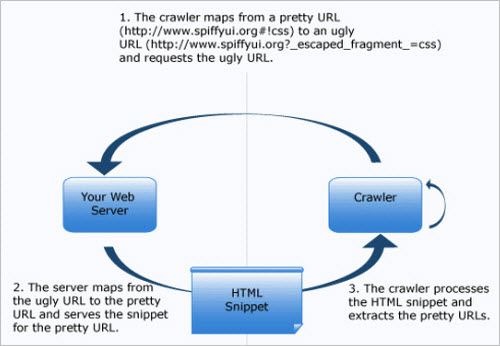
Google’s robots parse HTML with ease; they can pull apart Word documents, PDFs and even images from the far corners of your website. But as far as they’re concerned, AJAX content is invisible.


