
Free Photoshop Tools For Web Designers

Email Newsletter
Weekly tips on front-end & UX.
Trusted by 182,000+ folks.


 Celebrating 10 million developers
Photoshop is still a favorite among a lot of web designers, and the right tools make it even more powerful than it already is. To help you boost productivity, save time and (obviously) nerves, we have picked some valuable Photoshop resources, plugins and scripts for you.
Some of them will speed up routine tasks so you can concentrate more on your actual work, others build a bridge between Photoshop and code so your design mockups can benefit from the best of both worlds. Unless otherwise noted, the resources are free to use and require Photoshop CC 2015.
HTML Block
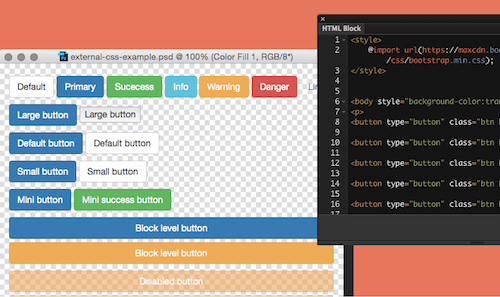
Code and Photoshop don’t go well together? Actually, they do, if you have HTML Block installed. The plugin uses the WebKit engine to render HTML/CSS on the fly and place it in a special block in Photoshop. Handy if you want to use web fonts in your mockup, to get real font rendering like in a live browser, or to create resizable controls.
Page Layers
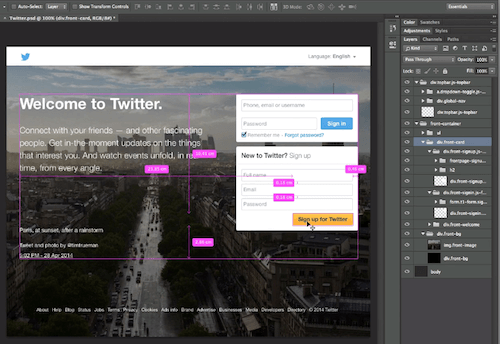
If you prefer designing in the browser but need a Photoshop file of your design, then check out Page Layers. The screenshot app converts any web page to Photoshop with separate, named layers for all page elements. Also useful when redesigning or improving a current page design. Page Layers is compatible with Mac OS X and costs $34.99.
Bjango Actions
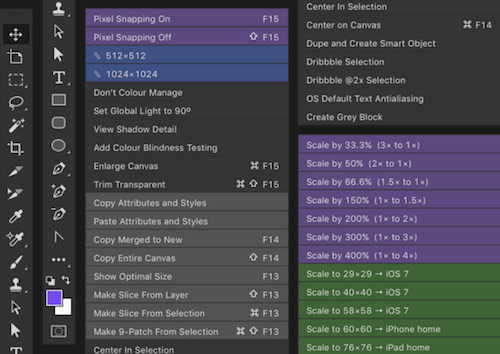
Bjango’s open source collection of actions and scripts caters for solutions to a lot of Photoshop tasks. Among others, it makes scaling your documents, making slices and positioning elements more efficient.
Ditto
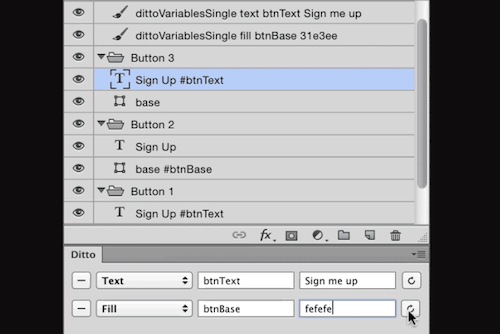
Ditto is a plugin that lets you use variables for elements such as colors, text strings, font sizes, line heights, x- and y-positions, and even visibility. It’s not necessary for everyone editing the PSD file has Ditto installed, but it’s the safest option if you want to keep your variables up-to-date.
Renamy
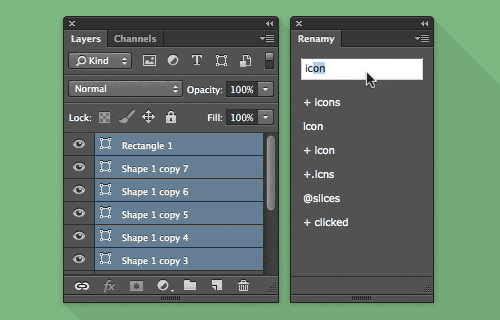
So you have multiple layers that you need to rename, but you don’t want to do it manually? That’s where Renamy comes in. The plugin allows you to select multiple layers and give them a new name with just one click. The demo version is free but comes with a limit of five items for the name list. The full version has no limitations, of course.
Duplllicator
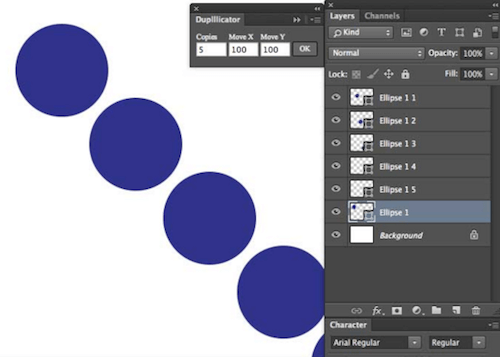
Duplllicator is your friend when it comes to cloning layers and groups. You just need to choose the number of copies you want to have and the horizontal and vertical spacing of the duplicates. This plugin works with Photoshop CC and CC 2014.
Size Marks
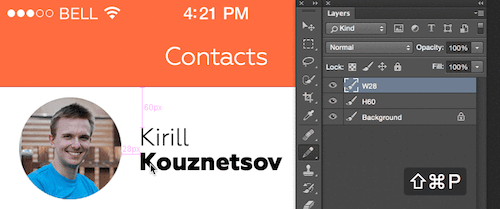
Size Marks is a script to convert rectangular marquee to labeled measurement marks. It’s compatible with CC 2014 and CC 2015.
Magic Wand Tricks
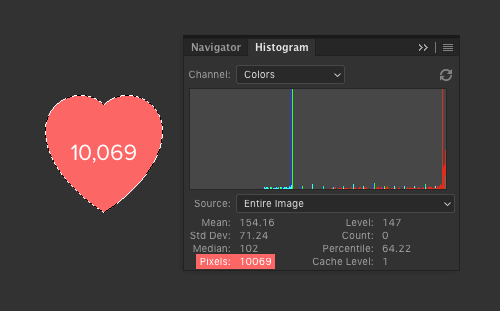
Last but not least, one of the oldest Photoshop tools, which comes already built in: the Magic Wand. It’s actually more versatile than you would have expected. Did you know that it excels at creating slices? It is also great to quickly center layers and groups, and in conjunction with the histogram panel, it can even be used to count the number of pixels in a selection.
What are your favorite Photoshop tools? Let us know in the comments to this post!
Further Reading
- Photoshop Etiquette For Responsive Web Design
- The Retina Asset Workflow You’ve Always Wanted
- Repurposing Photoshop For The Web
- Meet Penpot, An Open-Source Design Platform Made For Designers And Developers Alike
 (cm, og, mrn)

