
How To Make Your Design System AI-Ready

Email Newsletter
Weekly tips on front-end & UX.
Trusted by 182,000+ folks.
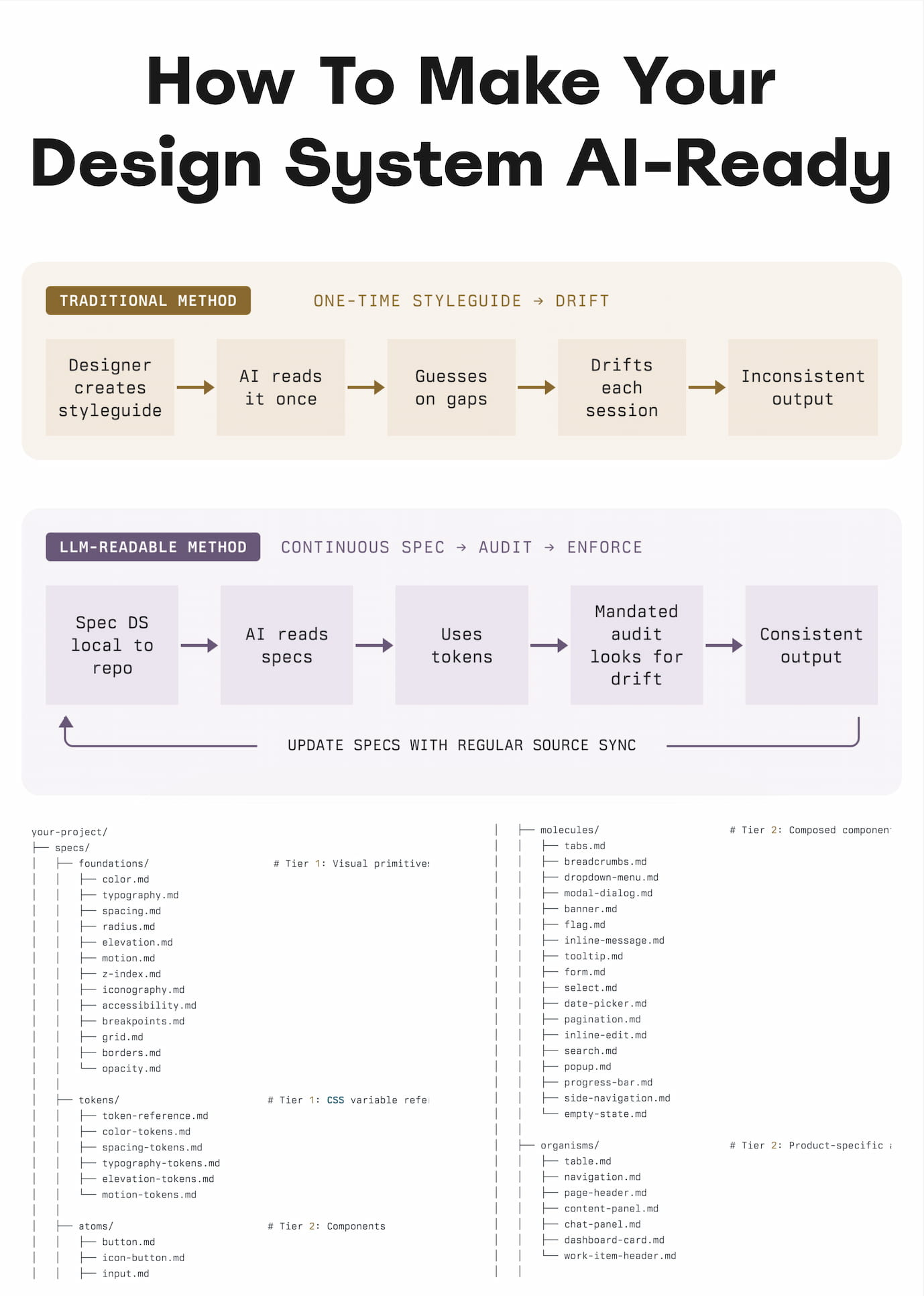
AI-generated prototypes often don’t deliver consistently decent results because of tiny inconsistencies scattered all across a design system. I’s decisions made but not documented, hard-coded values never cleaned up, or relying too much on AI making sense of mock-ups or design flows on its own.
Yesterday I stumbled upon a useful practical guide by Hardik Pandya from Atlassian — on how to reduce drifts, minimize mistakes, maintain context, and improve the quality of AI-generated prototypes. Let’s see how it works.

1. Design Decisions Are Infrastructure
Unsurprisingly, better AI prototypes come from better data — but also from better human guidance. We shouldn’t assume that AI knows how to choose the right component and how to design with accessibility in mind. It needs priorities, a clear path on how we make decisions, design principles, examples, do’s and don’ts.
In fact, we should treat design decisions as infrastructure. That means that every time we make a decision — not just a design decision, but even a decision on how to actually prioritize our work and how we make decisions around here — it must find a path into the spec file that is then consumed by AI.
2. Auditing: FigmaLint
One of the useful tools to audit the quality of the design system is FigmaLint. It’s a useful free Figma plugin for auditing tokens, states, accessibility, binding tokens, renaming layers, detecting detached instances, missing interactive states and hard-coded values — and preparing the design documentation.

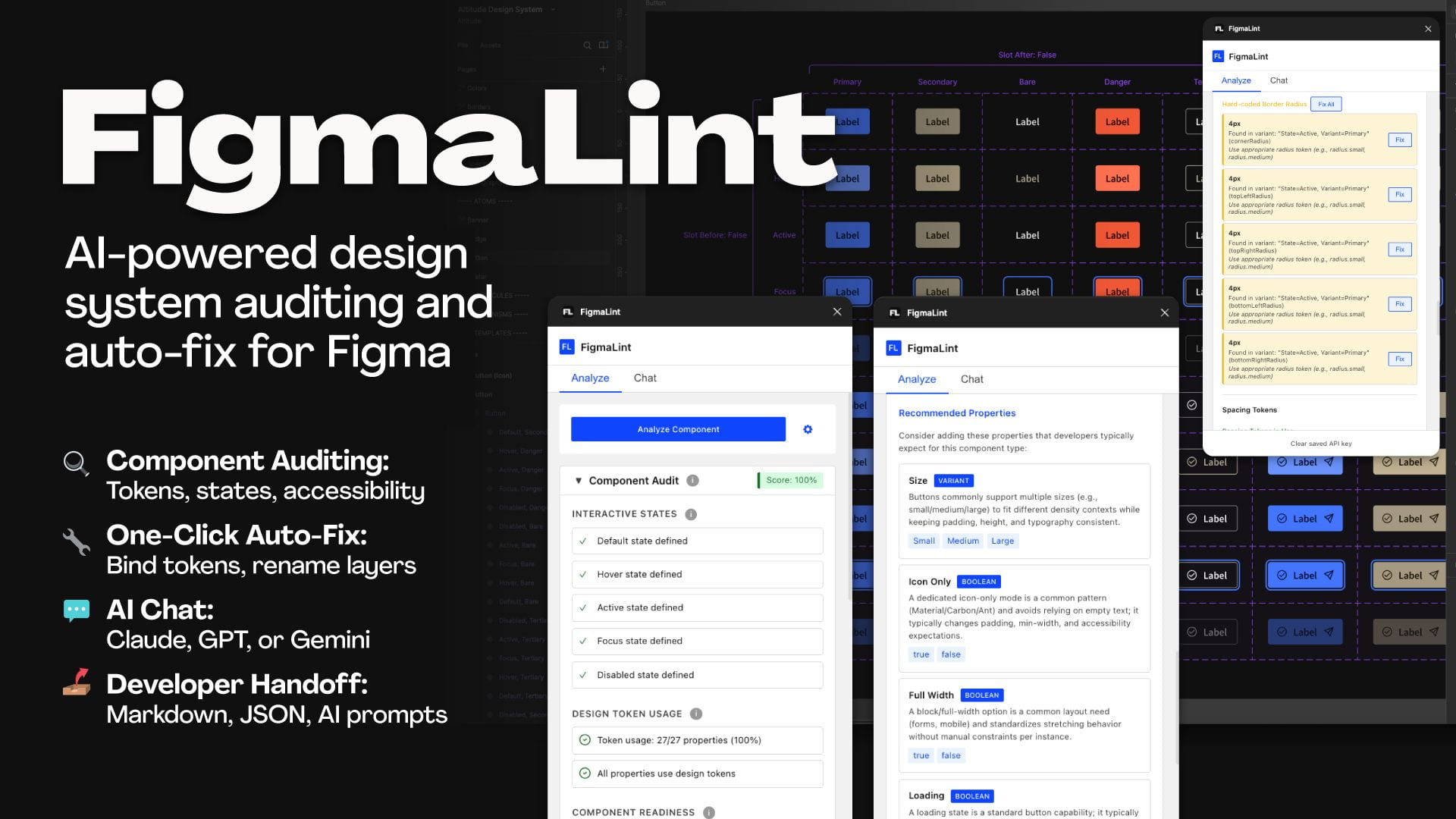
If you often have to work with vendors and third parties who supply you with their design systems and component libraries, that’s a great helper to have by your side — especially if you want to improve the quality of prototypes, AI-generated code, and AI-written documentation.
3. Three Layers: Spec Files + Token Layer + Auditing
To ensure quality, we establish design principles, guidelines, and rules in the form of “spec files”. It’s structured Markdown files that include spacing rules, color choices, component usage guidelines, priorities, etc. AI is going to read and reuse that spec file every time it’s going to generate a prototype.
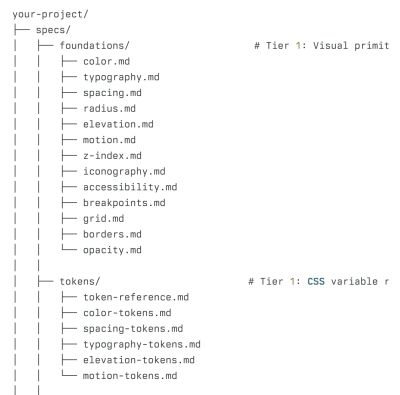
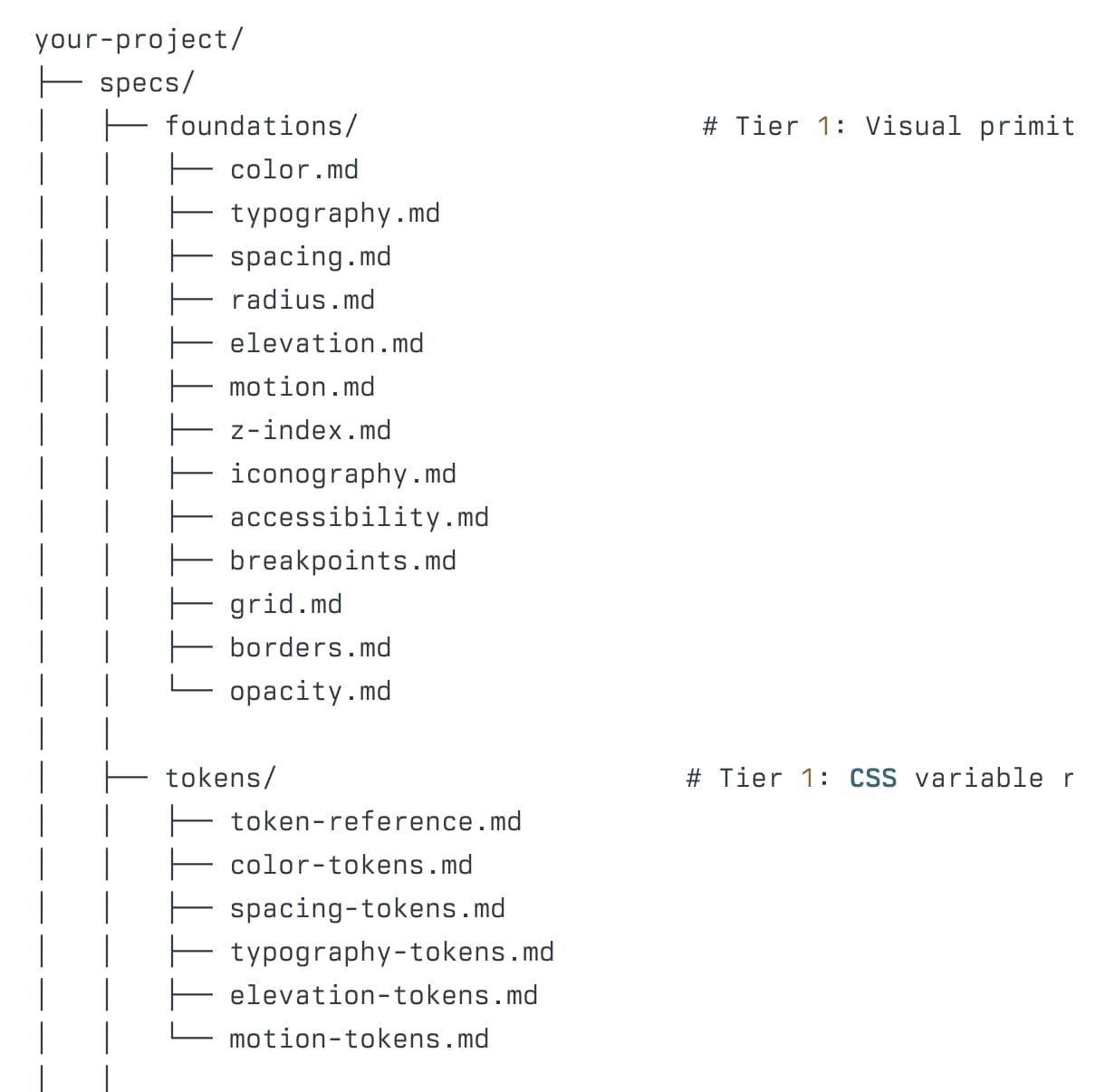
Because the spec files are text files, it’s much more cost-effective but also much more accurate, just because we don’t rely on AI recognizing or decoding patterns from mock-ups but get specific guidelines instead. In fact, extending code is often a more effective way than generating code from mock-ups.
The token layer lists and keeps updated all tokens used throughout the design system. AI always chooses from a closed set of named variables instead of inventing plausible values ad hoc.

An audit script catches what AI gets wrong. It scans the prototype and flags every hard-coded value and flags it if necessary. It can be a regular software doing that, with AI waiting for its feedback to come back.
Finally, when a design system ships updates, a sync routine flags which spec files need updating. The goal is to make sure that AI always reads up-to-date, current specs, not the ones written against an outdated version.
4. Examples of AI-Ready Design Systems
Wrapping Up
Ultimately, AI cannot magically resolve technical debt or design debt without proper guidance. It relies heavily on clear decisions, established priorities, and well-defined principles.
The more deliberate and precise designers are in guiding AI, the better the overall outcomes will be. This requires not just cleaning up and improving design systems but also maintaining them over time as decisions need to trickle down into Markdown files. We’ll be busy for years to come.
Meet “Design Patterns For AI Interfaces”
Meet Design Patterns For AI Interfaces, Vitaly’s new video course with 100s of real-life examples and UX guidelines to design AI features that people actually use — with a live UX training later this year. Jump to a free preview.

Video + UX Training
$ 450.00 $ 799.00 Get Video + UX Training30 video lessons (10h) + Live UX Training.
100 days money-back-guarantee.
Video only
30 video lessons (10h). Updated yearly.
Also available as a UX Bundle with 3 video courses.
Useful Resources
- FigmaLint, by TJ Pitre
- Atlassian AI-Ready Design System Example, by Atlassian
- Carbon AI-Ready Design System Example, by IBM
- CMS Design System AI-Ready Example, by Centers for Medicare & Medicaid Services
- Nordhealth AI-Ready Design System Example, by Nordhealth
 (yk)
(yk)