
UX eBook Bundle (2026 Edition, 4 eBooks)

ePUB, Kindle, PDF
Download PDF, ePUB, Kindle.
Thanks for being smashing! ❤️
About The ebook Bundle
Our UX eBook Bundle, 2026 Edition, is for anyone who wants to create digital products and experiences that are truly human-centered, durable, and inclusive.
You’ll learn how to build, mature, and sustain a design system, what it takes to make your forms simple and inclusive, and how to run accessible UX research that reflects the true diversity of your users. Written by Ben Callahan, Alla Kholmatova, Adam Silver, and Dr. Michele A. Williams.
This eBook bundle contains all of the following eBooks, each of which are downloadable in all formats: ePub, Kindle, and PDF:
- Maturing Design Systems (eBook)
Maturing Design Systems is a practical guide for anyone funding, leading, or working on a design system. Instead of treating systems as a purely technical investment, it focuses on the people, culture, and hidden forces that determine whether a system delivers real value. Through clear mental models and a maturity framework, it helps teams understand where they are, where they’re headed, and how to build a sustainable, human-centered program that lasts.
Written by Ben Callahan. Foreword by Lauren LoPrete. Cover art by Espen Brunborg. 305 pages.
- Prologue: Context — An introduction to the context of design systems, understanding where they live in your organization, what feeds them, and whether you should build one.
- Design System Culture — A deep dive into what culture is, why it’s important for design system teams to understand, and how it unlocks the ability for you to deliver real value.
- The Anatomy of a Design System — An exploration of the layers and parts that make up a design system based on the evaluation of hundreds of design systems over many years.
- Maturity — An overview of the design system maturity model including the four stages of maturity, origin stories, a framework for maturing in a healthy way, and a framework for creating design system stability.
- Stage 1, Building Version One — A dive into what it means to be in stage 1 of the design system maturity and a few mental models to keep you focused on the right things in this early stage.
- Stage 2, Growing Adoption — Unpacking stage 2 of the design system maturity model and a deep dive into adoption: broadening your perspective on adoption, the adoption curve, and how to create sustainable adoption.
- Stage 3, Surviving the Teenage Years — Understanding the relevant concerns for stage 3 of the design system maturity model and how to address the more nuanced challenges that come with this level of maturity.
- Stage 4, Evolving a Healthy Program — Exploring what it means to be in stage 4 of the design system maturity model, when you’ve become an influential leader in the eyes of the rest of your organization.
- Design Systems (eBook)
As the web continues to become more complex, designing static pages has become untenable, so that many of us have started to approach design in a more systematic way. In this book, Alla Kholmatova sets out to identify what makes an effective design system that can empower teams to create great digital products.
- Design Systems — There isn’t a standard definition of “design system” within the web community and people use the term in different ways. In this chapter, we’ll define what a design system is and what it consists of.
- Design Principles — Solid principles are the foundation for any well-functioning system. In this chapter we’ll discuss the qualities of effective design principles and look at some of the ways of defining them.
- Functional Patterns — In this chapter we’ll discuss the role of functional patterns and why they should be defined early in the design process.
- Perceptual Patterns — In this chapter we’ll discuss how perceptual patterns work and their role in a design system.
- Shared Language — This chapter describes how to establish a shared language, which allows a group of people to create and use patterns cohesively for a particular product.
- Parameters of Your System — This chapter introduces some of the qualities a design system can have, and the ways in which risks and downsides can be managed.
- Planning And Practicalities — In this chapter we’ll look at finding support for establishing a design system in your organization, and planning and starting the work.
- Systemizing Functional Patterns — The exercise in this chapter describes an approach to systemizing functional patterns, starting with a product’s purpose.
- Systemizing Perceptual Patterns — The exercise in this chapter describes how to conduct an inventory of styles, define perceptual patterns, and integrate them into the system.
- Pattern Libraries — In this chapter we’ll look at some of the practical techniques to set up a simple, useful, and multidisciplinary pattern library.
- Accessible UX Research (eBook)
Accessible UX Research is your guide to making UX research more inclusive — from planning and recruiting to facilitation, asking better questions, avoiding bias, and building trust. This book is for anyone who cares about research, accessibility, and making products that endure. Michele A. Williams takes you on a deep dive into the real world of UX research, with a roadmap for including users with different abilities and needs.
Written by Dr. Michele A. Williams. Foreword by Jared Smith of WebAIM. Cover art by Espen Brunborg.
- Disability Mindset — For inclusive research to succeed, we must first confront our mindset about disability, typically influenced by ableism.
- Diversity of Disability — Accessibility is not solely about blind screen reader users; disability categories help us unpack and process the diversity of disabled users.
- Disability in the Stages of UX Research — Disabled participants can and should be part of every research phase — formative, prototype, and summative.
- Recruiting Disabled Participants — Recruiting disabled participants is not always easy, but that simply means we need to learn strategies on where to look.
- Designing Your Research — While our goal is to influence accessible products, our research execution must also be accessible.
- Facilitating an Accessible Study — Preparation and communication with your participants can ensure your study logistics run smoothly.
- Analyzing and Reporting with Accuracy and Impact — How you communicate your findings is just as important as gathering them in the first place — so prepare to be a storyteller, educator, and advocate.
- Disability in the UX Research Field — Inclusion isn’t just for research participants, it’s important for our colleagues as well, as explained by blind UX Researcher Dr. Cynthia Bennett.
- Form Design Patterns (eBook)
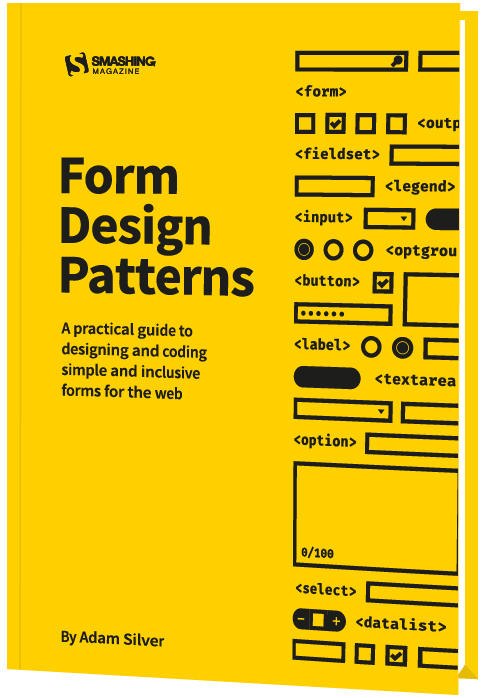
Without forms, the web is a passive experience where content is just consumed. But with forms the web can be collaborative, creative and productive. Forms are at the center of every meaningful interaction, so they’re worth getting a firm handle on. Jump to table of contents.
On first glance, forms are simple to learn. Made up of just a handful of inputs, you can create a form in little time. But when we consider the journeys we need to design, the users we need to design for, the browsers and devices of varying sizes, capabilities and bugs being used; and ensuring that the result is simple and inclusive, form design becomes a far more interesting and bigger challenge.
- A Registration Form — We’ll start with a basic registration form and take a look at the foundational qualities of a well-designed form and how to think about them. By applying something called a question protocol, we’ll look at how to reduce friction without even touching the interface. Then we’ll look at some crucial patterns, including validation, that we’ll want to use for every form.
- A Checkout Form — The one thing per page design pattern is a cornerstone of creating well-designed forms. We’ll look at why that is before applying it to a checkout flow. After that, we’ll consider flow and order with a view to breaking down each step of the checkout flow. Then we’ll look at several input types and how they affect the user experience on mobile and desktop browsers, all the while looking at ways to help both first-time and returning customers order quickly and simply.
- A Flight Booking Form — We’ll dive into the world of progressively enhanced, custom form components using ARIA. We’ll do this by exploring the best way to let users select destinations, pick dates, add passengers, and choose seats. We’ll analyze native form controls at length, and look at breaking away from convention when it becomes necessary.
- A Login Form — We’ll look at the ubiquitous login form. Despite its simple appearance, there’s a bunch of usability failures that so many sites suffer from. Social media login hasn’t necessarily helped matters so we’ll cover that too.
- An Inbox — We’ll design ways to manage and action email in bulk, our first look at administrative interfaces. As such, this comes with its own set of challenges and patterns, including a responsive ARIA-described action menu, multiple selection, and same-page messaging.
- A Search Form — We’ll create a responsive search form that is readily available to users on all pages, and we’ll also consider the importance of the search mechanism that powers it. Together, they can make search discoverable, simple, and useful.
- A Filter Form — Users often need to filter a large set of unwieldy search results. Without a well-designed filter, users are bound to give up. Filters pose a number of interesting and unique design problems that may force us to challenge best practice to give users a better experience.
- An Upload Form — Many services, like photo sharing, messaging, and many back-office applications, let users upload images and documents. We’ll study the file input and how we can use it to upload multiple files at once. Then we’ll look at the intricacies of a drag-and-drop, Ajax-enhanced interface that is inclusive of keyboard and screen reader users.
- An Expense Form — We’ll investigate the special problem of needing to create and add lots of expenses (or anything else) into a system. This is really an excuse to cover the add another pattern, which is often useful in administrative interfaces.
- A Really Long And Complicated Form — Some forms are very long and take hours to complete. We’ll look at some of the patterns we can use to make long forms easier to manage.
ePUB, Kindle, PDF
$ 49.00More Books

Accessible UX Research

Success At Scale
Interface Design Checklists
166 practical cards for common interface design challenges.

Understanding Privacy
How to put your users first and make a better web.
Touch Design for Mobile Interfaces
Want to learn how to improve the design of your mobile digital products? Learn how touchscreen devices really work — and how people really use them.

Image Optimization
Deliver high-quality responsive images in the best format and size, and at the moment your users need them.
TypeScript in 50 Lessons
Everything you need to know about TypeScript, its type system, and all its benefits in 50 lessons.

Click!
A guide to increasing conversion and driving sales sustainably.
The Ethical Design Handbook
A practical guide on ethical design for digital products.
Inclusive Components
Handbook for building robust, accessible interfaces.
Smashing Print
A printed magazine designed to make you think.

Art Direction for the Web
Creating engaging, art-directed experiences on the web.
Smashing Book 6
Exploring new frontiers in front-end and design.
Design Systems
Create effective design systems that empower teams to create great digital products.
Form Design Patterns
Designing and coding inclusive and usable web forms.
User Experience Revolution
Help organizations understand and embrace digital.

White Hat UX
How to avoid dark patterns and improve user experience.
Digital Adaptation
Helping traditional companies embrace and make use of digital.
Inclusive Design Patterns
Creating bulletproof, accessible HTML/CSS components.
Smashing Book #5
Smart responsive design techniques from real projects.
The Sketch Handbook
Everything you need to know to understand and use Sketch.